10 Tips for
Improving
Small
Business
Cyber
Security
Always have
Protection from
Viruses, Spyware &
Malicious Code
Viruses are still a thing in 2017, and for
business, all computers should be equipped
with updated anti-virus and anti-spyware
software. Remember, you can’t set and
forget antivirus software.
Configure your software updates to install
automatically to save yourself or your IT
department the hassle, and ensure you’re
always protected against the newest
threats.
Always use a firewall and encrypt
your information. Your Wi-Fi
network should be secure and
hidden. Do not publicly broadcast
your network name and password
protect access to the router. A
bonus tip – your password should
not be password or 123456.
Secure Your
Networks!
Have Policies in Place to Protect
Sensitive Information
You should protect your network from
more than just external sources. Some
of the biggest data breaches occur
because of employees. While
sometimes this is done maliciously,
that isn’t always the case.
All companies should have policies in
place that clearly define how to handle
and protect personally identifiable
information and sensitive data, while
outlining the consequences of violating
these policies.
Hold Your Employees
Accountable
Education is maintaining small business cyber
security. Make your employees aware of online
threats and the steps they can take to protect
your businesses’ data.
Employees should be tied to internet security
policies both on and off the job.
Use Multi-Factor
Authentication
Implement a multifactor authentication system
that requires additional information along with a
user’s password. While there is some debate
over whether or not it’s a good idea to make
employees change their passwords on a regular
basis, multi-factor authentication including use
of security questions, biometric scans and
captchas can help prevent your data from falling
into the wrong hands.
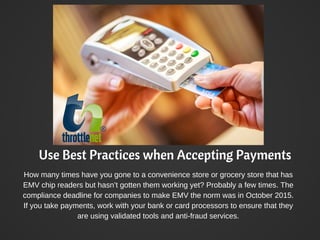
Use Best Practices when Accepting Payments
How many times have you gone to a convenience store or grocery store that has
EMV chip readers but hasn’t gotten them working yet? Probably a few times. The
compliance deadline for companies to make EMV the norm was in October 2015.
If you take payments, work with your bank or card processors to ensure that they
are using validated tools and anti-fraud services.
Backup Your Data
We can’t overstate the importance of regular data backups
for small business cyber security. Doing so helps protect
your business in the event of disaster. Full-scale data loss
can occur as a result of physical server destruction or a
cyber-attack. Make sure that your critical data is backed up
automatically and stored either offsite or in the cloud.
Control Access Only to
Authorized Individuals
When employees leave the office with their laptops,
make sure they are locked and password protected
when unattended. Every employee in your business
should have a unique user account and a strong
password. Only give admin privileges to your IT staff in
order to prevent end users from potentially
downloading pirated software or moving critical data.
Have a Mobile
Device Policy
Today, most employees
have work email on their
phones. This can open
the doors to even more
security concerns as the
user is often accessing
confidential data on their
phones off-premise.
Always encrypt data,
install security apps and
password protect these
devices.
Protect Your Website
with an SSL
A secure socket layer (SSL) should be installed on
every page of your public facing website and just not
the checkout and sign up pages. An SSL makes sure
that data is transmitted securely over the internet
between a computer and a network server, making it
nearly impossible for a hacker to steal information
from your site.
Too Much to Handle? Contact ThrottleNet
We understand that
improving small business
cyber security is a lot to
worry about, especially if
your business doesn’t have
the resources to stay on top
of the ever-changing IT
industry. As a full-service
Managed Network provider,
ThrottleNet has the
expertise and resources to
ensure your business is
always protected.
Throttlenet.com/Contact

10 Tips for Improving Small Business Cyber Security

  • 1.
  • 2.
    Always have Protection from Viruses,Spyware & Malicious Code Viruses are still a thing in 2017, and for business, all computers should be equipped with updated anti-virus and anti-spyware software. Remember, you can’t set and forget antivirus software. Configure your software updates to install automatically to save yourself or your IT department the hassle, and ensure you’re always protected against the newest threats.
  • 3.
    Always use afirewall and encrypt your information. Your Wi-Fi network should be secure and hidden. Do not publicly broadcast your network name and password protect access to the router. A bonus tip – your password should not be password or 123456. Secure Your Networks!
  • 4.
    Have Policies inPlace to Protect Sensitive Information You should protect your network from more than just external sources. Some of the biggest data breaches occur because of employees. While sometimes this is done maliciously, that isn’t always the case. All companies should have policies in place that clearly define how to handle and protect personally identifiable information and sensitive data, while outlining the consequences of violating these policies.
  • 5.
    Hold Your Employees Accountable Educationis maintaining small business cyber security. Make your employees aware of online threats and the steps they can take to protect your businesses’ data. Employees should be tied to internet security policies both on and off the job.
  • 6.
    Use Multi-Factor Authentication Implement amultifactor authentication system that requires additional information along with a user’s password. While there is some debate over whether or not it’s a good idea to make employees change their passwords on a regular basis, multi-factor authentication including use of security questions, biometric scans and captchas can help prevent your data from falling into the wrong hands.
  • 7.
    Use Best Practiceswhen Accepting Payments How many times have you gone to a convenience store or grocery store that has EMV chip readers but hasn’t gotten them working yet? Probably a few times. The compliance deadline for companies to make EMV the norm was in October 2015. If you take payments, work with your bank or card processors to ensure that they are using validated tools and anti-fraud services.
  • 8.
    Backup Your Data Wecan’t overstate the importance of regular data backups for small business cyber security. Doing so helps protect your business in the event of disaster. Full-scale data loss can occur as a result of physical server destruction or a cyber-attack. Make sure that your critical data is backed up automatically and stored either offsite or in the cloud.
  • 9.
    Control Access Onlyto Authorized Individuals When employees leave the office with their laptops, make sure they are locked and password protected when unattended. Every employee in your business should have a unique user account and a strong password. Only give admin privileges to your IT staff in order to prevent end users from potentially downloading pirated software or moving critical data.
  • 10.
    Have a Mobile DevicePolicy Today, most employees have work email on their phones. This can open the doors to even more security concerns as the user is often accessing confidential data on their phones off-premise. Always encrypt data, install security apps and password protect these devices.
  • 11.
    Protect Your Website withan SSL A secure socket layer (SSL) should be installed on every page of your public facing website and just not the checkout and sign up pages. An SSL makes sure that data is transmitted securely over the internet between a computer and a network server, making it nearly impossible for a hacker to steal information from your site.
  • 12.
    Too Much toHandle? Contact ThrottleNet We understand that improving small business cyber security is a lot to worry about, especially if your business doesn’t have the resources to stay on top of the ever-changing IT industry. As a full-service Managed Network provider, ThrottleNet has the expertise and resources to ensure your business is always protected. Throttlenet.com/Contact