© 2016 SPLUNK INC. CONFIDENTIAL. INTERNAL USE
ONLY.
© 2017 SPLUNK INC.
Building
Service	Intelligence	with
Splunk	IT	Service	Intelligence
Monday,	April	17,	2017
Tom	Harrop,		IT	Markets	Specialist
David	Millis,		ITOA	Architect
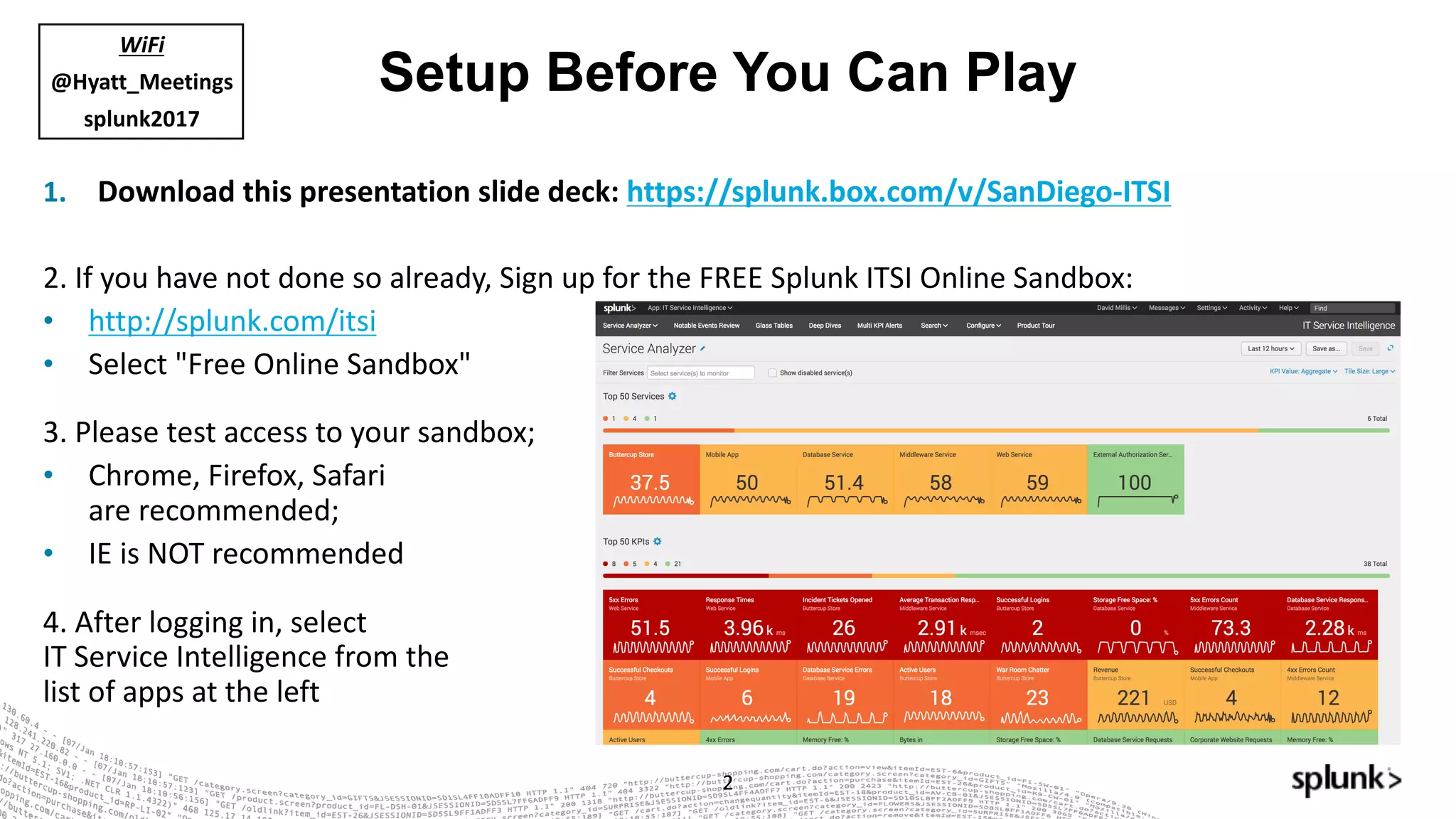
Setup Before You Can Play
1. Download	this	presentation	slide	deck:	https://splunk.box.com/v/SanDiego-ITSI
2.	If	you	have	not	done	so	already,	Sign	up	for	the	FREE	Splunk	ITSI	Online	Sandbox:
• http://splunk.com/itsi
• Select	"Free	Online	Sandbox"
3.	Please	test	access	to	your	sandbox;
• Chrome,	Firefox,	Safari	
are	recommended;
• IE	is	NOT	recommended
4.	After	logging	in,	select
IT	Service	Intelligence	from	the
list	of	apps	at	the	left
2
WiFi
@Hyatt_Meetings
splunk2017
▶ Introductions and Set Up
▶ Splundamentals – IT Troubleshooting with Splunk
▶ What is Service Intelligence and ITSI?
▶ Let's Play! (Setting up ITSI)
▶ Service Intelligence Design Practices
▶ Let's Play! (Troubleshooting & Advanced Exercises)
▶ What's Next?
▶ Happy Hour!
Agenda
3
Safe Harbor Statement
4
During the course of this presentation, we may make forward looking statements regarding future
events or the expected performance of the company. We caution you that such statements reflect our
current expectations and estimates based on factors currently known to us and that actual events or
results could differ materially. For important factors that may cause actual results to differ from those
contained in our forward-looking statements, please review our filings with the SEC. The forward-
looking statements made in this presentation are being made as of the time and date of its live
presentation. If reviewed after its live presentation, this presentation may not contain current or
accurate information. We do not assume any obligation to update any forward looking statements
we may make. In addition, any information about our roadmap outlines our general product direction
and is subject to change at any time without notice. It is for informational purposes only and shall
not be incorporated into any contract or other commitment. Splunk undertakes no obligation either to
develop the features or functionality described or to include any such feature or functionality in a future
release.
Key Takeaways
Build	on	what	you	are	already	doing	with	Splunk
Service	Intelligence	design	and	configuration	practices
What	is	possible	with	Splunk IT	Service	Intelligence
© 2016 SPLUNK INC. CONFIDENTIAL. INTERNAL USE
ONLY.
© 2017 SPLUNK INC.
Splundamentals –
IT	Troubleshooting	with	Splunk
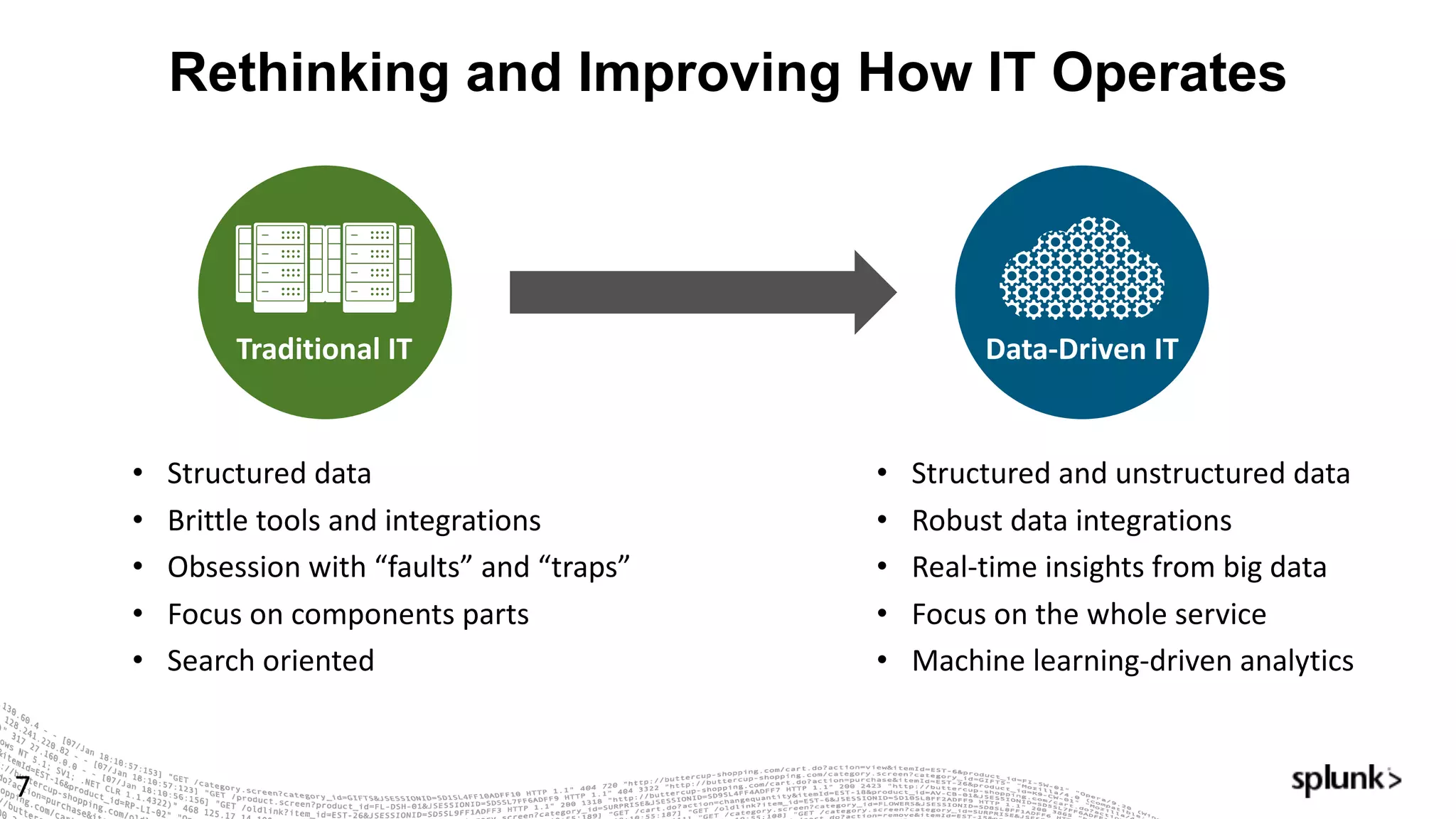
Rethinking and Improving How IT Operates
7
Traditional	IT Data-Driven	IT
• Structured	data
• Brittle	tools	and	integrations
• Obsession	with	“faults”	and	“traps”
• Focus	on	components	parts
• Search	oriented
• Structured	and	unstructured	data
• Robust	data	integrations
• Real-time	insights	from	big	data
• Focus	on	the	whole	service
• Machine	learning-driven	analytics
8
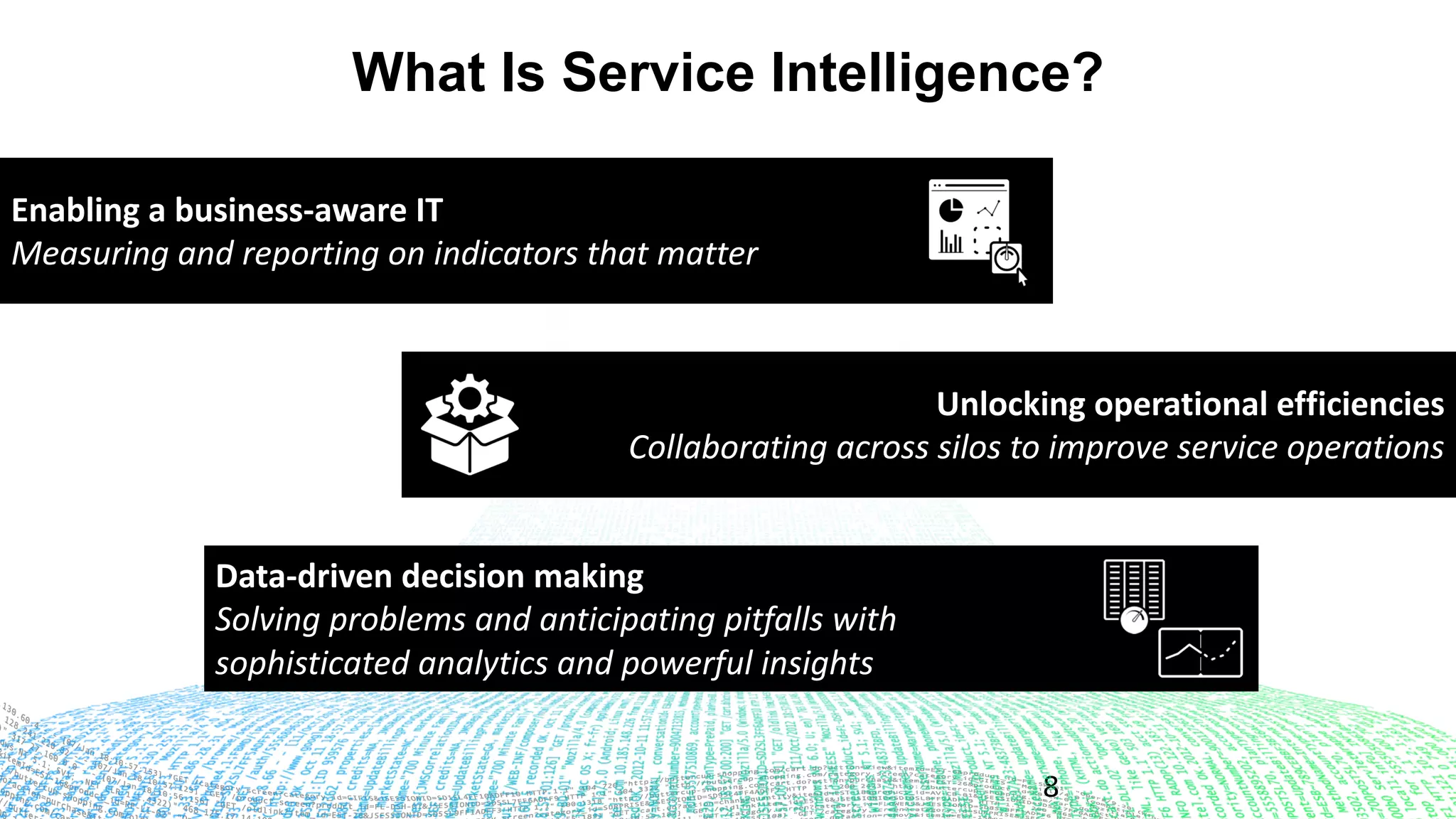
What Is Service Intelligence?
Enabling	a	business-aware	IT
Measuring	and	reporting	on	indicators	that	matter	
Unlocking	operational	efficiencies
Collaborating	across	silos	to	improve	service	operations
Data-driven	decision	making
Solving	problems	and	anticipating	pitfalls	with	
sophisticated	analytics	and	powerful	insights
Machine	learning-powered	analytics	for	real-time	service	
insights,	simplified	operations	and	root-cause	isolation
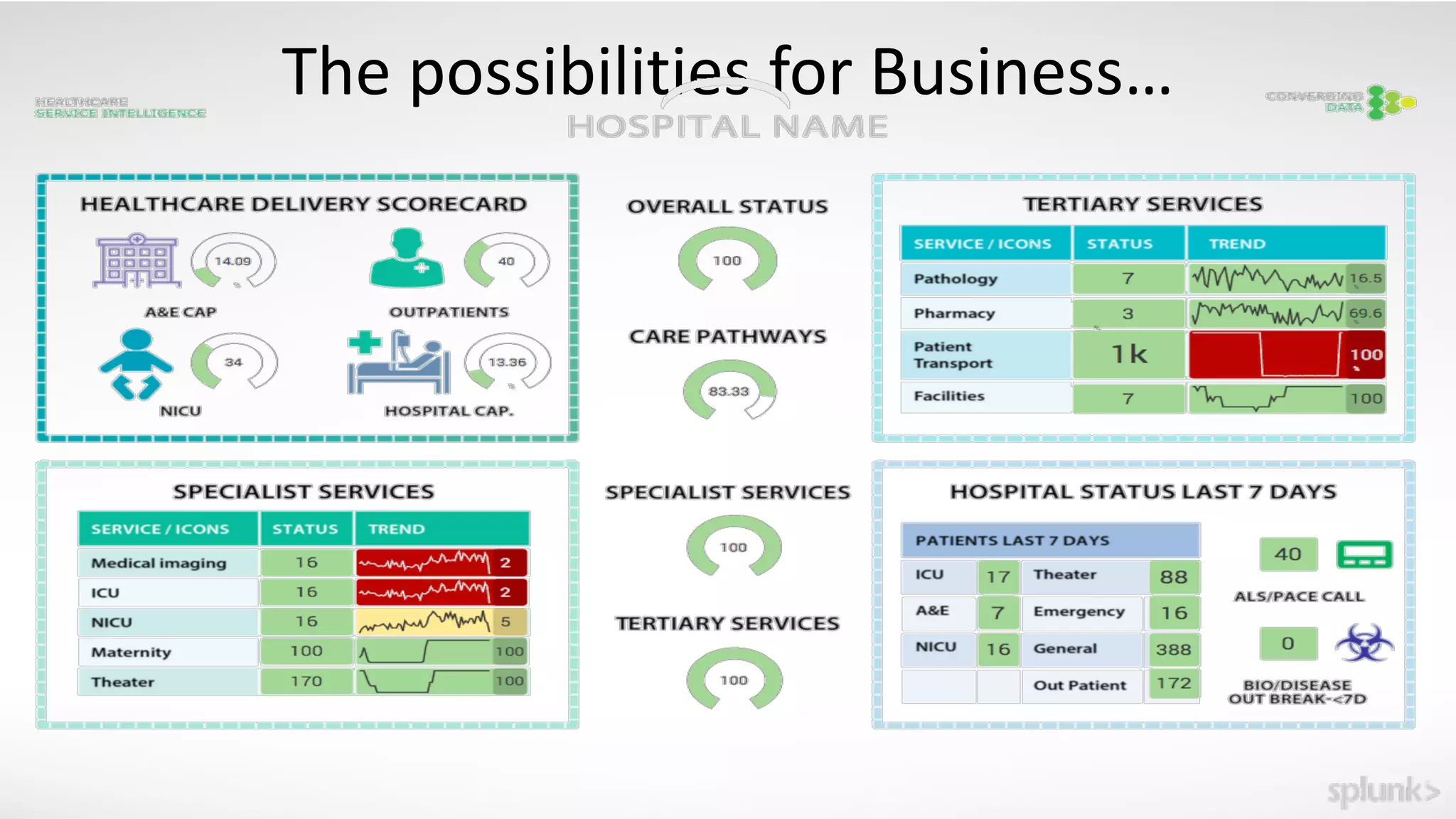
The	possibilities	for	Business…
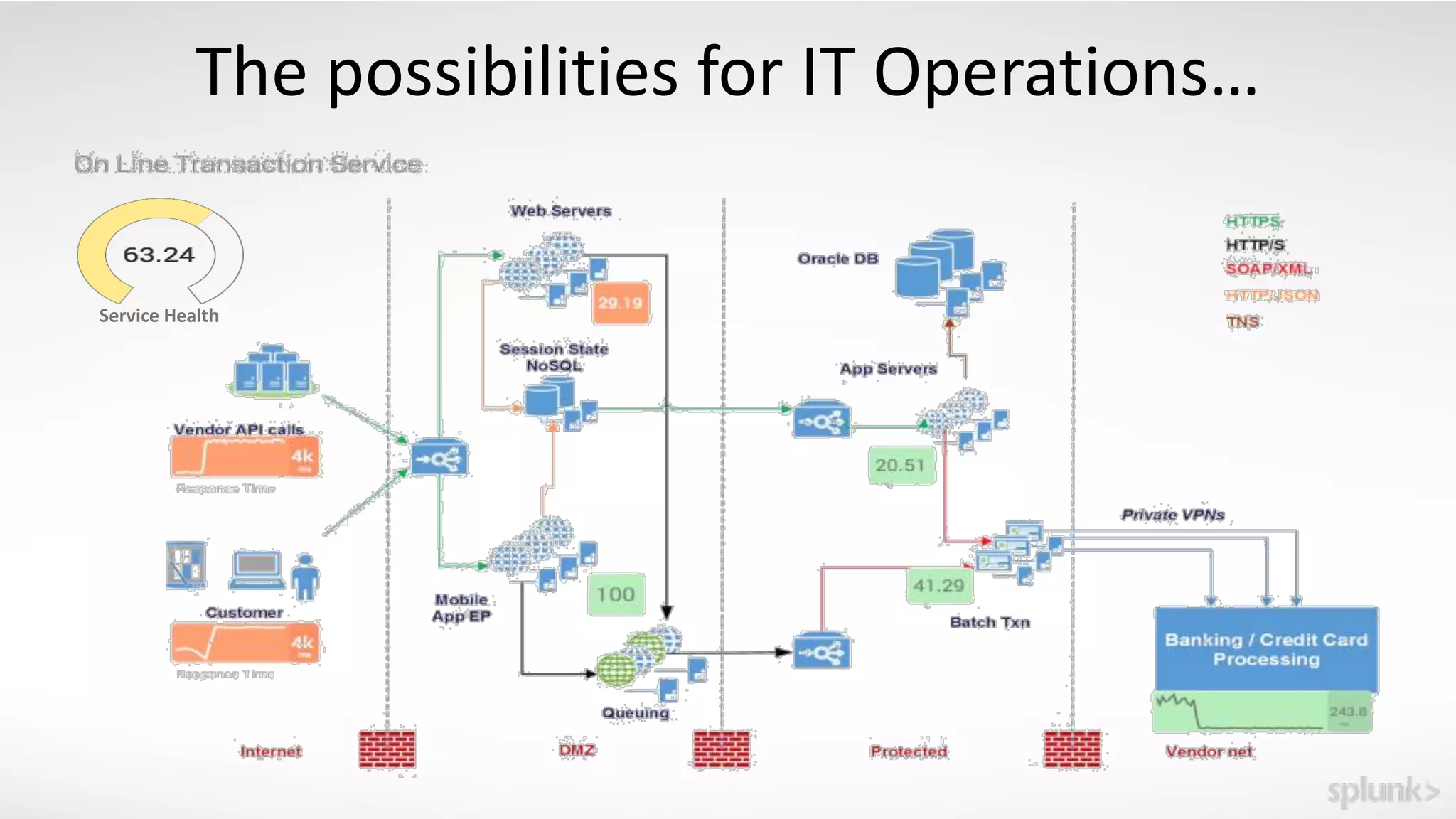
The	possibilities	for	IT	Operations…
Service	Health
© 2016 SPLUNK INC. CONFIDENTIAL. INTERNAL USE
ONLY.
© 2017 SPLUNK INC.
ITSI	Key	Concepts
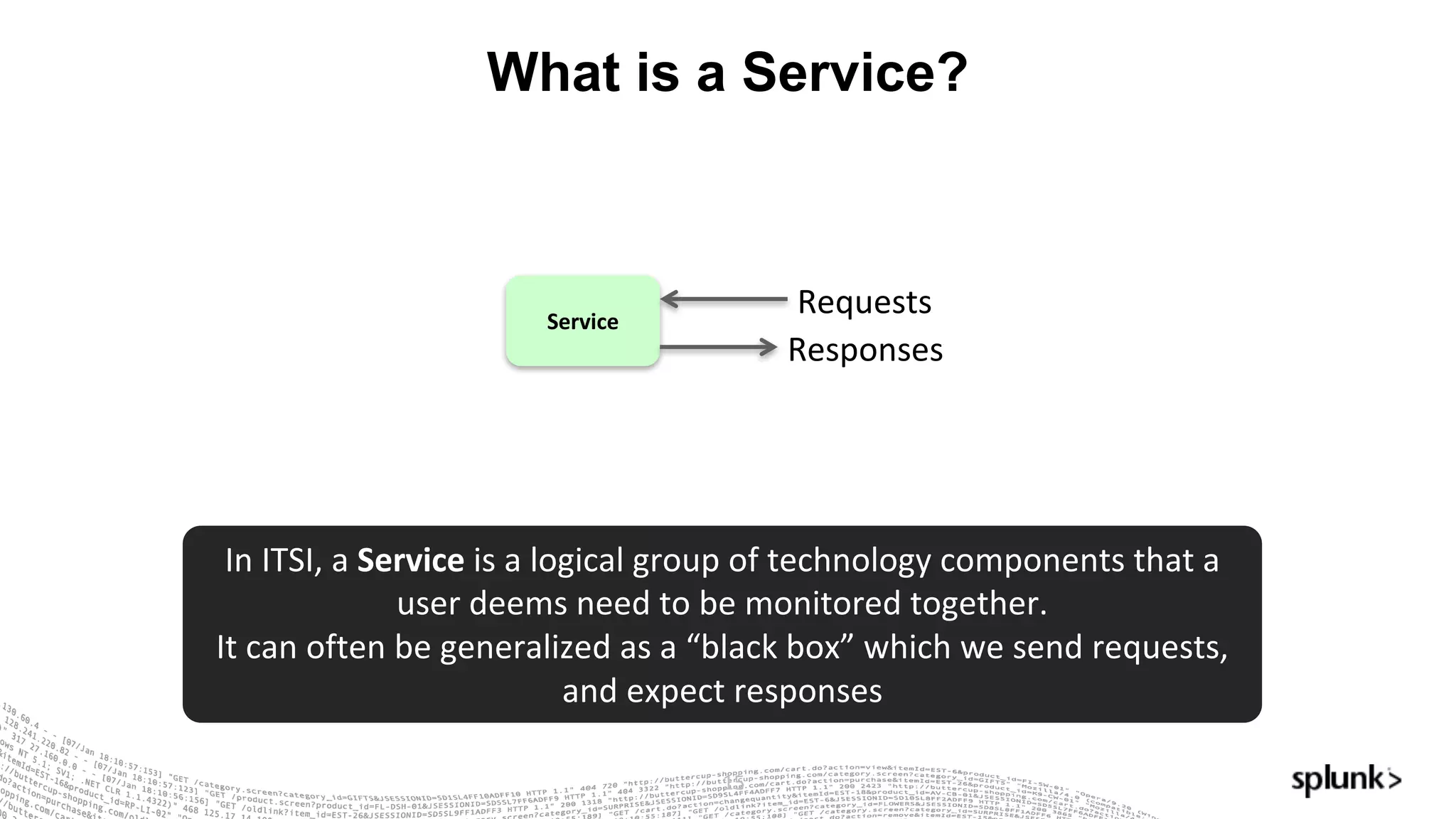
What is a Service?
15
Service
Requests
Responses
In	ITSI,	a	Service is	a	logical	group	of	technology	components	that	a	
user	deems	need	to	be	monitored	together.
It	can	often	be	generalized	as	a	“black	box”	which	we	send	requests,	
and	expect	responses
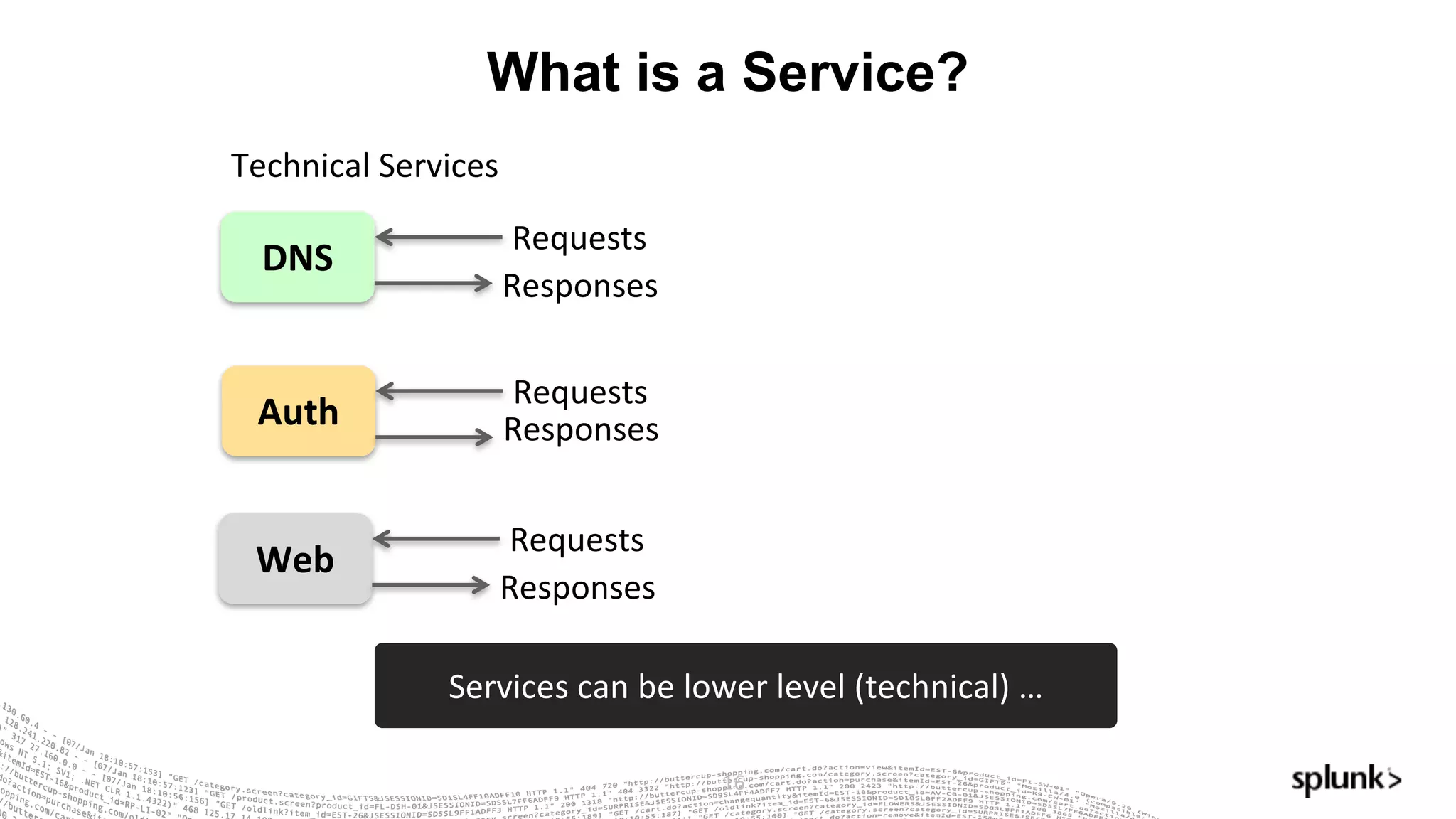
What is a Service?
16
DNS
Requests
Responses
Technical	Services
Auth
Requests
Responses
Web
Requests
Responses
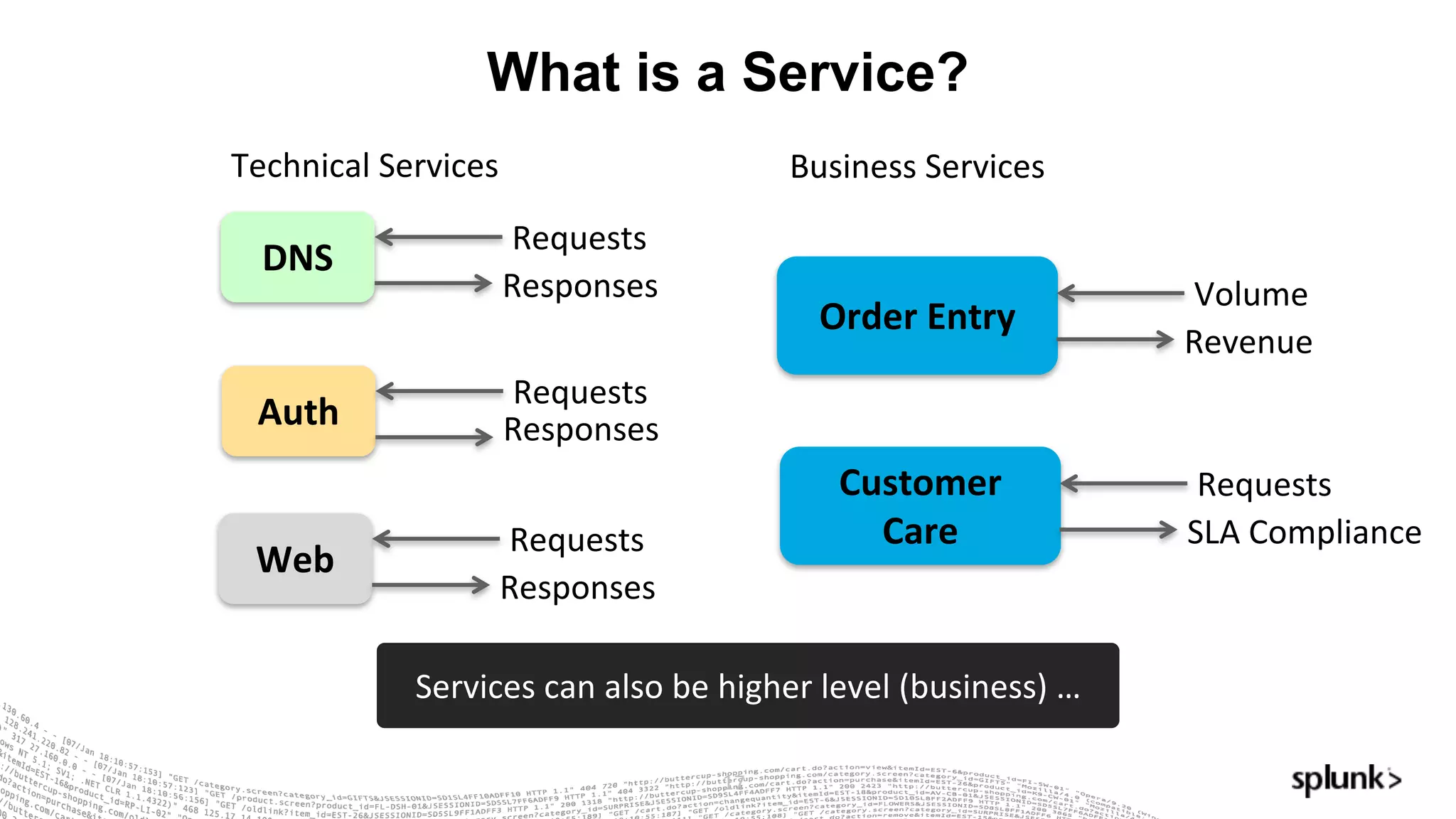
Services	can	be	lower	level	(technical)	…
What is a Service?
17
DNS
Requests
Responses
Technical	Services
Order	Entry
Volume
Revenue
Business	Services
Auth
Requests
Responses
Web
Requests
Responses
Customer	
Care
Requests
SLA	Compliance
Services	can	also	be	higher	level	(business)	…
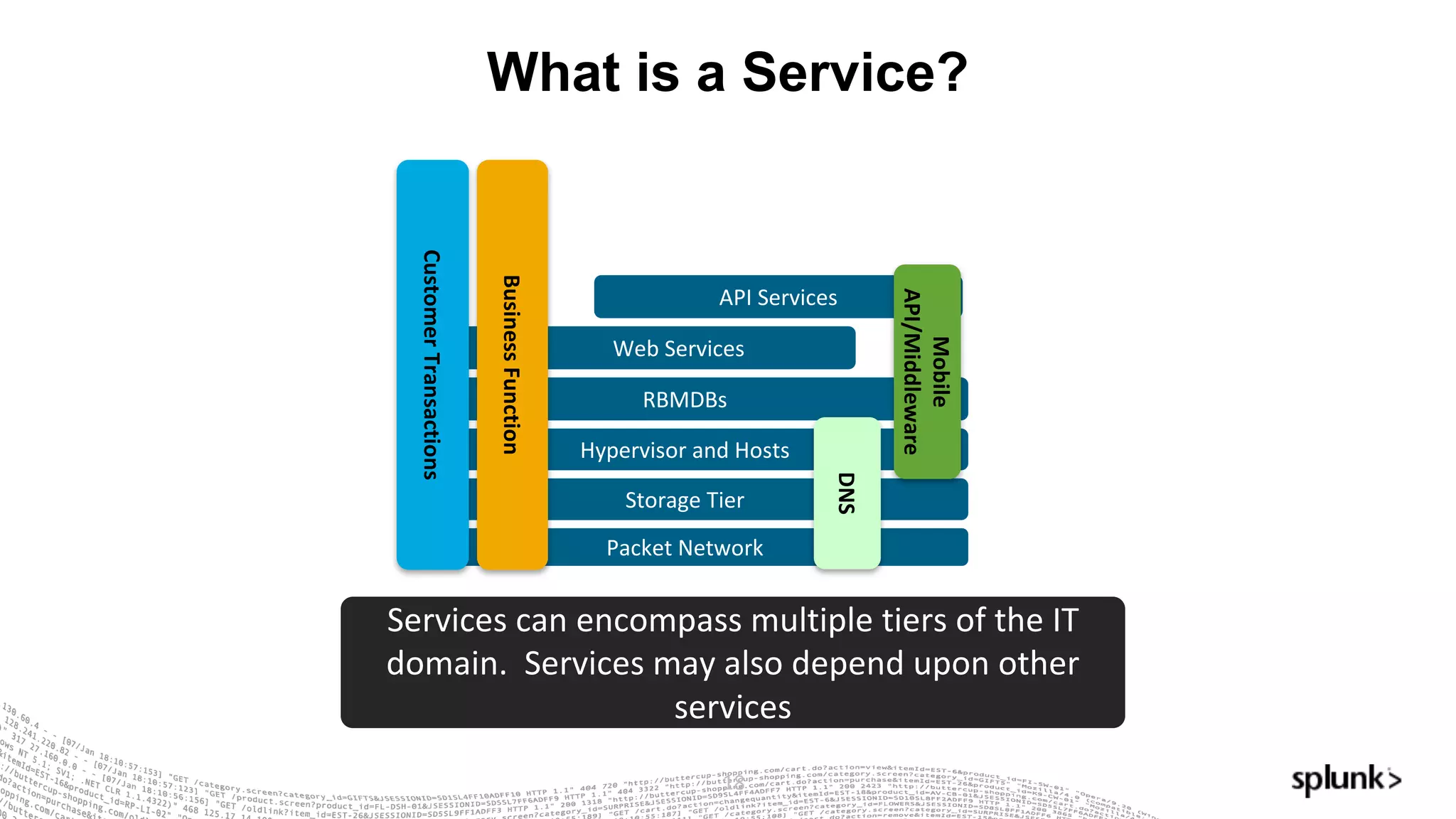
What is a Service?
18
Packet	Network
Hypervisor	and	Hosts
RBMDBs
Storage	Tier
API	Services
Web	Services
Customer	Transactions
Mobile	
API/Middleware
Business	Function
DNS
Services	can	encompass	multiple	tiers	of	the	IT	
domain.		Services	may	also	depend	upon	other	
services
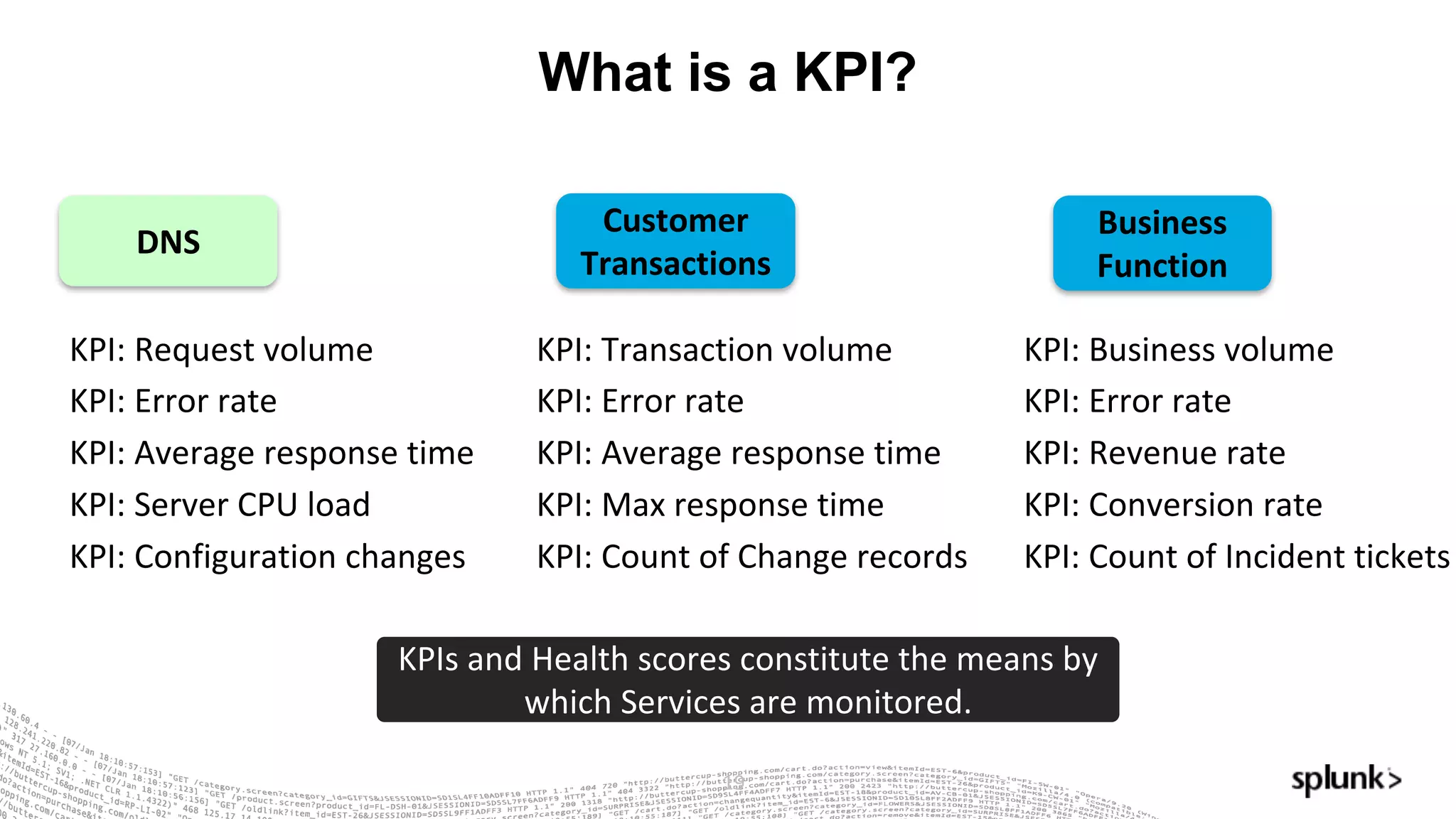
What is a KPI?
19
DNS
KPI:	Request	volume
KPI:	Error	rate
KPI:	Average	response	time
KPI:	Server	CPU	load
KPI:	Configuration	changes
Customer	
Transactions
KPI:	Transaction	volume
KPI:	Error	rate
KPI:	Average	response	time
KPI:	Max	response	time
KPI:	Count	of	Change	records
KPIs	and	Health	scores	constitute	the	means	by	
which	Services	are	monitored.
Business	
Function
KPI:	Business	volume
KPI:	Error	rate
KPI:	Revenue	rate
KPI:	Conversion	rate
KPI:	Count	of	Incident	tickets
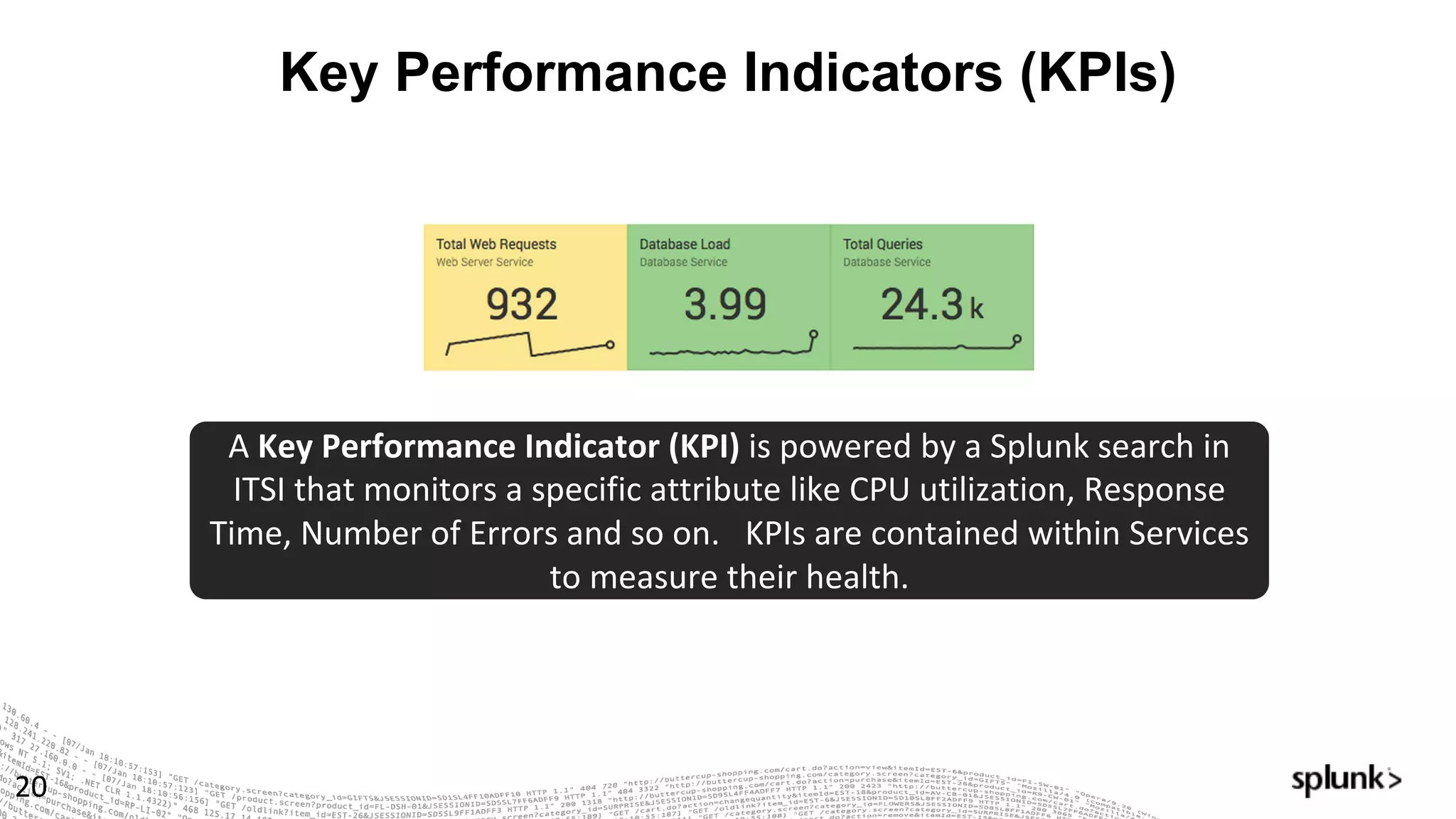
Key Performance Indicators (KPIs)
20
A	Key	Performance	Indicator	(KPI)	is	powered	by	a	Splunk search	in	
ITSI	that	monitors	a	specific	attribute	like	CPU	utilization,	Response	
Time,	Number	of	Errors	and	so	on.			KPIs	are	contained	within	Services	
to	measure	their	health.
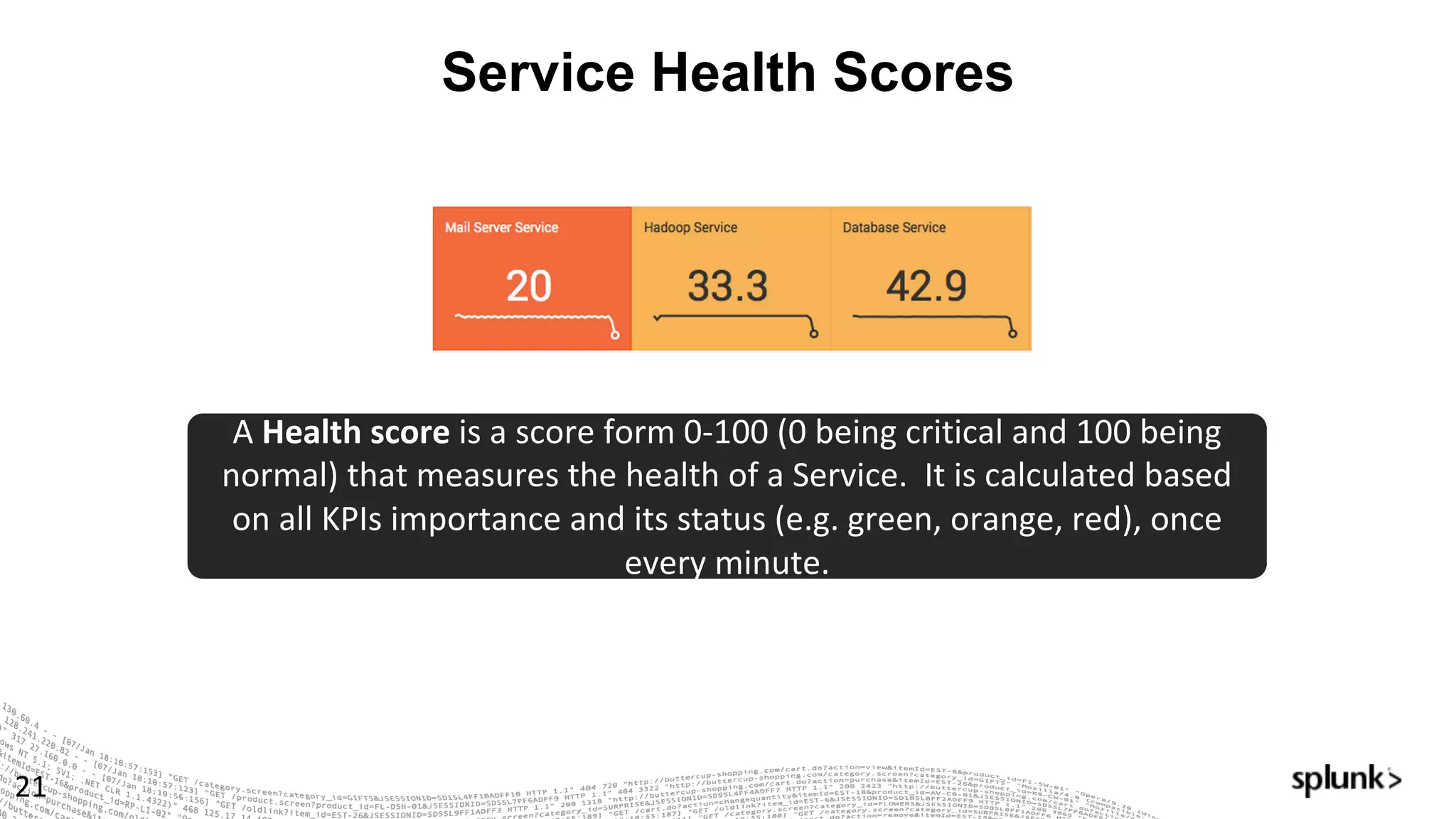
Service Health Scores
21
A	Health	score	is	a	score	form	0-100	(0	being	critical	and	100	being	
normal)	that	measures	the	health	of	a	Service.		It	is	calculated	based	
on	all	KPIs	importance	and	its	status	(e.g.	green,	orange,	red),	once	
every	minute.
© 2016 SPLUNK INC. CONFIDENTIAL. INTERNAL USE
ONLY.
© 2017 SPLUNK INC.
ITSI	Demo
© 2016 SPLUNK INC. CONFIDENTIAL. INTERNAL USE
ONLY.
© 2017 SPLUNK INC.
Let’s	Play!
Setting	up	ITSI
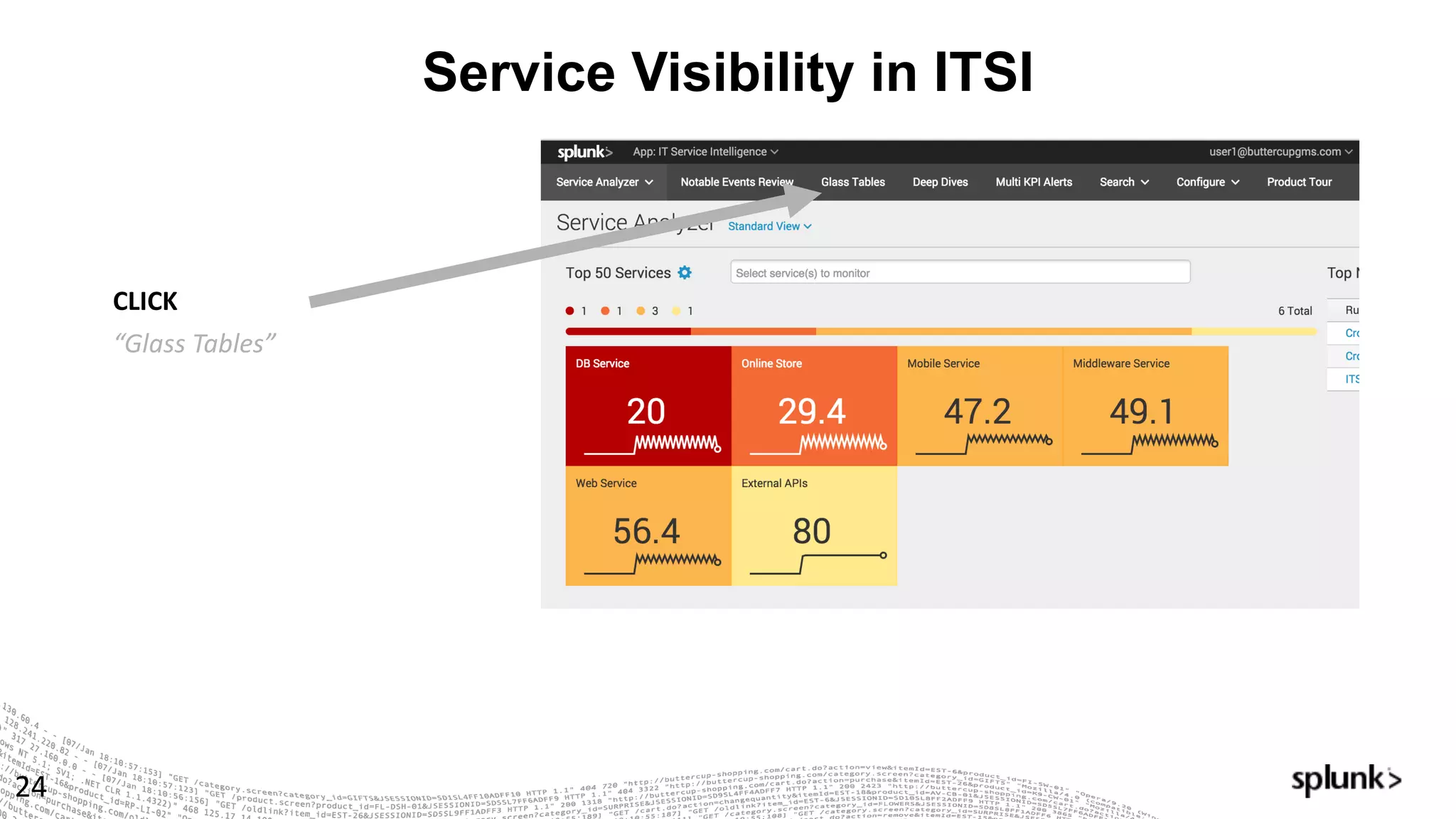
Service Visibility in ITSI
24
CLICK
“Glass	Tables”
Service Visibility in ITSI
25
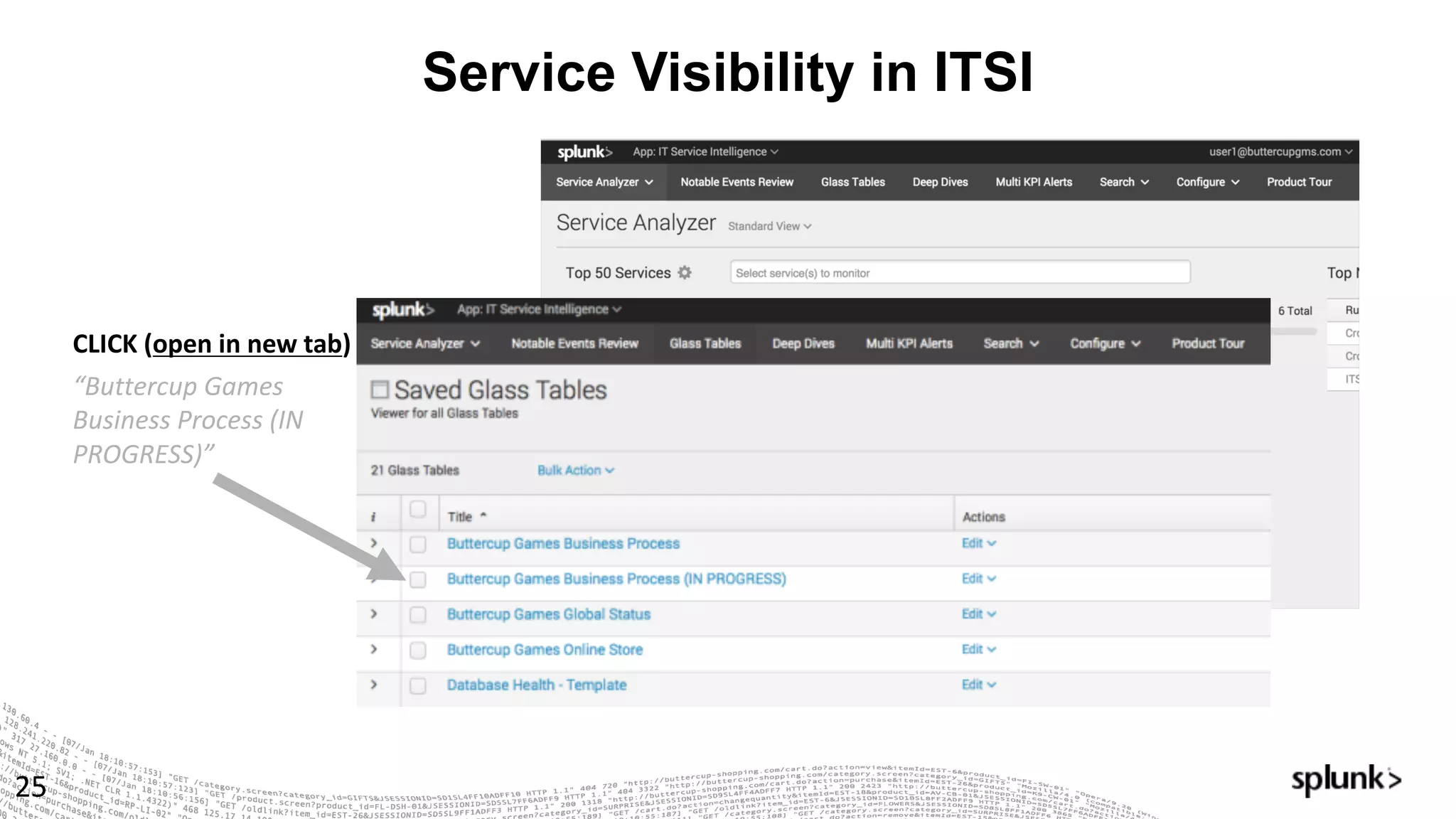
CLICK	(open	in	new	tab)
“Buttercup	Games	
Business	Process	(IN	
PROGRESS)”
Service Visibility in ITSI
26
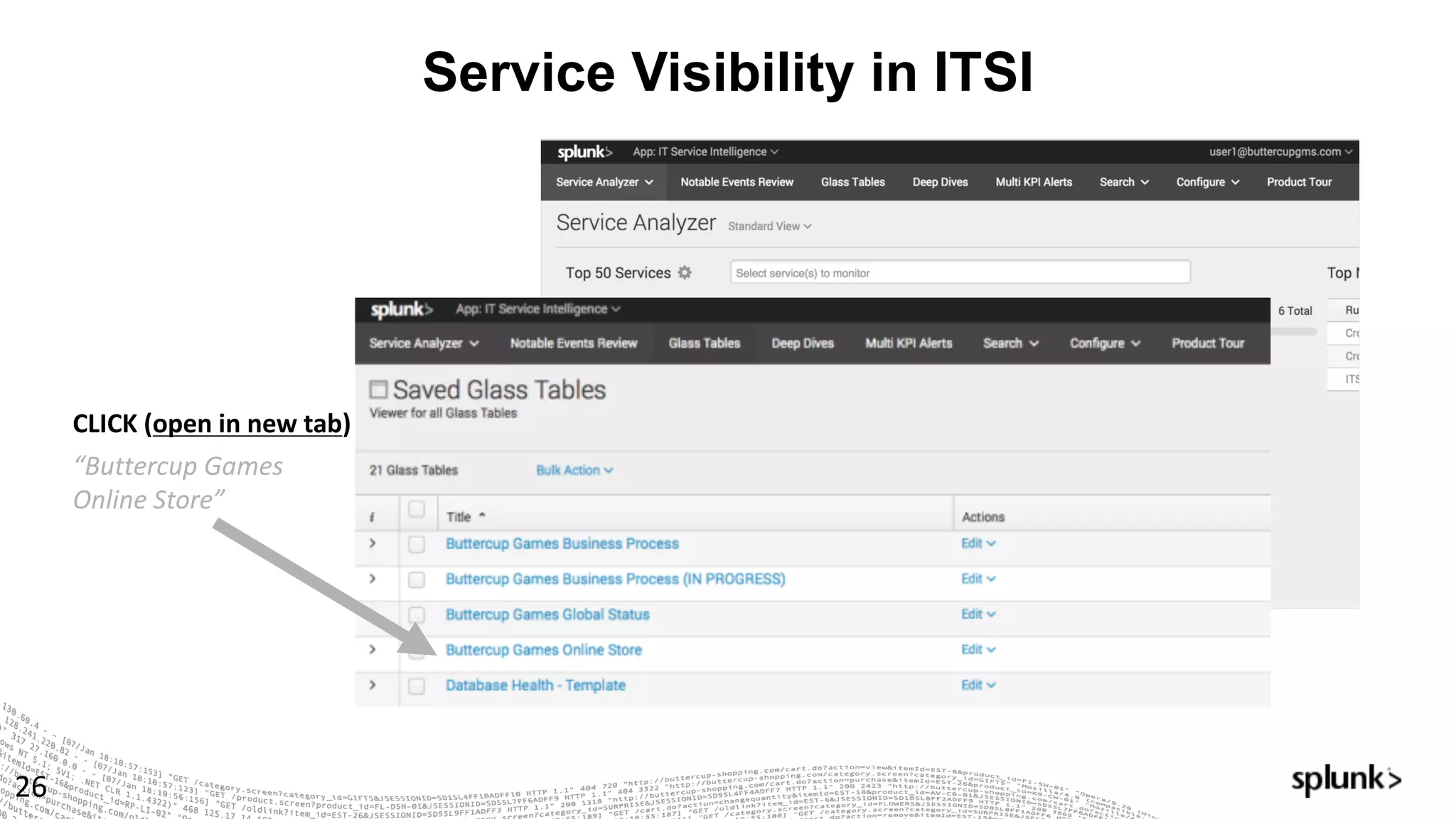
CLICK	(open	in	new	tab)
“Buttercup	Games	
Online	Store”
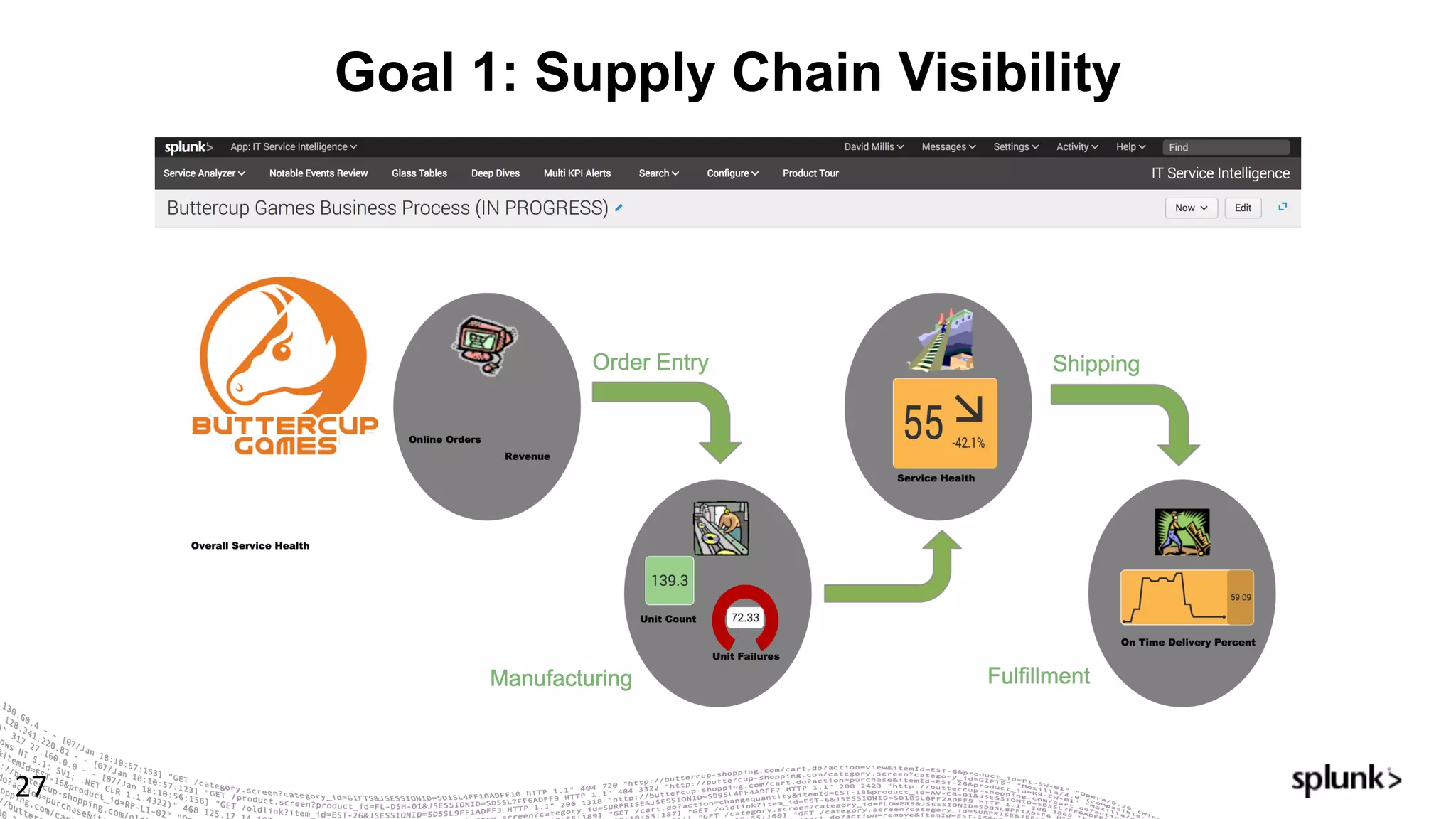
Goal 1: Supply Chain Visibility
27
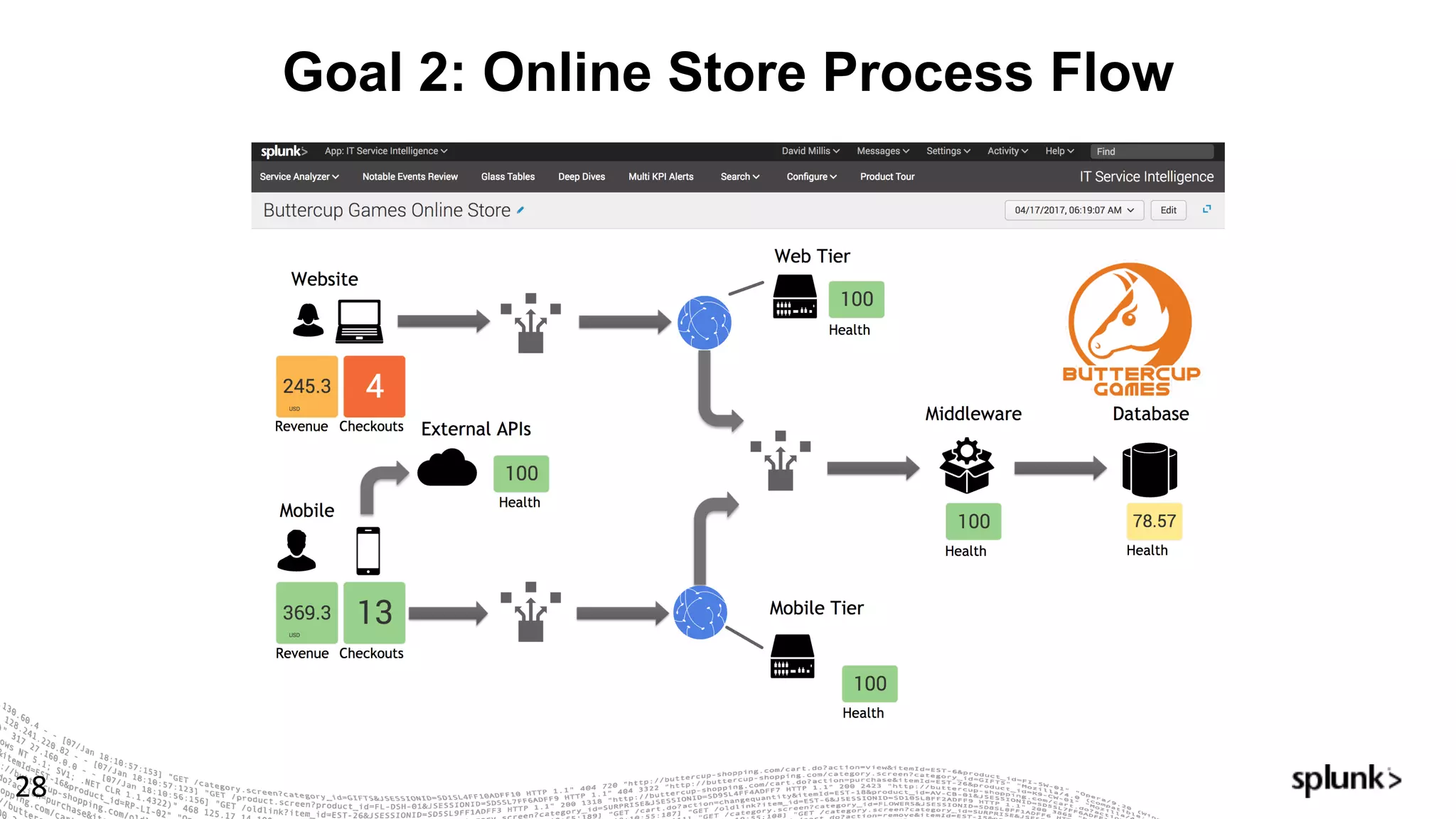
Goal 2: Online Store Process Flow
28
New Requirements!
29
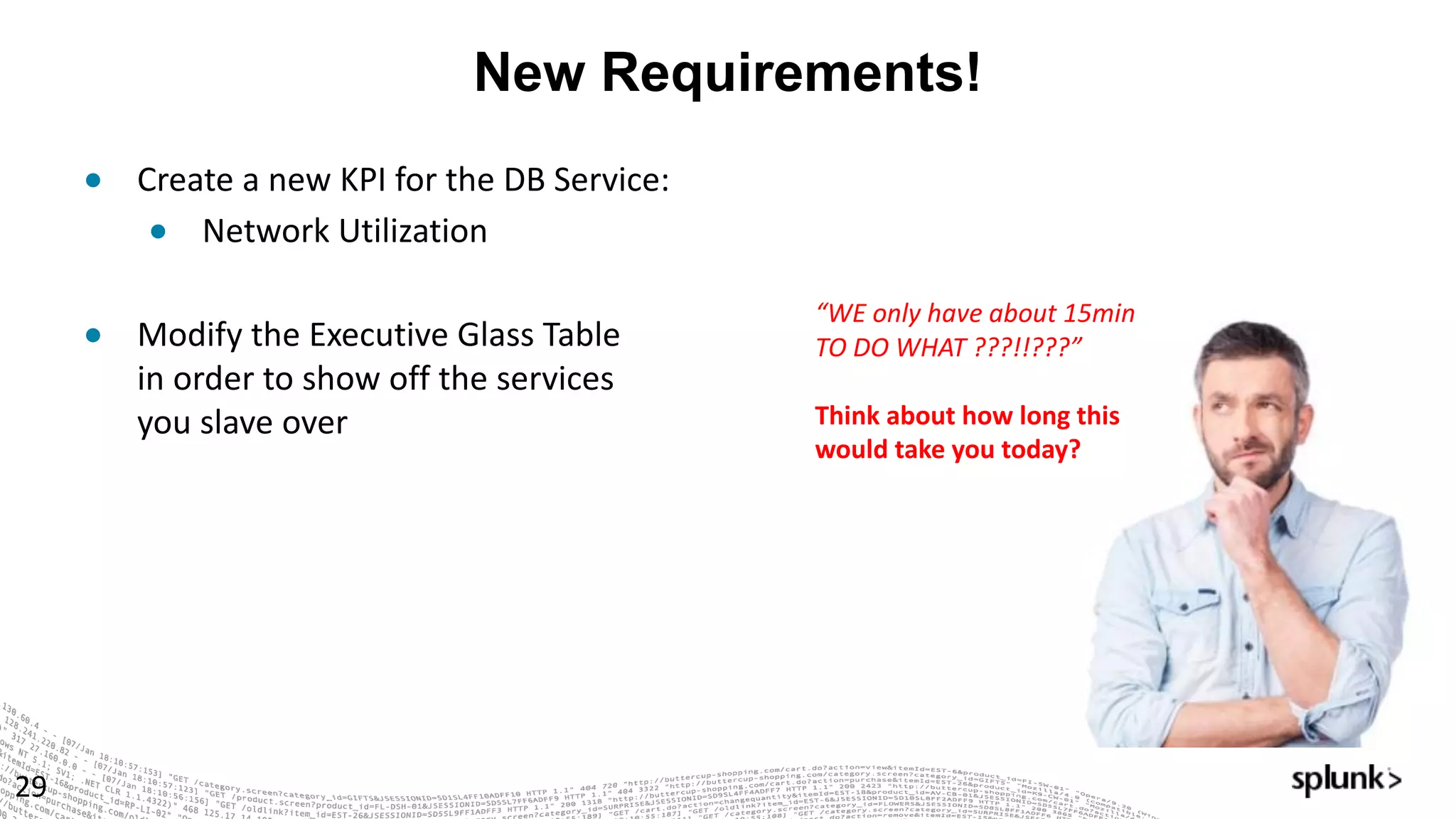
● Create	a	new	KPI	for	the	DB	Service:	
● Network	Utilization	
● Modify	the	Executive	Glass	Table
in	order	to	show	off	the	services
you	slave	over	
“WE	only	have	about	15min	
TO	DO	WHAT	???!!???”
Think	about	how	long	this	
would	take	you	today?
Configuration of DB Service
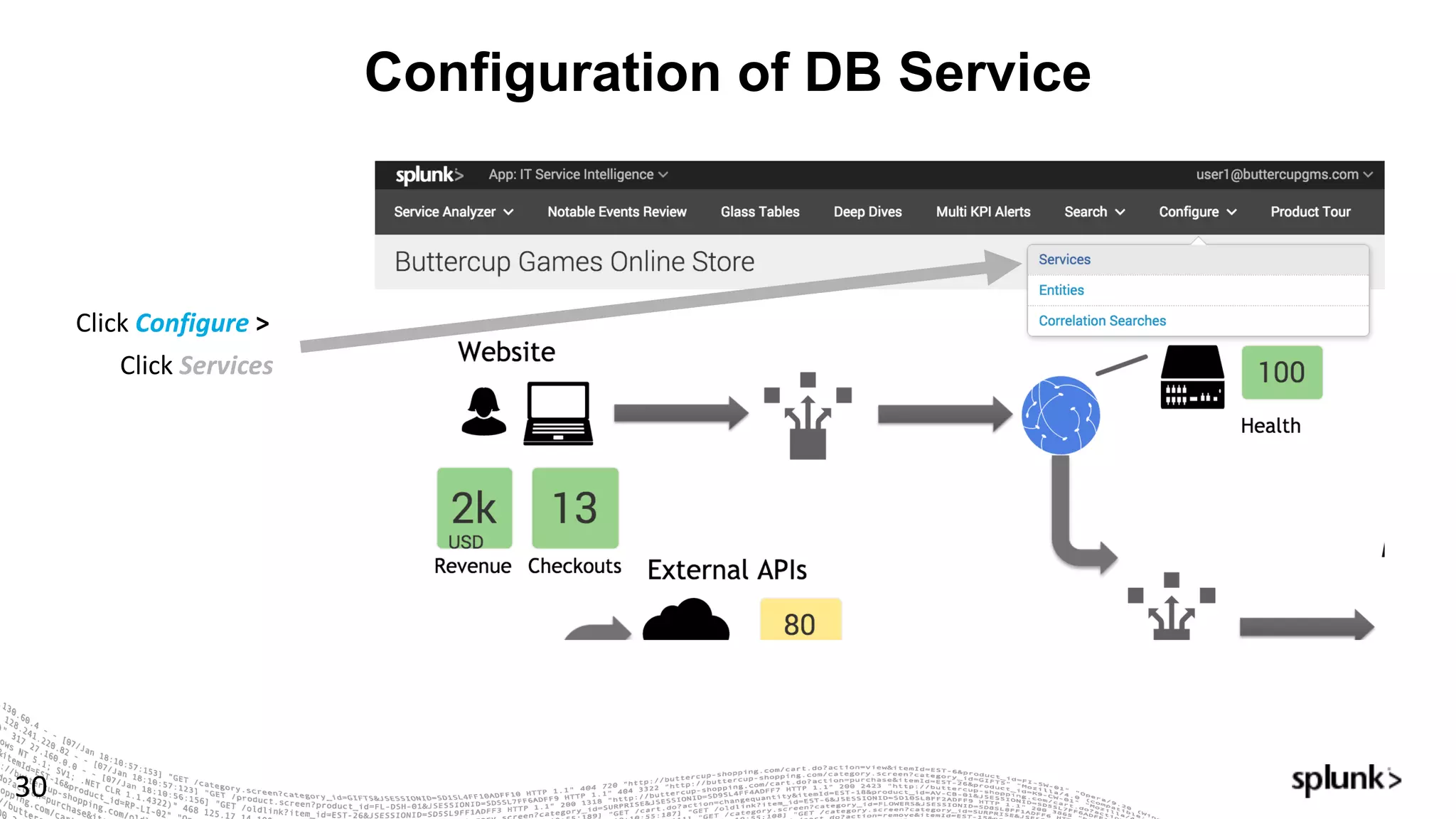
30
Click Configure >	
Click Services
Let’s Talk Entities
31
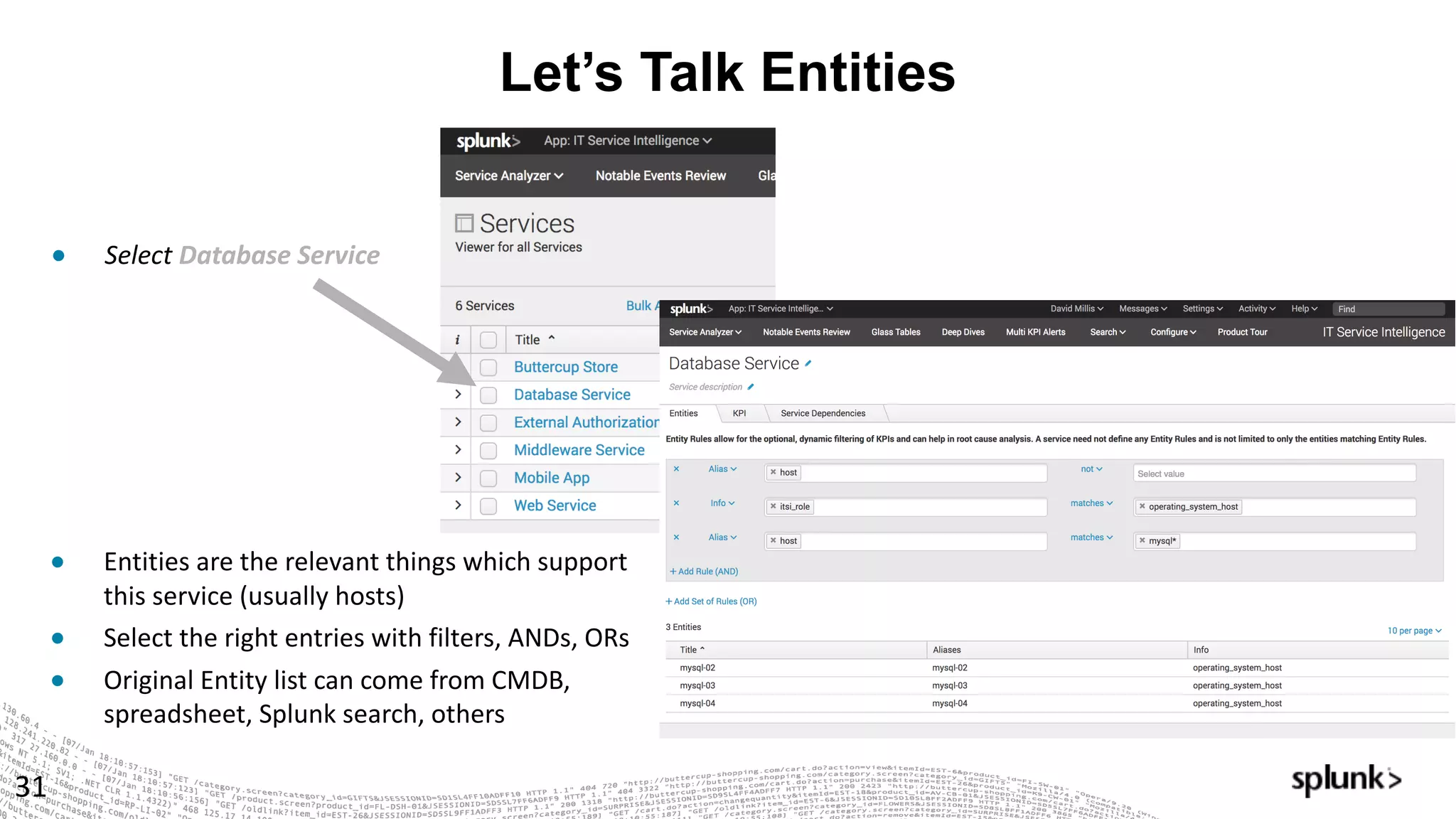
● Select Database	Service
● Entities	are	the	relevant	things	which	support	
this	service	(usually	hosts)
● Select	the	right	entries	with	filters,	ANDs,	ORs
● Original	Entity	list	can	come	from	CMDB,	
spreadsheet,	Splunk	search,	others
A KPI in 5 minutes? Absolutely!
32
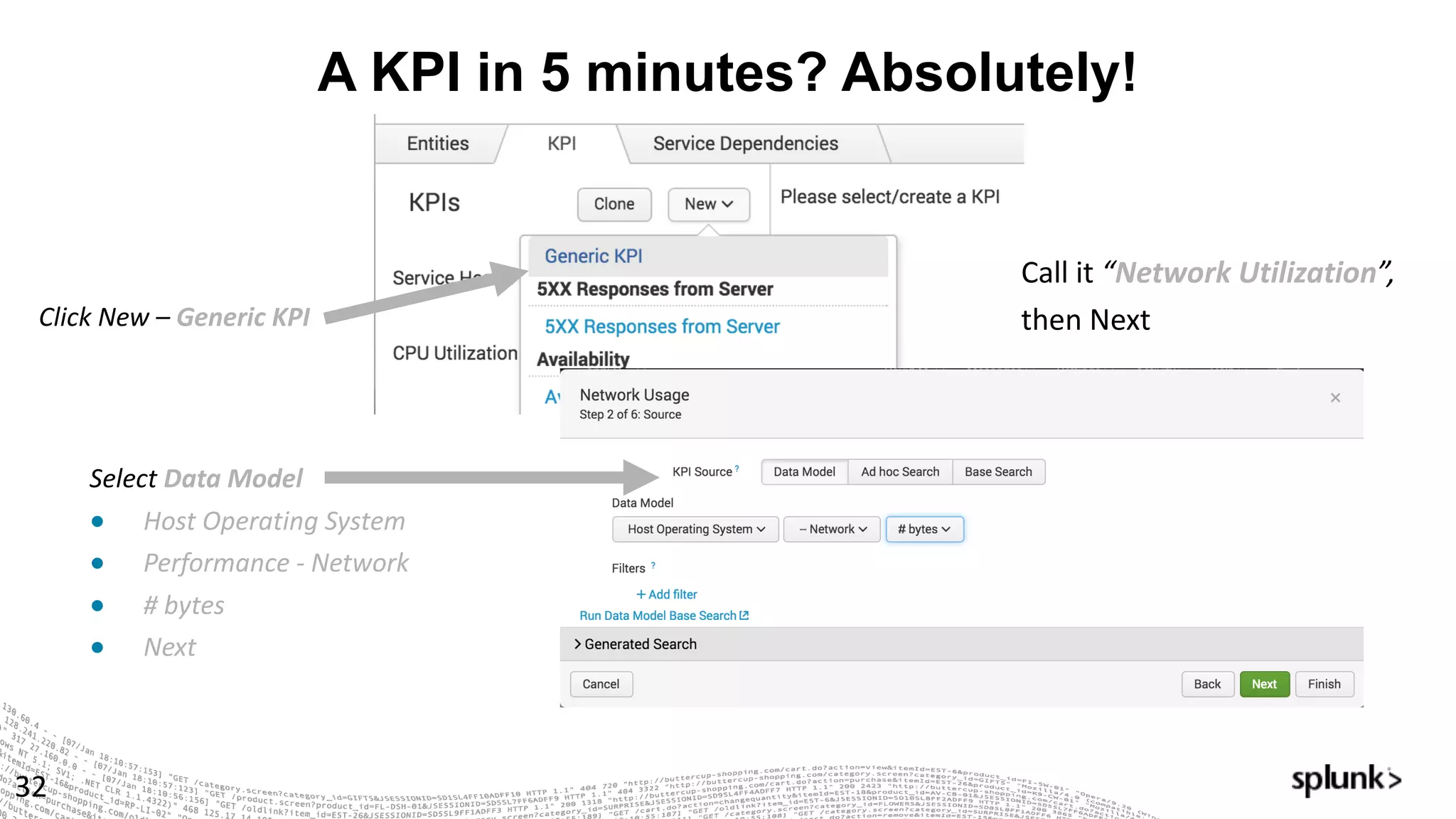
Click	New	– Generic	KPI
Select Data	Model
● Host	Operating	System
● Performance	- Network
● #	bytes
● Next	
Call	it	“Network	Utilization”,
then	Next
KPIs Continued….
33
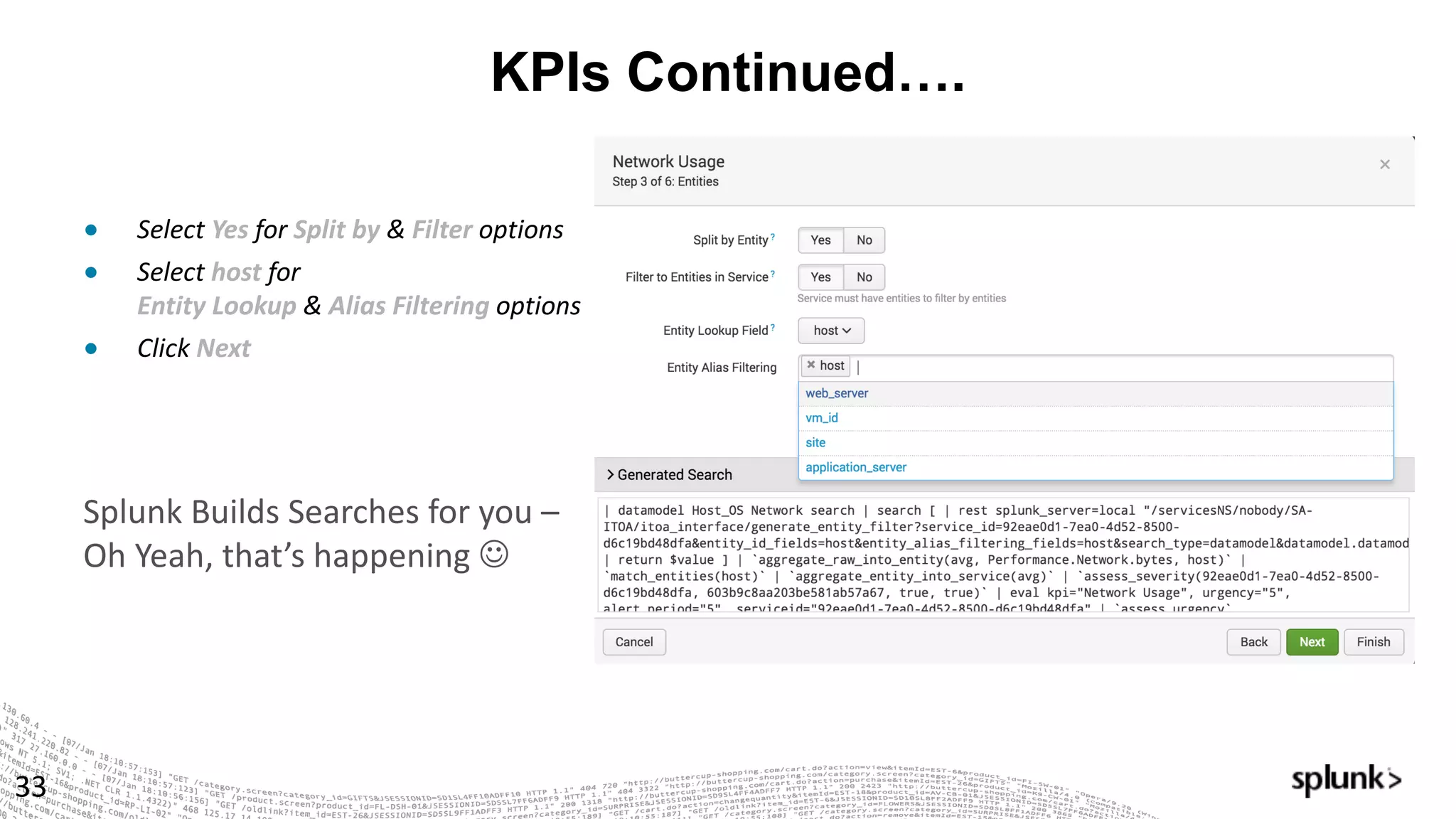
Splunk	Builds	Searches	for	you	–
Oh	Yeah,	that’s	happening	J
● Select Yes	for Split	by	& Filter	options
● Select host	for
Entity	Lookup	& Alias	Filtering	options
● Click Next
Almost There…
34
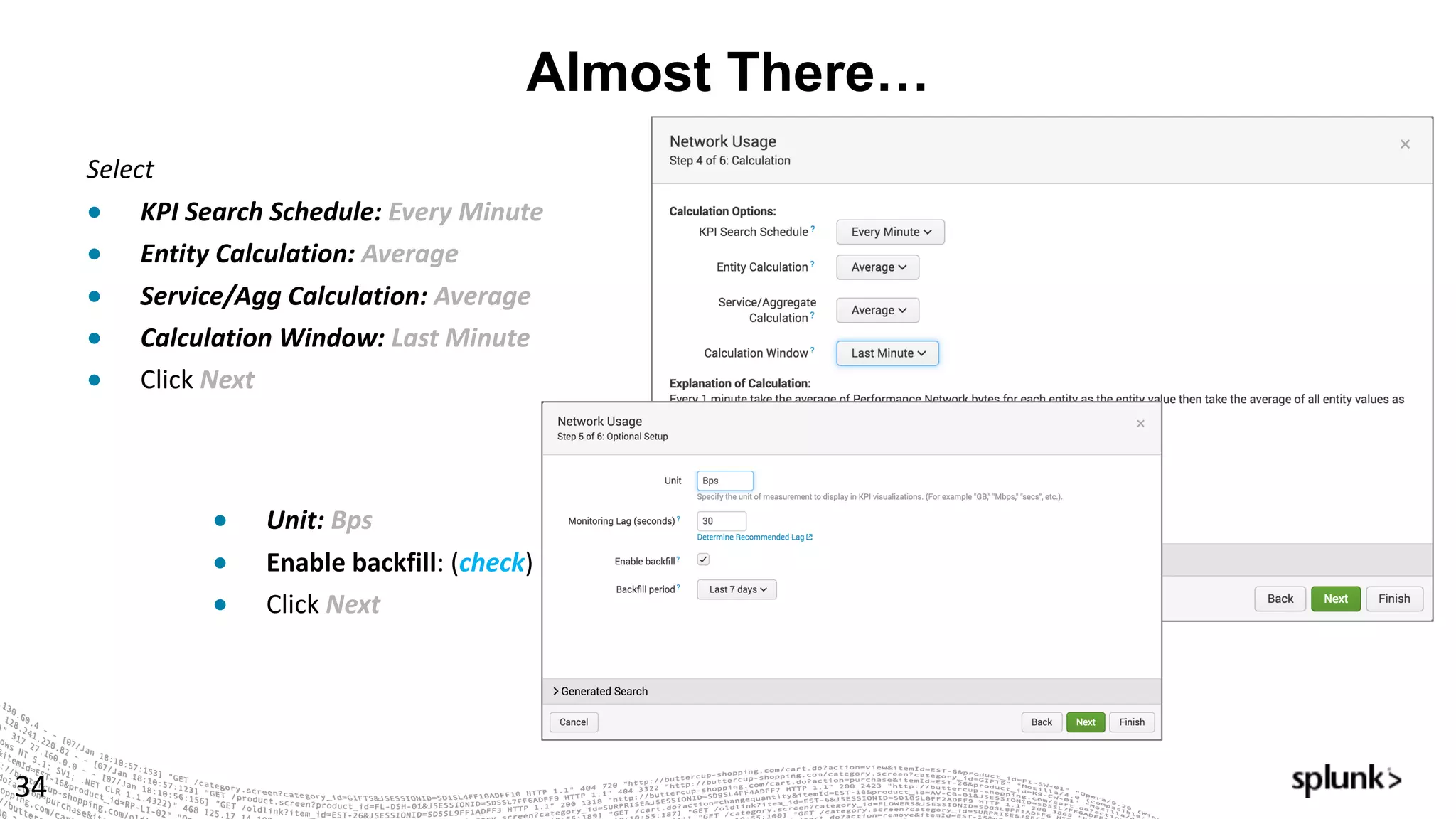
Select
● KPI	Search	Schedule:	Every	Minute	
● Entity	Calculation:	Average
● Service/Agg	Calculation:	Average
● Calculation	Window:	Last	Minute
● Click Next	
● Unit:	Bps
● Enable	backfill:	(check)
● Click Next
Final Steps …
35
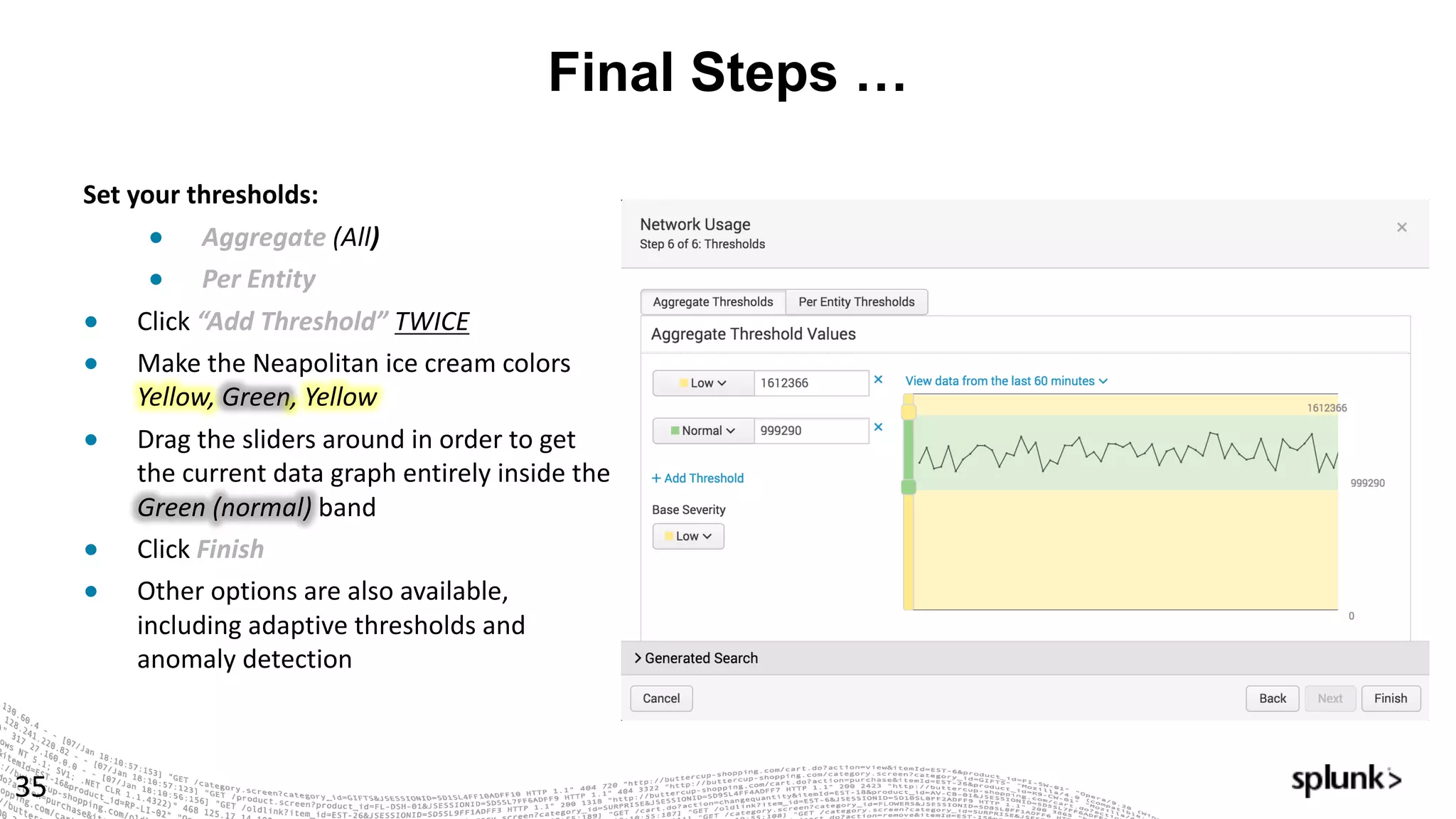
Set	your	thresholds:	
● Aggregate	(All)	
● Per	Entity		
● Click “Add	Threshold”	TWICE
● Make	the	Neapolitan	ice	cream	colors	
Yellow,	Green,	Yellow
● Drag	the	sliders	around	in	order	to	get	
the	current	data	graph	entirely	inside	the	
Green	(normal) band
● Click Finish
● Other	options	are	also	available,	
including	adaptive	thresholds	and	
anomaly	detection
Adaptive Thresholds
36
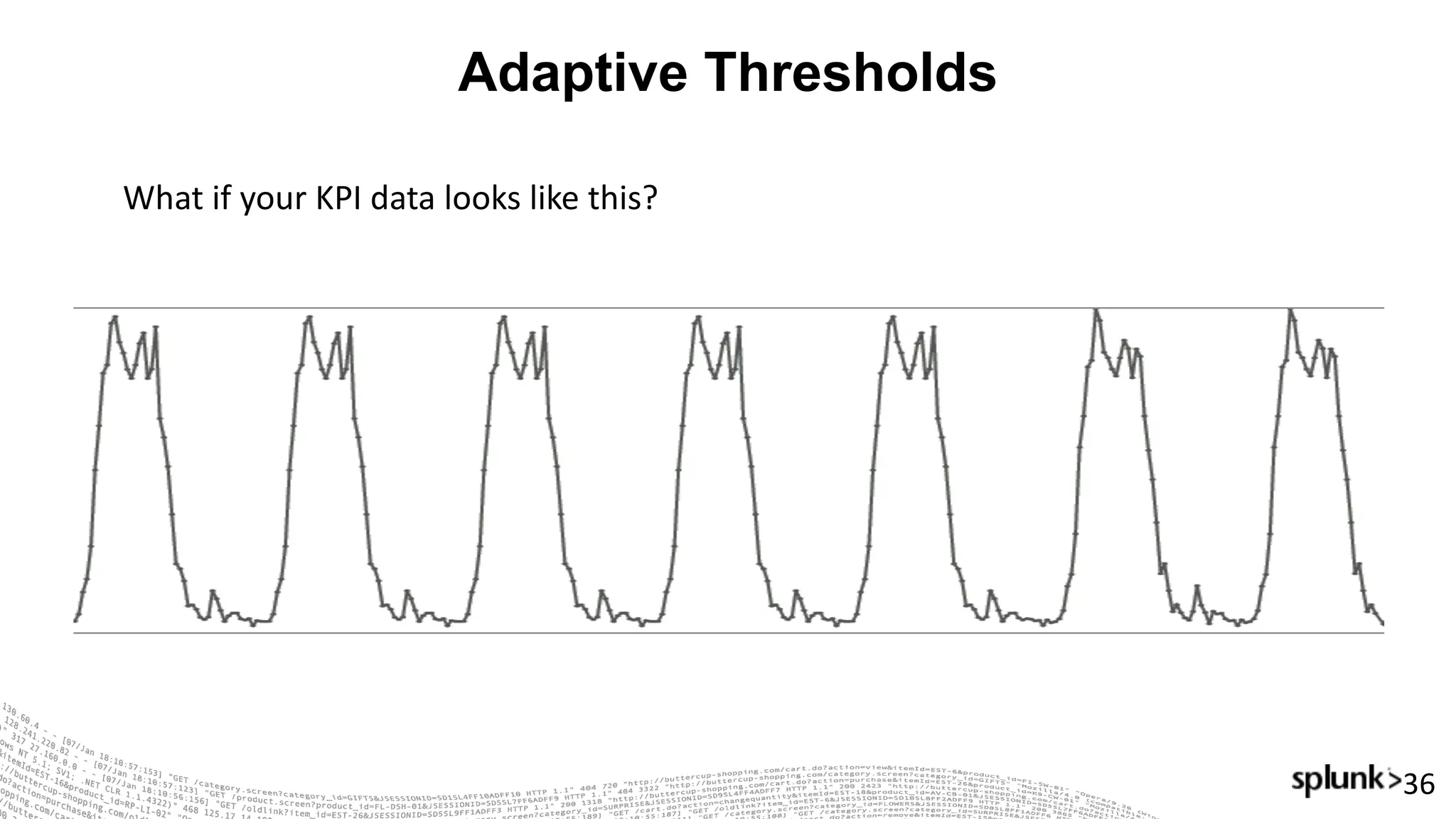
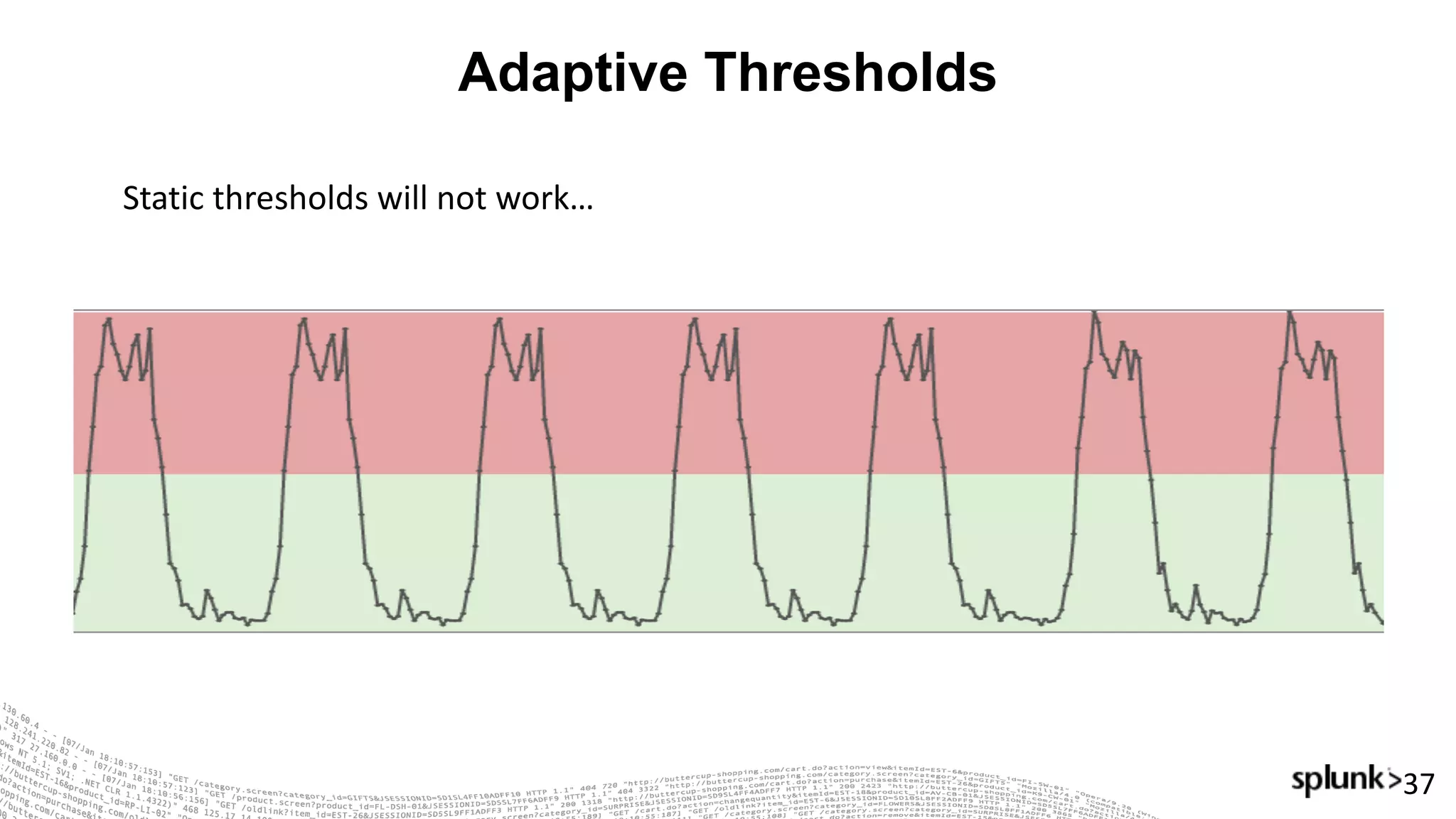
What	if	your	KPI	data	looks	like	this?
Adaptive Thresholds
37
Static	thresholds	will	not	work…
Adaptive Thresholds
38
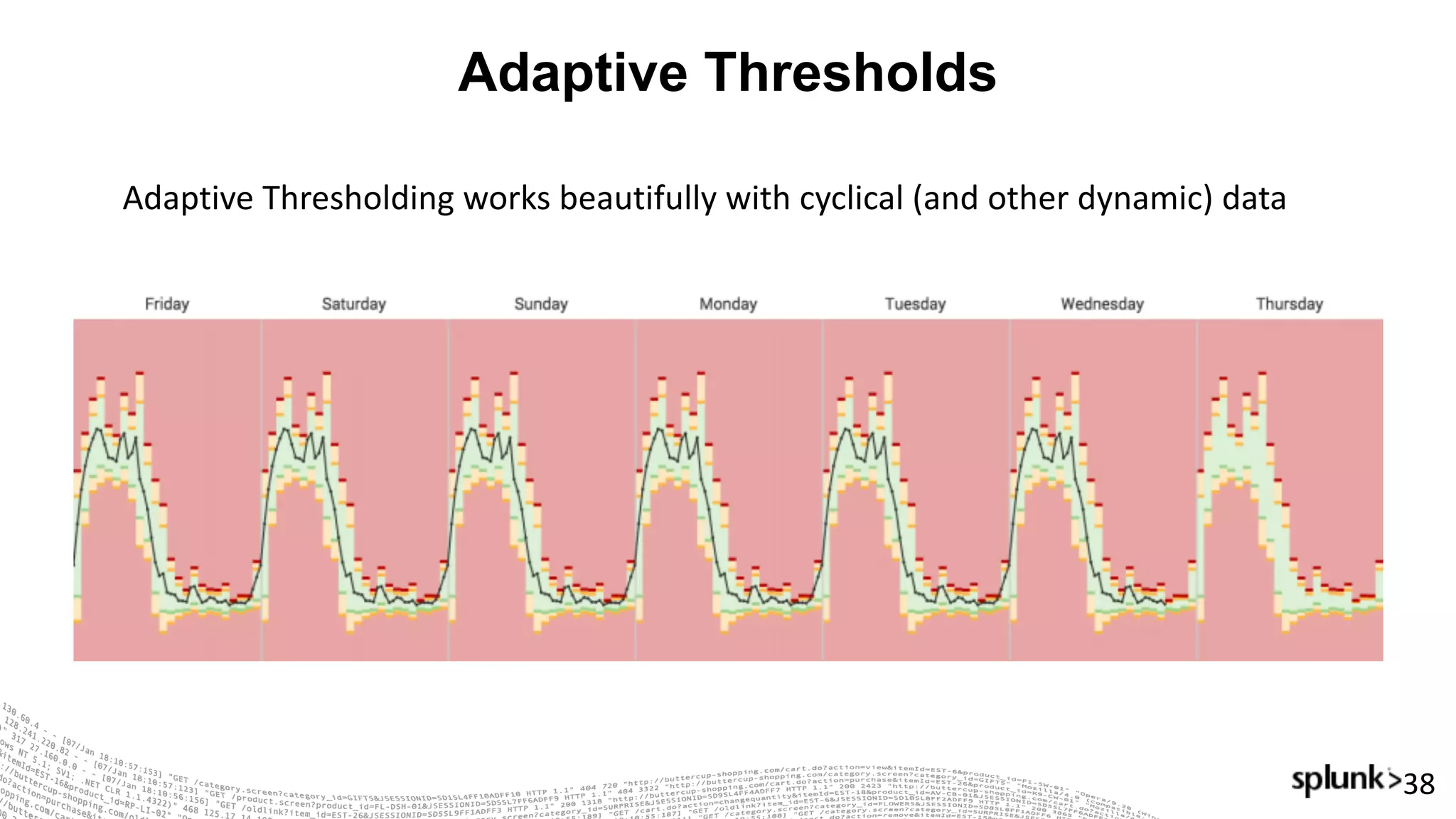
Adaptive	Thresholding	works	beautifully	with	cyclical	(and	other	dynamic)	data
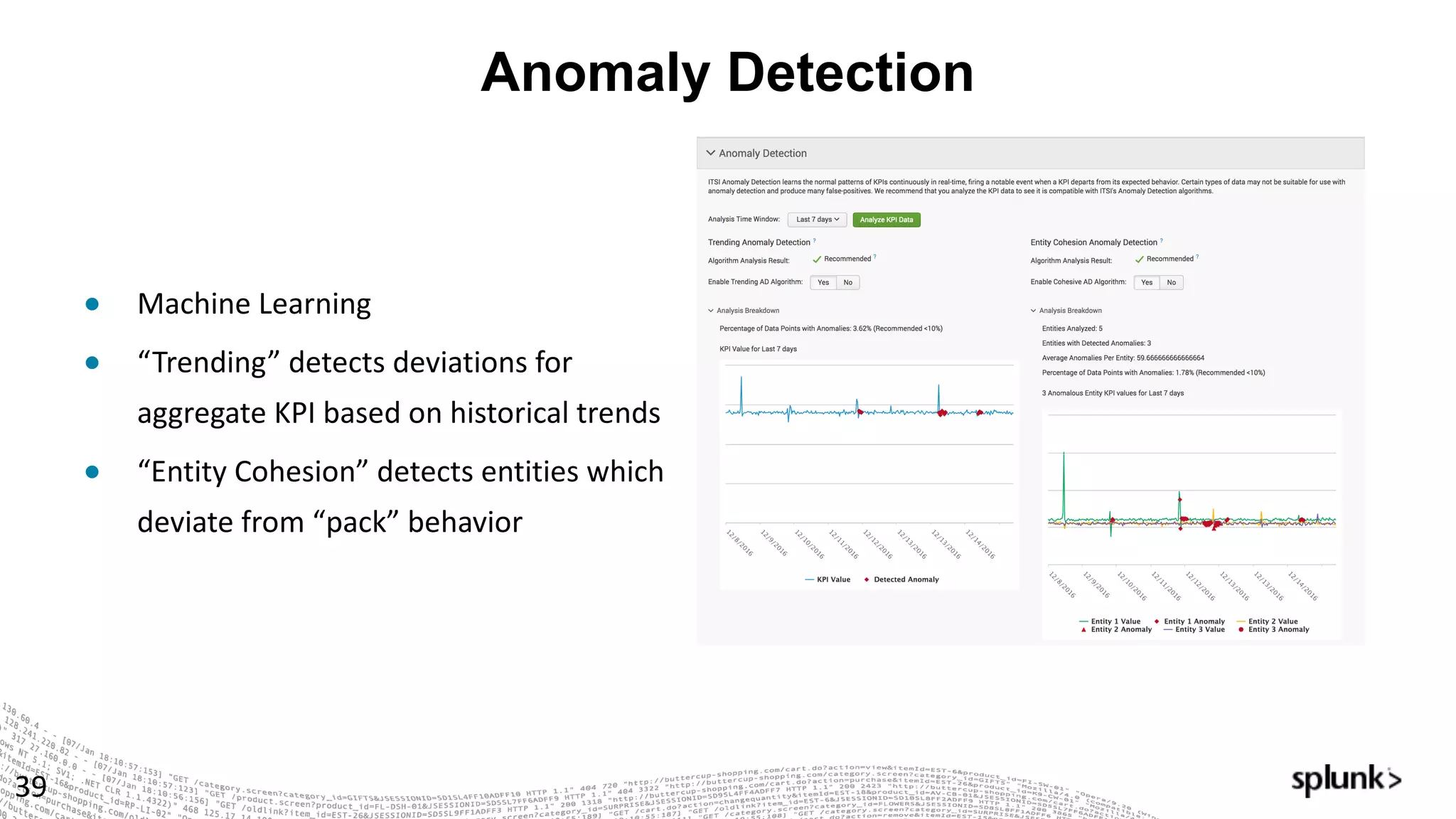
Anomaly Detection
39
● Machine	Learning
● “Trending”	detects	deviations	for	
aggregate	KPI	based	on	historical	trends
● “Entity	Cohesion”	detects	entities	which	
deviate	from	“pack”	behavior
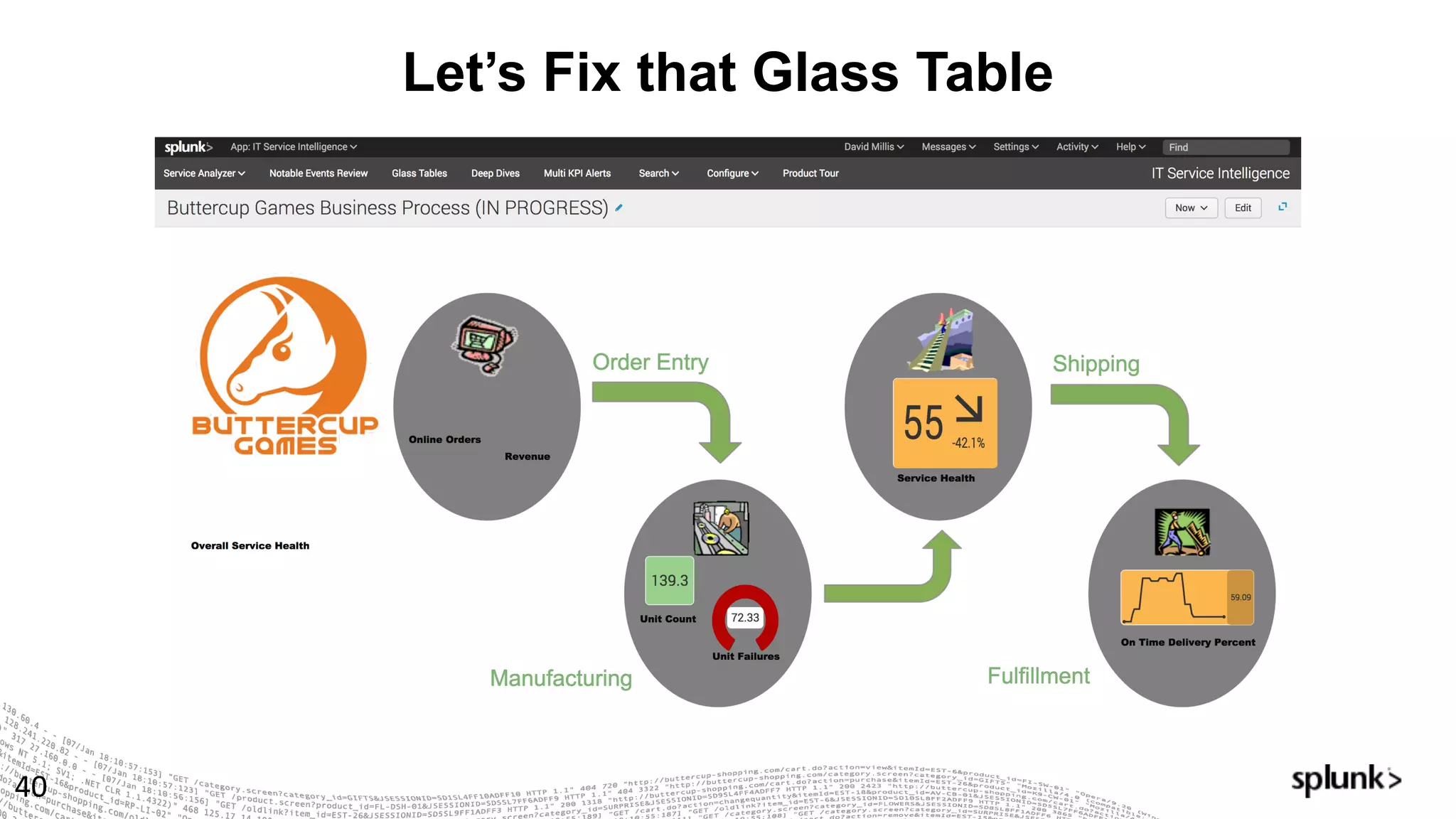
Let’s Fix that Glass Table
40
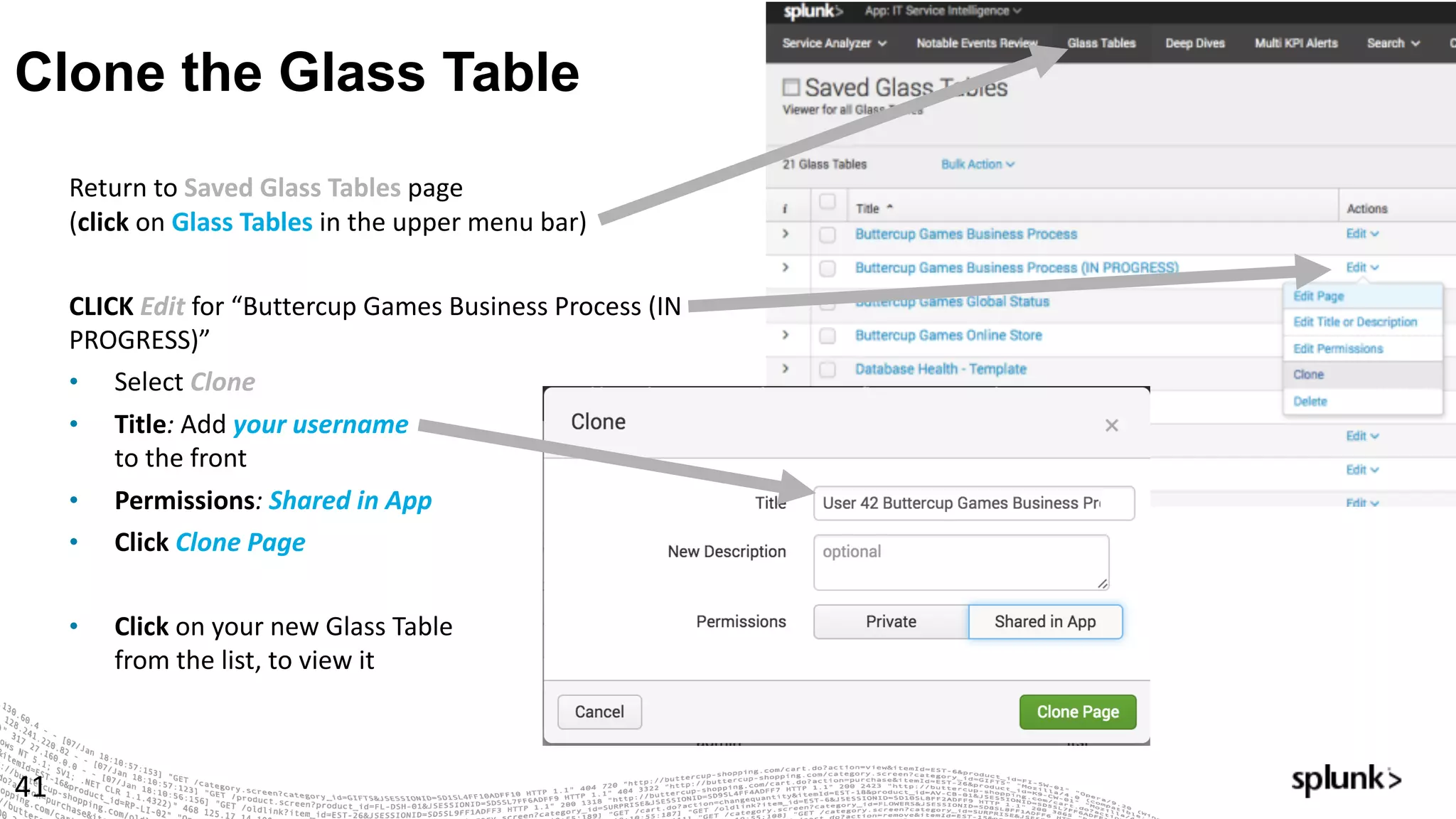
Clone the Glass Table
41
Return	to	Saved	Glass	Tables	page	
(click on	Glass	Tables	in	the	upper	menu	bar)
CLICK	Edit for	“Buttercup	Games	Business	Process	(IN	
PROGRESS)”
• Select Clone
• Title:	Add your	username	
to	the	front
• Permissions:	Shared	in	App
• Click Clone	Page
• Click on	your	new	Glass	Table
from	the	list,	to	view	it
Edit & Have Fun!
42
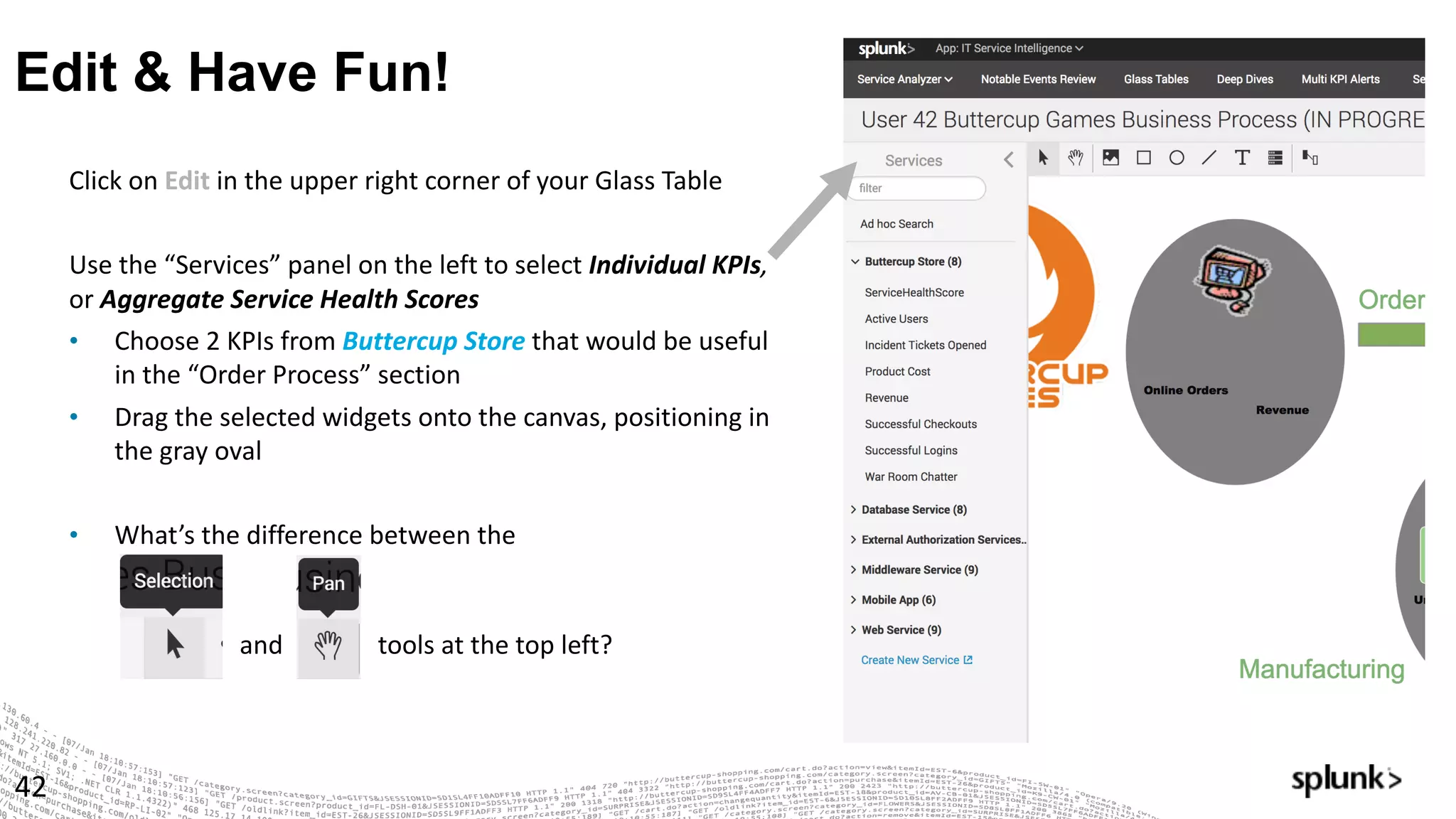
Click	on	Edit in	the	upper	right	corner	of	your	Glass	Table
Use	the	“Services”	panel	on	the	left	to	select	Individual	KPIs,	
or Aggregate	Service	Health	Scores
• Choose	2	KPIs	from	Buttercup	Store that	would	be	useful	
in	the	“Order	Process”	section
• Drag	the	selected	widgets	onto	the	canvas,	positioning	in	
the	gray	oval
• What’s	the	difference	between	the
and tools	at	the	top	left?
More Fun with the Glass Table Editor…
43
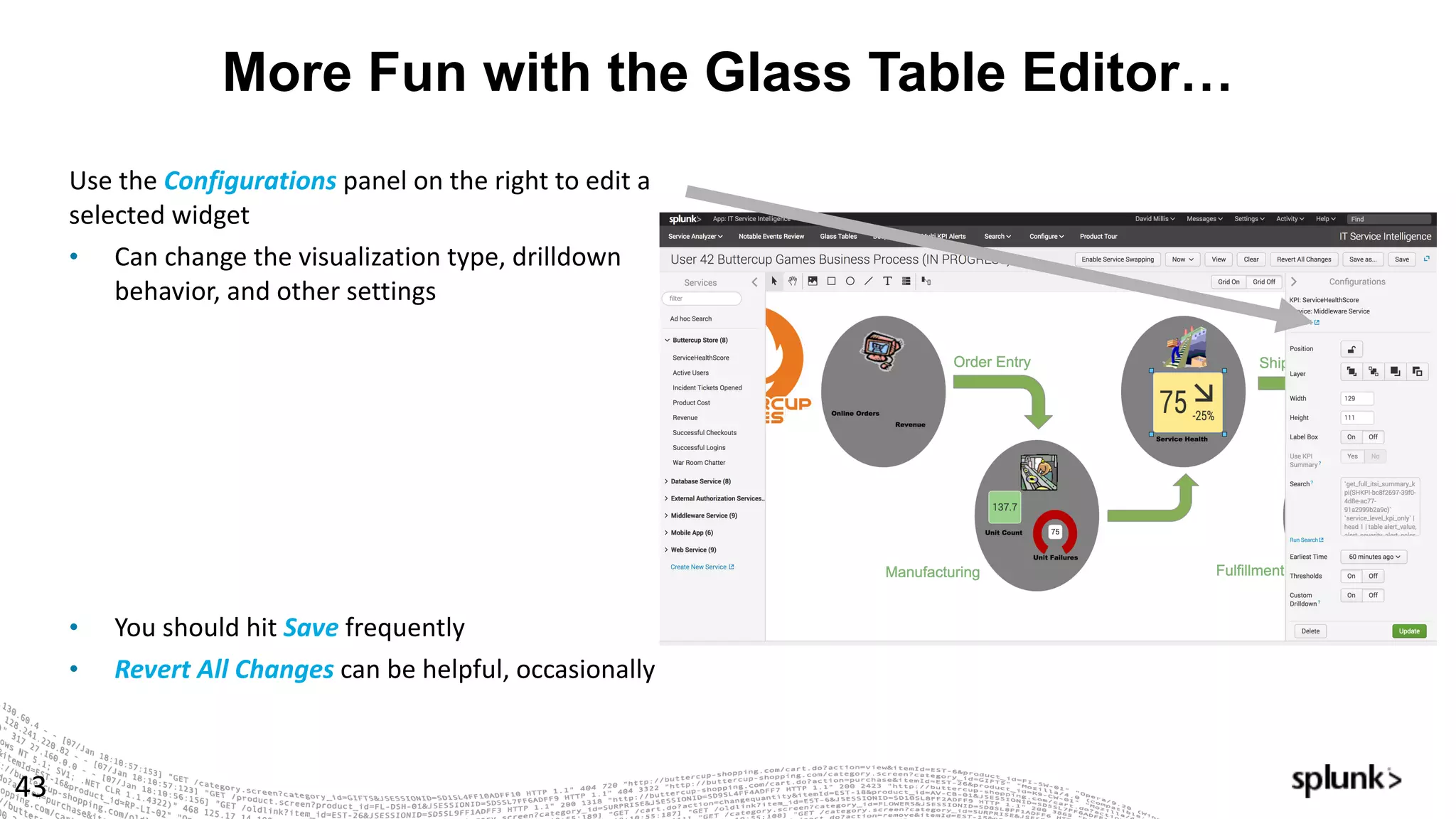
Use	the	Configurations panel	on	the	right	to	edit	a	
selected	widget
• Can	change	the	visualization	type,	drilldown	
behavior,	and	other	settings
• You	should	hit	Save frequently
• Revert	All	Changes	can	be	helpful,	occasionally
Finishing up …
44
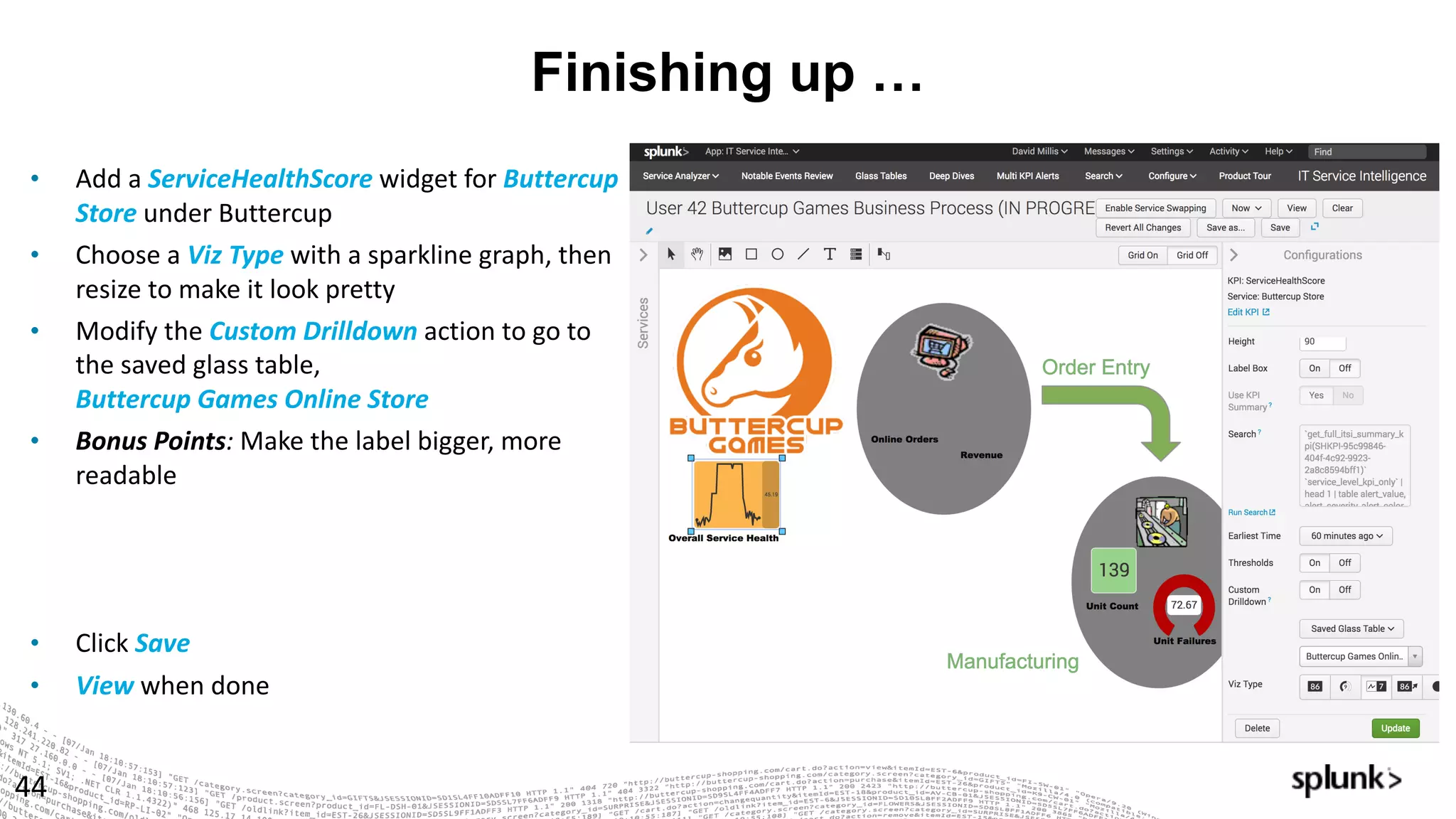
• Add	a	ServiceHealthScore widget	for	Buttercup	
Store	under	Buttercup
• Choose	a	Viz	Type	with	a	sparkline	graph,	then	
resize	to	make	it	look	pretty
• Modify	the	Custom	Drilldown	action	to	go	to	
the	saved	glass	table,	
Buttercup	Games	Online	Store
• Bonus	Points:	Make	the	label	bigger,	more	
readable
• Click Save
• View when	done
© 2016 SPLUNK INC. CONFIDENTIAL. INTERNAL USE
ONLY.
© 2017 SPLUNK INC.
Service	Intelligence	Design	
Practices
45
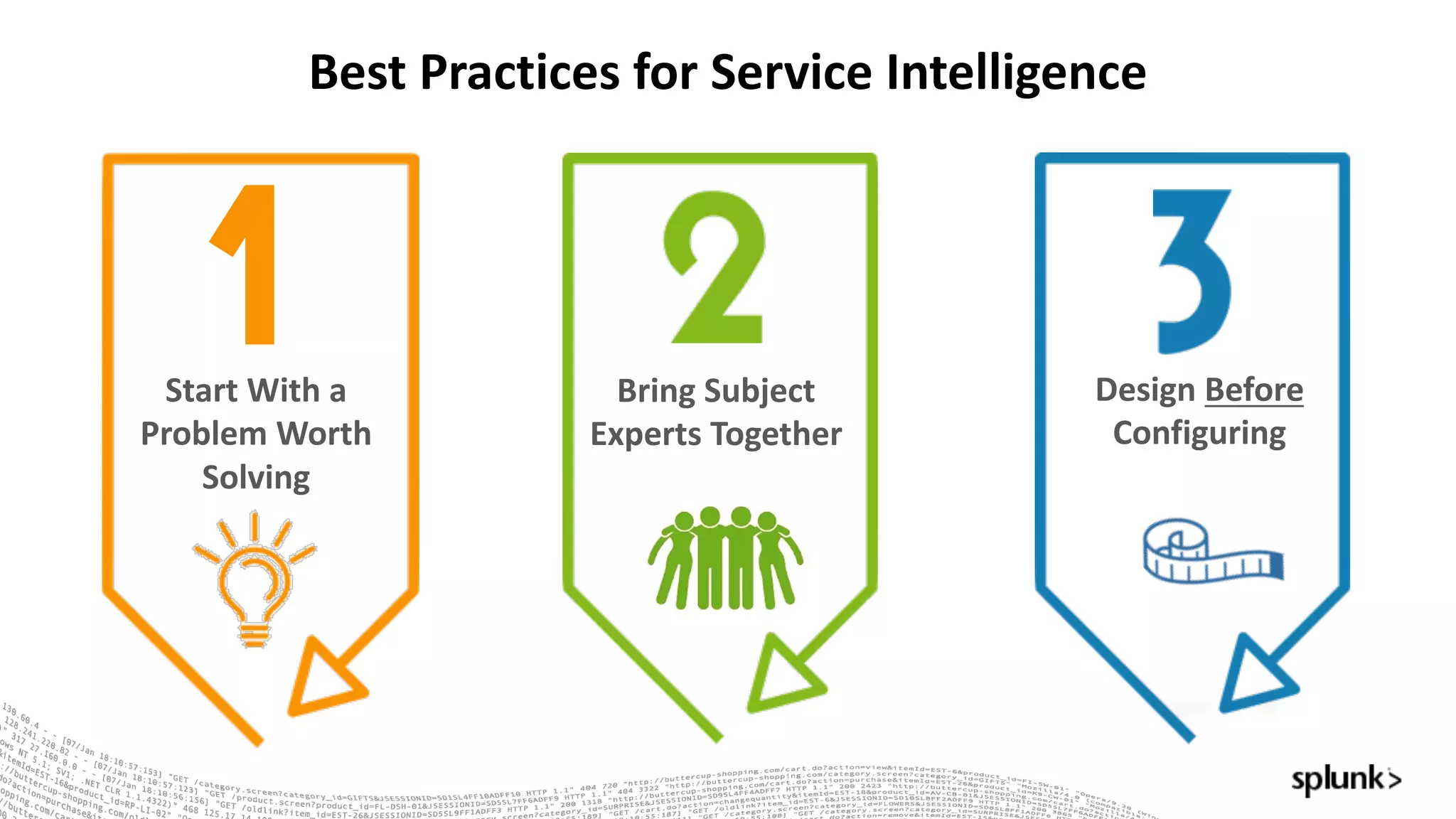
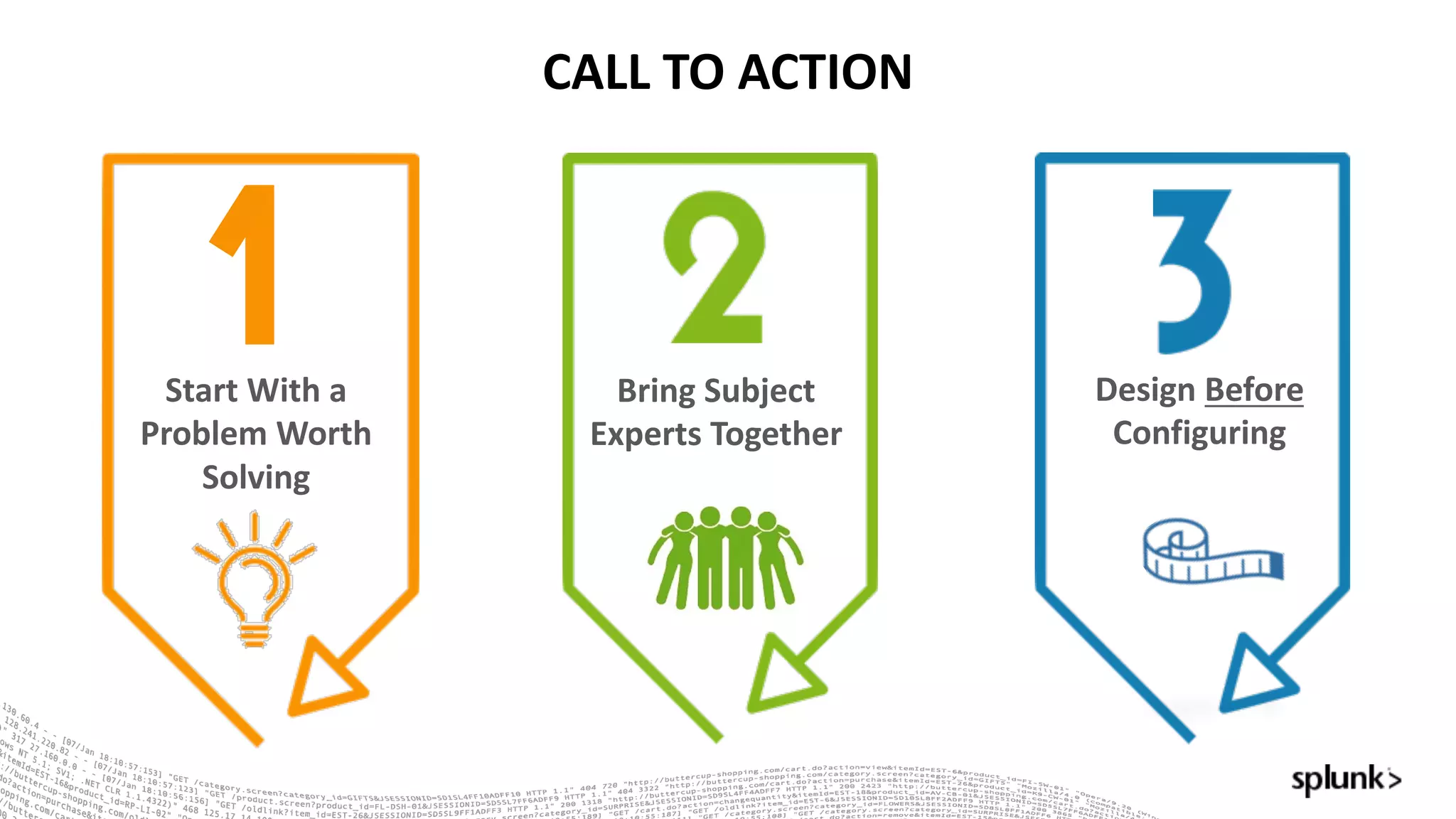
Bring	Subject	
Experts	Together
Design	Before
Configuring
Best	Practices	for	Service	Intelligence
Start	With	a	
Problem	Worth	
Solving
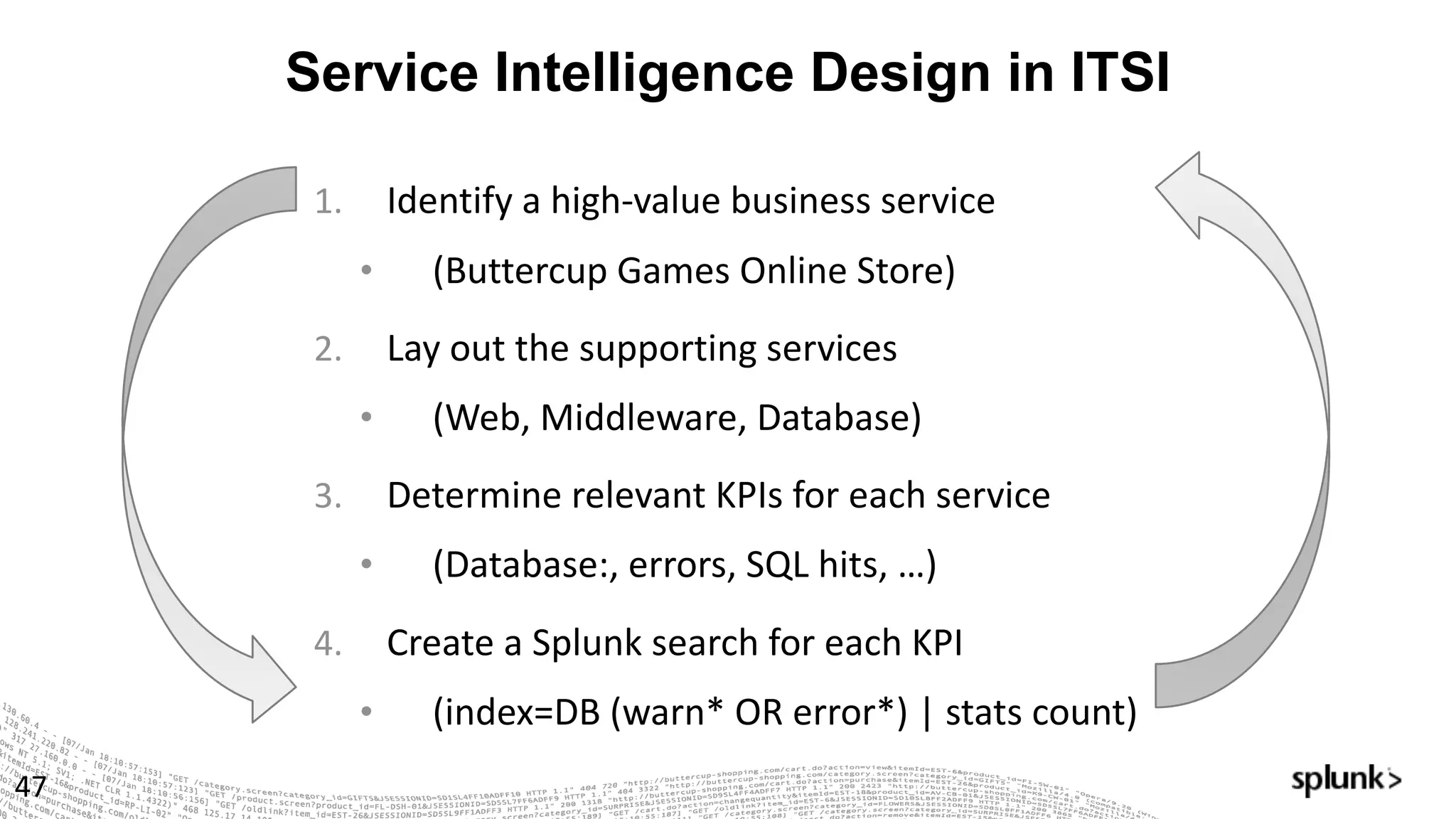
Service Intelligence Design in ITSI
47
1. Identify	a	high-value	business	service
• (Buttercup	Games	Online	Store)
2. Lay	out	the	supporting	services
• (Web,	Middleware,	Database)
3. Determine	relevant	KPIs	for	each	service
• (Database:,	errors,	SQL	hits,	…)
4. Create	a	Splunk	search	for	each	KPI
• (index=DB	(warn*	OR	error*)	|	stats	count)
Here's What the Process Looks Like
on a Whiteboard
48
What are some important services?
49
What are some important services?
50
DNS
What are some important services?
51
DNS
Online Store
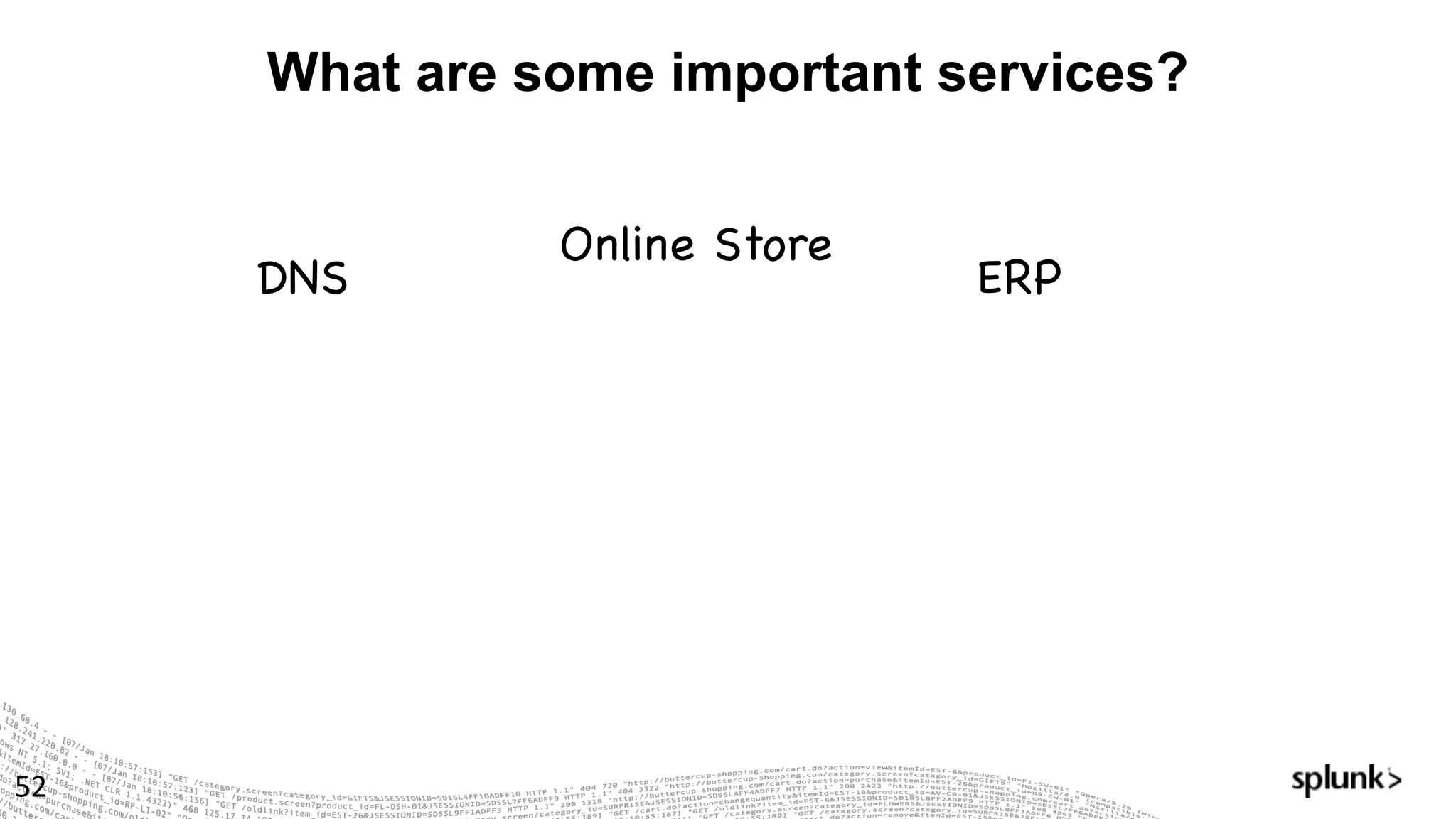
What are some important services?
52
DNS
Online Store
ERP
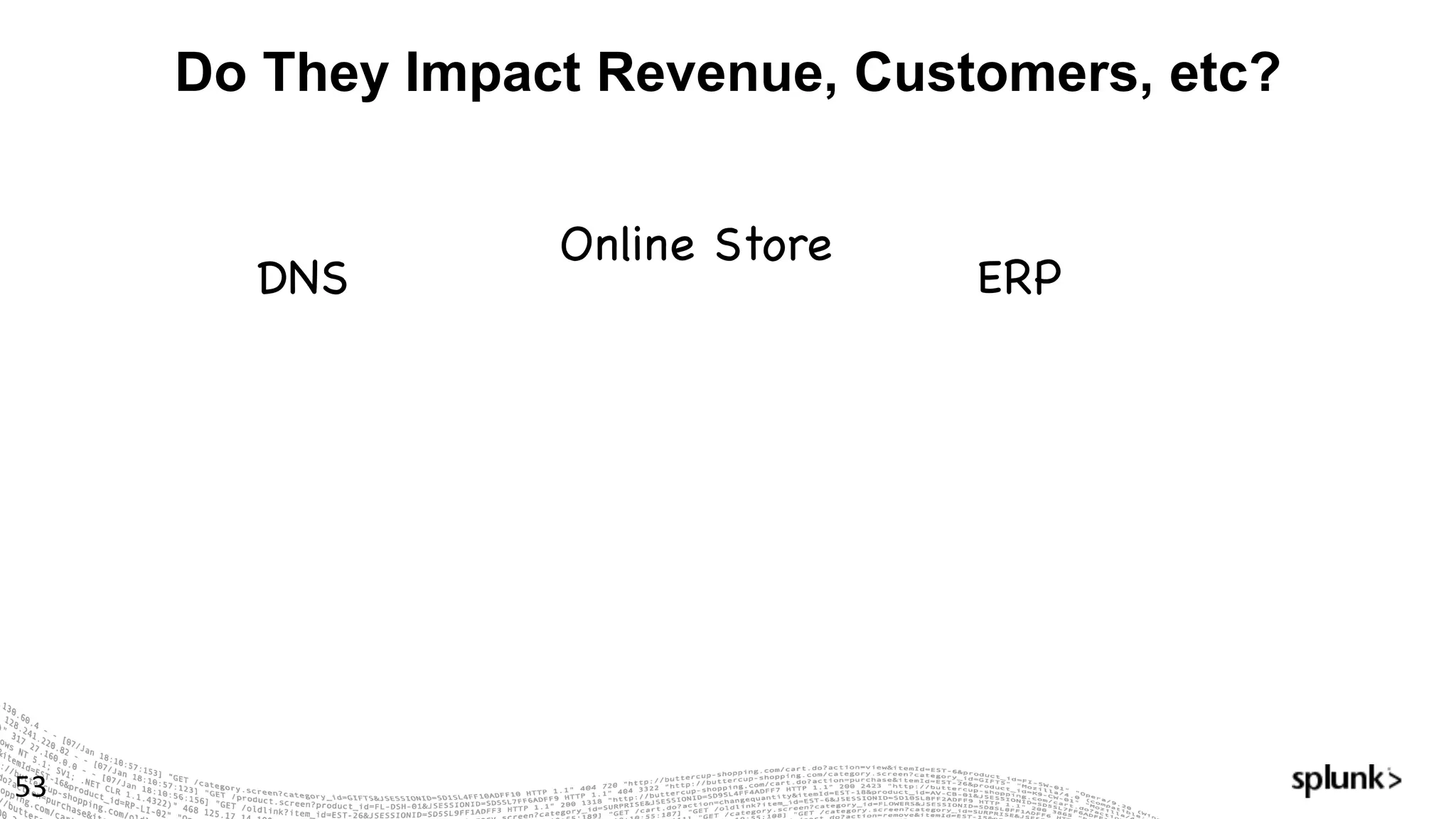
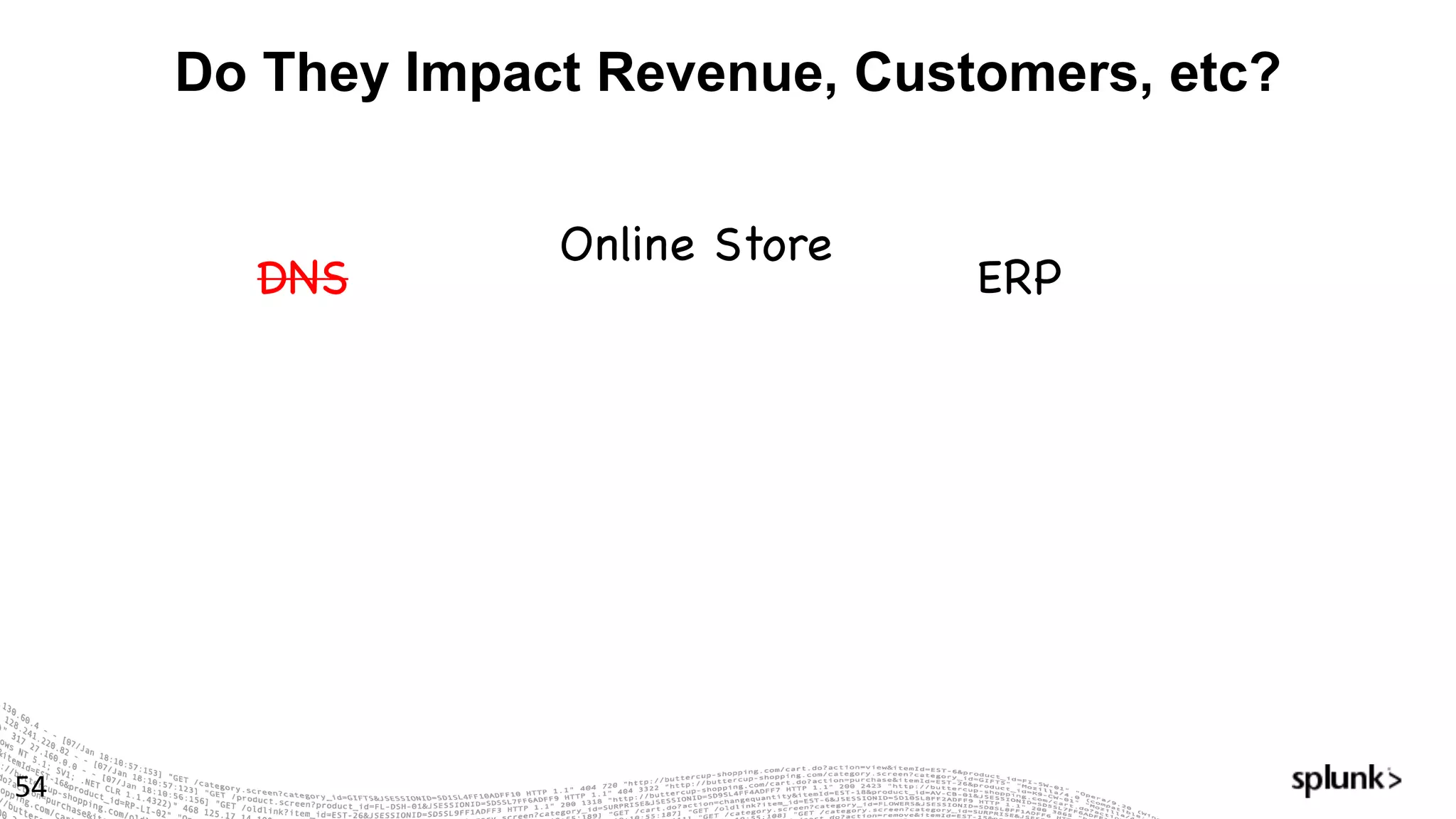
Do They Impact Revenue, Customers, etc?
53
DNS
Online Store
ERP
Do They Impact Revenue, Customers, etc?
54
DNS
Online Store
ERP
Do We Have Supporting Data?
55
Online Store
ERP
Do We Have Supporting Data?
56
Online Store
ERP
We've Got Our Service!
57
Online Store
Any problems or recent outages?
58
Online Store
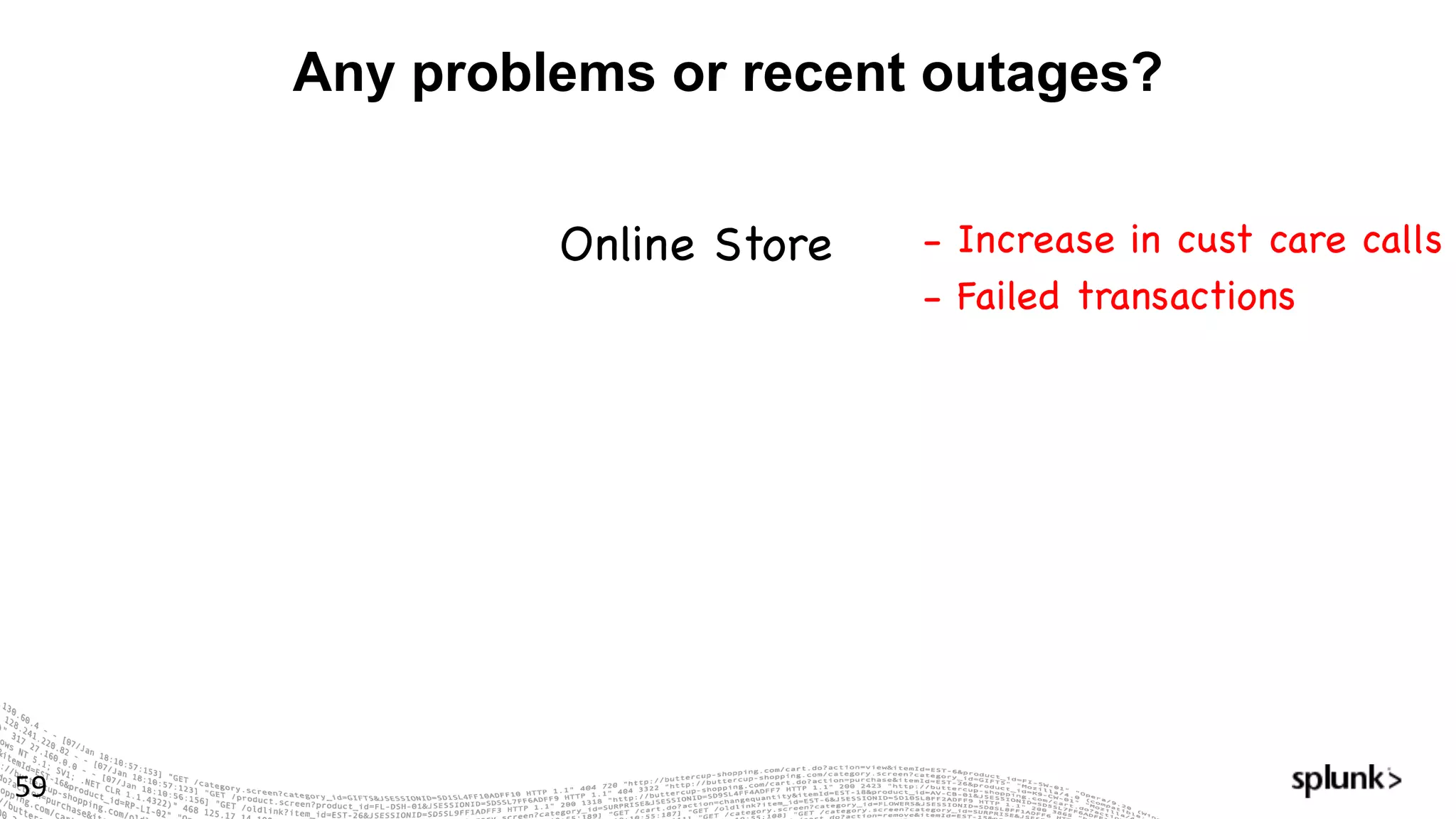
Any problems or recent outages?
59
Online Store - Increase in cust care calls
- Failed transactions
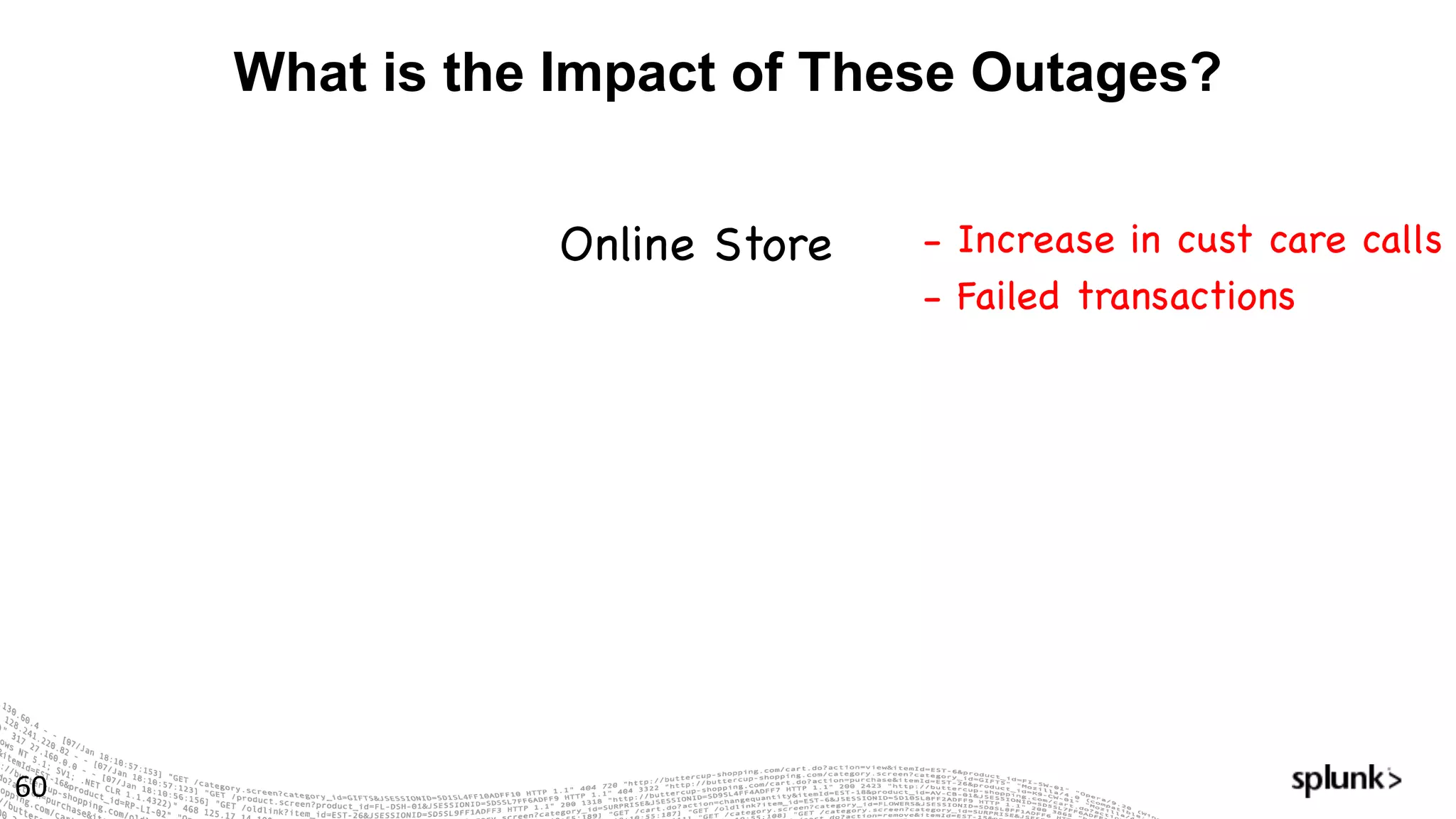
What is the Impact of These Outages?
60
Online Store - Increase in cust care calls
- Failed transactions
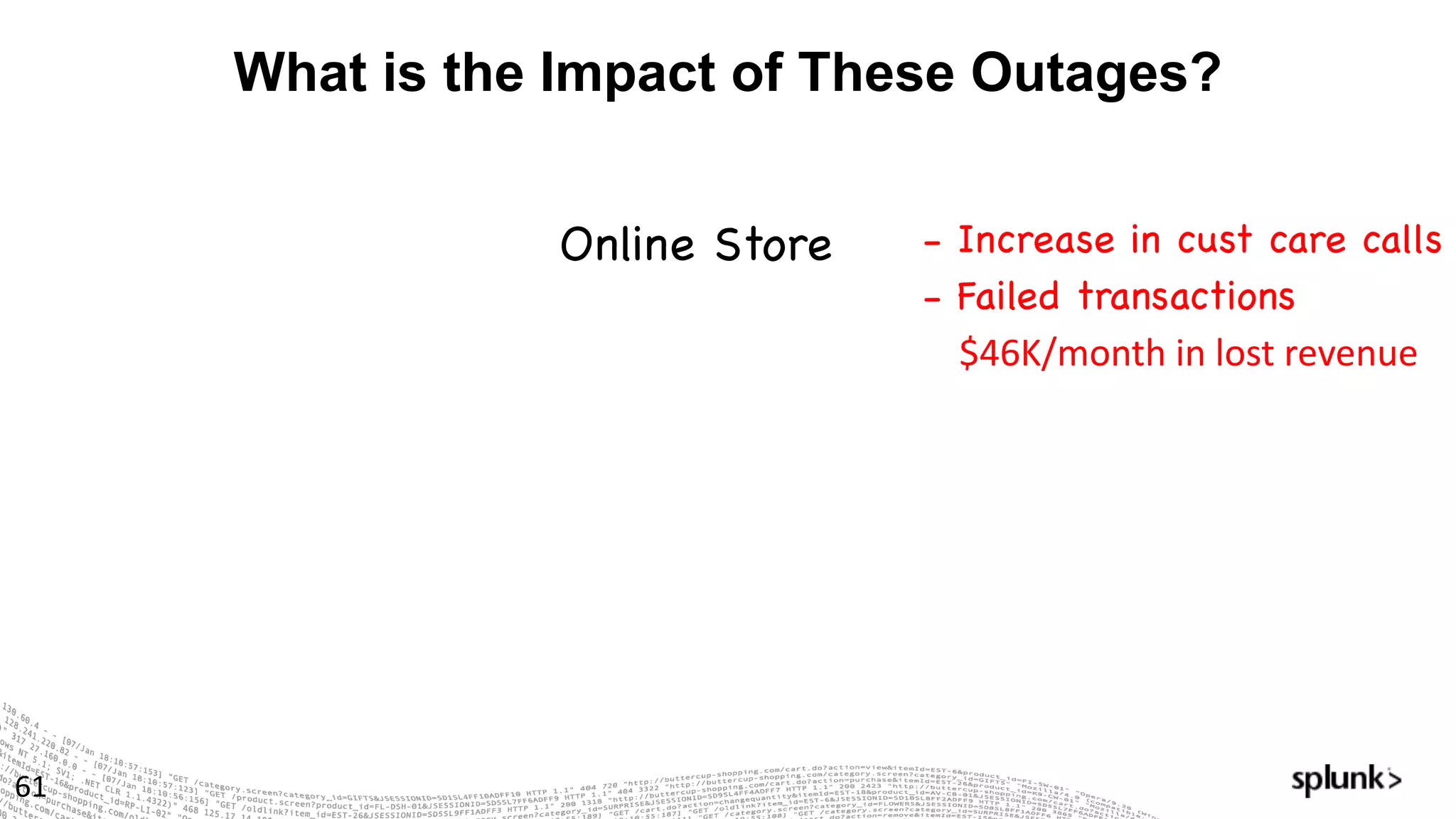
What is the Impact of These Outages?
61
Online Store - Increase in cust care calls
- Failed transactions
$46K/month	in	lost	revenue
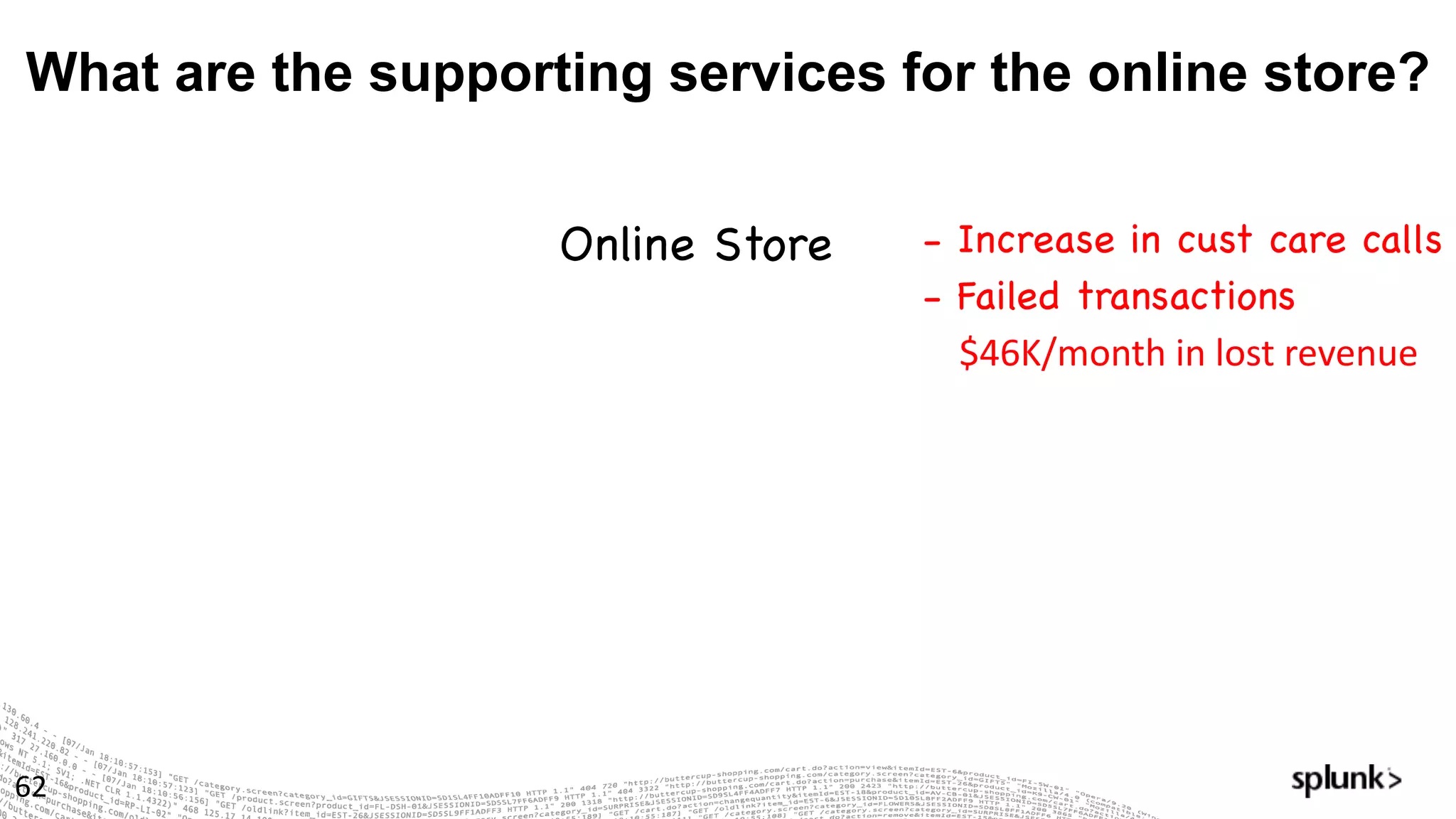
What are the supporting services for the online store?
62
Online Store - Increase in cust care calls
- Failed transactions
$46K/month	in	lost	revenue
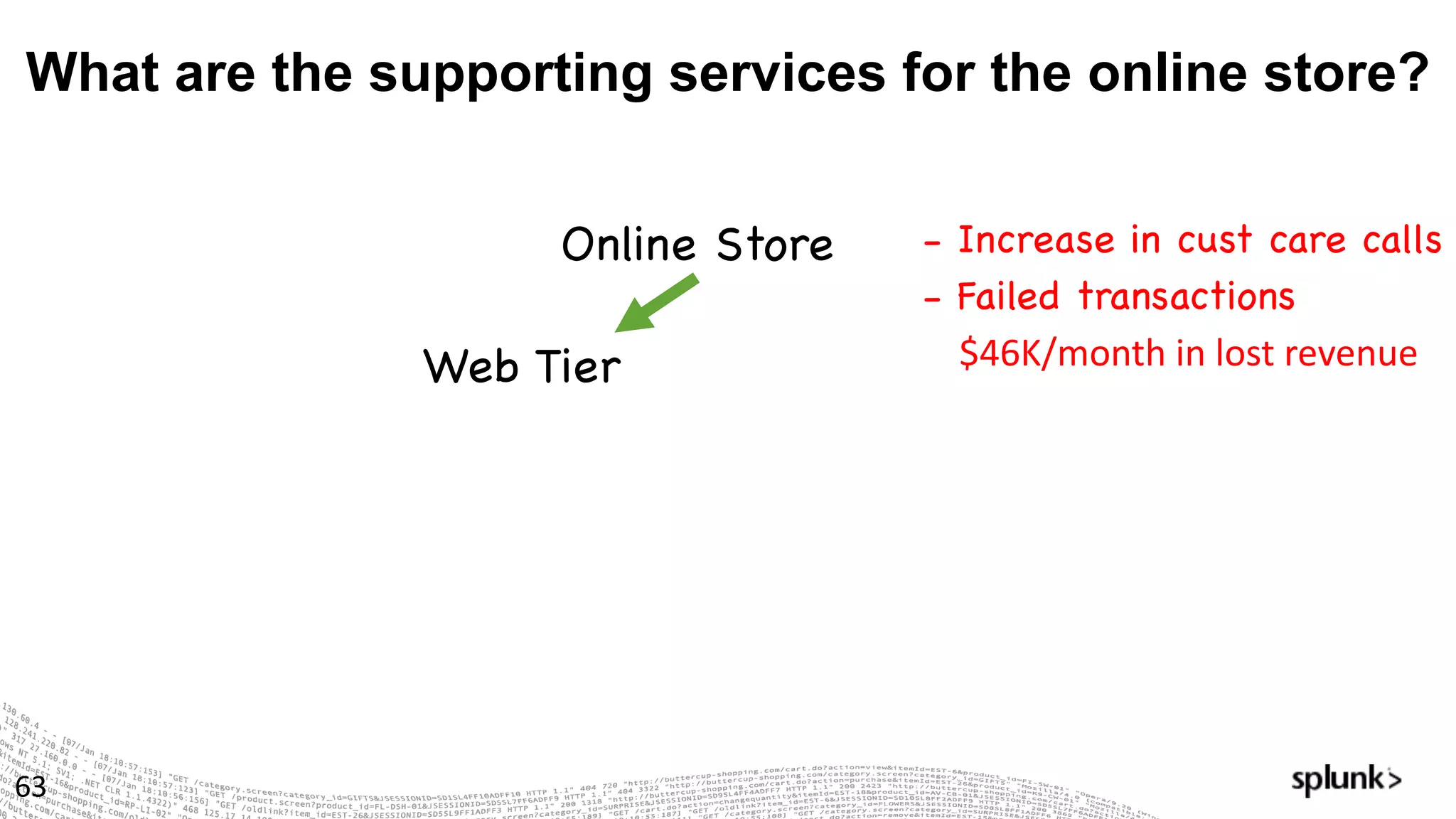
What are the supporting services for the online store?
63
Online Store - Increase in cust care calls
- Failed transactions
$46K/month	in	lost	revenue	Web Tier
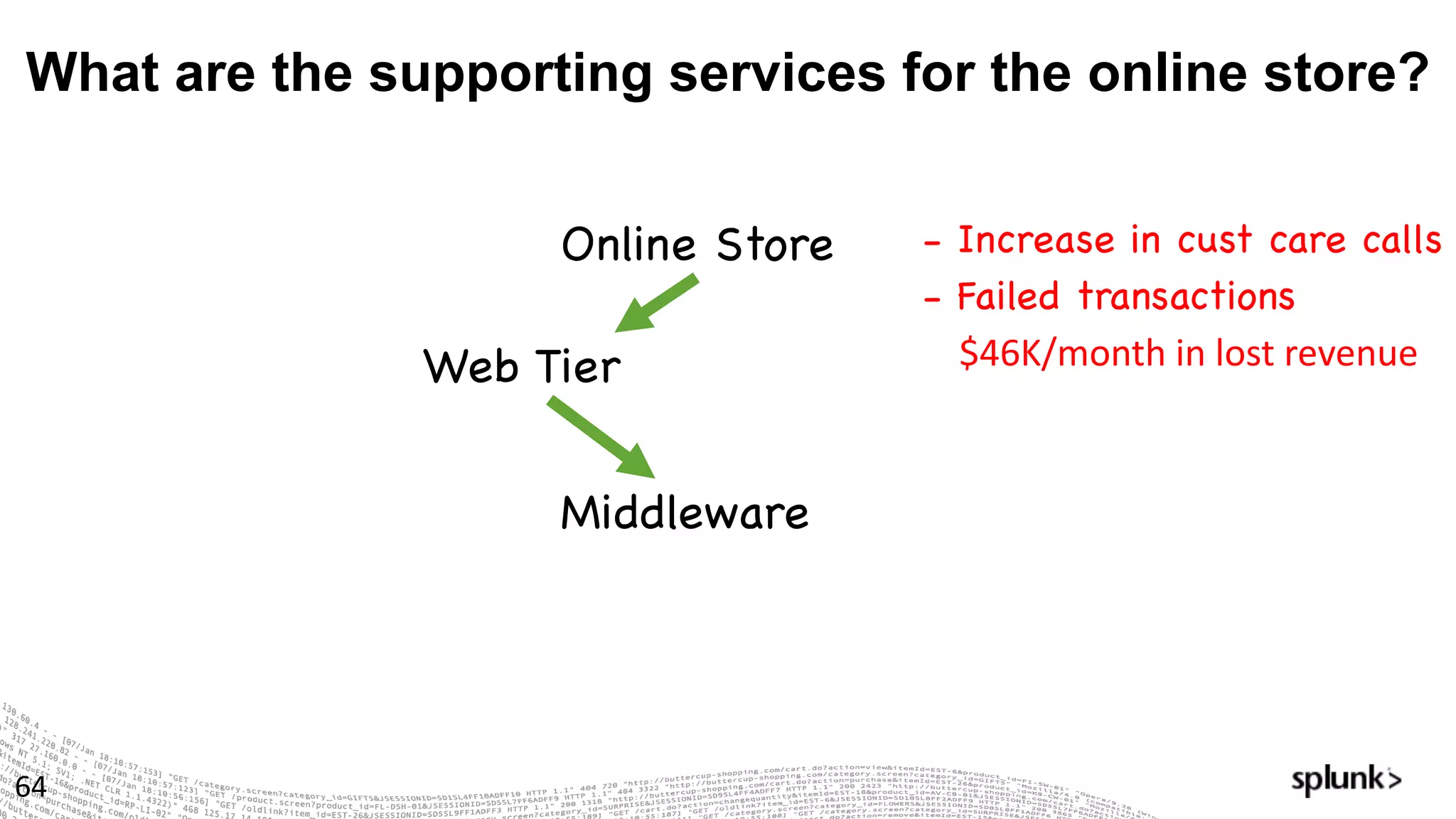
What are the supporting services for the online store?
64
Online Store - Increase in cust care calls
- Failed transactions
$46K/month	in	lost	revenue	Web Tier
Middleware
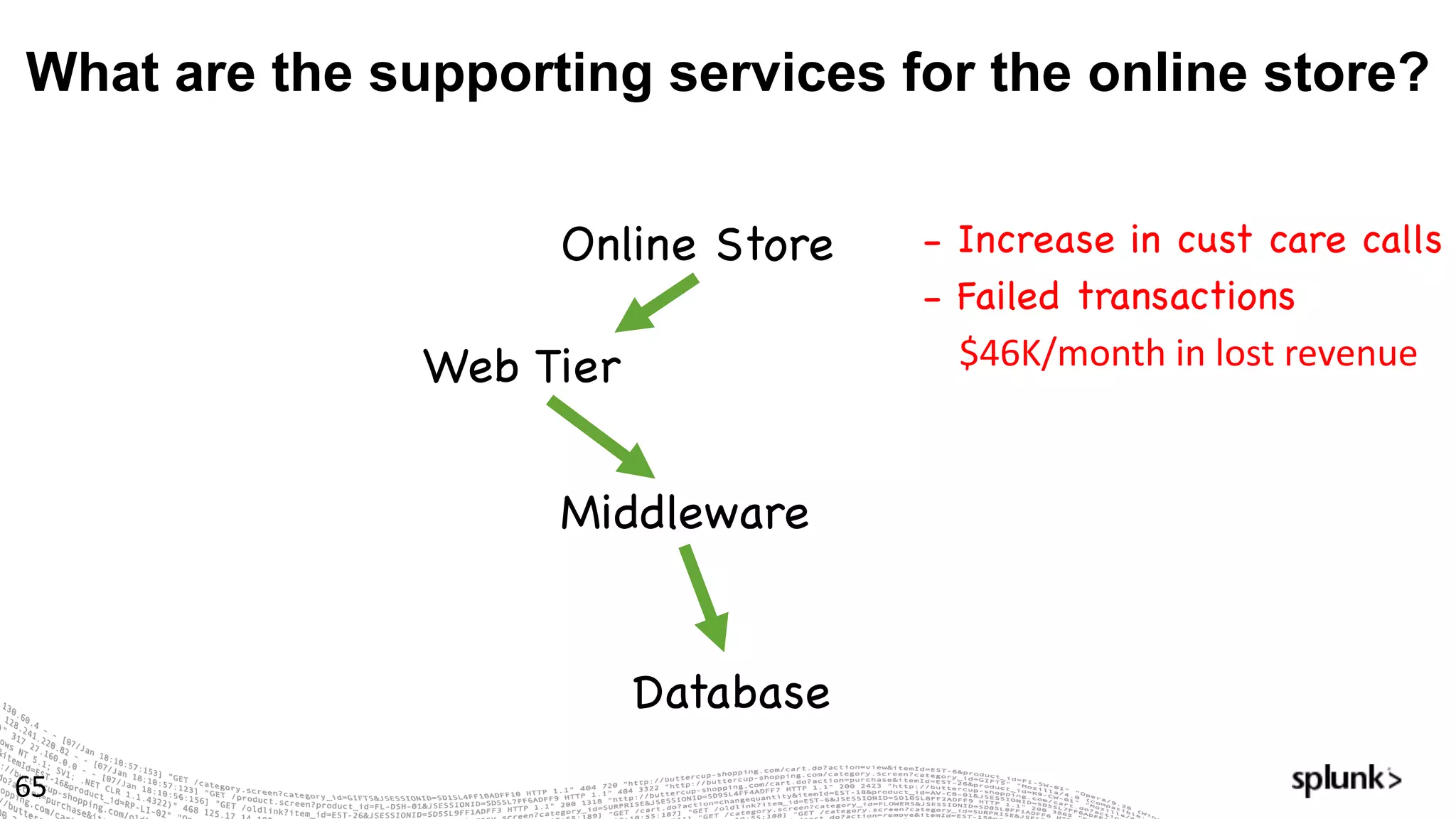
What are the supporting services for the online store?
65
Online Store - Increase in cust care calls
- Failed transactions
$46K/month	in	lost	revenue	Web Tier
Middleware
Database
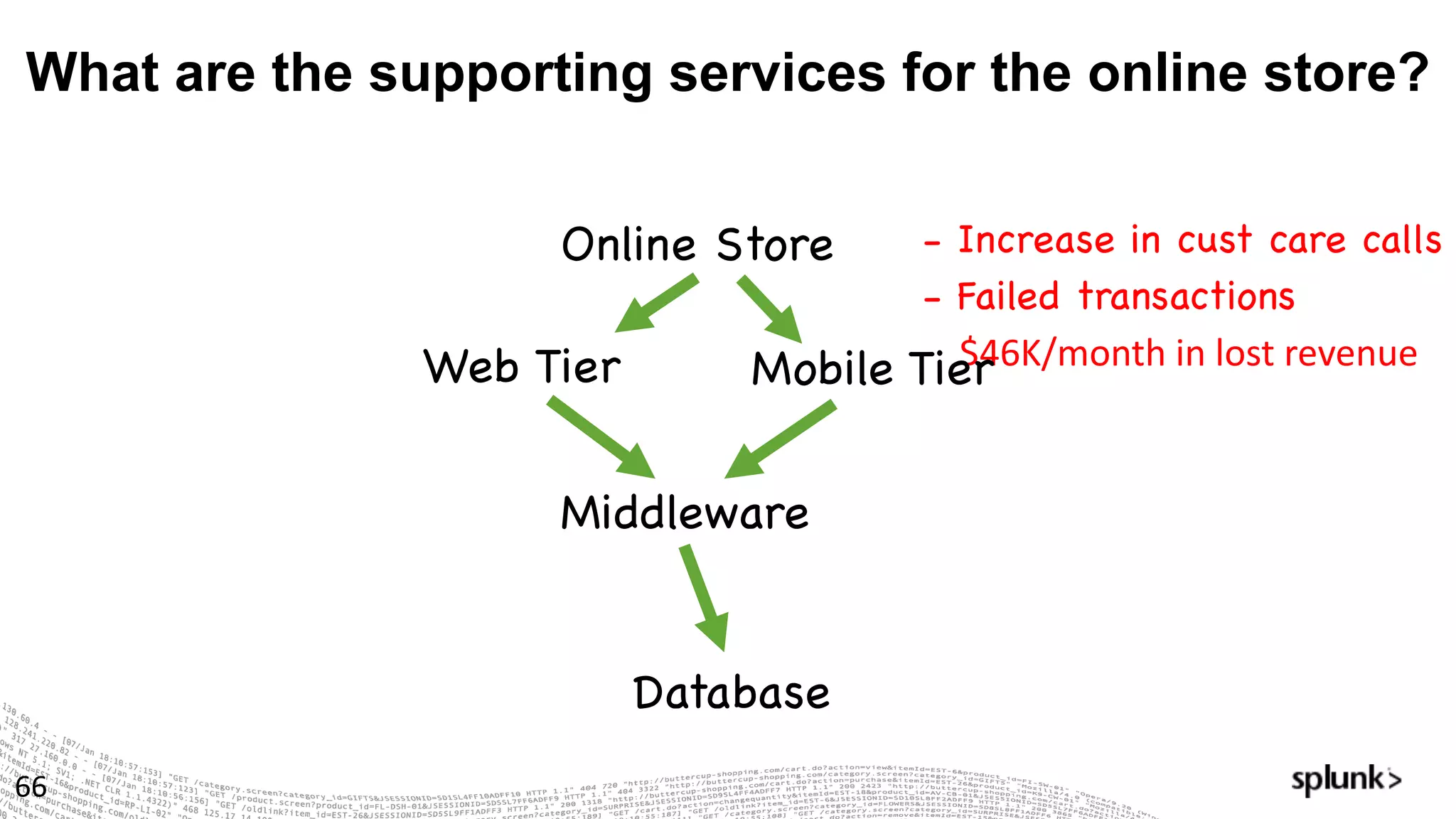
- Increase in cust care calls
- Failed transactions
$46K/month	in	lost	revenue	
What are the supporting services for the online store?
66
Online Store
Web Tier
Middleware
Database
Mobile Tier
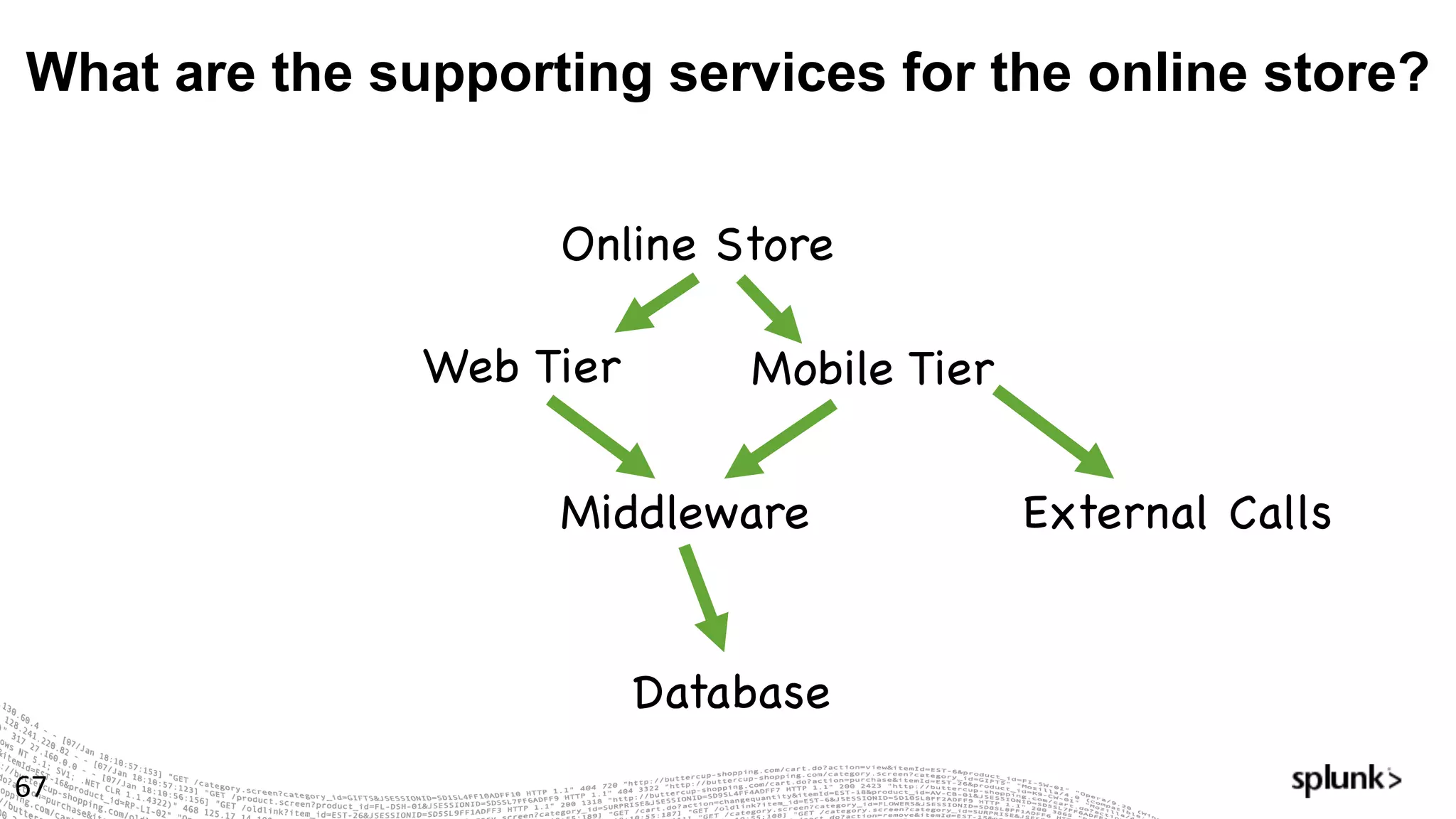
What are the supporting services for the online store?
67
Online Store
Web Tier
Middleware
Database
Mobile Tier
External Calls
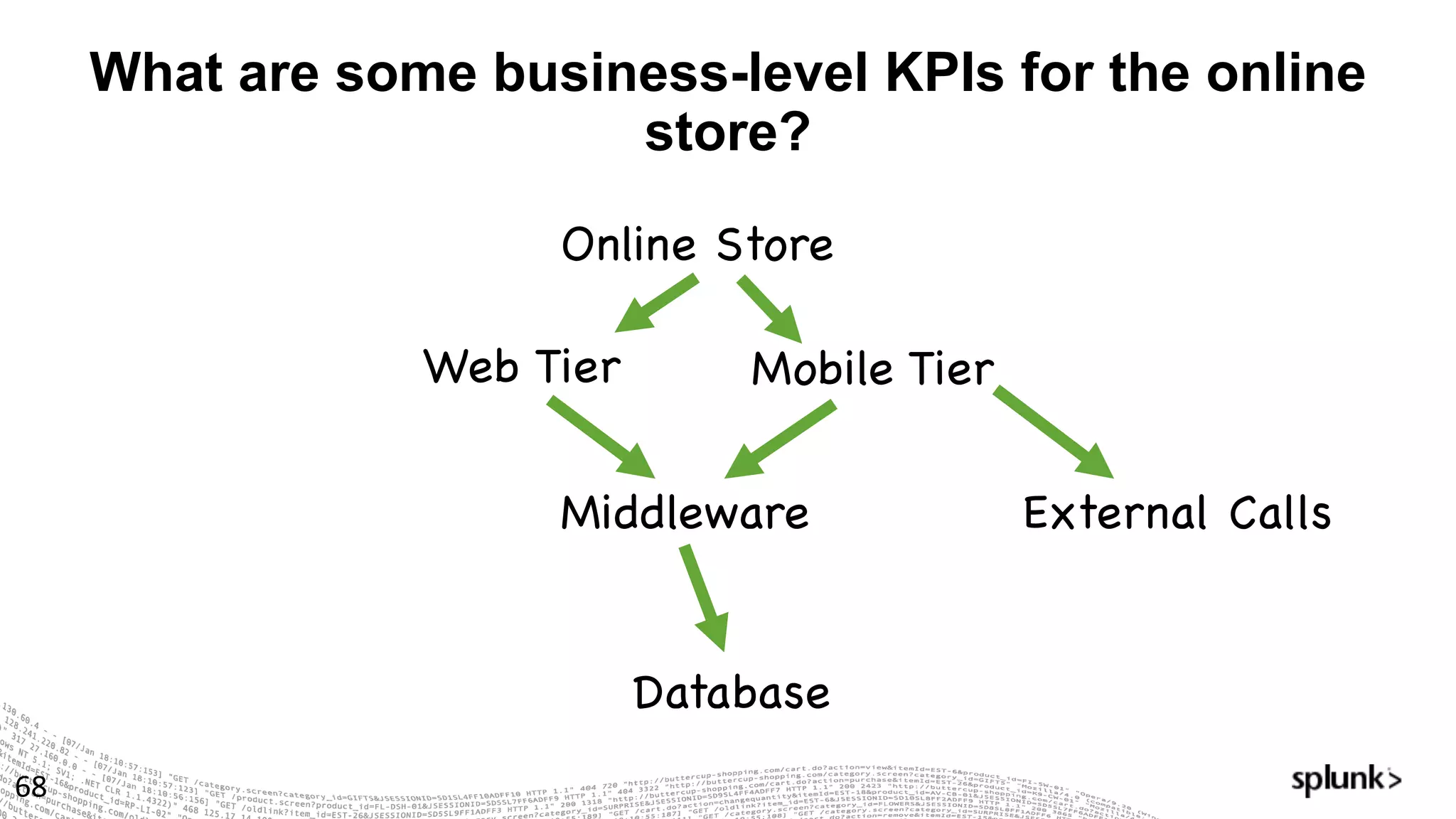
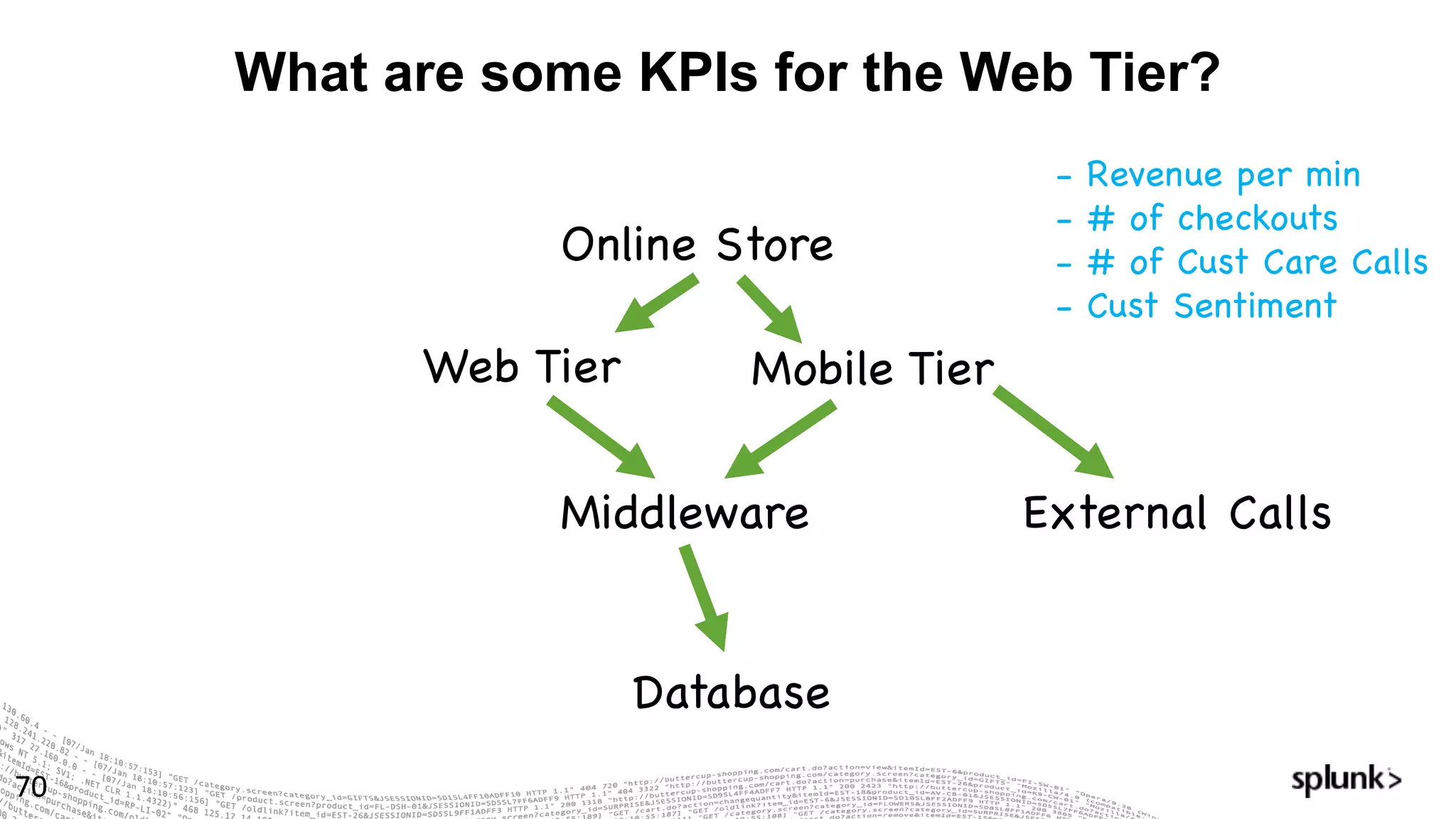
What are some business-level KPIs for the online
store?
68
Online Store
Web Tier
Middleware
Database
Mobile Tier
External Calls
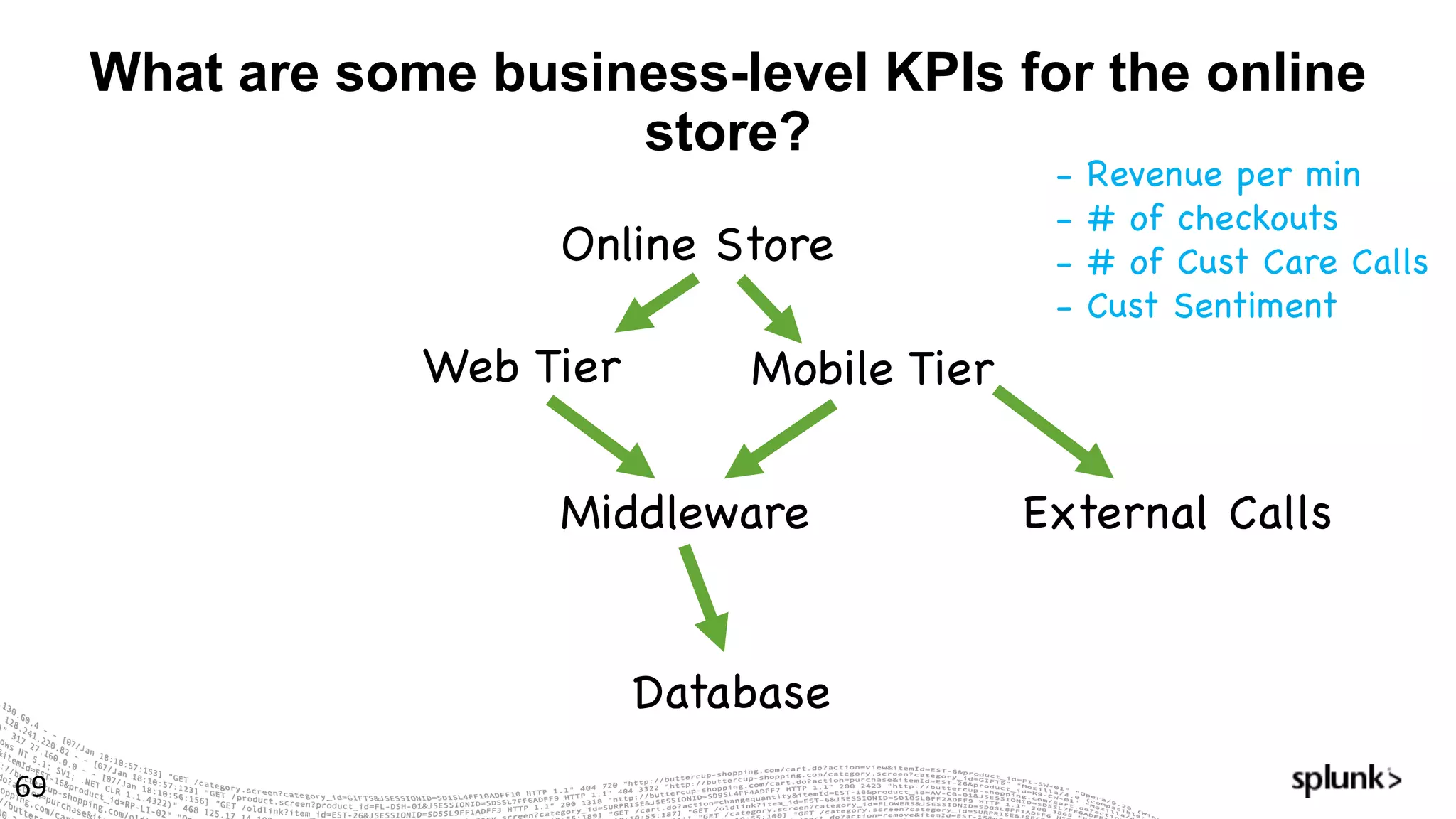
What are some business-level KPIs for the online
store?
69
Online Store
Web Tier
Middleware
Database
Mobile Tier
External Calls
- Revenue per min
- # of checkouts
- # of Cust Care Calls
- Cust Sentiment
What are some KPIs for the Web Tier?
70
Online Store
Web Tier
Middleware
Database
Mobile Tier
External Calls
- Revenue per min
- # of checkouts
- # of Cust Care Calls
- Cust Sentiment
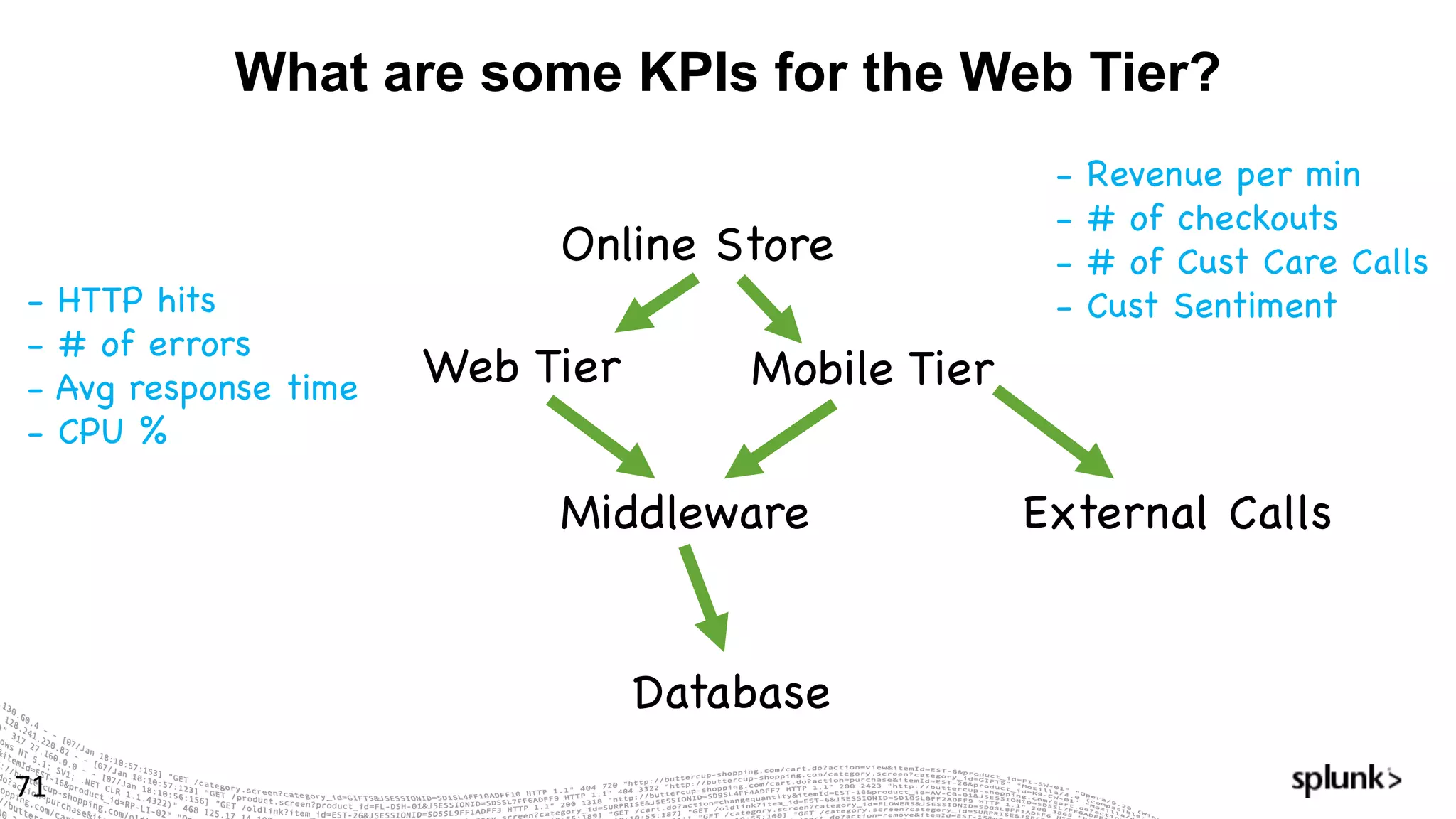
What are some KPIs for the Web Tier?
71
Online Store
Web Tier
Middleware
Database
Mobile Tier
External Calls
- Revenue per min
- # of checkouts
- # of Cust Care Calls
- Cust Sentiment- HTTP hits
- # of errors
- Avg response time
- CPU %
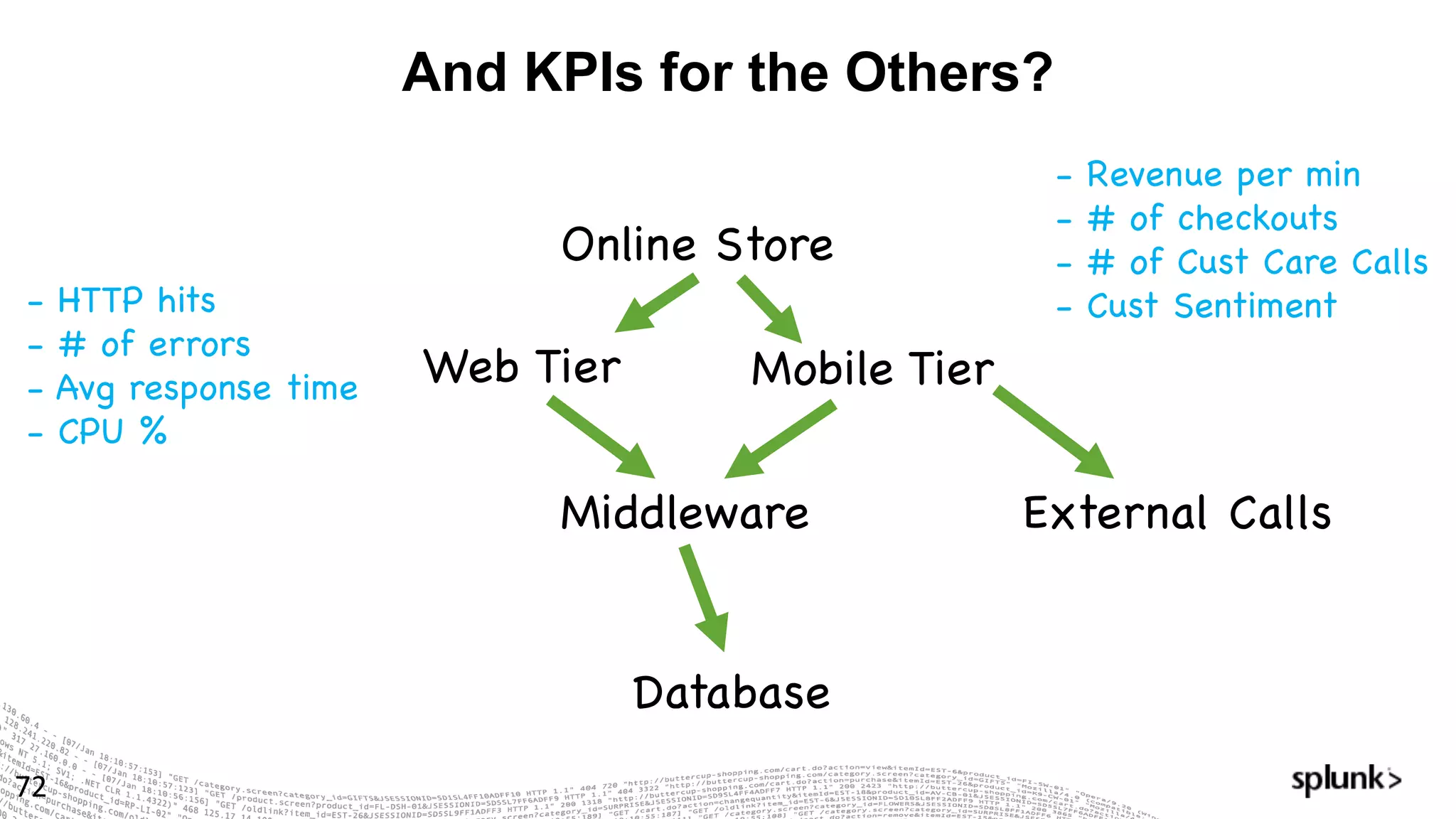
And KPIs for the Others?
72
Online Store
Web Tier
Middleware
Database
Mobile Tier
External Calls
- Revenue per min
- # of checkouts
- # of Cust Care Calls
- Cust Sentiment- HTTP hits
- # of errors
- Avg response time
- CPU %
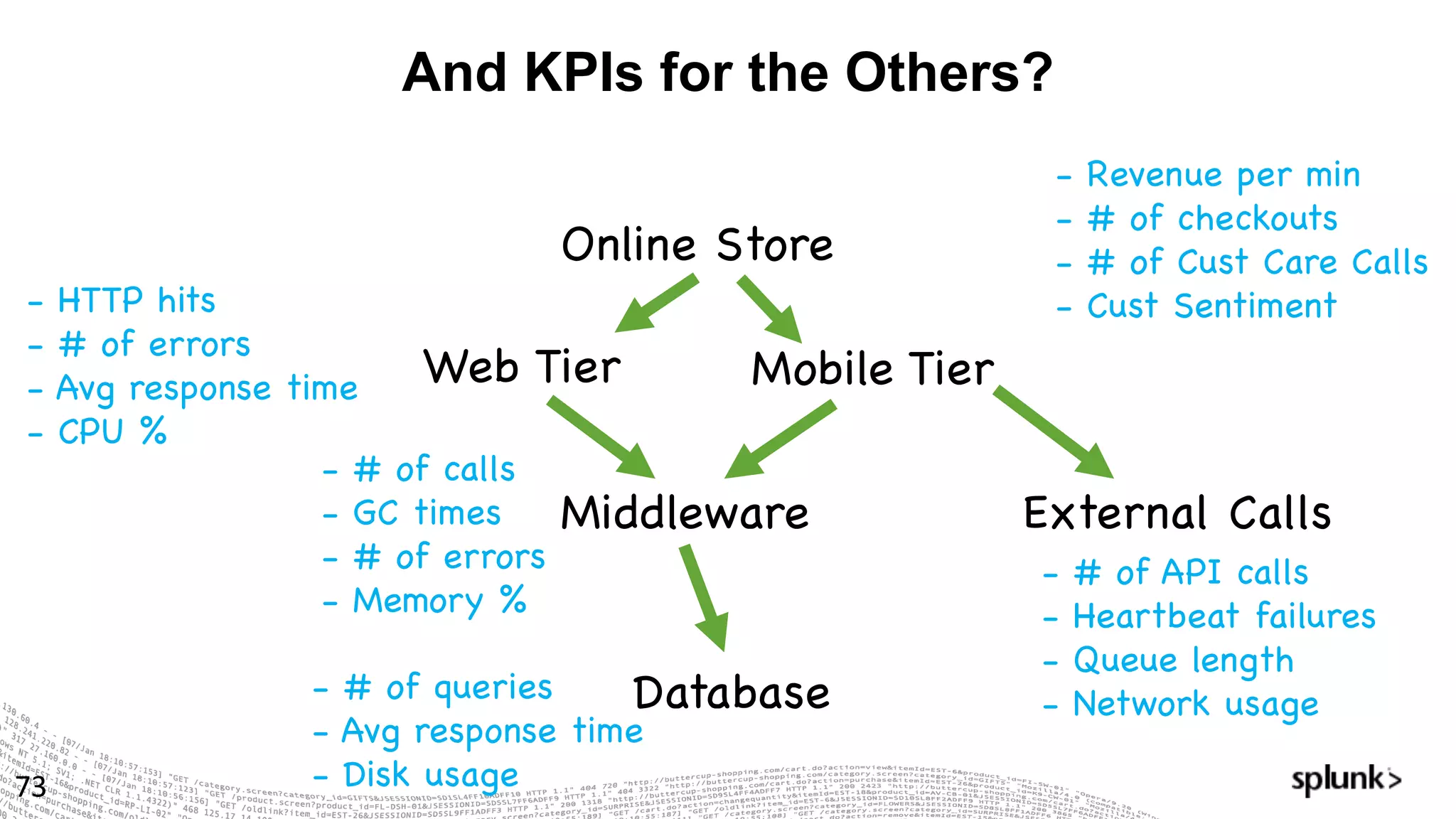
And KPIs for the Others?
73
Online Store
Web Tier
Middleware
Database
Mobile Tier
External Calls
- Revenue per min
- # of checkouts
- # of Cust Care Calls
- Cust Sentiment- HTTP hits
- # of errors
- Avg response time
- CPU %
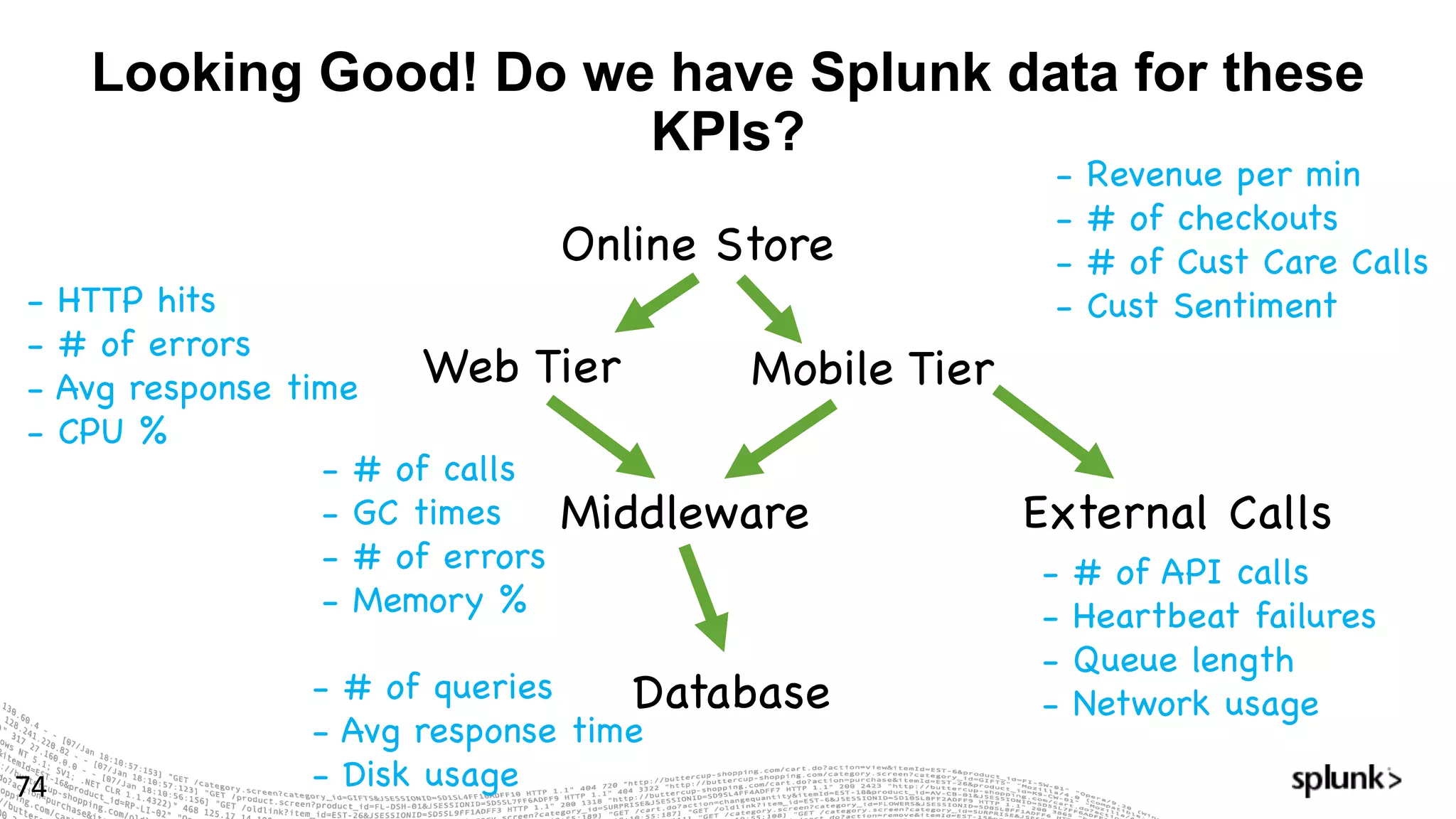
- # of calls
- GC times
- # of errors
- Memory %
- # of queries
- Avg response time
- Disk usage
- # of API calls
- Heartbeat failures
- Queue length
- Network usage
Looking Good! Do we have Splunk data for these
KPIs?
74
Online Store
Web Tier
Middleware
Database
Mobile Tier
External Calls
- Revenue per min
- # of checkouts
- # of Cust Care Calls
- Cust Sentiment- HTTP hits
- # of errors
- Avg response time
- CPU %
- # of calls
- GC times
- # of errors
- Memory %
- # of queries
- Avg response time
- Disk usage
- # of API calls
- Heartbeat failures
- Queue length
- Network usage
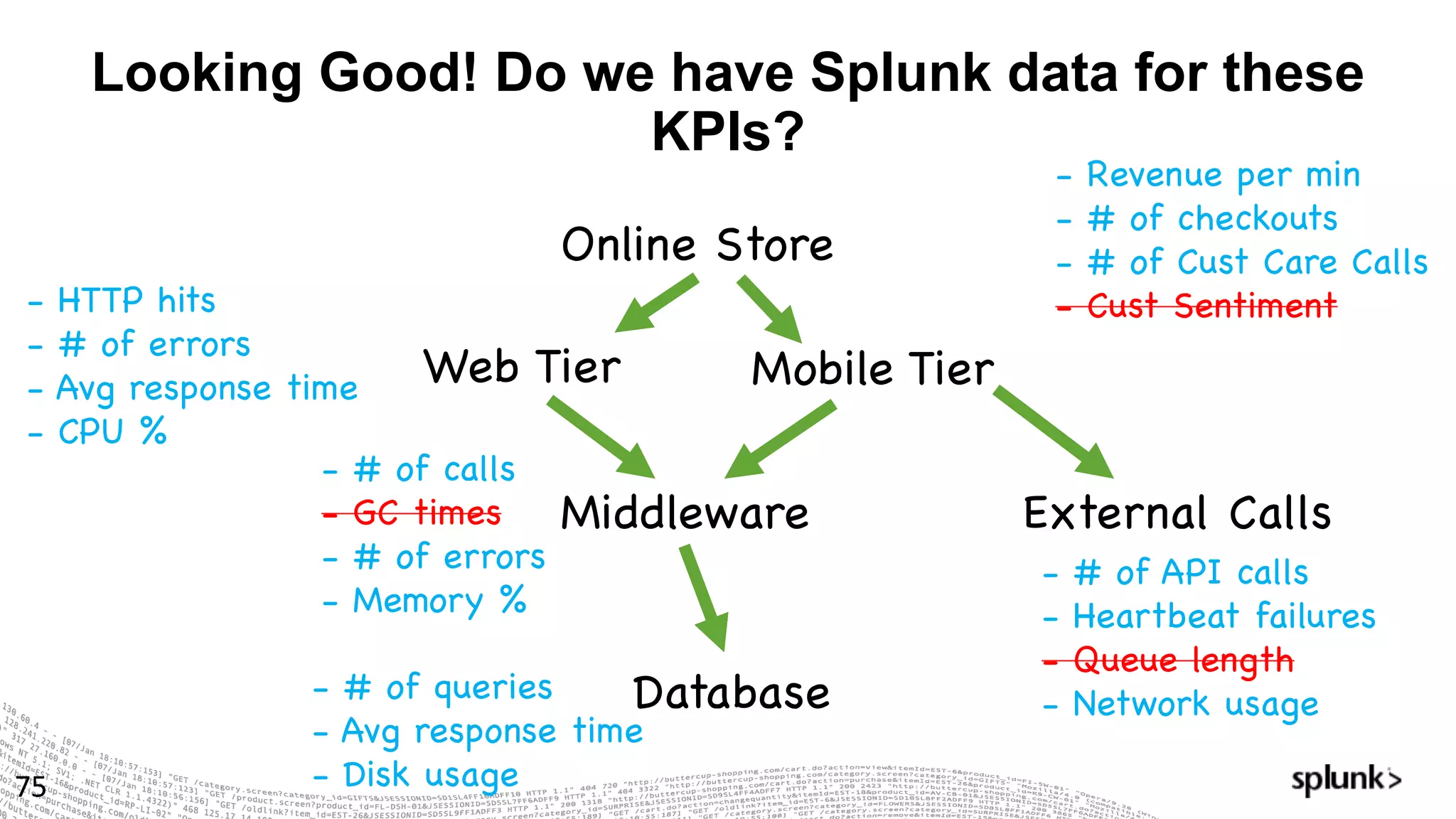
Looking Good! Do we have Splunk data for these
KPIs?
75
Online Store
Web Tier
Middleware
Database
Mobile Tier
External Calls
- Revenue per min
- # of checkouts
- # of Cust Care Calls
- Cust Sentiment- HTTP hits
- # of errors
- Avg response time
- CPU %
- # of calls
- GC times
- # of errors
- Memory %
- # of queries
- Avg response time
- Disk usage
- # of API calls
- Heartbeat failures
- Queue length
- Network usage
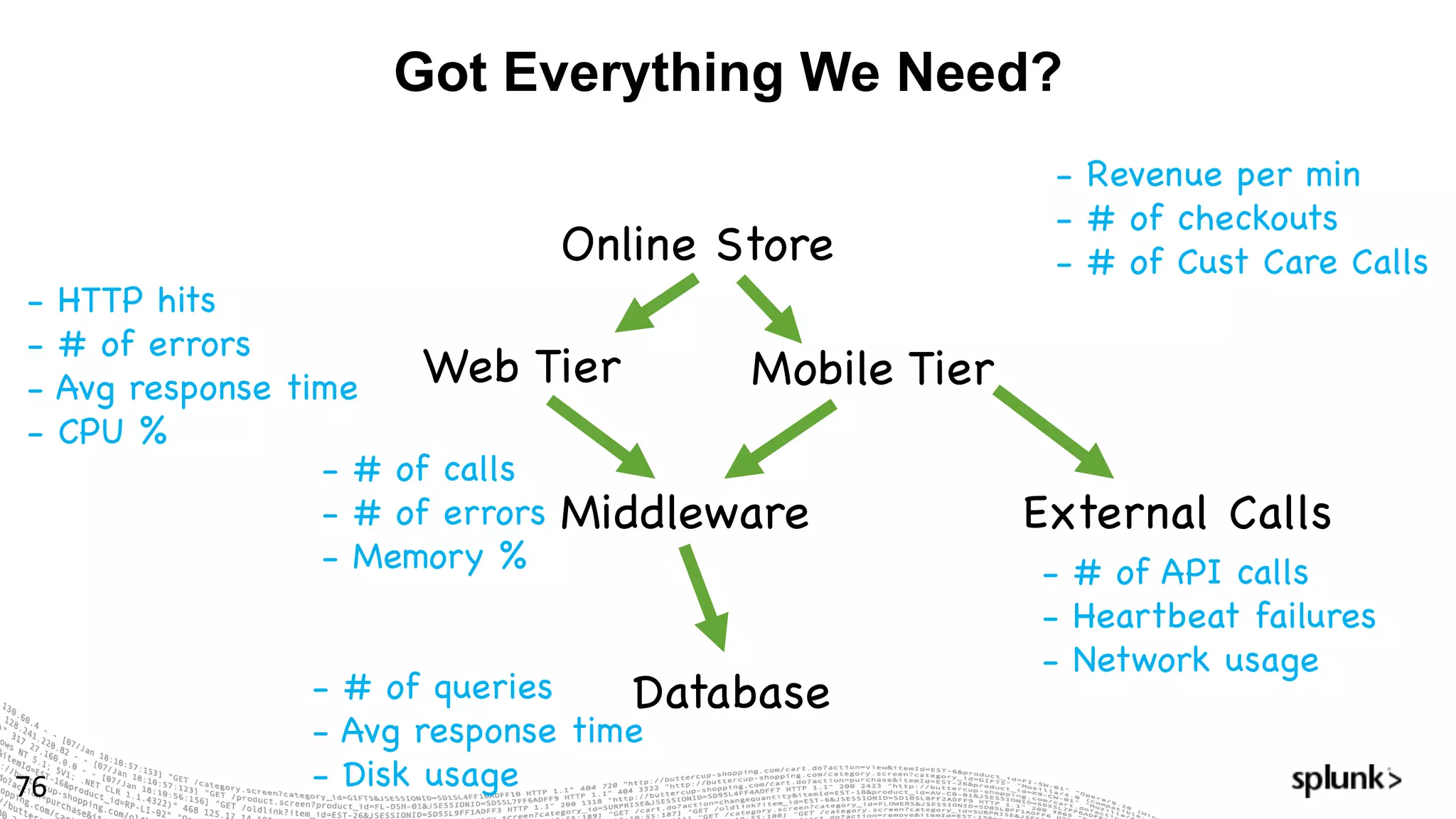
Got Everything We Need?
76
Online Store
Web Tier
Middleware
Database
Mobile Tier
External Calls
- Revenue per min
- # of checkouts
- # of Cust Care Calls
- HTTP hits
- # of errors
- Avg response time
- CPU %
- # of calls
- # of errors
- Memory %
- # of queries
- Avg response time
- Disk usage
- # of API calls
- Heartbeat failures
- Network usage
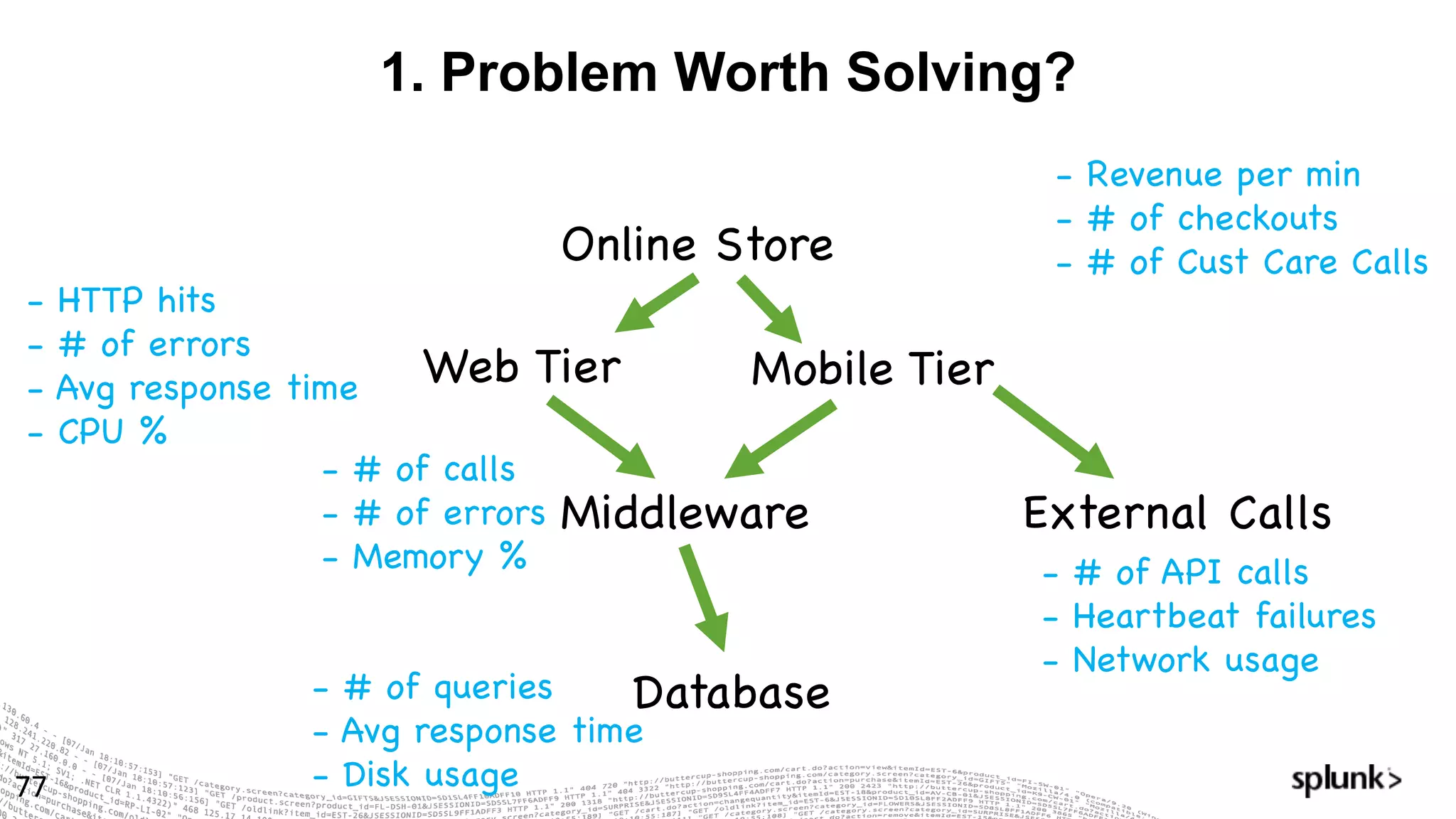
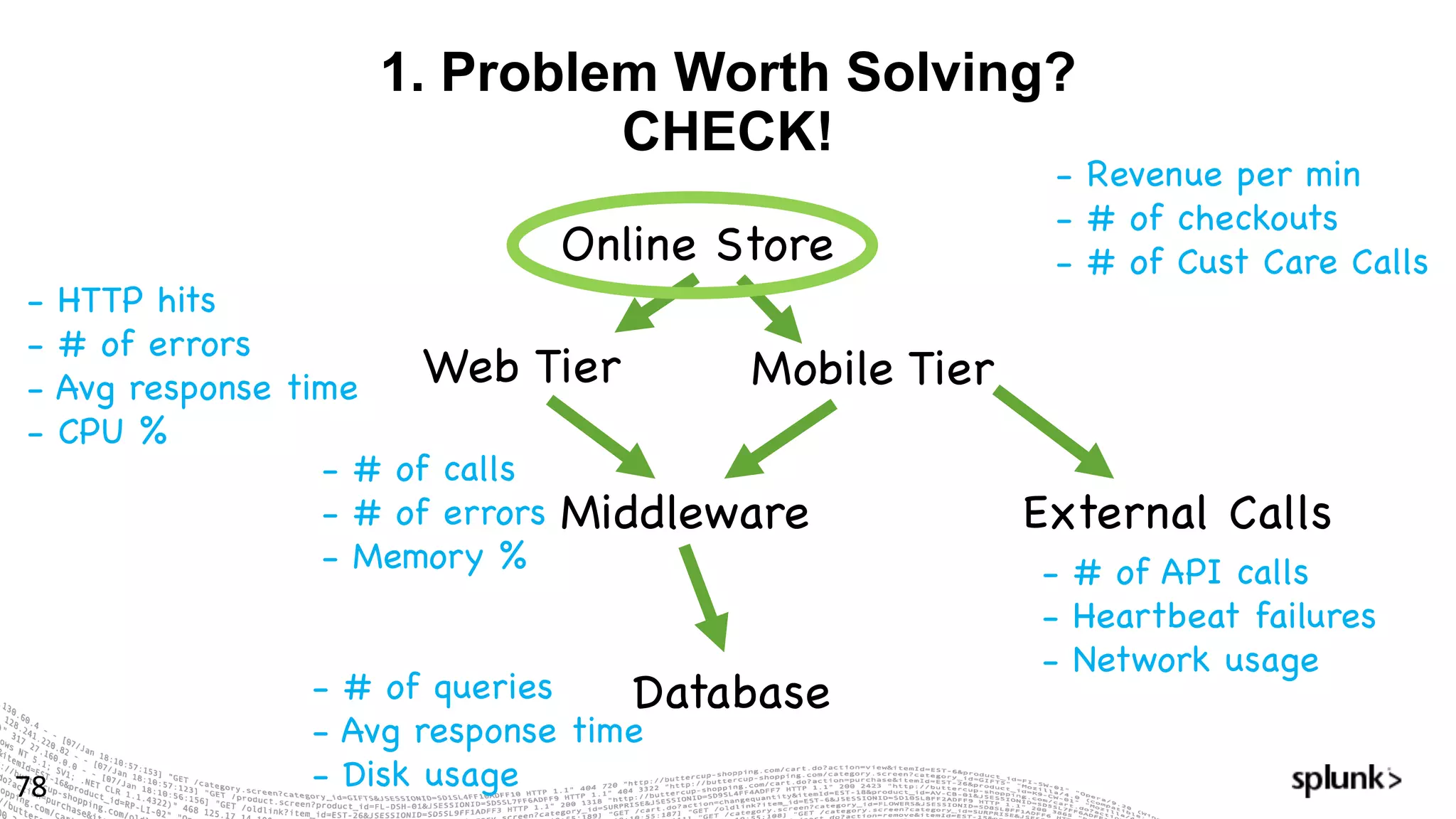
1. Problem Worth Solving?
77
Online Store
Web Tier
Middleware
Database
Mobile Tier
External Calls
- Revenue per min
- # of checkouts
- # of Cust Care Calls
- HTTP hits
- # of errors
- Avg response time
- CPU %
- # of calls
- # of errors
- Memory %
- # of queries
- Avg response time
- Disk usage
- # of API calls
- Heartbeat failures
- Network usage
1. Problem Worth Solving?
CHECK!
78
Online Store
Web Tier
Middleware
Database
Mobile Tier
External Calls
- Revenue per min
- # of checkouts
- # of Cust Care Calls
- HTTP hits
- # of errors
- Avg response time
- CPU %
- # of calls
- # of errors
- Memory %
- # of queries
- Avg response time
- Disk usage
- # of API calls
- Heartbeat failures
- Network usage
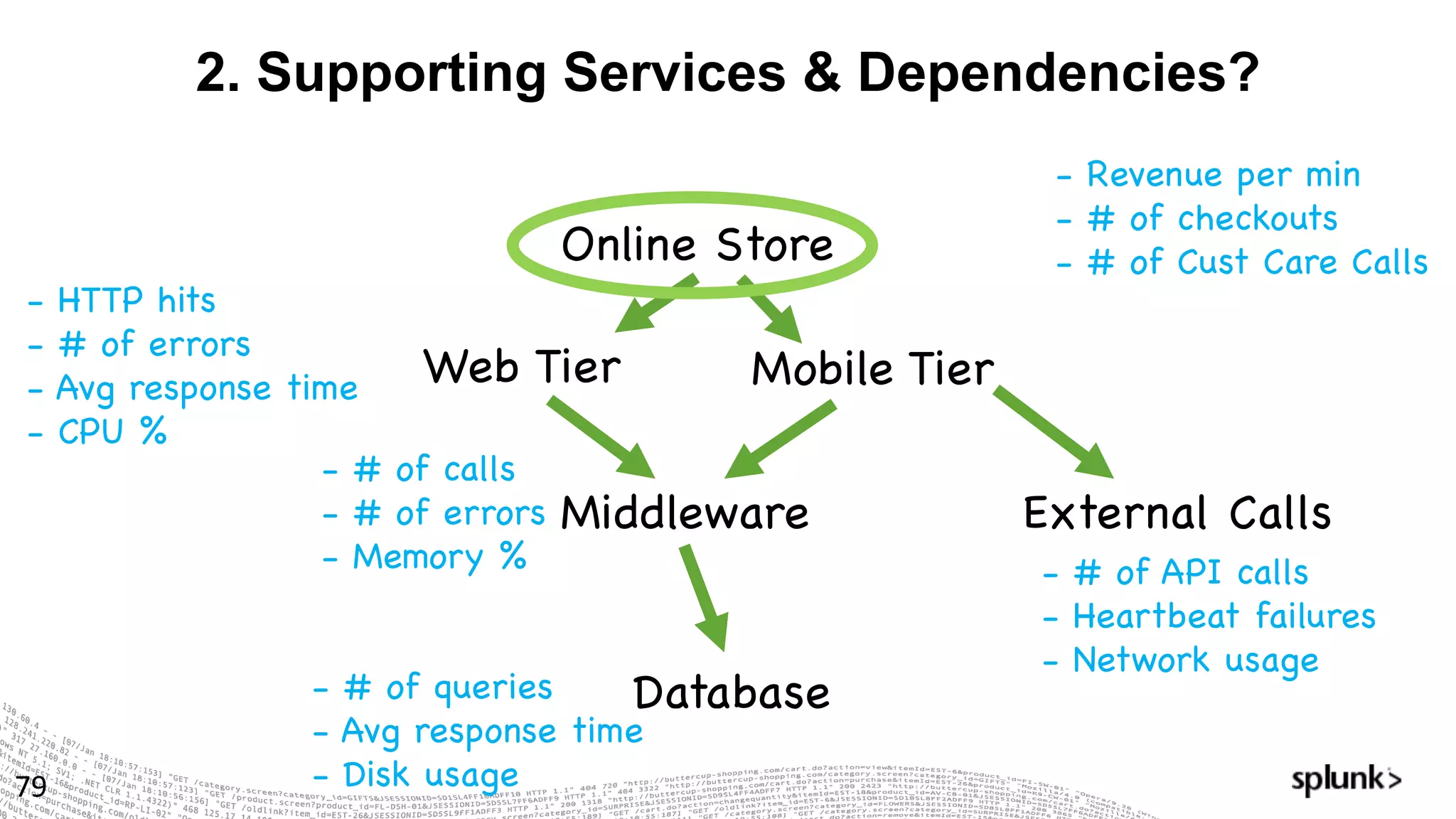
2. Supporting Services & Dependencies?
79
Online Store
Web Tier
Middleware
Database
Mobile Tier
External Calls
- Revenue per min
- # of checkouts
- # of Cust Care Calls
- HTTP hits
- # of errors
- Avg response time
- CPU %
- # of calls
- # of errors
- Memory %
- # of queries
- Avg response time
- Disk usage
- # of API calls
- Heartbeat failures
- Network usage
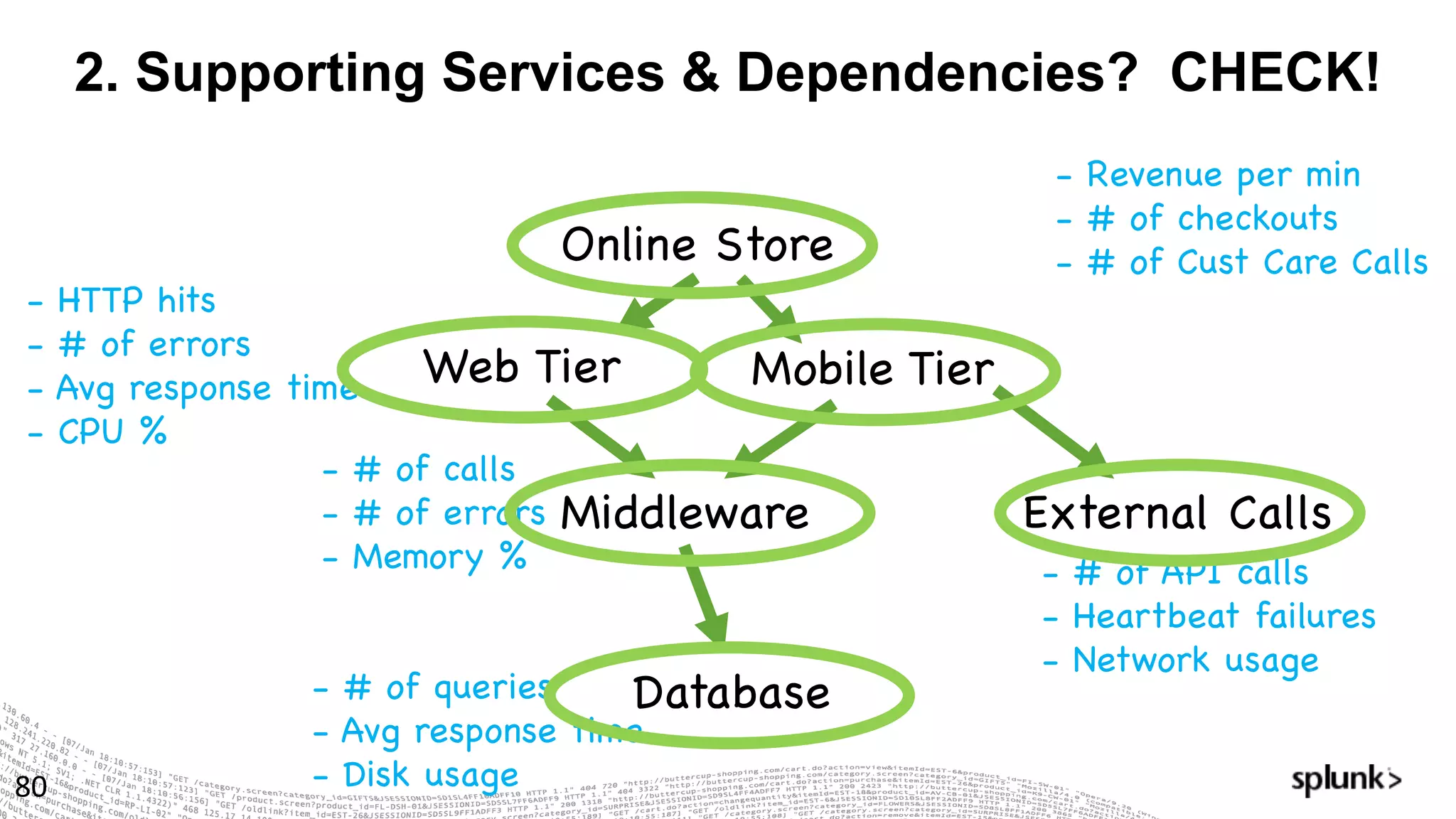
2. Supporting Services & Dependencies? CHECK!
80
Online Store
Web Tier
Middleware
Database
Mobile Tier
External Calls
- Revenue per min
- # of checkouts
- # of Cust Care Calls
- HTTP hits
- # of errors
- Avg response time
- CPU %
- # of calls
- # of errors
- Memory %
- # of queries
- Avg response time
- Disk usage
- # of API calls
- Heartbeat failures
- Network usage
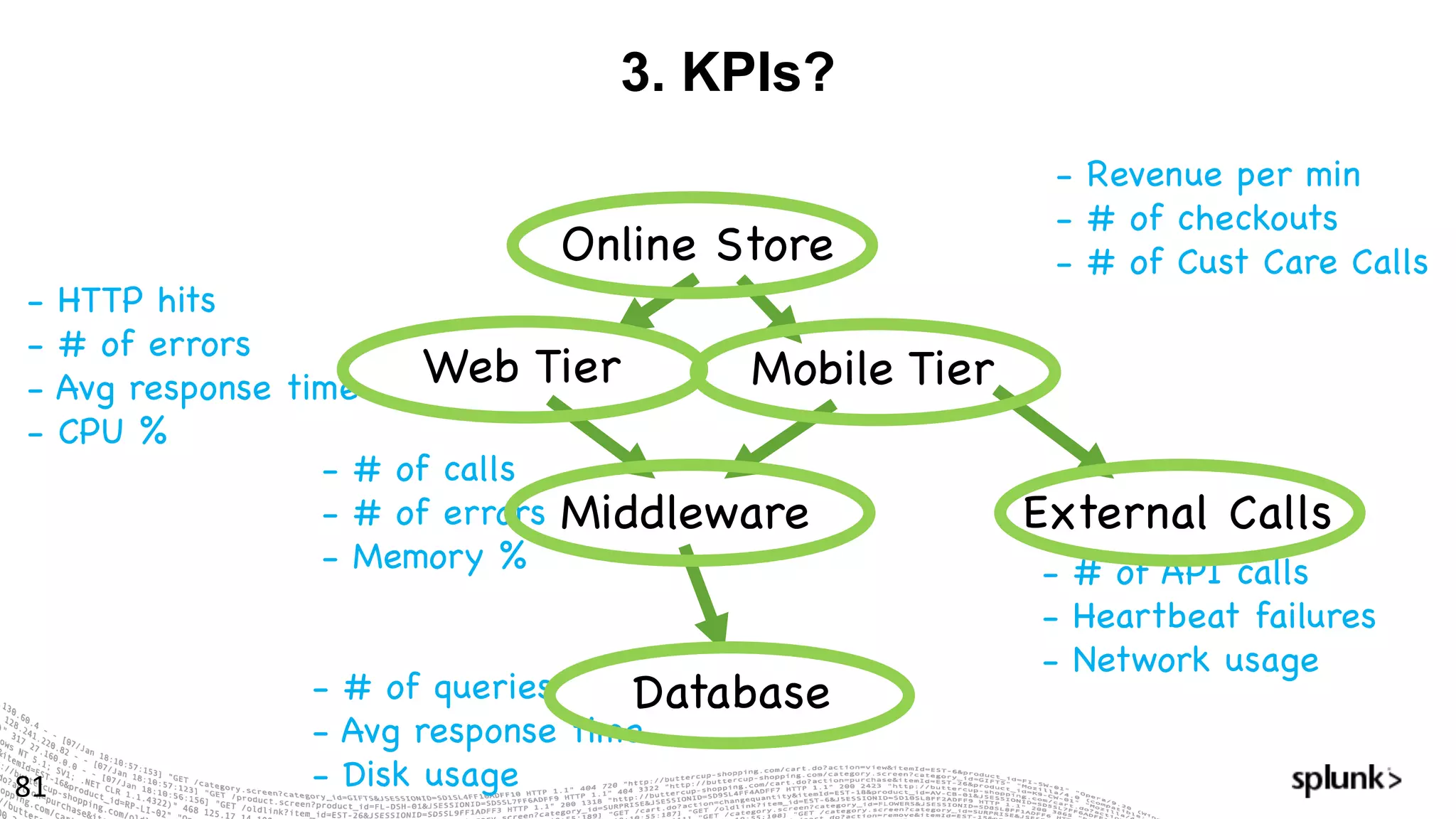
3. KPIs?
81
Online Store
Web Tier
Middleware
Database
Mobile Tier
External Calls
- Revenue per min
- # of checkouts
- # of Cust Care Calls
- HTTP hits
- # of errors
- Avg response time
- CPU %
- # of calls
- # of errors
- Memory %
- # of queries
- Avg response time
- Disk usage
- # of API calls
- Heartbeat failures
- Network usage
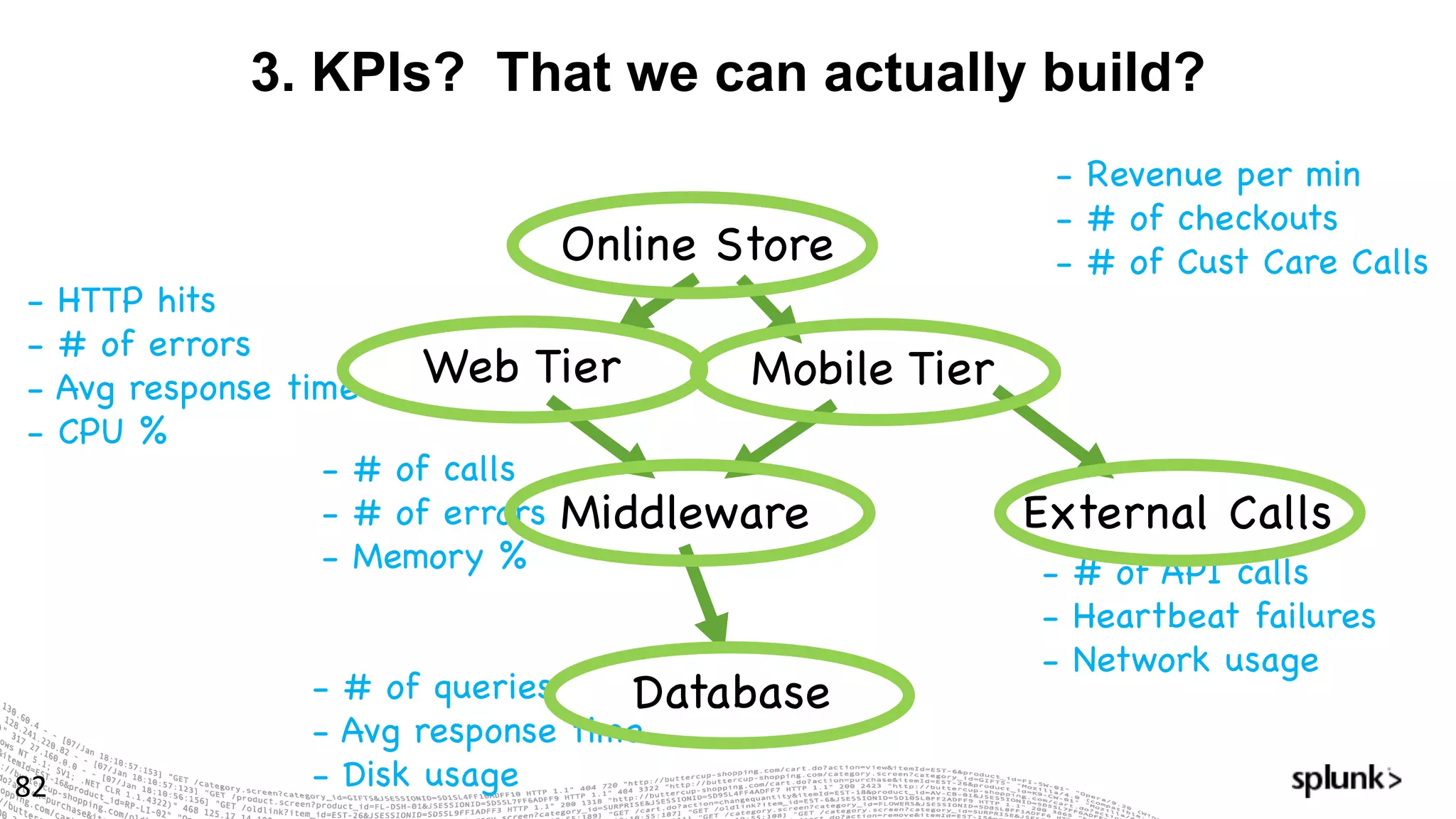
3. KPIs? That we can actually build?
82
Online Store
Web Tier
Middleware
Database
Mobile Tier
External Calls
- Revenue per min
- # of checkouts
- # of Cust Care Calls
- HTTP hits
- # of errors
- Avg response time
- CPU %
- # of calls
- # of errors
- Memory %
- # of queries
- Avg response time
- Disk usage
- # of API calls
- Heartbeat failures
- Network usage
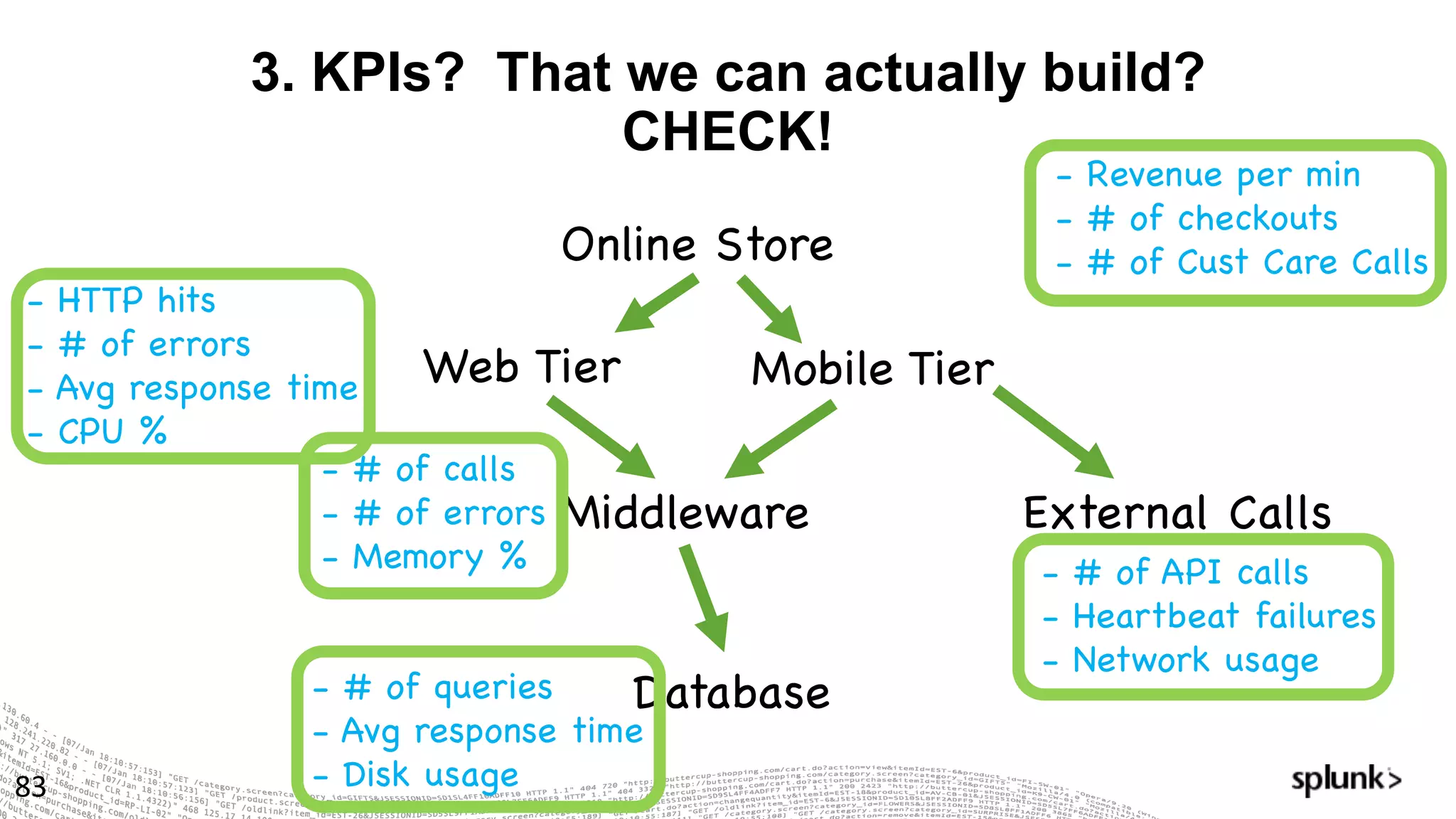
3. KPIs? That we can actually build?
CHECK!
83
Online Store
Web Tier
Middleware
Database
Mobile Tier
External Calls
- Revenue per min
- # of checkouts
- # of Cust Care Calls
- HTTP hits
- # of errors
- Avg response time
- CPU %
- # of calls
- # of errors
- Memory %
- # of queries
- Avg response time
- Disk usage
- # of API calls
- Heartbeat failures
- Network usage
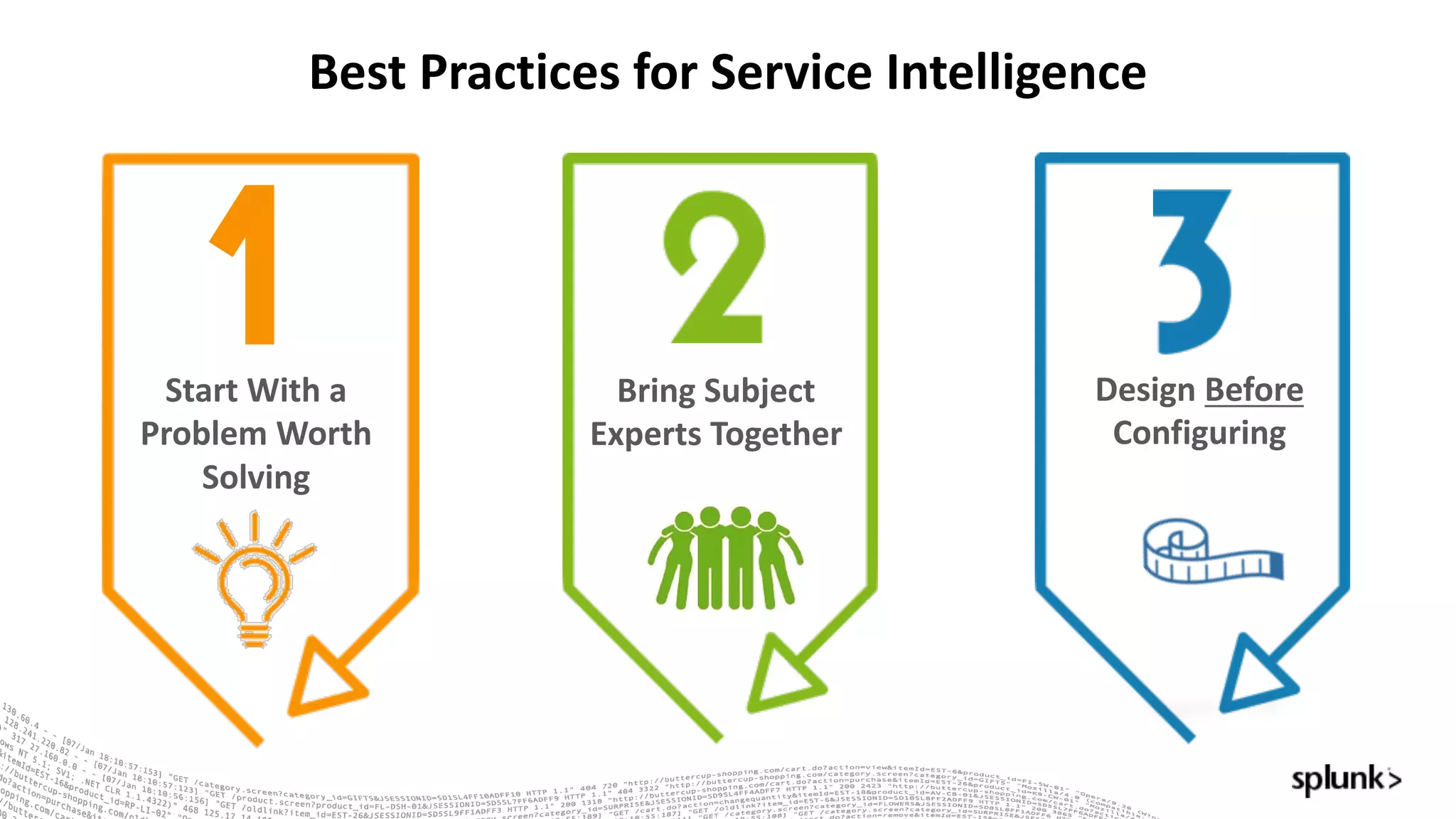
Bring	Subject	
Experts	Together
Design	Before
Configuring
Best	Practices	for	Service	Intelligence
Start	With	a	
Problem	Worth	
Solving
© 2016 SPLUNK INC. CONFIDENTIAL. INTERNAL USE
ONLY.
© 2017 SPLUNK INC.
Let’s	Play!
A	Troubleshooting	Exercise
A Troubleshooting Exercise
86
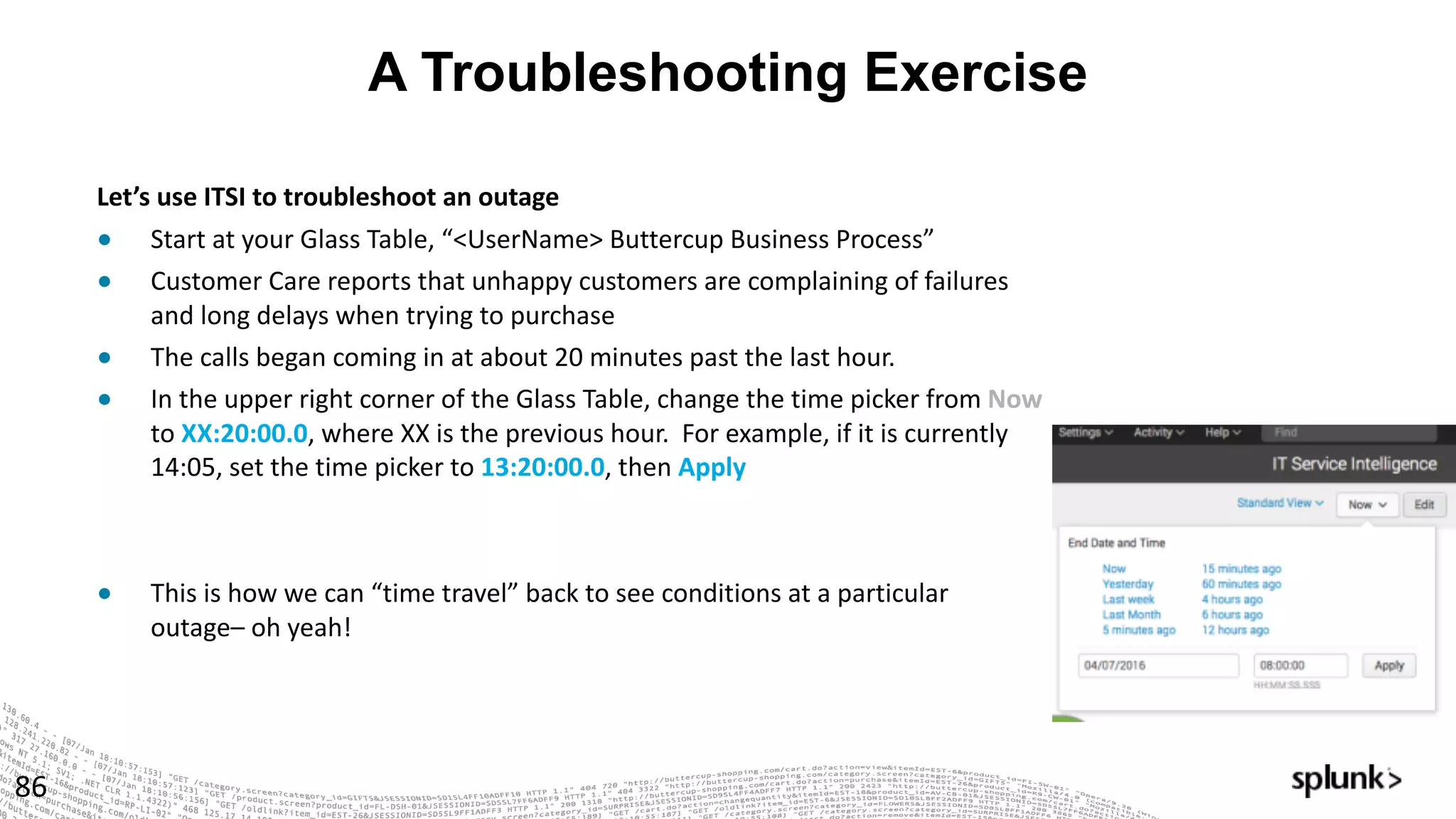
Let’s	use	ITSI	to	troubleshoot	an	outage	
● Start	at	your	Glass	Table,	“<UserName>	Buttercup	Business	Process”
● Customer	Care	reports	that	unhappy	customers	are	complaining	of	failures	
and	long	delays	when	trying	to	purchase
● The	calls	began	coming	in	at	about	20	minutes	past	the	last	hour.
● In	the	upper	right	corner	of	the	Glass	Table,	change	the	time	picker	from	Now
to	XX:20:00.0,	where	XX	is	the	previous	hour.		For	example,	if	it	is	currently	
14:05,	set	the	time	picker	to	13:20:00.0,	then	Apply
● This	is	how	we	can	“time	travel”	back	to	see	conditions	at	a	particular	
outage– oh	yeah!
A Troubleshooting Exercise, cont’d
87
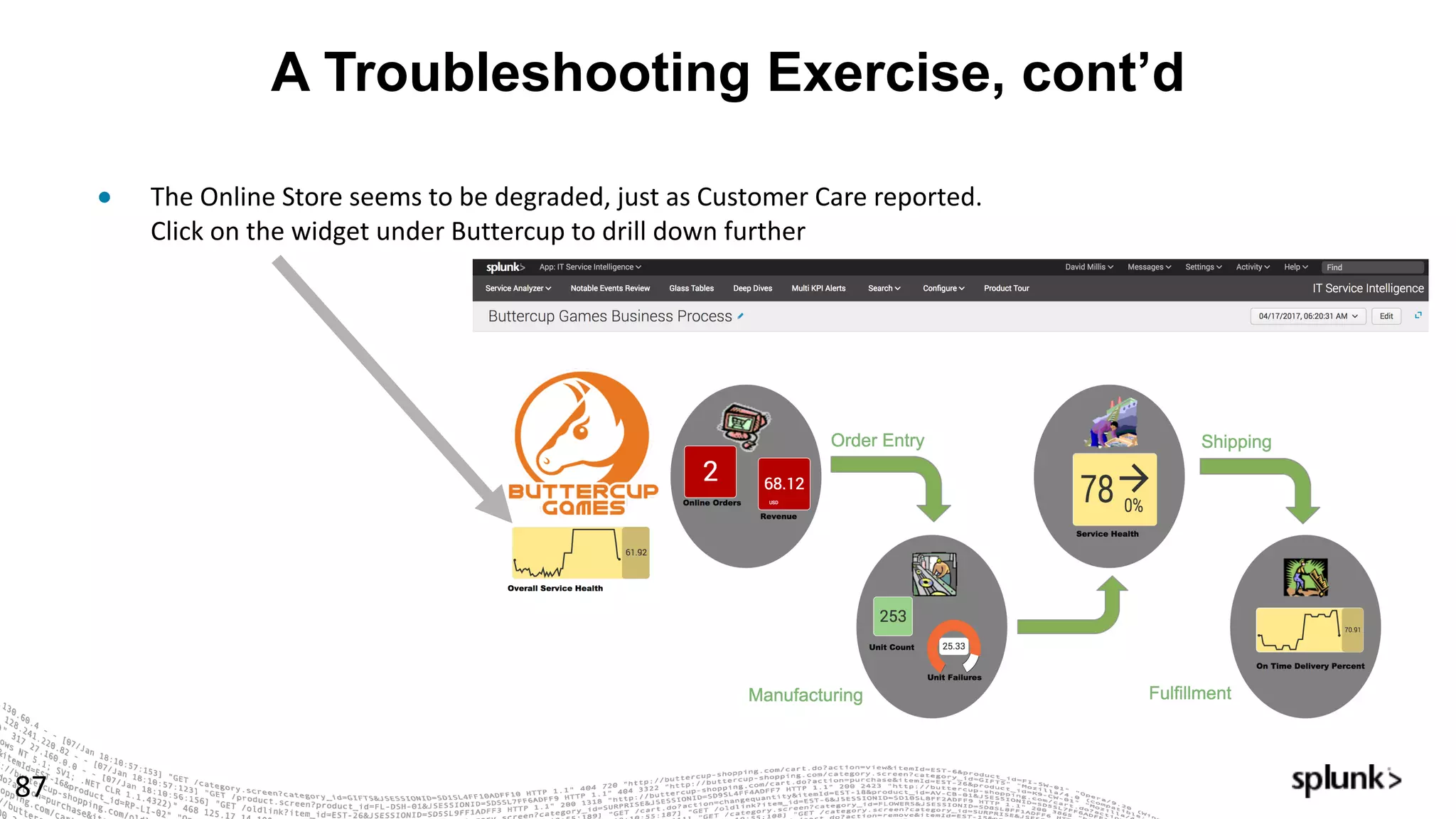
● The	Online	Store	seems	to	be	degraded,	just	as	Customer	Care	reported.		
Click	on	the	widget	under	Buttercup	to	drill	down	further
A Troubleshooting Exercise, cont’d.
88
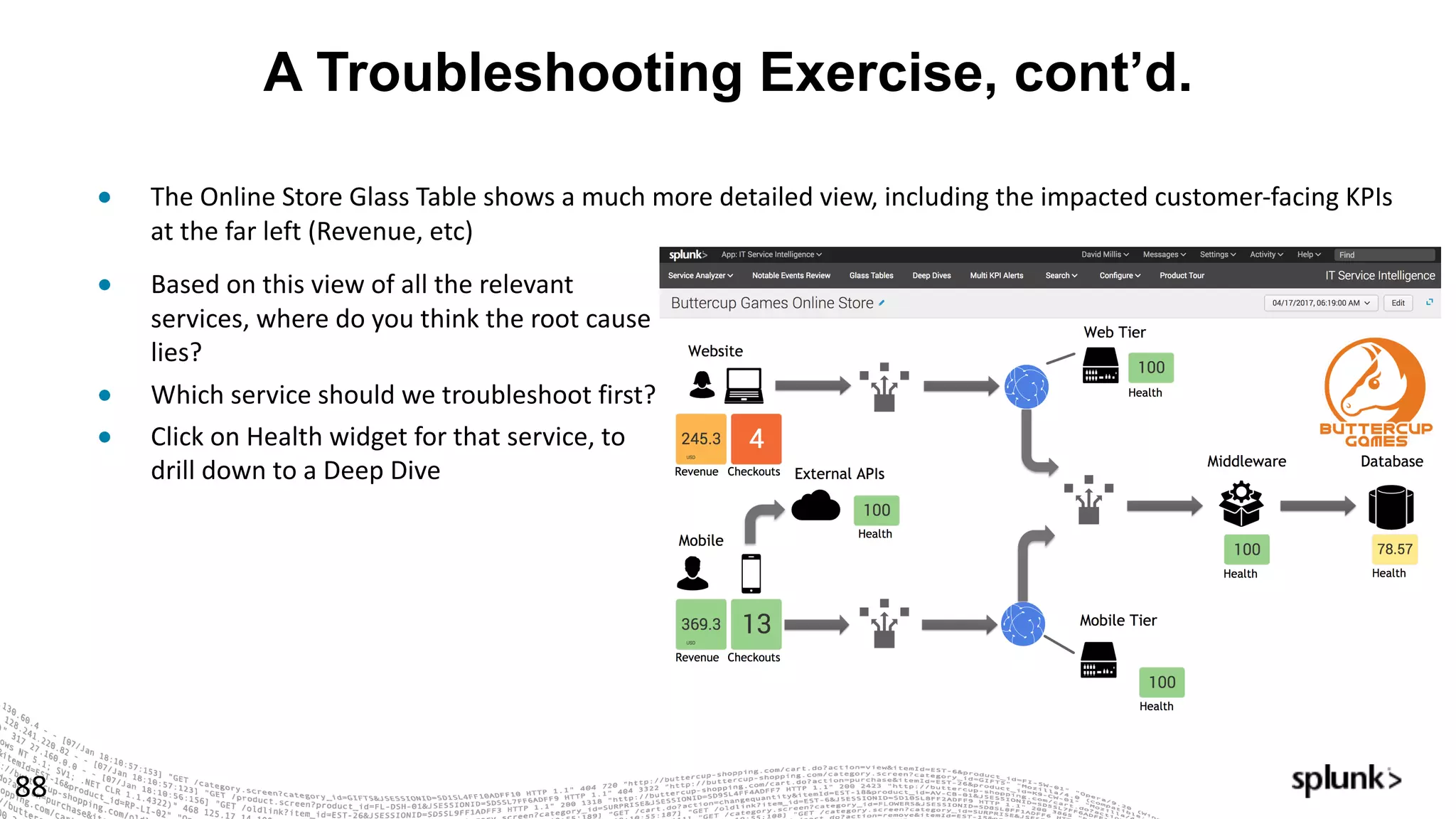
● The	Online	Store	Glass	Table	shows	a	much	more	detailed	view,	including	the	impacted	customer-facing	KPIs	
at	the	far	left	(Revenue,	etc)	
● Based	on	this	view	of	all	the	relevant	
services,	where	do	you	think	the	root	cause	
lies?		
● Which	service	should	we	troubleshoot	first?
● Click	on	Health	widget	for	that	service,	to	
drill	down	to	a	Deep	Dive
Deep Dive
89
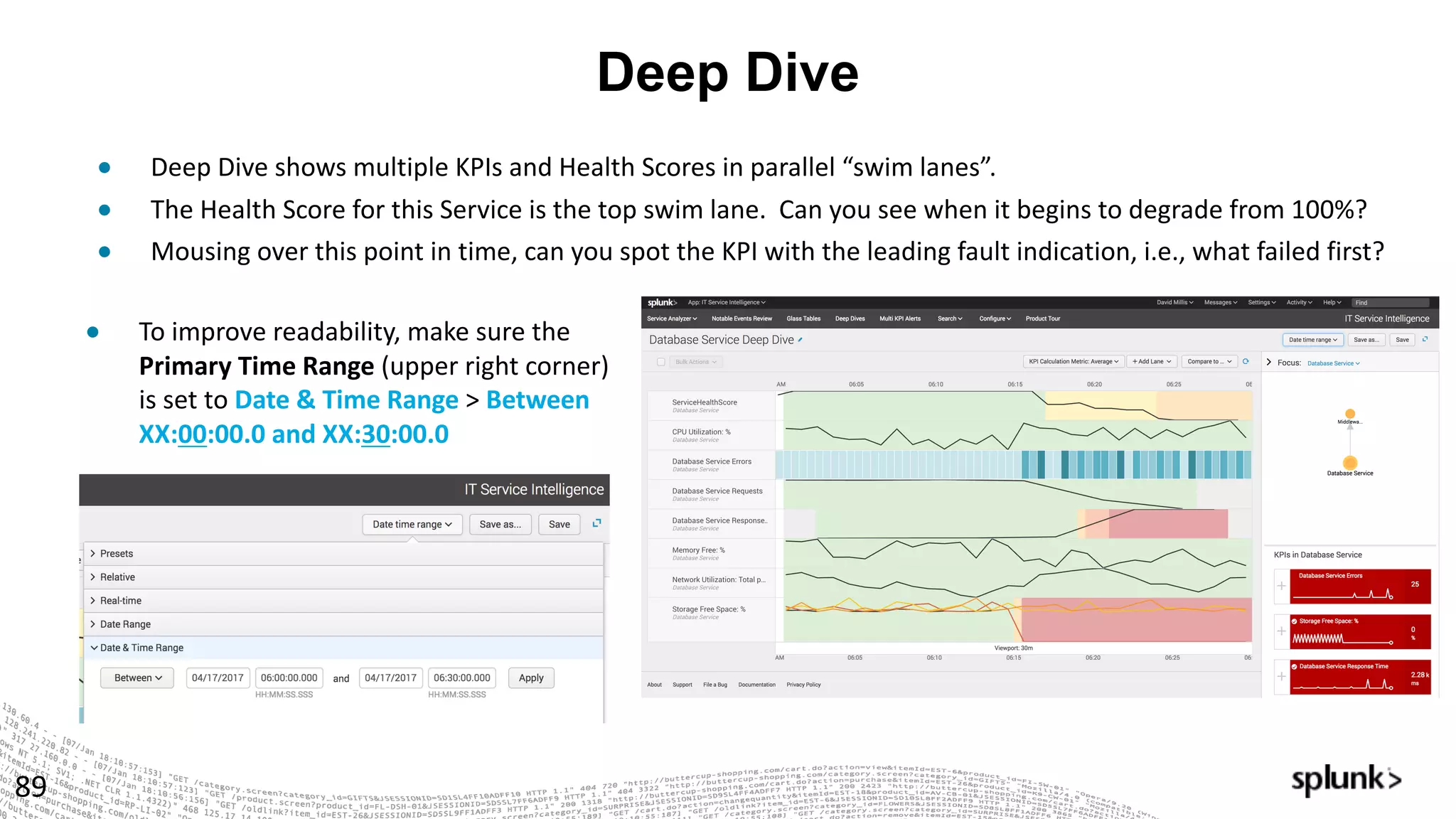
● Deep	Dive	shows	multiple	KPIs	and	Health	Scores	in	parallel	“swim	lanes”.
● The	Health	Score	for	this	Service	is	the	top	swim	lane.		Can	you	see	when	it	begins	to	degrade	from	100%?
● Mousing	over	this	point	in	time,	can	you	spot	the	KPI	with	the	leading	fault	indication,	i.e.,	what	failed	first?
● To	improve	readability,	make	sure	the	
Primary	Time	Range	(upper	right	corner)
is	set	to	Date	&	Time	Range	>	Between	
XX:00:00.0	and	XX:30:00.0
Multi-KPI Alerts and Notable Events
90
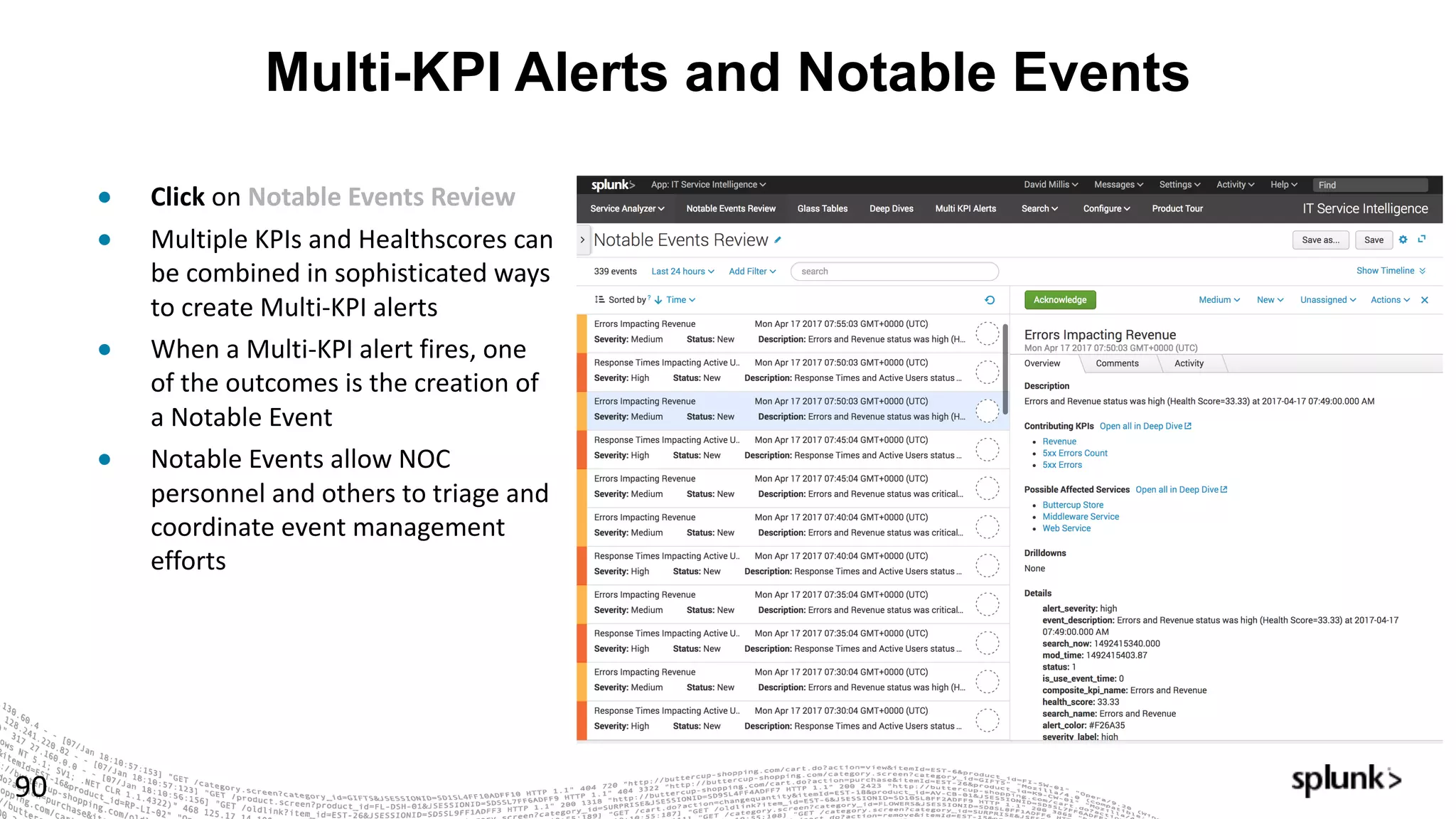
● Click on	Notable	Events	Review
● Multiple	KPIs	and	Healthscores	can	
be	combined	in	sophisticated	ways	
to	create	Multi-KPI	alerts
● When	a	Multi-KPI	alert	fires,	one	
of	the	outcomes	is	the	creation	of	
a	Notable	Event
● Notable	Events	allow	NOC	
personnel	and	others	to	triage	and	
coordinate	event	management	
efforts
Service Analyzer
91
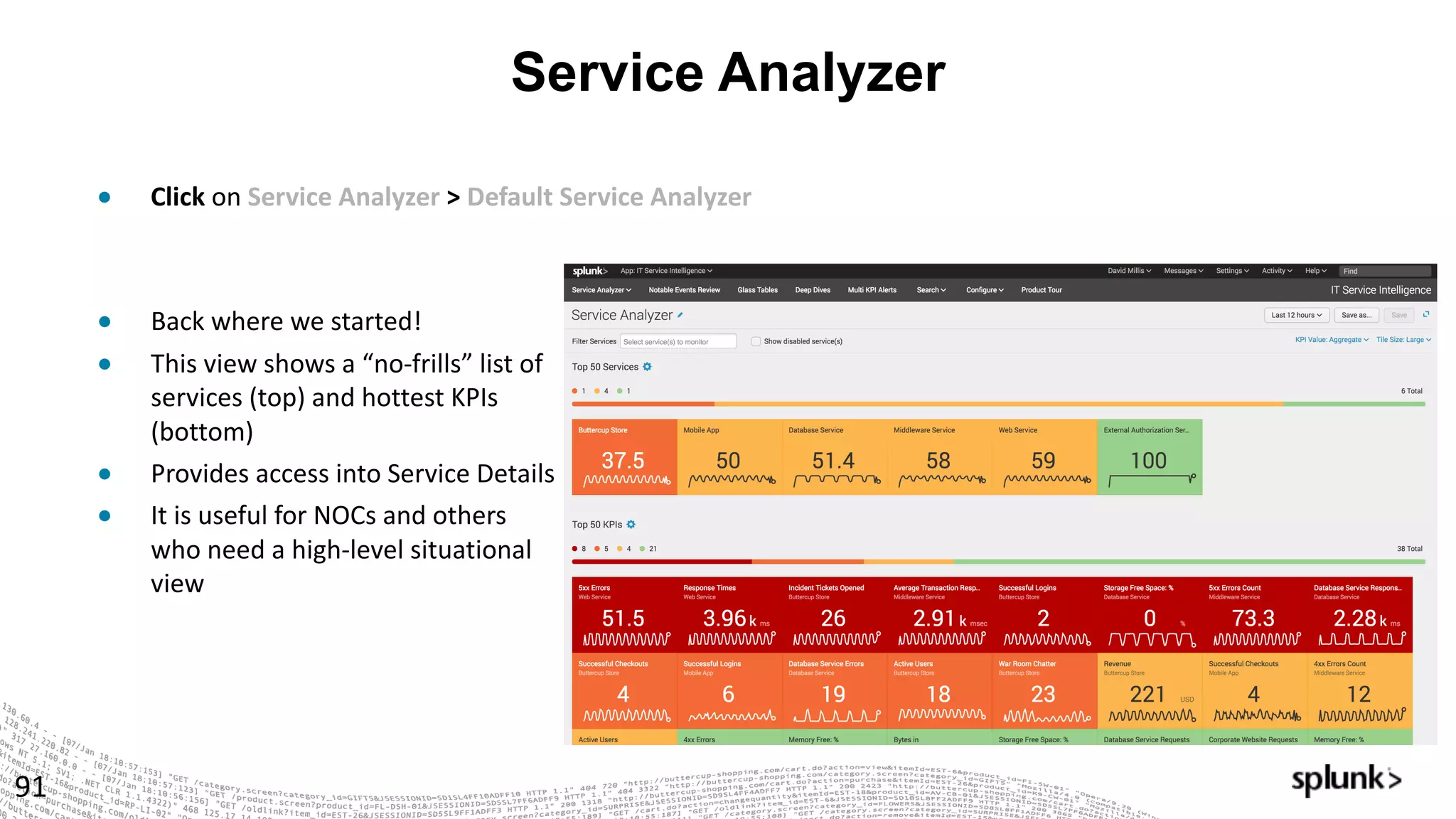
● Click on	Service	Analyzer	> Default	Service	Analyzer
● Back	where	we	started!
● This	view	shows	a	“no-frills”	list	of	
services	(top)	and	hottest	KPIs	
(bottom)
● Provides	access	into	Service	Details
● It	is	useful	for	NOCs	and	others	
who	need	a	high-level	situational	
view
© 2016 SPLUNK INC. CONFIDENTIAL. INTERNAL USE
ONLY.
© 2017 SPLUNK INC.
Let’s	Play!
Advanced	Exercises
Summary
93
● High-value	services	can	be	decomposed	and	modeled	in	ITSI,	using	machine	data	
from	the	relevant	systems
● Services and	KPIs can	be	created	in	minutes,	with	sophisticated	thresholding	
techniques	to	distinguish	“normal”	from	“not	normal”
● Glass	Tables	allow	service	health	and	KPI	metrics	to	be	displayed	in	a	way	that	
makes	sense	to	specific	groups,	such	as	Executive	Leadership,	Business	Service	
Owners,	the	NOC,	DevOps	&	Others
● Deep	Dives	allow	KPIs	to	be	compared	side-by-side	across	any	time	range,	
accelerating	root	cause	analysis	and	significantly	reducing	MTTR
● Multi-KPI	Alerts	and	Notable	Events	reduce	alert	noise,	producing	actionable	
events	and	a	means	to	manage	them
● …	and	it’s	fast+fun to	build!
© 2016 SPLUNK INC. CONFIDENTIAL. INTERNAL USE
ONLY.
© 2017 SPLUNK INC.
What	our	
ITSI	Customers	are	doing
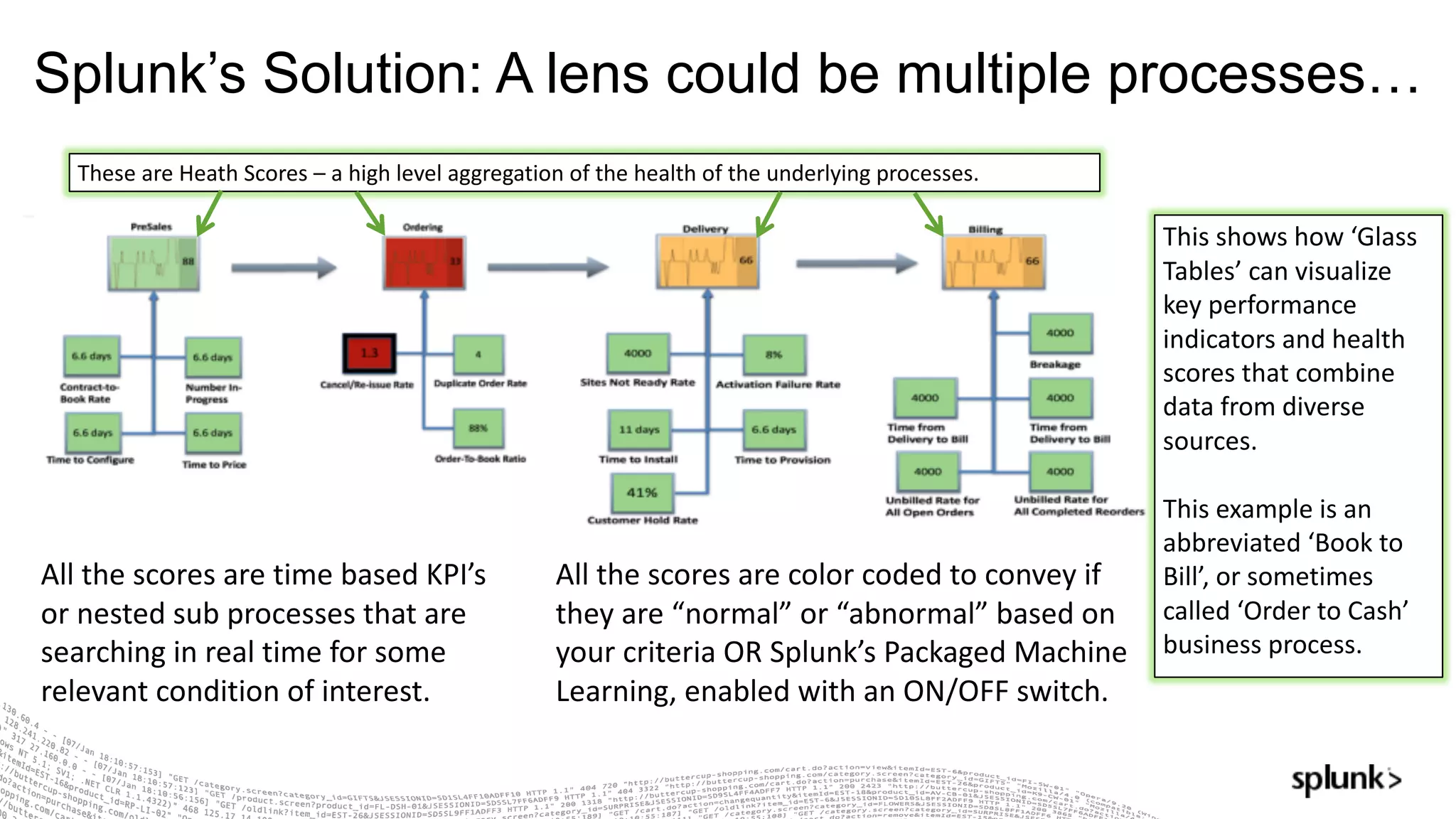
Splunk’s Solution: A lens could be multiple processes…
All	the	scores	are	time	based	KPI’s	
or	nested	sub	processes	that	are	
searching	in	real	time	for	some	
relevant	condition	of	interest.
These	are	Heath	Scores	– a	high	level	aggregation	of	the	health	of	the	underlying	processes.		
All	the	scores	are	color	coded	to	convey	if	
they	are	“normal”	or	“abnormal”	based	on	
your	criteria	OR	Splunk’s Packaged	Machine	
Learning,	enabled	with	an	ON/OFF	switch.
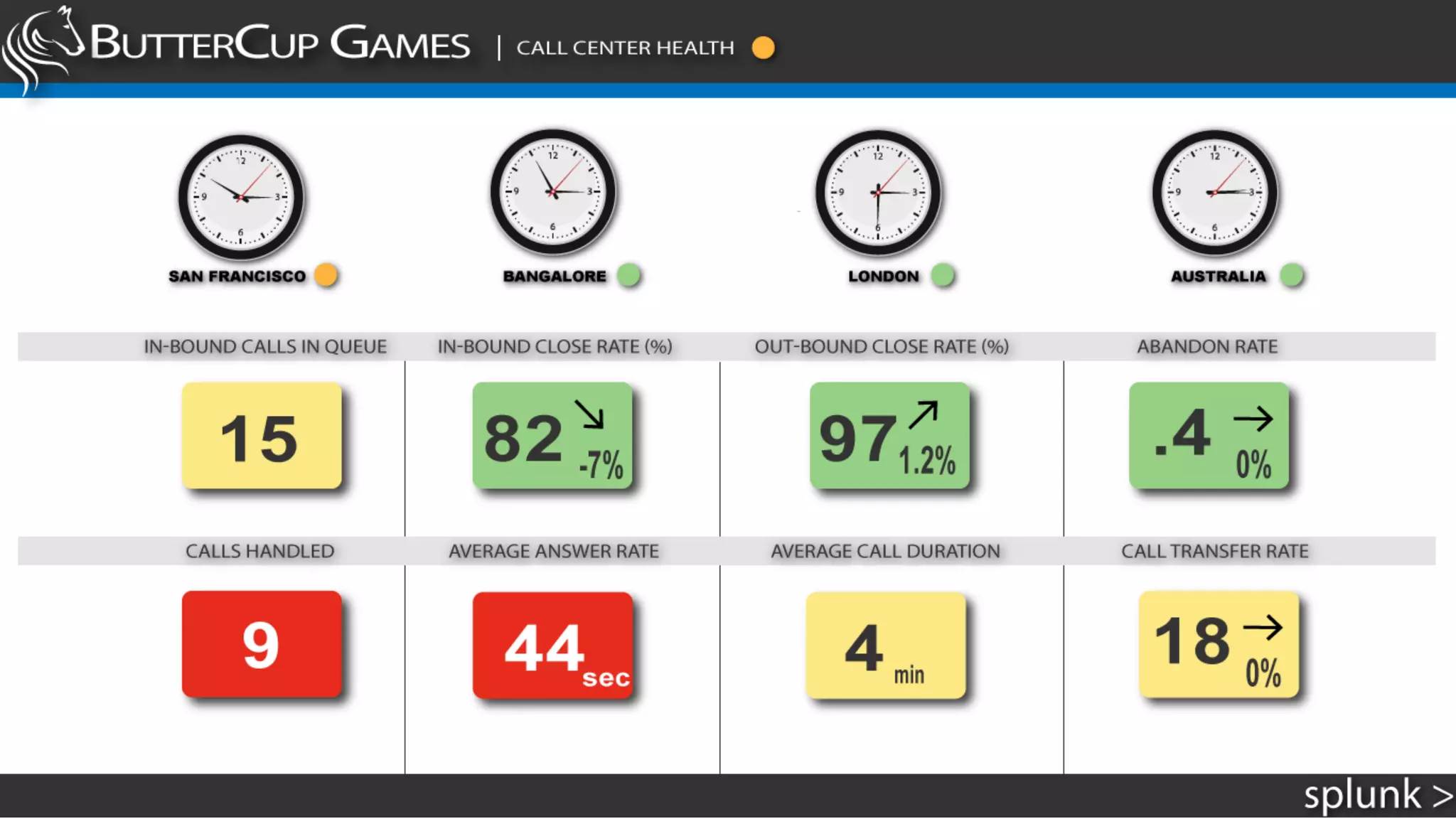
This	shows	how	‘Glass	
Tables’	can	visualize	
key	performance	
indicators	and	health	
scores	that	combine	
data	from	diverse	
sources.	
This	example	is	an	
abbreviated	‘Book	to	
Bill’,	or	sometimes	
called	‘Order	to	Cash’	
business	process.
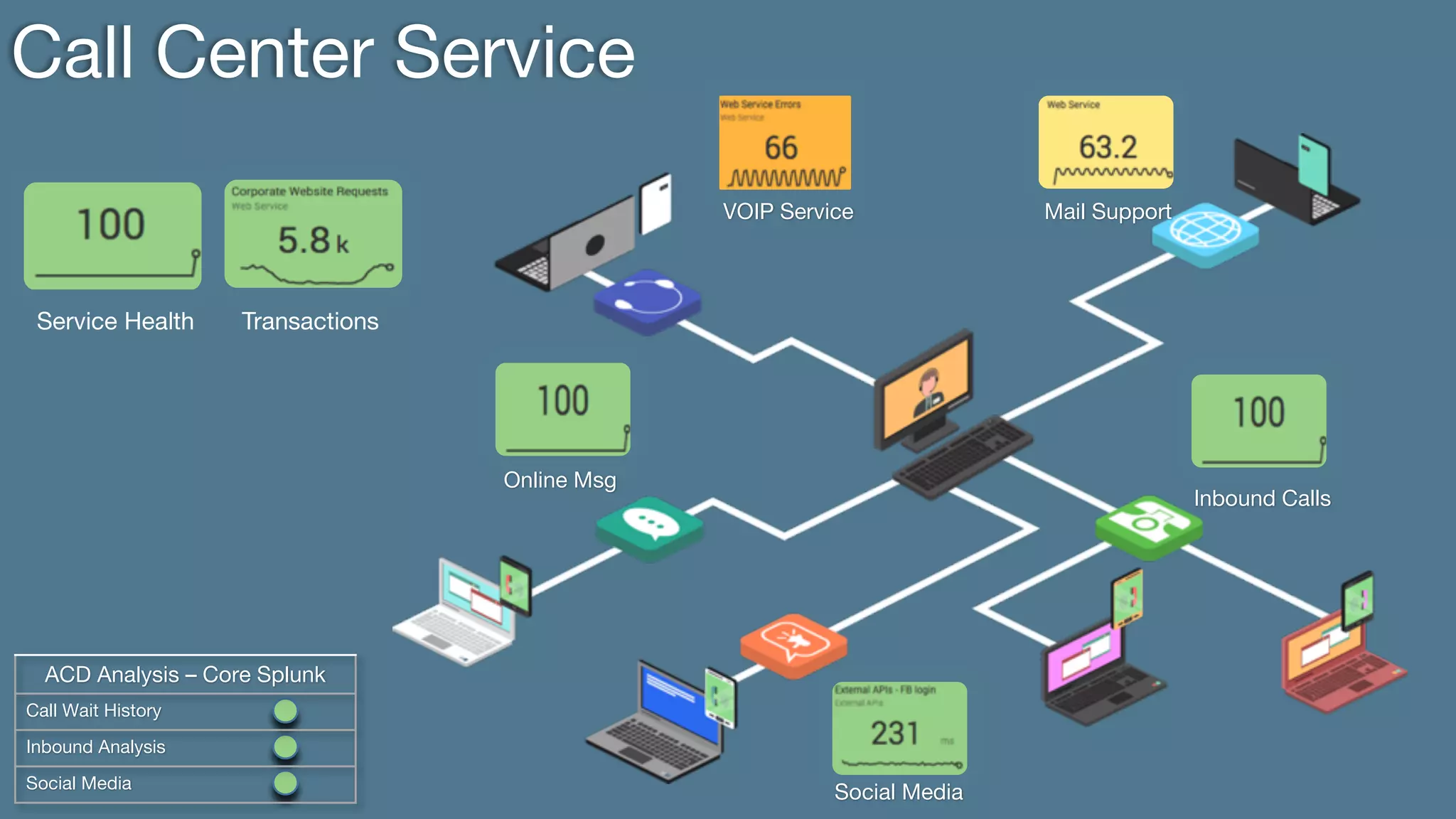
Call Center Service
Service Health Transactions
ACD Analysis – Core Splunk
Call Wait History
Inbound Analysis
Social Media
Online Msg
Social Media
Mail SupportVOIP Service
Inbound Calls
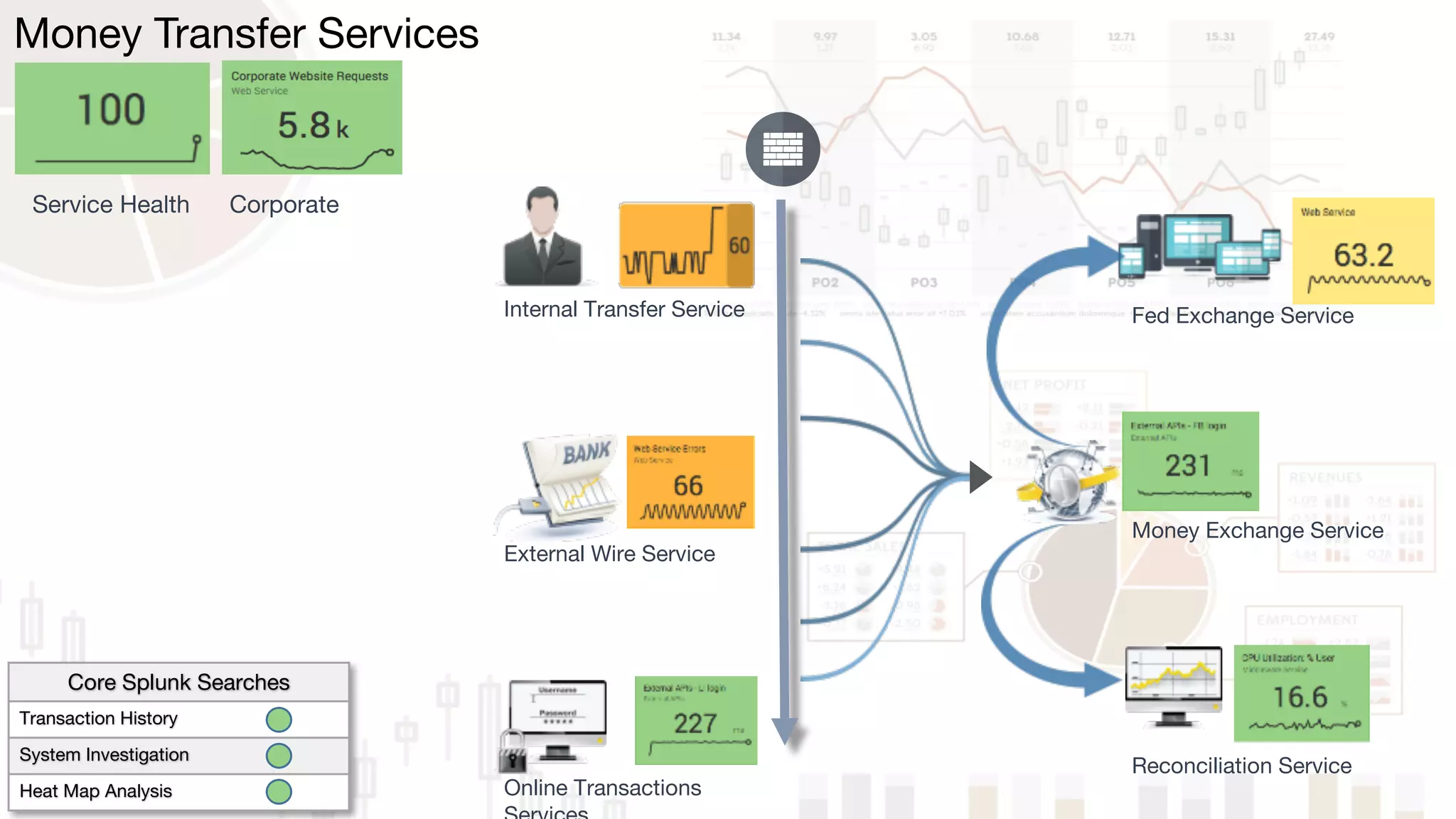
Online Transactions
Internal Transfer Service
External Wire Service
Money Exchange Service
Money Transfer Services
Service Health Corporate
Reconciliation Service
Fed Exchange Service
Core Splunk Searches
Transaction History
System Investigation
Heat Map Analysis
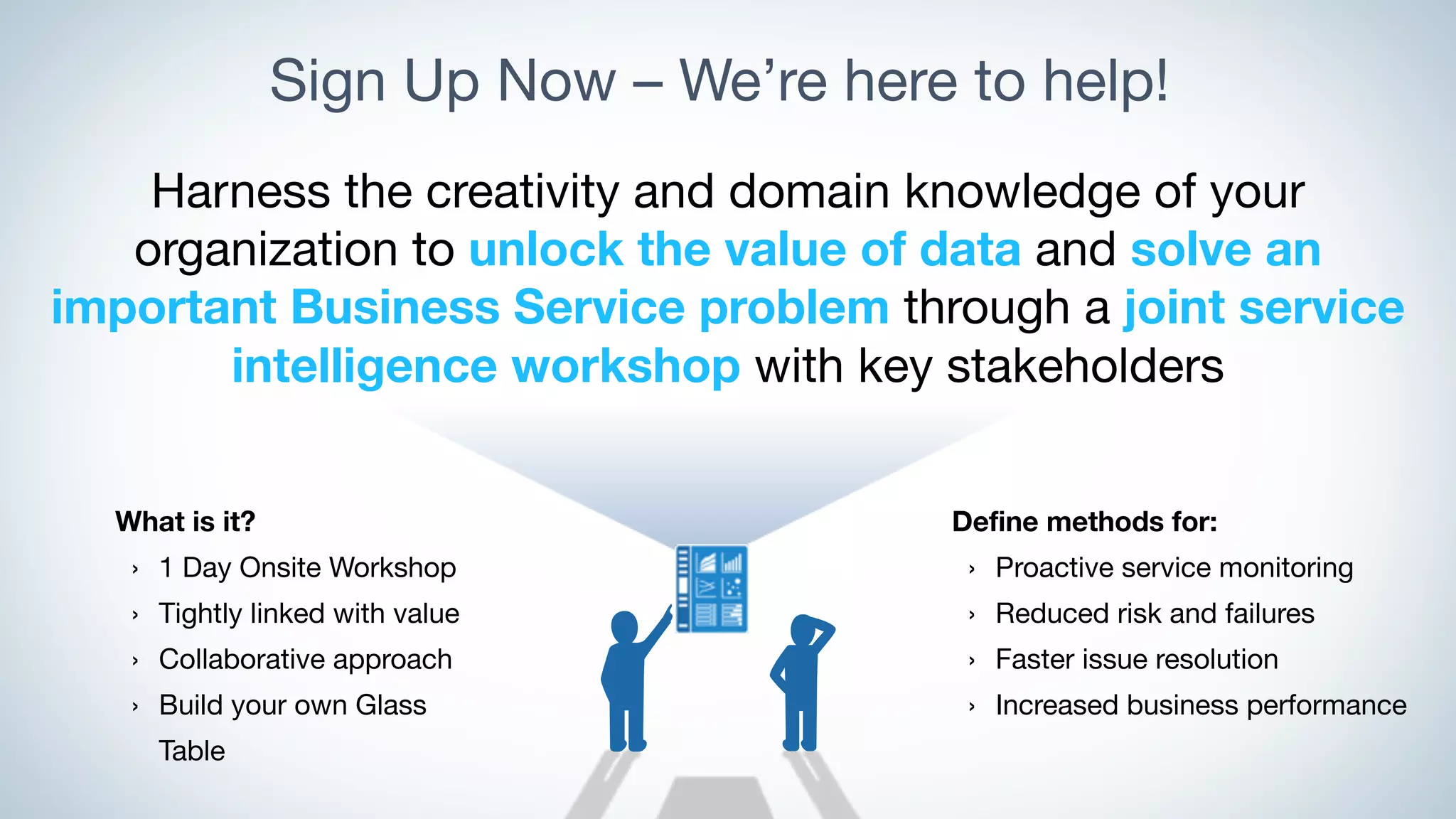
Sign Up Now – We’re here to help!
Harness the creativity and domain knowledge of your
organization to unlock the value of data and solve an
important Business Service problem through a joint service
intelligence workshop with key stakeholders
Define methods for:
› Proactive service monitoring
› Reduced risk and failures
› Faster issue resolution
› Increased business performance
What is it?
› 1 Day Onsite Workshop
› Tightly linked with value
› Collaborative approach
› Build your own Glass
Table
Our Workshop InAction
Bring	Subject	
Experts	Together
Design	Before
Configuring
CALL	TO	ACTION
Start	With	a	
Problem	Worth	
Solving
Reference Stuff
101
● ITSI	Sandbox	Guide:	(An	app	on	your	ITSI	instance)
● ITSI	Documentation:	
http://docs.splunk.com/Documentation/ITSI
© 2016 SPLUNK INC. CONFIDENTIAL. INTERNAL USE
ONLY.
© 2017 SPLUNK INC.
tharrop@splunk.com dmillis@splunk.com
Thank	You!

Building Business Service Intelligence with ITSI

  • 1.
    © 2016 SPLUNKINC. CONFIDENTIAL. INTERNAL USE ONLY. © 2017 SPLUNK INC. Building Service Intelligence with Splunk IT Service Intelligence Monday, April 17, 2017 Tom Harrop, IT Markets Specialist David Millis, ITOA Architect
  • 2.
    Setup Before YouCan Play 1. Download this presentation slide deck: https://splunk.box.com/v/SanDiego-ITSI 2. If you have not done so already, Sign up for the FREE Splunk ITSI Online Sandbox: • http://splunk.com/itsi • Select "Free Online Sandbox" 3. Please test access to your sandbox; • Chrome, Firefox, Safari are recommended; • IE is NOT recommended 4. After logging in, select IT Service Intelligence from the list of apps at the left 2 WiFi @Hyatt_Meetings splunk2017
  • 3.
    ▶ Introductions andSet Up ▶ Splundamentals – IT Troubleshooting with Splunk ▶ What is Service Intelligence and ITSI? ▶ Let's Play! (Setting up ITSI) ▶ Service Intelligence Design Practices ▶ Let's Play! (Troubleshooting & Advanced Exercises) ▶ What's Next? ▶ Happy Hour! Agenda 3
  • 4.
    Safe Harbor Statement 4 Duringthe course of this presentation, we may make forward looking statements regarding future events or the expected performance of the company. We caution you that such statements reflect our current expectations and estimates based on factors currently known to us and that actual events or results could differ materially. For important factors that may cause actual results to differ from those contained in our forward-looking statements, please review our filings with the SEC. The forward- looking statements made in this presentation are being made as of the time and date of its live presentation. If reviewed after its live presentation, this presentation may not contain current or accurate information. We do not assume any obligation to update any forward looking statements we may make. In addition, any information about our roadmap outlines our general product direction and is subject to change at any time without notice. It is for informational purposes only and shall not be incorporated into any contract or other commitment. Splunk undertakes no obligation either to develop the features or functionality described or to include any such feature or functionality in a future release.
  • 5.
  • 6.
    © 2016 SPLUNKINC. CONFIDENTIAL. INTERNAL USE ONLY. © 2017 SPLUNK INC. Splundamentals – IT Troubleshooting with Splunk
  • 7.
    Rethinking and ImprovingHow IT Operates 7 Traditional IT Data-Driven IT • Structured data • Brittle tools and integrations • Obsession with “faults” and “traps” • Focus on components parts • Search oriented • Structured and unstructured data • Robust data integrations • Real-time insights from big data • Focus on the whole service • Machine learning-driven analytics
  • 8.
    8 What Is ServiceIntelligence? Enabling a business-aware IT Measuring and reporting on indicators that matter Unlocking operational efficiencies Collaborating across silos to improve service operations Data-driven decision making Solving problems and anticipating pitfalls with sophisticated analytics and powerful insights
  • 9.
  • 10.
  • 12.
  • 14.
    © 2016 SPLUNKINC. CONFIDENTIAL. INTERNAL USE ONLY. © 2017 SPLUNK INC. ITSI Key Concepts
  • 15.
    What is aService? 15 Service Requests Responses In ITSI, a Service is a logical group of technology components that a user deems need to be monitored together. It can often be generalized as a “black box” which we send requests, and expect responses
  • 16.
    What is aService? 16 DNS Requests Responses Technical Services Auth Requests Responses Web Requests Responses Services can be lower level (technical) …
  • 17.
    What is aService? 17 DNS Requests Responses Technical Services Order Entry Volume Revenue Business Services Auth Requests Responses Web Requests Responses Customer Care Requests SLA Compliance Services can also be higher level (business) …
  • 18.
    What is aService? 18 Packet Network Hypervisor and Hosts RBMDBs Storage Tier API Services Web Services Customer Transactions Mobile API/Middleware Business Function DNS Services can encompass multiple tiers of the IT domain. Services may also depend upon other services
  • 19.
    What is aKPI? 19 DNS KPI: Request volume KPI: Error rate KPI: Average response time KPI: Server CPU load KPI: Configuration changes Customer Transactions KPI: Transaction volume KPI: Error rate KPI: Average response time KPI: Max response time KPI: Count of Change records KPIs and Health scores constitute the means by which Services are monitored. Business Function KPI: Business volume KPI: Error rate KPI: Revenue rate KPI: Conversion rate KPI: Count of Incident tickets
  • 20.
    Key Performance Indicators(KPIs) 20 A Key Performance Indicator (KPI) is powered by a Splunk search in ITSI that monitors a specific attribute like CPU utilization, Response Time, Number of Errors and so on. KPIs are contained within Services to measure their health.
  • 21.
  • 22.
    © 2016 SPLUNKINC. CONFIDENTIAL. INTERNAL USE ONLY. © 2017 SPLUNK INC. ITSI Demo
  • 23.
    © 2016 SPLUNKINC. CONFIDENTIAL. INTERNAL USE ONLY. © 2017 SPLUNK INC. Let’s Play! Setting up ITSI
  • 24.
    Service Visibility inITSI 24 CLICK “Glass Tables”
  • 25.
    Service Visibility inITSI 25 CLICK (open in new tab) “Buttercup Games Business Process (IN PROGRESS)”
  • 26.
    Service Visibility inITSI 26 CLICK (open in new tab) “Buttercup Games Online Store”
  • 27.
    Goal 1: SupplyChain Visibility 27
  • 28.
    Goal 2: OnlineStore Process Flow 28
  • 29.
    New Requirements! 29 ● Create a new KPI for the DB Service: ●Network Utilization ● Modify the Executive Glass Table in order to show off the services you slave over “WE only have about 15min TO DO WHAT ???!!???” Think about how long this would take you today?
  • 30.
    Configuration of DBService 30 Click Configure > Click Services
  • 31.
    Let’s Talk Entities 31 ●Select Database Service ● Entities are the relevant things which support this service (usually hosts) ● Select the right entries with filters, ANDs, ORs ● Original Entity list can come from CMDB, spreadsheet, Splunk search, others
  • 32.
    A KPI in5 minutes? Absolutely! 32 Click New – Generic KPI Select Data Model ● Host Operating System ● Performance - Network ● # bytes ● Next Call it “Network Utilization”, then Next
  • 33.
    KPIs Continued…. 33 Splunk Builds Searches for you – Oh Yeah, that’s happening J ● SelectYes for Split by & Filter options ● Select host for Entity Lookup & Alias Filtering options ● Click Next
  • 34.
    Almost There… 34 Select ● KPI Search Schedule: Every Minute ●Entity Calculation: Average ● Service/Agg Calculation: Average ● Calculation Window: Last Minute ● Click Next ● Unit: Bps ● Enable backfill: (check) ● Click Next
  • 35.
    Final Steps … 35 Set your thresholds: ●Aggregate (All) ● Per Entity ● Click “Add Threshold” TWICE ● Make the Neapolitan ice cream colors Yellow, Green, Yellow ● Drag the sliders around in order to get the current data graph entirely inside the Green (normal) band ● Click Finish ● Other options are also available, including adaptive thresholds and anomaly detection
  • 36.
  • 37.
  • 38.
  • 39.
    Anomaly Detection 39 ● Machine Learning ●“Trending” detects deviations for aggregate KPI based on historical trends ● “Entity Cohesion” detects entities which deviate from “pack” behavior
  • 40.
    Let’s Fix thatGlass Table 40
  • 41.
    Clone the GlassTable 41 Return to Saved Glass Tables page (click on Glass Tables in the upper menu bar) CLICK Edit for “Buttercup Games Business Process (IN PROGRESS)” • Select Clone • Title: Add your username to the front • Permissions: Shared in App • Click Clone Page • Click on your new Glass Table from the list, to view it
  • 42.
    Edit & HaveFun! 42 Click on Edit in the upper right corner of your Glass Table Use the “Services” panel on the left to select Individual KPIs, or Aggregate Service Health Scores • Choose 2 KPIs from Buttercup Store that would be useful in the “Order Process” section • Drag the selected widgets onto the canvas, positioning in the gray oval • What’s the difference between the and tools at the top left?
  • 43.
    More Fun withthe Glass Table Editor… 43 Use the Configurations panel on the right to edit a selected widget • Can change the visualization type, drilldown behavior, and other settings • You should hit Save frequently • Revert All Changes can be helpful, occasionally
  • 44.
    Finishing up … 44 •Add a ServiceHealthScore widget for Buttercup Store under Buttercup • Choose a Viz Type with a sparkline graph, then resize to make it look pretty • Modify the Custom Drilldown action to go to the saved glass table, Buttercup Games Online Store • Bonus Points: Make the label bigger, more readable • Click Save • View when done
  • 45.
    © 2016 SPLUNKINC. CONFIDENTIAL. INTERNAL USE ONLY. © 2017 SPLUNK INC. Service Intelligence Design Practices 45
  • 46.
  • 47.
    Service Intelligence Designin ITSI 47 1. Identify a high-value business service • (Buttercup Games Online Store) 2. Lay out the supporting services • (Web, Middleware, Database) 3. Determine relevant KPIs for each service • (Database:, errors, SQL hits, …) 4. Create a Splunk search for each KPI • (index=DB (warn* OR error*) | stats count)
  • 48.
    Here's What theProcess Looks Like on a Whiteboard 48
  • 49.
    What are someimportant services? 49
  • 50.
    What are someimportant services? 50 DNS
  • 51.
    What are someimportant services? 51 DNS Online Store
  • 52.
    What are someimportant services? 52 DNS Online Store ERP
  • 53.
    Do They ImpactRevenue, Customers, etc? 53 DNS Online Store ERP
  • 54.
    Do They ImpactRevenue, Customers, etc? 54 DNS Online Store ERP
  • 55.
    Do We HaveSupporting Data? 55 Online Store ERP
  • 56.
    Do We HaveSupporting Data? 56 Online Store ERP
  • 57.
    We've Got OurService! 57 Online Store
  • 58.
    Any problems orrecent outages? 58 Online Store
  • 59.
    Any problems orrecent outages? 59 Online Store - Increase in cust care calls - Failed transactions
  • 60.
    What is theImpact of These Outages? 60 Online Store - Increase in cust care calls - Failed transactions
  • 61.
    What is theImpact of These Outages? 61 Online Store - Increase in cust care calls - Failed transactions $46K/month in lost revenue
  • 62.
    What are thesupporting services for the online store? 62 Online Store - Increase in cust care calls - Failed transactions $46K/month in lost revenue
  • 63.
    What are thesupporting services for the online store? 63 Online Store - Increase in cust care calls - Failed transactions $46K/month in lost revenue Web Tier
  • 64.
    What are thesupporting services for the online store? 64 Online Store - Increase in cust care calls - Failed transactions $46K/month in lost revenue Web Tier Middleware
  • 65.
    What are thesupporting services for the online store? 65 Online Store - Increase in cust care calls - Failed transactions $46K/month in lost revenue Web Tier Middleware Database
  • 66.
    - Increase incust care calls - Failed transactions $46K/month in lost revenue What are the supporting services for the online store? 66 Online Store Web Tier Middleware Database Mobile Tier
  • 67.
    What are thesupporting services for the online store? 67 Online Store Web Tier Middleware Database Mobile Tier External Calls
  • 68.
    What are somebusiness-level KPIs for the online store? 68 Online Store Web Tier Middleware Database Mobile Tier External Calls
  • 69.
    What are somebusiness-level KPIs for the online store? 69 Online Store Web Tier Middleware Database Mobile Tier External Calls - Revenue per min - # of checkouts - # of Cust Care Calls - Cust Sentiment
  • 70.
    What are someKPIs for the Web Tier? 70 Online Store Web Tier Middleware Database Mobile Tier External Calls - Revenue per min - # of checkouts - # of Cust Care Calls - Cust Sentiment
  • 71.
    What are someKPIs for the Web Tier? 71 Online Store Web Tier Middleware Database Mobile Tier External Calls - Revenue per min - # of checkouts - # of Cust Care Calls - Cust Sentiment- HTTP hits - # of errors - Avg response time - CPU %
  • 72.
    And KPIs forthe Others? 72 Online Store Web Tier Middleware Database Mobile Tier External Calls - Revenue per min - # of checkouts - # of Cust Care Calls - Cust Sentiment- HTTP hits - # of errors - Avg response time - CPU %
  • 73.
    And KPIs forthe Others? 73 Online Store Web Tier Middleware Database Mobile Tier External Calls - Revenue per min - # of checkouts - # of Cust Care Calls - Cust Sentiment- HTTP hits - # of errors - Avg response time - CPU % - # of calls - GC times - # of errors - Memory % - # of queries - Avg response time - Disk usage - # of API calls - Heartbeat failures - Queue length - Network usage
  • 74.
    Looking Good! Dowe have Splunk data for these KPIs? 74 Online Store Web Tier Middleware Database Mobile Tier External Calls - Revenue per min - # of checkouts - # of Cust Care Calls - Cust Sentiment- HTTP hits - # of errors - Avg response time - CPU % - # of calls - GC times - # of errors - Memory % - # of queries - Avg response time - Disk usage - # of API calls - Heartbeat failures - Queue length - Network usage
  • 75.
    Looking Good! Dowe have Splunk data for these KPIs? 75 Online Store Web Tier Middleware Database Mobile Tier External Calls - Revenue per min - # of checkouts - # of Cust Care Calls - Cust Sentiment- HTTP hits - # of errors - Avg response time - CPU % - # of calls - GC times - # of errors - Memory % - # of queries - Avg response time - Disk usage - # of API calls - Heartbeat failures - Queue length - Network usage
  • 76.
    Got Everything WeNeed? 76 Online Store Web Tier Middleware Database Mobile Tier External Calls - Revenue per min - # of checkouts - # of Cust Care Calls - HTTP hits - # of errors - Avg response time - CPU % - # of calls - # of errors - Memory % - # of queries - Avg response time - Disk usage - # of API calls - Heartbeat failures - Network usage
  • 77.
    1. Problem WorthSolving? 77 Online Store Web Tier Middleware Database Mobile Tier External Calls - Revenue per min - # of checkouts - # of Cust Care Calls - HTTP hits - # of errors - Avg response time - CPU % - # of calls - # of errors - Memory % - # of queries - Avg response time - Disk usage - # of API calls - Heartbeat failures - Network usage
  • 78.
    1. Problem WorthSolving? CHECK! 78 Online Store Web Tier Middleware Database Mobile Tier External Calls - Revenue per min - # of checkouts - # of Cust Care Calls - HTTP hits - # of errors - Avg response time - CPU % - # of calls - # of errors - Memory % - # of queries - Avg response time - Disk usage - # of API calls - Heartbeat failures - Network usage
  • 79.
    2. Supporting Services& Dependencies? 79 Online Store Web Tier Middleware Database Mobile Tier External Calls - Revenue per min - # of checkouts - # of Cust Care Calls - HTTP hits - # of errors - Avg response time - CPU % - # of calls - # of errors - Memory % - # of queries - Avg response time - Disk usage - # of API calls - Heartbeat failures - Network usage
  • 80.
    2. Supporting Services& Dependencies? CHECK! 80 Online Store Web Tier Middleware Database Mobile Tier External Calls - Revenue per min - # of checkouts - # of Cust Care Calls - HTTP hits - # of errors - Avg response time - CPU % - # of calls - # of errors - Memory % - # of queries - Avg response time - Disk usage - # of API calls - Heartbeat failures - Network usage
  • 81.
    3. KPIs? 81 Online Store WebTier Middleware Database Mobile Tier External Calls - Revenue per min - # of checkouts - # of Cust Care Calls - HTTP hits - # of errors - Avg response time - CPU % - # of calls - # of errors - Memory % - # of queries - Avg response time - Disk usage - # of API calls - Heartbeat failures - Network usage
  • 82.
    3. KPIs? Thatwe can actually build? 82 Online Store Web Tier Middleware Database Mobile Tier External Calls - Revenue per min - # of checkouts - # of Cust Care Calls - HTTP hits - # of errors - Avg response time - CPU % - # of calls - # of errors - Memory % - # of queries - Avg response time - Disk usage - # of API calls - Heartbeat failures - Network usage
  • 83.
    3. KPIs? Thatwe can actually build? CHECK! 83 Online Store Web Tier Middleware Database Mobile Tier External Calls - Revenue per min - # of checkouts - # of Cust Care Calls - HTTP hits - # of errors - Avg response time - CPU % - # of calls - # of errors - Memory % - # of queries - Avg response time - Disk usage - # of API calls - Heartbeat failures - Network usage
  • 84.
  • 85.
    © 2016 SPLUNKINC. CONFIDENTIAL. INTERNAL USE ONLY. © 2017 SPLUNK INC. Let’s Play! A Troubleshooting Exercise
  • 86.
    A Troubleshooting Exercise 86 Let’s use ITSI to troubleshoot an outage ●Start at your Glass Table, “<UserName> Buttercup Business Process” ● Customer Care reports that unhappy customers are complaining of failures and long delays when trying to purchase ● The calls began coming in at about 20 minutes past the last hour. ● In the upper right corner of the Glass Table, change the time picker from Now to XX:20:00.0, where XX is the previous hour. For example, if it is currently 14:05, set the time picker to 13:20:00.0, then Apply ● This is how we can “time travel” back to see conditions at a particular outage– oh yeah!
  • 87.
    A Troubleshooting Exercise,cont’d 87 ● The Online Store seems to be degraded, just as Customer Care reported. Click on the widget under Buttercup to drill down further
  • 88.
    A Troubleshooting Exercise,cont’d. 88 ● The Online Store Glass Table shows a much more detailed view, including the impacted customer-facing KPIs at the far left (Revenue, etc) ● Based on this view of all the relevant services, where do you think the root cause lies? ● Which service should we troubleshoot first? ● Click on Health widget for that service, to drill down to a Deep Dive
  • 89.
    Deep Dive 89 ● Deep Dive shows multiple KPIs and Health Scores in parallel “swim lanes”. ●The Health Score for this Service is the top swim lane. Can you see when it begins to degrade from 100%? ● Mousing over this point in time, can you spot the KPI with the leading fault indication, i.e., what failed first? ● To improve readability, make sure the Primary Time Range (upper right corner) is set to Date & Time Range > Between XX:00:00.0 and XX:30:00.0
  • 90.
    Multi-KPI Alerts andNotable Events 90 ● Click on Notable Events Review ● Multiple KPIs and Healthscores can be combined in sophisticated ways to create Multi-KPI alerts ● When a Multi-KPI alert fires, one of the outcomes is the creation of a Notable Event ● Notable Events allow NOC personnel and others to triage and coordinate event management efforts
  • 91.
    Service Analyzer 91 ● Clickon Service Analyzer > Default Service Analyzer ● Back where we started! ● This view shows a “no-frills” list of services (top) and hottest KPIs (bottom) ● Provides access into Service Details ● It is useful for NOCs and others who need a high-level situational view
  • 92.
    © 2016 SPLUNKINC. CONFIDENTIAL. INTERNAL USE ONLY. © 2017 SPLUNK INC. Let’s Play! Advanced Exercises
  • 93.
    Summary 93 ● High-value services can be decomposed and modeled in ITSI, using machine data from the relevant systems ● Servicesand KPIs can be created in minutes, with sophisticated thresholding techniques to distinguish “normal” from “not normal” ● Glass Tables allow service health and KPI metrics to be displayed in a way that makes sense to specific groups, such as Executive Leadership, Business Service Owners, the NOC, DevOps & Others ● Deep Dives allow KPIs to be compared side-by-side across any time range, accelerating root cause analysis and significantly reducing MTTR ● Multi-KPI Alerts and Notable Events reduce alert noise, producing actionable events and a means to manage them ● … and it’s fast+fun to build!
  • 94.
    © 2016 SPLUNKINC. CONFIDENTIAL. INTERNAL USE ONLY. © 2017 SPLUNK INC. What our ITSI Customers are doing
  • 95.
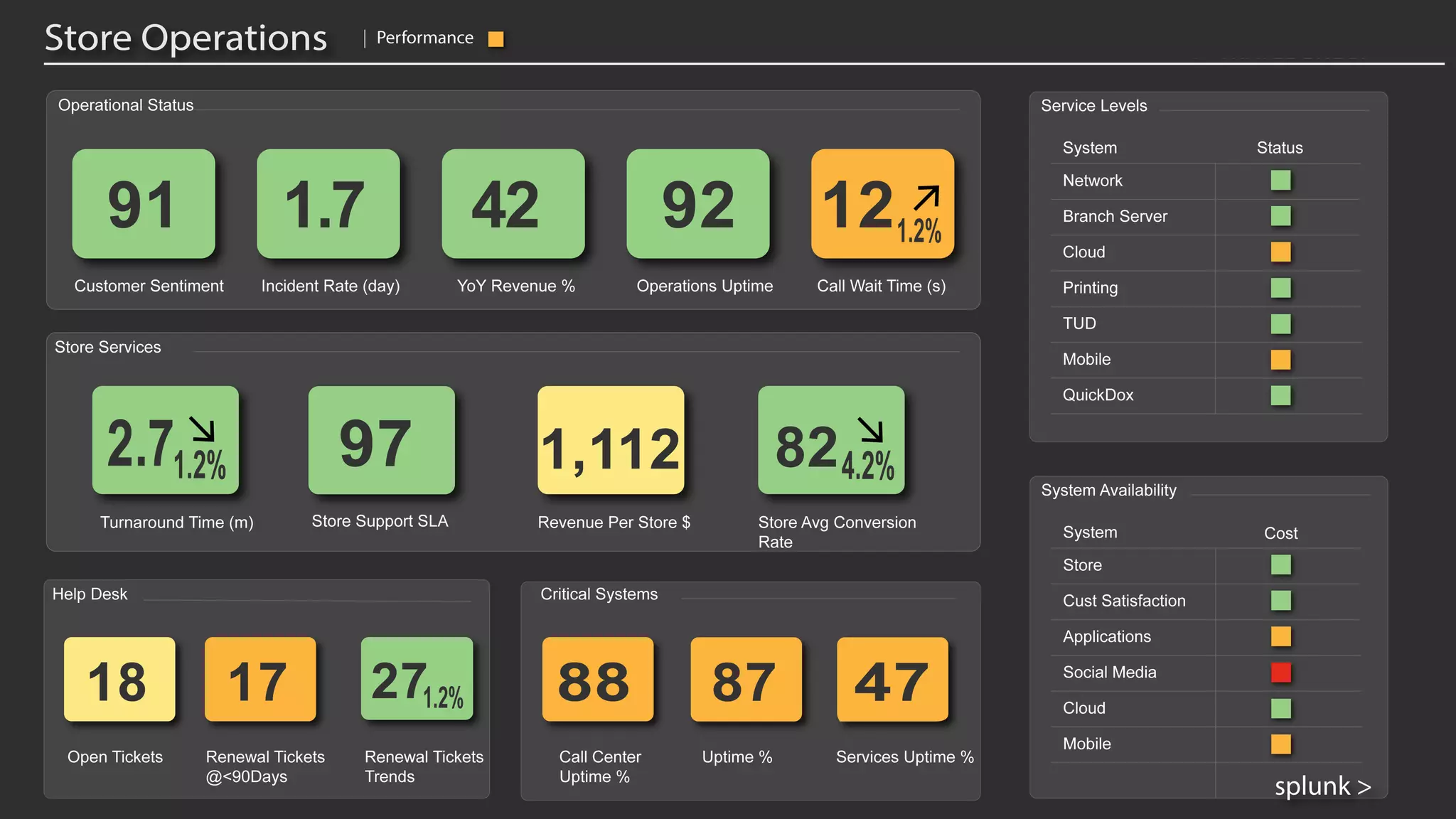
    Splunk’s Solution: Alens could be multiple processes… All the scores are time based KPI’s or nested sub processes that are searching in real time for some relevant condition of interest. These are Heath Scores – a high level aggregation of the health of the underlying processes. All the scores are color coded to convey if they are “normal” or “abnormal” based on your criteria OR Splunk’s Packaged Machine Learning, enabled with an ON/OFF switch. This shows how ‘Glass Tables’ can visualize key performance indicators and health scores that combine data from diverse sources. This example is an abbreviated ‘Book to Bill’, or sometimes called ‘Order to Cash’ business process.
  • 96.
    Call Center Service ServiceHealth Transactions ACD Analysis – Core Splunk Call Wait History Inbound Analysis Social Media Online Msg Social Media Mail SupportVOIP Service Inbound Calls
  • 97.
    Online Transactions Internal TransferService External Wire Service Money Exchange Service Money Transfer Services Service Health Corporate Reconciliation Service Fed Exchange Service Core Splunk Searches Transaction History System Investigation Heat Map Analysis
  • 98.
    Sign Up Now– We’re here to help! Harness the creativity and domain knowledge of your organization to unlock the value of data and solve an important Business Service problem through a joint service intelligence workshop with key stakeholders Define methods for: › Proactive service monitoring › Reduced risk and failures › Faster issue resolution › Increased business performance What is it? › 1 Day Onsite Workshop › Tightly linked with value › Collaborative approach › Build your own Glass Table
  • 99.
  • 100.
  • 101.
    Reference Stuff 101 ● ITSI Sandbox Guide: (An app on your ITSI instance) ●ITSI Documentation: http://docs.splunk.com/Documentation/ITSI
  • 102.
    © 2016 SPLUNKINC. CONFIDENTIAL. INTERNAL USE ONLY. © 2017 SPLUNK INC. tharrop@splunk.com dmillis@splunk.com Thank You!