Visual Studio 2022 for Mac
Private Preview 34 で作る
ASP.NET Blazor & Elasticsearch
アプリケーション
鈴⽊ 章太郎
Elastic テクニカルプロダクトマーケティングマネージャー/エバンジェリスト
デジタル庁 プロジェクトマネージャー
Elastic
Technical Product Marketing
Manager/Evangelist
デジタル庁
プロジェクトマネージャー
元 Microsoft Technical Evangelist
Twitter : @shosuz
Shotaro Suzuki
l Elastic 概要
l Microsoft Azure と Elastic 7.14 統合
l Blazorサーバーアプリと Elastic Client 作成、
APM 追加
l Index からの React アプリ⾃動⽣成と Azure
Static Web Apps デプロイ
l まとめ
アジェンダ
Elastic 概要
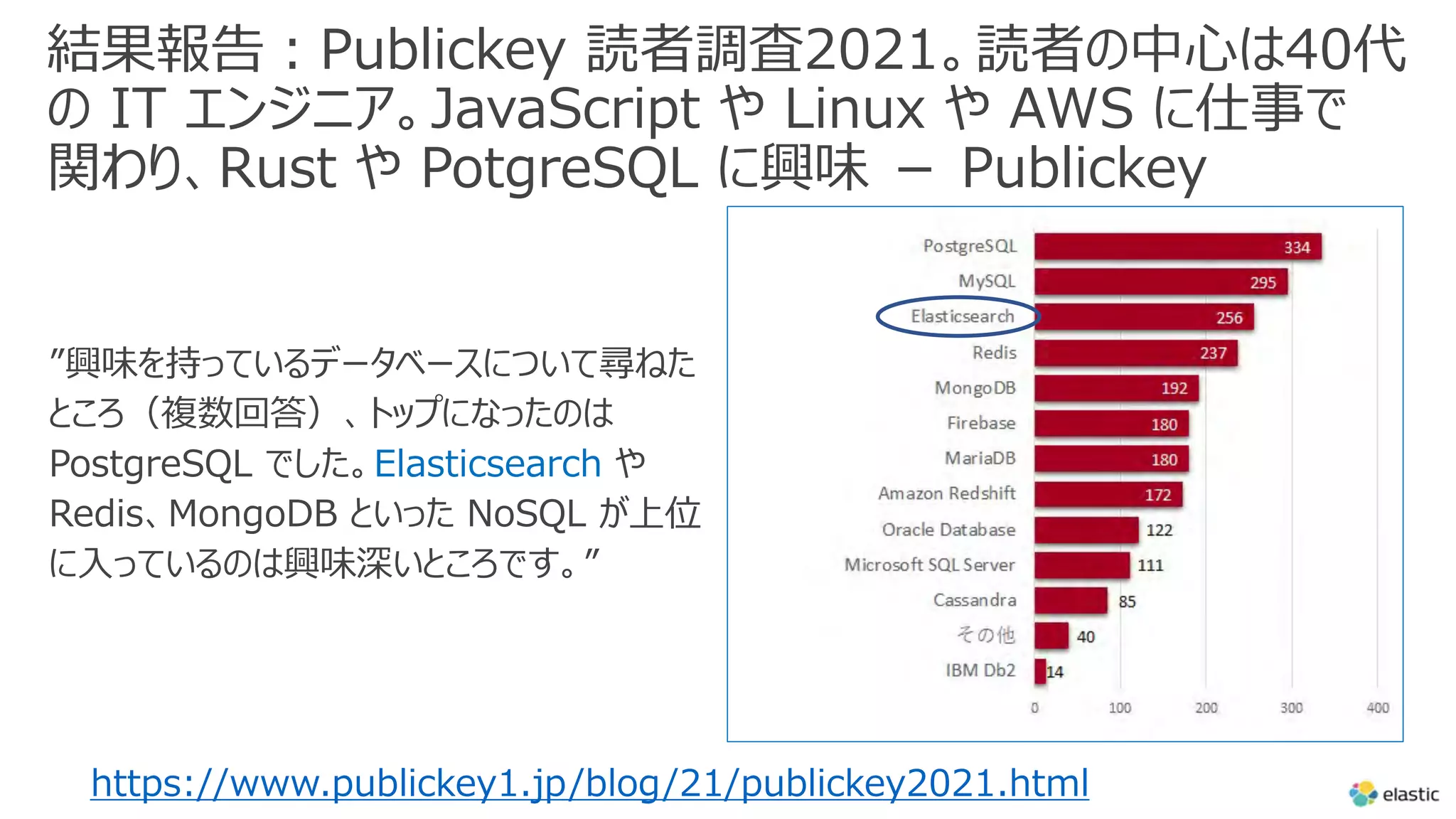
結果報告︓Publickey 読者調査2021。読者の中⼼は40代
の IT エンジニア。JavaScript や Linux や AWS に仕事で
関わり、Rust や PotgreSQL に興味 - Publickey
”興味を持っているデータベースについて尋ねた
ところ(複数回答)、トップになったのは
PostgreSQL でした。Elasticsearch や
Redis、MongoDB といった NoSQL が上位
に⼊っているのは興味深いところです。”
https://www.publickey1.jp/blog/21/publickey2021.html
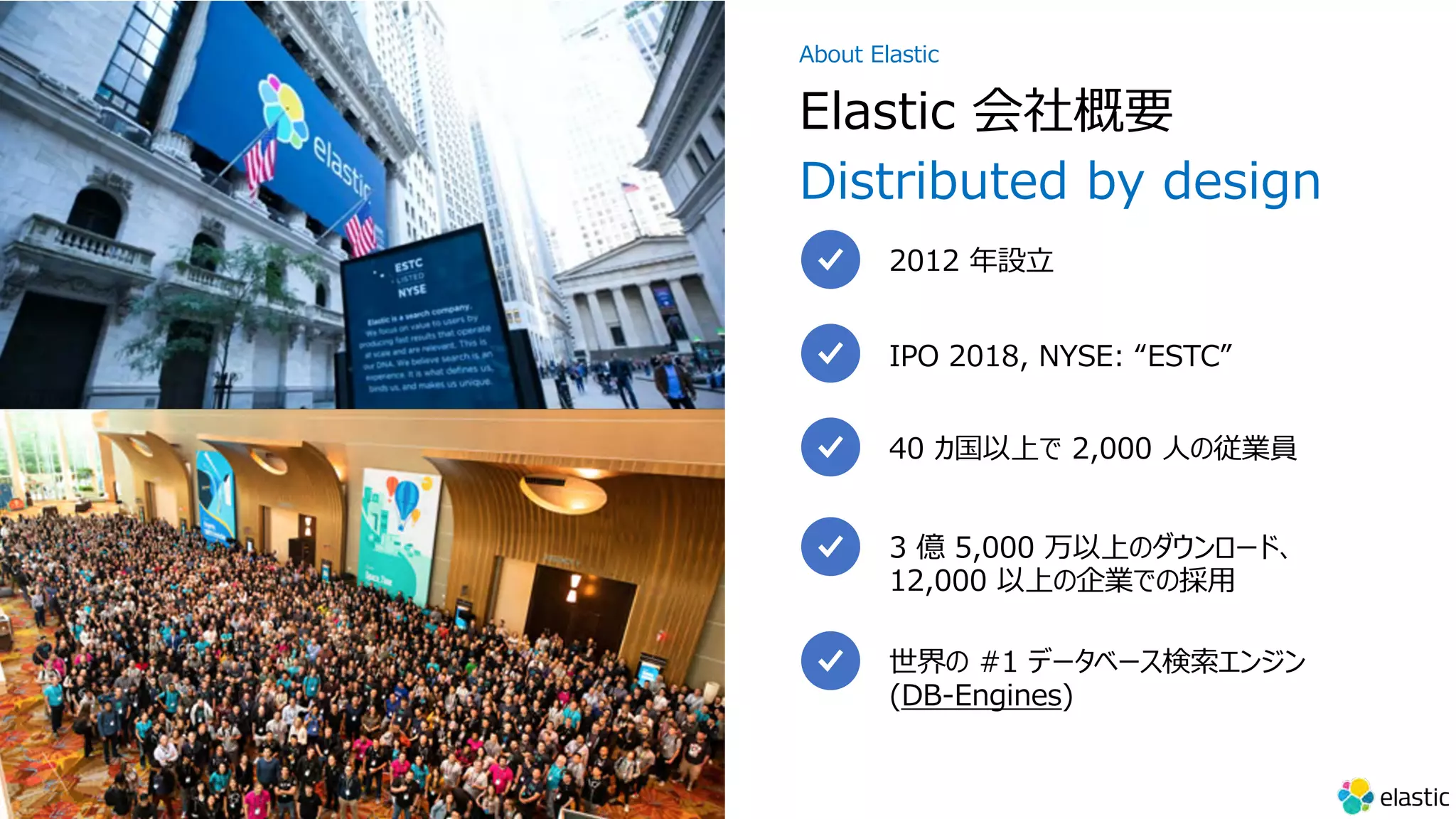
3 億 5,000 万以上のダウンロード、
12,000 以上の企業での採⽤
40 カ国以上で 2,000 ⼈の従業員
IPO 2018, NYSE: “ESTC”
2012 年設⽴
Elastic 会社概要
Distributed by design
About Elastic
世界の #1 データベース検索エンジン
(DB-Engines)
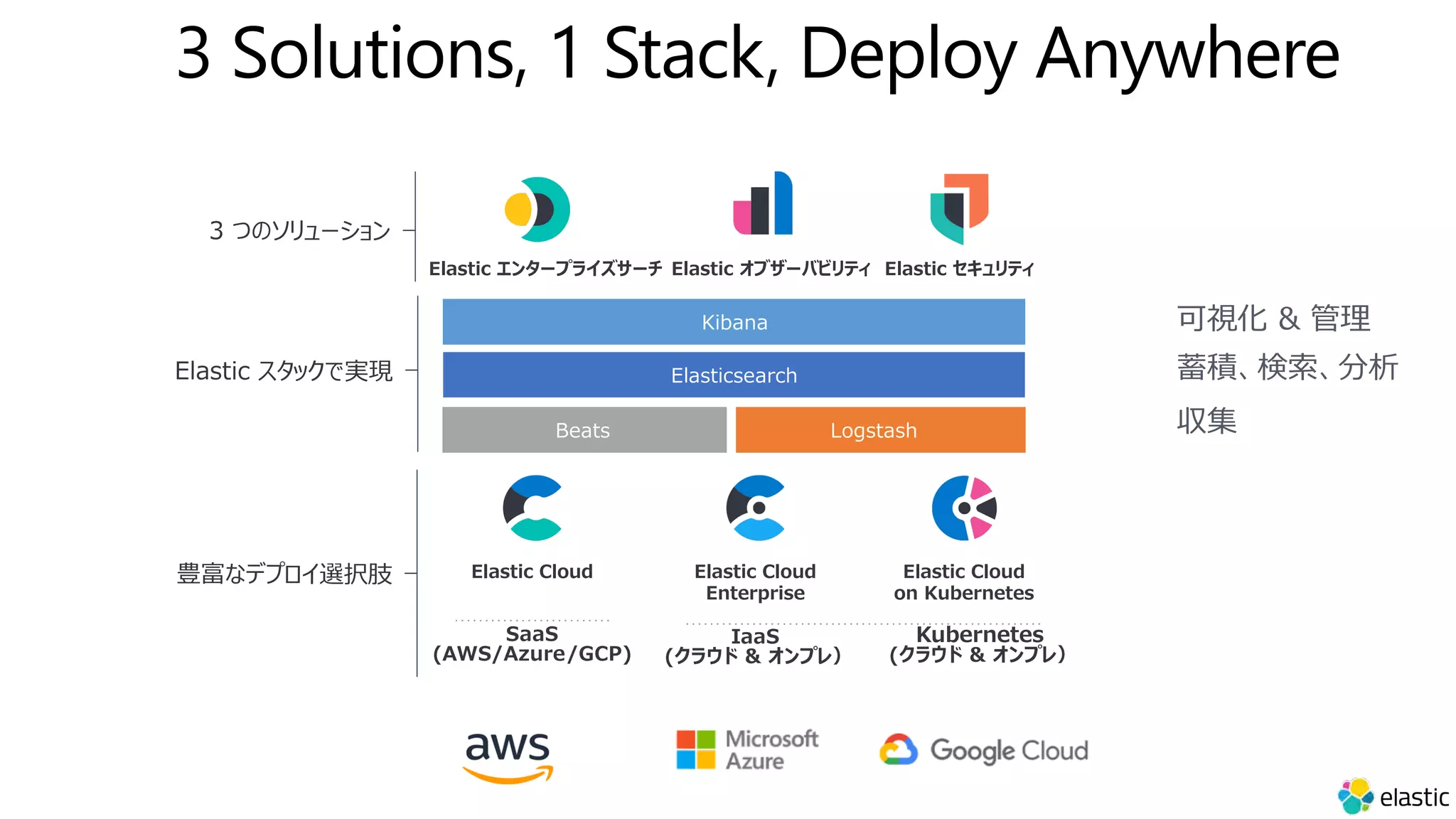
3 Solutions, 1 Stack, Deploy Anywhere
Elastic スタックで実現
Kibana
Elasticsearch
Beats Logstash
Elastic エンタープライズサーチ Elastic セキュリティ
Elastic オブザーバビリティ
3 つのソリューション
SaaS
(AWS/Azure/GCP)
IaaS
(クラウド & オンプレ)
Elastic Cloud
on Kubernetes
Elastic Cloud Elastic Cloud
Enterprise
豊富なデプロイ選択肢
Kubernetes
(クラウド & オンプレ)
蓄積、検索、分析
可視化 & 管理
収集
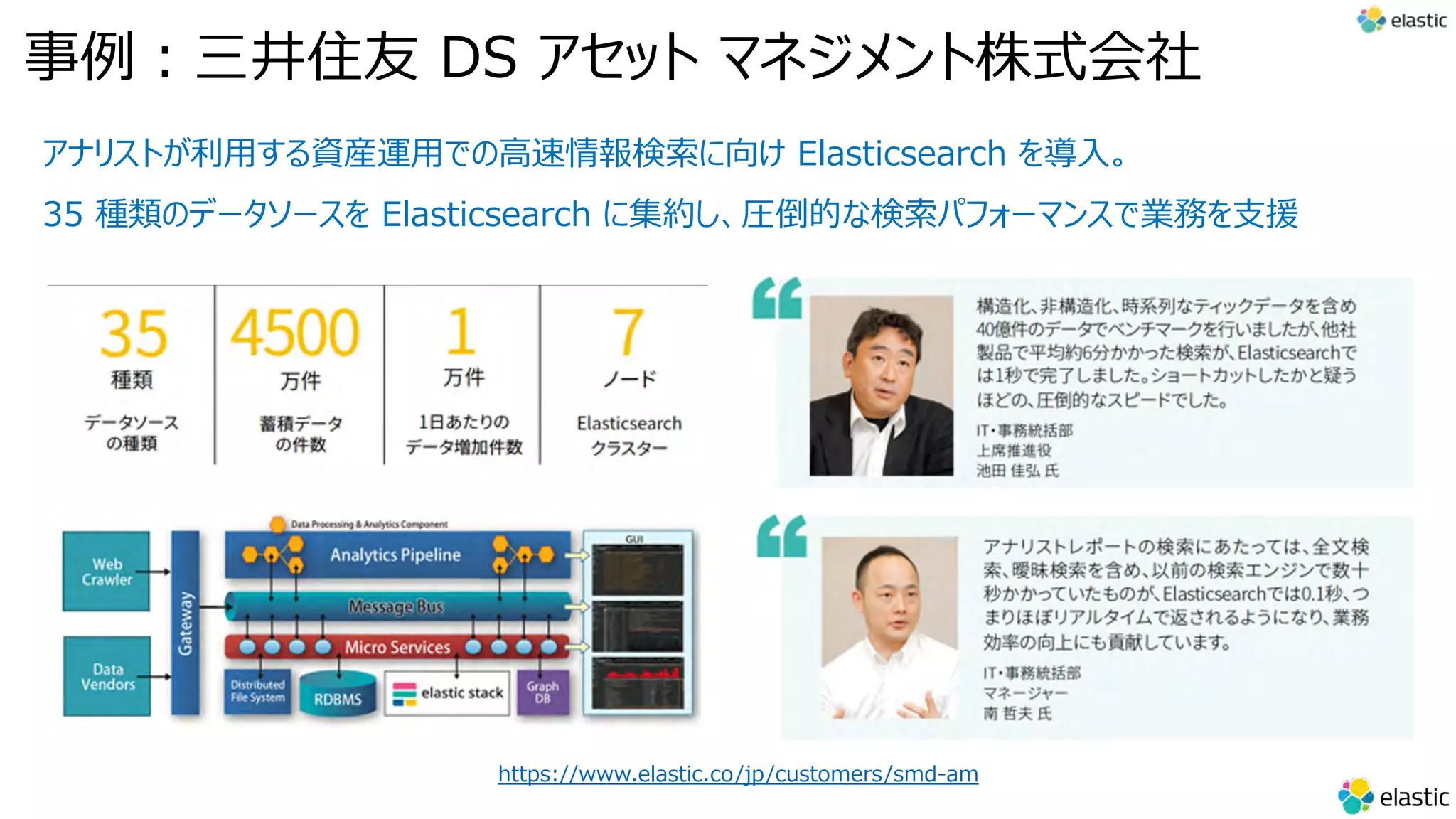
アナリストが利⽤する資産運⽤での⾼速情報検索に向け Elasticsearch を導⼊。
35 種類のデータソースを Elasticsearch に集約し、圧倒的な検索パフォーマンスで業務を⽀援
https://www.elastic.co/jp/customers/smd-am
事例︓三井住友 DS アセット マネジメント株式会社
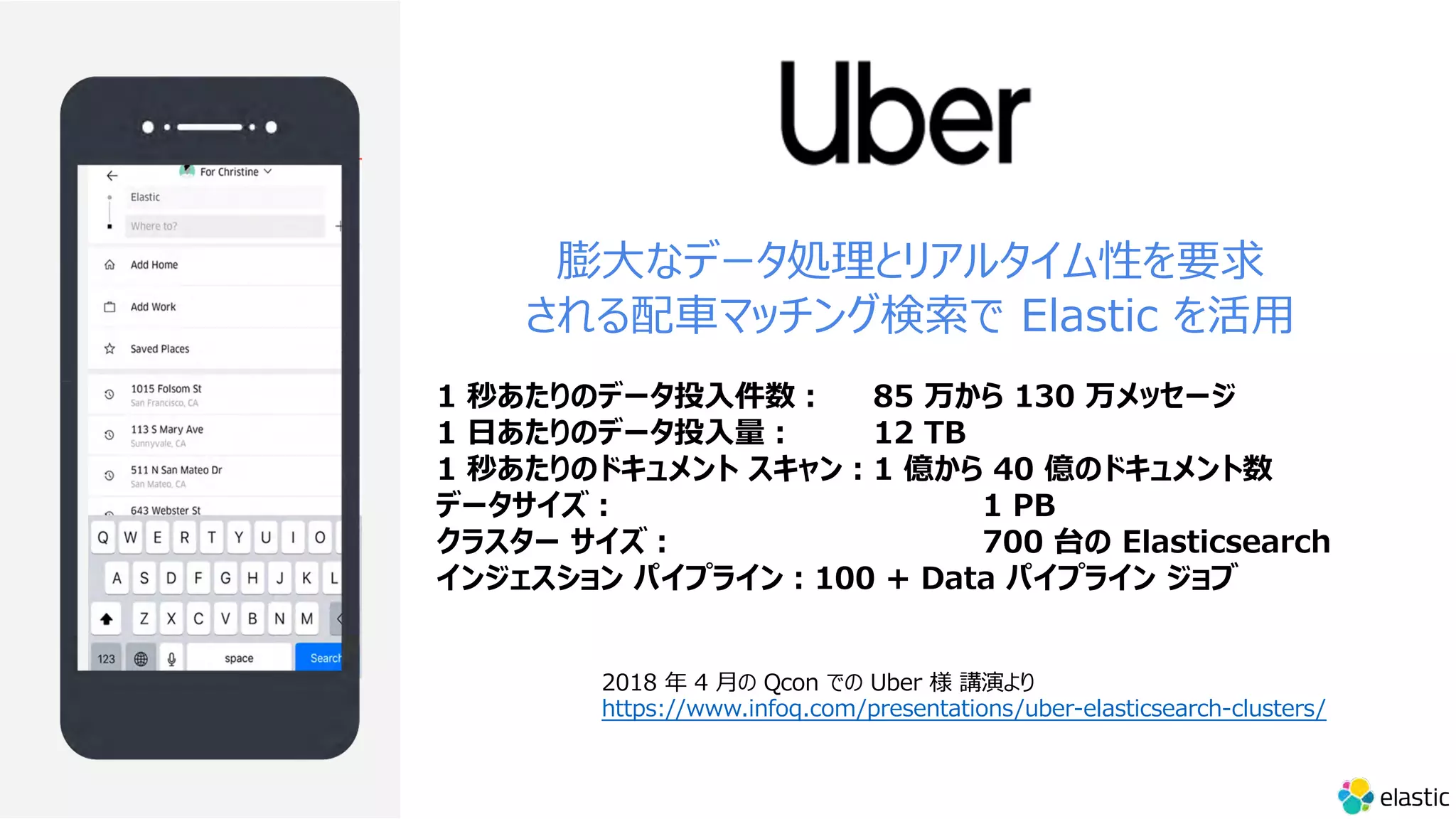
膨⼤なデータ処理とリアルタイム性を要求
される配⾞マッチング検索で Elastic を活⽤
1 秒あたりのデータ投⼊件数︓ 85 万から 130 万メッセージ
1 ⽇あたりのデータ投⼊量︓ 12 TB
1 秒あたりのドキュメント スキャン︓1 億から 40 億のドキュメント数
データサイズ︓ 1 PB
クラスター サイズ︓ 700 台の Elasticsearch
インジェスション パイプライン︓100 + Data パイプライン ジョブ
2018 年 4 ⽉の Qcon での Uber 様 講演より
https://www.infoq.com/presentations/uber-elasticsearch-clusters/
なぜ Elasticsearch なのか︖
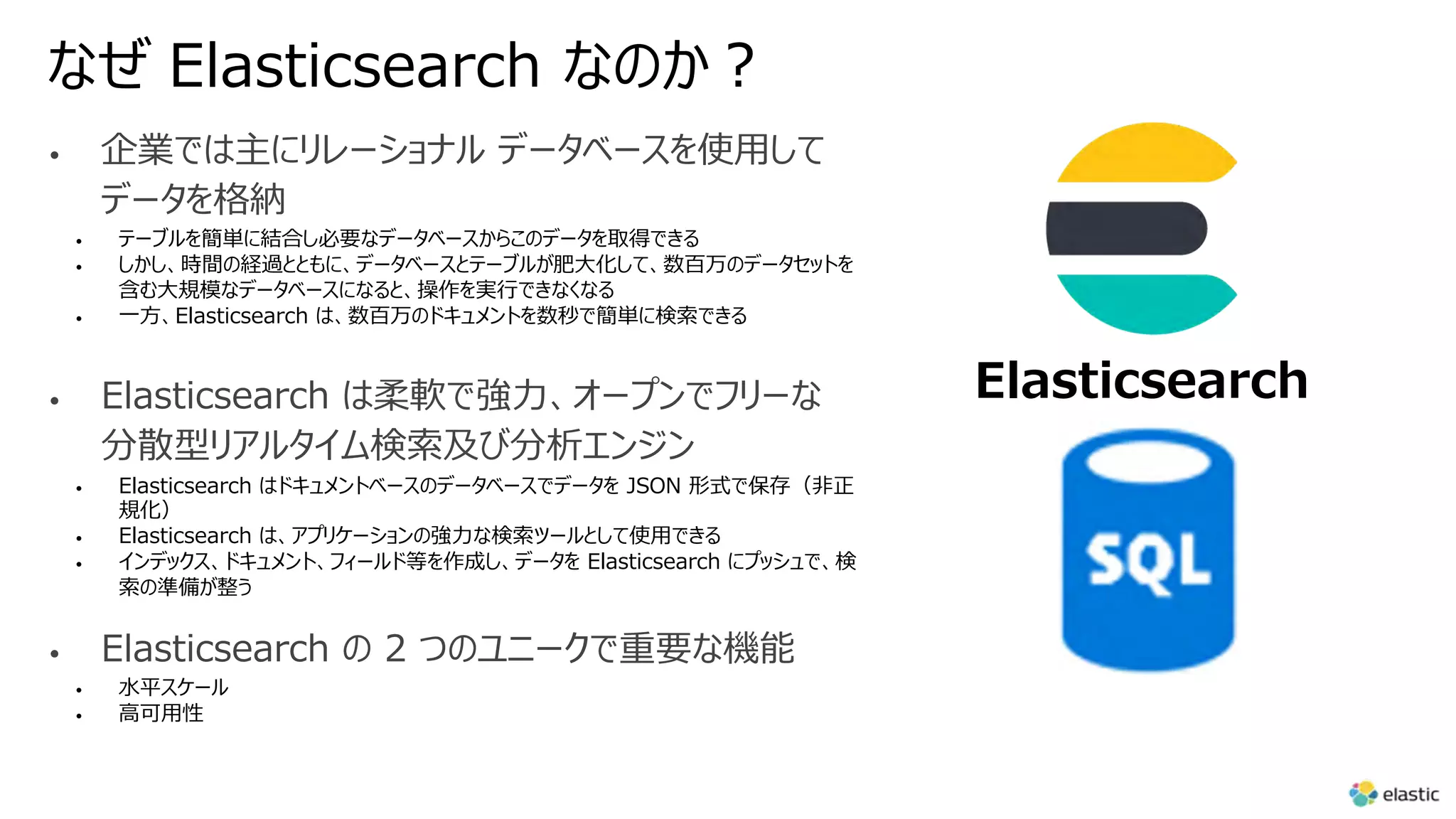
• 企業では主にリレーショナル データベースを使⽤して
データを格納
• テーブルを簡単に結合し必要なデータベースからこのデータを取得できる
• しかし、時間の経過とともに、データベースとテーブルが肥⼤化して、数百万のデータセットを
含む⼤規模なデータベースになると、操作を実⾏できなくなる
• ⼀⽅、Elasticsearch は、数百万のドキュメントを数秒で簡単に検索できる
• Elasticsearch は柔軟で強⼒、オープンでフリーな
分散型リアルタイム検索及び分析エンジン
• Elasticsearch はドキュメントベースのデータベースでデータを JSON 形式で保存(⾮正
規化)
• Elasticsearch は、アプリケーションの強⼒な検索ツールとして使⽤できる
• インデックス、ドキュメント、フィールド等を作成し、データを Elasticsearch にプッシュで、検
索の準備が整う
• Elasticsearch の 2 つのユニークで重要な機能
• ⽔平スケール
• ⾼可⽤性
Elasticsearch
Elasticsearch の概念
- インデックス・ドキュメント・フィールド
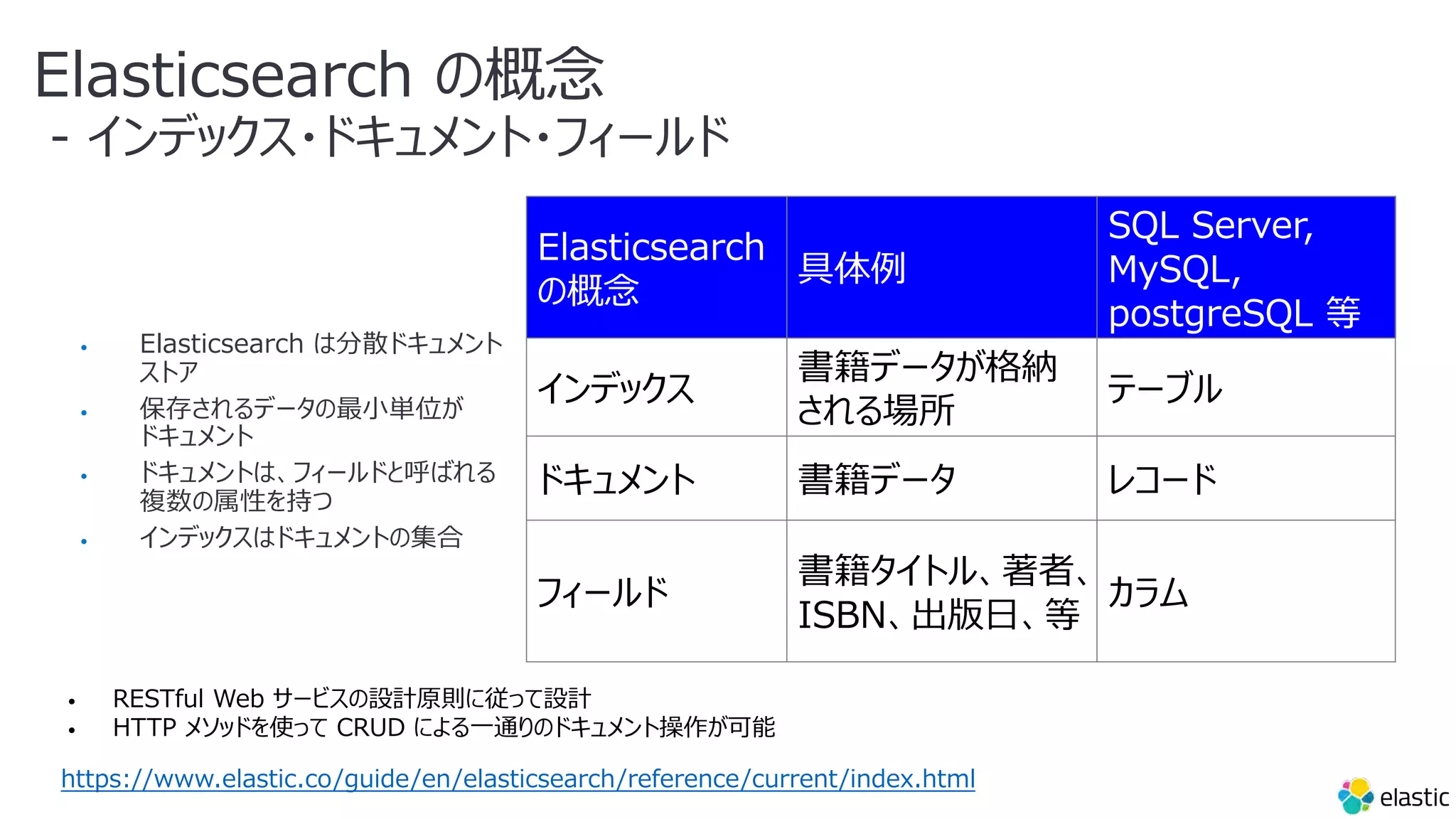
• Elasticsearch は分散ドキュメント
ストア
• 保存されるデータの最⼩単位が
ドキュメント
• ドキュメントは、フィールドと呼ばれる
複数の属性を持つ
• インデックスはドキュメントの集合
Elasticsearch
の概念
具体例
SQL Server,
MySQL,
postgreSQL 等
インデックス
書籍データが格納
される場所
テーブル
ドキュメント 書籍データ レコード
フィールド
書籍タイトル、著者、
ISBN、出版⽇、等
カラム
https://www.elastic.co/guide/en/elasticsearch/reference/current/index.html
• RESTful Web サービスの設計原則に従って設計
• HTTP メソッドを使って CRUD による⼀通りのドキュメント操作が可能
CQRS(コマンドクエリー責任分離)との関係
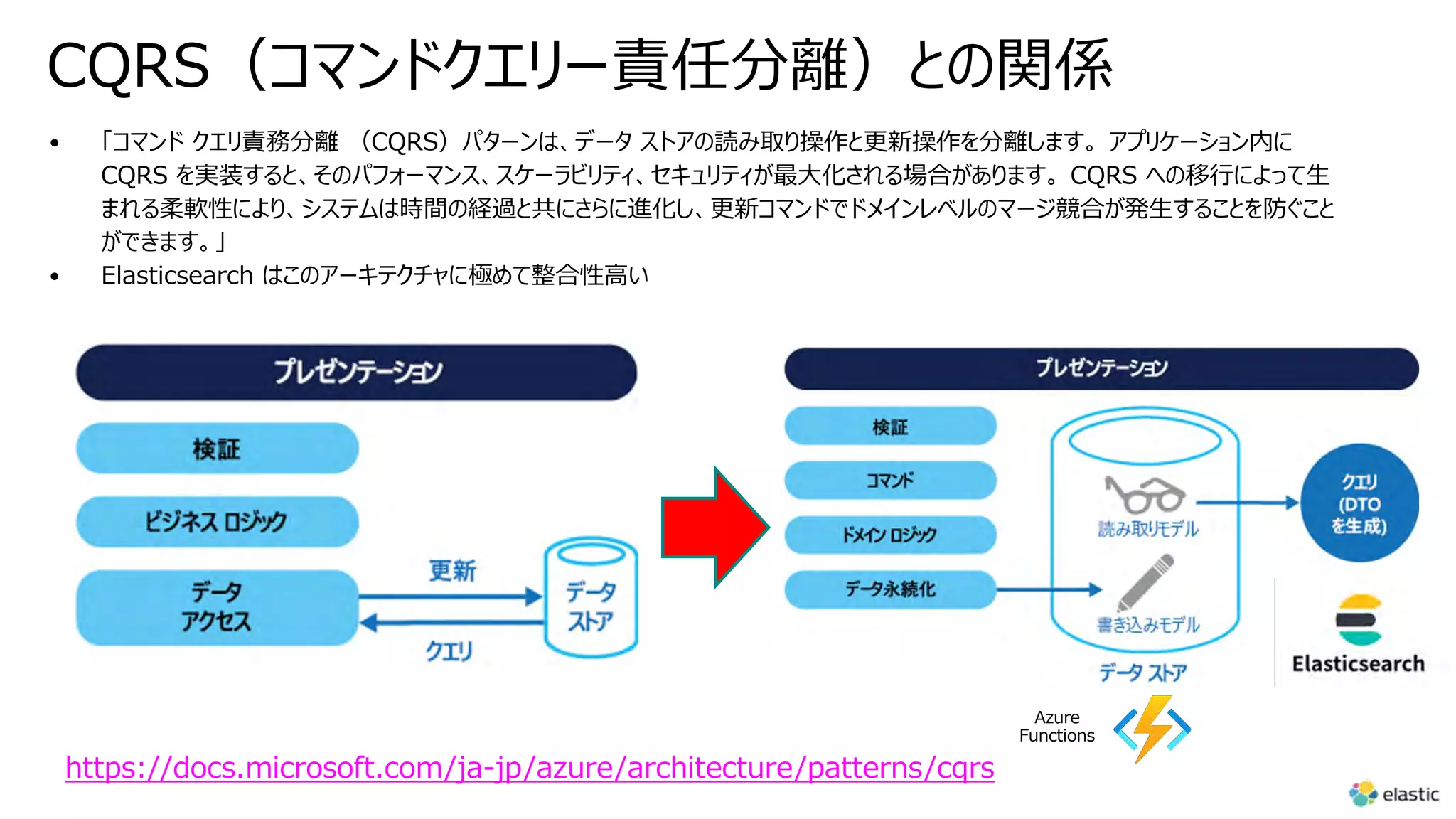
• 「コマンド クエリ責務分離 (CQRS)パターンは、データ ストアの読み取り操作と更新操作を分離します。 アプリケーション内に
CQRS を実装すると、そのパフォーマンス、スケーラビリティ、セキュリティが最⼤化される場合があります。 CQRS への移⾏によって⽣
まれる柔軟性により、システムは時間の経過と共にさらに進化し、更新コマンドでドメインレベルのマージ競合が発⽣することを防ぐこと
ができます。」
• Elasticsearch はこのアーキテクチャに極めて整合性⾼い
https://docs.microsoft.com/ja-jp/azure/architecture/patterns/cqrs
Azure
Functions
⽇本語のサジェスト機能を実装する際の課題と
Elasticsearch を使⽤してこれらの課題を克服する⽅法
https://www.elastic.co/jp/blog/implementing-japanese-autocomplete-suggestions-in-elasticsearch
…
⽇本語のサジェストの例
詳細な説明に⼊る前に、⽇本語のサジェスト機能の実装例を⾒
てみましょう。
主な要件
•ユーザーが検索キーワードを⼊⼒すると、関連する候
補が表⽰される。例︓「⽇本」と⼊⼒すると、「⽇本」、
「⽇本 地図」、「⽇本 ⼈⼝」などが提案される。
•不完全な検索キーワードを⼊⼒した場合でも、関連
する候補が表⽰される。例︓「にほn」と⼊⼒すると、
「⽇本」、「⽇本 地図」、「⽇本の⼈⼝」などが提案さ
れる。
•タイプミスした場合でも、意味の通る候補が提案され
る。例︓「にhん」、「にっほん」、「⽇本ん」と⼊⼒すると、
「⽇本」、「⽇本 地図」、「⽇本の⼈⼝」などが表⽰さ
れる。
•候補となる単語が、キーワードが検索された回数が多
い順に⼀覧表⽰される。
...
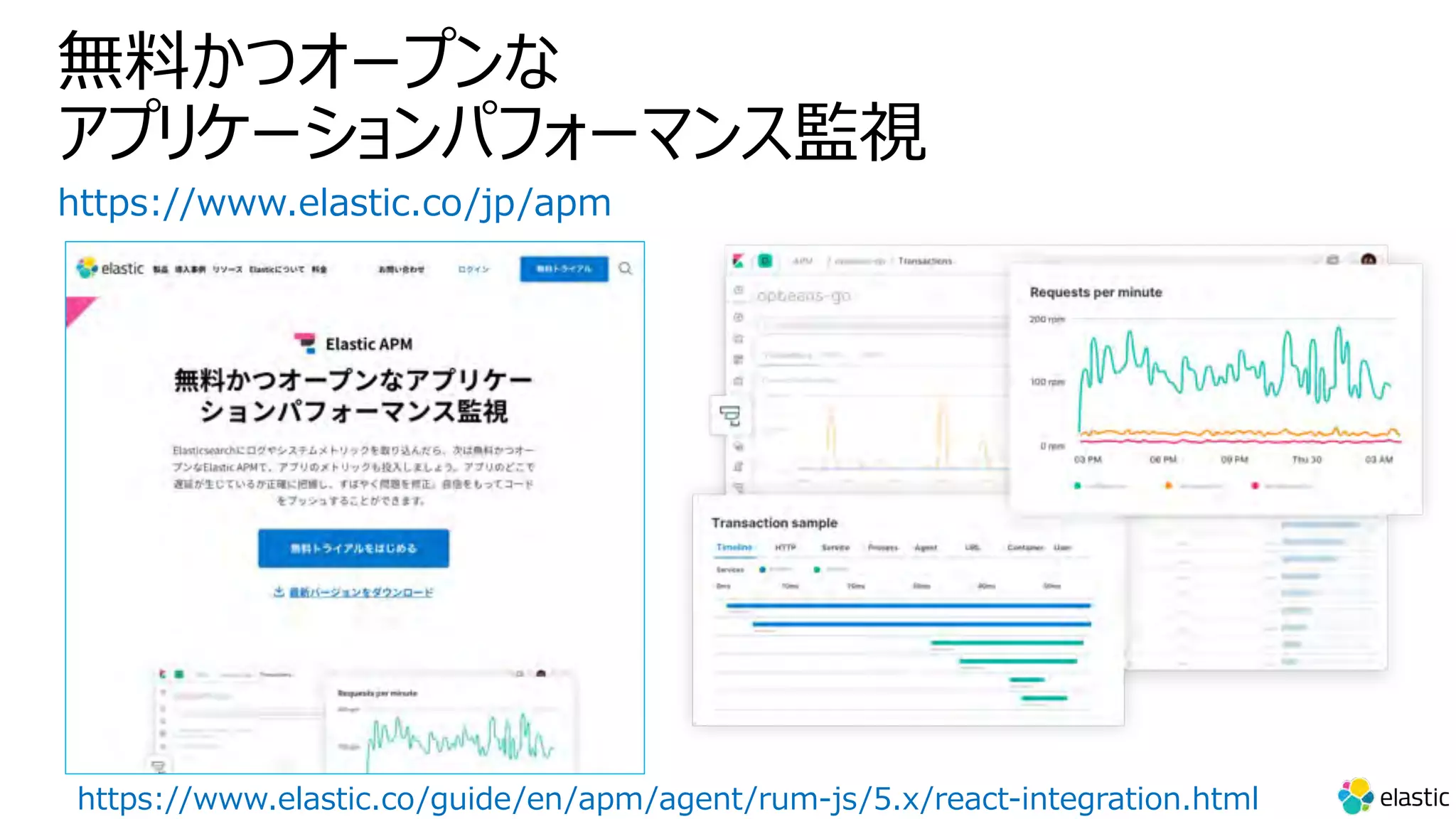
無料かつオープンな
アプリケーションパフォーマンス監視
https://www.elastic.co/jp/apm
https://www.elastic.co/guide/en/apm/agent/rum-js/5.x/react-integration.html
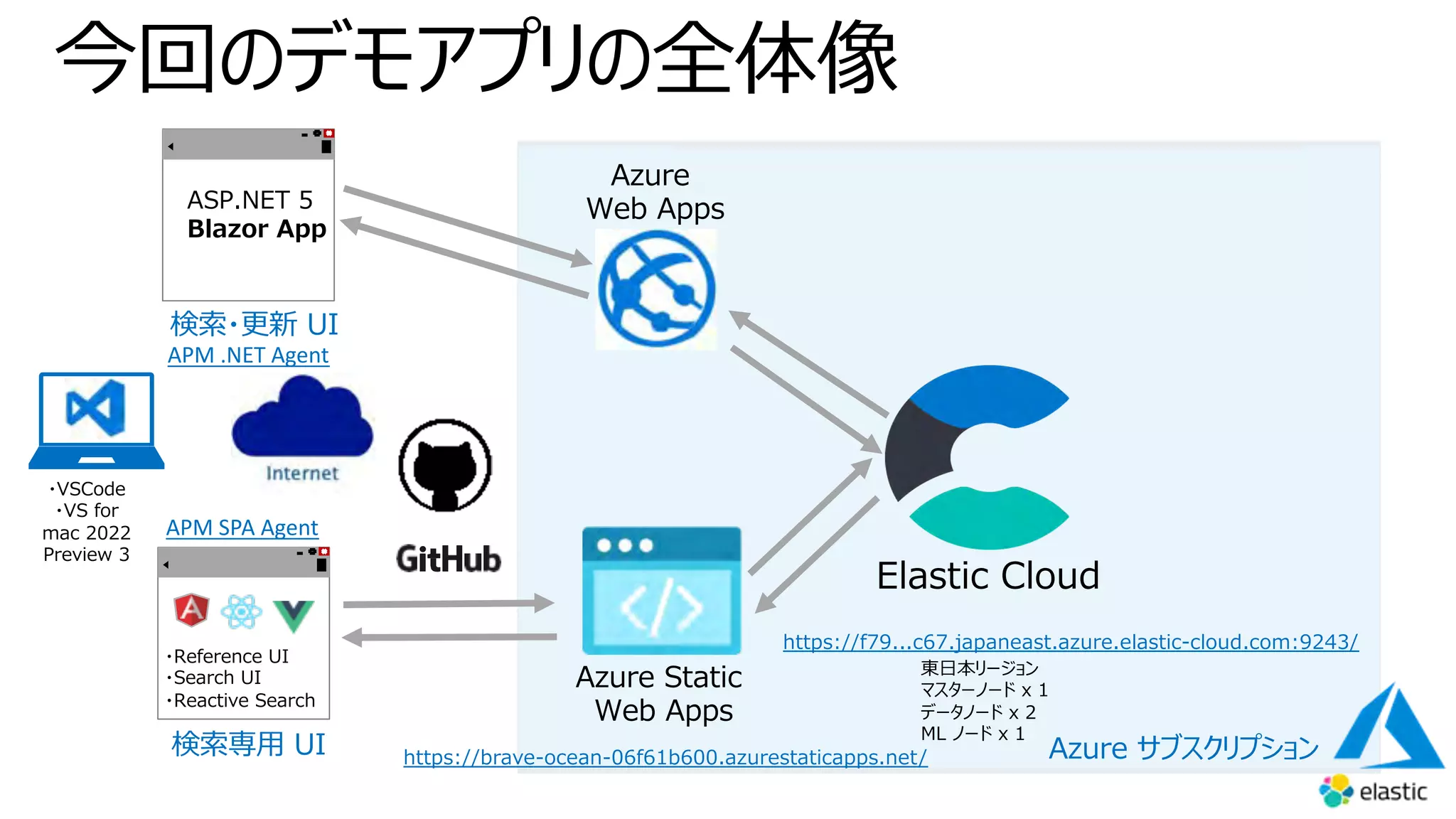
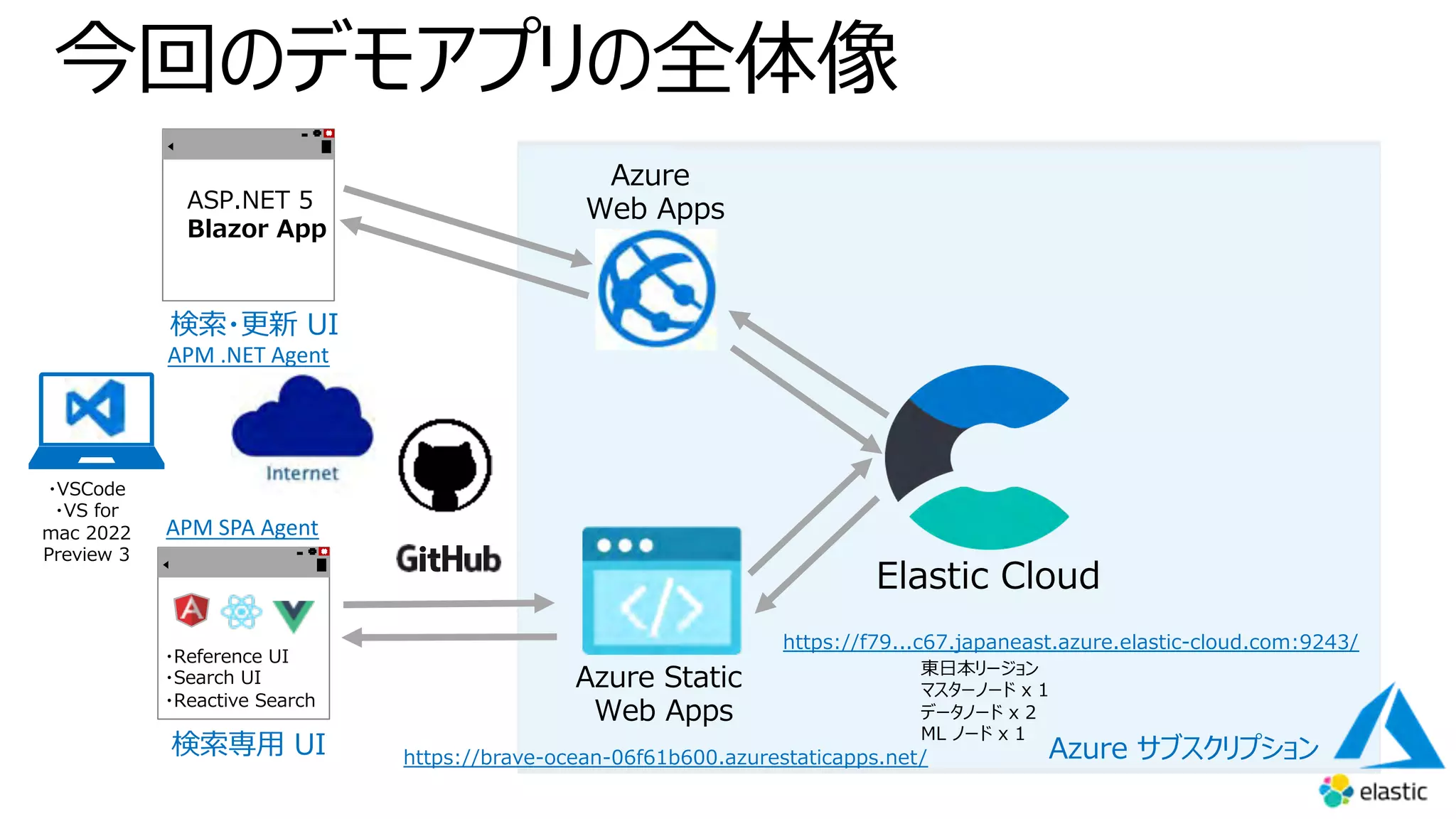
今回のデモアプリの全体像
Azure Static
Web Apps
・Reference UI
・Search UI
・Reactive Search
検索専⽤ UI
Azure
Web Apps
Elastic Cloud
Azure サブスクリプション
検索・更新 UI
APM .NET Agent
東⽇本リージョン
マスターノード x 1
データノード x 2
ML ノード x 1
https://f79...c67.japaneast.azure.elastic-cloud.com:9243/
ASP.NET 5
Blazor App
APM SPA Agent
https://brave-ocean-06f61b600.azurestaticapps.net/
・VSCode
・VS for
mac 2022
Preview 3
Microsoft Azure と
Elastic 7.14 統合
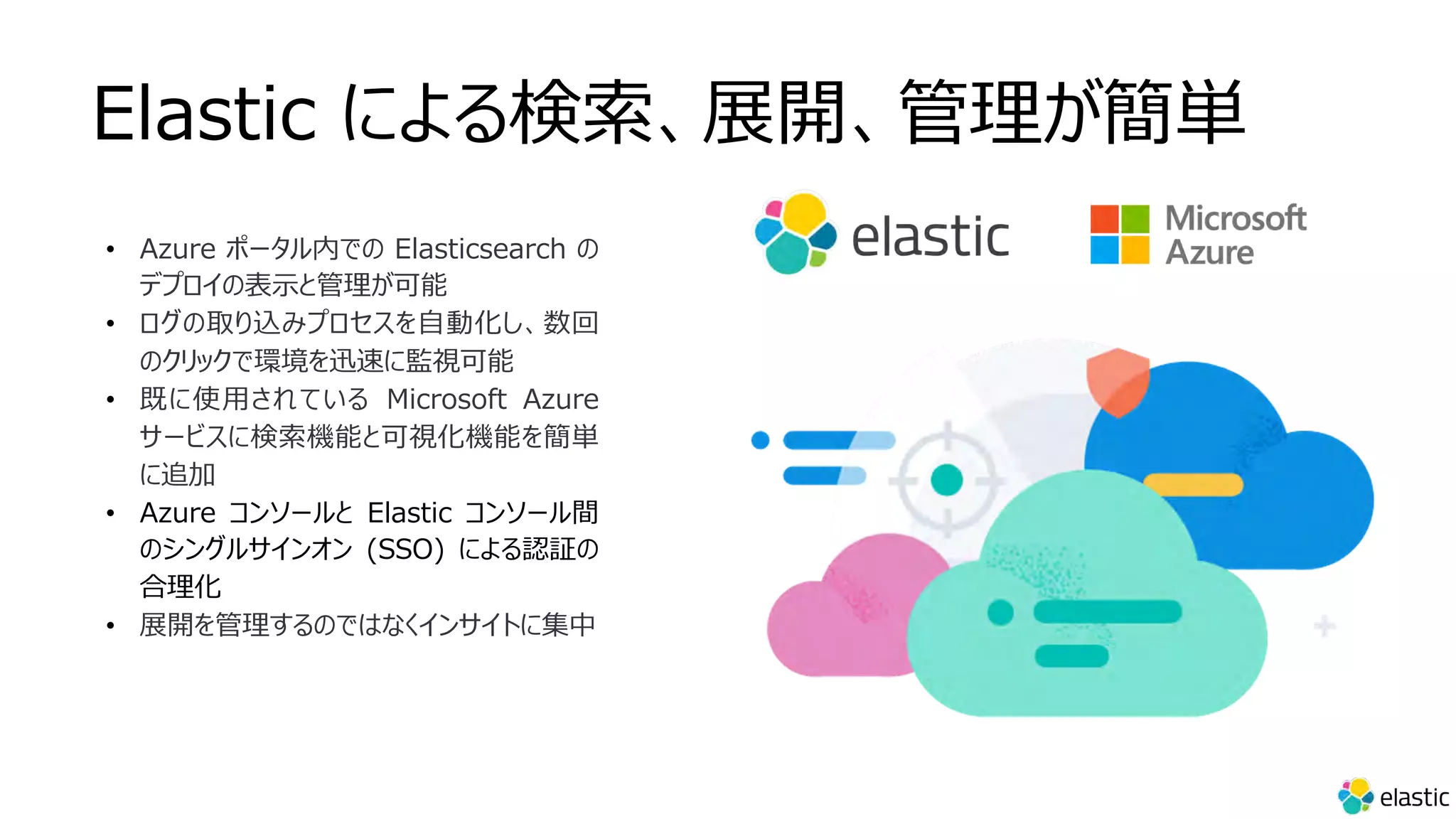
Elastic による検索、展開、管理が簡単
• Azure ポータル内での Elasticsearch の
デプロイの表⽰と管理が可能
• ログの取り込みプロセスを⾃動化し、数回
のクリックで環境を迅速に監視可能
• 既に使⽤されている Microsoft Azure
サービスに検索機能と可視化機能を簡単
に追加
• Azure コンソールと Elastic コンソール間
のシングルサインオン (SSO) による認証の
合理化
• 展開を管理するのではなくインサイトに集中
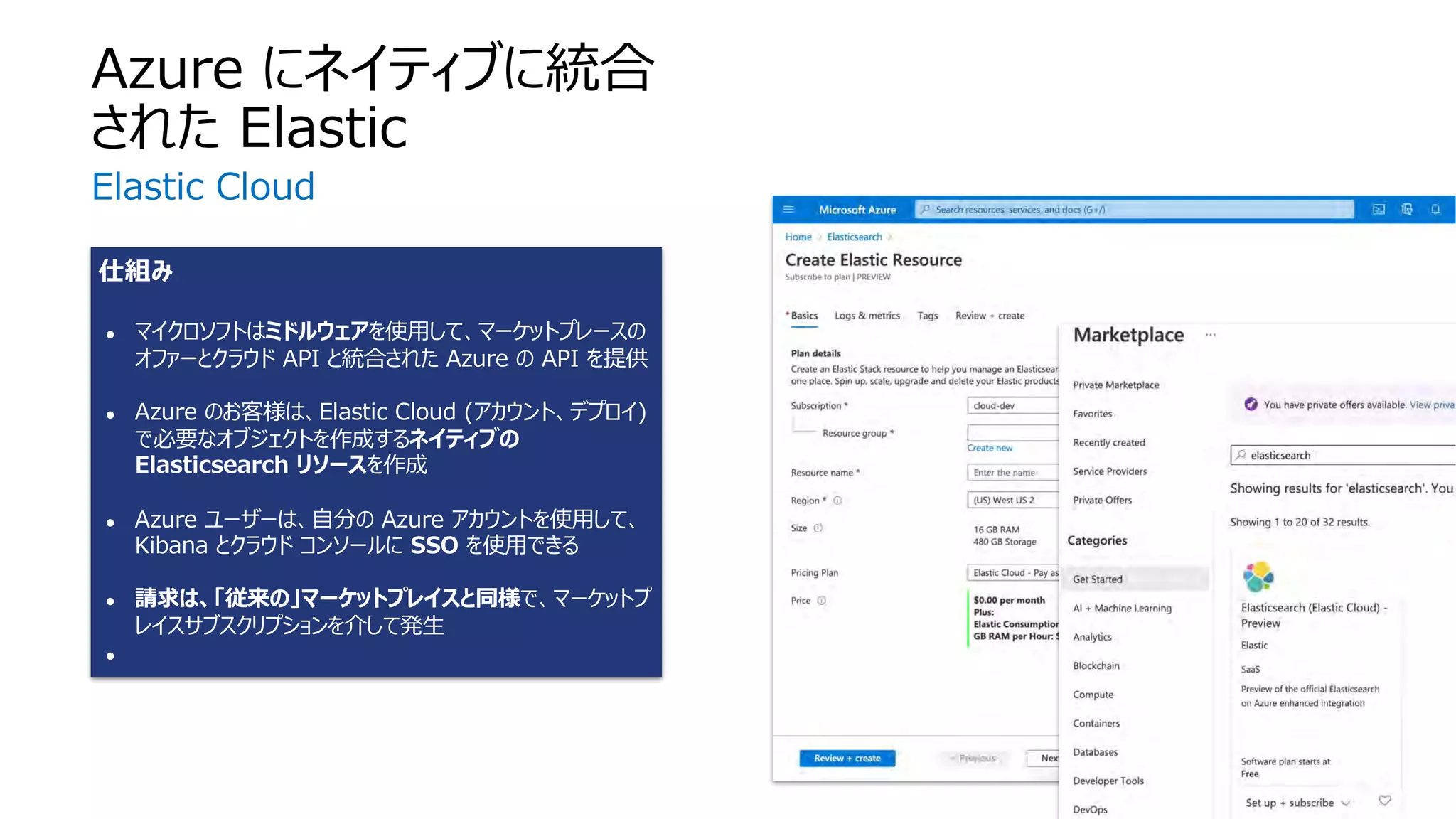
仕組み
● マイクロソフトはミドルウェアを使⽤して、マーケットプレースの
オファーとクラウド API と統合された Azure の API を提供
● Azure のお客様は、Elastic Cloud (アカウント、デプロイ)
で必要なオブジェクトを作成するネイティブの
Elasticsearch リソースを作成
● Azure ユーザーは、⾃分の Azure アカウントを使⽤して、
Kibana とクラウド コンソールに SSO を使⽤できる
● 請求は、「従来の」マーケットプレイスと同様で、マーケットプ
レイスサブスクリプションを介して発⽣
●
Azure にネイティブに統合
された Elastic
Elastic Cloud
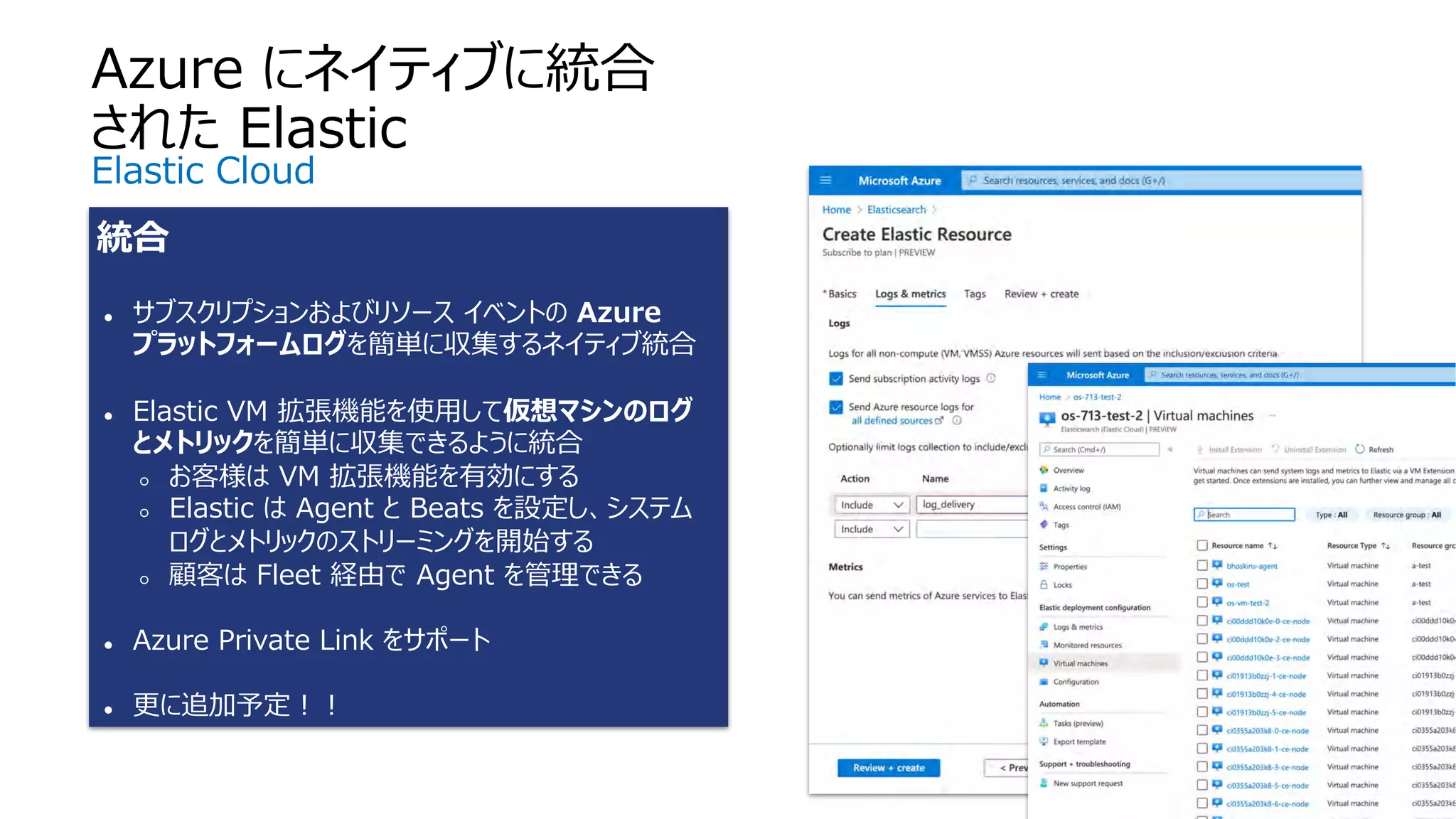
統合
● サブスクリプションおよびリソース イベントの Azure
プラットフォームログを簡単に収集するネイティブ統合
● Elastic VM 拡張機能を使⽤して仮想マシンのログ
とメトリックを簡単に収集できるように統合
○ お客様は VM 拡張機能を有効にする
○ Elastic は Agent と Beats を設定し、システム
ログとメトリックのストリーミングを開始する
○ 顧客は Fleet 経由で Agent を管理できる
● Azure Private Link をサポート
● 更に追加予定︕︕
Azure にネイティブに統合
された Elastic
Elastic Cloud
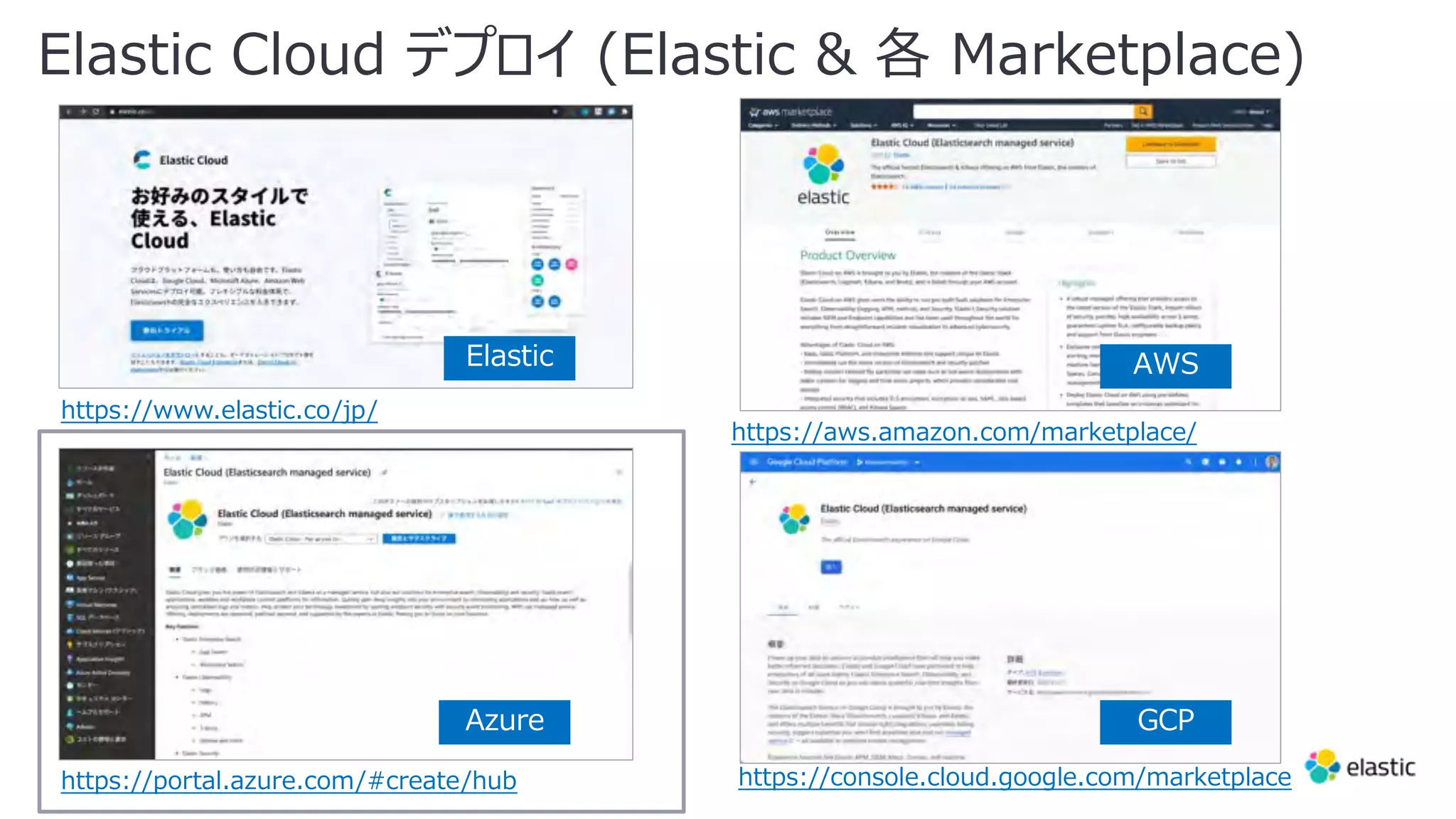
Elastic Cloud デプロイ (Elastic & 各 Marketplace)
https://www.elastic.co/jp/
https://portal.azure.com/#create/hub
https://aws.amazon.com/marketplace/
https://console.cloud.google.com/marketplace
Elastic
Azure
AWS
GCP
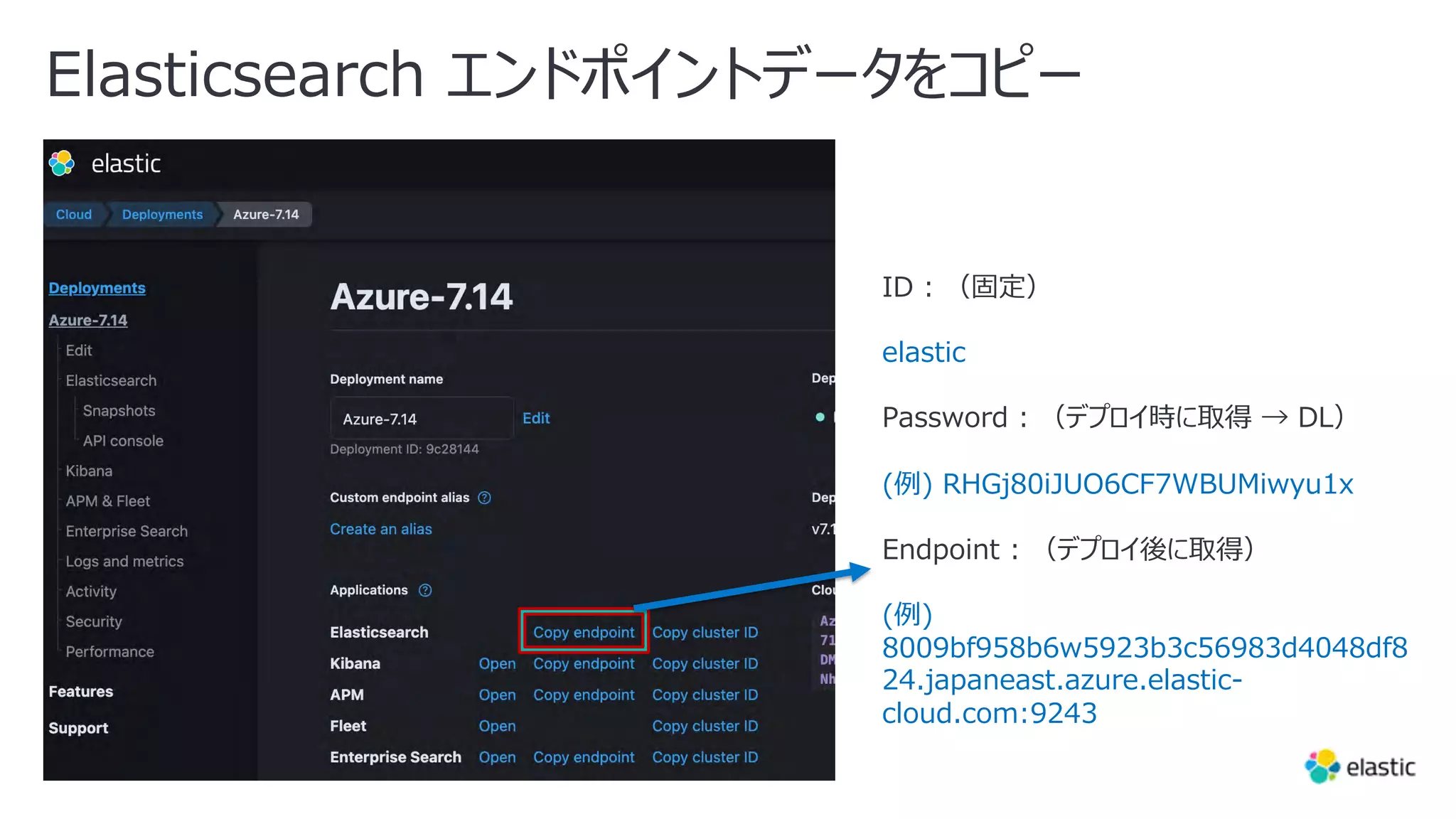
Elasticsearch エンドポイントデータをコピー
ID : (固定)
elastic
Password : (デプロイ時に取得 → DL)
(例) RHGj80iJUO6CF7WBUMiwyu1x
Endpoint : (デプロイ後に取得)
(例)
8009bf958b6w5923b3c56983d4048df8
24.japaneast.azure.elastic-
cloud.com:9243
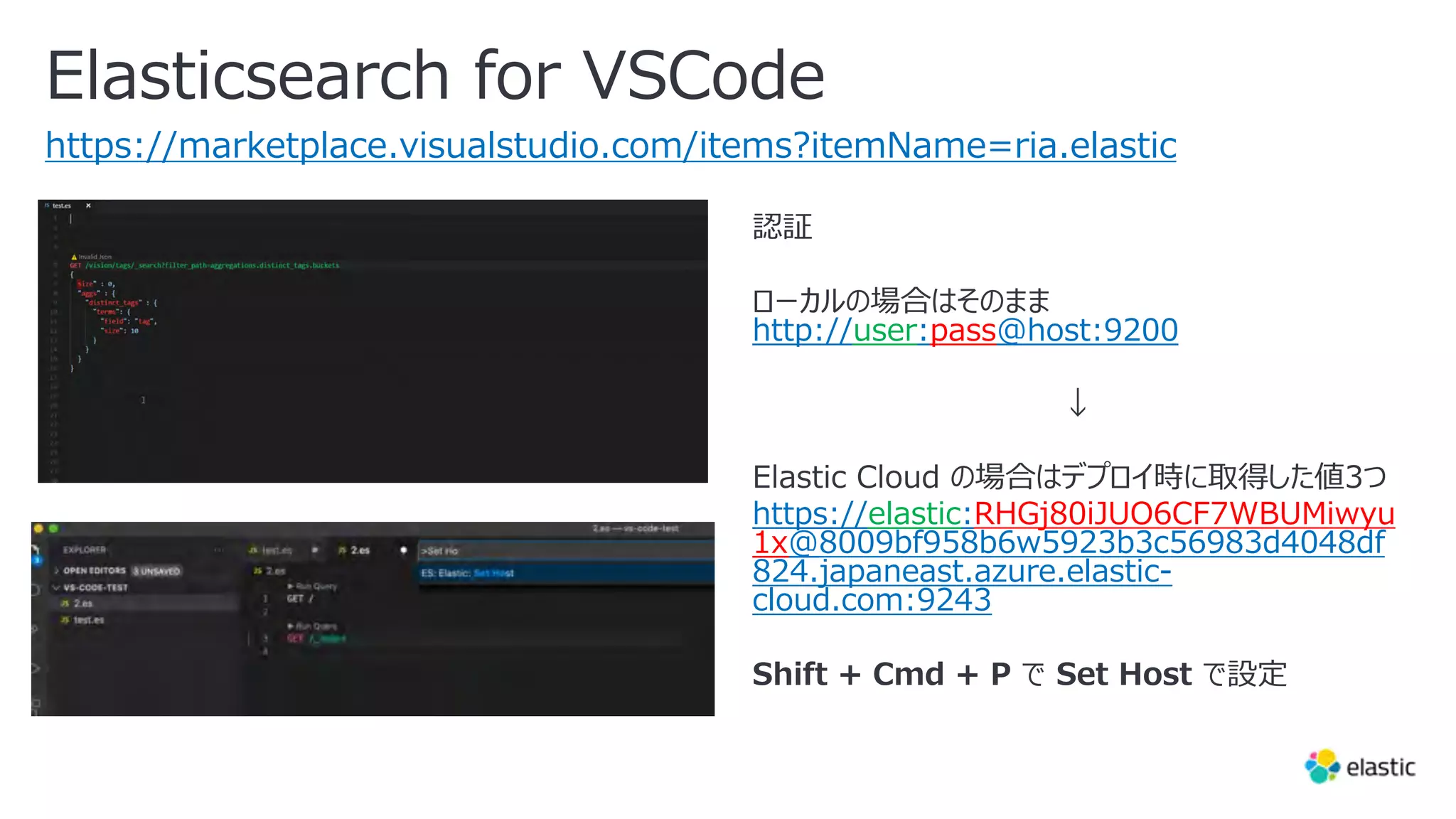
Elasticsearch for VSCode
https://marketplace.visualstudio.com/items?itemName=ria.elastic
http://user:pass@host:9200
https://elastic:RHGj80iJUO6CF7WBUMiwyu
1x@8009bf958b6w5923b3c56983d4048df
824.japaneast.azure.elastic-
cloud.com:9243
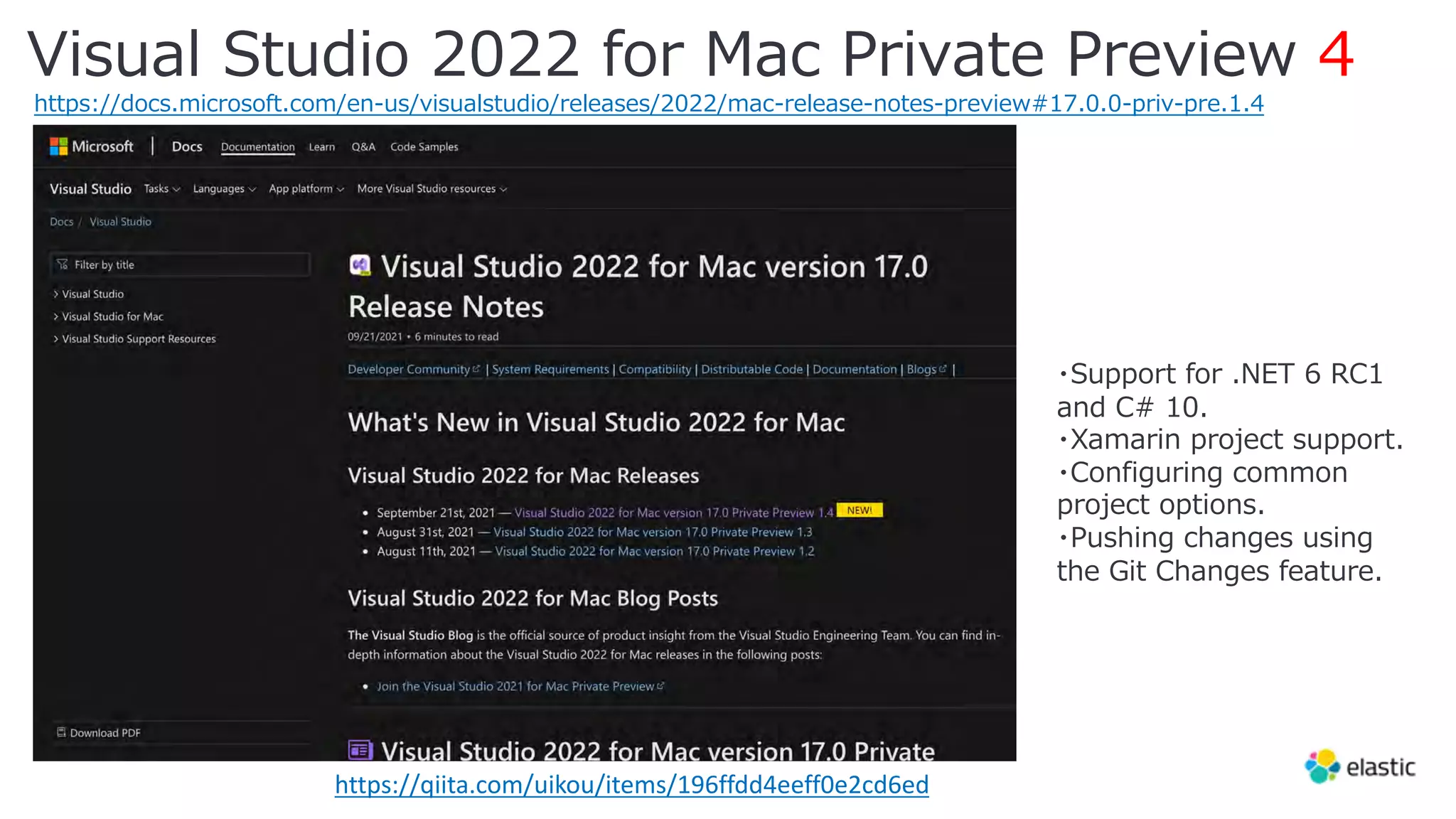
Visual Studio 2022 for Mac Private Preview 4
https://docs.microsoft.com/en-us/visualstudio/releases/2022/mac-release-notes-preview#17.0.0-priv-pre.1.4
https://qiita.com/uikou/items/196ffdd4eeff0e2cd6ed
・Support for .NET 6 RC1
and C# 10.
・Xamarin project support.
・Configuring common
project options.
・Pushing changes using
the Git Changes feature.
Blazor サーバーアプリと
Elastic Client 作成、APM 追加
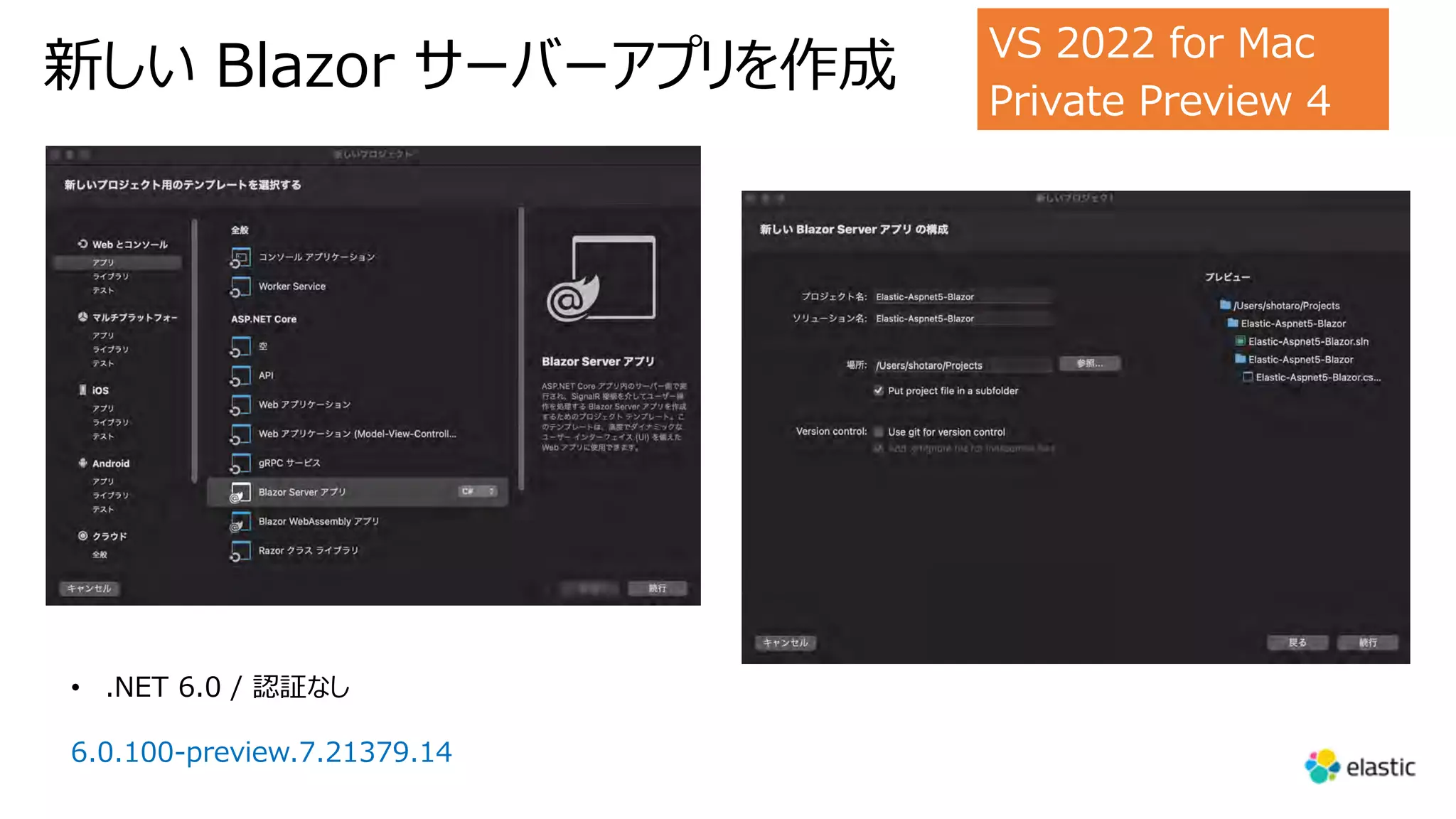
新しい Blazor サーバーアプリを作成 VS 2022 for Mac
Private Preview 4
• .NET 6.0 / 認証なし
6.0.100-preview.7.21379.14
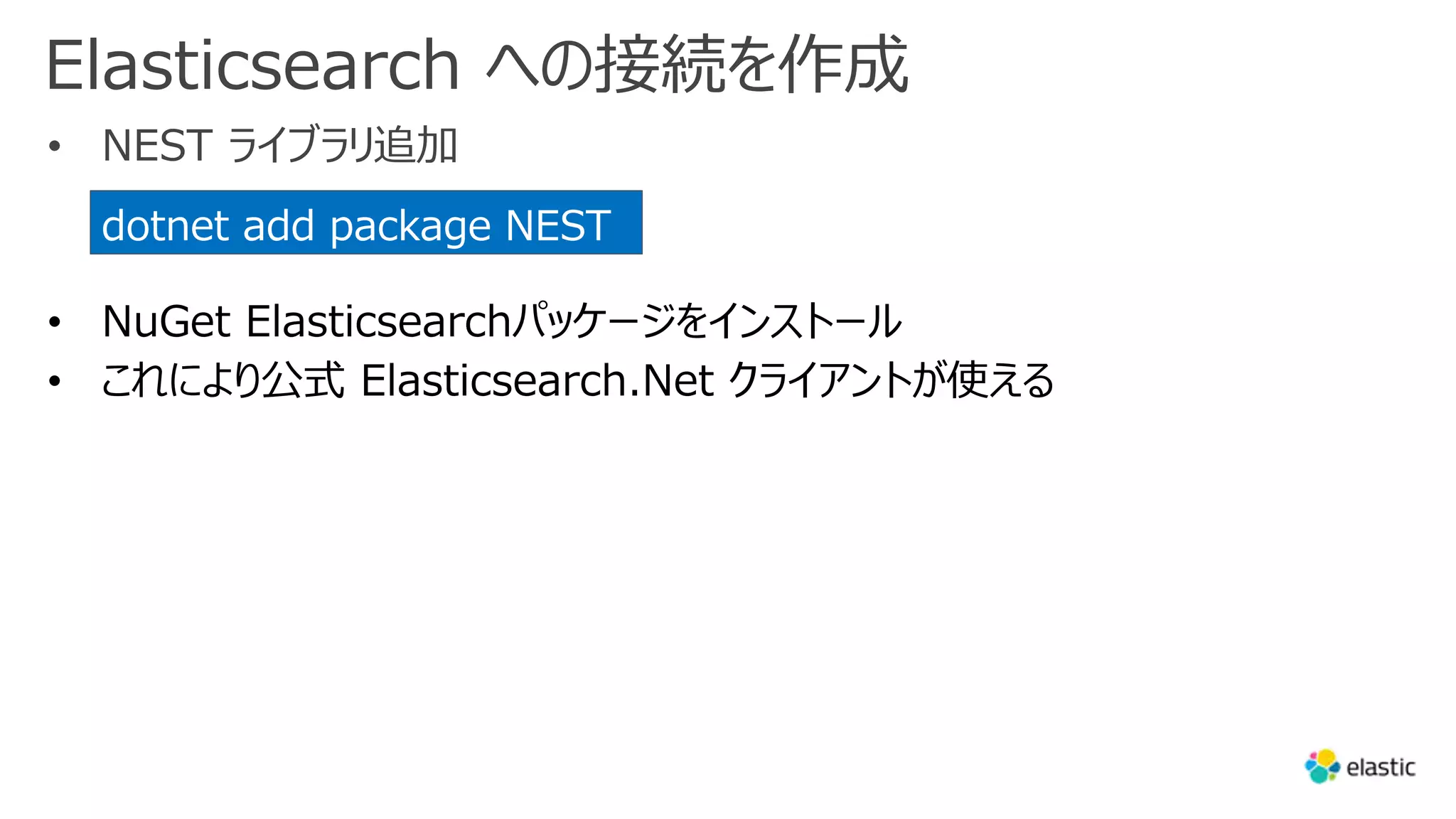
Elasticsearch への接続を作成
• NEST ライブラリ追加
dotnet add package NEST
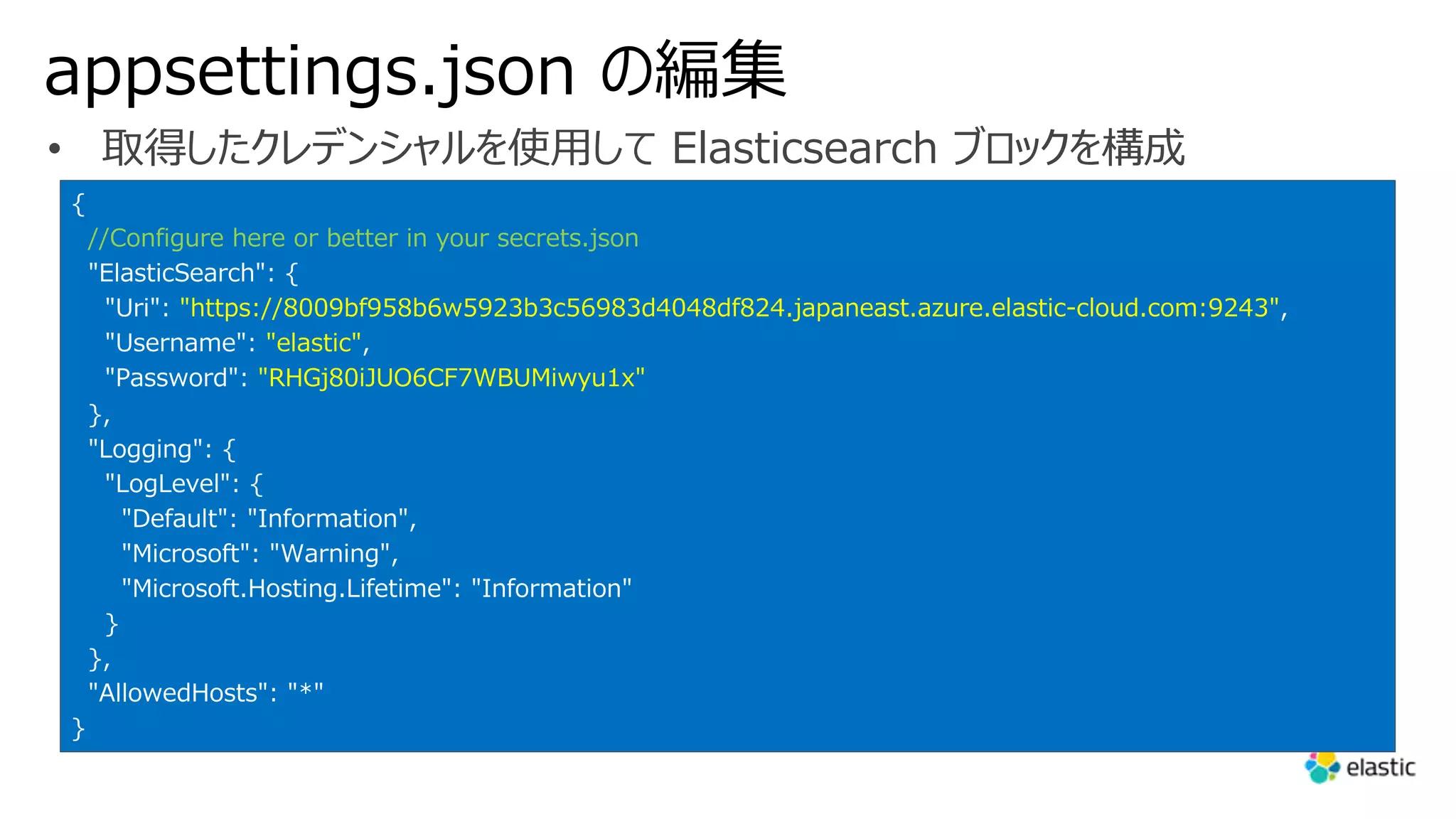
appsettings.json の編集
• 取得したクレデンシャルを使⽤して Elasticsearch ブロックを構成
{
//Configure here or better in your secrets.json
"ElasticSearch": {
"Uri": "https://8009bf958b6w5923b3c56983d4048df824.japaneast.azure.elastic-cloud.com:9243",
"Username": "elastic",
"Password": "RHGj80iJUO6CF7WBUMiwyu1x"
},
"Logging": {
"LogLevel": {
"Default": "Information",
"Microsoft": "Warning",
"Microsoft.Hosting.Lifetime": "Information"
}
},
"AllowedHosts": "*"
}
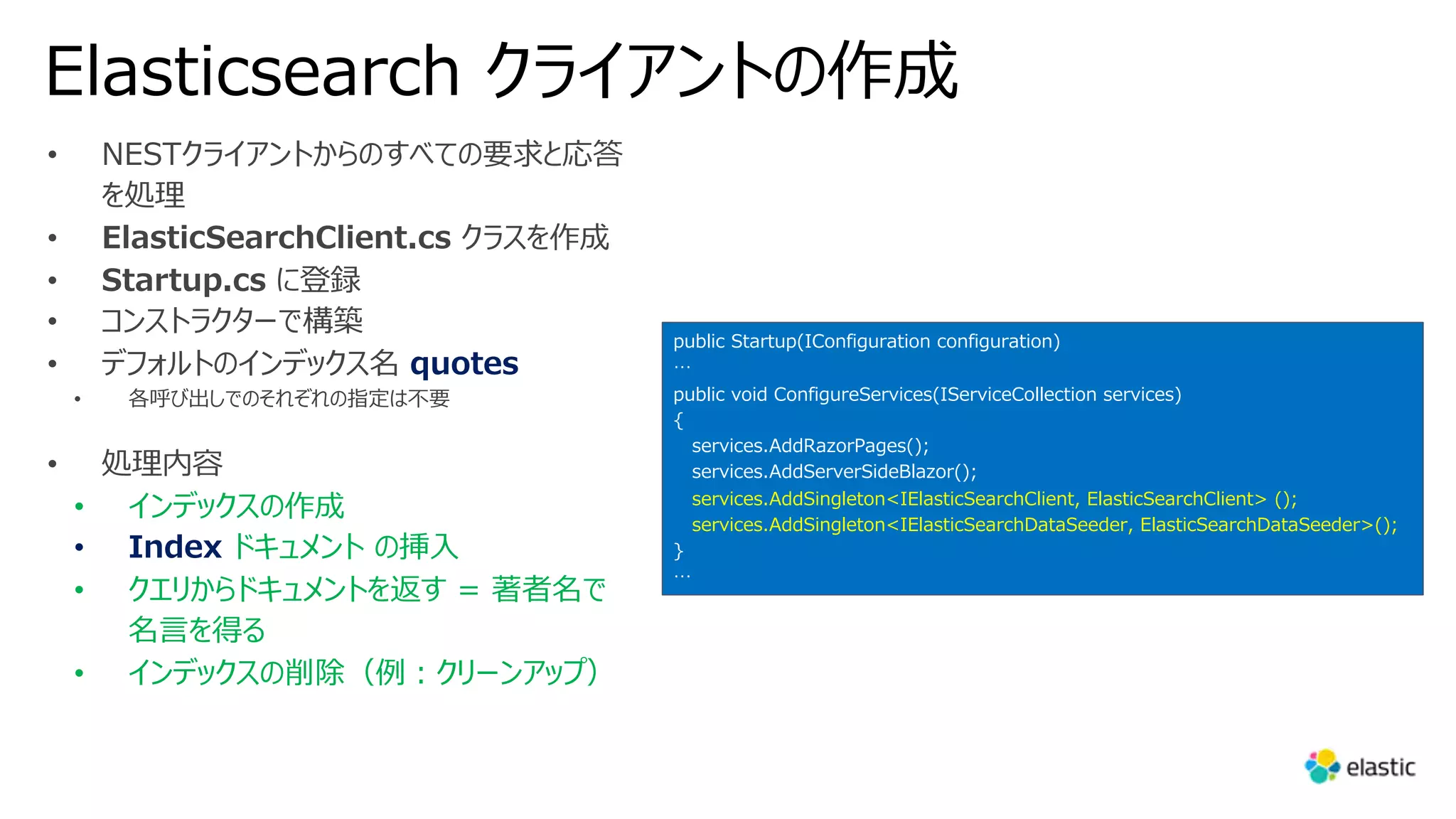
Elasticsearch クライアントの作成
• NESTクライアントからのすべての要求と応答
を処理
• ElasticSearchClient.cs クラスを作成
• Startup.cs に登録
• コンストラクターで構築
• デフォルトのインデックス名 quotes
• 各呼び出しでのそれぞれの指定は不要
• 処理内容
• インデックスの作成
• Index ドキュメント の挿⼊
• クエリからドキュメントを返す = 著者名で
名⾔を得る
• インデックスの削除(例︓クリーンアップ)
public Startup(IConfiguration configuration)
…
public void ConfigureServices(IServiceCollection services)
{
services.AddRazorPages();
services.AddServerSideBlazor();
services.AddSingleton<IElasticSearchClient, ElasticSearchClient> ();
services.AddSingleton<IElasticSearchDataSeeder, ElasticSearchDataSeeder>();
}
…
DataSeeder の作成
• データシーダーを作成する
• 歴史上の⼈物からの名⾔を検索
• インターネット上に多くのデータ、JSON ファイルとしても
存在
• DataSeeder (Blazor ページ) を作成し
それをデフォルトメニューにリンク
• QuotesModel (POCO クラス) を作成
• ElasticSearchDataSeeder クラス作成
• ElasticSearchDataSeeder を
Startup.cs に登録
public Startup(IConfiguration configuration)
…
public void ConfigureServices(IServiceCollection services)
{
…
services.AddSingleton<IElasticSearchDataSeeder, ElasticSearchDataSeeder>();
}
…
using System.Text.Json.Serialization;
using Nest;
namespace elasticsearch_aspnet_blazor.Model
{
public class QuotesModel
{
[JsonPropertyName("quoteText")] //Attribute name in json
[Keyword] //Attribute for ElasticSearch
public string Text { get; set; }
[JsonPropertyName("quoteAuthor")] //Attribute name in json
[Keyword] //Attribute for ElasticSearch
public string Author { get; set; }
}
}
• SeedAsync で最初にインターネットリポジトリから名⾔を取得
し、次いでそれらの名⾔を POCO オブジェクトに逆シリアル化
• その後、クリーンアップのために既存のインデックスを削除し、
新しいインデックスを作成
• 最後に、値をサービスにプッシュ
• アプリケーションを実⾏し、新しい DataSeed ページに移動し、
そこにシードを開始
検索ページの作成
• 単純な検索マスクを使⽤し結果をテーブルに表⽰
• Search Blazorページを作成、メニューにページを登録
• アプリケーションを実⾏し検索ページに移動
DataSeeder.Razor.cs
using System.Threading.Tasks;
using elasticsearch_aspnet_blazor.ElasticSearch;
using Microsoft.AspNetCore.Components;
namespace elasticsearch_aspnet_blazor.Pages
{
public partial class DataSeeder
{
[Inject]
public IElasticSearchDataSeeder ElasticSearchDataSeeder
{ get; set; }
private async Task SeedData()
{
await ElasticSearchDataSeeder.SeedAsync();
}
}
}
Search.razor
@page "/search"
<h1>ElasticSearch quotes search</h1>
<p>This component demonstrates searching data from ElasticSearch.</p>
<div class="form-group row">
<input @bind="SearchValue" />
<button class="btn btn-primary" @onclick="SearchQuotesAsync">Search</button>
</div>
@if (Quotes == null)
{
<p><em>Please type in your search...</em></p>
}
else
{
<table class="table">
<thead>
<tr>
<th>Author</th>
<th>Text</th>
</tr>
</thead>
<tbody>
@foreach (var quote in Quotes)
{
<tr>
<td>@quote.Author</td>
<td>@quote.Text</td>
</tr>
}
</tbody>
</table>
}
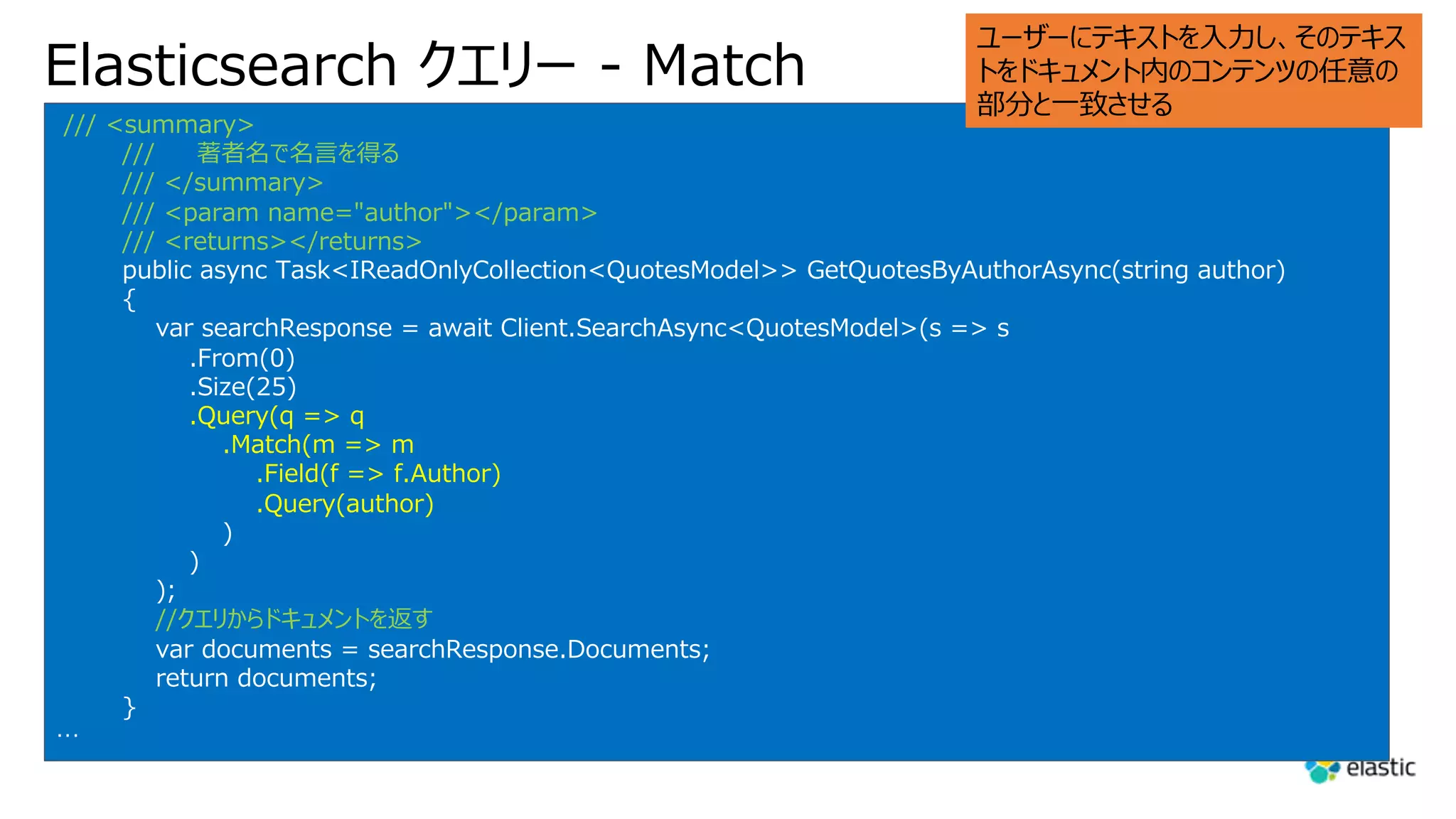
Elasticsearch クエリー - Match
/// <summary>
/// 著者名で名⾔を得る
/// </summary>
/// <param name="author"></param>
/// <returns></returns>
public async Task<IReadOnlyCollection<QuotesModel>> GetQuotesByAuthorAsync(string author)
{
var searchResponse = await Client.SearchAsync<QuotesModel>(s => s
.From(0)
.Size(25)
.Query(q => q
.Match(m => m
.Field(f => f.Author)
.Query(author)
)
)
);
//クエリからドキュメントを返す
var documents = searchResponse.Documents;
return documents;
}
…
ユーザーにテキストを⼊⼒し、そのテキス
トをドキュメント内のコンテンツの任意の
部分と⼀致させる
Application Performance Monitoring (APM)
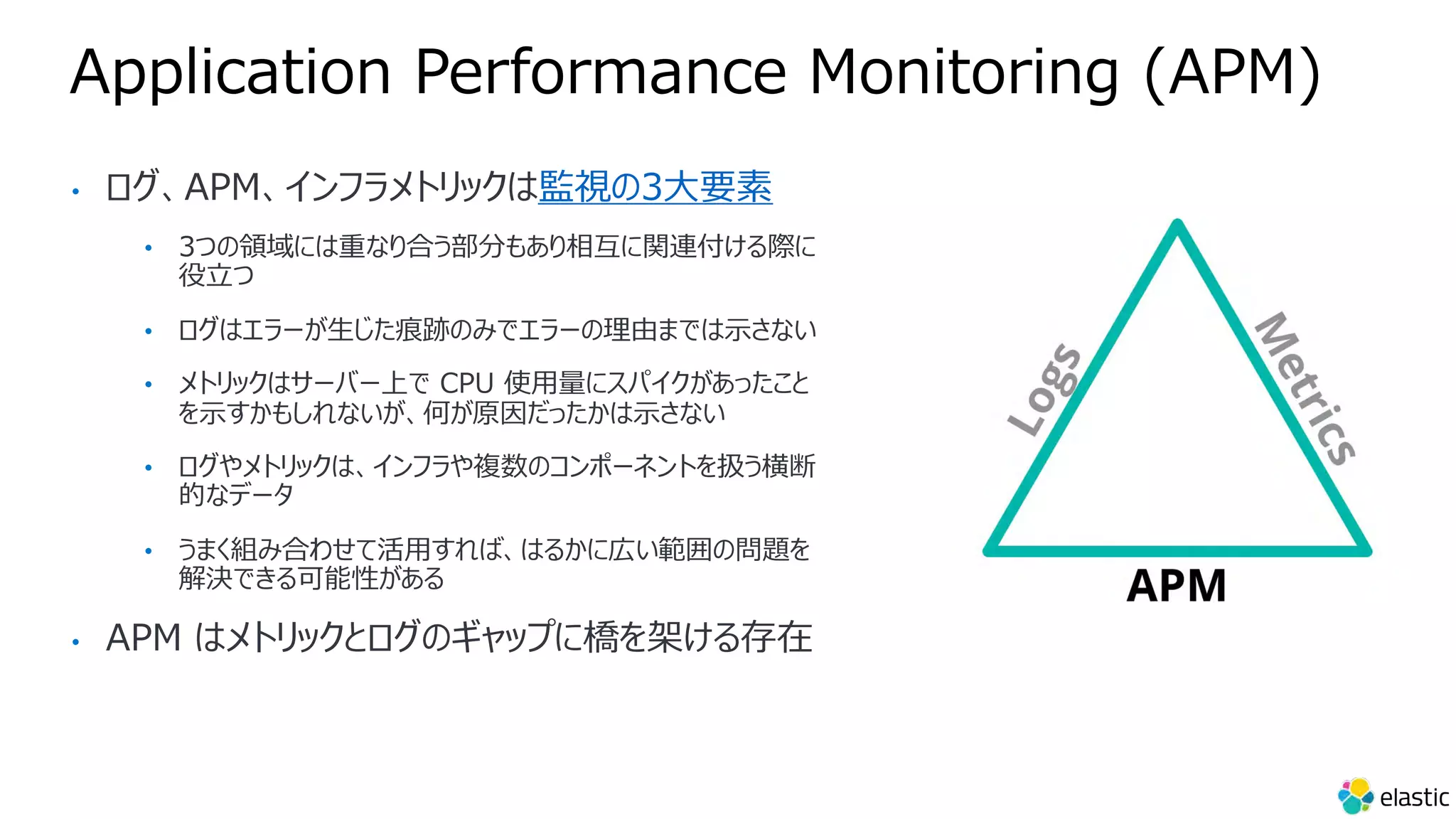
• ログ、APM、インフラメトリックは監視の3⼤要素
• 3つの領域には重なり合う部分もあり相互に関連付ける際に
役⽴つ
• ログはエラーが⽣じた痕跡のみでエラーの理由までは⽰さない
• メトリックはサーバー上で CPU 使⽤量にスパイクがあったこと
を⽰すかもしれないが、何が原因だったかは⽰さない
• ログやメトリックは、インフラや複数のコンポーネントを扱う横断
的なデータ
• うまく組み合わせて活⽤すれば、はるかに広い範囲の問題を
解決できる可能性がある
• APM はメトリックとログのギャップに橋を架ける存在
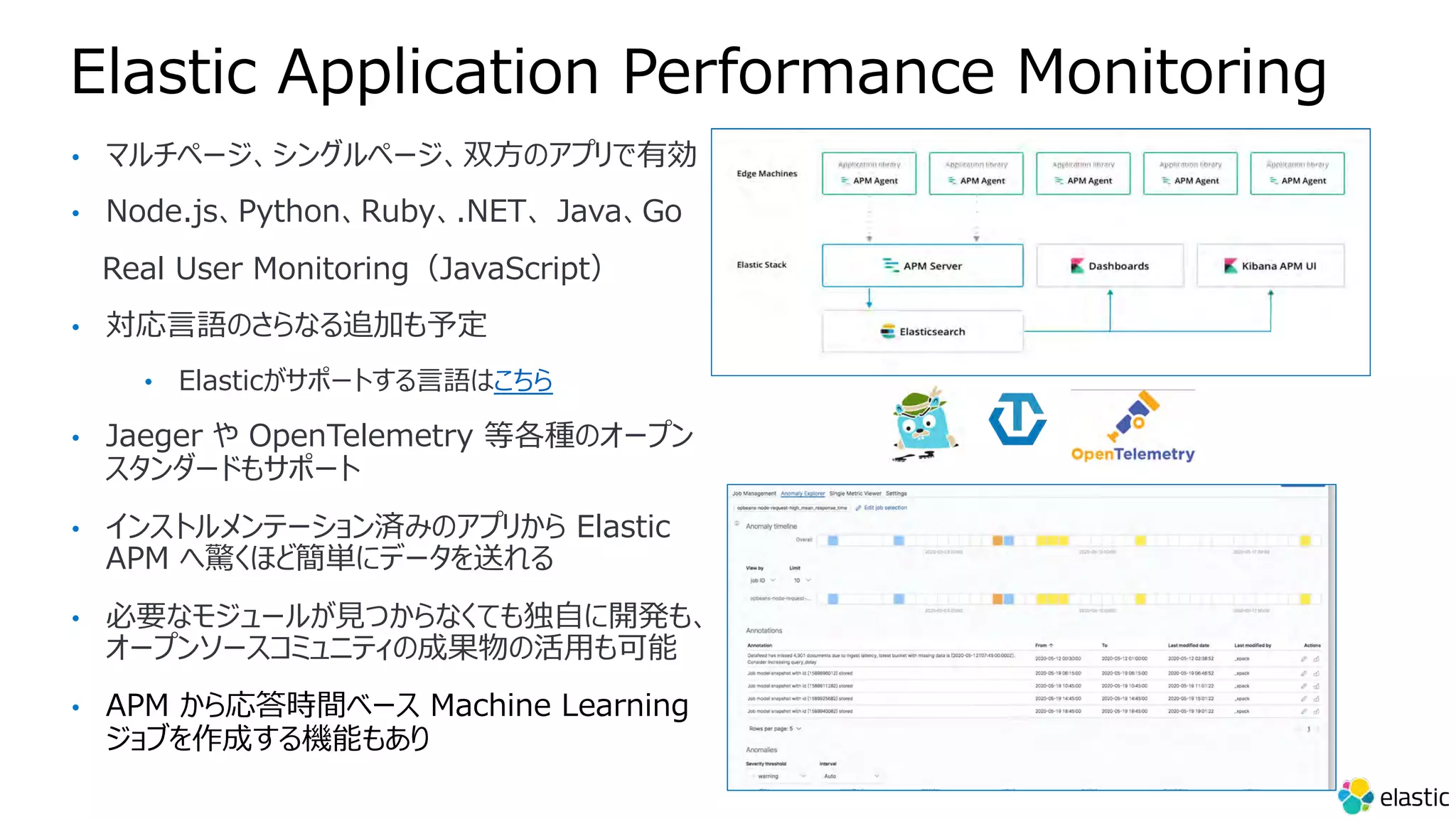
Elastic Application Performance Monitoring
• マルチページ、シングルページ、双⽅のアプリで有効
• Node.js、Python、Ruby、.NET、 Java、Go
Real User Monitoring(JavaScript)
• 対応⾔語のさらなる追加も予定
• Elasticがサポートする⾔語はこちら
• Jaeger や OpenTelemetry 等各種のオープン
スタンダードもサポート
• インストルメンテーション済みのアプリから Elastic
APM へ驚くほど簡単にデータを送れる
• 必要なモジュールが⾒つからなくても独⾃に開発も、
オープンソースコミュニティの成果物の活⽤も可能
• APM から応答時間ベース Machine Learning
ジョブを作成する機能もあり
ログと APM とで得られる情報を⽐較
264.242.88.10 - - [22/Jan/2018:16:38:53 -0800]
"POST /checkout/addresses/ HTTP/1.1" 500 5253
⼀定の時間に数回起きているということ、⼀⽇中
発⽣していることがわかる
ログで⾒ても、ログファイルの1つに対応するスタック
の痕跡が⾒つかるはず
しかし APM のようにそのコンテクストや メタデータ
まで⾒つかる可能性は⾼くない
APMが捉えた内容︓最終発⽣⽇時、
発⽣頻度、アプリケーションで処理された
か否か、という情報が表⽰
たとえば NumberParseException を
使って例外処理の詳細を⾒ると、エラーが
発⽣した回数の分布がウインドウで視覚
的に表⽰される
⾚い部分はこの例外処理を実施したコード⾏
APMが提供するメタデータが問題の正確な
内容
プログラマーでない⼈間が⾒ても問題が正確
に理解でき、チケットをオープンのために必要
⼗分な情報がある
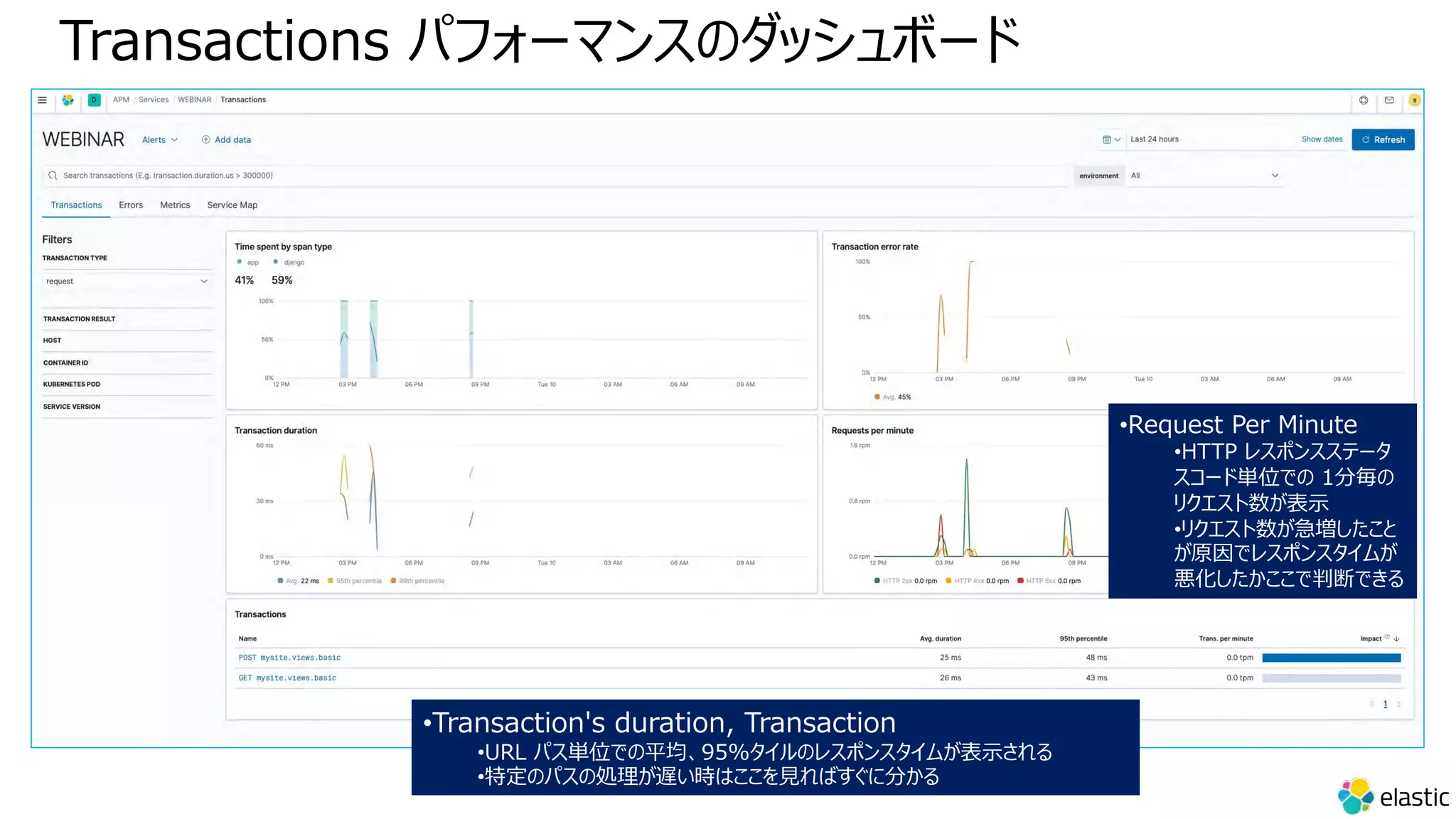
Transactions パフォーマンスのダッシュボード
•Transaction's duration, Transaction
•URL パス単位での平均、95%タイルのレスポンスタイムが表⽰される
•特定のパスの処理が遅い時はここを⾒ればすぐに分かる
•Request Per Minute
•HTTP レスポンスステータ
スコード単位での 1分毎の
リクエスト数が表⽰
•リクエスト数が急増したこと
が原因でレスポンスタイムが
悪化したかここで判断できる
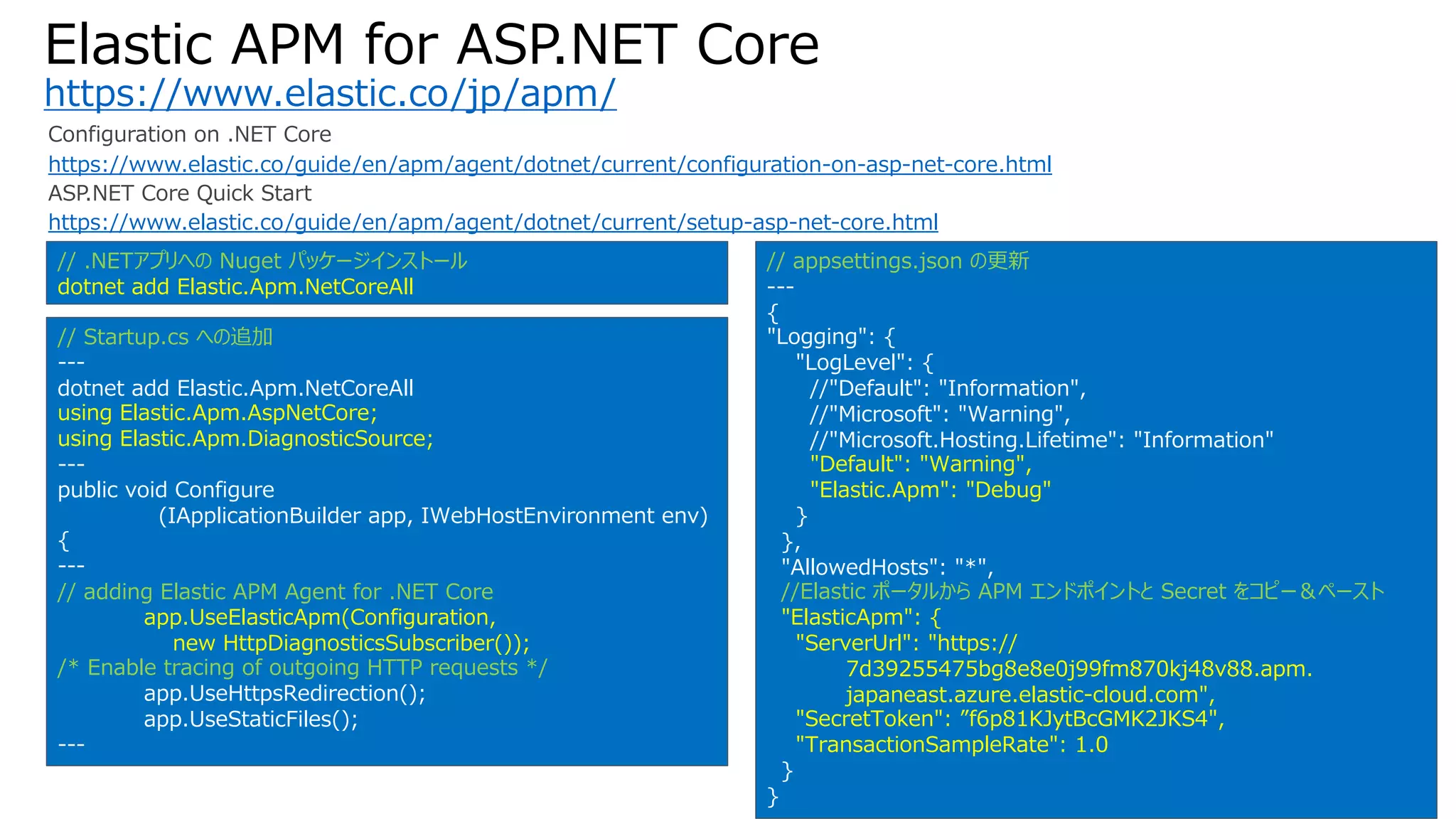
Elastic APM for ASP.NET Core
https://www.elastic.co/jp/apm/
Configuration on .NET Core
https://www.elastic.co/guide/en/apm/agent/dotnet/current/configuration-on-asp-net-core.html
ASP.NET Core Quick Start
https://www.elastic.co/guide/en/apm/agent/dotnet/current/setup-asp-net-core.html
// .NETアプリへの Nuget パッケージインストール
dotnet add Elastic.Apm.NetCoreAll
// Startup.cs への追加
---
dotnet add Elastic.Apm.NetCoreAll
using Elastic.Apm.AspNetCore;
using Elastic.Apm.DiagnosticSource;
---
public void Configure
(IApplicationBuilder app, IWebHostEnvironment env)
{
---
// adding Elastic APM Agent for .NET Core
app.UseElasticApm(Configuration,
new HttpDiagnosticsSubscriber());
/* Enable tracing of outgoing HTTP requests */
app.UseHttpsRedirection();
app.UseStaticFiles();
---
// appsettings.json の更新
---
{
"Logging": {
"LogLevel": {
//"Default": "Information",
//"Microsoft": "Warning",
//"Microsoft.Hosting.Lifetime": "Information"
"Default": "Warning",
"Elastic.Apm": "Debug"
}
},
"AllowedHosts": "*",
//Elastic ポータルから APM エンドポイントと Secret をコピー&ペースト
"ElasticApm": {
"ServerUrl": "https://
7d39255475bg8e8e0j99fm870kj48v88.apm.
japaneast.azure.elastic-cloud.com",
"SecretToken": ”f6p81KJytBcGMK2JKS4",
"TransactionSampleRate": 1.0
}
}
Index からの React アプリ⾃動⽣成と
Azure Static Web Apps デプロイ
今回のデモアプリの全体像
Azure Static
Web Apps
・Reference UI
・Search UI
・Reactive Search
検索専⽤ UI
Azure
Web Apps
Elastic Cloud
Azure サブスクリプション
検索・更新 UI
APM .NET Agent
東⽇本リージョン
マスターノード x 1
データノード x 2
ML ノード x 1
https://f79...c67.japaneast.azure.elastic-cloud.com:9243/
ASP.NET 5
Blazor App
APM SPA Agent
https://brave-ocean-06f61b600.azurestaticapps.net/
・VSCode
・VS for
mac 2022
Preview 3
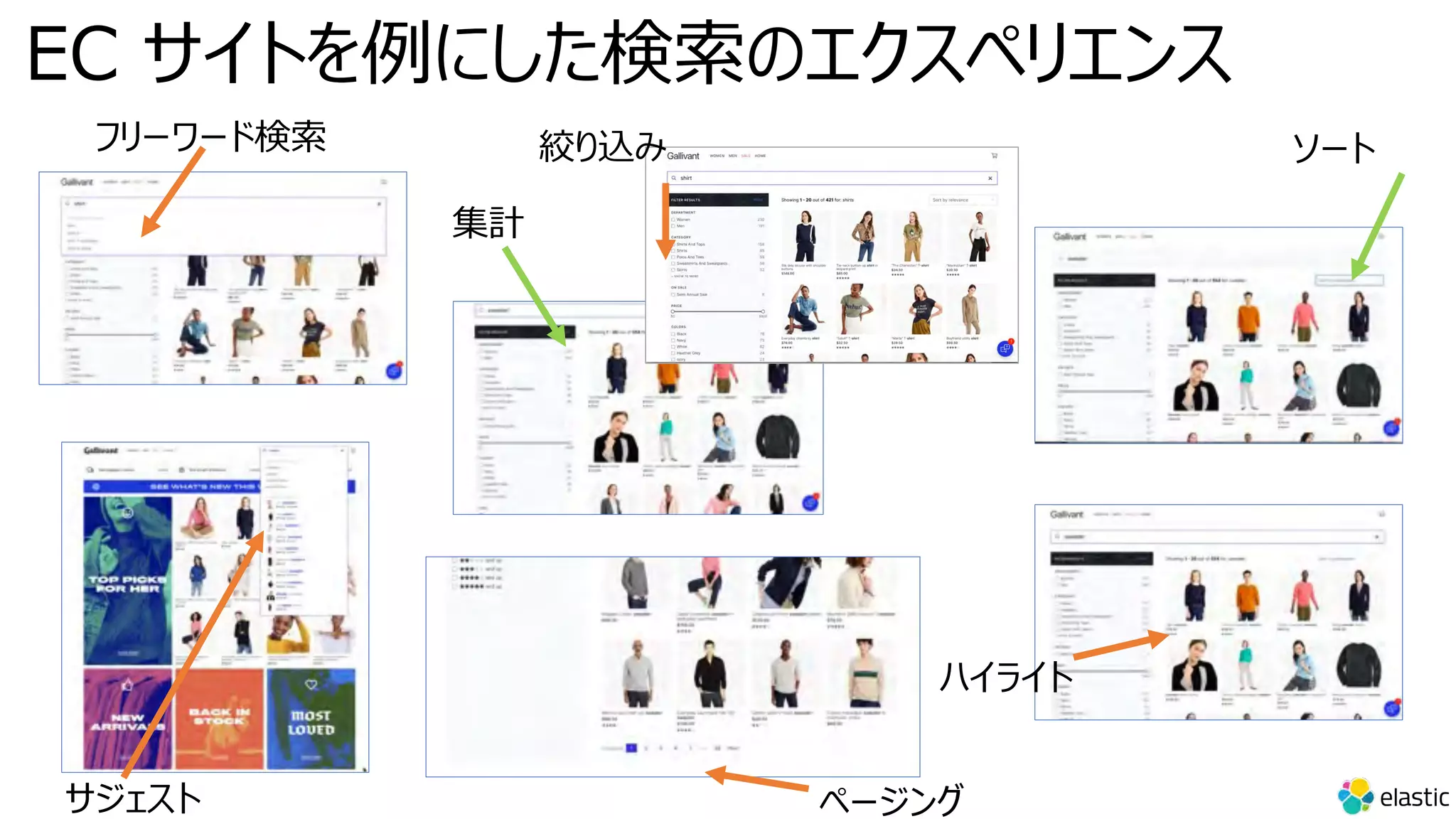
EC サイトを例にした検索のエクスペリエンス
フリーワード検索
サジェスト ページング
集計
絞り込み
ハイライト
ソート
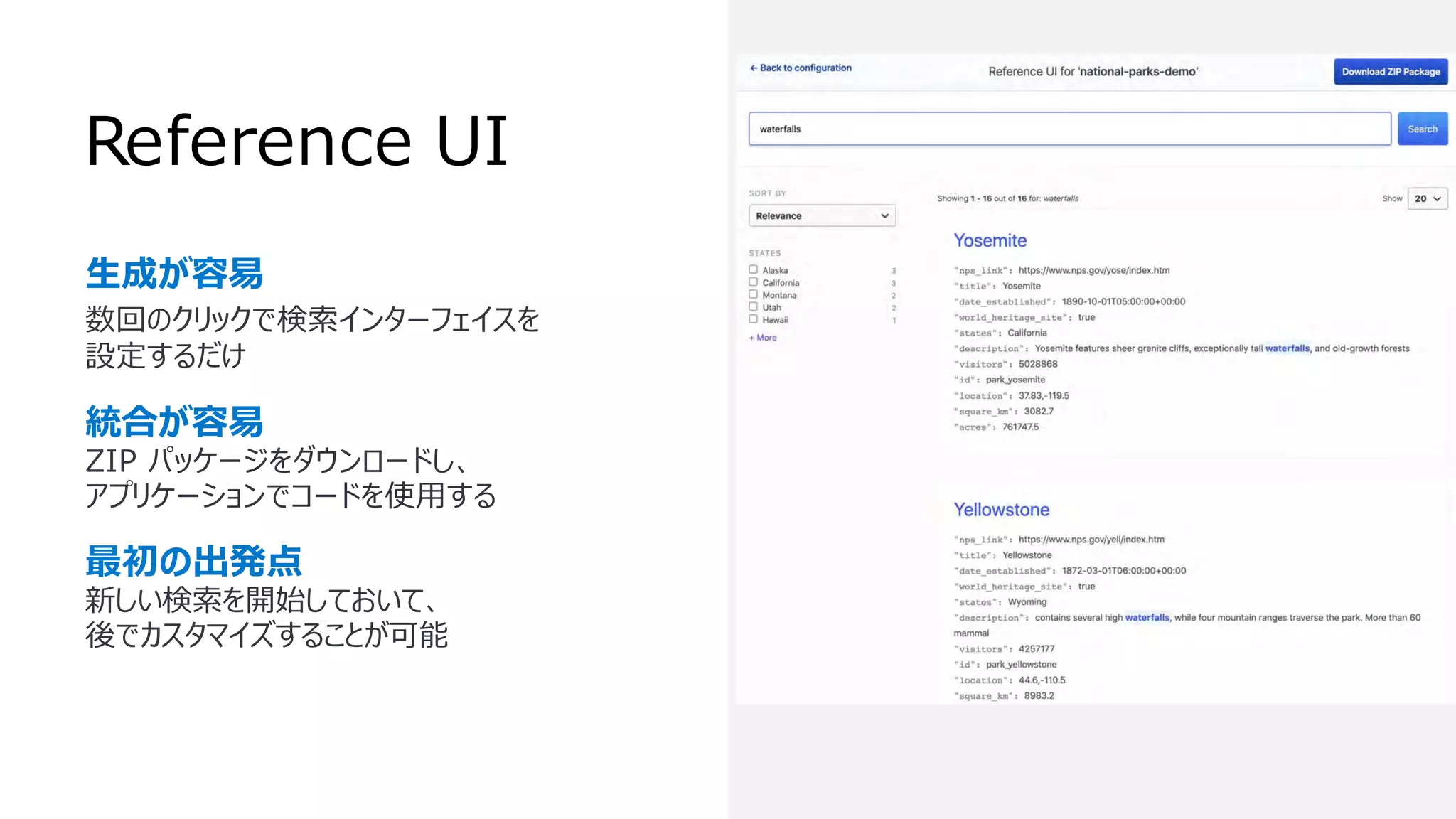
Reference UI
⽣成が容易
数回のクリックで検索インターフェイスを
設定するだけ
統合が容易
ZIP パッケージをダウンロードし、
アプリケーションでコードを使⽤する
最初の出発点
新しい検索を開始しておいて、
後でカスタマイズすることが可能
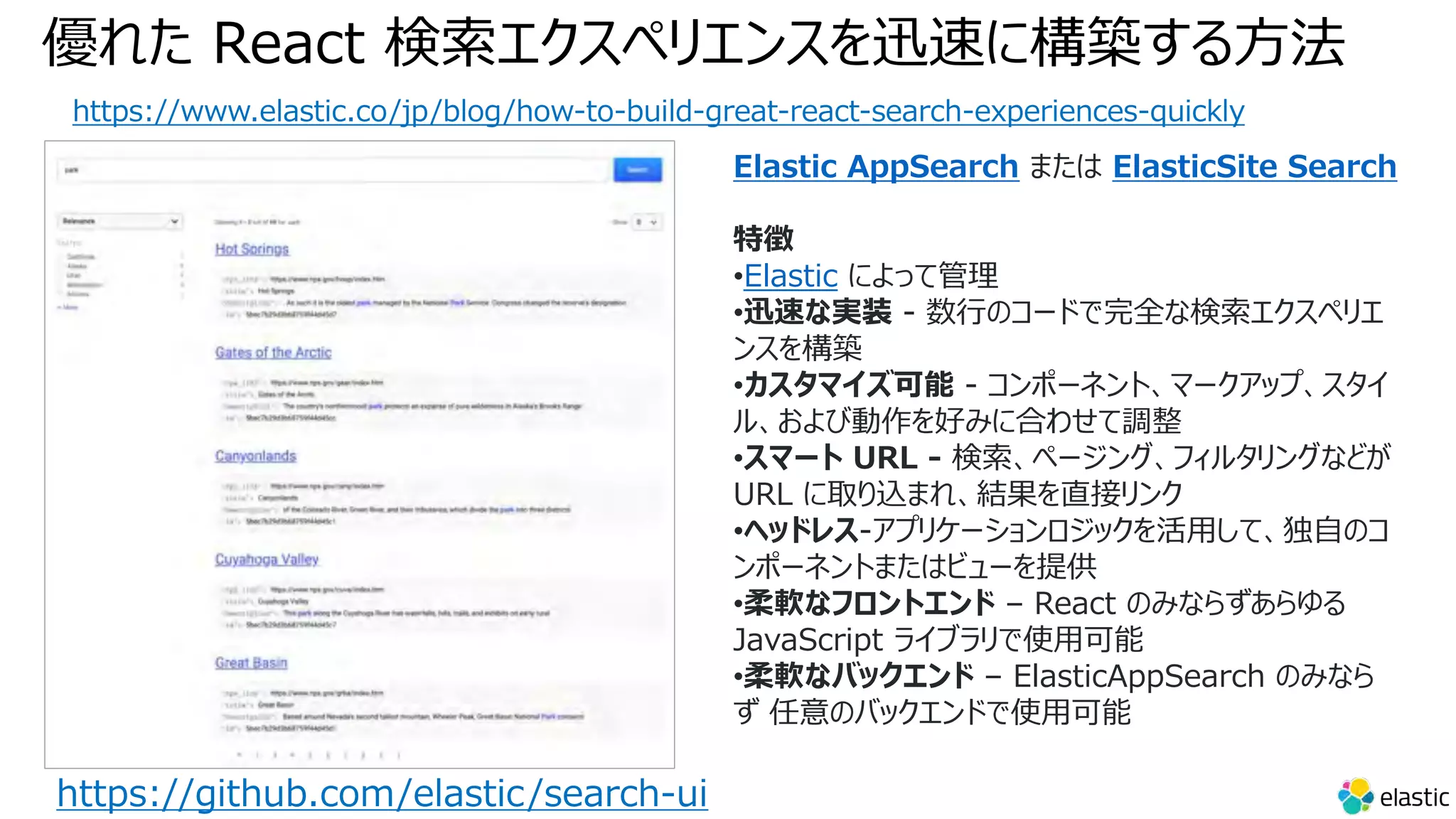
優れた React 検索エクスペリエンスを迅速に構築する⽅法
https://www.elastic.co/jp/blog/how-to-build-great-react-search-experiences-quickly
https://github.com/elastic/search-ui
Elastic AppSearch または ElasticSite Search
特徴
•Elastic によって管理
•迅速な実装 - 数⾏のコードで完全な検索エクスペリエ
ンスを構築
•カスタマイズ可能 - コンポーネント、マークアップ、スタイ
ル、および動作を好みに合わせて調整
•スマート URL - 検索、ページング、フィルタリングなどが
URL に取り込まれ、結果を直接リンク
•ヘッドレス-アプリケーションロジックを活⽤して、独⾃のコ
ンポーネントまたはビューを提供
•柔軟なフロントエンド – React のみならずあらゆる
JavaScript ライブラリで使⽤可能
•柔軟なバックエンド – ElasticAppSearch のみなら
ず 任意のバックエンドで使⽤可能
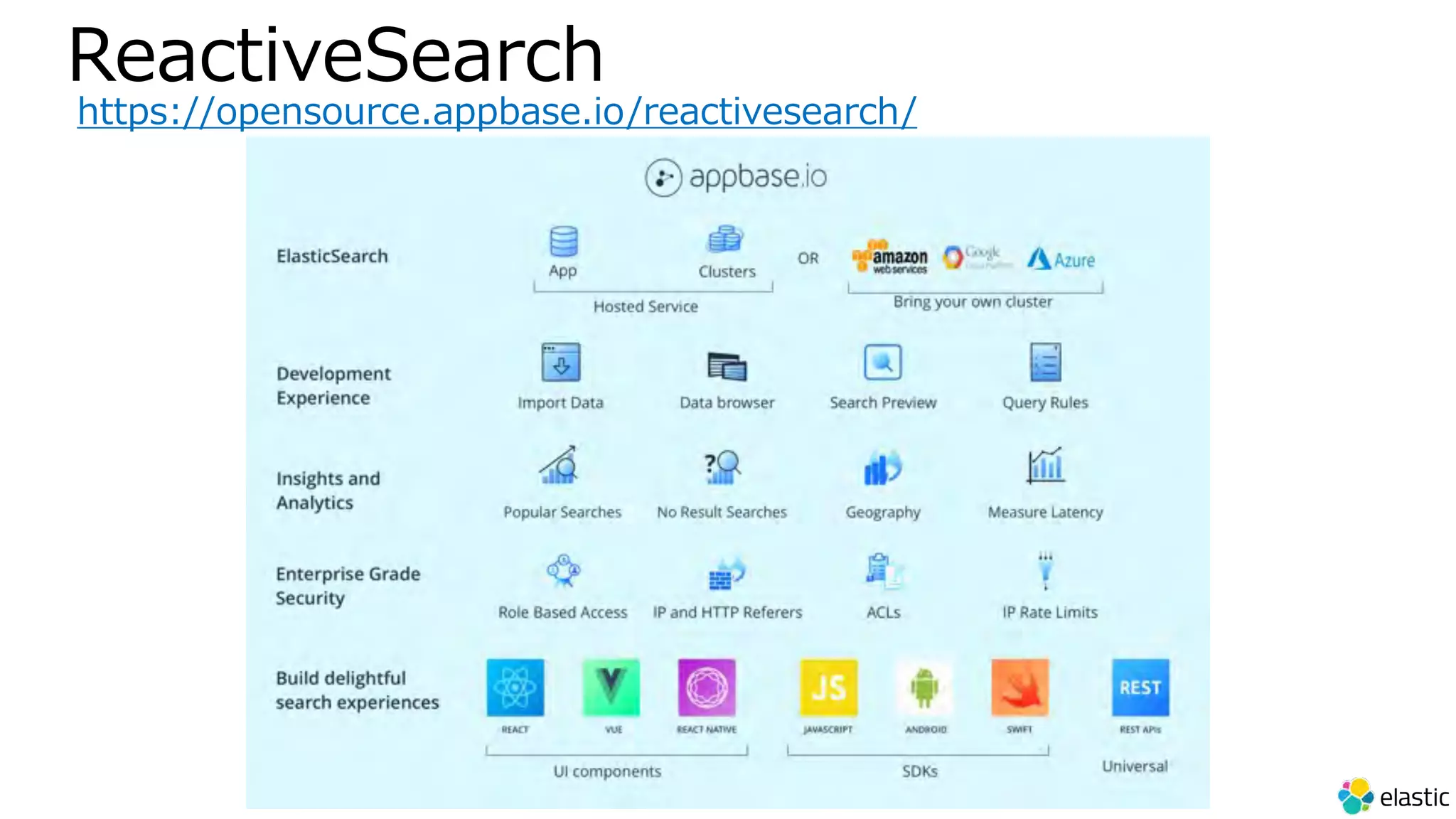
ReactiveSearch
https://opensource.appbase.io/reactivesearch/
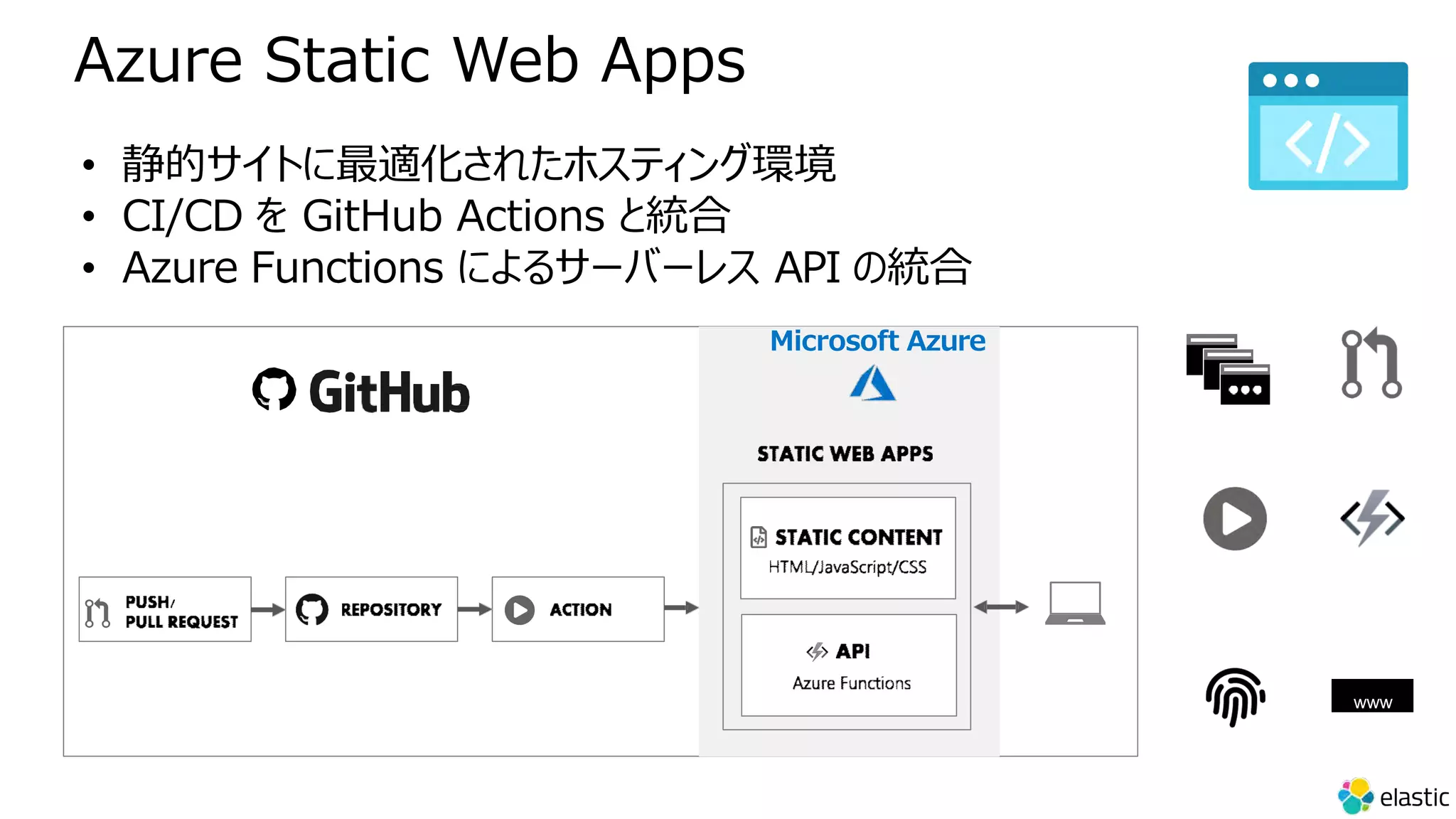
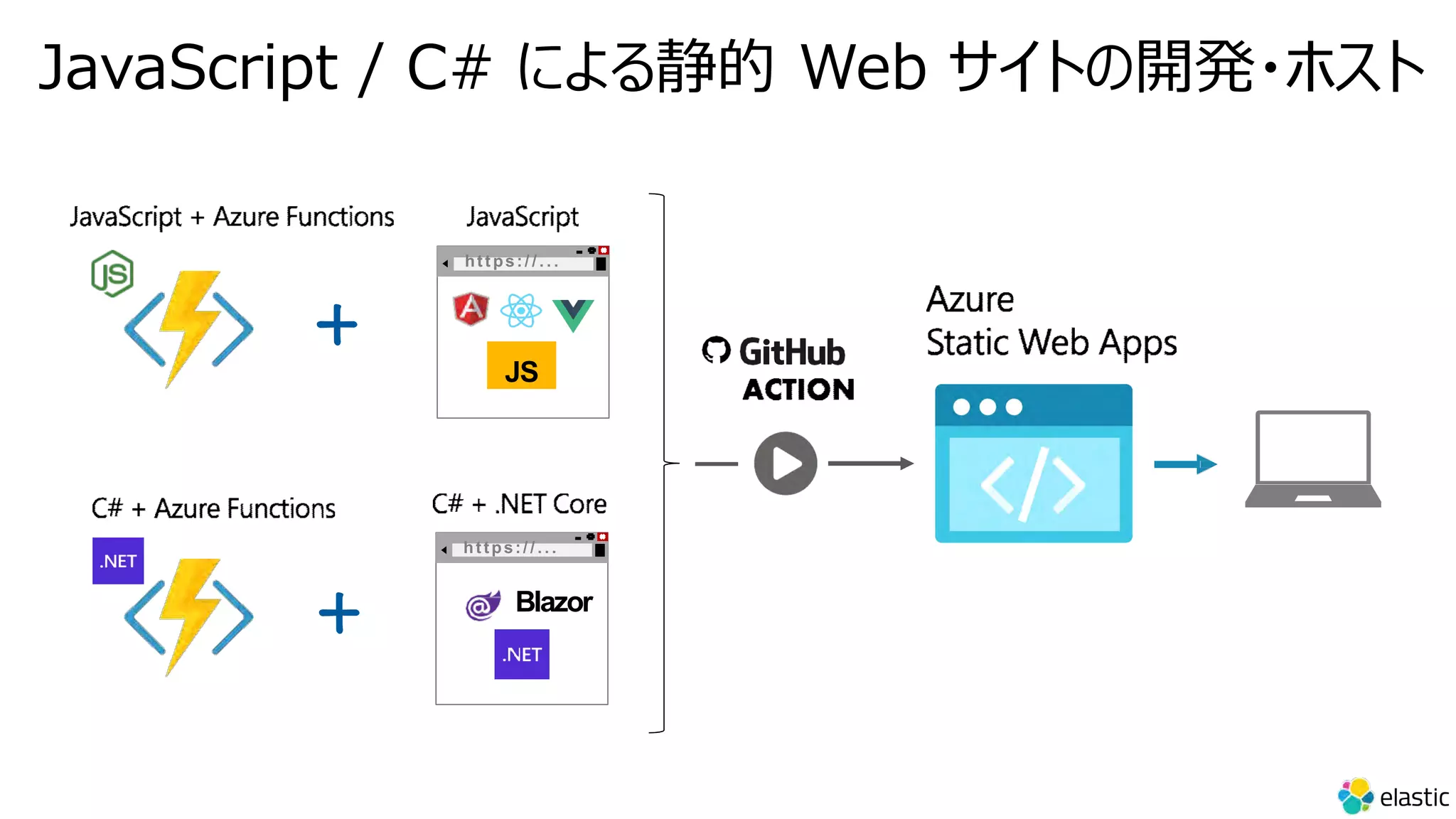
• 静的サイトに最適化されたホスティング環境
• CI/CD を GitHub Actions と統合
• Azure Functions によるサーバーレス API の統合
Microsoft Azure
www
Azure Static Web Apps
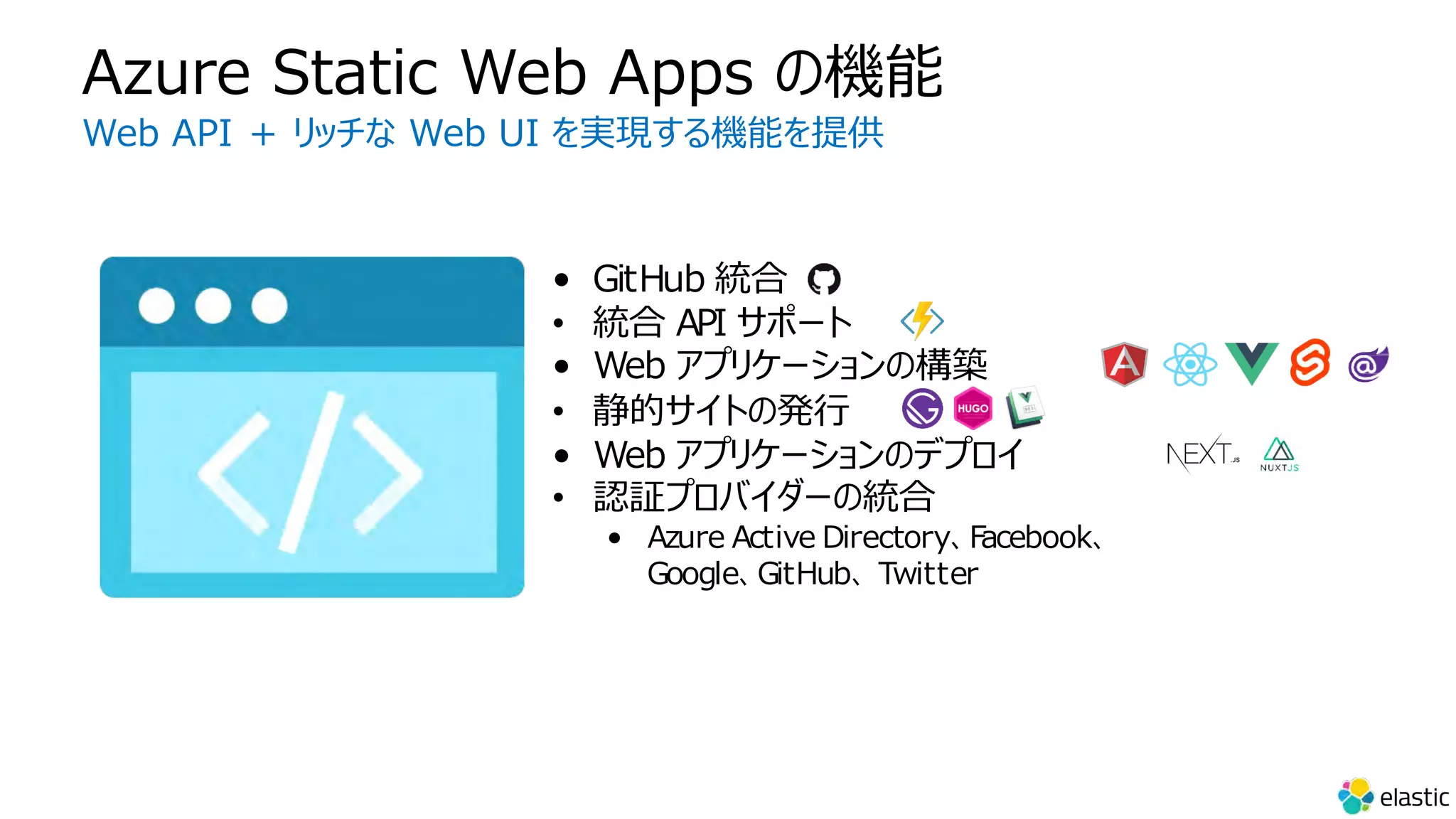
• GitHub 統合
• 統合 API サポート
• Web アプリケーションの構築
• 静的サイトの発⾏
• Web アプリケーションのデプロイ
• 認証プロバイダーの統合
• Azure Active Directory、Facebook、
Google、GitHub、 Twitter
Azure Static Web Apps の機能
Web API + リッチな Web UI を実現する機能を提供
https:/ / . . .
Blazor
+
https:/ / . . .
+
JS
JavaScript / C# による静的 Web サイトの開発・ホスト
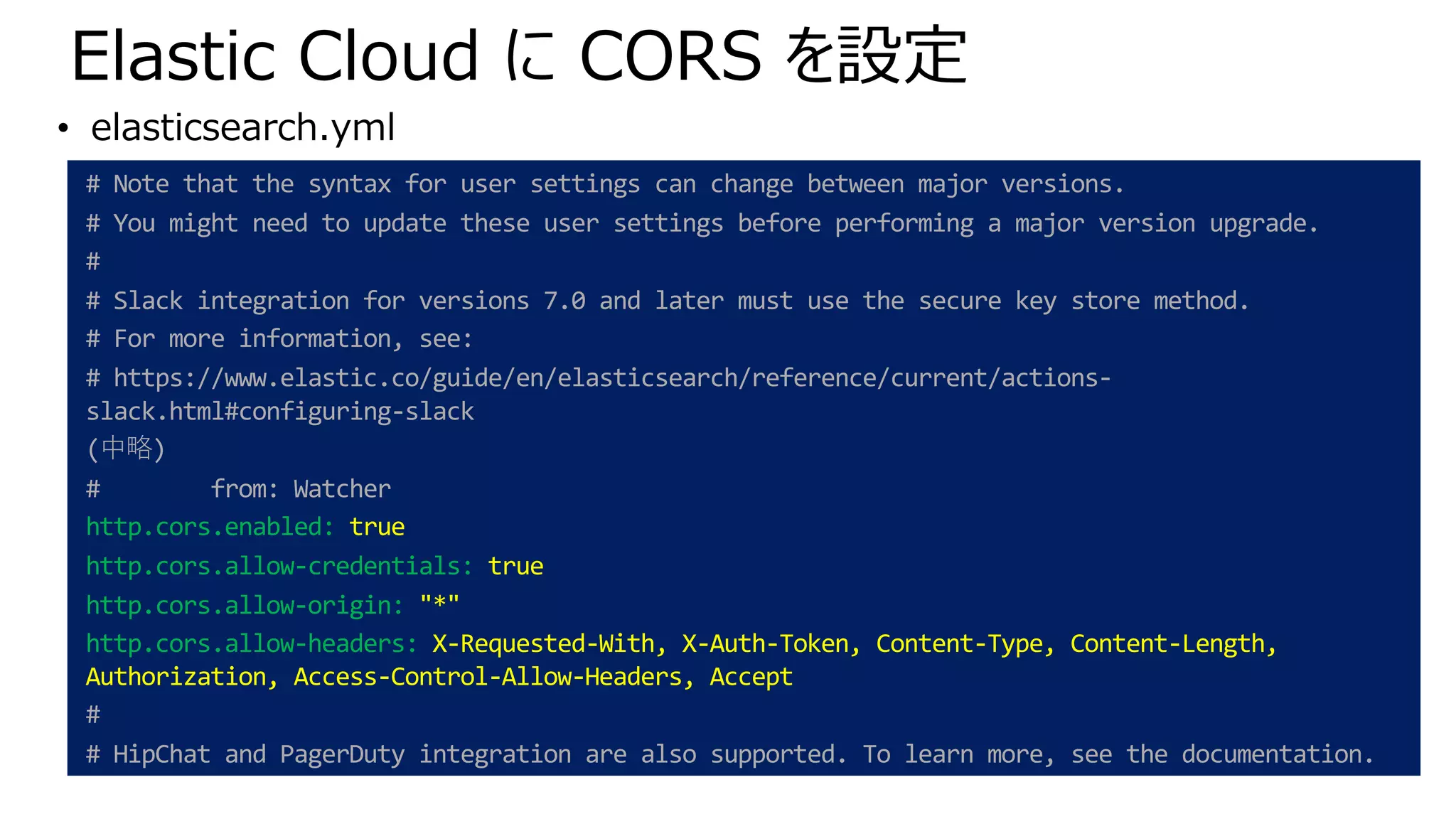
Elastic Cloud に CORS を設定
# Note that the syntax for user settings can change between major versions.
# You might need to update these user settings before performing a major version upgrade.
#
# Slack integration for versions 7.0 and later must use the secure key store method.
# For more information, see:
# https://www.elastic.co/guide/en/elasticsearch/reference/current/actions-
slack.html#configuring-slack
(中略)
# from: Watcher
http.cors.enabled: true
http.cors.allow-credentials: true
http.cors.allow-origin: "*"
http.cors.allow-headers: X-Requested-With, X-Auth-Token, Content-Type, Content-Length,
Authorization, Access-Control-Allow-Headers, Accept
#
# HipChat and PagerDuty integration are also supported. To learn more, see the documentation.
• elasticsearch.yml
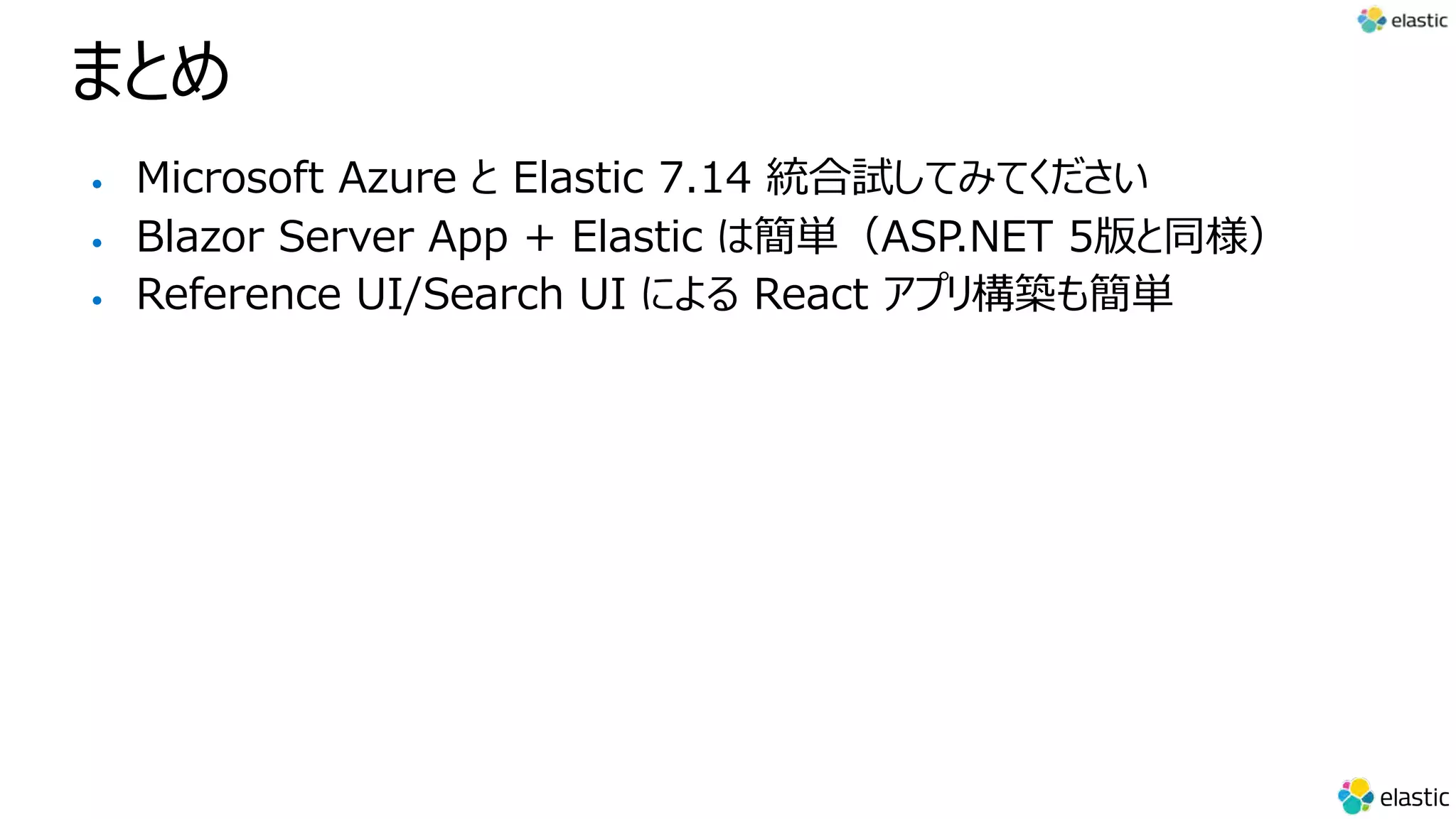
まとめ
まとめ
• Microsoft Azure と Elastic 7.14 統合試してみてください
• Blazor Server App + Elastic は簡単(ASP.NET 5版と同様)
• Reference UI/Search UI による React アプリ構築も簡単
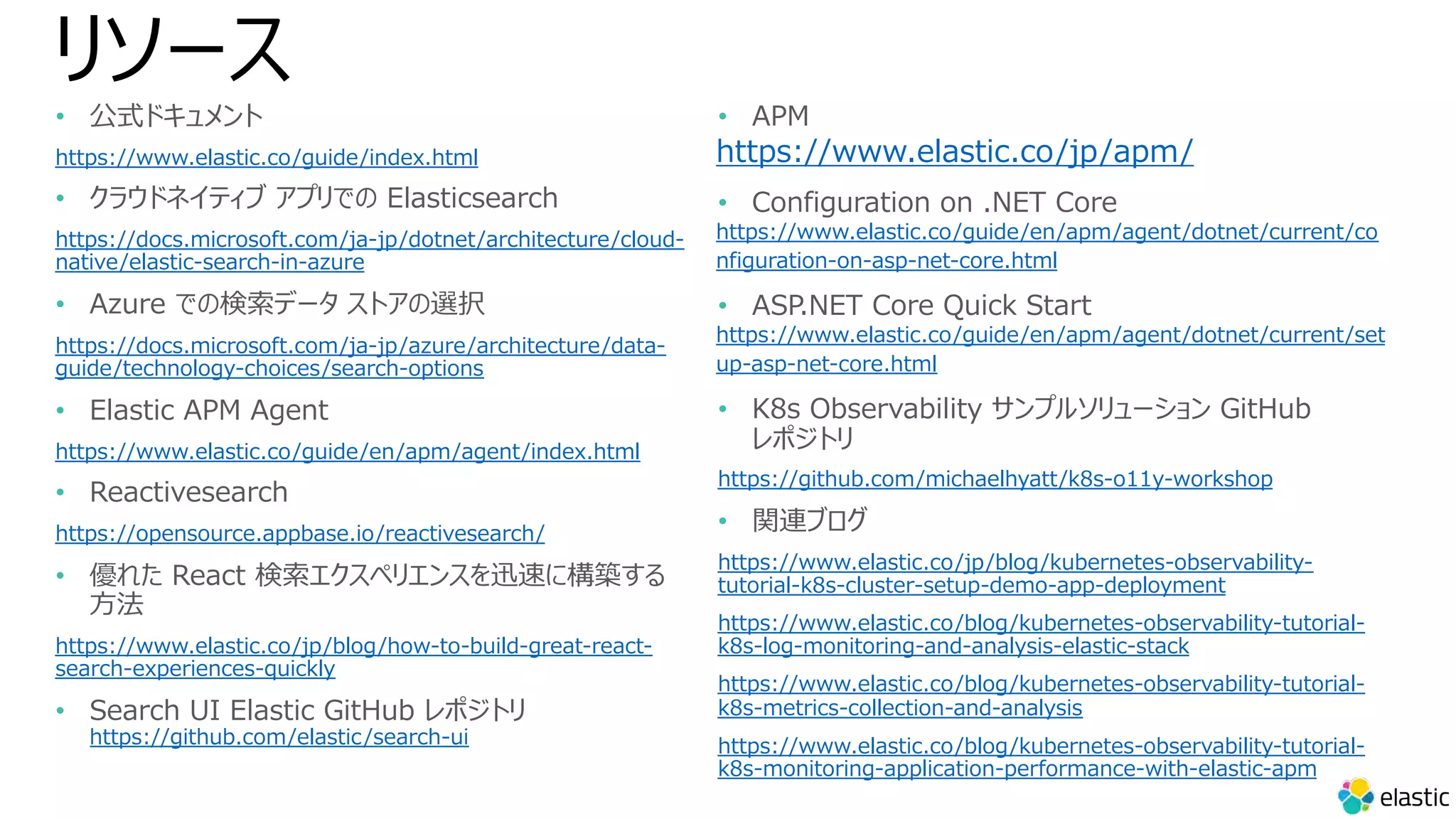
リソース
• 公式ドキュメント
https://www.elastic.co/guide/index.html
• クラウドネイティブ アプリでの Elasticsearch
https://docs.microsoft.com/ja-jp/dotnet/architecture/cloud-
native/elastic-search-in-azure
• Azure での検索データ ストアの選択
https://docs.microsoft.com/ja-jp/azure/architecture/data-
guide/technology-choices/search-options
• Elastic APM Agent
https://www.elastic.co/guide/en/apm/agent/index.html
• Reactivesearch
https://opensource.appbase.io/reactivesearch/
• 優れた React 検索エクスペリエンスを迅速に構築する
⽅法
https://www.elastic.co/jp/blog/how-to-build-great-react-
search-experiences-quickly
• Search UI Elastic GitHub レポジトリ
https://github.com/elastic/search-ui
• APM
https://www.elastic.co/jp/apm/
• Configuration on .NET Core
https://www.elastic.co/guide/en/apm/agent/dotnet/current/co
nfiguration-on-asp-net-core.html
• ASP.NET Core Quick Start
https://www.elastic.co/guide/en/apm/agent/dotnet/current/set
up-asp-net-core.html
• K8s Observability サンプルソリューション GitHub
レポジトリ
https://github.com/michaelhyatt/k8s-o11y-workshop
• 関連ブログ
https://www.elastic.co/jp/blog/kubernetes-observability-
tutorial-k8s-cluster-setup-demo-app-deployment
https://www.elastic.co/blog/kubernetes-observability-tutorial-
k8s-log-monitoring-and-analysis-elastic-stack
https://www.elastic.co/blog/kubernetes-observability-tutorial-
k8s-metrics-collection-and-analysis
https://www.elastic.co/blog/kubernetes-observability-tutorial-
k8s-monitoring-application-performance-with-elastic-apm
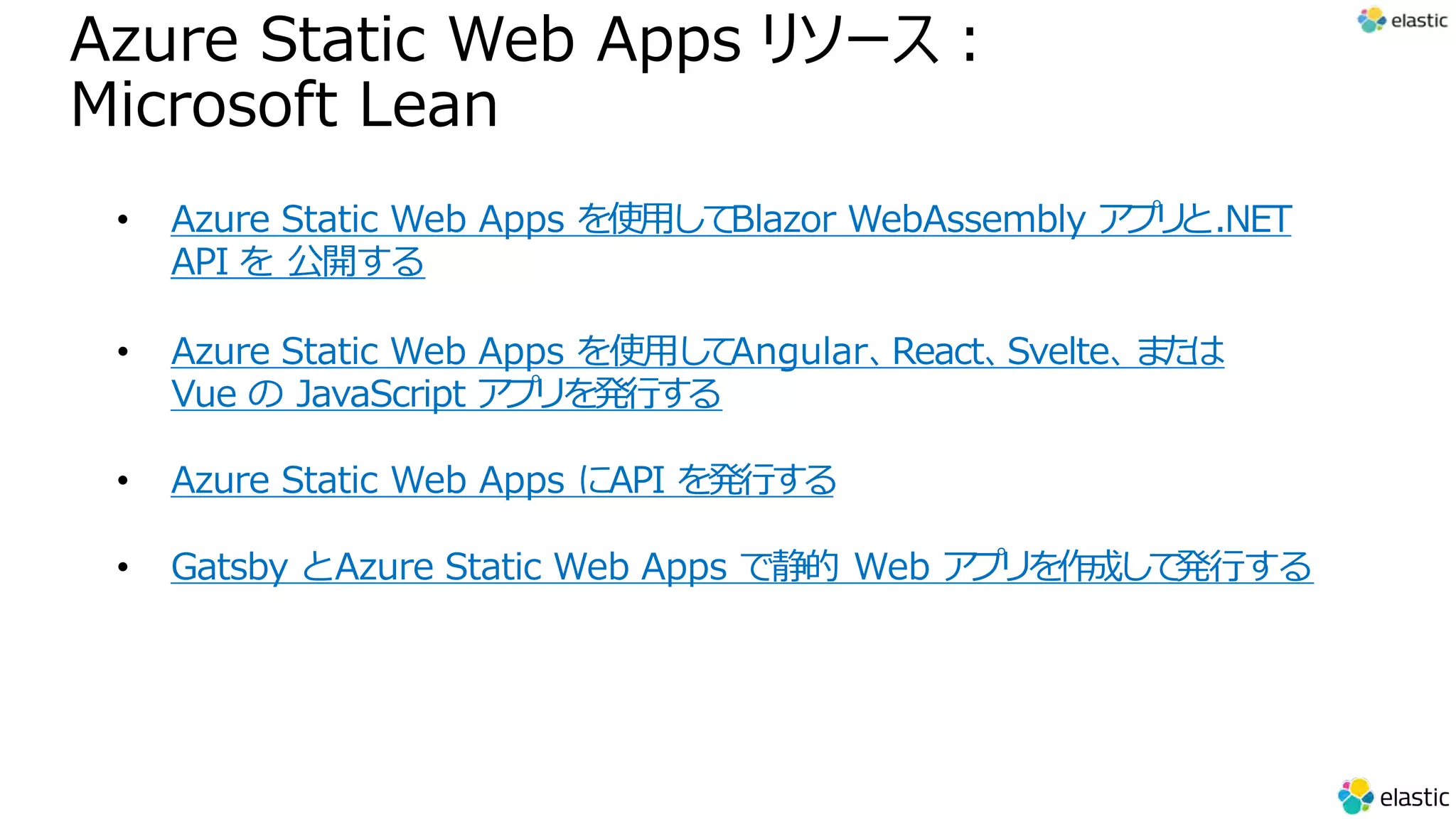
Azure Static Web Apps リソース︓
Microsoft Lean
• Azure Static Web Apps を使⽤して
Blazor WebAssembly ア
プ
リ
と.NET
API を 公開する
• Azure Static Web Apps を使⽤し
て
Angular、
React、
Svelte、
ま
た
は
Vue の JavaScript ア
プ
リを発⾏する
• Azure Static Web Apps にAPI を発⾏する
• Gatsby とAzure Static Web Apps で静的 Web ア
プ
リを作成して
発⾏する
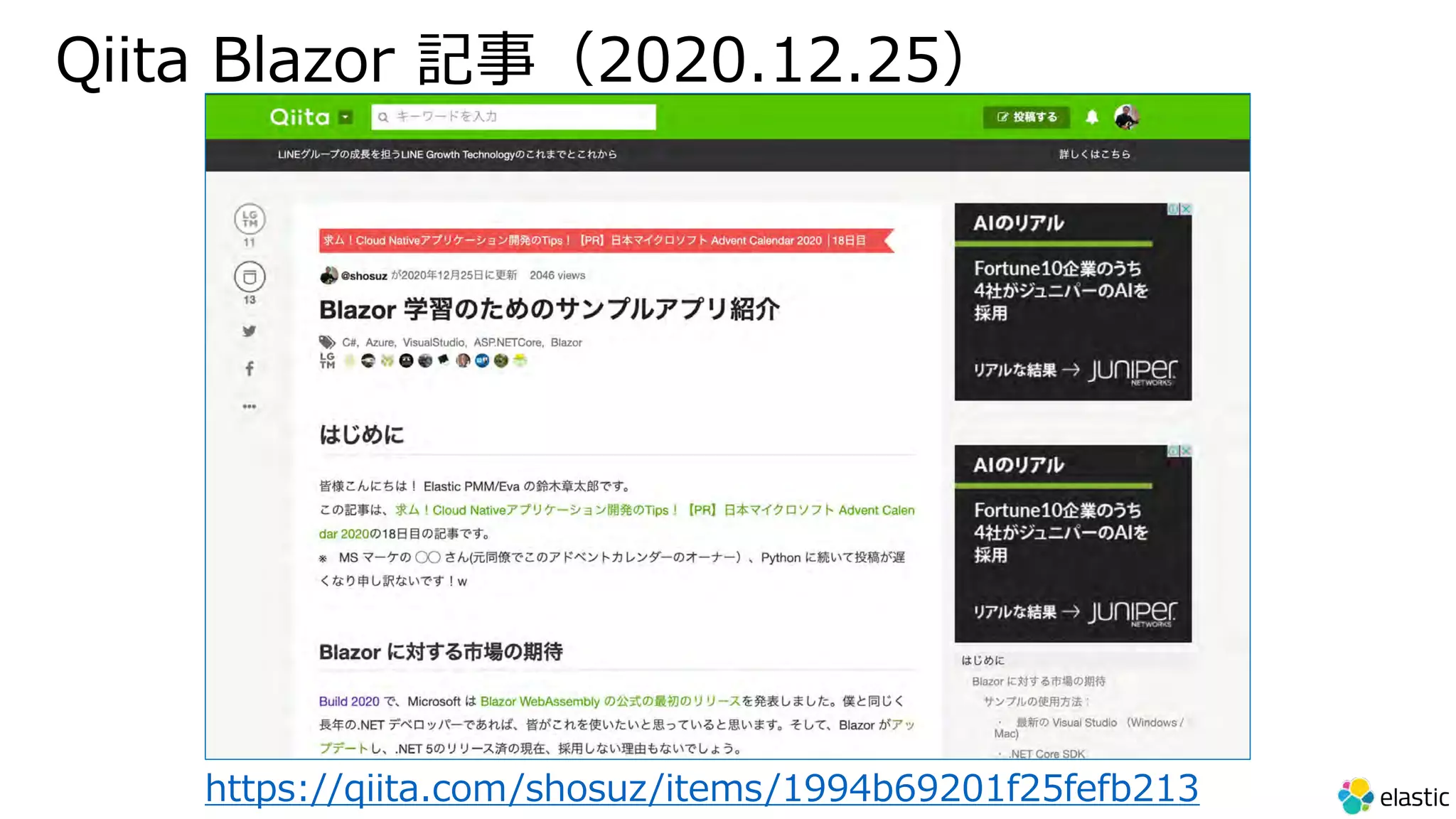
Qiita Blazor 記事(2020.12.25)
https://qiita.com/shosuz/items/1994b69201f25fefb213
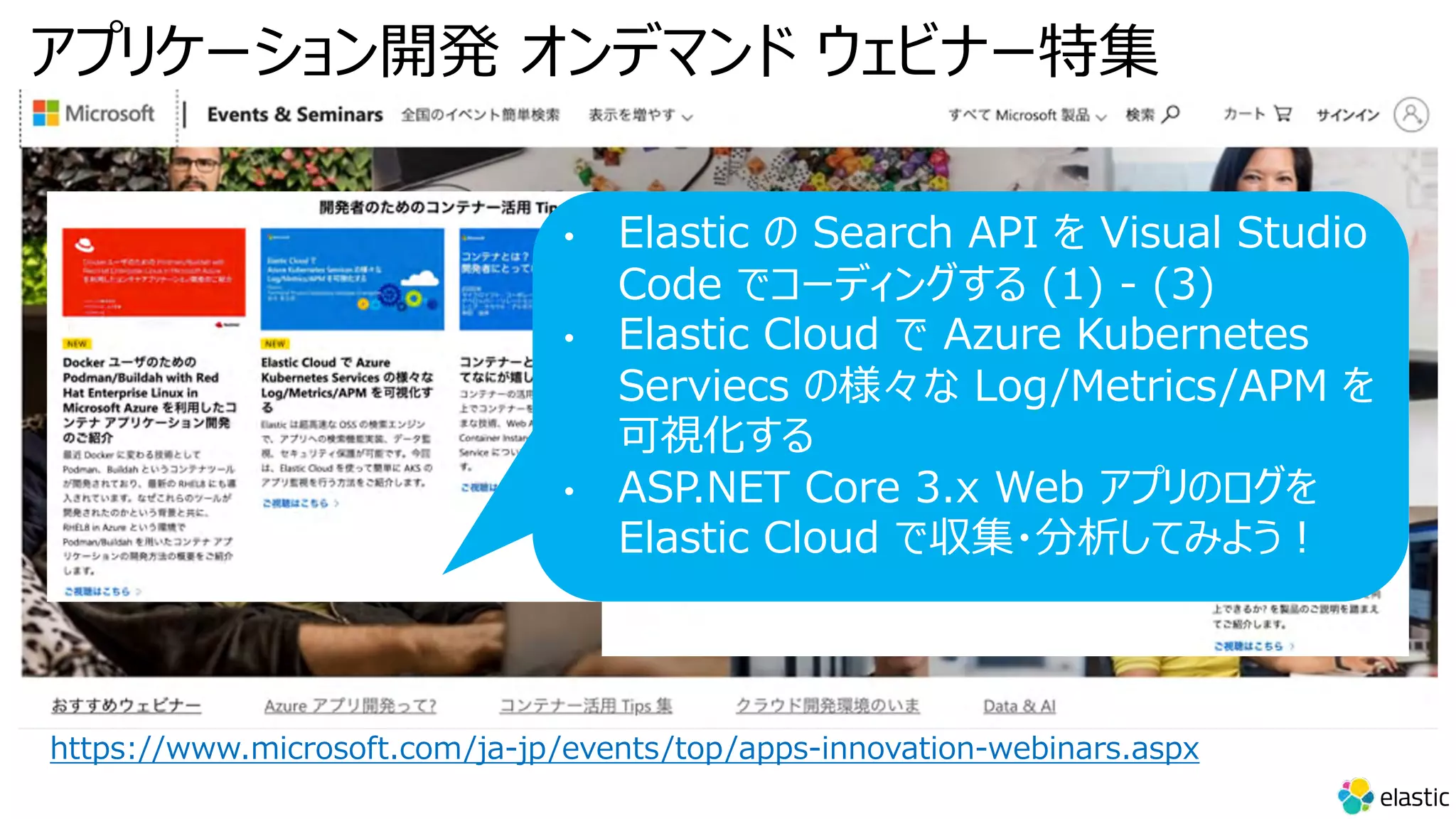
アプリケーション開発 オンデマンド ウェビナー特集
https://www.microsoft.com/ja-jp/events/top/apps-innovation-webinars.aspx
• Elastic の Search API を Visual Studio
Code でコーディングする (1) - (3)
• Elastic Cloud で Azure Kubernetes
Serviecs の様々な Log/Metrics/APM を
可視化する
• ASP.NET Core 3.x Web アプリのログを
Elastic Cloud で収集・分析してみよう︕
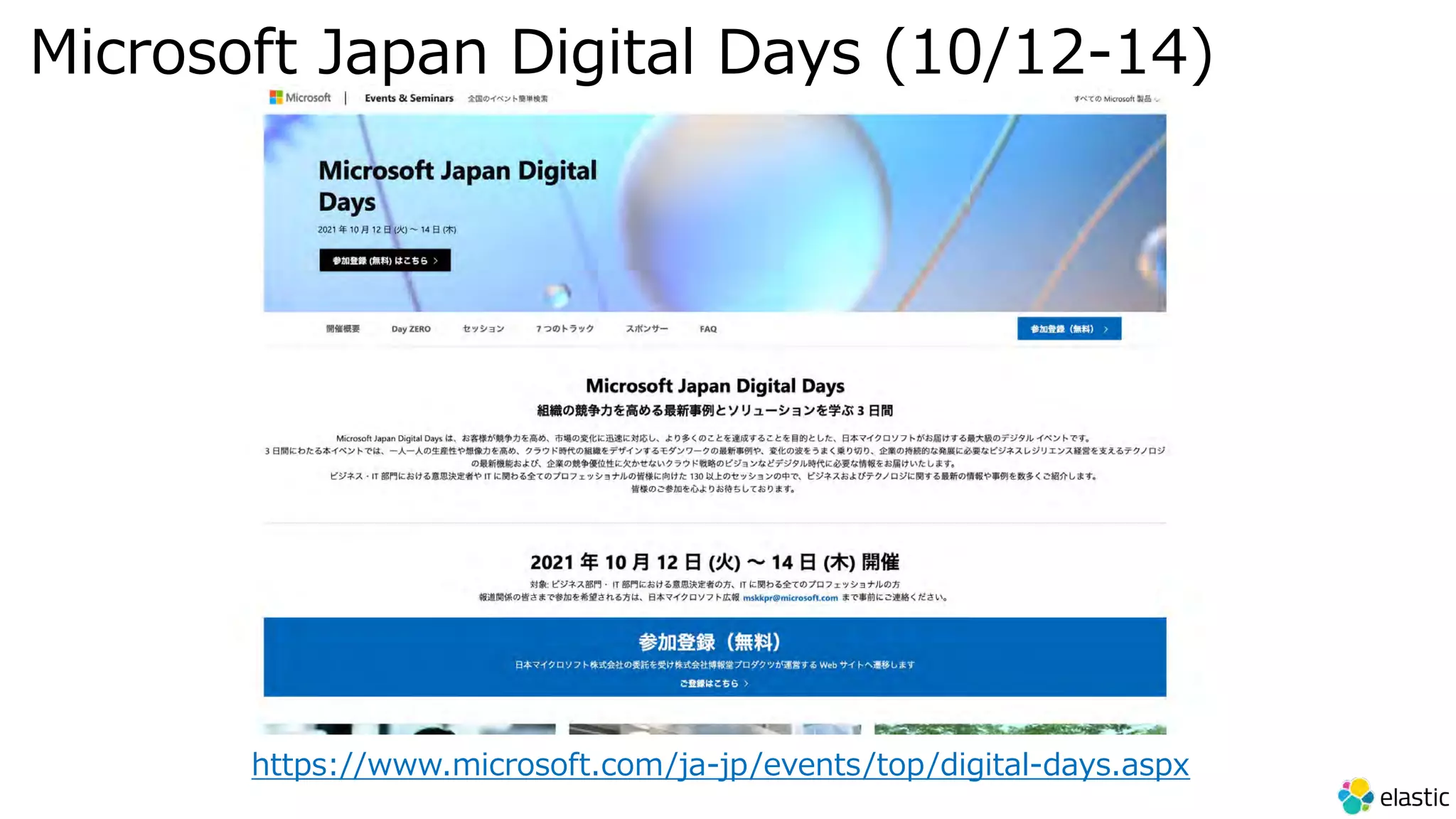
Microsoft Japan Digital Days (10/12-14)
https://www.microsoft.com/ja-jp/events/top/digital-days.aspx
Thank you for your attention!
Elastic NEST Query
(参考)
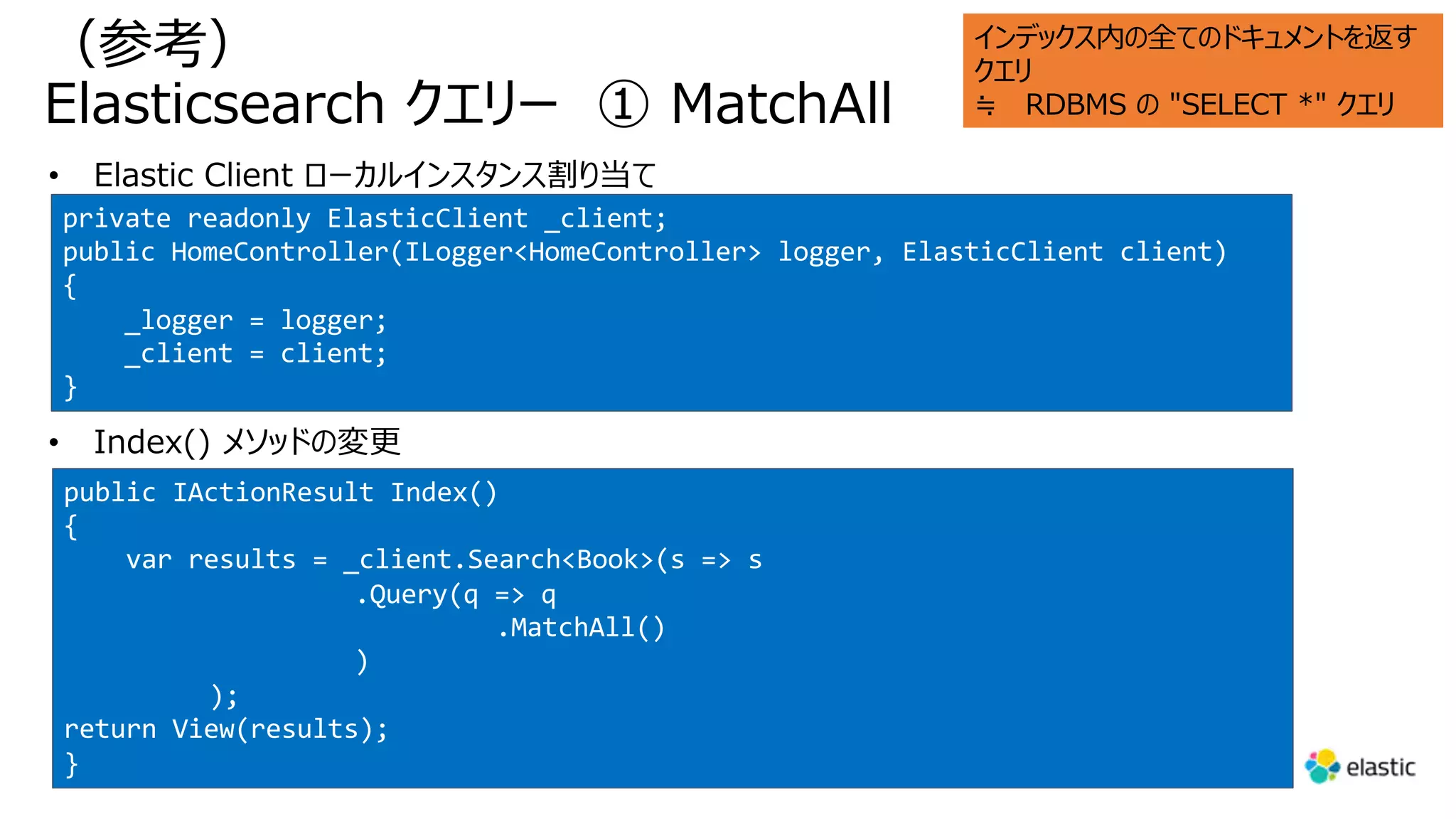
Elasticsearch クエリー ① MatchAll
private readonly ElasticClient _client;
public HomeController(ILogger<HomeController> logger, ElasticClient client)
{
_logger = logger;
_client = client;
}
public IActionResult Index()
{
var results = _client.Search<Book>(s => s
.Query(q => q
.MatchAll()
)
);
return View(results);
}
インデックス内の全てのドキュメントを返す
クエリ
≒ RDBMS の "SELECT *" クエリ
(参考)
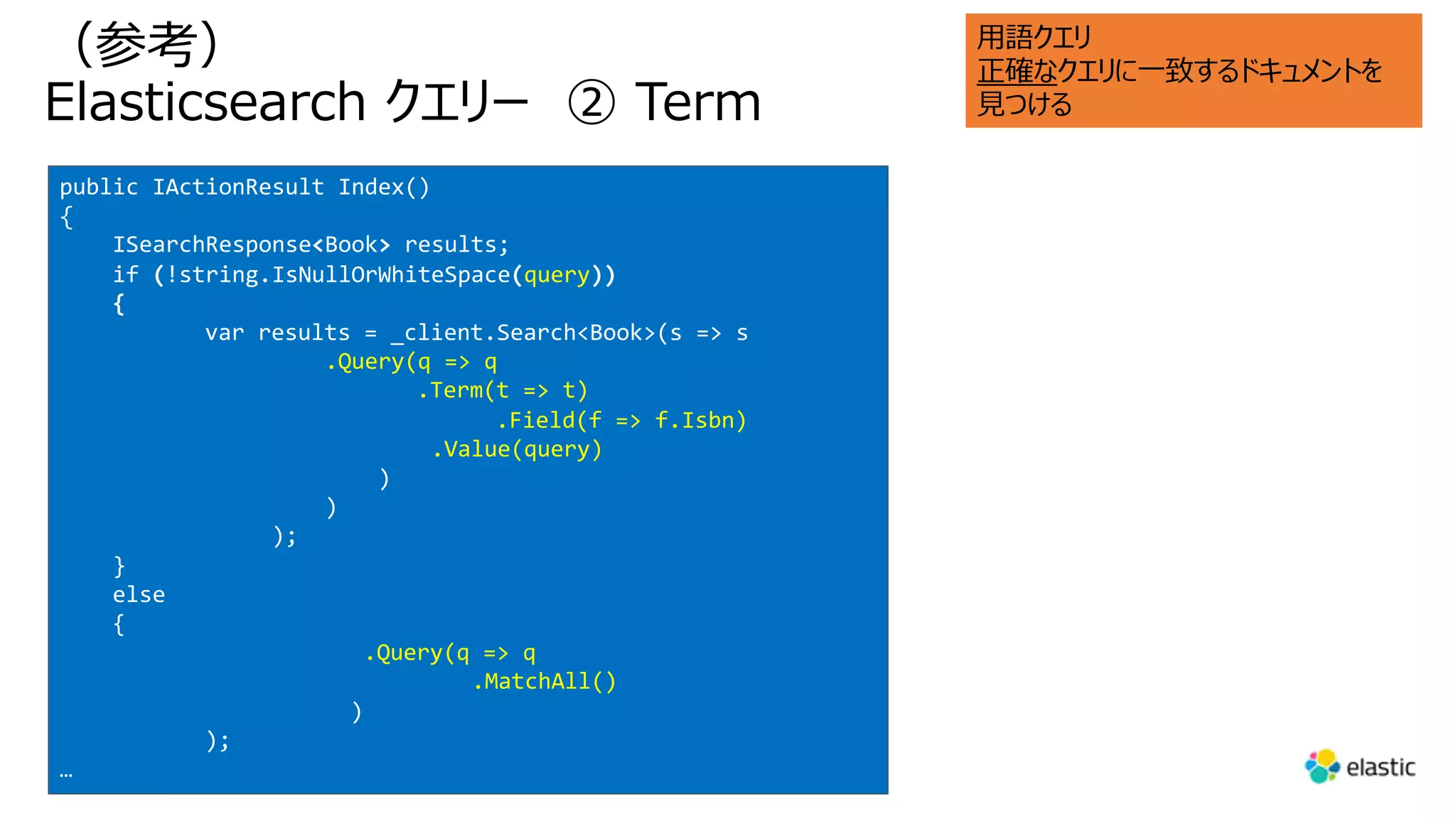
Elasticsearch クエリー ② Term
public IActionResult Index()
{
ISearchResponse<Book> results;
if (!string.IsNullOrWhiteSpace(query))
{
var results = _client.Search<Book>(s => s
.Query(q => q
.Term(t => t)
.Field(f => f.Isbn)
.Value(query)
)
)
);
}
else
{
.Query(q => q
.MatchAll()
)
);
…
⽤語クエリ
正確なクエリに⼀致するドキュメントを
⾒つける
(参考)
Elasticsearch クエリー ③ Match
public IActionResult Index(string query)
{
ISearchResponse<Book> results;
if (!string.IsNullOrWhiteSpace(query))
{
results = _client.Search<Book>(s => s
.Query(q => q
.Match(t => t
.Field(f => f.Title)
.Query(query)
)
)
);
}
else
{
…
ユーザーにテキストを⼊⼒し、そのテキス
トをドキュメント内のコンテンツの任意の
部分と⼀致させる
[重要な点]
• 複数のドキュメントを照合
• すべての⼀致する⽂書には、タイトルに、
当該テキストが含まれる
• ⼩⽂字で指定したのにマッチする
• この動作はカスタムアナライザーで上書き
可能
• これは別の⾼度なトピック
• Elasticsearch でサポートされる ク
エリは他にも多数
• Term クエリと Match クエリは基本的
ユースケース
(参考)
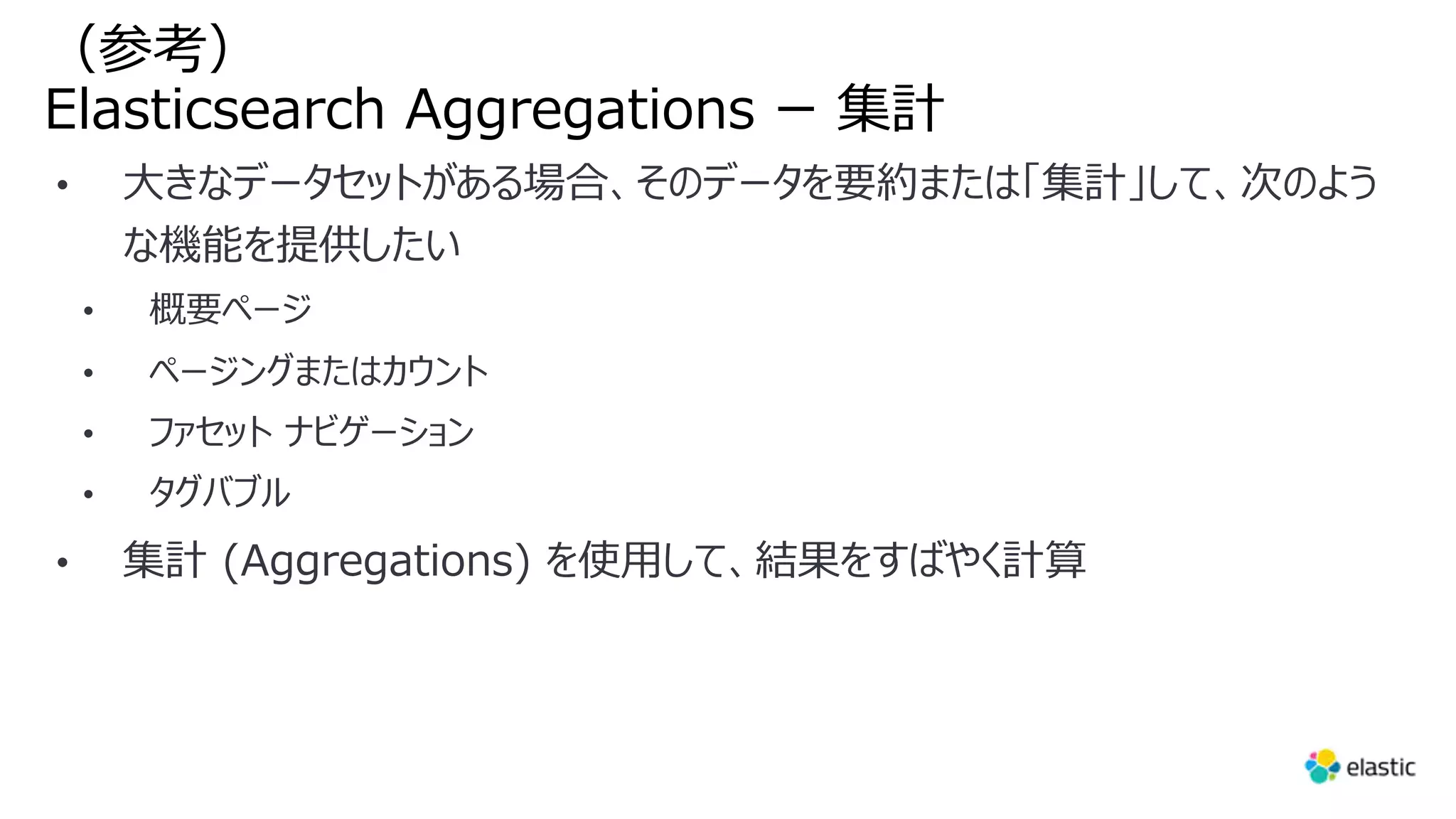
Elasticsearch Aggregations ー 集計
(参考)
Elasticsearch Aggregations ー 範囲集計
…
results = _client.Search<Book>(s => s
.Query(q => q
.MatchAll()
)
.Aggregations(a => a
.Range("pageCounts", r => r
.Field(f => f.PageCount)
.Ranges(r => r.From(0),
r => r.From(200).To(400),
r => r.From(400).To(600),
r => r.From(600)
)
)
…
[重要な点]
• MatchAll クエリに加えて、集計メソッ
ドを使⽤
• "範囲" 集計を指定
• Index.cshtml も編集必要
(参考)
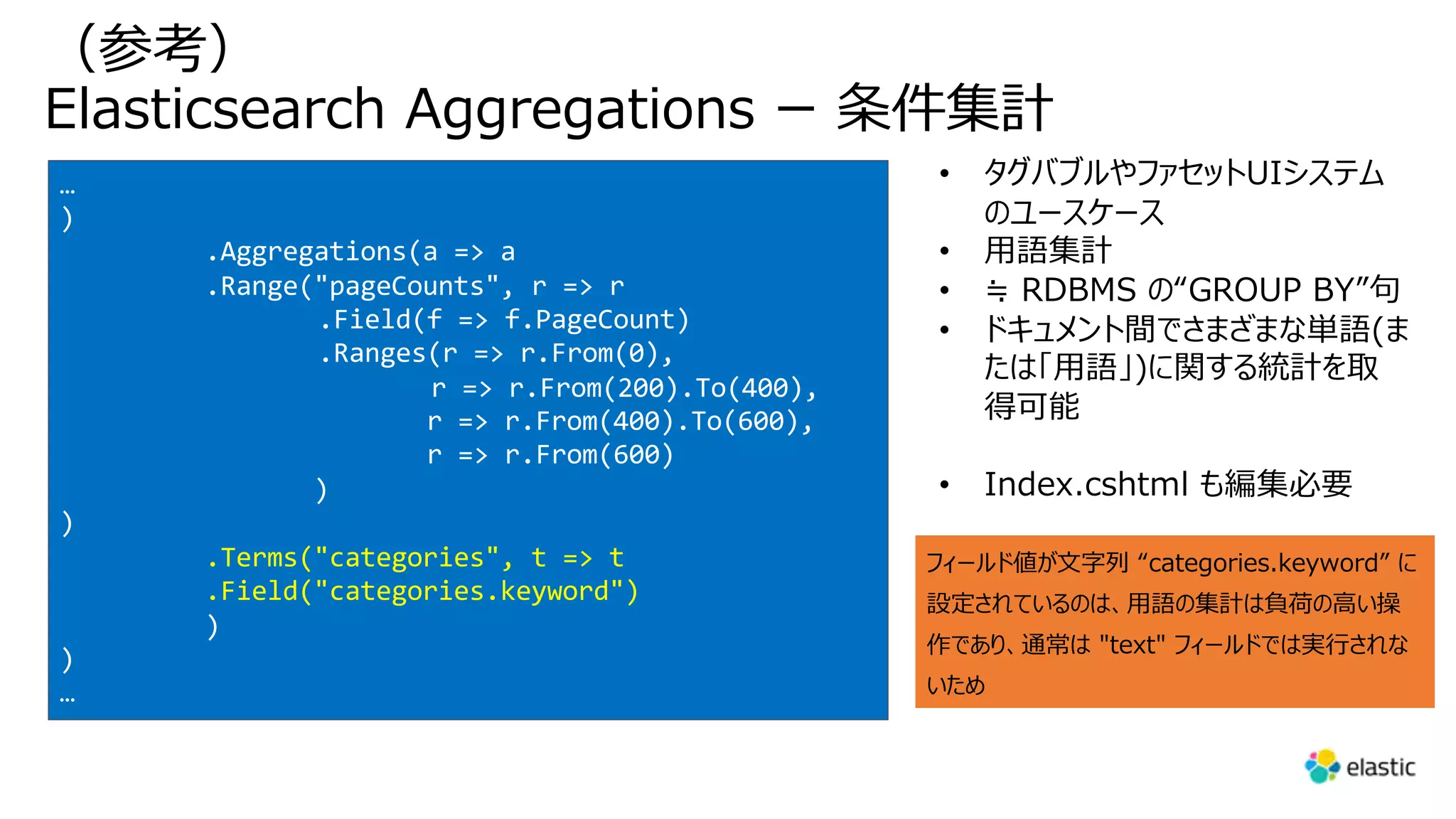
Elasticsearch Aggregations ー 条件集計
…
)
.Aggregations(a => a
.Range("pageCounts", r => r
.Field(f => f.PageCount)
.Ranges(r => r.From(0),
r => r.From(200).To(400),
r => r.From(400).To(600),
r => r.From(600)
)
)
.Terms("categories", t => t
.Field("categories.keyword")
)
)
…
• タグバブルやファセットUIシステム
のユースケース
• ⽤語集計
• ≒ RDBMS の“GROUP BY”句
• ドキュメント間でさまざまな単語(ま
たは「⽤語」)に関する統計を取
得可能
• Index.cshtml も編集必要
フィールド値が⽂字列 “categories.keyword” に
設定されているのは、⽤語の集計は負荷の⾼い操
作であり、通常は "text" フィールドでは実⾏されな
いため
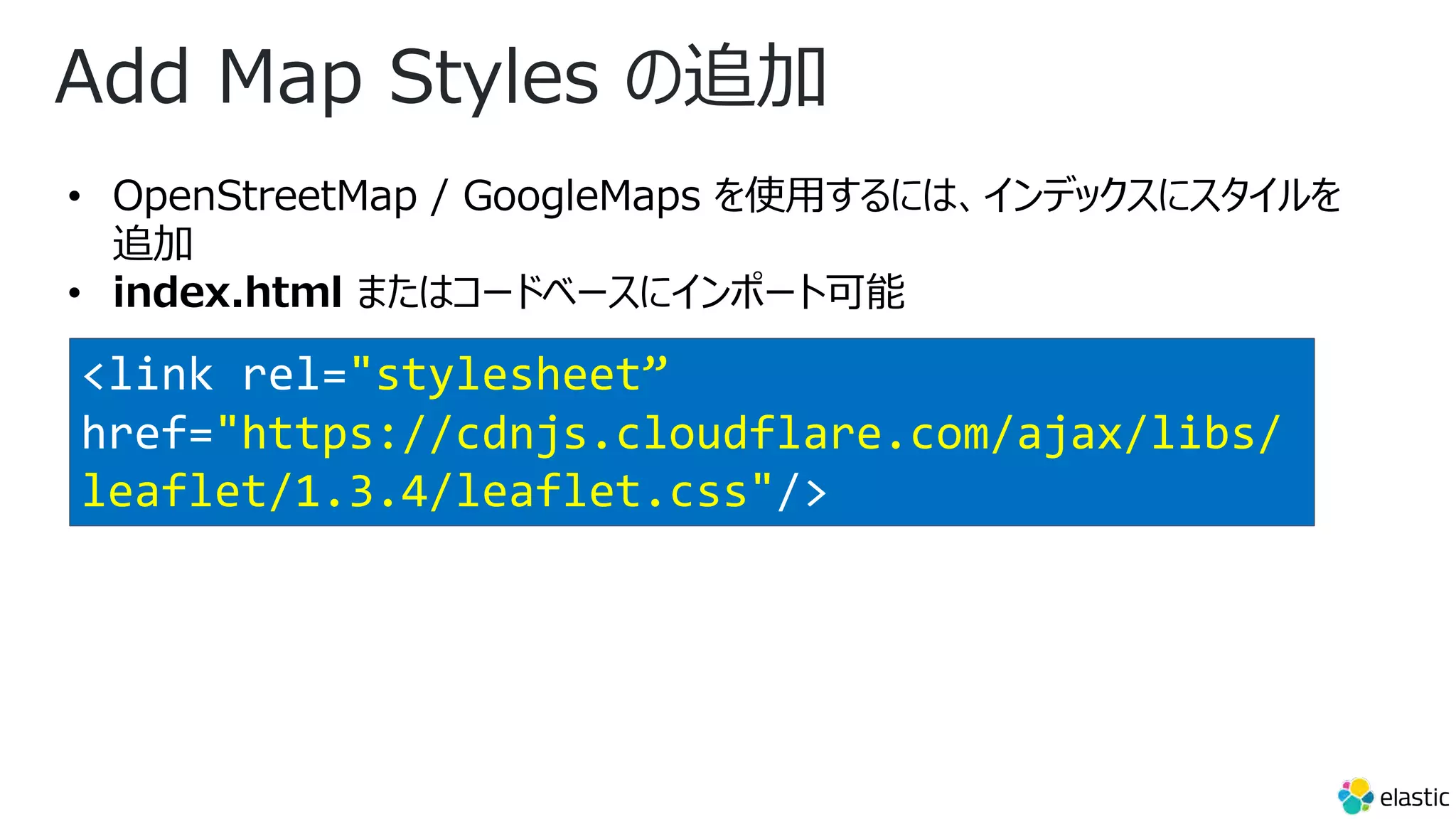
Add Map Styles の追加
• OpenStreetMap / GoogleMaps を使⽤するには、インデックスにスタイルを
追加
• index.html またはコードベースにインポート可能
<link rel="stylesheet”
href="https://cdnjs.cloudflare.com/ajax/libs/
leaflet/1.3.4/leaflet.css"/>
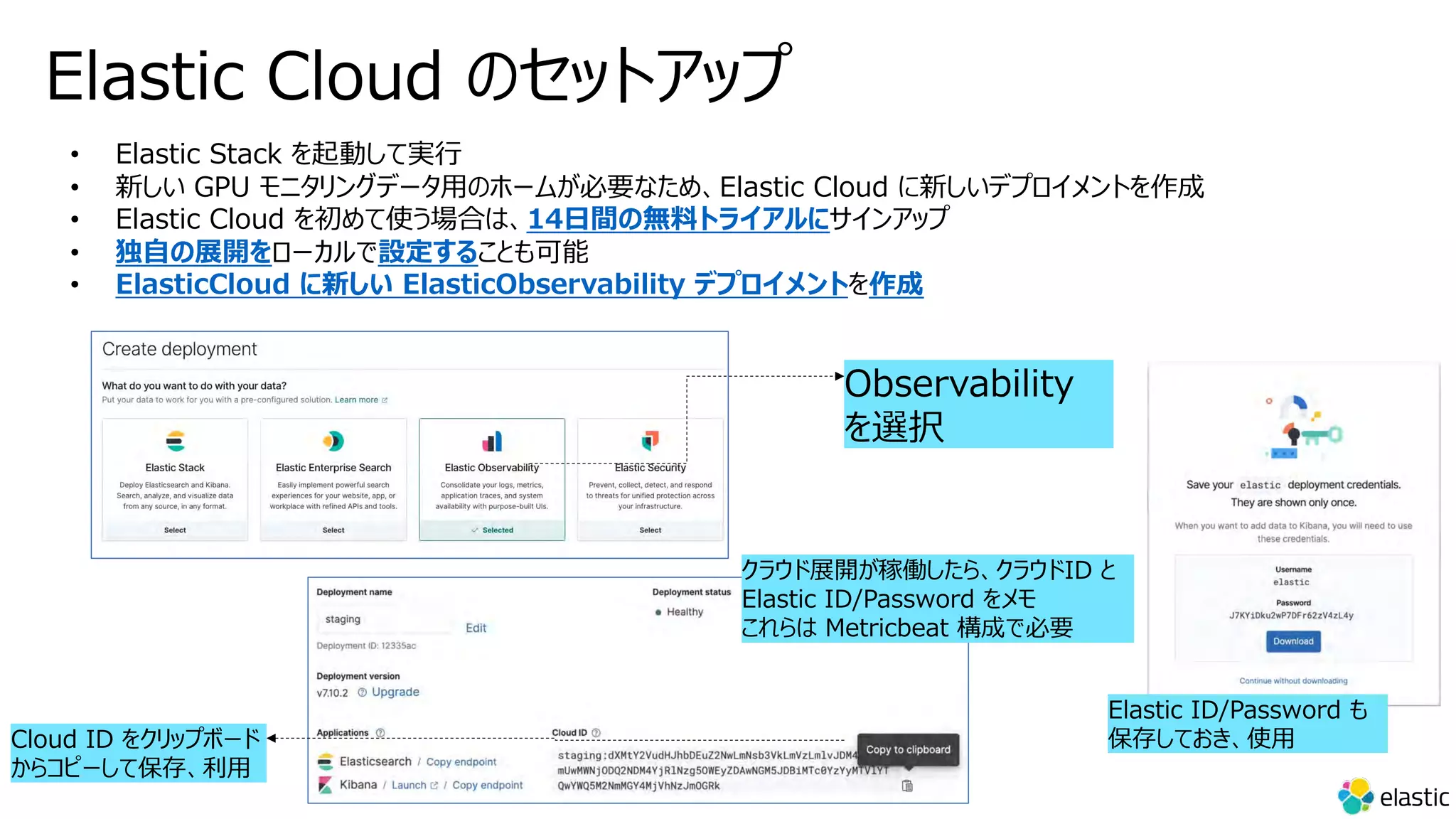
Elastic Cloud のセットアップ
• Elastic Stack を起動して実⾏
• 新しい GPU モニタリングデータ⽤のホームが必要なため、Elastic Cloud に新しいデプロイメントを作成
• Elastic Cloud を初めて使う場合は、14⽇間の無料トライアルにサインアップ
• 独⾃の展開をローカルで設定することも可能
• ElasticCloud に新しい ElasticObservability デプロイメントを作成

Building asp.net core blazor and elasticsearch elasticsearch using visual studio 2022 for mac private preview 4

  • 1.
    Visual Studio 2022for Mac Private Preview 34 で作る ASP.NET Blazor & Elasticsearch アプリケーション 鈴⽊ 章太郎 Elastic テクニカルプロダクトマーケティングマネージャー/エバンジェリスト デジタル庁 プロジェクトマネージャー
  • 2.
  • 3.
    l Elastic 概要 lMicrosoft Azure と Elastic 7.14 統合 l Blazorサーバーアプリと Elastic Client 作成、 APM 追加 l Index からの React アプリ⾃動⽣成と Azure Static Web Apps デプロイ l まとめ アジェンダ
  • 4.
  • 5.
    結果報告︓Publickey 読者調査2021。読者の中⼼は40代 の ITエンジニア。JavaScript や Linux や AWS に仕事で 関わり、Rust や PotgreSQL に興味 - Publickey ”興味を持っているデータベースについて尋ねた ところ(複数回答)、トップになったのは PostgreSQL でした。Elasticsearch や Redis、MongoDB といった NoSQL が上位 に⼊っているのは興味深いところです。” https://www.publickey1.jp/blog/21/publickey2021.html
  • 6.
    3 億 5,000万以上のダウンロード、 12,000 以上の企業での採⽤ 40 カ国以上で 2,000 ⼈の従業員 IPO 2018, NYSE: “ESTC” 2012 年設⽴ Elastic 会社概要 Distributed by design About Elastic 世界の #1 データベース検索エンジン (DB-Engines)
  • 7.
    3 Solutions, 1Stack, Deploy Anywhere Elastic スタックで実現 Kibana Elasticsearch Beats Logstash Elastic エンタープライズサーチ Elastic セキュリティ Elastic オブザーバビリティ 3 つのソリューション SaaS (AWS/Azure/GCP) IaaS (クラウド & オンプレ) Elastic Cloud on Kubernetes Elastic Cloud Elastic Cloud Enterprise 豊富なデプロイ選択肢 Kubernetes (クラウド & オンプレ) 蓄積、検索、分析 可視化 & 管理 収集
  • 8.
    アナリストが利⽤する資産運⽤での⾼速情報検索に向け Elasticsearch を導⼊。 35種類のデータソースを Elasticsearch に集約し、圧倒的な検索パフォーマンスで業務を⽀援 https://www.elastic.co/jp/customers/smd-am 事例︓三井住友 DS アセット マネジメント株式会社
  • 9.
    膨⼤なデータ処理とリアルタイム性を要求 される配⾞マッチング検索で Elastic を活⽤ 1秒あたりのデータ投⼊件数︓ 85 万から 130 万メッセージ 1 ⽇あたりのデータ投⼊量︓ 12 TB 1 秒あたりのドキュメント スキャン︓1 億から 40 億のドキュメント数 データサイズ︓ 1 PB クラスター サイズ︓ 700 台の Elasticsearch インジェスション パイプライン︓100 + Data パイプライン ジョブ 2018 年 4 ⽉の Qcon での Uber 様 講演より https://www.infoq.com/presentations/uber-elasticsearch-clusters/
  • 10.
    なぜ Elasticsearch なのか︖ •企業では主にリレーショナル データベースを使⽤して データを格納 • テーブルを簡単に結合し必要なデータベースからこのデータを取得できる • しかし、時間の経過とともに、データベースとテーブルが肥⼤化して、数百万のデータセットを 含む⼤規模なデータベースになると、操作を実⾏できなくなる • ⼀⽅、Elasticsearch は、数百万のドキュメントを数秒で簡単に検索できる • Elasticsearch は柔軟で強⼒、オープンでフリーな 分散型リアルタイム検索及び分析エンジン • Elasticsearch はドキュメントベースのデータベースでデータを JSON 形式で保存(⾮正 規化) • Elasticsearch は、アプリケーションの強⼒な検索ツールとして使⽤できる • インデックス、ドキュメント、フィールド等を作成し、データを Elasticsearch にプッシュで、検 索の準備が整う • Elasticsearch の 2 つのユニークで重要な機能 • ⽔平スケール • ⾼可⽤性 Elasticsearch
  • 11.
    Elasticsearch の概念 - インデックス・ドキュメント・フィールド •Elasticsearch は分散ドキュメント ストア • 保存されるデータの最⼩単位が ドキュメント • ドキュメントは、フィールドと呼ばれる 複数の属性を持つ • インデックスはドキュメントの集合 Elasticsearch の概念 具体例 SQL Server, MySQL, postgreSQL 等 インデックス 書籍データが格納 される場所 テーブル ドキュメント 書籍データ レコード フィールド 書籍タイトル、著者、 ISBN、出版⽇、等 カラム https://www.elastic.co/guide/en/elasticsearch/reference/current/index.html • RESTful Web サービスの設計原則に従って設計 • HTTP メソッドを使って CRUD による⼀通りのドキュメント操作が可能
  • 12.
    CQRS(コマンドクエリー責任分離)との関係 • 「コマンド クエリ責務分離(CQRS)パターンは、データ ストアの読み取り操作と更新操作を分離します。 アプリケーション内に CQRS を実装すると、そのパフォーマンス、スケーラビリティ、セキュリティが最⼤化される場合があります。 CQRS への移⾏によって⽣ まれる柔軟性により、システムは時間の経過と共にさらに進化し、更新コマンドでドメインレベルのマージ競合が発⽣することを防ぐこと ができます。」 • Elasticsearch はこのアーキテクチャに極めて整合性⾼い https://docs.microsoft.com/ja-jp/azure/architecture/patterns/cqrs Azure Functions
  • 13.
    ⽇本語のサジェスト機能を実装する際の課題と Elasticsearch を使⽤してこれらの課題を克服する⽅法 https://www.elastic.co/jp/blog/implementing-japanese-autocomplete-suggestions-in-elasticsearch … ⽇本語のサジェストの例 詳細な説明に⼊る前に、⽇本語のサジェスト機能の実装例を⾒ てみましょう。 主な要件 •ユーザーが検索キーワードを⼊⼒すると、関連する候 補が表⽰される。例︓「⽇本」と⼊⼒すると、「⽇本」、 「⽇本 地図」、「⽇本⼈⼝」などが提案される。 •不完全な検索キーワードを⼊⼒した場合でも、関連 する候補が表⽰される。例︓「にほn」と⼊⼒すると、 「⽇本」、「⽇本 地図」、「⽇本の⼈⼝」などが提案さ れる。 •タイプミスした場合でも、意味の通る候補が提案され る。例︓「にhん」、「にっほん」、「⽇本ん」と⼊⼒すると、 「⽇本」、「⽇本 地図」、「⽇本の⼈⼝」などが表⽰さ れる。 •候補となる単語が、キーワードが検索された回数が多 い順に⼀覧表⽰される。 ...
  • 14.
  • 15.
    今回のデモアプリの全体像 Azure Static Web Apps ・ReferenceUI ・Search UI ・Reactive Search 検索専⽤ UI Azure Web Apps Elastic Cloud Azure サブスクリプション 検索・更新 UI APM .NET Agent 東⽇本リージョン マスターノード x 1 データノード x 2 ML ノード x 1 https://f79...c67.japaneast.azure.elastic-cloud.com:9243/ ASP.NET 5 Blazor App APM SPA Agent https://brave-ocean-06f61b600.azurestaticapps.net/ ・VSCode ・VS for mac 2022 Preview 3
  • 16.
  • 17.
    Elastic による検索、展開、管理が簡単 • Azureポータル内での Elasticsearch の デプロイの表⽰と管理が可能 • ログの取り込みプロセスを⾃動化し、数回 のクリックで環境を迅速に監視可能 • 既に使⽤されている Microsoft Azure サービスに検索機能と可視化機能を簡単 に追加 • Azure コンソールと Elastic コンソール間 のシングルサインオン (SSO) による認証の 合理化 • 展開を管理するのではなくインサイトに集中
  • 18.
    仕組み ● マイクロソフトはミドルウェアを使⽤して、マーケットプレースの オファーとクラウド APIと統合された Azure の API を提供 ● Azure のお客様は、Elastic Cloud (アカウント、デプロイ) で必要なオブジェクトを作成するネイティブの Elasticsearch リソースを作成 ● Azure ユーザーは、⾃分の Azure アカウントを使⽤して、 Kibana とクラウド コンソールに SSO を使⽤できる ● 請求は、「従来の」マーケットプレイスと同様で、マーケットプ レイスサブスクリプションを介して発⽣ ● Azure にネイティブに統合 された Elastic Elastic Cloud
  • 19.
    統合 ● サブスクリプションおよびリソース イベントのAzure プラットフォームログを簡単に収集するネイティブ統合 ● Elastic VM 拡張機能を使⽤して仮想マシンのログ とメトリックを簡単に収集できるように統合 ○ お客様は VM 拡張機能を有効にする ○ Elastic は Agent と Beats を設定し、システム ログとメトリックのストリーミングを開始する ○ 顧客は Fleet 経由で Agent を管理できる ● Azure Private Link をサポート ● 更に追加予定︕︕ Azure にネイティブに統合 された Elastic Elastic Cloud
  • 20.
    Elastic Cloud デプロイ(Elastic & 各 Marketplace) https://www.elastic.co/jp/ https://portal.azure.com/#create/hub https://aws.amazon.com/marketplace/ https://console.cloud.google.com/marketplace Elastic Azure AWS GCP
  • 21.
    Elasticsearch エンドポイントデータをコピー ID :(固定) elastic Password : (デプロイ時に取得 → DL) (例) RHGj80iJUO6CF7WBUMiwyu1x Endpoint : (デプロイ後に取得) (例) 8009bf958b6w5923b3c56983d4048df8 24.japaneast.azure.elastic- cloud.com:9243
  • 22.
  • 23.
    Visual Studio 2022for Mac Private Preview 4 https://docs.microsoft.com/en-us/visualstudio/releases/2022/mac-release-notes-preview#17.0.0-priv-pre.1.4 https://qiita.com/uikou/items/196ffdd4eeff0e2cd6ed ・Support for .NET 6 RC1 and C# 10. ・Xamarin project support. ・Configuring common project options. ・Pushing changes using the Git Changes feature.
  • 24.
  • 25.
    新しい Blazor サーバーアプリを作成VS 2022 for Mac Private Preview 4 • .NET 6.0 / 認証なし 6.0.100-preview.7.21379.14
  • 26.
    Elasticsearch への接続を作成 • NESTライブラリ追加 dotnet add package NEST
  • 27.
    appsettings.json の編集 • 取得したクレデンシャルを使⽤してElasticsearch ブロックを構成 { //Configure here or better in your secrets.json "ElasticSearch": { "Uri": "https://8009bf958b6w5923b3c56983d4048df824.japaneast.azure.elastic-cloud.com:9243", "Username": "elastic", "Password": "RHGj80iJUO6CF7WBUMiwyu1x" }, "Logging": { "LogLevel": { "Default": "Information", "Microsoft": "Warning", "Microsoft.Hosting.Lifetime": "Information" } }, "AllowedHosts": "*" }
  • 28.
    Elasticsearch クライアントの作成 • NESTクライアントからのすべての要求と応答 を処理 •ElasticSearchClient.cs クラスを作成 • Startup.cs に登録 • コンストラクターで構築 • デフォルトのインデックス名 quotes • 各呼び出しでのそれぞれの指定は不要 • 処理内容 • インデックスの作成 • Index ドキュメント の挿⼊ • クエリからドキュメントを返す = 著者名で 名⾔を得る • インデックスの削除(例︓クリーンアップ) public Startup(IConfiguration configuration) … public void ConfigureServices(IServiceCollection services) { services.AddRazorPages(); services.AddServerSideBlazor(); services.AddSingleton<IElasticSearchClient, ElasticSearchClient> (); services.AddSingleton<IElasticSearchDataSeeder, ElasticSearchDataSeeder>(); } …
  • 29.
    DataSeeder の作成 • データシーダーを作成する •歴史上の⼈物からの名⾔を検索 • インターネット上に多くのデータ、JSON ファイルとしても 存在 • DataSeeder (Blazor ページ) を作成し それをデフォルトメニューにリンク • QuotesModel (POCO クラス) を作成 • ElasticSearchDataSeeder クラス作成 • ElasticSearchDataSeeder を Startup.cs に登録 public Startup(IConfiguration configuration) … public void ConfigureServices(IServiceCollection services) { … services.AddSingleton<IElasticSearchDataSeeder, ElasticSearchDataSeeder>(); } … using System.Text.Json.Serialization; using Nest; namespace elasticsearch_aspnet_blazor.Model { public class QuotesModel { [JsonPropertyName("quoteText")] //Attribute name in json [Keyword] //Attribute for ElasticSearch public string Text { get; set; } [JsonPropertyName("quoteAuthor")] //Attribute name in json [Keyword] //Attribute for ElasticSearch public string Author { get; set; } } } • SeedAsync で最初にインターネットリポジトリから名⾔を取得 し、次いでそれらの名⾔を POCO オブジェクトに逆シリアル化 • その後、クリーンアップのために既存のインデックスを削除し、 新しいインデックスを作成 • 最後に、値をサービスにプッシュ • アプリケーションを実⾏し、新しい DataSeed ページに移動し、 そこにシードを開始
  • 30.
    検索ページの作成 • 単純な検索マスクを使⽤し結果をテーブルに表⽰ • SearchBlazorページを作成、メニューにページを登録 • アプリケーションを実⾏し検索ページに移動 DataSeeder.Razor.cs using System.Threading.Tasks; using elasticsearch_aspnet_blazor.ElasticSearch; using Microsoft.AspNetCore.Components; namespace elasticsearch_aspnet_blazor.Pages { public partial class DataSeeder { [Inject] public IElasticSearchDataSeeder ElasticSearchDataSeeder { get; set; } private async Task SeedData() { await ElasticSearchDataSeeder.SeedAsync(); } } } Search.razor @page "/search" <h1>ElasticSearch quotes search</h1> <p>This component demonstrates searching data from ElasticSearch.</p> <div class="form-group row"> <input @bind="SearchValue" /> <button class="btn btn-primary" @onclick="SearchQuotesAsync">Search</button> </div> @if (Quotes == null) { <p><em>Please type in your search...</em></p> } else { <table class="table"> <thead> <tr> <th>Author</th> <th>Text</th> </tr> </thead> <tbody> @foreach (var quote in Quotes) { <tr> <td>@quote.Author</td> <td>@quote.Text</td> </tr> } </tbody> </table> }
  • 31.
    Elasticsearch クエリー -Match /// <summary> /// 著者名で名⾔を得る /// </summary> /// <param name="author"></param> /// <returns></returns> public async Task<IReadOnlyCollection<QuotesModel>> GetQuotesByAuthorAsync(string author) { var searchResponse = await Client.SearchAsync<QuotesModel>(s => s .From(0) .Size(25) .Query(q => q .Match(m => m .Field(f => f.Author) .Query(author) ) ) ); //クエリからドキュメントを返す var documents = searchResponse.Documents; return documents; } … ユーザーにテキストを⼊⼒し、そのテキス トをドキュメント内のコンテンツの任意の 部分と⼀致させる
  • 32.
    Application Performance Monitoring(APM) • ログ、APM、インフラメトリックは監視の3⼤要素 • 3つの領域には重なり合う部分もあり相互に関連付ける際に 役⽴つ • ログはエラーが⽣じた痕跡のみでエラーの理由までは⽰さない • メトリックはサーバー上で CPU 使⽤量にスパイクがあったこと を⽰すかもしれないが、何が原因だったかは⽰さない • ログやメトリックは、インフラや複数のコンポーネントを扱う横断 的なデータ • うまく組み合わせて活⽤すれば、はるかに広い範囲の問題を 解決できる可能性がある • APM はメトリックとログのギャップに橋を架ける存在
  • 33.
    Elastic Application PerformanceMonitoring • マルチページ、シングルページ、双⽅のアプリで有効 • Node.js、Python、Ruby、.NET、 Java、Go Real User Monitoring(JavaScript) • 対応⾔語のさらなる追加も予定 • Elasticがサポートする⾔語はこちら • Jaeger や OpenTelemetry 等各種のオープン スタンダードもサポート • インストルメンテーション済みのアプリから Elastic APM へ驚くほど簡単にデータを送れる • 必要なモジュールが⾒つからなくても独⾃に開発も、 オープンソースコミュニティの成果物の活⽤も可能 • APM から応答時間ベース Machine Learning ジョブを作成する機能もあり
  • 34.
    ログと APM とで得られる情報を⽐較 264.242.88.10- - [22/Jan/2018:16:38:53 -0800] "POST /checkout/addresses/ HTTP/1.1" 500 5253 ⼀定の時間に数回起きているということ、⼀⽇中 発⽣していることがわかる ログで⾒ても、ログファイルの1つに対応するスタック の痕跡が⾒つかるはず しかし APM のようにそのコンテクストや メタデータ まで⾒つかる可能性は⾼くない APMが捉えた内容︓最終発⽣⽇時、 発⽣頻度、アプリケーションで処理された か否か、という情報が表⽰ たとえば NumberParseException を 使って例外処理の詳細を⾒ると、エラーが 発⽣した回数の分布がウインドウで視覚 的に表⽰される ⾚い部分はこの例外処理を実施したコード⾏ APMが提供するメタデータが問題の正確な 内容 プログラマーでない⼈間が⾒ても問題が正確 に理解でき、チケットをオープンのために必要 ⼗分な情報がある
  • 35.
    Transactions パフォーマンスのダッシュボード •Transaction's duration,Transaction •URL パス単位での平均、95%タイルのレスポンスタイムが表⽰される •特定のパスの処理が遅い時はここを⾒ればすぐに分かる •Request Per Minute •HTTP レスポンスステータ スコード単位での 1分毎の リクエスト数が表⽰ •リクエスト数が急増したこと が原因でレスポンスタイムが 悪化したかここで判断できる
  • 36.
    Elastic APM forASP.NET Core https://www.elastic.co/jp/apm/ Configuration on .NET Core https://www.elastic.co/guide/en/apm/agent/dotnet/current/configuration-on-asp-net-core.html ASP.NET Core Quick Start https://www.elastic.co/guide/en/apm/agent/dotnet/current/setup-asp-net-core.html // .NETアプリへの Nuget パッケージインストール dotnet add Elastic.Apm.NetCoreAll // Startup.cs への追加 --- dotnet add Elastic.Apm.NetCoreAll using Elastic.Apm.AspNetCore; using Elastic.Apm.DiagnosticSource; --- public void Configure (IApplicationBuilder app, IWebHostEnvironment env) { --- // adding Elastic APM Agent for .NET Core app.UseElasticApm(Configuration, new HttpDiagnosticsSubscriber()); /* Enable tracing of outgoing HTTP requests */ app.UseHttpsRedirection(); app.UseStaticFiles(); --- // appsettings.json の更新 --- { "Logging": { "LogLevel": { //"Default": "Information", //"Microsoft": "Warning", //"Microsoft.Hosting.Lifetime": "Information" "Default": "Warning", "Elastic.Apm": "Debug" } }, "AllowedHosts": "*", //Elastic ポータルから APM エンドポイントと Secret をコピー&ペースト "ElasticApm": { "ServerUrl": "https:// 7d39255475bg8e8e0j99fm870kj48v88.apm. japaneast.azure.elastic-cloud.com", "SecretToken": ”f6p81KJytBcGMK2JKS4", "TransactionSampleRate": 1.0 } }
  • 37.
    Index からの Reactアプリ⾃動⽣成と Azure Static Web Apps デプロイ
  • 38.
    今回のデモアプリの全体像 Azure Static Web Apps ・ReferenceUI ・Search UI ・Reactive Search 検索専⽤ UI Azure Web Apps Elastic Cloud Azure サブスクリプション 検索・更新 UI APM .NET Agent 東⽇本リージョン マスターノード x 1 データノード x 2 ML ノード x 1 https://f79...c67.japaneast.azure.elastic-cloud.com:9243/ ASP.NET 5 Blazor App APM SPA Agent https://brave-ocean-06f61b600.azurestaticapps.net/ ・VSCode ・VS for mac 2022 Preview 3
  • 39.
  • 40.
  • 41.
    優れた React 検索エクスペリエンスを迅速に構築する⽅法 https://www.elastic.co/jp/blog/how-to-build-great-react-search-experiences-quickly https://github.com/elastic/search-ui ElasticAppSearch または ElasticSite Search 特徴 •Elastic によって管理 •迅速な実装 - 数⾏のコードで完全な検索エクスペリエ ンスを構築 •カスタマイズ可能 - コンポーネント、マークアップ、スタイ ル、および動作を好みに合わせて調整 •スマート URL - 検索、ページング、フィルタリングなどが URL に取り込まれ、結果を直接リンク •ヘッドレス-アプリケーションロジックを活⽤して、独⾃のコ ンポーネントまたはビューを提供 •柔軟なフロントエンド – React のみならずあらゆる JavaScript ライブラリで使⽤可能 •柔軟なバックエンド – ElasticAppSearch のみなら ず 任意のバックエンドで使⽤可能
  • 42.
  • 43.
    • 静的サイトに最適化されたホスティング環境 • CI/CDを GitHub Actions と統合 • Azure Functions によるサーバーレス API の統合 Microsoft Azure www Azure Static Web Apps
  • 44.
    • GitHub 統合 •統合 API サポート • Web アプリケーションの構築 • 静的サイトの発⾏ • Web アプリケーションのデプロイ • 認証プロバイダーの統合 • Azure Active Directory、Facebook、 Google、GitHub、 Twitter Azure Static Web Apps の機能 Web API + リッチな Web UI を実現する機能を提供
  • 45.
    https:/ / .. . Blazor + https:/ / . . . + JS JavaScript / C# による静的 Web サイトの開発・ホスト
  • 46.
    Elastic Cloud にCORS を設定 # Note that the syntax for user settings can change between major versions. # You might need to update these user settings before performing a major version upgrade. # # Slack integration for versions 7.0 and later must use the secure key store method. # For more information, see: # https://www.elastic.co/guide/en/elasticsearch/reference/current/actions- slack.html#configuring-slack (中略) # from: Watcher http.cors.enabled: true http.cors.allow-credentials: true http.cors.allow-origin: "*" http.cors.allow-headers: X-Requested-With, X-Auth-Token, Content-Type, Content-Length, Authorization, Access-Control-Allow-Headers, Accept # # HipChat and PagerDuty integration are also supported. To learn more, see the documentation. • elasticsearch.yml
  • 47.
  • 48.
    まとめ • Microsoft Azureと Elastic 7.14 統合試してみてください • Blazor Server App + Elastic は簡単(ASP.NET 5版と同様) • Reference UI/Search UI による React アプリ構築も簡単
  • 49.
    リソース • 公式ドキュメント https://www.elastic.co/guide/index.html • クラウドネイティブアプリでの Elasticsearch https://docs.microsoft.com/ja-jp/dotnet/architecture/cloud- native/elastic-search-in-azure • Azure での検索データ ストアの選択 https://docs.microsoft.com/ja-jp/azure/architecture/data- guide/technology-choices/search-options • Elastic APM Agent https://www.elastic.co/guide/en/apm/agent/index.html • Reactivesearch https://opensource.appbase.io/reactivesearch/ • 優れた React 検索エクスペリエンスを迅速に構築する ⽅法 https://www.elastic.co/jp/blog/how-to-build-great-react- search-experiences-quickly • Search UI Elastic GitHub レポジトリ https://github.com/elastic/search-ui • APM https://www.elastic.co/jp/apm/ • Configuration on .NET Core https://www.elastic.co/guide/en/apm/agent/dotnet/current/co nfiguration-on-asp-net-core.html • ASP.NET Core Quick Start https://www.elastic.co/guide/en/apm/agent/dotnet/current/set up-asp-net-core.html • K8s Observability サンプルソリューション GitHub レポジトリ https://github.com/michaelhyatt/k8s-o11y-workshop • 関連ブログ https://www.elastic.co/jp/blog/kubernetes-observability- tutorial-k8s-cluster-setup-demo-app-deployment https://www.elastic.co/blog/kubernetes-observability-tutorial- k8s-log-monitoring-and-analysis-elastic-stack https://www.elastic.co/blog/kubernetes-observability-tutorial- k8s-metrics-collection-and-analysis https://www.elastic.co/blog/kubernetes-observability-tutorial- k8s-monitoring-application-performance-with-elastic-apm
  • 50.
    Azure Static WebApps リソース︓ Microsoft Lean • Azure Static Web Apps を使⽤して Blazor WebAssembly ア プ リ と.NET API を 公開する • Azure Static Web Apps を使⽤し て Angular、 React、 Svelte、 ま た は Vue の JavaScript ア プ リを発⾏する • Azure Static Web Apps にAPI を発⾏する • Gatsby とAzure Static Web Apps で静的 Web ア プ リを作成して 発⾏する
  • 51.
  • 52.
    アプリケーション開発 オンデマンド ウェビナー特集 https://www.microsoft.com/ja-jp/events/top/apps-innovation-webinars.aspx •Elastic の Search API を Visual Studio Code でコーディングする (1) - (3) • Elastic Cloud で Azure Kubernetes Serviecs の様々な Log/Metrics/APM を 可視化する • ASP.NET Core 3.x Web アプリのログを Elastic Cloud で収集・分析してみよう︕
  • 53.
    Microsoft Japan DigitalDays (10/12-14) https://www.microsoft.com/ja-jp/events/top/digital-days.aspx
  • 54.
    Thank you foryour attention!
  • 55.
  • 56.
    (参考) Elasticsearch クエリー ①MatchAll private readonly ElasticClient _client; public HomeController(ILogger<HomeController> logger, ElasticClient client) { _logger = logger; _client = client; } public IActionResult Index() { var results = _client.Search<Book>(s => s .Query(q => q .MatchAll() ) ); return View(results); } インデックス内の全てのドキュメントを返す クエリ ≒ RDBMS の "SELECT *" クエリ
  • 57.
    (参考) Elasticsearch クエリー ②Term public IActionResult Index() { ISearchResponse<Book> results; if (!string.IsNullOrWhiteSpace(query)) { var results = _client.Search<Book>(s => s .Query(q => q .Term(t => t) .Field(f => f.Isbn) .Value(query) ) ) ); } else { .Query(q => q .MatchAll() ) ); … ⽤語クエリ 正確なクエリに⼀致するドキュメントを ⾒つける
  • 58.
    (参考) Elasticsearch クエリー ③Match public IActionResult Index(string query) { ISearchResponse<Book> results; if (!string.IsNullOrWhiteSpace(query)) { results = _client.Search<Book>(s => s .Query(q => q .Match(t => t .Field(f => f.Title) .Query(query) ) ) ); } else { … ユーザーにテキストを⼊⼒し、そのテキス トをドキュメント内のコンテンツの任意の 部分と⼀致させる [重要な点] • 複数のドキュメントを照合 • すべての⼀致する⽂書には、タイトルに、 当該テキストが含まれる • ⼩⽂字で指定したのにマッチする • この動作はカスタムアナライザーで上書き 可能 • これは別の⾼度なトピック • Elasticsearch でサポートされる ク エリは他にも多数 • Term クエリと Match クエリは基本的 ユースケース
  • 59.
  • 60.
    (参考) Elasticsearch Aggregations ー範囲集計 … results = _client.Search<Book>(s => s .Query(q => q .MatchAll() ) .Aggregations(a => a .Range("pageCounts", r => r .Field(f => f.PageCount) .Ranges(r => r.From(0), r => r.From(200).To(400), r => r.From(400).To(600), r => r.From(600) ) ) … [重要な点] • MatchAll クエリに加えて、集計メソッ ドを使⽤ • "範囲" 集計を指定 • Index.cshtml も編集必要
  • 61.
    (参考) Elasticsearch Aggregations ー条件集計 … ) .Aggregations(a => a .Range("pageCounts", r => r .Field(f => f.PageCount) .Ranges(r => r.From(0), r => r.From(200).To(400), r => r.From(400).To(600), r => r.From(600) ) ) .Terms("categories", t => t .Field("categories.keyword") ) ) … • タグバブルやファセットUIシステム のユースケース • ⽤語集計 • ≒ RDBMS の“GROUP BY”句 • ドキュメント間でさまざまな単語(ま たは「⽤語」)に関する統計を取 得可能 • Index.cshtml も編集必要 フィールド値が⽂字列 “categories.keyword” に 設定されているのは、⽤語の集計は負荷の⾼い操 作であり、通常は "text" フィールドでは実⾏されな いため
  • 62.
    Add Map Stylesの追加 • OpenStreetMap / GoogleMaps を使⽤するには、インデックスにスタイルを 追加 • index.html またはコードベースにインポート可能 <link rel="stylesheet” href="https://cdnjs.cloudflare.com/ajax/libs/ leaflet/1.3.4/leaflet.css"/>
  • 63.
    Elastic Cloud のセットアップ •Elastic Stack を起動して実⾏ • 新しい GPU モニタリングデータ⽤のホームが必要なため、Elastic Cloud に新しいデプロイメントを作成 • Elastic Cloud を初めて使う場合は、14⽇間の無料トライアルにサインアップ • 独⾃の展開をローカルで設定することも可能 • ElasticCloud に新しい ElasticObservability デプロイメントを作成