





BUILDING A HIGH-CONVERTING
WOOCOMMERCE STORE
Shaan Nicol
@chillybindesign
chillybin.com.sg
HI!
SUMMARY
1.What is conversion rate optimisation
2.How to track customer behaviour
3.Redesign homepage & landing pages
4.Search
5.Checkout optimisation
6.Tips & tricks
1. WHAT IS CONVERSION
RATE OPTIMISATION?
Conversion rate optimisation (CRO) is the
process of convincing more people on your
website to take action.
1. DISCOVERY
2. CHOOSING
3. PURCHASING
During these 3 stages, people like to do
things like compare products, shop around
for better prices, and take their time making
final decisions.
If you want to boost your sales, and generate
more revenue, then optimising your
WooCommerce store for higher conversions
helps the buying process move faster.
2. TRACK CUSTOMER
BEHAVIOUR
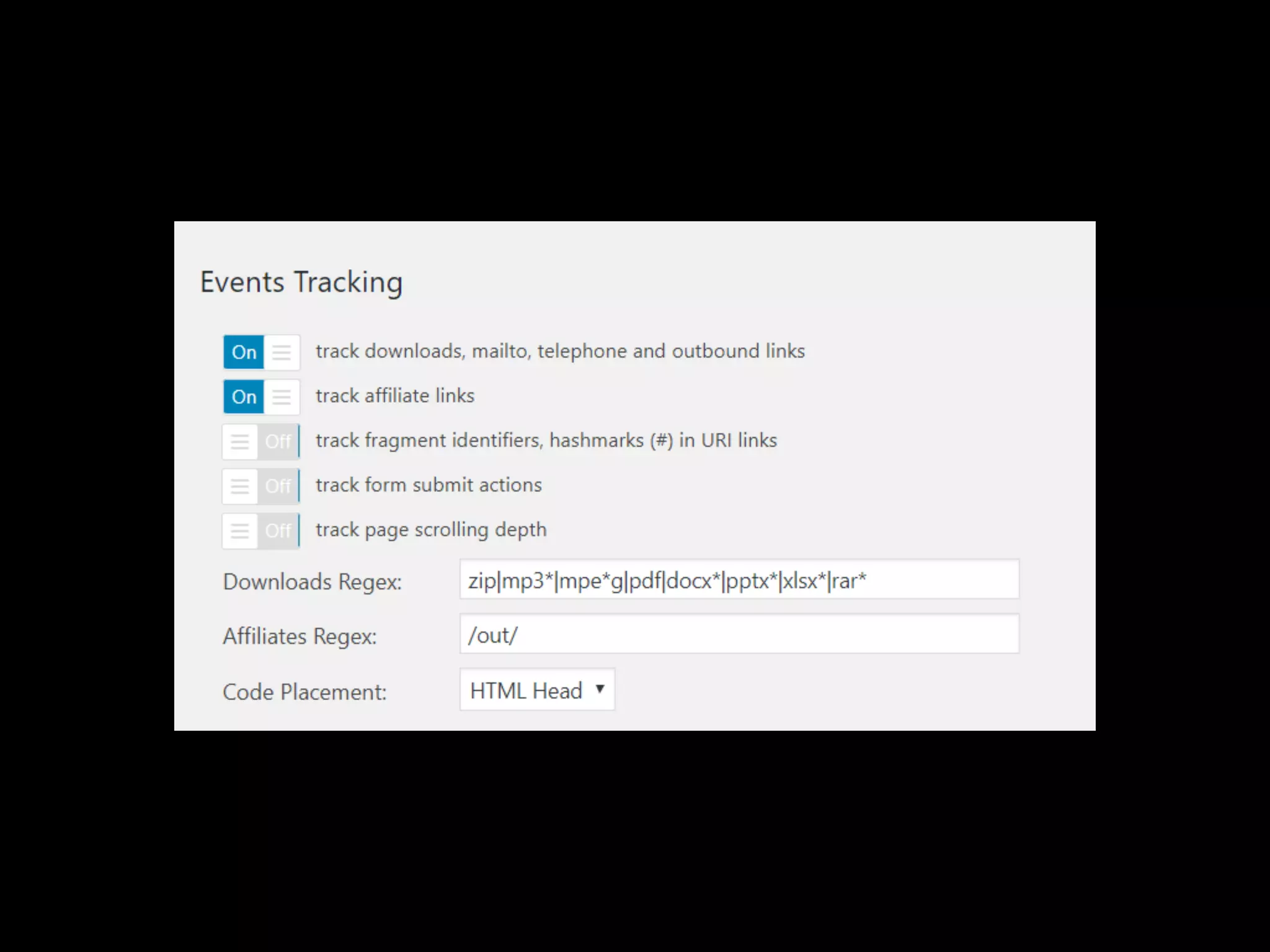
Enable customer tracking to see how logged
in site visitors are engaging with your store.
Set up custom dimensions in Google Analytics
to compare logged-in user behaviours verses
guest visitor behaviour.
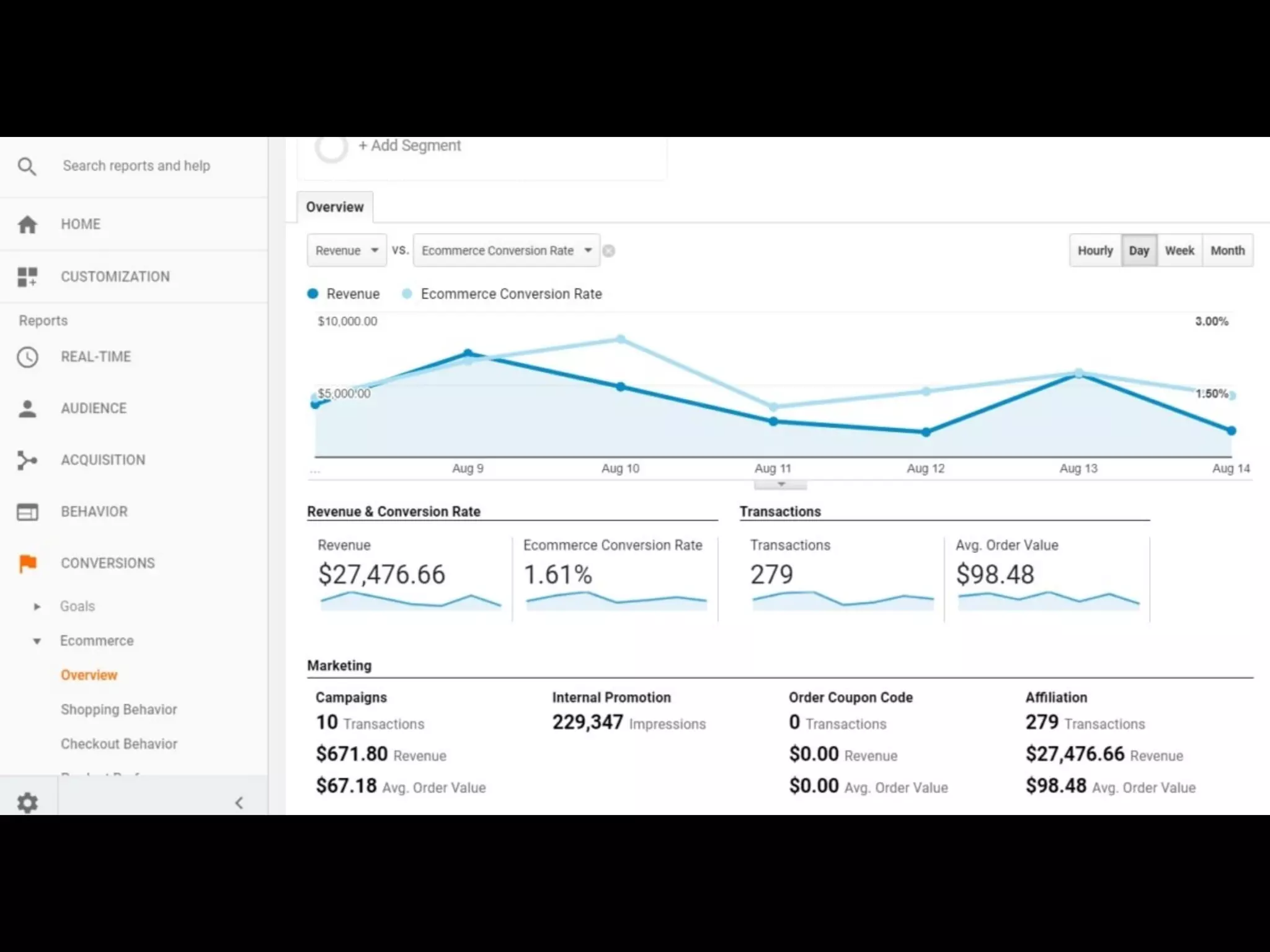
Find out which traffic source generates the
most revenue for your eCommerce store.
Track abandonment rates to pinpoint why
customers aren’t completing purchases.
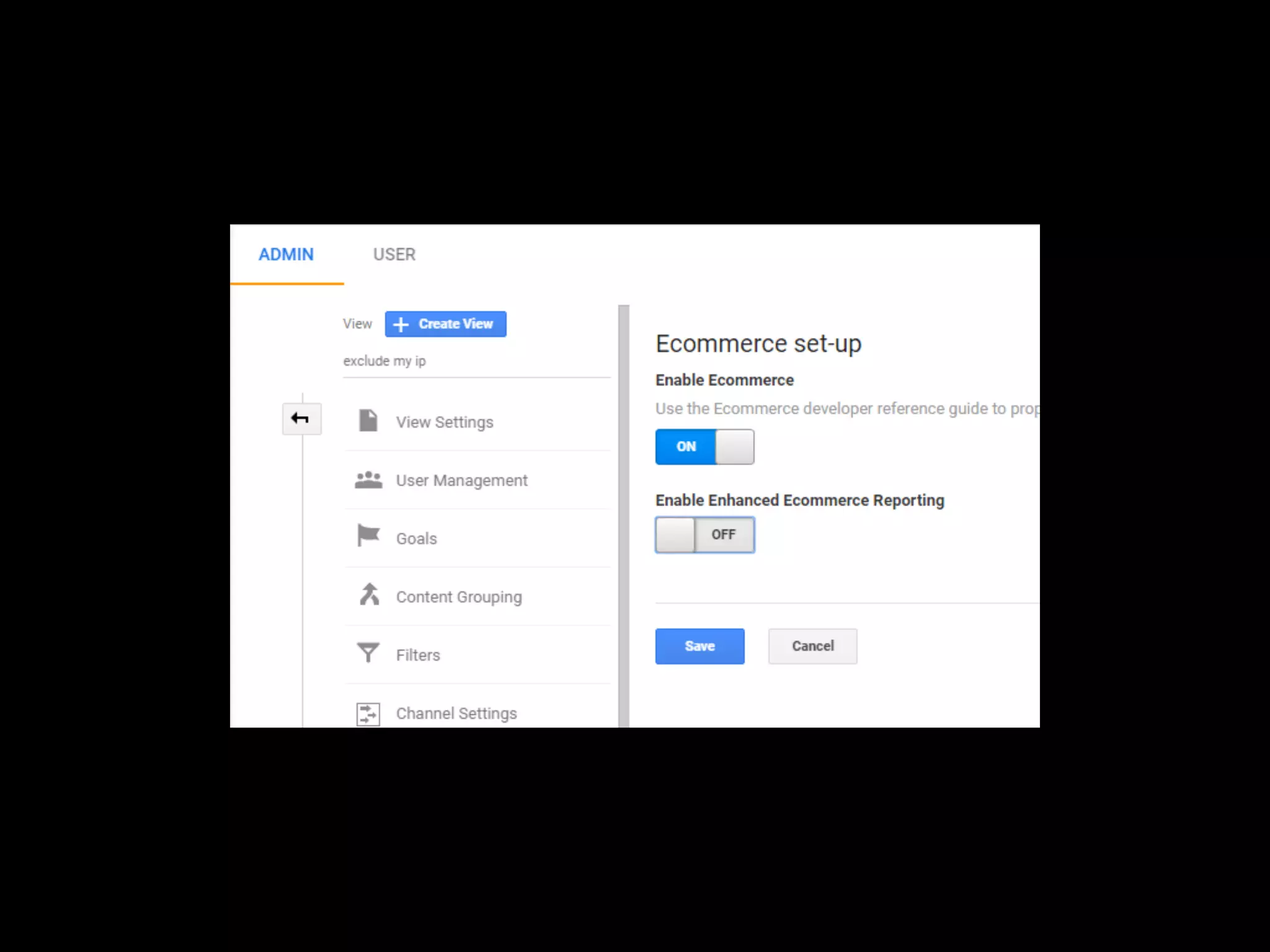
Enable WooCommerce & Google Analytics
conversion tracking to help you make more
informed decisions.
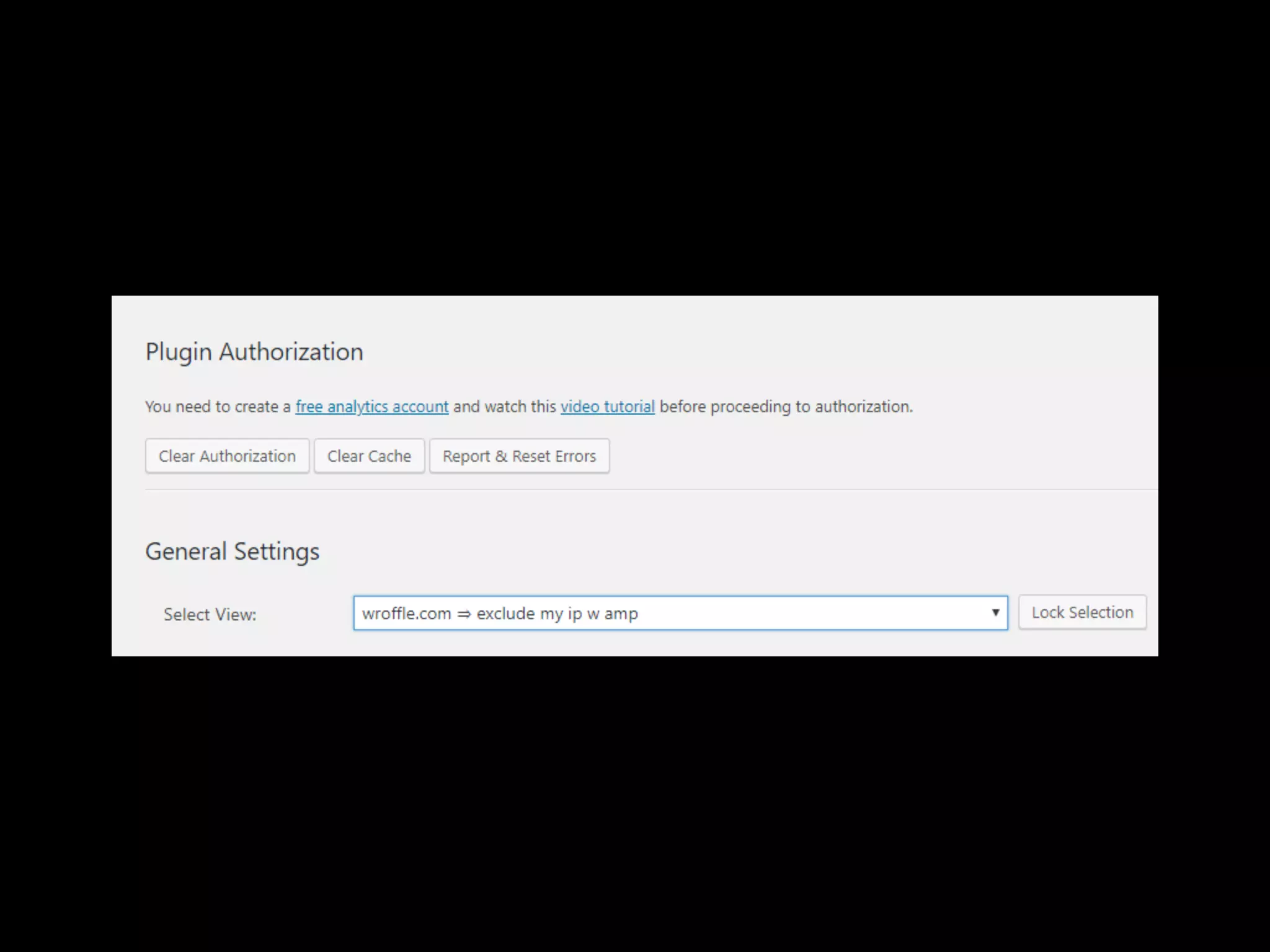
https://wordpress.org/plugins/google-analytics-
dashboard-for-wp/
https://wordpress.org/plugins/woocommerce-
google-analytics-integration/
3. REDESIGN HOME AND
LANDING PAGES
Use large bold imagery to grab your site
visitors’ attention and showcase what you
have to offer
Always brand your homepage with a custom
logo or company name so visitors know
where they are.
Use contrasting colours on your call to action
buttons so they stand out and visitors can
easily find them.
Add social proof to lend credibility to your
brand and what you’re selling.
https://www.blissworld.com/
https://bohemiantraders.com/
https://mahabis.com/
https://grovemade.com/
https://www.seafolly.com/au
4. MAKE YOUR STORE
SEARCHABLE
30% of site visitors use an internal search
when they land on an eCommerce website.
Those performing searches are twice as likely
to convert.
Make search available within product pages
Enable autocomplete and autocorrect to
make suggestions and account for user
spelling mistakes.
Configure Search Console so you can see if
your store has what people are looking for,
and it will help you create better blog
content.
Following design patterns is important when
designing your shop layout, users expect to
find the site search in the top right or top
middle of the screen. Reebok gets this right.
My client, Century Cellars gets this all wrong,
and we’re fixing it.
5. CHECKOUT OPTIMISATION
Studies have shown that the difference
between a great checkout experience and an
awful one can be huge. Cart abandonment
can range from 60% to 80%.
https://baymard.com/lists/cart-abandonment-rate
Reduce the number of fields on your
checkout page
Clearly display ALL costs, no hidden surprises
Account vs Guest checkout
Remove distractions at checkout
Free: https://wordpress.org/plugins/woo-
checkout-field-editor-pro/
Pro: https://www.themehigh.com/product/
woocommerce-checkout-field-editor-pro
6. TIPS & TRICKS
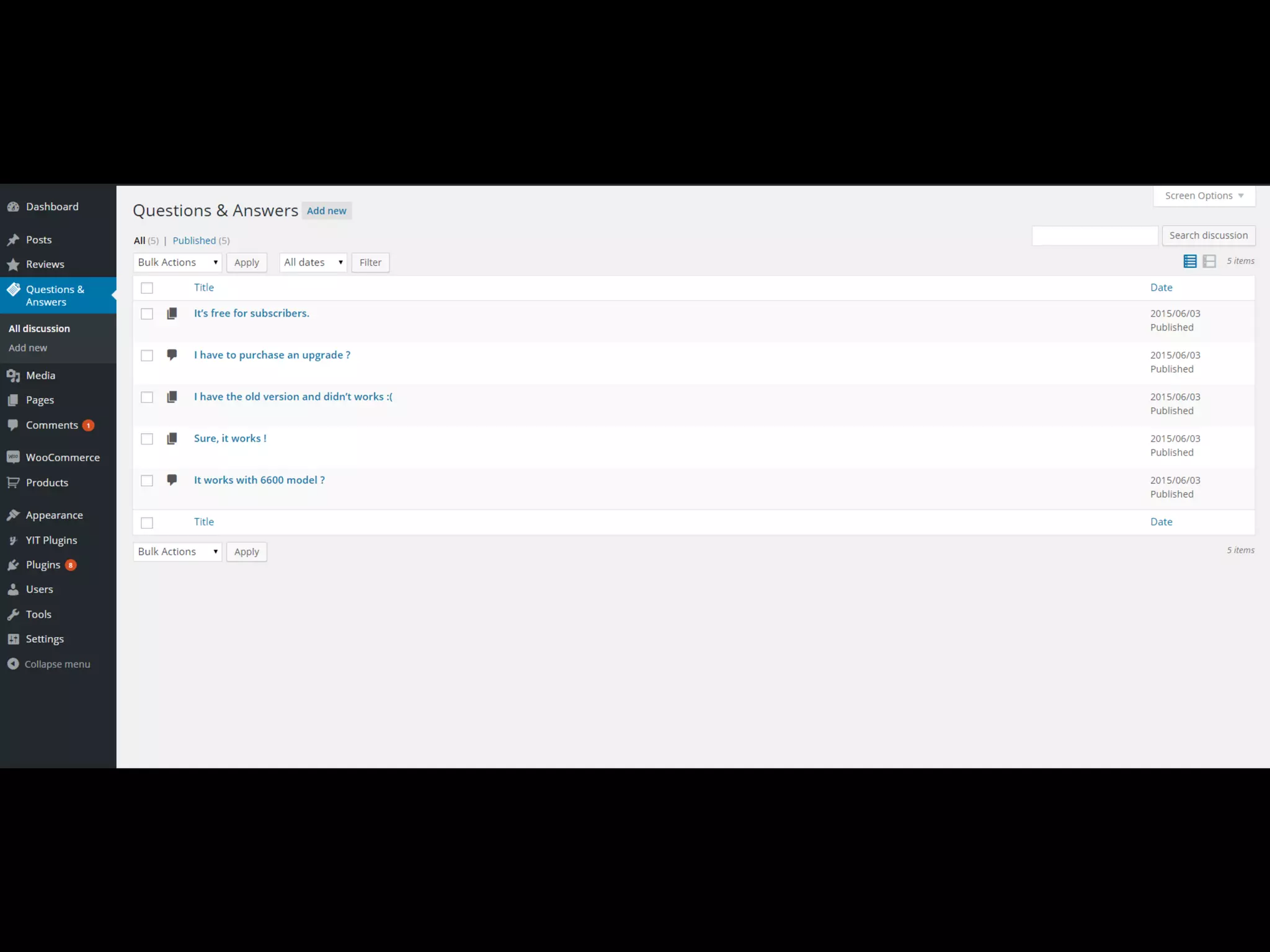
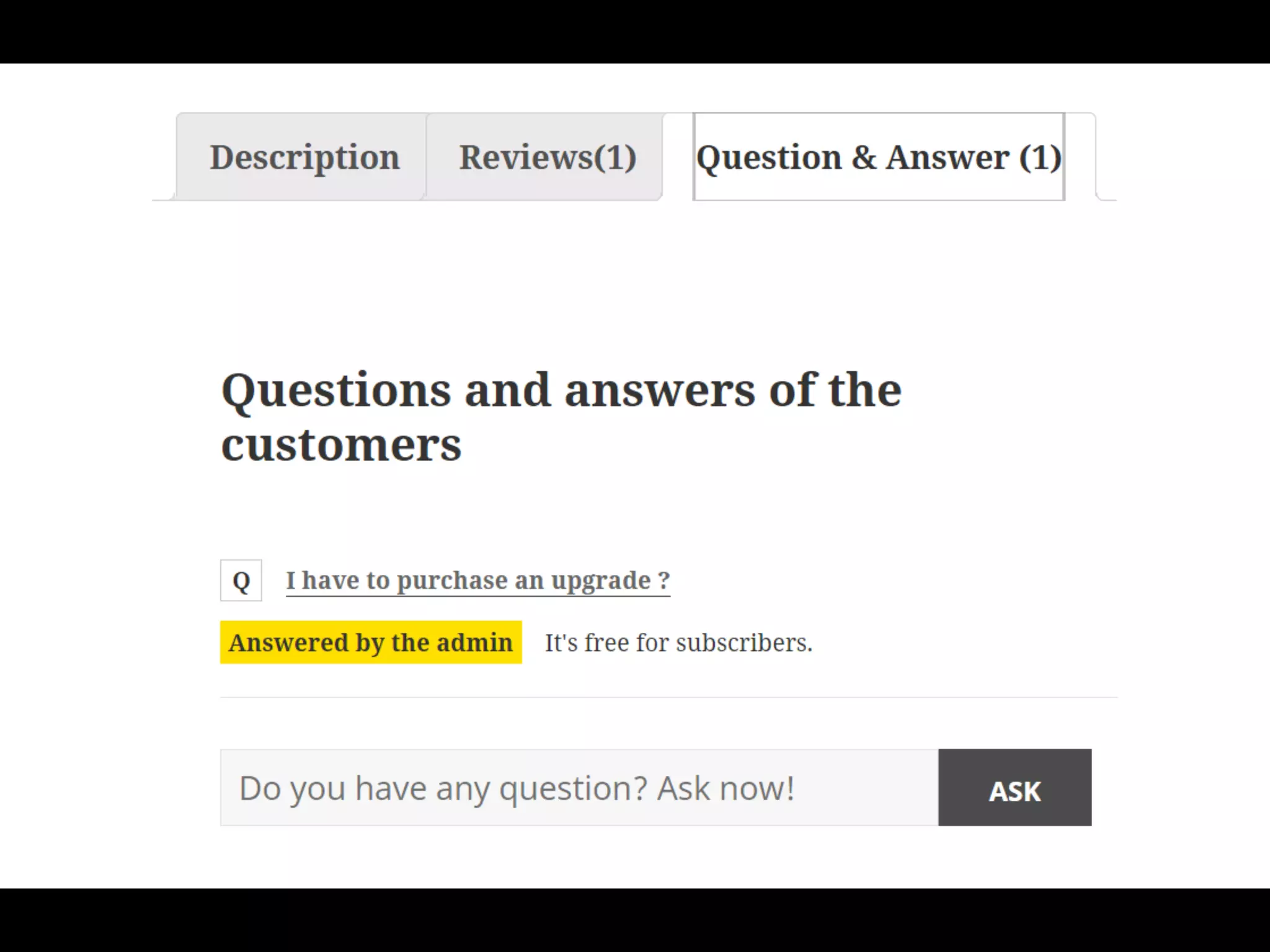
YITH QUESTION & ANSWERS
1. Free & Pro
2. Allows customers to ask questions
3. Shows questions to visitors (user generated content, social
proof, higher conversion rate)
4. https://wordpress.org/plugins/yith-woocommerce-
questions-and-answers/
NOTIFICATIONX
1. Free & Pro
2. Social proof of other customers purchasing from your store
3. Higher conversion rate
4. https://wordpress.org/plugins/notificationx/
CUSTOMER REVIEWS
1. Free
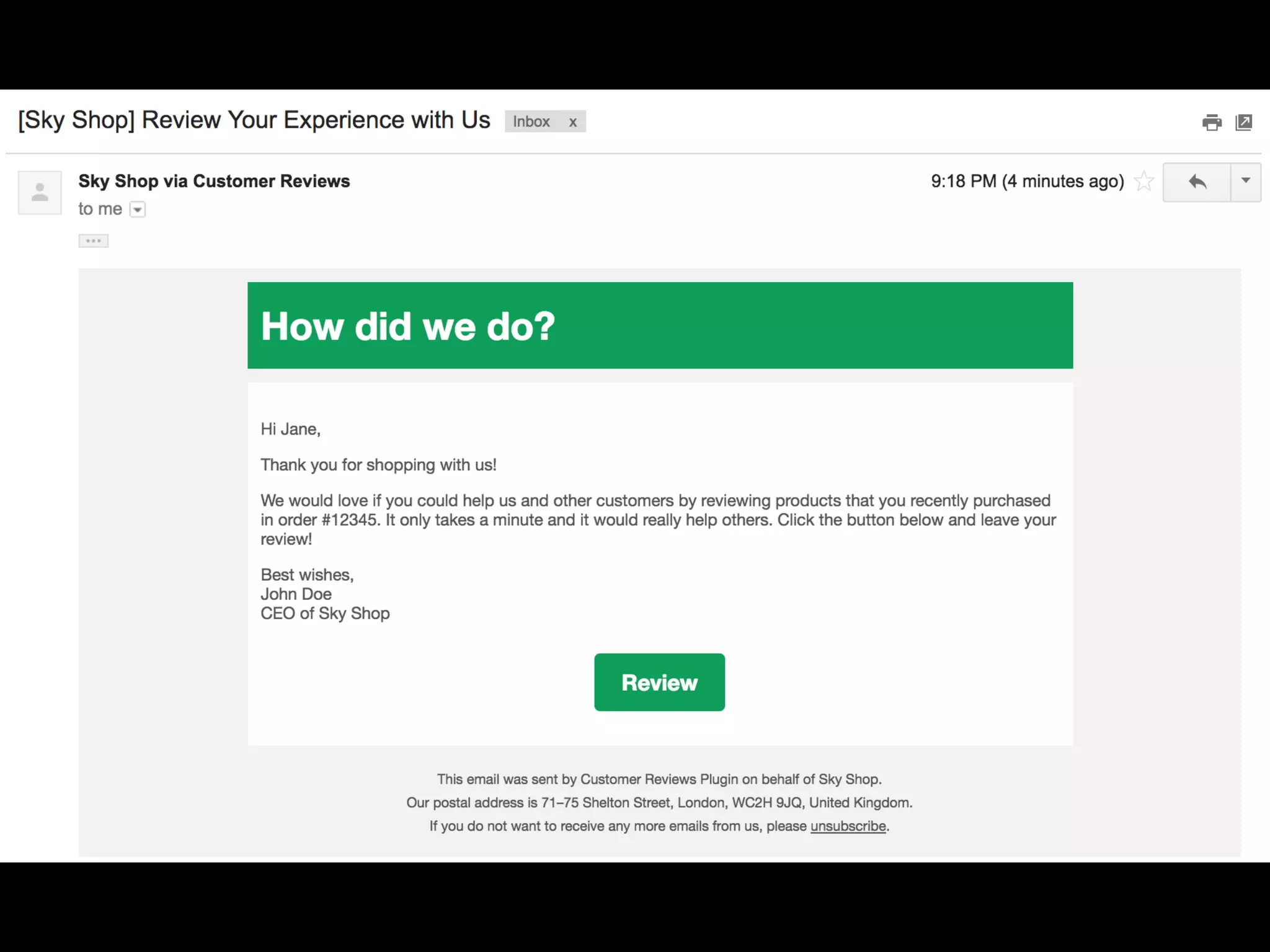
2. After you have shipped the product, you can customise when
to send out an email asking for a review, with follow ups.
3. Supports multiple product reviews within the one order.
4. Thank you message with coupon code
5. Includes voting on reviews, was this helpful?
6. https://wordpress.org/plugins/customer-reviews-
woocommerce/
NO SHIPPING MESSAGE
1. Free
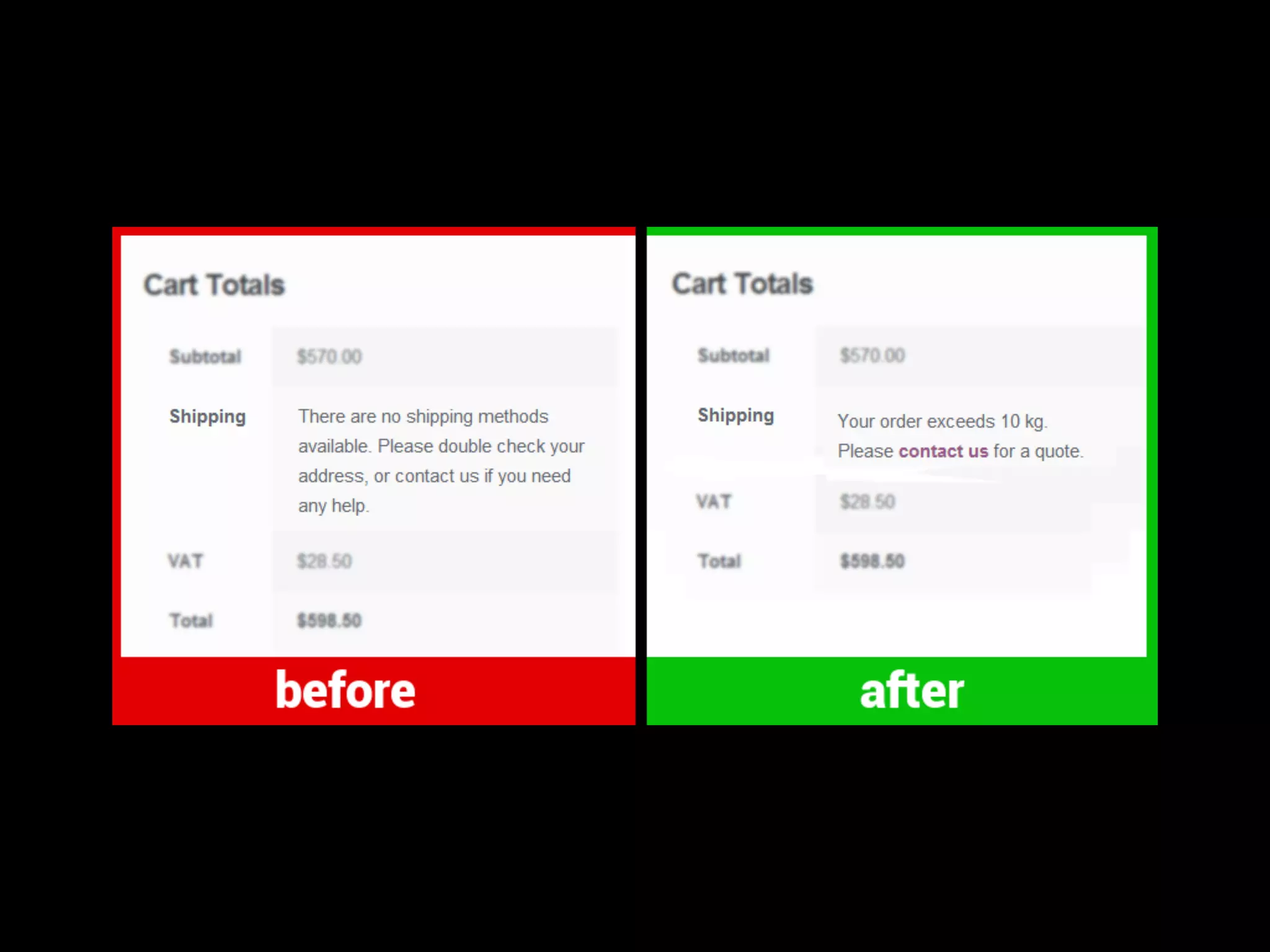
2. Shows a custom message when the customer chooses a
delivery address in a region that is not currently supported
3. You could then offer custom shipping to that user rather
than losing the sales
4. https://wordpress.org/plugins/wc-no-shipping-message/
WOOCOMMERCE
1. Free
2. Upsells/Cross-Sells
3. External products
4. Customised emails
7. BONUS
IMPROVE CONVERSIONS
1. Live chat
2. Exit intent popups
3. Urgency & Scarcity
4. Web Design
5. Niching
6. Customer testimonials
7. Free shipping
IMPROVE CONVERSIONS
1. Photos
2. FAQs
3. Business address & contact information
4. Branded content
5. Fast loading
6. Credible payment gateway
7. Social proof
Add your phone number to your header
Show standard shipping costs on every page
(they should be free)
Make the estimated delivery date visible and
make it quick!
Make key information accessible in your footer
links
Incentive visitors to join your email newsletter
ig: chillybindesign
tw: @chillybindesign
fb: chillybin
chillybin.com.sg
THANKS!
QUESTIONS?

Building a High-Converting WooCommerce Store - WordCamp Kuala Lumpur - Shaan Nicol