



Building a Chrome
Extension with Meteor
Jon Perl
jon at codebounty.co
@jon_perl
Why build an extension +
examples
What are the parts
Build one with Meteor
Complex use cases (w Code
Bounty)
Today
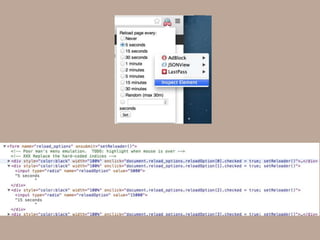
Why?
How?
HTML / CSS
Javascript + chrome
APIs
Chrome UI
elements
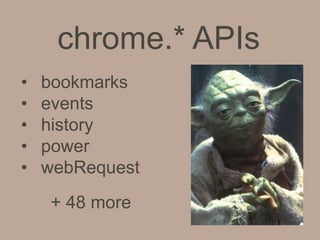
chrome.* APIs
• bookmarks
• events
• history
• power
• webRequest
+ 48 more
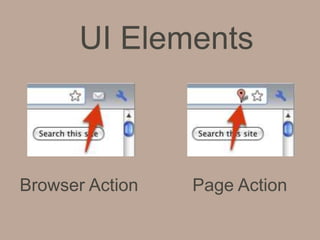
UI Elements
Browser Action Page Action
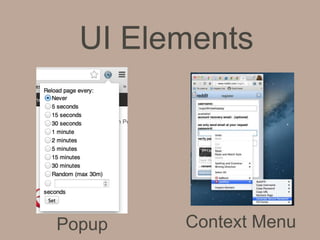
UI Elements
Popup Context Menu
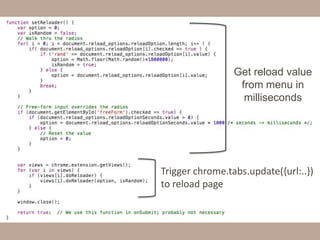
Get reload value
from menu in
milliseconds
Trigger chrome.tabs.update({url:..})
to reload page
But what about Meteor?
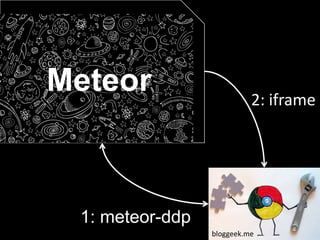
bloggeek.me
1: meteor-ddp
Meteor 2: iframe
Meteor
Parties
10
0
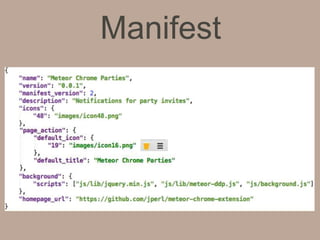
Manifest
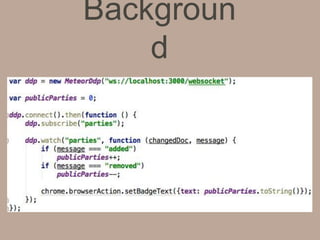
Backgroun
d
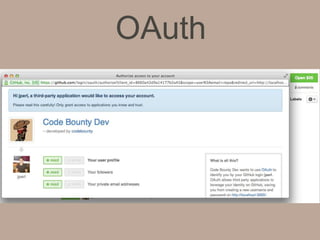
OAuth
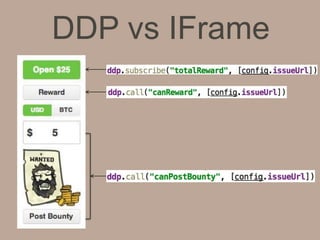
DDP vs IFrame
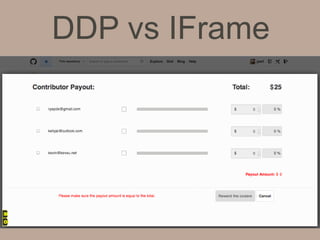
DDP vs IFrame
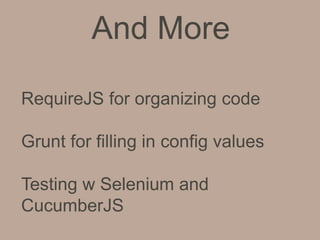
And More
Testing w Selenium and
CucumberJS
RequireJS for organizing code
Grunt for filling in config values
Why build an extension +
examples
What are the parts
Build one with Meteor
Complex use cases (w Code
Bounty)
Recap
github.com/jperl/meteor-chrome-extension
developer.chrome.com/extensions/api_index.ht
ml
github.com/eddflrs/meteor-ddp
youtube.com/watch?v=pT-b2SpFIWo
github.com/codebounty/codebounty
@jon_perl
Resources
Questions?

Building a chrome extension with meteor

Editor's Notes

  • #3 then have some time for questions
  • #4 Why build a chrome extension?Add functionality to the browser, or to add functionality to specific sites or all sites.Here are some examples…
  • #5 LastPass. Stores your login credentials in the cloud, then auto-populates the input values
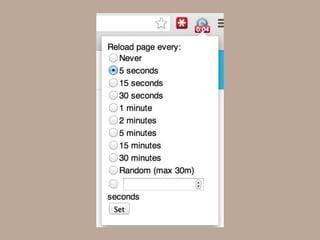
  • #6 PageReload. Auto-reloads the page based on a user configured timer.This is for non-meteor pages of course.
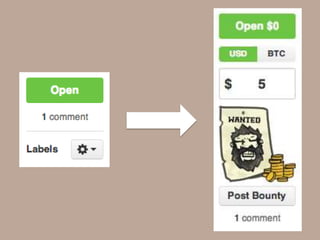
  • #7 Code Bounty. Extended GitHub to allow you to post bounties on issues
  • #8 - Extensions are all built with html / javascript / cssAccess to all the javascript APIs + chrome functionality through javascriptapis under the chrome namespace
  • #9 Quickly run through some of these…Some api’s that get into shady use case land, like the ability to keep’s the users computer awake or to intercept web traffic.You have a lot of control over the browser, so use it wisely.
  • #11 The main chrome ui elements you would probably work with would be the- popup when a user clicks on your extension icon- the context menu when a user right clicks- you can override the bookmark manager, history, or new tab pages, or add to the add to developer tools if you want to get really advanced
  • #12 Let’s break apart one of the extensionsInspect extensions with chrome developer toolsto see how they are builtto debug themPageReload is a form with a bunch of radio buttonsClick item or submit form it triggers setReloader()
  • #13 This is the code for the popup menu.It walks through the radio buttons. Chooses the value in milliseconds.Then here it calls the chrome.tabs.update chrome extension api, setting the url which reloads the page
  • #15 There are two ways (that I know of) that you can connect the chrome extension to meteor.https://github.com/eddflrs/meteor-ddp a client side DDP implementation in javascriptInjecting a meteor page as an iframeLet’s go over the first one, using meteor-ddp
  • #17 Icons48px used on extensions management page (chrome://extensions)19px default_icon is used as the extension browser action iconMust choose between:browser action: permanently visiblepage action: conditionally show on certain pagesBackground scripts run in the backgroundCan also have content scripts which are injected and run as part of the page
  • #19 Run / demo meteor parties https://github.com/jperl/meteor-chrome-extension
  • #20 meteor-ddp supports oauth can use access methods and subscriptions which require authorizationWorks for content scripts, background script complicated because of the need to postMessages back and forth from the content script to the background script - Didn’t have time to implement that, but happy to help anyone who needs it
  • #21 For the extension we use both ddp and an iframe to integrate meteorDdp is used to fetch all of the data the extension uses (total bounty amount, if the current user can reward this bounty, if this issue can have a bounty placed on it)
  • #22 Iframe is used for our reward screen ui. Built with out of the box meteor templates