Lonnie Stevenson           Chris Riedel
    (928) 716-6723          (928) 855-4196
Lonnie.BSREA@gmail.co   Chris.BSREA@gmail.co
           m                       m
Today’s Agenda – Part 1
   Why You Should Use Pinterest
   What is Pinterest
   Who is on Pinterest
   Knowing Pinterest vocabulary
   How to get started
   How to Pin
   Pin Ideas
   Board Ideas
   Good Practices

         © 2012
Today’s Agenda – Part 2

   Going over Strategies for Pinterest
    -What is your brand
    -Going over keywords
    -Who are your customers and what do they want
    -Your customer habits. When are they on?
    -Making it “Pretty”
    -What is your purpose: RE Sales, New Referral Partners? Connect?
    Execute?
    -What are your goals? Revenue increase, Sales increase, Referral Partners
     increase.
    -Staying Consistent

   Board Ideas
   Getting Followers

                     © 2012
Why You Should Use Pinterest
   Fastest site to reach 10 million uses in tech
    history, (currently 12+ million users)
   A call-to-action pin description sees an 80%
    increase in engagement (Pinerly Study)
   Daily Pinterest users have increased by more
    than 145% since the beginning of 2012
    (Mashable)
   As of January 2012, American users spent an
    average of 97.8 minutes on Pinterest (eMarketer)
   More than one fifth of Facebook connected users
    are on Pinterest daily, which represents more
    than 2 million users, (Mashable)

              © 2012
Why Pinterest?

   Drives Traffic
   Allows you to brand
   Research
    -Allows you to see what others are interested in
    -What is popular
    -What is trending
    -Trending conversations
   Allows you to connect with other Social
    Sites like Twitter and Facebook


            © 2012
Why Pinterest?


© 2012
Why Pinterest?


© 2012
Pinterest Demographics


    © 2012
© 2012
What Is Pinterest


 © 2012
What Is Pinterest

   Allows you to Share products,
    pictures and videos that link back
    to the site they were found
   Community for interaction
   Users are encouraged to share or
    “repin” other users pins


         © 2012
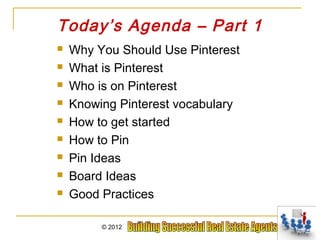
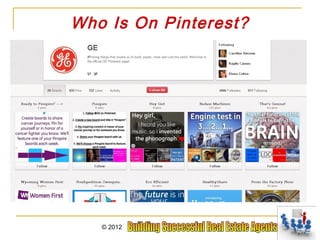
Who Is On Pinterest?


   © 2012
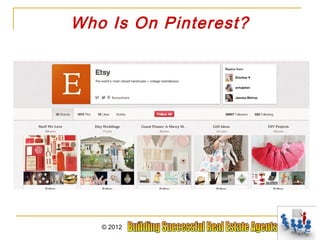
Who Is On Pinterest?


   © 2012
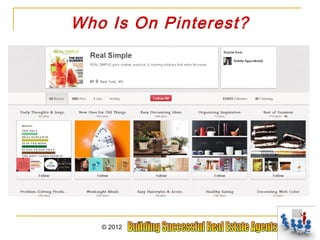
Who Is On Pinterest?


   © 2012
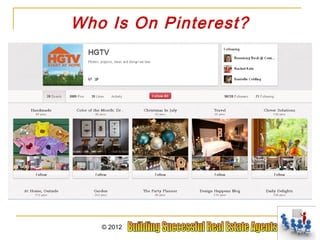
Who Is On Pinterest?


   © 2012
Who Is On Pinterest?


   © 2012
Who Is On Pinterest?


   © 2012
Who Is On Pinterest?


   © 2012
Who Is On Pinterest?


   © 2012
Who Is On Pinterest?


   © 2012
Who Is On Pinterest?


   © 2012
Who Is On Pinterest?


   © 2012
Who Is On Pinterest?


   © 2012
Who Is On Pinterest?


   © 2012
Getting to Know Pinterest


     © 2012
Pinterest Vocabulary
   PINS
       Photo, Graphic or Video linked and shared
   BOARD
       Bulletin board of themed collection of photos, graphics and video
   PIN IT BOOKMARKLET
       Code added to browser which allows pinning from any website
   SEO
       Search Engine Optimization
   FOLLOWERS
       People who are following your pins and pinboards


                   © 2012
Pinterest Vocabulary
   LIKES
       Pretty much the same as a Facebook Like Button
   COMMENTS
       A Pin, much like Facebook status updates can be commented
        on
   SHARE
       When you are finished pinning, you can share what you just
        pinned on Facebook or Twitter
   REPINS
       Adding others pins to your own board. This is what makes
        sharing content possible


                   © 2012
If You are Not Ready
       to Use Pinterest

   You can reserve your brand name
   Connect to your website or blog
   Watch what others are doing on
    pinterest


         © 2012
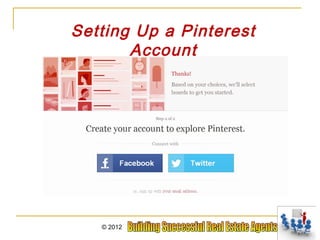
Setting Up a Pinterest Account


1. Go to Pinterest.com and join.


             © 2012
Setting Up a Pinterest
                    Account
2. Click on 5 photo’s
that you find
interesting.


                        © 2012
Setting Up a Pinterest
Account


      3. Click Continue


          © 2012
Setting Up a Pinterest
       Account


   © 2012
Setting Up a Pinterest
                      Account
When you use Facebook to create an account, it does make you add the pinterest
app to your Facebook. This can be turned off once the account is created


                       © 2012
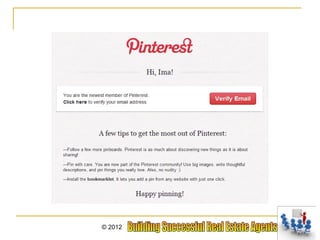
Setting Up a Pinterest
          Account
Creating your Pinterest account using your email address.


            © 2012
© 2012
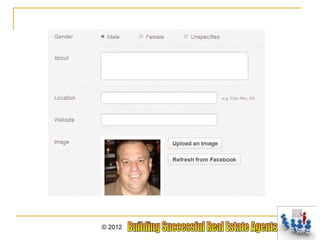
Editing Your Profile Information


        © 2012
© 2012
Editing Your Profile Information
      The profile is important in laying the foundation of your online
      presence. A nicely done profile alone can gain you trust from
      your audience.

     Be thorough
     Upload your business logo or a nice headshot
     Do not leave out any fields
     put in a nice short description of your company
     add links to your blog or website in the about section
     use your keywords
     For SEO (search engine optimization) purposes, it would be a good
      idea to use the name of your website or your company as the profile
      name


                      © 2012
Editing Your Profile Information


         © 2012
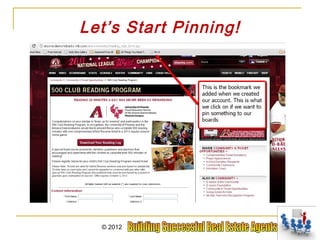
Last step is to add the “pin it” bookmark to your
browser. This allows you to easily Pin anything
from whatever site you are on.


            © 2012
Let’s Start Pinning!


  © 2012
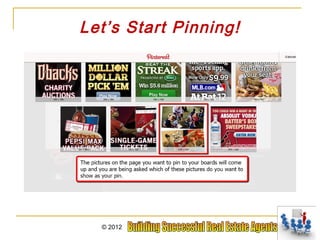
Let’s Start Pinning!


  © 2012
Let’s Start Pinning!


  © 2012
Now You Can See Your Pin


     © 2012
Let’s Start Pinning!
Other ways to upload a pin is by clicking the Add button


          © 2012
Let’s Start Pinning!
If you have the link handy and you do not have the bookmark for your
browser you can click “Add a pin” and you can add the link there.


                   © 2012
Let’s Start Pinning!
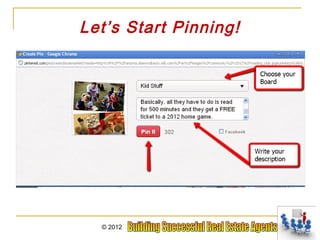
If you click upload a pin, It will request you to browse your files and find what you want
to pin. After you choose the file this is what you will see

Choose the board you want to add the pin to, write a description and add a link where
you want the photo to go to. Then click pin it . When you add the URL below it is not
linking the photo. That you still need to do.


                          © 2012
Let’s Start Pinning!
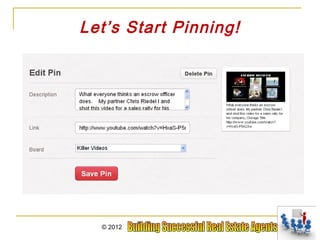
When you are viewing your pin here, click edit


         © 2012
Let’s Start Pinning!


  © 2012
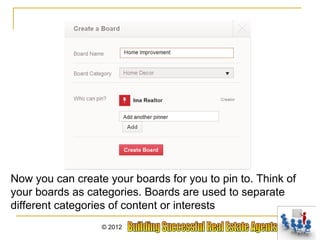
This is also where you create a new board. Just click Create a board


                 © 2012
Now you can create your boards for you to pin to. Think of
your boards as categories. Boards are used to separate
different categories of content or interests
                  © 2012
Let’s Start Pinning!
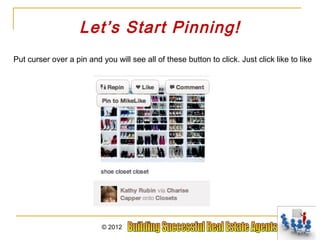
Put curser over a pin and you will see all of these button to click. Just click like to like


                           © 2012
Let’s Start Pinning!
To repin a pin and add it to your board, click Repin


         © 2012
Let’s Start Pinning!

Choose the board your want to add it to and add the description


                  © 2012
Let’s Start Pinning!
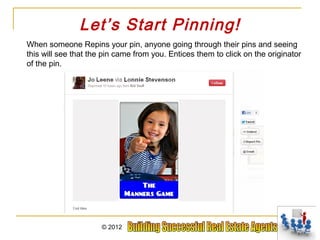
When someone Repins your pin, anyone going through their pins and seeing
this will see that the pin came from you. Entices them to click on the originator
of the pin.


                      © 2012
Board Ideas
 Descriptive Photos/Inspiration


© 2012
Board Ideas
    Infographics/How To’s


© 2012
Board Ideas
         Recycling/ReUse


© 2012
Board Ideas
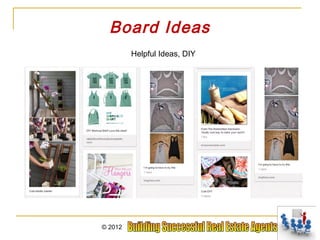
         Helpful Ideas, DIY


© 2012
Board Ideas
         Coupons


© 2012
Board Ideas
For The Home/Stuff Around the House


  © 2012
Board Ideas
   Hobbies/Stuff I Like To Do


© 2012
Board Ideas
   Money Saving Ideas/Tips


© 2012
Board Ideas
         Renovations


© 2012
Board Ideas
Videos. How to videos. Strategy Videos. Virtual Tour Videos


             © 2012
Making your Board Count

   Make sure you have descriptive photos
   Make sure the photos are quality
   Tag and Link your photos
   Have infographics
   Helpful ideas
   Use it everywhere. Facebook, Twitter,
    Linkedin, Blogs and your website


             © 2012
Good Practices

   Play nice – Use nice words
   Give credit where credit is due
   Don’t make it all about you
   Use original content as much as possible
   Make it visual


              © 2012
Part II Of Pinterest
                             Agenda
                      Have a Strategy
                 -Creating your brand (then use Keywords)
-Identifying your customers and their habits – When are they on? What do
        they post? Who do they follow? What do they like or re-pin
             -What is your purpose? Connect? Educate? Sell?
   -What are your goals? Increase sales? Increase Revenue? Referral
               partner increase? Increase Brand Awareness?
               -Staying Consistent – You must post everyday

                  How to get followers
                   More Board Ideas
                    Board Critiques
                    © 2012
Create Your Brand
1)        Getting compensated for your passion
     1)     Helping People Achieve the Ultimate….Homeownership

2)        Set goals
3)        Write down a mission
4)        Write down your vision
5)        Know what you do and who you serve
6)        Create a development plan based on who you
          are. Are you funny, goofy, a bookworm, nerdy,
          sporty, etc.? (A quirk you can capitalize on)
7)        Use keywords in your descriptions, captions,
          about me, etc.

                     © 2012
Identify Your Customer
Men
Women
Married Couples
Engaged
Professionals – Police, Teacher, Firemen
Industries – Home Depot, Lowes, Disney, Hospital
What time are they on
What do they post
What do they like (info graphics, videos, pictures,
recipes, how to’s, DIY, etc.)
What do they buy
Who do they follow
              © 2012
What is your purpose on Pinterest?
             A. To Educate?


          © 2012
What is your purpose on Pinterest?
                   B. To Sell?
         (People only buy houses every 5-7 years)


          © 2012
What is your purpose on Pinterest?
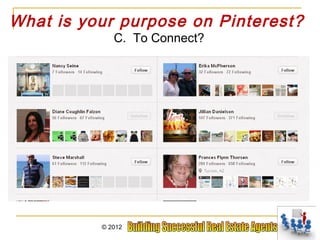
             C. To Connect?


          © 2012
What is your purpose on Pinterest?
         C. Brand Recognition?


          © 2012
What is your goal?
- Get xx buyer leads
- Get xx seller leads
- Get xx new referral/affiliate
   partners
- Get xx new followers/day
- Get xx comments, re-pins or
   engagements

      © 2012
Strategy Map For Pinterest

1. Expose yourself
  Let the world see who you are.

2. Get Followers & Engage them
 Give them good quality content and pins

3. Drive Traffic
 Get them to your website, blog, fanpage, or e-mail campaign

4. Sell Something
 Let them buy your product/services – Video tips always have a CTA


                  © 2012
1. Expose Yourself
  1. Teach what you know:
    A. Using info graphics


    © 2012
1. Expose Yourself
                                   B. Using Video

              Create videos of what you know (or interview experts).
Share anything to do with home maintenance, (landscaping, pool, hardwood floors, etc. )
    car maintenance, saving money, credit repair, marketing tips, social media tips,
                     coupons, recipes, technology, gardening, etc.


                          © 2012
1. Expose Yourself
 C. How to Photo’s or Videos
            Snap some photos
            as you are doing a
            tip then you can easily use
            Power Point to lay your
            photos in or Adobe
            Photoshop


   © 2012
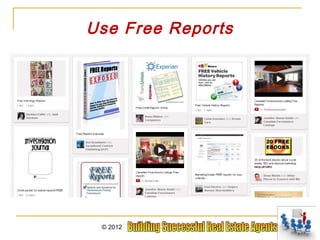
Use Free Reports


 © 2012
1. Expose Yourself
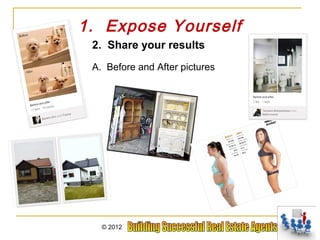
 2. Share your results
 A. Before and After pictures


   © 2012
1. Expose Yourself
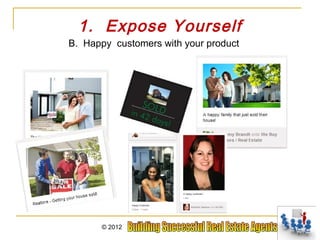
B. Happy customers with your product


       © 2012
1. Expose Yourself
C. Video testimonials from your customers


Video testimonials from your Referral Partners

        © 2012
1. Expose Yourself
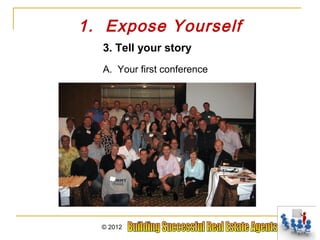
  3. Tell your story
  A. Your first conference


  © 2012
1. Expose Yourself
 B. Your first book / article


   © 2012
1. Expose Yourself
C. Your latest project/Favorite hobby


   © 2012
2. Get Followers and Engage them

First, get your current audience engaged on Pinterest

Current Audience:
Email list
Website
Facebook
Twitter
Linkedin
Rolodex
Phone contacts (mobile)


              © 2012
1.Add the follow button
onto your website or email address


      © 2012
1.Add the follow button
onto your website or email address


      © 2012
Getting Followers and Engagement

    Second, Post on your Facebook & Twitter

    -Let them know what you are talking
     about, posting and sharing

    -How is the content different from Facebook? Give them
    a reason why they should follow both

    -Let them know about any contests you are having that
    ask them to engage on Pinterest


                © 2012
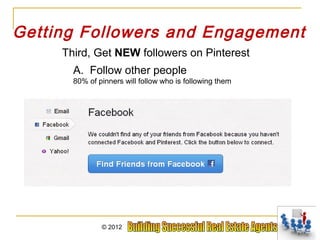
Getting Followers and Engagement
     Third, Get NEW followers on Pinterest
       A. Follow other people
       80% of pinners will follow who is following them


               © 2012
Getting Followers and Engagement
   B. Engage with other people and business’s by:

  Repinning             Liking            Commenting


               © 2012
Getting Followers and Engagement
      Getting NEW followers on Pinterest
           C. Tag other pinners


           © 2012
Getting Followers and Engagement
     Getting NEW followers on Pinterest
              How to tag other pinners:


          © 2012
Getting Followers and Engagement
      Getting NEW followers on Pinterest
      D. Using keywords
      -You want to use words that you would want to appear
      as a general search


               © 2012
Getting Followers and Engagement
                 Using Keywords


        © 2012
Getting Followers and Engagement
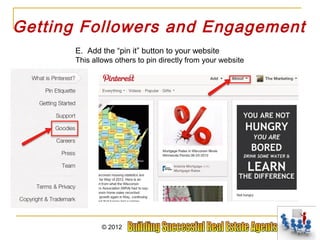
      E. Add the “pin it” button to your website
      This allows others to pin directly from your website


              © 2012
Getting Followers and Engagement
      E. Add the “pin it” button to your website
      This allows others to pin directly from your website


              © 2012
Getting Followers and Engagement


         © 2012
Getting Followers and Engagement
      How often should you pin?

      Don’t pin more than 8 pins in a sitting or per hour.
      Post at different times of the day.
      If you pin throughout the day it gives you more
      of an opportunity for your pins to been seen.

      - Post everyday - Consistency


                 © 2012
3. Drive Traffic
5 Tips that make great pins and drive traffic:
1. Proper Captions
-Broad keywords, concepts and keyword categories.
Words used in captions are what allows your
pins to come up in search results.
-Captions with a call to action. Who I am. Who i help. How I Help them.


                  © 2012
Traffic
5 Tips that make great pins and drive traffic:

 2. Edit your links
 Always make sure your pin goes to a source! No dead pins


                 © 2012
Traffic
       5 Tips that make great pins and drive traffic:


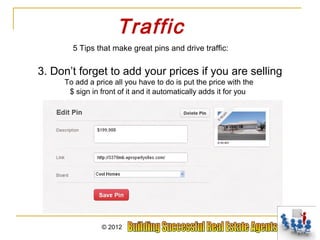
3. Don’t forget to add your prices if you are selling
     To add a price all you have to do is put the price with the
      $ sign in front of it and it automatically adds it for you


                © 2012
Traffic
5 Tips that make great pins and drive traffic:


4. Use video.
People like to be entertained, taught and helped.
This is a great way to do that.


       © 2012
Traffic
    5 Tips that make great pins and drive traffic:

5. Original content
This is what allows you to add whatever source you want.


          © 2012
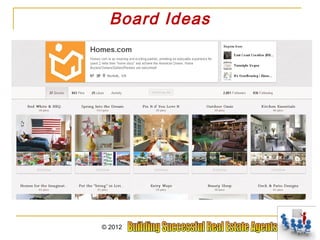
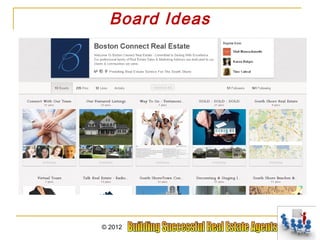
Board Ideas
                     Great example of engagement through contests
 They had other people submit T shirt Designs for their company. Great way to market their
company, illustrate their style, engage others, drive traffic to there website and make a sale.


                             © 2012
Board Ideas
    Boards for staff to post on


© 2012
Board Ideas
 Behind the Scene of your business


© 2012
Board Ideas
                                  Milestones.
USA Today used the 100th anniversaries of everything from Oreos to Fenway park.
                Find a milestone that could relate to your brand


                       © 2012
Board Ideas
Personal Bucket list or Business bucket list


  © 2012
Board Ideas
Products – books, free reports, credit repair, houses, home supplies
Featured Business Partners – realtors, CPA, Attorney, pool, landscape
Your Brand and What you Represent – American dream, stability
Saving Money/Coupons/Budgeting – B2B videos, QR codes, Local Biz
Decorating, renovation news, cleaning tips, staging a home
Recipes – on a budget, organic, just desserts,
Travel – Groupon deals, local hotels, unusual places
Your Favorite hobby – Biking, juicing, wine tasting, boating, cars
Gardening – seasonal ideas, landscaping, best times, etc.
DIY ideas – cleaning tips, painting, remodeling, plumbing, going green
Favorite Restaurants – Best eats in town with coupons
Marketing Tips – to Referral Partners
Mascot – Where in the world is Miss Kitty?
Quote/Inspirational – Who doesn’t like this?
Homeowner – buying, selling, maintaining, refinancing
                    © 2012
Board Ideas


© 2012
Board Ideas


© 2012
Board Ideas


© 2012
Board Ideas


© 2012
Board Ideas


© 2012
Board Ideas


© 2012
Board Ideas


© 2012
Who Is On Pinterest?


A place to buy and sell handmade or vintage items, and the arts and supplies for making them


                         © 2012
Who Is On Pinterest?


Perhaps a board that has examples of outfits


                    © 2012
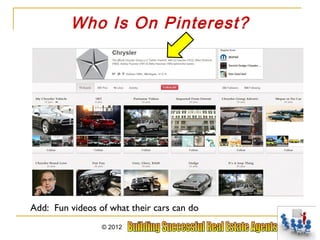
Who Is On Pinterest?


Add: Fun videos of what their cars can do
                 © 2012
Who Is On Pinterest?


Add: Women and their tools
               © 2012
Who Is On Pinterest?


More Keywords: DIY, garden, home design, etc.

                     © 2012
Who Is On Pinterest?


            Coupons!!!!
   © 2012
Recap
   Have a Strategy
   Creating your brand (then use Keywords)
   Identifying your customers and their habits –
    When are they on? What do they post? Who do
    they follow? What do they like or re-pin
   What is your purpose? Connect? Educate? Sell?
   What are your goals? Increase sales? Increase
    Revenue? Referral partner increase? Increase
    Brand Awareness?
   Staying Consistent – You must post everyday
   How to get followers
   Have several boards that support your brand

              © 2012
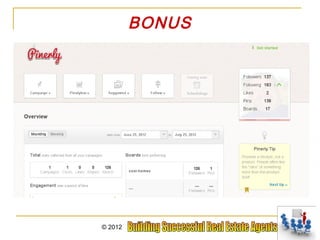
BONUS


© 2012
BONUS


© 2012
BONUS


© 2012
Lonnie Stevenson           Chris Riedel
    (928) 716-6723          (928) 855-4196
Lonnie.BSREA@gmail.co   Chris.BSREA@gmail.co
           m                       m


            THANK YOU!

BSREA 11/14/2012

  • 1.
    Lonnie Stevenson Chris Riedel (928) 716-6723 (928) 855-4196 Lonnie.BSREA@gmail.co Chris.BSREA@gmail.co m m
  • 2.
    Today’s Agenda –Part 1  Why You Should Use Pinterest  What is Pinterest  Who is on Pinterest  Knowing Pinterest vocabulary  How to get started  How to Pin  Pin Ideas  Board Ideas  Good Practices © 2012
  • 3.
    Today’s Agenda –Part 2  Going over Strategies for Pinterest -What is your brand -Going over keywords -Who are your customers and what do they want -Your customer habits. When are they on? -Making it “Pretty” -What is your purpose: RE Sales, New Referral Partners? Connect? Execute? -What are your goals? Revenue increase, Sales increase, Referral Partners increase. -Staying Consistent  Board Ideas  Getting Followers © 2012
  • 4.
    Why You ShouldUse Pinterest  Fastest site to reach 10 million uses in tech history, (currently 12+ million users)  A call-to-action pin description sees an 80% increase in engagement (Pinerly Study)  Daily Pinterest users have increased by more than 145% since the beginning of 2012 (Mashable)  As of January 2012, American users spent an average of 97.8 minutes on Pinterest (eMarketer)  More than one fifth of Facebook connected users are on Pinterest daily, which represents more than 2 million users, (Mashable) © 2012
  • 5.
    Why Pinterest?  Drives Traffic  Allows you to brand  Research -Allows you to see what others are interested in -What is popular -What is trending -Trending conversations  Allows you to connect with other Social Sites like Twitter and Facebook © 2012
  • 6.
  • 7.
  • 8.
  • 9.
  • 10.
  • 11.
    What Is Pinterest  Allows you to Share products, pictures and videos that link back to the site they were found  Community for interaction  Users are encouraged to share or “repin” other users pins © 2012
  • 12.
    Who Is OnPinterest? © 2012
  • 13.
    Who Is OnPinterest? © 2012
  • 14.
    Who Is OnPinterest? © 2012
  • 15.
    Who Is OnPinterest? © 2012
  • 16.
    Who Is OnPinterest? © 2012
  • 17.
    Who Is OnPinterest? © 2012
  • 18.
    Who Is OnPinterest? © 2012
  • 19.
    Who Is OnPinterest? © 2012
  • 20.
    Who Is OnPinterest? © 2012
  • 21.
    Who Is OnPinterest? © 2012
  • 22.
    Who Is OnPinterest? © 2012
  • 23.
    Who Is OnPinterest? © 2012
  • 24.
    Who Is OnPinterest? © 2012
  • 25.
    Getting to KnowPinterest © 2012
  • 26.
    Pinterest Vocabulary  PINS  Photo, Graphic or Video linked and shared  BOARD  Bulletin board of themed collection of photos, graphics and video  PIN IT BOOKMARKLET  Code added to browser which allows pinning from any website  SEO  Search Engine Optimization  FOLLOWERS  People who are following your pins and pinboards © 2012
  • 27.
    Pinterest Vocabulary  LIKES  Pretty much the same as a Facebook Like Button  COMMENTS  A Pin, much like Facebook status updates can be commented on  SHARE  When you are finished pinning, you can share what you just pinned on Facebook or Twitter  REPINS  Adding others pins to your own board. This is what makes sharing content possible © 2012
  • 28.
    If You areNot Ready to Use Pinterest  You can reserve your brand name  Connect to your website or blog  Watch what others are doing on pinterest © 2012
  • 29.
    Setting Up aPinterest Account 1. Go to Pinterest.com and join. © 2012
  • 30.
    Setting Up aPinterest Account 2. Click on 5 photo’s that you find interesting. © 2012
  • 31.
    Setting Up aPinterest Account 3. Click Continue © 2012
  • 32.
    Setting Up aPinterest Account © 2012
  • 33.
    Setting Up aPinterest Account When you use Facebook to create an account, it does make you add the pinterest app to your Facebook. This can be turned off once the account is created © 2012
  • 34.
    Setting Up aPinterest Account Creating your Pinterest account using your email address. © 2012
  • 35.
  • 36.
    Editing Your ProfileInformation © 2012
  • 37.
  • 38.
    Editing Your ProfileInformation The profile is important in laying the foundation of your online presence. A nicely done profile alone can gain you trust from your audience.  Be thorough  Upload your business logo or a nice headshot  Do not leave out any fields  put in a nice short description of your company  add links to your blog or website in the about section  use your keywords  For SEO (search engine optimization) purposes, it would be a good idea to use the name of your website or your company as the profile name © 2012
  • 39.
    Editing Your ProfileInformation © 2012
  • 40.
    Last step isto add the “pin it” bookmark to your browser. This allows you to easily Pin anything from whatever site you are on. © 2012
  • 41.
  • 42.
  • 43.
  • 44.
    Now You CanSee Your Pin © 2012
  • 45.
    Let’s Start Pinning! Otherways to upload a pin is by clicking the Add button © 2012
  • 46.
    Let’s Start Pinning! Ifyou have the link handy and you do not have the bookmark for your browser you can click “Add a pin” and you can add the link there. © 2012
  • 47.
    Let’s Start Pinning! Ifyou click upload a pin, It will request you to browse your files and find what you want to pin. After you choose the file this is what you will see Choose the board you want to add the pin to, write a description and add a link where you want the photo to go to. Then click pin it . When you add the URL below it is not linking the photo. That you still need to do. © 2012
  • 48.
    Let’s Start Pinning! Whenyou are viewing your pin here, click edit © 2012
  • 49.
  • 50.
    This is alsowhere you create a new board. Just click Create a board © 2012
  • 51.
    Now you cancreate your boards for you to pin to. Think of your boards as categories. Boards are used to separate different categories of content or interests © 2012
  • 52.
    Let’s Start Pinning! Putcurser over a pin and you will see all of these button to click. Just click like to like © 2012
  • 53.
    Let’s Start Pinning! Torepin a pin and add it to your board, click Repin © 2012
  • 54.
    Let’s Start Pinning! Choosethe board your want to add it to and add the description © 2012
  • 55.
    Let’s Start Pinning! Whensomeone Repins your pin, anyone going through their pins and seeing this will see that the pin came from you. Entices them to click on the originator of the pin. © 2012
  • 56.
    Board Ideas DescriptivePhotos/Inspiration © 2012
  • 57.
    Board Ideas Infographics/How To’s © 2012
  • 58.
    Board Ideas Recycling/ReUse © 2012
  • 59.
    Board Ideas Helpful Ideas, DIY © 2012
  • 60.
    Board Ideas Coupons © 2012
  • 61.
    Board Ideas For TheHome/Stuff Around the House © 2012
  • 62.
    Board Ideas Hobbies/Stuff I Like To Do © 2012
  • 63.
    Board Ideas Money Saving Ideas/Tips © 2012
  • 64.
    Board Ideas Renovations © 2012
  • 65.
    Board Ideas Videos. Howto videos. Strategy Videos. Virtual Tour Videos © 2012
  • 66.
    Making your BoardCount  Make sure you have descriptive photos  Make sure the photos are quality  Tag and Link your photos  Have infographics  Helpful ideas  Use it everywhere. Facebook, Twitter, Linkedin, Blogs and your website © 2012
  • 67.
    Good Practices  Play nice – Use nice words  Give credit where credit is due  Don’t make it all about you  Use original content as much as possible  Make it visual © 2012
  • 68.
    Part II OfPinterest Agenda Have a Strategy -Creating your brand (then use Keywords) -Identifying your customers and their habits – When are they on? What do they post? Who do they follow? What do they like or re-pin -What is your purpose? Connect? Educate? Sell? -What are your goals? Increase sales? Increase Revenue? Referral partner increase? Increase Brand Awareness? -Staying Consistent – You must post everyday How to get followers More Board Ideas Board Critiques © 2012
  • 69.
    Create Your Brand 1) Getting compensated for your passion 1) Helping People Achieve the Ultimate….Homeownership 2) Set goals 3) Write down a mission 4) Write down your vision 5) Know what you do and who you serve 6) Create a development plan based on who you are. Are you funny, goofy, a bookworm, nerdy, sporty, etc.? (A quirk you can capitalize on) 7) Use keywords in your descriptions, captions, about me, etc. © 2012
  • 70.
    Identify Your Customer Men Women MarriedCouples Engaged Professionals – Police, Teacher, Firemen Industries – Home Depot, Lowes, Disney, Hospital What time are they on What do they post What do they like (info graphics, videos, pictures, recipes, how to’s, DIY, etc.) What do they buy Who do they follow © 2012
  • 71.
    What is yourpurpose on Pinterest? A. To Educate? © 2012
  • 72.
    What is yourpurpose on Pinterest? B. To Sell? (People only buy houses every 5-7 years) © 2012
  • 73.
    What is yourpurpose on Pinterest? C. To Connect? © 2012
  • 74.
    What is yourpurpose on Pinterest? C. Brand Recognition? © 2012
  • 75.
    What is yourgoal? - Get xx buyer leads - Get xx seller leads - Get xx new referral/affiliate partners - Get xx new followers/day - Get xx comments, re-pins or engagements © 2012
  • 76.
    Strategy Map ForPinterest 1. Expose yourself Let the world see who you are. 2. Get Followers & Engage them Give them good quality content and pins 3. Drive Traffic Get them to your website, blog, fanpage, or e-mail campaign 4. Sell Something Let them buy your product/services – Video tips always have a CTA © 2012
  • 77.
    1. Expose Yourself 1. Teach what you know: A. Using info graphics © 2012
  • 78.
    1. Expose Yourself B. Using Video Create videos of what you know (or interview experts). Share anything to do with home maintenance, (landscaping, pool, hardwood floors, etc. ) car maintenance, saving money, credit repair, marketing tips, social media tips, coupons, recipes, technology, gardening, etc. © 2012
  • 79.
    1. Expose Yourself C. How to Photo’s or Videos Snap some photos as you are doing a tip then you can easily use Power Point to lay your photos in or Adobe Photoshop © 2012
  • 80.
  • 81.
    1. Expose Yourself 2. Share your results A. Before and After pictures © 2012
  • 82.
    1. Expose Yourself B.Happy customers with your product © 2012
  • 83.
    1. Expose Yourself C.Video testimonials from your customers Video testimonials from your Referral Partners © 2012
  • 84.
    1. Expose Yourself 3. Tell your story A. Your first conference © 2012
  • 85.
    1. Expose Yourself B. Your first book / article © 2012
  • 86.
    1. Expose Yourself C.Your latest project/Favorite hobby © 2012
  • 87.
    2. Get Followersand Engage them First, get your current audience engaged on Pinterest Current Audience: Email list Website Facebook Twitter Linkedin Rolodex Phone contacts (mobile) © 2012
  • 88.
    1.Add the followbutton onto your website or email address © 2012
  • 89.
    1.Add the followbutton onto your website or email address © 2012
  • 90.
    Getting Followers andEngagement Second, Post on your Facebook & Twitter -Let them know what you are talking about, posting and sharing -How is the content different from Facebook? Give them a reason why they should follow both -Let them know about any contests you are having that ask them to engage on Pinterest © 2012
  • 91.
    Getting Followers andEngagement Third, Get NEW followers on Pinterest A. Follow other people 80% of pinners will follow who is following them © 2012
  • 92.
    Getting Followers andEngagement B. Engage with other people and business’s by: Repinning Liking Commenting © 2012
  • 93.
    Getting Followers andEngagement Getting NEW followers on Pinterest C. Tag other pinners © 2012
  • 94.
    Getting Followers andEngagement Getting NEW followers on Pinterest How to tag other pinners: © 2012
  • 95.
    Getting Followers andEngagement Getting NEW followers on Pinterest D. Using keywords -You want to use words that you would want to appear as a general search © 2012
  • 96.
    Getting Followers andEngagement Using Keywords © 2012
  • 97.
    Getting Followers andEngagement E. Add the “pin it” button to your website This allows others to pin directly from your website © 2012
  • 98.
    Getting Followers andEngagement E. Add the “pin it” button to your website This allows others to pin directly from your website © 2012
  • 99.
    Getting Followers andEngagement © 2012
  • 100.
    Getting Followers andEngagement How often should you pin? Don’t pin more than 8 pins in a sitting or per hour. Post at different times of the day. If you pin throughout the day it gives you more of an opportunity for your pins to been seen. - Post everyday - Consistency © 2012
  • 101.
    3. Drive Traffic 5Tips that make great pins and drive traffic: 1. Proper Captions -Broad keywords, concepts and keyword categories. Words used in captions are what allows your pins to come up in search results. -Captions with a call to action. Who I am. Who i help. How I Help them. © 2012
  • 102.
    Traffic 5 Tips thatmake great pins and drive traffic: 2. Edit your links Always make sure your pin goes to a source! No dead pins © 2012
  • 103.
    Traffic 5 Tips that make great pins and drive traffic: 3. Don’t forget to add your prices if you are selling To add a price all you have to do is put the price with the $ sign in front of it and it automatically adds it for you © 2012
  • 104.
    Traffic 5 Tips thatmake great pins and drive traffic: 4. Use video. People like to be entertained, taught and helped. This is a great way to do that. © 2012
  • 105.
    Traffic 5 Tips that make great pins and drive traffic: 5. Original content This is what allows you to add whatever source you want. © 2012
  • 106.
    Board Ideas Great example of engagement through contests They had other people submit T shirt Designs for their company. Great way to market their company, illustrate their style, engage others, drive traffic to there website and make a sale. © 2012
  • 107.
    Board Ideas Boards for staff to post on © 2012
  • 108.
    Board Ideas Behindthe Scene of your business © 2012
  • 109.
    Board Ideas Milestones. USA Today used the 100th anniversaries of everything from Oreos to Fenway park. Find a milestone that could relate to your brand © 2012
  • 110.
    Board Ideas Personal Bucketlist or Business bucket list © 2012
  • 111.
    Board Ideas Products –books, free reports, credit repair, houses, home supplies Featured Business Partners – realtors, CPA, Attorney, pool, landscape Your Brand and What you Represent – American dream, stability Saving Money/Coupons/Budgeting – B2B videos, QR codes, Local Biz Decorating, renovation news, cleaning tips, staging a home Recipes – on a budget, organic, just desserts, Travel – Groupon deals, local hotels, unusual places Your Favorite hobby – Biking, juicing, wine tasting, boating, cars Gardening – seasonal ideas, landscaping, best times, etc. DIY ideas – cleaning tips, painting, remodeling, plumbing, going green Favorite Restaurants – Best eats in town with coupons Marketing Tips – to Referral Partners Mascot – Where in the world is Miss Kitty? Quote/Inspirational – Who doesn’t like this? Homeowner – buying, selling, maintaining, refinancing © 2012
  • 112.
  • 113.
  • 114.
  • 115.
  • 116.
  • 117.
  • 118.
  • 119.
    Who Is OnPinterest? A place to buy and sell handmade or vintage items, and the arts and supplies for making them © 2012
  • 120.
    Who Is OnPinterest? Perhaps a board that has examples of outfits © 2012
  • 121.
    Who Is OnPinterest? Add: Fun videos of what their cars can do © 2012
  • 122.
    Who Is OnPinterest? Add: Women and their tools © 2012
  • 123.
    Who Is OnPinterest? More Keywords: DIY, garden, home design, etc. © 2012
  • 124.
    Who Is OnPinterest? Coupons!!!! © 2012
  • 125.
    Recap  Have a Strategy  Creating your brand (then use Keywords)  Identifying your customers and their habits – When are they on? What do they post? Who do they follow? What do they like or re-pin  What is your purpose? Connect? Educate? Sell?  What are your goals? Increase sales? Increase Revenue? Referral partner increase? Increase Brand Awareness?  Staying Consistent – You must post everyday  How to get followers  Have several boards that support your brand © 2012
  • 126.
  • 127.
  • 128.
  • 129.
    Lonnie Stevenson Chris Riedel (928) 716-6723 (928) 855-4196 Lonnie.BSREA@gmail.co Chris.BSREA@gmail.co m m THANK YOU!

Editor's Notes

  • #70 To consumers or to referral partners 7) Mortgage Doctor, The Mortgage Guys, Loans4You, Texas Mortgage Man, Texas Vet Loans, Hawaii Loans 411 or your personal name with something like Group added.