Boost development with Java EE7 on
JBoss EAP7
Dimitris Andreadis
EAP Engineering Manager
June 29, 2016
Jason Greene
EAP Architect
About Me
JBoss AS/EAP, WildFly Fan(atic)
•2001, JBoss User
•2003, JBoss Committer
•2004, JBoss Full-time Core Developer
•2006, JBoss AS Lead (v3.2.8+, v4.0.4+, v4.2.x, 5.0.x)
•2009, JBoss AS Engineering Manager
•2013, JBoss EAP/WildFly Sr. Engineering Manager
And before JBoss?
●
7y experience in distributed systems (telcos, NMS/OSS)
●
BSc/MSc Computer Science (Athens/Dublin)
about.me/dandreadis
JBoss EAP 7
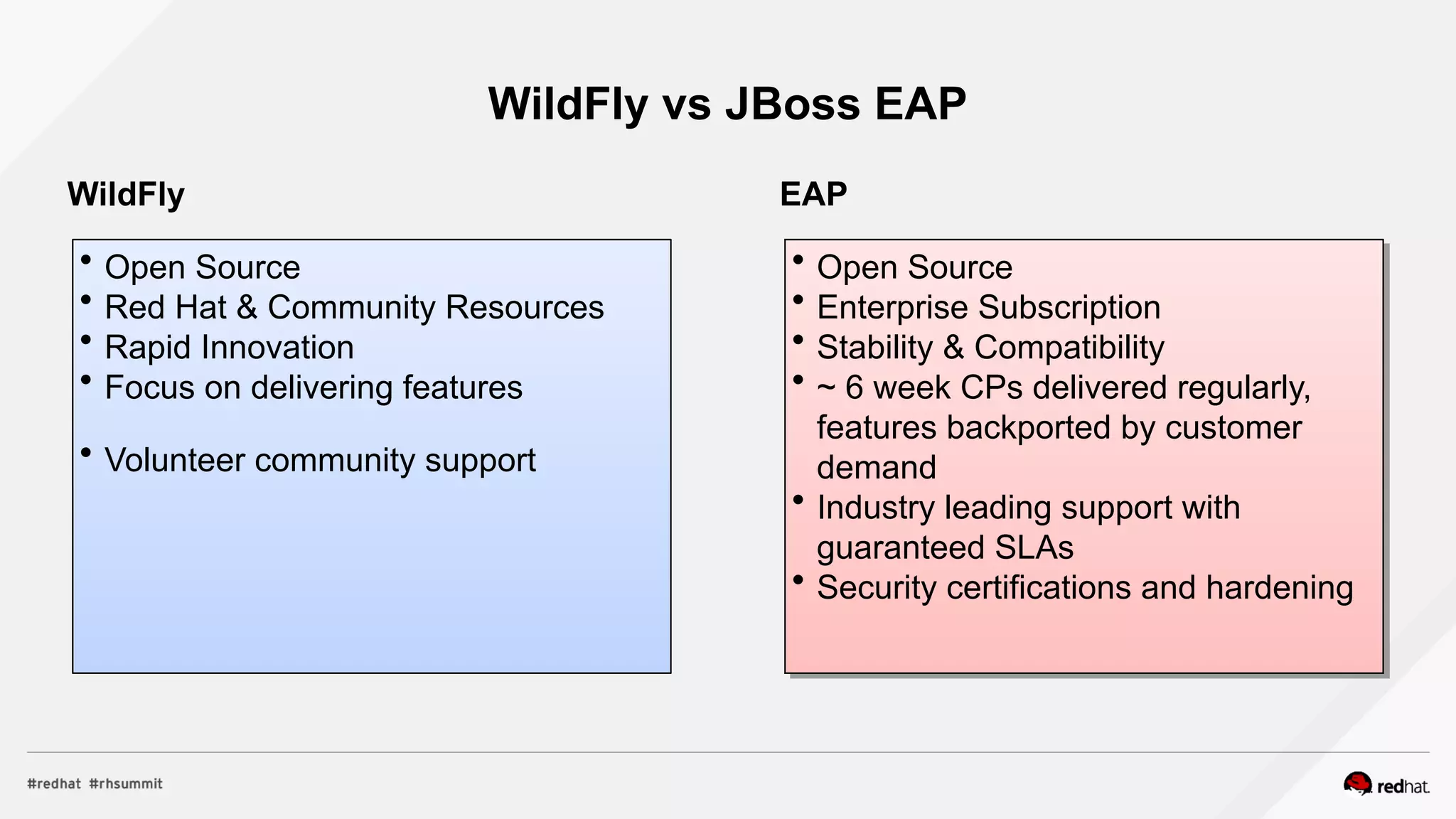
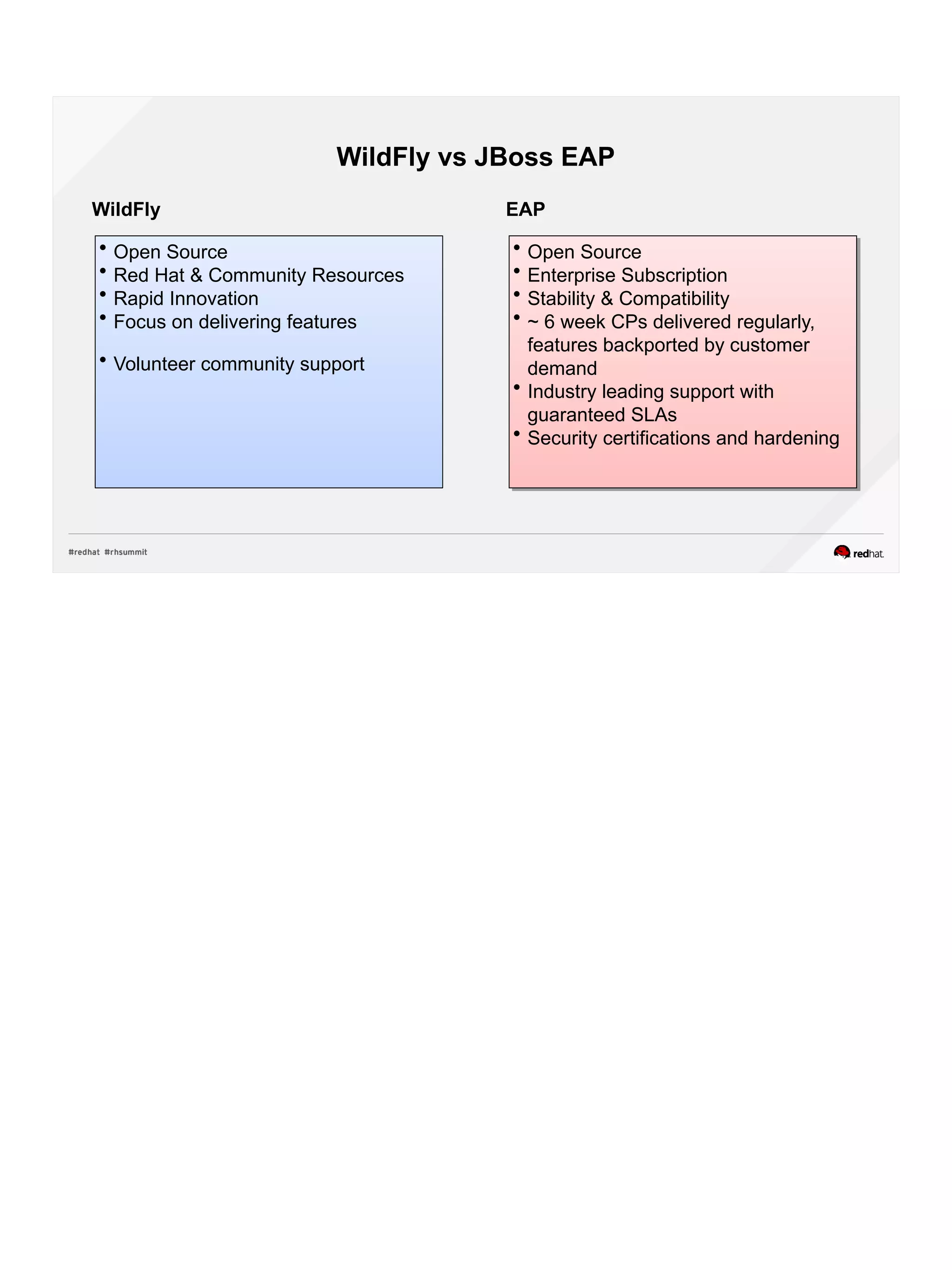
WildFly vs JBoss EAP
 Open Source
 Red Hat & Community Resources
 Rapid Innovation
 Focus on delivering features
 Volunteer community support
 Open Source
 Enterprise Subscription
 Stability & Compatibility
 ~ 6 week CPs delivered regularly,
features backported by customer
demand
 Industry leading support with
guaranteed SLAs
 Security certifications and hardening
 Open Source
 Enterprise Subscription
 Stability & Compatibility
 ~ 6 week CPs delivered regularly,
features backported by customer
demand
 Industry leading support with
guaranteed SLAs
 Security certifications and hardening
WildFly EAP
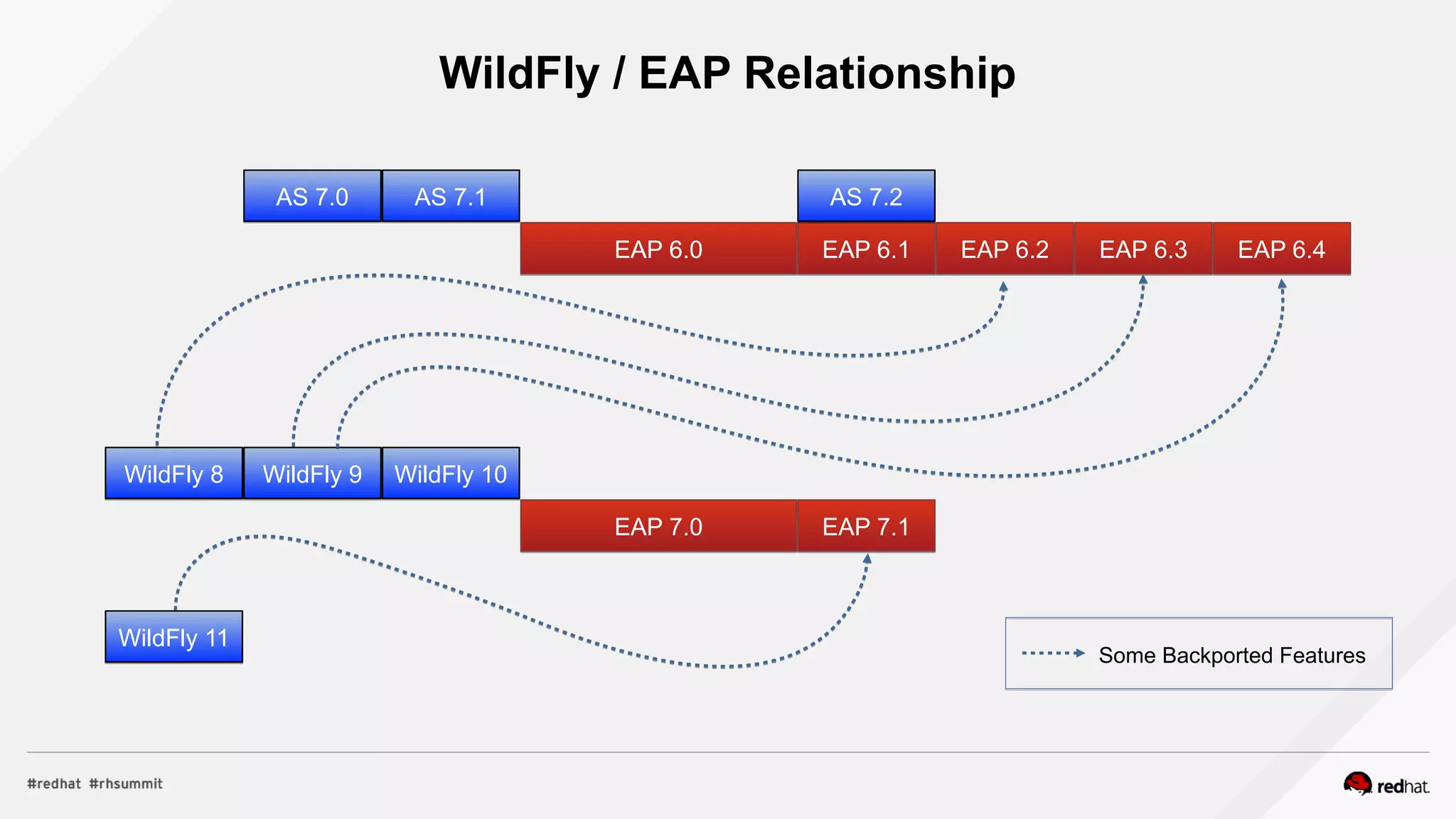
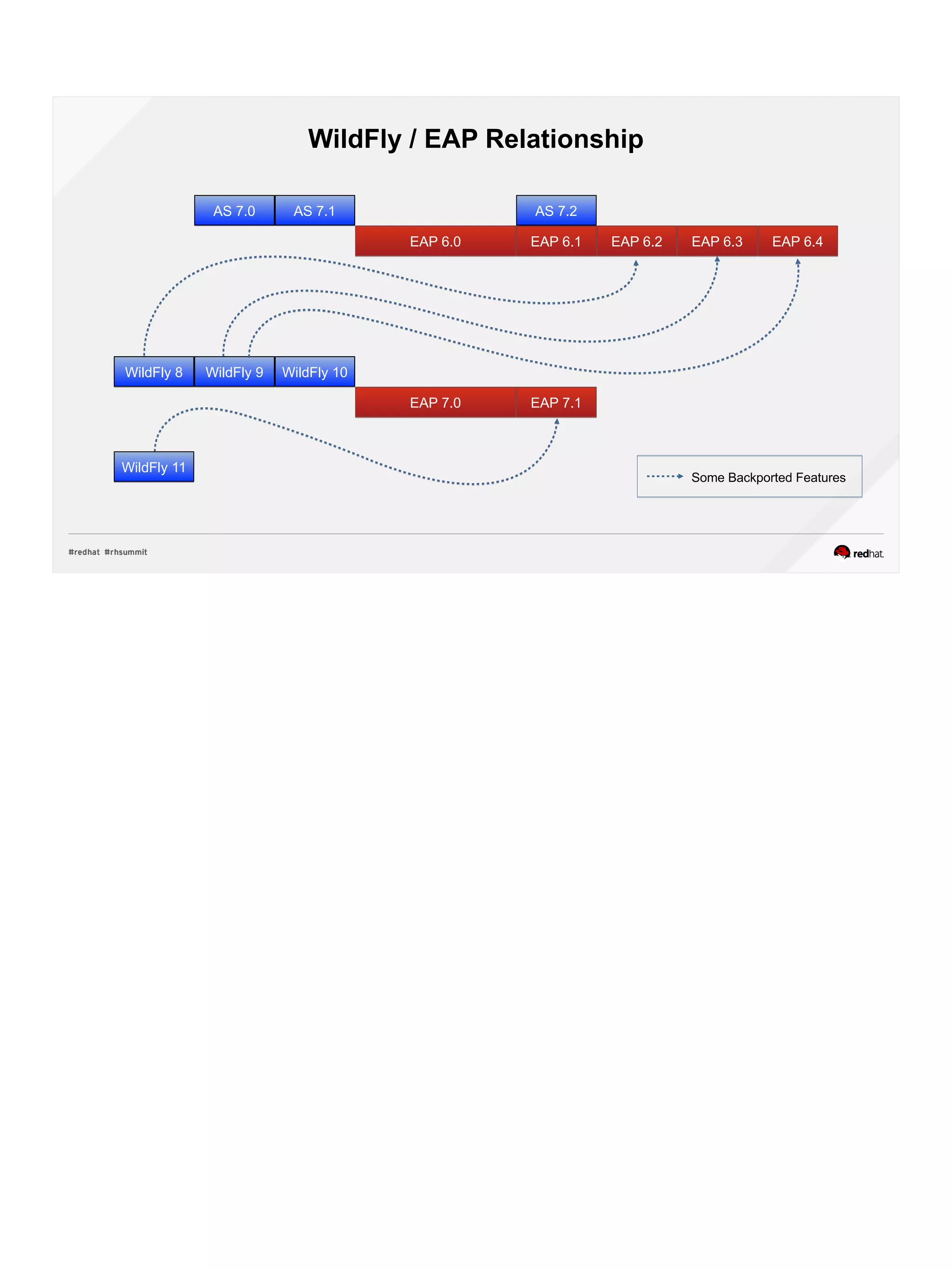
WildFly / EAP Relationship
AS 7.1AS 7.1
EAP 6.1EAP 6.1 EAP 6.2EAP 6.2 EAP 6.3EAP 6.3 EAP 6.4EAP 6.4EAP 6.0EAP 6.0
AS 7.0AS 7.0 AS 7.2AS 7.2
WildFly 8WildFly 8 WildFly 9WildFly 9 WildFly 10WildFly 10
EAP 7.0EAP 7.0 EAP 7.1EAP 7.1
WildFly 11WildFly 11
Some Backported Features
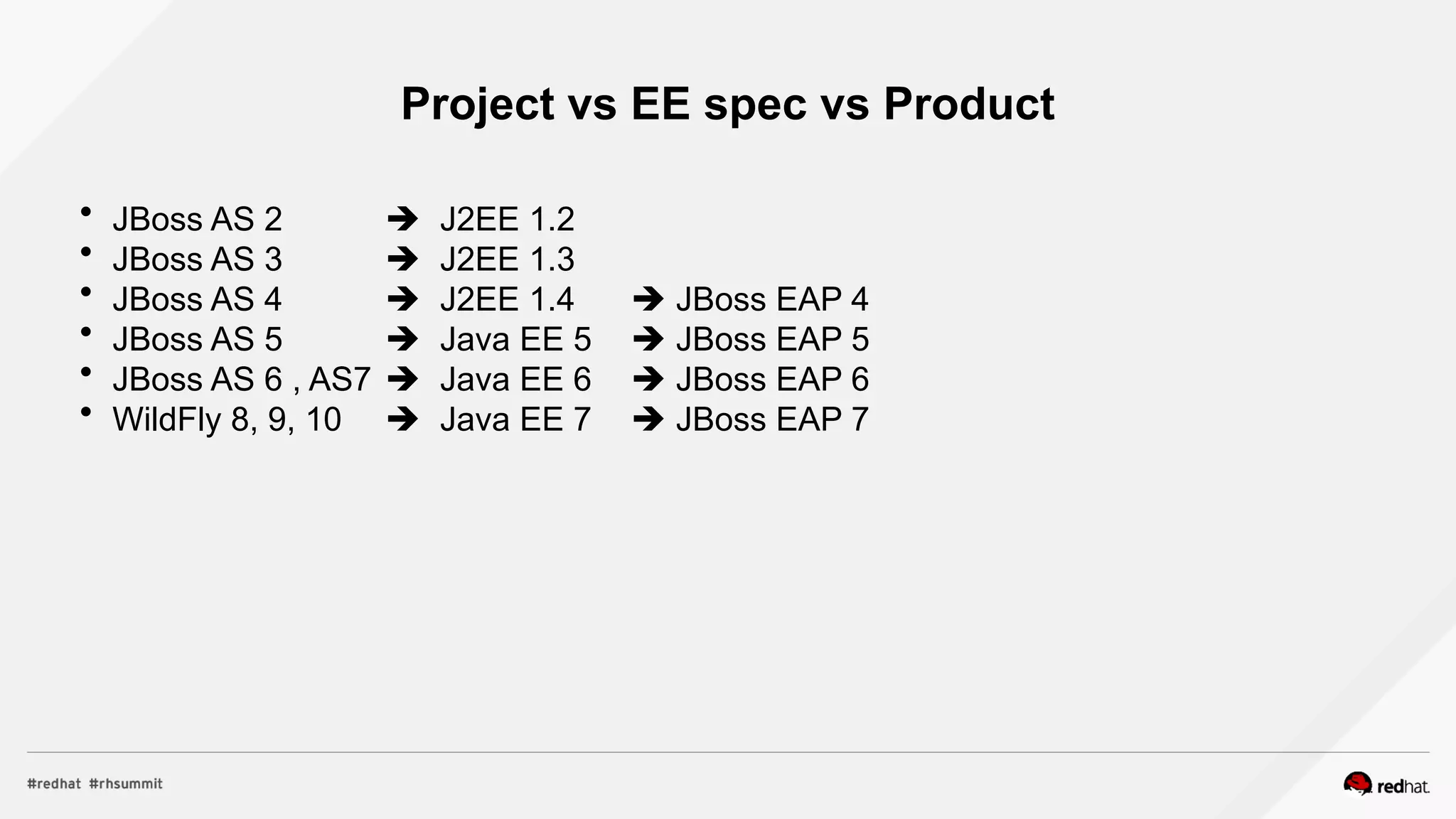
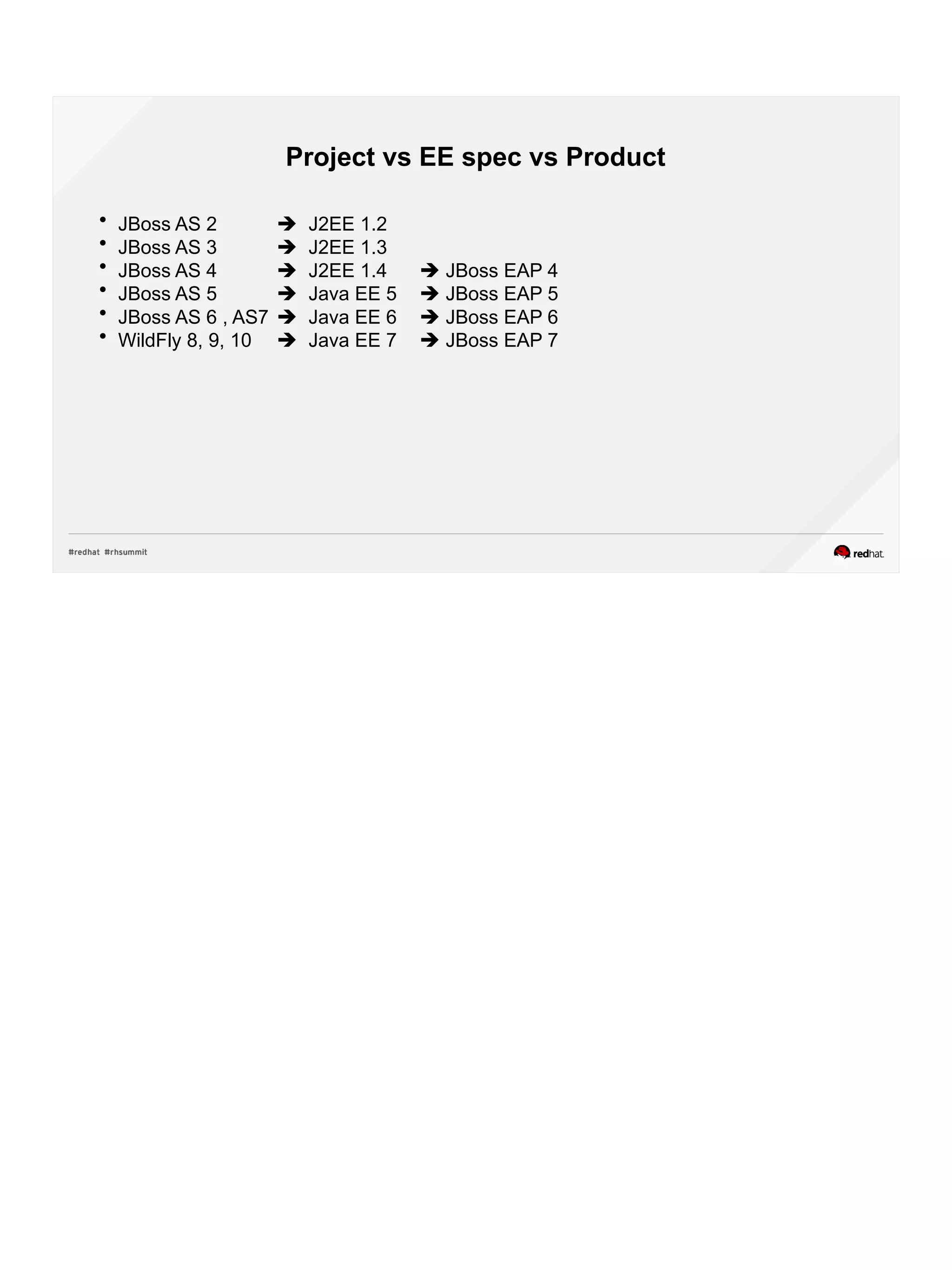
Project vs EE spec vs Product
 JBoss AS 2  J2EE 1.2
 JBoss AS 3  J2EE 1.3
 JBoss AS 4  J2EE 1.4  JBoss EAP 4
 JBoss AS 5  Java EE 5  JBoss EAP 5
 JBoss AS 6 , AS7  Java EE 6  JBoss EAP 6
 WildFly 8, 9, 10  Java EE 7  JBoss EAP 7
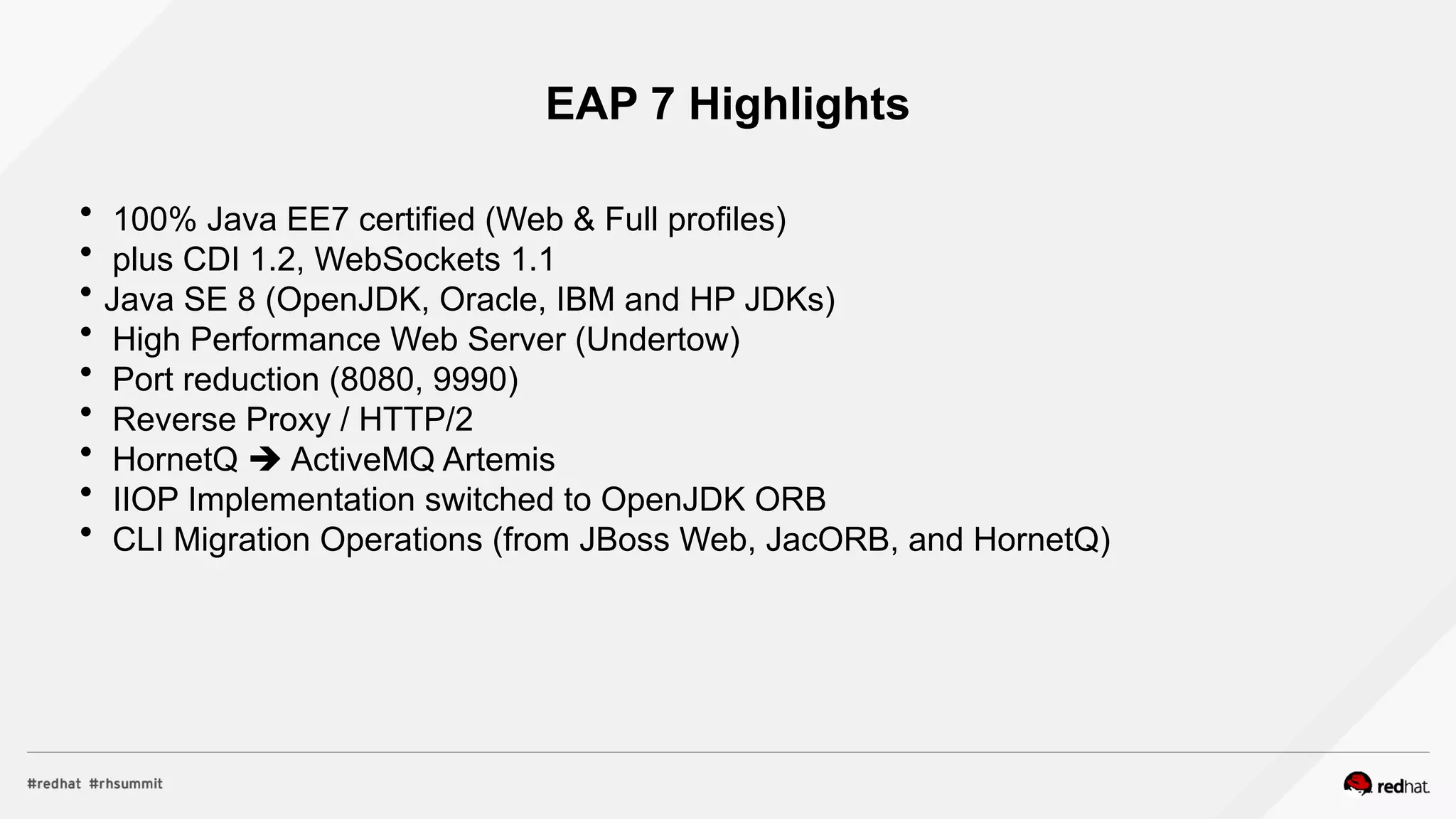
EAP 7 Highlights
 100% Java EE7 certified (Web & Full profiles)
 plus CDI 1.2, WebSockets 1.1
 Java SE 8 (OpenJDK, Oracle, IBM and HP JDKs)
 High Performance Web Server (Undertow)
 Port reduction (8080, 9990)
 Reverse Proxy / HTTP/2
 HornetQ  ActiveMQ Artemis
 IIOP Implementation switched to OpenJDK ORB
 CLI Migration Operations (from JBoss Web, JacORB, and HornetQ)
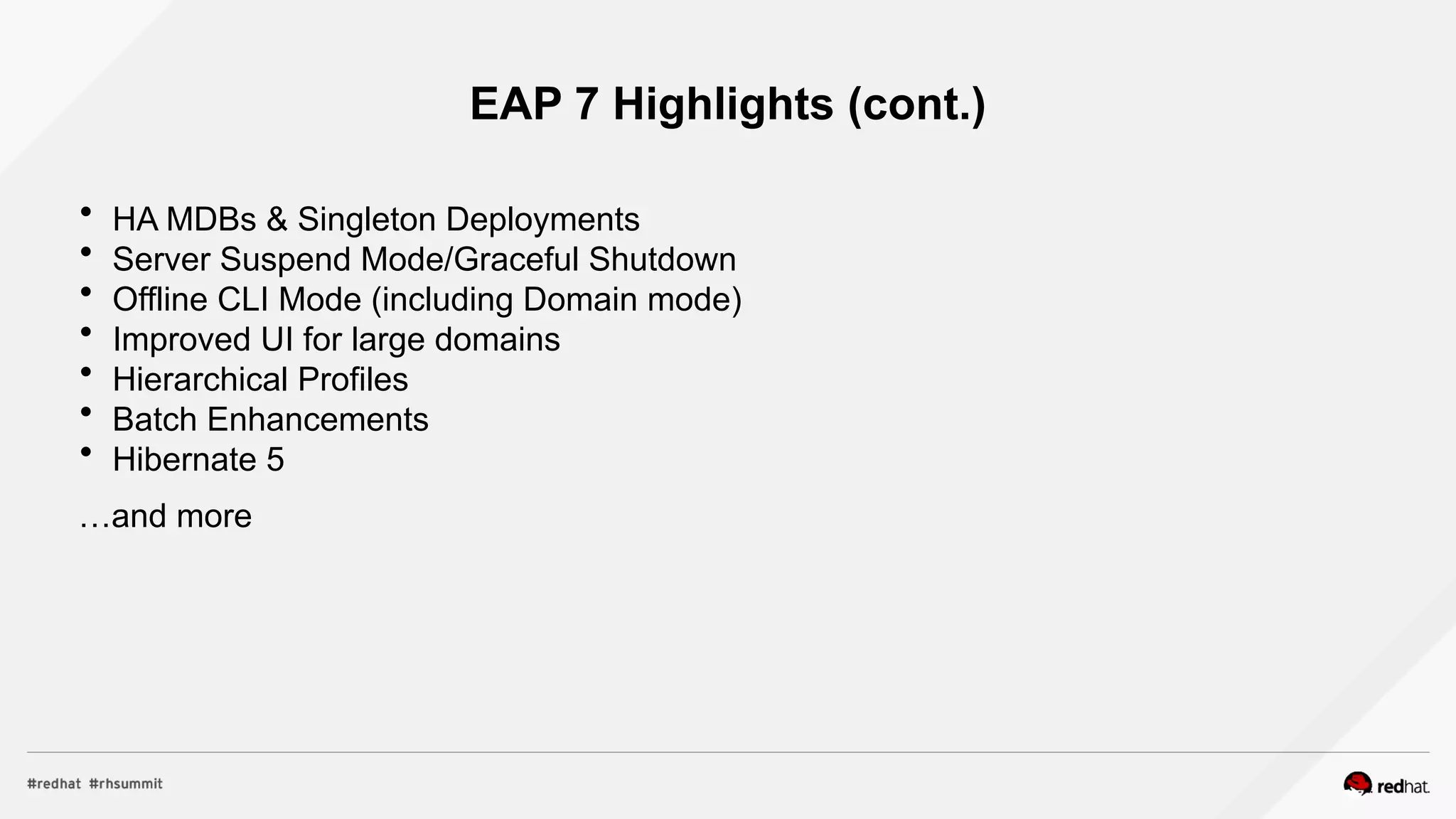
EAP 7 Highlights (cont.)
 HA MDBs & Singleton Deployments
 Server Suspend Mode/Graceful Shutdown
 Offline CLI Mode (including Domain mode)
 Improved UI for large domains
 Hierarchical Profiles
 Batch Enhancements
 Hibernate 5
…and more
Java EE 7
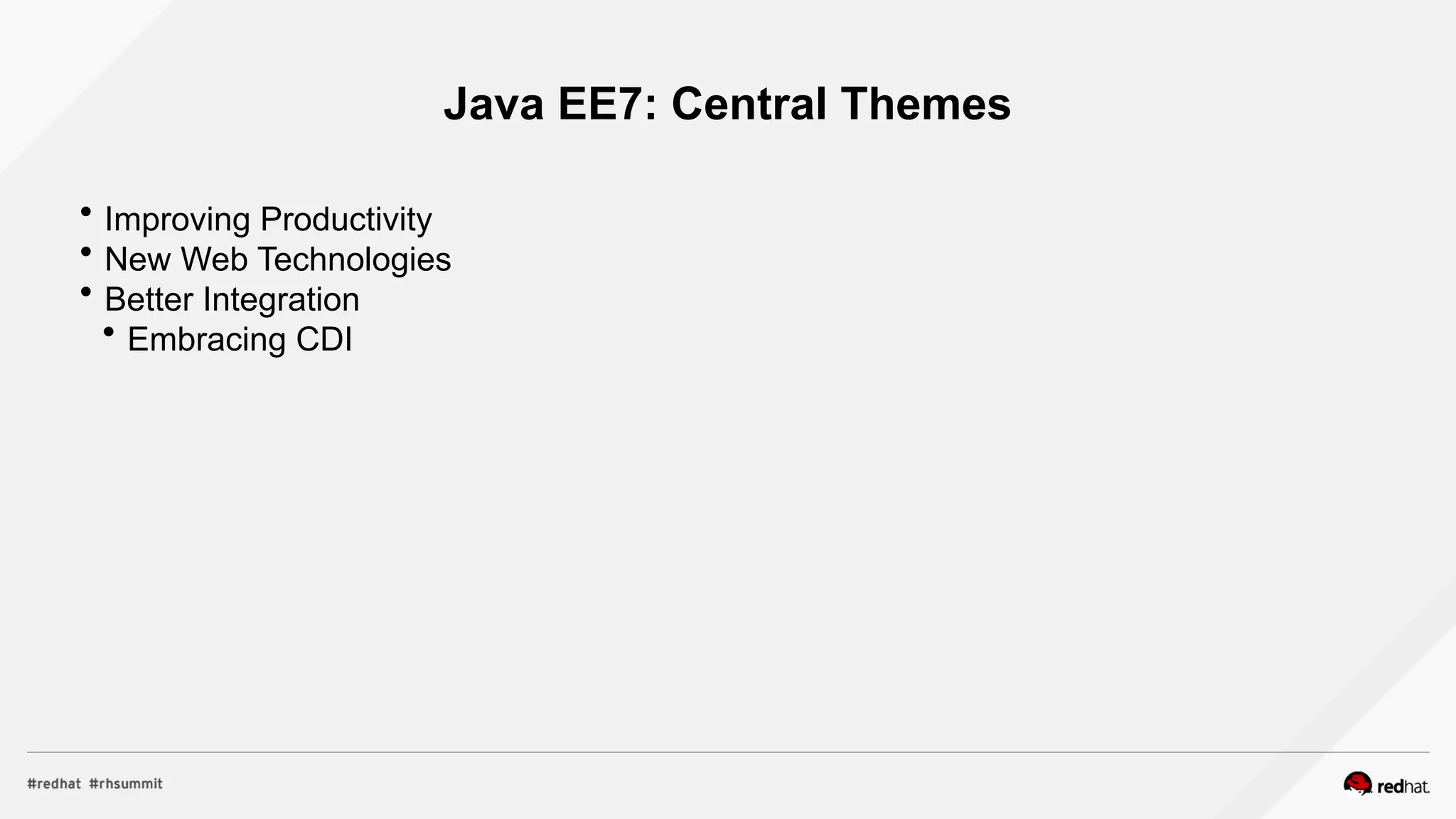
Java EE7: Central Themes
 Improving Productivity
 New Web Technologies
 Better Integration
 Embracing CDI
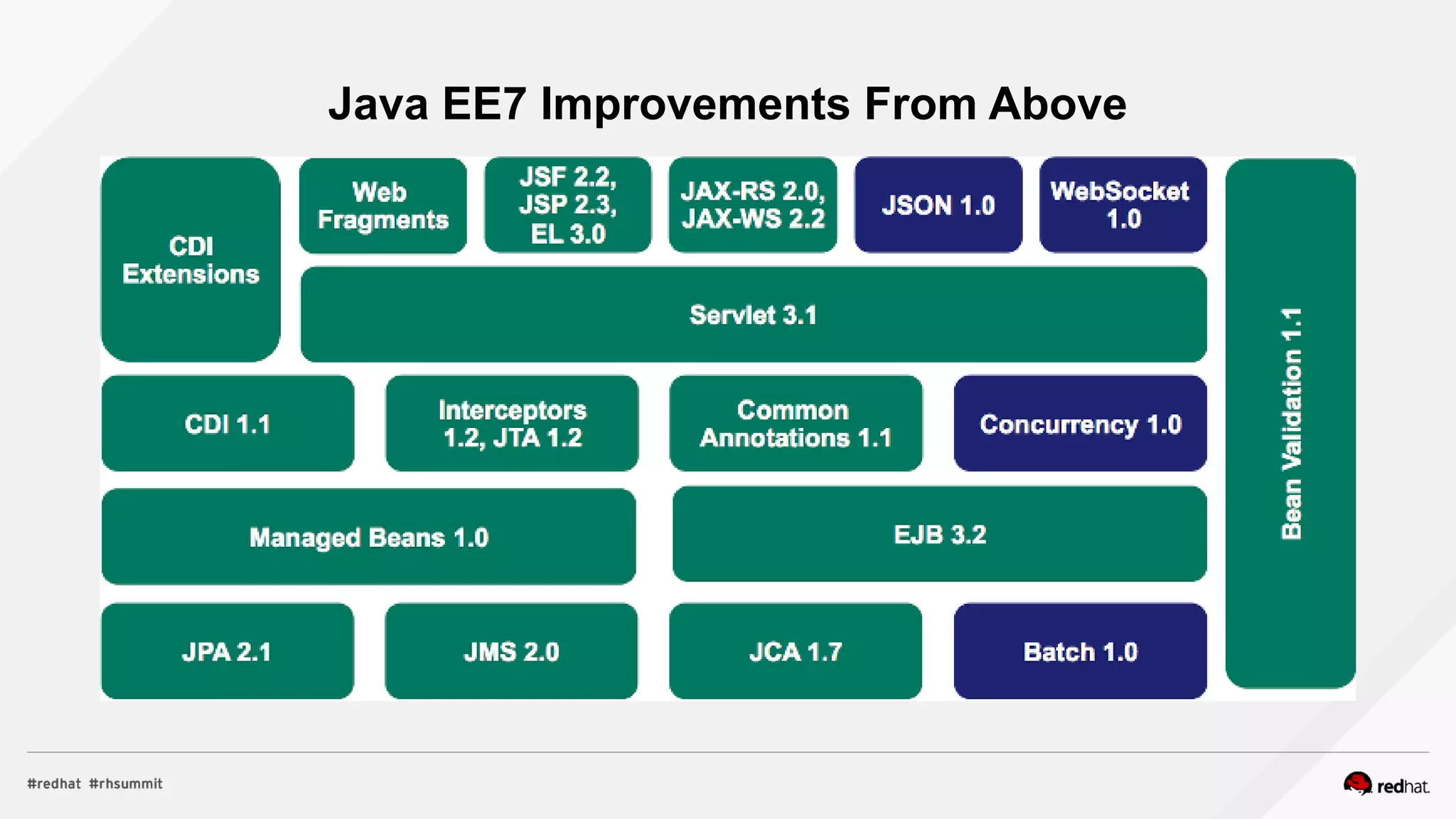
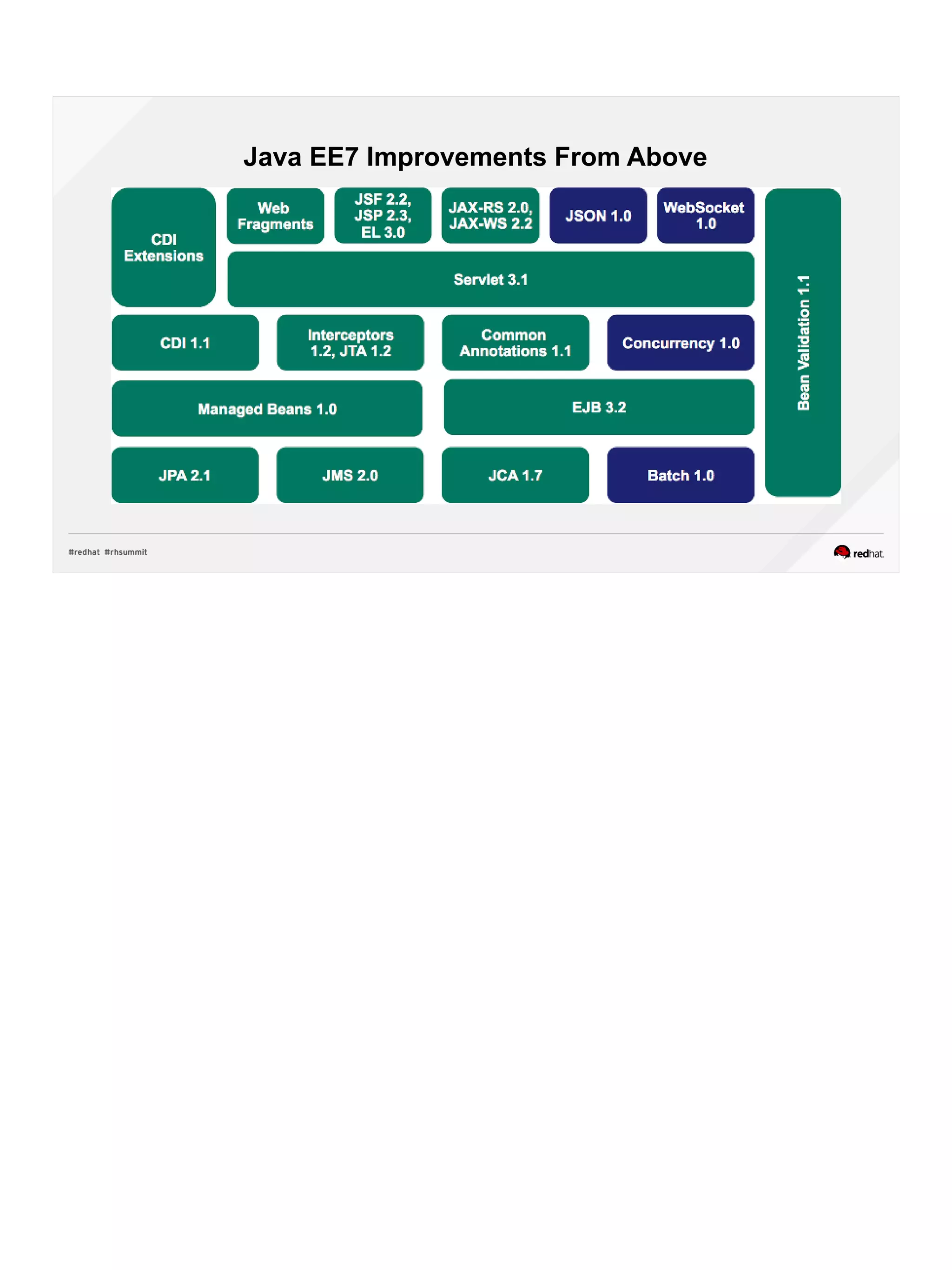
Java EE7 Improvements From Above
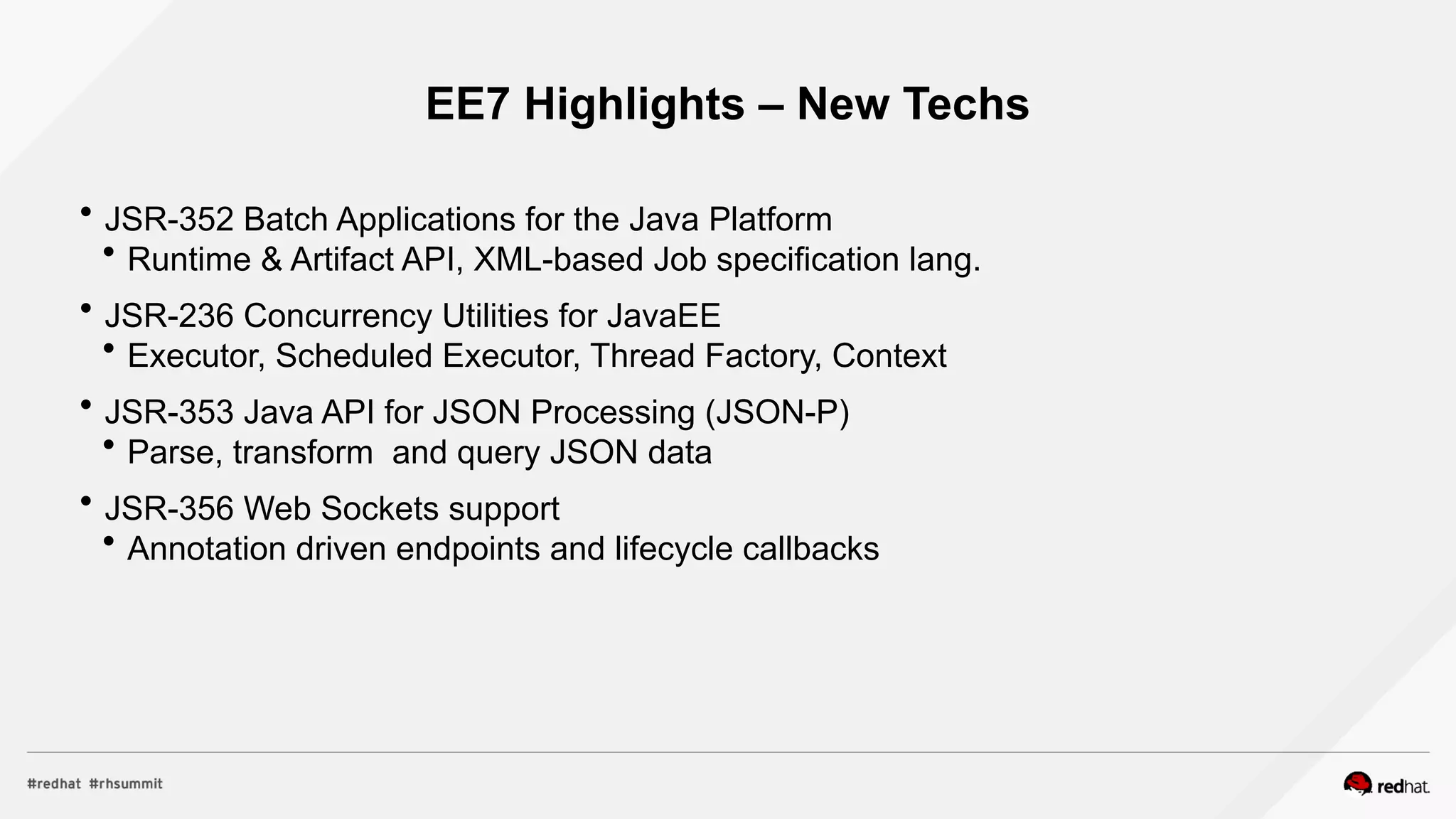
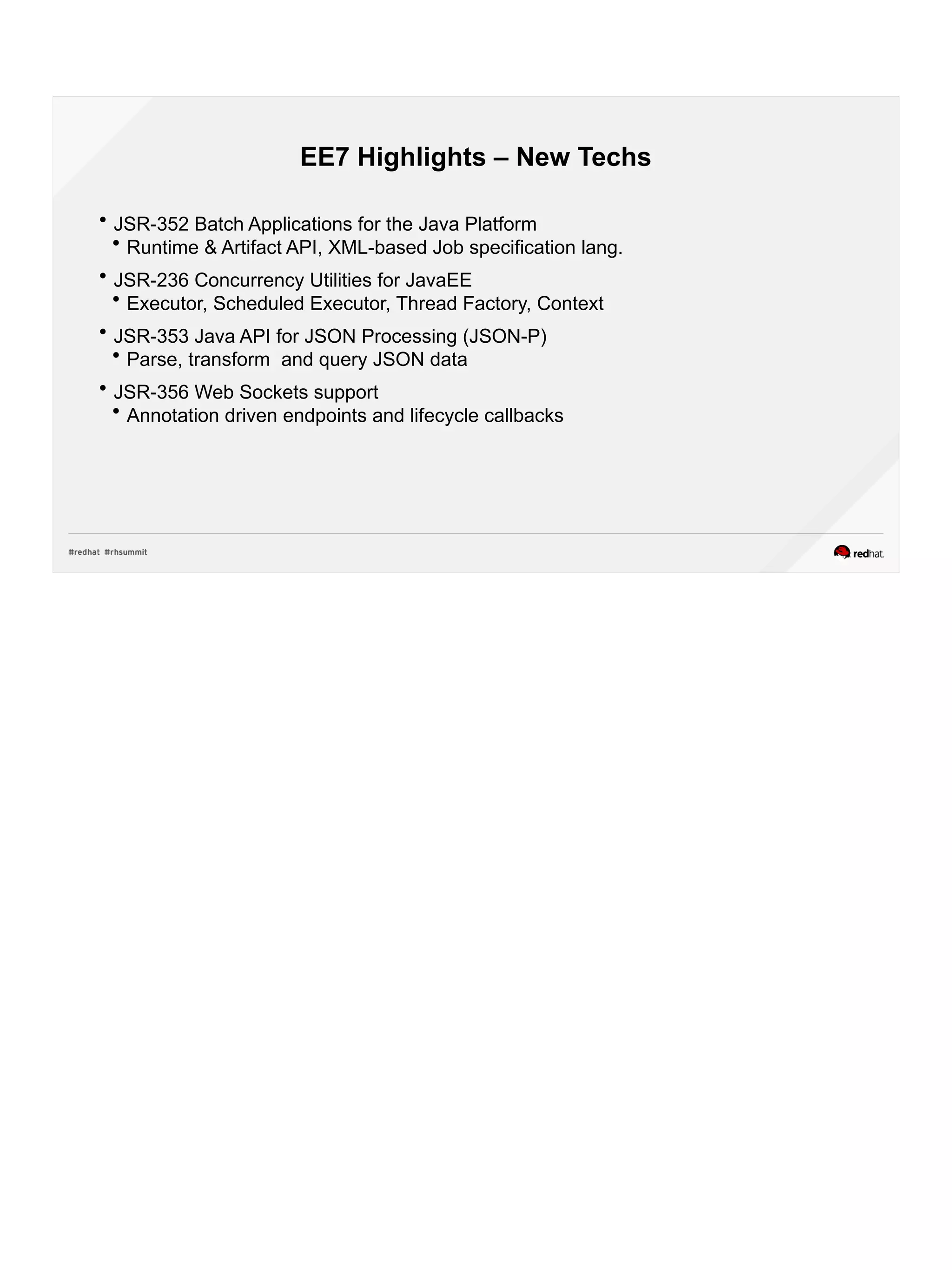
EE7 Highlights – New Techs
 JSR-352 Batch Applications for the Java Platform
 Runtime & Artifact API, XML-based Job specification lang.
 JSR-236 Concurrency Utilities for JavaEE
 Executor, Scheduled Executor, Thread Factory, Context
 JSR-353 Java API for JSON Processing (JSON-P)
 Parse, transform and query JSON data
 JSR-356 Web Sockets support
 Annotation driven endpoints and lifecycle callbacks
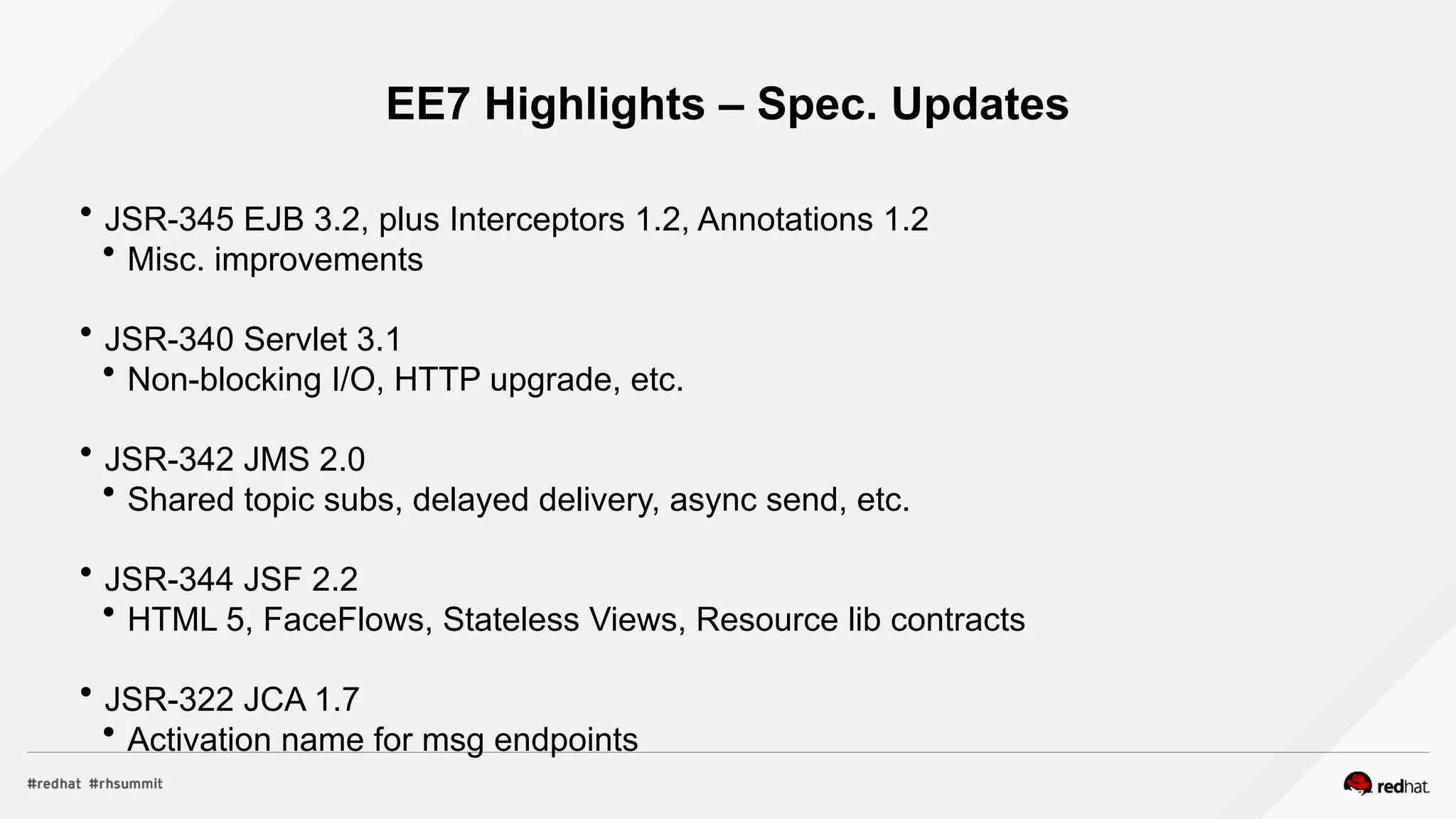
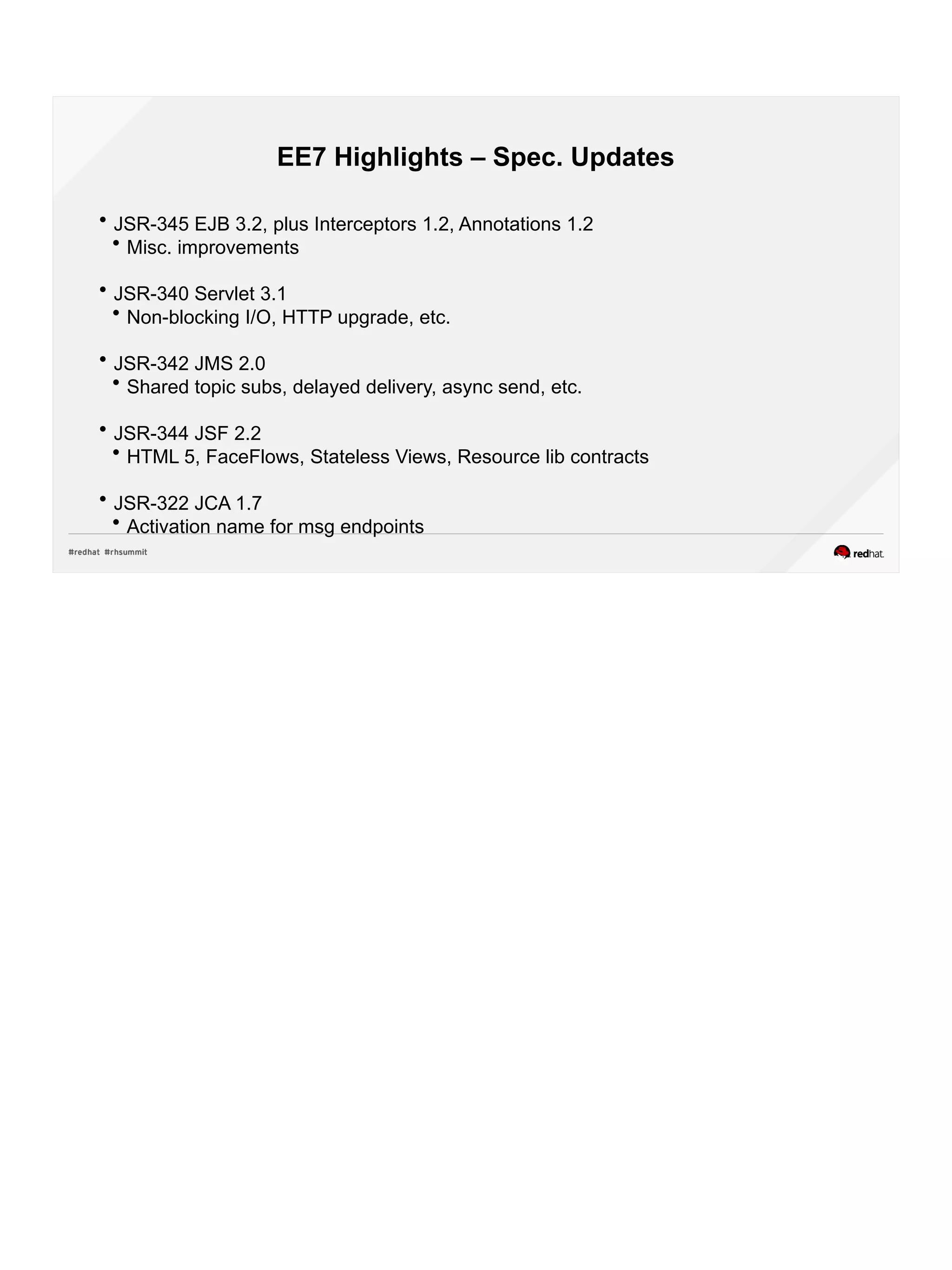
EE7 Highlights – Spec. Updates
 JSR-345 EJB 3.2, plus Interceptors 1.2, Annotations 1.2
 Misc. improvements
 JSR-340 Servlet 3.1
 Non-blocking I/O, HTTP upgrade, etc.
 JSR-342 JMS 2.0
 Shared topic subs, delayed delivery, async send, etc.
 JSR-344 JSF 2.2
 HTML 5, FaceFlows, Stateless Views, Resource lib contracts
 JSR-322 JCA 1.7
 Activation name for msg endpoints
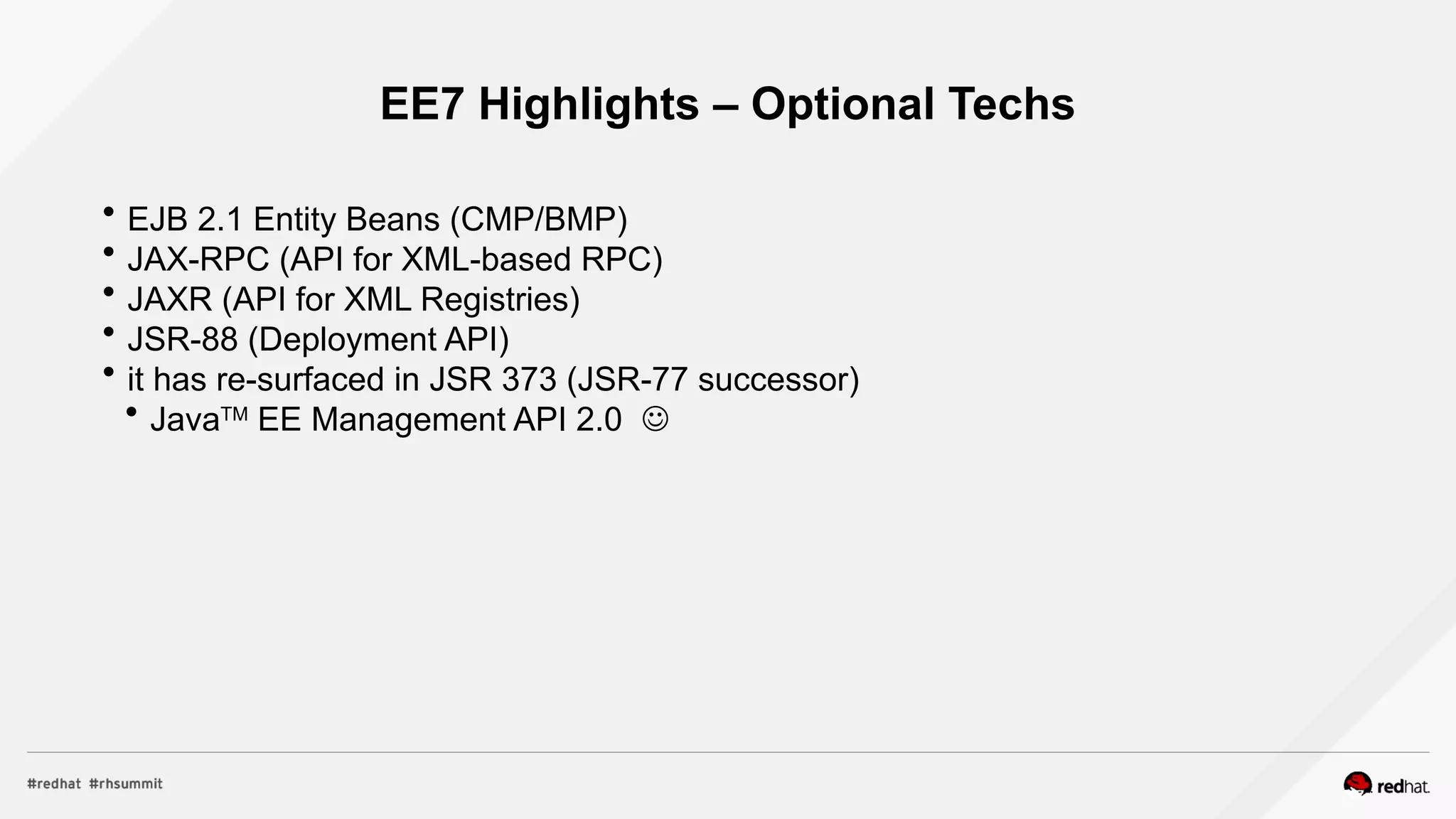
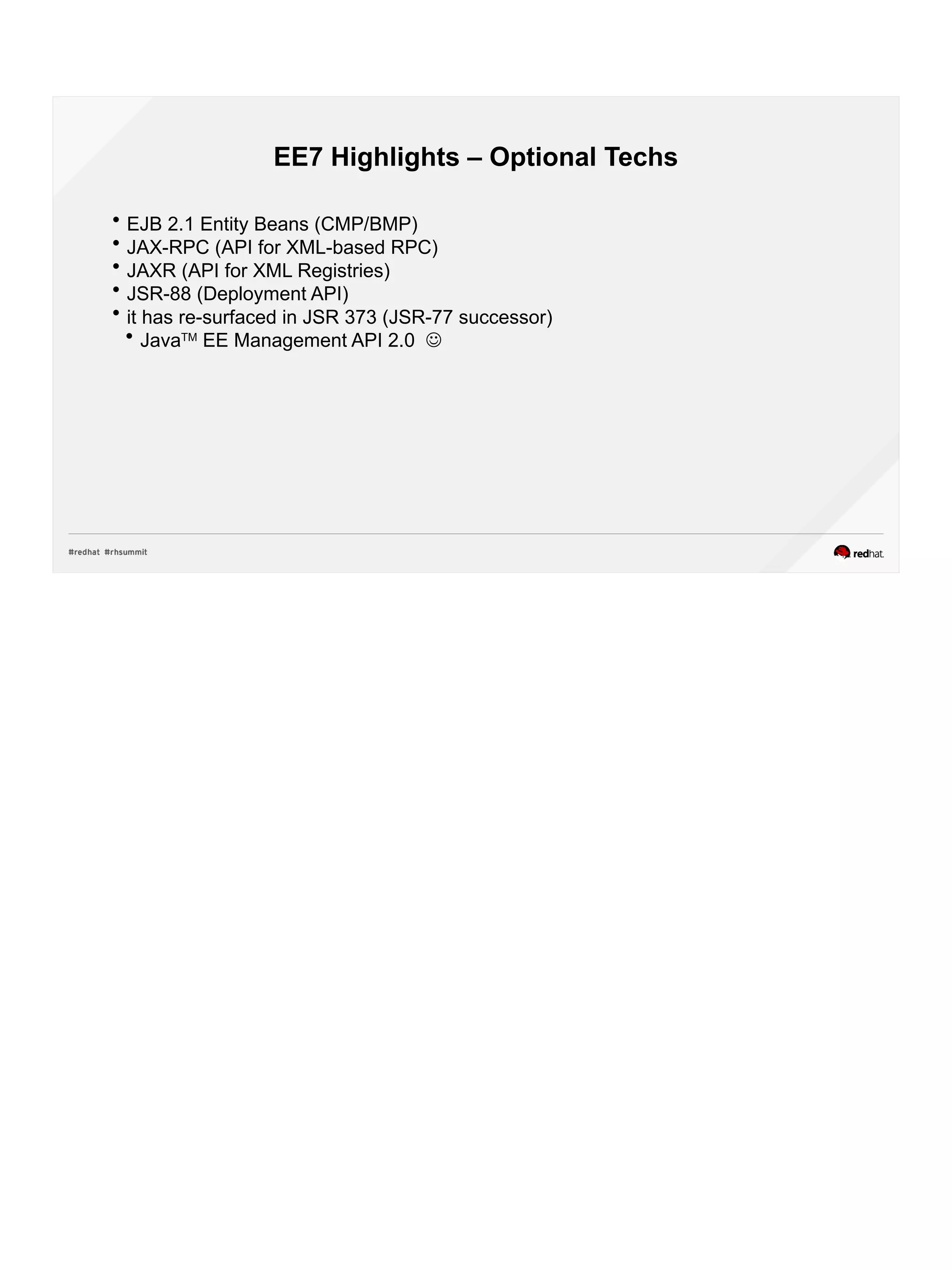
EE7 Highlights – Optional Techs
 EJB 2.1 Entity Beans (CMP/BMP)
 JAX-RPC (API for XML-based RPC)
 JAXR (API for XML Registries)
 JSR-88 (Deployment API)
 it has re-surfaced in JSR 373 (JSR-77 successor)
 JavaTM
EE Management API 2.0 
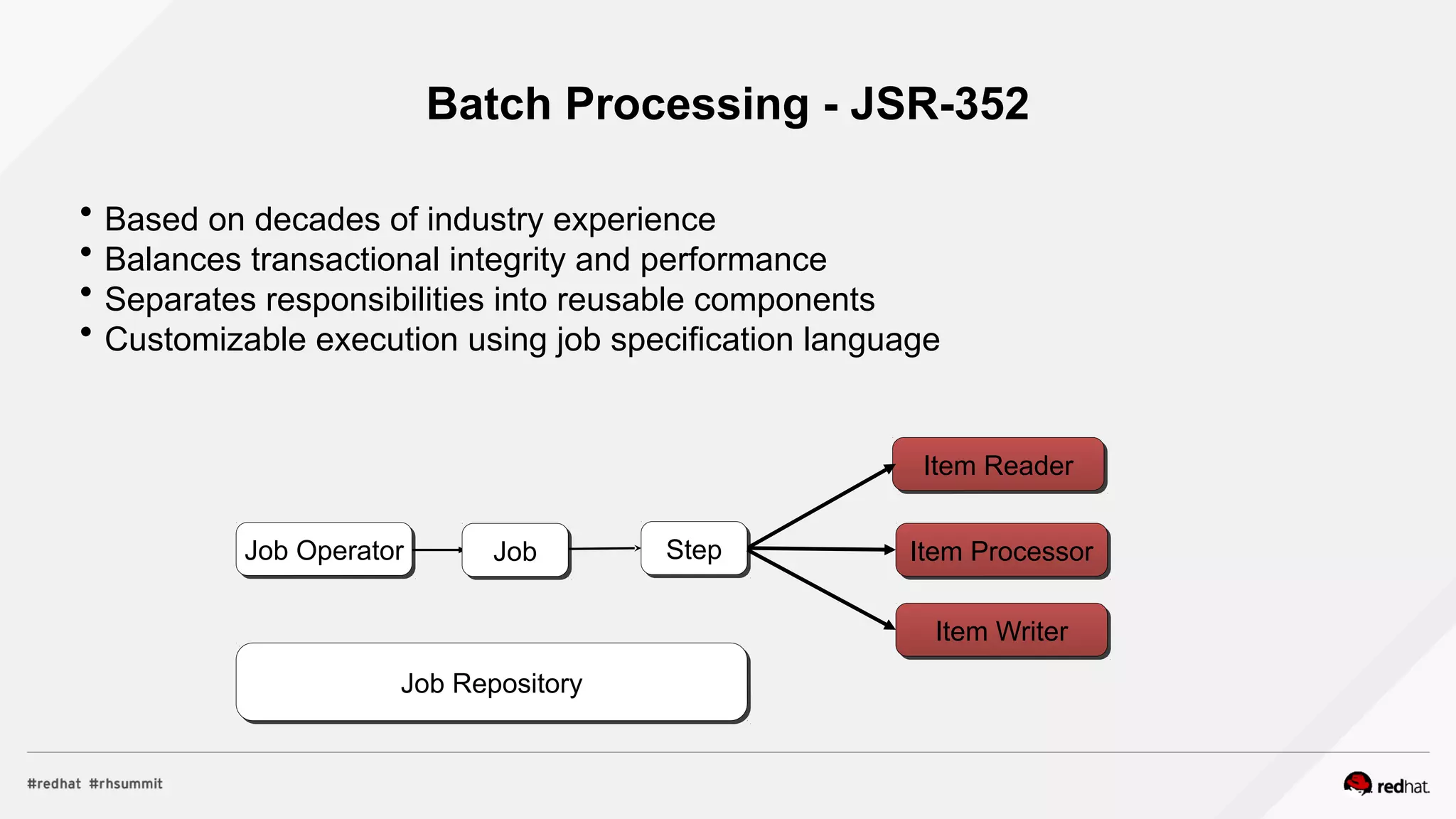
Batch Processing - JSR-352
 Based on decades of industry experience
 Balances transactional integrity and performance
 Separates responsibilities into reusable components
 Customizable execution using job specification language
Item Reader
Item Processor
Item Writer
Step
Job Repository
Job Operator Job
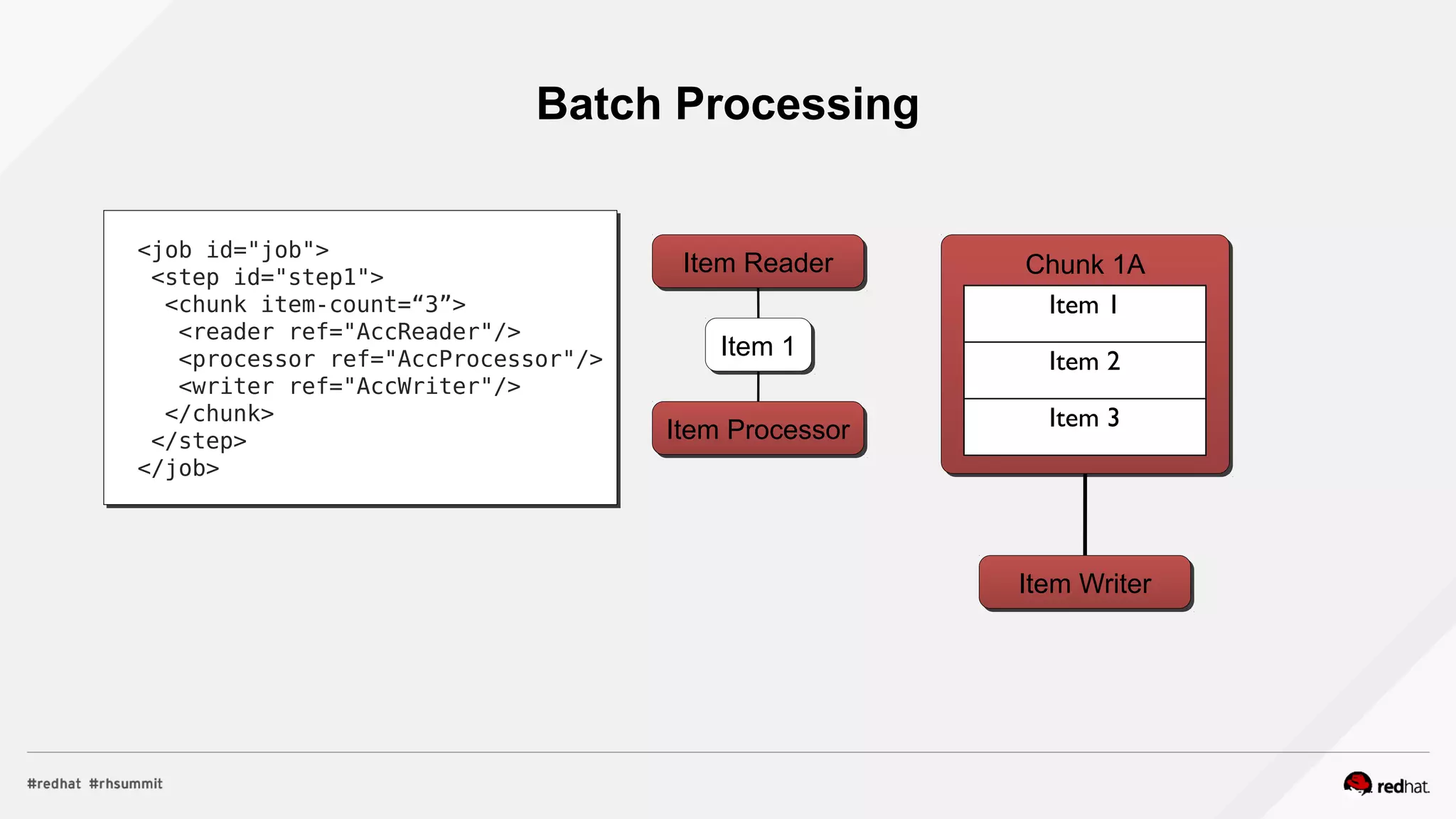
Batch Processing
Item Reader
Item Processor
Item Writer
<job id="job">
<step id="step1">
<chunk item-count=“3”>
<reader ref="AccReader"/>
<processor ref="AccProcessor"/>
<writer ref="AccWriter"/>
</chunk>
</step>
</job>
Chunk 1A
Item 1
Item 2
Item 3
Item 1
Parallelism Using Chunks & Partitions
<chunk item-count=“3”>
<reader ref=“AccReader”>
<properties>
<property name="start"
value="#{partitionPlan['start']}"/>
<property name="end"
value="#{partitionPlan['end']}"/>
</properties>
</reader>
<processor ref="AccProcessor"/>
<writer ref=“AccWriter"/>
</chunk>
<partition>
<plan partitions=“2”>
<properties partition="0">
<property name="start" value="1"/>
<property name="end" value="10"/>
</properties>
...
</partition>
Job XML
Chunk 1A
Item 1
Item 2
Item 3
Chunk 2A
Item 4
Item 5
Item 6
Chunk 1B
Item 11
Item 12
Item 13
Chunk 2B
Item 14
Item 15
Item 16
Thread 1 Thread 2
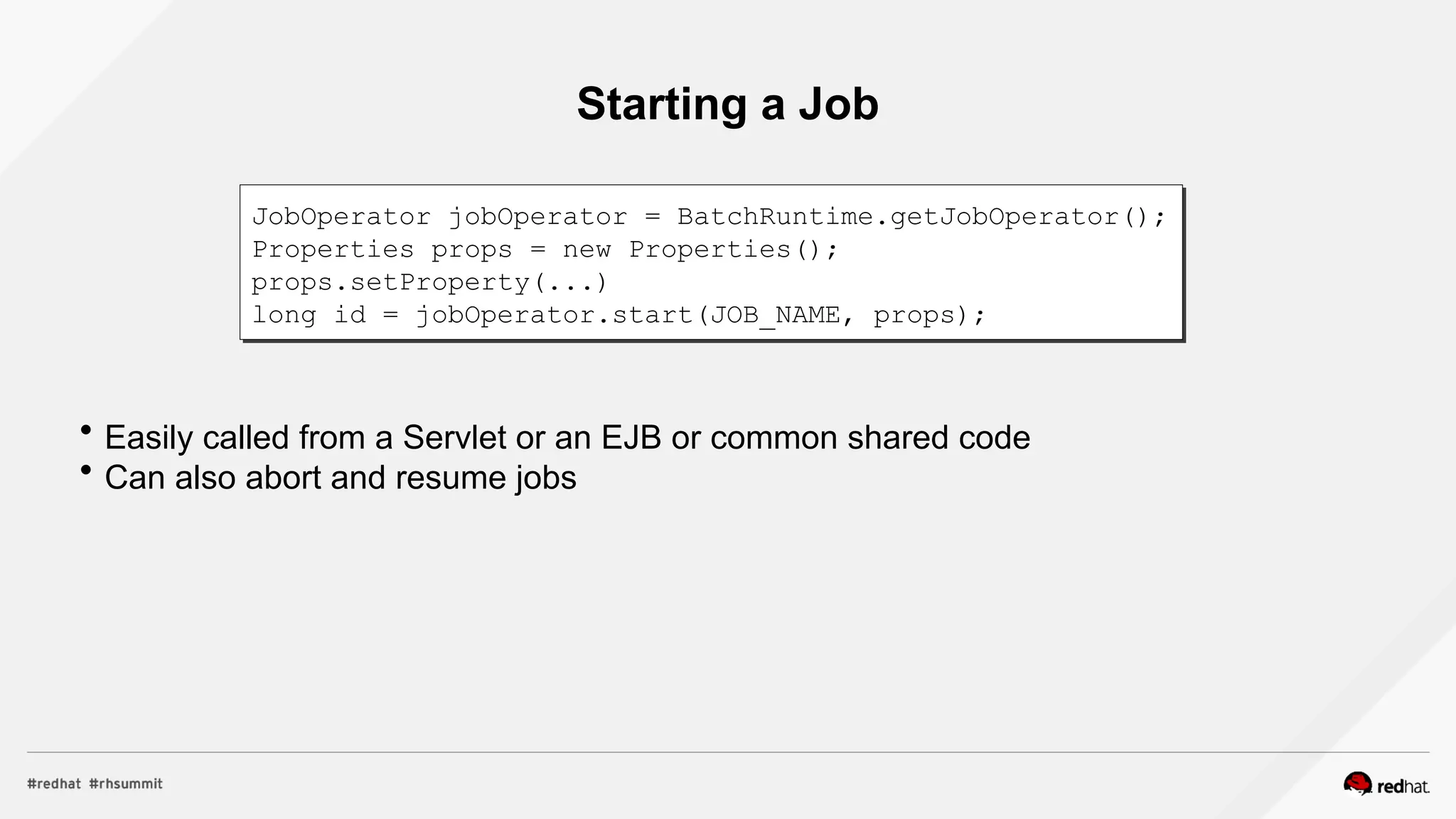
Starting a Job
 Easily called from a Servlet or an EJB or common shared code
 Can also abort and resume jobs
JobOperator jobOperator = BatchRuntime.getJobOperator();
Properties props = new Properties();
props.setProperty(...)
long id = jobOperator.start(JOB_NAME, props);
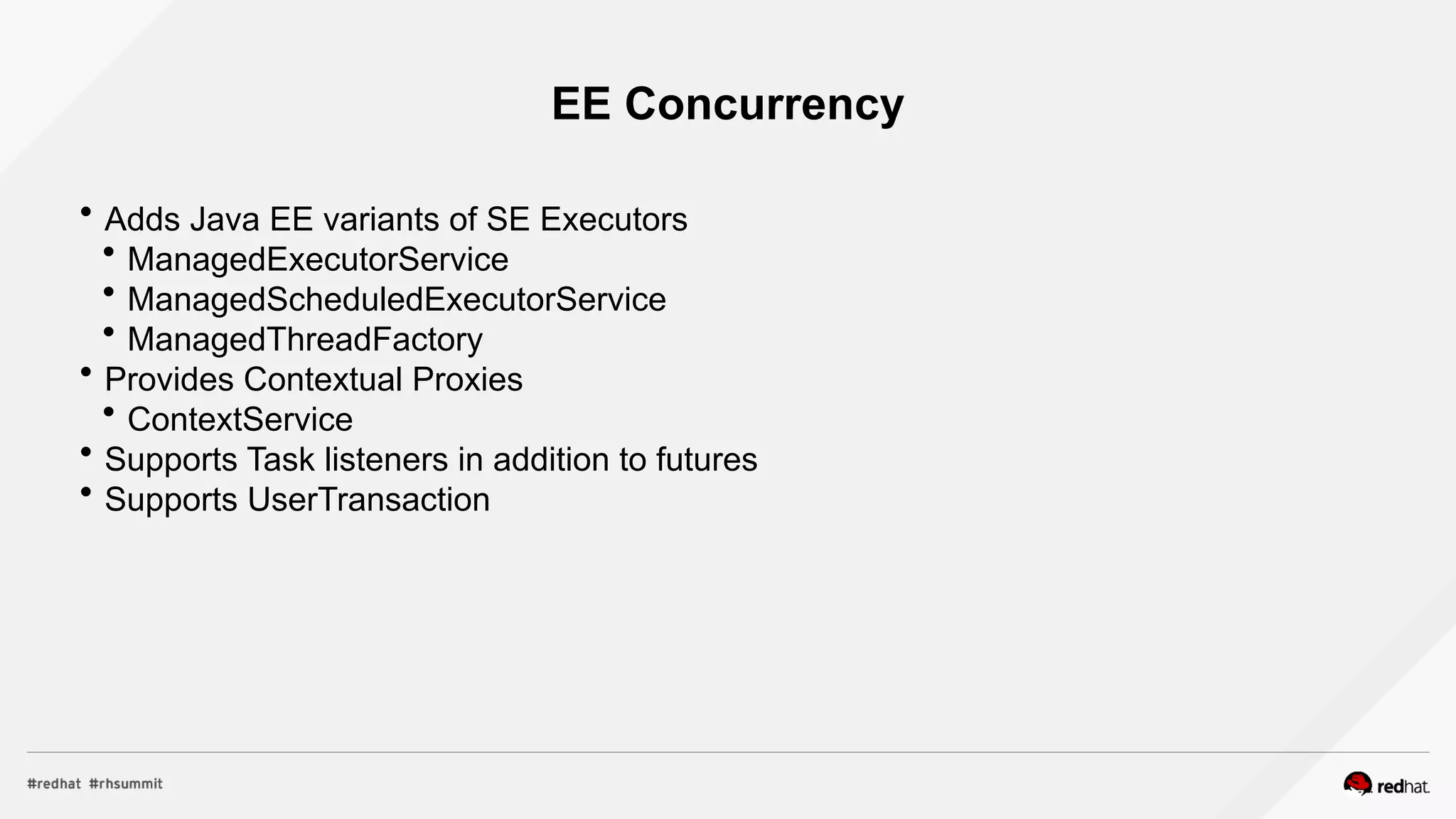
EE Concurrency
 Adds Java EE variants of SE Executors
 ManagedExecutorService
 ManagedScheduledExecutorService
 ManagedThreadFactory
 Provides Contextual Proxies
 ContextService
 Supports Task listeners in addition to futures
 Supports UserTransaction
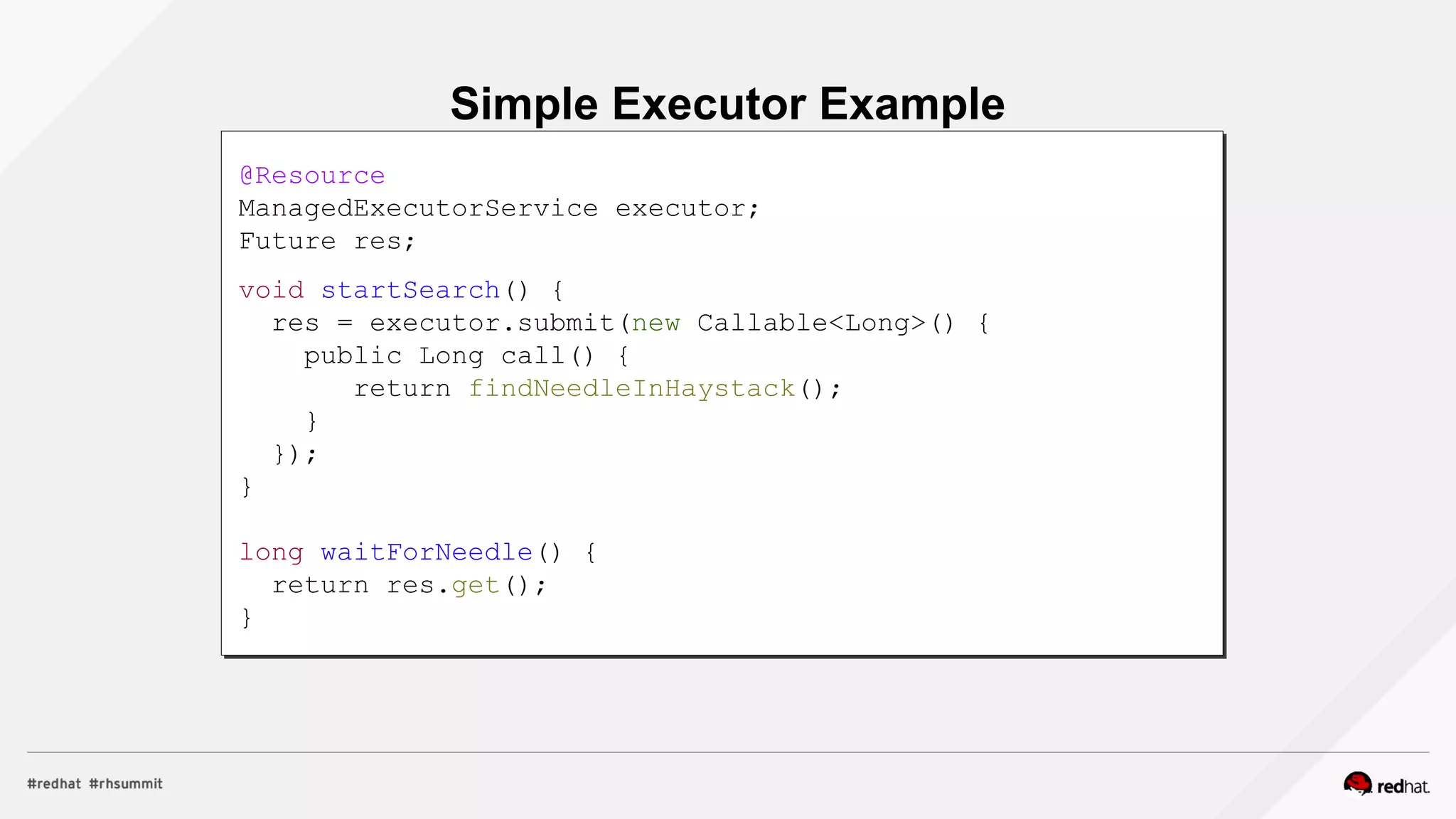
Simple Executor Example
@Resource
ManagedExecutorService executor;
Future res;
void startSearch() {
res = executor.submit(new Callable<Long>() {
public Long call() {
return findNeedleInHaystack();
}
});
}
long waitForNeedle() {
return res.get();
}
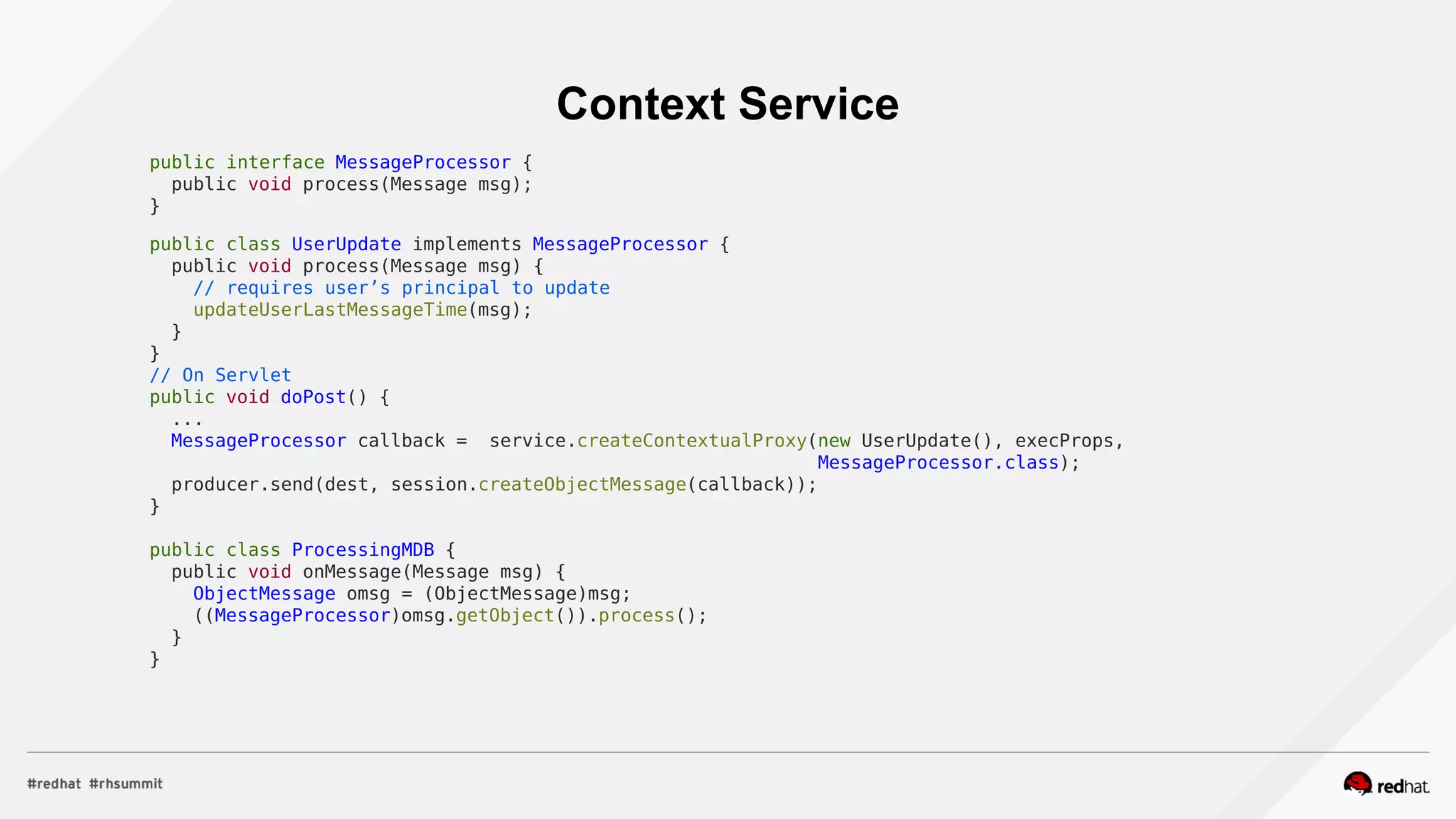
Context Service
public interface MessageProcessor {
public void process(Message msg);
}
public class UserUpdate implements MessageProcessor {
public void process(Message msg) {
// requires user’s principal to update
updateUserLastMessageTime(msg);
}
}
// On Servlet
public void doPost() {
...
MessageProcessor callback = service.createContextualProxy(new UserUpdate(), execProps,
MessageProcessor.class);
producer.send(dest, session.createObjectMessage(callback));
}
public class ProcessingMDB {
public void onMessage(Message msg) {
ObjectMessage omsg = (ObjectMessage)msg;
((MessageProcessor)omsg.getObject()).process();
}
}
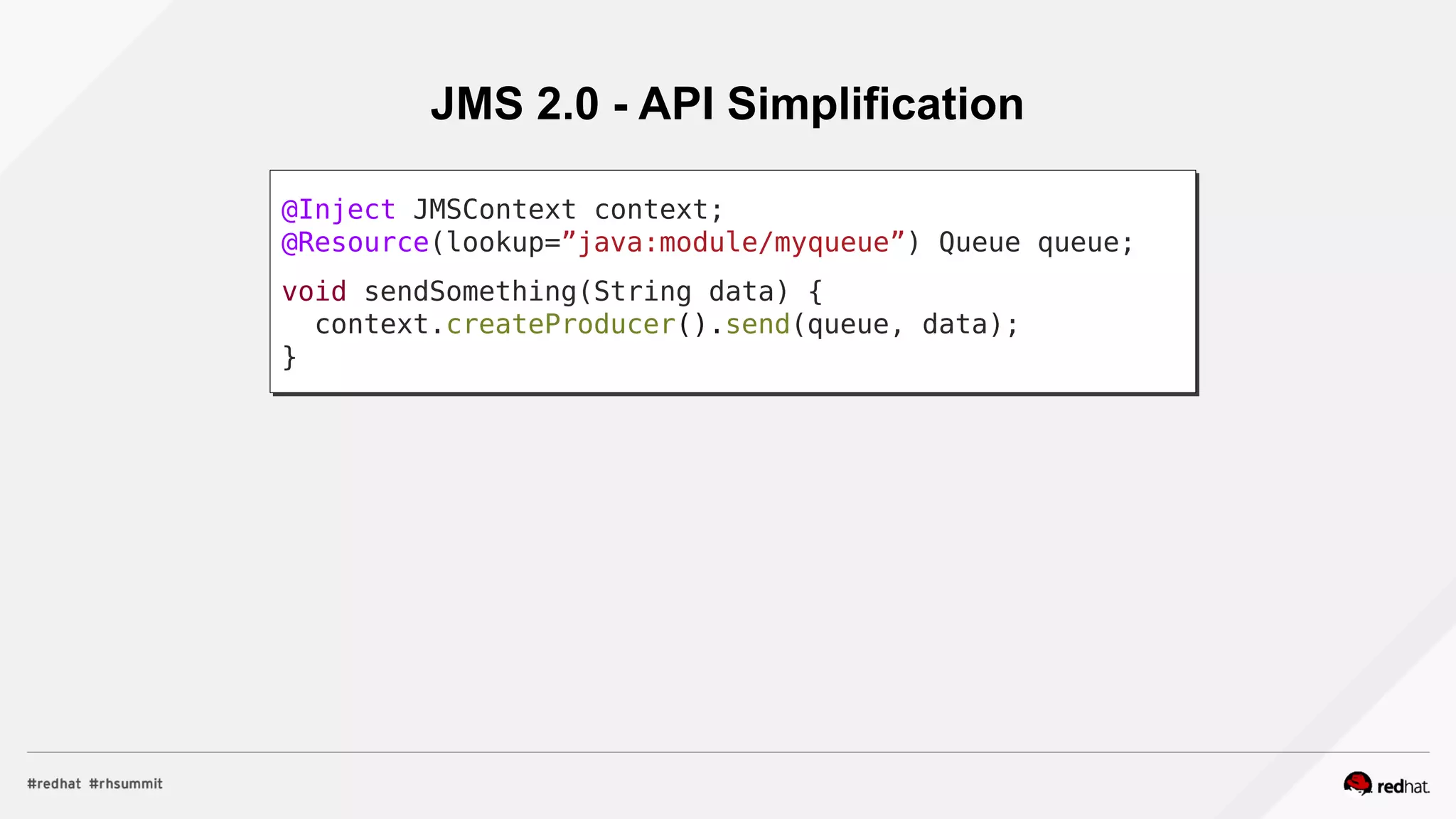
JMS 2.0 - API Simplification
@Inject JMSContext context;
@Resource(lookup=”java:module/myqueue”) Queue queue;
void sendSomething(String data) {
context.createProducer().send(queue, data);
}
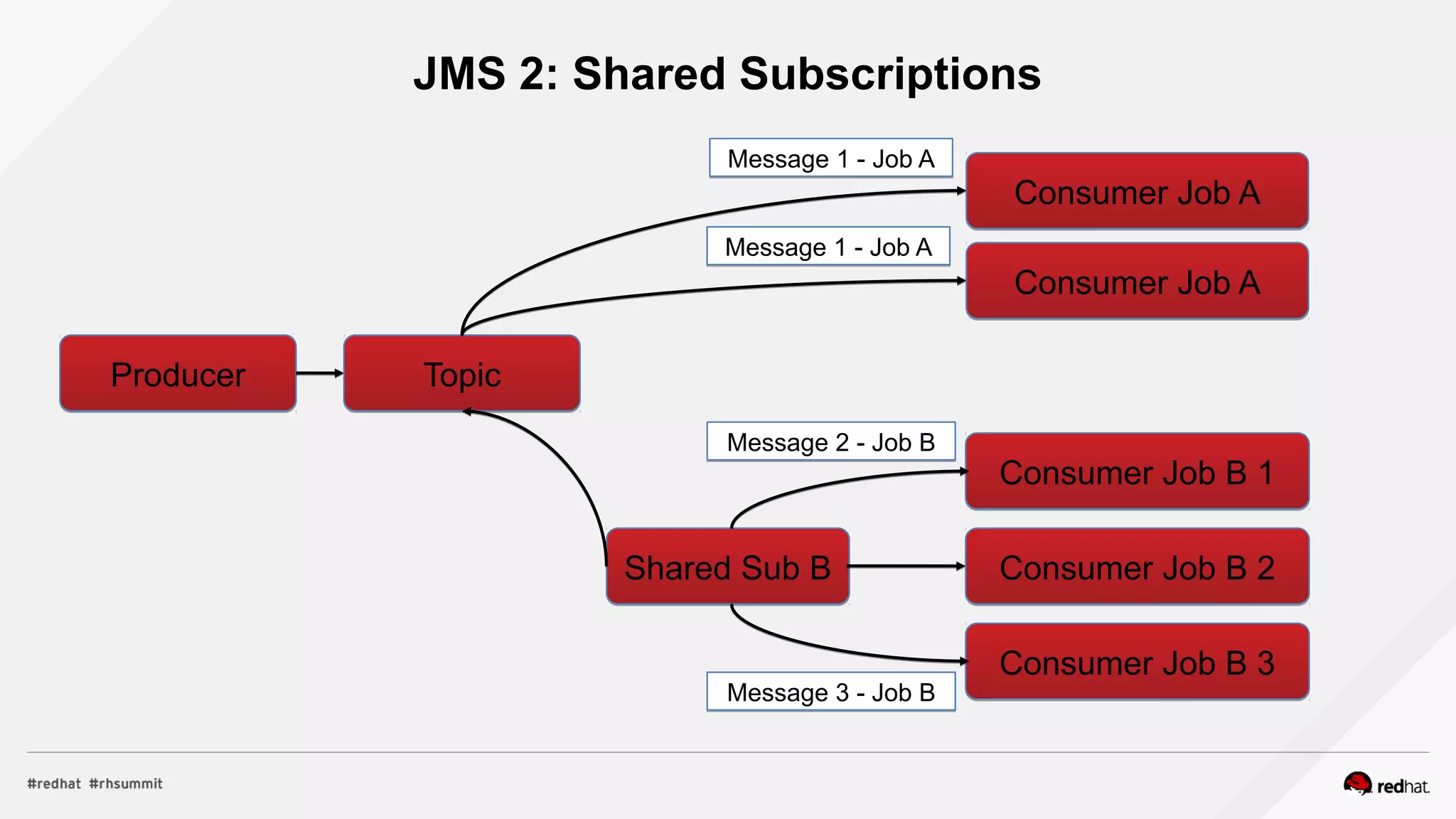
JMS 2: Shared Subscriptions
ProducerProducer TopicTopic
Consumer Job AConsumer Job A
Shared Sub BShared Sub B
Consumer Job B 1Consumer Job B 1
Consumer Job B 2Consumer Job B 2
Consumer Job B 3Consumer Job B 3
Message 1 - Job AMessage 1 - Job A
Message 2 - Job BMessage 2 - Job B
Message 3 - Job BMessage 3 - Job B
Consumer Job AConsumer Job A
Message 1 - Job AMessage 1 - Job A
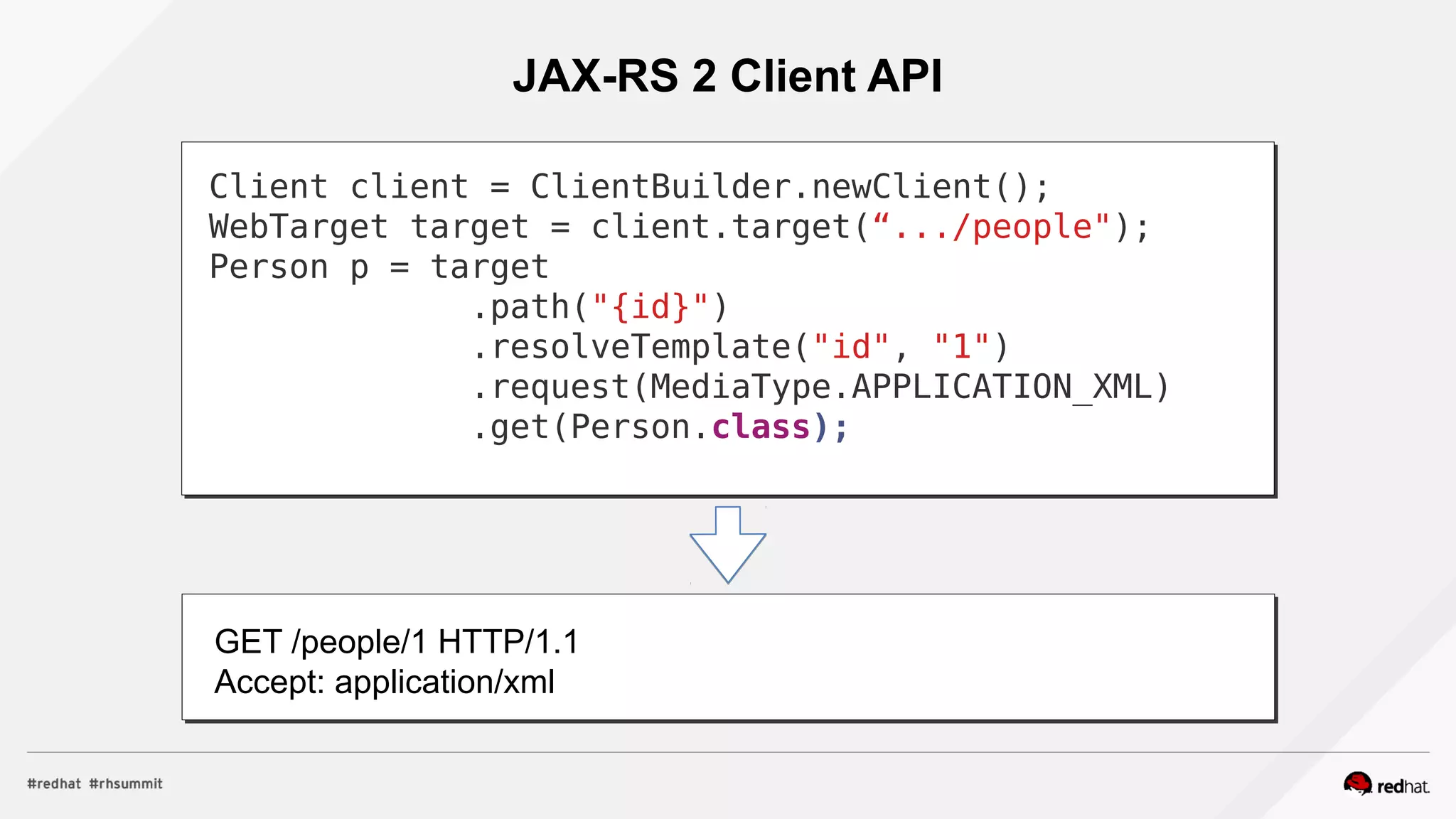
JAX-RS 2 Client API
Client client = ClientBuilder.newClient();
WebTarget target = client.target(“.../people");
Person p = target
.path("{id}")
.resolveTemplate("id", "1")
.request(MediaType.APPLICATION_XML)
.get(Person.class);
GET /people/1 HTTP/1.1
Accept: application/xml
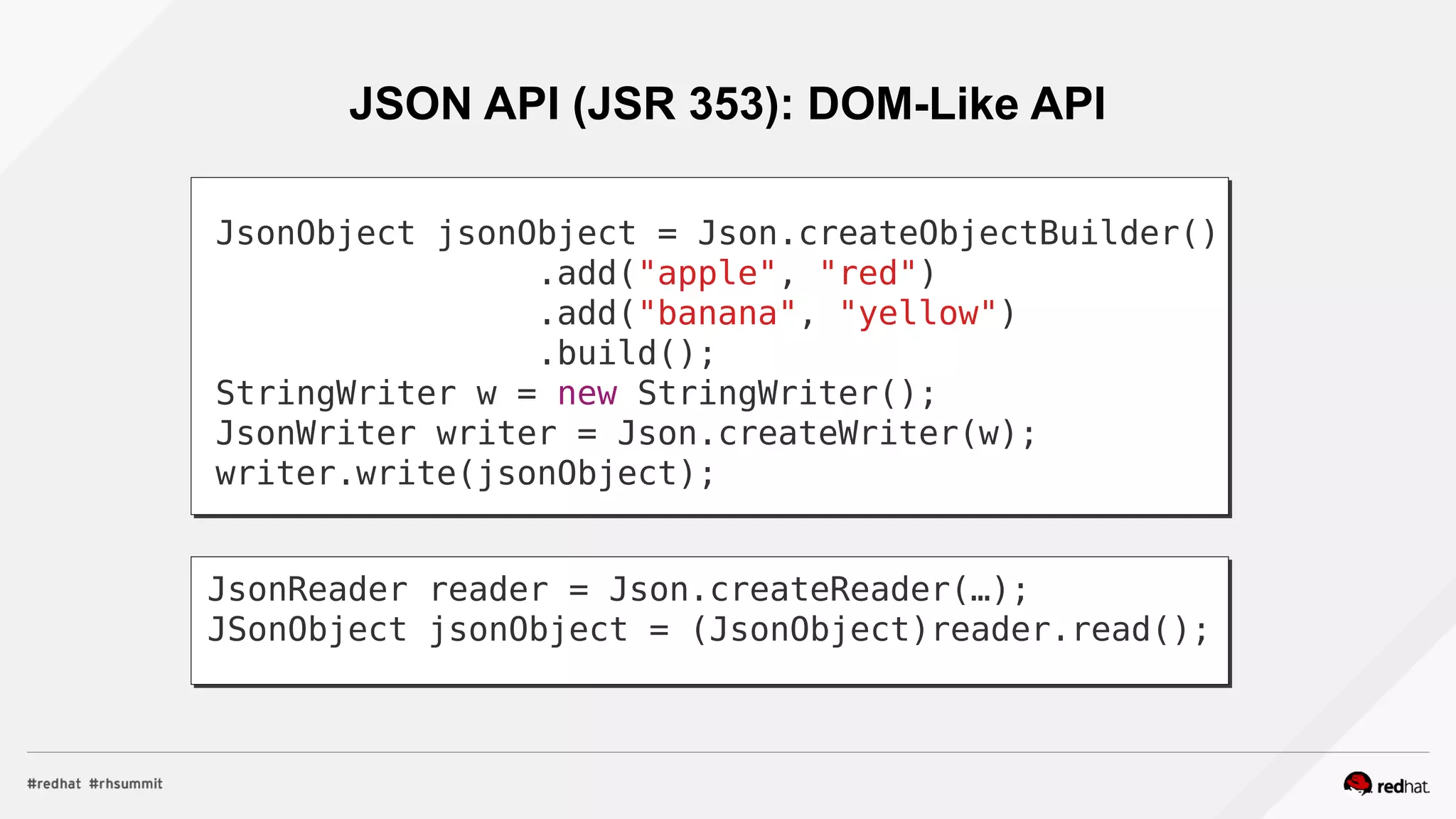
JSON API (JSR 353): DOM-Like API
JsonObject jsonObject = Json.createObjectBuilder()
.add("apple", "red")
.add("banana", "yellow")
.build();
StringWriter w = new StringWriter();
JsonWriter writer = Json.createWriter(w);
writer.write(jsonObject);
JsonReader reader = Json.createReader(…);
JSonObject jsonObject = (JsonObject)reader.read();
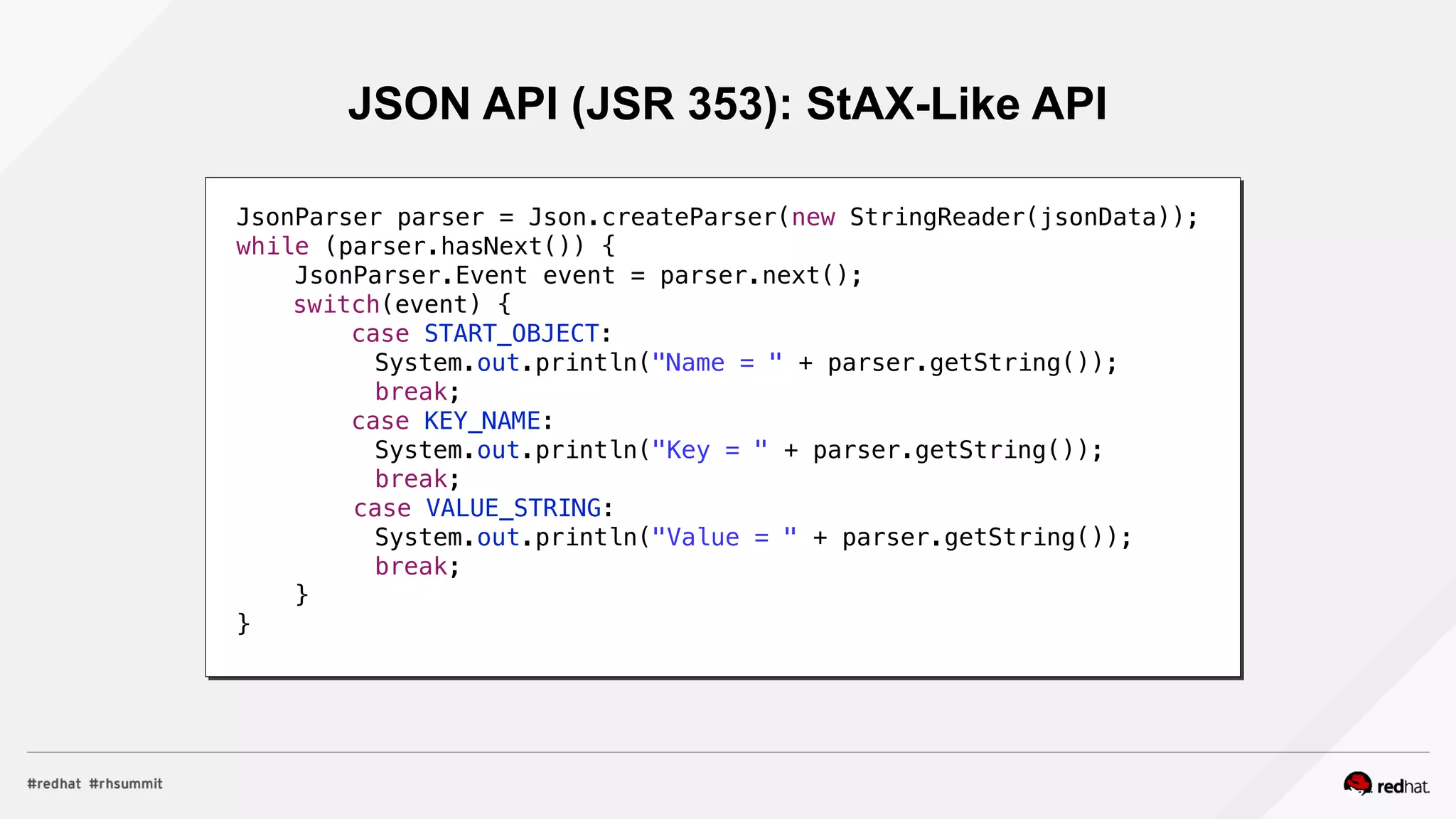
JSON API (JSR 353): StAX-Like API
JsonParser parser = Json.createParser(new StringReader(jsonData));
while (parser.hasNext()) {
JsonParser.Event event = parser.next();
switch(event) {
case START_OBJECT:
System.out.println("Name = " + parser.getString());
break;
case KEY_NAME:
System.out.println("Key = " + parser.getString());
break;
case VALUE_STRING:
System.out.println("Value = " + parser.getString());
break;
}
}
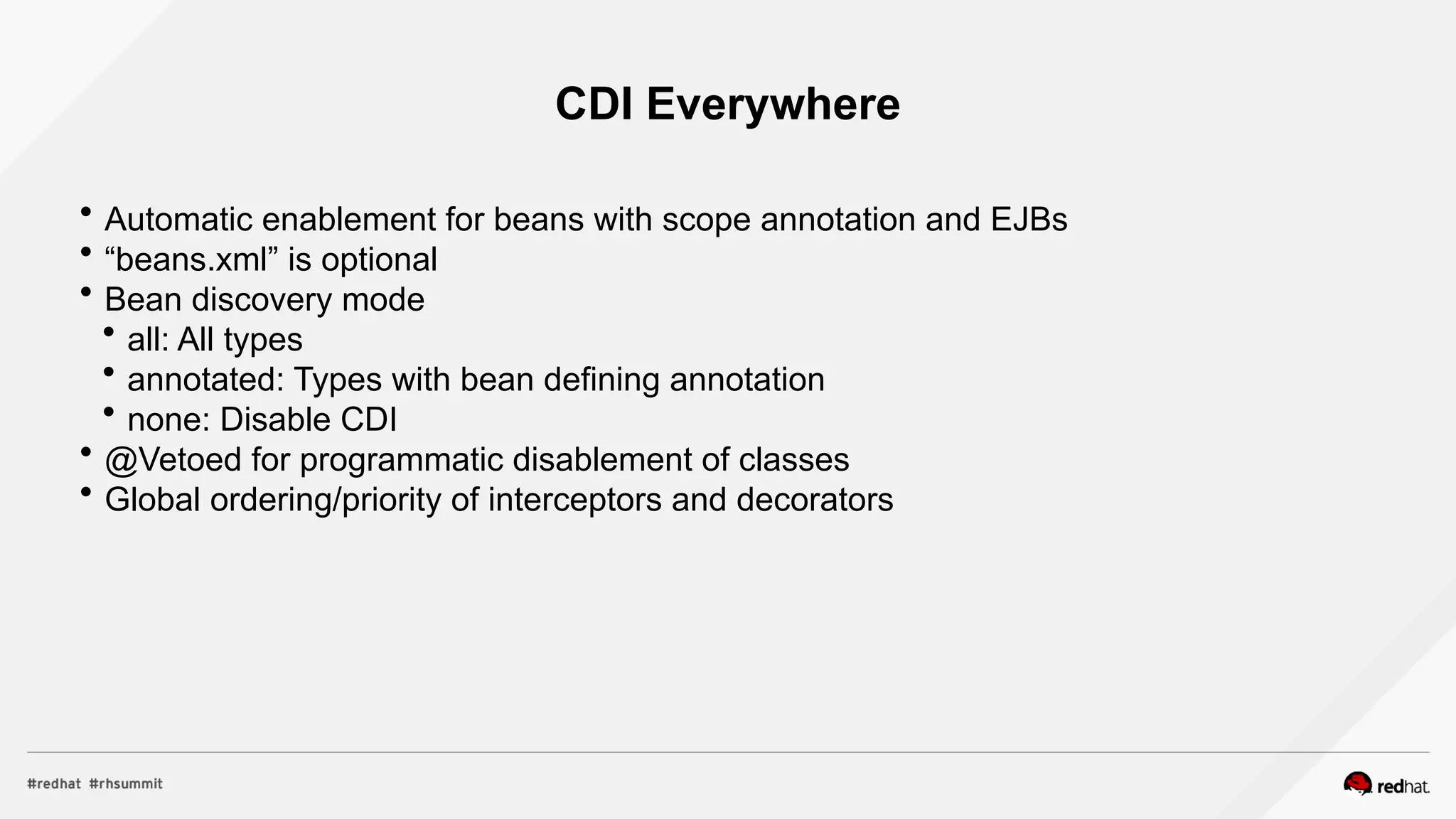
CDI Everywhere
 Automatic enablement for beans with scope annotation and EJBs
 “beans.xml” is optional
 Bean discovery mode
 all: All types
 annotated: Types with bean defining annotation
 none: Disable CDI
 @Vetoed for programmatic disablement of classes
 Global ordering/priority of interceptors and decorators
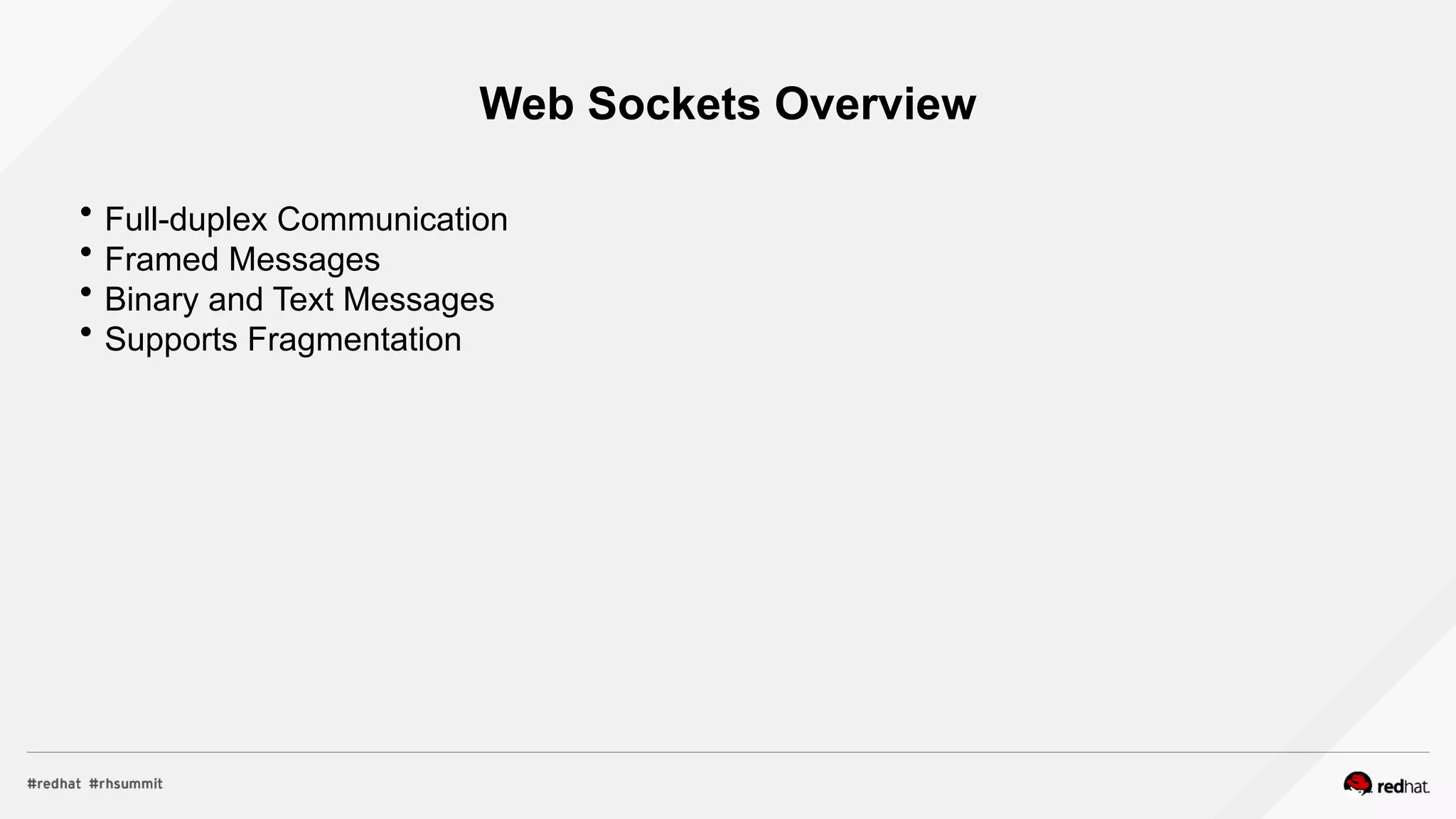
Web Sockets Overview
 Full-duplex Communication
 Framed Messages
 Binary and Text Messages
 Supports Fragmentation
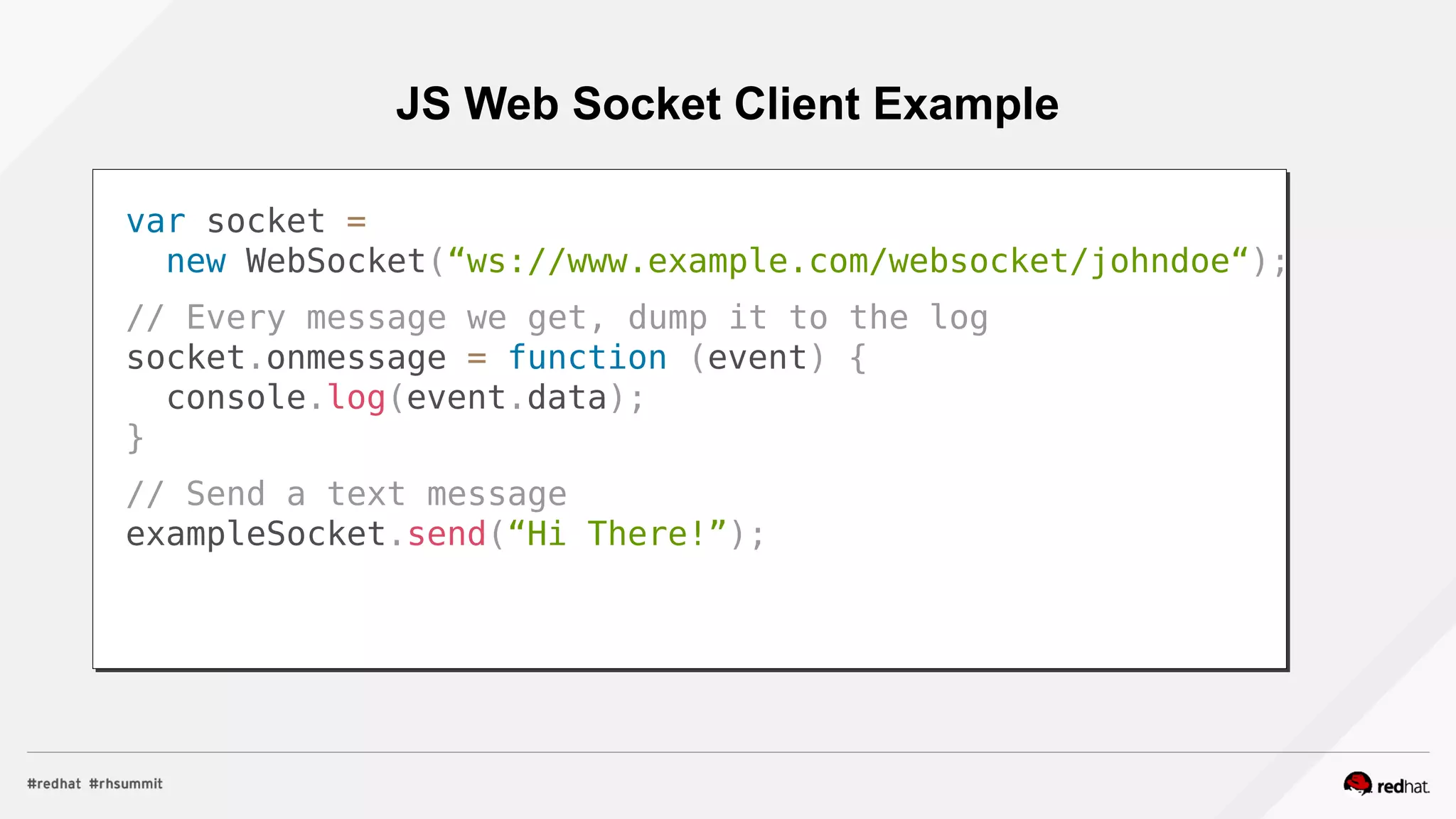
JS Web Socket Client Example
var socket =
new WebSocket(“ws://www.example.com/websocket/johndoe“);
// Every message we get, dump it to the log
socket.onmessage = function (event) {
console.log(event.data);
}
// Send a text message
exampleSocket.send(“Hi There!”);
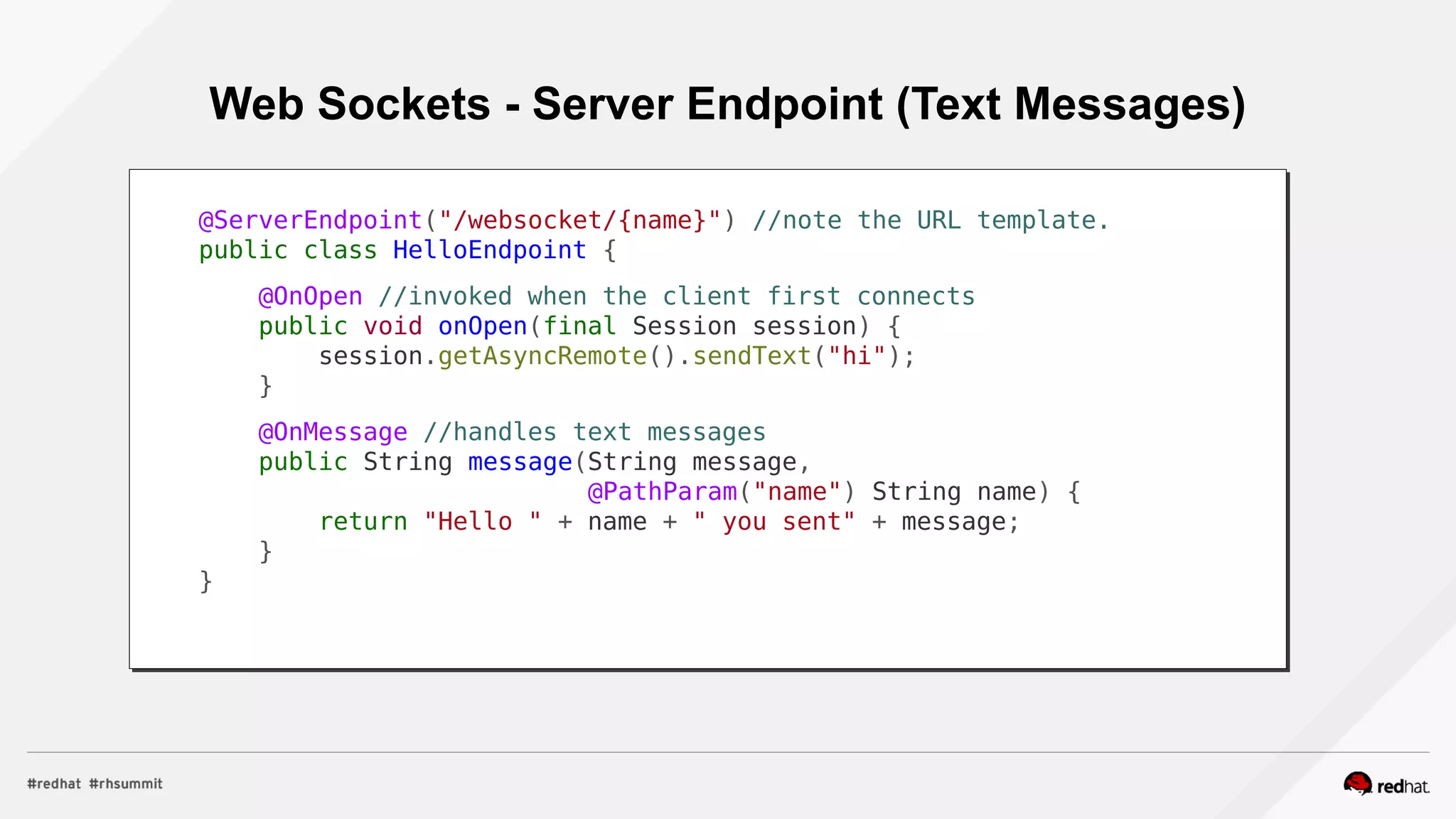
Web Sockets - Server Endpoint (Text Messages)
@ServerEndpoint("/websocket/{name}") //note the URL template.
public class HelloEndpoint {
@OnOpen //invoked when the client first connects
public void onOpen(final Session session) {
session.getAsyncRemote().sendText("hi");
}
@OnMessage //handles text messages
public String message(String message,
@PathParam("name") String name) {
return "Hello " + name + " you sent" + message;
}
}
Web Sockets - Server Endpoint (Binary Messages)
@ServerEndpoint("/websocket/{name}") //note the URL template.
public class HelloEndpoint {
@OnMessage //handles binary messages
public byte[] binaryMessage(byte[] binaryMessage) {
return binaryMessage; //echo binary data
}
@OnClose //invoked when the connection is closed
public void onClose(final Session session) {
System.out.println("Connection closed");
}
}
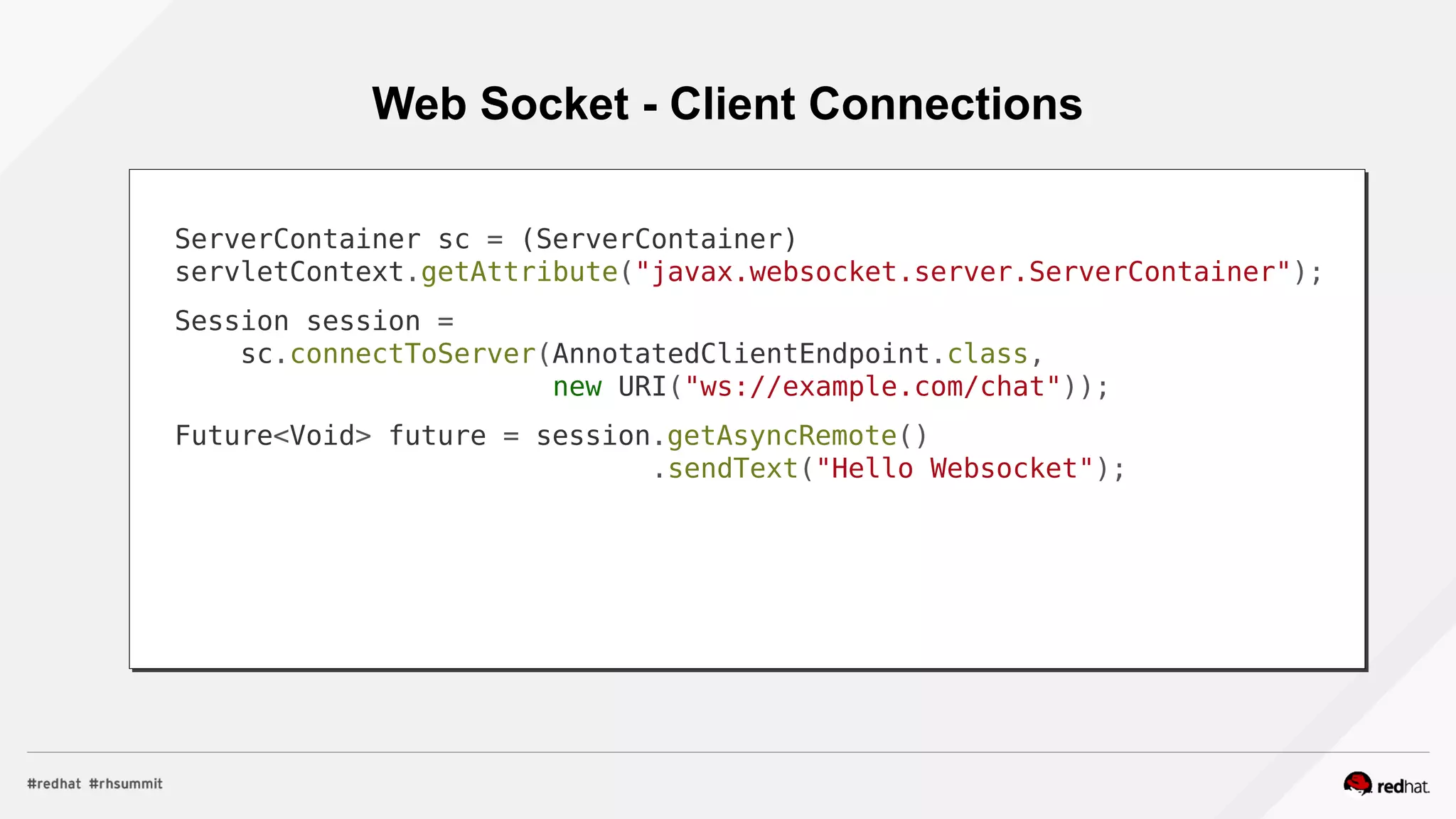
Web Socket - Client Connections
ServerContainer sc = (ServerContainer)
servletContext.getAttribute("javax.websocket.server.ServerContainer");
Session session =
sc.connectToServer(AnnotatedClientEndpoint.class,
new URI("ws://example.com/chat"));
Future<Void> future = session.getAsyncRemote()
.sendText("Hello Websocket");
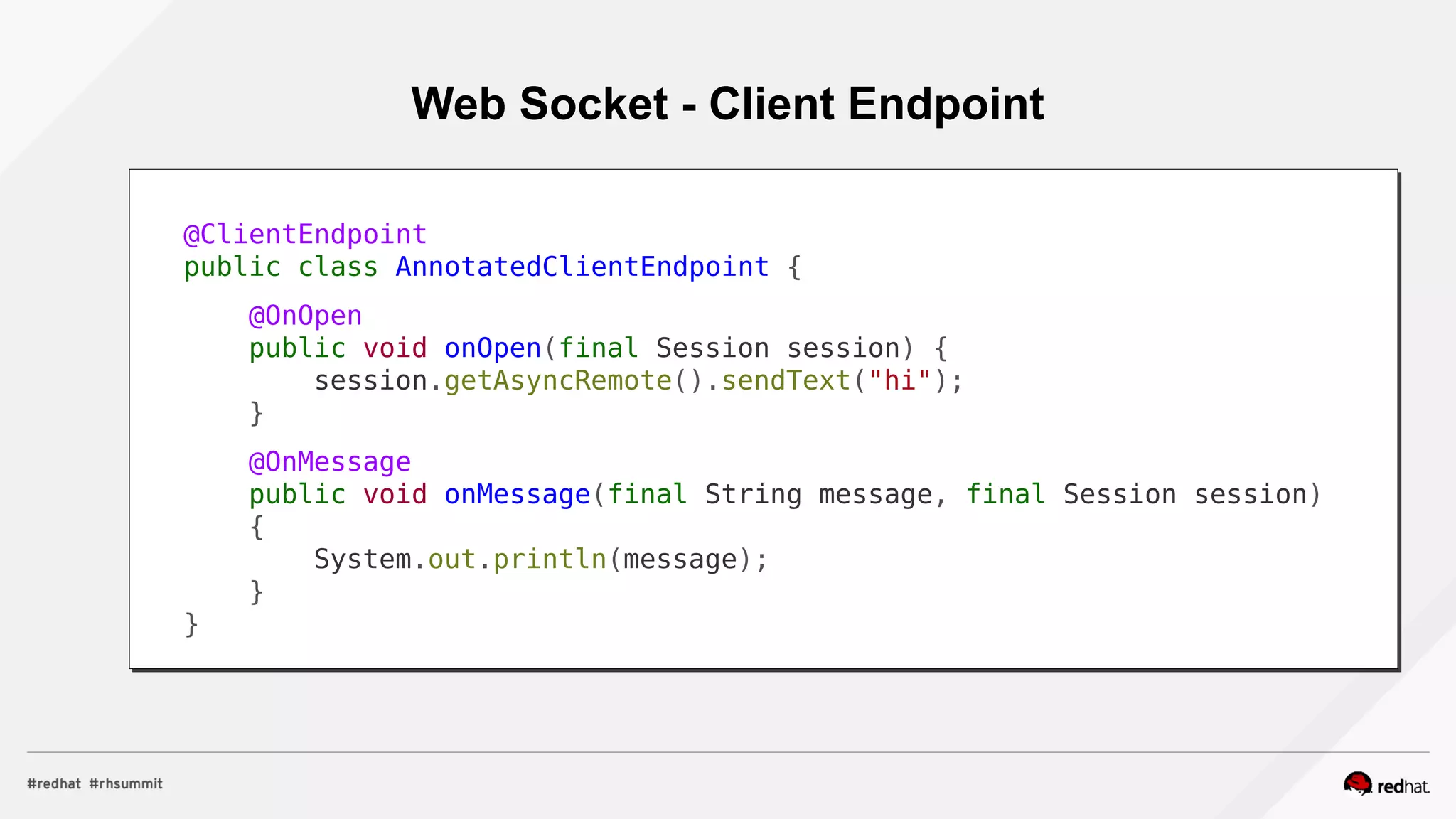
Web Socket - Client Endpoint
@ClientEndpoint
public class AnnotatedClientEndpoint {
@OnOpen
public void onOpen(final Session session) {
session.getAsyncRemote().sendText("hi");
}
@OnMessage
public void onMessage(final String message, final Session session)
{
System.out.println(message);
}
}
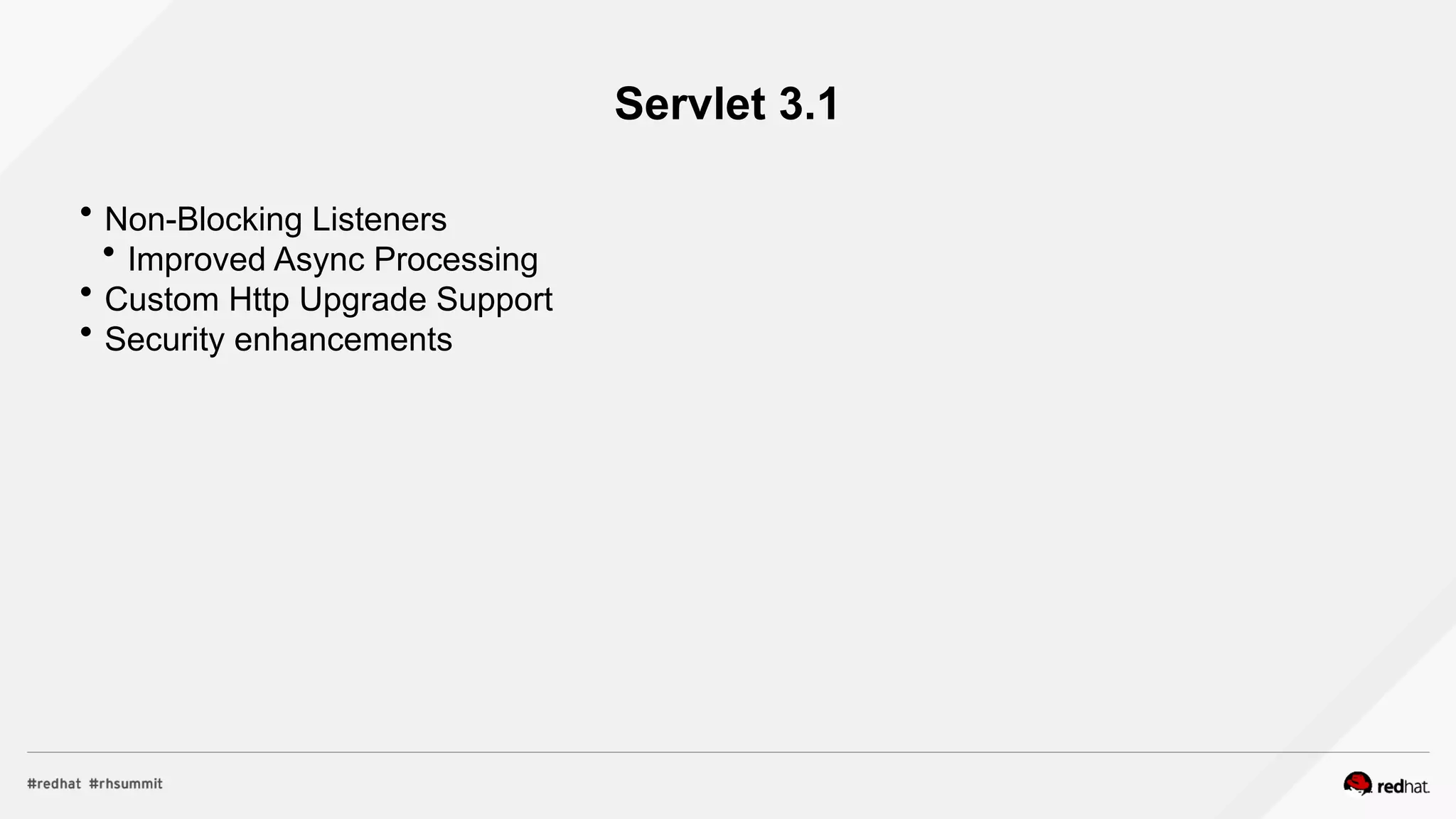
Servlet 3.1
 Non-Blocking Listeners
 Improved Async Processing
 Custom Http Upgrade Support
 Security enhancements
Non-Blocking Async Example
protected void doGet(final HttpServletRequest req,
final HttpServletResponse resp)
throws ServletException, IOException {
final AsyncContext context = req.startAsync();
final ServletOutputStream outputStream = resp.getOutputStream();
final String[] messages = {"Hello ", "async ", "world"};
outputStream.setWriteListener(new WriteListener() {
int pos = 0;
@Override
public synchronized void onWritePossible() throws IOException {
while (outputStream.isReady() && pos < messages.length()) {
outputStream.write(messages[pos++].getBytes());
}
if (pos == messages.length()) context.complete();
}
});
}
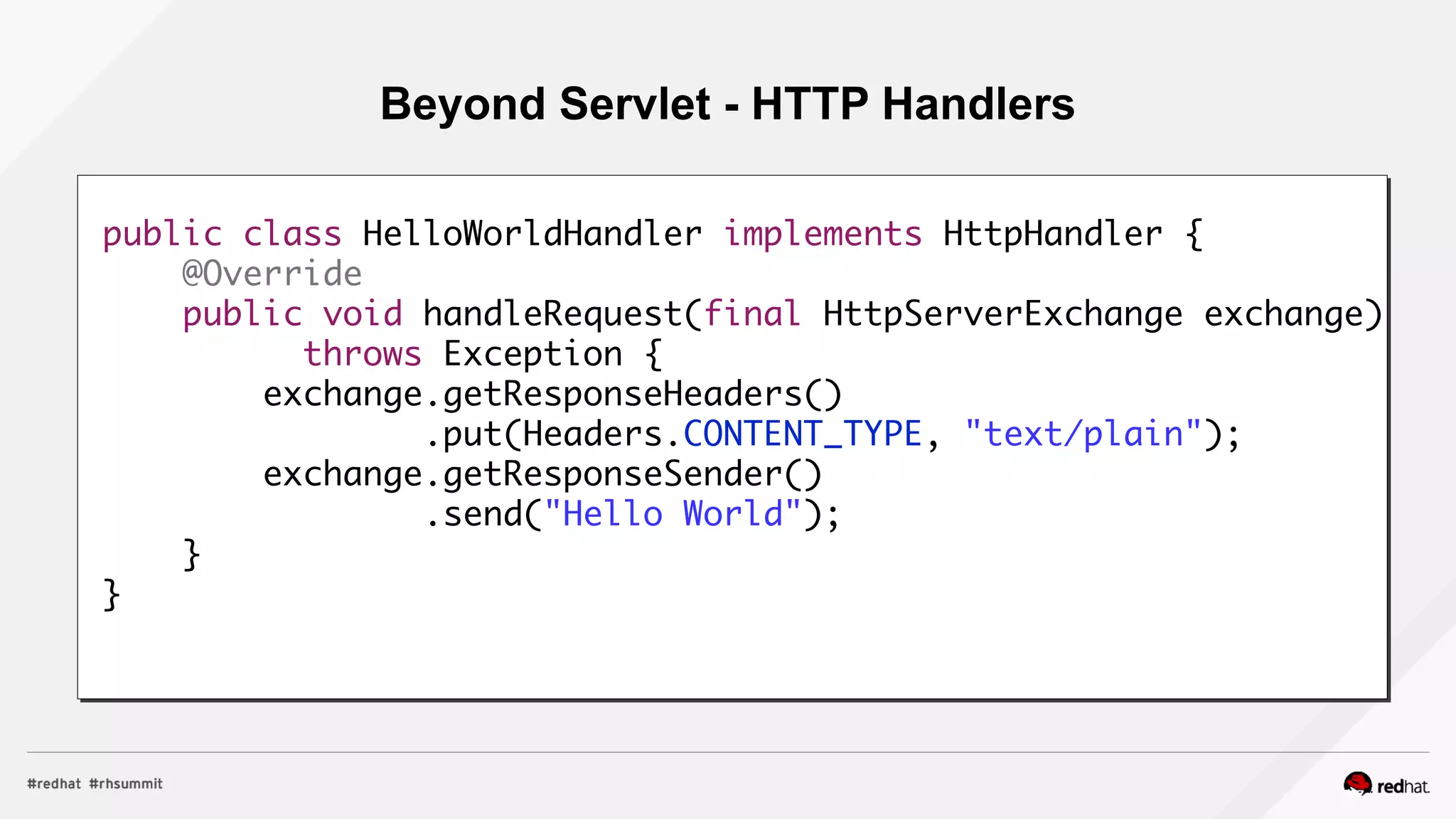
Beyond Servlet - HTTP Handlers
public class HelloWorldHandler implements HttpHandler {
@Override
public void handleRequest(final HttpServerExchange exchange)
throws Exception {
exchange.getResponseHeaders()
.put(Headers.CONTENT_TYPE, "text/plain");
exchange.getResponseSender()
.send("Hello World");
}
}
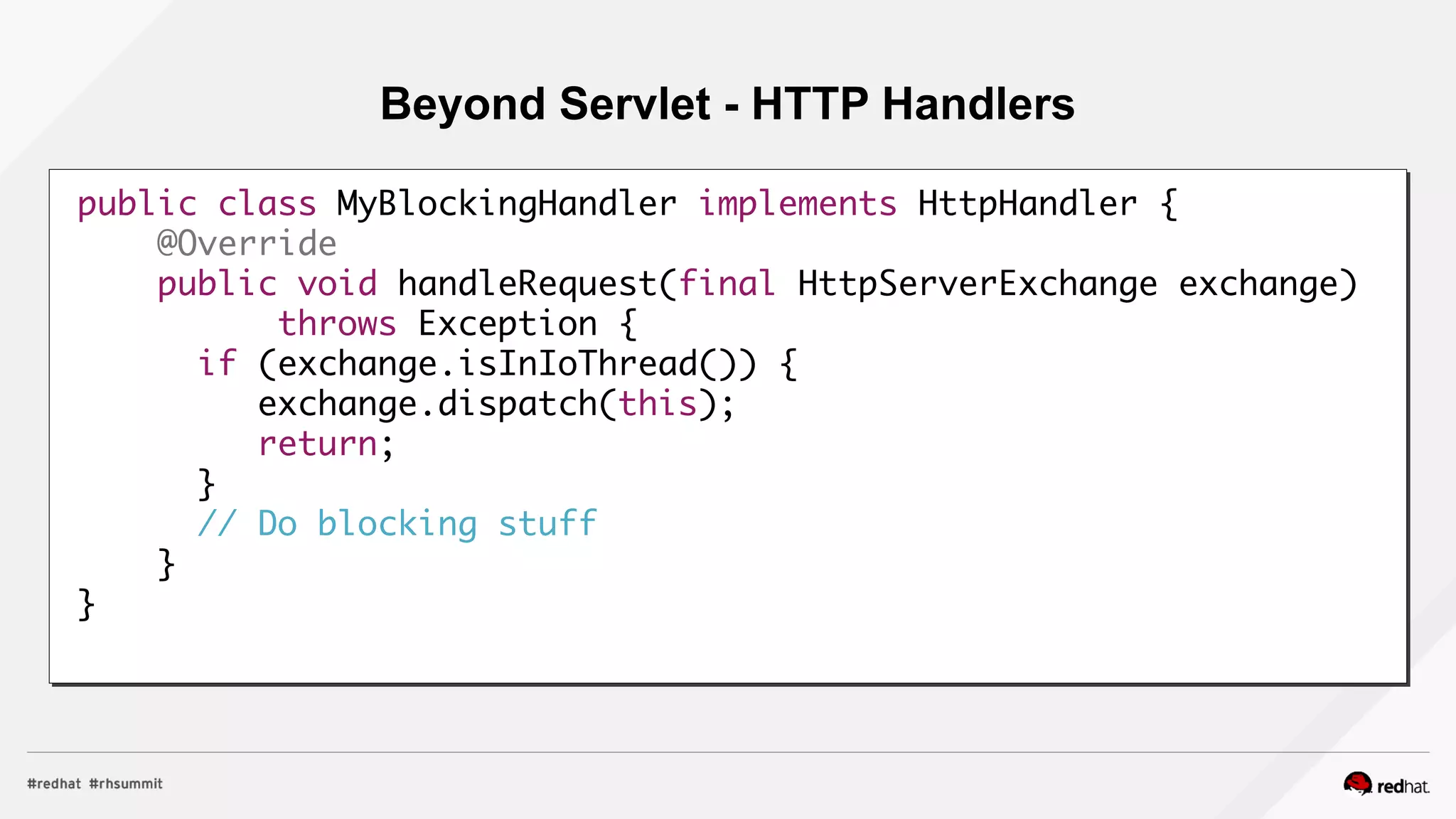
Beyond Servlet - HTTP Handlers
public class MyBlockingHandler implements HttpHandler {
@Override
public void handleRequest(final HttpServerExchange exchange)
throws Exception {
if (exchange.isInIoThread()) {
exchange.dispatch(this);
return;
}
// Do blocking stuff
}
}
More Resources
 Download EAP 7 For Free
 http://www.jboss.org/products/eap/download/
 Check out the documentation
 https://access.redhat.com/documentation/en/red-hat-jboss-enterprise-application-pla
tform/
 Download Summit Slides for EAP7 Sessions!
Welcome to this presentation about Java
EE7 on EAP.
We were to do this presentation together
with Jason Greene, EAP7 architect, but
he had a conflict so here I am.
To help me with the presentation lets make
a quick poll:
Who uses EAP 4/5/6?
Community WildFly?
Who doesn’t know anything about
Few words about me, I’ve been involed with
JBossAS/EAP now WildFly for 15 years now, in
different capacities.
JBoss EAP 7
WildFly vs JBoss EAP
 Open Source
 Red Hat & Community Resources
 Rapid Innovation
 Focus on delivering features
 Volunteer community support
 Open Source
 Enterprise Subscription
 Stability & Compatibility
 ~ 6 week CPs delivered regularly,
features backported by customer
demand
 Industry leading support with
guaranteed SLAs
 Security certifications and hardening
 Open Source
 Enterprise Subscription
 Stability & Compatibility
 ~ 6 week CPs delivered regularly,
features backported by customer
demand
 Industry leading support with
guaranteed SLAs
 Security certifications and hardening
WildFly EAP
WildFly / EAP Relationship
AS 7.1AS 7.1
EAP 6.1EAP 6.1 EAP 6.2EAP 6.2 EAP 6.3EAP 6.3 EAP 6.4EAP 6.4EAP 6.0EAP 6.0
AS 7.0AS 7.0 AS 7.2AS 7.2
WildFly 8WildFly 8 WildFly 9WildFly 9 WildFly 10WildFly 10
EAP 7.0EAP 7.0 EAP 7.1EAP 7.1
WildFly 11WildFly 11
Some Backported Features
Project vs EE spec vs Product
 JBoss AS 2  J2EE 1.2
 JBoss AS 3  J2EE 1.3
 JBoss AS 4  J2EE 1.4  JBoss EAP 4
 JBoss AS 5  Java EE 5  JBoss EAP 5
 JBoss AS 6 , AS7  Java EE 6  JBoss EAP 6
 WildFly 8, 9, 10  Java EE 7  JBoss EAP 7
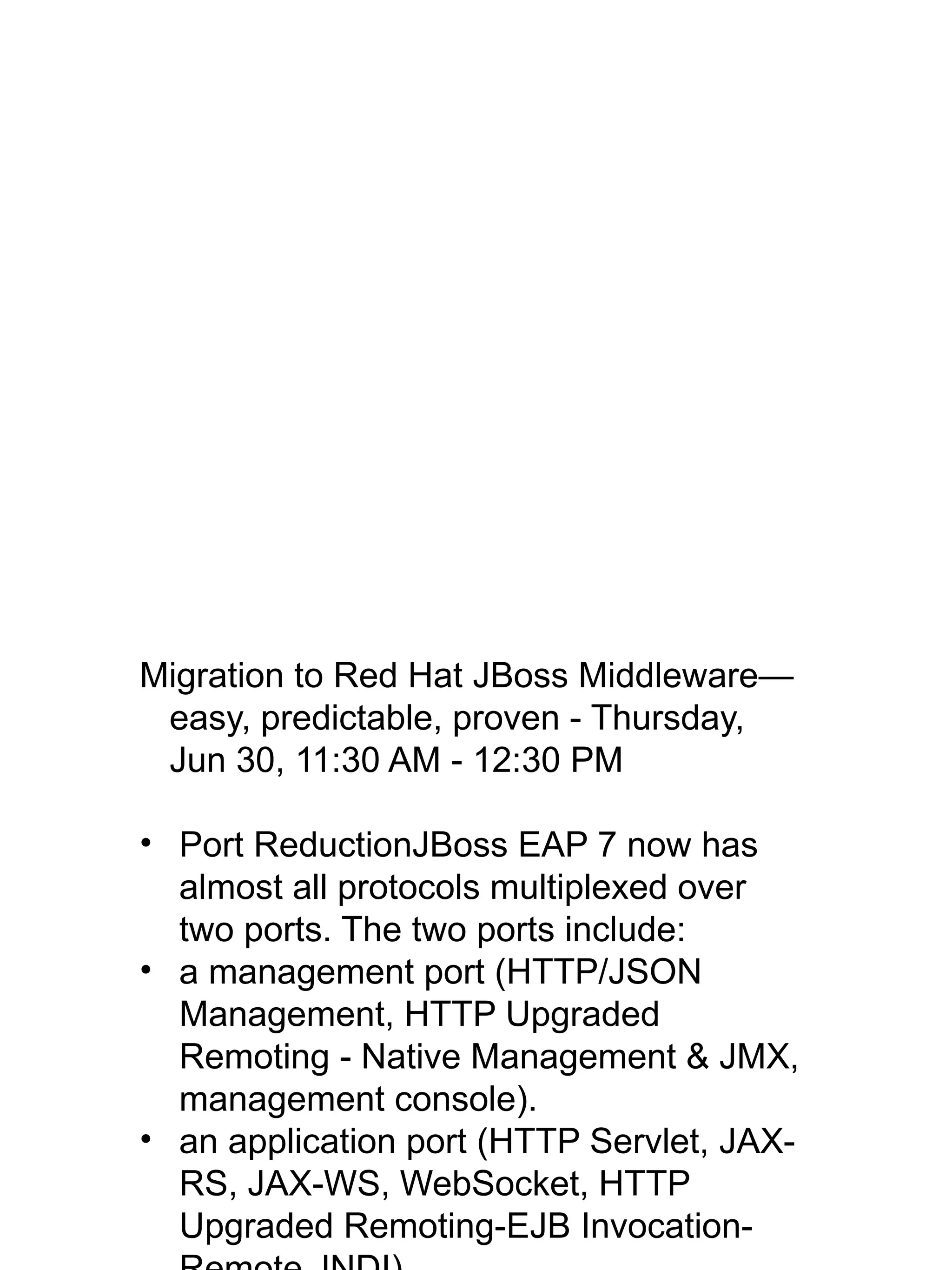
Migration to Red Hat JBoss Middleware—
easy, predictable, proven - Thursday,
Jun 30, 11:30 AM - 12:30 PM
• Port ReductionJBoss EAP 7 now has
almost all protocols multiplexed over
two ports. The two ports include:
• a management port (HTTP/JSON
Management, HTTP Upgraded
Remoting - Native Management & JMX,
management console).
• an application port (HTTP Servlet, JAX-
RS, JAX-WS, WebSocket, HTTP
Upgraded Remoting-EJB Invocation-
• Server Suspend Mode/Graceful
Shutdown - The new server suspend
mode in JBoss EAP 7, once activated,
rejects new requests but allows existing
ones to complete. When the suspension
process completes, the server can
either be stopped without aborting in-
flight transactions; left in suspended
state while maintenance is performed;
or returned to the running state where
new requests are again allowed.
(Excluding Messaging and
Transactions; including Web, EJB,
mod_cluster, Batch, Naming, and
partially for EE Concurrency).
Java EE 7
Java EE7 will improve the productivity of
your team by
• reducing code bloat, enhancing and
• simplifying APIs you are already using,
• and introducing new frameworks that
make it easy to build advanced next
generation applications.
Java EE7 Improvements From Above
EE7 Highlights – New Techs
 JSR-352 Batch Applications for the Java Platform
 Runtime & Artifact API, XML-based Job specification lang.
 JSR-236 Concurrency Utilities for JavaEE
 Executor, Scheduled Executor, Thread Factory, Context
 JSR-353 Java API for JSON Processing (JSON-P)
 Parse, transform and query JSON data
 JSR-356 Web Sockets support
 Annotation driven endpoints and lifecycle callbacks
EE7 Highlights – Spec. Updates
 JSR-345 EJB 3.2, plus Interceptors 1.2, Annotations 1.2
 Misc. improvements
 JSR-340 Servlet 3.1
 Non-blocking I/O, HTTP upgrade, etc.
 JSR-342 JMS 2.0
 Shared topic subs, delayed delivery, async send, etc.
 JSR-344 JSF 2.2
 HTML 5, FaceFlows, Stateless Views, Resource lib contracts
 JSR-322 JCA 1.7
 Activation name for msg endpoints
EE7 Highlights – Optional Techs
 EJB 2.1 Entity Beans (CMP/BMP)
 JAX-RPC (API for XML-based RPC)
 JAXR (API for XML Registries)
 JSR-88 (Deployment API)
 it has re-surfaced in JSR 373 (JSR-77 successor)
 JavaTM
EE Management API 2.0 
Batch was an IBM lead specification, with
a major goal to enhance Java EE so that
it could handle batch processing use-
cases that were currently better
supported on mainframe environments.
Red Hat was a contributing EG member
and developments an implementation
called jBeret, which provides the batch
capabilities in EAP7
A central principal of the specification is
that it follows a read->process
(transform) ->write paradigm, with
plugable components for each phase of
In order to balance transactional integrity
with the performance implications of
processing thousands or perhaps
millions of records, batch uses the notion
of a “chunk” to define a transactional
boundary. Additionally, when a job is
stopped it saves a checkpoint at a
boundary such that it can later be
resumed.
This example processes 3 records in a
chunk, by invoking a separate reader
and processor class for each “item” (a
record), and accumulating the results
before writing them together, in one
The execution engine and the job
specification is quite powerful, and as an
example of that we can modify the job
description from the previous example to
define a partition block, and with no code
changes we get parallel processing!
Following this new example, the container
will internally create two threads, and
each thread will process 3 record chunks
offset, and each handling half the data.
Overall the specification is quite rich and
includes a number of other advanced
capabilities like the ability to define batch
Once a batch job is defined, it’s quite
simple to introspect, to start, to restart
(which really means resuming), and stop
a job. For example, you can use this
trivial 4-line snippet of code in a servlet,
or EJB to launch a batch job.
Batch is just one of the new ways to
execute background tasks in Java EE7.
Additionally the EE concurrency features
in Java EE7 allow you to use simple
executors.
This solves a long standing issue with
Java EE. Since Java 5, the language
has had the ability to take a “runnable”
code block, and pass it to an executor
which manages a pool of worker threads
for you. While the feature worked great
in an SE environment, some EE
containers would outright disallow it,
some not (JBoss allowed it), but more
???Callable call()???
An executor is now looks and behaves like
any other EE capability. If you need an
executor, you can simply inject it using
@Resource, and from there you call it
just like you would an SE executor.
This example shows a use-case where
you need a long running background
search capability. A callable is defined to
perform our search, and the returned
future can either be polled or blocked on.
A more advanced capability in EE
concurrency is that you can pass an EE
context from one EE thread to another
EE thread. In this example we want to
pass the context of a servlet into our
MDB code. This can be useful if you are
just trying to run code that you already
had in your servlet, and that code
expects values in the servlets naming
context, and perhaps the current user
executing the request. In the example
we have a User record of some sort, and
it has a last message received time. So
we can take the implementation of that
code, put it into an inner class that we
Another major improvement is that JMS
was heavily simplified. Previously if you
wanted to send a message you would
need to get a connection factory, create
a connection, then from the connection
create a session, then from the session
create a producer, and from the producer
create a message, which you finally
send on the producer. This also involved
nested try finally blocks, so you could
easily end up with 20 lines of code, for
now something that is a couple injection
points and a single line. You inject a
JMSContext, and the destination, which
is a queue in this case. The consumer
Normally with a JMS topic, every
subscriber receives a duplicate copy of
the same message. This works well
when you have separate subscribers
that perform unrelated actions that with
the message. However if you want to
scale up a subscriber by subdividing it
into multiple threads or processes, you
would either have to write custom
concurrency and hand-off code or use
MDBs. ???Why not use MDBs???
JMS 2 adds the notion of shared
subscriptions, which allows you to have
multiple subscribers that share the same
A major change in JAX-RS 2.0 is the
introduction of a rich client side facility,
that allows you to do template style
processing.
This example creates a template and
populates the ID field, which is then
assembled into the request URL. The
provided media-type is mapped to an
Accept header, and also facilitates the
selection of the unmarshaller. In this
example Person is unmarshalled using
JAXB to give us a usable Person object.
Another major addition to the Java EE 7 is
a rich JSON API. It has two processing
modes, the first is a DOM like API which
allows you to easily read and write a
JSON object structure. As with DOM,
The API models the JSON structure as a
tree, and it can walked in a similar
fashion. This is useful for transformation
actions.
Additionally there is a streaming mode,
which is similar to the StAX API with
XML. As with StAX, you create a pull
parser, and pull out events in an iterative
fashion. This is handy when you need to
operate on very large JSON objects that
would otherwise consume significant
memory resources.
CDI was introduced in Java EE6, but to
enable it you needed to define a
beans.xml file in your deployment. In
Java EE7, CDI is now enabled for all
deployments by default, so this
descriptor is no longer required. CDI has
also been tightly integrated with JAX-RS.
If you aren’t extensively using CDI, and
don't want to pay for the scanning
overhead you can disable it by providing
a beans.xml file and altering the bean
discovery mode to either annotated or
none. Although, the overhead is fairly
small, so its not likely noticeable unless
A major Java EE 7, and EAP7 feature is
full support for web sockets
Web sockets allows HTML5 applications to
convert an HTTP connection into a full-
duplex communication pipe, as if it was a
TCP socket. This is useful for real-time
applications, like chat clients, stock
tickers and games. Instead of polling the
server for new information, the server
can push the update as soon as its
available, which reduces the extra
round-trip time that is typically incurred.
Web sockets is a framed protocol where
Creating a web socket in the browser is
very simple, you construct a WebSocket
object using a web socket URL. The
URL is the same as a standard http URL,
with just http changes to ws. Internally
this makes a new HTTP connection to
the server, and then it utilizes HTTP
upgrade to convert the connection to a
web sockets connection.
Using the created Web Socket object, you
can register message handlers and/or
send messages. In this example we
dump every message the server sends
us to the log, and immediately send a
On the server side in EAP, all you need to
do is define a server endpoint using the
ServerEndpoint annotation on a new
class. On the class you define various
event methods to respond to
connections and messages. In this
example when a new client connects we
asynchronously send back a text
message, and when we receive any
message we echo back what they sent
us. It’s also possible to send messages
synchronously, if we wanted the server
to wait on a successful transmission
before taking further action.
Binary messages work in a similar fashion
but with a byte[] or ByteBuffers.
Additionally you can receive an
InputSream, and process the data in a
blocking fashion.
Much like JAX-RS the web sockets
facilities in EE7 allow you to register
custom encoders and decoders which
map arbitrary Java objects to messages.
If we were to apply this facility to our
example, the @OnMessage handler
could have returned a Java POJO
directly. ???Where/How???
???getAttribute(ServerContainer)
The EE7 Web Sockets facility can also be
used as a client, either from a
standalone Java application, or within a
deployment on EAP7.
This example shows how a servlet can
obtain a WebSocket session and register
a client endpoint. It additionally sends a
message right after connecting.
The client endpoint operates the same as
a server endpoint, this example has an
OnMessage handler and an OnOpen
handler the same as our server example
In addition to web sockets, EE7 also made
significant improvements to the Servlet
spec, notably support for non-blocking
I/O.
With traditional blocking I/O on the reading
side you develop your application to read
as if the data is already all there, and the
server blocks the thread waiting as
necessary. Likewise on the write side,
you write as if the client is ready, and the
server blocks in any case that it isn’t.
This makes the programming model
simple, but it ties up server resources
(everything allocated on a current
thread) while the connection is blocking.
Non-blocking i/o addresses this issue by
reading and writing only what you can, in
arbitrary chunks, and then immediately
Another way to implement non-blocking
web handling on EAP7 is to directly
implement HttpHandlers. HttpHandlers
have a richer API than the ReadListener
and WriteListener facility of Servlet 3.1,
and they allow you to truly customize
server behavior. You can relate them to
Tomcat valves, if you have ever
extended Tomcat.
As with any non-blocking implementation,
its important that you never block the
thread in your callback. Any APIs you
call must also be non-blocking (as an
example JDBC and JPA are blocking), or
Background: Undertow has two thread
pools, a small I/O thread pool which polls
non-ready connections for availability
and executes non-blocking tasks against
them. This pool is optimally sized to one
or two threads per execution unit on the
CPU. In the case of an Intel CPU an
execution unit is a Hyperthread. This
allows efficient handling for efficient
scalability for tens of thousands of
connections. It also has an additional
worker thread pool that is typically much
larger, to handle any operation that is
blocking.
More Resources
 Download EAP 7 For Free
 http://www.jboss.org/products/eap/download/
 Check out the documentation
 https://access.redhat.com/documentation/en/red-hat-jboss-enterprise-application-pla
tform/
 Download Summit Slides for EAP7 Sessions!
Boost Development With Java EE7 On EAP7 (Demitris Andreadis)

Boost Development With Java EE7 On EAP7 (Demitris Andreadis)

  • 1.
    Boost development withJava EE7 on JBoss EAP7 Dimitris Andreadis EAP Engineering Manager June 29, 2016 Jason Greene EAP Architect
  • 2.
    About Me JBoss AS/EAP,WildFly Fan(atic) •2001, JBoss User •2003, JBoss Committer •2004, JBoss Full-time Core Developer •2006, JBoss AS Lead (v3.2.8+, v4.0.4+, v4.2.x, 5.0.x) •2009, JBoss AS Engineering Manager •2013, JBoss EAP/WildFly Sr. Engineering Manager And before JBoss? ● 7y experience in distributed systems (telcos, NMS/OSS) ● BSc/MSc Computer Science (Athens/Dublin) about.me/dandreadis
  • 3.
  • 4.
    WildFly vs JBossEAP  Open Source  Red Hat & Community Resources  Rapid Innovation  Focus on delivering features  Volunteer community support  Open Source  Enterprise Subscription  Stability & Compatibility  ~ 6 week CPs delivered regularly, features backported by customer demand  Industry leading support with guaranteed SLAs  Security certifications and hardening  Open Source  Enterprise Subscription  Stability & Compatibility  ~ 6 week CPs delivered regularly, features backported by customer demand  Industry leading support with guaranteed SLAs  Security certifications and hardening WildFly EAP
  • 5.
    WildFly / EAPRelationship AS 7.1AS 7.1 EAP 6.1EAP 6.1 EAP 6.2EAP 6.2 EAP 6.3EAP 6.3 EAP 6.4EAP 6.4EAP 6.0EAP 6.0 AS 7.0AS 7.0 AS 7.2AS 7.2 WildFly 8WildFly 8 WildFly 9WildFly 9 WildFly 10WildFly 10 EAP 7.0EAP 7.0 EAP 7.1EAP 7.1 WildFly 11WildFly 11 Some Backported Features
  • 6.
    Project vs EEspec vs Product  JBoss AS 2  J2EE 1.2  JBoss AS 3  J2EE 1.3  JBoss AS 4  J2EE 1.4  JBoss EAP 4  JBoss AS 5  Java EE 5  JBoss EAP 5  JBoss AS 6 , AS7  Java EE 6  JBoss EAP 6  WildFly 8, 9, 10  Java EE 7  JBoss EAP 7
  • 7.
    EAP 7 Highlights 100% Java EE7 certified (Web & Full profiles)  plus CDI 1.2, WebSockets 1.1  Java SE 8 (OpenJDK, Oracle, IBM and HP JDKs)  High Performance Web Server (Undertow)  Port reduction (8080, 9990)  Reverse Proxy / HTTP/2  HornetQ  ActiveMQ Artemis  IIOP Implementation switched to OpenJDK ORB  CLI Migration Operations (from JBoss Web, JacORB, and HornetQ)
  • 8.
    EAP 7 Highlights(cont.)  HA MDBs & Singleton Deployments  Server Suspend Mode/Graceful Shutdown  Offline CLI Mode (including Domain mode)  Improved UI for large domains  Hierarchical Profiles  Batch Enhancements  Hibernate 5 …and more
  • 9.
  • 10.
    Java EE7: CentralThemes  Improving Productivity  New Web Technologies  Better Integration  Embracing CDI
  • 11.
  • 12.
    EE7 Highlights –New Techs  JSR-352 Batch Applications for the Java Platform  Runtime & Artifact API, XML-based Job specification lang.  JSR-236 Concurrency Utilities for JavaEE  Executor, Scheduled Executor, Thread Factory, Context  JSR-353 Java API for JSON Processing (JSON-P)  Parse, transform and query JSON data  JSR-356 Web Sockets support  Annotation driven endpoints and lifecycle callbacks
  • 13.
    EE7 Highlights –Spec. Updates  JSR-345 EJB 3.2, plus Interceptors 1.2, Annotations 1.2  Misc. improvements  JSR-340 Servlet 3.1  Non-blocking I/O, HTTP upgrade, etc.  JSR-342 JMS 2.0  Shared topic subs, delayed delivery, async send, etc.  JSR-344 JSF 2.2  HTML 5, FaceFlows, Stateless Views, Resource lib contracts  JSR-322 JCA 1.7  Activation name for msg endpoints
  • 14.
    EE7 Highlights –Optional Techs  EJB 2.1 Entity Beans (CMP/BMP)  JAX-RPC (API for XML-based RPC)  JAXR (API for XML Registries)  JSR-88 (Deployment API)  it has re-surfaced in JSR 373 (JSR-77 successor)  JavaTM EE Management API 2.0 
  • 15.
    Batch Processing -JSR-352  Based on decades of industry experience  Balances transactional integrity and performance  Separates responsibilities into reusable components  Customizable execution using job specification language Item Reader Item Processor Item Writer Step Job Repository Job Operator Job
  • 16.
    Batch Processing Item Reader ItemProcessor Item Writer <job id="job"> <step id="step1"> <chunk item-count=“3”> <reader ref="AccReader"/> <processor ref="AccProcessor"/> <writer ref="AccWriter"/> </chunk> </step> </job> Chunk 1A Item 1 Item 2 Item 3 Item 1
  • 17.
    Parallelism Using Chunks& Partitions <chunk item-count=“3”> <reader ref=“AccReader”> <properties> <property name="start" value="#{partitionPlan['start']}"/> <property name="end" value="#{partitionPlan['end']}"/> </properties> </reader> <processor ref="AccProcessor"/> <writer ref=“AccWriter"/> </chunk> <partition> <plan partitions=“2”> <properties partition="0"> <property name="start" value="1"/> <property name="end" value="10"/> </properties> ... </partition> Job XML Chunk 1A Item 1 Item 2 Item 3 Chunk 2A Item 4 Item 5 Item 6 Chunk 1B Item 11 Item 12 Item 13 Chunk 2B Item 14 Item 15 Item 16 Thread 1 Thread 2
  • 18.
    Starting a Job Easily called from a Servlet or an EJB or common shared code  Can also abort and resume jobs JobOperator jobOperator = BatchRuntime.getJobOperator(); Properties props = new Properties(); props.setProperty(...) long id = jobOperator.start(JOB_NAME, props);
  • 19.
    EE Concurrency  AddsJava EE variants of SE Executors  ManagedExecutorService  ManagedScheduledExecutorService  ManagedThreadFactory  Provides Contextual Proxies  ContextService  Supports Task listeners in addition to futures  Supports UserTransaction
  • 20.
    Simple Executor Example @Resource ManagedExecutorServiceexecutor; Future res; void startSearch() { res = executor.submit(new Callable<Long>() { public Long call() { return findNeedleInHaystack(); } }); } long waitForNeedle() { return res.get(); }
  • 21.
    Context Service public interfaceMessageProcessor { public void process(Message msg); } public class UserUpdate implements MessageProcessor { public void process(Message msg) { // requires user’s principal to update updateUserLastMessageTime(msg); } } // On Servlet public void doPost() { ... MessageProcessor callback = service.createContextualProxy(new UserUpdate(), execProps, MessageProcessor.class); producer.send(dest, session.createObjectMessage(callback)); } public class ProcessingMDB { public void onMessage(Message msg) { ObjectMessage omsg = (ObjectMessage)msg; ((MessageProcessor)omsg.getObject()).process(); } }
  • 22.
    JMS 2.0 -API Simplification @Inject JMSContext context; @Resource(lookup=”java:module/myqueue”) Queue queue; void sendSomething(String data) { context.createProducer().send(queue, data); }
  • 23.
    JMS 2: SharedSubscriptions ProducerProducer TopicTopic Consumer Job AConsumer Job A Shared Sub BShared Sub B Consumer Job B 1Consumer Job B 1 Consumer Job B 2Consumer Job B 2 Consumer Job B 3Consumer Job B 3 Message 1 - Job AMessage 1 - Job A Message 2 - Job BMessage 2 - Job B Message 3 - Job BMessage 3 - Job B Consumer Job AConsumer Job A Message 1 - Job AMessage 1 - Job A
  • 24.
    JAX-RS 2 ClientAPI Client client = ClientBuilder.newClient(); WebTarget target = client.target(“.../people"); Person p = target .path("{id}") .resolveTemplate("id", "1") .request(MediaType.APPLICATION_XML) .get(Person.class); GET /people/1 HTTP/1.1 Accept: application/xml
  • 25.
    JSON API (JSR353): DOM-Like API JsonObject jsonObject = Json.createObjectBuilder() .add("apple", "red") .add("banana", "yellow") .build(); StringWriter w = new StringWriter(); JsonWriter writer = Json.createWriter(w); writer.write(jsonObject); JsonReader reader = Json.createReader(…); JSonObject jsonObject = (JsonObject)reader.read();
  • 26.
    JSON API (JSR353): StAX-Like API JsonParser parser = Json.createParser(new StringReader(jsonData)); while (parser.hasNext()) { JsonParser.Event event = parser.next(); switch(event) { case START_OBJECT: System.out.println("Name = " + parser.getString()); break; case KEY_NAME: System.out.println("Key = " + parser.getString()); break; case VALUE_STRING: System.out.println("Value = " + parser.getString()); break; } }
  • 27.
    CDI Everywhere  Automaticenablement for beans with scope annotation and EJBs  “beans.xml” is optional  Bean discovery mode  all: All types  annotated: Types with bean defining annotation  none: Disable CDI  @Vetoed for programmatic disablement of classes  Global ordering/priority of interceptors and decorators
  • 28.
    Web Sockets Overview Full-duplex Communication  Framed Messages  Binary and Text Messages  Supports Fragmentation
  • 29.
    JS Web SocketClient Example var socket = new WebSocket(“ws://www.example.com/websocket/johndoe“); // Every message we get, dump it to the log socket.onmessage = function (event) { console.log(event.data); } // Send a text message exampleSocket.send(“Hi There!”);
  • 30.
    Web Sockets -Server Endpoint (Text Messages) @ServerEndpoint("/websocket/{name}") //note the URL template. public class HelloEndpoint { @OnOpen //invoked when the client first connects public void onOpen(final Session session) { session.getAsyncRemote().sendText("hi"); } @OnMessage //handles text messages public String message(String message, @PathParam("name") String name) { return "Hello " + name + " you sent" + message; } }
  • 31.
    Web Sockets -Server Endpoint (Binary Messages) @ServerEndpoint("/websocket/{name}") //note the URL template. public class HelloEndpoint { @OnMessage //handles binary messages public byte[] binaryMessage(byte[] binaryMessage) { return binaryMessage; //echo binary data } @OnClose //invoked when the connection is closed public void onClose(final Session session) { System.out.println("Connection closed"); } }
  • 32.
    Web Socket -Client Connections ServerContainer sc = (ServerContainer) servletContext.getAttribute("javax.websocket.server.ServerContainer"); Session session = sc.connectToServer(AnnotatedClientEndpoint.class, new URI("ws://example.com/chat")); Future<Void> future = session.getAsyncRemote() .sendText("Hello Websocket");
  • 33.
    Web Socket -Client Endpoint @ClientEndpoint public class AnnotatedClientEndpoint { @OnOpen public void onOpen(final Session session) { session.getAsyncRemote().sendText("hi"); } @OnMessage public void onMessage(final String message, final Session session) { System.out.println(message); } }
  • 34.
    Servlet 3.1  Non-BlockingListeners  Improved Async Processing  Custom Http Upgrade Support  Security enhancements
  • 35.
    Non-Blocking Async Example protectedvoid doGet(final HttpServletRequest req, final HttpServletResponse resp) throws ServletException, IOException { final AsyncContext context = req.startAsync(); final ServletOutputStream outputStream = resp.getOutputStream(); final String[] messages = {"Hello ", "async ", "world"}; outputStream.setWriteListener(new WriteListener() { int pos = 0; @Override public synchronized void onWritePossible() throws IOException { while (outputStream.isReady() && pos < messages.length()) { outputStream.write(messages[pos++].getBytes()); } if (pos == messages.length()) context.complete(); } }); }
  • 36.
    Beyond Servlet -HTTP Handlers public class HelloWorldHandler implements HttpHandler { @Override public void handleRequest(final HttpServerExchange exchange) throws Exception { exchange.getResponseHeaders() .put(Headers.CONTENT_TYPE, "text/plain"); exchange.getResponseSender() .send("Hello World"); } }
  • 37.
    Beyond Servlet -HTTP Handlers public class MyBlockingHandler implements HttpHandler { @Override public void handleRequest(final HttpServerExchange exchange) throws Exception { if (exchange.isInIoThread()) { exchange.dispatch(this); return; } // Do blocking stuff } }
  • 38.
    More Resources  DownloadEAP 7 For Free  http://www.jboss.org/products/eap/download/  Check out the documentation  https://access.redhat.com/documentation/en/red-hat-jboss-enterprise-application-pla tform/  Download Summit Slides for EAP7 Sessions!
  • 40.
    Welcome to thispresentation about Java EE7 on EAP. We were to do this presentation together with Jason Greene, EAP7 architect, but he had a conflict so here I am. To help me with the presentation lets make a quick poll: Who uses EAP 4/5/6? Community WildFly? Who doesn’t know anything about
  • 41.
    Few words aboutme, I’ve been involed with JBossAS/EAP now WildFly for 15 years now, in different capacities.
  • 42.
  • 43.
    WildFly vs JBossEAP  Open Source  Red Hat & Community Resources  Rapid Innovation  Focus on delivering features  Volunteer community support  Open Source  Enterprise Subscription  Stability & Compatibility  ~ 6 week CPs delivered regularly, features backported by customer demand  Industry leading support with guaranteed SLAs  Security certifications and hardening  Open Source  Enterprise Subscription  Stability & Compatibility  ~ 6 week CPs delivered regularly, features backported by customer demand  Industry leading support with guaranteed SLAs  Security certifications and hardening WildFly EAP
  • 44.
    WildFly / EAPRelationship AS 7.1AS 7.1 EAP 6.1EAP 6.1 EAP 6.2EAP 6.2 EAP 6.3EAP 6.3 EAP 6.4EAP 6.4EAP 6.0EAP 6.0 AS 7.0AS 7.0 AS 7.2AS 7.2 WildFly 8WildFly 8 WildFly 9WildFly 9 WildFly 10WildFly 10 EAP 7.0EAP 7.0 EAP 7.1EAP 7.1 WildFly 11WildFly 11 Some Backported Features
  • 45.
    Project vs EEspec vs Product  JBoss AS 2  J2EE 1.2  JBoss AS 3  J2EE 1.3  JBoss AS 4  J2EE 1.4  JBoss EAP 4  JBoss AS 5  Java EE 5  JBoss EAP 5  JBoss AS 6 , AS7  Java EE 6  JBoss EAP 6  WildFly 8, 9, 10  Java EE 7  JBoss EAP 7
  • 46.
    Migration to RedHat JBoss Middleware— easy, predictable, proven - Thursday, Jun 30, 11:30 AM - 12:30 PM • Port ReductionJBoss EAP 7 now has almost all protocols multiplexed over two ports. The two ports include: • a management port (HTTP/JSON Management, HTTP Upgraded Remoting - Native Management & JMX, management console). • an application port (HTTP Servlet, JAX- RS, JAX-WS, WebSocket, HTTP Upgraded Remoting-EJB Invocation-
  • 47.
    • Server SuspendMode/Graceful Shutdown - The new server suspend mode in JBoss EAP 7, once activated, rejects new requests but allows existing ones to complete. When the suspension process completes, the server can either be stopped without aborting in- flight transactions; left in suspended state while maintenance is performed; or returned to the running state where new requests are again allowed. (Excluding Messaging and Transactions; including Web, EJB, mod_cluster, Batch, Naming, and partially for EE Concurrency).
  • 48.
  • 49.
    Java EE7 willimprove the productivity of your team by • reducing code bloat, enhancing and • simplifying APIs you are already using, • and introducing new frameworks that make it easy to build advanced next generation applications.
  • 50.
  • 51.
    EE7 Highlights –New Techs  JSR-352 Batch Applications for the Java Platform  Runtime & Artifact API, XML-based Job specification lang.  JSR-236 Concurrency Utilities for JavaEE  Executor, Scheduled Executor, Thread Factory, Context  JSR-353 Java API for JSON Processing (JSON-P)  Parse, transform and query JSON data  JSR-356 Web Sockets support  Annotation driven endpoints and lifecycle callbacks
  • 52.
    EE7 Highlights –Spec. Updates  JSR-345 EJB 3.2, plus Interceptors 1.2, Annotations 1.2  Misc. improvements  JSR-340 Servlet 3.1  Non-blocking I/O, HTTP upgrade, etc.  JSR-342 JMS 2.0  Shared topic subs, delayed delivery, async send, etc.  JSR-344 JSF 2.2  HTML 5, FaceFlows, Stateless Views, Resource lib contracts  JSR-322 JCA 1.7  Activation name for msg endpoints
  • 53.
    EE7 Highlights –Optional Techs  EJB 2.1 Entity Beans (CMP/BMP)  JAX-RPC (API for XML-based RPC)  JAXR (API for XML Registries)  JSR-88 (Deployment API)  it has re-surfaced in JSR 373 (JSR-77 successor)  JavaTM EE Management API 2.0 
  • 54.
    Batch was anIBM lead specification, with a major goal to enhance Java EE so that it could handle batch processing use- cases that were currently better supported on mainframe environments. Red Hat was a contributing EG member and developments an implementation called jBeret, which provides the batch capabilities in EAP7 A central principal of the specification is that it follows a read->process (transform) ->write paradigm, with plugable components for each phase of
  • 55.
    In order tobalance transactional integrity with the performance implications of processing thousands or perhaps millions of records, batch uses the notion of a “chunk” to define a transactional boundary. Additionally, when a job is stopped it saves a checkpoint at a boundary such that it can later be resumed. This example processes 3 records in a chunk, by invoking a separate reader and processor class for each “item” (a record), and accumulating the results before writing them together, in one
  • 56.
    The execution engineand the job specification is quite powerful, and as an example of that we can modify the job description from the previous example to define a partition block, and with no code changes we get parallel processing! Following this new example, the container will internally create two threads, and each thread will process 3 record chunks offset, and each handling half the data. Overall the specification is quite rich and includes a number of other advanced capabilities like the ability to define batch
  • 57.
    Once a batchjob is defined, it’s quite simple to introspect, to start, to restart (which really means resuming), and stop a job. For example, you can use this trivial 4-line snippet of code in a servlet, or EJB to launch a batch job.
  • 58.
    Batch is justone of the new ways to execute background tasks in Java EE7. Additionally the EE concurrency features in Java EE7 allow you to use simple executors. This solves a long standing issue with Java EE. Since Java 5, the language has had the ability to take a “runnable” code block, and pass it to an executor which manages a pool of worker threads for you. While the feature worked great in an SE environment, some EE containers would outright disallow it, some not (JBoss allowed it), but more
  • 59.
    ???Callable call()??? An executoris now looks and behaves like any other EE capability. If you need an executor, you can simply inject it using @Resource, and from there you call it just like you would an SE executor. This example shows a use-case where you need a long running background search capability. A callable is defined to perform our search, and the returned future can either be polled or blocked on.
  • 60.
    A more advancedcapability in EE concurrency is that you can pass an EE context from one EE thread to another EE thread. In this example we want to pass the context of a servlet into our MDB code. This can be useful if you are just trying to run code that you already had in your servlet, and that code expects values in the servlets naming context, and perhaps the current user executing the request. In the example we have a User record of some sort, and it has a last message received time. So we can take the implementation of that code, put it into an inner class that we
  • 61.
    Another major improvementis that JMS was heavily simplified. Previously if you wanted to send a message you would need to get a connection factory, create a connection, then from the connection create a session, then from the session create a producer, and from the producer create a message, which you finally send on the producer. This also involved nested try finally blocks, so you could easily end up with 20 lines of code, for now something that is a couple injection points and a single line. You inject a JMSContext, and the destination, which is a queue in this case. The consumer
  • 62.
    Normally with aJMS topic, every subscriber receives a duplicate copy of the same message. This works well when you have separate subscribers that perform unrelated actions that with the message. However if you want to scale up a subscriber by subdividing it into multiple threads or processes, you would either have to write custom concurrency and hand-off code or use MDBs. ???Why not use MDBs??? JMS 2 adds the notion of shared subscriptions, which allows you to have multiple subscribers that share the same
  • 63.
    A major changein JAX-RS 2.0 is the introduction of a rich client side facility, that allows you to do template style processing. This example creates a template and populates the ID field, which is then assembled into the request URL. The provided media-type is mapped to an Accept header, and also facilitates the selection of the unmarshaller. In this example Person is unmarshalled using JAXB to give us a usable Person object.
  • 64.
    Another major additionto the Java EE 7 is a rich JSON API. It has two processing modes, the first is a DOM like API which allows you to easily read and write a JSON object structure. As with DOM, The API models the JSON structure as a tree, and it can walked in a similar fashion. This is useful for transformation actions.
  • 65.
    Additionally there isa streaming mode, which is similar to the StAX API with XML. As with StAX, you create a pull parser, and pull out events in an iterative fashion. This is handy when you need to operate on very large JSON objects that would otherwise consume significant memory resources.
  • 66.
    CDI was introducedin Java EE6, but to enable it you needed to define a beans.xml file in your deployment. In Java EE7, CDI is now enabled for all deployments by default, so this descriptor is no longer required. CDI has also been tightly integrated with JAX-RS. If you aren’t extensively using CDI, and don't want to pay for the scanning overhead you can disable it by providing a beans.xml file and altering the bean discovery mode to either annotated or none. Although, the overhead is fairly small, so its not likely noticeable unless
  • 67.
    A major JavaEE 7, and EAP7 feature is full support for web sockets Web sockets allows HTML5 applications to convert an HTTP connection into a full- duplex communication pipe, as if it was a TCP socket. This is useful for real-time applications, like chat clients, stock tickers and games. Instead of polling the server for new information, the server can push the update as soon as its available, which reduces the extra round-trip time that is typically incurred. Web sockets is a framed protocol where
  • 68.
    Creating a websocket in the browser is very simple, you construct a WebSocket object using a web socket URL. The URL is the same as a standard http URL, with just http changes to ws. Internally this makes a new HTTP connection to the server, and then it utilizes HTTP upgrade to convert the connection to a web sockets connection. Using the created Web Socket object, you can register message handlers and/or send messages. In this example we dump every message the server sends us to the log, and immediately send a
  • 69.
    On the serverside in EAP, all you need to do is define a server endpoint using the ServerEndpoint annotation on a new class. On the class you define various event methods to respond to connections and messages. In this example when a new client connects we asynchronously send back a text message, and when we receive any message we echo back what they sent us. It’s also possible to send messages synchronously, if we wanted the server to wait on a successful transmission before taking further action.
  • 70.
    Binary messages workin a similar fashion but with a byte[] or ByteBuffers. Additionally you can receive an InputSream, and process the data in a blocking fashion. Much like JAX-RS the web sockets facilities in EE7 allow you to register custom encoders and decoders which map arbitrary Java objects to messages. If we were to apply this facility to our example, the @OnMessage handler could have returned a Java POJO directly. ???Where/How???
  • 71.
    ???getAttribute(ServerContainer) The EE7 WebSockets facility can also be used as a client, either from a standalone Java application, or within a deployment on EAP7. This example shows how a servlet can obtain a WebSocket session and register a client endpoint. It additionally sends a message right after connecting.
  • 72.
    The client endpointoperates the same as a server endpoint, this example has an OnMessage handler and an OnOpen handler the same as our server example
  • 73.
    In addition toweb sockets, EE7 also made significant improvements to the Servlet spec, notably support for non-blocking I/O.
  • 74.
    With traditional blockingI/O on the reading side you develop your application to read as if the data is already all there, and the server blocks the thread waiting as necessary. Likewise on the write side, you write as if the client is ready, and the server blocks in any case that it isn’t. This makes the programming model simple, but it ties up server resources (everything allocated on a current thread) while the connection is blocking. Non-blocking i/o addresses this issue by reading and writing only what you can, in arbitrary chunks, and then immediately
  • 75.
    Another way toimplement non-blocking web handling on EAP7 is to directly implement HttpHandlers. HttpHandlers have a richer API than the ReadListener and WriteListener facility of Servlet 3.1, and they allow you to truly customize server behavior. You can relate them to Tomcat valves, if you have ever extended Tomcat. As with any non-blocking implementation, its important that you never block the thread in your callback. Any APIs you call must also be non-blocking (as an example JDBC and JPA are blocking), or
  • 76.
    Background: Undertow hastwo thread pools, a small I/O thread pool which polls non-ready connections for availability and executes non-blocking tasks against them. This pool is optimally sized to one or two threads per execution unit on the CPU. In the case of an Intel CPU an execution unit is a Hyperthread. This allows efficient handling for efficient scalability for tens of thousands of connections. It also has an additional worker thread pool that is typically much larger, to handle any operation that is blocking.
  • 77.
    More Resources  DownloadEAP 7 For Free  http://www.jboss.org/products/eap/download/  Check out the documentation  https://access.redhat.com/documentation/en/red-hat-jboss-enterprise-application-pla tform/  Download Summit Slides for EAP7 Sessions!