DevNation Tech Talk
Profile your Java apps in production
on Red Hat OpenShift with Cryostat
Andrew Azores
Senior Software Engineer
Elliott Baron
Senior Software Engineer
1
Agenda
2
What we’ll
discuss today
▸ JDK Flight Recorder
▸ What is Cryostat?
▸ What’s new in Cryostat 2.0
▸ Installing Cryostat in OpenShift
▸ Troubleshooting with Cryostat
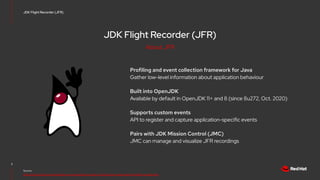
JDK Flight Recorder (JFR)
Profiling and event collection framework for Java
Gather low-level information about application behaviour
Built into OpenJDK
Available by default in OpenJDK 11+ and 8 (since 8u272, Oct. 2020)
Supports custom events
API to register and capture application-specific events
Pairs with JDK Mission Control (JMC)
JMC can manage and visualize JFR recordings
3
Source:
https://docs.oracle.com/en/java/java-components/jdk-mission-control/8/user-guide/using-jdk-flight-recorder.html
JDK Flight Recorder (JFR)
About JFR
JDK Flight Recorder (JFR)
Designed for local use
Recordings are typically output to binary files
Remote use is possible, but difficult to secure
Use remote JMX to control and transfer recordings
Challenges scaling to large deployments
Recordings have to be managed one at a time
4
Source:
https://developers.redhat.com/blog/2021/01/25/introduction-to-containerjfr-jdk-flight-recorder-for-containers
JDK Flight Recorder (JFR)
Challenges in the cloud
Cryostat
Manage JFR recordings within containers
Web application to create/manage/download recordings
Cloud native
Designed to work with Kubernetes pods
More secure
No need to expose remote JMX outside of cluster
Automation of recording management
Define rules to automatically create recordings for matching
JVMs
5
Source:
https://cryostat.io/
https://developers.redhat.com/articles/2021/11/09/automating-jdk-flight-recorder-containers
Cryostat
How does Cryostat help
Cryostat
Archive recordings to persistent cloud storage
Use Kubernetes Persistent Volumes to back up recordings
Visualize metrics in-cluster with Grafana
Translates time-series metrics into Grafana dashboard
Export recording for analysis in JMC
Easily download recordings from the cloud for detailed
analysis
6
Source:
https://cryostat.io/
https://developers.redhat.com/articles/2021/11/09/automating-jdk-flight-recorder-containers
Cryostat
How does Cryostat help
Cryostat
7
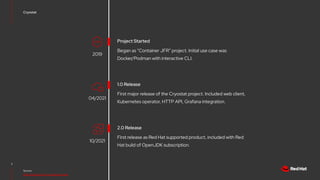
Project Started
Source:
https://github.com/cryostatio/cryostat
Began as “Container JFR” project. Initial use case was
Docker/Podman with interactive CLI.
2019
10/2021
1.0 Release
First major release of the Cryostat project. Included web client,
Kubernetes operator, HTTP API, Grafana integration.
2.0 Release
First release as Red Hat supported product, included with Red
Hat build of OpenJDK subscription.
04/2021
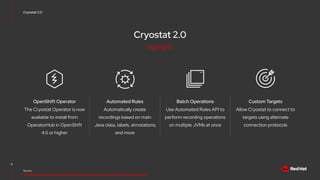
Cryostat 2.0
Cryostat 2.0
8
Source:
https://developers.redhat.com/articles/2021/10/18/announcing-cryostat-20-jdk-flight-recorder-containers
The Cryostat Operator is now
available to install from
OperatorHub in OpenShift
4.6 or higher
OpenShift Operator
Allow Cryostat to connect to
targets using alternate
connection protocols
Custom Targets
Use Automated Rules API to
perform recording operations
on multiple JVMs at once
Batch Operations
Automatically create
recordings based on main
Java class, labels, annotations,
and more
Automated Rules
Highlights
9
Demo in
OpenShift
Try it yourself:
github.com/andrewazores/quarkus-todo-app
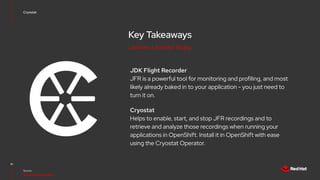
Key Takeaways
JDK Flight Recorder
JFR is a powerful tool for monitoring and profiling, and most
likely already baked in to your application - you just need to
turn it on.
Cryostat
Helps to enable, start, and stop JFR recordings and to
retrieve and analyze those recordings when running your
applications in OpenShift. Install it in OpenShift with ease
using the Cryostat Operator.
10
Source:
https://cryostat.io/guides/
Cryostat
Lessons Learned Today
Engage with us
11
Upstream resources
cryostat.io
Project Website
groups.google.com/g/cryostat-development
Google Group
github.com/cryostatio
GitHub Organization
Engage with us
12
Red Hat resources
catalog.redhat.com/software/operators/detail/60ee049a
744684587e218ef5
Red Hat Ecosystem Catalog
developers.redhat.com/search?t=cryostat
Red Hat Developer Articles
access.redhat.com/documentation/en-us/openjdk/11
Red Hat Customer Portal Documentation
linkedin.com/company/red-hat
youtube.com/user/RedHatVideos
facebook.com/redhatinc
twitter.com/RedHat
13
Red Hat is the world’s leading provider of enterprise
open source software solutions. Award-winning
support, training, and consulting services make
Red Hat a trusted adviser to the Fortune 500.
Thank you

Profile your Java apps in production on Red Hat OpenShift with Cryostat | DevNation Tech Talk

  • 1.
    DevNation Tech Talk Profileyour Java apps in production on Red Hat OpenShift with Cryostat Andrew Azores Senior Software Engineer Elliott Baron Senior Software Engineer 1
  • 2.
    Agenda 2 What we’ll discuss today ▸JDK Flight Recorder ▸ What is Cryostat? ▸ What’s new in Cryostat 2.0 ▸ Installing Cryostat in OpenShift ▸ Troubleshooting with Cryostat
  • 3.
    JDK Flight Recorder(JFR) Profiling and event collection framework for Java Gather low-level information about application behaviour Built into OpenJDK Available by default in OpenJDK 11+ and 8 (since 8u272, Oct. 2020) Supports custom events API to register and capture application-specific events Pairs with JDK Mission Control (JMC) JMC can manage and visualize JFR recordings 3 Source: https://docs.oracle.com/en/java/java-components/jdk-mission-control/8/user-guide/using-jdk-flight-recorder.html JDK Flight Recorder (JFR) About JFR
  • 4.
    JDK Flight Recorder(JFR) Designed for local use Recordings are typically output to binary files Remote use is possible, but difficult to secure Use remote JMX to control and transfer recordings Challenges scaling to large deployments Recordings have to be managed one at a time 4 Source: https://developers.redhat.com/blog/2021/01/25/introduction-to-containerjfr-jdk-flight-recorder-for-containers JDK Flight Recorder (JFR) Challenges in the cloud
  • 5.
    Cryostat Manage JFR recordingswithin containers Web application to create/manage/download recordings Cloud native Designed to work with Kubernetes pods More secure No need to expose remote JMX outside of cluster Automation of recording management Define rules to automatically create recordings for matching JVMs 5 Source: https://cryostat.io/ https://developers.redhat.com/articles/2021/11/09/automating-jdk-flight-recorder-containers Cryostat How does Cryostat help
  • 6.
    Cryostat Archive recordings topersistent cloud storage Use Kubernetes Persistent Volumes to back up recordings Visualize metrics in-cluster with Grafana Translates time-series metrics into Grafana dashboard Export recording for analysis in JMC Easily download recordings from the cloud for detailed analysis 6 Source: https://cryostat.io/ https://developers.redhat.com/articles/2021/11/09/automating-jdk-flight-recorder-containers Cryostat How does Cryostat help
  • 7.
    Cryostat 7 Project Started Source: https://github.com/cryostatio/cryostat Began as“Container JFR” project. Initial use case was Docker/Podman with interactive CLI. 2019 10/2021 1.0 Release First major release of the Cryostat project. Included web client, Kubernetes operator, HTTP API, Grafana integration. 2.0 Release First release as Red Hat supported product, included with Red Hat build of OpenJDK subscription. 04/2021
  • 8.
    Cryostat 2.0 Cryostat 2.0 8 Source: https://developers.redhat.com/articles/2021/10/18/announcing-cryostat-20-jdk-flight-recorder-containers TheCryostat Operator is now available to install from OperatorHub in OpenShift 4.6 or higher OpenShift Operator Allow Cryostat to connect to targets using alternate connection protocols Custom Targets Use Automated Rules API to perform recording operations on multiple JVMs at once Batch Operations Automatically create recordings based on main Java class, labels, annotations, and more Automated Rules Highlights
  • 9.
    9 Demo in OpenShift Try ityourself: github.com/andrewazores/quarkus-todo-app
  • 10.
    Key Takeaways JDK FlightRecorder JFR is a powerful tool for monitoring and profiling, and most likely already baked in to your application - you just need to turn it on. Cryostat Helps to enable, start, and stop JFR recordings and to retrieve and analyze those recordings when running your applications in OpenShift. Install it in OpenShift with ease using the Cryostat Operator. 10 Source: https://cryostat.io/guides/ Cryostat Lessons Learned Today
  • 11.
    Engage with us 11 Upstreamresources cryostat.io Project Website groups.google.com/g/cryostat-development Google Group github.com/cryostatio GitHub Organization
  • 12.
    Engage with us 12 RedHat resources catalog.redhat.com/software/operators/detail/60ee049a 744684587e218ef5 Red Hat Ecosystem Catalog developers.redhat.com/search?t=cryostat Red Hat Developer Articles access.redhat.com/documentation/en-us/openjdk/11 Red Hat Customer Portal Documentation
  • 13.
    linkedin.com/company/red-hat youtube.com/user/RedHatVideos facebook.com/redhatinc twitter.com/RedHat 13 Red Hat isthe world’s leading provider of enterprise open source software solutions. Award-winning support, training, and consulting services make Red Hat a trusted adviser to the Fortune 500. Thank you