Blue-green deployment
In practice
devops Journey@LATAM
Agenda
❏¿Que es Blue-green deployment?
❏¿Cual son su beneficios y custos?
❏¿Qué cuidados tenemos que tomar?
❏Blue-green en practica
Cómo podremos poner software en producción y minimizar
el downtime?
Cómo podremos hacer rollback rapidamente?
ver 1.0
ver 0.9
ver 1.0
ver 1.1
ver 1.0
ver 1.1
Sounds good!
But is there something we might need to watch out?
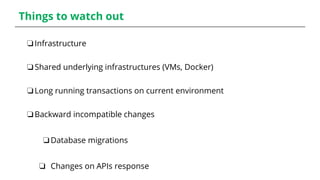
Things to watch out
❏Infrastructure
❏Shared underlying infrastructures (VMs, Docker)
❏Long running transactions on current environment
❏Backward incompatible changes
❏Database migrations
❏ Changes on APIs response
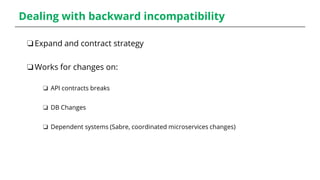
Dealing with backward incompatibility
❏Expand and contract strategy
❏Works for changes on:
❏ API contracts breaks
❏ DB Changes
❏ Dependent systems (Sabre, coordinated microservices changes)
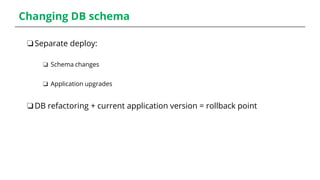
Changing DB schema
❏Separate deploy:
❏ Schema changes
❏ Application upgrades
❏DB refactoring + current application version = rollback point
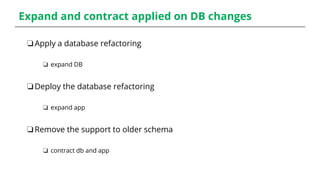
Expand and contract applied on DB changes
❏Apply a database refactoring
❏ expand DB
❏Deploy the database refactoring
❏ expand app
❏Remove the support to older schema
❏ contract db and app
Live demo
When the things usually don't work as expected...
Muchas gracias!
lbeier@thoughtworks.com
github.com/tutabeier
#deliverysquad
#deliverytribe

Blue green deployment

Editor's Notes

  • #5 Blue-green is a technique to deploy your application in a predictable manner and one of the goals is to reduce the downtime associated with the release. Simply you have two identical environments. In our case, the green environment has the current version of our application. When you ran all your integration pipeline and tests, you can deploy the new version of application to blue environment and run some smoke tests and any other tests you might find worth to do so. Api Management as Load Balancer for Services
  • #6 Blue-green is a technique to deploy your application in a predictable manner and one of the goals is to reduce the downtime associated with the release. Simply you have two identical environments. In our case, the green environment has the current version of our application. When you ran all your integration pipeline and tests, you can deploy the new version of application to blue environment and run some smoke tests and any other tests you might find worth to do so. Api Management as Load Balancer for Services
  • #7 Once you are confident that the version the new version is stable, you simply switch the load balancer/router to the blue environment. Now you can monitor for any issues in the new release. If everything looks good, you can shutdown the green env and use it to stage any new releases. If you find any issues, you can simply point the loadbalancer back to green. This way you the blue and green envs are cycling between live (current), previous (for rollback) and next version.
  • #9 You have to have an infrastructure to deal with this When you try blue-green in a non-isolated infrastructure, you run the risk of destroying BOTH blue and green envs When you switch over to blue, you have to gracefully handle those outstanding transactions as well as the new ones. Database migrations can get really tricky and would have to be migrated/rolledback alongside the app deployments.
  • #10 Databases can often be a challenge, specially if you are changing the schema. The tip is to separate the deployment of schemas changes from application upgrades First apply a database refactoring to change the schema to support the old and new version of the application, then deploy the DB refactoring After you make sure everything works fine with the current version of application (to have a rollback point), deploy the new version of the application Once you make sure things are working as expected, remove the support to the older version.
  • #11 Databases can often be a challenge, specially if you are changing the schema. The tip is to separate the deployment of schemas changes from application upgrades First apply a database refactoring to change the schema to support the old and new version of the application, then deploy the DB refactoring After you make sure everything works fine with the current version of application (to have a rollback point), deploy the new version of the application Once you make sure things are working as expected, remove the support to the older version.
  • #12 Databases can often be a challenge, specially if you are changing the schema. The tip is to separate the deployment of schemas changes from application upgrades First apply a database refactoring to change the schema to support the old and new version of the application, then deploy the DB refactoring After you make sure everything works fine with the current version of application (to have a rollback point), deploy the new version of the application Once you make sure things are working as expected, remove the support to the older version.