@thomyg
@stephanbisser
ASP.NET Blazor in a
Microsoft Teams Tab
ABOUT US
THOMAS GÖLLES
MICROSOFT MVP (Office
Dev)
SOLVION
https://thomy.tech
@thomyg
Head of Modern Workplace Solutions
Graz, Austria
STEPHAN BISSER
MICROSOFT MVP (AI)
SOLVION
https://bisser.io
@stephanbisser
Technical Lead
Graz, Austria
What is ASP.NET Blazor?
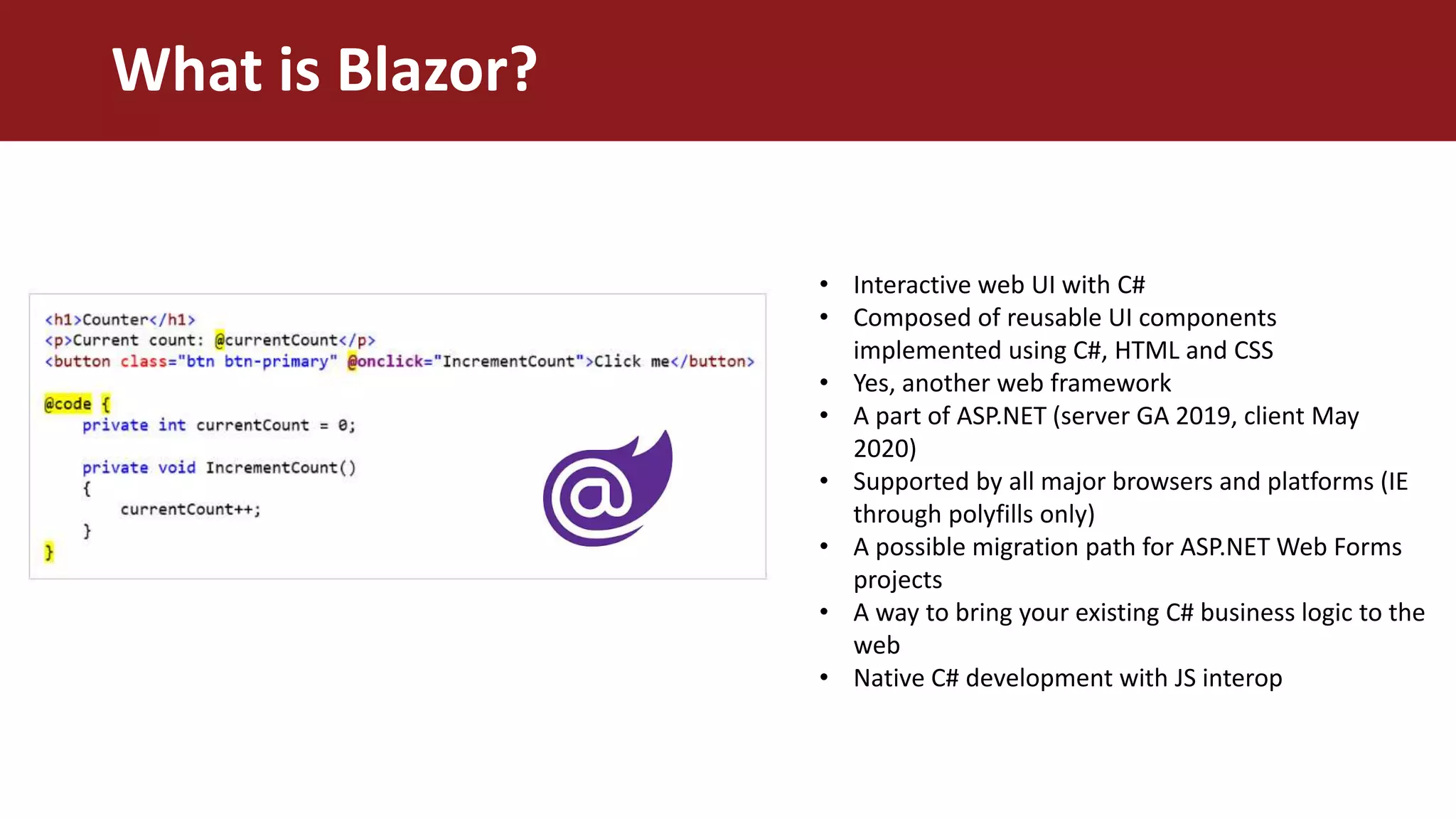
What is Blazor?
• Interactive web UI with C#
• Composed of reusable UI components
implemented using C#, HTML and CSS
• Yes, another web framework
• A part of ASP.NET (server GA 2019, client May
2020)
• Supported by all major browsers and platforms (IE
through polyfills only)
• A possible migration path for ASP.NET Web Forms
projects
• A way to bring your existing C# business logic to the
web
• Native C# development with JS interop
• Server runs back-end code
• Client is connected through Signal-R
• Server pushes changes to the client
(StateHasChanged)
• Client needs to be online
• Smaller download size
• Better place to store your credentials /
secrets
• Better performance than client side
Blazor
• Using Web Assembly (WASM)
• A mono runtime in your browser runs
DLLs downloaded from the server in a
security sandbox (like JS)
• Offline / PWA
• Larger initial download size
• A little bit slower than server side
Blazor
• Not the perfect place to store your
connection strings
• Runs on an Azure Static Websites
The two versions of Blazor
SERVER CLIENT
What are we trying to solve today?
• Start URL from manifest file
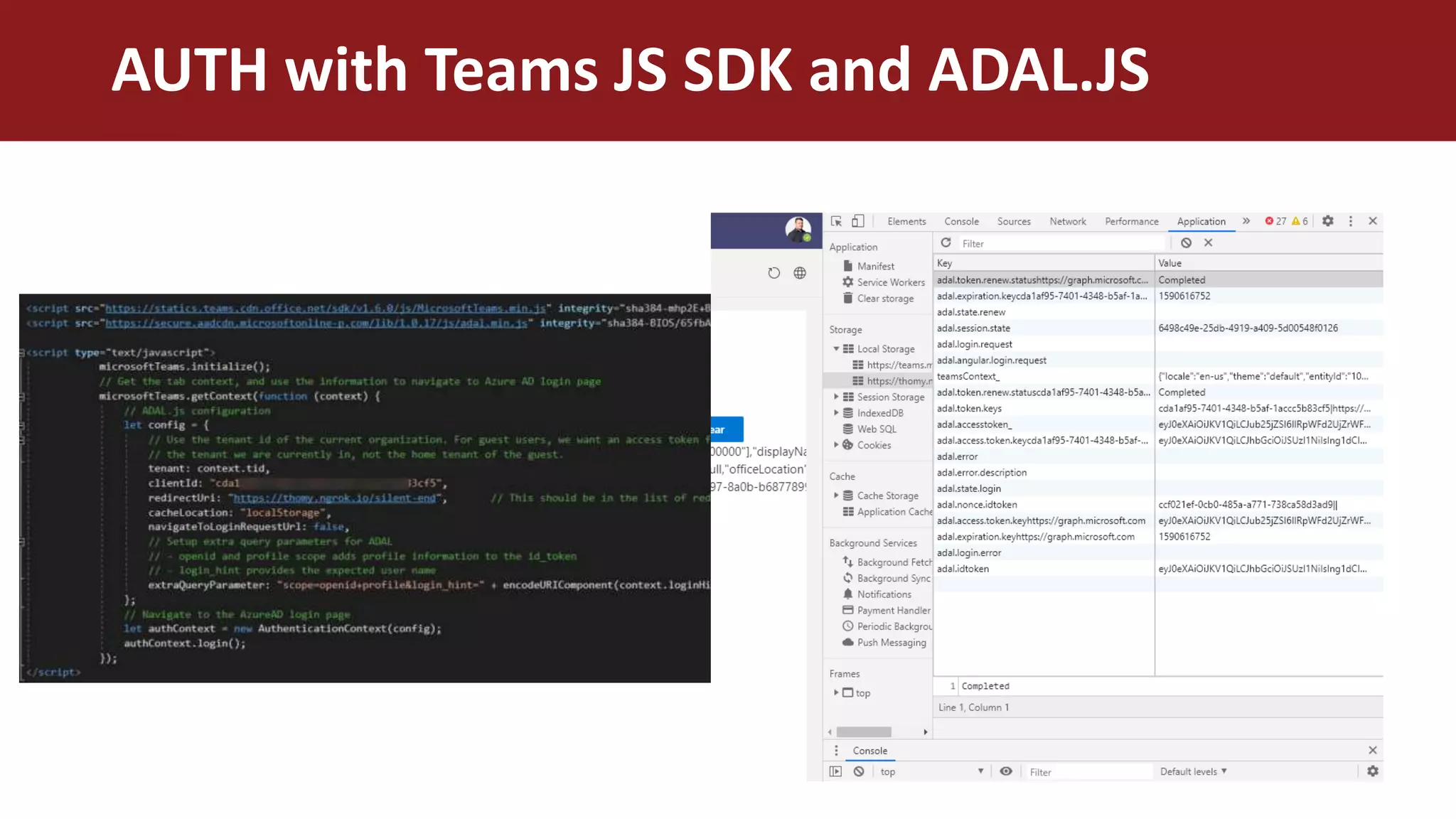
• Authentication (Teams JS SDK, ADAL
JS, Azure AD App)
• Current Teams Context
• Call some Graph Endpoints
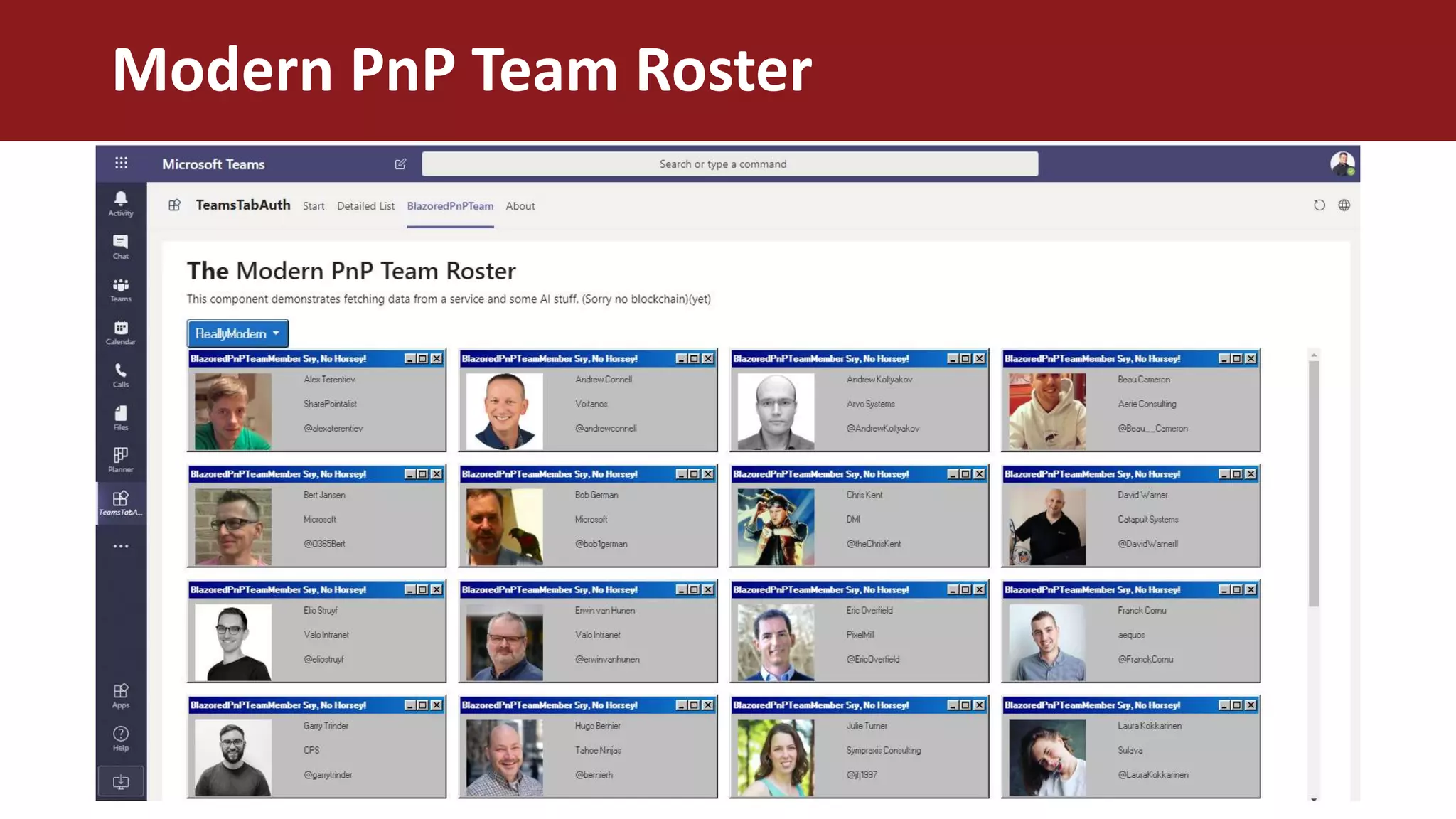
• “Blazored PnP Team Roster”
Demo Time!
AUTH with Teams JS SDK and ADAL.JS
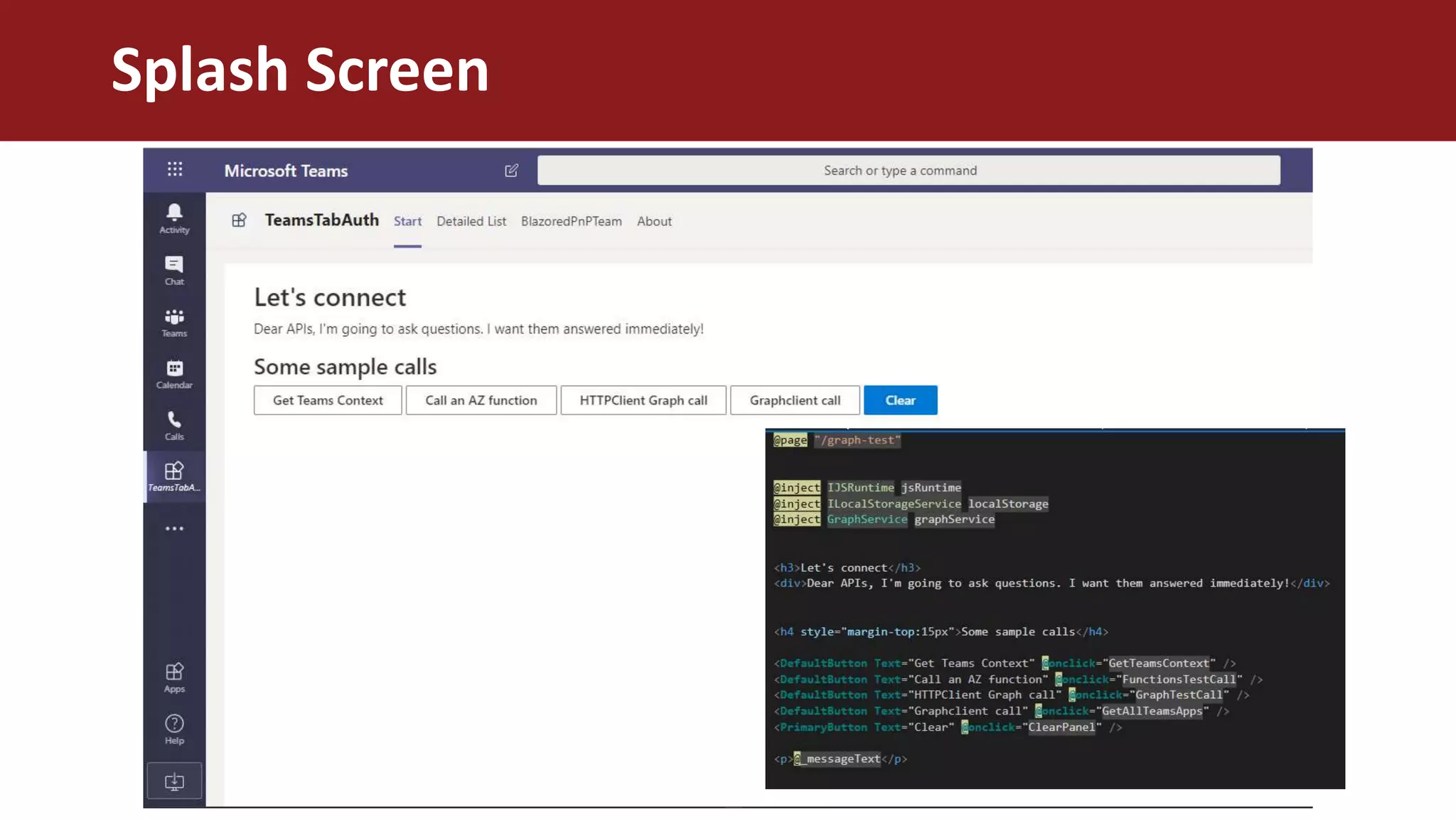
Splash Screen
Teams Context
HTTPClient Graph Call
.NET GraphClient Call
Get all apps in a team
Modern PnP Team Roster
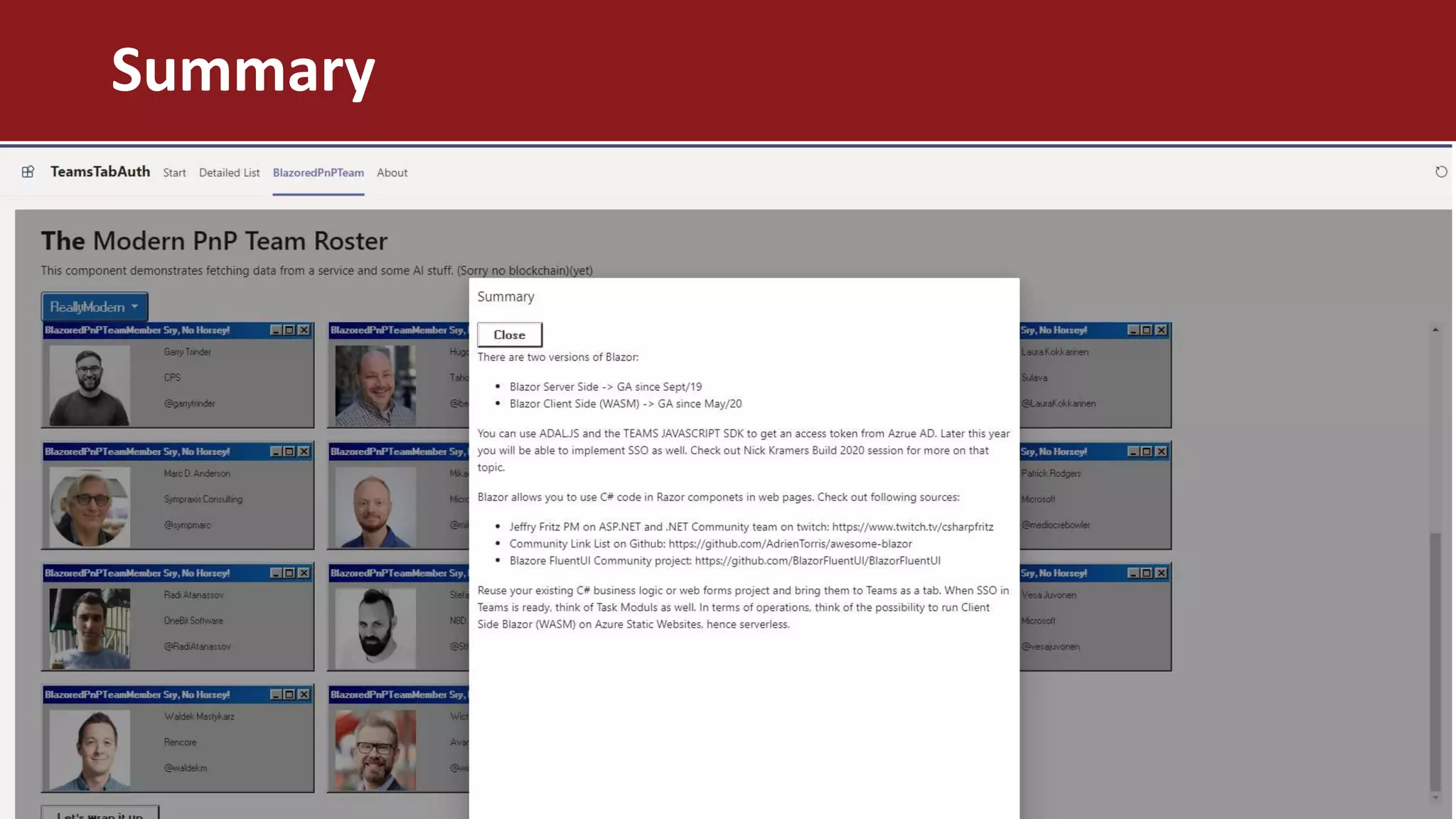
Summary

Blazor in Microsoft Teams

  • 1.
  • 2.
    ABOUT US THOMAS GÖLLES MICROSOFTMVP (Office Dev) SOLVION https://thomy.tech @thomyg Head of Modern Workplace Solutions Graz, Austria STEPHAN BISSER MICROSOFT MVP (AI) SOLVION https://bisser.io @stephanbisser Technical Lead Graz, Austria
  • 3.
  • 4.
    What is Blazor? •Interactive web UI with C# • Composed of reusable UI components implemented using C#, HTML and CSS • Yes, another web framework • A part of ASP.NET (server GA 2019, client May 2020) • Supported by all major browsers and platforms (IE through polyfills only) • A possible migration path for ASP.NET Web Forms projects • A way to bring your existing C# business logic to the web • Native C# development with JS interop
  • 5.
    • Server runsback-end code • Client is connected through Signal-R • Server pushes changes to the client (StateHasChanged) • Client needs to be online • Smaller download size • Better place to store your credentials / secrets • Better performance than client side Blazor • Using Web Assembly (WASM) • A mono runtime in your browser runs DLLs downloaded from the server in a security sandbox (like JS) • Offline / PWA • Larger initial download size • A little bit slower than server side Blazor • Not the perfect place to store your connection strings • Runs on an Azure Static Websites The two versions of Blazor SERVER CLIENT
  • 6.
    What are wetrying to solve today? • Start URL from manifest file • Authentication (Teams JS SDK, ADAL JS, Azure AD App) • Current Teams Context • Call some Graph Endpoints • “Blazored PnP Team Roster”
  • 7.
  • 8.
    AUTH with TeamsJS SDK and ADAL.JS
  • 9.
  • 10.
  • 11.
  • 12.
  • 13.
    Get all appsin a team
  • 14.
  • 15.
  • 16.
  • 17.