SHAKEEL AHMED
DEANSHIP OF E-LEARNING & I.T.
DEPARTMENT OF E-LEARNING
(TRAINING UNIT)
BLACKBOARD ACADEMIC COLLABORATION
ESSENTIALS – INSTRUCTORS TRAINING
JAZAN UNIVERSITY
2018 - 2019
• Sessions run for (2) hours
• Session are highly interactive – raise your hand
and ask question.
• Is it OK if I share my opinion and experiences
with you today?
• I will be very happy when you give your attention.
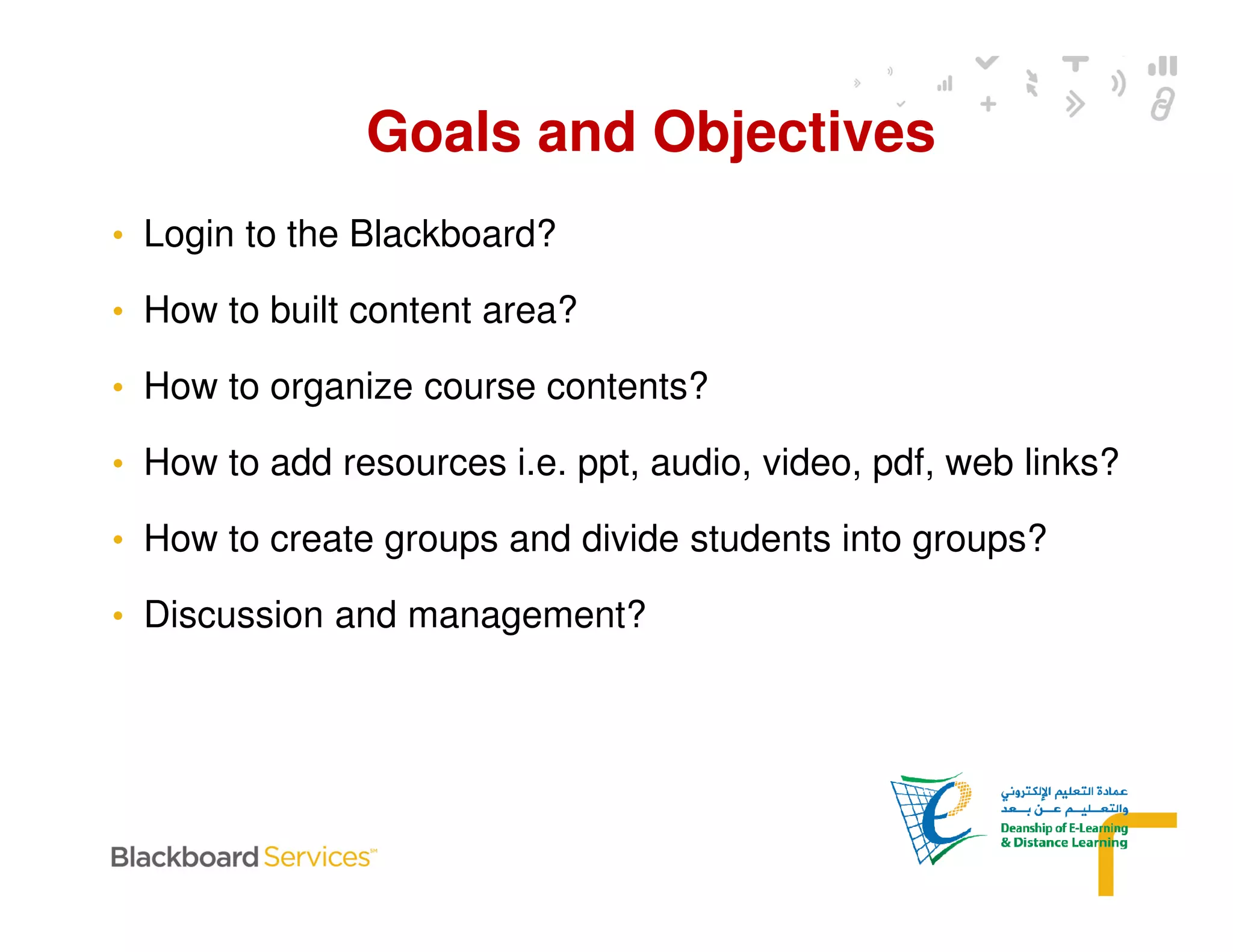
• Login to the Blackboard?
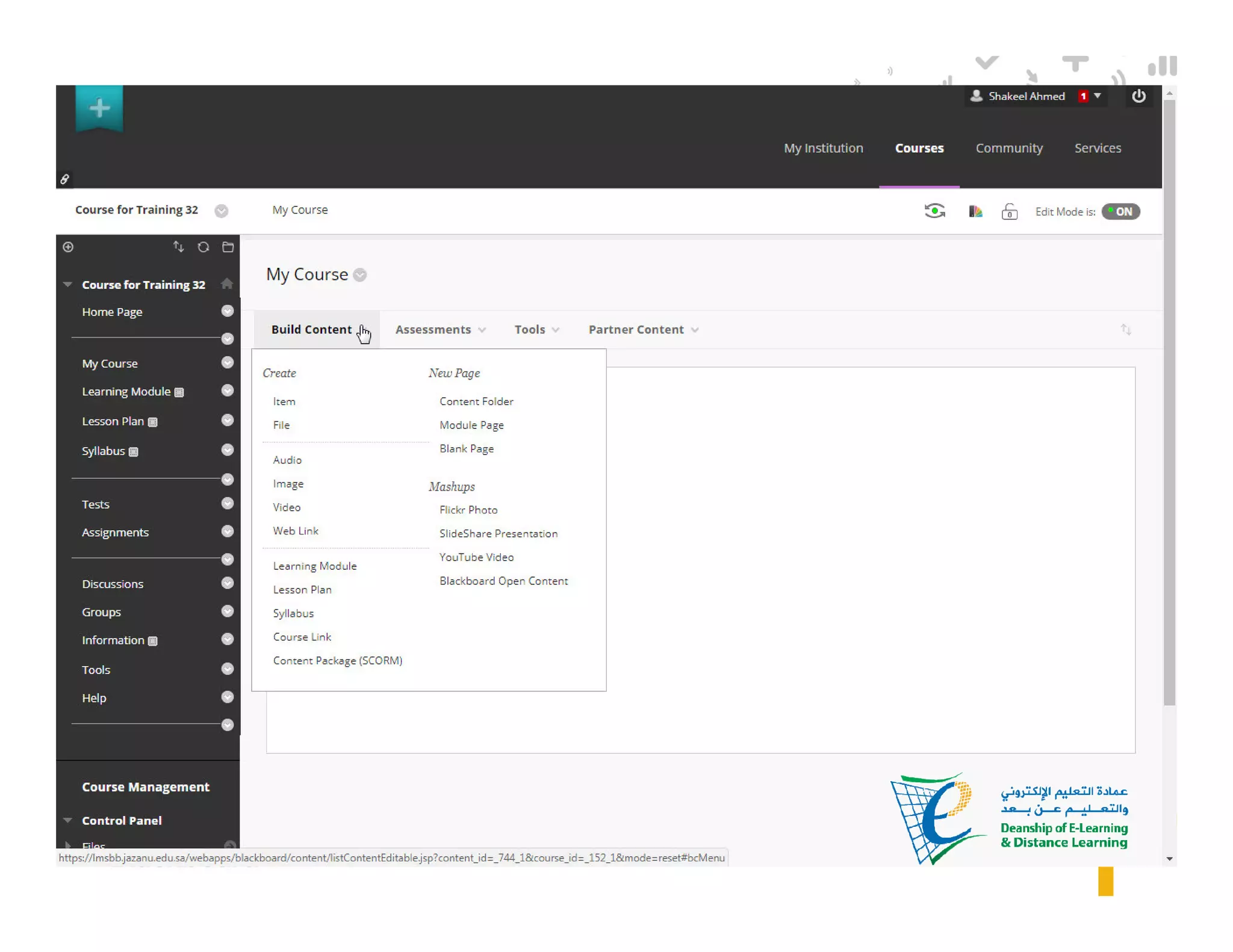
• How to built content area?
• How to organize course contents?
• How to add resources i.e. ppt, audio, video, pdf, web links?
• How to create groups and divide students into groups?
• Discussion and management?
Goals and Objectives
• How to do management of your account?
• Switching between instructor and student account?
• Using Mashups to add YouTube videos, Slide share
presentations etc.
• How to create Assignments & Tests?
• How to deploy and assess Assignments & Tests?
• Blackboard Collaborative Ultra (Virtual Lecture).
Goals and Objectives
6
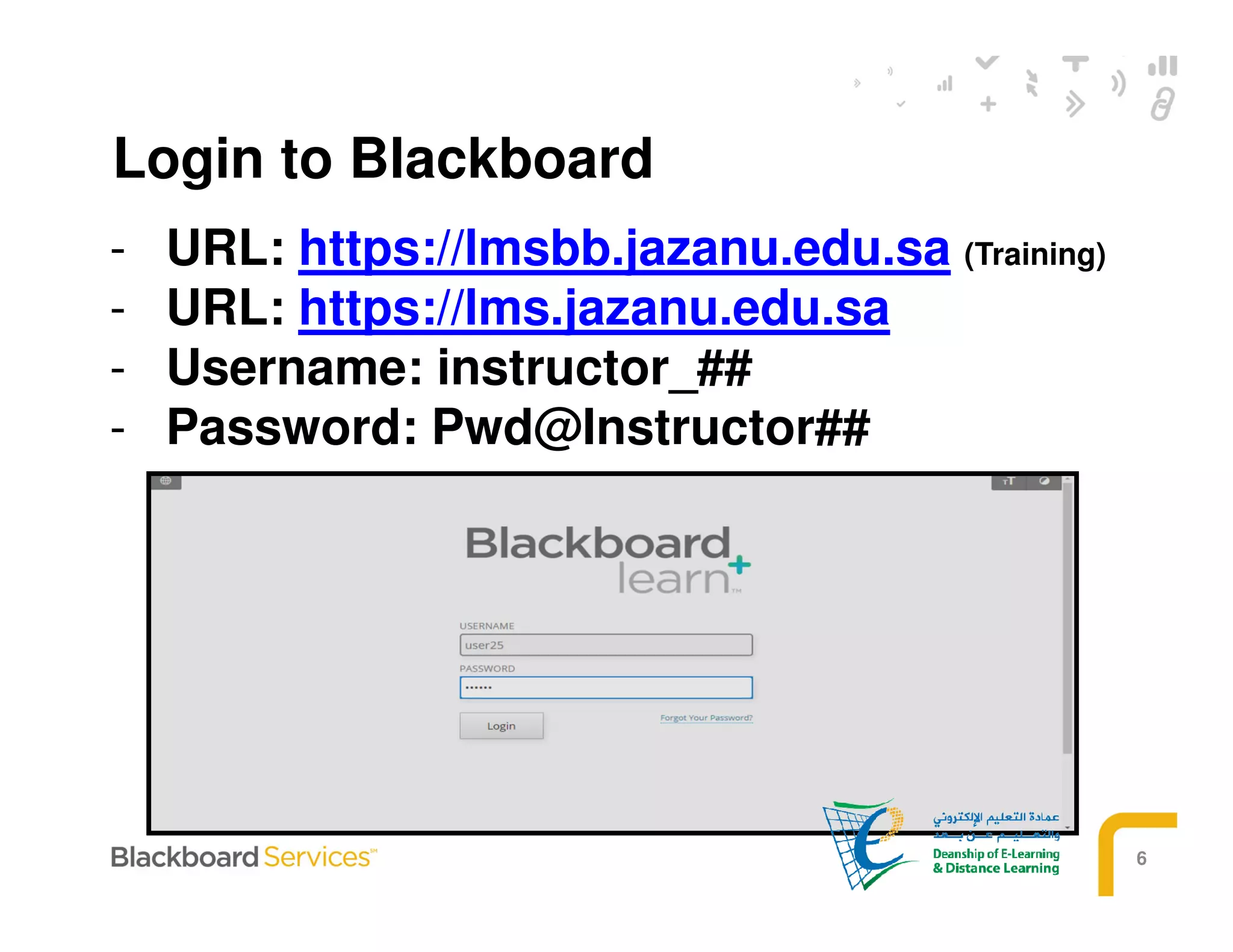
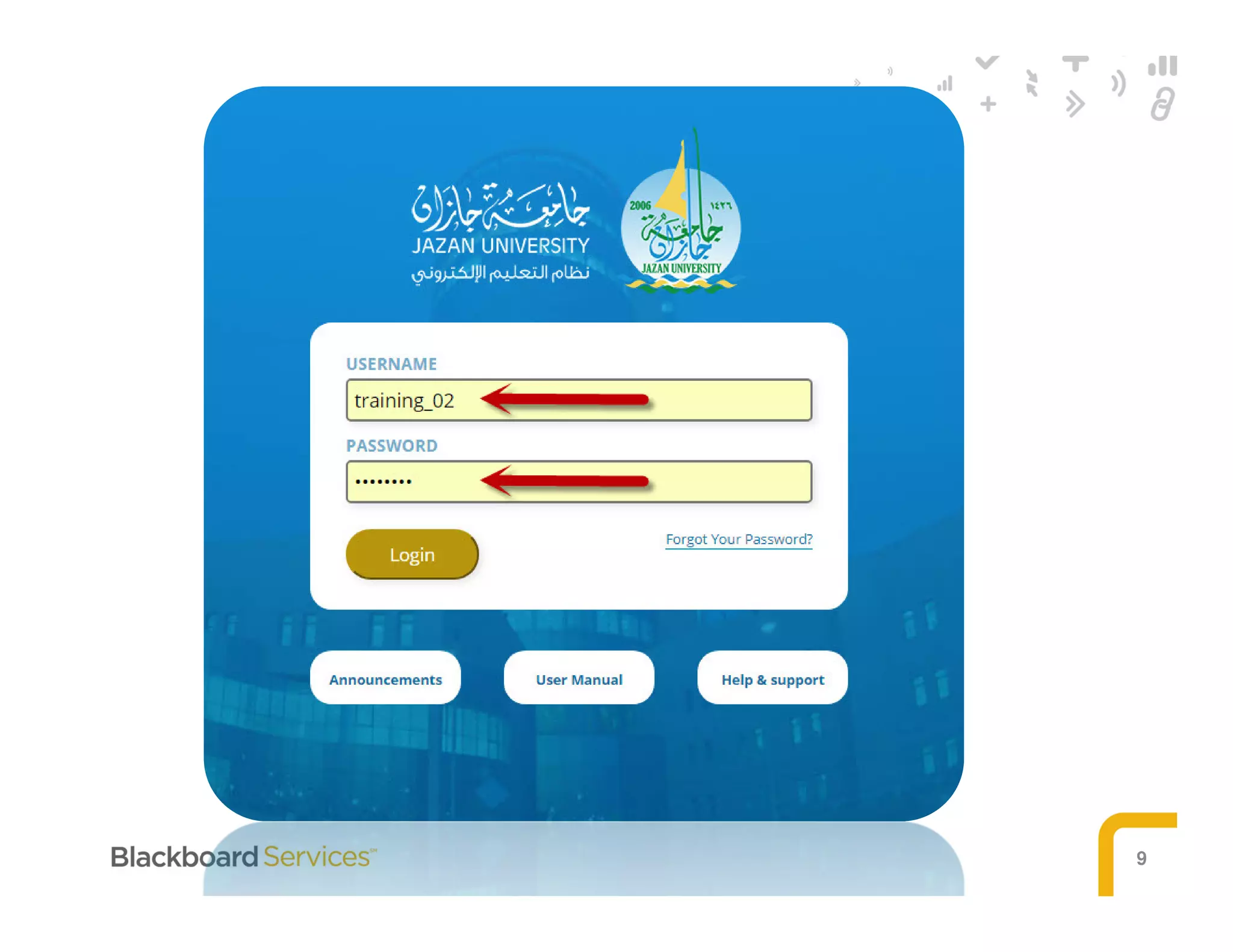
- URL: https://lmsbb.jazanu.edu.sa (Training)
- URL: https://lms.jazanu.edu.sa
- Username: instructor_##
- Password: Pwd@Instructor##
Login to Blackboard
7
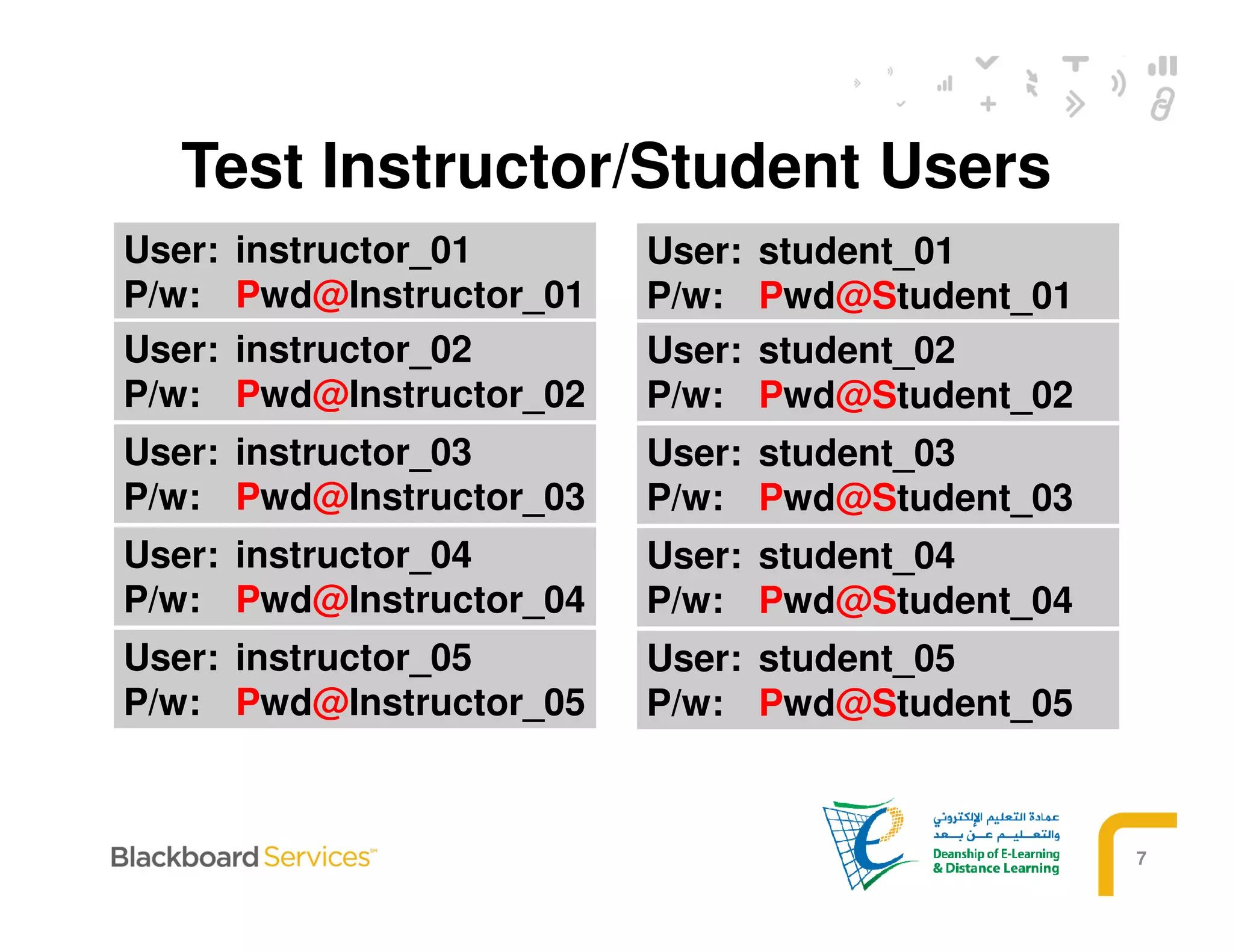
Test Instructor/Student Users
User: instructor_01
P/w: Pwd@Instructor_01
User: instructor_02
P/w: Pwd@Instructor_02
User: instructor_03
P/w: Pwd@Instructor_03
User: instructor_04
P/w: Pwd@Instructor_04
User: instructor_05
P/w: Pwd@Instructor_05
User: student_01
P/w: Pwd@Student_01
User: student_02
P/w: Pwd@Student_02
User: student_03
P/w: Pwd@Student_03
User: student_04
P/w: Pwd@Student_04
User: student_05
P/w: Pwd@Student_05
8
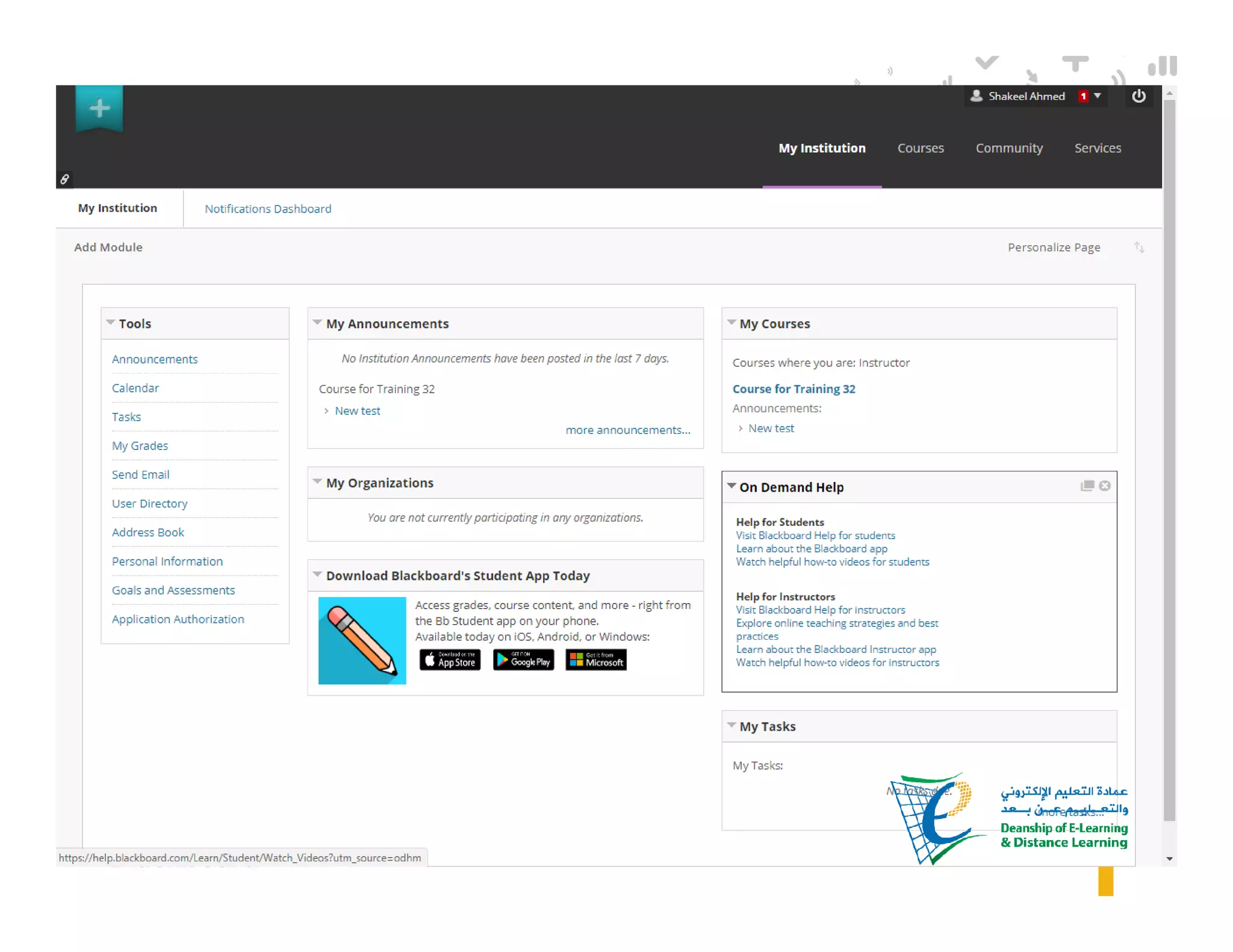
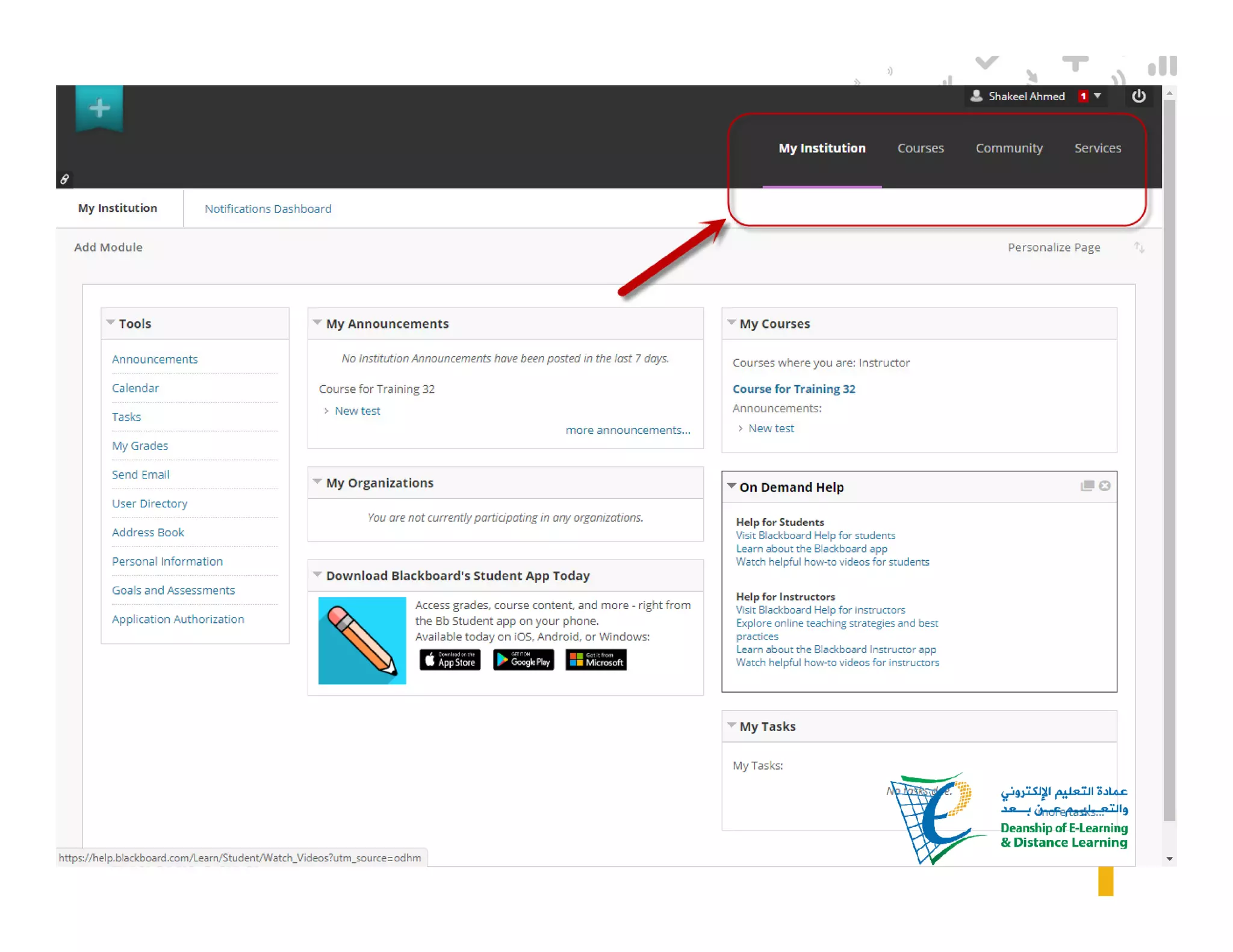
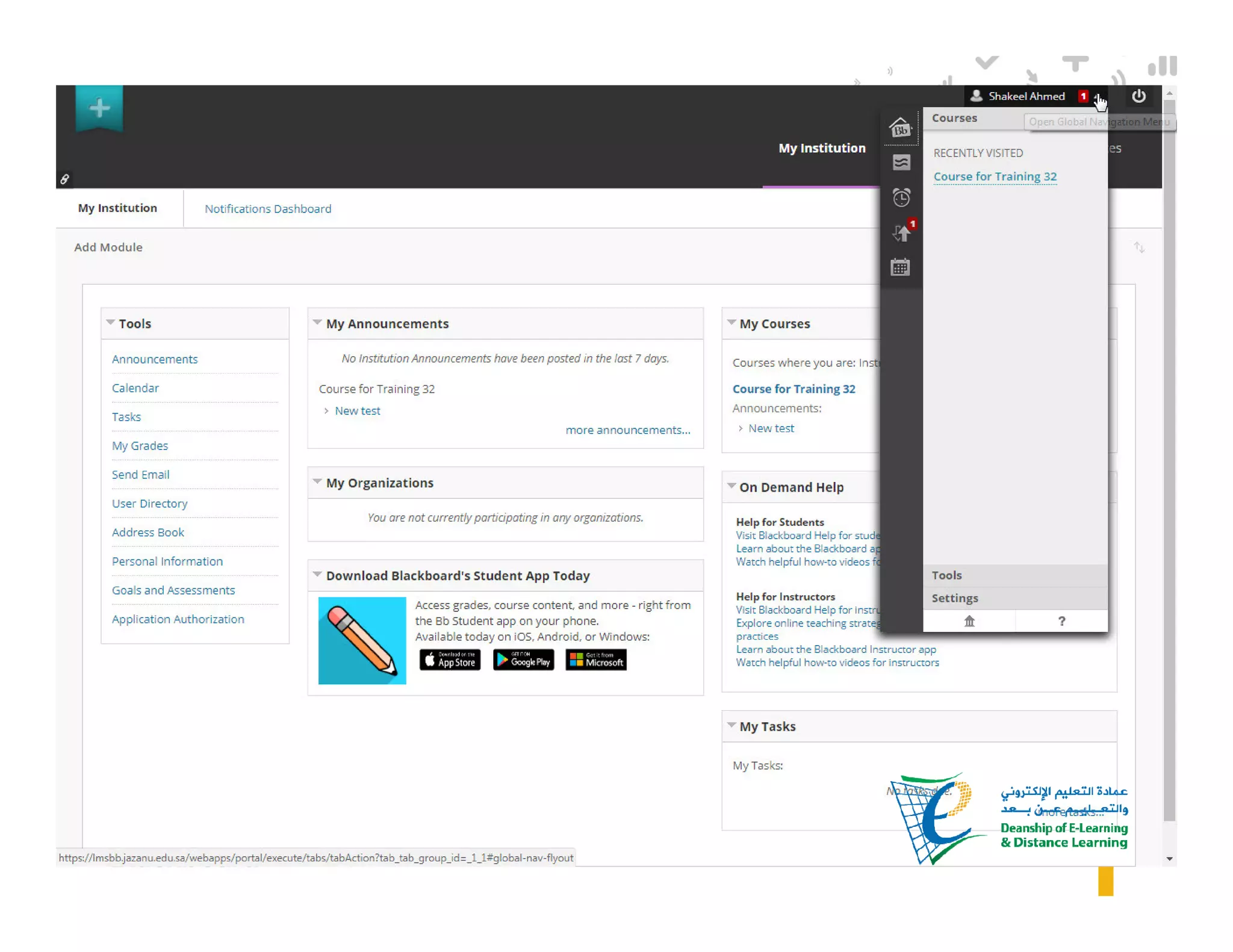
MY BLACKBOARD
INTERFACE
9
10
11
12
13
LEARN COURSE
INTERFACE
14
15
16
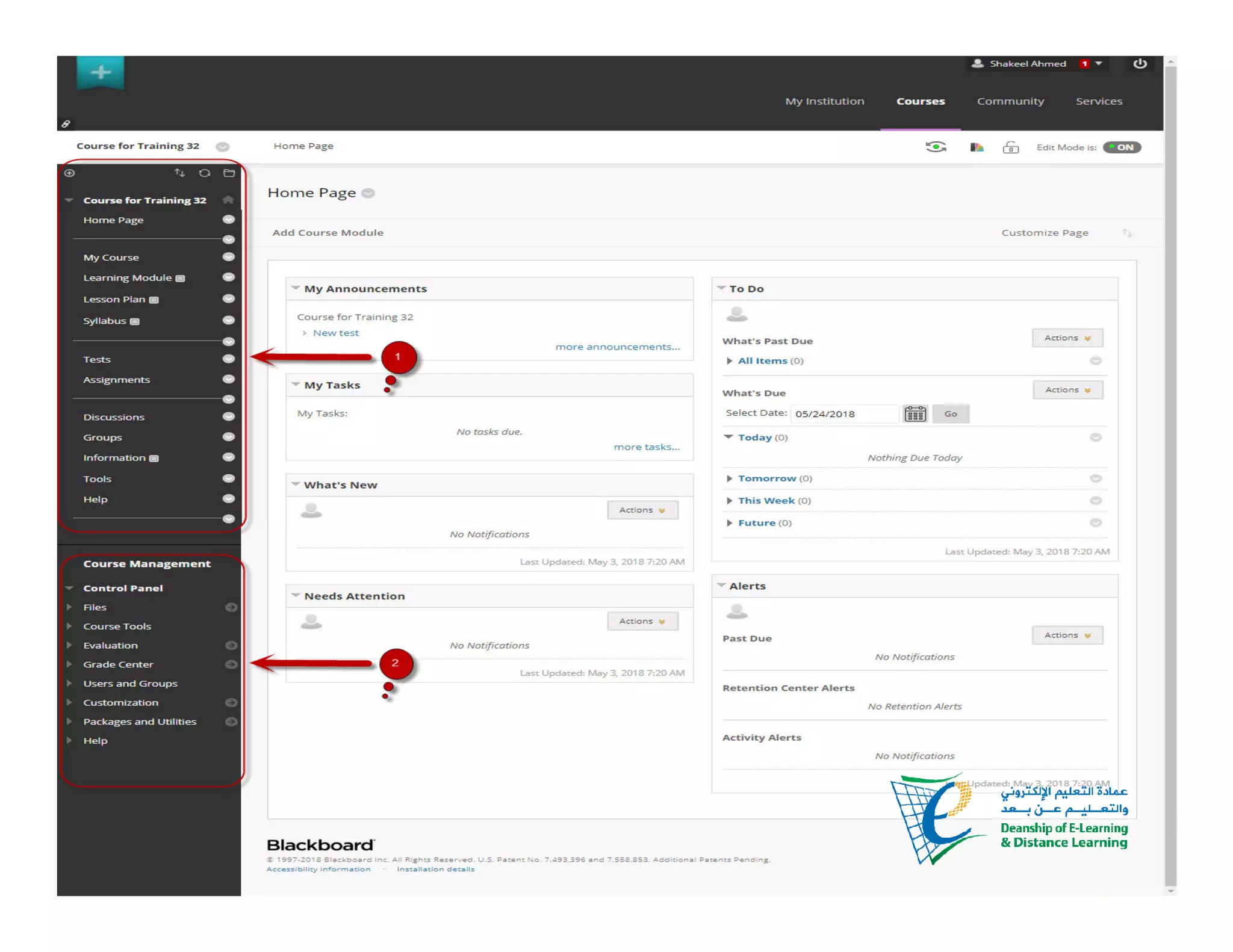
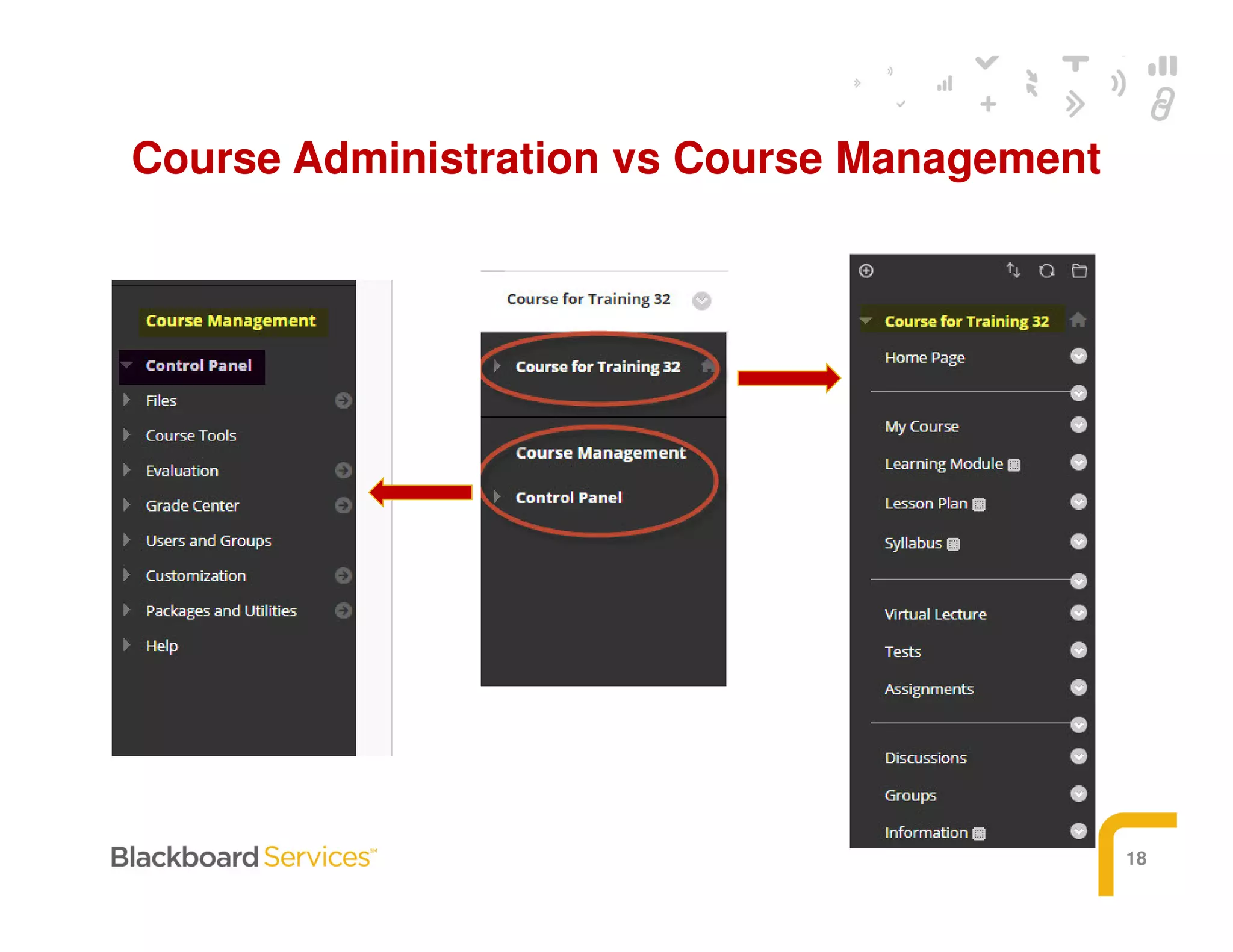
COURSE
MANAGEMENT
17
18
Course Administration vs Course Management
Designing Course
Structure
Education Services
20
21
22
23
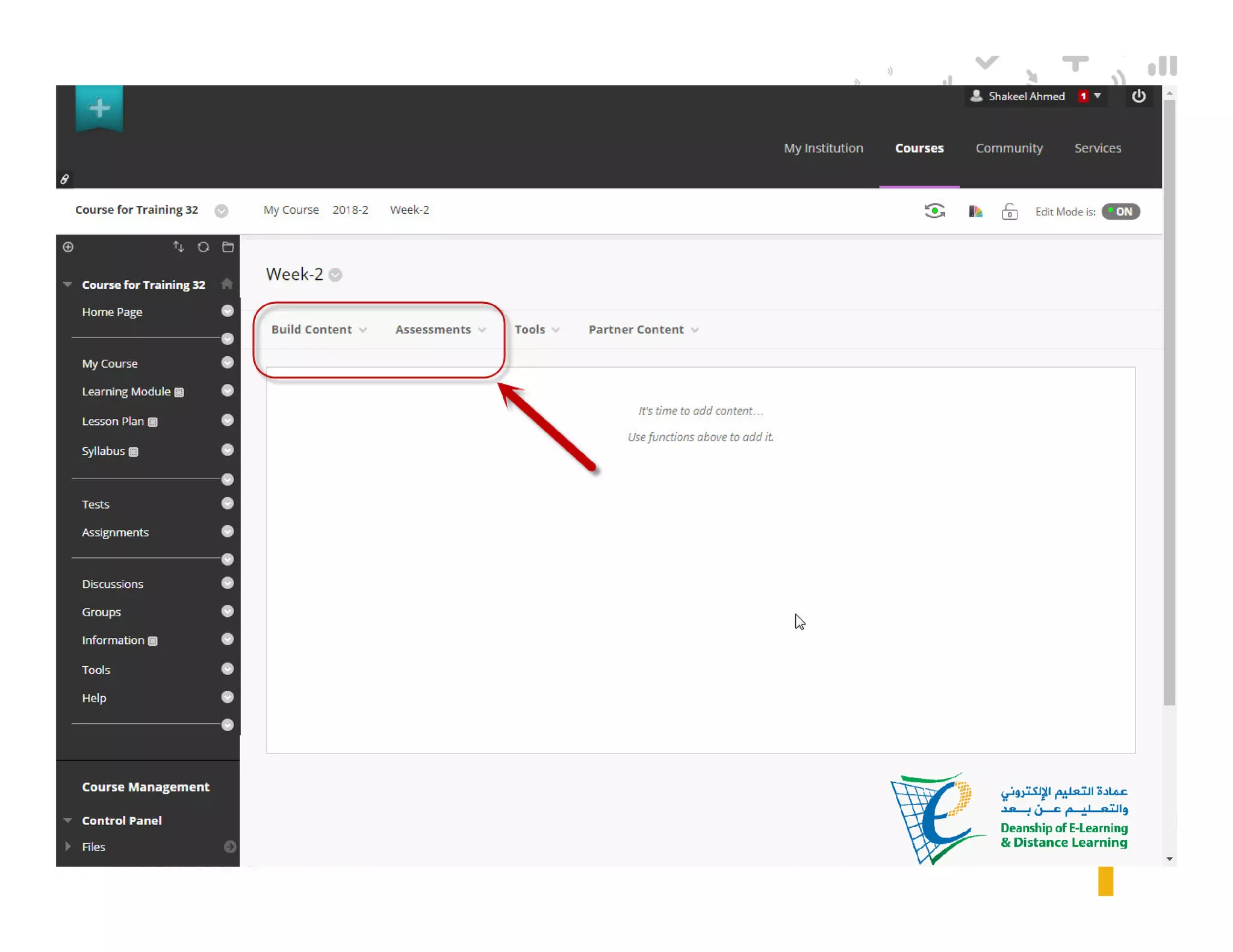
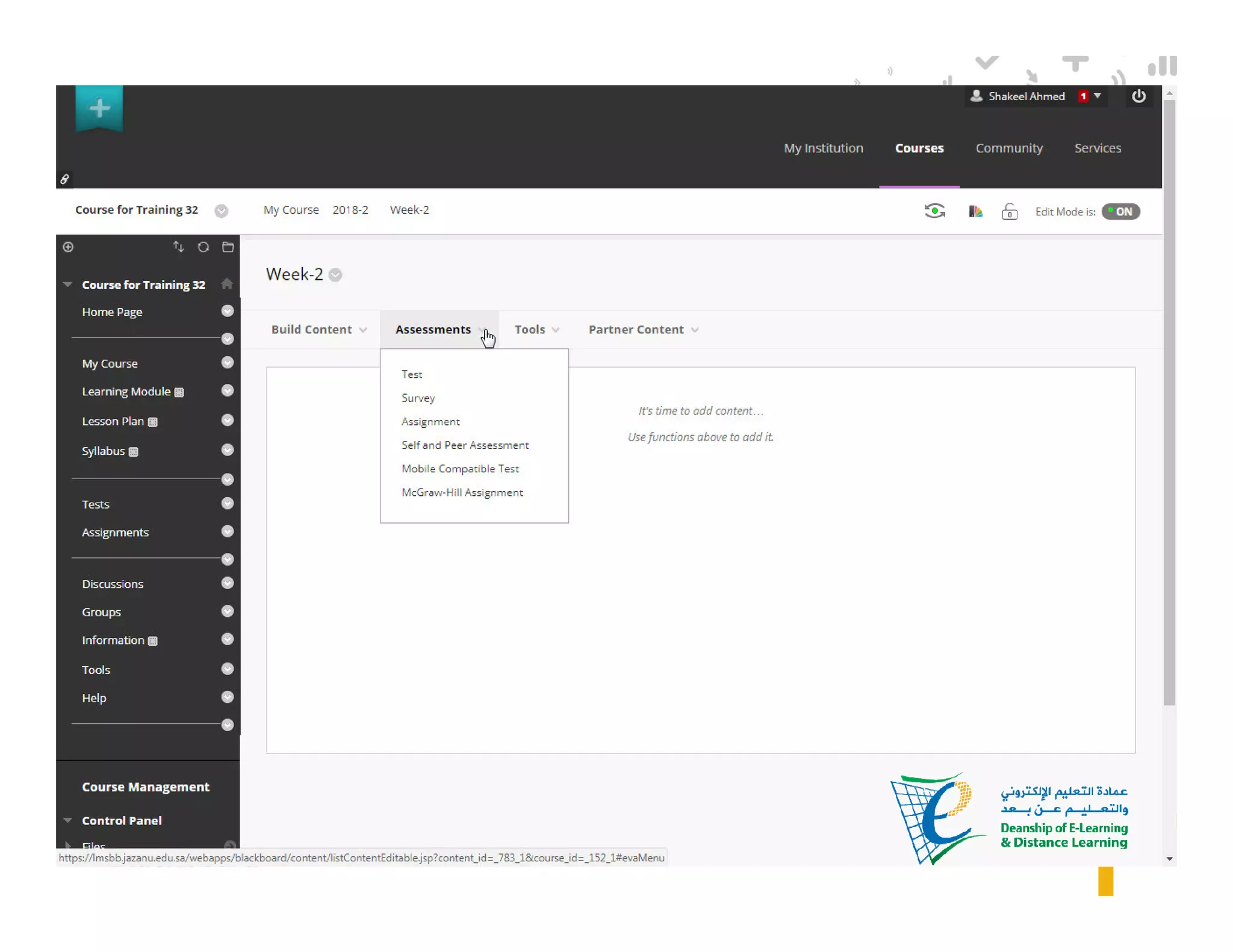
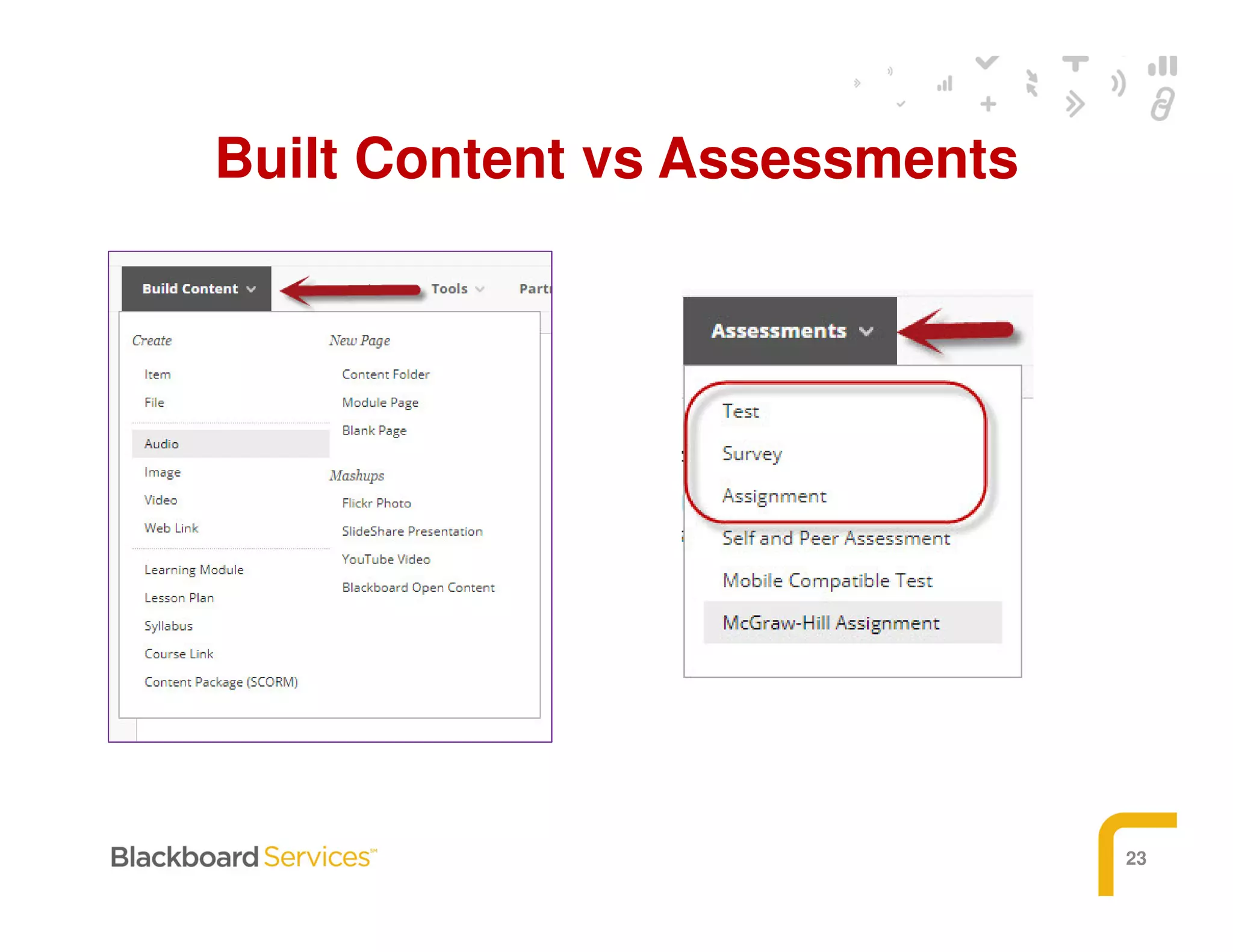
Built Content vs Assessments
24
UPLOADING CONTENT
25
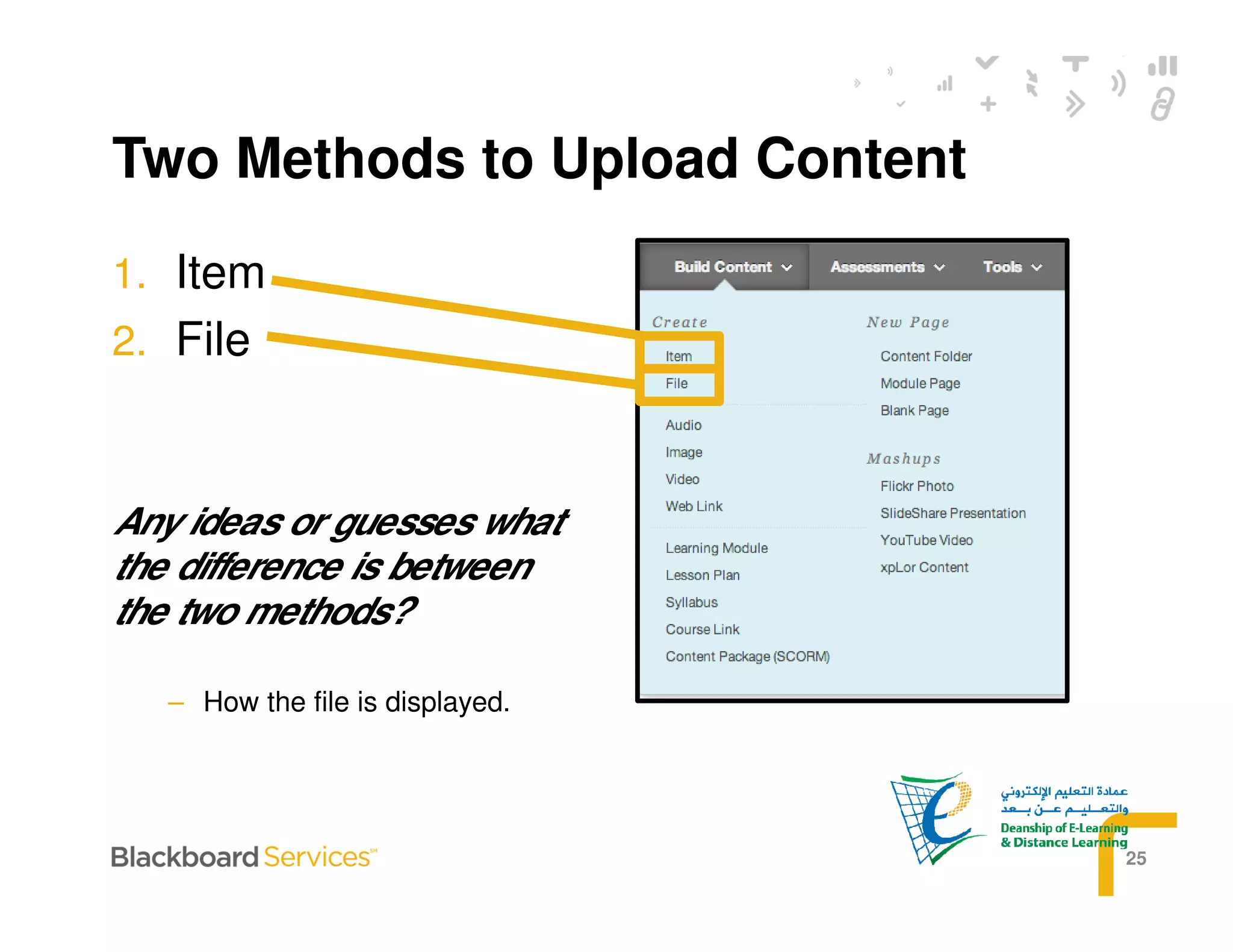
Two Methods to Upload Content
1. Item
2. File
Any ideas or guesses what
the difference is between
the two methods?
– How the file is displayed.
26
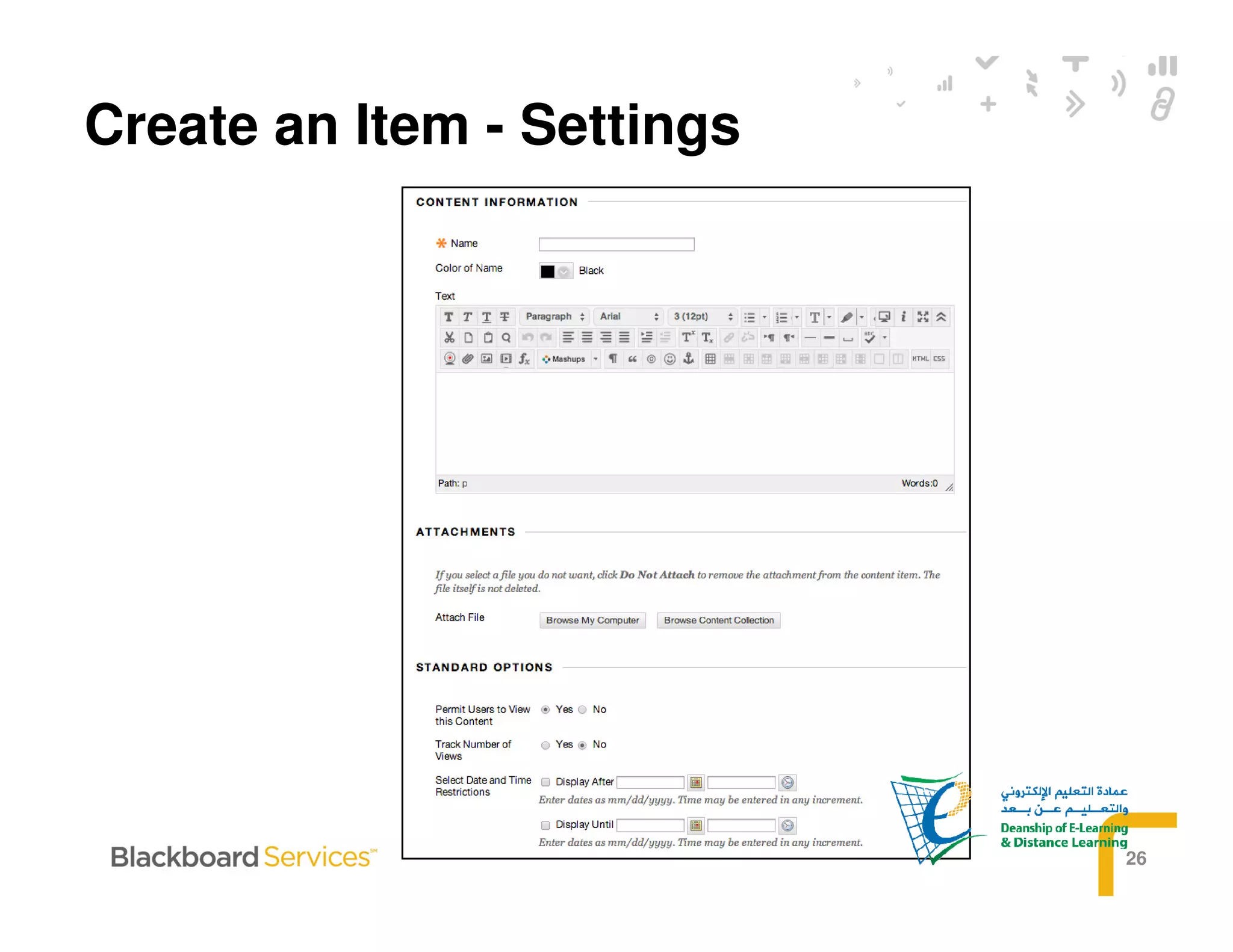
Create an Item - Settings
27
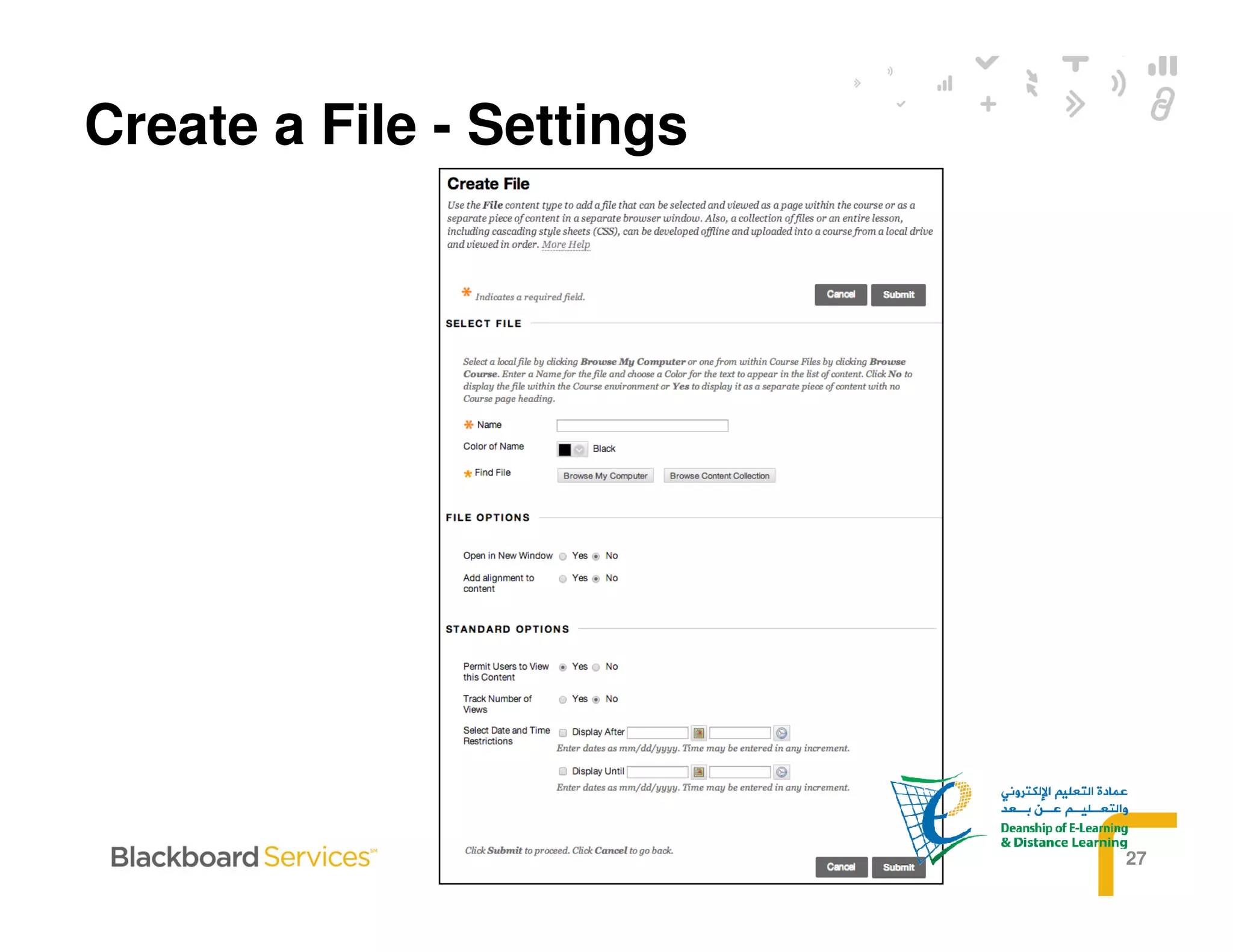
Create a File - Settings
28
ASSESSMENT
LIFECYCLE
29
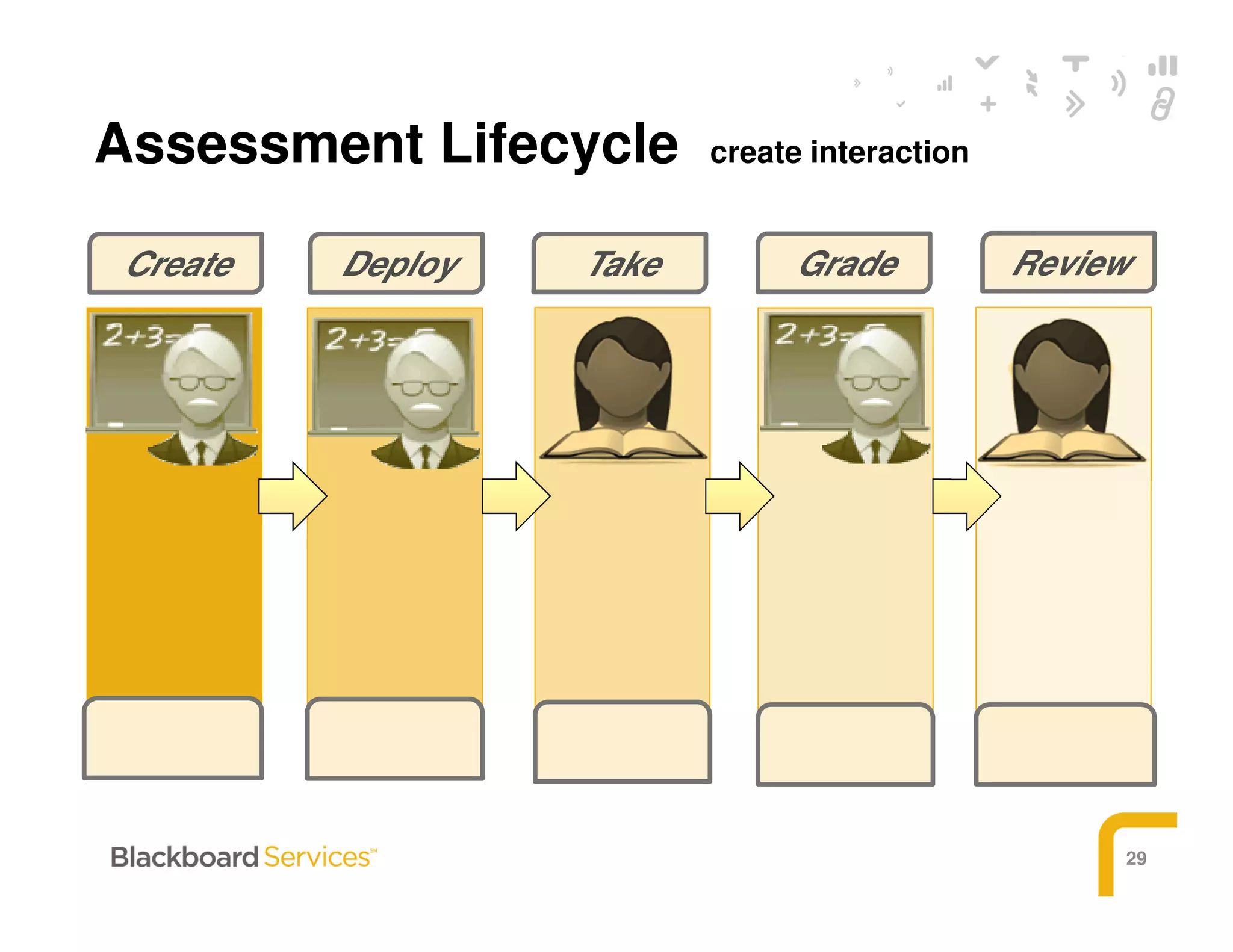
Assessment Lifecycle create interaction
DeployCreate Take Grade Review
30
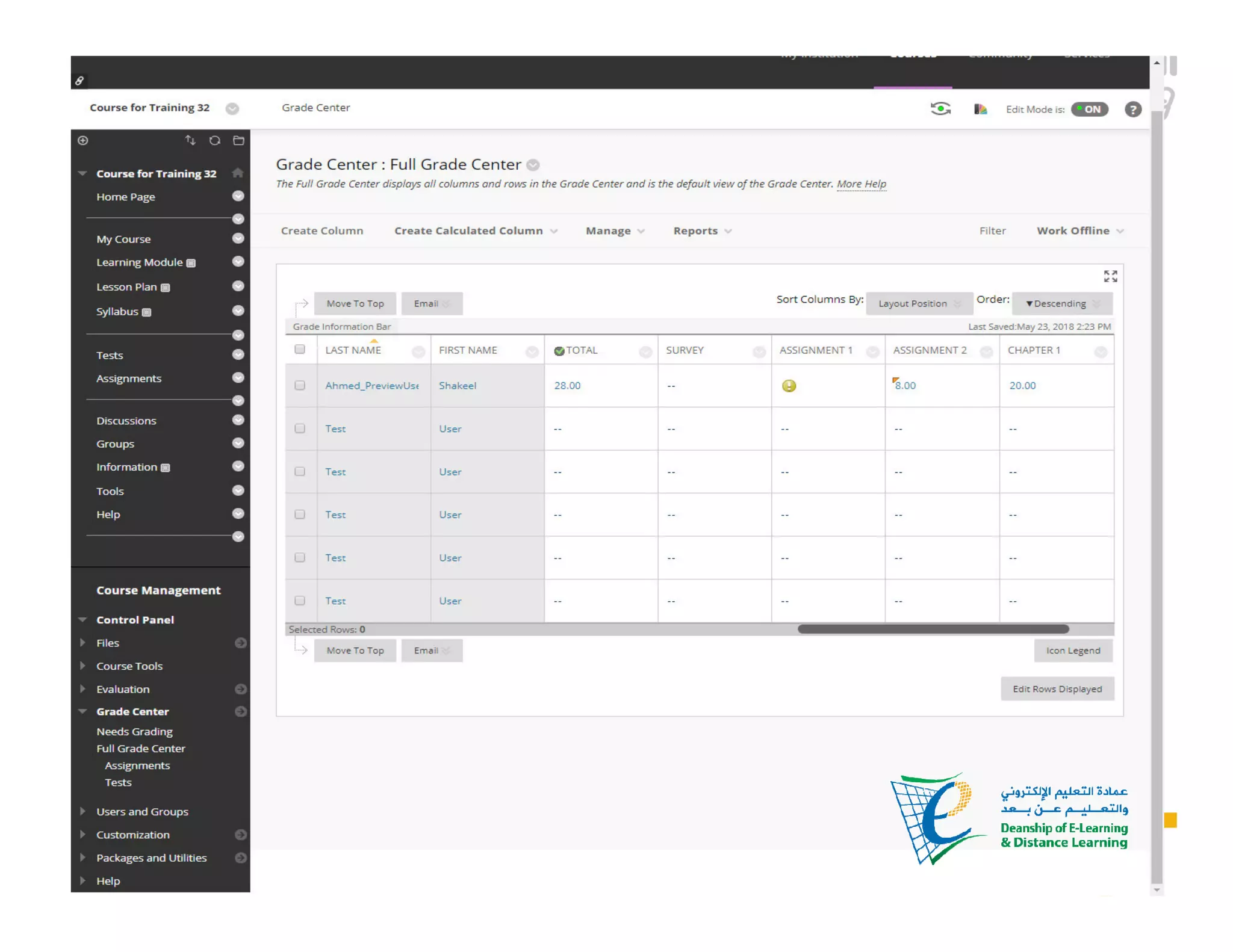
ACCESSING THE
GRADE CENTER
31
32
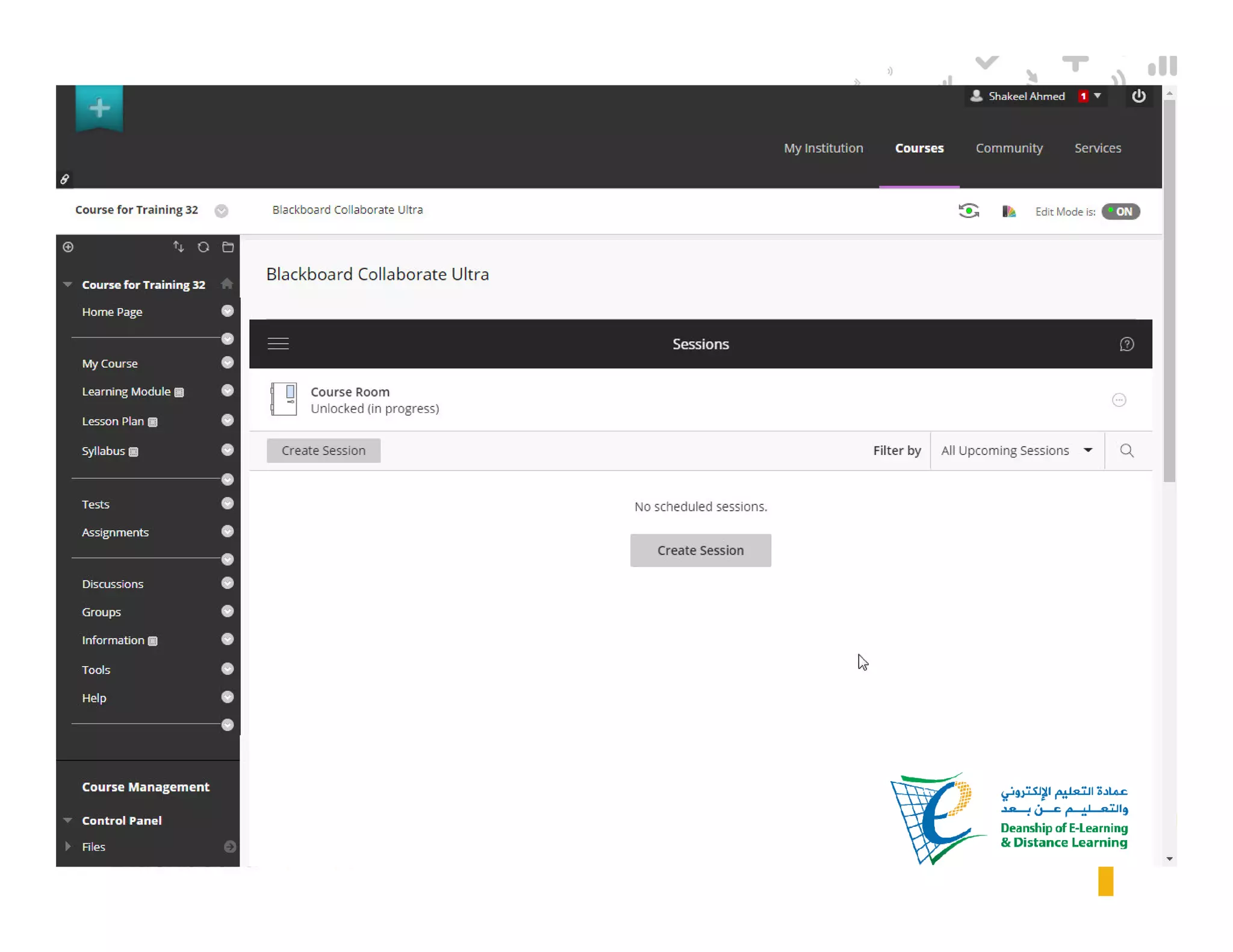
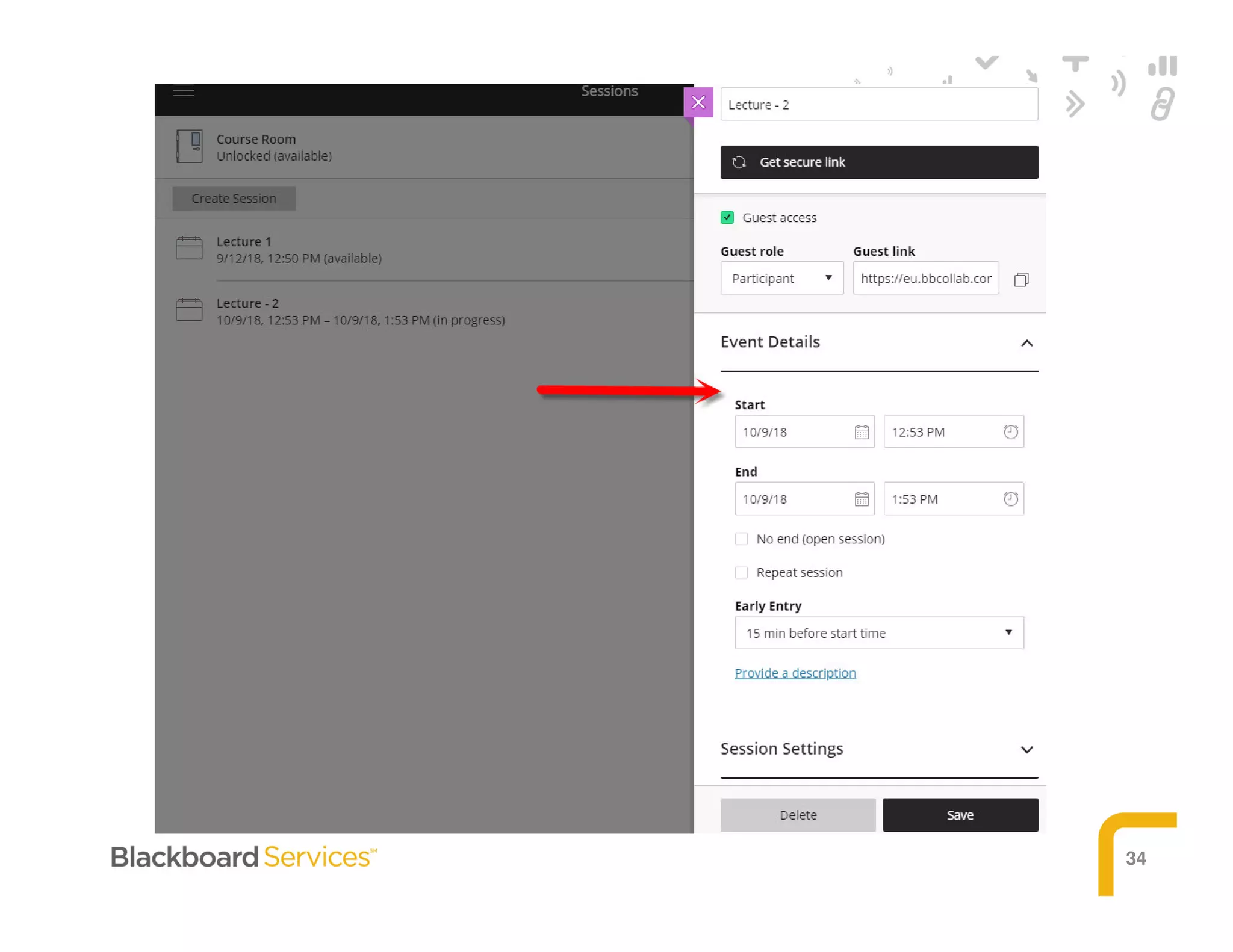
Blackboard Collaborate Ultra
(Virtual Classroom)
33
34
35
36
Session Wrap-Up

Blackboard (Learning Management System)