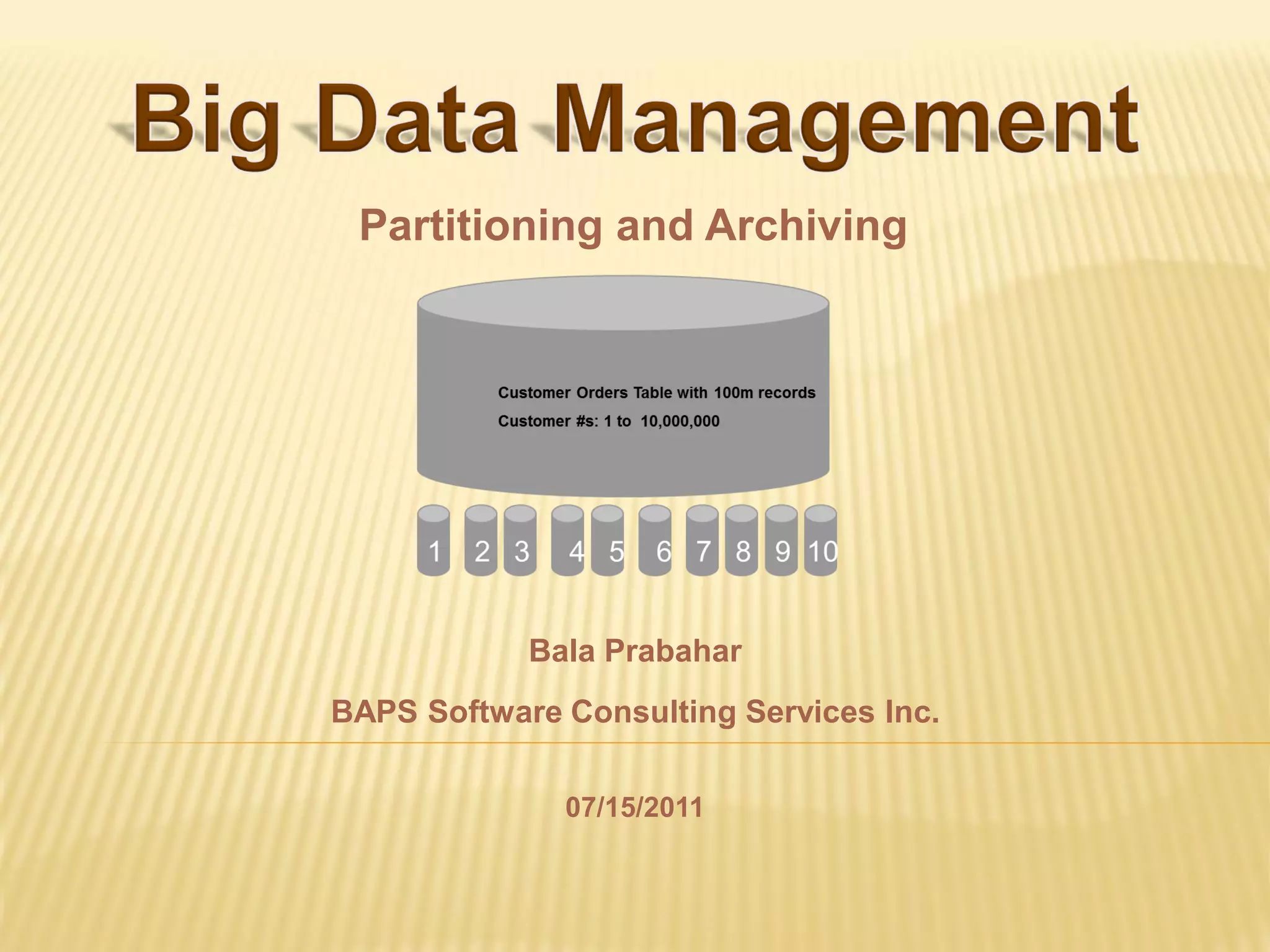
Partitioning and Archiving


            Bala Prabahar
BAPS Software Consulting Services Inc.

              07/15/2011
1. What is Partitioning?
  2. Types of Partitioning
   3. How to Implement?
4. Global Versus Local Index
       5. Questions


                               2
Partitioning enables tables and indexes to be
  subdivided into smaller manageable pieces


Each of those smaller pieces is called Partition.


                                                    3
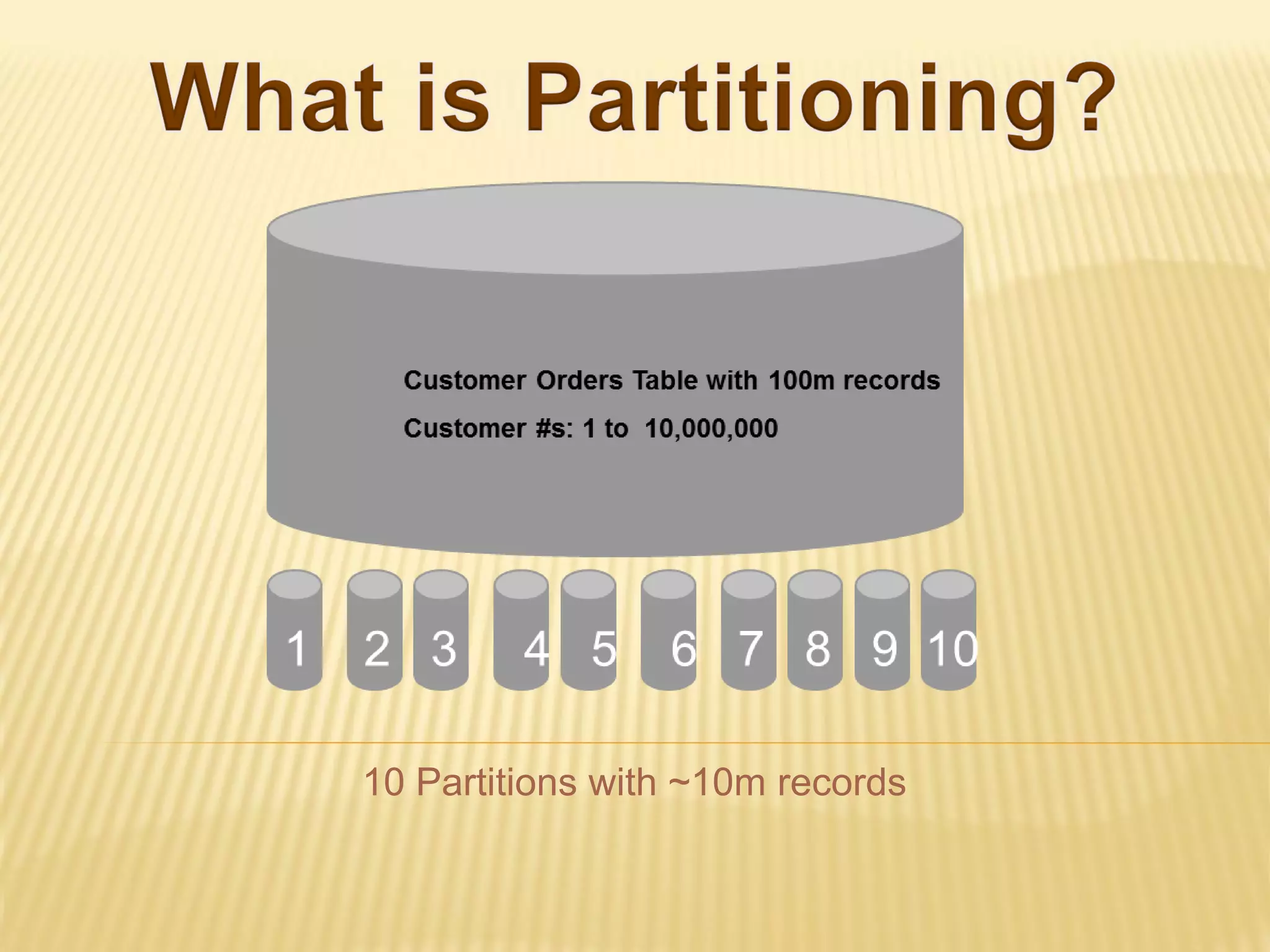
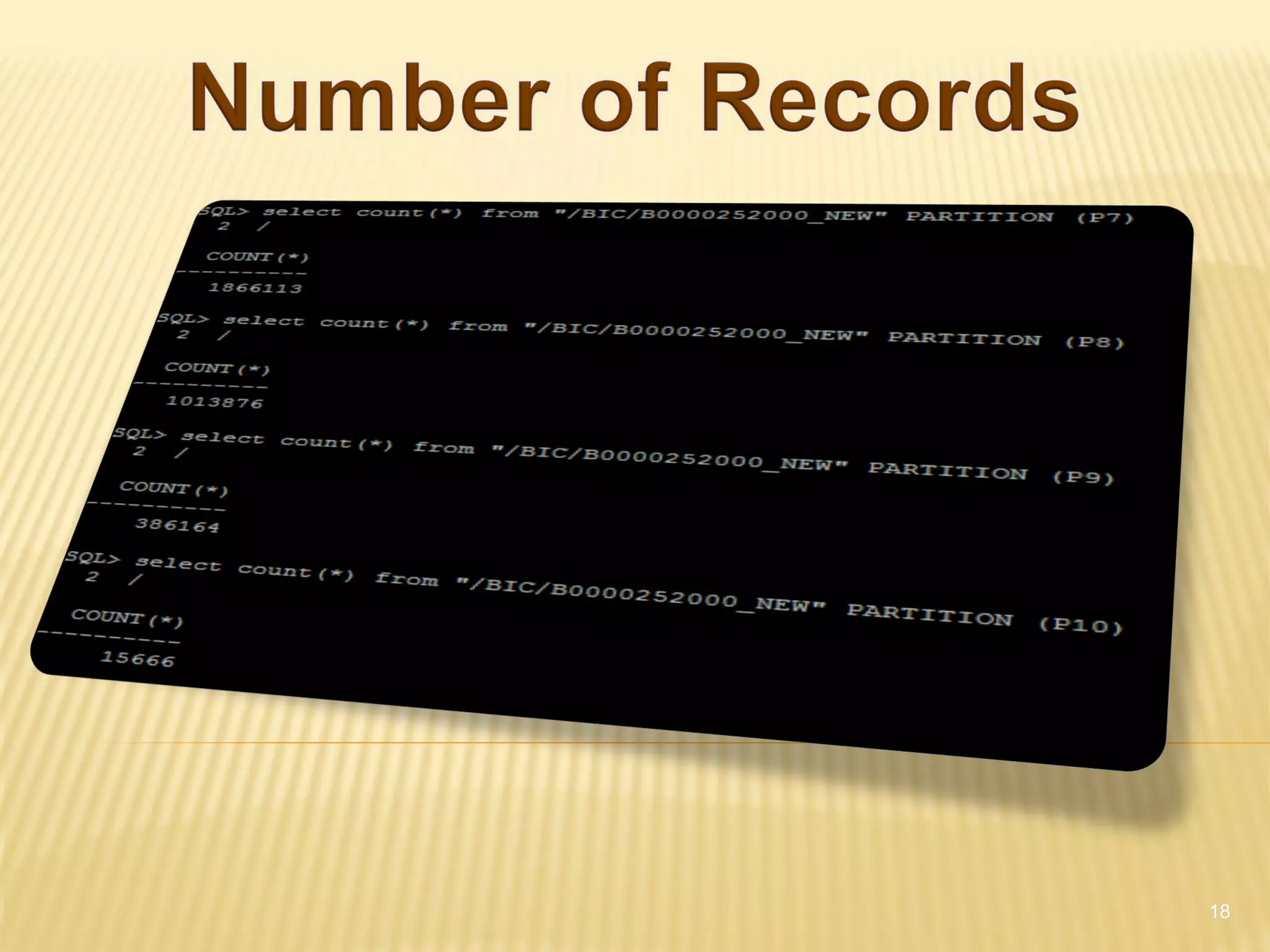
10 Partitions with ~10m records
Available Partitioning Types:
 Range Partitioning (introduced in Oracle 8)
 Hash Partitioning (introduced in Oracle 8i)
 Composite Partitioning (introduced in Oracle 8i)
 List Partitioning (introduced in Oracle 9i)
 Interval Partitioning (introduced in Oracle 11g)
 System Partitioning (introduced in Oracle 11g)
 Reference Partitioning (introduced in Oracle 11g)


                                                      5
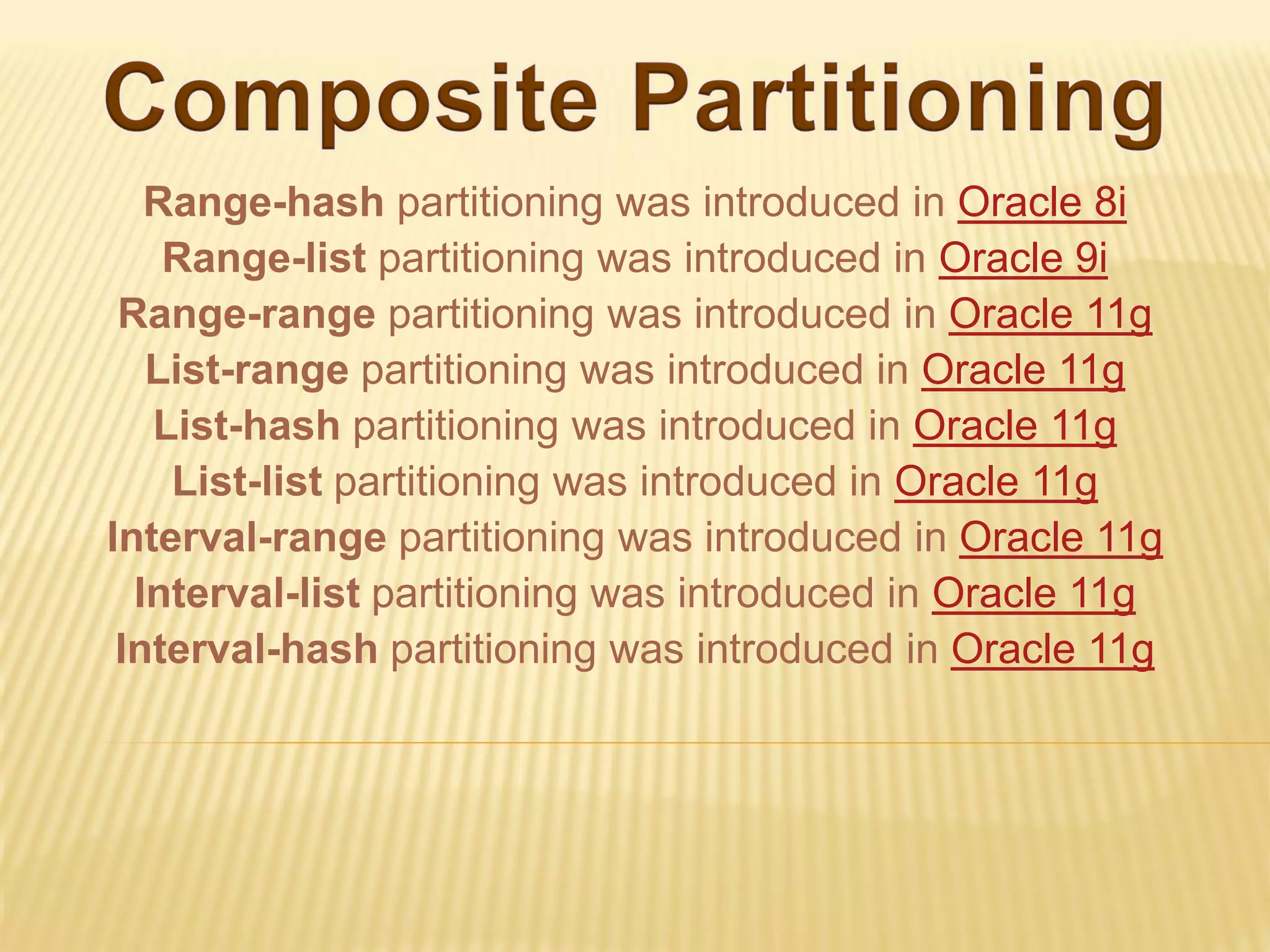
Range-hash partitioning was introduced in Oracle 8i
    Range-list partitioning was introduced in Oracle 9i
 Range-range partitioning was introduced in Oracle 11g
   List-range partitioning was introduced in Oracle 11g
   List-hash partitioning was introduced in Oracle 11g
    List-list partitioning was introduced in Oracle 11g
Interval-range partitioning was introduced in Oracle 11g
  Interval-list partitioning was introduced in Oracle 11g
 Interval-hash partitioning was introduced in Oracle 11g
Available Partitioning Types:
 Range Partitioning (introduced in Oracle 8)
 Hash Partitioning (introduced in Oracle 8i)
 Composite Partitioning (introduced in Oracle 8i)
 List Partitioning (introduced in Oracle 9i)
 Interval Partitioning (introduced in Oracle 11g)
 System Partitioning (introduced in Oracle 11g)
 Reference Partitioning (introduced in Oracle 11g)


                                                      7
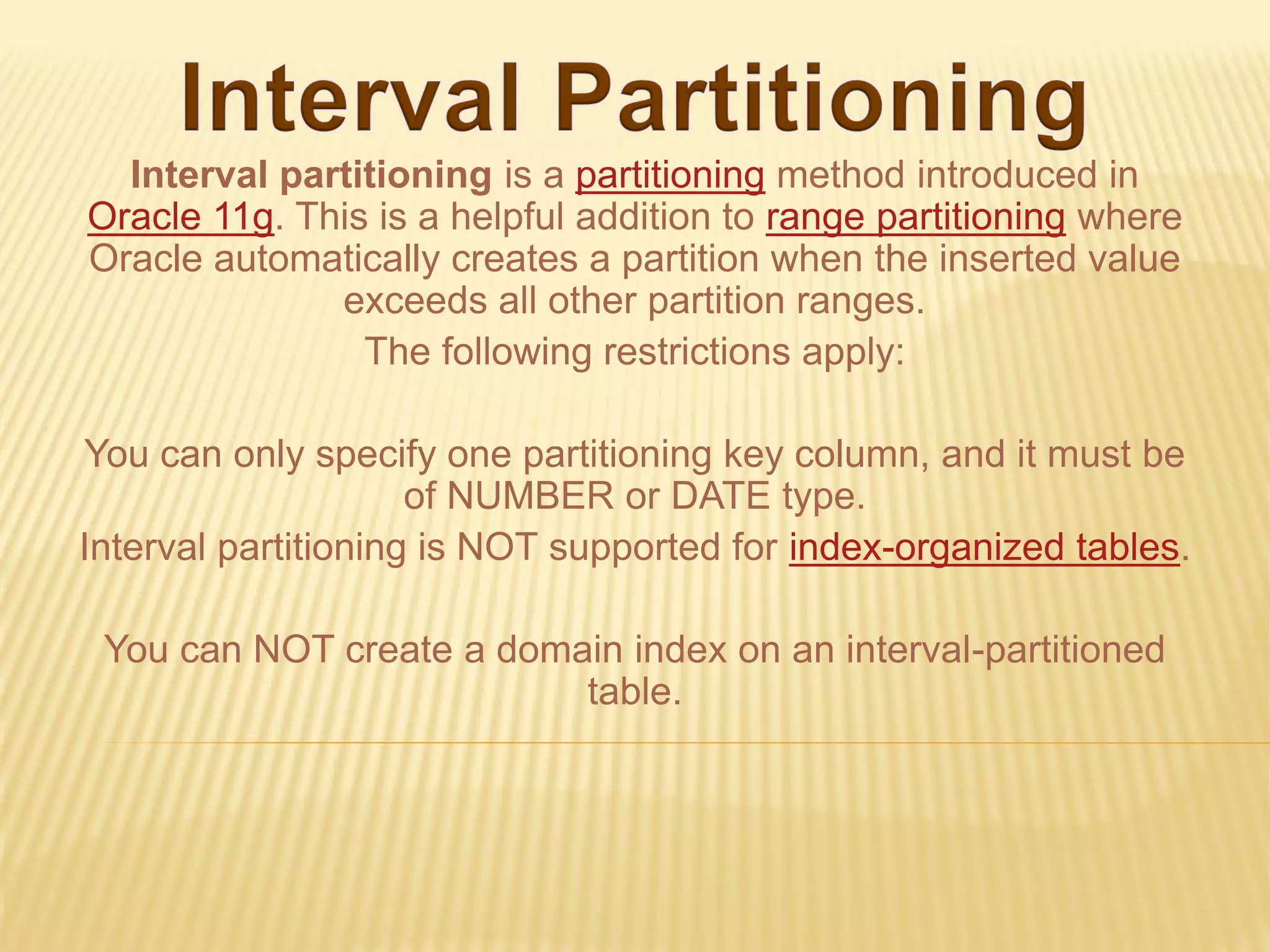
Interval partitioning is a partitioning method introduced in
Oracle 11g. This is a helpful addition to range partitioning where
Oracle automatically creates a partition when the inserted value
              exceeds all other partition ranges.
                The following restrictions apply:

You can only specify one partitioning key column, and it must be
                     of NUMBER or DATE type.
Interval partitioning is NOT supported for index-organized tables.

 You can NOT create a domain index on an interval-partitioned
                          table.
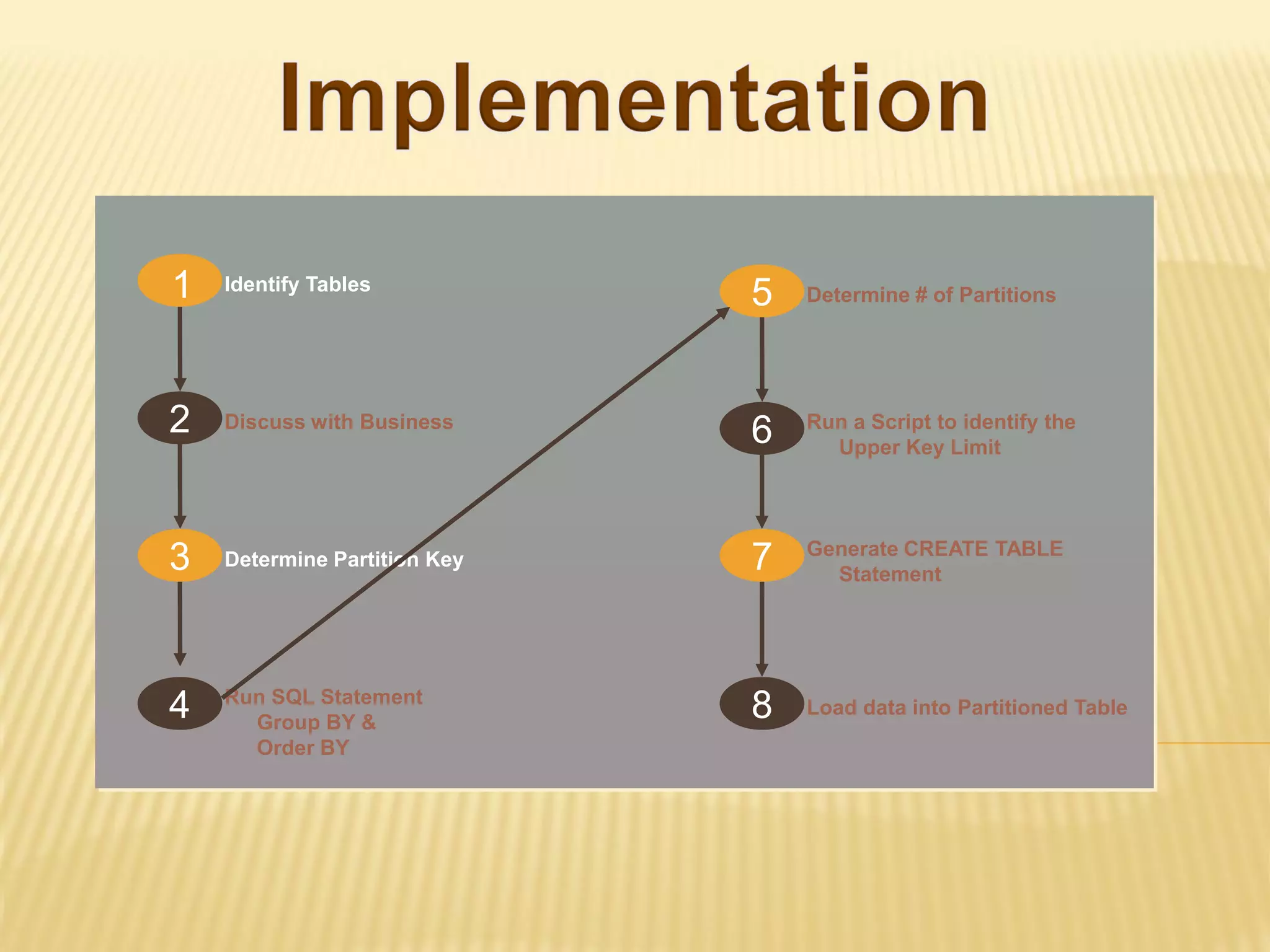
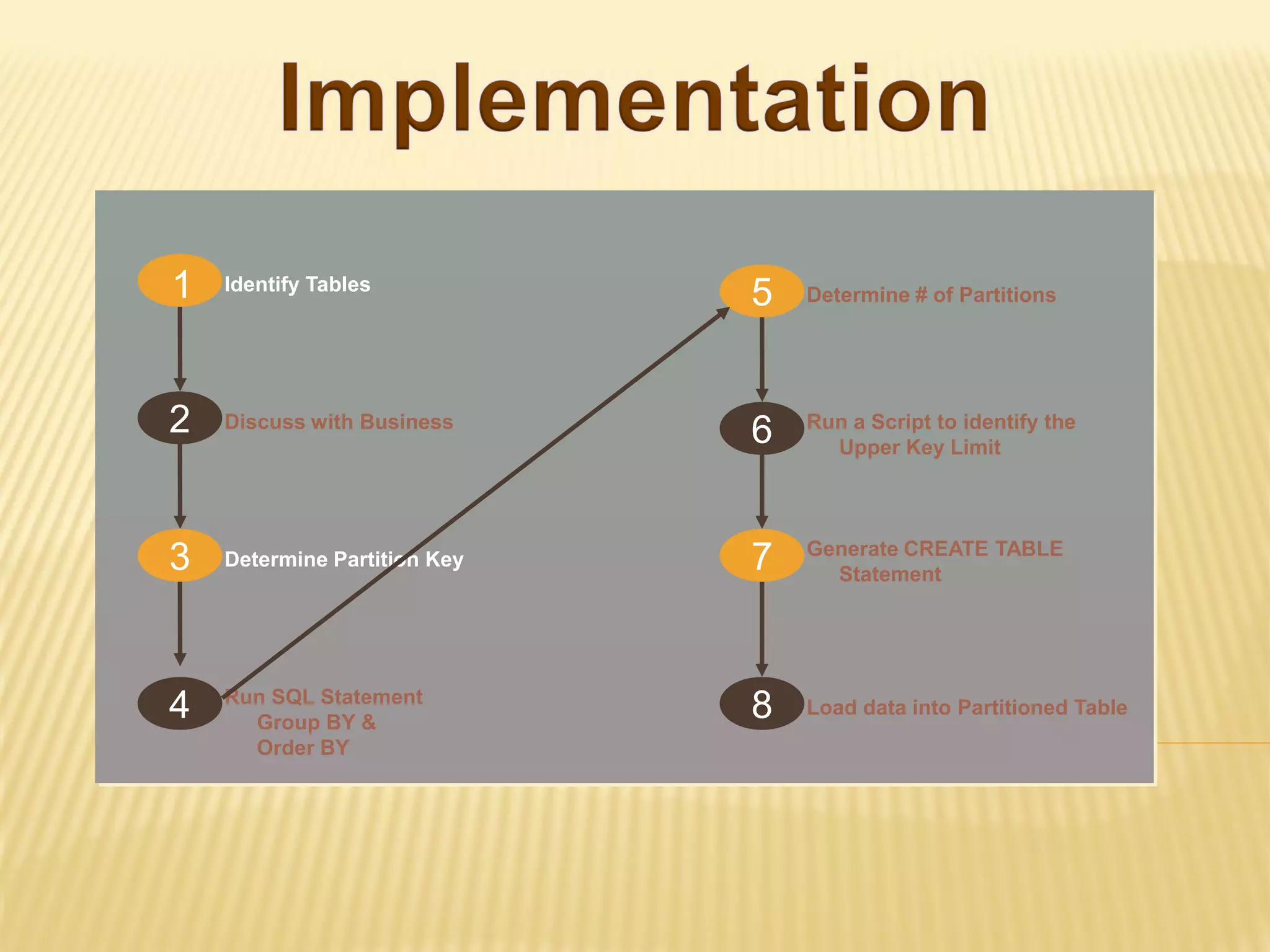
1   Identify Tables
                              5   Determine # of Partitions


2   Discuss with Business
                              6   Run a Script to identify the
                                    Upper Key Limit


                                  Generate CREATE TABLE
3   Determine Partition Key   7     Statement


    Run SQL Statement
4     Group BY &
                              8   Load data into Partitioned Table
      Order BY
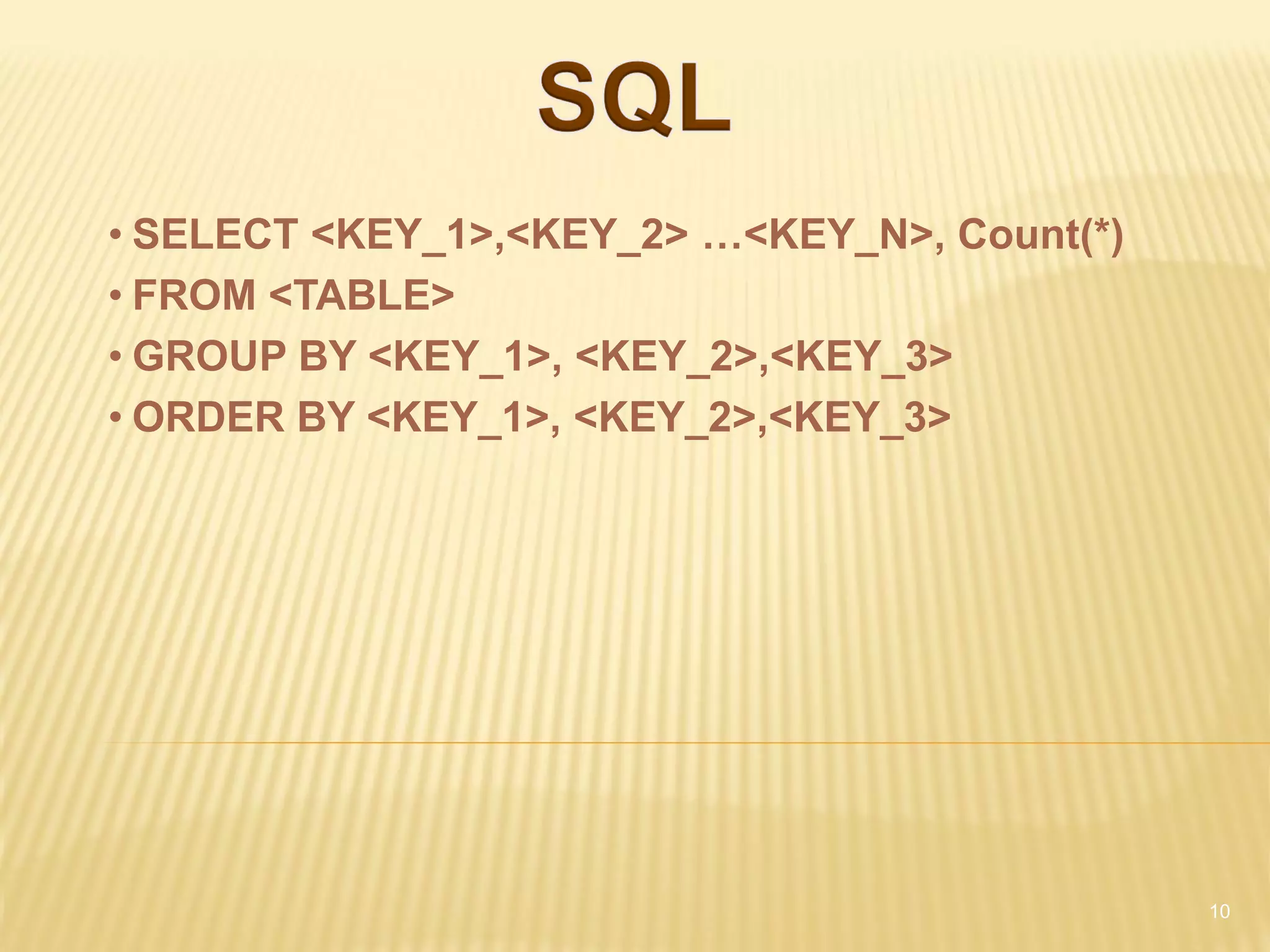
• SELECT <KEY_1>,<KEY_2> …<KEY_N>, Count(*)
• FROM <TABLE>
• GROUP BY <KEY_1>, <KEY_2>,<KEY_3>
• ORDER BY <KEY_1>, <KEY_2>,<KEY_3>


                                              10
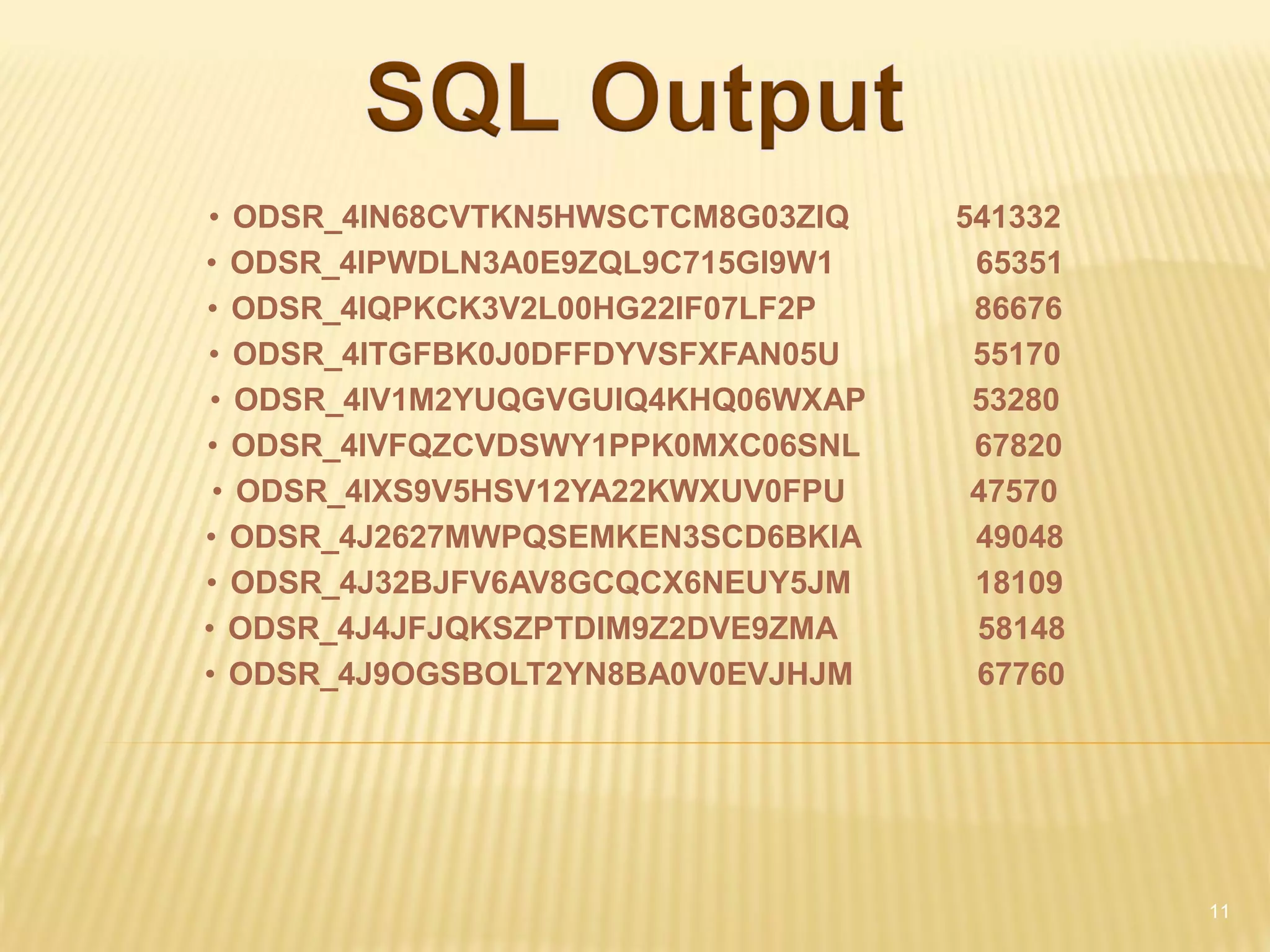
• ODSR_4IN68CVTKN5HWSCTCM8G03ZIQ    541332
• ODSR_4IPWDLN3A0E9ZQL9C715GI9W1     65351
• ODSR_4IQPKCK3V2L00HG22IF07LF2P     86676
• ODSR_4ITGFBK0J0DFFDYVSFXFAN05U     55170
 • ODSR_4IV1M2YUQGVGUIQ4KHQ06WXAP    53280
• ODSR_4IVFQZCVDSWY1PPK0MXC06SNL     67820
 • ODSR_4IXS9V5HSV12YA22KWXUV0FPU    47570
• ODSR_4J2627MWPQSEMKEN3SCD6BKIA     49048
• ODSR_4J32BJFV6AV8GCQCX6NEUY5JM     18109
• ODSR_4J4JFJQKSZPTDIM9Z2DVE9ZMA     58148
• ODSR_4J9OGSBOLT2YN8BA0V0EVJHJM     67760


                                             11
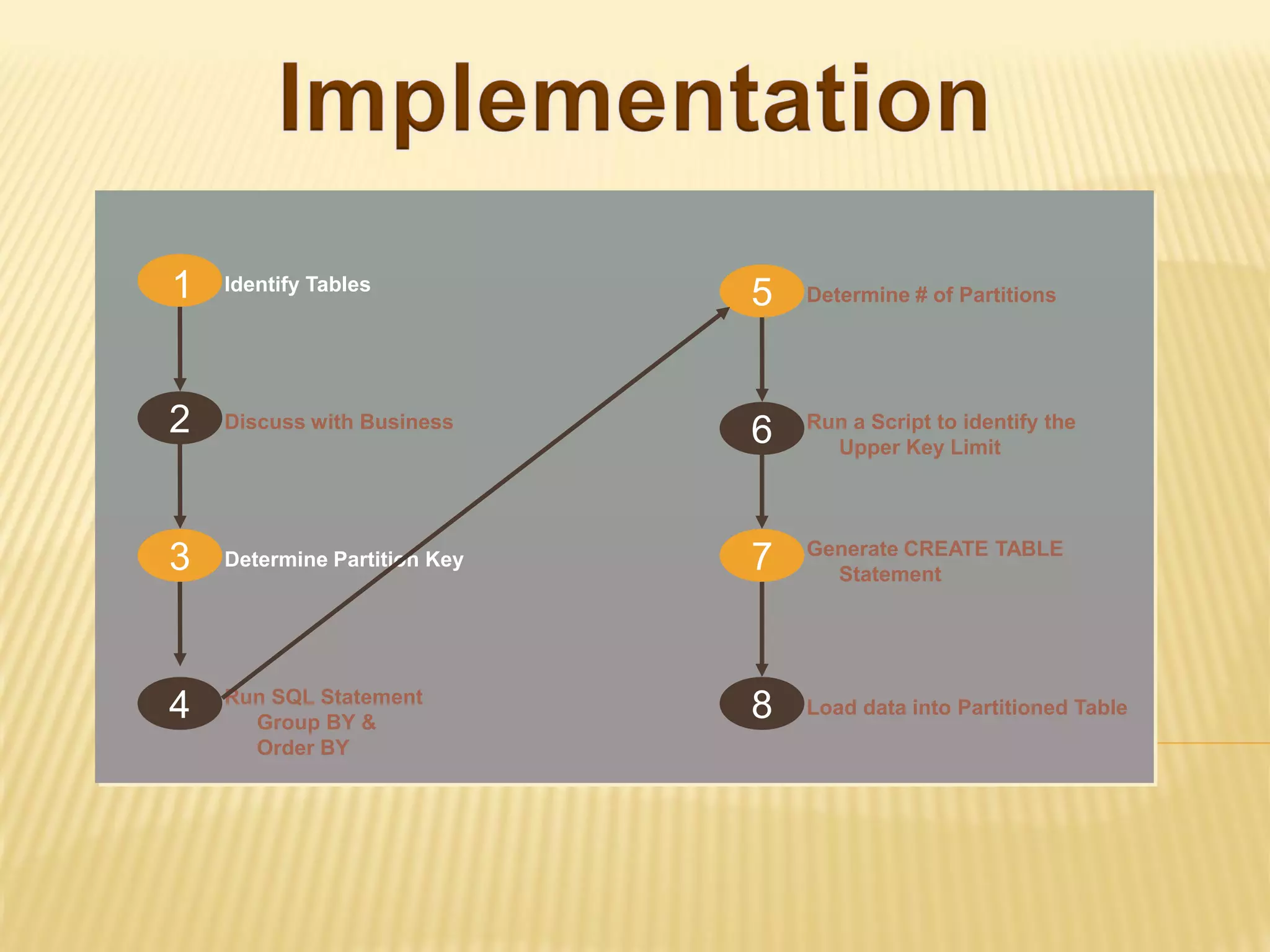
1   Identify Tables
                              5   Determine # of Partitions


2   Discuss with Business
                              6   Run a Script to identify the
                                    Upper Key Limit


                                  Generate CREATE TABLE
3   Determine Partition Key   7     Statement


    Run SQL Statement
4     Group BY &
                              8   Load data into Partitioned Table
      Order BY
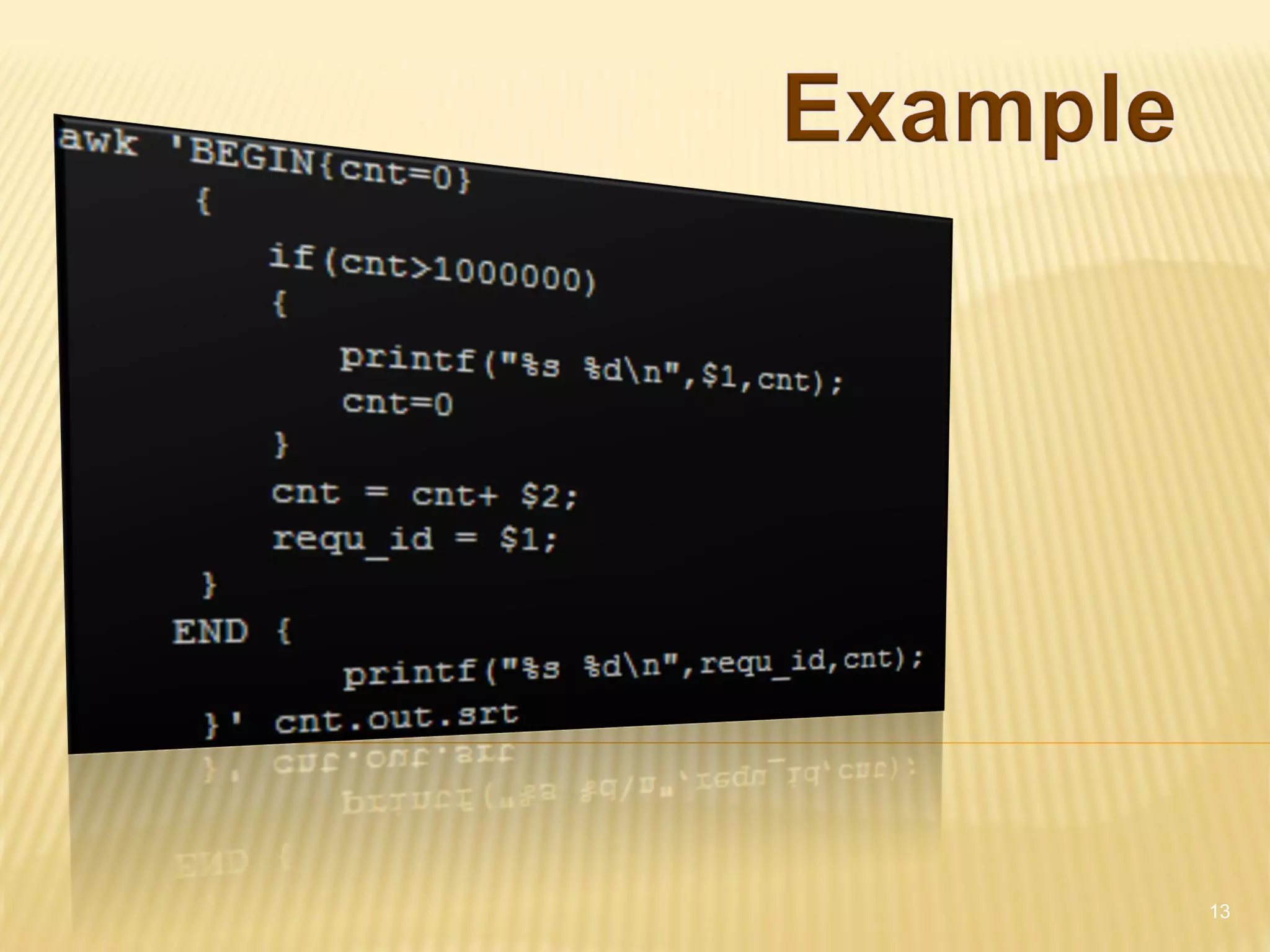
13
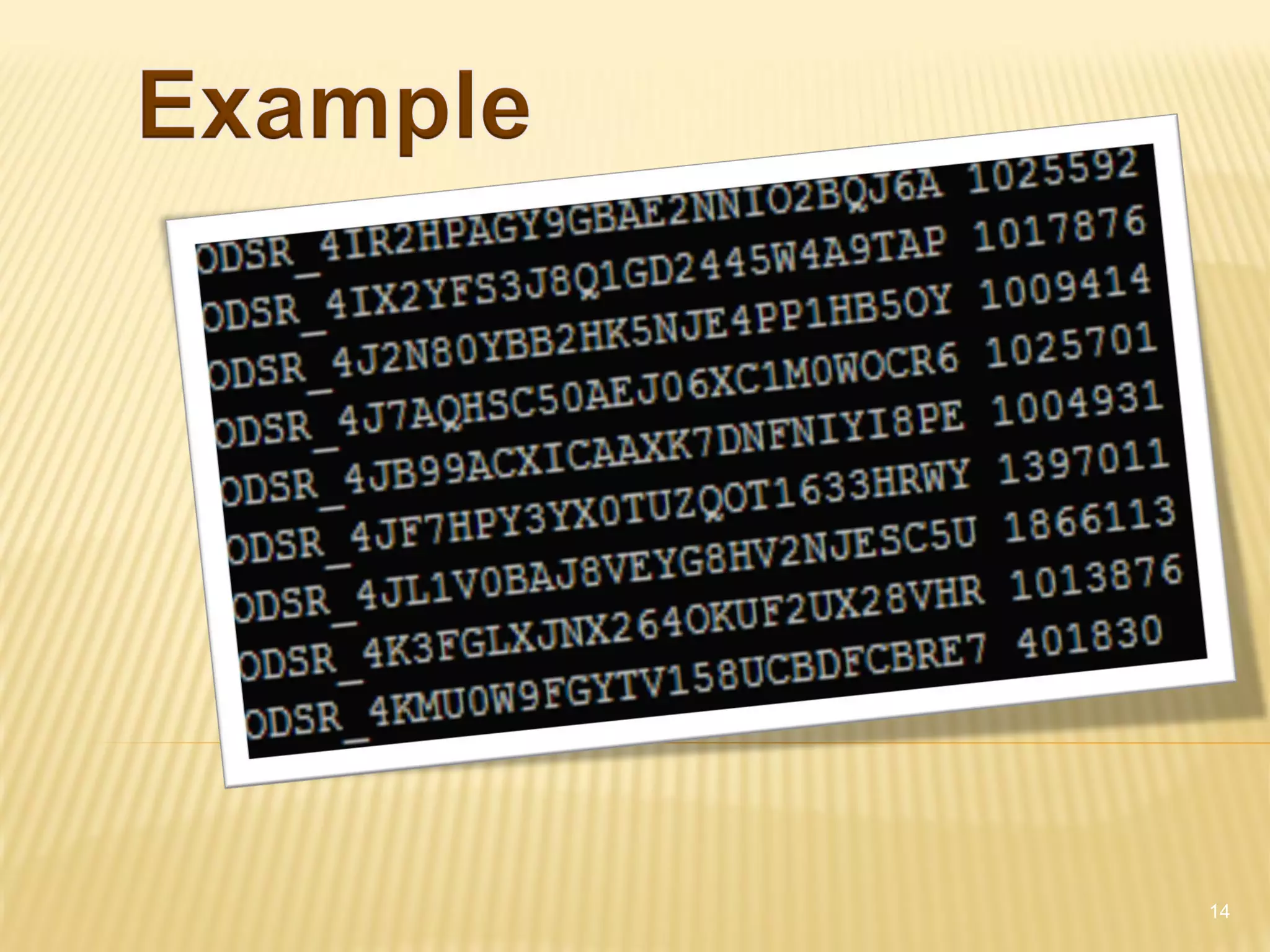
14
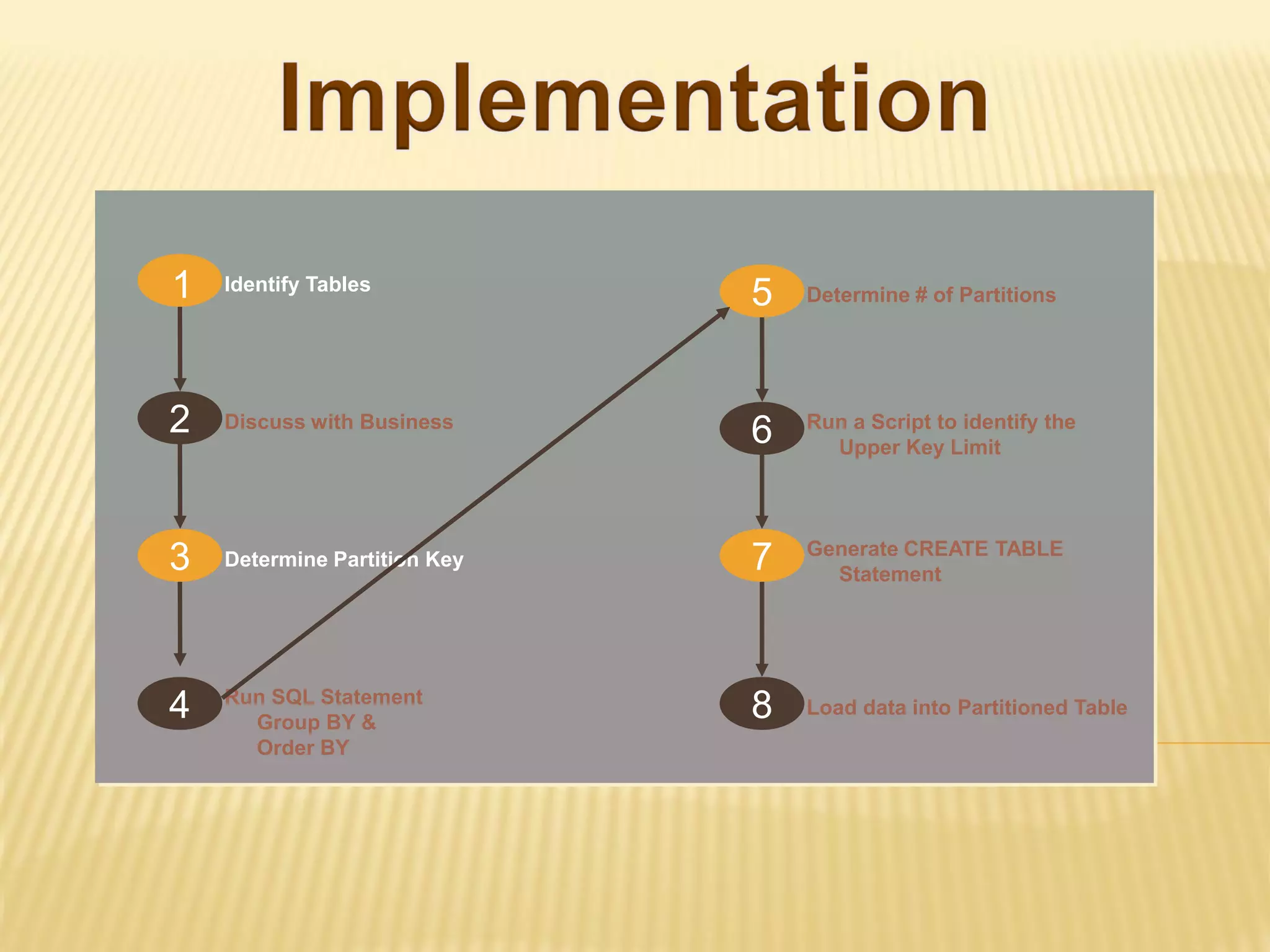
1   Identify Tables
                              5   Determine # of Partitions


2   Discuss with Business
                              6   Run a Script to identify the
                                    Upper Key Limit


                                  Generate CREATE TABLE
3   Determine Partition Key   7     Statement


    Run SQL Statement
4     Group BY &
                              8   Load data into Partitioned Table
      Order BY
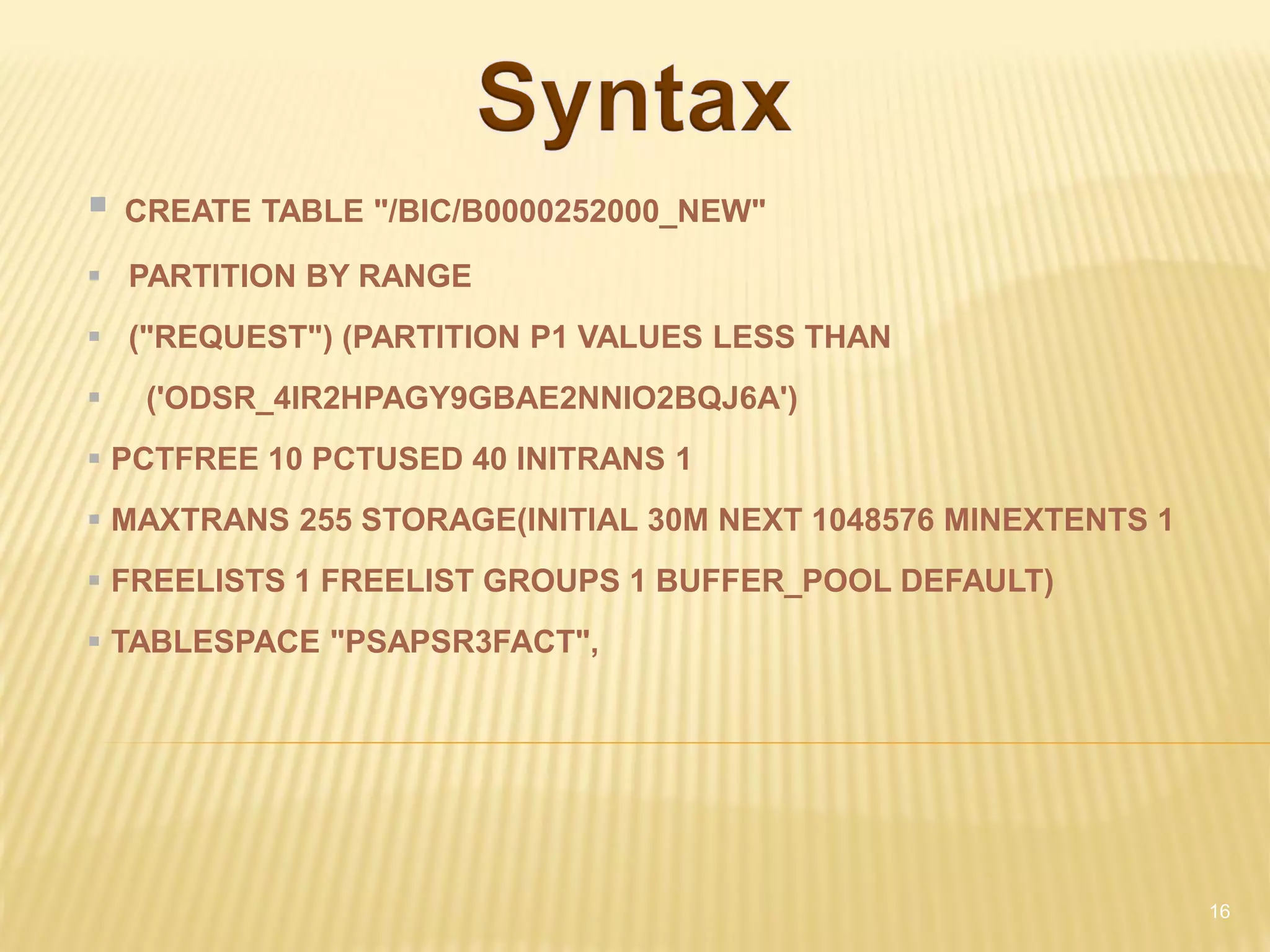
   CREATE TABLE "/BIC/B0000252000_NEW"

 PARTITION BY RANGE
 ("REQUEST") (PARTITION P1 VALUES LESS THAN
    ('ODSR_4IR2HPAGY9GBAE2NNIO2BQJ6A')
 PCTFREE 10 PCTUSED 40 INITRANS 1
 MAXTRANS 255 STORAGE(INITIAL 30M NEXT 1048576 MINEXTENTS 1
 FREELISTS 1 FREELIST GROUPS 1 BUFFER_POOL DEFAULT)
 TABLESPACE "PSAPSR3FACT",


                                                               16
1   Identify Tables
                              5   Determine # of Partitions


2   Discuss with Business
                              6   Run a Script to identify the
                                    Upper Key Limit


                                  Generate CREATE TABLE
3   Determine Partition Key   7     Statement


    Run SQL Statement
4     Group BY &
                              8   Load data into Partitioned Table
      Order BY
18
 Global
 Local


           19
 Multi-providers
 Cubes – Further levels of Partitioning


                                           20
 Drop Partition instead of Deleting Records
 Benefits:
    Old records are not mixed with new records.
    Dropping partition will be faster


                                                   21
22

Big data mgmt bala

  • 1.
    Partitioning and Archiving Bala Prabahar BAPS Software Consulting Services Inc. 07/15/2011
  • 2.
    1. What isPartitioning? 2. Types of Partitioning 3. How to Implement? 4. Global Versus Local Index 5. Questions 2
  • 3.
    Partitioning enables tablesand indexes to be subdivided into smaller manageable pieces Each of those smaller pieces is called Partition. 3
  • 4.
    10 Partitions with~10m records
  • 5.
    Available Partitioning Types: Range Partitioning (introduced in Oracle 8)  Hash Partitioning (introduced in Oracle 8i)  Composite Partitioning (introduced in Oracle 8i)  List Partitioning (introduced in Oracle 9i)  Interval Partitioning (introduced in Oracle 11g)  System Partitioning (introduced in Oracle 11g)  Reference Partitioning (introduced in Oracle 11g) 5
  • 6.
    Range-hash partitioning wasintroduced in Oracle 8i Range-list partitioning was introduced in Oracle 9i Range-range partitioning was introduced in Oracle 11g List-range partitioning was introduced in Oracle 11g List-hash partitioning was introduced in Oracle 11g List-list partitioning was introduced in Oracle 11g Interval-range partitioning was introduced in Oracle 11g Interval-list partitioning was introduced in Oracle 11g Interval-hash partitioning was introduced in Oracle 11g
  • 7.
    Available Partitioning Types: Range Partitioning (introduced in Oracle 8)  Hash Partitioning (introduced in Oracle 8i)  Composite Partitioning (introduced in Oracle 8i)  List Partitioning (introduced in Oracle 9i)  Interval Partitioning (introduced in Oracle 11g)  System Partitioning (introduced in Oracle 11g)  Reference Partitioning (introduced in Oracle 11g) 7
  • 8.
    Interval partitioning isa partitioning method introduced in Oracle 11g. This is a helpful addition to range partitioning where Oracle automatically creates a partition when the inserted value exceeds all other partition ranges. The following restrictions apply: You can only specify one partitioning key column, and it must be of NUMBER or DATE type. Interval partitioning is NOT supported for index-organized tables. You can NOT create a domain index on an interval-partitioned table.
  • 9.
    1 Identify Tables 5 Determine # of Partitions 2 Discuss with Business 6 Run a Script to identify the Upper Key Limit Generate CREATE TABLE 3 Determine Partition Key 7 Statement Run SQL Statement 4 Group BY & 8 Load data into Partitioned Table Order BY
  • 10.
    • SELECT <KEY_1>,<KEY_2>…<KEY_N>, Count(*) • FROM <TABLE> • GROUP BY <KEY_1>, <KEY_2>,<KEY_3> • ORDER BY <KEY_1>, <KEY_2>,<KEY_3> 10
  • 11.
    • ODSR_4IN68CVTKN5HWSCTCM8G03ZIQ 541332 • ODSR_4IPWDLN3A0E9ZQL9C715GI9W1 65351 • ODSR_4IQPKCK3V2L00HG22IF07LF2P 86676 • ODSR_4ITGFBK0J0DFFDYVSFXFAN05U 55170 • ODSR_4IV1M2YUQGVGUIQ4KHQ06WXAP 53280 • ODSR_4IVFQZCVDSWY1PPK0MXC06SNL 67820 • ODSR_4IXS9V5HSV12YA22KWXUV0FPU 47570 • ODSR_4J2627MWPQSEMKEN3SCD6BKIA 49048 • ODSR_4J32BJFV6AV8GCQCX6NEUY5JM 18109 • ODSR_4J4JFJQKSZPTDIM9Z2DVE9ZMA 58148 • ODSR_4J9OGSBOLT2YN8BA0V0EVJHJM 67760 11
  • 12.
    1 Identify Tables 5 Determine # of Partitions 2 Discuss with Business 6 Run a Script to identify the Upper Key Limit Generate CREATE TABLE 3 Determine Partition Key 7 Statement Run SQL Statement 4 Group BY & 8 Load data into Partitioned Table Order BY
  • 13.
  • 14.
  • 15.
    1 Identify Tables 5 Determine # of Partitions 2 Discuss with Business 6 Run a Script to identify the Upper Key Limit Generate CREATE TABLE 3 Determine Partition Key 7 Statement Run SQL Statement 4 Group BY & 8 Load data into Partitioned Table Order BY
  • 16.
    CREATE TABLE "/BIC/B0000252000_NEW"  PARTITION BY RANGE  ("REQUEST") (PARTITION P1 VALUES LESS THAN  ('ODSR_4IR2HPAGY9GBAE2NNIO2BQJ6A')  PCTFREE 10 PCTUSED 40 INITRANS 1  MAXTRANS 255 STORAGE(INITIAL 30M NEXT 1048576 MINEXTENTS 1  FREELISTS 1 FREELIST GROUPS 1 BUFFER_POOL DEFAULT)  TABLESPACE "PSAPSR3FACT", 16
  • 17.
    1 Identify Tables 5 Determine # of Partitions 2 Discuss with Business 6 Run a Script to identify the Upper Key Limit Generate CREATE TABLE 3 Determine Partition Key 7 Statement Run SQL Statement 4 Group BY & 8 Load data into Partitioned Table Order BY
  • 18.
  • 19.
  • 20.
     Multi-providers  Cubes– Further levels of Partitioning 20
  • 21.
     Drop Partitioninstead of Deleting Records  Benefits:  Old records are not mixed with new records.  Dropping partition will be faster 21
  • 22.