Beyond GeoServer
Basics
2
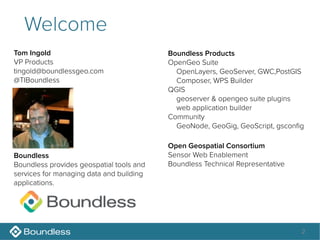
Welcome
Tom Ingold
VP Products
tingold@boundlessgeo.com
@TIBoundless
Open Geospatial Consortium
Sensor Web Enablement
Boundless Technical Representative
Boundless
Boundless provides geospatial tools and
services for managing data and building
applications.
Boundless Products
OpenGeo Suite
OpenLayers, GeoServer, GWC,PostGIS
Composer, WPS Builder
QGIS
geoserver & opengeo suite plugins
web application builder
Community
GeoNode, GeoGig, GeoScript, gsconfig
3
Welcome
Jody Garnett
Technical Lead
jgarnett@boundlessgeo.com
@jodygarnett
Open Source Geospatial Foundation
OSGeo Incubation Chair
GeoTools Project Officer
Eclipse Foundation
LocationTech Project Steering Committee
LocationTech Technology Project
Boundless
Boundless provides geospatial tools and
services for managing data and building
applications.
Open Source Projects
GeoTools
GeoServer
uDig
Beyond GeoServer Basics
• Background
• Setup
• Catalog and Data Operations
• CRS Transforms
• Data filtering
• Data Processing and Analysis
4
Setup
Data Downloads
• Data Directory download
– http://dev.boundlessgeo.com/~mike/
gsadv_data_dir.zip
• PostGIS data dump:
• http://dev.boundlessgeo.com/~mike/gsadv_pgdb.zip
• shaded relief download
• http://www.naturalearthdata.com/downloads/10m-
raster-data/10m-shaded-relief/
6
OpenGeo Suite Install
• PostGIS and GeoServer
• WPS and Client Tools
7
Create two Databases
• Create database "earth" and "advanced"
8
restore databases from backup
• Unzip gsadv_pgdb.zip
• Command line
– pg_restore -U postgres -d advanced -f advanced.bak
– pg_restore -U postgres -d earth -f earth.bak
• Or use PgAdmin to restore each database
9
Alter Column measure_at
• In the "advanced" database global table
– ALTER TABLE global

ALTER COLUMN measure_at

TYPE date USING

to_timestamp(measure_at, "yyyy:mm:dd hh24:mi:ss")
10
Data Directory
• Windows
– C:ProgramData <-- you must type this!!!
– C:ProgramDataBoundlessOpenGeogeoserver
– tip: Use the shortcut
• Linux
– /var/lib/opengeo/geoserver
• Mac
– ~/Library/Application Support/GeoServer/data_dir
– tip: use the shortcut!
11
Replace Data Directory
• 1. Stop GeoServer
• 2. Go to data directory
• 3. Rename geoserver to geoserver_old
• 4. Unzip gadv_data_dir.zip
• 5. Restart GeoServer
12
Start GeoServer
• 1. Start GeoServer
• 2. Open up GeoServer

login with admin/geoserver
• 3. check "stores" page
13
Setup Shaded Relief
• 1. Unzip SH_HR.zip
• 2. Rename SH_HR.tif to shadedrelief.tif
• 3. Updated store definition with correct path
• 4. Double Check Layer CRS
– Check force declared, and reload bands
14

Beyond GeoServer Basics

  • 1.
  • 2.
    2 Welcome Tom Ingold VP Products tingold@boundlessgeo.com @TIBoundless OpenGeospatial Consortium Sensor Web Enablement Boundless Technical Representative Boundless Boundless provides geospatial tools and services for managing data and building applications. Boundless Products OpenGeo Suite OpenLayers, GeoServer, GWC,PostGIS Composer, WPS Builder QGIS geoserver & opengeo suite plugins web application builder Community GeoNode, GeoGig, GeoScript, gsconfig
  • 3.
    3 Welcome Jody Garnett Technical Lead jgarnett@boundlessgeo.com @jodygarnett OpenSource Geospatial Foundation OSGeo Incubation Chair GeoTools Project Officer Eclipse Foundation LocationTech Project Steering Committee LocationTech Technology Project Boundless Boundless provides geospatial tools and services for managing data and building applications. Open Source Projects GeoTools GeoServer uDig
  • 4.
    Beyond GeoServer Basics •Background • Setup • Catalog and Data Operations • CRS Transforms • Data filtering • Data Processing and Analysis 4
  • 5.
  • 6.
    Data Downloads • DataDirectory download – http://dev.boundlessgeo.com/~mike/ gsadv_data_dir.zip • PostGIS data dump: • http://dev.boundlessgeo.com/~mike/gsadv_pgdb.zip • shaded relief download • http://www.naturalearthdata.com/downloads/10m- raster-data/10m-shaded-relief/ 6
  • 7.
    OpenGeo Suite Install •PostGIS and GeoServer • WPS and Client Tools 7
  • 8.
    Create two Databases •Create database "earth" and "advanced" 8
  • 9.
    restore databases frombackup • Unzip gsadv_pgdb.zip • Command line – pg_restore -U postgres -d advanced -f advanced.bak – pg_restore -U postgres -d earth -f earth.bak • Or use PgAdmin to restore each database 9
  • 10.
    Alter Column measure_at •In the "advanced" database global table – ALTER TABLE global
 ALTER COLUMN measure_at
 TYPE date USING
 to_timestamp(measure_at, "yyyy:mm:dd hh24:mi:ss") 10
  • 11.
    Data Directory • Windows –C:ProgramData <-- you must type this!!! – C:ProgramDataBoundlessOpenGeogeoserver – tip: Use the shortcut • Linux – /var/lib/opengeo/geoserver • Mac – ~/Library/Application Support/GeoServer/data_dir – tip: use the shortcut! 11
  • 12.
    Replace Data Directory •1. Stop GeoServer • 2. Go to data directory • 3. Rename geoserver to geoserver_old • 4. Unzip gadv_data_dir.zip • 5. Restart GeoServer 12
  • 13.
    Start GeoServer • 1.Start GeoServer • 2. Open up GeoServer
 login with admin/geoserver • 3. check "stores" page 13
  • 14.
    Setup Shaded Relief •1. Unzip SH_HR.zip • 2. Rename SH_HR.tif to shadedrelief.tif • 3. Updated store definition with correct path • 4. Double Check Layer CRS – Check force declared, and reload bands 14