Download to read offline
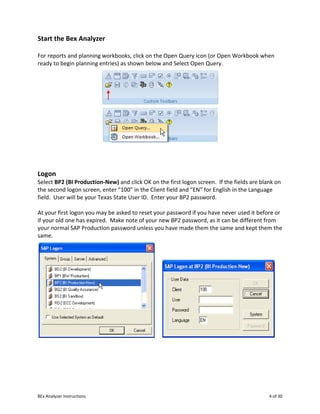
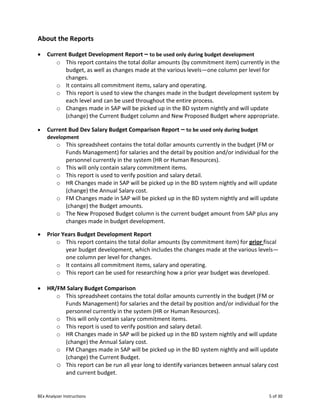
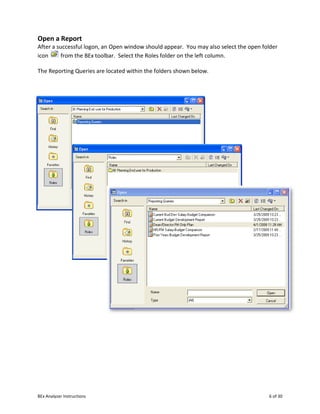
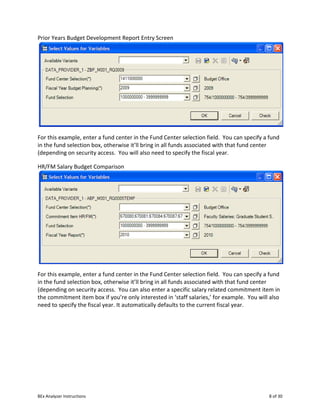
![BEx Analyzer Instructions 7 of 30
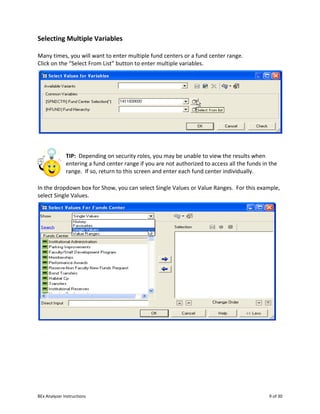
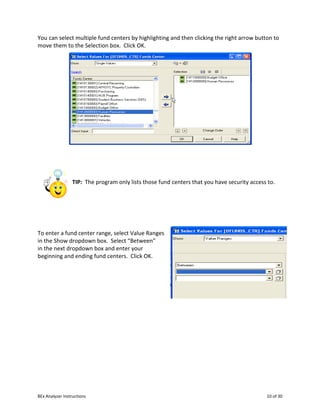
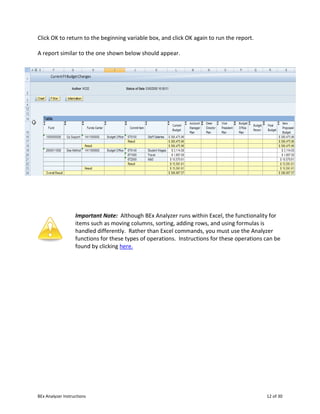
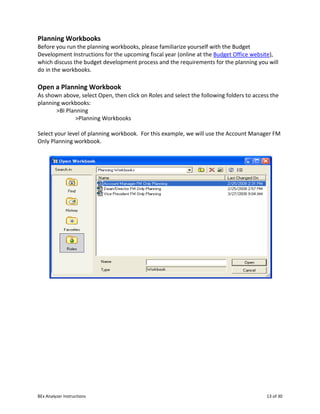
Input Variables for Reports
TIP: The variable input boxes throughout BEx Analyzer often
show only the key or text. To view the key and text such as the
fund center and fund center name, click on the Display Object
button that looks like a wrench and select [Key]Text.
Current Budget Development Report Entry Screen
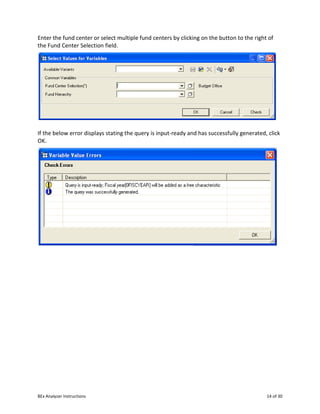
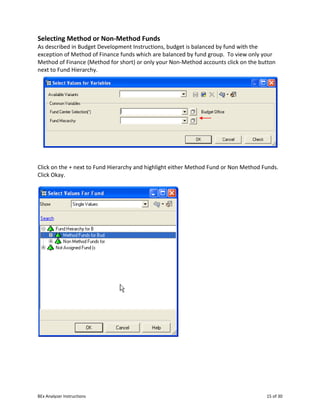
For this example, enter a fund center in the Fund Center selection field. You can specify a fund
in the fund selection box, otherwise it’ll bring in all funds associated with that fund center
(depending on security access.
Current Bud Dev Salary Budget Comparison Entry Screen
For this example, enter a fund center in the Fund Center selection field. You can specify a fund
in the fund selection box, otherwise it’ll bring in all funds associated with that fund center
(depending on security access. You can also enter a specific salary related commitment item in
the commitment item box if you’re only interested in ‘staff salaries,’ for example.](https://image.slidesharecdn.com/bexanalyzerinstructionsothers-151127100040-lva1-app6891/85/BEx-7-Analyzer-Work-Instructions-7-320.jpg)

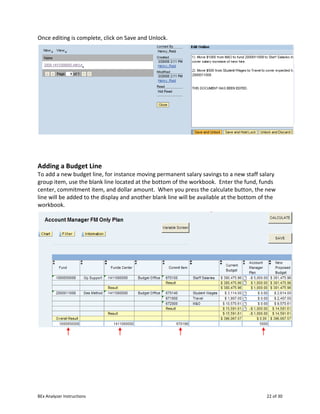
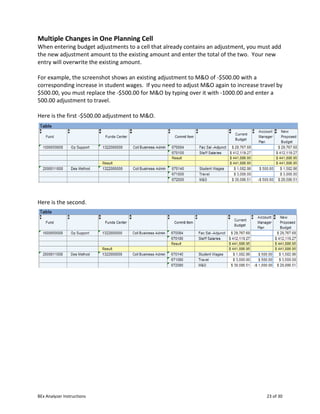
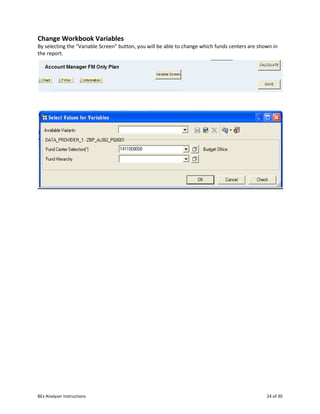
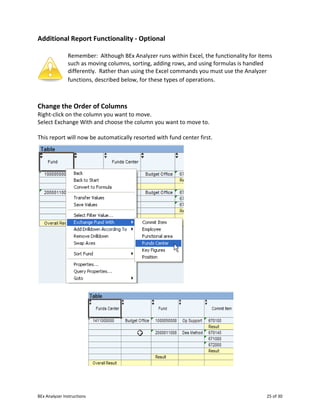
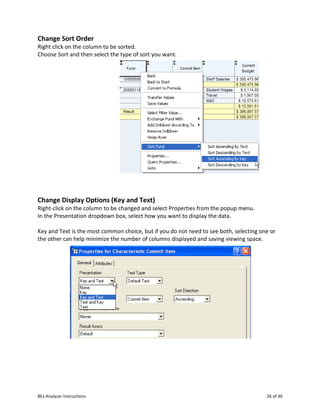
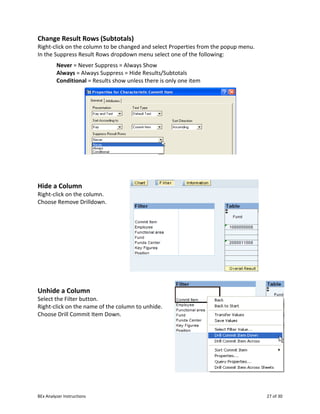
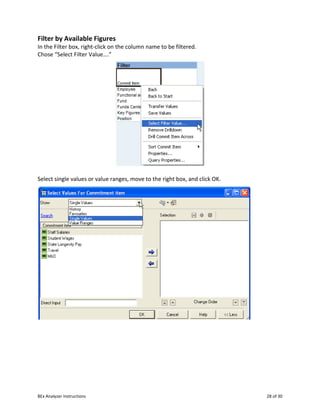
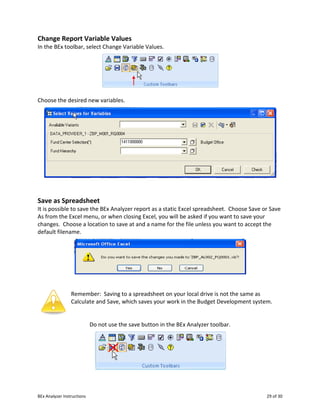


The document provides instructions for using the BEx Analyzer tool in SAP for budget development and reporting. The BEx Analyzer allows account managers, deans, directors, vice presidents, and the budget office to enter and report on budget changes for the upcoming fiscal year. It can also be used for other reporting throughout the fiscal year. The BEx Analyzer runs within Microsoft Excel and requires an SAP user ID and password for access. It provides various reports for viewing current and historical budgets, salaries, and changes made during budget development. Planning workbooks allow entering proposed budget changes and adding comment documents to provide explanations. Proper use of features like calculating, saving, sorting and adding rows is described.


