WebStress Academy

Bill McCormick & Pat McGibbon
Global Summit 2011
WebStress Academy

 • Agenda
    – Introduce the tool
    – Record a script
    – Edit the script
    – Randomization
    – Define a test with more then one or more scripts
    – Execute a benchmark run
    – Validate the run
What is WebStress

 • A utility being shipped as part of the product in 2011
 • A tool that allows for recording http traffic between any client
   and server that supports running thru a proxy
 • Allows for customizing and randomizing the data being
   utilizied from a given recorded base script
 • Can play back multiple recordings simultaneously to simulate
   load and verify results, including performance metrics
Why WebStress?

 • TrakCare performance evaluations required for certain bids
     – Brisbane
     – Edinburgh
 • LoadRunner and other tools for this can be very expensive
 • Managing CSP / Zen based applications requires a few little
   tricks to benchmark correctly
 • Has been used in dozens of benchmarks since 2002
Some core concepts

 • Controller
    – Manages the playback of a test and gathers results
 • Generator
    – Machine that is executing the script and randomization logic
      during playback. Can be same machine as controller
 • WebServer
    – The URL that the application is running over. In the case of a
      Cache system it also allows us to connect to the server
 • App Server
    – The actual database being used by the test under Cache
Continued

 • NoEncrypt Flag
    – Sets the flag that allows benchmark recordings and
      playback to work on CSP / Zen based solutions
 • No Delay
    – For non page content ignore recorded delays
    – js, html, css, jpg etc
 • No Results
    – For non page content ignore results
    – js, html, css, jpg simulates cacheing
Continued

 • Scripts
    – A collection of http requests that from a UI perspective
       represent a “transaction” or “workflow”
 • Tests
    – A collection of scripts that when combined represent a
      “server usage profile”
 • Save Page Source
    – For verification purposes this will loop over a script and
      save the returned page content to a local directory
Recording

 • WebStress has a facility that launches a listener on a defined
   port
 • A browser for example can be configured to use this port as
   a proxy and we capture the output
 • We will offer to set the no encrypt flag for a given cache
   service when the listener is launched
 • The recorder also generates a routine for providing
   randomization logic
 • Exercise 1
Customizing a Script
• Once a recording is completed we can edit it to change settings and
  values or completely randomize data being used
    – Parameters
       • These are name value pairs that were submitted via http
   – Http Headers
       • This is the information your browser added to the http request when it
         was POSTed or GET
   – URLs
       • These are the individual http requests captured. They can be removed
         or manually added

• Exercise 2
Creating a Test

 • Controls the playback of the various scripts
    – Scheduled
    – Start now
    – Run time
    – Warm up / Cool down
    – Using Delays
    – Page Source
Tests Continued

 • Adding Scripts
    – Select a script
    – Choose a Web Server
    – Define the rate
       • Sessions
       • Processes
   – URL Loopback
   – Target
 • Repeat as needed
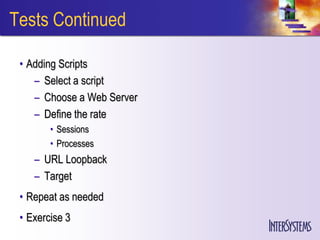
Tests Continued

 • Adding Scripts
    – Select a script
    – Choose a Web Server
    – Define the rate
        • Sessions
        • Processes
    – URL Loopback
    – Target
 • Repeat as needed
 • Exercise 3
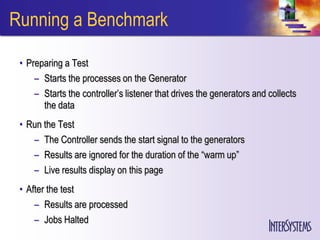
Running a Benchmark

 • Preparing a Test
     – Starts the processes on the Generator
     – Starts the controller’s listener that drives the generators and collects
       the data
 • Run the Test
    – The Controller sends the start signal to the generators
    – Results are ignored for the duration of the “warm up”
    – Live results display on this page
 • After the test
     – Results are processed
     – Jobs Halted
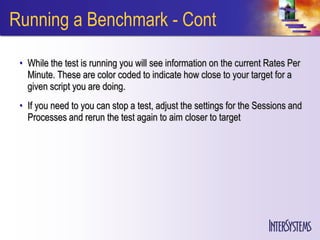
Running a Benchmark - Cont

 • While the test is running you will see information on the current Rates Per
   Minute. These are color coded to indicate how close to your target for a
   given script you are doing.
 • If you need to you can stop a test, adjust the settings for the Sessions and
   Processes and rerun the test again to aim closer to target
Continued

 • Exercise 4
Debug Mode

 • You have the option to run a script and have the returned pages be stored
   to disk. This is very handy for debugging a script and validating that things
   are performing correctly.
 • To do this we specify the Source Directory and the Save Page Source
   options in the test settings.
 • This creates a structure at that location that represents each script, and
   each time we looped thru the URLs
Continued

 • Exercise 5
WebStress Summary

 • Runs on 2011.1
 • Can be used against any http based application
 • Https not supported at this time
 • Keep Alive must be disabled during recording
WebStress Academy

 • Thank you
 • Bill McCormick - bill.mccormick@intersystems.com
 • Pat McGibbon - pat.mcgibbon@intersystems.com
 • Iain Bray - Lead developer
WebStress Academy

Bill McCormick
Global Summit 2011

Benchmarking Performance and Scalability with Web Stress

  • 1.
    WebStress Academy Bill McCormick& Pat McGibbon Global Summit 2011
  • 2.
    WebStress Academy •Agenda – Introduce the tool – Record a script – Edit the script – Randomization – Define a test with more then one or more scripts – Execute a benchmark run – Validate the run
  • 3.
    What is WebStress • A utility being shipped as part of the product in 2011 • A tool that allows for recording http traffic between any client and server that supports running thru a proxy • Allows for customizing and randomizing the data being utilizied from a given recorded base script • Can play back multiple recordings simultaneously to simulate load and verify results, including performance metrics
  • 4.
    Why WebStress? •TrakCare performance evaluations required for certain bids – Brisbane – Edinburgh • LoadRunner and other tools for this can be very expensive • Managing CSP / Zen based applications requires a few little tricks to benchmark correctly • Has been used in dozens of benchmarks since 2002
  • 5.
    Some core concepts • Controller – Manages the playback of a test and gathers results • Generator – Machine that is executing the script and randomization logic during playback. Can be same machine as controller • WebServer – The URL that the application is running over. In the case of a Cache system it also allows us to connect to the server • App Server – The actual database being used by the test under Cache
  • 6.
    Continued • NoEncryptFlag – Sets the flag that allows benchmark recordings and playback to work on CSP / Zen based solutions • No Delay – For non page content ignore recorded delays – js, html, css, jpg etc • No Results – For non page content ignore results – js, html, css, jpg simulates cacheing
  • 7.
    Continued • Scripts – A collection of http requests that from a UI perspective represent a “transaction” or “workflow” • Tests – A collection of scripts that when combined represent a “server usage profile” • Save Page Source – For verification purposes this will loop over a script and save the returned page content to a local directory
  • 8.
    Recording • WebStresshas a facility that launches a listener on a defined port • A browser for example can be configured to use this port as a proxy and we capture the output • We will offer to set the no encrypt flag for a given cache service when the listener is launched • The recorder also generates a routine for providing randomization logic • Exercise 1
  • 9.
    Customizing a Script •Once a recording is completed we can edit it to change settings and values or completely randomize data being used – Parameters • These are name value pairs that were submitted via http – Http Headers • This is the information your browser added to the http request when it was POSTed or GET – URLs • These are the individual http requests captured. They can be removed or manually added • Exercise 2
  • 10.
    Creating a Test • Controls the playback of the various scripts – Scheduled – Start now – Run time – Warm up / Cool down – Using Delays – Page Source
  • 11.
    Tests Continued •Adding Scripts – Select a script – Choose a Web Server – Define the rate • Sessions • Processes – URL Loopback – Target • Repeat as needed
  • 12.
    Tests Continued •Adding Scripts – Select a script – Choose a Web Server – Define the rate • Sessions • Processes – URL Loopback – Target • Repeat as needed • Exercise 3
  • 13.
    Running a Benchmark • Preparing a Test – Starts the processes on the Generator – Starts the controller’s listener that drives the generators and collects the data • Run the Test – The Controller sends the start signal to the generators – Results are ignored for the duration of the “warm up” – Live results display on this page • After the test – Results are processed – Jobs Halted
  • 14.
    Running a Benchmark- Cont • While the test is running you will see information on the current Rates Per Minute. These are color coded to indicate how close to your target for a given script you are doing. • If you need to you can stop a test, adjust the settings for the Sessions and Processes and rerun the test again to aim closer to target
  • 15.
  • 16.
    Debug Mode •You have the option to run a script and have the returned pages be stored to disk. This is very handy for debugging a script and validating that things are performing correctly. • To do this we specify the Source Directory and the Save Page Source options in the test settings. • This creates a structure at that location that represents each script, and each time we looped thru the URLs
  • 17.
  • 18.
    WebStress Summary •Runs on 2011.1 • Can be used against any http based application • Https not supported at this time • Keep Alive must be disabled during recording
  • 19.
    WebStress Academy •Thank you • Bill McCormick - bill.mccormick@intersystems.com • Pat McGibbon - pat.mcgibbon@intersystems.com • Iain Bray - Lead developer
  • 20.