A Vendor Tells You All About
How To Ask About Accessibility
"How can I get there?"
asked Dorothy.
"The road to the City of
Emeralds is paved with
yellow brick," said the
Witch, "so you cannot miss
it. When you get to Oz do
not be afraid of him, but
tell your story and ask him
to help you. Good-bye, my
dear."
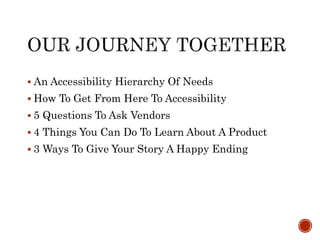
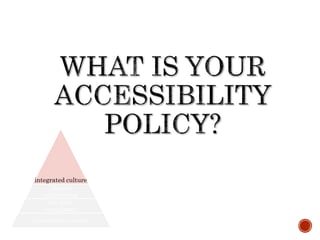
 An Accessibility Hierarchy Of Needs
 How To Get From Here To Accessibility
 5 Questions To Ask Vendors
 4 Things You Can Do To Learn About A Product
 3 Ways To Give Your Story A Happy Ending
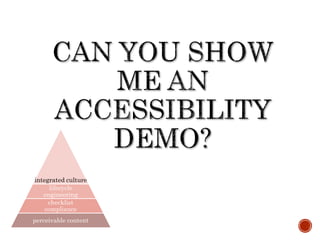
integrated culture
lifecycle
engineering
checklist compliance
perceivable content
How To Get From Here To
Accessibility
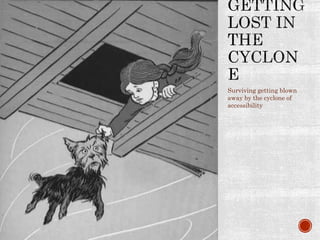
Surviving getting blown
away by the cyclone of
accessibility
HO
W
5 Questions To Ask Vendors About
Their Accessibility
integrated culture
lifecycle
engineering
checklist
compliance
perceivable content
integrated culture
lifecycle
engineering
checklist
compliance
perceivable content
integrated culture
lifecycle
engineering
checklist
compliance
perceivable content
integrated culture
lifecycle
engineering
checklist
compliance
perceivable content
integrated culture
lifecycle
engineering
checklist
compliance
perceivable content
4 Things To Do Yourself To Learn
About A Product’s Accessibility
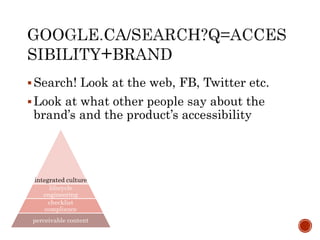
Search! Look at the web, FB, Twitter etc.
Look at what other people say about the
brand’s and the product’s accessibility
integrated culture
lifecycle
engineering
checklist
compliance
perceivable content
integrated culture
lifecycle
engineering
checklist
compliance
perceivable content
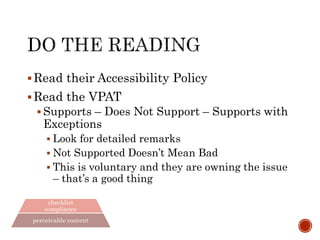
Read their Accessibility Policy
Read the VPAT
 Supports – Does Not Support – Supports with
Exceptions
 Look for detailed remarks
 Not Supported Doesn’t Mean Bad
 This is voluntary and they are owning the issue
– that’s a good thing
integrated culture
lifecycle
engineering
checklist
compliance
perceivable content
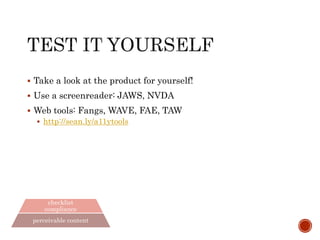
 Take a look at the product for yourself!
 Use a screen reader: JAWS, NVDA
 Web tools: Fangs, WAVE, FAE
 http://sean.ly/a11ytools
 Check the vendor’s website with these tools
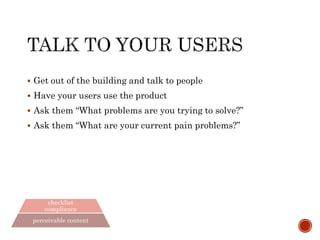
 Get out of the building and talk to people
 Have your users use the product
 Ask them “What problems are you trying to solve?”
 Ask them “What are your current pain points?”
integrated culture
lifecycle
engineering
checklist
compliance
perceivable content
3 Ways To Give Your Accessibility Story A
Happy Ending
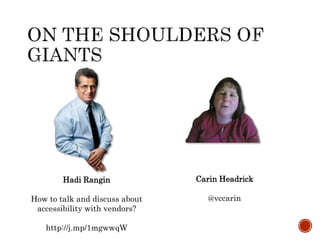
Hadi Rangin
How to talk and discuss about
accessibility with vendors?
http://j.mp/1mgwwqW
Carin Headrick
@vccarin
Sean Yo
@seanyo
me@seanyo.ca
http://seanyo.ca
Get The Slides!
sean.ly/behindTheCurtain

Behind The Curtain: A Vendors Talks About Accessibility

Editor's Notes

  • #2 My name is Sean Yo – I’m a Technical Product Manager at Desire2Learn We’re an on-line learning company based out of Waterloo, Ontario We have over a 1000 clients and more than 13 million users Today’s talk isn’t an official part of our corporate message It’s just a chance for an open and friendly chat about how I personally see things about talking to vendors about accessibility I’ve been involved with web accessibility for about a decade now I sit on the committee for the Accessibility Conference at the University of Guelph I am the founder of A11yCamp Guelph and I’m part of A11yCamp Toronto as well I was technical lead for the team that won the Knowbility Open AIR competition for building an accessible website in 2012 I’ve been on both sides of the sales table talking about accessibility I worked at the U of G for 12 years in central IT and talked with vendors directly and advised colleagues on asking about accessibility At D2L I help answer questions as part of RFPs and in our community about web accessibility There is more to accessibility that the web – but today I will be mostly talking about web accessibility Image Source: http://www.gutenberg.org/files/43936/43936-h/43936-h.htm
  • #3 I am going to talk about how to ask about accessibility when you’re talking with a vendor Asking about accessibility can be hard What if you aren’t an expert Asking about something that’s new to you can be scary No one likes to feel stupid It’s okay for you to ask about Accessibility If you know nothing about it…it’s still okay to ask The vendor works for you. You don’t work for the vendor The vendor needs to impress you. You don’t need to impress the vendor You’re driving the bus  Image Source: http://upload.wikimedia.org/wikipedia/commons/c/cb/Cowardly_lion2.jpg
  • #4 Here are the things I’ll be talking about today: An Accessibility Hierarchy of Needs How To Get From Here To Accessibility 5 Questions To Ask Vendors 4 Things You Can Do To Learn About A Product 3 Things To Give Your Story A Happy Ending Please ask questions as you have them The images and charts in this presentation are primarily decorative This slide deck has a Wizard of Oz theme and uses images from the original publication drawn by W.W. Denslow I will describe anything that is significant in terms of content If there’s anything I can do to accommodate an accessibility issue, please just let me know Any questions or comments before we get started?
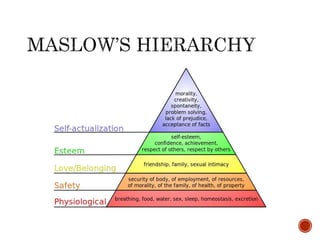
  • #5 Before we get started with talking accessibility with vendors, I’d like to quickly set some context I suspect we’re all familiar with Maslow’s Hierarchy Created by Abraham Maslow in 1943 – it presents a series of 5 needs fundamental to human need This is a hierarchy because each needs is a requirement for the next need Physical, Safety, Love/Belonging, Esteem, Self-Actualization The first 4 are deficiency-needs, meaning if we don’t have them, it causes anxiety or pain If we are able to meet the first 4 needs, then we’re able to seek self-actualization
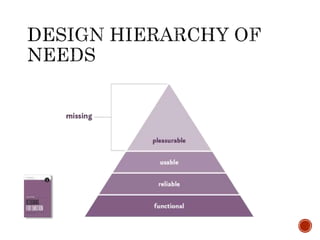
  • #6 Aaron Walters, the lead designer at Mail Chimp, published a Design Hierarchy of Needs in his book “Designing for Emotion” He is extending the idea of Maslow’s Hierarchy to design He presents a series of 4 needs Functional, reliable, usable and pleasurable Like Maslow’s Hierarchy, the lower needs must be met before the higher ones can be met Before we can achieve a pleasurable design, it must be functional, reliable and usable Again we can group “deficiency needs” as the foundation under the highest level Accessibility is, for me, a first-order element of design. I would include accessibility in the “usable” need in this model It is very important to note that if the tool we’re examining isn’t functional, or reliable, or usable, then we have a bigger problem that accessibility If a tool has brilliant accessibility, but doesn’t solve our problem, then it doesn’t matter Before we invest any time or energy in evaluating accessibility, makes sure the tool is functional, reliable and usable Of course, usability includes accessibility – so what do we do once we’re there? Image Sources http://www.yext.com/blog/wp-content/uploads/2013/05/pyramid.png http://www.webdesignersreviewofbooks.com/images/64.gif
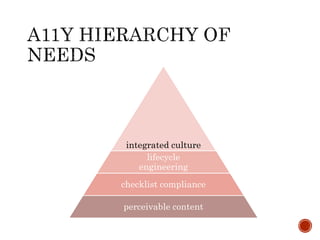
  • #7 We can use this idea of a Hierarchy of Needs in the assessment of accessibility as well Here is an Accessibility Hierarchy of needs which I’ve put together The lowest level, the most fundamental need is that the product provides perceivable content. If the content is opaque – for instance if all the content is images with no text, or it provides only audio feedback then there no remediation can be done. The next level is checklist compliance. If this need is met then the product doesn’t fail on common, industry-standard checklists such as WCAG or Section 508. This doesn’t necessarily mean it is accessible – but it does indicate the work is well formed and conforms to available standards which is a great foundation. The third level is lifecycle engineering. If this need is met, then the vendor has strong engineering practices that take into account accessibility throughout the products lifecycle. This means that accessibility is considered at the design phase and not rushed in place at the end. Strong accessibility practices are used during development, developers have strong skills and experience in accessibility engineering and they are current on industry accessibility practices. Accessibility is always part of product testing. And lastly, they document and support accessibility use of their product, in particular they are prepared to deal with accessibility defect reports. Together , these three comprise the “deficiency needs” of accessibility – without these, users who benefit from accommodation will face challenges. The fourth and top level of the Accessibility Hierarchy of Needs is integrated culture. If this need is met, then the vendor has integrated accessibility as a first-order member of their culture and engineering practices. This means that the have a pervasive and sustained commitment to accessibility. Beyond their requirements of RFP and legislative obligations, they are invested and engaged in accessibility. They are involved in the broader accessibility community, they participate in conferences and meetups, they support community efforts and events. Ideally, they are helping to innovate digital accessibility practices and are sharing them with community, through coding techniques, presentations and so on.
  • #8 Let’s get started on our journey We’ll begin by following the A11y Brick Road Source: http://fc08.deviantart.net/fs71/f/2014/091/2/2/yellow_brick_road_png_clipart_by_clipartcotttage-d7cl1mh.png
  • #9 I don’t want any of us to this of this in an Us & Them context I know that I’m talking about the Wizard of Oz – but it’s just to be cute I’m not really saying that Vendors are behind a curtain trying to trick you I work hard to be awesome and I assume that others are also trying to be awesome This isn’t always the case – sometimes people might try to misrepresent or out right lie about their product That isn’t an Accessibility problem – that’s a relationship and trust problem I’m not going to be giving tips like “How to tell if a vendor is lying about Accessibility” or “3 questions to test if your Vendor REALLY knows about Accessibility” No one’s perfect – small gaps are okay, if you know what the process is and progress is being made Ex – Drupal has lots of accessibility bugs listed in their issue queue. Does this mean that they are lower quality? I don’t think so. I think it means they really care about
  • #10 It can be very hard to talk about accessibility during the procurement process There are lots of factors when choosing a software product Does it do the job? Can we afford it? What’s the cost of exit? How will it work with existing systems? Can we extend or modify? Are there APIs? Does it meet all of our functional requirements? Does it meet our regulatory requirements? Is it meet our accessibility requirements? How can we find our way through this cyclone of needs to make sure we can find our making a good decision about what to buy? We need to start by asking some questions – but we need to be careful to asks the right questions
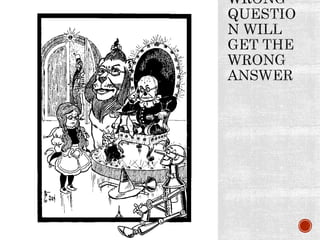
  • #11 I don’t mean “wrong” as in incorrect or inaccurate I mean “wrong” as in not the answer you’re looking for You’ll get the answer you ask for – so make sure you ask the right question  Image Source: http://www.gutenberg.org/files/43936/43936-h/43936-h.htm
  • #12 Is this the right question? This feels like a good question – it’s simple, it will give a simple answer – yes or no. You’ll be able check the box on an RFP or your requirements inventory or you won’t be able to check the box Pro Tip: Accessibility isn’t simple. Just like performance or security or internationalization or usability It is a complex requirement that is all about trade-offs where simple, obvious solutions are not necessarily common This kind of complex requirement will need more than a yes/no question to unravel
  • #13 Now this is the right question. This will lead us down the A11y Brick Road and so we can find what we’re looking for With this, we can now talk about the 5 questions to ask vendors about their accessibility, which are really just different ways of asking this one question So – lets go and see the Wizard!
  • #14 Why would we want to talk to the vendor? Who here has had an awesome experience talking to a vendor about accessibility? Who here has had a terrible experience talking to a vendor about accessibility? This session is all about asking “what can we do to make talking to vendors about accessibility better” Allow me to suggest that talking with the vendor is great for two reasons They are the expert in their product You can learn a lot from how they talk about accessibility. If they are engaged and excited and have good answers they can provide confidently, that’s a great sign. If they avoid the topic and provide vague answers or seem to not really understand the question, that’s a fair warning sign Remember, all 5 questions I’m going to tell you about are just asking One Question How is your product accessible These questions help get at important specifics Frames the conversation with specifics and puts focus on the answers you need These questions will help you get to the people who have the answers – instead of a sales rep that may not know these things
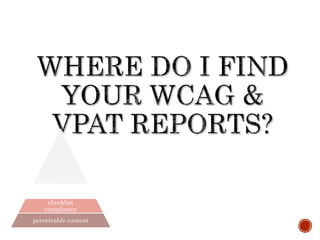
  • #15 What this question is doing is looking into that first and second levels on the Hierarchy of Accessibility needs That’s Perceivable Content and Checklist Compliance WCAG is an acronym for Web Content Authoring Guidelines and is provided by the W3C, the international standards body responsible for maintaining technical standards for the Web VPAT is an acronym for Voluntary Product Accessibility Template and is provided by the US Department of State for Section 508 compliance. Good Signs What I look for here is that WCAG compliance reports and VPAT reports are publically available for you to download. I also expect them to be reasonably up to date. If the product has several in-market versions, then they should each have reports Warning Signs They don’t know what you’re talking about – this is a serious warning sign This information needs to be requested This information is out of date
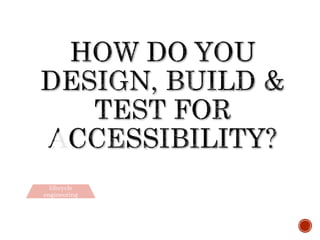
  • #16 So I know I said 5 questions…and this looks like 3 questions…but I’m going to count it as 1  What this question is doing is looking into third level on the Hierarchy of Accessibility needs: lifecycle engineering The answer to this question should give you some great insight into how their accessibility engineering practices Good Signs Accessibility is part of their design process They have strong accessibility development skills – their devs have lots of experience in building accessible software They have a clear and standard test strategy for accessibility. Failing an accessibility test is a show-stopper that can prevent their work from shipping Warning Signs They don’t include accessibility during the design of their product Their engineers aren’t familiar with accessibility or they outsource the work. Outsourcing can be okay – but I’d ask more questions about it, like – who did the work, was their any training involved, are they planning on outsourcing accessibility work in the future? They don’t test, or don’t always test for accessibility. Accessibility is treated as a “nice-to-have” not a “need to have”.
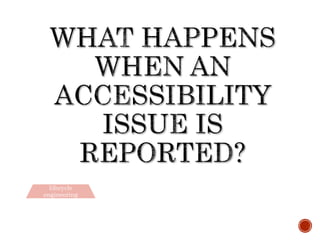
  • #17 This question also looks into the third level on the Hierarchy of Accessibility needs: lifecycle engineering Accessibility isn’t a fire and forget affair. Accessibility is never “done” – as time passes new issues will emerge either through unexpected software behaviour, unexpected user behaviour or changes in technology Understanding what a vendor will do when one of your users encounters an accessibility issue is just as important as their product being accessible today. Because if their product is accessible today, but won’t be tomorrow – that’s pretty much the same things as not being accessible at all Good Signs Accessibility issues are treated like any other defect – verified and prioritized That doesn’t mean it will get fixed – managing defects is very challenging and needs to serve a large and diverse audience Warning Signs No policy for how to deal with an Accessibility issue A special process that is different, and lower priority, than other kinds of defects
  • #18 What this question is doing is looking into fourth and highest level on the Hierarchy of Accessibility needs: integrated culture This doesn’t have to be an official “Accessibility Policy” document that is long and hard to read. I’d look for something that provides a clear, written statement of their position on accessibility. This like to be filled with lots of love for accessibility – no one’s going to write an accessibility policy about how much they hate accessibility and how it’s a waste of time  Good Signs There is a clear, written statement about the role of accessibility at the company. Ideally this is publically available It talks about follow standards like WCAG, 508, ARIA, and local standards such as AODA perhaps They use strong language about adherence and commitment to industry standards and principles. It refers to resources such as an accessibility guide for the use of their products Warning Signs They don’t have anything that talks about the role of accessibility at their company They don’t refer to common standards or principles Their policy is more interested in legal obligations and compliance then helping people do stuff with their software They shy away from taking responsibility for accessibility and shift that to the user or to their clients
  • #19 What this question is doing is looking every part of the Hierarchy of Accessibility needs This is where all the other questions come together and you get to see if the vendor can walk the walk. You’re looking for their comfort at the request and in the demonstration itself You know your users, but I suspect key things to look for are Keyboard navigation and interaction Use of a screen reader (JAWS, NVDA or VoiceOver) Accessibility features, such as use of ARIA, skip navigation, off-screen positioning, alt-text, captioning of video and sufficient contrast Review of content without stylesheets Long ago, I’d want to see things work without javascript – but that’s no longer necessary. We <3 JS. Ideally, include users from your community you use Assistive Technology or other accomodations. Good Signs They refer directly, or just demonstrate, they accommodate the W3C POUR standard Perceivable, Operable, Understandable and Robust They are comfortable and familiar with the accessibility features of their product during the demo The product works well throughout the demo They are able to talk clearly about how their engineering team and corporate culture support accessibility Warning Signs They are anxious or surprised by the request of an accessibility demo They are nervous and unfamiliar with the accessibility features of their product during the demo They encounter repeated problems with accessibility during the demo I’d be generous here – live demos are brutal and always have way more problems than when no one is watching 
  • #20  As I mentioned, this session is all about asking “what can we do to make talking to vendors about accessibility better” Asking questions and having a conversation with the vendor is one way to do that This section is things you can do on your own to make the experience of dealing with product accessibility better for you So here are 4 things you can do yourself to learn about a product’s accessibility
  • #21 This looks at all 4 levels of Hierarchy of Accessibility Needs: perceivable content, checklist compliance, lifecycle engineering & integrated culture.
  • #22 This looks at the bottom 2 levels of Hierarchy of Accessibility Needs: perceivable content & checklist compliance. VPATs aren’t exactly easy reads, and they’re only as valuable as their authors make them. Here are a few things to look out for  Accessibility isn’t black and white, so why should a VPAT be? There’s nothing worse than seeing a long list of “supports” or “does not support” without any explanation. Actually, there is a large column of “supports with exceptions”. And what would those be? If you see a lot of those, it’s probably good to ask some more questions. Detailed remarks explaining whether something is supported or not is a great sign. It means the company is thorough, and takes accessibility seriously. Finally, just because they say something may not be supported in the best way isn’t necessarily a bad thing. It  means they know it’s a problem, and are being honest. If it’s possible to fix, hopefully they’re planning to fix it. If they’re good, they love taking exceptions *out* of their VPAT! Thanks to Carin Hendrick for her helpful thoughts on this
  • #23 This looks at the bottom 2 levels of Hierarchy of Accessibility Needs: perceivable content & checklist compliance.
  • #24 This looks at the bottom 2 levels of Hierarchy of Accessibility Needs: perceivable content & checklist compliance. An important observation that the things we can do ourselves sit on the outside of the product engineering process. That means we mostly get to explore the bottom two levels of the Hierarchy. In part, this is why talking with the vendor is so important.
  • #25 https://www.flickr.com/photos/smalltownmommy/4368729625/sizes/o/
  • #26  For me the core of accessibility is empathy To be successful at making your site accessible, you need to be able to imagine what it’s like to be someone else Accessibility is about people, not checklists Talk to your users, validate your personas, imagine using the web differently – without a mouse, with text zoom, with no colours…. http://www.globalaccessibilityawarenessday.org/participate.html Image Source: http://farm5.static.flickr.com/4110/4966923063_199f2cec37.jpg
  • #27 Do your research Do the reading Learn what you can about Accessibility Not everyone wants to be an expert Maybe you’ll become expert…maybe not You can still learn more than you know today – because you’re awesome and this is important stuff Image Source: http://media-cache-ak0.pinimg.com/236x/82/83/b2/8283b2d37347d3a92ff74e73e93397b5.jpg
  • #28 This might be the most important thing you can do – be brave and ask your questions It’s okay to ask a question, even if you’re not an expert There’s really no such thing as an expert…everyone has so much more to learn. There are people who know more than you, just like there are lots of people who know more than me The whole purpose of buying software is to make your life better…to solve a problem for you and your users Being accessible is part of that You get to ask as many questions as you need to until you have the information you need to make a decision Be Courageous! You can do it!
  • #29 The key lesson of the Wizard of Oz, is that we each already have what we need to be successful We don’t need to go to some powerful person and humbly ask that they give us the gift of brains, heart or courage – or the ability to be in control of our own story I hope you can see that you have what you need, right now, to talk about accessibility with vendors and be successful. https://www.flickr.com/photos/30003321@N00/1215055598/sizes/o/
  • #30 A huge thank you to Hari Rangin and Carin Headrick They are both awesome people and do great work in the accessibility space This talk was inspired by a blog post by Hadi – http://j.mp/1mgwwqW Carin, my friend and colleague, provide all kinds of support and help, especially sharing advice on reading VPATs. Image Sources: http://news.illinois.edu/ii/11/0407/cape.html https://pbs.twimg.com/profile_images/1155674050/Carinhead.jpg