Re-making a Classic in VR
Chris Zaharia
@chrisjz
#SydVR
Project
• Engine - Unity 3D (v4.5)
• View + head tracking - Oculus Rift DK1
• Hand tracking - Razer Hydra
• C# Language
• Re-create game up to first mission in
first world
To Do
• Integrate Rift with player
• Integrate Razer Hydra with player’s
hands
• Player avatar
• Player movement
• Hand interaction with objects
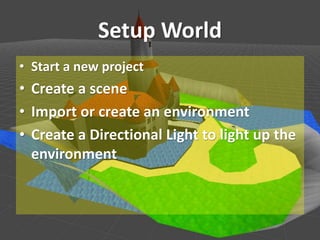
Setup World
• Start a new project
• Create a scene
• Import or create an environment
• Create a Directional Light to light up the
environment
Create Player & Integrate Rift
• Create a GameObject called Player
• Attach the component Character Controller
• Attach the scripts Character Motor and FPSInput
Controller
• Attach OVRCameraController prefab as child of
Player GameObject
• In script FPSInput Controller set “Ovr Camera”
variable as CameraRight
• Drag OVRCameraController behind player
FPSInputController.cs
using UnityEngine;
using System.Collections;
// Require a character controller to be attached to the same game object
[RequireComponent(typeof(CharacterMotor))]
[AddComponentMenu("Character/FPS Input Controller")]
public class FPSInputController : MonoBehaviour {
public GameObject ovrCamera;
private CharacterMotor motor;
private bool inputEnabled; // If input is enabled/disabled
// Use this for initialization
void Awake (){
motor = GetComponent<CharacterMotor>();
}
void Start() {
inputEnabled = true;
}
FPSInputController.cs (2)
// Update is called once per frame
void Update (){
// Get the input vector from keyboard or analog stick
Vector3 directionVector= new Vector3(Input.GetAxis("Horizontal"), 0, Input.GetAxis("Vertical"));
motor.inputJump = Input.GetButton ("Jump");
// Play jumping audio clips
if (initialJumpAudioClips.Length > 0 && motor.inputJump && motor.grounded && !audio.isPlaying) {
audio.clip = initialJumpAudioClips[Random.Range(0, initialJumpAudioClips.Length)];
audio.Play();
}
if (directionVector != Vector3.zero) {
// Get the length of the directon vector and then normalize it
// Dividing by the length is cheaper than normalizing when we already have the length anyway
float directionLength= directionVector.magnitude;
directionVector = directionVector / directionLength;
FPSInputController.cs (3)
// Make sure the length is no bigger than 1
directionLength = Mathf.Min(1, directionLength);
// Make the input vector more sensitive towards the extremes and less sensitive in the middle
// This makes it easier to control slow speeds when using analog sticks
directionLength = directionLength * directionLength;
// Multiply the normalized direction vector by the modified length
directionVector = directionVector * directionLength;
}
// Apply the direction to the CharacterMotor
motor.inputMoveDirection = ovrCamera.transform.rotation * directionVector;
}
public void SetInputEnabled (bool status) {
inputEnabled = status;
}
}
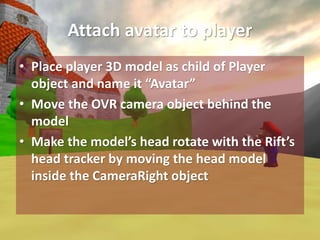
Attach avatar to player
• Place player 3D model as child of Player
object and name it “Avatar”
• Move the OVR camera object behind the
model
• Make the model’s head rotate with the Rift’s
head tracker by moving the head model
inside the CameraRight object
Hydra Integration for Hands
• Import Sixense Unity plugin for Razer
integration
• Create GameObject “Hands” as child of
OVRCameraController
• Place SixenseInput prefab as child of
OVRCamera Controller
Hydra Integration for Hands
• Create GameObjects “Left Hand” + “Right
Hand” as children of “Hands”
• Place the player’s hand models within each
of those 2 hand objects respectively
• Attach script SixenseHandController to each
hand GameObject
• Set the “Hand” variable to either LEFT or
RIGHT, as appropriate
Control Player using Hydra
• Modify FPSInputController script to map
Hydra’s left joystick and a button to moving
and jumping
• Create PlayerLook script in project to handle
looking in environment
• Create HydraLook script to map Hydra’s right
joystick to looking, inheriting PlayerLook
class in its script
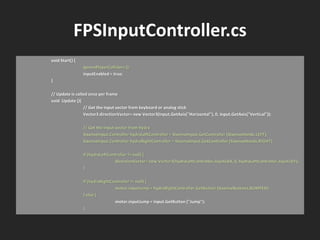
FPSInputController.cs
void Start() {
IgnorePlayerColliders ();
inputEnabled = true;
}
// Update is called once per frame
void Update (){
// Get the input vector from keyboard or analog stick
Vector3 directionVector= new Vector3(Input.GetAxis("Horizontal"), 0, Input.GetAxis("Vertical"));
// Get the input vector from hydra
SixenseInput.Controller hydraLeftController = SixenseInput.GetController (SixenseHands.LEFT);
SixenseInput.Controller hydraRightController = SixenseInput.GetController (SixenseHands.RIGHT);
if (hydraLeftController != null) {
directionVector= new Vector3(hydraLeftController.JoystickX, 0, hydraLeftController.JoystickY);
}
if (hydraRightController != null) {
motor.inputJump = hydraRightController.GetButton (SixenseButtons.BUMPER);
} else {
motor.inputJump = Input.GetButton ("Jump");
}
FPSInputController.cs (2)
…
}
…
// Prevent colliders on player from colliding with each other i.e. hand colliders with body collider
void IgnorePlayerColliders () {
Collider[] cols = GetComponentsInChildren<Collider>();
foreach (Collider col in cols) {
if (col != collider) {
Physics.IgnoreCollision(col, collider);
}
}
}
}
PlayerLook.cs
using UnityEngine;
using System.Collections;
/// PlayerLook rotates the transform based on the input device's delta.
/// Minimum and Maximum values can be used to constrain the possible rotation.
/// Based on Unity's MouseLook script.
[AddComponentMenu("Camera-Control/Player Look")]
public class PlayerLook : MonoBehaviour {
public enum RotationAxes { XAndY = 0, X = 1, Y = 2 }
public RotationAxes axes = RotationAxes.XAndY;
public float sensitivityX = 15F;
public float sensitivityY = 15F;
public float minimumX = -360F;
public float maximumX = 360F;
public float minimumY = -60F;
public float maximumY = 60F;
protected float rotationY = 0F;
PlayerLook.cs (2)
protected float axisX, axisY;
void Start () {
// Make the rigid body not change rotation
if (rigidbody)
rigidbody.freezeRotation = true;
}
protected virtual void Update () {
if (axes == RotationAxes.XAndY)
{
float rotationX = transform.localEulerAngles.y + axisX * sensitivityX;
rotationY += axisY * sensitivityY;
rotationY = Mathf.Clamp (rotationY, minimumY, maximumY);
transform.localEulerAngles = new Vector3(-rotationY, rotationX, 0);
}
else if (axes == RotationAxes.X)
{
transform.Rotate(0, axisX * sensitivityX, 0);
}
PlayerLook.cs (3)
else
{
rotationY += axisY * sensitivityY;
rotationY = Mathf.Clamp (rotationY, minimumY, maximumY);
transform.localEulerAngles = new Vector3(-rotationY, transform.localEulerAngles.y, 0);
}
}
}
HydraLook.cs
using UnityEngine;
using System.Collections;
public class HydraLook : PlayerLook {
protected override void Update () {
// Get the input vector from hydra
SixenseInput.Controller hydraRightController = SixenseInput.GetController (SixenseHands.RIGHT);
if (hydraRightController != null) {
axisX = hydraRightController.JoystickX;
axisY = hydraRightController.JoystickY;
}
base.Update ();
}
}
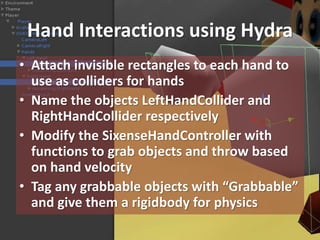
Hand Interactions using Hydra
• Attach invisible rectangles to each hand to
use as colliders for hands
• Name the objects LeftHandCollider and
RightHandCollider respectively
• Modify the SixenseHandController with
functions to grab objects and throw based
on hand velocity
• Tag any grabbable objects with “Grabbable”
and give them a rigidbody for physics
SixenseHandController.cs
public class SixenseHandController : SixenseObjectController
{
public float minGrabDistance = 1.0f;
// Grabbable object must be within this distance from hand colliders to be picked up
public float throwForce = 30.0f;
// Force multiplyer for throwing objects
private bool isHoldingObject = false;
private GameObject closestObject = null;
private GrabObject grabObject;
// Script attached to grabbed object with grappling data on that object
private float handVelocity;
private Vector3 handVector;
private Vector3 handPrevious;
…
SixenseHandController.cs (2)
protected override void UpdateObject( SixenseInput.Controller controller )
{
…
if ( controller.Enabled )
{
// Animation update
UpdateAnimationInput( controller );
// Action update
UpdateActionInput ( controller );
}
base.UpdateObject(controller);
}
…
SixenseHandController.cs (3)
protected void UpdateActionInput( SixenseInput.Controller controller) {
Vector3 currentPosition = new Vector3();
Quaternion currentRotation = new Quaternion();
Velocity();
if (isHoldingObject && !controller.GetButton(SixenseButtons.TRIGGER)) {
Throw();
isHoldingObject = false;
}
if (Hand == SixenseHands.LEFT) {
currentPosition = GameObject.Find("LeftHandCollider").transform.position;
currentRotation = GameObject.Find("LeftHandCollider").transform.rotation;
}
if (Hand == SixenseHands.RIGHT) {
currentPosition = GameObject.Find("RightHandCollider").transform.position;
currentRotation = GameObject.Find("RightHandCollider").transform.rotation;
}
SixenseHandController.cs (4)
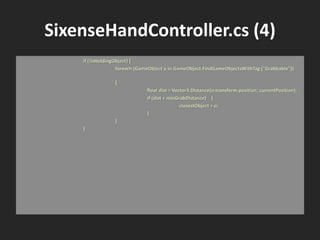
if (!isHoldingObject) {
foreach (GameObject o in GameObject.FindGameObjectsWithTag ("Grabbable"))
{
float dist = Vector3.Distance(o.transform.position, currentPosition);
if (dist < minGrabDistance) {
closestObject = o;
}
}
}
SixenseHandController.cs (5)
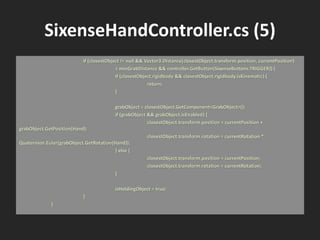
if (closestObject != null && Vector3.Distance(closestObject.transform.position, currentPosition)
< minGrabDistance && controller.GetButton(SixenseButtons.TRIGGER)) {
if (closestObject.rigidbody && closestObject.rigidbody.isKinematic) {
return;
}
grabObject = closestObject.GetComponent<GrabObject>();
if (grabObject && grabObject.isEnabled) {
closestObject.transform.position = currentPosition +
grabObject.GetPosition(Hand);
closestObject.transform.rotation = currentRotation *
Quaternion.Euler(grabObject.GetRotation(Hand));
} else {
closestObject.transform.position = currentPosition;
closestObject.transform.rotation = currentRotation;
}
isHoldingObject = true;
}
}
SixenseHandController.cs (6)
// Calculate velocity of hand
protected void Velocity () {
if (Time.deltaTime != 0)
{
handVector = (transform.position - handPrevious) / Time.deltaTime;
handPrevious = transform.position;
}
handVelocity = Vector3.Magnitude(handVector);
}
// Throw the held object once player lets go based on hand velocity
protected void Throw () {
if (closestObject.rigidbody) {
Vector3 dir = (closestObject.transform.position - transform.position).normalized;
closestObject.rigidbody.AddForce(dir * handVelocity * throwForce);
}
}
Next
• Presentation slides will be up online
• Project will be open sourced once beta is
completed
• YouTube video showing a play through
Future
• Integrate alternative and supporting devices
i.e. STEM, Leap Motion, MYO, Omni +
• Re-make further (complete?)
• Boilerplate?
• Re-create other classics (Super Smash Bros?)
Basic VR Development Tutorial Integrating Oculus Rift and Razer Hydra

Basic VR Development Tutorial Integrating Oculus Rift and Razer Hydra

  • 1.
    Re-making a Classicin VR Chris Zaharia @chrisjz #SydVR
  • 2.
    Project • Engine -Unity 3D (v4.5) • View + head tracking - Oculus Rift DK1 • Hand tracking - Razer Hydra • C# Language • Re-create game up to first mission in first world
  • 3.
    To Do • IntegrateRift with player • Integrate Razer Hydra with player’s hands • Player avatar • Player movement • Hand interaction with objects
  • 4.
    Setup World • Starta new project • Create a scene • Import or create an environment • Create a Directional Light to light up the environment
  • 5.
    Create Player &Integrate Rift • Create a GameObject called Player • Attach the component Character Controller • Attach the scripts Character Motor and FPSInput Controller • Attach OVRCameraController prefab as child of Player GameObject • In script FPSInput Controller set “Ovr Camera” variable as CameraRight • Drag OVRCameraController behind player
  • 6.
    FPSInputController.cs using UnityEngine; using System.Collections; //Require a character controller to be attached to the same game object [RequireComponent(typeof(CharacterMotor))] [AddComponentMenu("Character/FPS Input Controller")] public class FPSInputController : MonoBehaviour { public GameObject ovrCamera; private CharacterMotor motor; private bool inputEnabled; // If input is enabled/disabled // Use this for initialization void Awake (){ motor = GetComponent<CharacterMotor>(); } void Start() { inputEnabled = true; }
  • 7.
    FPSInputController.cs (2) // Updateis called once per frame void Update (){ // Get the input vector from keyboard or analog stick Vector3 directionVector= new Vector3(Input.GetAxis("Horizontal"), 0, Input.GetAxis("Vertical")); motor.inputJump = Input.GetButton ("Jump"); // Play jumping audio clips if (initialJumpAudioClips.Length > 0 && motor.inputJump && motor.grounded && !audio.isPlaying) { audio.clip = initialJumpAudioClips[Random.Range(0, initialJumpAudioClips.Length)]; audio.Play(); } if (directionVector != Vector3.zero) { // Get the length of the directon vector and then normalize it // Dividing by the length is cheaper than normalizing when we already have the length anyway float directionLength= directionVector.magnitude; directionVector = directionVector / directionLength;
  • 8.
    FPSInputController.cs (3) // Makesure the length is no bigger than 1 directionLength = Mathf.Min(1, directionLength); // Make the input vector more sensitive towards the extremes and less sensitive in the middle // This makes it easier to control slow speeds when using analog sticks directionLength = directionLength * directionLength; // Multiply the normalized direction vector by the modified length directionVector = directionVector * directionLength; } // Apply the direction to the CharacterMotor motor.inputMoveDirection = ovrCamera.transform.rotation * directionVector; } public void SetInputEnabled (bool status) { inputEnabled = status; } }
  • 9.
    Attach avatar toplayer • Place player 3D model as child of Player object and name it “Avatar” • Move the OVR camera object behind the model • Make the model’s head rotate with the Rift’s head tracker by moving the head model inside the CameraRight object
  • 10.
    Hydra Integration forHands • Import Sixense Unity plugin for Razer integration • Create GameObject “Hands” as child of OVRCameraController • Place SixenseInput prefab as child of OVRCamera Controller
  • 11.
    Hydra Integration forHands • Create GameObjects “Left Hand” + “Right Hand” as children of “Hands” • Place the player’s hand models within each of those 2 hand objects respectively • Attach script SixenseHandController to each hand GameObject • Set the “Hand” variable to either LEFT or RIGHT, as appropriate
  • 12.
    Control Player usingHydra • Modify FPSInputController script to map Hydra’s left joystick and a button to moving and jumping • Create PlayerLook script in project to handle looking in environment • Create HydraLook script to map Hydra’s right joystick to looking, inheriting PlayerLook class in its script
  • 13.
    FPSInputController.cs void Start() { IgnorePlayerColliders(); inputEnabled = true; } // Update is called once per frame void Update (){ // Get the input vector from keyboard or analog stick Vector3 directionVector= new Vector3(Input.GetAxis("Horizontal"), 0, Input.GetAxis("Vertical")); // Get the input vector from hydra SixenseInput.Controller hydraLeftController = SixenseInput.GetController (SixenseHands.LEFT); SixenseInput.Controller hydraRightController = SixenseInput.GetController (SixenseHands.RIGHT); if (hydraLeftController != null) { directionVector= new Vector3(hydraLeftController.JoystickX, 0, hydraLeftController.JoystickY); } if (hydraRightController != null) { motor.inputJump = hydraRightController.GetButton (SixenseButtons.BUMPER); } else { motor.inputJump = Input.GetButton ("Jump"); }
  • 14.
    FPSInputController.cs (2) … } … // Preventcolliders on player from colliding with each other i.e. hand colliders with body collider void IgnorePlayerColliders () { Collider[] cols = GetComponentsInChildren<Collider>(); foreach (Collider col in cols) { if (col != collider) { Physics.IgnoreCollision(col, collider); } } } }
  • 15.
    PlayerLook.cs using UnityEngine; using System.Collections; ///PlayerLook rotates the transform based on the input device's delta. /// Minimum and Maximum values can be used to constrain the possible rotation. /// Based on Unity's MouseLook script. [AddComponentMenu("Camera-Control/Player Look")] public class PlayerLook : MonoBehaviour { public enum RotationAxes { XAndY = 0, X = 1, Y = 2 } public RotationAxes axes = RotationAxes.XAndY; public float sensitivityX = 15F; public float sensitivityY = 15F; public float minimumX = -360F; public float maximumX = 360F; public float minimumY = -60F; public float maximumY = 60F; protected float rotationY = 0F;
  • 16.
    PlayerLook.cs (2) protected floataxisX, axisY; void Start () { // Make the rigid body not change rotation if (rigidbody) rigidbody.freezeRotation = true; } protected virtual void Update () { if (axes == RotationAxes.XAndY) { float rotationX = transform.localEulerAngles.y + axisX * sensitivityX; rotationY += axisY * sensitivityY; rotationY = Mathf.Clamp (rotationY, minimumY, maximumY); transform.localEulerAngles = new Vector3(-rotationY, rotationX, 0); } else if (axes == RotationAxes.X) { transform.Rotate(0, axisX * sensitivityX, 0); }
  • 17.
    PlayerLook.cs (3) else { rotationY +=axisY * sensitivityY; rotationY = Mathf.Clamp (rotationY, minimumY, maximumY); transform.localEulerAngles = new Vector3(-rotationY, transform.localEulerAngles.y, 0); } } }
  • 18.
    HydraLook.cs using UnityEngine; using System.Collections; publicclass HydraLook : PlayerLook { protected override void Update () { // Get the input vector from hydra SixenseInput.Controller hydraRightController = SixenseInput.GetController (SixenseHands.RIGHT); if (hydraRightController != null) { axisX = hydraRightController.JoystickX; axisY = hydraRightController.JoystickY; } base.Update (); } }
  • 19.
    Hand Interactions usingHydra • Attach invisible rectangles to each hand to use as colliders for hands • Name the objects LeftHandCollider and RightHandCollider respectively • Modify the SixenseHandController with functions to grab objects and throw based on hand velocity • Tag any grabbable objects with “Grabbable” and give them a rigidbody for physics
  • 20.
    SixenseHandController.cs public class SixenseHandController: SixenseObjectController { public float minGrabDistance = 1.0f; // Grabbable object must be within this distance from hand colliders to be picked up public float throwForce = 30.0f; // Force multiplyer for throwing objects private bool isHoldingObject = false; private GameObject closestObject = null; private GrabObject grabObject; // Script attached to grabbed object with grappling data on that object private float handVelocity; private Vector3 handVector; private Vector3 handPrevious; …
  • 21.
    SixenseHandController.cs (2) protected overridevoid UpdateObject( SixenseInput.Controller controller ) { … if ( controller.Enabled ) { // Animation update UpdateAnimationInput( controller ); // Action update UpdateActionInput ( controller ); } base.UpdateObject(controller); } …
  • 22.
    SixenseHandController.cs (3) protected voidUpdateActionInput( SixenseInput.Controller controller) { Vector3 currentPosition = new Vector3(); Quaternion currentRotation = new Quaternion(); Velocity(); if (isHoldingObject && !controller.GetButton(SixenseButtons.TRIGGER)) { Throw(); isHoldingObject = false; } if (Hand == SixenseHands.LEFT) { currentPosition = GameObject.Find("LeftHandCollider").transform.position; currentRotation = GameObject.Find("LeftHandCollider").transform.rotation; } if (Hand == SixenseHands.RIGHT) { currentPosition = GameObject.Find("RightHandCollider").transform.position; currentRotation = GameObject.Find("RightHandCollider").transform.rotation; }
  • 23.
    SixenseHandController.cs (4) if (!isHoldingObject){ foreach (GameObject o in GameObject.FindGameObjectsWithTag ("Grabbable")) { float dist = Vector3.Distance(o.transform.position, currentPosition); if (dist < minGrabDistance) { closestObject = o; } } }
  • 24.
    SixenseHandController.cs (5) if (closestObject!= null && Vector3.Distance(closestObject.transform.position, currentPosition) < minGrabDistance && controller.GetButton(SixenseButtons.TRIGGER)) { if (closestObject.rigidbody && closestObject.rigidbody.isKinematic) { return; } grabObject = closestObject.GetComponent<GrabObject>(); if (grabObject && grabObject.isEnabled) { closestObject.transform.position = currentPosition + grabObject.GetPosition(Hand); closestObject.transform.rotation = currentRotation * Quaternion.Euler(grabObject.GetRotation(Hand)); } else { closestObject.transform.position = currentPosition; closestObject.transform.rotation = currentRotation; } isHoldingObject = true; } }
  • 25.
    SixenseHandController.cs (6) // Calculatevelocity of hand protected void Velocity () { if (Time.deltaTime != 0) { handVector = (transform.position - handPrevious) / Time.deltaTime; handPrevious = transform.position; } handVelocity = Vector3.Magnitude(handVector); } // Throw the held object once player lets go based on hand velocity protected void Throw () { if (closestObject.rigidbody) { Vector3 dir = (closestObject.transform.position - transform.position).normalized; closestObject.rigidbody.AddForce(dir * handVelocity * throwForce); } }
  • 26.
    Next • Presentation slideswill be up online • Project will be open sourced once beta is completed • YouTube video showing a play through
  • 27.
    Future • Integrate alternativeand supporting devices i.e. STEM, Leap Motion, MYO, Omni + • Re-make further (complete?) • Boilerplate? • Re-create other classics (Super Smash Bros?)

Editor's Notes

  • #4 Will skip a few basic things such as: Setting up the project Importing the environment
  • #5 Create a new scene Drag 3D model of castle into project Drag castle onto scene Create a directional light and rotate to point directly down. Toolbar: GameObject > Create Other > Directional Light
  • #6 Create empty gameobject for player called player Attach the following components/scripts to player: Character Controller Character Motor FPSInput Controller Attach an OVRCameraController prefab as a child of player Set CameraRight for variable Ovr Camera in script FPSInput Controller Drag OVRCameraController behind player in the scene Additional Steps: 1. Set player object’s tag as Player
  • #10 Drag the player’s model, in our case Mario, onto the scene as a child of the Player object Place the model a tiny bit behind the camera. Rename the model to “Avatar” Move the player’s head model (named mixamorig:Head) inside the CameraRight object so that the player’s head moves along with the camera movement, separate from the body’s movements. Additional notes: - You will need to play around with the model’s positioning until you get him placed just right. You’ll probably need to play around with OVRCameraController’s settings too to improve the player’s view. - You can automatically rig a skeleton to a humanoid model at mixamo.com for free: https://www.mixamo.com/upload_character
  • #11 Sixense has developed a plugin for Unity to integrate the Razer Hydra for hand tracking. You will need to import this plugin into your project. Create a gameObject called “Hands” as a child of OVRCameraController. Place the SixenseInput prefab as a child of OVRCameraControler.
  • #12 Within the Hands object, create 2 objects called “Left Hand” and “Right Hand”. Within those objects place the player model’s left hand and right hand models. Attach the script SixenseHandController to each of the hand objects (Left Hand and Right Hand, not the actual 3D models of hands). Set the “Hand” variable in each of those scripts to the corresponding hand i.e. left or right. Additional Information: You can download the free Sixense Unity plugin here: http://u3d.as/content/sixense-studios/sixense-unity-plugin/4pA
  • #13 Modify the script FPSInputController.cs to map Hydra’s left joystick and one button to player’s actions, such as moving and jumping. Create and add the PlayerLook script into the project. Create a script called HydraLook which will map the Hydra’s right joystick to looking around the environment. In our case we will use the joystick only on the X (horizontal) axis, so the player can rotate on the spot since the Oculus will be used to look around vertically and horizontally. Note that the HydraLook script inherits from the PlayerLook script, basically so that the Hydra script can call functions from it’s parent script (PlayerLook).
  • #14 The green lines are new lines of code to add to this existing script.
  • #15 Triple dots, i.e. “…”, means that there’s existing code between those lines but are not included in this slide to keep the slide brief.
  • #16 Unity has a basic script where user can use mouse to look around in first person. Script is called MouseLook. This script, PlayerLook, is a rewrite of the MouseLook script to be more generic so it can handle other devices for looking around such as the Hydra.
  • #19 HydraLook script lets the user use the right joystick to look around the environment It inherits the PlayLook script meaning that you don’t have to re-code a lot of the same functionality to look around plus you can also use other input devices that inherit PlayLook’s main functionality and thus you only need to use fewer lines of code to only map the device to looking functions.
  • #20 First, we need to create colliders for each of the player’s hands, so that they can be used to grab other objects and also prevent the hands from clipping through walls, as in not go through walls and other objects. Use a cube object and re-shape them as rectangles and place on each hand. (In more advanced hand models you would do so for the hand, each finders and probably other parts of the model too) Name each collider LeftHandCollider and RightHandCollider respectively. They must be placed under “Left Hand” and “Right Hand” objects. Un-tick the “Mesh Renderer” attribute of each so that they are not visible. Modify the SixenseHandController script with functions to grab objects and throw them based on the hand’s velocity. Create or add any object on the scene, like a cube, and create a RigidBody component for it so that it has physics. Tag this object with a new tag called “Grabbable” so that the hand script knows that the hands can pick this object up. Ending notes Additional things to do would include animations for walking and other actions, as well as sound effects Player would normally have health and take damage from enemies Take into consideration that you may need to develop other features such as handle swapping avatars and enabling multiple players.
  • #27 People will be able to use the code in their own projects and even contribute to the project if they’d like! Will share links to the playable version, source code repository and YouTube video once it is done. ETA June/July.
  • #28 Integrate other hardware in future as alternatives to using Rift and Hydra or even enable other aspects of VR like body tracking, leg tracking etc. Could be a boilerplate to help others start VR projects easier.