Web Server
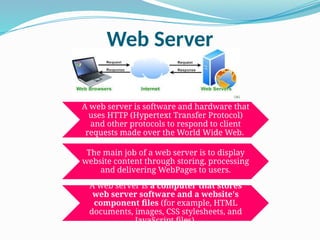
A webserver is software and hardware that
uses HTTP (Hypertext Transfer Protocol)
and other protocols to respond to client
requests made over the World Wide Web.
The main job of a web server is to display
website content through storing, processing
and delivering WebPages to users.
A web server is a computer that stores
web server software and a website's
component files (for example, HTML
documents, images, CSS stylesheets, and
JavaScript files).
3.
Web Client/Browser
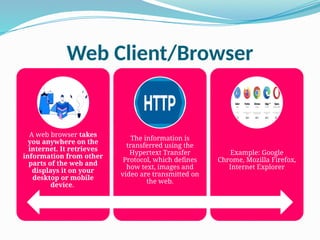
A webbrowser takes
you anywhere on the
internet. It retrieves
information from other
parts of the web and
displays it on your
desktop or mobile
device.
The information is
transferred using the
Hypertext Transfer
Protocol, which defines
how text, images and
video are transmitted on
the web.
Example: Google
Chrome, Mozilla Firefox,
Internet Explorer
Website and Webpage
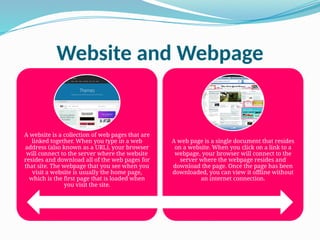
Awebsite is a collection of web pages that are
linked together. When you type in a web
address (also known as a URL), your browser
will connect to the server where the website
resides and download all of the web pages for
that site. The webpage that you see when you
visit a website is usually the home page,
which is the first page that is loaded when
you visit the site.
A web page is a single document that resides
on a website. When you click on a link to a
webpage, your browser will connect to the
server where the webpage resides and
download the page. Once the page has been
downloaded, you can view it offline without
an internet connection.
Internet, Intranet AndExtranet
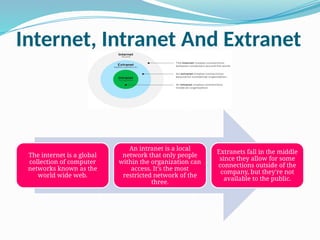
The internet is a global
collection of computer
networks known as the
world wide web.
An intranet is a local
network that only people
within the organization can
access. It's the most
restricted network of the
three.
Extranets fall in the middle
since they allow for some
connections outside of the
company, but they're not
available to the public.
8.
WWW
The World WideWeb -- also
known as the web, WWW
or W3 -- refers to all the
public websites or pages
that users can access on
their local computers and
other devices through
the internet.
These pages and documents
are interconnected by
means of hyperlinks that
users click on for
information. This
information can be in
different formats, including
text, images, audio and
video.
The term World Wide
Web isn't synonymous with
the internet. Rather, the
World Wide Web is part of
the internet.
9.
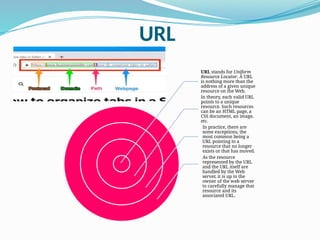
URL
URL stands forUniform
Resource Locator. A URL
is nothing more than the
address of a given unique
resource on the Web.
In theory, each valid URL
points to a unique
resource. Such resources
can be an HTML page, a
CSS document, an image,
etc.
In practice, there are
some exceptions, the
most common being a
URL pointing to a
resource that no longer
exists or that has moved.
As the resource
represented by the URL
and the URL itself are
handled by the Web
server, it is up to the
owner of the web server
to carefully manage that
resource and its
associated URL.



![The Internet and the World Wide Web [IGCSE] [WWW].pptx](https://cdn.slidesharecdn.com/ss_thumbnails/theinternetandtheworldwidewebwww-221016211024-e758817f-thumbnail.jpg?width=640&height=640&fit=bounds)


