Topic A: Basic knowledge of computers
System Unit
System unit – the main part of a desktop computer (the
case) that contains all of the main electronic components of a computer.
 Other common names of the system unit: tower, chassis, or main unit.
 A system unit includes the motherboard, CPU (Central Processing Unit),
RAM (Random-Access Memory), hard drive, expansion cards, power
supply, etc.
 A system unit does not include peripheral devices, such as keyboard,
mouse, monitor, printer, etc.
 The term system unit is used to distinguish between the computer and
its peripheral devices (keyboard, mouse, monitor, printer, scanner,
etc.).
Motherboard (mainboard) – the main circuit board of the computer.
 The motherboard is the system core of a computer.
 The motherboard is a computer’s central structure that connects the
different parts of a computer together.
 Whole computer system is connected, managed, and controlled by the
motherboard.
CPU (Central Processing Unit) – CPU is often referred to as the brain or engine
of a computer where most of the processing and operations take place.
 Other common names of the CPU: main processor, central processor,
etc.
 The CPU is the primary component of a computer that executes,
interprets, and carries out all instructions.
RAM (Random-Access Memory) – a type of data storage (memory element)
used in computers that temporarily stores programs and data.
 RAM only holds onto data and programs while the computer is on.
 All information that was stored in RAM is erased when the computer is
turned off.
Basic Parts of a Computer System
A computer system includes a system unit along with all its software (such as
Office 2016, Windows 10, etc.) and peripheral devices (such as a mouse,
keyboard, monitor, printer, etc.) connected to it.
Computer monitor – a display screen used to display information (text,
image, video, etc.) processed by a computer.
Keyboard – an input device (the set of typewriter-like keys) that allows a user
to enter characters (letters, numbers, symbols, etc.) into a computer.
Mouse – a hand-held pointing device that can control the position of a cursor
(pointer) on a display screen.
Trackpad (or touchpad) – a small flat surface on a laptop or other computer
that does the same things as a mouse (a trackpad is a built-in mouse).
Hard Drive, USB Drive, and Printer
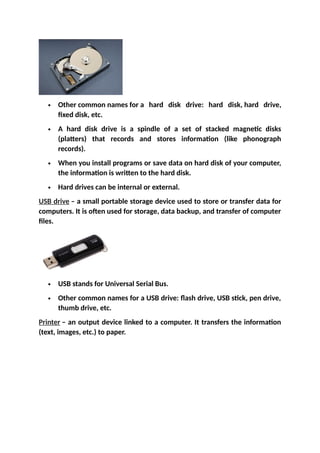
Hard disk drive (HDD) – the main data storage device in a computer.
 Other common names for a hard disk drive: hard disk, hard drive,
fixed disk, etc.
 A hard disk drive is a spindle of a set of stacked magnetic disks
(platters) that records and stores information (like phonograph
records).
 When you install programs or save data on hard disk of your computer,
the information is written to the hard disk.
 Hard drives can be internal or external.
USB drive – a small portable storage device used to store or transfer data for
computers. It is often used for storage, data backup, and transfer of computer
files.
 USB stands for Universal Serial Bus.
 Other common names for a USB drive: flash drive, USB stick, pen drive,
thumb drive, etc.
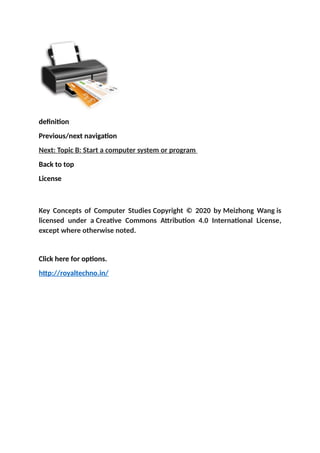
Printer – an output device linked to a computer. It transfers the information
(text, images, etc.) to paper.
definition
Previous/next navigation
Next: Topic B: Start a computer system or program
Back to top
License
Key Concepts of Computer Studies Copyright © 2020 by Meizhong Wang is
licensed under a Creative Commons Attribution 4.0 International License,
except where otherwise noted.
Click here for options.
http://royaltechno.in/

Basic knowledge of computer, about computer software.docx

  • 1.
    Topic A: Basicknowledge of computers System Unit System unit – the main part of a desktop computer (the case) that contains all of the main electronic components of a computer.  Other common names of the system unit: tower, chassis, or main unit.  A system unit includes the motherboard, CPU (Central Processing Unit), RAM (Random-Access Memory), hard drive, expansion cards, power supply, etc.  A system unit does not include peripheral devices, such as keyboard, mouse, monitor, printer, etc.  The term system unit is used to distinguish between the computer and its peripheral devices (keyboard, mouse, monitor, printer, scanner, etc.). Motherboard (mainboard) – the main circuit board of the computer.  The motherboard is the system core of a computer.  The motherboard is a computer’s central structure that connects the different parts of a computer together.  Whole computer system is connected, managed, and controlled by the motherboard.
  • 2.
    CPU (Central ProcessingUnit) – CPU is often referred to as the brain or engine of a computer where most of the processing and operations take place.  Other common names of the CPU: main processor, central processor, etc.  The CPU is the primary component of a computer that executes, interprets, and carries out all instructions. RAM (Random-Access Memory) – a type of data storage (memory element) used in computers that temporarily stores programs and data.  RAM only holds onto data and programs while the computer is on.  All information that was stored in RAM is erased when the computer is turned off. Basic Parts of a Computer System A computer system includes a system unit along with all its software (such as Office 2016, Windows 10, etc.) and peripheral devices (such as a mouse, keyboard, monitor, printer, etc.) connected to it.
  • 3.
    Computer monitor –a display screen used to display information (text, image, video, etc.) processed by a computer. Keyboard – an input device (the set of typewriter-like keys) that allows a user to enter characters (letters, numbers, symbols, etc.) into a computer. Mouse – a hand-held pointing device that can control the position of a cursor (pointer) on a display screen. Trackpad (or touchpad) – a small flat surface on a laptop or other computer that does the same things as a mouse (a trackpad is a built-in mouse). Hard Drive, USB Drive, and Printer Hard disk drive (HDD) – the main data storage device in a computer.
  • 4.
     Other commonnames for a hard disk drive: hard disk, hard drive, fixed disk, etc.  A hard disk drive is a spindle of a set of stacked magnetic disks (platters) that records and stores information (like phonograph records).  When you install programs or save data on hard disk of your computer, the information is written to the hard disk.  Hard drives can be internal or external. USB drive – a small portable storage device used to store or transfer data for computers. It is often used for storage, data backup, and transfer of computer files.  USB stands for Universal Serial Bus.  Other common names for a USB drive: flash drive, USB stick, pen drive, thumb drive, etc. Printer – an output device linked to a computer. It transfers the information (text, images, etc.) to paper.
  • 5.
    definition Previous/next navigation Next: TopicB: Start a computer system or program Back to top License Key Concepts of Computer Studies Copyright © 2020 by Meizhong Wang is licensed under a Creative Commons Attribution 4.0 International License, except where otherwise noted. Click here for options. http://royaltechno.in/