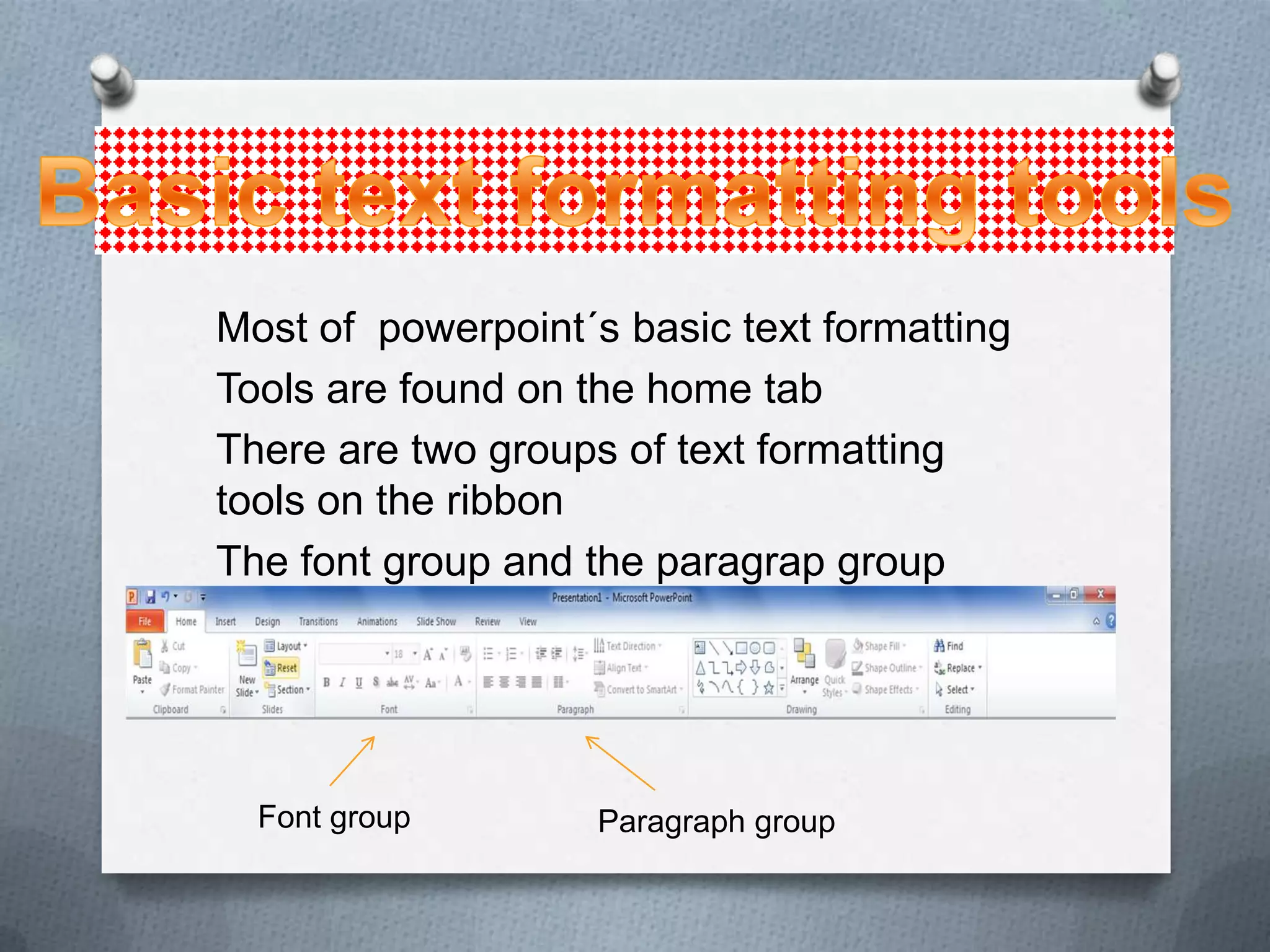
Most of powerpoint´s basic text formatting
Tools are found on the home tab
There are two groups of text formatting
tools on the ribbon
The font group and the paragrap group


  Font group        Paragraph group
O Fonts (sometimes called typefaces) are
  sets of characters, numbers and symbols
  in a specific style or design.
O Powerpoint presentations have two fonts:
  one font for the headings and one for the
  body text.
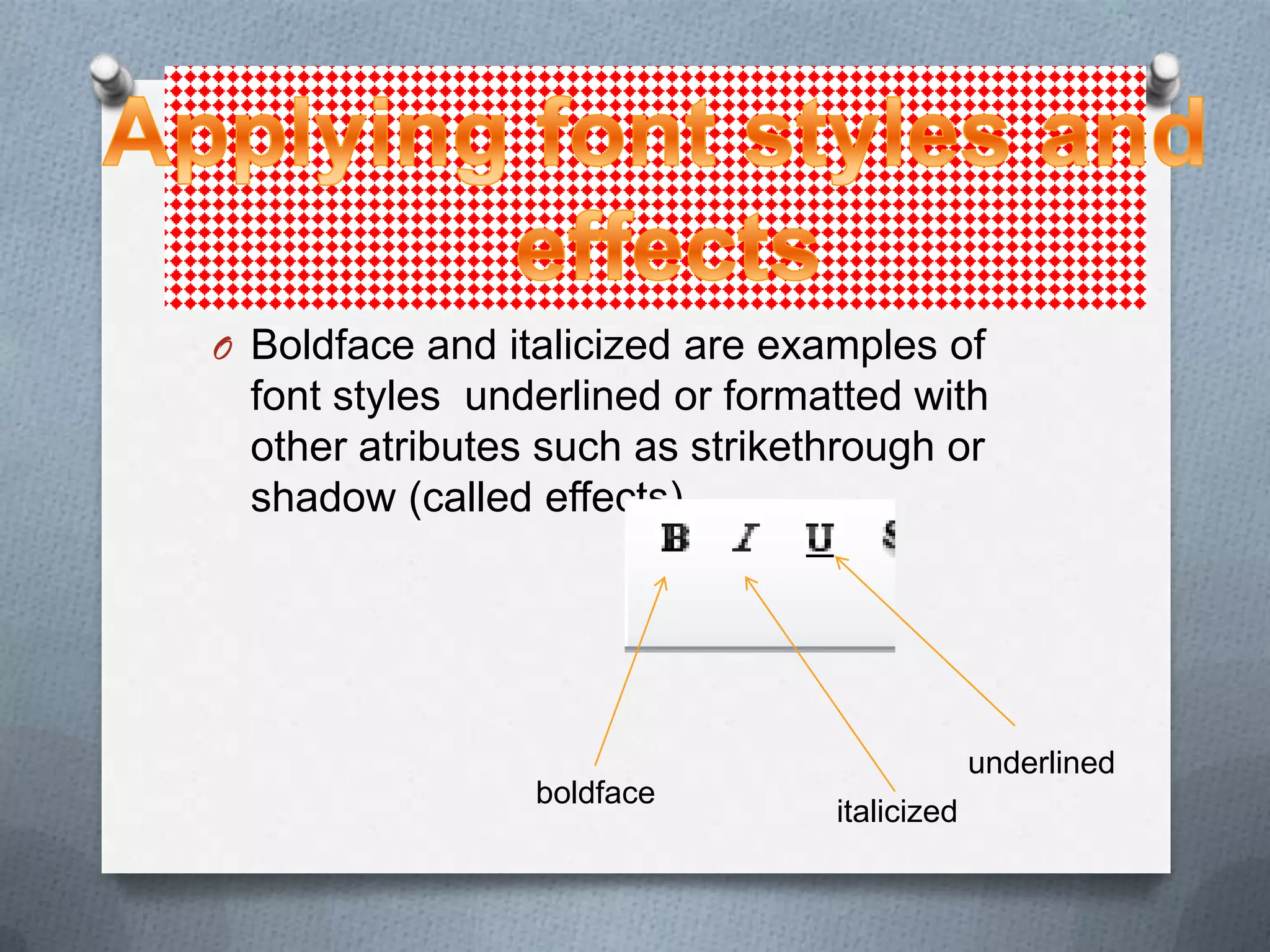
O Boldface and italicized are examples of
  font styles underlined or formatted with
  other atributes such as strikethrough or
  shadow (called effects).


                                              underlined
                 boldface
                                 italicized
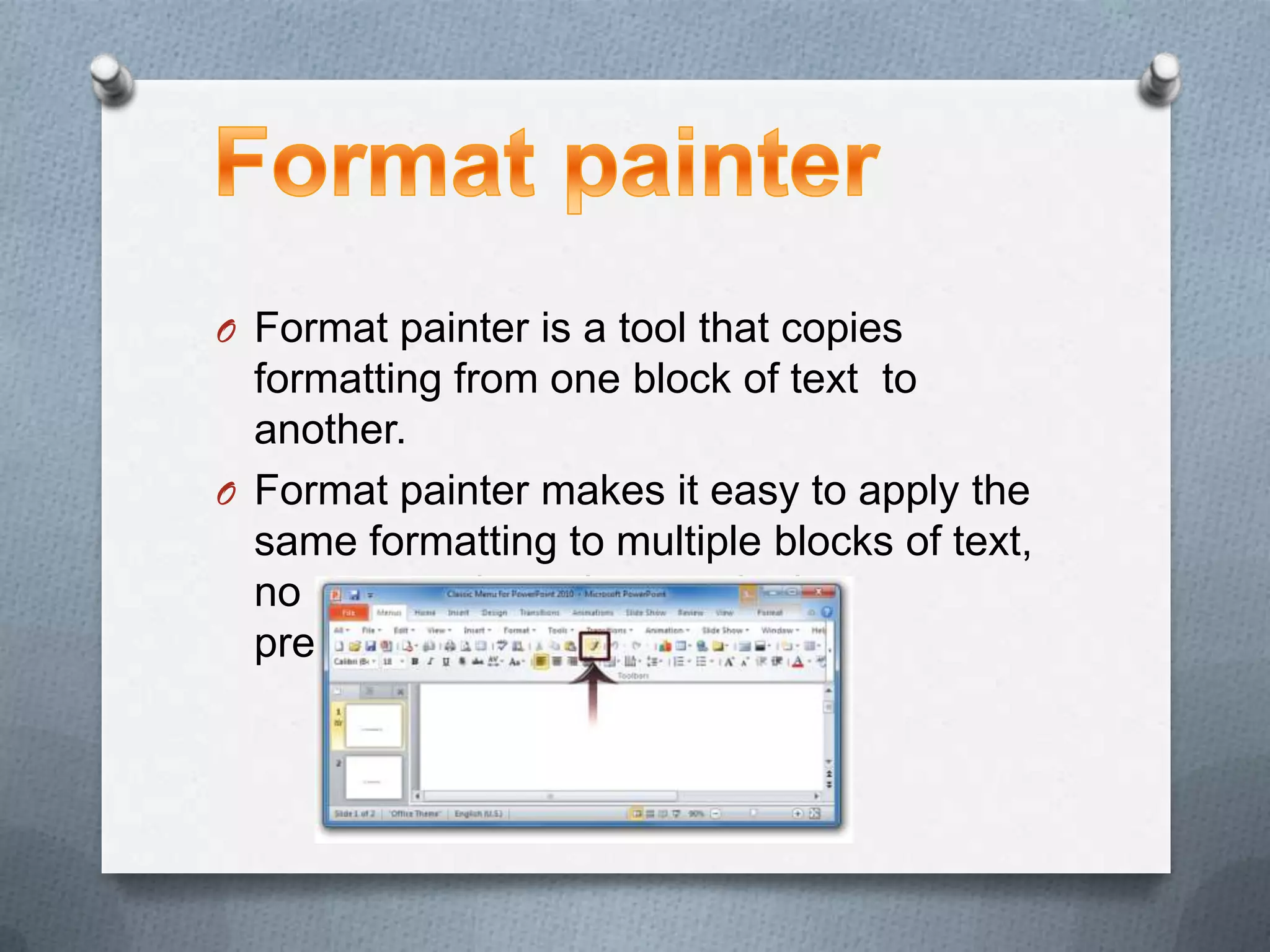
O Format painter is a tool that copies
  formatting from one block of text to
  another.
O Format painter makes it easy to apply the
  same formatting to multiple blocks of text,
  no matter where they are in the
  presentation
O Indentation controls the horizontal spacing of
  a paragraph, much as line spacing controls its
  vertical spacing.
O Hanging: a reverse indent. The first line is
  reverse-indented by the specified amount.
O First line: a standard first-line indent. The first
  line has a lesser indented an extra amount on
  top of what is specified for the before text
  indentation setting
O (none): this setting removes any special
  indents for the first line.
O Numbered lists to place a list of itemized
  information in numeric order.
O Numbered lists are used lists are used for
  procedural steps,action items,another in
  numeric order.
O Is the color you see inside the Word Art
  characters. You can change the fill color
  by using the color palette for the current
  theme or any other availble color.
O You can apply special effects to your
  Word Art objects,such as shadows ,
  reflections , glows , transformation , and
  more. These effects can also be applied to
  the other object types, such as drawn
  lines and shapes
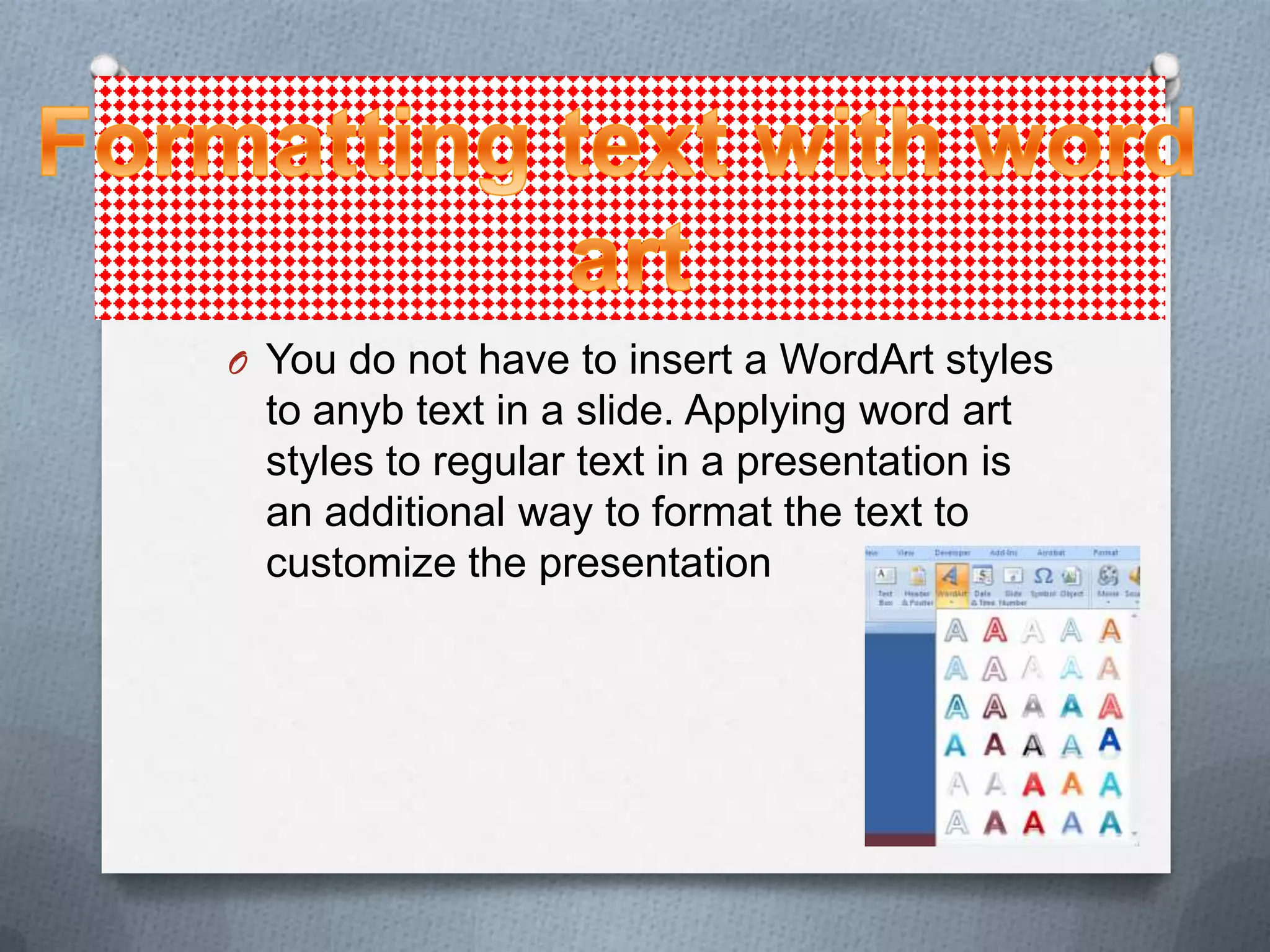
O You do not have to insert a WordArt styles
  to anyb text in a slide. Applying word art
  styles to regular text in a presentation is
  an additional way to format the text to
  customize the presentation
O Text boxes can be used to place text on a
  slide anyplace you want it.
O Text boxes can be resized to make room
 for the addition of other text boxes or
 objects or to rearrange a text box´s
 contents..
O If you want more control over formatting
  applied to a text box, you can use the
  shape Fill and Shape Outline tools to set
  the formatting for a text boxon your own.
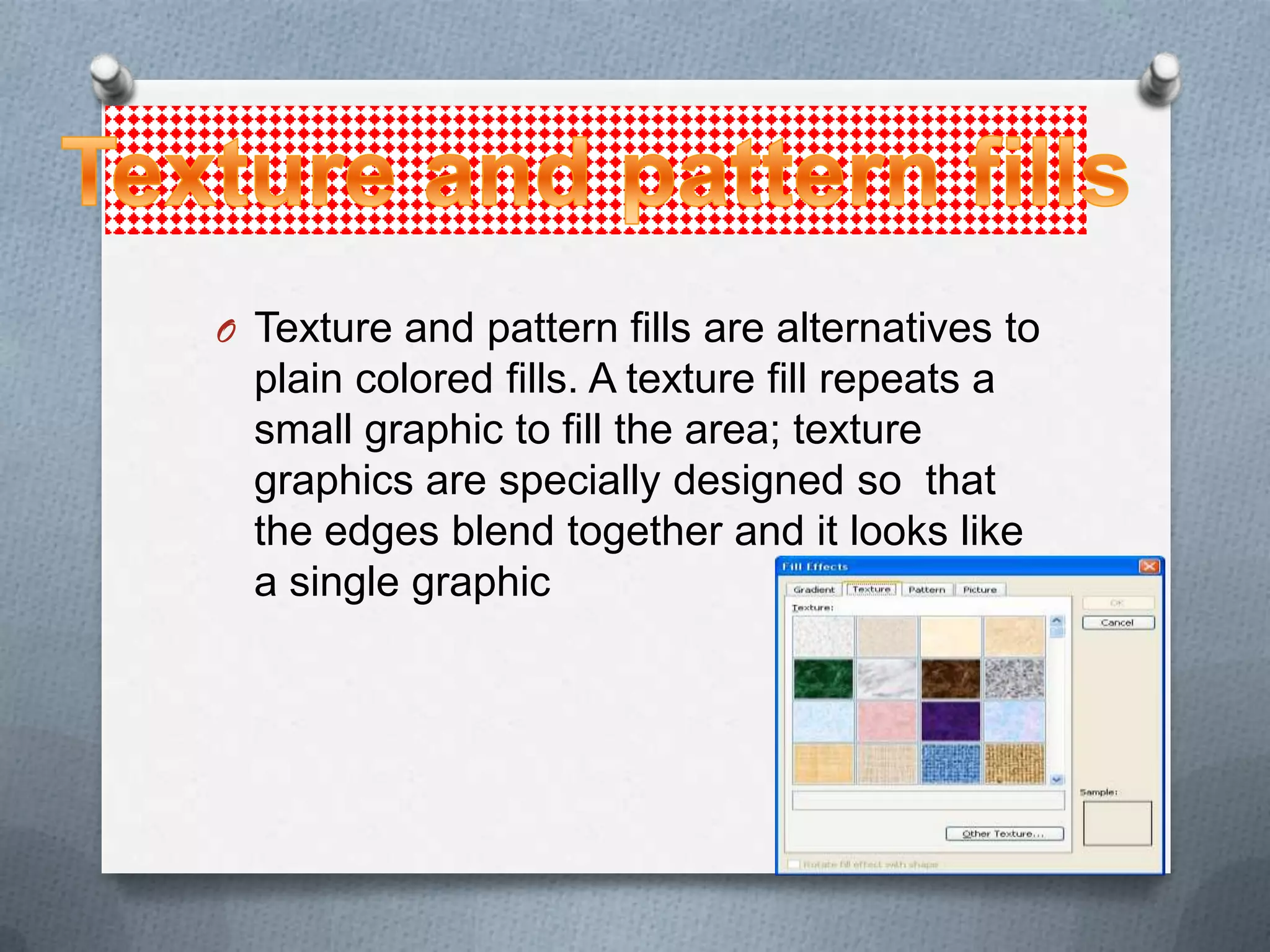
O Texture and pattern fills are alternatives to
  plain colored fills. A texture fill repeats a
  small graphic to fill the area; texture
  graphics are specially designed so that
  the edges blend together and it looks like
  a single graphic
O You can apply the same specil effects to
  the text boxes as you can to WordArt,
  drawn shapes, and other objects.
O You can change the text direction in a text
  runs from bottom to top or stacks one
  letter atop the other.this can make text in
  the text box more visually interesting.
O PowerPoint enables you to set the margin
 in a text box. Margins control the distance
 betwwen the text and the outer border of
 the text box.
O Depending on the type of the text box and
 the way it was created, it may not be set
 to wrap the text automatically to next line
 when the rigth margin is reached. In the
 next exercise you will learn how to view
 and change this setting.
O In addition to aligning the text within a text
  box, you can align the text box itself with
  other objects on the slide, including other
  text boxes.
O The spelling feauture in PowerPoint
 compares each word in the presentation
 to its built-in and custom dictionaries, and
 flags any words that it does not find, plus
 any instances of repeated words, such as
 the the.
O A thesaurus is a reference book or utility
  that offers suggestions for words that are
  similar in meaning to the word you are
  looking up (synonyms) or that are
  opposite in meaning (antonyms).

Basic format robeertaaa carrillooo5656767897890

  • 2.
    Most of powerpoint´sbasic text formatting Tools are found on the home tab There are two groups of text formatting tools on the ribbon The font group and the paragrap group Font group Paragraph group
  • 3.
    O Fonts (sometimescalled typefaces) are sets of characters, numbers and symbols in a specific style or design. O Powerpoint presentations have two fonts: one font for the headings and one for the body text.
  • 4.
    O Boldface anditalicized are examples of font styles underlined or formatted with other atributes such as strikethrough or shadow (called effects). underlined boldface italicized
  • 5.
    O Format painteris a tool that copies formatting from one block of text to another. O Format painter makes it easy to apply the same formatting to multiple blocks of text, no matter where they are in the presentation
  • 6.
    O Indentation controlsthe horizontal spacing of a paragraph, much as line spacing controls its vertical spacing. O Hanging: a reverse indent. The first line is reverse-indented by the specified amount. O First line: a standard first-line indent. The first line has a lesser indented an extra amount on top of what is specified for the before text indentation setting O (none): this setting removes any special indents for the first line.
  • 7.
    O Numbered liststo place a list of itemized information in numeric order. O Numbered lists are used lists are used for procedural steps,action items,another in numeric order.
  • 8.
    O Is thecolor you see inside the Word Art characters. You can change the fill color by using the color palette for the current theme or any other availble color.
  • 9.
    O You canapply special effects to your Word Art objects,such as shadows , reflections , glows , transformation , and more. These effects can also be applied to the other object types, such as drawn lines and shapes
  • 10.
    O You donot have to insert a WordArt styles to anyb text in a slide. Applying word art styles to regular text in a presentation is an additional way to format the text to customize the presentation
  • 11.
    O Text boxescan be used to place text on a slide anyplace you want it.
  • 12.
    O Text boxescan be resized to make room for the addition of other text boxes or objects or to rearrange a text box´s contents..
  • 13.
    O If youwant more control over formatting applied to a text box, you can use the shape Fill and Shape Outline tools to set the formatting for a text boxon your own.
  • 14.
    O Texture andpattern fills are alternatives to plain colored fills. A texture fill repeats a small graphic to fill the area; texture graphics are specially designed so that the edges blend together and it looks like a single graphic
  • 15.
    O You canapply the same specil effects to the text boxes as you can to WordArt, drawn shapes, and other objects.
  • 16.
    O You canchange the text direction in a text runs from bottom to top or stacks one letter atop the other.this can make text in the text box more visually interesting.
  • 17.
    O PowerPoint enablesyou to set the margin in a text box. Margins control the distance betwwen the text and the outer border of the text box.
  • 18.
    O Depending onthe type of the text box and the way it was created, it may not be set to wrap the text automatically to next line when the rigth margin is reached. In the next exercise you will learn how to view and change this setting.
  • 19.
    O In additionto aligning the text within a text box, you can align the text box itself with other objects on the slide, including other text boxes.
  • 20.
    O The spellingfeauture in PowerPoint compares each word in the presentation to its built-in and custom dictionaries, and flags any words that it does not find, plus any instances of repeated words, such as the the.
  • 21.
    O A thesaurusis a reference book or utility that offers suggestions for words that are similar in meaning to the word you are looking up (synonyms) or that are opposite in meaning (antonyms).