Improving the usability of a
University Library web site: user
research, analysis, design and
usability testing
Catherine Brys (catherinebrys@yahoo.co.uk)
Morag Greig (m.greig@lib.gla.ac.uk)
University of Glasgow
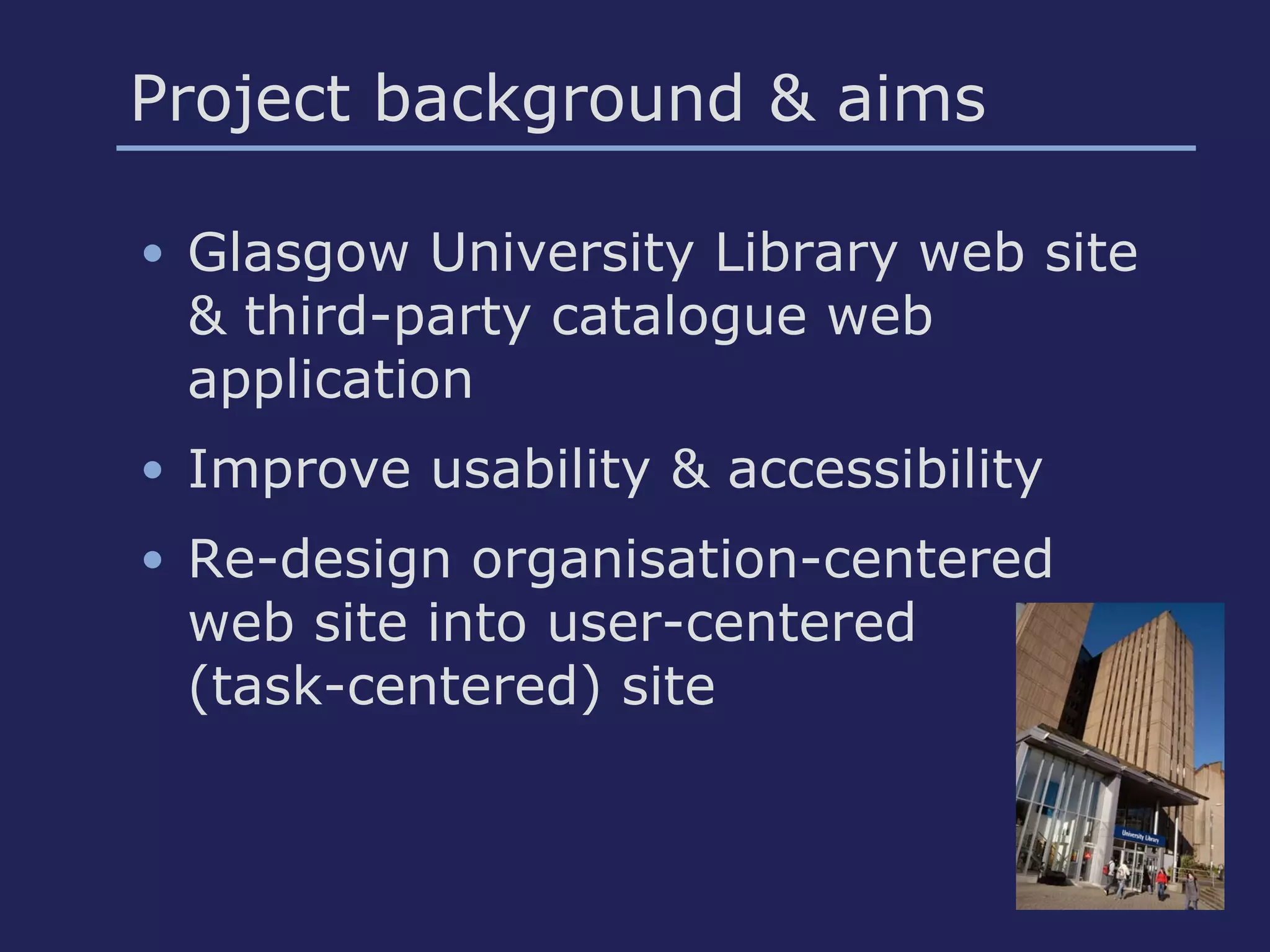
Project background & aims
• Glasgow University Library web site
& third-party catalogue web
application
• Improve usability & accessibility
• Re-design organisation-centered
web site into user-centered
(task-centered) site
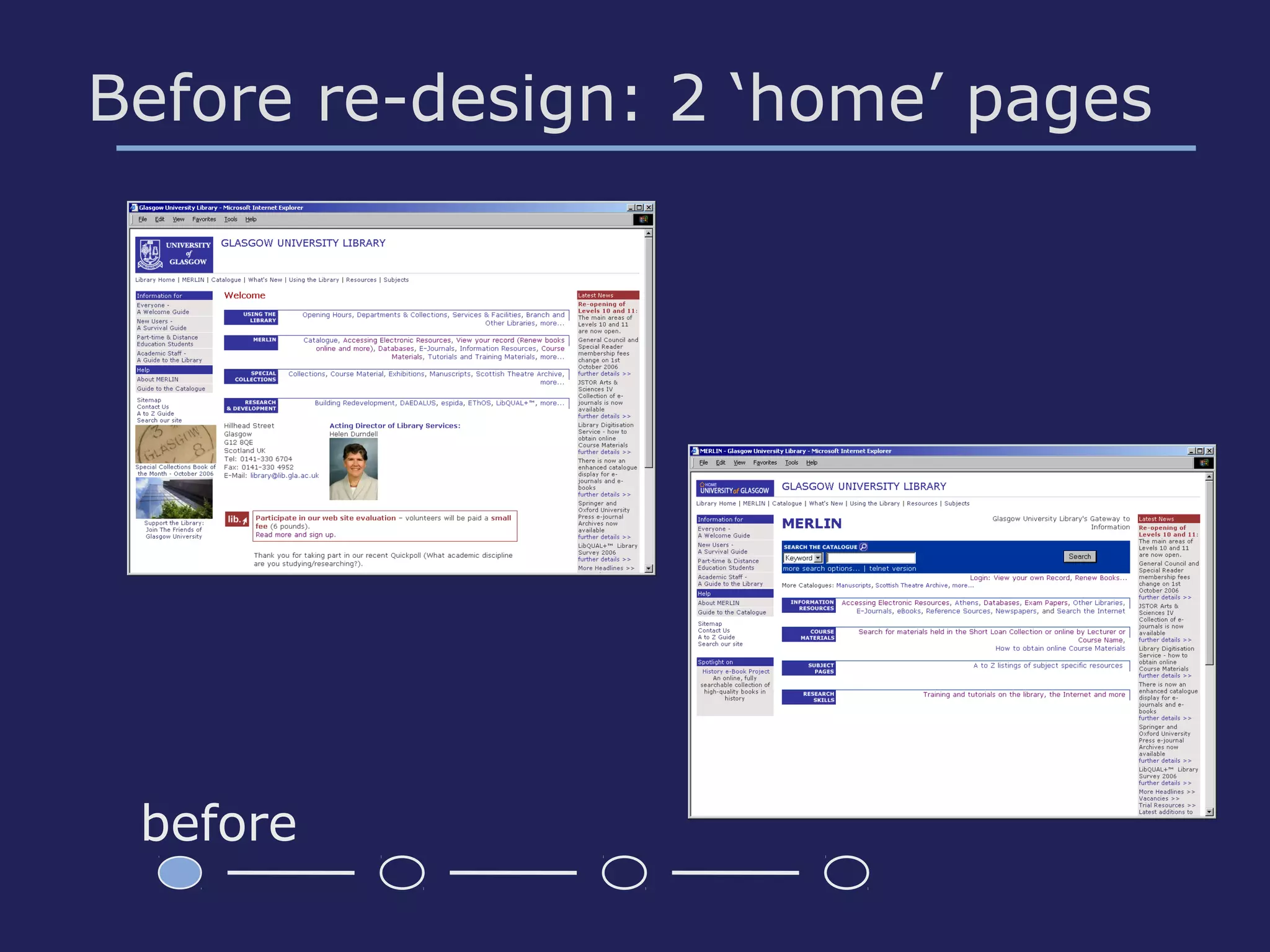
Before re-design: 2 ‘home’ pages
before
Methodology
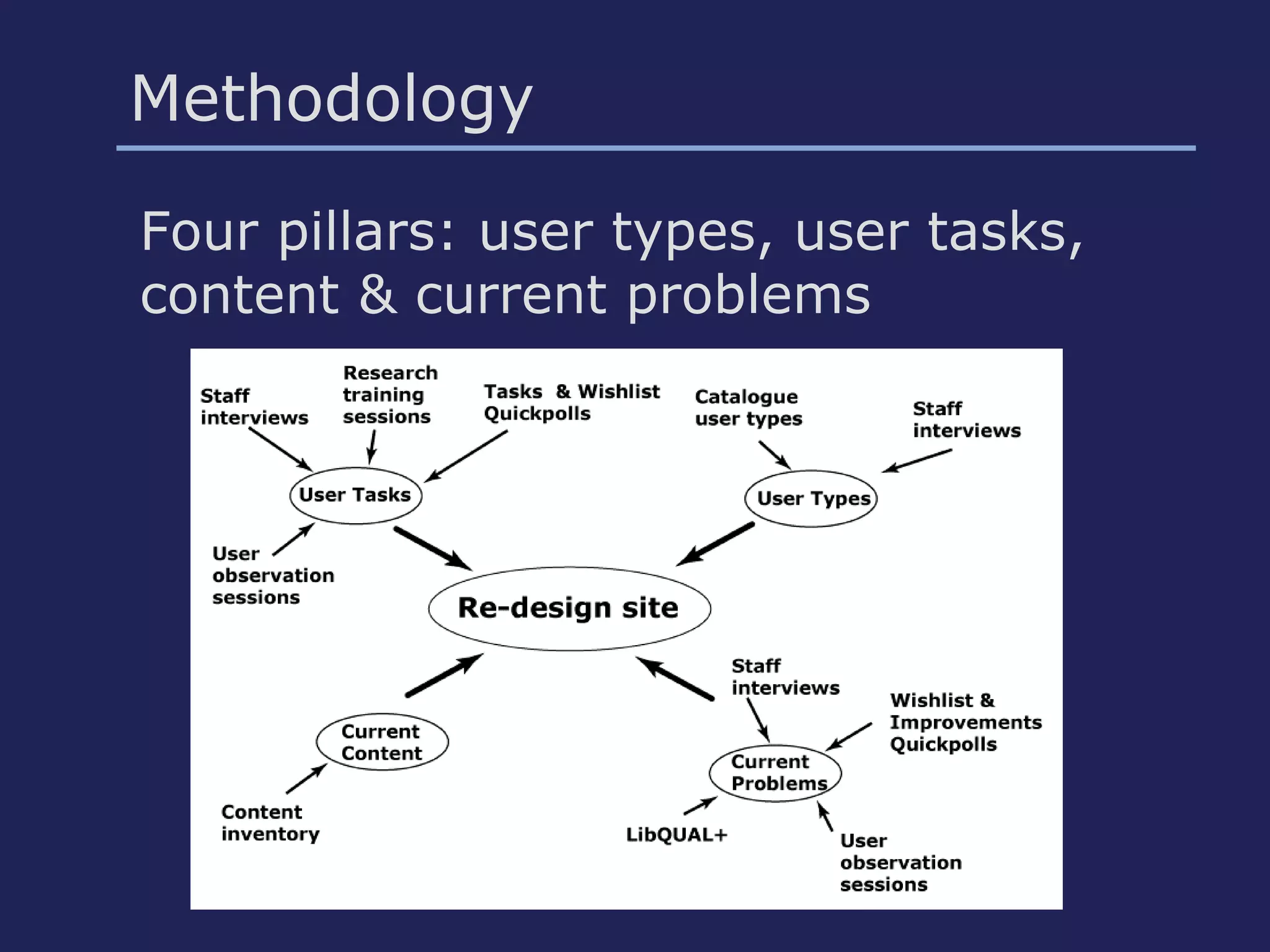
Four pillars: user types, user tasks,
content & current problems
User & stakeholder investigation
• Library staff interviews
• Training sessions for students by
Library staff
• User Quickpolls: problems, tasks
• Web User Panel: problems
• User Observation sessions:
problems in context
Analysis: main problems
• Often used items not prominent
• Library item searches confusing
• Information hard to find (users & Lib
staff)
• Grouping and labels (acronyms,
jargon, organisation-centered site)
• Presentation: unattractive, cluttered
• Interviews, training sessions
• Tasks Quickpoll: open question -
quantitative data
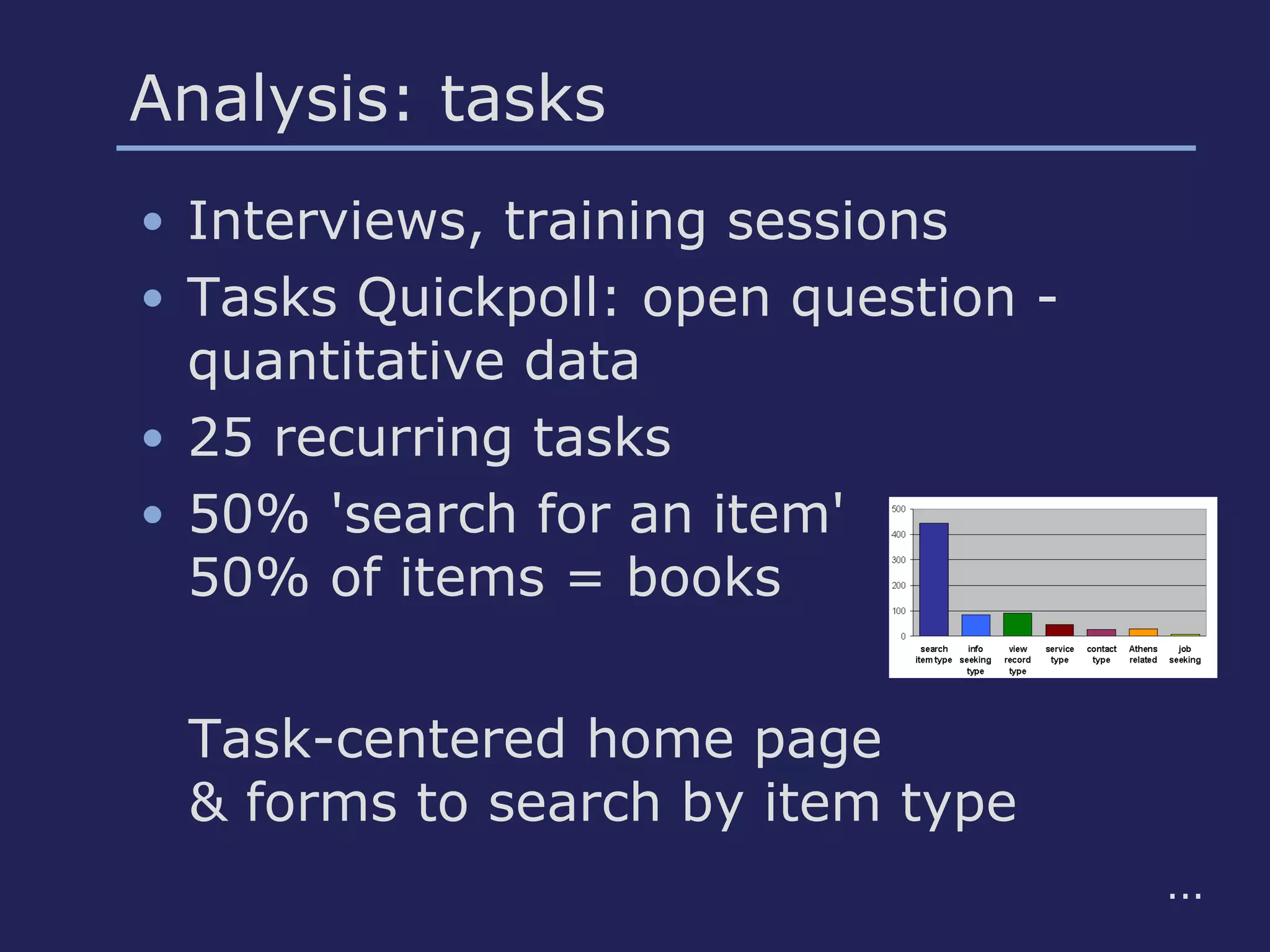
• 25 recurring tasks
• 50% 'search for an item'
50% of items = books
Analysis: tasks
Task-centered home page
& forms to search by item type
...
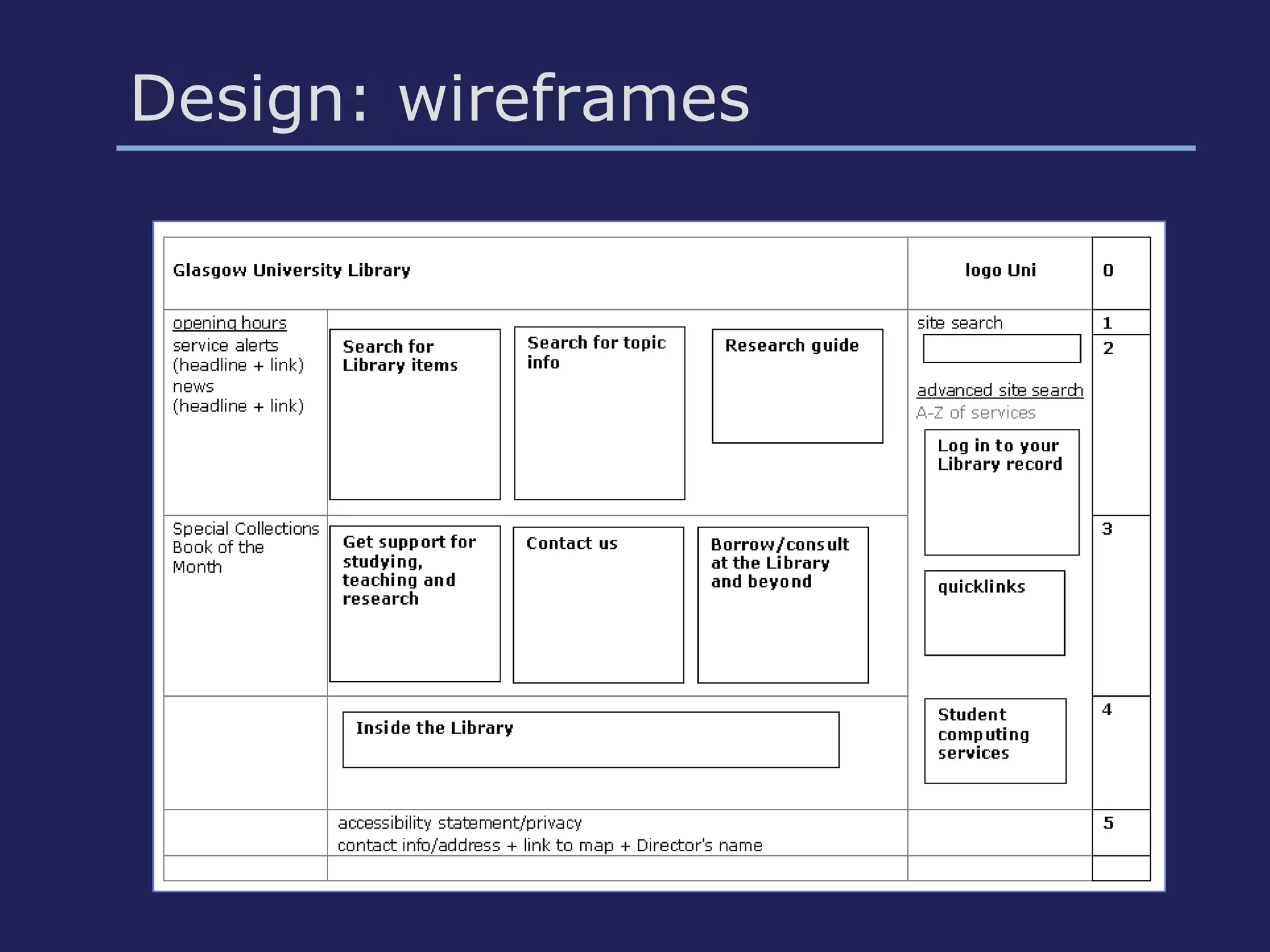
Design: wireframes
• User tasks
• Home page items
• Web conventions
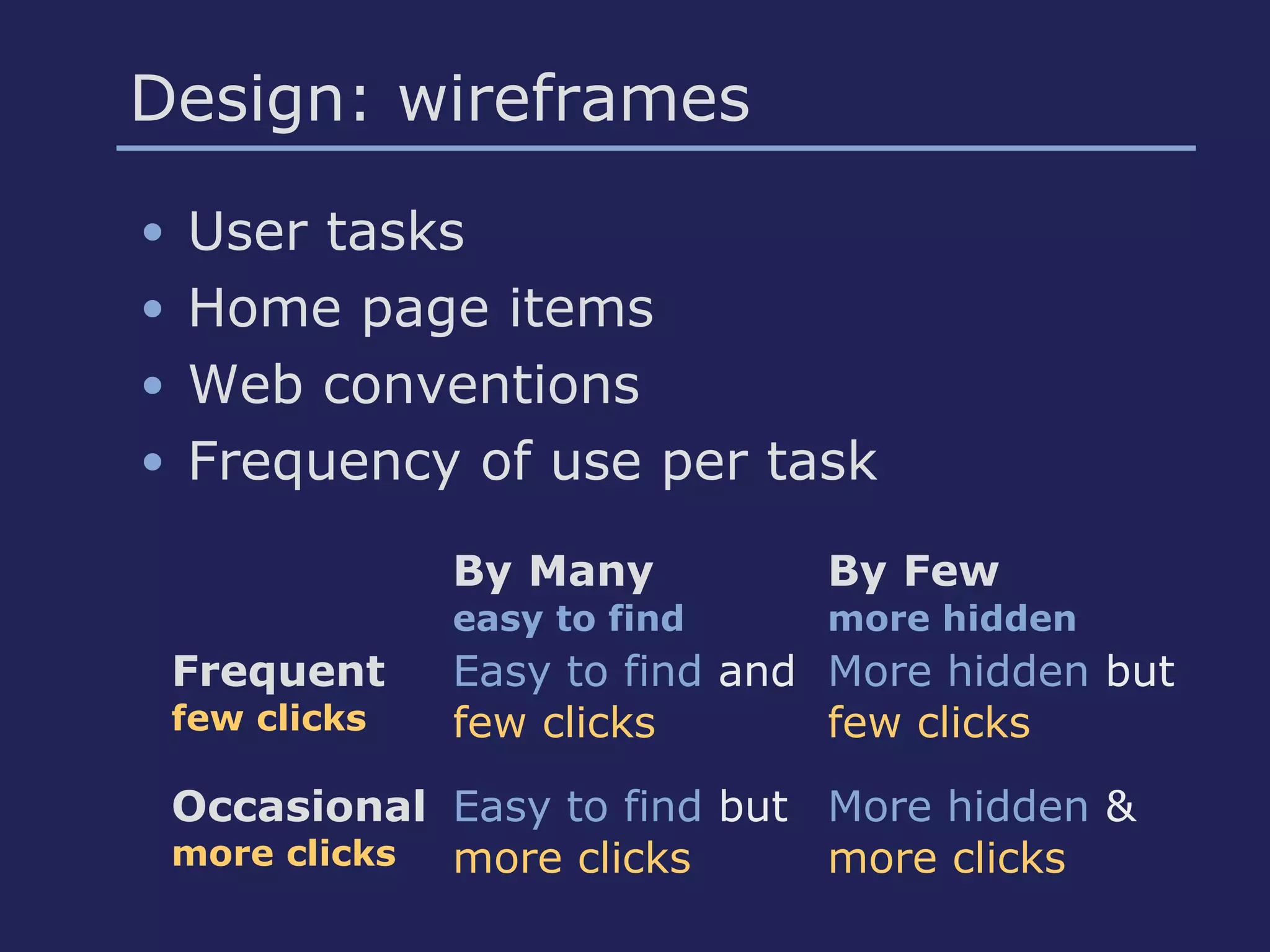
• Frequency of use per task
By Many
easy to find
By Few
more hidden
Frequent
few clicks
Easy to find and
few clicks
More hidden but
few clicks
Occasional
more clicks
Easy to find but
more clicks
More hidden &
more clicks
Design: wireframes
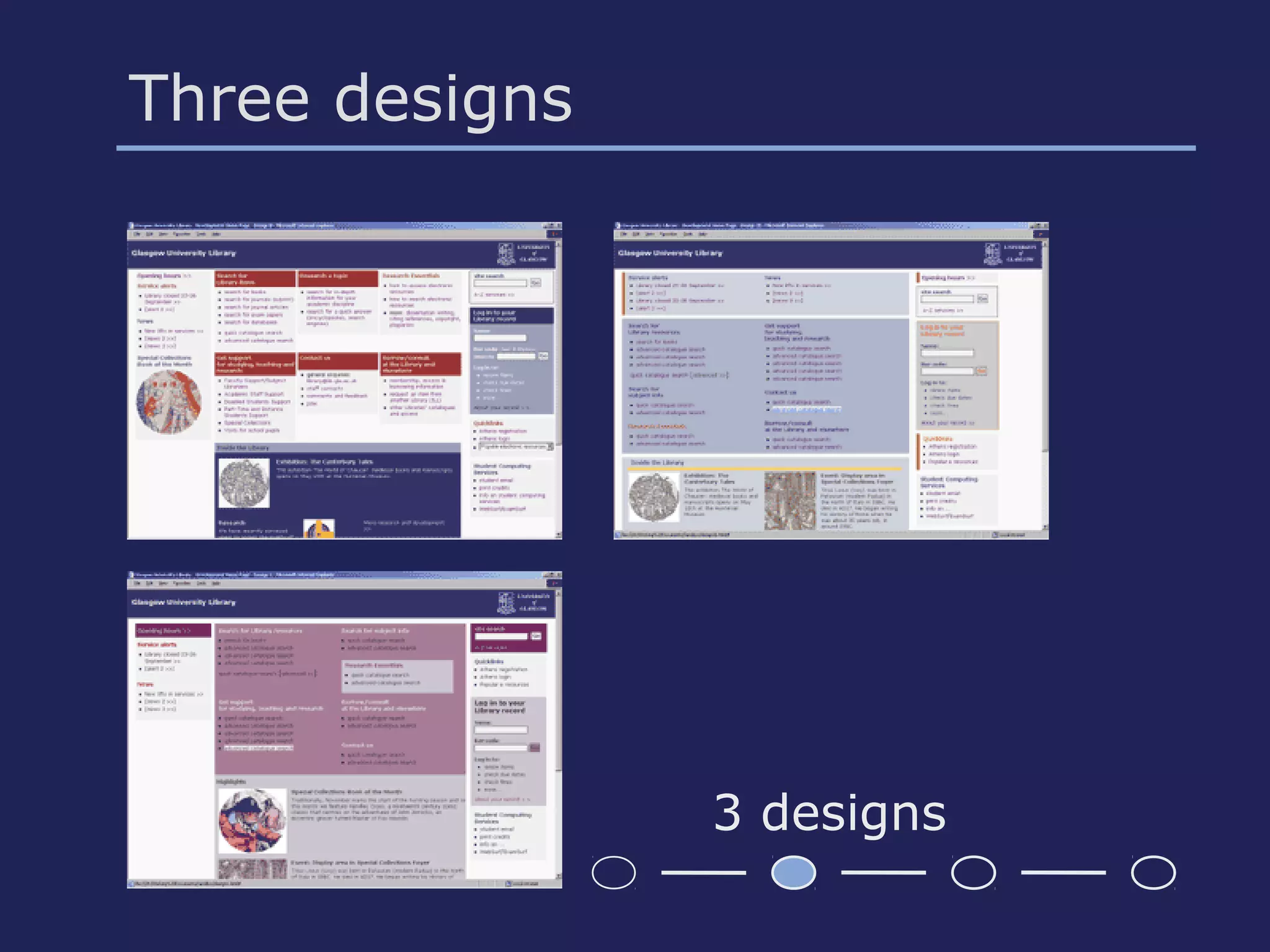
Three designs
• Three different information layouts
• Three different colour schemes
• Implemented using fully accessible
templates
• Consultation of Library staff: choice!
Three designs
3 designs
Staff and User Panel feedback
Library staff: feedback on 3 designs
info layout 1 preferred
User Panel: feedback on design 1:
• Too much info
• Colours
Work with graphic designer:
• Colour scheme
• Column layout
..
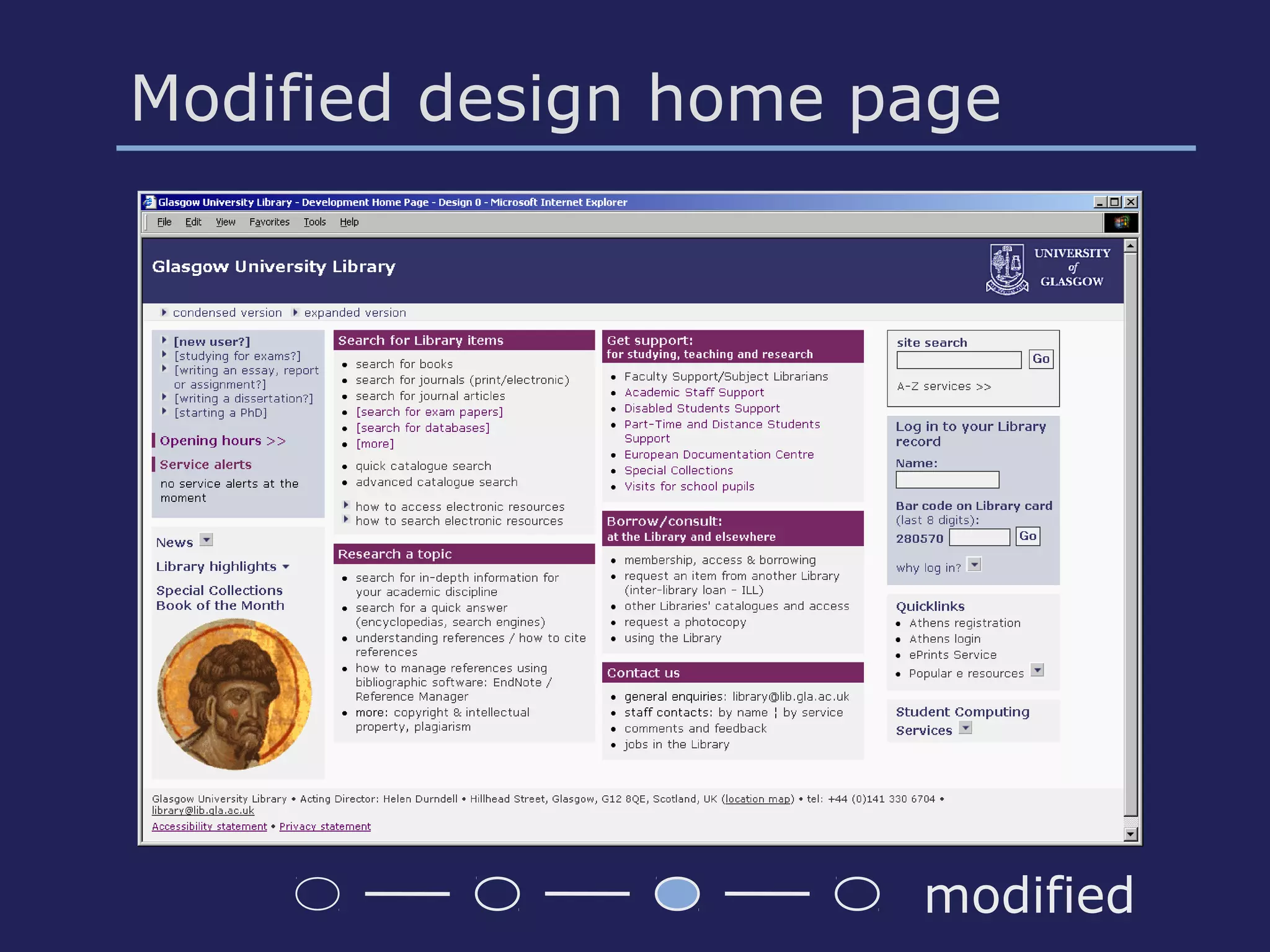
Modified design home page
modified
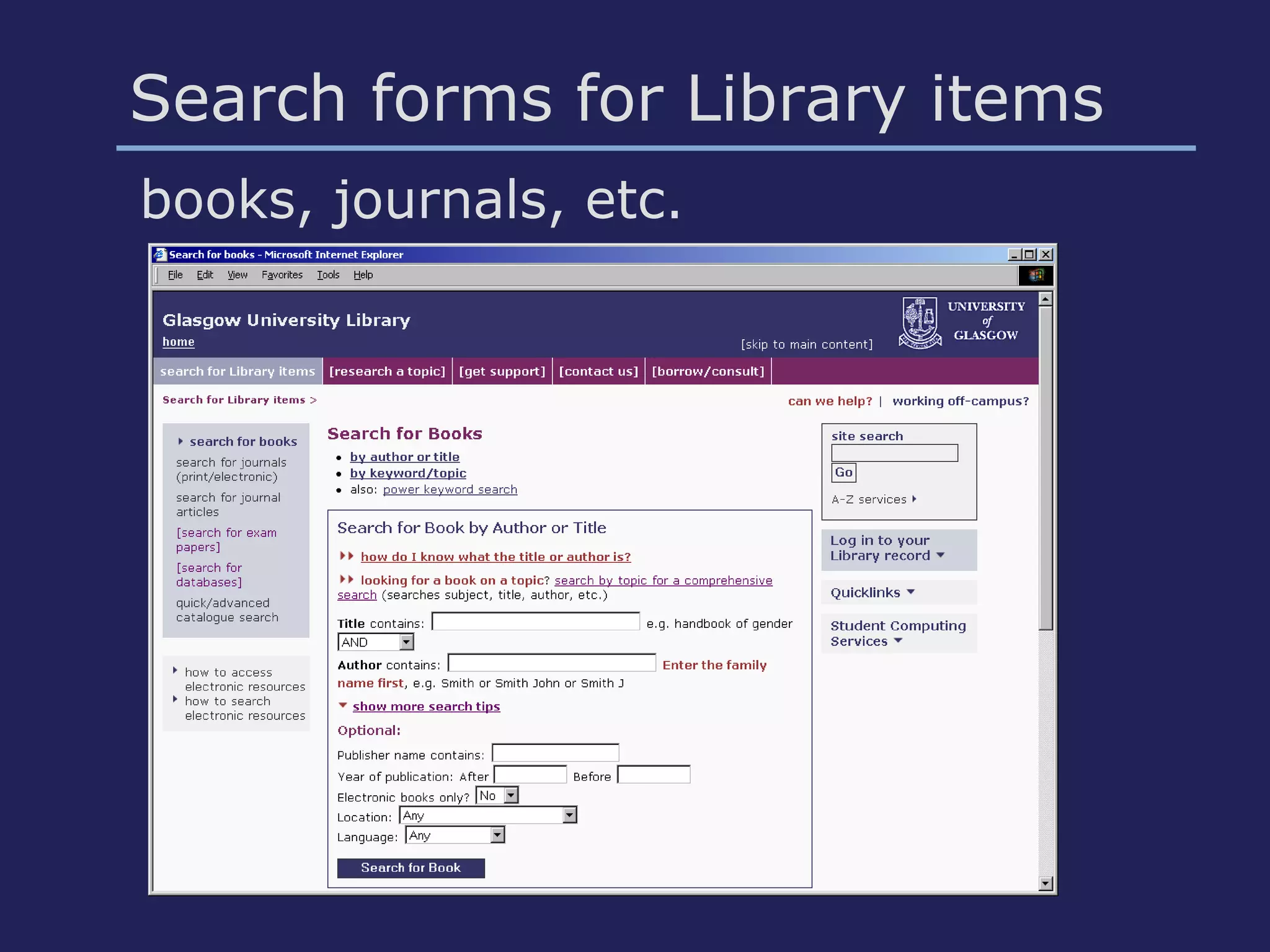
Search forms for Library items
books, journals, etc.
Discount usability testing
• Aim: test home page & search forms
(book, journal, etc.)
• Budget max £500
• Pre-defined tasks
• Criteria for selection participants –
correlation
• Round 1: 6 users; round 2: 5 users;
round 3: disabled users
• 'Dummy' links to try out ideas
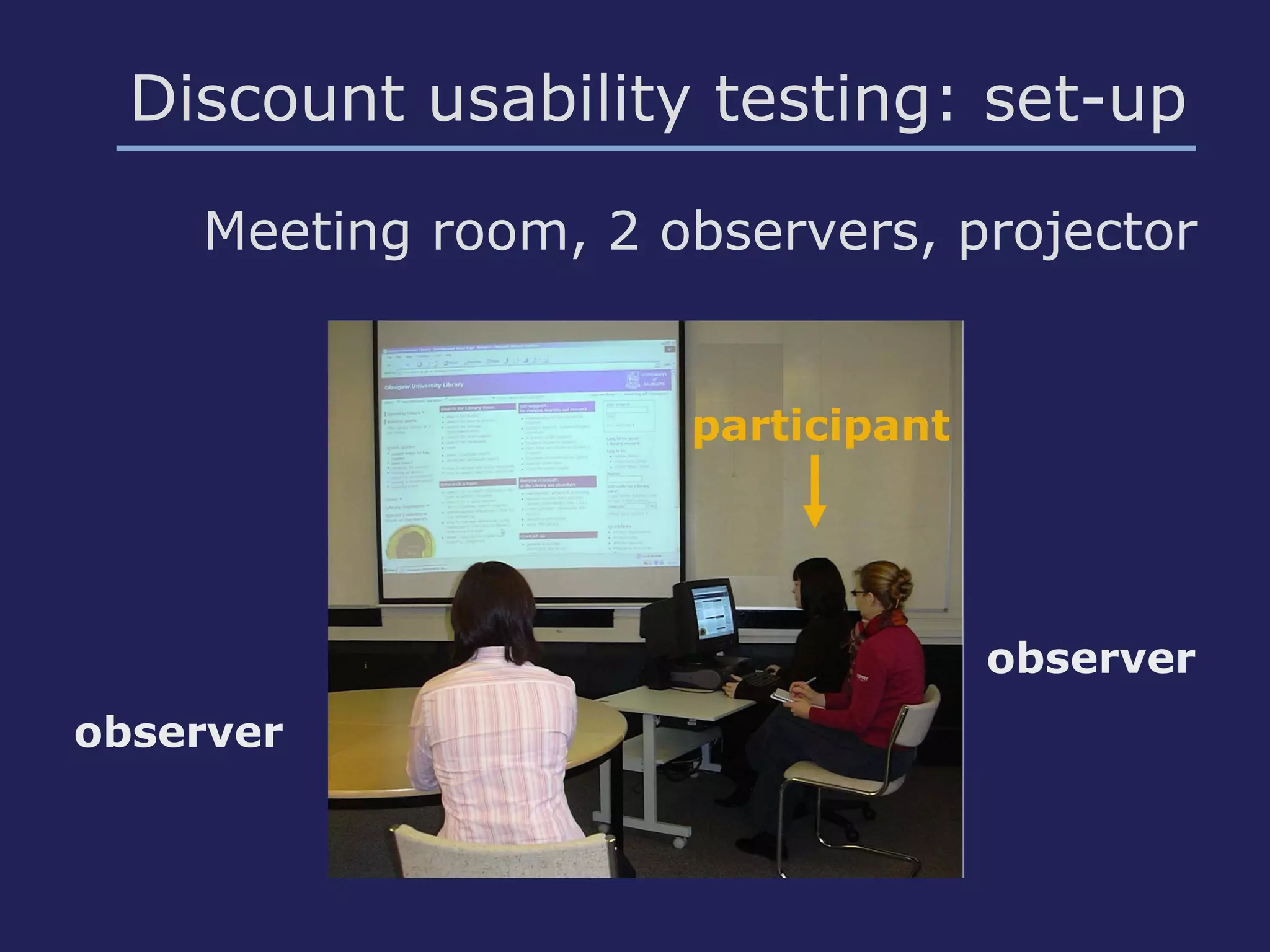
Discount usability testing: set-up
Meeting room, 2 observers, projector
observer
observer
participant
Results of usability testing (1)
• Information Architecture & design
effective
• Labels and grouping clear – few
added/changed
• Search for books, journals, etc.:
new search forms effective –
frequent tasks for many users
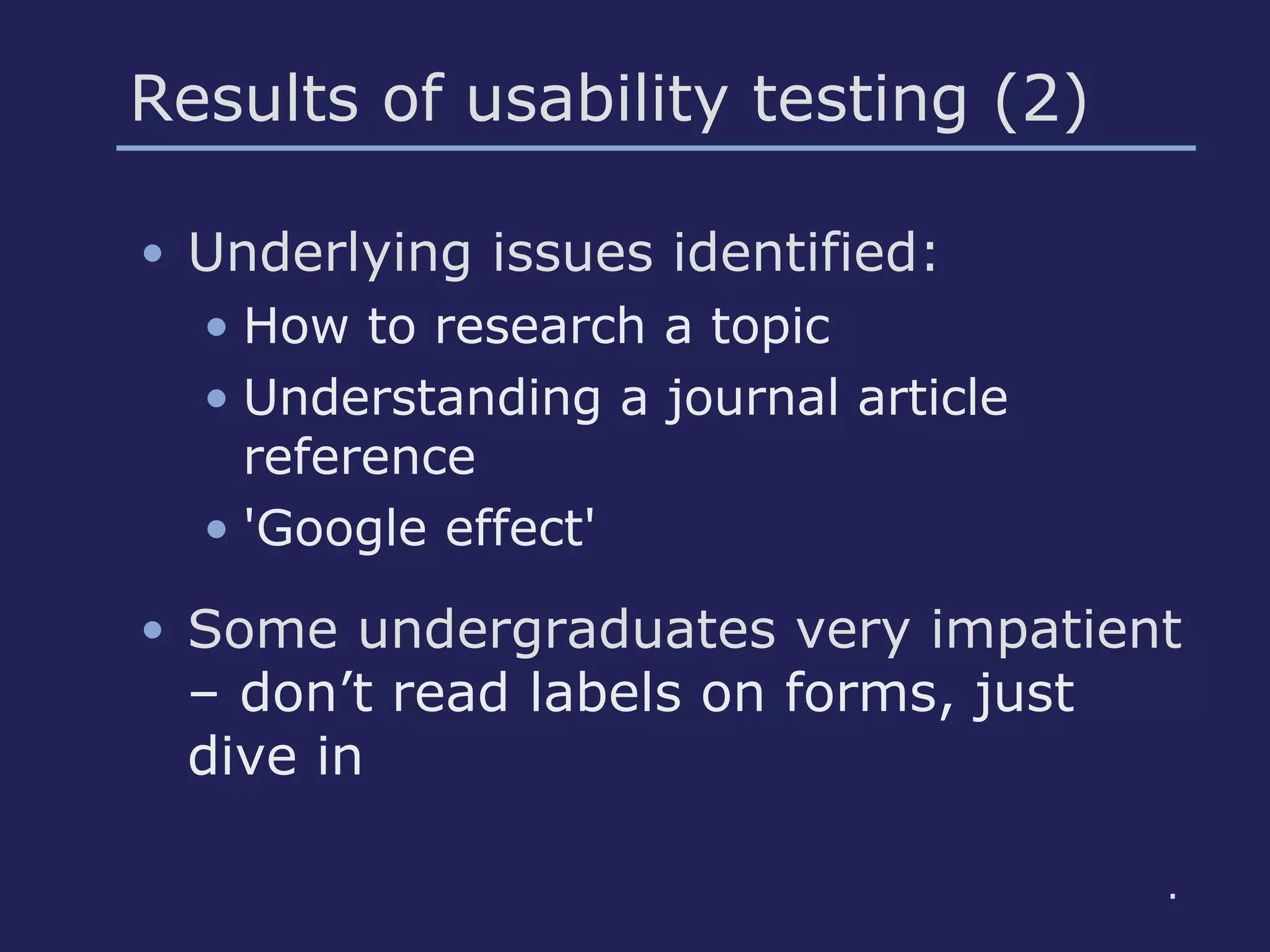
Results of usability testing (2)
• Underlying issues identified:
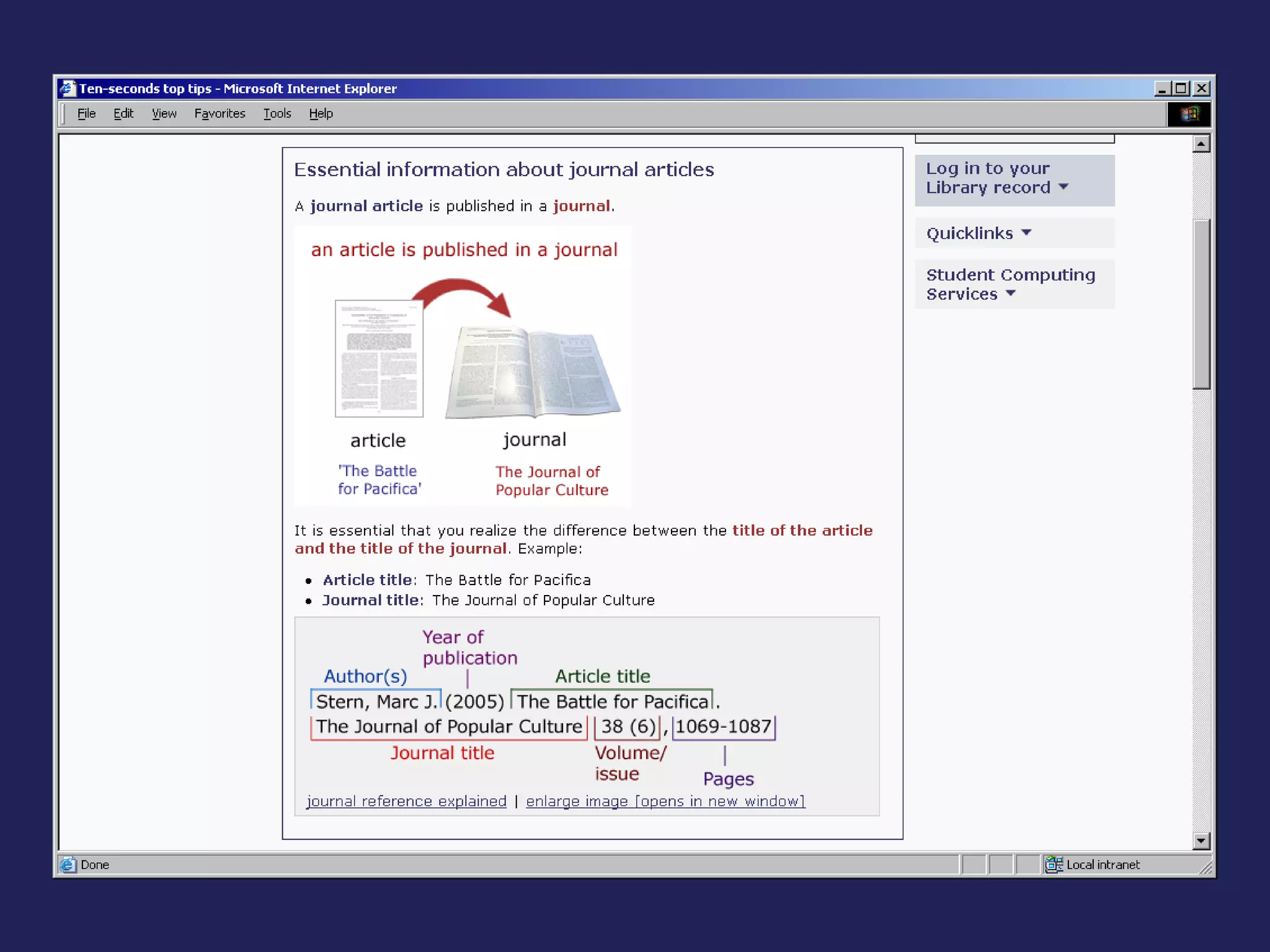
• How to research a topic
• Understanding a journal article
reference
• 'Google effect'
• Some undergraduates very impatient
– don’t read labels on forms, just
dive in
.
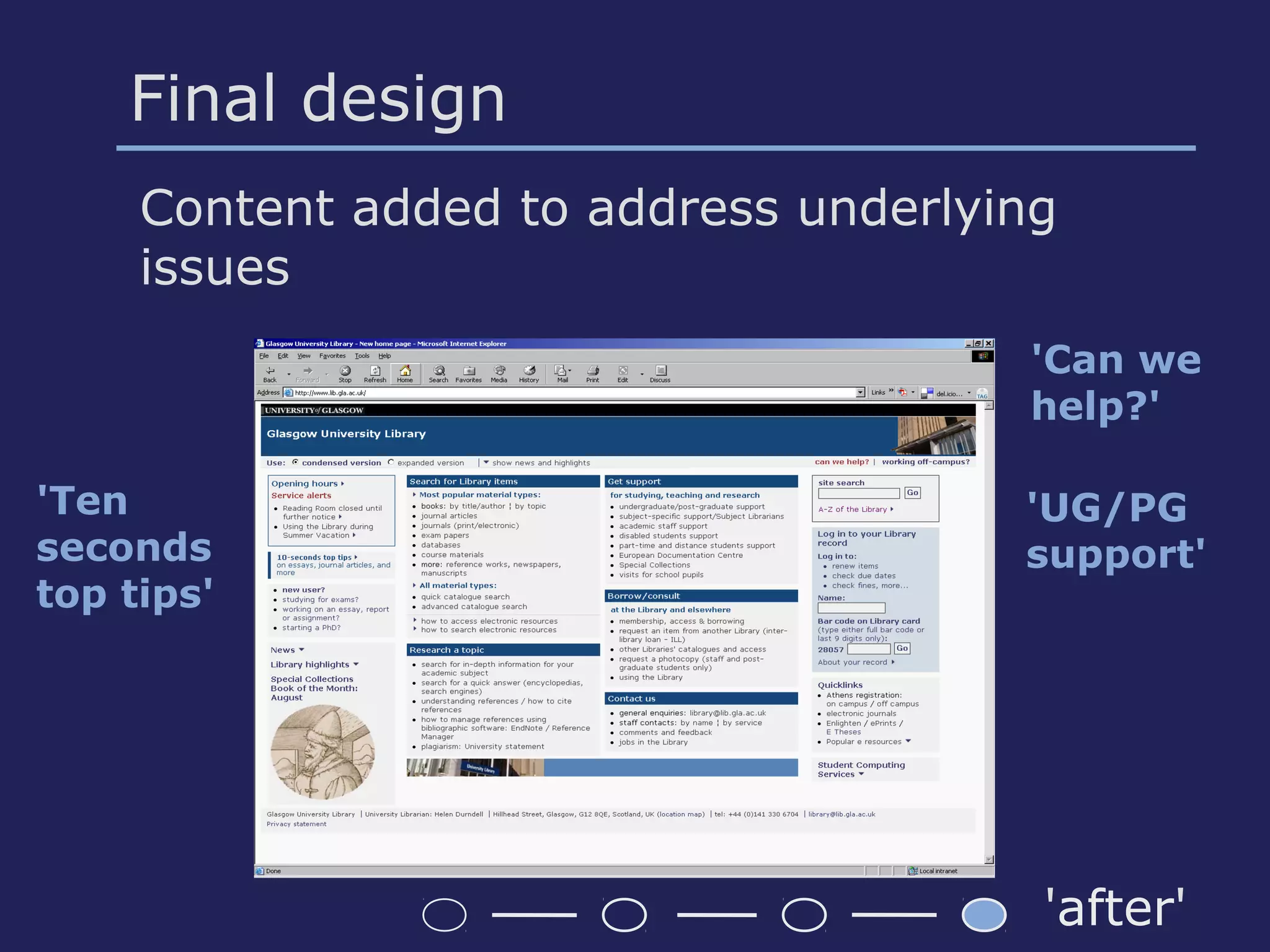
Final design
Content added to address underlying
issues
'Can we
help?'
'Ten
seconds
top tips'
'UG/PG
support'
'after'
Challenges
• Consultation culture
• Library had no previous usability
projects
• Limited budget & resources
• Academic year cycle
• Involvement disabled students
• Philosophy about student
learning?
Lessons learned
• Quickpolls & User Panel effective
(research, first cut)
• User research powerful in getting
Library staff buy-in
• Using high-fidelity prototypes &
trying out ideas effective
• Involving colleagues in
usability testing: awareness;
advocacy

B102_Greig

  • 1.
    Improving the usabilityof a University Library web site: user research, analysis, design and usability testing Catherine Brys (catherinebrys@yahoo.co.uk) Morag Greig (m.greig@lib.gla.ac.uk) University of Glasgow
  • 2.
    Project background &aims • Glasgow University Library web site & third-party catalogue web application • Improve usability & accessibility • Re-design organisation-centered web site into user-centered (task-centered) site
  • 3.
    Before re-design: 2‘home’ pages before
  • 4.
    Methodology Four pillars: usertypes, user tasks, content & current problems
  • 5.
    User & stakeholderinvestigation • Library staff interviews • Training sessions for students by Library staff • User Quickpolls: problems, tasks • Web User Panel: problems • User Observation sessions: problems in context
  • 6.
    Analysis: main problems •Often used items not prominent • Library item searches confusing • Information hard to find (users & Lib staff) • Grouping and labels (acronyms, jargon, organisation-centered site) • Presentation: unattractive, cluttered
  • 7.
    • Interviews, trainingsessions • Tasks Quickpoll: open question - quantitative data • 25 recurring tasks • 50% 'search for an item' 50% of items = books Analysis: tasks Task-centered home page & forms to search by item type ...
  • 8.
    Design: wireframes • Usertasks • Home page items • Web conventions • Frequency of use per task By Many easy to find By Few more hidden Frequent few clicks Easy to find and few clicks More hidden but few clicks Occasional more clicks Easy to find but more clicks More hidden & more clicks
  • 9.
  • 10.
    Three designs • Threedifferent information layouts • Three different colour schemes • Implemented using fully accessible templates • Consultation of Library staff: choice!
  • 11.
  • 12.
    Staff and UserPanel feedback Library staff: feedback on 3 designs info layout 1 preferred User Panel: feedback on design 1: • Too much info • Colours Work with graphic designer: • Colour scheme • Column layout ..
  • 13.
    Modified design homepage modified
  • 14.
    Search forms forLibrary items books, journals, etc.
  • 15.
    Discount usability testing •Aim: test home page & search forms (book, journal, etc.) • Budget max £500 • Pre-defined tasks • Criteria for selection participants – correlation • Round 1: 6 users; round 2: 5 users; round 3: disabled users • 'Dummy' links to try out ideas
  • 16.
    Discount usability testing:set-up Meeting room, 2 observers, projector observer observer participant
  • 17.
    Results of usabilitytesting (1) • Information Architecture & design effective • Labels and grouping clear – few added/changed • Search for books, journals, etc.: new search forms effective – frequent tasks for many users
  • 18.
    Results of usabilitytesting (2) • Underlying issues identified: • How to research a topic • Understanding a journal article reference • 'Google effect' • Some undergraduates very impatient – don’t read labels on forms, just dive in .
  • 19.
    Final design Content addedto address underlying issues 'Can we help?' 'Ten seconds top tips' 'UG/PG support' 'after'
  • 21.
    Challenges • Consultation culture •Library had no previous usability projects • Limited budget & resources • Academic year cycle • Involvement disabled students • Philosophy about student learning?
  • 22.
    Lessons learned • Quickpolls& User Panel effective (research, first cut) • User research powerful in getting Library staff buy-in • Using high-fidelity prototypes & trying out ideas effective • Involving colleagues in usability testing: awareness; advocacy