Designing a Network is more than just assembling
hardware and software but it must also be
designed to fulfill the needs of the users. With a
fast Ethernet of a 100 Mbps the law firm will have
greater capacity and throughput. The computer
network system we propose uses redundant
hardware with intelligent software that meets the
standard of availability and reliability. The
computer system will be natural to operate and the
ease of use will be demonstrated by the short
learning curve.
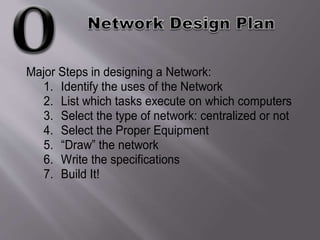
Major Steps in designing a Network:
1. Identify the uses of the Network
2. List which tasks execute on which computers
3. Select the type of network: centralized or not
4. Select the Proper Equipment
5. “Draw” the network
6. Write the specifications
7. Build It!
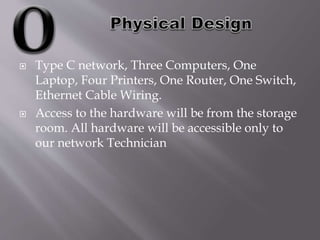
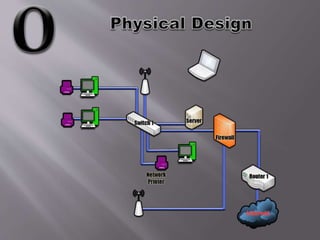
 Type C network, Three Computers, One
Laptop, Four Printers, One Router, One Switch,
Ethernet Cable Wiring.
 Access to the hardware will be from the storage
room. All hardware will be accessible only to
our network Technician
Security & Redundancy
 Multiple factor authentication
 WPA II- Enterprise encryption
 Log- in Credentials per machine
 User Access Only
 Deferential Back ups done every day
 Full backups done at the end of the week
 A full hardware firewall to filter outbound and
inbound traffic
 Data Saved to a separate hard drive on site and a
cloud server
 Information security requirements:
 Physical and logical access control
 User identification & authentication
 System configuration management
 Contingency planning
 System Maintenance
 System media protection
 Physical & Environmental protection

B olivares ppt mgmt 306

  • 3.
    Designing a Networkis more than just assembling hardware and software but it must also be designed to fulfill the needs of the users. With a fast Ethernet of a 100 Mbps the law firm will have greater capacity and throughput. The computer network system we propose uses redundant hardware with intelligent software that meets the standard of availability and reliability. The computer system will be natural to operate and the ease of use will be demonstrated by the short learning curve.
  • 4.
    Major Steps indesigning a Network: 1. Identify the uses of the Network 2. List which tasks execute on which computers 3. Select the type of network: centralized or not 4. Select the Proper Equipment 5. “Draw” the network 6. Write the specifications 7. Build It!
  • 6.
     Type Cnetwork, Three Computers, One Laptop, Four Printers, One Router, One Switch, Ethernet Cable Wiring.  Access to the hardware will be from the storage room. All hardware will be accessible only to our network Technician
  • 8.
    Security & Redundancy Multiple factor authentication  WPA II- Enterprise encryption  Log- in Credentials per machine  User Access Only  Deferential Back ups done every day  Full backups done at the end of the week  A full hardware firewall to filter outbound and inbound traffic  Data Saved to a separate hard drive on site and a cloud server
  • 9.
     Information securityrequirements:  Physical and logical access control  User identification & authentication  System configuration management  Contingency planning  System Maintenance  System media protection  Physical & Environmental protection