AWS
SDK for iOS
Cognito/S3/Lambda/API	Gateway/Facebook
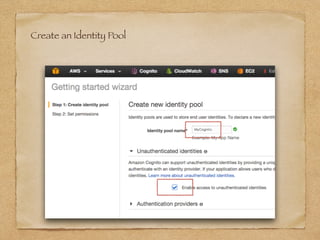
Create an Identity Pool
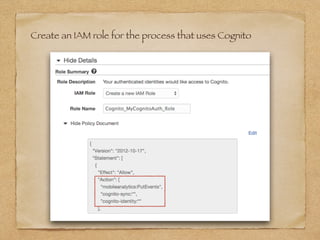
Create an IAM role for the process that uses Cognito
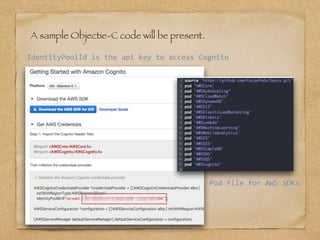
A sample Objectie-C code will be present.
IdentityPoolId	is	the	api	key	to	access	Cognito
Pod	file	for	AWS	SDKs
Access to Cognito and put a key-value in Cognito sync
Store	a	key-value	in	a	Cognito	Sync.
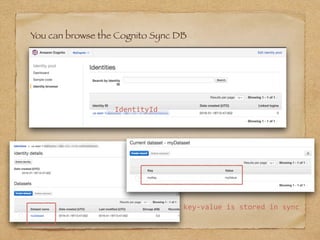
You can browse the Cognito Sync DB
IdentityId
key-value	is	stored	in	sync
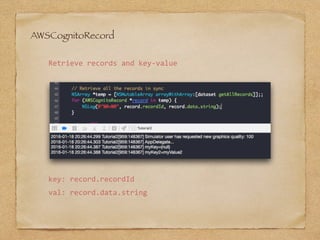
AWSCognitoRecord
Retrieve	records	and	key-value
key:	record.recordId
val:	record.data.string
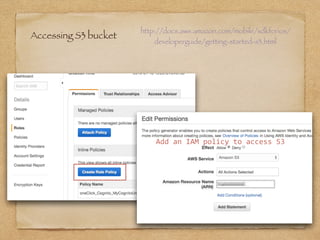
Accessing S3 bucket
http://docs.aws.amazon.com/mobile/sdkforios/
developerguide/getting-started-s3.html
Add	an	IAM	policy	to	access	S3
Accessing S3 bucket
Upload	a	file	to	a	S3	bucket	with	a	block(AWSTask).
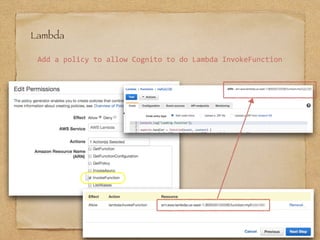
Lambda
Add	a	policy	to	allow	Cognito	to	do	Lambda	InvokeFunction
Invoke	a	lambda	function	called	‘myFunc123’.
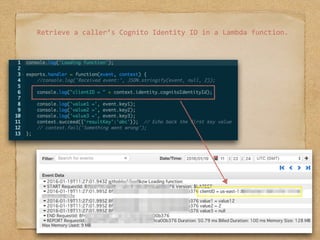
Retrieve	a	caller’s	Cognito	Identity	ID	in	a	Lambda	function.
API Gateway
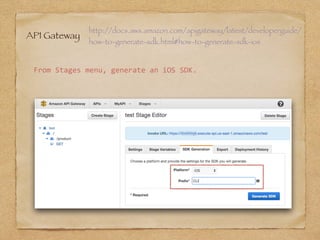
http://docs.aws.amazon.com/apigateway/latest/developerguide/
how-to-generate-sdk.html#how-to-generate-sdk-ios
From	Stages	menu,	generate	an	iOS	SDK.
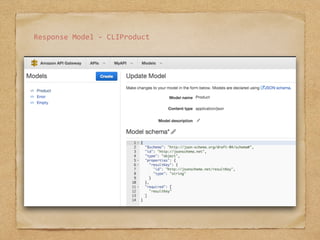
Response	Model	-	CLIProduct
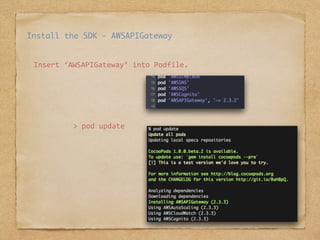
Insert	‘AWSAPIGateway’	into	Podfile.
>	pod	update
Install the SDK - AWSAPIGateway
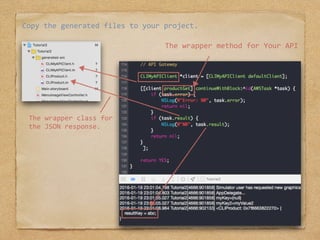
Copy	the	generated	files	to	your	project.
The	wrapper	method	for	Your	API
The	wrapper	class	for	
the	JSON	response.