

Introduction to
Elastic Compute Cloud - EC2
Rogério Libarino Aguilar
Index
1. Introduction
2. What is Amazon EC2 ?
3. Regions and Availability Zones
(AZs)
4. Storage
5. Application Machine Images (AMI)
6. EC2 Instances
7. Use Case
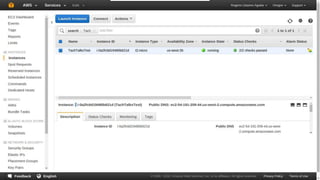
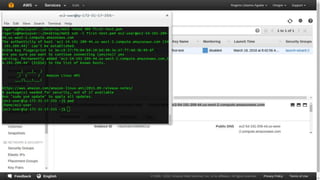
8. Creating EC2 instances
9. Conclusions
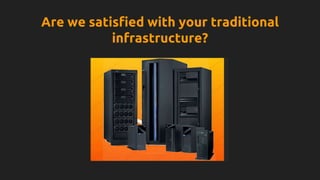
Are we satisfied with your traditional
infrastructure?
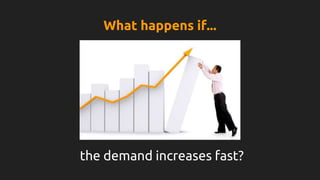
the demand increases fast?
What happens if...
What happens if...
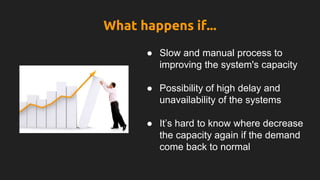
● Slow and manual process to
improving the system's capacity
● Possibility of high delay and
unavailability of the systems
● It’s hard to know where decrease
the capacity again if the demand
come back to normal
What happens if...
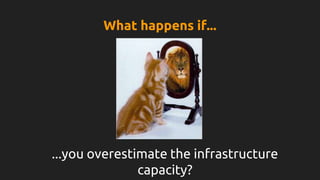
...you overestimate the infrastructure
capacity?
What happens if...
… occurs a blackout in server’s location?
What happens if...
What happens if...
● High costs and time to deploy the
applications in another locations
or lead with the problem
… someone removes some server’s critical
system file?
What happens if...
What happens if...
● Long time to lead with systems
problems
Web Service that provides
scalable compute capacity
in the AWS.
What happens if...
What is Amazon EC2?
● Reduced time to obtain and boot new server to minutes
● Fast resizable compute instances
● Multiple instances types, operating systems
● Automatically scale up and down depending on its needs
● Applications can be hosted in multiple locations world-wide
● Pay for what is used
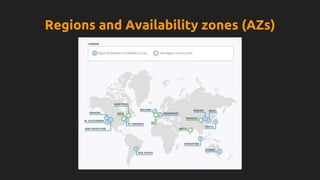
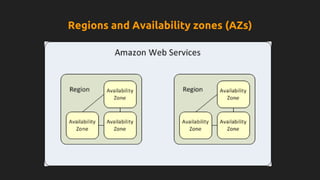
Regions and Availability zones (AZs)
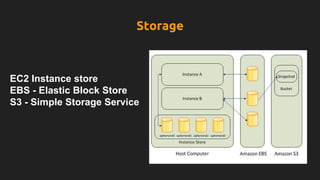
EC2 Instance store
EBS - Elastic Block Store
S3 - Simple Storage Service
Storage
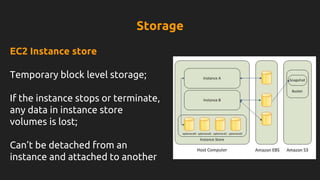
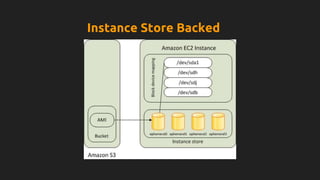
EC2 Instance store
Temporary block level storage;
If the instance stops or terminate,
any data in instance store
volumes is lost;
Can’t be detached from an
instance and attached to another
Storage
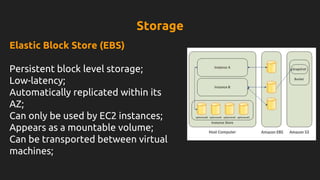
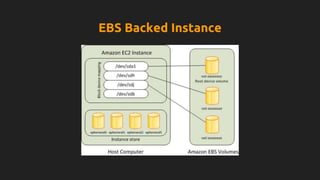
Elastic Block Store (EBS)
Persistent block level storage;
Low-latency;
Automatically replicated within its
AZ;
Can only be used by EC2 instances;
Appears as a mountable volume;
Can be transported between virtual
machines;
Storage
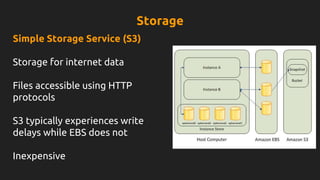
Simple Storage Service (S3)
Storage for internet data
Files accessible using HTTP
protocols
S3 typically experiences write
delays while EBS does not
Inexpensive
Storage
Application Machine Images (AMI) and Instances
AMI:
● Contains the software configurations (OS, application server,
applications);
● Used to launch instances;
● Can be customized and saved.
INSTANCES:
● A copy of AMI running as a virtual server in cloud.
● Different types of instances can be launch by the same AMI.
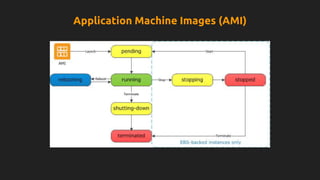
Application Machine Images (AMI)
Instance Store Backed
EBS Backed Instance
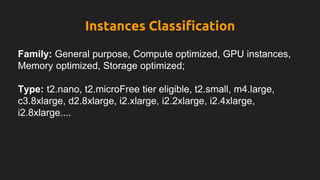
Instances Classification
Family: General purpose, Compute optimized, GPU instances,
Memory optimized, Storage optimized;
Type: t2.nano, t2.microFree tier eligible, t2.small, m4.large,
c3.8xlarge, d2.8xlarge, i2.xlarge, i2.2xlarge, i2.4xlarge,
i2.8xlarge....
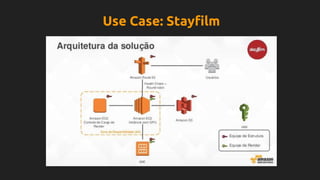
Use Case: Stayfilm
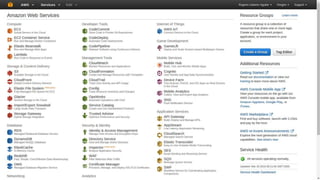
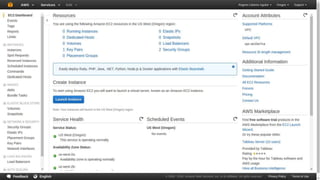
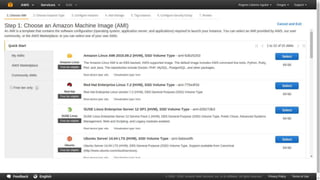
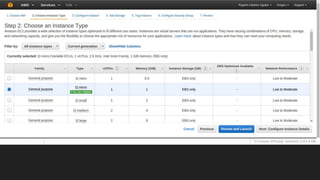
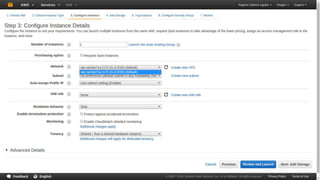
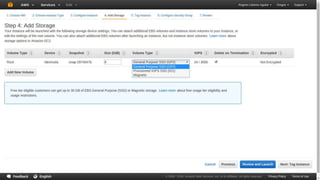
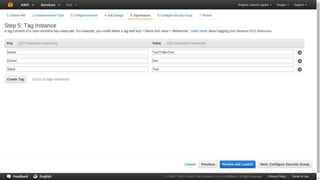
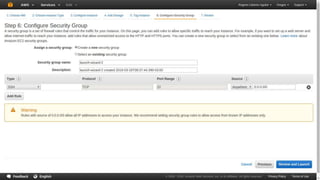
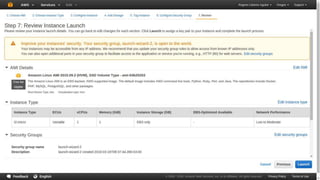
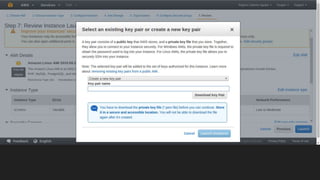
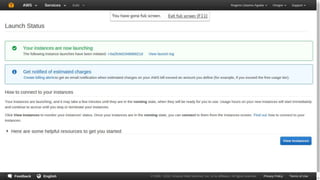
Creating EC2 instances
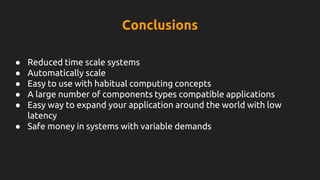
Conclusions
● Reduced time scale systems
● Automatically scale
● Easy to use with habitual computing concepts
● A large number of components types compatible applications
● Easy way to expand your application around the world with low
latency
● Safe money in systems with variable demands
Thank you!!!
● http://aws.amazon.com
● https://qwiklabs.com
● https://docs.aws.amazon.com/AWSEC2/latest/UserGuide/concepts.html
● http://www.differencebetween.net/technology/internet/difference-
between-amazon-s3-and-amazon-ebs/
● https://youtu.be/Ky48XGoWexk?list=PL4ouyja1SV7dMayJflGZYVRtJXYRcA
KZD - Conferência America Latina
● https://www.stayfilm.com/
Bibliography

Aws elastic compute cloud

  • 1.
    Introduction to Elastic ComputeCloud - EC2 Rogério Libarino Aguilar
  • 2.
    Index 1. Introduction 2. Whatis Amazon EC2 ? 3. Regions and Availability Zones (AZs) 4. Storage 5. Application Machine Images (AMI) 6. EC2 Instances 7. Use Case 8. Creating EC2 instances 9. Conclusions
  • 3.
    Are we satisfiedwith your traditional infrastructure?
  • 4.
    the demand increasesfast? What happens if...
  • 5.
    What happens if... ●Slow and manual process to improving the system's capacity ● Possibility of high delay and unavailability of the systems ● It’s hard to know where decrease the capacity again if the demand come back to normal
  • 6.
    What happens if... ...youoverestimate the infrastructure capacity?
  • 7.
  • 8.
    … occurs ablackout in server’s location? What happens if...
  • 9.
    What happens if... ●High costs and time to deploy the applications in another locations or lead with the problem
  • 10.
    … someone removessome server’s critical system file? What happens if...
  • 11.
    What happens if... ●Long time to lead with systems problems
  • 12.
    Web Service thatprovides scalable compute capacity in the AWS. What happens if...
  • 13.
    What is AmazonEC2? ● Reduced time to obtain and boot new server to minutes ● Fast resizable compute instances ● Multiple instances types, operating systems ● Automatically scale up and down depending on its needs ● Applications can be hosted in multiple locations world-wide ● Pay for what is used
  • 14.
  • 15.
  • 16.
    EC2 Instance store EBS- Elastic Block Store S3 - Simple Storage Service Storage
  • 17.
    EC2 Instance store Temporaryblock level storage; If the instance stops or terminate, any data in instance store volumes is lost; Can’t be detached from an instance and attached to another Storage
  • 18.
    Elastic Block Store(EBS) Persistent block level storage; Low-latency; Automatically replicated within its AZ; Can only be used by EC2 instances; Appears as a mountable volume; Can be transported between virtual machines; Storage
  • 19.
    Simple Storage Service(S3) Storage for internet data Files accessible using HTTP protocols S3 typically experiences write delays while EBS does not Inexpensive Storage
  • 20.
    Application Machine Images(AMI) and Instances AMI: ● Contains the software configurations (OS, application server, applications); ● Used to launch instances; ● Can be customized and saved. INSTANCES: ● A copy of AMI running as a virtual server in cloud. ● Different types of instances can be launch by the same AMI.
  • 21.
  • 22.
  • 23.
  • 24.
    Instances Classification Family: Generalpurpose, Compute optimized, GPU instances, Memory optimized, Storage optimized; Type: t2.nano, t2.microFree tier eligible, t2.small, m4.large, c3.8xlarge, d2.8xlarge, i2.xlarge, i2.2xlarge, i2.4xlarge, i2.8xlarge....
  • 25.
  • 26.
  • 40.
    Conclusions ● Reduced timescale systems ● Automatically scale ● Easy to use with habitual computing concepts ● A large number of components types compatible applications ● Easy way to expand your application around the world with low latency ● Safe money in systems with variable demands
  • 41.
  • 42.
    ● http://aws.amazon.com ● https://qwiklabs.com ●https://docs.aws.amazon.com/AWSEC2/latest/UserGuide/concepts.html ● http://www.differencebetween.net/technology/internet/difference- between-amazon-s3-and-amazon-ebs/ ● https://youtu.be/Ky48XGoWexk?list=PL4ouyja1SV7dMayJflGZYVRtJXYRcA KZD - Conferência America Latina ● https://www.stayfilm.com/ Bibliography

Editor's Notes

  • #13 Resizable: configuration of memory, CPU, instance storage, boot partition size
  • #15 Each region is a separate geographic area. Each region has multiple, isolated locations known as Availability Zones. Low-latency between AZs
  • #16 Resources aren't replicated across regions unless you do so specifically. The AZs are fisical separeted but the latency between AZs is in max 10 miliseconds
  • #26 https://www.stayfilm.com/
  • #27 ssh -i first-test.pem ec2-user@ec2-54-200-186-48.us-west-2.compute.amazonaws.com
  • #41 ssh -i first-test.pem ec2-user@ec2-54-200-186-48.us-west-2.compute.amazonaws.com