Downloaded 52 times


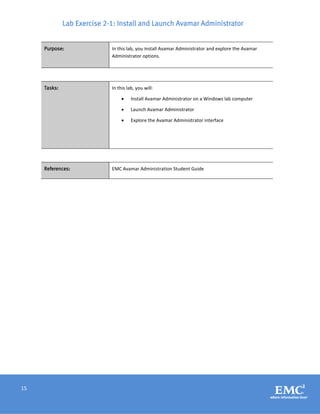
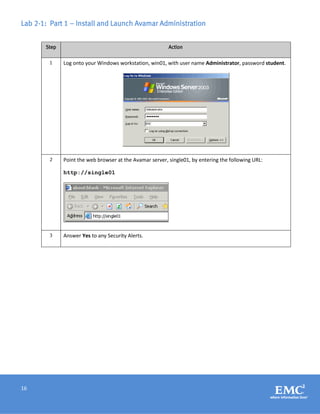
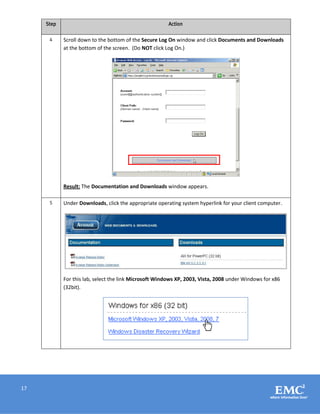
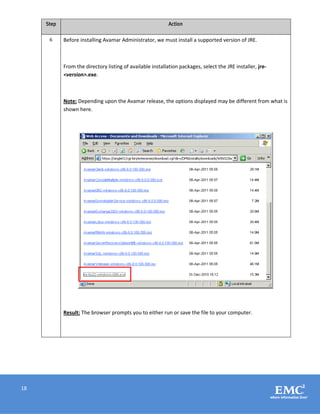
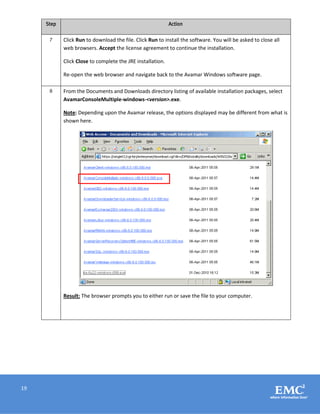
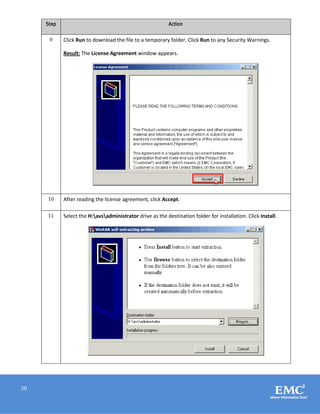
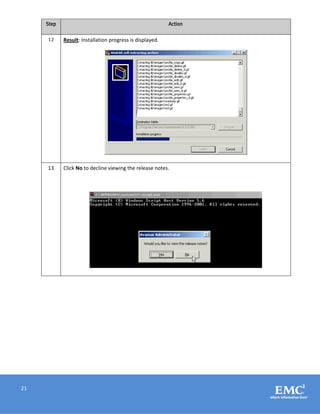
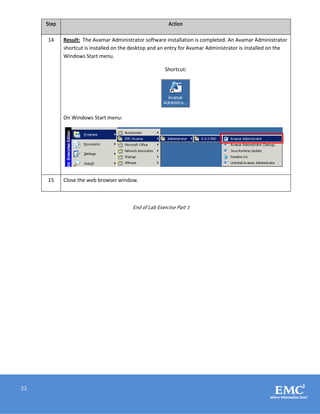
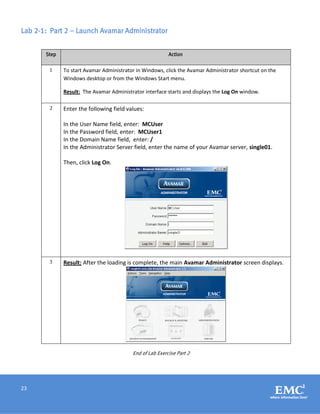
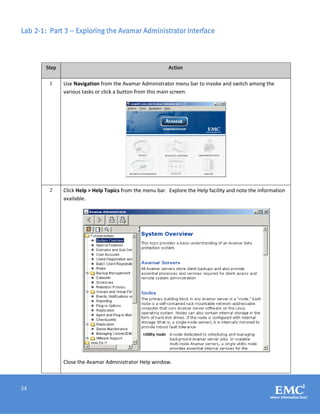

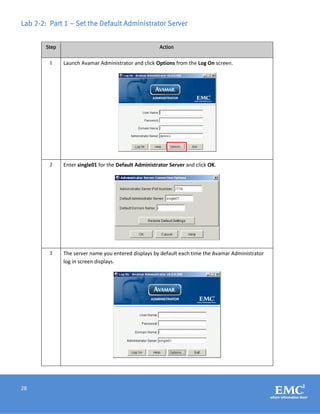
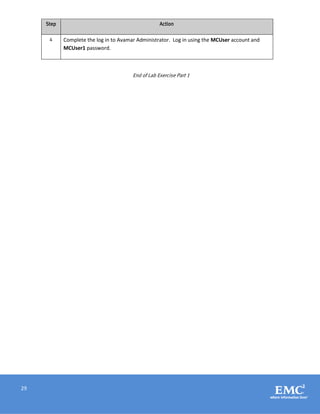
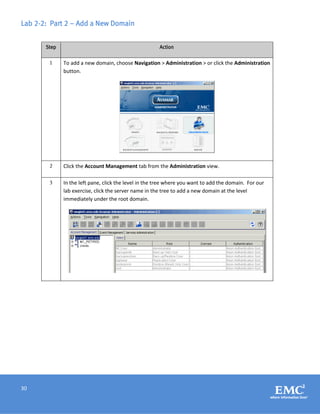
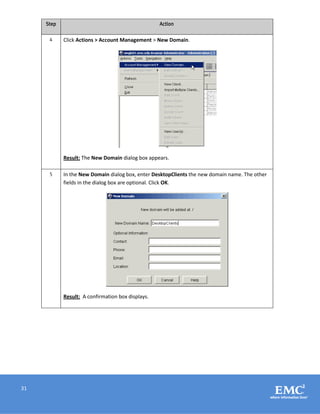
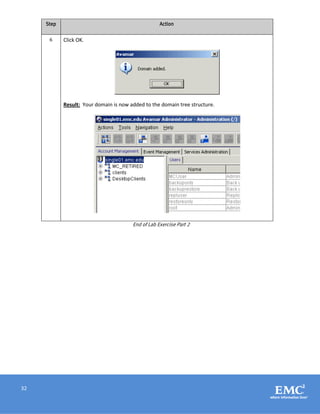
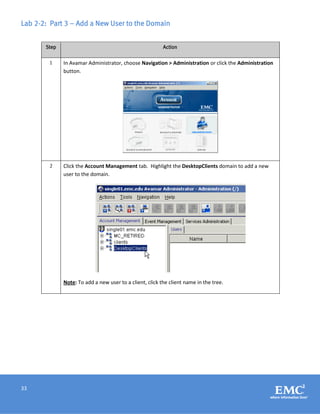
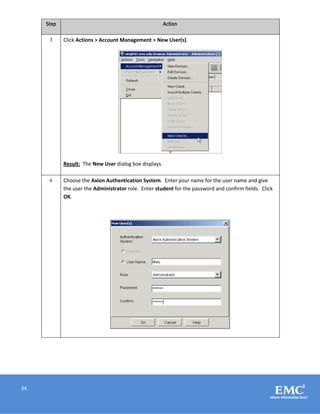
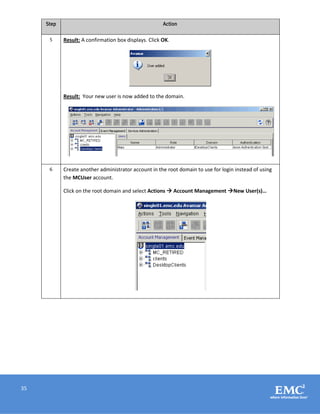
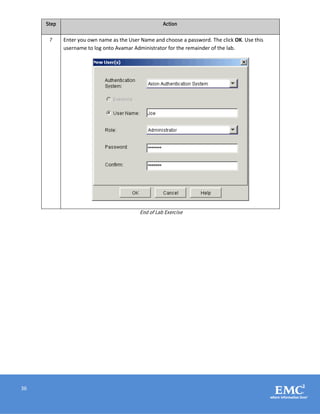
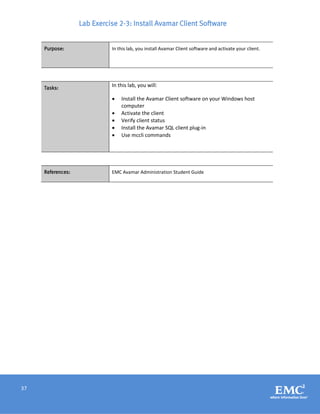
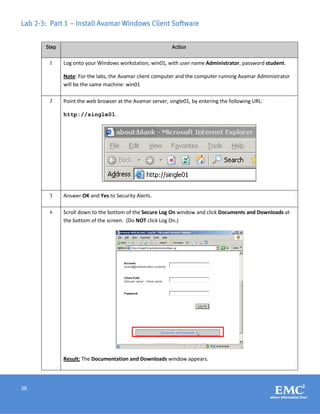
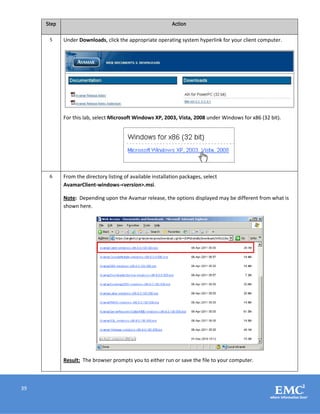
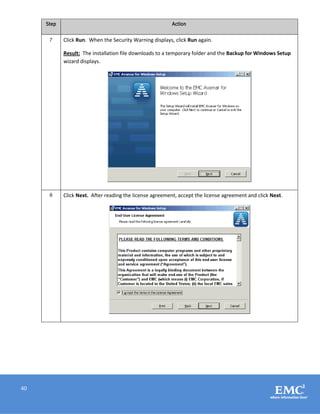
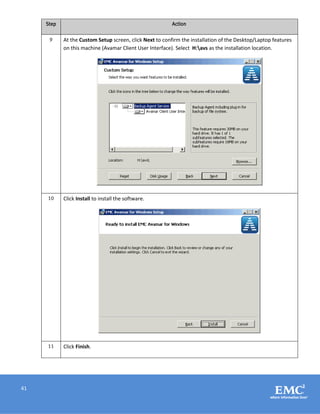
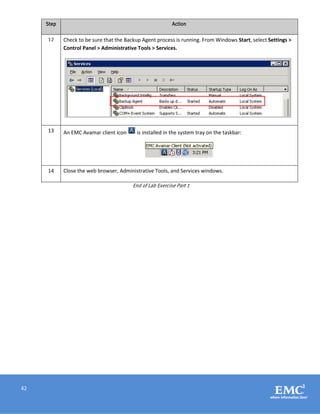
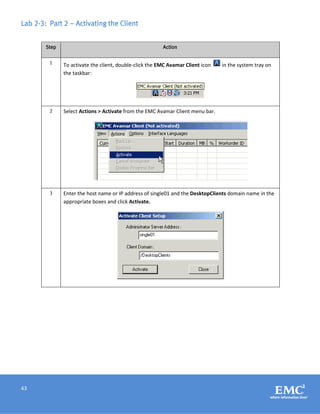
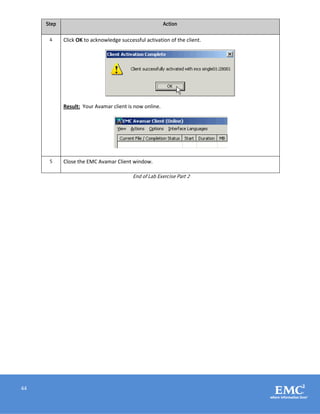
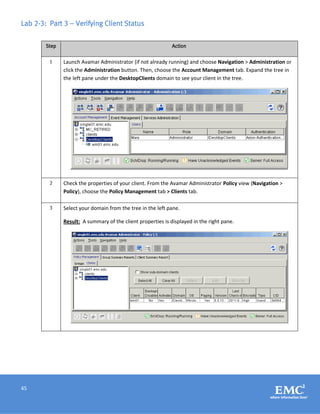
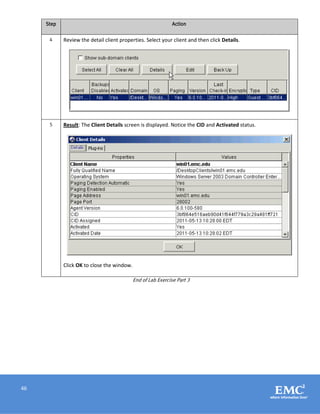
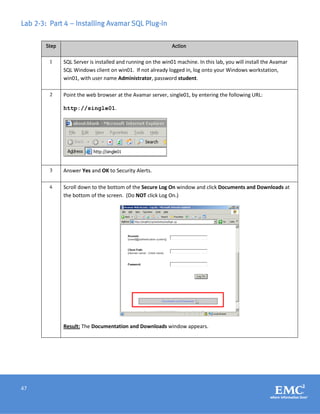
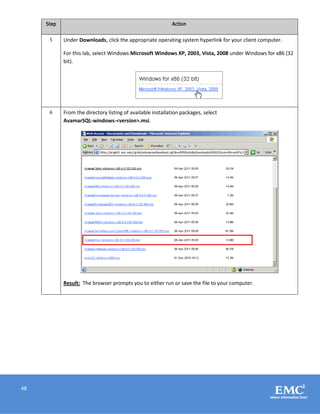
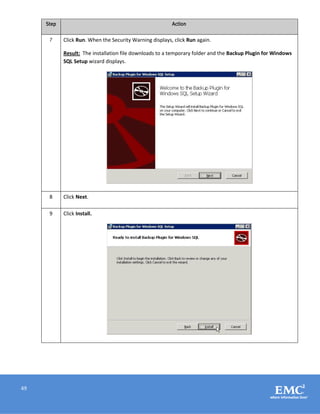
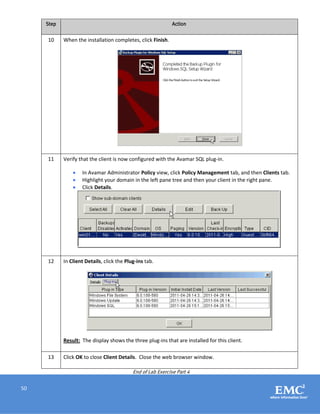
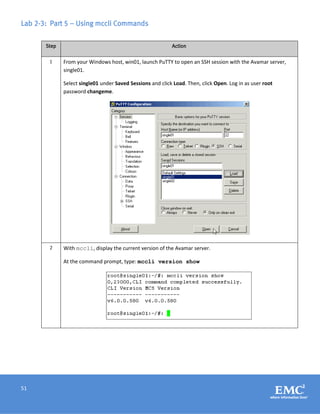
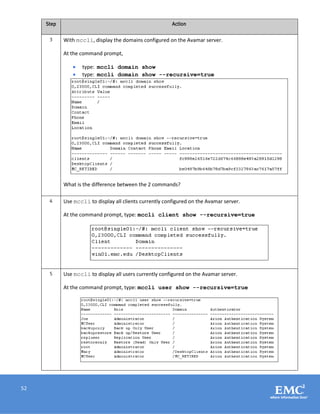

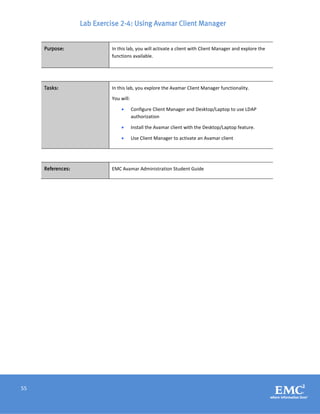
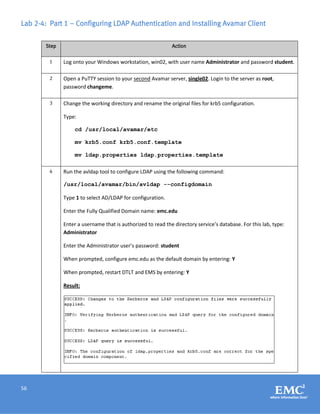
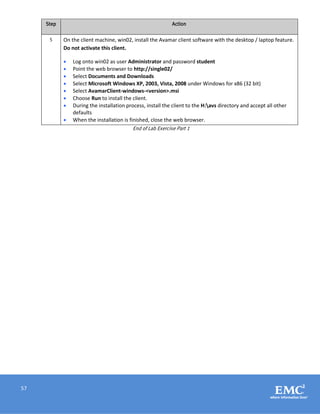
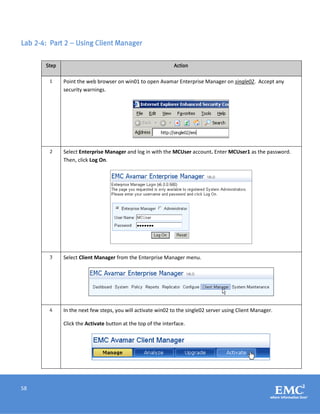
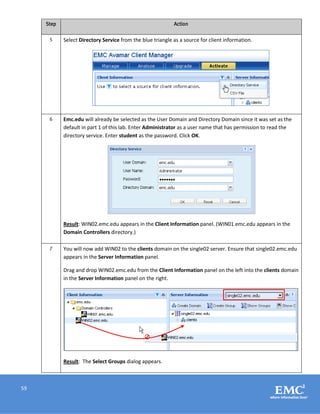
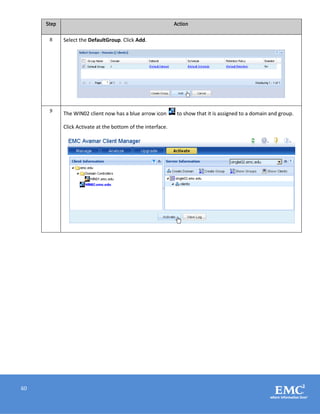
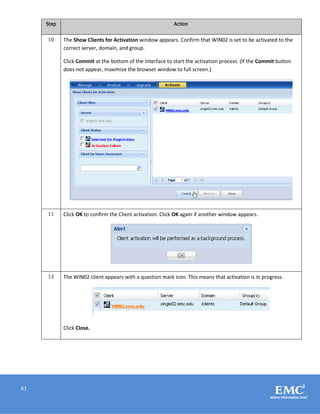
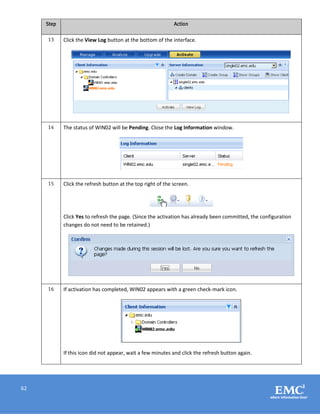
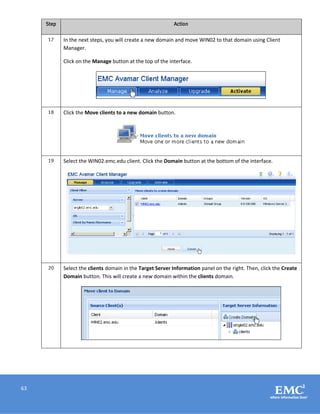
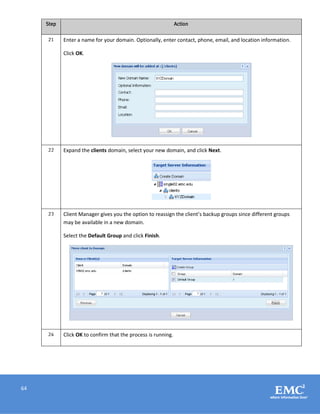
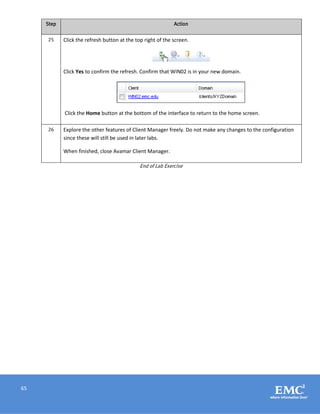

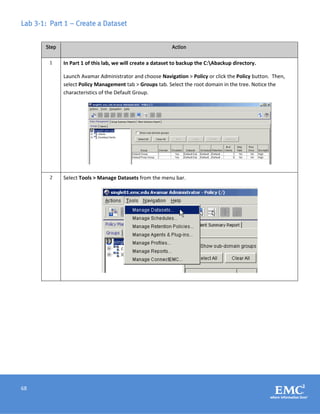
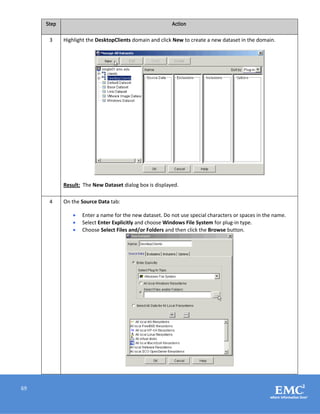
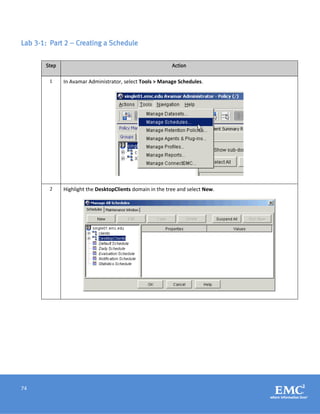
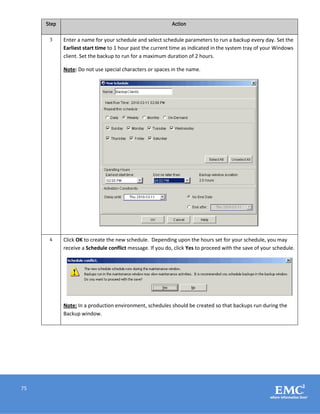
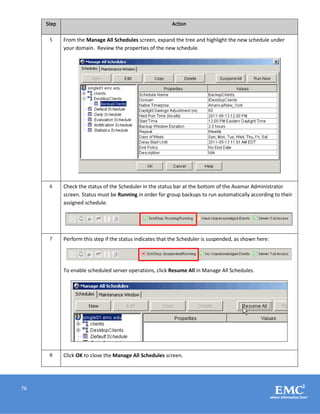
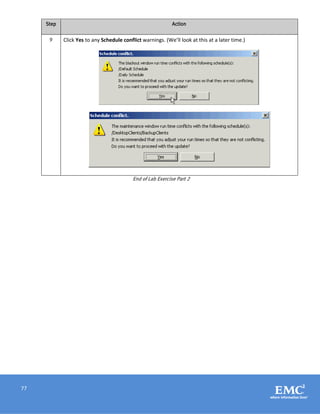
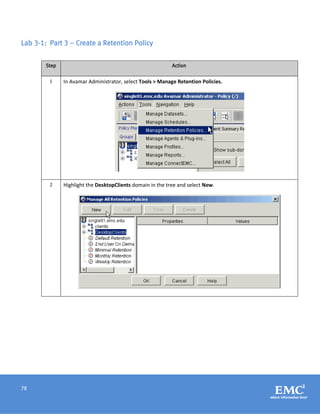
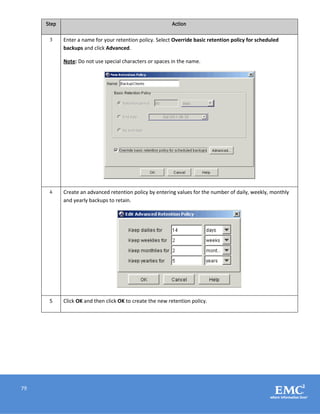
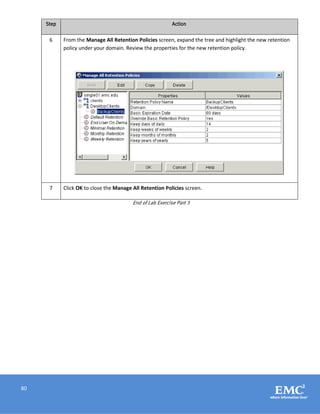
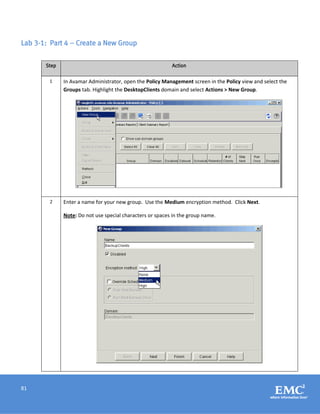
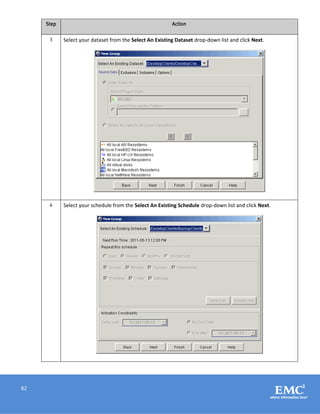
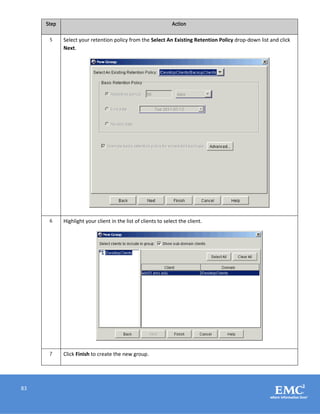
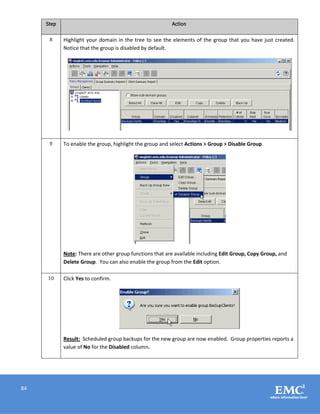
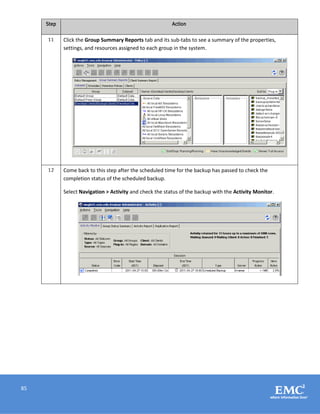
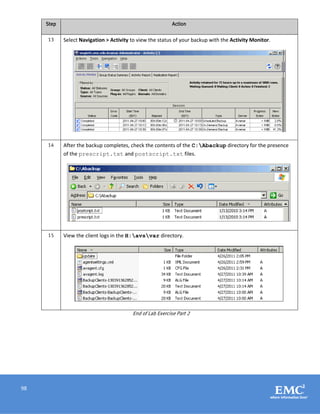
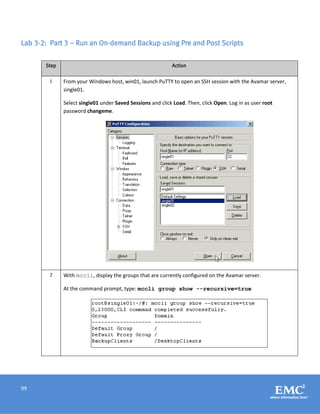
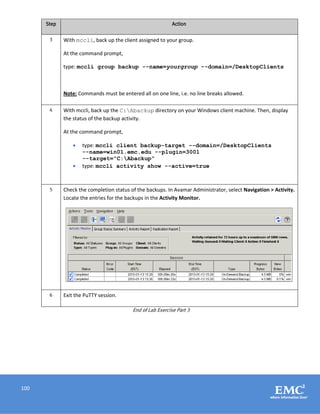
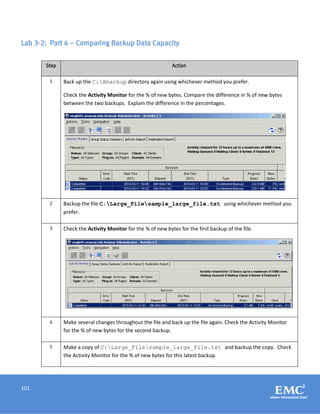
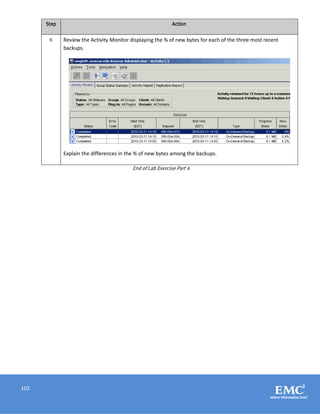
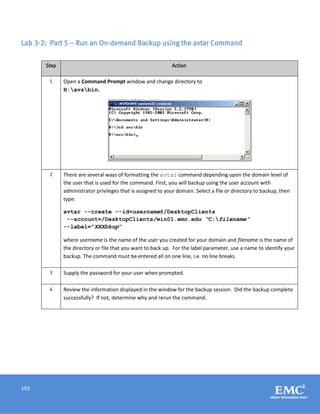
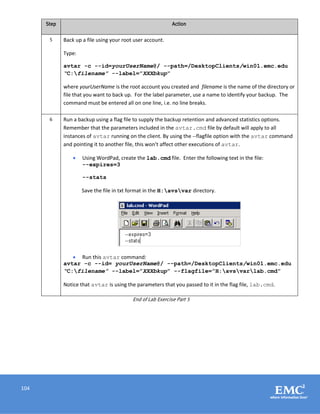
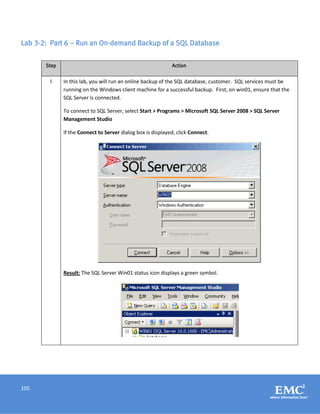
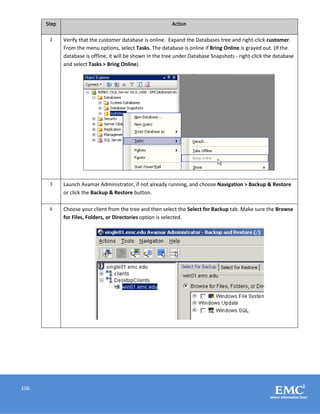
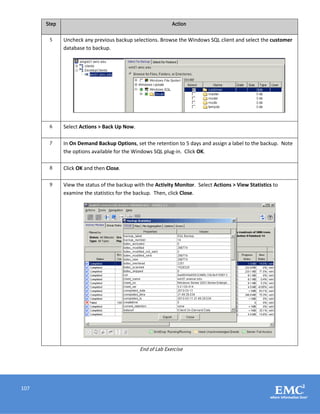
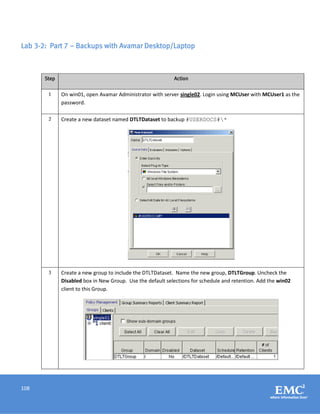
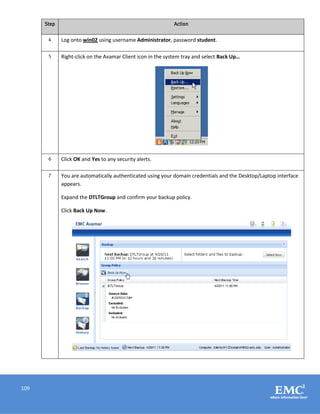
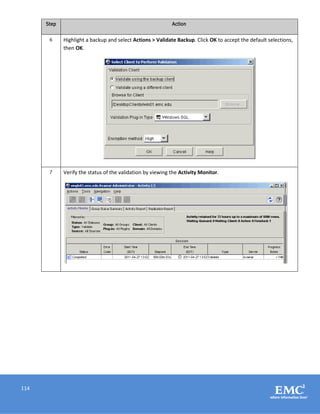
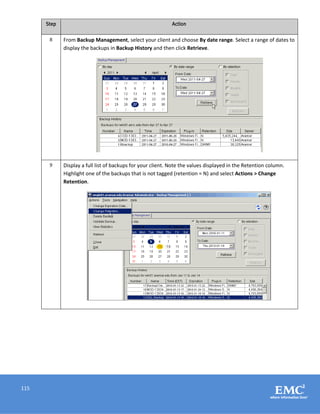
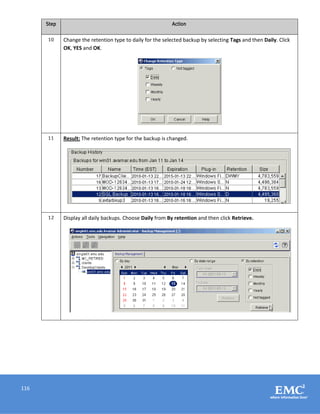
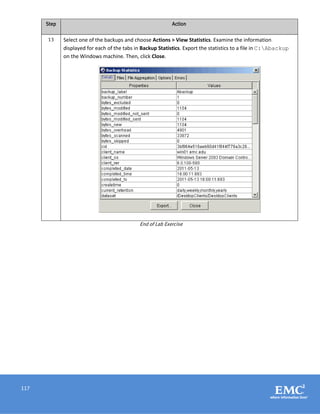

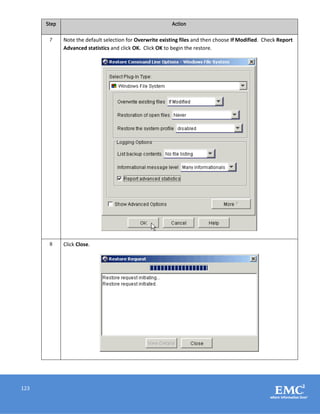
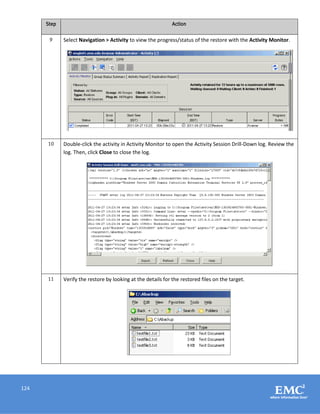
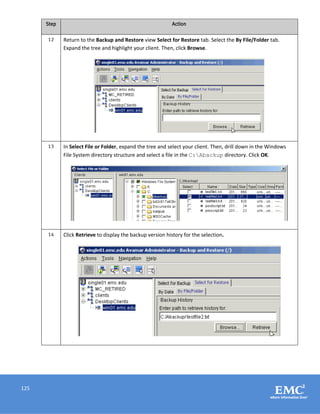
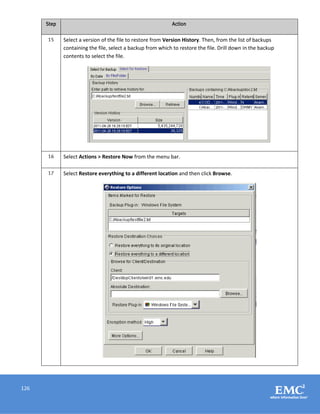
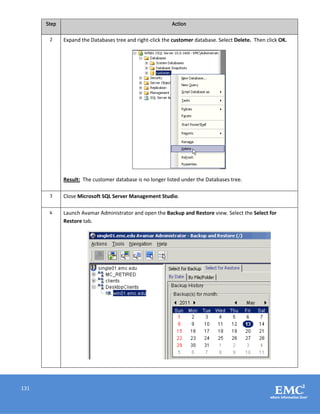
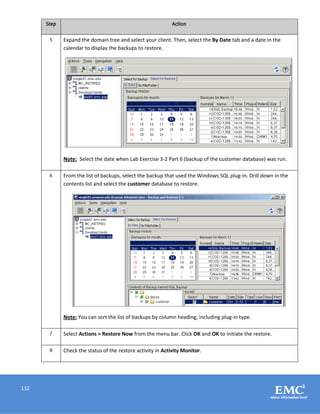
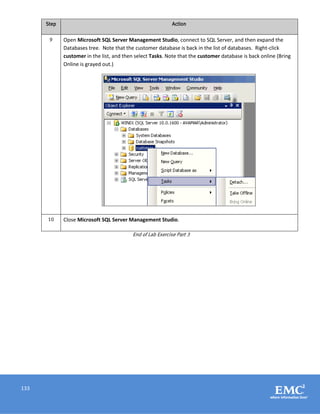
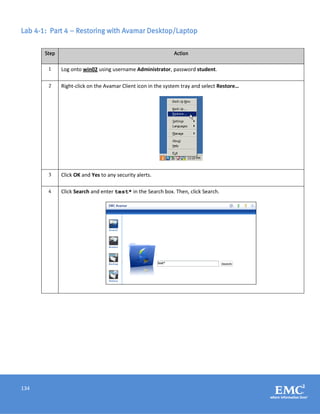
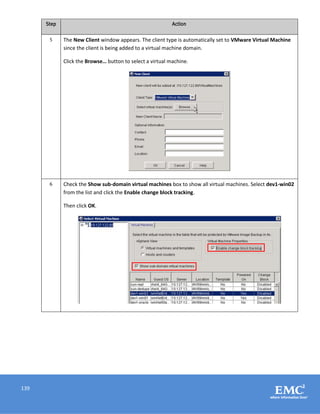
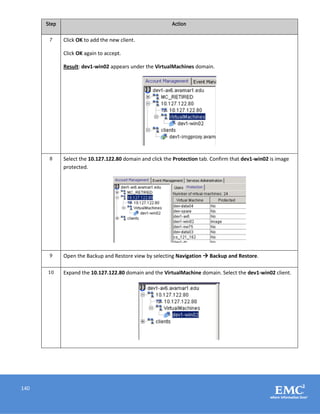
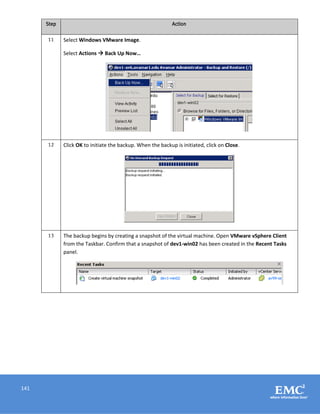
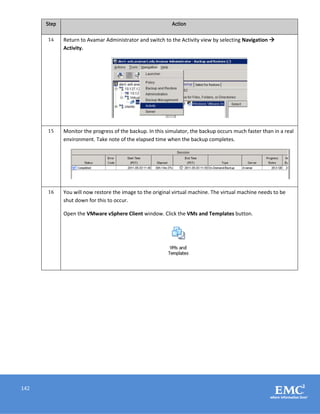
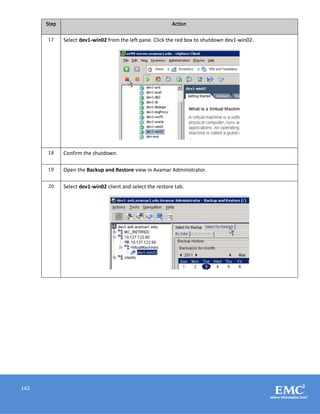
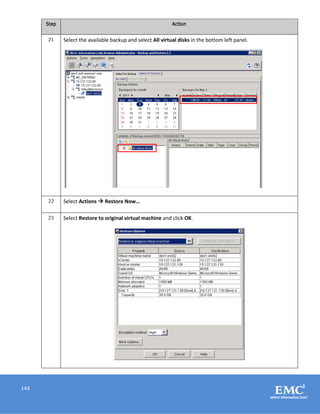

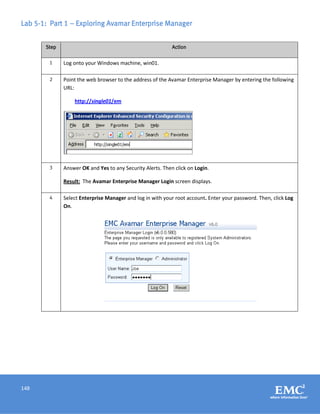
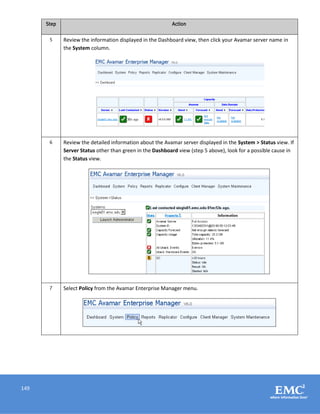
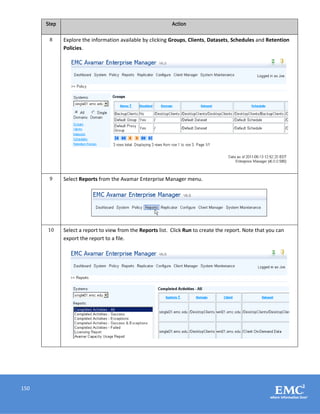
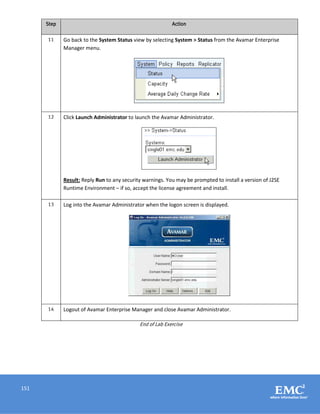

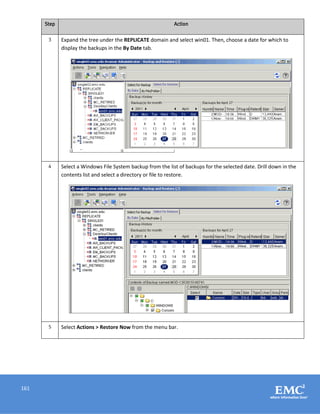
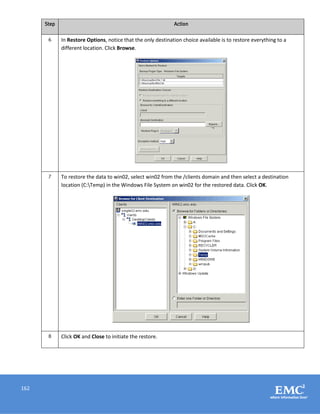
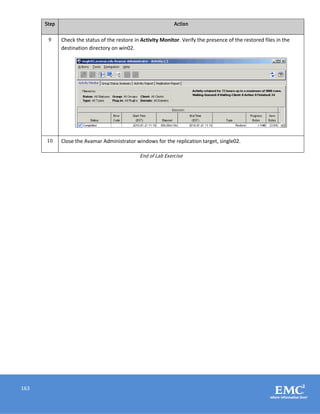

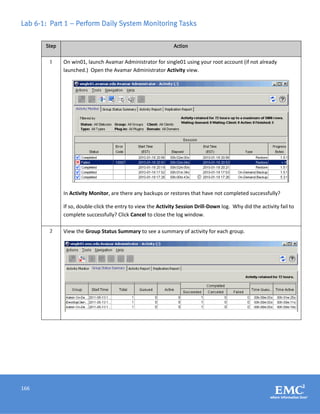
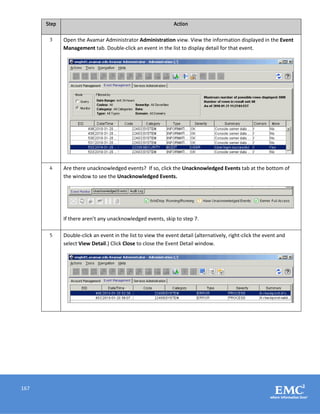
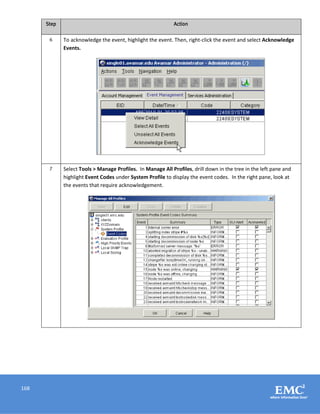
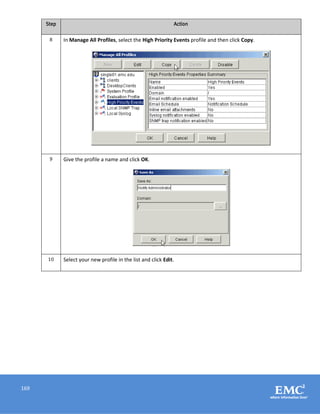
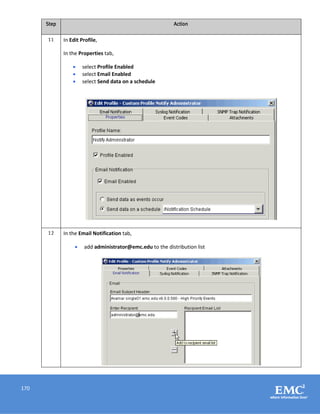
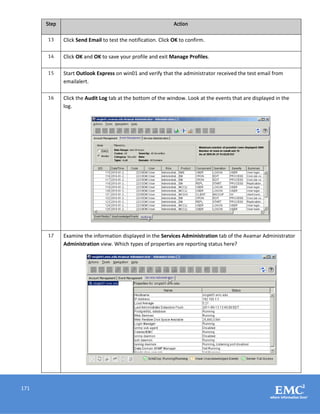
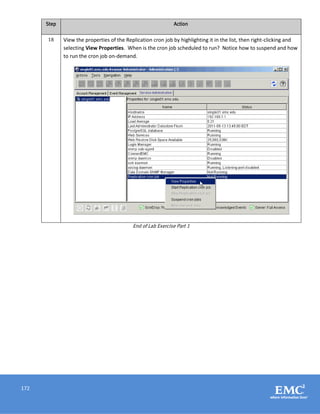
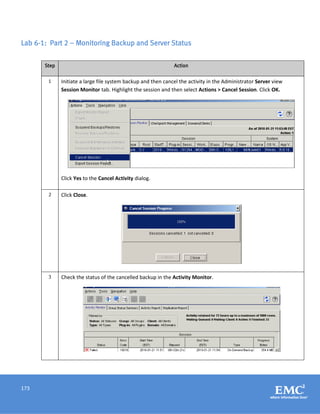
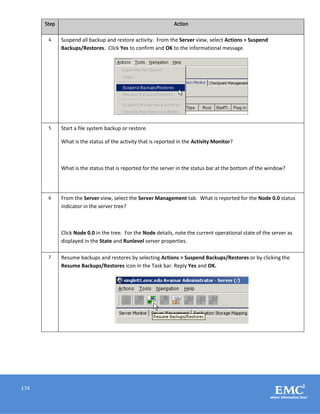
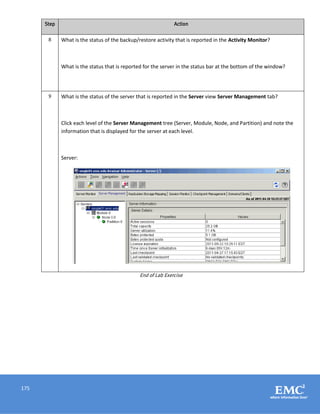

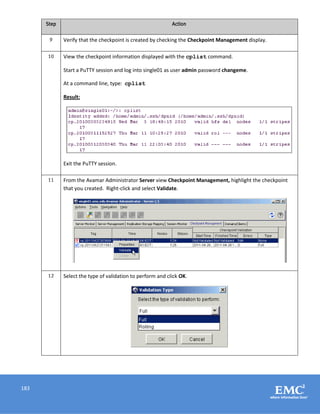
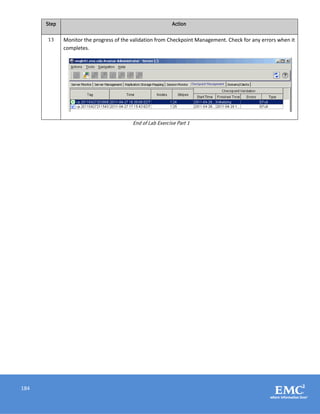
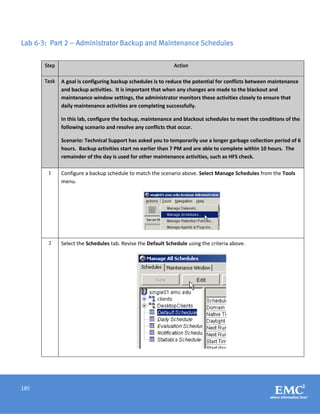
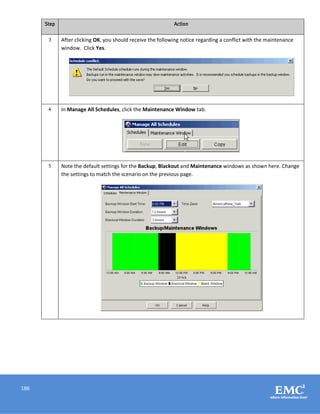
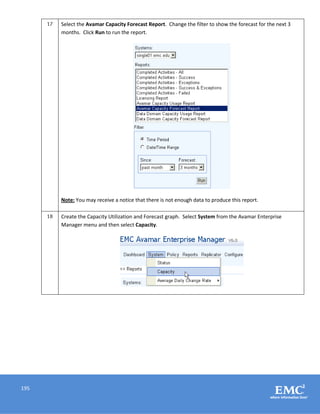
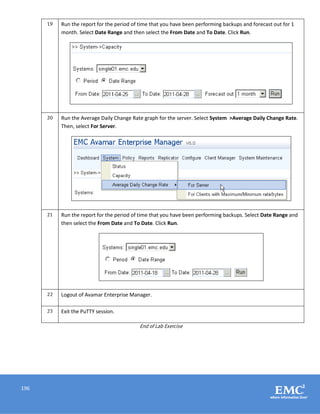
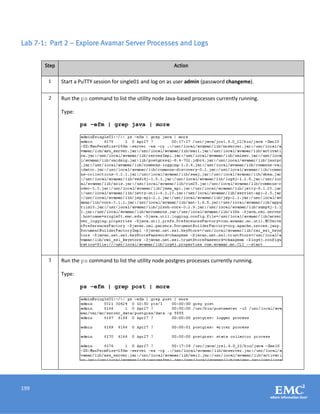
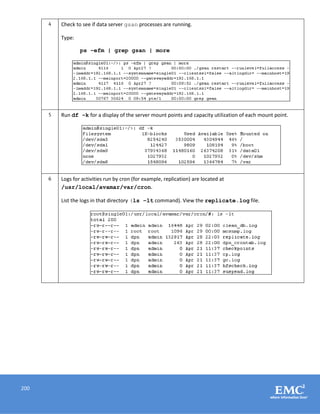
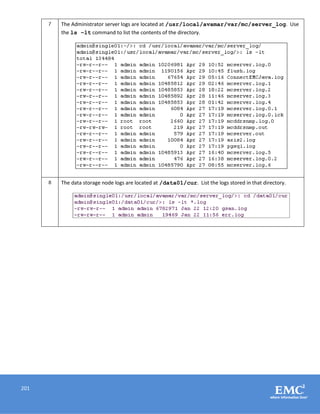
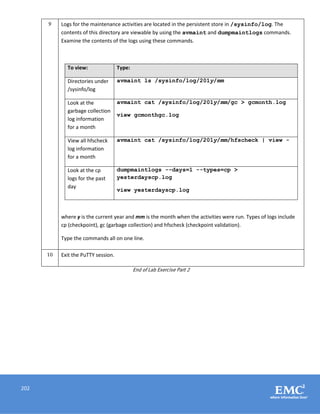
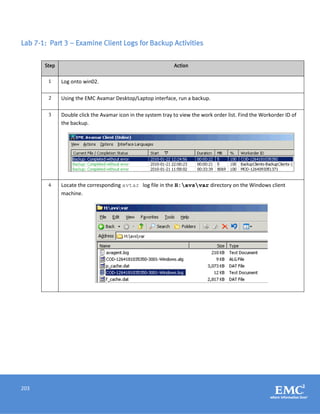
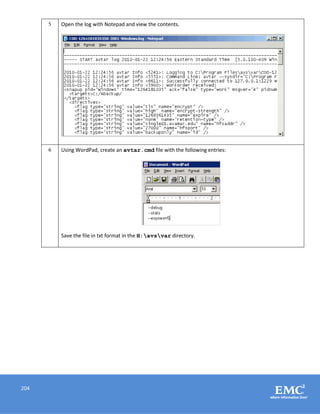
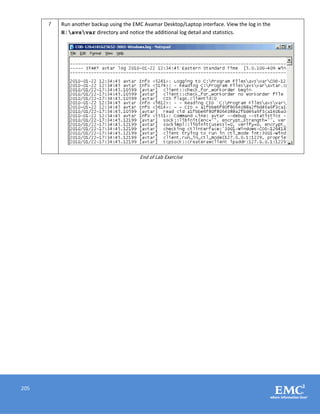

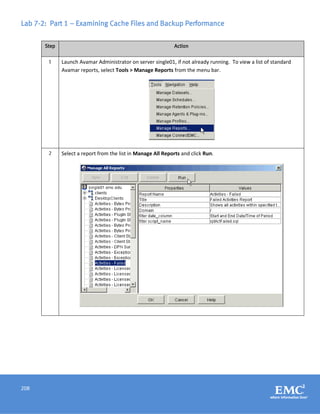
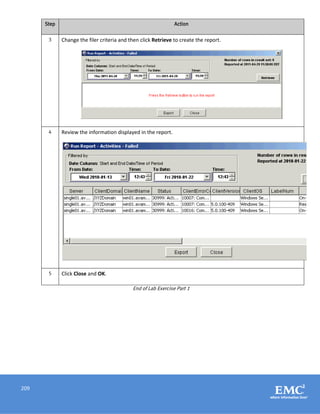
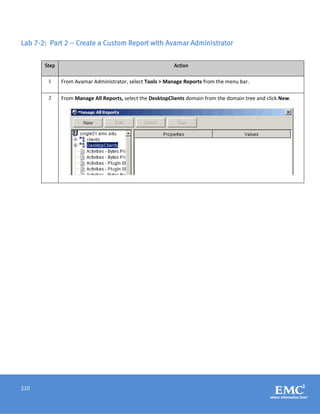
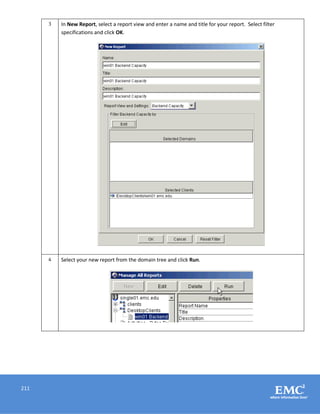
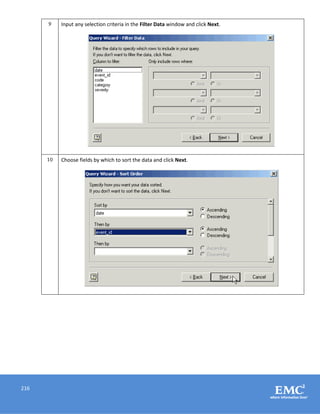
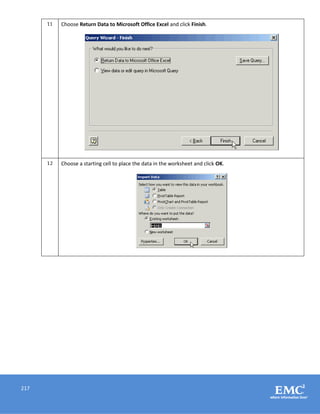
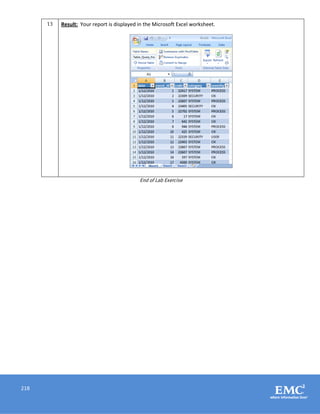
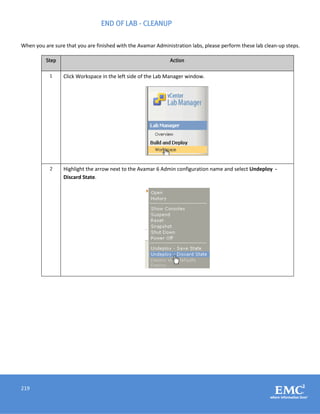


Here are the steps to install Avamar Administrator on your Windows workstation: 1. Point your web browser to the Avamar server at http://single01. 2. From the Documentation and Downloads page, select the Windows installer link for your OS (Windows XP/2003/Vista/2008 for 32-bit in this case). 3. Download and install the Java Runtime Environment (JRE) package if prompted. 4. Download and run the Avamar Administrator installer package avamar-admin-windows-<version>.exe. Follow the installation wizard prompts to complete the installation. This will install the Avamar Administrator console on your Windows workstation so you can begin managing backups from there. Let me


![Exchange 2010 on_v_mware_-_best_practices_guide[1]](https://cdn.slidesharecdn.com/ss_thumbnails/exchange2010onvmware-bestpracticesguide1-101229092935-phpapp02-thumbnail.jpg?width=640&height=640&fit=bounds)


