PDF factsheets
with xlwings Reports
Felix Zumstein
August 12, 2021
Agenda
1. Introduction
2. What’s wrong with reporting?
3. Demos: xlwings Reports
2
1. Introduction
4
xlwings
• I released the first version of xlwings in 2014
• After working on it for 6 years as an open-
source project, I realized two things:
– Putting in the required amount of work for $0 is
unsustainable
– Most users are using xlwings for some sort of reporting
• Consequence: Either make it abandonware or
find a way to fund the project
5
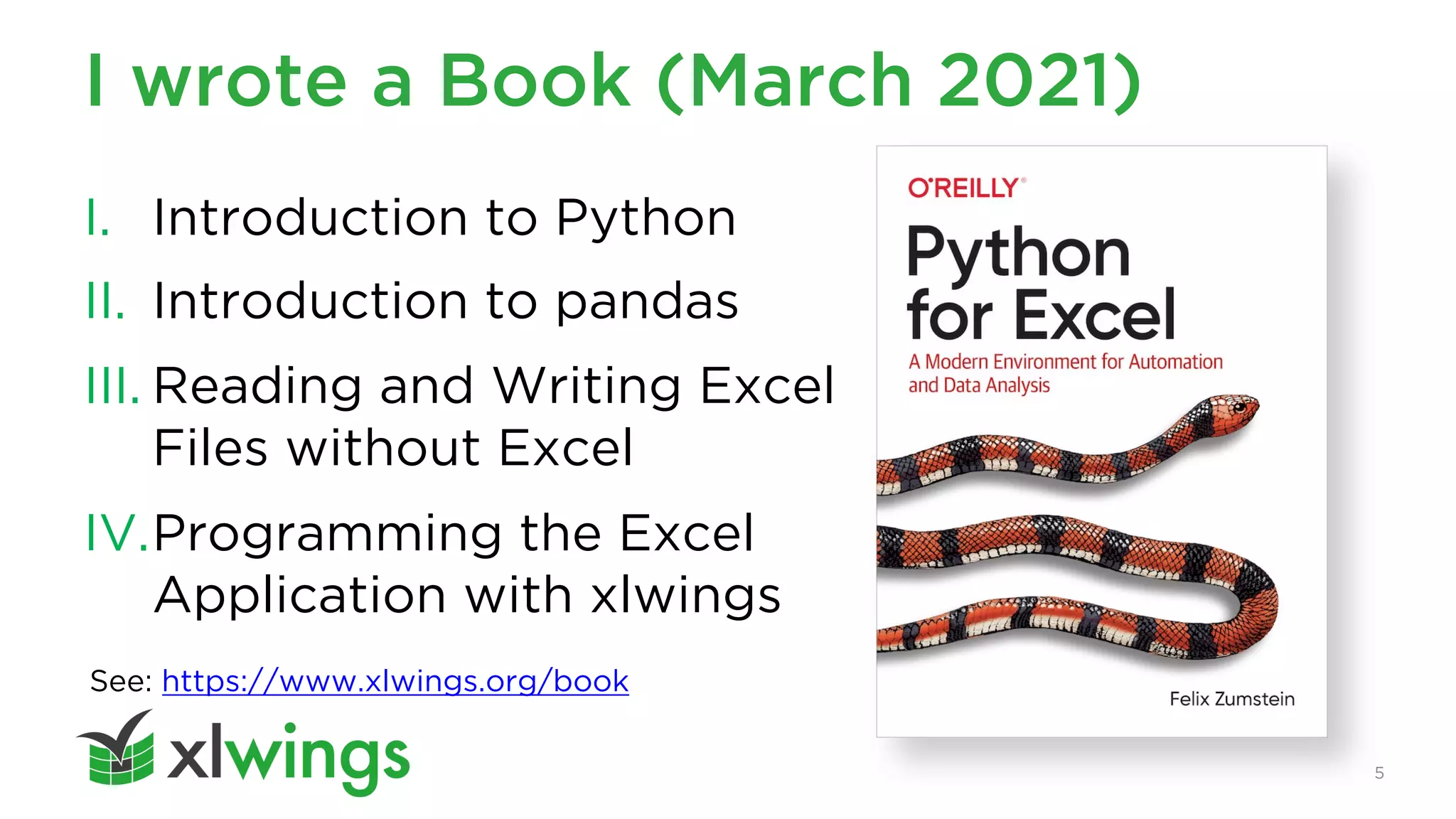
I wrote a Book (March 2021)
I. Introduction to Python
II. Introduction to pandas
III. Reading and Writing Excel
Files without Excel
IV.Programming the Excel
Application with xlwings
See: https://www.xlwings.org/book
2. What’s wrong with reporting?
7
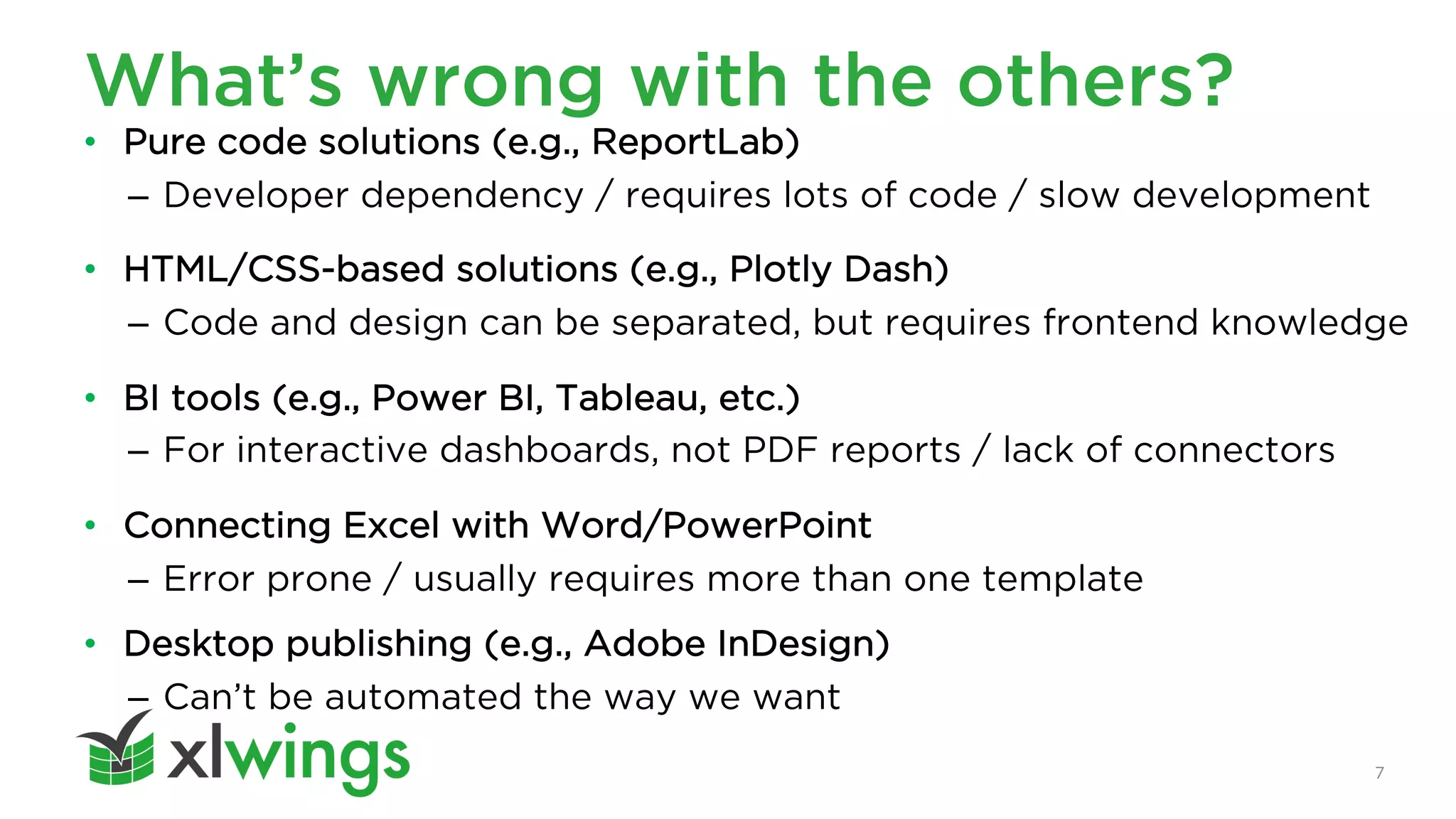
What’s wrong with the others?
• Pure code solutions (e.g., ReportLab)
– Developer dependency / requires lots of code / slow development
• HTML/CSS-based solutions (e.g., Plotly Dash)
– Code and design can be separated, but requires frontend knowledge
• BI tools (e.g., Power BI, Tableau, etc.)
– For interactive dashboards, not PDF reports / lack of connectors
• Connecting Excel with Word/PowerPoint
– Error prone / usually requires more than one template
• Desktop publishing (e.g., Adobe InDesign)
– Can’t be automated the way we want
8
What’s wrong with xlwings (OSS)?
for address in ['A1', 'B2', 'C3']:
mysheet[address].value = 'xlwings'
for address in ['A1', 'B2', 'C3']:
mysheet[address].value = 'xlwings'
'A3', 'B4', 'C5'
Code AND
template changes
Requires loops
9
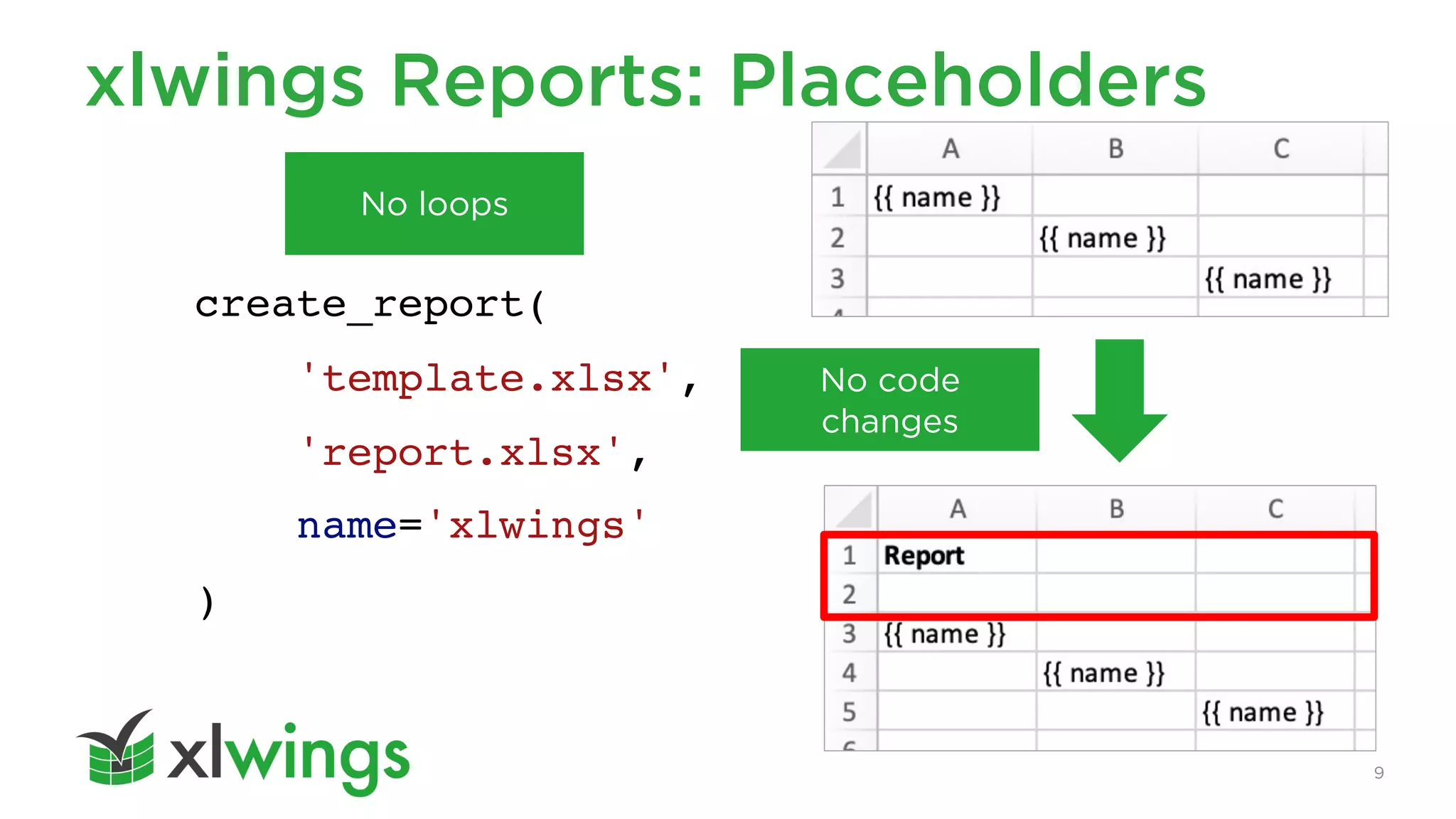
xlwings Reports: Placeholders
create_report(
'template.xlsx',
'report.xlsx',
name='xlwings'
)
No code
changes
No loops
3. xlwings Reports: Demos
11
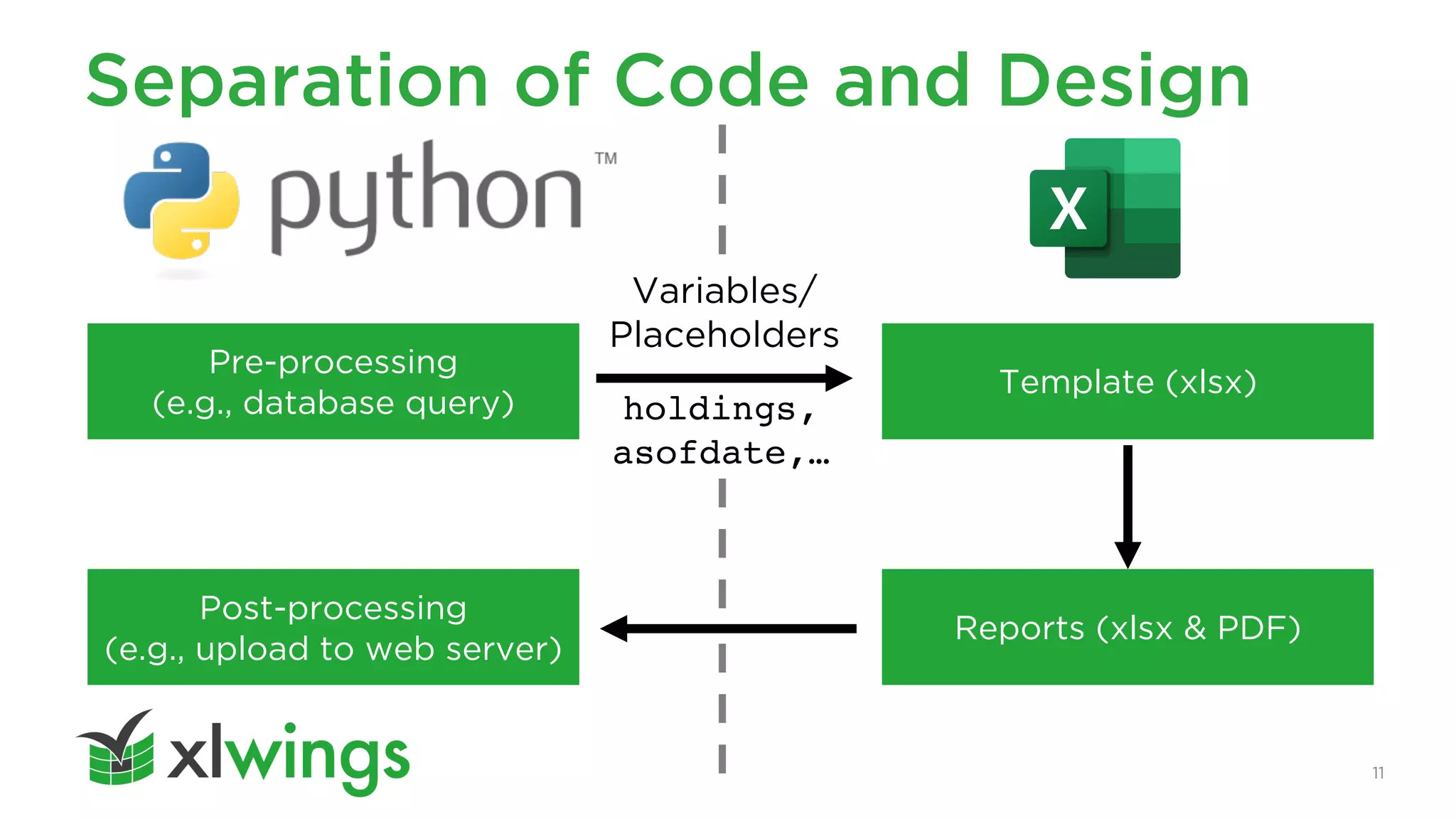
Separation of Code and Design
Pre-processing
(e.g., database query)
Post-processing
(e.g., upload to web server)
holdings,
asofdate,…
Reports (xlsx & PDF)
Template (xlsx)
Variables/
Placeholders
12
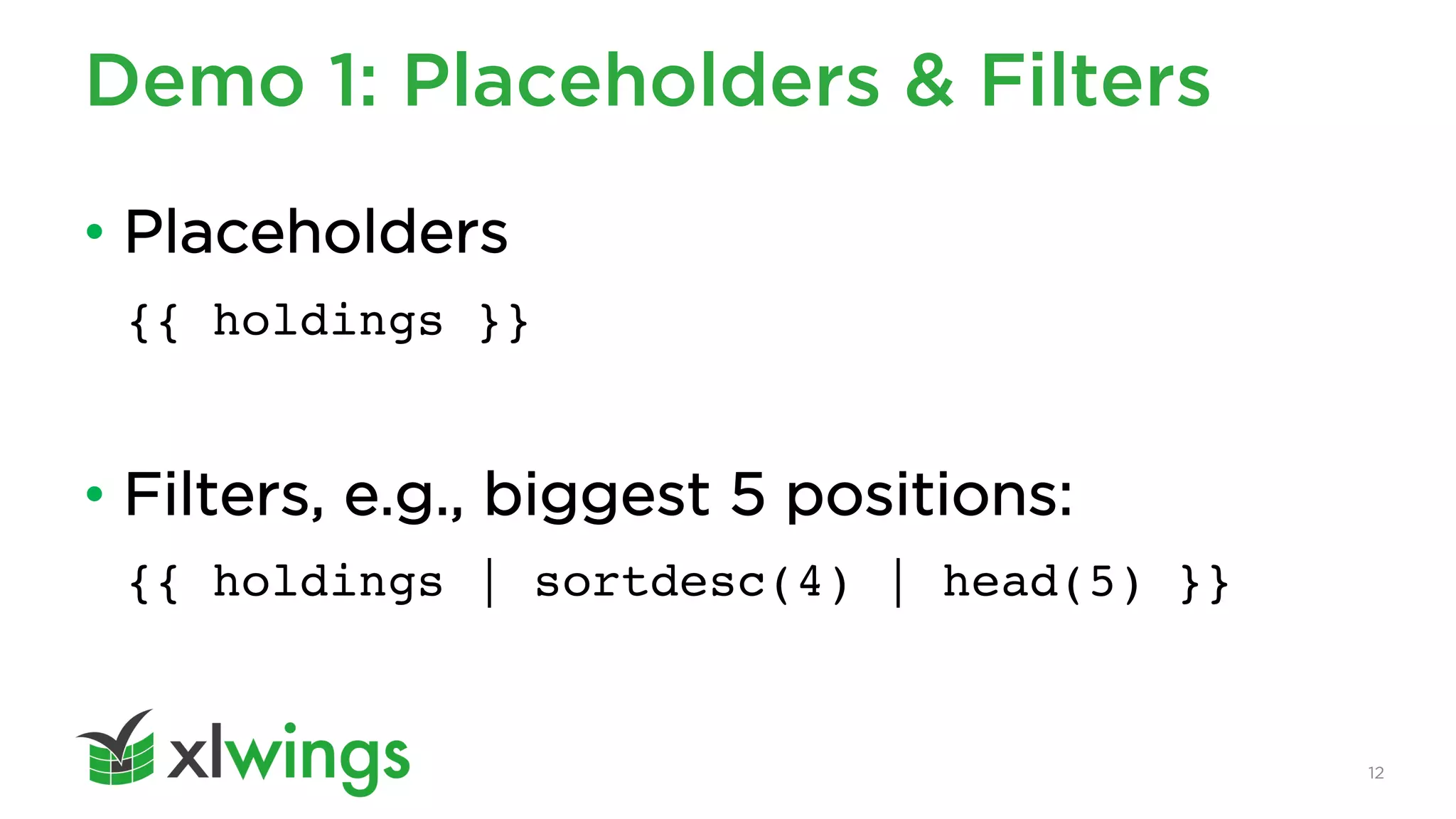
Demo 1: Placeholders & Filters
• Placeholders
{{ holdings }}
• Filters, e.g., biggest 5 positions:
{{ holdings | sortdesc(4) | head(5) }}
13
Demo 2: Full reporting pipeline
• Pre-processing
– Read data from various sources incl. text, Word and CSV files
– Clean/manipulate the data with pandas
• Report Generation
– xlsx and PDF
• Post-processing
– uploading it to the xlwings.org webpage via AWS S3
90 lines of code (!): https://github.com/xlwings/xlwings-factsheet-demo
14
Ways to run the reporting pipeline
• Excel workbook (used by the demo)
• Jupyter notebook
• Python script / CLI (e.g., for scheduler)
• Locally installed GUI
• Web-based UI
15
Summary: xlwings Reports
• Separation of concerns: code vs. design
• Template: one, and only one
• Layout: multi-column
• Text: formatting via Markdown
• Tables: dynamically formatted with powerful filters
• Charts: via Excel or Python (Matplotlib, Plotly)
• PDF: “Print” on PDF in corporate layout
16
Pricing
• From USD 82.50/month, your whole company can
run on xlwings Reports
• Developer license: only users who write Python
code need a paid license
• Tools can be used forever even if plan is cancelled
(but no support/upgrades)
• https://www.xlwings.org/pricing
17
How to get started
• Get a trial license from:
https://www.xlwings.org/trial
• Read the docs:
https://docs.xlwings.org/en/stable/reports.html
• Book a meeting with me:
https://calendly.com/felix-zumstein/xlwings
Thank You
Let’s connect:
https://www.linkedin.com/in/felix-zumstein

Automate your PDF factsheets with xlwings Reports

  • 1.
    PDF factsheets with xlwingsReports Felix Zumstein August 12, 2021
  • 2.
    Agenda 1. Introduction 2. What’swrong with reporting? 3. Demos: xlwings Reports 2
  • 3.
  • 4.
    4 xlwings • I releasedthe first version of xlwings in 2014 • After working on it for 6 years as an open- source project, I realized two things: – Putting in the required amount of work for $0 is unsustainable – Most users are using xlwings for some sort of reporting • Consequence: Either make it abandonware or find a way to fund the project
  • 5.
    5 I wrote aBook (March 2021) I. Introduction to Python II. Introduction to pandas III. Reading and Writing Excel Files without Excel IV.Programming the Excel Application with xlwings See: https://www.xlwings.org/book
  • 6.
    2. What’s wrongwith reporting?
  • 7.
    7 What’s wrong withthe others? • Pure code solutions (e.g., ReportLab) – Developer dependency / requires lots of code / slow development • HTML/CSS-based solutions (e.g., Plotly Dash) – Code and design can be separated, but requires frontend knowledge • BI tools (e.g., Power BI, Tableau, etc.) – For interactive dashboards, not PDF reports / lack of connectors • Connecting Excel with Word/PowerPoint – Error prone / usually requires more than one template • Desktop publishing (e.g., Adobe InDesign) – Can’t be automated the way we want
  • 8.
    8 What’s wrong withxlwings (OSS)? for address in ['A1', 'B2', 'C3']: mysheet[address].value = 'xlwings' for address in ['A1', 'B2', 'C3']: mysheet[address].value = 'xlwings' 'A3', 'B4', 'C5' Code AND template changes Requires loops
  • 9.
  • 10.
  • 11.
    11 Separation of Codeand Design Pre-processing (e.g., database query) Post-processing (e.g., upload to web server) holdings, asofdate,… Reports (xlsx & PDF) Template (xlsx) Variables/ Placeholders
  • 12.
    12 Demo 1: Placeholders& Filters • Placeholders {{ holdings }} • Filters, e.g., biggest 5 positions: {{ holdings | sortdesc(4) | head(5) }}
  • 13.
    13 Demo 2: Fullreporting pipeline • Pre-processing – Read data from various sources incl. text, Word and CSV files – Clean/manipulate the data with pandas • Report Generation – xlsx and PDF • Post-processing – uploading it to the xlwings.org webpage via AWS S3 90 lines of code (!): https://github.com/xlwings/xlwings-factsheet-demo
  • 14.
    14 Ways to runthe reporting pipeline • Excel workbook (used by the demo) • Jupyter notebook • Python script / CLI (e.g., for scheduler) • Locally installed GUI • Web-based UI
  • 15.
    15 Summary: xlwings Reports •Separation of concerns: code vs. design • Template: one, and only one • Layout: multi-column • Text: formatting via Markdown • Tables: dynamically formatted with powerful filters • Charts: via Excel or Python (Matplotlib, Plotly) • PDF: “Print” on PDF in corporate layout
  • 16.
    16 Pricing • From USD82.50/month, your whole company can run on xlwings Reports • Developer license: only users who write Python code need a paid license • Tools can be used forever even if plan is cancelled (but no support/upgrades) • https://www.xlwings.org/pricing
  • 17.
    17 How to getstarted • Get a trial license from: https://www.xlwings.org/trial • Read the docs: https://docs.xlwings.org/en/stable/reports.html • Book a meeting with me: https://calendly.com/felix-zumstein/xlwings
  • 18.