Your business technologists. Powering progress
the124pitfallsof moving ICT infrastructure
how to avoid them and make sure your project goes like clockwork
“Before we started moving and set-
ting up the offices in our buildings, I
thought the big challenge would be
moving the furniture. However, the
biggest challenge turned out to be
moving the ICT”.
Henk Frijters, Director of Facility Management Benelux, Atos
Contents
Introduction 4
Schedule 5
Inventory 6
Case: Radio 538 7
Logistics 8
Safety 9
Facilities 10
Atos Move ICT: Over 10 years of experience with ICT moving projects  11
Infrastructure 12
Testing 13
Business continuity 14
Case: Holland Heineken House at the Olympic Games 15
Security 16
Communication 17
Resourcing 18
Case: Large datacenter consolidation program 19
The 124 pitfalls of moving ICT infrastructure4
Introduction
Whether you need a larger data centre or office location, are merging with another organization
or just want to rearrange your office or data centre, there may come a time when you want to
move. However, for most organizations, moving is not part of their daily work. And as if the move
itself was not enough of a challenge, organizations often also implement new technologies
during a move. A lot can go wrong in this situation, especially with regard to infrastructure,
logistics and planning.
Of course, you don’t want to jeopardise the continuity of your business, or your customers to be
affected by the move. But have you thought of all the risks? If your employees can’t get back to
work on the first workday after the move, the result can be high costs and unhappy customers.
Atos, the international ICT service provider, has a team of enthusiastic and experienced ICT
specialists whose daily work is moving ICT. Atos offers a package of services to support project
based infrastructure changes under the name Atos Move ICT. Our services include moving and
setting up ICT for offices, data centre moves, and ICT environments for projects and events.
Atos Move ICT takes away your ICT moving worries. We draw on the experience we have accu-
mulated in the past 10 years in over 800 ICT infrastructure moving and consolidation projects.
In all these projects, we encountered pitfalls that we successfully resolved time after time. This
experience translates into thorough knowledge, detailed checklists, and a flexible work attitude.
Instead of thinking in terms of impossibilities, our people focus on what is possible. We will not
leave the building until your datacenter runs like clockwork and your employees can get back to
work in their new office building.
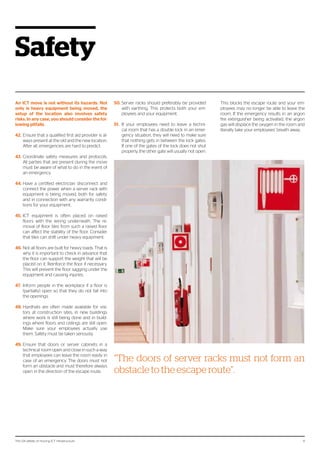
‘The 124 pitfalls of moving ICT infrastructure’ draws on our most important experiences. You will
read about some of the Atos Move ICT projects we carried out, and a number of our clients also
have their say. You can use the instructions in this guide to avoid many pitfalls that may occur
during a moving project in your organization. If you want to be sure of a smooth ICT move with
minimal risk for your business continuity, make an appointment for a quick scan with an Atos
Move ICT professional. The contact information is given on the last page
.
The 124 pitfalls of moving ICT infrastructure 5
Schedule
You should start by making a project plan
and a detailed schedule for the move. In mov-
ing projects, the timelines of activities and
ordering processes are often underestimat-
ed, resulting in delays and a stressful move.
With these tips, nothing is left to chance.
1.	 Plan at a feasible level. Trying to plan to the
minute is asking for delays and chaos. Daily
targets are adequate for the project plan.
Fifteen minute intervals are sufficient for the
detailed schedule to direct the move.
2.	 Renovation or construction works should
be completed before you bring the ICT and
furniture into the building. If painters and
carpet layers are still at work while you move,
this will affect the schedule.
3.	 Aside from the building, it is preferable that
the infrastructure on site is complete. Trying
to move server racks and furniture on sandy
paths can be difficult.
4.	 The floor plan that clearly establishes which
server rack will be placed at which grid
location and which employee will sit at
which desk, should be finalized no later than
four weeks before the move. Any last minute
changes can be taken care of after the move.
This will help avoid confusion that can cause
schedule delays during the move.
5.	 Include room for delays in the plan and the
detailed schedule. Unforeseen situations
always come up.
6.	 Trucks sometimes take more time to get
from A to B than indicated by the route plan-
ners. Take this into account in the detailed
schedule.
7.	 Involve all the suppliers that will play a role
in the installation or move in the planning as
early as possible. This will enable you to take
delivery times into account and save you
from unpleasant surprises.
8.	 It is important that all of the parties involved
have access to the correct version of the
plan and the detailed schedule at all times,
preferably on paper. If the digital version is
not available during the move, for example
due to a power failure or network problems,
the move can simply carry on.
9.	 Formulate a plan in advance in case of
delays. If the move gets seriously
delayed for any reason, arrange for
a back-up team to take over. This
ensures that everyone involved is
‘fresh’ enough to bring the move to a
successful conclusion.
10.	 A data copy or back-up to safeguard data
before the move can take a lot of time.
Allow enough time for this in the sched-
ule. Always check the impact of a data
copy on normal network traffic.
11.	 Establish a freeze period (a period
during which no further changes can
be made to the current infrastructure)
and communicate this to all the parties
involved. This period applies to all the
relevant disciplines. Only deviate from
this after approval has been given by the
project manager or steering committee.
12.	 In the detailed schedule, include the mini-
mum requirements that must be met by
the ICT environment on the first workday
after the move, so that the priorities are
clear in unforeseen circumstances. After
all, non-functioning financial systems have a
greater impact on your operational manage-
ment than a coffee management application
that doesn’t work.
“When an excavator damaged the network
cables between two new buildings in a busi-
nesspark,oneofthebuildingswasdisconnect-
ed from the organization’s data and telephony
network.Ensurethatnotonlythebuilding,but
also the grounds are ready before moving in”.
The 124 pitfalls of moving ICT infrastructure6
Inventory
Planning a move requires an overview of
what needs to be moved. You cannot rely on
the Configuration Management Database
(CMDB) always being up to date. Taking an
inventory before the move supports two ob-
jectives: Firstly, the inventory of ICT equip-
ment to be moved is clear, and furthermore
the CMDB is brought up to date. Hence the
first tip:
13.	 Taking a thorough inventory in advance can
prevent many problems during execution.
The CMDB in most organizations is 80%
up to date, but that last 20% is the often the
cause of a lot of confusion during the proj-
ect. During the decommissioning phase, the
last phase of a moving project, both hard-
ware and CMDB will be cleaned up. This has
to be done thoroughly, because the effects
on billing can be immense.
14.	 Check that the electrical connections at
the old and new locations are the same.
Especially in technical rooms, different con-
nections are used quite frequently, such as
socket plugs and high voltage outlets. Al-
ways bring in a qualified electrician for any
changes.
15.	 Take IP changes into account. For example,
printers that are moved can be assigned a
different IP address. This must be modified at
the print server, or employees will no longer
be able to print. Changes in IP addresses also
have consequences for back-ups.
16.	 Sometimes servers need other servers be-
fore they work properly and can be switched
on. That is why it is important to describe the
correct work sequence in the move inven-
tory or in the detailed schedule.
17.	 In the inventory, check that the network
connections are correctly numbered in the
workplace and on the patch panels. This will
save a lot of investigation work during the
move.
18.	 Involve your ICT management depart-
ment in the moving project and implement
changes to the ICT landscape directly in
your organization’s ICT management tool.
ICT managers need to be up to speed about
the ICT landscape in order to do their work
properly. After all, they need to have current
information in the event of a high priority ICT
problem.
19.	 Label all the wiring so that it is clear at all
times how devices are connected to each
other and to the network. Also label the net-
work ports of the devices. If the move is exe-
cuted in shifts, this makes the transfer easier.
Furthermore, it will save time investigating
during the move.
20.	When moving a data centre, it is important
to have an overview of the supply chain for
the application landscape. At some time dur-
ing the move, the application landscape will
need to be divided. In that case, the overview
of the supply chain will help to make the cuts
in the right place. If the supply chain is not
taken apart and put back together correct-
ly, this can affect the proper functioning of
your applications. This also applies to shared
services as monitoring, back-up en storage
systems.
Server racks
21.	 Receiving data centres may require that
servers on the old location are removed and
placed in new racks at the receiving location.
However, not all servers fit in all server racks
as standard. For example, blade servers are
flat, but they are often deeper than ‘normal’
servers. That is why it is important to check
before the move that new server racks have
enough space. Alternatively, take this into ac-
count when ordering new server racks.
22.	 Also check how servers are mounted in a
rack. There is no standard installation meth-
od for all server racks. For example, some
Hewlett Packard blade rails do not fit in Min-
kels racks, because Minkels has square holes
and Hewlett Packard has round holes.
23.	 The concept of warm and cold aisles is ap-
plied in many technical spaces and data
centres, which is used to optimize the cool-
ing of the equipment. Not all server racks are
suitable for this. If this is the case, the serv-
ers must be taken out at the old location
and installed one by one at the new location
during the move. This also affects how the
cabling is connected. It is important to take
this into account in the schedule, because it
takes a lot of time.
24.	 When planning servers in racks, always try to
leave some extra space. The equipment can
then release its heat better, there is enough
space for the wiring, and there are fewer
risks for the electricity supply.
25.	 When moving server racks, check whether
the moving team should install the side pan-
els of the racks or not. This can have an effect
on the cooling and on the routing of cables
through the rack to another server rack. Also
note whether the cables enter through the
top or bottom of a rack. Some server racks
have no access from the top.
26.	Sometimes equipment needs to communi-
cate with systems that are at a greater dis-
tance after the move than before the move.
This can, for example, affect Gigabit Interface
Converters (GBICs) in the network equip-
ment. Although these fibre optic connec-
tors are easy to change, they are not cheap.
Take an inventory of this before the move.
It avoids unpleasant surprises with regard to
costs, delivery times and planning.
“Taking a thorough inventory in advance can
prevent many problems during execution”.
The 124 pitfalls of moving ICT infrastructure 7
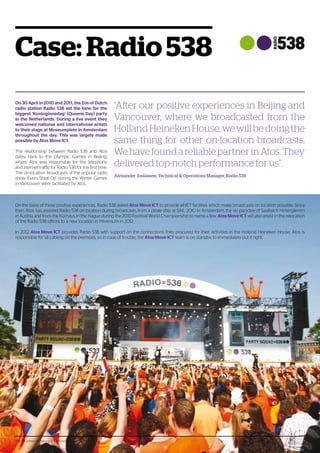
Case: Radio 538
On 30 April in 2010 and 2011, the DJs of Dutch
radio station Radio 538 set the tone for the
biggest ‘Koninginnedag’ (Queens Day) party
in the Netherlands. During a live event they
welcomed national and international artists
to their stage at Museumplein in Amsterdam
throughout the day. This was largely made
possible by Atos Move ICT.
The relationship between Radio 538 and Atos
dates back to the Olympic Games in Beijing,
where Atos was responsible for the telephony
and internet traffic for Radio 538 for the first time.
The on-location broadcasts of the popular radio
show ‘Evers Staat Op’ during the Winter Games
in Vancouver were facilitated by Atos.
On the basis of these positive experiences, Radio 538 asked Atos Move ICT to provide all ICT facilities which make broadcasts on location possible. Since
then, Atos has assisted Radio 538 on location during broadcasts from a pirate ship at SAIL 2010 in Amsterdam, the ski paradise of Saalbach Hinterglemm
in Austria and from the Kürhaus in the Hague during the 2010 Football World Championship to name a few. Atos Move ICT will also assist in the relocation
of the Radio 538 offices to a new location in Hilversum in 2012.
In 2012 Atos Move ICT provides Radio 538 with support on the connections they procured for their activities in the Holland Heineken House. Atos is
responsible for all cabling on the premises, so in case of trouble, the Atos Move ICT team is on standby to immediately put it right.
“After our positive experiences in Beijing and
Vancouver, where we broadcasted from the
HollandHeinekenHouse,wewillbedoingthe
same thing for other on-location broadcasts.
WehavefoundareliablepartnerinAtos.They
delivered top-notch performance for us”.
Alexander Josiassen, Technical  Operations Manager, Radio 538
The 124 pitfalls of moving ICT infrastructure 7
The 124 pitfalls of moving ICT infrastructure8
Logistics
Have you ever considered the impact of the
number of lifts on your move? This chapter
discusses issues you will want to deal with
before rather than during the move.
27.	 Coordinate in advance with all the parties in-
volved in the move when they intend to use
which lifts and loading/unloading stations to
avoid having to wait for each other.
28.	For a large move, arrange to have a lift tech-
nician on site or on stand-by. The technician
can set the lifts to moving mode, so that the
doors do not close automatically. The lift
technician can also resolve malfunctions im-
mediately to prevent delays.
29.	If you are moving from a building where
people are still working, make good arrange-
ments with the location manager about the
use of the lifts on the day of the move. Ask
employees who are still present in the build-
ing to use the stairs or to use a designated
lift only.
30.	Distribute moving stickers to your em-
ployees. Have not only furniture, but also
keyboards, mice and other smaller items
stickered with the old and new workstation
numbers. If there are any mix-ups, it will then
be easy to determine where the goods came
from and where they should go.
31.	 Have the equipment in technical rooms
stickered by the ICT moving team or by the
ICT management, preferably during the in-
ventory phase.
32.	 Before the move, determine whether the
old and the new locations are accessible
or obstructed, for example by road works
or bridges that can only carry three tons.
Go over the route on the same weekday at
the same time of day that you plan to move.
This will provide valuable information about
travel times and traffic conditions. Also con-
sider vacation periods, national holidays and
events in the vicinity of the old and new lo-
cations. For example, part of the area could
be blocked off for a marathon or bike race.
Provide alternative routes if that is the case.
Be sure to share this information with your
moving team.
33.	 Also check the routes in the buildings well
before the move, both for furniture and
equipment. Servers can sometimes be too
large for a door opening; after all they are
often assembled on site. The same applies
to furniture that is assembled on site. This
actually happened: A large oak meeting
table was assembled and glued together in
a meeting room, but had to be sawed in half
for a move.
34.	Walk through the old and the new buildings
together with the moving company, so that
you can plan the necessary equipment to-
gether. This could include three-wheeled
trolleys, pallet trucks on pneumatic tires for
tiled floors, and moving lifts.
35.	 In some cases server cabinets may not be
tilted, for example if they have a lot of equip-
ment mounted. If the cabinet cannot leave
the room in the vertical position, the equip-
ment will need to be removed and installed
again at the new location. The time for this
must be taken into account in the detailed
schedule. But before you decide to take out
the equipment - some moving companies
have equipment to move server cabinets
on their sides. Consult with the supplier to
decide whether you can move the full server
cabinet in one go after all.
36.	In technical rooms such as main equipment
rooms (MERs), sub equipment rooms (SERs)
and data centres, it is better if not too many
people work on a grid location at once; two
people per grid location is the maximum.
37.	 Loading and unloading areas and data cen-
tres sometimes have locks with a pressure-
sensitive floor and/or an anti-pass back
system as a security measure. This means
that people always need to enter and exit
though the same lock gate. This also means
that people cannot enter the lock with equip-
ment or enter with more than one person at
the same time. The pressure sensitive floor
detects that there is too much weight on
the floor, and the system hermetically seals
the lock preventing anyone from entering
or exiting. Ensure that only one person uses
the lock at a time and that they do not carry
heavy equipment in the lock.
38.	The weather gods are unpredictable, even
on moving day. Arrange for your movers to
bring plastic covers to protect the ICT equip-
ment against the effects of the weather. In
addition, a good mover will at least provide
computer padding and separate computer
boxes.
39.	 If the old or the new locations are in a shared
area such as a business complex or a shop-
ping centre, make good arrangements with
the location manager about the routes to
take during the move, opening outside nor-
mal business hours, and security.
40.	An inventory will give you valuable informa-
tion about the size and weight of the items
being moved. Share this information with
your mover to ensure that the truck is big
enough and that the tail lift can hold the
weight of the equipment.
41.	 The sequence of the move is important to
avoid stress and blockages. All the ICT equip-
ment must be disconnected from the work-
place and loaded first, and then the furniture.
Follow the reverse order at the new location.
This sounds logical, but things often go dif-
ferently in practice.
“You might not give it much thought, but the
number of lifts in the building can have a ma-
jor impact on the time needed for the move”.
The 124 pitfalls of moving ICT infrastructure 9
Safety
An ICT move is not without its hazards. Not
only is heavy equipment being moved, the
setup of the location also involves safety
risks. In any case, you should consider the fol-
lowing pitfalls.
42.	Ensure that a qualified first aid provider is al-
ways present at the old and the new location.
After all, emergencies are hard to predict.
43.	Coordinate safety measures and protocols.
All parties that are present during the move
must be aware of what to do in the event of
an emergency.
44.	Have a certified electrician disconnect and
connect the power when a server rack with
equipment is being moved, both for safety
and in connection with any warranty condi-
tions for your equipment.
45.	ICT equipment is often placed on raised
floors with the wiring underneath. The re-
moval of floor tiles from such a raised floor
can affect the stability of the floor. Consider
that tiles can shift under heavy equipment.
46.	Not all floors are built for heavy loads. That is
why it is important to check in advance that
the floor can support the weight that will be
placed on it. Reinforce the floor if necessary.
This will prevent the floor sagging under the
equipment and causing injuries.
47.	 Inform people in the workplace if a floor is
(partially) open so that they do not fall into
the openings.
48.	Hardhats are often made available for visi-
tors at construction sites, in new buildings
where work is still being done and in build-
ings where floors and ceilings are still open.
Make sure your employees actually use
them. Safety must be taken seriously.
49.	Ensure that doors or server cabinets in a
technical room open and close in such a way
that employees can leave the room easily in
case of an emergency. The doors must not
form an obstacle and must therefore always
open in the direction of the escape route.
50.	Server racks should preferably be provided
with earthing. This protects both your em-
ployees and your equipment.
51.	 If your employees need to leave a techni-
cal room that has a double lock in an emer-
gency situation, they will need to make sure
that nothing gets in between the lock gates.
If one of the gates of the lock does not shut
properly, the other gate will usually not open.
This blocks the escape route and your em-
ployees may no longer be able to leave the
room. If the emergency results in an argon
fire extinguisher being activated, the argon
gas will displace the oxygen in the room and
literally take your employees’ breath away.
“The doors of server racks must not form an
obstacle to the escape route”.
The 124 pitfalls of moving ICT infrastructure10
Facilities
The lubricant of the project is made up of the
facilities that support the project. The materi-
als and equipment listed below can make the
move a lot easier.
52.	 Don’t just leave the moving team depen-
dent on mobile phones. Ensure that at the
key moment, they also have access to sev-
eral fixed telephone lines and write these
numbers in the detailed schedule. This actu-
ally happened: During a major move in Eind-
hoven, the mobile network failed because,
against all expectations, football club PSV
won a championship.
53.	 Set up a digital environment for all the project
documentation, to which all the members of
the project have access. If documents are
shared by email, the risk of using outdated
versions is high.
54.	Ensure that aside from digital versions,
printed versions of essential documentation
such as detailed schedules are also available.
People may not always be able to access the
digital environment during the move.
55.	 Remind all team members that mobile tele-
phones and laptops need to be fully charged
before the day of the move and that every-
one should have the necessary chargers
with them. On busy moving days, mobile
telephone or laptop batteries can run out
quickly.
56.	If the old or new locations have a raised
tiled floor, it is a good idea to have a floor tile
vacuum lifter on hand. This will enable you
to lift tiles out of the modular floor without
problems.
57.	 Set up a project room at the new location,
where anyone who is involved in the mov-
ing project can go. This makes it possible to
monitor and discuss the status of the mov-
ing project in a quiet environment. The proj-
ect room should have at least an internet
connection, a meeting table, a whiteboard
with pens, a flip chart and a conference tele-
phone.
58.	The moving team must have access to ad-
equate tools, such as screwdrivers in vari-
ous sizes, different pliers and small nuts and
bolts. A label maker is also part of the stan-
dard equipment.
59.	 Furthermore, the moving team should have
access to spare parts for the equipment to
be moved, extra UTP cables, extra fibre optic
cables and power strips. Unfortunately, it is
not uncommon for cables to break during
moves, which can be traced using a Fluke
UTP cable meter.
60.	It is nice to be able to consult with each other
during the move. But what to do if the team
is spread out over different locations? Set up
a (video) conference call for the duration of
the moving project. This will enable multiple
employees to call in at the same time, allow-
ing the team to consult from anywhere.
“During a major move in Eindhoven, the mo-
bile network failed because, against all expec-
tations, PSV won the championship”.
The 124 pitfalls of moving ICT infrastructure10
The 124 pitfalls of moving ICT infrastructure 11
Atos Move ICT: Over 10
yearsofexperiencewith
ICT moving projects
The services of Atos Move ICT are carried out
by a fixed team of experienced professionals.
We specialize in installing, moving and mi-
grating office and data centre environments
using a project based approach and in creat-
ing ICT environments for projects and events.
In the past 10 years, the architects, technical
specialists, project and program managers
and the Atos Move ICT project office have
successfully executed more than 700 ICT
projects for clients from several sectors in the
Netherlands and abroad.
Atos Move ICT takes your
worries away
Our professionals relieve your worries by shar-
ing responsibility for the project with you. If de-
sired, we can also give directions to your other
suppliers. We have worked for many years with
reputable companies for interior design, wiring,
hardware supply and moving. We can advise
you on how to arrange and configure your ICT
infrastructure optimally, and we’ll draw up the in-
tegrated planning and detailed schedule togeth-
er with you. Atos Move ICT strives to achieve
cost reductions on the ICT environment in every
project.
Atos Move ICT views the continuity of your busi-
ness activities as the highest priority in the proj-
ect. We do not leave the project location until we
are sure that all the ICT equipment will function
properly the next day and that there will be no
obstacles for your employees to do their work as
usual. Atos Move ICT will involve your ICT man-
agement organization in the project to make the
transition from project to established organiza-
tion as smooth as possible.
Our methods demand a high degree of flexibility,
which is the most appealing challenge for the
professionals of Atos Move ICT in their work. We
don’t baulk at strict deadlines, which is part of the
reason that Radio 538 and the Holland Heineken
House chose the services of Atos Move ICT.
Atos Move ICT offers added value by executing
your project tailored to your needs, within your
budget and according to your wishes. If you are
looking for professional communication about
your ICT project to other target groups, Atos
Move ICT is also the best choice. We provide
communication media for the relevant target
groups in which we make the translation from
technology to concrete results for your employ-
ees. Our communication consultants provide
the lubrication that enables the project to go
smoothly.
“Atos Move ICT is synonymous with a moti-
vated team of specialists that will achieve the
goals agreed upon, before the deadline and
within budget. That is what we go for. A deal is
a deal”.
The 124 pitfalls of moving ICT infrastructure 11
The 124 pitfalls of moving ICT infrastructure12
Infrastructure
Involve your ICT supplier in a new construc-
tion project from the ground up. This will help
ensure that the technical installations will
meet all the requirements. After all, a lot can
go wrong when it comes to ICT infrastruc-
ture...
61.	 A demarcation point (main point of en-
try) is the point of separation between the
equipment and wiring of a service provider
on one side and of the subscriber on the
other, where connection lines enter the
subscriber’s building. These points used to
be installed by KPN in every new building
as standard. Nowadays, however, there are
several telecom suppliers and the installa-
tion of a connection from inside to outside
is no longer a standard task for KPN. The te-
lephony provider can also play a role in the
installation of a demarcation point. Take this
into account.
62.	If the distance between the different loca-
tions of an organization is greater after a
move, this can affect network performance.
63.	The size of cable ducts, the space under floor
or ceiling, and the openings beside or under
thresholds partially depend on the type of
wiring that is used in a building. Discuss this
well in advance with the network specialist in
your ICT moving team.
64.	Ensure that there is ‘over-length’ on wiring
and place spare connections under the floor.
If it is found after the move that more con-
nections need to be added for a workstation,
or that connections need to be moved, no
new cables will need to be pulled through.
The floor will not need to be completely
opened. The extra length is cheaper than
having new wires pulled and it will cause less
disturbance for the employees who are al-
ready at work at the location. This applies to
both data and electricity connections.
65.	It is highly recommended to have a current
wiring plan of the old and new locations on
hand.
66.	A move from a business complex in which
the other tenants use the same ICT facilities
as the group that is moving poses an extra
challenge. The ICT infrastructure will need to
be untangled. When doing this, pay special
attention to switches, routers, connections
and shared servers.
67.	 Environmental factors can affect the func-
tioning of wireless routers. Don’t just assume
that the router at the new location will work.
Check this beforehand. This will enable you
to take timely measures if necessary.
68.	ISDN, ADSL, VPN site-to-site and other con-
nections are usually included in the move.
Begin the preparations for this at least half
a year in advance. Suppliers often have long
delivery times for this kind of request.
69.	If you are moving to an existing location,
check that the wiring at the new location
corresponds with the wiring at the current
location.
70.	When setting up server cabinets, ensure that
there is enough space for the wiring. If there
is not enough space in the cable ducts of the
cabinet, chances are that cables are pulled
directly through the cabinets, resulting in
a ‘spaghetti’ of wiring. Furthermore, the air
conditioning flow through the server cabinet
will be affected if the wiring is not properly
secured.
71.	 Not only do the server racks need to have
the right power connections for the servers,
the racks also need to be connected to the
data centre electricity and UPS. When do-
ing this, please take into account that every
cabinet has an electricity peak load. Never
calculate with the average electricity load to
determine how many servers can fit in one
rack. You may end up with a server rack go-
ing down or, worst case scenario, an entire
data centre blackout.
72.	 Mount servers in the server racks with the
correct fasteners. For instance, if the wrong
screws are used, there is a chance that the
server will need to be sawed out of the rack if
it is no longer needed or needs to be moved.
73.	 Be well informed about the distribution of the
electrical groups in the server racks. Sticker
the different groups with stickers of differ-
ent colours, so that you know which power
strip belongs to which group. In this way, the
ICT manager will also know what the effects
will be when maintaining a group or power
strip if they switch off a group or disconnect
a power strip. Also consider double power
supplies with separate generators.
74.	 When setting up or moving the network,
take into account VLANs for VoIP telephony,
special user groups and call centre employ-
ees. Without the correct VLANs, there is a
chance that employees will not be able to
access their applications.
75.	 Ensure that there is adequate power supply
and cooling capacity for the ICT equipment
in the technical rooms at the new location.
“If there is not enough space in the cable ducts
of the cabinet, chances are that cables are
pulled directly through the cabinets, resulting
in a ‘spaghetti’ of wiring. Furthermore, the air
conditioning flow through the server rack will
be affected if the wiring is not correctly fas-
tened”.
The 124 pitfalls of moving ICT infrastructure 13
Testing
You want to be sure that your equipment will
work again after the move. Testing is essen-
tial for this.
76.	 Before the move, perform a zero measure-
ment with a cold reboot of your equipment.
A logical time for this is the first day of the
agreed freeze period. If you encounter any
problems during the cold reboot, there is
still time to solve them before the move. A
second measurement will be performed
after the move. The results of this will be
compared to the results of the zero mea-
surement. If you get any complaints from
your employees after the move, for example
about decreased performance or reduced
functionality, you will have a tool to deter-
mine the source of the complaints.
77.	 Always have newly installed wiring certified
and ask for the test reports.
78.	Coordinate test protocols with all the parties
involved. Don’t just involve the testers and
the moving team, but at least also the end
users and your ICT management organiza-
tion.
79.	 Do you have a dual environment? Request
the test reports for the alternate environ-
ment. The alternate environment may be
needed during the move.
80.	Check equipment in advance for hardware
malfunctions, such as defective hard drives.
81.	 Spot check the configuration of network
connections at the new location.
82.	When moving a call centre, it is a good idea
to have a spare headset of the type used by
your organization on hand. This will make
it possible to check the functioning of the
devices at the new location before the call
centre needs to be operational.
83.	It might seem painfully obvious, but still,
it happens. If you do have problems with
equipment, first check that the plug is prop-
erly connected in the socket and that the
equipment is actually switched on.
The 124 pitfalls of moving ICT infrastructure 13
The 124 pitfalls of moving ICT infrastructure14
Business continuity
After the move, you will want your employ-
ees to get back to work in full force immedi-
ately. After all, you have customers to serve.
84.	In emergencies or unforeseen circumstanc-
es at the new location, it is good if you can
halt the move and return to the old location.
The move will indeed be delayed to a later
time, but this will avoid risks to business con-
tinuity. For this reason, include ‘Go/No Go’
moments in the detailed schedule and indi-
cate who will make the decision to continue
or to reverse the move.
85.	Ensure that the moving team is properly fa-
miliarized with the particulars of the layout
and installations of the locations. This actu-
ally happened: A few years ago, someone
pushed the wrong button during mainte-
nance work in a data centre in Amsterdam.
Instead of the light switching on, the fire ex-
tinguishing installation was activated. Press-
ing the button again could have prevented
the activation of the fire extinguishing instal-
lation.
86.	Remove packaging material before equip-
ment is brought into a data centre or other
technical rooms. Cardboard in particular pro-
duces a lot of dust.
87.	 Take out transport insurance for the equip-
ment and the furniture you are moving. Also
check whether your organization has insur-
ance to cover staff for bodily injury.
88.	Check the maintenance contracts for your
equipment. These may include clauses with
regard to moving. Some suppliers require
that disconnection and connection, and
sometimes even the moving of equipment,
is done by certified technicians, often from
the supplier itself. This is often the case for
multifunctional printers (MFPs). You run the
risk of voiding the warranty if you don’t take
care of this.
89.	During the move, transport the equipment
and the backups separately. This actually
happened: A moving truck that was carrying
the equipment and the backup burst into
flames on the way. You can imagine the ef-
fects on the business continuity.
90.	Does your organization have an alternative
or emergency plan? This can be a useful tool
to determine who is authorised to make de-
cisions in the event of a possible crisis situa-
tion during the move.
91.	 There are businesses that rent out contain-
ers with a small, fully furnished data centre
inside that can be temporarily placed at your
location. This can serve as a backup during
the move.
92.	Never connect a laptop to the power supply
of a server rack. This can cause the electri-
cal group to fail, with all the ensuing risks.
Also, once the servers are put in place, start
them one by one to avoid voltage peaks and
power failure.
93.	Something may break during a move. For
this reason, it is a good idea to have the sup-
pliers of your most important equipment
present on site during the move with extra
equipment and parts.
94.	A follow-up team will be on site on the first
workday after the move. This team will be
standing by to ensure that everything con-
tinues to run. Furthermore, your employees
will have immediate support for minor prob-
lems and questions about new settings.
“A few years ago, someone pushed the wrong
buttonduringmaintenanceworkinadatacen-
tre in Amsterdam. Instead of the light switch-
ing on, the fire extinguishing installation was
activated”.
The 124 pitfalls of moving ICT infrastructure14
The 124 pitfalls of moving ICT infrastructure 15
Case: Holland Heineken
House at the Olympic Games
The Holland Heineken House has been a
home away from home for the Dutch sports
world during the Olympic Games for years.
The popularity of the Holland Heineken
House increases every year. It is generally
seen as the hottest place in town. Despite the
temporary nature of the Holland Heineken
House, the location is heavily visited and fast,
reliable and flexible ICT and telephony ser-
vices are very important.
The Holland Heineken House has been a home
away from home for the Dutch sports world dur-
ing the Olympic Games for years. The popularity
of the Holland Heineken House increases every
year. It is generally seen as the hottest place in
town. Despite the temporary nature of the Hol-
land Heineken House, the location is heavily
visited and fast, reliable and flexible ICT and tele-
phony services are very important.
Atos was asked to build and manage the ICT fa-
cilities for the Holland Heineken House for the
Olympic Games in Beijing in 2008. This proj-
ect was very successful, which led to Atos be-
ing chosen as a preferred partner again for the
Olympic Winter Games in Vancouver in 2010 to
supply both the ICT and telephony services. The
services of Atos Move ICT were used for this.
Atos will deliver their services again during the
Olympic Games in London, where the Holland
Heineken House will be larger than ever.
This project stands out because it has to be
executed in record time. Atos Move ICT has
“Reliable and fast internet connections are
an absolute must for the Holland Heineken
House. That is why we are glad to have found
a reputable partner in Atos. During our collab-
oration at the Olympic Games, Atos proved
that they are able to guarantee the proper
functioning of critical ICT processes. The
complexity of this project, not forgetting the
tight deadlines, demands flexibility, expertise
and commitment. Atos excels in this”.
Dennis Hogenboom, Senior Sponsor Manager Holland Heineken House, Heineken Nederland
only two weeks to provide the complete ICT
infrastructure for the Holland Heineken House.
Among other things, this includes the connec-
tions that are needed for the press centre, the
ICT setup for the offices of NOC*NSF and Heinek-
en, as well as the necessary connections for the
payment system, access control and the facilities
for the meeting rooms in the Holland Heineken
House. Broadcasting stations RTL, Radio 538
and NOS make use of telecommunication lines
from Atos. All visitors of the Holland Heineken
House have access to free WiFi. The unique ser-
vices of Atos Move ICT have added value for the
Holland Heineken House.
You can download the case study (in Dutch only)
on nl.atos.net/HHH. For more information please
visit www.hollandheinekenhouse.nl/english/info.
The 124 pitfalls of moving ICT infrastructure 15
The 124 pitfalls of moving ICT infrastructure 16
Security
Of course, your organization has well-or-
ganized security for people, buildings and
equipment. During a move, such good secu-
rity can cause unforeseen problems.
95.	 Discuss with the security staff of the old
and new locations how the ICT resources
will be secured during the move, for exam-
ple in locked rooms or with cameras. ICT
equipment sometimes seems to ‘disap-
pear’ during moves.
96.	 Provide security with a list of all the parties
involved in the move and check ahead of
time that they have all been granted ac-
cess. Also arrange that the security guard
will only let unregistered persons through
with the approval of the project manager.
These people must then be registered, of
course. In this way you will know that only
authorised persons have access to the lo-
cations.
97.		 In addition to registering the moving team
for access to the locations, you should also
arrange access authorisation for rooms
that the moving team needs to enter. This
could include main equipment rooms
(MERs), sub equipment rooms (SERs), data
centres, and loading and unloading sta-
tions.
98.	 If a building has an automatic alarm timer,
make a clear arrangement about the tim-
ing of the move. You don’t want an auto-
matic lock-down or an alarm suddenly go-
ing off.
99.	 Server cabinets are usually locked and
equipment can be secured to furniture
with cables or locks. Ensure that the mov-
ing team has the necessary keys or that
the key manager is present during the
move.
100.	 Servers and network equipment are often
connected to a monitoring system. Ensure
that the equipment being moved is taken
out of the monitoring system ahead of
time to prevent the alarms going off at the
ICT management organization. After the
move, make sure the equipment is recon-
nected to the monitoring system as quick-
ly as possible.
101.	 In some cases, data and telephone lines
form part of the infrastructure of the build-
ing, for example emergency telephone
lines for lifts. These do not usually need to
be moved. If these lines are connected to
the network of the organization, they will
need to be migrated before the move.
102.	 Either inform the moving team of the
passwords for essential systems for test-
ing purposes during the move or have an
authorised person present to login to these
systems.
“Make good arrangements for security during
the move. ICT equipment sometimes seems
to ‘disappear’ during moves”.
The 124 pitfalls of moving ICT infrastructure17
Communication
The quality of communication can make or
break the success of a moving project. The
following tips will help you on your way.
103.	 A moving project often involves several
parties and not everyone can be found in
the organization’s ‘face book’. Draw up a
list of everyone with a role in the moving
project with their contact information at
the start of the project, and make this list
available through the digital environment.
104.	 When starting the project, identify what
target groups will be involved in the move
and what the impact will be for them. Draw
up a communication plan to establish
who needs to be informed of what, when.
A move can be a drastic event for your
employees and will not be welcomed by
everyone. It is worth considering putting
out a move newsletter that is distributed
regularly. This may help create understand-
ing and support, and allows you to provide
regular updates on the move.
105.	 Make it clear well before the move what
actions the employees being moved will
need to take themselves and what ac-
tivities the moving team will take on. Also
ensure that these arrangements can be
found in the move newsletter, on the bul-
letin board and/or in the digital archive.
106.	 Ensure that each department that is mov-
ing appoints a move coordinator who
knows the particulars of the department
and can assist the moving team in case of
questions and problems. The move coordi-
nator will have the mandate to decide on
the layout of the floor plan.
107.	 Remember to update your contact infor-
mation in good time, for example on your
letterhead, business cards and website.
This will avoid your customers not being
able to find you.
108.	 Something that always sits well with em-
ployees is a welcome gift at the new work-
place, for example a regional delicacy. Use
an accompanying note to warmly wel-
come your employees to the new location
and explain how the follow-up period has
been arranged for the first few days after
the move. This charm offensive will help
your employees feel at home at the new
location.
109.	 Moving projects are regularly used as an
opportunity to implement new technolo-
gies in the organization. If you decide to
switch to MFPs, VoIP telephony, video
conferencing or Office Communicator, for
example, train your facility employees and
ICT management organization and make
sure that instruction manuals are handy in
the area of the new equipment. When im-
plementing a new telephony solution, have
all the secretaries and other heavy users
follow a training programme to maintain
maximum accessibility.
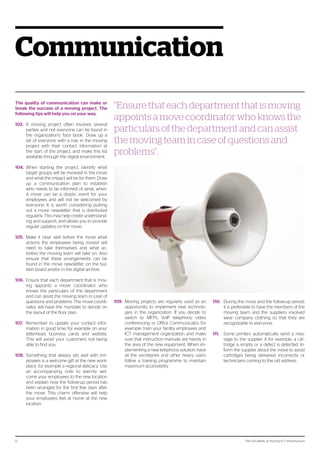
“Ensure that each department that is moving
appoints a move coordinator who knows the
particulars of the department and can assist
the moving team in case of questions and
problems”.
110.	 During the move and the follow-up period,
it is preferable to have the members of the
moving team and the suppliers involved
wear company clothing so that they are
recognizable to everyone.
111.	 Some printers automatically send a mes-
sage to the supplier if, for example, a car-
tridge is empty or a defect is detected. In-
form the supplier about the move to avoid
cartridges being delivered incorrectly or
technicians coming to the old address.
The 124 pitfalls of moving ICT infrastructure18
Resourcing
Moving projects start with choosing the right
people to carry out the project for you. Con-
sider the following issues when you do this.
112.	 Organizations often form a moving team
of employees. However, the work involved
in a move is often underestimated and will
compromise the regular duties of the em-
ployees. If you decide to use your own em-
ployees, make sure they can transfer some
of their daily tasks to colleagues.
113.	 Another risk of using your own employ-
ees is the possible lack of experience with
moves. This is, after all, not a daily activity
for your organization, unless you are run-
ning a moving company. For this reason, al-
ways involve professionals. They can save
you from pitfalls like the ones mentioned
in this book.
114.	 Roles, tasks and responsibilities within the
moving team are established at the begin-
ning of the project. You will not have time
to determine who can make decisions if
something doesn’t go as planned during
implementation.
115.	 Not every moving company is adequately
prepared to move ICT equipment, which
takes more than arranging a warm blanket
for your monitor. A mover is not generally
the best person to solve your ICT ques-
tions. Your ICT supplier can tell you which
moving companies can provide you with
good service.
116.	 In the chapter about communication, the
tip is given to make a list of all the employ-
ees involved in the move with their contact
information. In this list, also make note of
who will serve as a backup for which em-
ployees in the event of illness or other un-
expected absence. Coordinate this with the
backup employees in advance so they are
prepared for such a situation.
117.	 To avoid back injuries among the employ-
ees of your moving team, server racks are
built up from bottom to top, not top to bot-
tom.
118.	 Moves often take place outside office
hours. Go through the schedule for the
move with all the employees and suppliers
involved in good time, so that everyone is
in the right place at the right time.
119.	 Another consequence of working outside
office hours is that the employees will want
a meal during the move. Provide good ca-
tering at the locations where people are at
work. This doesn’t have to be expensive,
but it will certainly be appreciated by your
employees. A shared meal gives you the
opportunity to discuss current issues and
nip potential problems in the bud. Besides,
a good (hot) meal is much nicer than sand-
wiches from home. Where possible, take
dietary preferences into account.
120.	 In a big move, there is also a chance that
you will be working in shifts. If your em-
ployees do not live in the immediate area,
arrange for hotel stays. This will avoid them
having to drive far after a hard shift and al-
low them to be back on site quickly for the
next shift.
121.	 If you are working in shifts during the
move, include time in the schedule for tran-
sition and briefing.
122.	 Make clear arrangements with your mov-
ing team about coffee and smoke breaks.
123.	 For important systems, it is recommended
to have the ICT management participate in
the move. The same applies to technical
specialists for your software and hardware
suppliers and for your electrician. These
very important people should not just be
on call, they need to be part of the project
team.
124.	 Appoint a fixed crisis team for big moves.
These are the people who solve problems
from a central location, so that the moving
team can continue with its activities.
“Don’t underestimate the power of coffee as
the lubricant of a motivated team”.
The 124 pitfalls of moving ICT infrastructure 19
Case: Large datacenter
consolidation program
Background and business
issues
One of the largest insurance companies in the
Netherlands has grown significantly throughout
history and, while the IT environment grew larger
and larger, so did the business needs to rely on
a 24/7 availability of business support systems
and an impeccable and fast IT infrastructure. To
meet these business needs, the firm initiated a
program to improve the continuity of IT services
to guarantee the availability of applications for
business critical processes. Atos was asked at the
beginning of 2011 to take responsibility for clear-
ing out two data centers in and moving a large
part of the IT infrastructure to Atos datacenters
between March and November of 2011.
Datacenter number one was outdated and the
premises were to be sold. It held over 500 IT
components, of which 150 had to be moved.
On the premises of the second datacenter new
buildings were planned, but electricity outages
were predicted to happen during the building
activities. Because of the risks for business con-
tinuity, it was decided to clear out the second
datacenter before the start of the building activi-
ties. This DC held more than a thousand IT com-
ponents, of which over 500 servers and other
components needed to be relocated. The pres-
sure on time, security and application availability
was enormous, but the Atos team was ready for
the challenge.
Infrastructure and (re-)
location services: the Atos
strategy
Atos offered to set up the basic infrastructure
in two Atos DC’s, therewith creating a ‘short dis-
tance twin’ situation. This twinning connection
enables high availability of business critical ap-
plications and supports disaster recovery solu-
tions.
The strategy of the relocation project aimed
to prevent business risks as much as possible.
The relocation team first gained insight on the
interdependencies of business critical applica-
tions. This chain visibility and the thorough in-
ventory that was made of both DC’s then were
the key ingredients for decisions concerning
the relocation order and for the planning of the
entire project. To avoid any risks during moves,
the preferred method was relocation by migra-
tion, using data lines. If a physical relocation was
unavoidable, data was first back upped and ma-
chines were thoroughly tested before initiating
the actual move.
To avoid business process disturbances, most
migrations and relocations were performed
during weekends. In some weekends over 140
people were on duty to manage the migrations
and relocations and on stand-by for a roll back
scenario, in case a calamity might occur.
Cleanup and removal
After all active machines and data had been
moved to a new location, the second step of
the cleanup team was to secure all data left on
the residual machines. All equipment, racks and
cabling above and under the DC floors, save
building-related installations, were then removed
from the DC’s. Every piece of equipment was first
rid of all its data before it was transported to a
destruction location. For every shredded piece
of hardware the insurance company received a
signed and certified destruction statement. At
the end of December 2011, Atos delivered two
clean data centers as planned and in time for
key transfer.
Results
During the program, the insurance company and
Atos have constantly identified and mitigated all
risks to ensure business continuity and to stay
on top of the program and its goals. This joint
approach was one of the key success factors for
successfully finishing this part of the program.
The relocation and migration projects have been
delivered on time and without any significant dis-
turbances in essential business processes. More-
over, our client experiences a 50% increase in
performance than before the program. The Pro-
gram Manager at our customer said: ‘The move
and migrations in the program have had quite
a few challenges, Murphy has become a close
friend of the team. However, thanks to the persis-
tence, knowledge and motivation of the team, we
were able to make this program a huge success
for our company’.
About our customer
Our client is one of the largest insurances groups
in the Netherlands with over 20.000 employees
serving customers all over Europe.
If you wish to consult our client about the data
center consolidation program, please contact us
at info-nl@atos.net.
For more information:
Please contact dialogue@atos.net
or visit atos.net
atos.net
Atos, the Atos logo, Atos Consulting  Technology Services, Atos Worldline, Atos Sphere, Atos Cloud, Atos Healthcare (in the UK) and Atos Worldgrid are registered trademarks of Atos SA.
July 2012© 2012 Atos.
About Atos
Atos is an international information technology
services company with annual 2011 pro forma
revenue of EUR 8.5 billion and 74,000 em-
ployees in 48 countries. Serving a global client
base, it delivers hi-tech transactional services,
consulting and technology services, systems
integration and managed services. With its deep
technology expertise and industry knowledge,
it works with clients across the following market
sectors: Manufacturing, Retail, Services; Public,
Health  Transports; Financial Services; Tele-
coms, Media  Technology; Energy  Utilities.
Atos is focused on business technology that
powers progress and helps organizations to
create their firm of the future. It is the Worldwide
Information Technology Partner for the Olympic
and Paralympic Games and is quoted on the
Paris Eurolist Market. Atos operates under the
brands Atos, Atos Consulting  Technology
Services, Atos Worldline and Atos Worldgrid.
For more information, visit: atos.net
DesignArtwork–EvelineMeijer

Atos pitfalls-moving-ict-infra-uk

  • 1.
    Your business technologists.Powering progress the124pitfallsof moving ICT infrastructure how to avoid them and make sure your project goes like clockwork
  • 2.
    “Before we startedmoving and set- ting up the offices in our buildings, I thought the big challenge would be moving the furniture. However, the biggest challenge turned out to be moving the ICT”. Henk Frijters, Director of Facility Management Benelux, Atos
  • 3.
    Contents Introduction 4 Schedule 5 Inventory6 Case: Radio 538 7 Logistics 8 Safety 9 Facilities 10 Atos Move ICT: Over 10 years of experience with ICT moving projects 11 Infrastructure 12 Testing 13 Business continuity 14 Case: Holland Heineken House at the Olympic Games 15 Security 16 Communication 17 Resourcing 18 Case: Large datacenter consolidation program 19
  • 4.
    The 124 pitfallsof moving ICT infrastructure4 Introduction Whether you need a larger data centre or office location, are merging with another organization or just want to rearrange your office or data centre, there may come a time when you want to move. However, for most organizations, moving is not part of their daily work. And as if the move itself was not enough of a challenge, organizations often also implement new technologies during a move. A lot can go wrong in this situation, especially with regard to infrastructure, logistics and planning. Of course, you don’t want to jeopardise the continuity of your business, or your customers to be affected by the move. But have you thought of all the risks? If your employees can’t get back to work on the first workday after the move, the result can be high costs and unhappy customers. Atos, the international ICT service provider, has a team of enthusiastic and experienced ICT specialists whose daily work is moving ICT. Atos offers a package of services to support project based infrastructure changes under the name Atos Move ICT. Our services include moving and setting up ICT for offices, data centre moves, and ICT environments for projects and events. Atos Move ICT takes away your ICT moving worries. We draw on the experience we have accu- mulated in the past 10 years in over 800 ICT infrastructure moving and consolidation projects. In all these projects, we encountered pitfalls that we successfully resolved time after time. This experience translates into thorough knowledge, detailed checklists, and a flexible work attitude. Instead of thinking in terms of impossibilities, our people focus on what is possible. We will not leave the building until your datacenter runs like clockwork and your employees can get back to work in their new office building. ‘The 124 pitfalls of moving ICT infrastructure’ draws on our most important experiences. You will read about some of the Atos Move ICT projects we carried out, and a number of our clients also have their say. You can use the instructions in this guide to avoid many pitfalls that may occur during a moving project in your organization. If you want to be sure of a smooth ICT move with minimal risk for your business continuity, make an appointment for a quick scan with an Atos Move ICT professional. The contact information is given on the last page .
  • 5.
    The 124 pitfallsof moving ICT infrastructure 5 Schedule You should start by making a project plan and a detailed schedule for the move. In mov- ing projects, the timelines of activities and ordering processes are often underestimat- ed, resulting in delays and a stressful move. With these tips, nothing is left to chance. 1. Plan at a feasible level. Trying to plan to the minute is asking for delays and chaos. Daily targets are adequate for the project plan. Fifteen minute intervals are sufficient for the detailed schedule to direct the move. 2. Renovation or construction works should be completed before you bring the ICT and furniture into the building. If painters and carpet layers are still at work while you move, this will affect the schedule. 3. Aside from the building, it is preferable that the infrastructure on site is complete. Trying to move server racks and furniture on sandy paths can be difficult. 4. The floor plan that clearly establishes which server rack will be placed at which grid location and which employee will sit at which desk, should be finalized no later than four weeks before the move. Any last minute changes can be taken care of after the move. This will help avoid confusion that can cause schedule delays during the move. 5. Include room for delays in the plan and the detailed schedule. Unforeseen situations always come up. 6. Trucks sometimes take more time to get from A to B than indicated by the route plan- ners. Take this into account in the detailed schedule. 7. Involve all the suppliers that will play a role in the installation or move in the planning as early as possible. This will enable you to take delivery times into account and save you from unpleasant surprises. 8. It is important that all of the parties involved have access to the correct version of the plan and the detailed schedule at all times, preferably on paper. If the digital version is not available during the move, for example due to a power failure or network problems, the move can simply carry on. 9. Formulate a plan in advance in case of delays. If the move gets seriously delayed for any reason, arrange for a back-up team to take over. This ensures that everyone involved is ‘fresh’ enough to bring the move to a successful conclusion. 10. A data copy or back-up to safeguard data before the move can take a lot of time. Allow enough time for this in the sched- ule. Always check the impact of a data copy on normal network traffic. 11. Establish a freeze period (a period during which no further changes can be made to the current infrastructure) and communicate this to all the parties involved. This period applies to all the relevant disciplines. Only deviate from this after approval has been given by the project manager or steering committee. 12. In the detailed schedule, include the mini- mum requirements that must be met by the ICT environment on the first workday after the move, so that the priorities are clear in unforeseen circumstances. After all, non-functioning financial systems have a greater impact on your operational manage- ment than a coffee management application that doesn’t work. “When an excavator damaged the network cables between two new buildings in a busi- nesspark,oneofthebuildingswasdisconnect- ed from the organization’s data and telephony network.Ensurethatnotonlythebuilding,but also the grounds are ready before moving in”.
  • 6.
    The 124 pitfallsof moving ICT infrastructure6 Inventory Planning a move requires an overview of what needs to be moved. You cannot rely on the Configuration Management Database (CMDB) always being up to date. Taking an inventory before the move supports two ob- jectives: Firstly, the inventory of ICT equip- ment to be moved is clear, and furthermore the CMDB is brought up to date. Hence the first tip: 13. Taking a thorough inventory in advance can prevent many problems during execution. The CMDB in most organizations is 80% up to date, but that last 20% is the often the cause of a lot of confusion during the proj- ect. During the decommissioning phase, the last phase of a moving project, both hard- ware and CMDB will be cleaned up. This has to be done thoroughly, because the effects on billing can be immense. 14. Check that the electrical connections at the old and new locations are the same. Especially in technical rooms, different con- nections are used quite frequently, such as socket plugs and high voltage outlets. Al- ways bring in a qualified electrician for any changes. 15. Take IP changes into account. For example, printers that are moved can be assigned a different IP address. This must be modified at the print server, or employees will no longer be able to print. Changes in IP addresses also have consequences for back-ups. 16. Sometimes servers need other servers be- fore they work properly and can be switched on. That is why it is important to describe the correct work sequence in the move inven- tory or in the detailed schedule. 17. In the inventory, check that the network connections are correctly numbered in the workplace and on the patch panels. This will save a lot of investigation work during the move. 18. Involve your ICT management depart- ment in the moving project and implement changes to the ICT landscape directly in your organization’s ICT management tool. ICT managers need to be up to speed about the ICT landscape in order to do their work properly. After all, they need to have current information in the event of a high priority ICT problem. 19. Label all the wiring so that it is clear at all times how devices are connected to each other and to the network. Also label the net- work ports of the devices. If the move is exe- cuted in shifts, this makes the transfer easier. Furthermore, it will save time investigating during the move. 20. When moving a data centre, it is important to have an overview of the supply chain for the application landscape. At some time dur- ing the move, the application landscape will need to be divided. In that case, the overview of the supply chain will help to make the cuts in the right place. If the supply chain is not taken apart and put back together correct- ly, this can affect the proper functioning of your applications. This also applies to shared services as monitoring, back-up en storage systems. Server racks 21. Receiving data centres may require that servers on the old location are removed and placed in new racks at the receiving location. However, not all servers fit in all server racks as standard. For example, blade servers are flat, but they are often deeper than ‘normal’ servers. That is why it is important to check before the move that new server racks have enough space. Alternatively, take this into ac- count when ordering new server racks. 22. Also check how servers are mounted in a rack. There is no standard installation meth- od for all server racks. For example, some Hewlett Packard blade rails do not fit in Min- kels racks, because Minkels has square holes and Hewlett Packard has round holes. 23. The concept of warm and cold aisles is ap- plied in many technical spaces and data centres, which is used to optimize the cool- ing of the equipment. Not all server racks are suitable for this. If this is the case, the serv- ers must be taken out at the old location and installed one by one at the new location during the move. This also affects how the cabling is connected. It is important to take this into account in the schedule, because it takes a lot of time. 24. When planning servers in racks, always try to leave some extra space. The equipment can then release its heat better, there is enough space for the wiring, and there are fewer risks for the electricity supply. 25. When moving server racks, check whether the moving team should install the side pan- els of the racks or not. This can have an effect on the cooling and on the routing of cables through the rack to another server rack. Also note whether the cables enter through the top or bottom of a rack. Some server racks have no access from the top. 26. Sometimes equipment needs to communi- cate with systems that are at a greater dis- tance after the move than before the move. This can, for example, affect Gigabit Interface Converters (GBICs) in the network equip- ment. Although these fibre optic connec- tors are easy to change, they are not cheap. Take an inventory of this before the move. It avoids unpleasant surprises with regard to costs, delivery times and planning. “Taking a thorough inventory in advance can prevent many problems during execution”.
  • 7.
    The 124 pitfallsof moving ICT infrastructure 7 Case: Radio 538 On 30 April in 2010 and 2011, the DJs of Dutch radio station Radio 538 set the tone for the biggest ‘Koninginnedag’ (Queens Day) party in the Netherlands. During a live event they welcomed national and international artists to their stage at Museumplein in Amsterdam throughout the day. This was largely made possible by Atos Move ICT. The relationship between Radio 538 and Atos dates back to the Olympic Games in Beijing, where Atos was responsible for the telephony and internet traffic for Radio 538 for the first time. The on-location broadcasts of the popular radio show ‘Evers Staat Op’ during the Winter Games in Vancouver were facilitated by Atos. On the basis of these positive experiences, Radio 538 asked Atos Move ICT to provide all ICT facilities which make broadcasts on location possible. Since then, Atos has assisted Radio 538 on location during broadcasts from a pirate ship at SAIL 2010 in Amsterdam, the ski paradise of Saalbach Hinterglemm in Austria and from the Kürhaus in the Hague during the 2010 Football World Championship to name a few. Atos Move ICT will also assist in the relocation of the Radio 538 offices to a new location in Hilversum in 2012. In 2012 Atos Move ICT provides Radio 538 with support on the connections they procured for their activities in the Holland Heineken House. Atos is responsible for all cabling on the premises, so in case of trouble, the Atos Move ICT team is on standby to immediately put it right. “After our positive experiences in Beijing and Vancouver, where we broadcasted from the HollandHeinekenHouse,wewillbedoingthe same thing for other on-location broadcasts. WehavefoundareliablepartnerinAtos.They delivered top-notch performance for us”. Alexander Josiassen, Technical Operations Manager, Radio 538 The 124 pitfalls of moving ICT infrastructure 7
  • 8.
    The 124 pitfallsof moving ICT infrastructure8 Logistics Have you ever considered the impact of the number of lifts on your move? This chapter discusses issues you will want to deal with before rather than during the move. 27. Coordinate in advance with all the parties in- volved in the move when they intend to use which lifts and loading/unloading stations to avoid having to wait for each other. 28. For a large move, arrange to have a lift tech- nician on site or on stand-by. The technician can set the lifts to moving mode, so that the doors do not close automatically. The lift technician can also resolve malfunctions im- mediately to prevent delays. 29. If you are moving from a building where people are still working, make good arrange- ments with the location manager about the use of the lifts on the day of the move. Ask employees who are still present in the build- ing to use the stairs or to use a designated lift only. 30. Distribute moving stickers to your em- ployees. Have not only furniture, but also keyboards, mice and other smaller items stickered with the old and new workstation numbers. If there are any mix-ups, it will then be easy to determine where the goods came from and where they should go. 31. Have the equipment in technical rooms stickered by the ICT moving team or by the ICT management, preferably during the in- ventory phase. 32. Before the move, determine whether the old and the new locations are accessible or obstructed, for example by road works or bridges that can only carry three tons. Go over the route on the same weekday at the same time of day that you plan to move. This will provide valuable information about travel times and traffic conditions. Also con- sider vacation periods, national holidays and events in the vicinity of the old and new lo- cations. For example, part of the area could be blocked off for a marathon or bike race. Provide alternative routes if that is the case. Be sure to share this information with your moving team. 33. Also check the routes in the buildings well before the move, both for furniture and equipment. Servers can sometimes be too large for a door opening; after all they are often assembled on site. The same applies to furniture that is assembled on site. This actually happened: A large oak meeting table was assembled and glued together in a meeting room, but had to be sawed in half for a move. 34. Walk through the old and the new buildings together with the moving company, so that you can plan the necessary equipment to- gether. This could include three-wheeled trolleys, pallet trucks on pneumatic tires for tiled floors, and moving lifts. 35. In some cases server cabinets may not be tilted, for example if they have a lot of equip- ment mounted. If the cabinet cannot leave the room in the vertical position, the equip- ment will need to be removed and installed again at the new location. The time for this must be taken into account in the detailed schedule. But before you decide to take out the equipment - some moving companies have equipment to move server cabinets on their sides. Consult with the supplier to decide whether you can move the full server cabinet in one go after all. 36. In technical rooms such as main equipment rooms (MERs), sub equipment rooms (SERs) and data centres, it is better if not too many people work on a grid location at once; two people per grid location is the maximum. 37. Loading and unloading areas and data cen- tres sometimes have locks with a pressure- sensitive floor and/or an anti-pass back system as a security measure. This means that people always need to enter and exit though the same lock gate. This also means that people cannot enter the lock with equip- ment or enter with more than one person at the same time. The pressure sensitive floor detects that there is too much weight on the floor, and the system hermetically seals the lock preventing anyone from entering or exiting. Ensure that only one person uses the lock at a time and that they do not carry heavy equipment in the lock. 38. The weather gods are unpredictable, even on moving day. Arrange for your movers to bring plastic covers to protect the ICT equip- ment against the effects of the weather. In addition, a good mover will at least provide computer padding and separate computer boxes. 39. If the old or the new locations are in a shared area such as a business complex or a shop- ping centre, make good arrangements with the location manager about the routes to take during the move, opening outside nor- mal business hours, and security. 40. An inventory will give you valuable informa- tion about the size and weight of the items being moved. Share this information with your mover to ensure that the truck is big enough and that the tail lift can hold the weight of the equipment. 41. The sequence of the move is important to avoid stress and blockages. All the ICT equip- ment must be disconnected from the work- place and loaded first, and then the furniture. Follow the reverse order at the new location. This sounds logical, but things often go dif- ferently in practice. “You might not give it much thought, but the number of lifts in the building can have a ma- jor impact on the time needed for the move”.
  • 9.
    The 124 pitfallsof moving ICT infrastructure 9 Safety An ICT move is not without its hazards. Not only is heavy equipment being moved, the setup of the location also involves safety risks. In any case, you should consider the fol- lowing pitfalls. 42. Ensure that a qualified first aid provider is al- ways present at the old and the new location. After all, emergencies are hard to predict. 43. Coordinate safety measures and protocols. All parties that are present during the move must be aware of what to do in the event of an emergency. 44. Have a certified electrician disconnect and connect the power when a server rack with equipment is being moved, both for safety and in connection with any warranty condi- tions for your equipment. 45. ICT equipment is often placed on raised floors with the wiring underneath. The re- moval of floor tiles from such a raised floor can affect the stability of the floor. Consider that tiles can shift under heavy equipment. 46. Not all floors are built for heavy loads. That is why it is important to check in advance that the floor can support the weight that will be placed on it. Reinforce the floor if necessary. This will prevent the floor sagging under the equipment and causing injuries. 47. Inform people in the workplace if a floor is (partially) open so that they do not fall into the openings. 48. Hardhats are often made available for visi- tors at construction sites, in new buildings where work is still being done and in build- ings where floors and ceilings are still open. Make sure your employees actually use them. Safety must be taken seriously. 49. Ensure that doors or server cabinets in a technical room open and close in such a way that employees can leave the room easily in case of an emergency. The doors must not form an obstacle and must therefore always open in the direction of the escape route. 50. Server racks should preferably be provided with earthing. This protects both your em- ployees and your equipment. 51. If your employees need to leave a techni- cal room that has a double lock in an emer- gency situation, they will need to make sure that nothing gets in between the lock gates. If one of the gates of the lock does not shut properly, the other gate will usually not open. This blocks the escape route and your em- ployees may no longer be able to leave the room. If the emergency results in an argon fire extinguisher being activated, the argon gas will displace the oxygen in the room and literally take your employees’ breath away. “The doors of server racks must not form an obstacle to the escape route”.
  • 10.
    The 124 pitfallsof moving ICT infrastructure10 Facilities The lubricant of the project is made up of the facilities that support the project. The materi- als and equipment listed below can make the move a lot easier. 52. Don’t just leave the moving team depen- dent on mobile phones. Ensure that at the key moment, they also have access to sev- eral fixed telephone lines and write these numbers in the detailed schedule. This actu- ally happened: During a major move in Eind- hoven, the mobile network failed because, against all expectations, football club PSV won a championship. 53. Set up a digital environment for all the project documentation, to which all the members of the project have access. If documents are shared by email, the risk of using outdated versions is high. 54. Ensure that aside from digital versions, printed versions of essential documentation such as detailed schedules are also available. People may not always be able to access the digital environment during the move. 55. Remind all team members that mobile tele- phones and laptops need to be fully charged before the day of the move and that every- one should have the necessary chargers with them. On busy moving days, mobile telephone or laptop batteries can run out quickly. 56. If the old or new locations have a raised tiled floor, it is a good idea to have a floor tile vacuum lifter on hand. This will enable you to lift tiles out of the modular floor without problems. 57. Set up a project room at the new location, where anyone who is involved in the mov- ing project can go. This makes it possible to monitor and discuss the status of the mov- ing project in a quiet environment. The proj- ect room should have at least an internet connection, a meeting table, a whiteboard with pens, a flip chart and a conference tele- phone. 58. The moving team must have access to ad- equate tools, such as screwdrivers in vari- ous sizes, different pliers and small nuts and bolts. A label maker is also part of the stan- dard equipment. 59. Furthermore, the moving team should have access to spare parts for the equipment to be moved, extra UTP cables, extra fibre optic cables and power strips. Unfortunately, it is not uncommon for cables to break during moves, which can be traced using a Fluke UTP cable meter. 60. It is nice to be able to consult with each other during the move. But what to do if the team is spread out over different locations? Set up a (video) conference call for the duration of the moving project. This will enable multiple employees to call in at the same time, allow- ing the team to consult from anywhere. “During a major move in Eindhoven, the mo- bile network failed because, against all expec- tations, PSV won the championship”. The 124 pitfalls of moving ICT infrastructure10
  • 11.
    The 124 pitfallsof moving ICT infrastructure 11 Atos Move ICT: Over 10 yearsofexperiencewith ICT moving projects The services of Atos Move ICT are carried out by a fixed team of experienced professionals. We specialize in installing, moving and mi- grating office and data centre environments using a project based approach and in creat- ing ICT environments for projects and events. In the past 10 years, the architects, technical specialists, project and program managers and the Atos Move ICT project office have successfully executed more than 700 ICT projects for clients from several sectors in the Netherlands and abroad. Atos Move ICT takes your worries away Our professionals relieve your worries by shar- ing responsibility for the project with you. If de- sired, we can also give directions to your other suppliers. We have worked for many years with reputable companies for interior design, wiring, hardware supply and moving. We can advise you on how to arrange and configure your ICT infrastructure optimally, and we’ll draw up the in- tegrated planning and detailed schedule togeth- er with you. Atos Move ICT strives to achieve cost reductions on the ICT environment in every project. Atos Move ICT views the continuity of your busi- ness activities as the highest priority in the proj- ect. We do not leave the project location until we are sure that all the ICT equipment will function properly the next day and that there will be no obstacles for your employees to do their work as usual. Atos Move ICT will involve your ICT man- agement organization in the project to make the transition from project to established organiza- tion as smooth as possible. Our methods demand a high degree of flexibility, which is the most appealing challenge for the professionals of Atos Move ICT in their work. We don’t baulk at strict deadlines, which is part of the reason that Radio 538 and the Holland Heineken House chose the services of Atos Move ICT. Atos Move ICT offers added value by executing your project tailored to your needs, within your budget and according to your wishes. If you are looking for professional communication about your ICT project to other target groups, Atos Move ICT is also the best choice. We provide communication media for the relevant target groups in which we make the translation from technology to concrete results for your employ- ees. Our communication consultants provide the lubrication that enables the project to go smoothly. “Atos Move ICT is synonymous with a moti- vated team of specialists that will achieve the goals agreed upon, before the deadline and within budget. That is what we go for. A deal is a deal”. The 124 pitfalls of moving ICT infrastructure 11
  • 12.
    The 124 pitfallsof moving ICT infrastructure12 Infrastructure Involve your ICT supplier in a new construc- tion project from the ground up. This will help ensure that the technical installations will meet all the requirements. After all, a lot can go wrong when it comes to ICT infrastruc- ture... 61. A demarcation point (main point of en- try) is the point of separation between the equipment and wiring of a service provider on one side and of the subscriber on the other, where connection lines enter the subscriber’s building. These points used to be installed by KPN in every new building as standard. Nowadays, however, there are several telecom suppliers and the installa- tion of a connection from inside to outside is no longer a standard task for KPN. The te- lephony provider can also play a role in the installation of a demarcation point. Take this into account. 62. If the distance between the different loca- tions of an organization is greater after a move, this can affect network performance. 63. The size of cable ducts, the space under floor or ceiling, and the openings beside or under thresholds partially depend on the type of wiring that is used in a building. Discuss this well in advance with the network specialist in your ICT moving team. 64. Ensure that there is ‘over-length’ on wiring and place spare connections under the floor. If it is found after the move that more con- nections need to be added for a workstation, or that connections need to be moved, no new cables will need to be pulled through. The floor will not need to be completely opened. The extra length is cheaper than having new wires pulled and it will cause less disturbance for the employees who are al- ready at work at the location. This applies to both data and electricity connections. 65. It is highly recommended to have a current wiring plan of the old and new locations on hand. 66. A move from a business complex in which the other tenants use the same ICT facilities as the group that is moving poses an extra challenge. The ICT infrastructure will need to be untangled. When doing this, pay special attention to switches, routers, connections and shared servers. 67. Environmental factors can affect the func- tioning of wireless routers. Don’t just assume that the router at the new location will work. Check this beforehand. This will enable you to take timely measures if necessary. 68. ISDN, ADSL, VPN site-to-site and other con- nections are usually included in the move. Begin the preparations for this at least half a year in advance. Suppliers often have long delivery times for this kind of request. 69. If you are moving to an existing location, check that the wiring at the new location corresponds with the wiring at the current location. 70. When setting up server cabinets, ensure that there is enough space for the wiring. If there is not enough space in the cable ducts of the cabinet, chances are that cables are pulled directly through the cabinets, resulting in a ‘spaghetti’ of wiring. Furthermore, the air conditioning flow through the server cabinet will be affected if the wiring is not properly secured. 71. Not only do the server racks need to have the right power connections for the servers, the racks also need to be connected to the data centre electricity and UPS. When do- ing this, please take into account that every cabinet has an electricity peak load. Never calculate with the average electricity load to determine how many servers can fit in one rack. You may end up with a server rack go- ing down or, worst case scenario, an entire data centre blackout. 72. Mount servers in the server racks with the correct fasteners. For instance, if the wrong screws are used, there is a chance that the server will need to be sawed out of the rack if it is no longer needed or needs to be moved. 73. Be well informed about the distribution of the electrical groups in the server racks. Sticker the different groups with stickers of differ- ent colours, so that you know which power strip belongs to which group. In this way, the ICT manager will also know what the effects will be when maintaining a group or power strip if they switch off a group or disconnect a power strip. Also consider double power supplies with separate generators. 74. When setting up or moving the network, take into account VLANs for VoIP telephony, special user groups and call centre employ- ees. Without the correct VLANs, there is a chance that employees will not be able to access their applications. 75. Ensure that there is adequate power supply and cooling capacity for the ICT equipment in the technical rooms at the new location. “If there is not enough space in the cable ducts of the cabinet, chances are that cables are pulled directly through the cabinets, resulting in a ‘spaghetti’ of wiring. Furthermore, the air conditioning flow through the server rack will be affected if the wiring is not correctly fas- tened”.
  • 13.
    The 124 pitfallsof moving ICT infrastructure 13 Testing You want to be sure that your equipment will work again after the move. Testing is essen- tial for this. 76. Before the move, perform a zero measure- ment with a cold reboot of your equipment. A logical time for this is the first day of the agreed freeze period. If you encounter any problems during the cold reboot, there is still time to solve them before the move. A second measurement will be performed after the move. The results of this will be compared to the results of the zero mea- surement. If you get any complaints from your employees after the move, for example about decreased performance or reduced functionality, you will have a tool to deter- mine the source of the complaints. 77. Always have newly installed wiring certified and ask for the test reports. 78. Coordinate test protocols with all the parties involved. Don’t just involve the testers and the moving team, but at least also the end users and your ICT management organiza- tion. 79. Do you have a dual environment? Request the test reports for the alternate environ- ment. The alternate environment may be needed during the move. 80. Check equipment in advance for hardware malfunctions, such as defective hard drives. 81. Spot check the configuration of network connections at the new location. 82. When moving a call centre, it is a good idea to have a spare headset of the type used by your organization on hand. This will make it possible to check the functioning of the devices at the new location before the call centre needs to be operational. 83. It might seem painfully obvious, but still, it happens. If you do have problems with equipment, first check that the plug is prop- erly connected in the socket and that the equipment is actually switched on. The 124 pitfalls of moving ICT infrastructure 13
  • 14.
    The 124 pitfallsof moving ICT infrastructure14 Business continuity After the move, you will want your employ- ees to get back to work in full force immedi- ately. After all, you have customers to serve. 84. In emergencies or unforeseen circumstanc- es at the new location, it is good if you can halt the move and return to the old location. The move will indeed be delayed to a later time, but this will avoid risks to business con- tinuity. For this reason, include ‘Go/No Go’ moments in the detailed schedule and indi- cate who will make the decision to continue or to reverse the move. 85. Ensure that the moving team is properly fa- miliarized with the particulars of the layout and installations of the locations. This actu- ally happened: A few years ago, someone pushed the wrong button during mainte- nance work in a data centre in Amsterdam. Instead of the light switching on, the fire ex- tinguishing installation was activated. Press- ing the button again could have prevented the activation of the fire extinguishing instal- lation. 86. Remove packaging material before equip- ment is brought into a data centre or other technical rooms. Cardboard in particular pro- duces a lot of dust. 87. Take out transport insurance for the equip- ment and the furniture you are moving. Also check whether your organization has insur- ance to cover staff for bodily injury. 88. Check the maintenance contracts for your equipment. These may include clauses with regard to moving. Some suppliers require that disconnection and connection, and sometimes even the moving of equipment, is done by certified technicians, often from the supplier itself. This is often the case for multifunctional printers (MFPs). You run the risk of voiding the warranty if you don’t take care of this. 89. During the move, transport the equipment and the backups separately. This actually happened: A moving truck that was carrying the equipment and the backup burst into flames on the way. You can imagine the ef- fects on the business continuity. 90. Does your organization have an alternative or emergency plan? This can be a useful tool to determine who is authorised to make de- cisions in the event of a possible crisis situa- tion during the move. 91. There are businesses that rent out contain- ers with a small, fully furnished data centre inside that can be temporarily placed at your location. This can serve as a backup during the move. 92. Never connect a laptop to the power supply of a server rack. This can cause the electri- cal group to fail, with all the ensuing risks. Also, once the servers are put in place, start them one by one to avoid voltage peaks and power failure. 93. Something may break during a move. For this reason, it is a good idea to have the sup- pliers of your most important equipment present on site during the move with extra equipment and parts. 94. A follow-up team will be on site on the first workday after the move. This team will be standing by to ensure that everything con- tinues to run. Furthermore, your employees will have immediate support for minor prob- lems and questions about new settings. “A few years ago, someone pushed the wrong buttonduringmaintenanceworkinadatacen- tre in Amsterdam. Instead of the light switch- ing on, the fire extinguishing installation was activated”. The 124 pitfalls of moving ICT infrastructure14
  • 15.
    The 124 pitfallsof moving ICT infrastructure 15 Case: Holland Heineken House at the Olympic Games The Holland Heineken House has been a home away from home for the Dutch sports world during the Olympic Games for years. The popularity of the Holland Heineken House increases every year. It is generally seen as the hottest place in town. Despite the temporary nature of the Holland Heineken House, the location is heavily visited and fast, reliable and flexible ICT and telephony ser- vices are very important. The Holland Heineken House has been a home away from home for the Dutch sports world dur- ing the Olympic Games for years. The popularity of the Holland Heineken House increases every year. It is generally seen as the hottest place in town. Despite the temporary nature of the Hol- land Heineken House, the location is heavily visited and fast, reliable and flexible ICT and tele- phony services are very important. Atos was asked to build and manage the ICT fa- cilities for the Holland Heineken House for the Olympic Games in Beijing in 2008. This proj- ect was very successful, which led to Atos be- ing chosen as a preferred partner again for the Olympic Winter Games in Vancouver in 2010 to supply both the ICT and telephony services. The services of Atos Move ICT were used for this. Atos will deliver their services again during the Olympic Games in London, where the Holland Heineken House will be larger than ever. This project stands out because it has to be executed in record time. Atos Move ICT has “Reliable and fast internet connections are an absolute must for the Holland Heineken House. That is why we are glad to have found a reputable partner in Atos. During our collab- oration at the Olympic Games, Atos proved that they are able to guarantee the proper functioning of critical ICT processes. The complexity of this project, not forgetting the tight deadlines, demands flexibility, expertise and commitment. Atos excels in this”. Dennis Hogenboom, Senior Sponsor Manager Holland Heineken House, Heineken Nederland only two weeks to provide the complete ICT infrastructure for the Holland Heineken House. Among other things, this includes the connec- tions that are needed for the press centre, the ICT setup for the offices of NOC*NSF and Heinek- en, as well as the necessary connections for the payment system, access control and the facilities for the meeting rooms in the Holland Heineken House. Broadcasting stations RTL, Radio 538 and NOS make use of telecommunication lines from Atos. All visitors of the Holland Heineken House have access to free WiFi. The unique ser- vices of Atos Move ICT have added value for the Holland Heineken House. You can download the case study (in Dutch only) on nl.atos.net/HHH. For more information please visit www.hollandheinekenhouse.nl/english/info. The 124 pitfalls of moving ICT infrastructure 15
  • 16.
    The 124 pitfallsof moving ICT infrastructure 16 Security Of course, your organization has well-or- ganized security for people, buildings and equipment. During a move, such good secu- rity can cause unforeseen problems. 95. Discuss with the security staff of the old and new locations how the ICT resources will be secured during the move, for exam- ple in locked rooms or with cameras. ICT equipment sometimes seems to ‘disap- pear’ during moves. 96. Provide security with a list of all the parties involved in the move and check ahead of time that they have all been granted ac- cess. Also arrange that the security guard will only let unregistered persons through with the approval of the project manager. These people must then be registered, of course. In this way you will know that only authorised persons have access to the lo- cations. 97. In addition to registering the moving team for access to the locations, you should also arrange access authorisation for rooms that the moving team needs to enter. This could include main equipment rooms (MERs), sub equipment rooms (SERs), data centres, and loading and unloading sta- tions. 98. If a building has an automatic alarm timer, make a clear arrangement about the tim- ing of the move. You don’t want an auto- matic lock-down or an alarm suddenly go- ing off. 99. Server cabinets are usually locked and equipment can be secured to furniture with cables or locks. Ensure that the mov- ing team has the necessary keys or that the key manager is present during the move. 100. Servers and network equipment are often connected to a monitoring system. Ensure that the equipment being moved is taken out of the monitoring system ahead of time to prevent the alarms going off at the ICT management organization. After the move, make sure the equipment is recon- nected to the monitoring system as quick- ly as possible. 101. In some cases, data and telephone lines form part of the infrastructure of the build- ing, for example emergency telephone lines for lifts. These do not usually need to be moved. If these lines are connected to the network of the organization, they will need to be migrated before the move. 102. Either inform the moving team of the passwords for essential systems for test- ing purposes during the move or have an authorised person present to login to these systems. “Make good arrangements for security during the move. ICT equipment sometimes seems to ‘disappear’ during moves”.
  • 17.
    The 124 pitfallsof moving ICT infrastructure17 Communication The quality of communication can make or break the success of a moving project. The following tips will help you on your way. 103. A moving project often involves several parties and not everyone can be found in the organization’s ‘face book’. Draw up a list of everyone with a role in the moving project with their contact information at the start of the project, and make this list available through the digital environment. 104. When starting the project, identify what target groups will be involved in the move and what the impact will be for them. Draw up a communication plan to establish who needs to be informed of what, when. A move can be a drastic event for your employees and will not be welcomed by everyone. It is worth considering putting out a move newsletter that is distributed regularly. This may help create understand- ing and support, and allows you to provide regular updates on the move. 105. Make it clear well before the move what actions the employees being moved will need to take themselves and what ac- tivities the moving team will take on. Also ensure that these arrangements can be found in the move newsletter, on the bul- letin board and/or in the digital archive. 106. Ensure that each department that is mov- ing appoints a move coordinator who knows the particulars of the department and can assist the moving team in case of questions and problems. The move coordi- nator will have the mandate to decide on the layout of the floor plan. 107. Remember to update your contact infor- mation in good time, for example on your letterhead, business cards and website. This will avoid your customers not being able to find you. 108. Something that always sits well with em- ployees is a welcome gift at the new work- place, for example a regional delicacy. Use an accompanying note to warmly wel- come your employees to the new location and explain how the follow-up period has been arranged for the first few days after the move. This charm offensive will help your employees feel at home at the new location. 109. Moving projects are regularly used as an opportunity to implement new technolo- gies in the organization. If you decide to switch to MFPs, VoIP telephony, video conferencing or Office Communicator, for example, train your facility employees and ICT management organization and make sure that instruction manuals are handy in the area of the new equipment. When im- plementing a new telephony solution, have all the secretaries and other heavy users follow a training programme to maintain maximum accessibility. “Ensure that each department that is moving appoints a move coordinator who knows the particulars of the department and can assist the moving team in case of questions and problems”. 110. During the move and the follow-up period, it is preferable to have the members of the moving team and the suppliers involved wear company clothing so that they are recognizable to everyone. 111. Some printers automatically send a mes- sage to the supplier if, for example, a car- tridge is empty or a defect is detected. In- form the supplier about the move to avoid cartridges being delivered incorrectly or technicians coming to the old address.
  • 18.
    The 124 pitfallsof moving ICT infrastructure18 Resourcing Moving projects start with choosing the right people to carry out the project for you. Con- sider the following issues when you do this. 112. Organizations often form a moving team of employees. However, the work involved in a move is often underestimated and will compromise the regular duties of the em- ployees. If you decide to use your own em- ployees, make sure they can transfer some of their daily tasks to colleagues. 113. Another risk of using your own employ- ees is the possible lack of experience with moves. This is, after all, not a daily activity for your organization, unless you are run- ning a moving company. For this reason, al- ways involve professionals. They can save you from pitfalls like the ones mentioned in this book. 114. Roles, tasks and responsibilities within the moving team are established at the begin- ning of the project. You will not have time to determine who can make decisions if something doesn’t go as planned during implementation. 115. Not every moving company is adequately prepared to move ICT equipment, which takes more than arranging a warm blanket for your monitor. A mover is not generally the best person to solve your ICT ques- tions. Your ICT supplier can tell you which moving companies can provide you with good service. 116. In the chapter about communication, the tip is given to make a list of all the employ- ees involved in the move with their contact information. In this list, also make note of who will serve as a backup for which em- ployees in the event of illness or other un- expected absence. Coordinate this with the backup employees in advance so they are prepared for such a situation. 117. To avoid back injuries among the employ- ees of your moving team, server racks are built up from bottom to top, not top to bot- tom. 118. Moves often take place outside office hours. Go through the schedule for the move with all the employees and suppliers involved in good time, so that everyone is in the right place at the right time. 119. Another consequence of working outside office hours is that the employees will want a meal during the move. Provide good ca- tering at the locations where people are at work. This doesn’t have to be expensive, but it will certainly be appreciated by your employees. A shared meal gives you the opportunity to discuss current issues and nip potential problems in the bud. Besides, a good (hot) meal is much nicer than sand- wiches from home. Where possible, take dietary preferences into account. 120. In a big move, there is also a chance that you will be working in shifts. If your em- ployees do not live in the immediate area, arrange for hotel stays. This will avoid them having to drive far after a hard shift and al- low them to be back on site quickly for the next shift. 121. If you are working in shifts during the move, include time in the schedule for tran- sition and briefing. 122. Make clear arrangements with your mov- ing team about coffee and smoke breaks. 123. For important systems, it is recommended to have the ICT management participate in the move. The same applies to technical specialists for your software and hardware suppliers and for your electrician. These very important people should not just be on call, they need to be part of the project team. 124. Appoint a fixed crisis team for big moves. These are the people who solve problems from a central location, so that the moving team can continue with its activities. “Don’t underestimate the power of coffee as the lubricant of a motivated team”.
  • 19.
    The 124 pitfallsof moving ICT infrastructure 19 Case: Large datacenter consolidation program Background and business issues One of the largest insurance companies in the Netherlands has grown significantly throughout history and, while the IT environment grew larger and larger, so did the business needs to rely on a 24/7 availability of business support systems and an impeccable and fast IT infrastructure. To meet these business needs, the firm initiated a program to improve the continuity of IT services to guarantee the availability of applications for business critical processes. Atos was asked at the beginning of 2011 to take responsibility for clear- ing out two data centers in and moving a large part of the IT infrastructure to Atos datacenters between March and November of 2011. Datacenter number one was outdated and the premises were to be sold. It held over 500 IT components, of which 150 had to be moved. On the premises of the second datacenter new buildings were planned, but electricity outages were predicted to happen during the building activities. Because of the risks for business con- tinuity, it was decided to clear out the second datacenter before the start of the building activi- ties. This DC held more than a thousand IT com- ponents, of which over 500 servers and other components needed to be relocated. The pres- sure on time, security and application availability was enormous, but the Atos team was ready for the challenge. Infrastructure and (re-) location services: the Atos strategy Atos offered to set up the basic infrastructure in two Atos DC’s, therewith creating a ‘short dis- tance twin’ situation. This twinning connection enables high availability of business critical ap- plications and supports disaster recovery solu- tions. The strategy of the relocation project aimed to prevent business risks as much as possible. The relocation team first gained insight on the interdependencies of business critical applica- tions. This chain visibility and the thorough in- ventory that was made of both DC’s then were the key ingredients for decisions concerning the relocation order and for the planning of the entire project. To avoid any risks during moves, the preferred method was relocation by migra- tion, using data lines. If a physical relocation was unavoidable, data was first back upped and ma- chines were thoroughly tested before initiating the actual move. To avoid business process disturbances, most migrations and relocations were performed during weekends. In some weekends over 140 people were on duty to manage the migrations and relocations and on stand-by for a roll back scenario, in case a calamity might occur. Cleanup and removal After all active machines and data had been moved to a new location, the second step of the cleanup team was to secure all data left on the residual machines. All equipment, racks and cabling above and under the DC floors, save building-related installations, were then removed from the DC’s. Every piece of equipment was first rid of all its data before it was transported to a destruction location. For every shredded piece of hardware the insurance company received a signed and certified destruction statement. At the end of December 2011, Atos delivered two clean data centers as planned and in time for key transfer. Results During the program, the insurance company and Atos have constantly identified and mitigated all risks to ensure business continuity and to stay on top of the program and its goals. This joint approach was one of the key success factors for successfully finishing this part of the program. The relocation and migration projects have been delivered on time and without any significant dis- turbances in essential business processes. More- over, our client experiences a 50% increase in performance than before the program. The Pro- gram Manager at our customer said: ‘The move and migrations in the program have had quite a few challenges, Murphy has become a close friend of the team. However, thanks to the persis- tence, knowledge and motivation of the team, we were able to make this program a huge success for our company’. About our customer Our client is one of the largest insurances groups in the Netherlands with over 20.000 employees serving customers all over Europe. If you wish to consult our client about the data center consolidation program, please contact us at info-nl@atos.net.
  • 20.
    For more information: Pleasecontact dialogue@atos.net or visit atos.net atos.net Atos, the Atos logo, Atos Consulting Technology Services, Atos Worldline, Atos Sphere, Atos Cloud, Atos Healthcare (in the UK) and Atos Worldgrid are registered trademarks of Atos SA. July 2012© 2012 Atos. About Atos Atos is an international information technology services company with annual 2011 pro forma revenue of EUR 8.5 billion and 74,000 em- ployees in 48 countries. Serving a global client base, it delivers hi-tech transactional services, consulting and technology services, systems integration and managed services. With its deep technology expertise and industry knowledge, it works with clients across the following market sectors: Manufacturing, Retail, Services; Public, Health Transports; Financial Services; Tele- coms, Media Technology; Energy Utilities. Atos is focused on business technology that powers progress and helps organizations to create their firm of the future. It is the Worldwide Information Technology Partner for the Olympic and Paralympic Games and is quoted on the Paris Eurolist Market. Atos operates under the brands Atos, Atos Consulting Technology Services, Atos Worldline and Atos Worldgrid. For more information, visit: atos.net DesignArtwork–EvelineMeijer