Google App Engine
Django-style
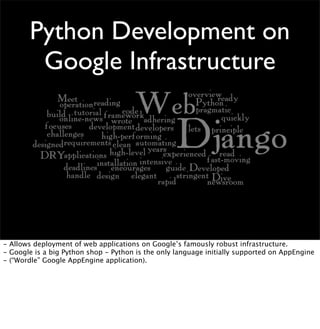
Python Development on
Google Infrastructure
- Allows deployment of web applications on Google’s famously robust infrastructure.
- Google is a big Python shop - Python is the only language initially supported on AppEngine
- (“Wordle” Google AppEngine application).
• Data Store
• Images
• Mail
• Memcache
• URL Fetch
• Users
App Engine APIs
- Data Store API offers persistent storage in a RDBMS-like environment
- Image API offers uploadable images and transformations such as resize, rotate, crop, flip,
and the mysterious “I’m feeling lucky” transformation.
- Mail API offers email services.
- Memcache API offers use of the same memory caching technology used in production
Django deployments.
- URL Fetch offers HTTP client services, allowing HTTP access to other web services.
- Users API offers integration with Google Accounts.
App Engine Basics
- We’re going to look briefly at creating “Hello World” as an AppEngine app.
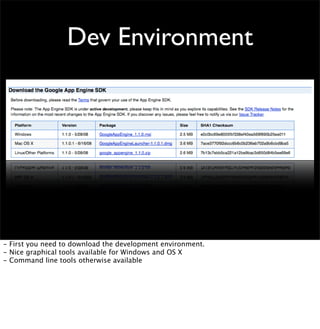
Dev Environment
- First you need to download the development environment.
- Nice graphical tools available for Windows and OS X
- Command line tools otherwise available
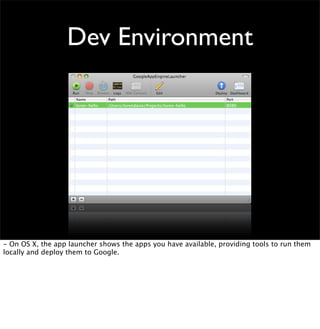
Dev Environment
- On OS X, the app launcher shows the apps you have available, providing tools to run them
locally and deploy them to Google.
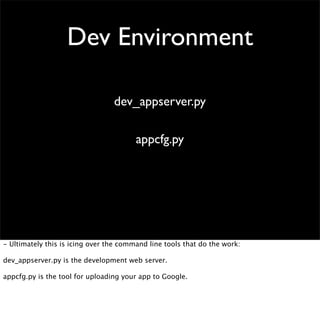
Dev Environment
dev_appserver.py
appcfg.py
- Ultimately this is icing over the command line tools that do the work:
dev_appserver.py is the development web server.
appcfg.py is the tool for uploading your app to Google.
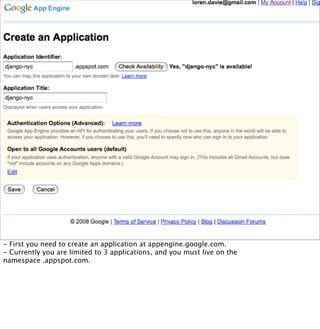
- First you need to create an application at appengine.google.com.
- Currently you are limited to 3 applications, and you must live on the
namespace .appspot.com.
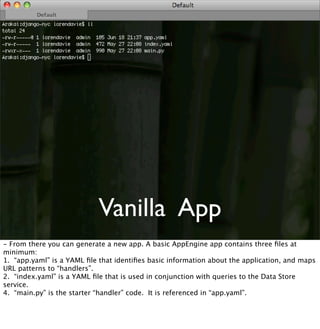
Vanilla App
- From there you can generate a new app. A basic AppEngine app contains three files at
minimum:
1. “app.yaml” is a YAML file that identifies basic information about the application, and maps
URL patterns to “handlers”.
2. “index.yaml” is a YAML file that is used in conjunction with queries to the Data Store
service.
4. “main.py” is the starter “handler” code. It is referenced in “app.yaml”.
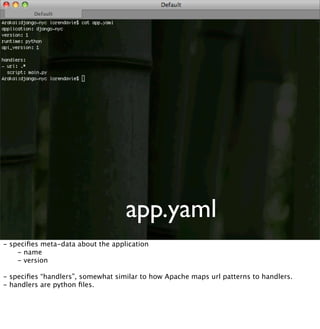
app.yaml
- specifies meta-data about the application

 - name

 - version
- specifies “handlers”, somewhat similar to how Apache maps url patterns to handlers.
- handlers are python files.
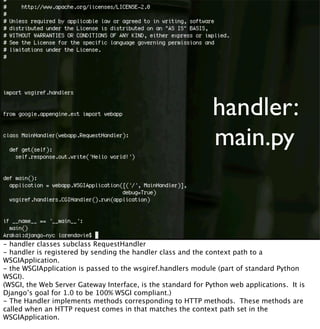
handler:
main.py
- handler classes subclass RequestHandler
- handler is registered by sending the handler class and the context path to a
WSGIApplication.
- the WSGIApplication is passed to the wsgiref.handlers module (part of standard Python
WSGI).
(WSGI, the Web Server Gateway Interface, is the standard for Python web applications. It is
Django’s goal for 1.0 to be 100% WSGI compliant.)
- The Handler implements methods corresponding to HTTP methods. These methods are
called when an HTTP request comes in that matches the context path set in the
WSGIApplication.
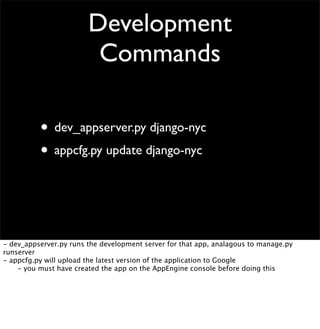
Development
Commands
• dev_appserver.py django-nyc
• appcfg.py update django-nyc
- dev_appserver.py runs the development server for that app, analagous to manage.py
runserver
- appcfg.py will upload the latest version of the application to Google

 - you must have created the app on the AppEngine console before doing this
Where’s the Django?
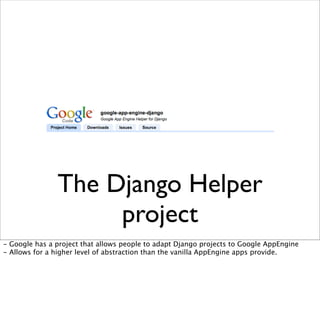
The Django Helper
project
- Google has a project that allows people to adapt Django projects to Google AppEngine
- Allows for a higher level of abstraction than the vanilla AppEngine apps provide.
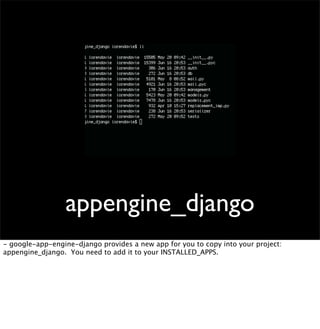
appengine_django
- google-app-engine-django provides a new app for you to copy into your project:
appengine_django. You need to add it to your INSTALLED_APPS.
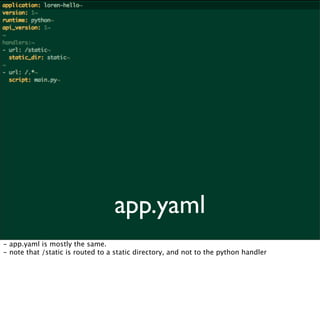
app.yaml
- app.yaml is mostly the same.
- note that /static is routed to a static directory, and not to the python handler
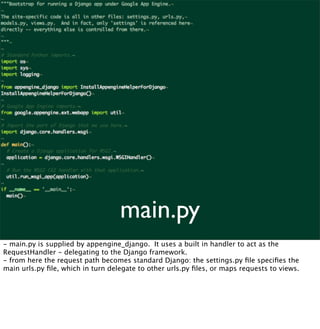
main.py
- main.py is supplied by appengine_django. It uses a built in handler to act as the
RequestHandler - delegating to the Django framework.
- from here the request path becomes standard Django: the settings.py file specifies the
main urls.py file, which in turn delegate to other urls.py files, or maps requests to views.
Data Modeling
- Google doesn’t use a relational database system in the traditional sense.
- The appengine_django app provides an alternate ORM to the application than the standard
Django ORM.
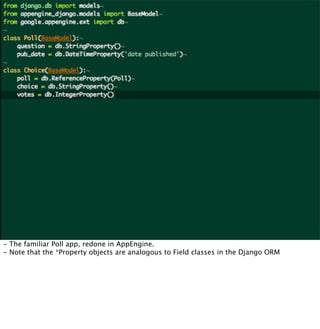
- The familiar Poll app, redone in AppEngine.
- Note that the *Property objects are analogous to Field classes in the Django ORM
There is no spoon
syncdb.
There’s also no admin
console.
W
TF?
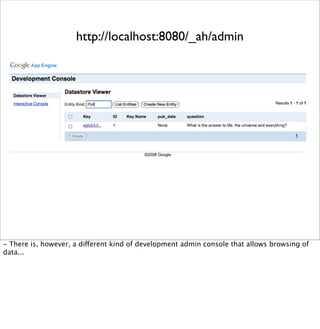
http://localhost:8080/_ah/admin
- There is, however, a different kind of development admin console that allows browsing of
data...
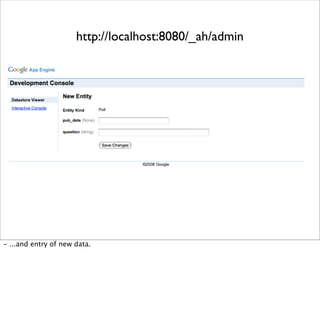
http://localhost:8080/_ah/admin
- ...and entry of new data.
Django versions
• 0.96 supported out of the box
• Later versions (trunk) can be supported by
adding Django itself as a module in the
application.
Discussion

App Engine

  • 1.
  • 2.
    Python Development on GoogleInfrastructure - Allows deployment of web applications on Google’s famously robust infrastructure. - Google is a big Python shop - Python is the only language initially supported on AppEngine - (“Wordle” Google AppEngine application).
  • 3.
    • Data Store •Images • Mail • Memcache • URL Fetch • Users App Engine APIs - Data Store API offers persistent storage in a RDBMS-like environment - Image API offers uploadable images and transformations such as resize, rotate, crop, flip, and the mysterious “I’m feeling lucky” transformation. - Mail API offers email services. - Memcache API offers use of the same memory caching technology used in production Django deployments. - URL Fetch offers HTTP client services, allowing HTTP access to other web services. - Users API offers integration with Google Accounts.
  • 4.
    App Engine Basics -We’re going to look briefly at creating “Hello World” as an AppEngine app.
  • 5.
    Dev Environment - Firstyou need to download the development environment. - Nice graphical tools available for Windows and OS X - Command line tools otherwise available
  • 6.
    Dev Environment - OnOS X, the app launcher shows the apps you have available, providing tools to run them locally and deploy them to Google.
  • 7.
    Dev Environment dev_appserver.py appcfg.py - Ultimatelythis is icing over the command line tools that do the work: dev_appserver.py is the development web server. appcfg.py is the tool for uploading your app to Google.
  • 8.
    - First youneed to create an application at appengine.google.com. - Currently you are limited to 3 applications, and you must live on the namespace .appspot.com.
  • 9.
    Vanilla App - Fromthere you can generate a new app. A basic AppEngine app contains three files at minimum: 1. “app.yaml” is a YAML file that identifies basic information about the application, and maps URL patterns to “handlers”. 2. “index.yaml” is a YAML file that is used in conjunction with queries to the Data Store service. 4. “main.py” is the starter “handler” code. It is referenced in “app.yaml”.
  • 10.
    app.yaml - specifies meta-dataabout the application - name - version - specifies “handlers”, somewhat similar to how Apache maps url patterns to handlers. - handlers are python files.
  • 11.
    handler: main.py - handler classessubclass RequestHandler - handler is registered by sending the handler class and the context path to a WSGIApplication. - the WSGIApplication is passed to the wsgiref.handlers module (part of standard Python WSGI). (WSGI, the Web Server Gateway Interface, is the standard for Python web applications. It is Django’s goal for 1.0 to be 100% WSGI compliant.) - The Handler implements methods corresponding to HTTP methods. These methods are called when an HTTP request comes in that matches the context path set in the WSGIApplication.
  • 12.
    Development Commands • dev_appserver.py django-nyc •appcfg.py update django-nyc - dev_appserver.py runs the development server for that app, analagous to manage.py runserver - appcfg.py will upload the latest version of the application to Google - you must have created the app on the AppEngine console before doing this
  • 13.
  • 14.
    The Django Helper project -Google has a project that allows people to adapt Django projects to Google AppEngine - Allows for a higher level of abstraction than the vanilla AppEngine apps provide.
  • 15.
    appengine_django - google-app-engine-django providesa new app for you to copy into your project: appengine_django. You need to add it to your INSTALLED_APPS.
  • 16.
    app.yaml - app.yaml ismostly the same. - note that /static is routed to a static directory, and not to the python handler
  • 17.
    main.py - main.py issupplied by appengine_django. It uses a built in handler to act as the RequestHandler - delegating to the Django framework. - from here the request path becomes standard Django: the settings.py file specifies the main urls.py file, which in turn delegate to other urls.py files, or maps requests to views.
  • 18.
    Data Modeling - Googledoesn’t use a relational database system in the traditional sense. - The appengine_django app provides an alternate ORM to the application than the standard Django ORM.
  • 19.
    - The familiarPoll app, redone in AppEngine. - Note that the *Property objects are analogous to Field classes in the Django ORM
  • 20.
    There is nospoon syncdb.
  • 21.
    There’s also noadmin console. W TF?
  • 22.
    http://localhost:8080/_ah/admin - There is,however, a different kind of development admin console that allows browsing of data...
  • 23.
  • 24.
    Django versions • 0.96supported out of the box • Later versions (trunk) can be supported by adding Django itself as a module in the application.
  • 25.