Apache Pig –Big Data Analytics
Prepared by: K H Hari Priya
Subject: Big Data Analytics
2.
Introduction to ApachePig
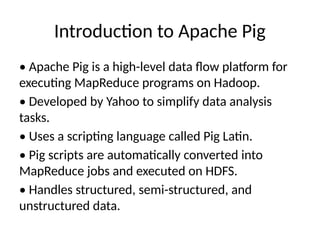
• Apache Pig is a high-level data flow platform for
executing MapReduce programs on Hadoop.
• Developed by Yahoo to simplify data analysis
tasks.
• Uses a scripting language called Pig Latin.
• Pig scripts are automatically converted into
MapReduce jobs and executed on HDFS.
• Handles structured, semi-structured, and
unstructured data.
3.
Features of ApachePig
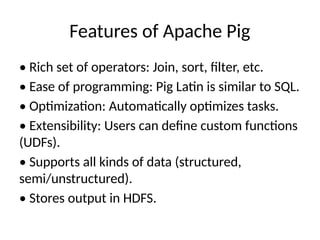
• Rich set of operators: Join, sort, filter, etc.
• Ease of programming: Pig Latin is similar to SQL.
• Optimization: Automatically optimizes tasks.
• Extensibility: Users can define custom functions
(UDFs).
• Supports all kinds of data (structured,
semi/unstructured).
• Stores output in HDFS.
4.
Advantages of ApachePig
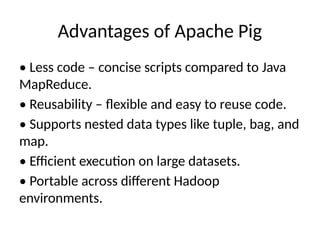
• Less code – concise scripts compared to Java
MapReduce.
• Reusability – flexible and easy to reuse code.
• Supports nested data types like tuple, bag, and
map.
• Efficient execution on large datasets.
• Portable across different Hadoop
environments.
5.
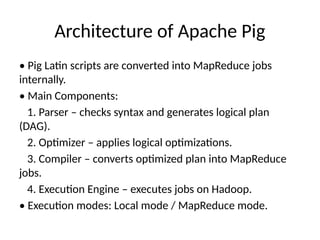
Architecture of ApachePig
• Pig Latin scripts are converted into MapReduce jobs
internally.
• Main Components:
1. Parser – checks syntax and generates logical plan
(DAG).
2. Optimizer – applies logical optimizations.
3. Compiler – converts optimized plan into MapReduce
jobs.
4. Execution Engine – executes jobs on Hadoop.
• Execution modes: Local mode / MapReduce mode.
6.
Pig Latin DataModel
Pig Latin supports complex nested data models:
• Atom – single value like int, float, or string (e.g.,
'30', 'Raja')
• Tuple – ordered set of fields (e.g., (Raja, 30))
• Bag – collection of tuples (e.g., {(Raja,30),
(Mohammad,45)})
• Map – key-value pairs (e.g., [name#Raja, age#30])
• Relation – bag of tuples (like a table).
7.
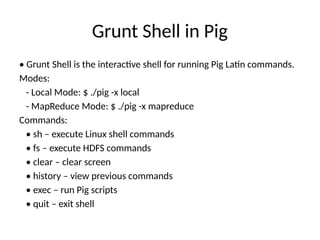
Grunt Shell inPig
• Grunt Shell is the interactive shell for running Pig Latin commands.
Modes:
- Local Mode: $ ./pig -x local
- MapReduce Mode: $ ./pig -x mapreduce
Commands:
• sh – execute Linux shell commands
• fs – execute HDFS commands
• clear – clear screen
• history – view previous commands
• exec – run Pig scripts
• quit – exit shell
8.
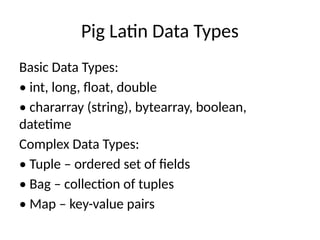
Pig Latin DataTypes
Basic Data Types:
• int, long, float, double
• chararray (string), bytearray, boolean,
datetime
Complex Data Types:
• Tuple – ordered set of fields
• Bag – collection of tuples
• Map – key-value pairs
9.
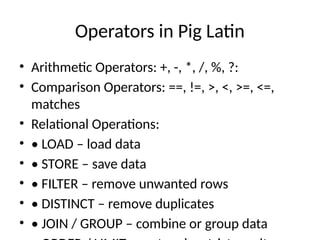
Operators in PigLatin
• Arithmetic Operators: +, -, *, /, %, ?:
• Comparison Operators: ==, !=, >, <, >=, <=,
matches
• Relational Operations:
• • LOAD – load data
• • STORE – save data
• • FILTER – remove unwanted rows
• • DISTINCT – remove duplicates
• • JOIN / GROUP – combine or group data
10.
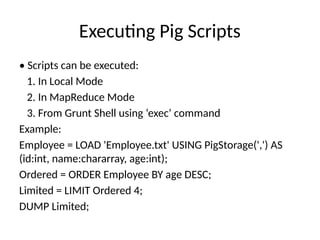
Executing Pig Scripts
•Scripts can be executed:
1. In Local Mode
2. In MapReduce Mode
3. From Grunt Shell using ‘exec’ command
Example:
Employee = LOAD 'Employee.txt' USING PigStorage(',') AS
(id:int, name:chararray, age:int);
Ordered = ORDER Employee BY age DESC;
Limited = LIMIT Ordered 4;
DUMP Limited;
11.
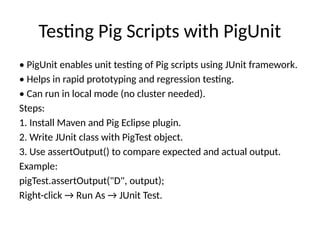
Testing Pig Scriptswith PigUnit
• PigUnit enables unit testing of Pig scripts using JUnit framework.
• Helps in rapid prototyping and regression testing.
• Can run in local mode (no cluster needed).
Steps:
1. Install Maven and Pig Eclipse plugin.
2. Write JUnit class with PigTest object.
3. Use assertOutput() to compare expected and actual output.
Example:
pigTest.assertOutput("D", output);
Right-click → Run As → JUnit Test.
12.
Summary
• Apache Pigsimplifies MapReduce
programming.
• Pig Latin is a powerful data flow language.
• Supports complex data types and automatic
optimization.
• Ideal for data transformation, filtering, and
analysis on Hadoop.
• Testing made easy using PigUnit.
![Pig Latin Data Model
Pig Latin supports complex nested data models:
• Atom – single value like int, float, or string (e.g.,
'30', 'Raja')
• Tuple – ordered set of fields (e.g., (Raja, 30))
• Bag – collection of tuples (e.g., {(Raja,30),
(Mohammad,45)})
• Map – key-value pairs (e.g., [name#Raja, age#30])
• Relation – bag of tuples (like a table).](https://image.slidesharecdn.com/apachepigbigdataanalyticsunit5-260119145036-ec60e02b/85/Apache_Pig_Big_Data_Analytics-unit5-pptx-6-320.jpg)


![Unit-5 [Pig] working and architecture.pptx](https://cdn.slidesharecdn.com/ss_thumbnails/unit-5pig-240605082042-8125c633-thumbnail.jpg?width=640&height=640&fit=bounds)


![[DSC Europe 25] Raul Cruz Bonilla - Harnessing GEN AI in Fashion, Luxury and ...](https://cdn.slidesharecdn.com/ss_thumbnails/me7nvup5thwqzwzblbvw-raul-cruz-harnessing-ai-en-luxury-260123083019-32ac5a43-thumbnail.jpg?width=640&height=640&fit=bounds)


![[DSC Europe 25] Ekaterina Bubenko - Behind the Curtain: How Data Roles Collab...](https://cdn.slidesharecdn.com/ss_thumbnails/anmv6x8dstqbbzchoklr-ekaterina-bubenko-behind-the-curtain-how-data-roles-collaborate-in-the-ai-era-a-260123083019-4b252ec7-thumbnail.jpg?width=640&height=640&fit=bounds)
![[DSC Europe 25] Predrag Maletic - Scaling AI in Banking – Our Strategic Journ...](https://cdn.slidesharecdn.com/ss_thumbnails/qu2onv0aruwlvqtygmxx-predrag-maletic-scaling-ai-in-banking-260123083019-6cf1da1d-thumbnail.jpg?width=640&height=640&fit=bounds)