
An Independent    Traveller in a   Virtual World One organisations journey
Planning a journey Guidebooks Friends Magazines Movies & Books Travel Agent Itinerary Trip Advisor
Planning your Web Journey Do you need a detailed itinerary? Or should you just wander….discover….explore “ Tourists don't know where they've been, travelers don't know where they're going.” Paul Theroux
First steps Go with someone else Use Web 2.0 Facebook  Or try an organisational social media site like Ning
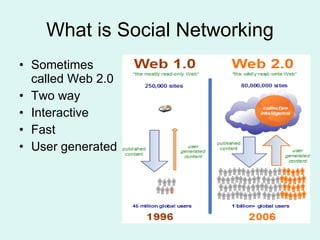
What is Social Networking Sometimes  called Web 2.0 Two way Interactive Fast User generated
Key features Intuitive to use Quick and easy to set up Usually provide templates Usually free Includes: Blogs, discussions, events, photos, videos, podcasts, notes, links, feeds etc
Group Tours …  or Intrepid for the Independent Traveller


Time to venture out on your own…
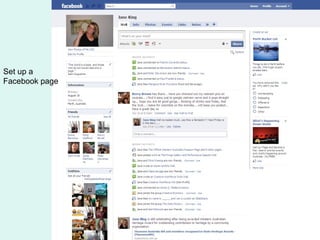
Set up a Facebook page
Never put anything on Facebook (or any site) that you are not prepared to see splashed across the front page of the daily newspaper – what you put out there is out there for all the world to see and almost impossible to take back.
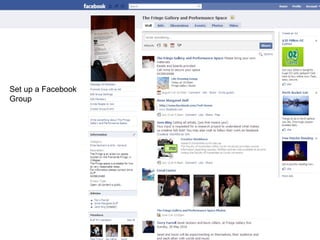
Set up a Facebook  Group
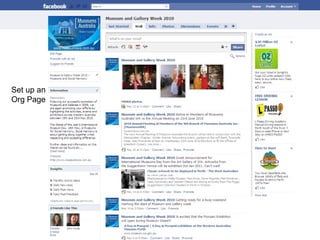
Set up an  Org Page


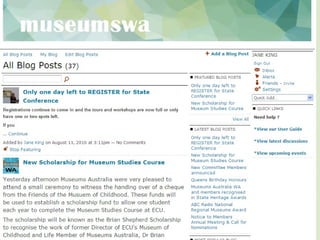
To Blog or not to Blog? Short for web log Think of it as a public diary Suggested uses: Documenting work-in-progress Issuing a media release Making an announcement Having an opinion Same rules as for Facebook
 
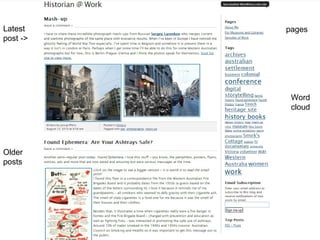
Latest post -> Older posts pages Word cloud
 
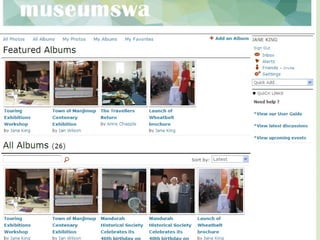
Photostream or album?
 
 
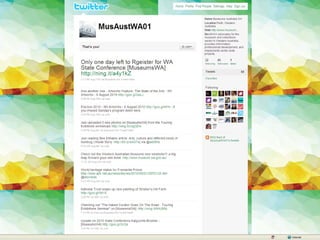
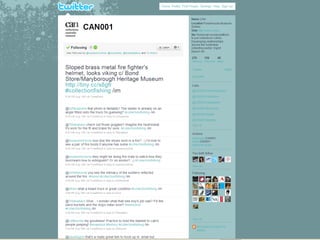
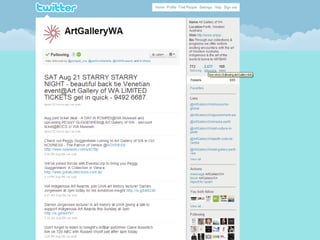
Twit or Tweet?


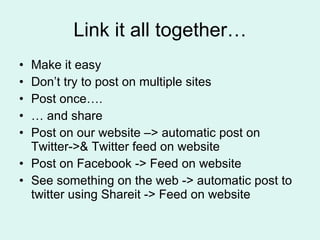
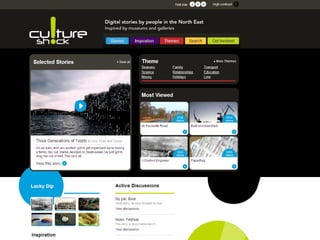
Link it all together… Make it easy Don’t try to post on multiple sites Post once….  …  and share Post on our website –> automatic post on Twitter->& Twitter feed on website Post on Facebook -> Feed on website See something on the web -> automatic post to twitter using Shareit -> Feed on website
Digital Storytelling…. Stay tuned……..
 
Bon Voyage …send us a post card

An independent traveller

  • 1.
    An Independent Traveller in a Virtual World One organisations journey
  • 2.
    Planning a journeyGuidebooks Friends Magazines Movies & Books Travel Agent Itinerary Trip Advisor
  • 3.
    Planning your WebJourney Do you need a detailed itinerary? Or should you just wander….discover….explore “ Tourists don't know where they've been, travelers don't know where they're going.” Paul Theroux
  • 4.
    First steps Gowith someone else Use Web 2.0 Facebook Or try an organisational social media site like Ning
  • 5.
    What is SocialNetworking Sometimes called Web 2.0 Two way Interactive Fast User generated
  • 6.
    Key features Intuitiveto use Quick and easy to set up Usually provide templates Usually free Includes: Blogs, discussions, events, photos, videos, podcasts, notes, links, feeds etc
  • 7.
    Group Tours … or Intrepid for the Independent Traveller
  • 8.
  • 9.
  • 10.
  • 11.
    Time to ventureout on your own…
  • 12.
    Set up aFacebook page
  • 13.
    Never put anythingon Facebook (or any site) that you are not prepared to see splashed across the front page of the daily newspaper – what you put out there is out there for all the world to see and almost impossible to take back.
  • 14.
    Set up aFacebook Group
  • 15.
    Set up an Org Page
  • 16.
  • 17.
  • 18.
  • 19.
  • 20.
  • 21.
    To Blog ornot to Blog? Short for web log Think of it as a public diary Suggested uses: Documenting work-in-progress Issuing a media release Making an announcement Having an opinion Same rules as for Facebook
  • 22.
  • 23.
    Latest post ->Older posts pages Word cloud
  • 24.
  • 25.
  • 26.
  • 27.
  • 28.
  • 29.
  • 30.
  • 31.
  • 32.
    Link it alltogether… Make it easy Don’t try to post on multiple sites Post once…. … and share Post on our website –> automatic post on Twitter->& Twitter feed on website Post on Facebook -> Feed on website See something on the web -> automatic post to twitter using Shareit -> Feed on website
  • 33.
  • 34.
  • 35.
    Bon Voyage …sendus a post card

Editor's Notes

  • #6 It may be helpful to quickly sum up the first generation of websites. They were typically produced and maintained by independent webmasters who updated the websites' content only when the information became dated or was no longer aligned with the business goals. The vast majority of websites pre-2000 websites were "read only", meaning you could only look at the content without changing it. If you wanted to suggest a change, correct or add information you would have most likely been redirected to a contact form or email address of the webmaster who controlled the contents of the website. So what happened next? Plenty of things. Open-source software, particularly web server and web development software such as PHP and Perl, and database software such as MySQL enabled rapid development of online applications for a fraction of the cost. The barrier of entry has been lowered to the point where anyone with an idea can build a powerful web service and open its doors to the world. Web 2.0 and its meaning has been debated at length. With much conflict, and lack of a definitive definition, I thought today we could explore how various key players interpret the meaning of Web 2.0 Technologists see Web 2.0 as the technologies, programming languages and the scalable infrastructure that powers a new breed of online applications known as web services Marketers use Web 2.0 services and see them primarily as platforms where they can reach out and connect with customers on a more intimate level. Yet, to call the group of people "customers" may not be the correct term. In the Web 2.0 era, the customers are the creators. The creators build web pages, upload audio, video and images, and tag multimedia files providing other users with useful information about their creations. This material is known as "user-generated content". What about corporate types? Business people and financiers see Web 2.0 as an opportunity to problem-solve for their customers while engaging them in conversation about their products and services. The Web has allowed businesses to dream up solutions to existing problems, build the technologies to solve those problems, and then allow consumers to turn into contributers by participating through blogs, podcasts, and online profiles.
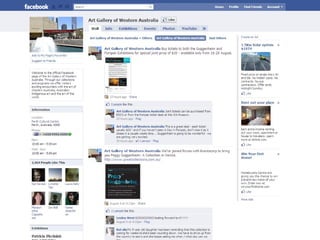
  • #13 Set up your own personal page My first foray into Social Netwoking was Facebook - dragged reluctantly by my artist friends. Used it to promote the work-in progress on an exhibition and to promote the exhibition. Many arts groups use Facebook now See examples – Art Gallery of WA PICA
  • #15 An example of a GROUP I set up I am involved with an ARI – and this is our page. 435 followers!!! We promote our events Poetry Nights Exhibitions Drawing classes
  • #16 An example of a PAGE I set up. This was my experiment to see how this would work, took MAG week 2010 as the starting point…. Wasn’t too difficult Linked back to our home page, so that posts on this site go straight onto home page NO NEED TO POST TWICE!!!!! Next step is to set up MAWA permanent page…currently doing, then will close this one down.
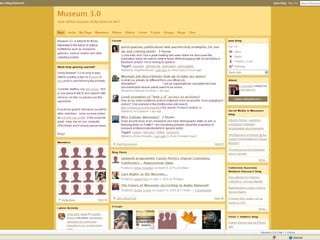
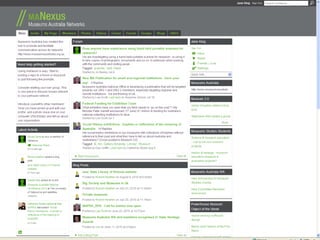
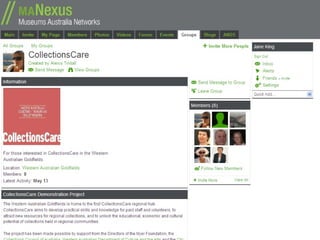
  • #18 Ning – social networking for grown-ups One step up from Face book More options – but you have to pay – starts a $20pa We heard of NING through museums 3.0 The first site set up for museus – and is part of an ongoing research project on Social media & Museums – and ARC grant run out of the Australian Museum – Lynda Kelly & Angelina Russo. (If Live go to the Social Media in Museums Blog)
  • #19 Ning – social networking for grown-ups One step up from Face book More options – but you have to pay – starts a $20pa We heard of NING through museums 3.0 The first site
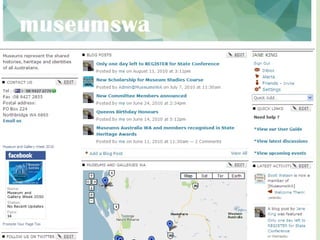
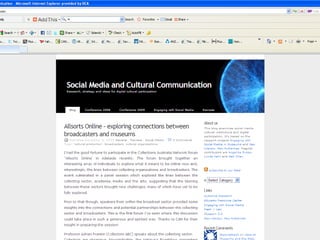
  • #25 Our blog posts
  • #30 What do we use it for???? Linked to anything we post on our website…. Also use it top pass on useful info, or promote a useful website or article we have read…. Use Addit……or Google Shareit in your toolbar.
  • #31 CAN blog ----- see later presenter
  • #33 Demonstration: Take a photo of the group Upload onto mawa Blog it Share it Tweet it!!