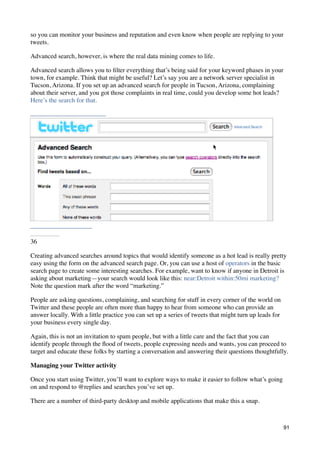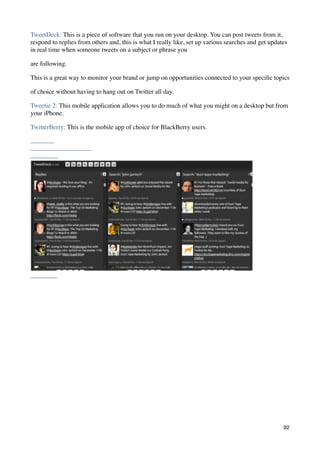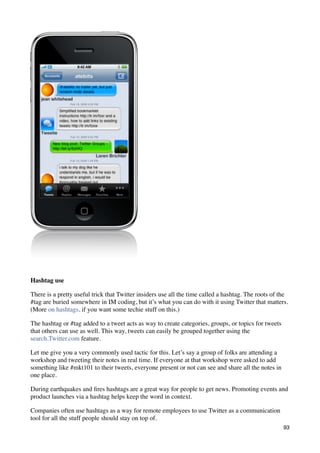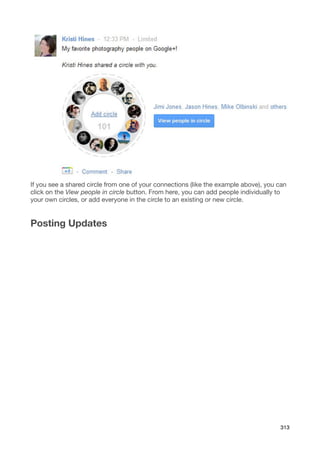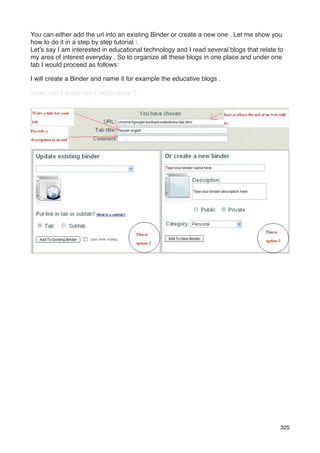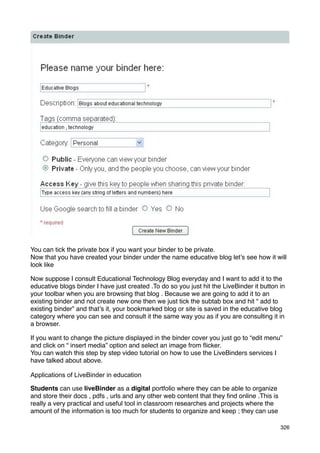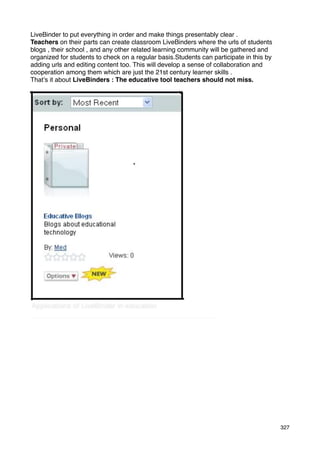


New Media Technology
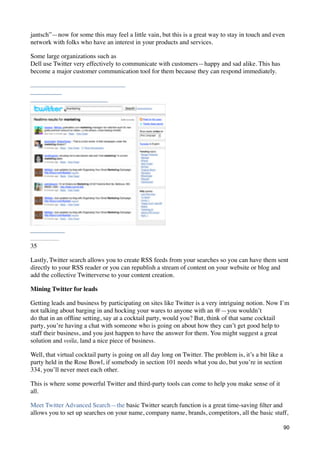
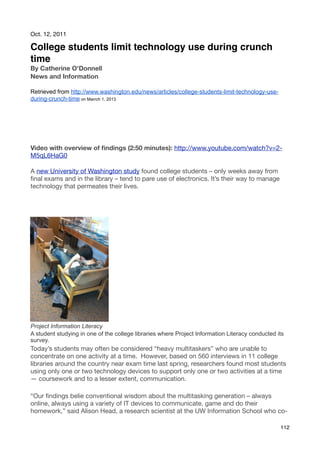
                 Adapting Media Students For A Changing World


           Textbook is Curated by
    Ken Morrison  (Apple Distinguished Educator 2013)
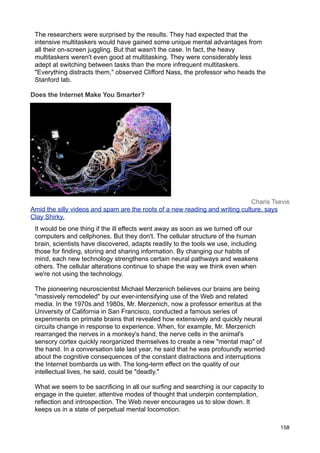
                           Cover Illustration from:
        http://imanshowcase.blogspot.kr/2012/05/your-eyes-betray.html


  Objective: This course teaches you how new media trends and technology is changing
traditional media and our society. You will learn about how new media tools & trends affect
                               business, education & society


                                                                                         1
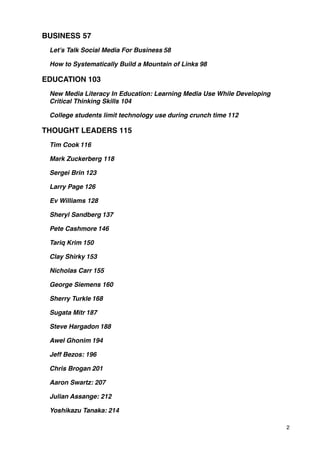
BUSINESS!57
 Let’s Talk Social Media For Business!58

 How to Systematically Build a Mountain of Links!98

EDUCATION!103
 New Media Literacy In Education: Learning Media Use While Developing
 Critical Thinking Skills!104

 College students limit technology use during crunch time!112

THOUGHT LEADERS!115
 Tim Cook!116

 Mark Zuckerberg!118

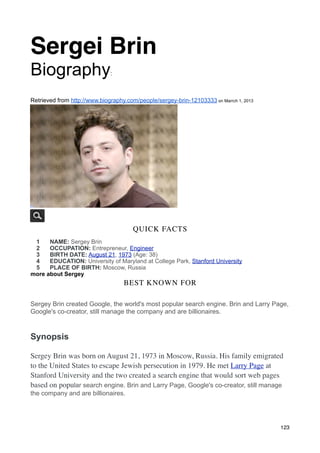
 Sergei Brin!123

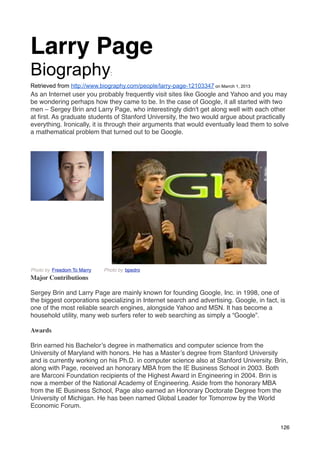
 Larry Page!126

 Ev Williams!128

 Sheryl Sandberg!137

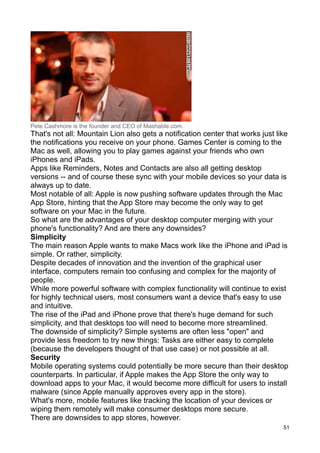
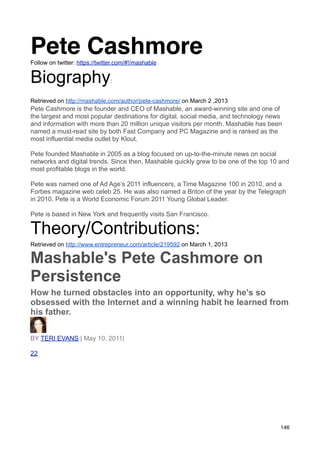
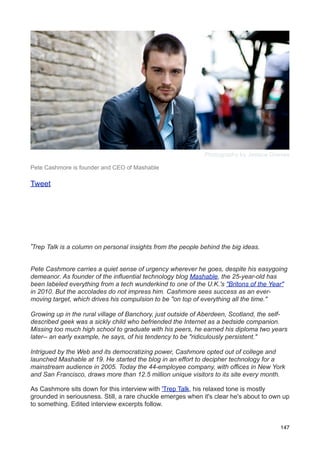
 Pete Cashmore!146

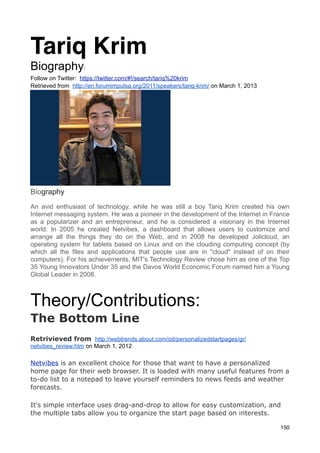
 Tariq Krim!150

 Clay Shirky!153

 Nicholas Carr!155

 George Siemens!160

 Sherry Turkle!168

 Sugata Mitr!187

 Steve Hargadon!188

 Awel Ghonim!194

 Jeff Bezos:!196

 Chris Brogan!201

 Aaron Swartz:!207

 Julian Assange:!212

 Yoshikazu Tanaka:!214

                                                                        2
TERMS!216
 TERM #1: LOCATION-BASED MARKETING!219

 By Cynthia Boris on February 14, 2012 The Future of Location-Based
 Marketing is Cool. . . or Scary!219

 7 Things You Need to Know About QR Codes!221

 STOP CENSORSHIP: THE PROBLEMS WITH SOPA!222

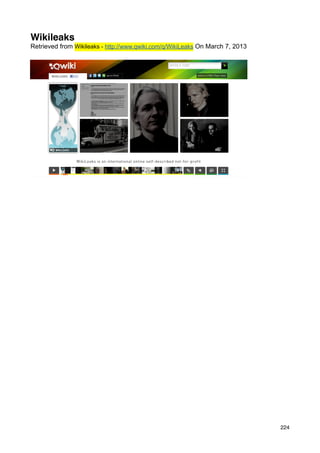
 Wikileaks!224

 What is digital media literacy and why is it important?!225

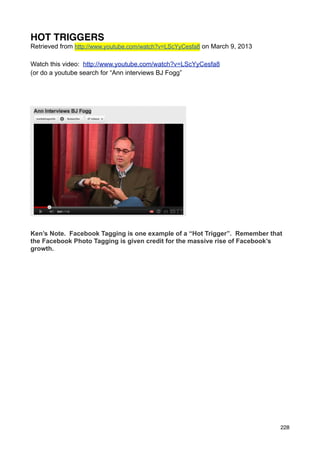
 HOT TRIGGERS!228

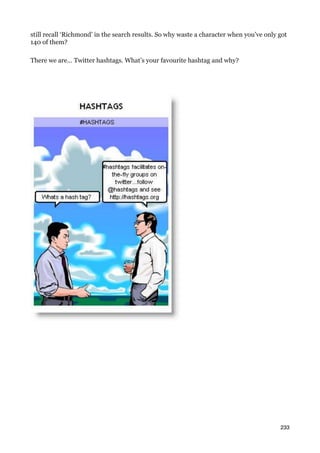
 Hashtag!232

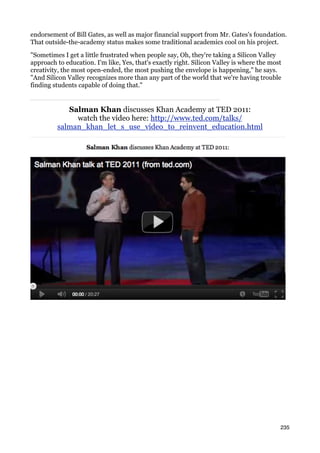
 KHAN ACADEMY!234

 CONNECTIVSM!237

 CROWDSOURCING!239

 Content Curation?!242

 COGNITIVE SURPLUS!243

 INFOTENSION!246

 MOBILE:!255

 MECHANICAL TURK!259

 Digital Divide!262

 SECOND SCREEN!265

 FLASH MOB!266

 SEO (SEARCH ENGINE OPTIMIZATION)!268

 AUGMENTED REALITY!270

 GOOGLE HANGOUTS!272

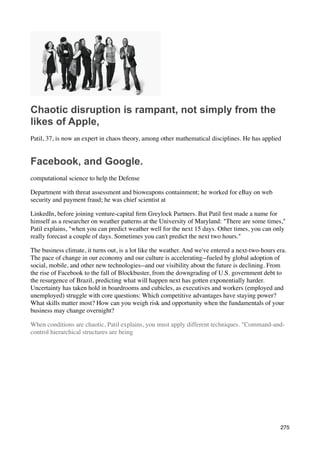
 GENERATION FLUX!274

 PETE CASHMORE!284

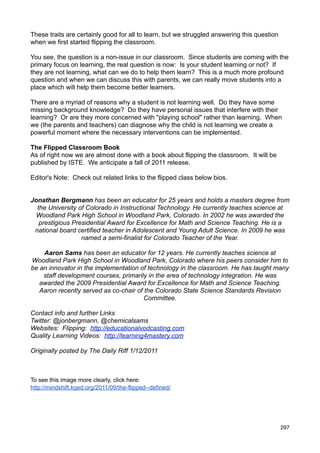
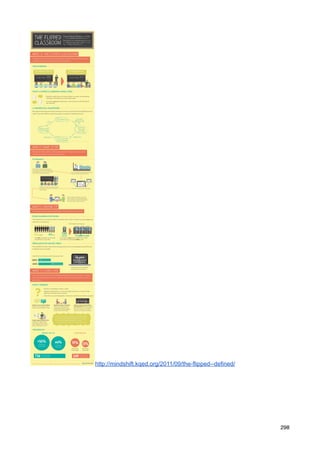
 FLIPPED CLASSROOMS!295

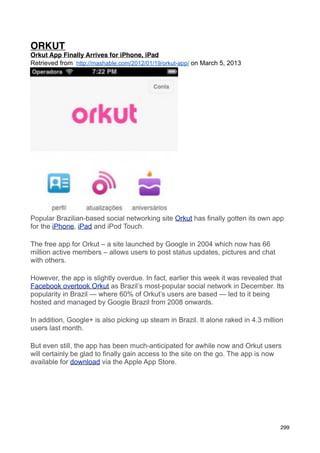
 ORKUT Orkut App Finally Arrives for iPhone, iPad!299


                                                                      3
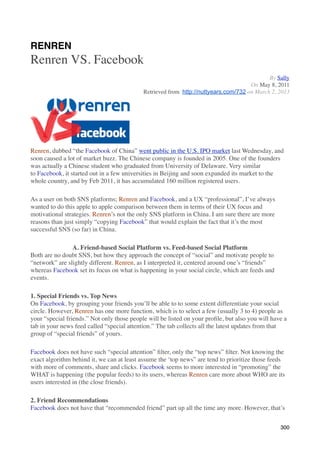
RENREN!300

  PLN!303

PROGRAMS!306
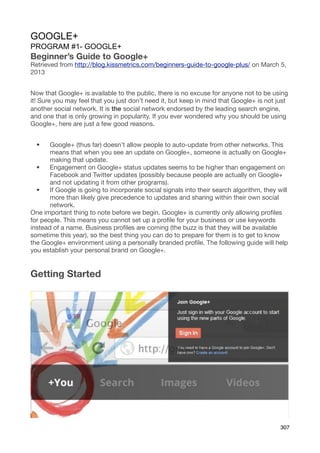
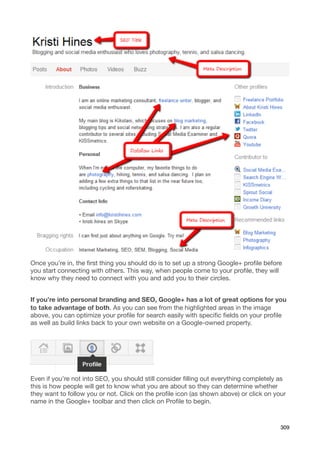
  GOOGLE+!307

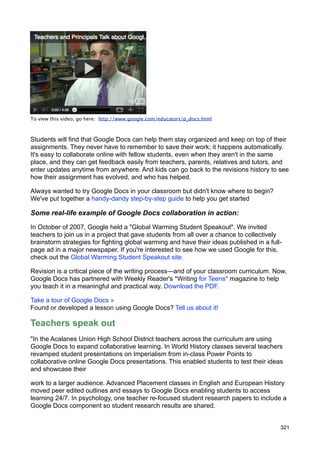
  GOOGLE DOCS PROGRAM #2- GOOGLE DOCS (http://docs.google.com)!320

  Evernote!323

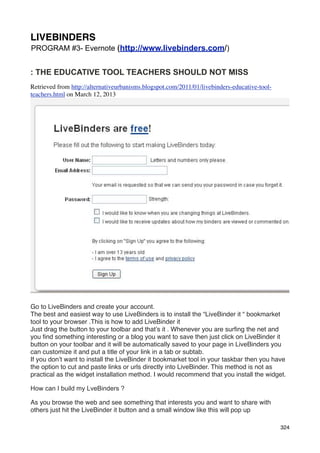
  LIVEBINDERS!324

  NETVIBES!328

  Qwiki!330

  Other Programs We Will Preview:!332

USING TECHNOLOGY TO HELP YOU GET A JOB!333

DIGITAL PORTFOLIO Using Technology | Electronic Portfolios in the
K-12 Classroom!334
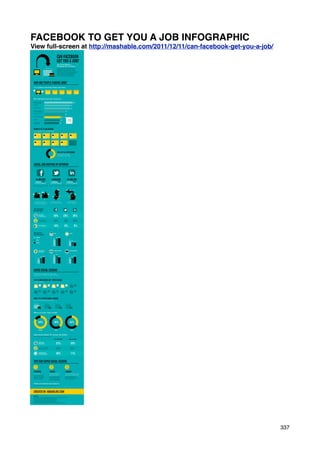
  FACEBOOK TO GET YOU A JOB INFOGRAPHIC!337

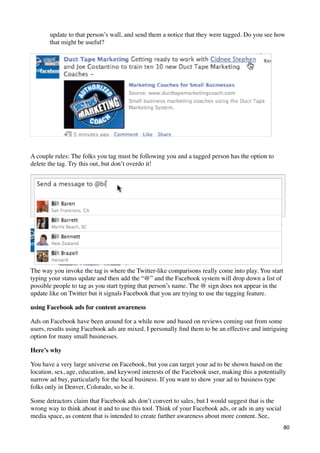
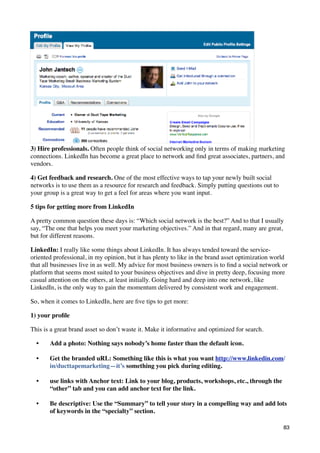
  View full-screen at http://mashable.com/2011/12/11/can-facebook-get-you-a-
  job/!337

  5 Ways You Should Be Using Pinterest To Attract Employers!338

  HOW TO: Optimize Your LinkedIn Profile for the Job Hunt!340

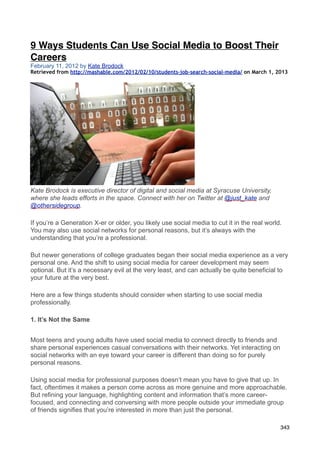
  9 Ways Students Can Use Social Media to Boost Their Careers!343

  Twitter Literacy (I refuse to make up a Twittery name for it)!347

EXTRA!351
  ABOUT KEN MORRISON!353

  Assistant Professor of New Media and Global Communcations at:!353

  http://lgc.hnu.kr/ Biography: http://lgc.hnu.kr/sub2/sub2_01_morrison.php!353
                     NEW MEDIA TECHNOLOGY
    Textbook Curated by Ken Morrison for Linton Global College www.lgc.hnu.kr


                                                                                4
New Media Technology
                                  Linton Global College
                                    Hannam University
                                       Spring 2013
Instructor   : Ken Morrison, MS (Instructional Design & Technology)
Office       : 111 (Best way to contact me)
E-mail       : kenmorrison30@yahoo.com (Second-best way to contact me)
Cellphone    : 010-8653-6352 (Please send text message if there is no answer)
Website      : http://lgcnmt.ning.com/      Classroom: 500103 (Computer Lab)
Schedule     : 12:00 AM – 1:15 AM (Wednesday & Friday)
Blogs Due     : Every Friday 5 PM

Why This Course Is Important:
We have crossed an important point in world history. Very recently, media and technology
have changed everything. New Media Technology has changed how businesses make
money, how governments lead people, how teachers teach, and how family and friends
communicate and think. It is very important for us to understand this trend in order to be
educated participants in the 21st century. As communication majors, it is crucial to
understand how new media technology is changing your field. If you are a business major,
you will also learn many things that will directly affect your future.

Course Overview
The official Hannam University Website says:
This course will provide students with a good theoretical and practical understanding of
how to harness the power of the new internet applications and media tools in a highly
networked world. Students will look at the social implications of new technologies and also
look at the technologies themselves to understand their level of complexity and how
consumers and organizations can use or implement them appropriately.

What does that mean?
The key word in this course is ‘Media’. This is not a technology course or a computer
science course. We will study ‘new’ media, but we will also study new and wise ways of
using some media platforms that have been around for five or more years. We will study
how New Media Technology is changing our world and your future in five ways:
1) Journalism 2) Society 3) Education 4) Politics and 5) Business (mass communications
aspects)


I. Course Objectives:
1. Explore new media tools that may help you succeed in your career
2. Explore new media tools that new media can help you succeed at LGC
3. Explore new media trends that are changing society, business and education
4. Gain experience using new media in a safe, private environment.
5. Learn resources and strategies to help you make future adjustments when new media
tools and trends change in the future.
6) Learn facts about 20 people who are changing how we use technology today.

                                                                                          5
Textbooks and Course Materials
I am creating an updated textbook with Apple’s iBooks 2 Author Program. Your textbook
will be available for download in .pdf format. I suggest budgeting about 30,000 W and
printing out the book and additional printouts. The 2012 version of the textbook can be
found at the following link. The 2013 version will be similar format and difficulty: http://
www.slideshare.net/kenmorrison30/nmt-2012-textbook?ref=http://www.scoop.it/t/new-
media-technology

Required Technology.
You do not need to own a computer or smartphone for this course. Yet, you will need
access to a computer with reliable internet access for much of your homework. Plan your
schedule so that you can do homework when you have access to a computer connected
to a reliable internet connection. Please make a schedule to do much of your homework
in a computer lab on campus.

Evaluation and Grading System
There will be two major examinations. They may contain multiple-choice, true-or-false,
matching, fill in the blank and essay questions. You will have many quizzes over your
homework to prove that you have been doing your readings. This is to reward students
who do their homework. You will have weekly writing assignments due in the form of blogs
that your classmates can see. Your classmates will see your work, so make sure that your
writing is of high quality. Attitude, attendance & participation are all very important keys to
your success. Some of my grading for test questions and projects are quite subjective. I
will provide rubrics so that you can know what I am looking for when I am grading.

Attendance
I need to be as clear as possible here. You must be at class. This is not a class that you
can miss and catch up easily I give attentive points, not attendance points. Simply
coming to class is not enough. If you want to earn points you must
1) Be in class on time
2) Pay Attention
3) Avoid distractions. If you are playing on your cell phone or browsing the internet, I will
not give you credit for coming to class that day.
4) No Sleeping. I do not give attendance credit to students who sleep in class!
Attendance (cont.)
I will allow up to three absences (excused or unexcused). Use your absences wisely.
Budget time for being sick, conferences, HNU/LGC events, family emergencies. You must
communicate in advance when you will miss a class. You can not make up any quiz that
you missed during an absence (excused or unexcused). Being late three times equals one
absence.

Classes always start on time. Being late three times is equal to one absence. In other
words, don’t be late. Regarding absences, we will strictly observe the university rule that
students absent for more than 25% of class periods will receive an automatic “F”. In the
same way that I prepare for every class, you should do the same by reading the assigned
references and submitting your homework on time. Cheating or any other form of
academic dishonesty will not be tolerated in this course. Any student caught plagiarizing
will automatically receive a failing grade for the course. In order to avoid being accused of
plagiarism, please do not forget to cite your sources. Before turning in your work, please
edit and proofread it. Please do not hesitate to contact me if you have any problems
related to the course. You may send me an email, leave a comment in my blog or drop by
                                                                                                6
my office. I reserve the right to revise this syllabus. Should I decide to do so, I will post an
updated copy on the class website and tell you in class. Be aware of some schedule
challenges. I will make all reasonable efforts to get your questions answered. I need you
to plan ahead so that I can help you in best way possible. I will return all phone calls and
emails and website posts within 24 hours. It will be a rare situation when you actually wait
24 hours during the week, but that may happen. This is similar to many managers’ policies
in the working world. So remember to plan ahead.

 Preparation & Participation
I plan your homework carefully. All homework assignments are directly related to helping
you meet the short-term and long-term objectives of this course. You must do your
homework to succeed in this class. You should be prepared to give specific points that you
found interesting from every reading or online activity. You should also be prepared with at
least one question every class.

Honesty
Do not lie. Do not cheat. We will meet each other 30 times during this semester. Each
time,
you are representing your family, your country, and yourself. I am very good at finding out
who
is being dishonest. You will not be happy with the results if you are caught being dishonest
or
cheating in my class.

During your LGC days you will have the opportunity to meet many foreign professors from
around the world. Each of us have many professional connections both in Korea and in
other
countries. If you work hard and prove to have a good character, we will write letters of
recommendation to help you get a job after graduation. Professors communicate with each
other about who is not being honest in classes. It is not wise to destroy your reputation by
making bad choices. Is that clear?

Attitude
We are going to have a fun class. I love teaching at LGC. I love learning new knowledge,
and I loved learning about organizational behavior during my career and during graduate
school. We are going to learn many things that will help you both at LGC and after
graduation. The world is changing. We can not predict the future. Yet one trait has been
the key to success in any economy in any country. That trait is ‘positive attitude’. I feel
that you will find this class to be exciting if you come to class with a positive attitude and
open mind every time.

Communication
I have many years of professional experience. I have learned from some great people and
have had some great experiences. I have lots of passion and energy to help good people
learn. However, I am not perfect. If you have suggestions on how to improve the class or
any project, I am willing to talk about possible alternatives. But you must communicate
your concerns or I can not help you.

There will be some times when you have a true excuse for why you can not be at class or
why you are not available to do your best work on homework. Your future managers will
need you to communicate with them. I am very fair to students who plan ahead and
communicate their concerns. I am not very flexible to students who are not willing to do
                                                                                              7
so. Unfortunately, sometimes managers view a lack of communication as laziness,
disrespect, or worse. Practice using your professional communication skills during this
course. I am here to help.

There are many ways to contact me: Before/after class, Face-to-face meetings at my
office, our class website, phone calls before 7pm, email, or hand-written notes. If you
choose not to communicate in any of these ways, I will probably assume that you do not
care.

Please do not contact me about class-related questions on Facebook or Yahoo
Messenger. Also, I often have many windows open on my computer. So I may not see a
chat request on our class website. The best way to contact me on our class website is by
sending a message. You can try to chat any time that you see my name as ‘active’. But if
I don’t respond, please know that I am not ignoring you.

I highly suggest sending a quick text message if you will not be at class. It does not have
to be long or detailed. I suggest starting the practice of communicating with your
manager / professor at any time that you are not able to attend.


Conferences
I encourage students to go to conferences to expand their network and get experience in a
global atmosphere. Choose your conferences wisely. I will allow you to go to two
conferences during this semester. Choose them wisely. These will count toward your
three (3) excused absences. I feel this is fair. During my advertising career, I was allowed
to miss four (4) days of work per year for conferences. I will allow you to miss two (2)
classes in 15 weeks. This is a fair balance between class responsibilities and possible
opportunities for building your future. I will have specific steps that you must follow to
receive an excused absence.

Career Events (Official LGC-sponsored events)
Since fall of 2012, LGC does offer a few select career events. If you go to these events,
you can earn extra points at the end of the semester. However, you are still responsible
for ALL aspects of the class that you missed that day. You must communicate in advance.
You can not retake quizzes on any day that you miss (even excused absences). If you
communicate in advance about these activities, I will avoid giving quizzes on these days.

This is your bus
I accept, appreciate, and encourage creativity. This class can be a bus where you learn,
have fun, meet new students, and prepare for an exciting career after graduation. As long
as you communicate with me, I will allow some freedom in planning your projects. One of
my favorite college professors always said, “Ken, this is your bus. You are the driver. How
can I help you get to where you want to go.” It is crucial that you communicate. As long as
you are applying the new information from class with real situations in the outside world, I
encourage you to adapt these projects to meet your personal, academic and professional
goals. However, you must communicate these desires with me in advance.


                                                                                              8
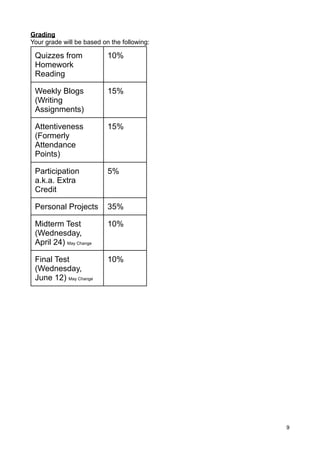
Grading
Your grade will be based on the following:

 Quizzes from              10%
 Homework
 Reading

 Weekly Blogs              15%
 (Writing
 Assignments)

 Attentiveness             15%
 (Formerly
 Attendance
 Points)

 Participation             5%
 a.k.a. Extra
 Credit

 Personal Projects         35%

 Midterm Test              10%
 (Wednesday,
 April 24) May Change

 Final Test                10%
 (Wednesday,
 June 12) May Change


                                             9
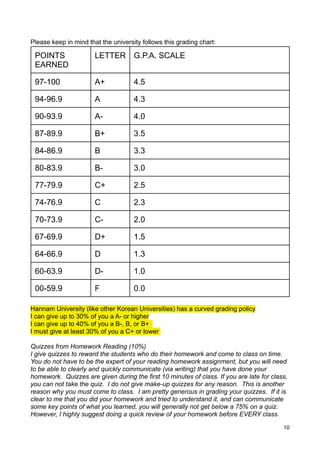
Please keep in mind that the university follows this grading chart:

 POINTS                LETTER        G.P.A. SCALE
 EARNED

 97-100                A+            4.5

 94-96.9               A             4.3

 90-93.9               A-            4.0

 87-89.9               B+            3.5

 84-86.9               B             3.3

 80-83.9               B-            3.0

 77-79.9               C+            2.5

 74-76.9               C             2.3

 70-73.9               C-            2.0

 67-69.9               D+            1.5

 64-66.9               D             1.3

 60-63.9               D-            1.0

 00-59.9               F             0.0

Hannam University (like other Korean Universities) has a curved grading policy
I can give up to 30% of you a A- or higher
I can give up to 40% of you a B-, B, or B+
I must give at least 30% of you a C+ or lower

Quizzes from Homework Reading (10%)
I give quizzes to reward the students who do their homework and come to class on time.
You do not have to be the expert of your reading homework assignment, but you will need
to be able to clearly and quickly communicate (via writing) that you have done your
homework. Quizzes are given during the first 10 minutes of class. If you are late for class,
you can not take the quiz. I do not give make-up quizzes for any reason. This is another
reason why you must come to class. I am pretty generous in grading your quizzes. If it is
clear to me that you did your homework and tried to understand it, and can communicate
some key points of what you learned, you will generally not get below a 75% on a quiz.
However, I highly suggest doing a quick review of your homework before EVERY class.

                                                                                          10
Weekly Blogs (15%)
You will need to write 20 sentences each week to share with me what you have learned
during the week. Deadlines will be very important in your future career. You may also be
required to give reports of your projects. Your required weekly blogs are a good way for
you begin documenting what you do during the week. These blogs will be seen by your
classmates, so do your best. These blogs will be very helpful for you and others in
preparing for your midterm test, final test, and final projects. The deadline is every
Friday at 5pm. However, you do not have to wait until after Friday’s class to write your
blog. You will probably have enough to write about after the first class, and your
homework to write a blog. You can also write about your progress of your long-term
projects, or how our class material relates to other things you are learning in other classes
or observing in the world news. Some students in the past have had valid reasons for why
they may need an extension on these weekly deadlines. Come talk to me and we can
come up with a weekly plan that is sensitive to your unique schedule.

Attentive Points (formerly known as “Attendance Points” (15%)
As stated above, you are not guaranteed attendance points by just showing up. I give
Attentive Points, not attendance points.

Participation A.K.A. Extra Credit (5%)
These are basically extra credit points for the students who spend the whole semester
finding ways to lead and participate. The best way to earn points is by participating in
class and online in our class website. Our class website has a unique way of measuring
who is participating the most. Again, these are only for the leaders in the class. It is a
competition to earn these points.
This is basically extra credit for those students who go the extra mile in participating and
helping their classmates understand the material. Participation points in my class are my
way of rewarding students who give extra effort to participate in class and/or online in a
way that shows that they are willing to actively share what they are learning in class.
These points are not easy to earn. In 15 weeks, you will have many opportunities to be a
leader by sharing your opinions and new information you are learning from this course.

Personal Projects (35%)
I believe in giving students control to earn their grades. I also know that spending four or
more years in college is a waste of time if you can not show what you have learned. That
is why 35% of your final grade will be determined by personal projects. You will recieve
details in week three, but you can plan on a final paper (10%), final presentation(10%),
Scoop.it activity (10%), Google+ activity (4%), and to be the key components of your 35%.
You will also have a written proposal that is worth 1%. Other programs such as Google
Docs and NetVibes will require activity that will go toward your attendance and possibly
participation points.

Midterm Test (10%)
My tests are not easy, but they are fair. My tests are mostly short answer and essays.
They take one hour. Most students use all 60 minutes. I advise talking to previous
students of mine about how to prepare for my tests. They are not easy, but they are worth
less points than some of your other classes. This class is an ‘action’ class. You can make
up for a poor test by working on your semester-long projects.


                                                                                           11
Final Test (10%)
My tests are not easy, but they are fair. My tests are mostly short answer and essays.
They take one hour. Most students use all 60 minutes.

Cell Phones:
LGC’s Global Communications and Culture department that says that students can not
use cell phones at any time during class. I follow that rule except for very organized times
when we are using select smartphones to show new applications.

Class Conduct
The goal of this course is to provide a stimulating environment for learning. Course
material includes both theory and application, with an emphasis on application to real
world problems and situations. Written and oral reports are required because these skills
are needed in the work environment in general, and in digital communication,
management, and consulting in particular. Students are required to comment and
collaborate as these are practical skills.

Grade Negotiation
After you receive your final grade, HNU allows one week for changing grades. This is
only to change mathematical errors. It is not for students to ask professors to change for
any reason other than mathematical errors. You will have many opportunities during the
semester to earn a high grade.

Hint
Tests don’t tell the whole story. Professors do not always know who the hardest workers
are. Some students are simply shy. Others work hard, but it doesn’t come naturally for
them. Other students are amazing in the classes that are their primary focus, but may
take some classes simply to challenge themselves or learn new things. This is my success
tip for those students. Find the office hours of every professor that you take a course from.
Plan your study time for that professor’s class to be at a time when they are having office
hours. Study in that building where the professor is (preferably near his / her office). That
way when you have a quick question, or if you need deep explanations, you are already
there! Also, a huge advantage is that the professor will see you many times studying the
textbook for that class. I guarantee that this tip will help you at LGC!


Keeping Your Scholarship
Did you earn a scholarship from HNU/LGC? GREAT! That means that HNU and LGC
have invested in you. They think that you are the type of young person who will spend
four years taking classes seriously. They think you will be a leader in your classroom and
on campus. They think that you will be the type of young person who will get a good job
and represent HNU/LGC in a positive way by doing more than what is expected by your
professors or your boss. A scholarship is like the stock market. It is an investment,
but not a guarantee. If a company stops performing well, people stop investing. If a
student stops performing well, the university may take away a scholarship. If you need to
have a specific grade in this class to keep your scholarship, it is up to you to earn it....two
times every week. It is your choice. I believe that you can do great things. I am here to
help you learn. If you communicate clearly and work hard, I will do everything I can to help
you continue to earn your scholarship. But it is your responsibility to earn your scholarship
every class period.

                                                                                            12
Citation:
This site helps you with citations: http://citationmachine.net/index2.php
This site helps you understand the rules for using citations: http://owl.english.purdue.edu/
owl/
I will gladly help you with any citation questions at any time during the semester.
WARNING: in your final paper, DO NOT cite “Morrison” as the author when citing
readings from our text. I curated the textbook, I did not write it. I have provided
links to the proper authors and works following each of the articles.

Primary Media Platforms Studied In This Course:
Productivity, Journalism & Education: Google+, Google Docs, NetVibes, Scoop.it,
Evernote,
Marketing: Facebook, LinkedIn, Twitter, Blogger

Primary People Studied (from a media & mass communications perspective):
Aaron Swartz, Tariq Krim, Clay Shirky, Tim Cook, Mark Zuckerberg, Sergei Brin, Larry
Page, Ev WIlliams, Sheryl Sandberg, Pete Cashmore, Nicholas Carr, George Siemens,
Sherry Turkle, Sugata Mitr, Steve Hargadon, Wael Ghonim, Jeff Bezos, Chris Brogan,
Julian Assange, Mark Bauerlein, Howard Rheingold

Primary Trends & Terms Studied
SOPA/CISPA, Connectivism, Crowdsourcing, Content Curation, Infotension, Flipped
Classrooms, Khan Academy, MOOCs, SEO, Augmented Reality, Generation Flux, Digital
Divide, Mobile, PLN, Augmented Reality, Digital Media Literacy, Graph Search

Primary Results
After this 15-week course, each student will have a Google+ profile, a global news
dashboard via NetVibes, A solid web presence via Scoop.it and a solid start to establishing
a digital PLN (personal learning network) via Scoop.it, Google+ & Twitter. They will have a
heigtened awarness of the potential power and damage of social media. They will know
tools and trends to help them navigate the future tech turns of new media.


NOTE:
This version of the Syllabus was last updated on March 1, 2013.
All revisions will be announced in class. The original syllabus and future updates can be
found at any time on the class website. The most recent update can also be accessed at
any time during the semester via this link:
https://docs.google.com/document/d/1FjRCyluUaEv6brkmXP-xG9xnMFOXX-PugSu-
oJefZrg/edit?usp=sharing

I encourage you to join the official LGC Facebook Page by clicking the like button at:Please see
class website for future revisions. All revisions will be announce in class.


                                                                                              13
<--LGC Facebook Page


<--Professor Morrison’s Scoop.it Page


                                        14
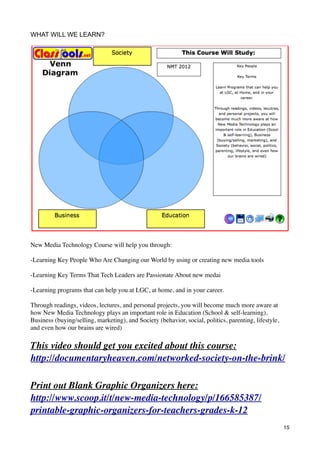
WHAT WILL WE LEARN?


New Media Technology Course will help you through:

-Learning Key People Who Are Changing our World by using or creating new media tools

-Learning Key Terms That Tech Leaders are Passionate About new medai

-Learning programs that can help you at LGC, at home, and in your career.

Through readings, videos, lectures, and personal projects, you will become much more aware at
how New Media Technology plays an important role in Education (School & self-learning),
Business (buying/selling, marketing), and Society (behavior, social, politics, parenting, lifestyle,
and even how our brains are wired)

This video should get you excited about this course:
http://documentaryheaven.com/networked-society-on-the-brink/

Print out Blank Graphic Organizers here:
http://www.scoop.it/t/new-media-technology/p/166585387/
printable-graphic-organizers-for-teachers-grades-k-12
                                                                                                       15
The Great Tech War Of 2012
retrieved from http://www.fastcompany.com/magazine/160/tech-wars-2012-amazon-apple-google-facebook on
March 1, 2013

Apple, Facebook, Google, and Amazon battle for the future of the innovation economy.
BY Farhad Manjoo | 10-17-2011


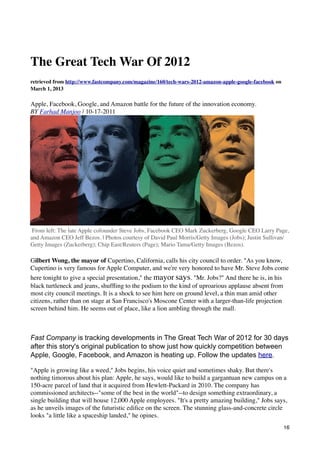
 From left: The late Apple cofounder Steve Jobs, Facebook CEO Mark Zuckerberg, Google CEO Larry Page,
and Amazon CEO Jeff Bezos. | Photos courtesy of David Paul Morris/Getty Images (Jobs); Justin Sullivan/
Getty Images (Zuckerberg); Chip East/Reuters (Page); Mario Tama/Getty Images (Bezos).

Gilbert Wong, the mayor of Cupertino, California, calls his city council to order. "As you know,
Cupertino is very famous for Apple Computer, and we're very honored to have Mr. Steve Jobs come
here tonight to give a special presentation," the mayor says. "Mr. Jobs?" And there he is, in his
black turtleneck and jeans, shuffling to the podium to the kind of uproarious applause absent from
most city council meetings. It is a shock to see him here on ground level, a thin man amid other
citizens, rather than on stage at San Francisco's Moscone Center with a larger-than-life projection
screen behind him. He seems out of place, like a lion ambling through the mall.


Fast Company is tracking developments in The Great Tech War of 2012 for 30 days
after this story's original publication to show just how quickly competition between
Apple, Google, Facebook, and Amazon is heating up. Follow the updates here.

"Apple is growing like a weed," Jobs begins, his voice quiet and sometimes shaky. But there's
nothing timorous about his plan: Apple, he says, would like to build a gargantuan new campus on a
150-acre parcel of land that it acquired from Hewlett-Packard in 2010. The company has
commissioned architects--"some of the best in the world"--to design something extraordinary, a
single building that will house 12,000 Apple employees. "It's a pretty amazing building," Jobs says,
as he unveils images of the futuristic edifice on the screen. The stunning glass-and-concrete circle
looks "a little like a spaceship landed," he opines.
                                                                                                        16
Nobody knew it at the time, but the Cupertino City Council meeting on June 7, 2011, was Jobs's last
public appearance before his resignation as Apple's CEO in late August (and his passing in early
October). It's a fitting way to go out. When completed in 2015, Apple's new campus will have a
footprint slightly smaller than that of the Pentagon; its diameter will exceed the height of the
Empire State Building. It will include its own natural-gas power plant and will use the grid only for
backup power. This isn't just a new corporate campus but a statement: Apple--which now jockeys
daily with ExxonMobil for the title of the world's most valuable company--plans to become a
galactic force for the eons.

And as every sci-fi nerd knows, you totally need a tricked-out battleship if you're about to engage in
serious battle.

"Our development is guided by the idea that every year,
the amount that people want to add, share, and express
is increasing," says Facebook CEO Mark Zuckerberg.
"We can look into the future--and it's going to be really,
really good."
To state this as clearly as possible: The four American companies that have come to define 21st-
century information technology and entertainment are on the verge of war. Over the next two years,
Amazon, Apple, Facebook, and Google will increasingly collide in the markets for mobile phones
and tablets, mobile apps, social networking, and more. This competition will be intense. Each of the
four has shown competitive excellence, strategic genius, and superb execution that have left the rest
of the world in the dust. HP, for example, tried to take a run at Apple head-on, with its TouchPad,
the product of its $1.2 billion acquisition of Palm. HP bailed out after an embarrassingly short 49-
day run, and it cost CEO Léo Apotheker his job. Microsoft's every move must be viewed as a
reaction to the initiatives of these smarter, nimbler, and now, in the case of Apple, richer companies.
When a company like Hulu goes on the block, these four companies are immediately seen as
possible acquirers, and why not? They have the best weapons--weapons that will now be turned on
one another as they seek more room to grow.

There was a time, not long ago, when you could sum up each company quite neatly: Apple made
consumer electronics, Google ran a search engine, Amazon was a web store, and Facebook was a
social network. How quaint that assessment seems today.

Jeff Bezos, who was ahead of the curve in creating a cloud data service, is pushing Amazon into
digital media, book publishing, and, with his highly buzzed-about new line of Kindle tablets,
including the $199 Fire, a direct assault on the iPad. Amazon almost doubled in size from 2008 to
2010, when it hit $34 billion in annual revenue; analysts expect it to reach $100 billion in annual
revenue by 2015, faster than any company ever.

Remember when Google's goal was to catalog all the world's information? Guess that task was too
tiny. In just a few months at the helm, CEO Larry Page has launched a social network (Google+) to
challenge Facebook, and acquired Motorola Mobility for $12.5 billion, in part to compete more
ferociously against Apple. Google's YouTube video service is courting producers to make original
programming. Page can afford these big swings (and others) in the years ahead, given the way his
advertising business just keeps growing. It's on pace to bring in more than $30 billion this year,
almost double 2007's revenue.


                                                                                                      17
Why Apple Will Win
The iPhone, iPad, and iEverything else will keep it merrily rolling along.

Continue >>

Facebook, meanwhile, is now more than just the world's biggest social network; it is the world's
most expansive enabler of human communication. It has changed the ways in which we interact
(witness its new Timeline interface); it has redefined the way we share--personal info, pictures
(more than 250 million a day), and now news, music, TV, and movies. With access to the "Likes" of
more than 800 million people, CEO Mark Zuckerberg has an unequaled trove of data on individual
consumer behavior that he can use to personalize both media and advertising.

Amazon, Apple, Facebook, and Google don't recognize any borders; they feel no qualms about
marching beyond the walls of tech into retailing, advertising, publishing, movies, TV,
communications, and even finance. Across the economy, these four companies are increasingly
setting the agenda. Bezos, Jobs, Zuckerberg, and Page look at the business world and justifiably
imagine all of it funneling through their servers. Why not go for everything? And in their
competition, each combatant is getting stronger, separating the quartet further from the rest of the
pack.

Everyone reading this article is a customer of Amazon, Apple, Facebook, or Google, and most
probably count on all four. This passion for the Fab Four of business is reflected in the
blogosphere's panting coverage of their every move. ExxonMobil may sometimes be the world's
most valuable company, but can you name its CEO? Do you scour the Internet for rumors about its
next product? As the four companies encroach further and further into one another's space,
consumers look forward to cooler and cooler products. The coming years will be fascinating to
watch because this is a competition that might reinvent our daily lives even more than the four have
changed our habits in the past decade. And that, dear reader, is why you need a program guide to the
battle ahead.


1) The Road Map
Amazon, Apple, Facebook, and Google do not talk about their plans. Coca-Cola would tweet its
secret formula before any of them would even hint at what's next. "That is a part of the magic of
Apple," says new CEO Tim Cook.

That secrecy only fuels the zeal of those bent on sussing out their next moves. And it is certainly
possible to decode the Fab Four's big-picture strategic ambitions: Over the next few years, each will
infiltrate, digitize, and revolutionize every corner of your life, taking a slice out of each transaction
that results. This is a vision shared by all four, and it hinges on three interrelated ideas.

First, each company has embraced what Jobs has branded the "post-PC world"--a vision of daily
life that is enabled by, and comes to depend on, smartphones, tablets, and other small, mobile, easy-
to-use computers. Each of these companies has already benefited more than others from this
proliferation of mobile, a shift that underlies their extraordinary gains in revenue, cash reserves, and
market cap.


                                                                                                       18
The second idea is a function of the fact that these post-PC devices encourage and facilitate
consumption, in just about every form. So each of these giants will deepen their efforts to serve up
media--books, music, movies, TV shows, games, and anything else that might brighten your lonely
hours (they're also socializing everything, so you can enjoy it with friends or meet new ones). But
it's not just digital media; they will also make the consumption of everything easier. The new $79
Kindle, for example, isn't just a better reading device; it integrates Amazon's local-offers product.
The Fire will be accompanied by a tablet-friendly redesign of Amazon.com that will make it easier
for you to buy the physical goods that the company sells, from pet food to lawn mowers. Wherever
and whenever you are online, they want to be there to assist you in your transaction.

All of our activity on these devices produces a wealth of data, which leads to the third big idea
underpinning their vision. Data is like mother's milk for Amazon, Apple, Facebook, and Google.
Data not only fuels new and better advertising systems (which Google and Facebook depend on)
but better insights into what you'd like to buy next (which Amazon and Apple want to know). Data
also powers new inventions: Google's voice-recognition system, its traffic maps, and its spell-
checker are all based on large-scale, anonymous customer tracking. These three ideas feed one
another in a continuous (and often virtuous) loop. Post-PC devices are intimately connected to
individual users. Think of this: You have a family desktop computer, but you probably don't have a
family Kindle. E-books are tied to a single Amazon account and can be read by one person at a
time. The same for phones and apps. For the Fab Four, this is a beautiful thing because it means that
everything done on your phone, tablet, or e-reader can be associated with you. Your likes, dislikes,
and preferences feed new products and creative ways to market them to you. Collectively, the Fab
Four have all registered credit-card info on a vast cross-section of Americans. They collect
payments (Apple through iTunes, Google with Checkout, Amazon with Amazon Payments,
Facebook with in-house credits). Both Google and Amazon recently launched Groupon-like daily-
deals services, and Facebook is pursuing deals through its check-in service (after publicly retreating
from its own offers product).

It would be a mistake to see their ambitions as simply a grab for territory (and money). These four
companies firmly believe that they possess the ability to enhance rather than merely replace our
current products and services. They want to apply server power and software code to make every
transaction more efficient for you and more profitable for them.


2. The Inevitable War
Hardware. Media. Data. With each company sharing a vision dependent on these three big ideas,
conflict over pretty much every strategic move seems guaranteed. Amazon, for example, needs a
better media tablet to drive more customers to its Kindle, MP3, and app stores. But how to avoid an
HP-like disaster? The Kindle Fire has just a 7-inch screen, rolls up all of Amazon's streaming
services, and retails for a mere $199, thus slotting into a price and feature niche just between an
iPhone and an iPad. Who knew there even was a niche there? Apple doesn't believe that niche exists
(see the next section), but you can bet it will if the Kindle Fire succeeds.


Why Facebook Will Win
Everything is social--and Zuckerberg hasn't even gone public yet.

Continue >>

When Google introduced its new social network Google+, it was seen, rightly, as a challenge to
Zuckerberg's Facebook. But at its core, Google+, along with +1, Google's version of the like button,
                                                                                                   19
should be understood as a product that will generate more data about what users like. Those data
improve search algorithms and other existing services, and can even lead to new products. So
Google's search for self-improvement is what has brought it into direct competition with Facebook.

Why did Zuckerberg flirt with a "Facebook phone" earlier this year? (HTC released a handset called
the Status that included a built-in button that let users post to the social network with one click.)
While Facebook is the most-downloaded app on the iPhone and acts as a central contacts repository
for millions of Android, Windows, and BlackBerry devices, its rivals all have competing social
networks that could siphon away users. Most strikingly, Apple has integrated Twitter throughout
iOS 5, letting you tweet from any app, a feature clearly aimed at dulling Facebook's mobile growth.
Page now has Google+. Amazon's Kindle has a social network that connects readers of the same
book. Zuckerberg needs to maintain a direct line to the pockets of Facebook members, and that's
why you can discount his repeated dismissal of rumors that he'll enter the hardware business.

The torrent of news and rumor surrounding these companies and their initiatives is already
overwhelming, and it's only going to grow stronger. But viewing their moves through the lens of
hardware, media, and data is the first step toward understanding their strategies.


3) The Profit Game
Late in 2010, Jobs made a surprise visit to Apple's quarterly earnings call. The purported
reason was to celebrate Apple's first $20 billion quarter, but Jobs clearly had something else on his
mind: Android. At the time, Google's free mobile operating system was beginning to eclipse the
iPhone's market share, and Jobs was miffed. He launched into a prepared rant about Android's
shortcomings. "This is going to be a mess for both users and developers," he said, citing the
inevitable complications that arise from the fact that Android phones look and work differently
from one another. As for the crop of 7-inch Android tablets being developed to take on the iPad?
"DOA--dead on arrival," Jobs asserted. (Jeff Bezos, for one, has ignored Jobs's perspective.)

What Jobs didn't say in his outburst, though, was how little Android's market share matters to
Apple. According to Nielsen, Android now powers about 40% of smartphones; 28% run Apple's
iOS. But here's the twist: Android could command even 70% of the smartphone business without
having a meaningful impact on Apple's finances. Why? Because Apple makes a profit on iOS
devices, while Google and many Android handset makers do not. This is part of a major strategic
difference between Apple and the other members of the Fab Four. Apple doesn't need a dominant
market share to win. Everyone else does. The more people who use Google search or Facebook, the
more revenue those companies can generate from ads. Amazon, too, depends on scale; retail is a
low-margin business dependent on volume.

Apple, on the other hand, makes a significant profit on every device it sells. Some analysts estimate
that it books $368 on each iPhone. You may pay $199 for the phone, but that's after a subsidy that
the wireless carriers pay Apple. Google, in contrast, makes less than $10 annually per device for the
ads it places on Android phones and tablets. That's because it gives away the OS to phone makers as
part of its quest for market share. Google's revenue per phone won't go up after the Motorola
purchase closes--Motorola Mobility's consumer-device division has lost money the past few
quarters. So despite Google's market-share lead, Apple is making all the money. By some estimates,
it's now sucking up half of all the profits in smartphones.

Making a lot of profit on every device has always been Apple's MO, but in recent years it has added
something extra to this plan. In the past, Apple's profit margins were a function of higher prices--the
company sold computers at luxury price points and booked luxury profits. But in smartphones and
tablets, Apple has managed to match mass-market prices and still make luxury profits. This neat

                                                                                                    20
trick is the work of new CEO Cook, who, during his years as COO, mastered the global production
cycle. He did so by aggressively using cash to bolster the power of Apple's considerable scale;
several times over the past few years, he's dipped into the company's reserves to secure long-term
contracts for important components like flash memory and touch screens. Buying up much of the
world's supply of these commodities has one convenient added benefit: It makes them more
expensive for everyone else.

One of Cook's great challenges will be to maintain this edge. While Amazon will continue to pursue
audience at the expense of profit margins, Google (and eventually Facebook) will try to make like
Apple and increase profits. When Google's only goal was to proliferate Android software, it could
live with that sawbuck per phone, per year. But with Motorola, Google now has a direct stake in the
profitability of Android devices. Developing, marketing, and distributing attractive phones and
tablets requires a much more substantial investment than selling software. Google has pledged to
run Motorola as a separate entity, but its shareholders won't stomach a series of money-losing
quarters that could depress Google's earnings or stock. In short, now that Page is in the hardware
business, he's going to have to start thinking about phones the way Cook does.


The Dangerous Decoys
For a onetime agricultural hub that's been turned into suburbia, Silicon Valley is home to an
awful lot of talk about moats these days. Warren Buffett deserves credit for the metaphor, which
describes the companies he's most interested in pursuing--ones with huge revenues (a castle of
money) whose businesses are protected by unbeatable competitive advantages (or very wide moats).
The Fab Four all have moats to rival those at Angkor Wat.

As a result of these wide moats, these companies generate so much money that they can spend
freely on new ventures; and in some cases, they're willing to do so even if the business won't ever
bring the kinds of gains they're used to. Look at Apple's efforts in e-books: Does the company really
want to overthrow Amazon or is it simply trying to offer one more reason to buy iPhones and iPads
and, thus, guard its cash cow? When Google invests billions to build smartphones and a new social
network, is it really trying to topple Apple and Facebook--or is it simply building a wider moat to
protect its core interest, search revenue? "We don't do things that we don't think will generate really
big returns over time," says Larry Page. But if a possibly unprofitable social network beefs up
search revenue? That's just fine.

These ventures are decoy threats that tax a rival's resources. Google+ will be hard-pressed to ever
match Facebook's global reach, but it will certainly keep Zuckerberg and his engineers on their toes.
Indeed, it already has. Facebook has clearly copied the most-lauded Google+ features, such as fine-
grained privacy controls and smart groupings, and pushed new ideas such as Timeline and auto-
sharing. Zuckerberg has to do this--he simply must eliminate any incentive for leaving Facebook.
And Page knows that the more time Zuckerberg worries about Google+, the less time and fewer
resources Facebook has to build a search engine that will threaten Google. Such is life in Silicon
Valley, especially when companies have money to burn. Every offensive move is also a defensive
move--and every move has potential. You never know what's going to hit big in tech. So if you can,
why wouldn't you try everything?


The Living Room
In the spring of 2010, Rishi Chandra, a Google product manager, took to the stage at the
company's developer conference to announce Google's next victim: the TV business. Chandra
described television as the most important mass medium that hadn't yet been breached by the digital
world. Four billion people watch TV; in the U.S. alone, the medium generates $70 billion a year in
                                                                                                    21
advertising revenue. Google, Chandra promised, was going to "change the future of television." He
turned on a prototype of Google's new device, a set-top box called Google TV that would bring the
web to the tube--and that's when things got awkward. His Bluetooth remote didn't work. Chandra
and his team called for the guys backstage, who blamed the problem on all the phone signals
floating about the room. Several minutes passed while engineers fiddled furiously with the device,
the scene playing out like the worst Curb Your Enthusiasm episode ever. Engineers fixed the
problem, but like a racehorse stumbling out of the starting gate, Google TV never recovered.
Released a few months later, the product was panned and sold quite poorly.


Why Google Will Win
Its CEO is daring, decisive--and willing to wait for his big bets to pay off.

Continue >>

Each of the Fab Four believes that it can somehow define the future of television, when that flat
panel in your living room (and every other device you own) is connected to the web, pulling in the
video you want at the moment you want it. With the universe of choice now available, the moribund
channel grid will need to be revolutionized with a fresh interface for finding programs. Social
signals--such as indications of what shows your friends are watching and hints as to what shows
you might like given those friendships--will be part of the mix, as will live conversations with
friends watching the same show. And the advertising will be more targeted and relevant. Each of the
Fab Four wants a piece of this. The honey pot? Not only that $70 billion in domestic ad revenue but
also $74 billion in cable-subscriber fees.

That's the idea anyway. So far the Fab Four is the Failed Four when it comes to TV. There are many
reasons for this, starting with the fact that they are trying to unseat entrenched players who are
fiercely protective of the business model they've relied on for decades. Network execs, for example,
had no intention of handing Google the right to give Google TV customers access to the full-length
shows that are currently available for streaming only on their own network websites. Not without a
lot more money, anyway, given that their online ad revenue is a fraction of their TV take. Google
approached its negotiations with the networks with arrogance, and the networks responded by
blocking access.

Then there's the fact that none of the Fab Four want to think of itself as being in the TV business--
rather, each sees television as a means to an end. For instance, Amazon offers free streaming movies
and TV as an incentive to join Prime, a service that offers a year's worth of free two-day shipping
(on most purchases) for $79. Bezos has recently made deals to bolster his video library. He paid
CBS a reported $100 million to offer old Star Trek and Cheers episodes, among other things, for 18
months. And he made a similar partnership with Fox. "We're just getting started," Bezos said at the
Kindle rollout event in late September. But on balance, Prime is not a way to give the people lots of
great TV; TV is a way to get people to Prime.

And creating next-generation television hardware has proved difficult. Apple TV, a box that first and
foremost connects your iTunes video library to your TV, has been remade several times since its
2007 debut and is still a product for early adopters. Even Jobs and Cook have dismissed it as "a
hobby" for the company.

Still, the massive, old, and profitable business of television does seem ripe for disruption, perhaps
through the invention of some magical device. Cook had barely erased "interim" from his CEO title
before analyst and media speculation began that his first bravura move as CEO would be an honest-

                                                                                                  22
to-goodness Apple-branded television set, perhaps as early as Christmas 2012 (cue fanboy
swooning). The dreamers note that Apple could create an Internet TV that would merge web
services and standard broadcasts; it does, of course, already make the world's best remote controls
in the iPhone and iPad.

But don't hold your breath for iTV. Of all four companies, Apple is the one that provokes the most
rumors. That's been the case for years; iPhone whispers started around 1999, but the product didn't
go on sale until 2007. And selling TV sets is almost a commodity venture, so Cook will either have
to master a new supply chain or deliver so much magic that customers will pay a significant
premium.

While Apple is the focus of all the next-gen TV rumors, the most interesting player in this space
might be the most overlooked: Facebook. CEO Zuckerberg has made deals with several studios to
release streaming movies and TV pilots on the site. But Facebook's real strength is in facilitating the
conversation surrounding TV. Every show and star has a fan page, and Facebook knows exactly
what each of its 800 million users like and don't like. Millions of people watch TV with a computer,
tablet, or smartphone beside them, so they can chat with friends around the globe about the show
they're watching. At Facebook's f8 developers conference in late September, it integrated Hulu and
Netflix (the latter in 44 countries, though not in the U.S.) and made it seamless to share what you're
watching. Sure, this will allow Facebook to create an even more engaging experience for its users,
but this also taps a new gold mine of data that's invaluable to advertisers and the entertainment
studios. Why not make it easy for Facebook users to click like during their favorite moments of a
show, and monitor that activity? Nielsen, whose 61-year-old TV ratings are the linchpin of its $5
billion global research business, is built on extrapolating information from small samples, so what if
advertisers and studios could pay to get actual data on actual individuals? With one trivial
technological shift, Facebook could remake the TV business without even touching the remote.


The Next Steve Jobs
In 2005, Google bought Android, a tiny company led by Andy Rubin, who at his previous startup
created a proto-smartphone that was marketed as the T-Mobile Sidekick. At that point, the Android
team had spent two years working on what it thought would be the next killer mobile platform; it
spent two more years building out its vision at Google. In 2007, a few images of Android hardware
and software leaked online. They landed with a thud. Android's revolutionary phone smacked of a
BlackBerry knock-off--hard buttons on the bottom, a small screen on top, ugly all over. There were
no touch gestures; to point to something, you used a hardware direction button. There was nothing
novel about the on-screen user interface--to choose something, you navigated through nested
menus, a concept that harked back to Windows 95. Android circa 2007 is the nightmare vision of
tech: It's what smartphones would look like if it weren't for Steve Jobs.

"A big piece of the story we tell ourselves about who we
are is that we are willing to invent," says Amazon CEO
Jeff Bezos. "And, very importantly, we are willing to be
misunderstood for long periods of time."
Today's Android--the touch gesture, app-enabled operating system that's helped make smartphones
the majority of all new phones sold in the United States--is testament to Google's engineering
prowess and marketing acumen. But it is also, obviously, a direct descendant of the iPhone. After
Rubin and his team saw what Jobs had cooked up, they remade Android in Apple's image. And they
weren't alone: Almost every smartphone that's come along since borrows major and minor features
from Apple. (Ironically, the most original mobile platform is the one developed by Microsoft, of all
                                                                                                    23
companies--Windows Phone.) Apple's brilliant reinvention of the cell phone, and its equally
brilliant invention of the modern tablet, are the reasons Amazon built an app store, the reasons
Facebook is rumored to be flirting with making a smartphone, the only reason that any company is
competing in those particular hardware businesses. This is what has been amazing about Steve Jobs:
Nurturing the next great thing in tech wasn't simply the most important thing for Apple. It has been
the most important thing for the entire tech industry.

And that is why the industry's next Steve Jobs is . . . Steve Jobs. Thanks to its founder, Apple has a
long-term product road map in place--keep making better iOS products, keep bringing innovations
it discovered in the mobile world to the Mac--and you can bet that Cook and his rivals will follow
Jobs's path for the foreseeable future. We know Cook is an operational genius. Anyone who claims
to know if he is a visionary is lying.

Over the next two years, Bezos, Page, and Zuckerberg will gingerly start to vie for Jobs's innovator-
in-chief mantle. (One way to consider this battle among the Fab Four is as a fight for this honor.) Of
them, Bezos has the best record with new products. Amazon Web Services and the Kindle were true
innovations that changed and inspired the rest of the industry. (According to some reports, even
Apple relies in part on Amazon's cloud infrastructure for its iCloud service.) Bezos also seems the
most temperamentally attuned to the creation of Next Big Things. "A big piece of the story we tell
ourselves about who we are is that we are willing to invent," he told investors at Amazon's annual
meeting this summer. "We are willing to think long-term. We start with the customer and work
backward. And, very importantly, we are willing to be misunderstood for long periods of time."

Page, too, has the "think different" gene, and his CEO stint has been characterized by swift, decisive
action to reinvigorate the company. He has impressively bet on Android, YouTube, and Chrome,
and "we have some new businesses--Google+, Commerce, and Local--that we are really excited
about and are pretty early stage," Page told analysts over the summer. There is another way of
looking at this, though--as an example of Page's reactive streak. In the past, when Google offered a
new take on an old thing--see Gmail or Google Maps--the search company's version was so
radically novel that it instantly rendered the incumbents obsolete. That's not true of Google+, for
example. Google's social network has earned praise for an elegant interface and some innovative
features, but it clearly mimics Facebook and Twitter, rather than offering something wholly new.
Page has tied every Googler's bonus, even those not working on social, to Google's ability to beat
Facebook. So while the Google CEO can be seen as making big, bold moves, he might also appear
to be spending an awful lot of time fretting about beating something old.

As for Zuckerberg . . .


The Age Of Zuck
In some ways, it's unfair to compare Facebook to Amazon, Apple, and Google. While
Facebook's growth is impressive, its actual numbers barely register next to the other three:
Facebook is reported to have made $1.6 billion during the first half of 2011 (about double what it
made in the first half of 2010), but Apple makes that much in nine days. Facebook's only direct
competition with these companies is Google in the global $24 billion online display-advertising
business, an arena that Google believes will be a $200-billion-a-year market in the next few years.
As a private company, Facebook can shield itself from scrutiny (an advantage that Bezos, Cook,
and Page would dearly love), but being private has also hampered Facebook. It lacks the capital the
others have to make major strategic acquisitions, or to finance the production of factories that would
make a Facebook device.


                                                                                                     24
Why Amazon Will Win
Its retail engine keeps humming, and its ambitions feed the beast.

Continue >>

Zuckerberg's ambitions will only be fully realized after Facebook goes public. Its path will then
likely mirror Google's post-IPO trajectory--it will evolve from a company with one product into a
many-tentacled beast that uses its newfound capital to disrupt all of its rivals. Zuckerberg isn't given
to Jobsian rants, but when he discusses how the web will shift over the next few years, he can sound
like a hoodie-burning revolutionary. "Just like Intel with Moore's law, our development is guided by
the idea that every year, the amount that people want to add, share, and express is increasing," he
proclaimed at f8 in late September. "We can look into the future and we can see what might exist--
and it's going to be really, really good." Zuckerberg is even maturing into a capable presenter.
Compared to Bezos, Cook, and Page, he's most adept at mimicking Jobs's singular skills, and comes
off as infectiously visionary when unveiling a new product.

From search to ads to phones to tablets to TV to games, Facebook aims to be in everything. In some
cases, as with music or gaming, it will partner with others to serve its massive audience. But over
time, look for Zuckerberg to build his own products. Search is the most provocative example.
Facebook's partnership with Bing already shows off links that your friends liked; Facebook Search
could go even deeper, sorting the web according to your social interactions. It would use everything
it knows about you to decipher your queries in a way that Google can't muster. Type in "jobs" and
FB Search would know you're looking for news on the Apple founder and not employment. (It
knows you have a job; it even knows how often you goof off there.)

Zuckerberg's app strategy is also ambitious and intriguing. At f8, he debuted a new class of
Facebook media apps that let Facebook users read, watch, and listen to content without ever leaving
the site--and share it seamlessly. He's lured impressive media partners such as The Wall Street
Journal, Spotify, and Netflix. If Zuckerberg can bring those apps to the social network's mobile
product, he'll have a winner on his hands: an app ecosystem that works on every phone and tablet,
rather than on just one company's devices, and one that captures the next generation of mobile
developers (not to mention all those Facebook credits). Watch out, Apple: Zuck is coming for you.


The Phone Barrier
One industry stands directly between the Fab Four and global domination. It's an industry that
frustrates you every day, one that consistently ranks at the bottom of consumer satisfaction surveys,
that poster child for stifling innovation and creativity: your phone carrier. And your cable or DSL
firm. For Amazon, Apple, Facebook, and Google, the world's wireless and broadband companies are
a blessing and a curse. By investing in the infrastructure that powers the Internet, they've made the
four firms' services possible. But the telcos and cable companies are also gatekeepers to customers,
and Amazon, Apple, Google, and Facebook would love to cut them out of the equation. In the long
run, they actually stand a shot at doing so.

While Google has historically had a difficult relationship with the telcos, that will have to change as
the company keeps pushing Android into the market. That leaves Apple as the thorn in the carriers'
side. Before the iPhone, carriers routinely prevented smartphone users from installing their own
apps, and they regularly disabled hardware features that competed with their revenue streams.
(Verizon once crippled BlackBerry's GPS system because the carrier sold its own subscription
location plan.) The iPhone forever changed this culture: It conditioned phone users to expect to
                                                                                                     25
download any apps they choose (actually, any app approved of by Apple). Carriers can no longer
tell you that you can't run, say, Skype, or an app that gives you free text messages. Buy a
smartphone, and you've earned that right. Apple's move to expand its carrier lineup in the U.S. is the
next great front in the battle with communications companies. Now that you can get the iPhone on
AT&T, Verizon, and Sprint, carriers will be forced to compete with one another on network speed,
price, and customer service. This will be a first: Back in 2009, when Apple unveiled "iPhone
tethering"--the ability to use your phone's network connection to surf the web on your computer--
AT&T took a year to implement the service, while other carriers around the world launched it
instantly. But if AT&T dithers now, you can go somewhere else.

The best tech companies stay at their peak for a decade
at most. Amazon, Apple, Facebook, and Google have
the potential to be exceptions.
That's small potatoes compared to some potential breakthroughs. All but Amazon have a
videophone service: Apple's FaceTime, Google+ Hangouts, and Facebook's Skype integration.
Apple's iMessage and Facebook's Messenger, which offer text, photo, video, and group messaging,
intend to get people to route all of their communications through the Internet rather than the
carriers. If either takes off--and, given that iMessage will be built into the next iPhone and
Messenger will be available to every Facebook user on iPhone and Android, they both seem sure to
be hits--they'll stand a good chance at replacing SMS, which is highly lucrative for carriers, as the
standard for mobile conversations.

In a larger sense, all these companies have devalued the idea of talking on the phone; paying for
minutes is passé when you can text, IM, and video chat instead. Now we all just pay for data,
delivered via high-speed networks that might be built around and between what the carriers offer.
(Of course, the Fab Four seems to assume retailers and municipalities will build those networks to
enable their vision--anyone but them.) Verizon is a $100 billion company built on dumb pipes, and
dumb pipes may not make for a smart business model for the long run.


The Bank Heist
The other outfit standing between you and the Fab Four is one that barely registers: your credit-
card company. When you buy something through iTunes, the Android Market, Amazon, or
Facebook, the credit-card company gets a small cut of your payment. To these giants, the cut
represents a terrible inefficiency--why surrender all that cash to an interloper? And not just any
interloper, but an inefficient, unfriendly one that rarely innovates for its consumers. These credit-
card giants seem ripe for the picking.

While this attack is less mapped out than the one on your phone and cable company, here's how the
scenario would play out. The first step is getting consumers used to the idea of paying by phone.
The second step is to encourage consumers to link their bank accounts directly to their devices, thus
eliminating the credit-card middleman. For example, Google just launched Wallet, a service that
allows you to pay for purchases by waving your phone at a merchant paypad. Google is not billing
the system as a credit-card killer; in fact, it's partnering with MasterCard and Citi on Wallet. But if
customers embrace Wallet to make payments, Google could add services that make it the central
repository of all our coupons and other special deals, taking a bite out of the likes of Groupon and
LivingSocial (in which Amazon is a major investor). The move is so ambitious that it's already
rattled the leader in online payments: PayPal sued Google just hours after the Wallet announcement,
back in May, claiming that Google stole its intellectual property when it poached Osama Bedier, a
former exec who now runs Google's payment project.

                                                                                                    26
Both Amazon and Facebook could transform their online-payments services into similar walletlike
mobile apps, while Facebook could create a significant PayPal rival in web commerce if it rolled
out payments as part of Facebook Connect. Apple has a very different, but potentially more
disruptive, shot at this market. The company has long been rumored to add near-field-
communication chips--which allow for waving your phone to pay--into its phones. If it does, an
Apple payments system would have two advantages over everyone else. First, the iTunes database
of customers is huge. Second, there's the iPad, which is fast gaining traction as a next-gen cash
register in small businesses around the country. This sets up Apple to own both sides of potentially
millions of transactions: Go to your coffee shop, wave your iPhone against the cashier's iPad, and
voilà, you're done. Multiply that by every hipster in America and you see the scale of Apple's
ambition.


The Hit Men
So who could derail these best-laid plans? Well, let's start with the lawyers, of course. Over the
past year, the tech industry has become an increasingly ugly place, with Apple, Google, Microsoft,
Amazon, and just about every handset maker joining a legal scrum over patents. Everyone is suing
everyone else, while the government, spurred on by the likes of, yes, Microsoft, is considering an
antitrust suit against Google. None of this bodes well. Over the summer, Apple succeeded in getting
Samsung's Galaxy tablet (which runs Android) banned from release in Germany and delayed its
launch in Australia. This is part of a global fight about design and Android, complicated by the fact
that Samsung is Apple's largest component supplier.

The Samsung suits were also the most significant sign that Google may have a problem with the
intellectual property underpinning Android, since its "free and open" operating system is forcing its
device makers into expensive courtroom battles over their Android phones and tablets. This, in turn,
has set off a buying frenzy of global patents that might have anything to do with transmitting
mobile data. A coalition that included Apple and Microsoft spent $4.5 billion to outbid Google for a
stash of 6,000 mobile-related patents from Nortel. Page responded by spending $12.5 billion for
Motorola and its slug of 17,000 patents, and by then making two deals with IBM for more than
2,000 patents in all (the purchase price was not disclosed).

All these patent suits could stifle innovation. Most new devices are so complicated--touching on so
many specialized areas, from intricate chip design to battery placement to touch-screen dynamics--
that it's impossible for any company's devices to be wholly original. Tech companies used to let
minor patent violations slide, but the rise of patent-hording trolls has changed this. Now everyone's
instinct is to sue.

It's almost as if they'd never studied Microsoft's decline in relevance. The software giant never
resumed its place as an agenda setter after its antitrust trial in the late 1990s. The suit consumed so
much time and brainpower that the company fell behind on a decade's worth of trends. That's the
risk in today's patent wars: The more time Page spends defending Android, the less effort he puts
into making sure Google is actually inventing new stuff.

Tech companies are ephemeral enterprises, with a built-in obsolescence much like their products.
The best firms stay at their peak for a decade tops; most get snuffed out before anyone even notices
them. Amazon, Apple, Facebook, and Google have the potential to be exceptions to this rule. Their
CEOs are driven, disciplined, and relatively young (Cook, the oldest, will be 51 in November). All
but Cook are founders, and their personalities are such that they seem unlikely to get tired or bored
by their empire building. Their market caps and strong revenue growth should allow them to
neutralize other would-be rivals--witness Bezos acquiring Zappos and Quidisi (Diapers.com) before
either could become a threat.
                                                                                                      27
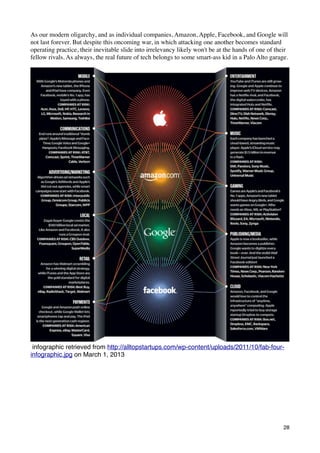
As our modern oligarchy, and as individual companies, Amazon, Apple, Facebook, and Google will
not last forever. But despite this oncoming war, in which attacking one another becomes standard
operating practice, their inevitable slide into irrelevancy likely won't be at the hands of one of their
fellow rivals. As always, the real future of tech belongs to some smart-ass kid in a Palo Alto garage.


 infographic retrieved from http://alltopstartups.com/wp-content/uploads/2011/10/fab-four-
infographic.jpg on March 1, 2013


                                                                                                      28
SOCIETY


          29
Is Social Media Actually Making Us Less
Connected?
Retrieved from http://mashable.com/2012/03/01/social-media-less-connected/?
WT.mc_id=en_my_stories&amp;utm_campaign=My
%2BStories&amp;utm_medium=email&amp;utm_source=newsletter on March 1, 2013

LONG BEACH, Calif. – Checking email during meetings. Shopping on your smartphone in the
middle of class. Texting at funerals. These are a few of the examples that MIT professor Sherry
Turkle offered during her TEDTalk on Thursday, in which she argued that “technology is taking us
places we don’t want to go.”

Turkle, a psychologist who leads MIT’s Initiative on Technology and Self, believes that while our
constant communication and social media engagement does make us more connected, it’s coming at
the sacrifice of real conversation.

And she thinks that will have some serious consequences for our relationships, our self-perceptions
and our emotions.

One major issue, she said, is that when we text, email or post to a social networking site, we’re able
to project ourselves as we want to be seen. “We get to edit, we get to delete, and that means we get
to retouch.”

Inversely, Turkle notes that a face-to-face conversation “takes place in real time and you can’t
control what you’re going to say.”

Further, with our phones at our constant disposal, Turkle says we’re only paying attention to the
things we want to pay attention to. And that leaves us increasingly disconnected from our friends,
family and co-workers as we simply turn to our devices when a conversation no longer interests us.

This creates a situation that Turkle said makes us, “expect more from technology and less from each
other.” In the long run, she thinks technology is ultimately headed towards creating a Siri-like
program that can offer “companionship without the demands of friendship.”

There’s certainly plenty of data that supports Turkle’s argument. Surveys showing that we’re
increasingly texting and social networking during meal time or in the bedroom have become
commonplace.

But what’s to be done about it? Turkle isn’t calling for a return to the dark ages of pre-smartphone
life. Rather, she says it’s time for us to have a more self-aware relationship with technology. And in
turn, we should do things like create sacred places at home and at work where we leave the devices
out.

Turkle’s remarks drew an emphatic standing ovation from the TED crowd. But we want to know
what you think: Does technology threaten the quality of our relationships and personal
development, or are such fears an overblown perception of a generation that didn’t grow up with
digital? Let us know in the comments.

Monday, Mar. 27, 2006

genM: The Multitasking Generation
                                                                                                    30
By Claudia Wallis
Retrieved From http://www.time.com/time/printout/0,8816,1174696,00.html on March 1, 2013

It's 9:30 p.m., and Stephen and Georgina Cox know exactly where their children are. Well, their
bodies, at least. Piers, 14, is holed up in his bedroom--eyes fixed on his computer screen--where he
has been logged onto a MySpace chat room and AOL Instant Messenger (IM) for the past three
hours. His twin sister Bronte is planted in the living room, having commandeered her dad's iMac--
as usual. She, too, is busily IMing, while chatting on her cell phone and chipping away at
homework.

By all standard space-time calculations, the four members of the family occupy the same three-
bedroom home in Van Nuys, Calif., but psychologically each exists in his or her own little universe.
Georgina, 51, who works for a display-cabinet maker, is tidying up the living room as Bronte
works, not that her daughter notices. Stephen, 49, who juggles jobs as a squash coach, fitness
trainer, event planner and head of a cancer charity he founded, has wolfed down his dinner alone in
the kitchen, having missed supper with the kids. He, too, typically spends the evening on his cell
phone and returning e-mails--when he can nudge Bronte off the computer. "One gets obsessed with
one's gadgets," he concedes.

Zooming in on Piers' screen gives a pretty good indication of what's on his hyperkinetic mind. O.K.,
there's a Google Images window open, where he's chasing down pictures of Keira Knightley. Good
ones get added to a snazzy Windows Media Player slide show that serves as his personal e-shrine to
the actress. Several IM windows are also open, revealing such penetrating conversations as this one
with a MySpace pal:

MySpacer: suuuuuup!!! (Translation: What's up?)

Piers: wat up dude

MySpacer: nmu (Not much. You?)

Piers: same

Naturally, iTunes is open, and Piers is blasting a mix of Queen, AC/DC, classic rock and hip-hop.
Somewhere on the screen there's a Word file, in which Piers is writing an essay for English class. "I
usually finish my homework at school," he explains to a visitor, "but if not, I pop a book open on
my lap in my room, and while the computer is loading, I'll do a problem or write a sentence. Then,
while mail is loading, I do more. I get it done a little bit at a time."

Bronte has the same strategy. "You just multitask," she explains. "My parents always tell me I can't
do homework while listening to music, but they don't understand that it helps me concentrate." The
twins also multitask when hanging with friends, which has its own etiquette. "When I talk to my
best friend Eloy," says Piers, "he'll have one earpiece [of his iPod] in and one out." Says Bronte: "If
a friend thinks she's not getting my full attention, I just make it very clear that she is, even though
I'm also listening to music."

The Coxes are one of 32 families in the Los Angeles area participating in an intensive, four-year
study of modern family life, led by anthropologist Elinor Ochs, director of UCLA's Center on
Everyday Lives of Families. While the impact of multitasking gadgets was not her original focus,
Ochs found it to be one of the most dramatic areas of change since she conducted a similar study 20
years ago. "I'm not certain how the children can monitor all those things at the same time, but I
think it is pretty consequential for the structure of the family relationship," says Ochs, whose work
on language, interaction and culture earned her a MacArthur "genius" grant.
                                                                                                     31
One of the things Ochs' team of observers looks at is what happens at the end of the workday when
parents and kids reunite--and what doesn't happen, as in the case of the Coxes. "We saw that when
the working parent comes through the door, the other spouse and the kids are so absorbed by what
they're doing that they don't give the arriving parent the time of day," says Ochs. The returning
parent, generally the father, was greeted only about a third of the time, usually with a perfunctory
"Hi." "About half the time the kids ignored him or didn't stop what they were doing, multitasking
and monitoring their various electronic gadgets," she says. "We also saw how difficult it was for
parents to penetrate the child's universe. We have so many videotapes of parents actually backing
away, retreating from kids who are absorbed by whatever they're doing."

HUMAN BEINGS HAVE ALWAYS HAD A CAPACITY to attend to several things at once.
Mothers have done it since the hunter-gatherer era--picking berries while suckling an infant, stirring
the pot with one eye on the toddler. Nor is electronic multitasking entirely new: we've been driving
while listening to car radios since they became popular in the 1930s. But there is no doubt that the
phenomenon has reached a kind of warp speed in the era of Web-enabled computers, when it has
become routine to conduct six IM conversations, watch American Idol on TV and Google the names
of last season's finalists all at once.

That level of multiprocessing and interpersonal connectivity is now so commonplace that it's easy
to forget how quickly it came about. Fifteen years ago, most home computers weren't even linked to
the Internet. In 1990 the majority of adolescents responding to a survey done by Donald Roberts, a
professor of communication at Stanford, said the one medium they couldn't live without was a
radio/CD player. How quaint. In a 2004 follow-up, the computer won hands down.

Today 82% of kids are online by the seventh grade, according to the Pew Internet and American
Life Project. And what they love about the computer, of course, is that it offers the radio/CD thing
and so much more--games, movies, e-mail, IM, Google, MySpace. The big finding of a 2005 survey
of Americans ages 8 to 18 by the Kaiser Family Foundation, co-authored by Roberts, is not that kids
were spending a larger chunk of time using electronic media--that was holding steady at 6.5 hours a
day (could it possibly get any bigger?)--but that they were packing more media exposure into that
time: 8.5 hours' worth, thanks to "media multitasking"--listening to iTunes, watching a DVD and
IMing friends all at the same time. Increasingly, the media-hungry members of Generation M, as
Kaiser dubbed them, don't just sit down to watch a TV show with their friends or family. From a
quarter to a third of them, according to the survey, say they simultaneously absorb some other
medium "most of the time" while watching TV, listening to music, using the computer or even
while reading.

Parents have watched this phenomenon unfold with a mixture of awe and concern. The Coxes, for
instance, are bowled over by their children's technical prowess. Piers repairs the family computers
and DVD player. Bronte uses digital technology to compose elaborate photo collages and create a
documentary of her father's ongoing treatment for cancer. And, says Georgina, "they both make
these fancy PowerPoint presentations about what they want for Christmas." But both parents worry
about the ways that kids' compulsive screen time is affecting their schoolwork and squeezing out
family life. "We rarely have dinner together anymore," frets Stephen. "Everyone is in their own
little world, and we don't get out together to have a social life."

Every generation of adults sees new technology--and the social changes it stirs--as a threat to the
rightful order of things: Plato warned (correctly) that reading would be the downfall of oral tradition
and memory. And every generation of teenagers embraces the freedoms and possibilities wrought
by technology in ways that shock the elders: just think about what the automobile did for dating.


                                                                                                    32
As for multitasking devices, social scientists and educators are just beginning to assess their impact,
but the researchers already have some strong opinions. The mental habit of dividing one's attention
into many small slices has significant implications for the way young people learn, reason,
socialize, do creative work and understand the world. Although such habits may prepare kids for
today's frenzied workplace, many cognitive scientists are positively alarmed by the trend. "Kids that
are instant messaging while doing homework, playing games online and watching TV, I predict,
aren't going to do well in the long run," says Jordan Grafman, chief of the cognitive neuroscience
section at the National Institute of Neurological Disorders and Stroke (NINDS). Decades of
research (not to mention common sense) indicate that the quality of one's output and depth of
thought deteriorate as one attends to ever more tasks. Some are concerned about the disappearance
of mental downtime to relax and reflect. Roberts notes Stanford students "can't go the few minutes
between their 10 o'clock and 11 o'clock classes without talking on their cell phones. It seems to me
that there's almost a discomfort with not being stimulated--a kind of 'I can't stand the silence.'"

Gen M's multitasking habits have social and psychological implications as well. If you're IMing
four friends while watching That '70s Show, it's not the same as sitting on the couch with your
buddies or your sisters and watching the show together. Or sharing a family meal across a table.
Thousands of years of evolution created human physical communication--facial expressions, body
language--that puts broadband to shame in its ability to convey meaning and create bonds. What
happens, wonders UCLA's Ochs, as we replace side-by-side and eye-to-eye human connections
with quick, disembodied e-exchanges? Those are critical issues not just for social scientists but for
parents and teachers trying to understand--and do right by--Generation M.

YOUR BRAIN WHEN IT MULTITASKS

ALTHOUGH MANY ASPECTS OF THE networked life remain scientifically uncharted, there's
substantial literature on how the brain handles multitasking. And basically, it doesn't. It may seem
that a teenage girl is writing an instant message, burning a CD and telling her mother that she's
doing homework--all at the same time--but what's really going on is a rapid toggling among tasks
rather than simultaneous processing. "You're doing more than one thing, but you're ordering them
and deciding which one to do at any one time," explains neuroscientist Grafman.

Then why can we so easily walk down the street while engrossed in a deep conversation? Why can
we chop onions while watching Jeopardy? "We, along with quite a few others, have been focused
on exactly this question," says Hal Pashler, psychology professor at the University of California at
San Diego. It turns out that very automatic actions or what researchers call "highly practiced skills,"
like walking or chopping an onion, can be easily done while thinking about other things, although
the decision to add an extra onion to a recipe or change the direction in which you're walking is
another matter. "It seems that action planning--figuring out what I want to say in response to a
person's question or which way I want to steer the car--is usually, perhaps invariably, performed
sequentially" or one task at a time, says Pashler. On the other hand, producing the actions you've
decided on--moving your hand on the steering wheel, speaking the words you've formulated--can be
performed "in parallel with planning some other action." Similarly, many aspects of perception--
looking, listening, touching--can be performed in parallel with action planning and with movement.

The switching of attention from one task to another, the toggling action, occurs in a region right
behind the forehead called Brodmann's Area 10 in the brain's anterior prefrontal cortex, according
to a functional magnetic resonance imaging (fMRI) study by Grafman's team. Brodmann's Area 10
is part of the frontal lobes, which "are important for maintaining long-term goals and achieving
them," Grafman explains. "The most anterior part allows you to leave something when it's
incomplete and return to the same place and continue from there." This gives us a "form of
multitasking," he says, though it's actually sequential processing. Because the prefrontal cortex is

                                                                                                       33
one of the last regions of the brain to mature and one of the first to decline with aging, young
children do not multitask well, and neither do most adults over 60. New fMRI studies at Toronto's
Rotman Research Institute suggest that as we get older, we have more trouble "turning down
background thoughts when turning to a new task," says Rotman senior scientist and assistant
director Cheryl Grady. "Younger adults are better at tuning out stuff when they want to," says
Grady. "I'm in my 50s, and I know that I can't work and listen to music with lyrics; it was easier
when I was younger."

But the ability to multiprocess has its limits, even among young adults. When people try to perform
two or more related tasks either at the same time or alternating rapidly between them, errors go way
up, and it takes far longer--often double the time or more--to get the jobs done than if they were
done sequentially, says David E. Meyer, director of the Brain, Cognition and Action Laboratory at
the University of Michigan: "The toll in terms of slowdown is extremely large--amazingly so."
Meyer frequently tests Gen M students in his lab, and he sees no exception for them, despite their
"mystique" as master multitaskers. "The bottom line is that you can't simultaneously be thinking
about your tax return and reading an essay, just as you can't talk to yourself about two things at
once," he says. "If a teenager is trying to have a conversation on an e-mail chat line while doing
algebra, she'll suffer a decrease in efficiency, compared to if she just thought about algebra until she
was done. People may think otherwise, but it's a myth. With such complicated tasks [you] will
never, ever be able to overcome the inherent limitations in the brain for processing information
during multitasking. It just can't be, any more than the best of all humans will ever be able to run a
one-minute mile."

Other research shows the relationship between stimulation and performance forms a bell curve: a
little stimulation--whether it's coffee or a blaring soundtrack--can boost performance, but too much
is stressful and causes a fall-off. In addition, the brain needs rest and recovery time to consolidate
thoughts and memories. Teenagers who fill every quiet moment with a phone call or some kind of e-
stimulation may not be getting that needed reprieve. Habitual multitasking may condition their
brain to an overexcited state, making it difficult to focus even when they want to. "People lose the
skill and the will to maintain concentration, and they get mental antsyness," says Meyer.

IS THIS ANY WAY TO LEARN?

LONGTIME PROFESSORS AT UNIVERSITIES around the U.S. have noticed that Gen M kids
arrive on campus with a different set of cognitive skills and habits than past generations. In lecture
halls with wireless Internet access--now more than 40% of college classrooms, according to the
Campus Computing Project--the compulsion to multitask can get out of hand. "People are going to
lectures by some of the greatest minds, and they are doing their mail," says Sherry Turkle, professor
of the social studies of science and technology at M.I.T. In her class, says Turkle, "I tell them this is
not a place for e-mail, it's not a place to do online searches and not a place to set up IRC [Internet
relay chat] channels in which to comment on the class. It's not going to help if there are parallel
discussions about how boring it is. You've got to get people to participate in the world as it is."

Such concerns have, in fact, led a number of schools, including the M.B.A. programs at UCLA and
the University of Virginia, to look into blocking Internet access during lectures. "I tell my students
not to treat me like TV," says University of Wisconsin professor Aaron Brower, who has been
teaching social work for 20 years. "They have to think of me like a real person talking. I want to
have them thinking about things we're talking about."

On the positive side, Gen M students tend to be extraordinarily good at finding and manipulating
information. And presumably because modern childhood tilts toward visual rather than print media,
they are especially skilled at analyzing visual data and images, observes Claudia Koonz, professor

                                                                                                      34
of history at Duke University. A growing number of college professors are using film, audio clips
and PowerPoint presentations to play to their students' strengths and capture their evanescent
attention. It's a powerful way to teach history, says Koonz. "I love bringing media into the
classroom, to be able to go to the website for Edward R. Murrow and hear his voice as he walked
with the liberators of Buchenwald." Another adjustment to teaching Generation M: professors are
assigning fewer full-length books and more excerpts and articles. (Koonz, however, was stunned
when a student matter-of-factly informed her, "We don't read whole books anymore," after Koonz
had assigned a 350-page volume. "And this is Duke!" she says.)

Many students make brilliant use of media in their work, embedding audio files and video clips in
their presentations, but the habit of grazing among many data streams leaves telltale signs in their
writing, according to some educators. "The breadth of their knowledge and their ability to find
answers has just burgeoned," says Roberts of his students at Stanford, "but my impression is that
their ability to write clear, focused and extended narratives has eroded somewhat." Says Koonz:
"What I find is paragraphs that make sense internally, but don't necessarily follow a line of
argument."

Koonz and Turkle believe that today's students are less tolerant of ambiguity than the students they
taught in the past. "They demand clarity," says Koonz. They want identifiable good guys and bad
guys, which she finds problematic in teaching complex topics like Hutu-Tutsi history in Rwanda.
She also thinks there are political implications: "Their belief in the simple answer, put together in a
visual way, is, I think, dangerous." Koonz thinks this aversion to complexity is directly related to
multitasking: "It's as if they have too many windows open on their hard drive. In order to have a
taste for sifting through different layers of truth, you have to stay with a topic and pursue it deeply,
rather than go across the surface with your toolbar." She tries to encourage her students to find a
quiet spot on campus to just think, cell phone off, laptop packed away.

GOT 2 GO. TXT ME L8ER

BUT TURNING DOWN THE NOISE ISN'T EASY. By the time many kids get to college, their
devices have become extensions of themselves, indispensable social accessories. "The minute the
bell rings at most big public high schools, the first thing most kids do is reach into their bag and
pick up their cell phone," observes Denise Clark Pope, lecturer at the Stanford School of Education,
"never mind that the person [they're contacting] could be right down the hall."

Parents are mystified by this obsession with e-communication--particularly among younger
adolescents who often can't wait to share the most mundane details of life. Dominique Jones, 12, of
Los Angeles, likes to IM her friends before school to find out what they plan to wear. "You'll get
IMs back that say things like 'Oh, my God, I'm wearing the same shoes!' After school we talk about
what happened that day, what outfits we want to wear the next day."

Turkle, author of the recently reissued The Second Self: Computers and the Human Spirit, has an
explanation for this breathless exchange of inanities. "There's an extraordinary fit between the
medium and the moment, a heady, giddy fit in terms of social needs." The online environment, she
points out, "is less risky if you are lonely and afraid of intimacy, which is almost a definition of
adolescence. Things get too hot, you log off, while in real time and space, you have consequences."
Teen venues like MySpace, Xanga and Facebook--and the ways kids can personalize their IM
personas--meet another teen need: the desire to experiment with identity. By changing their picture,
their "away" message, their icon or list of favorite bands, kids can cycle through different
personalities. "Online life is like an identity workshop," says Turkle, "and that's the job of
adolescents--to experiment with identity."


                                                                                                       35
All that is probably healthy, provided that parents set limits on where their kids can venture online,
teach them to exercise caution and regulate how much time they can spend with electronics in
general. The problem is that most parents don't. According to the Kaiser survey, only 23% of
seventh- to 12th-graders say their family has rules about computer activity; just 17% say they have
restrictions on video-game time.

In the absence of rules, it's all too easy for kids to wander into unwholesome neighborhoods on the
Net and get caught up in the compulsive behavior that psychiatrist Edward Hallowell dubs "screen-
sucking" in his new book, CrazyBusy. Patricia Wallace, a techno-psychologist who directs the Johns
Hopkins Center for Talented Youth program, believes part of the allure of e-mail--for adults as well
as teens--is similar to that of a slot machine. "You have intermittent, variable reinforcement," she
explains. "You are not sure you are going to get a reward every time or how often you will, so you
keep pulling that handle. Why else do people get up in the middle of the night to check their e-
mail?"

GETTING THEM TO LOG OFF

MANY EDUCATORS AND PSYCHOLOGISTS SAY parents need to actively ensure that their
teenagers break free of compulsive engagement with screens and spend time in the physical
company of human beings--a growing challenge not just because technology offers such a handy
alternative but because so many kids lead highly scheduled lives that leave little time for old-
fashioned socializing and family meals. Indeed, many teenagers and college students say
overcommitted schedules drive much of their multitasking.

Just as important is for parents and educators to teach kids, preferably by example, that it's valuable,
even essential, to occasionally slow down, unplug and take time to think about something for a
while. David Levy, a professor at the University of Washington Information School, has found, to
his surprise, that his most technophilic undergraduates--those majoring in "informatics"--are
genuinely concerned about getting lost in the multitasking blur. In an informal poll of 60 students
last semester, he says, the majority expressed concerns about how plugged-in they were and "the
way it takes them away from other activities, including exercise, meals and sleep." Levy's students
talked about difficulties concentrating and their efforts to break away, get into the outdoors and
inside their head. "Although it wasn't a scientific survey," he says, "it was the first evidence I had
that people in this age group are reflecting on these questions."

For all the handwringing about Generation M, technology is not really the problem. "The problem,"
says Hallowell, "is what you are not doing if the electronic moment grows too large"--too large for
the teenager and too large for those parents who are equally tethered to their gadgets. In that case,
says Hallowell, "you are not having family dinner, you are not having conversations, you are not
debating whether to go out with a boy who wants to have sex on the first date, you are not going on
a family ski trip or taking time just to veg. It's not so much that the video game is going to rot your
brain, it's what you are not doing that's going to rot your life."

Generation M has a lot to teach parents and teachers about what new technology can do. But it's up
to grownups to show them what it can't do, and that there's life beyond the screen.


  Do you obsessively check your smartphone?
                                                                                                     36
By Elizabeth Cohen, Senior Medical Correspondent
July 28, 2011 -- Updated 1111 GMT (1911 HKT)

Retrived from http://edition.cnn.com/2011/HEALTH/07/28/ep.smartphone.obsessed.cohen/
index.html?iref=allsearch on March 12, 2012


If you put your phone away for an hour, but get itchy during that time, you might be a habitual
checker.
STORY HIGHLIGHTS
  1    On average, study subjects checked phones 34 times a day out of habit or compulsion
  2    Once the brain gets used to positive feedback, reaching for the phone is automatic
  3    Urge to check lives in striatum, the brain area that governs habitual actions
  4    Habitually checking can also become a way to avoid interacting with people

(CNN) -- There I was at a long-awaited dinner with friends Saturday night, when in the
midst of our chatting, I watched my right hand sneaking away from my side to grab my
phone sitting on the table to check my e-mail.
"What am I doing?" I thought to myself. "I'm here with my friends, and I don't need to be
checking e-mail on a Saturday night."
The part that freaked me out was that I hadn't told my hand to reach out for the phone. It
seemed to be doing it all on its own. I wondered what was wrong with me until I read a
recent study in the journal Personal and Ubiquitous Computing that showed I'm hardly
alone. In fact, my problem seems to be ubiquitous.
The authors found smartphone users have developed what they call "checking habits" --
repetitive checks of e-mail and other applications such as Facebook. The checks typically
lasted less than 30 seconds and were often done within 10 minutes of each other.
On average, the study subjects checked their phones 34 times a day, not necessarily
because they really needed to check them that many times, but because it had become a
habit or compulsion.
"It's extremely common, and very hard to avoid," says Loren Frank, a neuroscientist at the
University of California, San Francisco. "We don't even consciously realize we're doing it --
it's an unconscious behavior."
Why we constantly check our phones
Earlier this year, Frank started to realize that he, too, was habitually checking his
smartphone over and over without even thinking about it. When he sat down to figure out
why, he realized it was an unconscious, two-step process.
First, his brain liked the feeling when he received an e-mail. It was something new, and it
often was something nice: a note from a colleague complimenting his work or a request
from a journalist for help with a story.
"Each time you get an e-mail, it's a small jolt, a positive feedback that you're an important
person," he says. "It's a little bit of an addiction in that way."
Once the brain becomes accustomed to this positive feedback, reaching out for the phone
becomes an automatic action you don't even think about consciously, Frank says. Instead,
the urge to check lives in the striatum, a part of the brain that governs habitual actions.
                                                                                                  37
The cost of constant checking
For Frank, constant checking stressed him out and really annoyed his wife.
Dr. Adam Gazzaley, a neurologist at UCSF, sees another cost: Whenever you take a break
from what you're doing to unnecessarily check your e-mail, studies show, it's hard to go
back to your original task.
"You really pay a price," he says.
Habitually checking can also become a way for you to avoid interacting with people or
avoid doing the things you really need to be doing.
"People don't like thinking hard," says Clifford Nass, a professor of communication and
computer science at Stanford University. Constantly consulting your smartphone, he says,
"is an attempt to not have to think hard, but feel like you're doing something."
How to know if you're a habitual checker
1. You check your e-mail more than you need to.
Sometimes you're in the middle of an intense project at work and you really do need to
check your e-mail constantly. But be honest with yourself -- if that's not the case, your
constant checking might be a habit, not a conscious choice.
2. You're annoying other people.
If, like Frank, you're ticking off the people closest to you, it's time to take a look at your
smartphone habits.
"If you hear 'put the phone away' more than once a day, you probably have a problem,"
says Lisa Merlo, a psychologist at the University of Florida.
3. The thought of not checking makes you break out in a cold sweat.
Try this experiment: Put your phone away for an hour. If you get itchy during that time, you
might be a habitual checker.
How to get rid of your checking habit
1. Acknowledge you have a problem.
It may sound AA-ish, but acknowledging that you're unnecessarily checking your phone --
and that there are repercussions to doing so -- is the first step toward breaking the habit.
"We can be conscious of the habit of checking. We can unlearn its habits," says Sherry
Turkle, a psychologist at the Massachusetts Institute of Technology and director of the
MIT Initiative on Technology and Self.
2. Have smartphone-free times.
See if you can stay away from your phone for a few hours. If that makes you too nervous,
start off with just 10 minutes, Merlo suggests. You actually don't have to stay away from
your phone altogether -- you can just turn the e-mail function off (or Facebook or whatever
you're habitually checking).
3. Have smartphone-free places.
You can also establish phone-free zones, which is what Frank did to cure his smartphone
habit.
"The first thing I did was banish it from the bedroom," he says. "I would have to walk down
the hallway to my study to actually be able to see it."
You could also force yourself to stop checking when you're in a social situation, like out to
dinner with friends. (Last Saturday night, I shoved my phone way down into my purse
where I couldn't see it).
Joanna Lipari, a psychologist who practices in California, uses this strategy when her
teenage daughter has friends over.
"I have a rule. Like the Old Wild West which had you check your gun at the saloon
entrance, I have a basket by the door, and the kids have to check their phones in the
basket," she says. Otherwise, she says, the kids would stare at their phones and not
interact with one another.


                                                                                            38
Print View - Return to Normal View


The Fractured Family


By Carol Mithers

Published Jul 1, 2006 12:00 AM

Retrived from http://magazine.ucla.edu/features/american-family/print/ on March 5, 2012
Copyright ©Illustration: David Brinley

When an interdisciplinary team of UCLA faculty and graduate students began a study of 32 Los
Angeles households nearly five years ago, they scrutinized their subjects as if the family members
were a newly discovered pack of exotic animals.

The work was done for the university's Center on the Everyday Lives of Families (CELF), one of
six similar projects sponsored by the Alfred P. Sloan Foundation. It meant excruciatingly detailed
observation of the subjects, all middle-class, dual-income families. Moms, dads and their school-
age kids were videotaped for several months from the moment they woke until they left for work or
school, then again later in the day, until the kids' bedtime. Everything was fair game for
interpretation —meals, errands, interactions with the world and each other. Even the families’
homes were studied, mapped and measured, with families shooting their own video tours; up to
1,000 photos were taken of rooms, furniture and "artifacts."

The approach is not as farfetched as it may seem at first blush. After all, says Elinor Ochs, CELF
director and UCLA professor of anthropology, "We can tell a lot about beavers by looking at the
dams they build."

The question to be answered here was basic: How was this particular pack of two-legged animals
doing? With both parents working "and working a lot," says Ochs, "how do families manage?"


Copyright ©Illustration: David Brinley

                                                                                                    39
The answer seems to be "not so well." CELF data collection completed in 2005 has fueled a series
of articles, and the center's staff hopes to have a book manuscript completed by next spring.
Findings suggest that family life endures in the 21st century, but it's different than it used to be, and
neither our social institutions nor our expectations and fantasies have adapted. The result is struggle
and stress.

No one who seriously studies the family would suggest we look to the historical blip that was the
1950s for an archetype, but still, family life has "been through a revolution," says Evergreen State
College's Stephanie Coontz, who serves as director of research and public education for the Council
on Contemporary Families. “The first phase came 200 years ago with the idea that men and women
should choose their own mates on the basis of love. The second came in the 1970s and 1980s when
women went to work."

"The median age for first marriage has risen to an all-time high of 25 for women and 27 for men,"
says Megan Sweeney, an associate professor in UCLA's sociology department who studies family-
related issues. "The divorce rate has stabilized, but it's still very high; as many as a third of all
young people will live in a stepfamily at some point in their lives."

Add to these numbers the growing percentage of same-sex couples raising children and it's not
surprising that in the 2000 census, the traditional nuclear family represented only 24 percent of
American households. These changes aren’t breaking news, of course. What's startling is how little
we’ve dealt with or adapted to them.

Take chores, for example. Even though two-thirds of mothers with kids under 18 are working,
husbands and wives still fight about housework. CELF fellow and postdoc scholar Carolina
Izquierdo '94, M.A. '95, Ph.D. '01, who has previously studied families of the Peruvian Amazon,
noted that "in that region, there’s a cultural expectation of what each person does, so things get
done." By contrast, in the CELF households, "there was a lack of clear division of labor and
understanding of what tasks couples should do and how to do them."

Also unresolved: how to manage the dual-career family time crunch. In fact, in that arena, we've
gone backwards, taking on more to do in less time, with research showing that dual-income parents
now work more than 90 hours a week combined.

San Jose State University anthropologist Chuck Darrah has pointed out that parents are expected to
be far more involved in their children's lives than in the past. It's not just the endless round of
distant soccer games, the weekly ballet and flute lessons, and the helping with hours of homework
each night, but also considering, selecting and managing school choices, an option that either didn't
exist a generation or two ago, or that middle-class parents didn’t consider.


Everyday People

UCLA.edu Spotlight and Video
Follow the cameras of the UCLA Center of the Everyday Lives of Families into the homes of its
subjects. Hear CELF director Elinor Ochs talk about what they've found, what it means, and why it
matters.

Rising expectations for parenting put additional pressure on inner-city families who face not only a
time crunch but a "spatial bind," says Alesia Montgomery, assistant professor of sociology at
Michigan State University. "If you're a low-income parent, trapped in your neighborhood, you must

                                                                                                       40
engage in frequent surveillance and monitoring of your child. If you're a middle-class family living
in a low-income area — and the black middle class tends to live in areas with twice the level of
poverty than the white middle class — you can get out, but you may have to drive your children to a
distant school or park in order to feel they’re safe."

With all that, togetherness is almost impossible to come by. The CELF team used video cameras to
see how often families actually shared space while at home. The discouraging result, says CELF
fellow and UCLA anthropology graduate student Anthony Graesch '97, M.A. '00, was that "family
members were all together in the same room only 14 percent of the time." Parents spent even less
time with each other. Jeanne Arnold, UCLA professor of anthropology and member of the CELF
team, found that a similar pattern held outside. The CELF families "maintained very nice private
yards," she says, and during their self-narrated video tours showed off built-in pools, play sets,
batting cages, patios, decks and flower beds. "We're out here all the time playing," men and women
would say. "We eat out here, too."

Finally, the irony of pervasive technology is that it makes it easier for family members to keep in
touch when they're away from each other, but pushes them apart at home. Says Aimée Dorr, dean of
UCLA's Graduate School of Education & Information Studies, "The Internet and cell phones give
young people much greater independence and secrecy. In the past, you couldn’t just jump out your
window into the outside world all the time or even talk privately on the phone, which was in the
kitchen."

The good news is that families still care — and care very much — about being families. A 2001
study by Rutgers University and the University of Connecticut reported that 90 percent of working
adults were concerned that they didn't spend enough time with their families. And CELF
researchers found numerous daily moves toward togetherness within the fragmented lives they
observed. In some households, says Wendy Klein, couples "had thought about housework a great
deal and had explicit understandings as to who did what, which tasks to collaborate on, and which
to split. They had noticeably less tension, and it was impressive how well they ran." In many
homes, children routinely shunned their bedroom desks to do homework near the kitchen, just so
they could be close to a parent. In addition, while few families ate together every night, most
managed to do so at least once a week.


                                                                                                 41
IBM Worker Email-Free for 4 Years:
How to Live without Email
By IBTIMES STAFF REPORTER: Subscribe to IBTimes's RSS feed
January 16, 2012 4:58 PM EST
Retrieved by: http://www.ibtimes.com/articles/282566/20120116/ibm-worker-email-free-4-
years-live.htm on March 1, 2013

Email is one of the Catch-22's of an Internet-connected age: communication
becomes easy enough to fill an inbox with hundreds of time-consuming
messages that beg responses.

Luis Suarez, a self-described "social computing evangelist" at IBM, decided
to forgo email four years ago to ease his life and on Jan. 6 gave his annual
update of "A world without email."


The 8,000 word update includes graphs of emails received, interspersed with
pictures of Gran Canaria off the coast of Morocco where he lives and a
documentary video where Suarez describes the " amazing experience".

Mind you, Surarez hasn't chopped off digital communication. Far from it.
Instead, he communicates through social media sites such as Facebook,
Twitter and Google+.

"I suppose we would have to wait and watch attentively to see what happens
eventually and see whether email will finally reinvent itself, or not, into
accommodating a new set of needs where it would need to find its sweet spot
and consider itself part of a bundle, a set of options, in a new, much more
                                                                                     42
complex collaborative environment, where social collaboration consoles will
rule; where it's just one more of the mix, one more of the potential solutions
for very specific use cases and from there onwards we would have to watch
and see how it will decide to blend in," he writes.

Suarez has even inspired one IBM colleague to at least reduce their email.

Juliana Leong, project manager with IBM's Office of the CIO, isn't getting rid
of email, but she told Wired that she's trying to reduce it., inspired by Suarez.

"He's a very prominent person in the social community in IBM, so a lot of
people like to follow his example," she told Wired.

The idea behind Suarez's approach is that information made public through
social media will result in fewer questions and less time communicating,
similar to building a professional FAQ.

One of the most famous advocates of living email-free is Timothy Ferriss,
author of the 4-Hour Workweek. His solution isn't to get rid of email, but to
outsource his email to virtual assistants who filter and respond to emails.

The folks behind social media would agree that email is being replaced by
social media.

"When we were doing research for our messaging product, we actually
looked at what subject lines people used. And like 80 percent of subject lines
are "hey," "hi," or left blank. The subject line is outdated. The truth is, e-mail is
outdated," Molly Graham, part of Facebook's mobile group, told Wired.

Other techies have experimented with becoming email free.

Atos, a French IT company, became potentially one of the first companies
aiming to eliminate email from the workplace by mid-2012.

"We are producing data on a massive scale that is fast polluting our working
environments and also encroaching into our personal lives," CEO Thierry
Breton said in a statement when the policy was first announced in February.
"At [Atos] we are taking action now to reverse this trend, just as organizations
took measures to reduce environmental pollution after the industrial
revolution."

 Breton told the Wall Street Journal in November that he hadn't used email
since he became the CEO in 2008.

Instead, the company seeks for its employees to communicate through social
media and internal instant messaging.

                                                                                   43
In another case, a partner of a Highway 12 Ventures firm in Idaho, Mark
Solon - went email free in 2008 and said: "If the people who sent the majority
of those e-mails knew that I didn't have an inbox, they would have either
picked up the phone and called me or (and this is the heart of it) probably
wouldn't have bothered because it really wasn't that important after all."

"I like Mark, but I'm skeptical that this is going to work," wrote Seth Levine, a
technology investor. "Even with his secretary printing out important
documents (board packages and the like), the limits of old school
communication in my mind significantly outweigh the upside from people self-
filtering their communications with you."

However, industry experts project that the email-free-population will only be a
slim minority. The number of worldwide email accounts is projected to
increase to 3.8 billion in 2014, up from 2.9 billion in 2010, according to a
report from the Radicati Group, a communications consulting company based
in Palo Alto, Calif.


                                                                               44
How mobile is forcing us to change the way
we measure the Internet
24TH OCTOBER 2011 by JON RUSSELL
Retrieved on http://thenextweb.com/media/2011/10/24/how-mobile-is-forcing-
us-to-change-the-way-we-measure-the-internet/ on March 1, 2013


It is a metric that is well used across the world in research, analysis and reporting but
it is time that the technology world stopped leaning so heavily on Internet
penetration. The statistic is one of a number that are at a risk of becoming out-dated
in today’s multi-platform Internet.

Internet penetration rate denotes the percentage of a (usually) national population that
has access to the Internet in their home. The figure is calculated by studying customer
figures from fixed-line Internet service providers (ISPs), and – though not 100%
accurate – it is a reliable estimate of the reach of fixed, home web access.

Once upon a time…
Back when Internet access was primarily through dial-up connections, a time when
firms like AOL were titans of the Internet and even MySpace was yet to arrive on the
scene, Internet penetration was the ultimate indicator of access.

This was a time when ‘going online’ was not a regular part of life and certainly not
the always-on experience of today. Back then, the rate clearly showed just how many
households that were both digitally-minded enough to seek access to the World Wide
Web, and suitably affluent to afford it. It made for an interesting metric when


                                                                                       45
compared to statistics like GDP, average salary, mobile penetration (let us save the
discussion for the aging of this metric for another time) and more.

The Internet today
In short, Internet penetration rate was a very telling statistic, however the online
space of today has changed massively. Not only has AOL shifted its position, and is
now the owner of a globally-influencing media empire, but the frequency of locations
where and devices used to access the web have evolved way beyond the dial-up days.

Today’s average Internet user could access the web from as many as five different
locations in just one single day.

Meet Fred. While taking his breakfast he grabs his iPad, logging into his personal
email account over the Wi-Fi in his flat. He sets off to work, taking the subway
during which he whips out his iPhone to check the reaction to last night’s big match.


He gets to the office, just in time, and quickly scans his work inbox on his
BlackBerry in the lift en-route to his desk on the 24th floor. Fred is online through out
the day using the company’s wired Internet to his desktop, while a lunch meeting sees
him log in using his laptop and Starbucks’ Wi-Fi. The rest of his day is fairly
uneventful and by 9.00 pm he is at home, catching up with friends over Facebook on
his laptop whilst talk to his girlfriend on Skype.

Today, like any ordinary day, Fred has accessed the Internet through 6 different IP
addresses using 6 different devices. Yet using a metric like Internet penetration,
precious little of his day’s Internet activity is measured.

Assessing him through Internet penetration, Fred is classed as an Internet user, which
he is, however his usage is considerably more advanced than his Grandma, for
                                                                                       46
example, who – quite advanced for her age – accesses the web through her fixed-line
Internet at home, but nowhere else. Yet the difference in the Internet access of Fred
and his grandma is not reflected when looked at through Internet penetration rate.

In reality, Fred and his grandma are on a different level of Internet access and usage,
but few mainstream statistics can adequately assess and represent this difference.

The potential of mobile
Fixed-line is just one of the many ways we access the Internet today, and if we are to
analyse and look at the way nations use the web – as Internet penetration is used for –
then other popular touch points and platforms must be included. The issue is more
significant when stepping out of the western web, where connection to the Internet is
pretty much ubiquitous amongst society.

In regions like Latin America, Africa and Southeast Asia, Internet access is less
widespread for a number of reasons. Cost is one key factor, as fixed-line Internet
requires hardware – such as PCs – which are often luxury items beyond the reach of
many. There is a strong culture of pre-pay in many developing markets, particularly
visible when looking at mobile. ISPs require long-term agreements which many are
reluctant to engage.

Finally, those in remote areas suffer from lack of access to technology, if ISPs don’t
have the necessary infrastructure in place they can only offer a slow service, if
anything at all.

Mobile Internet offers the potential to hurdle many of these obstacles, however its
usage is not recognised in reports or analysis which assesses national access through
Internet penetration rates.

The future
Operators in developing markets are beginning to offer services at affordable prices
through pre-pay deals. The infrastructure demands of mobile are far lower than fixed-
line, and in most regions – even in developing markets – mobile enjoys near
widespread service, although speeds do vary.

All of this represents potential for increasing Internet access. Right now, though their
ownership is increasing, smartphones remain a niche that is not affordable to all.
Android is helping manufacturers develop lower-priced yet sophisticated devices –
which is likely to see the platform dominate in Asia – but a sizeable proportion of

                                                                                         47
those people with mobile Internet access in developing areas are likely to also enjoy
fixed-access at home.

In Africa, for example, broadband is an alien concept to a great many in a region
where mobile Internet-enabled smartphones remain unaffordable to the masses.


The Akash is a government funded low-cost tablet with the potential to improve connectivity across
                                            India.
For the time being, Internet penetration rate is a reasonable representation of those
that have personal web access – be it mobile or PC-based. However, with large scale
initiatives to provide low-price tablet computers in a number of developing markets –
such as India and Thailand – under way, and smartphone ownership tipped to grow
thanks to low-cost devices like Huawei’s $100 IDEOS phone in Kenya, mobile is set
to become a key platform to access the Internet. Given the rigidity of current
indicators, such as Internet penetration rate, little of the access and activity from
mobile will be adequately reflected.

Facebook in Indonesia
A good example of the shortcomings of current research is how Internet acess in
Southeast Asia is analysed. Reports and research frequently compare the use of
services – such as total registrations for Facebook – against a country’s Internet
penetration rate.

The rate is used, alongside country population figures, to give an estimate of the
number of citizens with access to the web, a statistic that is referred to as the Internet
user number, or ‘online population’. With online population established, the number
                                                                                                48
of users of a site – for example Facebook – can be compared to give an estimate of
how popular it is in the country.

There is one important factor missing from this equation…mobile. Southeast Asians,
in particular, as passionate mobile social network users. For a great many Facebook
users in Indonesia, for example, just being on Facebook does not guarantee that they
also have Internet access at home as the research assumes. Internet cafes are popular
hang-outs in the country and it is likely – though this figure cannot be proven – that a
great many users access the web from cafes, other public Internet access points and
their mobile phone.

These factors help explain why, in Malaysia, the shortcomings of the comScore
measurement system leaves questions unanswered. Such as, how increased mobile
Internet access affects how fixed-line Internet users spend time online.

Analyse smarter
The real issue is that too many reports and analysis makes use of the wrong metrics.
Analysing a nation’s usage of Facebook by comparing it to Internet penetration is an
indicator, but it is no reliable, factual piece of data. It does not mean that 68% of
Indians with Internet access are on Facebook, because in today’s world access is
wider than ever before.

In reality, there is no silver bullet to measure Internet access. Instead there are a
number of differing factors and measurements which together can help provide an
indication of how and where people are going online.

As developing regions increase their presence online, with the benefits of the web
spreading to more people in the world, the need for strong analysis and reliable use of
data will only increase. With mobile poised to play a key role in providing access, it
is time for new thinking and new measurements to track the huge opportunity that
Internet access can bring to the world.


                                                                                        49
Why your computer is becoming
  more like your phone
 By Pete Cashmore, Special to CNN
 February 21, 2012 -- Updated 1256 GMT (2056 HKT) | Filed under:
 Mobile
 Retrieved from http://edition.cnn.com/2012/02/21/tech/mobile/cashmore-
 computer-like-phone/index.html?eref=rss_mostpopular on March 7, 2013


A Macbook Air laptop, an iPad 2 and an iPhone sit on display in a store window.
STORY HIGHLIGHTS
  1    Desktop operating systems will merge with mobile OS in the coming years
  2    Music, photos, calendars and emails now sync across your phone, tablet and Mac
  3    But simple systems are often less "open" and provide less freedom to try new things
Editor's note: Pete Cashmore is founder and CEO of Mashable, a popular
blog about tech news and digital culture. He writes regular columns about
social media and tech for CNN.com.
(CNN) -- Apple released Mountain Lion to developers last week, a new
operating system that will make your desktop computer work more like your
phone than ever before.
The trend is clear: The desktop operating system will merge with the mobile
OS in the coming years. The question is: Why?
Let's start with the trend itself. First off, Apple is integrating cloud services
much more deeply in Mountain Lion than any previous operating system.
That means your music, photos, calendars, contacts, emails and more can
now stay in sync across your phone, tablet and Mac.
Apple has also unified your messages across your devices: The Message
app (formerly iMessages) will replace iChat on the Mac.

                                                                                             50
Pete Cashmore is the founder and CEO of Mashable.com.
That's not all: Mountain Lion also gets a notification center that works just like
the notifications you receive on your phone. Games Center is coming to the
Mac as well, allowing you to play games against your friends who own
iPhones and iPads.
Apps like Reminders, Notes and Contacts are also all getting desktop
versions -- and of course these sync with your mobile devices so your data is
always up to date.
Most notable of all: Apple is now pushing software updates through the Mac
App Store, hinting that the App Store may become the only way to get
software on your Mac in the future.
So what are the advantages of your desktop computer merging with your
phone's functionality? And are there any downsides?
Simplicity
The main reason Apple wants to make Macs work like the iPhone and iPad is
simple. Or rather, simplicity.
Despite decades of innovation and the invention of the graphical user
interface, computers remain too confusing and complex for the majority of
people.
While more powerful software with complex functionality will continue to exist
for highly technical users, most consumers want a device that's easy to use
and intuitive.
The rise of the iPad and iPhone prove that there's huge demand for such
simplicity, and that desktops too will need to become more streamlined.
The downside of simplicity? Simple systems are often less "open" and
provide less freedom to try new things: Tasks are either easy to complete
(because the developers thought of that use case) or not possible at all.
Security
Mobile operating systems could potentially be more secure than their desktop
counterparts. In particular, if Apple makes the App Store the only way to
download apps to your Mac, it would become more difficult for users to install
malware (since Apple manually approves every app in the store).
What's more, mobile features like tracking the location of your devices or
wiping them remotely will make consumer desktops more secure.
There are downsides to app stores, however.
                                                                                51
Not only would devices become less open -- the makers of operating systems
become gatekeepers -- but you could argue that Apple and its rivals simply
want to force the use of app stores so that they make more money for
themselves.
Syncing
Perhaps the most obvious benefit of making desktops work more like phones
is unity between all your devices.
With a similar (or single) operating system on all your gadgets, syncing apps,
contacts and calendars between them all becomes effortless.
There's a downside for users, however: Competing operating systems tend
not to work well together, and using one operating system across all devices
means uses are "locked in" more than ever before.
So there you have it: Your desktop computer is becoming more and more like
your phone -- and in fact the line between the two will one day disappear.
If you think it's just Apple's devices that are headed toward a simpler
operating system, however, you'd be mistaken -- Apple is merely in the news
because Mountain Lion became available to developers last week.
In fact, Microsoft's Windows 8 takes its cues from Windows Phone, meaning
that the two major desktop operating systems will mimic your mobile devices
very soon.


                                                                            52
Google Glass: what you need to
know
IN DEPTH Are Google's glasses more than just a
gimmick?
By James Rivington  March 8th
Retrieved from http://www.techradar.com/news/video/google-glass-what-you-
need-to-know-1078114 on March 13, 2013


When Google Glass was unveiled, the tech world instantly fell into two
camps. Camp one was excited: we're living in the sci-fi future! Camp two,
though, wasn't so happy. It's vapourware! some said, while others worried
that Google just wanted to plaster ads on the entire world. Is either camp
correct? Let's find out.
What is Google's Project Glass?
Google Glass is the attempt to make wearable computing mainstream, and
it's effectively a smart pair of glasses with an integrated heads-up display and
a battery hidden inside the frame.
Wearable computing is not a new idea, but Google's enormous bank account
and can-do attitude means that Project Glass could well be the first product to
do significant numbers.
Future tech


Google Glasses seen in the wild
When will it be released?
Originally Project Glass was mooted for a public release in 2014 at the
earliest but the latest news on the Google Glass release date suggest it's
beginning to look like we could see consumer units by the end of 2013.

                                                                              53
That's because the prototype Explorer units are becoming an increasingly
common site around San Francisco - and Google is even allowing
competition 'winners' to pay $1,500 to get these early offerings.
What does Google Glass do?
The core of Google Glass is its tiny prism display which sits not in your
eyeline, but a little above it. You can see what is on the display by glancing
up. The glasses also have an embedded camera, microphone, GPS and,
reportedly, use bone induction to give you sound.
Voice control is used to control the device; you say 'ok glass' to get a range of
options including taking pictures, videos, send messages using speech to
text, 'hang out' with people or get directions to somewhere. You access these
options by saying them out loud.
Most of this functionality is self explanatory; hang out is Google's video
conferencing technology and allows you to talk to a people over web cam,
and stream them what you are seeing and the directions use Google Maps
and the inbuilt GPS to help you find your way.
The results are displayed on the prism - essentially putting data into your
view like a head up display (HUD). It's potentially incredibly handy.
People are already developing some rather cool/scary apps for Google Glass
- including one that allows you to identify your friends in a crowd.
What are the Google Glass specifications?
An FCC filing in the US revealed many potential details, suggesting that Wi-
Fi and Bluetooth would be used to send pictures to the screen, whilst bone-
induction may be used for sound, vibrating your skull to communicate the
sound into your inner ear. It's not a new technology, but certainly does have
critics who suggest that it falls short of traditional headphones.
We don't have a lot of the final details on specs just yet - but expect Google
Glass to run modified Android, to sport a decent resolution camera with a
decent lens and we'd be fairly certain that the microphone needs to be a good
quality.
There will be a GPS chip, and the lightweight and flexible glasses design will
come in five colours - Charcoal, Tangerine, Shale, Cotton, Sky. That's black,
orange, grey, white and blue for anyone that prefers plain English over
marketing speak.


                                                                               54
I already wear glasses. Will Google Glasses work
for me?
Yes. Google is experimenting with designs that will fit over existing glasses so
you don't have to wear two lots of specs.


What is the Project Glass price?
The NYT again: according to "several Google employees familiar with the
project who asked not to be named," the glasses are expected "to cost
around the price of current smartphones." So that's around $750/£500, then,
possibly with the help of a hefty Google subsidy.
The latest hints definitely suggest a price that will make them attractive to
technophiles.
The developer versions - traditionally more expensive that the final consumer
units - were made available for pre-order for $1,500 (c£966).
As to WHERE you can buy the specs; online will be a certainty, but don't rule
out Glass making a debut in a all-new Google Store, with the search giant


                                                                             55
apparently considering actual shops to showcase the tech to those who
haven't been following every development.
Is Project Glass evil?
It could be. Google's business is about making money from advertising, and
some people worry that Google Glass is its attempt to monetise your eyeballs
by blasting you with ads whenever you look at something.
If you think pop-ups are annoying in a web browser, imagine them in front of
your face. The ADmented Reality spoof is one of very many parodies that
made us laugh.
Some of the parodies actually make a good point by showing people bumping
into stuff: heads-up displays can be distracting, and there may be safety
issues too. Until Google ships its self-driving car, the thought of drivers being
distracted by their glasses is fairly terrifying.
There are privacy implications too. Never mind your web history: Google
Glass might record everything you see and do.
There is a red recording light, but the tech certainly raises some key debates
that will become more relevant as this kind of technology surfaces. What are
the repercussions from having everything you say potentially taped, turned
into text and searchable? What are the repercussions for free speech.
All radically new tech brings new potential for evil. But you have to weigh that
against the capacity for good and the progress it brings
Google Glass pre-order customers will get regular
updates
Those people who paid Google $1,500 for the privilege of pre-ordering some
Project Glass specs will be receiving "private updates" through Google+.
Will it make me look like a dork?
Er... yes.


Article from:

http://www.techradar.com/news/video/google-glass-what-you-need-to-
know-1078114


                                                                               56
BUSINESS


           57
Let’s Talk Social Media For Business
Download PDF here:
Retrieved from
http://www.ducttapemarketing.com/socialmediaforbusiness.pdf on March 1, 2013

You May Enjoy reading this more by printing out the official free .pdf file available at:
http://www.ducttapemarketing.com/socialmediaforbusiness.pdf


Written by John Jantsch of Duct Tape Marketing Sponsored by


A note from the sponsor...

When used properly, social media can be a great tool to help your business reach untapped,
potential customers and stay connected to current ones. But there are a few things you’ll need to
know to help you get the most out of social media as well as your online presence in its entirety.
Microsoft Office Live Small Business sponsored the creation of this eBook in an effort to help
break social media down into easy-to-understand pieces, so you can make sense of and make use of
this powerful resource in a way that grows your business. Let’s talk.


Small businesses:
Feed the Social Media “Beast” and you’ll see it pay dividends

Not long ago, social media seemed so new and different that it was treated as an appendage of sorts
—a kind of marketing that should be tried only by “experts.”

While that view still exists to some degree today, it’s become clear to many that social media is no
longer marketing’s new thing. It’s now simply part of the way we do marketing today.

I believe that the proper way to view social media from a small-business owner’s point of view is as
more of an evolution than a revolution.


                                                                                                   58
Traditional marketing tactics such as advertising, referrals, and public relations are still very
important, but social media tactics have now become a part of everyday marketing’s fabric and need
to be considered at the strategic level of your marketing decision-making process.

So, rather than asking yourself if you should or should not use Facebook or Twitter, the question is:
“How can Facebook and Twitter help you achieve your marketing objectives?” It’s the same as
asking how direct mail or having two more salespeople might fit into the plans.

From this integrated viewpoint, social media participation can start to make more sense for each
individual marketer’s needs and goals.

Is social media simply today’s hot thing?

Think you can sit the social networking craze out? Consider the following statistics.

According to the online competitive intelligence service Compete.com, social media growth
continues to skyrocket.

  •    The top three social networks—Facebook, Twitter, and LinkedIn—collectively received
       more than 2.5 billion visits in the month of September 2009 alone. Twitter grew by more
       than 600% in 2009, while Facebook grew by 210% and LinkedIn by 85%.

  •    As of this writing, Google and Yahoo are the only websites that receive more daily traffic
       than Facebook. Current trends suggest that may not last much longer.

  •    In fact, if Facebook were a country, it would be the world’s fourth largest.

  •    The most recent count of blogs being indexed by Technorati currently stands at 133 million.
       The same report also revealed that, on average, 900,000 blog posts are created within a
       single 24-hour period.

  •    It’s been reported that YouTube is likely to serve more than 75 billion video streams to
       around 375 million unique visitors during 2009.

  •    The online photo sharing site Flickr now hosts more than 3.6 billion user images.

  •    The online bookmarking service Delicious has more than 5 million users and more than
       150 million unique bookmarked URLs.
       So, you see, perhaps this social media thing is going to catch on after all.

How exactly do you define social media?

Well, that’s a good question. And the complete answer could fill pages without really delivering the
clarity that a small-business marketer might desire.

So here’s the simple definition for the purpose of this document. Social media is the use of
technology to co-create, know, like, and trust.

Social media, and by that I’m lumping together blogs, social search, social networking, and
bookmarking, presents the marketer with a rich set of new tools to help in the effort to generate new
business.

What’s changed?
                                                                                                   59
Well, c’mon, just about everything, right?

If you studied marketing in the textbook world, you likely covered the 4 Ps of marketing—you
simply created a product, figured out how to price it, got it placed in the market, and promoted the
heck out it.

Today’s approach to marketing, the approach infused with social media, leans much more heavily
on the 4 Cs of marketing. Tons of relevant, education-based, and perhaps user generated content
that is filtered, aggregated, and delivered in a context that makes it useful for people who are
starving to make connections with people, products, and brands they can build a community
around.

Content + Context + Connection + Community = Social Media Marketing

An integrated social media strategy

It’s important to have a new media strategy attached to your new media tactics—or you’ll find
yourself running around in circles and left with a sense that all this online networking stuff is a big
fat waste of time.

Here are some worthy marketing objectives where new media tactics can excel:

  •    Do you want to spread your content and expertise to new audiences?

  •    Do you want to network with like-minded individuals and companies?

  •    Do you want to build a community of evangelists?

  •    Do you want to involve your customers and prospects in co-creation?

  •    Do you want to automate the process of repurposing content?

  •    Do you want to reach new audiences in the exact way they choose to communicate?

  •    Do you want to be seen as a thought leader in your industry?

  •    Do you want ways to aggregate and filter content so you and your people can digest it?

  •    Do you want to easily hear literally everything that’s being said online about your brand,
       products, or industry in real time?

  •    Do you want to be seen as a trusted source of information?

I think the best way to look at social media is to view it as a way to open up new access points.
These points can then be leveraged to create content, context, connection, and community. Do that
well, and they can also add to lead generation, nurturing, and conversion. And that’s the payoff of
social media. But get the order wrong, get the interaction wrong, get the participation wrong—and
you may never see much return on the time you invest.

Social media conversations are just that—open, honest, transparent conversations, not sales pitches
or shouting festivals.

The online hub and spoke model
                                                                                                      60
Much of what this document deals with is creating outposts of content and connection on social
media sites. But, there is one element that pulls this strategy together and that’s your primary Web
hub. You can’t depend on the contacts you make in most social media activity to serve as the
primary trust-building connection that ultimately leads to a sale.

Your primary website or blog is the tool that ties all of your social media activity together. Your
activity on social media sites or spokes functions primarily as a way to lead prospects back to the
much more fully developed content that resides on your website.

Your hub is the place where you can engage your prospect in a total education-based campaign that
helps them understand that you have the solutions they are seeking. In fact, you can think of a great
deal of your social media activity as a way to create awareness and an initial level of trust
substantial enough for someone to want to know more. Social media and social networking may be
the ultimate permission-based marketing tool when viewed in this light.

The hierarchy of social marketing

One of the things that small-business marketers struggle with around the entire topic of social
marketing is trying to jump into the next new thing without enough analysis of what they should
focus on. I happen to think this is an important, evolving, and essential area of marketing for small
businesses, but there’s a hierarchy to it. In other words, there is a logical progression of utilization
that comes about much like Maslow’s Hierarchy of Human Nature.

As Maslow theorized, the ultimate potential of your marketing or human self-actualization couldn’t
be achieved until the most basic human psychological needs such as breathing, eating, sleeping, and
sex were first met. In fact, safety, love, and esteem all come before transcendence. Now, before I
edge too close to the deep end here, I’m simply comparing what I think is a bit like progressing up
the social-marketing hierarchy.

Most small-business owners should look at the following progression or hierarchy as they move
deeper into social-marketing tactics. So, jump in, but do it in this order and don’t move on until you
have the basics of each stage down and working for you.

1) Blogging: The foundation of the pyramid. Read blogs, comment on blogs, and then blog. This is
the doorway to all other social marketing.

2 RSS: Aggregate and filter content around subjects and use RSS technology as a tool to help you
repurpose, republish, and create content.

  1.   3)  Social Search: This is often ignored in this discussion, but I think it’s become very
       important for small-business owners. You can participate and should stimulate and manage
       your reputation here.

  2.   4)  Social Bookmarking: Tagging content to and participating in social bookmarking
       communities can be a great way to open up more channels to your business as well as
       generate extra search traffic. But it takes work.

Delicious is a popular social bookmarking site

  1.   5)  Social Networks: Branching out to take advantage of the numbers of potential prospects
       that you might find in sites such as Facebook or MySpace will frustrate, at least as a
       business tool, if you don’t have many of the above needs met. These networks take time to


                                                                                                       61
understand and thrive on ideas and content. You’ve got to have much to share if you wish to
       build a business case.

  2.   6)  Micro: Platforms such as Twitter, Thwirl, Plurk, and FriendFeed have become a very
       important part of the social media mix as they allow for quick tracking, joining, and
       engagement. However, they still reside at the top of the pyramid because without content,
       such as that created on a blog, the engagement on Twitter may not go very deep.


Another way to view the pyramid

As the actual social media tools, blogs, RSS, and social networks evolve over time. (Twitter is more
useful when more people use it.) As this occurs it can also be helpful to view the same pyramid idea
less from a tool standpoint and more from an objectives standpoint.

Until you create a social media strategic plan based on marketing objectives, and find ways to use
social media tools to listen and join the conversation going on in your markets, you may find it
harder to engage and network and ultimately build relationships and sales through the use of social
media tools.


                                                                                                   62
I believe the process for meeting long-term
marketing objectives through social media is
universal, but the tools needed to meet them are
not. Twitter may indeed be a primary social media
tool for some, while the Facebook platform or a blog is what allows another to progress through
these stages. A third organization may find it can strategically move through the hierarchy by
integrating every tool in the toolbox with its offline initiatives.

5 tips for getting more from social media marketing

I think it’s helpful to finish the overview section of this guide with a few tips on using social media
strategically. But don’t worry, we’ll get to the tactics as well.

  1.   1)  Integrate: Don’t treat your social media activity as something separate from your other
       marketing initiatives. Feature links to your social media profiles in your email signature,
       on your business cards, in your ads, and as a standard block of copy in your weekly HTML
       email newsletter. In addition, make sure that links to your educational content are featured
       prominently in your social media profiles and that Facebook fan page visitors and blog
       subscribers are offered the opportunity to subscribe to your newsletter and attend your
       online and offline events. Make your social media profiles a part of your address copy block
       and you will soon see adding them to all that you do as an automatic action.

  2.   2)  Amplify: Use your social media activity to create awareness for and amplify your
       content housed in other places. This can go for teasing some aspect of your latest blog post
       on Twitter or in your Facebook status, creating full-blown events on Eventful or Meetup, or
       pointing to mentions of your firm in the media. If you publish a biweekly newsletter, in
       addition to sending it to your subscribers, archive it online and Tweet about it too. You can
       also add social features to your newsletter to make it very easy for others to retweet
       (tweetmeme button) and share on social bookmark sites such as Delicious and digg. I would
       also add that filtering other people’s great content and pointing this out to your followers,
       fans, and subscribers fits into this category, as it builds your overall reputation for good
       content sharing and helps to buffer the notion that you are simply broadcasting your
       announcements. Quality over quantity always wins in social media marketing.


                                                                                                     63
3) Repurpose: Taking content that appears in one form and twisting it in ways that make it more
available in another, or to another audience, is one of the secrets to success in the hyper info-driven
marketing world in which we find ourselves. When you hold an event to present information, you
can promote the event in various social media networks and then capture that event and post the
audio to your podcast, slides to SlideShare, and transcript (I use CastingWords for this) as a free
report for download. You can string five blog posts together and make them available as a workshop
handout or a bonus for your LinkedIn group. Never look at any content as a single use, single
medium, single act.

4) Generate leads: So many people want to generate leads in the wide world of social media, but
can’t seem to understand how or have met with downright hostile reactions when trying. Effectively
generating leads from social media marketing is really no different than effectively generating leads
anywhere—it’s just that the care you must take to do
it right is amplified by the “no selling allowed” culture. No one likes to be sold to in any
environment—the trick is to let them buy—and this is even more important in social media
marketing. So what this means is that your activity, much of what I’ve mentioned above, needs to
focus on creating awareness of your valuable, education-based content, housed on your main hub
site. You can gain permission to market to your social media network and contacts when you can
build a level of trust through content sharing and engagement. It’s really the ultimate two-step
advertising, only perhaps now it’s three- step—meet and engage in social media, lead to content
elsewhere, content elsewhere presents the opportunity to buy. To generate leads through social
media marketing, you need to view your activity on social sites like an effective headline for an ad
—the purpose of the headline is not to sell, but to engage and build, know, like, and trust. It’s the
ultimate permission-based play when done correctly.

One glaring exception to this softer approach for some folks is Twitter search. I believe you can use
Twitter search to locate people in your area who are asking for solutions and complaining about
problems you can solve and reach out to them directly with a bit of a solution pitch. People who are

                                                                                                    64
talking publicly about needing something are offering a form of permission and can be approached
as more of a warmed lead. The same can also be said for LinkedIn Answers. If someone asks if
“anyone knows a good WordPress designer,” I think you can move to convincing them that you are
indeed a great WordPress designer.

5) Learn: One of the hangups I frequently encounter from people just trying to get started
in social media marketing is the paralysis formed when they stare blankly at Twitter, wondering
what in the world to say. The pressure to fill the silence can be so overwhelming that they
eventually succumb and tweet what they had for lunch. If you find yourself in this camp, I’m going
to let you off the hook—you don’t have to say anything to get tremendous benefit from social media
participation. If I did nothing more than listen and occasionally respond when directly engaged, I
would derive tremendous benefit from that level of participation. In fact, if you are just getting
started, this is what you should do before you ever open your 140-character mouth. Set up an RSS
reader and subscribe to blogs, visit social bookmarking sites such as BizSugar, and Delicious and
read what’s popular. Create custom Twitter searches for your brand, your competitors, and your
industry, and closely follow people on Twitter who have a reputation for putting out great content.
And then

just listen and learn. If you do only this, you will be much smarter about your business and industry
than most and you may eventually gain the knowledge and confidence to tap the full range of what’s
possible in the wild and wacky world of social media marketing.

They don’t use social media in my industry

Many small-business owners still think they can take
a pass on the power of online social media tools, particularly if they reside in seemingly low-tech
industries such as plumbing, fishing, or lawyering. I want to share a quick interview I did with
Jason Brown, 23-year-old cofounder of Brown Lures. That’s right, they sell fishing lures to guys
and gals that probably don’t call hanging out at Web 2.0 conferences a good time. (I’m just guessing
on that though.)

Brown credits his blog with changing the way people find him. He created a podcast that gives him
great “fishing stories” and loyalty from guides up and down the Gulf Coast, he uses RSS and
content tagging to automatically produce fresh blog content, and email marketing to blow his
competition away at trade shows.

Using social media in industries that are still slow to adopt it is the killer competitive advantage. In
Brown’s words:

“We have been running waiting lists for products for about a year now, and no one has any clue
how we are doing it without spending big advertising money. I love this stuff . . .”

Alas, I can still hear the cries from the cynics: “We don’t need no stinkin’ social media, we just need
more sales.”


                                                                                                      65
The changing face of search engine optimization

Search engine optimization has changed dramatically in recent years.

The shift is from one of Web page optimization and link-hounding to content and engagement
optimization. In short, search engine optimization and social media are now undeniably intertwined.
It has become extremely difficult to achieve any measure

of success for important keyword phrases without the use of social media. (Of course, the flip side
to that is organizations that take advantage of social media can dominate, particularly within
industries slow to adapt.)

I’m not suggesting that Web page optimization and inbound links are no longer important, they are,
they just might not be enough anymore. It is rare these days to do any kind of normal search that
does not return results from social media sites. Blog content dominates many question- related
searches and videos, audios, and images are routinely mixed in on page one searches on both
Google and Yahoo.

What this means for the typical small business is that you must add a blog and podcast to the mix,
upload, tag, and thoroughly describe images on sites like Flickr. Create customer testimonial videos
housed on YouTube. Write articles and press releases to submit to EzineArticles and PitchEngine.
Create and brand optimize profiles on Facebook, LinkedIn, Twitter, Google Maps,
and industry-related social networking sites. And, get very proactive about generating positive
reviews on sites such as Yelp, Google Maps, and Insider Pages, or you’re not really online anymore.

Any attempt to garner positive search results for your primary website must be accompanied by
a strategy to optimize your entire Web presence through the effective use of social media. We
can have another conversation altogether about the effective use of social media for engagement,
but the first step is getting immersed in the content creation and optimization game.


                                                                                                   66
Blogging: The front door to social media

Do I really still need a blog? This is a question that still comes up these days, in fact, with all the
talk of Twitter and social media, blogs may have seemed to fall out of favor.

What’s really happened is that they have worked themselves into the fabric of everyday marketing.
People don’t fire up their browser because they want to read your blog, but they do go to Bing and
other search engines to find answers to questions and challenges and to find local suppliers. Blog
content is what they are finding.

A blog primer

In simplest terms, a blog is software that allows anyone who can type to post content to a website or
blog home page. The content is generally displayed much like a journal might be written, in reverse
chronological fashion.

This content can be anything the author chooses to write, or post, as it is referred to in blogging
terms.

Now, on the surface, what this means is that anyone can update a website that has this blogging
software installed and that’s a great thing. Websites benefit from change and blogs make it easy to
change, update, and add content.

But, there’s much more. Blog software also allows:

  •     Readers of the blog pages to make comments and add their own content.

  •     Readers of the blog to subscribe to the content so that they are automatically notified
        whenever the content is updated.
                                                                                                          67
•    Search engines to receive notice or pings whenever the content is updated. All of the above
       items happen automatically once the software is configured.
       Blogging is such a great tool because it allows you to more easily accomplish many of the
       marketing objectives that today’s small business must address.
       A blog is your ticket to creating:
       • Content
       • Context
       • Connection • Community
       And if that isn’t enough, know this—search engines love blogs! If for no other reason,
       consider creating and frequently posting relevant, keyword-rich content to a blog, hosted on
       your domain, because it will dramatically improve your changes of ranking well in the
       search engines.


Chris Brogan writes a very popular social media blog

The best way to start blogging

If this document has convinced you to jump in and start blogging, let me advise you that the best
way to start is not to start. I know that’s a little counterintuitive, so let me explain.

Here’s the three-step process for getting started and note that step 3 is to start blogging.

1) Monitor a group of relevant blogs: Use a blog search engine and RSS reader such as
Bloglines.com or Google Reader/BlogSearch to locate and subscribe to a dozen or so relevant blogs


                                                                                                    68
—blogs in your industry, competitors, experts, etc. Learn how people blog, what they write about
and how they engage their readers.

2) Comment on a group of relevant blogs: Visit some of your chosen blogs and add relevant
comments. Engage in the conversation going on inside these blogs. This, by the way, is an
important part of online networking and may help get your blog noticed down the road.

3) Create your own blog and start posting content: Only after you’ve engaged in steps 1 and 2
for a couple weeks do I advise entering the blogging pool.


Blogging software

As mentioned previously, blogs are run by software, so one of your first chores is to determine what
software you want to use and get it set up.

A quick search for blog software will turn up dozens of options. But for the sake of this publication,
we are going to focus on just a few of the leading choices:

WordPress.org: WordPress.org offers a free, open-source blogging tool that has many things going
for it. This is the tool I use on my blog and it’s hard to imagine going wrong with this tool. This is
software that you download, configure, and upload to your Web host. Because it is open source
there are also many beneficial add-ons and plug-ins that can add even more power to the software.

The downside, if there is one, is that you must be able to get through a bit of technical tinkering to
make it work, but it’s very straightforward.

WordPress.com: This is a hosted version of the WordPress software that allows you to easily create
a blog that is hosted by WordPress. The benefit of this approach is that there is no real setup, you
simply sign up (it’s free), choose a theme, and start blogging.

The downside with hosted blogging platforms is that they are not as flexible and might not deliver
as much search engine benefit because the content does not reside on your website domain.

TypePad.com: TypePad is another great hosted service with many features and a simple startup
process.

Compendium Blogware: Business-targeted blog system that works around targeting keywords and
phrases.

Windows Live Spaces: Based on simplicity and familiarity, Windows Live Spaces offers users a
free, quick, and easy way to get started blogging.


                                                                                                     69
5 tips for getting more from your blog

  1.   1)  Read, follow, and listen. You probably won’t get much in the way of results from
       blogging until you know what and how to write. The best way to do that, and by the way
       something I’ve done and continue to do daily, is read lots of blogs. Follow lots of people
       who point out interesting reads, listen using RSS and bookmarking sites like Delicious, and
       read every question your prospects and customers voice. Use an RSS reader such
       as Google Reader to make it very easy to listen to lots of content and then get a little
       notebook and carry it with you at all times so you can jot down every question customers
       and prospects ask.

  2.   2)  Write what people search. If you’re one of those folks who has resisted blogging
       because you don’t think anyone would read your blog, don’t worry; they probably won’t.
       Most blogs aren’t read like a magazine, or like you might view it. They are found. In other
       words, post the answers to the questions, problems, and challenges that you know your
       market is asking and seeking and your blog content will become the single greatest online
       lead generation tool in your mix. Discover the exact phrases people in your market are using
       when they search and write valuable content around that and people will find your blog
       before they know your competitors exist.

  3.   3)  Ask for participation. Blogging is one of the first ways to build an engaged community.
       People talk about building community on Twitter and other social sites, but few things can
       compare to the engagement that can surround healthy debates, reader-generated content, and
       suggestions in blog comments. Write your blog posts in ways that invite people to comment.
       Ask for their ideas, and even ask them to give their opinions. Often, some of
       my points are amplified and made better through the comment stream that can surround
       them. Over time, you will build community participation and you may find that blogging is
       more fun when it becomes a conversation.


                                                                                                 70
4.   4)  engage your comment community. When people take the time to offer thoughtful
       comments you should take the time to respond when appropriate. If a debate is in order, it’s
       OK to start one. Visit the sites of your comment community and engage in their writing.
       Link to their content in your blog posts and on Twitter. You might also find that using
       comment enhancing plug-ins such as Disqus, the commenting system I use, or
       Top Commentators, which shows a list of the people who comment the most, can
       make your comment community more active.

  5.   5)  Amplify your message. One obvious way to get more exposure for your blog is to post
       links to Twitter, Facebook, and LinkedIn with each new post. As long as that’s not all you
       do, this can be an effective traffic strategy. Another great way to amplify and broaden the
       exposure for your blog is to guest blog. Many, sometimes high traffic, blogs welcome well-
       written content from guests. Look for blogs that should have your same type of reader and
       offer samples of your writing. Be sure that your posts will receive a byline and link back to
       your blog and then also promote the heck out your guest appearance.


15

My blog must-have plug-in list

How to get more blog comments

One of the best reasons to blog is to open up an
prospects, and contacts. The fact that your readers can comment and add relevant content to your
site via blog comments is a major breakthrough in the communication process. It’s why everyone is
talking about social media these days. Blog commenting was one of the first mass, one-to-one
conversation starters, and made people hungry for even more advanced forms of social interaction.

Active commenting is one of the first signs that a blog has some real life—with it comes more
readers, so put in the work it takes to grow this important tool.

Small business owners can easily take advantage of this tool now that so many people know what it
is and know how to interact, but...you can do a few things to stimulate this interaction and draw
more conversation.

1) Ask for comments. Sometimes just creating a post and inviting your readers to add comments
can be just what you need to get them flowing. Commenting is a habit that you need to help build in
your readership.

2) Ask questions and seek opinions. From time to time, ask your readers what they think of
something or what they have done that works or how they have addressed a particularly challenging
situation. You don’t need to have all the answers.

3) Comment on comments. When readers comment, you can encourage additional conversation by
responding and showing that comments are welcome, even if the comment calls something you said
into question. I’m guilty of ignoring this far too often. I’ll get better, I swear!

Add to Any: a tool that makes it very easy for people to subscribe to your blog.

Disqus: interactive commenting system. Twittertools: automatically adds your new blog

                                                                                                   71
posts to Twitter.

Google Sitemaps Generator: creates a sitemap of your blog in XML format and pings search
engines.

Akismet: helps fight comment spam.

Related Entries: creates a list of blog posts related to your current one and inserts the list into your
post.

All in One SEO: adds features that allow you to make each blog post even more SEO friendly.


interaction channel with your customers,

4) Show some humanness. No matter what your blog topic is, readers like to know that the author
is a human being. It’s OK to let that show and to add personal thoughts. Only you can determine
how far to go with this, but I know that your readers will connect the more they know your story

5) Stir the pot from time to time. You don’t have to be a celebrity gossip blogger to stir up a little
controversy. Often some of my best interactions come from topics that people are decidedly
passionate about.

6) Make comment participation a game. Keep score and reward your most active commentators.
I have installed the WP Top Commentators plug-in that keeps track of how many comments a
particular reader makes and rewards them with a link. You can see it in the left sidebar.

7) Make sure commenting is easy. Publish your comment feed and consider adding a Subscribe to
Comments plug-in so that people get a notice when someone else comments on a post they are
active on.


Social search

One of my favorite small-business search topics is something called “social search.” A social search
engine is one that lists small businesses and allows people to rate and review them.

                                                                                                       72
I guess we can call these types of sites “directories,” but what is clear from the discussion is that
people aren’t really looking for directories; they are looking for answers, recommendations, and
user experiences. Social sites ask members and visitors to rate their experience, good and bad, with
a business and post that information for others to view. Depending upon who you listen to, actual
purchases made over the Web only make up about 3% of all commerce, but buying decisions are
made every day through research on the Web.

Prospects are turning to sites such as Insider Pages to find sources for everything from plumbers to
piano tuners in almost every community in America. Highly rated small businesses appearing on
social sites are starting to get noticed! This is a great new medium. There is no cost involved and
the benefits far outweigh the little bit of work you may put in to start building your online
reputation. Smart small businesses are starting to encourage online reviews. (Merely point out to
your happy customers that they might want to share the love.) Other businesses are printing and
using their online reviews offline. Businesses with the most ratings and reviews seem to do the best.
Coupons and offers are a great way to get noticed too!

You need to start exploring this avenue now, if for no other reason than to manage your online
reputation. Some businesses fear the impact of a negative review. I mean, you can’t make every


customer happy, right? Most of the social directories have processes in place to fight spam and
competitive revenge type reviews, but nothing works like a good offense. Make sure you are
building reviews from happy clients. Send offline customers online and teach them how to use a site
such as Judy’s Book.

Some

•••••

of the more popular social/local directories include:
                                                                                                   73
Craigslist Judy’s Book Insider Pages Smalltown.com Yelp


My advice: Get proactive with social search

  1.   1)  Make sure you are listed on the major social media sites and that your profile and
       business information is up to date and as accurate as possible.

  2.   2)  Make note of the URL for your listings and start promoting these sites and stimulating
       positive reviews from some of your most loyal customers to get the ball rolling in your
       favor. (Some of the review sites appear to list businesses with more reviews above others
       when people do local searches.)

  3.   3)  Start publishing your positive reviews in other forms of communication (maybe a T-
       shirt!). These testimonials can add to your marketing message and act as subtle reminders to
       other happy customers that they might want to post reviews as well.

4) Add a few reviews of your favorite local businesses, particularly those you may have strategic
relationships with.

Social networks

Facebook

Facebook for business

Facebook has become the most widely recognized name in social networks. Social networks allow
people to join, and “friend” members or invite others to join and then share and exchange
information.

The tools that run social networks have some tremendous business applications when you
understand what’s behind them.

Networking has always been an important marketing skill and online networking bares some
similarities with a set of power tools. A lot has been publicized about social networks used by teens
and dating services, but it’s the application of the tools that you need to focus on to understand the
business value of participating in a network such as Facebook.

3 ways for businesses to get a return from Facebook

Facebook continues to grow in popularity with small businesses to the point where it’s no longer a
matter of “if” you should be utilizing this platform as “how.” It’s really no surprise to me that
Facebook is generally deemed more useful for the small business than other social media tools,
such as Twitter. The Facebook platform and applications are such that a business could feasibly
build its entire Web presence there—particularly now that Fan pages can be viewed publicly by
non-Facebook users.

So, the question I want to dive into today is this: What’s the best way to approach Facebook for
your business?

                                                                                                    74
Of course, I’m not entirely sure there’s one correct answer, so I’ll outline three approaches that
might make sense.

1) Facebook business account only

Business accounts are designed for individuals who only want to use the site to administer pages
and their ad campaigns. A Facebook business account allows you to build a simple business
presence by creating public business pages, but you have limited access to the profiles of people
who interact with or “fan” your page, as well as little access to other features on the site. (Note: If
you already have a personal profile account, this option is not available.)

Here’s the Help Center FAQs on business accounts. This can be a decent option for people who
don’t want to do anything more than create a presence on Facebook. If you do not already have a
Facebook personal profile you simply create a page or ad here. Once you create a Facebook page
via business account you will always have the opportunity to convert it and create a personal
profile.

2) Personal profile for personal use, and business fan page for business use

Some people created a personal profile because they realized what a great tool Facebook

is for keeping up with college and high school friends or sharing details about life with family and
friends. When these same folks started realizing what a nice tool Facebook is for business, they
faced the issue of mixing too much personal with business and vice versa.

For these folks, the addition of a Facebook Fan Page is the most obvious solution. The
fan page allows you to create a business only page with a great deal of functionality
and settings that allow you to open your page up to the world far beyond your current Facebook
friends. In addition, your updates and posts on your fan page spread to the wall of all those who
become a fan on your page making your business presence even greater.

Of course, the way Facebook is set up there is still a very close relationship between your personal
profile and the fan pages you administer. In this case, privacy settings on your personal profile
probably become very important. You can visit your Facebook Profile Privacy Settings to make
updates.

Consider these privacy tips for business use:

a) use the “Friend List” feature. This feature allows you to make lists to group people based on
how or why you know them—family in one group, business contacts in another, cooking club in
another, etc. The main reason this is so important is that you can issue different privacy settings per
list and therefore be very selective about, for instance, what your business-related contact might see.

b) Turn off photo tagging. An often-used feature on Facebook is to tag photos with the people in
them. If you don’t want all your business contacts to see you kicking back with a few beers, than
make sure photo tagging is limited in your privacy settings.

c) Protect your photos. Change the settings on your photo privacy (a separate page) so that your
darling two-year-old’s birthday pics are kept in the family—unless of course you want to share
them with business contacts.

d) don’t share who your friends are. Even before someone becomes a friend they can, by default,
see who you are friends with, just without any details. You don’t have to make this information

                                                                                                          75
public and there might be some good reasons in this case not to. You can change your profile setting
called “Friends” to show select groups of none at all.

  1.   e)  Choose who can see contact info. Many people put personal contact details in their
       personal profile, and as your business use increases and your start approving people you
       don’t know, you may not want them to have your personal email address and mobile
       number.

  2.   f)  Control your wall settings. It’s a good idea to control who can view posts to your
       personal wall. If you allow your good friends to add comments, photos, and updates, you
       may not want the business contacts to view this—change who can see wall posts from
       friends using the lists you build by visiting your profile settings page. You can also control
       who can post to your wall page, but this shouldn’t be a big issue if you control who can see
       posts. Of course, you can also ban individuals from posting.

3) Personal profile for business and Fan Page for business

When I started using Facebook, my intent was strictly for business. (To my knowledge there are no
pictures of me in hula skirts on my personal profile.) When fan pages came along it became clear
that this was also a great business tool, so I added that as well.

I think this approach of all business is a fine way to take advantage of all that Facebook offers to
those who choose to use this platform.

My personal profile is open and public and I welcome friend requests from people who
see this as a business page. I don’t reach out to family members and don’t have friend requests
sitting in my daughters’ inboxes. I business-stream content into my personal page, including my
Twitter, FriendFeed, and blog posts. These streams create a fair amount of interaction with friends,
which I try to participate in.

I use the fan page to create additional awareness, answer questions, post video, and publish events,
including audio and video archives from those events.

Here’s the link to my Personal Profile and here’s the link to the Duct Tape Marketing Fan Page
(consider becoming a fan!).

The interaction and crossover of friends versus fans is likely pretty high, although I’ve never tried
to gauge it. This all-business approach allows me to continue to participate and build a stronger
Facebook foundation as this platform continues to evolve.

Intro to the personal profile

Your profile is the starting point for Facebook. Think of it as your front door. It’s very important
that your front door on Facebook be in sync with the front door of your brand. Just because you can
put all kinds of cute things on your Facebook profile, you still must ask yourself what makes sense
in terms of your business and your business objectives. It’s common sense really, but it’s easy to
take your eye off the ball with all the toys and applications available once you learn how to navigate
Facebook.

Create a profile that helps tell your business story and then enhance it with tools and applications
that allow you to branch out and connect with like-minded individuals.


                                                                                                        76
Friends

Friends in the world of Facebook are simply people who are also members who grant you
permission to view their profile and contact them directly. This is really at the heart of the
networking aspect of Facebook. Without any friends, your Facebook efforts won’t be as useful.

The first step is to connect with people who already know you and then you can start to connect
with friends of friends and other recognized thought leaders in your industry.

Don’t forget to send friend requests to journalists in your industry as well.

Once someone accepts a friend request you can begin to share information with them and view the
information they make available. A word of warning here: The Facebook culture, as is the case in
many social network environments, frowns on direct promotion. The connections you make should
be much more about networking and building trust.

Creating your Facebook Fan Page

Anyone with a Facebook profile has the ability to add something called a Fan Page to extend some
content beyond the profile page. Creating a Facebook Fan Page has become a very smart practice
for business owners as it allows you to create a flexible business outpost on Facebook.

Fans and non-fans alike can view and join the conversation by commenting on activity and creating
activity on your page’s wall. I believe this level of engagement gives pages much more dynamic
community-building functionality and helps your fan page behave much like the rest of Facebook.

Facebook, in general, has taken on a Twitter-like feel to the status update. But, the new status
update being added to fan pages gives businesses the ability to put updated content out and on to the
profile pages of fans. This alone should get your attention. If used properly this should give
businesses the ability to more effectively, yet still gently, promote within Facebook.

                                                                                                  77
Custom tabs mean custom landing pages

Another significant feature is the tabbed interface that can be lined up to focus attention on
important elements of your page. You can create tabs for things like videos, photos, discussion, and
events. By doing so you can build out subpages with a specific focus. These tabs use common
Facebook applications, such as Events, to drive the page content and are simple to set up and edit.
Each tab has a unique URL giving you the ability to promote particular events or photos as well as
create some custom landing page functionality.

Tricking out Boxes with FBML app

A default tab called Boxes holds lots of potential for businesses as well. Think of a box page
as a free-form scratch pad. You can add up to 10 of what Facebook calls FBML elements (you must
add the Facebook Static FBML application to your apps to edit these). FBML is Facebook’s mark-
up language but these elements will take any HTML as well. So you have the ability to add
newsletter sign-up forms, eBook downloads, and other HTML-based elements. (You can add any of
the default elements such as video or discussions as well.)

Once you create the elements you can slide them around the page to get them to display as you like.
Here’s a quick example Facebook Fan Page with Boxes.

Note: If you clicked on the example link I just gave you, it took you directly to the tab page I
wanted you to go to. So, in effect, you can create and promote custom landing pages inside of your
Facebook Fan Page and promote them as entry points. Great place to offer non-fans a reason to
become a fan. (Tech note: You can edit the Boxes page by dragging the elements around, but you
must go to the wall page and hit Edit in the page to edit an individual FBML element.)

Facebook applications for business professionals

  •    Telephone: With Telephone you can call, send, and receive voice messages through
       Facebook, just like having voice mail on your phone. All you need is the application and a
       microphone and you can start sending messages to your friends.


                                                                                                    78
•   CircleUp: This is a lightweight collaboration app for groups and events. This tool facilitates
    some of the communication needed to promote your group activity and events on Facebook
    and elsewhere. This is particularly useful if you’ve created and maintain your own group on
    Facebook or often promote teleseminars and workshops.

•   Free Conference Calls: Use Free Conference Calls to organize a business meeting on the fly.
    With a free conference call, you can call in from anywhere; your home, mobile, Skype, or
    any VoIP service. Using this app inside of Facebook can help make some immediate
    connections a little deeper.

•   Facebook Video: Facebook Video provides a high-quality video platform for people and
    pages on Facebook. With Video, you can upload video files, send video from your mobile
    phone, and record video messages to your friends. This application is so easy to use that it
    makes sending video introductions or messages a powerful way to network on Facebook.

•   Testimonials: Use Testimonials to gather your personal and professional references in one
    place. Encouraging customers and contacts to post testimonials about your work and
    expertise adds great marketing content to your profile.

•   Introductions: Introduce your friends to each other and make new ones. Ask for an
    introduction to a Web programmer or good lawyer. Then make introductions for your
    friends. This application speeds the process of effective networking by helping focus on
    giving and receiving introductions in a systematic way.

•   Business Cards: Business Cards helps you network better on Facebook. Personalize your
    card and attach it to your Facebook messages! View postings and network with others! This
    application is much like the signature common in email messages. It’s just one more way to
    say business when using Facebook.

•   My LinkedIn Profile: Makes it easy to promote your LinkedIn account with a badge on your
    Facebook profile. Cross-promoting social network activity is a great way to extend your
    reach.

•   What I Do: Allows you to promote your services/products to your Facebook network.
    Display your skills/wares on your profile box and list yourself in a business directory.
    Recommend your colleagues services and products too.
    using Facebook’s Twitter-like tagging feature
    Tagging or bookmarking websites, images, and people is a tactic that is somewhat
    synonymous with social media. When you send an @reply through Twitter you are
    effectively tagging
    that person and linking to them in your tweet. It’s an effective tool on Twitter and allows the
    Twitterverse to see your link to that person as well. An effective way to draw some attention
    to your Facebook activity is to tag people in your images. The act of tagging puts it on their
    wall, your wall, and sends a notice to the person being tagged. Some folks use this very
    effectively as an awareness activity. Hint: take pictures with well-known folks you meet at
    conferences and then upload and tag them and you might draw some attention from the wall
    of your taggee.
    Facebook has added tagging in a way that I believe will be very useful for business
    purposes. When you update your status on your personal page, business page, or on any
    business page where you share information, you can tag any of your followers in your
    update and it will automatically create a link to your follower’s page, publish the status

                                                                                                   79
update to that person’s wall, and send them a notice that they were tagged. Do you see how
       that might be useful?


A couple rules: The folks you tag must be following you and a tagged person has the option to
delete the tag. Try this out, but don’t overdo it!


The way you invoke the tag is where the Twitter-like comparisons really come into play. You start
typing your status update and then add the “@” and the Facebook system will drop down a list of
possible people to tag as you start typing that person’s name. The @ sign does not appear in the
update like on Twitter but it signals Facebook that you are trying to use the tagging feature.

using Facebook ads for content awareness

Ads on Facebook have been around for a while now and based on reviews coming out from some
users, results using Facebook ads are mixed. I personally find them to be an effective and intriguing
option for many small businesses.

Here’s why

You have a very large universe on Facebook, but you can target your ad to be shown based on the
location, sex, age, education, and keyword interests of the Facebook user, making this a potentially
narrow ad buy, particularly for the local business. If you want to show your ad to business type
folks only in Denver, Colorado, so be it.

Some detractors claim that Facebook ads don’t convert to sales, but I would suggest that is the
wrong way to think about it and to use this tool. Think of your Facebook ads, or ads in any social
media space, as content that is intended to create further awareness about more content. See,
                                                                                                     80
Facebook ads don’t have to link out to your sales page, they can be associated with content right
there on Facebook. For instance, if you use the events application to promote an event you are
hosting, such as a webinar, you can associate ads with that event and drive targeted people to find
out about or even directly RSVP to your event on Facebook. The same is true for the video
application. Use Facebook ads to drive people to a video on Facebook that gives great content and
invites them to learn more at your primary Web hub.

You can also tightly integrate your ad campaigns with the largely revamped fan or business pages
options to create outposts for your fan pages and invite narrowly defined target audiences to become
a fan on Facebook.


When you use these internal ad plays, your ads, complete with social features, become more like
tiny bites of content instead of sales pitches and help prospective customers get to know, like, and
trust you a bit more before you ever ask for business.

Facebook allows you to buy your ads on a cost-per-click or cost-per-thousand impressions basis and
provides decent real-time reporting so you can adjust your ads as needed.

If you already have a Facebook profile and/or fan page you can start running ads today from the
Facebook Ads page.

5 tips for getting more from Facebook

  1.   1)  Fan page. Facebook had personal profiles and groups from the start, but a few months
       ago they added to the function called fan pages and made them more business friendly. Any
       business on Facebook should create a fan page for their business and start optimizing
       additional content there. The cool thing about fan pages is that it’s now a lot like having
       another website. You can add applications, newsletter sign-up pages, and events, and
       promote them to your friends on Facebook. When someone becomes a fan of your page,
       your updates on the page show up on their wall giving additional exposure.

  2.   2)  Custom HTML. This one’s a little more technical but when you create a fan page you
       will see that your page comes with tabs for various categories of content you create (each
       tab has its own URL so you can promote each section on your fan page around the Web).
       Using the Facebook Mark-up Language (FBML), you can create custom boxes of HTML
       content, like newsletter sign-up pages, blog RSS feeds, and white paper downloads just like
       you might on your website. FBML is a Facebook application you can get here. I’ve also
       done a quick little video showing you how to add FBML custom HTML here.

  3.   3)  Special content. Give your Facebook fans a little something extra they might not find on
       your blog or website. Upload images from your PowerPoint presentations, articles from the
       local publication you contribute to, or on-the-fly videos created using the Facebook video
       application. You’re bound to find some crossover from other social networks like Twitter, so
       give the Facebook users something unique. I know some people caution about reposting
       Twitter here, but I think it’s perfectly fine. I get lots of comments from people who just
       happen to like to use Facebook more than Twitter and this way they still get updates.

                                                                                                       81
4) events, videos, and apps. Use the heck out of all of the Facebook applications. Promote events,
upload or record video, hold contests and polls. All of this extra engagement is so easy to do using
pre-built tools. And don’t forget to integrate your Facebook activity back to your website and blog
using a Facebook Fan Box—I wrote about the Facebook FanBox tool here.

5) Ads for awareness. I think that Facebook has built one of the better ad targeting tools going. You
can target ads to Facebook members on all kinds of criteria and run pretty low cost campaigns. The
trick though is to run campaigns that are compelling and promote your Facebook Fan Page instead
of trying to sell something. Promote your white paper, events, and educational content—create
awareness about your great content and you

will get the chance to earn the trust it takes to actually sell something to someone. Here’s where you
go to find more info about Facebook ads.

LinkedIn

LinkedIn for connecting

LinkedIn is often billed as the largest network of business professionals. It certainly has a much
more focused business participation than many social networks and is a great place to network and
do research on specific organizations and opportunities.

Probably the biggest difference between Facebook and LinkedIn is the focus on introductions.
Ingrained in the LinkedIn culture is the ability to see who knows whom and who can make an
introduction.

As is the case with any social network, it’s important that you take a little time and get to know the
culture and the accepted norms. This is often done by lurking a bit. Use the time to build your
profile and your network of current friends so you can see firsthand some examples of how people
connect and reach out on your chosen network. From there you can begin to contribute and seek out
connections with demonstrated leaders within the network.

For the business professional there are some pretty good reasons to make LinkedIn a part of your
overall social media outreach:

1) Find clients, help, and deals. For some industries LinkedIn is a great place to locate prospects
and network partners. Many individuals openly promote relationships and deals that they are in the
market for.

2) Build up buzz. Once you’ve established a following within LinkedIn you can begin to promote
specific happenings around your organization.


                                                                                                    82
3) Hire professionals. Often people think of social networking only in terms of making marketing
connections. LinkedIn has become a great place to network and find great associates, partners, and
vendors.

4) Get feedback and research. One of the most effective ways to tap your newly built social
networks is to use them as a resource for research and feedback. Simply putting questions out to
your group is a great way to get a feel for areas where you want input.

5 tips for getting more from LinkedIn

A pretty common question these days is: “Which social network is the best?” And to that I usually
say, “The one that helps you meet your marketing objectives.” And in that regard, many are great,
but for different reasons.

LinkedIn: I really like some things about LinkedIn. It has always tended toward the service-
oriented professional, in my opinion, but it has plenty to like in the brand asset optimization world
that all businesses live in as well. My advice for most business owners is to find a social network or
platform that seems most suited to your business objectives and dive in pretty deep, focusing more
casual attention on the others, at least initially. Going hard and deep into one network, like
LinkedIn, is the only way to gain the momentum delivered by consistent work and engagement.

So, when it comes to LinkedIn, here are five tips to get more:

1) your profile

This is a great brand asset so don’t waste it. Make it informative and optimized for search.

  •    Add a photo: Nothing says nobody’s home faster than the default icon.

  •    Get the branded uRL: Something like this is what you want http://www.linkedin.com/
       in/ducttapemarketing—it’s something you pick during editing.

  •    use links with Anchor text: Link to your blog, products, workshops, etc., through the
       “other” tab and you can add anchor text for the link.

  •    Be descriptive: Use the “Summary” to tell your story in a compelling way and add lots
       of keywords in the “specialty” section.

                                                                                                   83
•    Keep it active: LinkedIn has a status update feature, much like Facebook and Twitter,
       that you should update routinely.

  •    Link to it: Put links to your profile in your email signature and other online pages.
       Optimization is a two-way street.
       The image above shows the links on my profile with carefully selected anchor text that
       links to pages on my site. LinkedIn is one of the few social profiles sites that allows this.
       2) Give to get
       When people view profiles one of the top features is something called
       recommendations. While these may feel a little fluffy when you read them, lack of them
       can be a competitive issue. You should acquire some recommendations and I find the
       best way to get them is to give them. Choose people in your network that you’ve
       worked with and write an honest statement of recommendation. Don’t be surprised if
       you receive some in return.


3) Show what you’ve got

An overlooked feature on LinkedIn, in my opinion, is the Question and Answer function. By
jumping in and answering questions thoughtfully you can demonstrate a given expertise while
potentially engaging contacts that are drawn to your knowledge. The key phrase is thoughtfully
answering. LinkedIn even has a rating system to reward people who give the best answers with
some added exposure.

The flip side of this tip is to ask thoughtful questions. This can be a great way to get useful
information, but it’s equally powerful as a tool to create conversations, discussion, and engagement
with like-minded connections.

  1.   4)  Lead a group
       Anyone can launch a group on LinkedIn and lead discussions and networking on a specific
       topic of interest. If you take this tip to heart and put some effort into a niche group you can
       gain added influence with your network, but groups are also open to the LinkedIn universe
       as a whole and some folks find that this is one of the strongest ways to build their network.
       Building a group around an established brand is also a great way to bring users or customers
       together.

  2.   5)  Repurpose content
       Since members of your network, and those of the larger LinkedIn community, may only
       experience your brand on the LinkedIn platform, it’s a great idea to enhance your profile
       with educational information. This is best done using some of the third-party applications
       that LinkedIn has collected for this purpose.

         •     Blog Link: displays your latest blog posts on your profile


                                                                                                    84
•     Box.net: allows you to create links to files such as resumes and marketing kits

         •     SlideShare: embeds slideshow presentations and demos

         •     Company Buzz: scrapes Twitter for mentions of your brand or other topics you
               assign
               Premium feature makes LinkedIn more like a CRM tool
               LinkedIn has an upgraded feature that makes it a much more powerful small
               business prospecting and relationship tool, in my book.
               When prospecting on LinkedIn in the past you could type in a keyword or specific
               company search and locate people you might want to reach out to. For many folks
               this is the greatest benefit of LinkedIn participation. The tough thing was you had to
               look at the details of each profile you might find and make a decision about
               contacting them right then as there wasn’t a convenient way to save or group your
               chosen profiles for future use.
               LinkedIn added a tool in the paid version that allows you to create searches and then
               save the profiles that look interesting to folders in what it’s calling your Profile
               Organizer. So, let’s say you are scouting out journalists at a certain publication. You
               can do a search, set up a folder, and save all the profiles you like in that folder for
               later contact. LinkedIn also added a “note” feature so you can jot something of
               interest to yourself or even something that was said when you contacted

them last. I think this feature makes the paid version worth a look. Of course, they’ve also made it
free for 30 days. You activate the free trial by simply using the save profile feature.


Search on the term marketing—hover over a profile and save it to your marketing folder (click
image to enlarge).

In profile organizer you can make notes on any saved profile (click image to enlarge).

The Profile Organizer shows up as a workspace under the contact tab and once active you’ll see
“save profile” as an option any time you are looking at an individual or group of profiles.

The thing I like most is that this allows you to work in LinkedIn any time you have 10 minutes and
makes that 10 minutes much more efficient. For me, researching and contacting are two very
different activities and take different frames of mind when doing them. I like that fact that I can
organize all the profiles as I feel like it and then come back and do laser-focused reaching out when
I’m in that mood. The note-taking field is what makes this CRM like to me. (Note: You don’t have
to be connected to someone to save and note their profile either.)


                                                                                                    85
Twitter

using Twitter for business

Maybe you’re sick of hearing about Twitter. But there’s no denying it’s become a hot business tool
and with some pretty good reasons—as long as you think about how it will help you achieve your
objectives!

What is it?

In simplest terms, Twitter is a free service that allows anyone to say anything to anybody in 140
characters or less—it’s the “what are you doing right now” kind of micro-blogging that permeates
online social communication.

So, now the question is—is that all? Well, no, not exactly. While people are using it to tell no
one in particular what they had for lunch, millions are leaning on Twitter pretty hard as a way to
network and communicate with contacts new and old. Twitter is outfitted, like most social media
tools with the ability to subscribe, share, friend, or follow as many Twitter feeds as you like. In
addition, developers are swiftly creating tools that allow users to bend and twist the feeds in
creative ways. More on that shortly.

How do I use it?

First thing, sign up for an account. It’s very painless. See http://Twitter.com/account/create.


Once you create an account you will be given a home page and a profile page—i.e., my profile is
http://Twitter.com/ducttape. So my Twitter handle is @ducttape. From these pages you can find
other Twitter streams to follow, post your own messages, and even watch the entire public stream of
comments flow by. (I don’t recommend that unless you are really, really bored.)


                                                                                                      86
It’s a good idea if you are going to jump into social media sites that allow you to build profiles to
create a 100 x 100 px image, or avatar as they are called, to use on your profile and often with your
activity.

Why would I use it?

Now that is the real question isn’t it? Many people look at Twitter on the surface and conclude that
it’s just one big waste of time. I can’t say I disagree completely, but like all social media and
marketing tactics, before you can determine if something makes sense you need to analyze your
objectives. So, instead of asking why you would use it, ask how it might help you achieve some
other already stated objectives.

  1.   1)  Would you like a way to connect and network with others in your industry or others who
       share you views? It’s a good a tool for that.

  2.   2)  Would you like a way to get instant access to what’s being said, this minute, about your
       organization, people, products, or brand? It’s a good tool for that.

  3.   3)  Would you like a steady stream of ideas, content, links, resources, and tips focused on
       your area of expertise or interest? It’s a good tool for that.

  4.   4)  Would you like to monitor what’s being said about your customers to help them protect
       their brands? It’s a good tool for that.

  5.   5)  Would you like to extend the reach of your thought leadership—blog posts and other
       content? It can be a good tool for that.

  6.   6)  Would you like to promote your products and services directly to a target audience? Not
       such a good tool for that.

Before you really jump into a service like Twitter, it’s important that you identify at least, and
initially only, one objective from the list above and focus your efforts on learning how to use the
tool to that end.

See this great article from Chris Brogan for more ideas: 50 Ways to Use Twitter for Business. Also,
see “8 Tips for Using Twitter for Your Business,” by Office Live Small Business Monte Enbysk.

Before you really jump into a service like Twitter, it’s important that you identify at least, and
initially only, one objective from the list above and focus your efforts on learning how to use the
tool to that end.

Some basic Twitter terminology
Tweet: When you post or write your 140 characters on Twitter and

hit send it’s called a tweet or tweeting.

Handle: That’s your Twitter name @ducttape—balance short with descriptive and no matter what
your business handle is get your personal name if you can even if you don’t plan to use it right now.
It’s like your URL and will have value someday.


                                                                                                      87
Follow: This is simply the act of adding someone to your list of people you are following— this
makes their tweets show up on your home page.

Replies: This is what it is called when someone writes a tweet directly at your handle— @ducttape
cool post today blah blah—this is often an invite to engage with a follower.

Retweet: This is a tactic of republishing someone else’s tweet—the original tweet along with
author stays intact, but you are basically showing someone’s tweet to your followers— many people
find this a great way to add content and acknowledge good stuff from the folks they follow.

dM: This is a message that is sent directly to another user. They must be following you for you to
DM them, but this is a very useful tool for private messages and generally a good choice when you
start going back and forth with someone on something your entire base of followers might not find
interesting.

Hashtag: This is a way people categorize tweets so that others might use the same tag and
effectively create a way for people to view related tweets—it will look something like #marketing
—more on this in search.

Who do I follow?

In Twitter terms, following someone simply means that their posts, or tweets as they are called,
show up on your home page (or text messages via mobile phone option).

To make Twitter more useful for many of the objectives above
you need to follow others and begin to have others follow
you. Some people take very aggressive and, often, time-
consuming leaps into to this and try to follow and be followed
by everyone on Twitter. Again, back to the objectives, most often quality over quantity is best.

While you can upload your current contacts (a good place to start) and search for people you know
on Twitter, I would suggest that you take a look at two sites that will help you locate people with
focused interest.

Twellow is like a Twitter phone directory that sorts people by industry. This can be a great way to
find people in your industry.

The profiles also tell you a little about each person, including how many followers they have.
Sometimes following people with large followings can lead to people following you, but if your
goal is networking, be realistic and find people who may also just be getting started. If your goal is
to keep

tabs of what industry leaders are saying, then focus on industry leaders. The Twellow site has a link
to each profile on Twitter so you can click on the link and go to a Twitter page to follow the
                                                                                                      88
34

person you have chosen and then jump back to Twellow to keep looking. If you want to get listed
on Twellow, use this link: http://www.twellow.com/user_add.php.

Tweepsearch is an option as well and focuses on searching through Twitter bios and profiles to help
you locate folks that might be of interest to follow.

Another directory can be found here: http://Twitterpacks.pbwiki.com/. The nice thing about this
directory is that you can also add your Twitter links if you aren’t afraid to edit a wiki.

What do I say?

Another tough question. Whatever your answer, it needs to be 140 characters or less. So, let’s go
back to the objectives, shall we?

If, for instance, you want some immediate feedback on things, you may choose to pose some
questions. This often stimulates conversation but it can also do a great deal in terms of helping your
make a decision—a bit like a poll. I have received some great ideas for blog content and often
cross-post a response or two from Twitter in a blog post.

If you want to promote an event or post or idea don’t simply link to it, add a twist, ask if people
have any thoughts, pose an interesting thought.

Filtering Twitter to make it make sense

One of the most important and frequently underutilized objectives for Twitter is as a way to monitor
your brand and reputation. Anytime anything is being said about your company, products, people,
or services you can track it and respond instantly. You can also use a set of readily available tools to
track what’s being said about any search term you like. This is another way to find people with
shared interests.

Twitter Search: This little tool allows you to monitor anything you can search. I use it to see what’s
being said back to me @ducttape and then do searches like “duct tape marketing” or “john


                                                                                                      89
jantsch”—now for some this may feel a little vain, but this is a great way to stay in touch and even
network with folks who have an interest in your products and services.

Some large organizations such as
Dell use Twitter very effectively to communicate with customers—happy and sad alike. This has
become a major customer communication tool for them because they can respond immediately.


35

Lastly, Twitter search allows you to create RSS feeds from your searches so you can have them sent
directly to your RSS reader or you can republish a stream of content on your website or blog and
add the collective Twitterverse to your content creation.

Mining Twitter for leads

Getting leads and business by participating on sites like Twitter is a very intriguing notion. Now I’m
not talking about barging in and hocking your wares to anyone with an @—you wouldn’t
do that in an offline setting, say at a cocktail party, would you? But, think of that same cocktail
party, you’re having a chat with someone who is going on about how they can’t get good help to
staff their business, and you just happen to have the answer for them. You might suggest a great
solution and voila, land a nice piece of business.

Well, that virtual cocktail party is going on all day long on Twitter. The problem is, it’s a bit like a
party held in the Rose Bowl, if somebody in section 101 needs what you do, but you’re in section
334, you’ll never meet each other.

This is where some powerful Twitter and third-party tools can come to help you make sense of it
all.

Meet Twitter Advanced Search—the basic Twitter search function is a great time-saving filter and
allows you to set up searches on your name, company name, brands, competitors, all the basic stuff,

                                                                                                           90
so you can monitor your business and reputation and even know when people are replying to your
tweets.

Advanced search, however, is where the real data mining comes to life.

Advanced search allows you to filter everything that’s being said for your keyword phases in your
town, for example. Think that might be useful? Let’s say you are a network server specialist in
Tucson, Arizona. If you set up an advanced search for people in Tucson, Arizona, complaining
about their server, and you got those complaints in real time, could you develop some hot leads?
Here’s the search for that.


36

Creating advanced searches around topics that would identify someone as a hot lead is really pretty
easy using the form on the advanced search page. Or, you can use a host of operators in the basic
search page to create some interesting searches. For example, want to know if anyone in Detroit is
asking about marketing—your search would look like this: near:Detroit within:50mi marketing?
Note the question mark after the word “marketing.”

People are asking questions, complaining, and searching for stuff in every corner of the world on
Twitter and these people are often more than happy to hear from someone who can provide an
answer locally. With a little practice you can set up a series of tweets that might turn up leads for
your business every single day.

Again, this is not an invitation to spam people, but with a little care and the fact that you can
identify people through the flood of tweets, people expressing needs and wants, you can proceed to
target and educate these folks by starting a conversation and answering their questions thoughtfully.

Managing your Twitter activity

Once you start using Twitter, you’ll want to explore ways to make it easier to follow what’s going
on and respond to @replies and searches you’ve set up.

There are a number of third-party desktop and mobile applications that make this a snap.


                                                                                                        91
TweetDeck: This is a piece of software that you run on your desktop. You can post tweets from it,
respond to replies from others and, this is what I really like, set up various searches and get updates
in real time when someone tweets on a subject or phrase you

are following.

This is a great way to monitor your brand or jump on opportunities connected to your specific topics

of choice without having to hang out on Twitter all day.

Tweetie 2: This mobile application allows you to do much of what you might on a desktop but from
your iPhone.

TwitterBerry: This is the mobile app of choice for BlackBerry users.


                                                                                                     92
Hashtag use

There is a pretty useful trick that Twitter insiders use all the time called a hashtag. The roots of the
#tag are buried somewhere in IM coding, but it’s what you can do with it using Twitter that matters.
(More on hashtags, if you want some techie stuff on this.)

The hashtag or #tag added to a tweet acts as way to create categories, groups, or topics for tweets
that others can use as well. This way, tweets can easily be grouped together using the
search.Twitter.com feature.

Let me give you a very commonly used tactic for this. Let’s say a group of folks are attending a
workshop and tweeting their notes in real time. If everyone at that workshop were asked to add
something like #mkt101 to their tweets, everyone present or not can see and share all the notes in
one place.

During earthquakes and fires hashtags are a great way for people to get news. Promoting events and
product launches via a hashtag helps keep the word in context.

Companies often use hashtags as a way for remote employees to use Twitter as a communication
tool for all the stuff people should stay on top of.
                                                                                                      93
I use a hashtag for each of my live webinars and then people tweet and ask questions via Twitter
and I have a back channel of conversation and notes and another source of relevant content to
support the webinar.

You can also find hot trends via hashtag at search.Twitter.com. The homepage lists the trending
tags. More than one Twitter user has found that jumping into a hot trend conversation is a great way
to connect with folks on something of shared interest.

Anyone can create a hashtag by putting # in front of anything. Keep it short so you don’t use up
your 140 and try for something unique. If you use a tag that others are using you will mingle your
results with others.

Popular third-party Twitter tools

  •    TweetDeck: desktop Twitter client

  •    Seesmic Desktop: another desktop Twitter client

  •    Tweetie 2: iPhone app

  •    TwitPic: share images in tweets

  •    TweetStats: analyze your Twitter activity

  •    Hootsuite: business oriented

  •    CoTweet: multiple accounts

  •    Objective Marketer: advanced analytics

Managing the Social Media Beast: The system is the solution

One of the hardest challenges for many people just entering the world of social media is to
determine how to accomplish the seemingly endless list of new tasks that they find themselves
asked to complete.

Participating fully in social media as a business and marketing strategy requires discipline,
automation routines, and a daily commitment. Now, you’ve got to balance that with the fact that
much of your activity is about building long-term momentum and deeper networks, and that doesn’t
always make the cash register ring today.

The following is an example of such an automated routine and may provide some insight into how
you can best integrate your social media activity into your overall marketing plan.

Twice daily

  •    Check Twitter via TweetDeck—preset searches for @ducttape, john jantsch, and duct tape
       marketing—respond as I see fit, follow some @replies that seem appropriate.

  •    Scan MyBlogLog—I obsess over traffic, but this reveals trending links and stumble surges
       in real time so I can react if appropriate.

  •    Respond to comments on my blog. Daily
                                                                                                     94
•   Write a blog post—RSS subs get it, Twitter tools sends to Twitter, Facebook gets it,
      FriendFeed updates

  •   Scan Twitter followers for relevant conversations to join

  •   Scan Google Reader subscriptions to read and stimulate ideas

  •   Share Google Reader faves—these publish to Facebook and you can subscribe

  •   FleckTweet any blog pages from my subscriptions that I love—this goes to Twitter

  •   Bookmark any blog pages from my subscriptions that I love—delicious using Firefox plug-
      in for right-click posting—this goes to FriendFeed

  •   Stumble any blog pages from my subscriptions that I love—this goes to Facebook and
      FriendFeed

  •   Scan Google Alerts for my name, brand, and products—in Google Reader as RSS feed—
      respond as appropriate

  •   Add comments to blogs as appropriate—mostly response types—Google Reader and
      BackType

Weekly (end)

  •   Scan LinkedIn Questions from my network and respond when appropriate

  •   Scan delicious, digg, and mixx popular and select bookmarks for content ideas and trending
      topics

  •   Consciously add comments to conversations I want to join—hot topic focused

  •   Join one Twitter hot trend conversation if appropriate—search.Twitter.com shows these in
      real time
      Set your system up and work it, day in and day out—whatever that means for you. You will
      then start to understand the vital role that social media can play in your overall marketing
      strategy.
      Good luck managing the beast!
      Let’s get social
      If you would like to connect with me on one of the following social networks, here are my
      profiles.
      Plurk: http://www.plurk.com/user/ducttape
      LinkedIn: http://www.linkedin.com/in/ducttapemarketing Facebook: http://
      www.facebook.com/ducttapemarketing Stumbleupon: http://jjantsch.stumbleupon.com/
      Flickr: http://www.flickr.com/photos/ducttapemarketing Twitter: http://www.Twitter.com/
      ducttape
      youTube: http://youtube.com/jantsch
      Slideshare: http://www.slideshare.net/ducttape
      digg: http://digg.com/users/jantsch
      FriendFeed: http://friendfeed.com/ducttape


                                                                                                95
In the end

As you can see, when technology is leveraged to facilitate and enhance social interaction, a great
deal of value can be created. But tread carefully. This savvy audience can be turned off if
approached in the wrong way. Use these new tools properly and they’ll prove to be invaluable in
your effort to strengthen existing customer relationships and capture the hearts and minds of new
consumers.


About the Author

John Jantsch is a marketing and digital technology coach, award- winning social media publisher
and author of Duct Tape Marketing—

The World’s Most Practical Small Business Marketing Guide published by Thomas Nelson, with
foreword by Michael Gerber, author of The E-Myth, and afterword by Guy Kawasaki.

He is the creator of the Duct Tape Marketing small business marketing system and Duct Tape
Marketing Authorized Coach Network.

His Duct Tape Marketing Blog was chosen as a Forbes favorite for small business and marketing
and is a Harvard Business School featured marketing site. His blog was also chosen as “Best Small
Business Marketing Blog” in 2004, 2005, and 2006 by the readers of Marketing Sherpa.


His “Hype” column can be found monthly in Entrepreneur magazine along with his podcast on
Entrepreneur.com.

He is a presenter of popular marketing workshops for organizations such as the Small Business
Administration, American Marketing Association, Kauffman Foundation, Painting and Decorating
Contractors of America, Associated Builders and Contractors, National Association of the
Remodeling Industry, and the National Association of Tax Professionals.


                                                                                                     96
97
Written on 2/14/2012 at 12:00 am by Guest Blogger
How to Systematically Build a Mountain of Links
Retrieved from http://www.problogger.net/archives/2012/02/14/how-to-systematically-build-
a-mountain-of-links/ on March 11, 2013

This guest post is by Neil Patel of Quick Sprout.
We’ve all been taught to create high-quality content to attract links. This argument is
usually stated in the context of a blog that basically becomes an authority where you start
to build a following around consistent, fresh content—think big sites like Problogger or
Boing Boing.
This is not the technique I’m talking about.
Today, I’m talking about a link-building technique that’s bigger, better and quite possibly
able to put you on the map faster than you would ever imagine. I’m talking about building a
linkable asset—something you do by following the steps I’m about to describe.
First, let’s define “linkable asset.”
What is a linkable asset?

A linkable asset is a piece of content that is responsible for driving lots of links to your site.
It could be an infographic that you update every year, but it’s usually much bigger and
complex.
The Feltron Report is an annual report that’s like an infographic on steroids. It’s more than
likely you’ve heard of the Felton Report. Its personal data from the life of Nicholas Felton,
a designer and data guy, who’s been cranking out these reports since 2005.
SEOmoz’s Annual Ranking Report is another annual report that is a linkable asset.
Distilled’s SEO Guide to Creating Viral Linkbait and Infographics and Smashing
Magazine’s The Death of the Boring Blog Postare also linkable assets.
Sometimes these assets are a simple widget like Bankrate’s millionaire calculator or
egobait like the Ad Age Power150.
What’s in a linkable asset?

These assets create a mountain of links back to the site, which means more traffic and jolt
of exposure to your brand or blog that never dies. But they aren’t easy to create. They take
planning, time and at least four or five of the following elements.
It targets a broad market
The first step in creating a linkable asset is to identify your audience. It must be massive
because small, niche markets will cause your asset to fail.
You don’t have to think about your general customers. When I’ve worked on these
projects, here’s how I’ve thought through the massive audience I need:
  1. Human beings.
  2. Men and woman.
  3. Men in the United States.
  4. Men in the United States who like movies.
You don’t need to get any narrower than that. In fact, “men in the U.S. who like movies” is
probably a little narrow. So I might try a small test on an audience made up of “men and
women in the U.S. who like movies.”
Here are other ideas you could target:
  •    Special interest groups: Republicans, Australians, gun owners or commuters all
       share a common pain point that you could address in a linkable asset.
  •    One-time events: Think 9/11 or the historic significance of Obama’s election.
  •    Holidays: Linkable assets tied into holidays like Easter or Hanukah seem to work
       pretty well.
                                                                                                98
•    Basic survival stuff: Anything that impacts water, safety, food, or gas consumption.
  •    Predictions: Using data that points to a credible conclusion about a possibly good or
       bad outcome is good linkable content.
It addresses a pain point in a vacuum
What I mean by “addresses a pain point in a vacuum” is that your linkable asset will truly
take off if you hit upon a topic that nobody else is addressing.
Beginner guides in new and emerging fields are good examples of this, as are “ultimate
guides” that fill a space that is empty. The Authority Rules guide put up by Copyblogger is
a free resource that filled an empty pain point, especially in a way that people weren’t
entirely clear they even had.
You can hunt down some great data for linkable asset idea if you monitor these three sites:
  •     Google Internet Stats
  •     Google Public Data
  •     Data | World Bank
Keep in mind that addressing a pain point is not an easy task to pull off because there
tends to be a lot of competition in a given field to meet a pain point. That’s why you’ll see
rushes to create the ultimate guide when the latest social media tools are released.
Mashable created an infographic called Global Internet Traffic Is Expected to Quadruple by
the Year 2015:


This piece addresses an obvious need of companies looking to expand and grow—the
infographic gives them they have some ammunition to justify their decisions.
We could learn a lesson from this infographic, since it is prediction-based. Even though
that prediction is a few years out, the data is truly what is really important, but that is likely
to change over time. The market may actually grow even larger, or shrink for some
unexpected reason. You just don’t know with predictions, but in general they make for
good social sharing.
It delivers evergreen content
In order to ensure that your linkable asset delivers content day in and day out, every year,
make sure you choose a topic that will not go out of fashion in a couple of months.
For example, a prediction-style linkable asset usually doesn’t make the best example,
because that content will go out of date eventually. Or they may even backfire if your
prediction doesn’t come true. It will work well, however, if your prediction comes true, or if
you can continue to update it every year.
Here are some examples for evergreen content:
                                                                                                 99
•   Annual report: The reason the Feltron report works even though it is not evergreen
      content is that it is updated every year and placed upon the same link as the other
      reports. The same is true about SEOmoz’s annual ranking reports.
  •   Guides: The guides that I mention above by Distilled and Smashing Magazine
      provide evergreen content in the form of “how-to” guides. Everybody needs this
      information and will for a long time.
  •   Widgets: Pretty much as long as there are human beings there will be a desire to be
      rich…or at least to know how long it would take you to become a millionaire. That’s
      why the Bankrate calculator has been around for a while and will continue to
      generate traffic.
  •   Tools: The classic example for a broad tool that is evergreen is Google’s keyword
      research tool.
It must be branded
At the end of the day, your linkable content must be about your brand. But more than just
announcing your brand, it must be done in such a way that promotes adoption after
someone reads, watches or uses it.
For example, my company announces that our survey tool is “Powered by KISSinsights.”


That’s the exchange we make for allowing someone to use the tool for free. You’ll also see
copy that reads “Get this widget,” which helps promote the adoption and spread of the tool
by encouraging people to embed it in their site.
This is what standard infographic branding element looks like:


But as you probably know, branding doesn’t end with a simple tag line that lets the
consumer know the linkable asset is from you. You also have to make the design stunning.
Good graphics matter! Here are some simple tips to help your linkable asset great-looking:
  •    Create a seductive headline combined with a graphic above the fold that stops the
       reader cold.

                                                                                       100
•    Put custom-made graphics throughout the linkable asset that are special to it. This
       will carry the eye of the reader down the page and further brand it.
  •    Use graphics-based headers.
  •    Break out of the typical blog template and use a format that is shocking or
       unexpected. Boston Globe shares pictures that are at 900 pixels wide.
It’s promotable to webmasters
When you create that linkable asset, you have to market it. It’s not true that if you build it
they will come. Successful assets are given a big push by their creators, namely through
emails asking if you will share the content.
That means that content must have zero commercial value, and a positive upside for you.
I’ve gotten requests from asset creators letting me know that they are about to let a piece
of content “go live” and I and a select few have a privilege of leaking it early.
This strategy works because I like the idea of getting in front of the flood, because if you
are viewed as one of the original promoters, you are likely to get a lot of the early links to
your site via “hat tips.”
By the way, when you are pitching to webmasters, create a headline that is newsworthy.
Webmasters love content that carries a feeling of cutting-edge news.
It’s easy to share
Nowadays most everything is pretty easy to share because you can build sharing into the
assets—like buttons, for example, that share the content immediately.
What truly creates a linkable asset that’s easy to share is allowing the content to be
embedded so people can share it on their own site, rather than just linking to it.
Creating a badge for accomplishing some sort of task is another great example of linkable
asset that is spread by embedding the code. For instance, once you “finish” Distilled’s link
bait guide, you can grab a badge that shows off your new knowledge:


Monitoring your linkable asset

The wonderful thing with these assets is that you can leverage their appeal throughout the
year, or even over years. But you can’t know how they’re doing if you don’t monitor them.
Follow the progress of your asset by using these tools:
  •    Blog search
  •    Social mentions search
  •    Google alerts
With these tools, you can keep tabs on where your asset is traveling across the web, and
then make sure it’s linked correctly. If the link is broken, follow up with the webmaster to
ask to have it fixed.
At some point you can re-purpose and re-introduce the content to get a fresh boost of
eyeballs. But if you are not keeping track of all the mentions and links, then you won’t be
able to find fresh places to promote it.
Start today

Can you see now how the linkable asset is a pretty big task? It takes time to create, and
you may not succeed on your first try. In fact, the odds are that you will probably fail. But

                                                                                            101
that’s why it’s important to share a prototype to a small audience to help you work out the
kinks and see if it will have a wider adoption.
Have you created a linkable asset? Share your tips and advice with us in the comments.
Neil Patel is an online marketing consultant and the co-founder of KISSmetrics. He
also blogs at Quick Sprout.

Like
                       18 people like this.


About Guest Blogger
This post was written by a guest contributor. Please see their details in the post above. If
you'd like to guest post for ProBlogger check out our Write for ProBlogger page for details
about how YOU can share your tips with our community.


                                                                                          102
EDUCATION


            103
New Media Literacy In Education: Learning Media Use
While Developing Critical Thinking Skills
Retrieved from http://www.masternewmedia.org/learning_educational_technologies/media-literacy/
new-media-literacy-critical-thinking-Howard-Rheingold-20071019.htm on Marrch 1, 2013


"When it comes to helping them learn how to be citizens in a democracy,
media literacy education is central to 21st century civic education."


Learning to use participatory media technologies, refining one's own ability to
speak, present and communicate visually may indeed be among the most
precious skills that the young generations of digital natives need to learn if you
want them to be able to affect sensible change in the future.

The following two-part essay is the basic script for a keynote presentation that
Howard Rheingold delivered a couple of weeks ago to education.au. It
introduces the foundations for understanding media literacy role in today's
                                                                                           104
education and its critical importance in providing the intellectual assets
required to face today's highly complex information-based realities.

Intro by Robin Good


Vision of the Future - Part 1


by Howard Rheingold

My interest in this subject has always been very personal. And I want to
start by emphasizing that the use of online communication for socializing by
young people is nothing new.

Certainly, the amount of access and the power of the tools available now is
significant, but today’s online social networks have evolved from the BBSs in
teenager’s rooms that I started accessing in the 1980s when I first started
exploring the online world.

Twenty years ago, I discovered social cyberspace when I was looking for new
ways to connect with other people. It took me several years to begin writing,
studying, and speaking about the phenomenon. I’ve been a participant,
observer, instigator, and entrepreneur.

What I have to say comes from what I’ve learned as a student of social
cyberspace, and as a Netizen.

Virtual communities are more than an area of expertise for me. They are
places where I live a great deal of the time.


My interest in new media literacies was kindled more than ten years ago, when
my daughter was in middle school.

                                                                                105
Two phenomena in the early 1990s drew my attention:

 •    a) a new kind of critical reading skill was necessary in the era of the
      search engine, and
 •


 •    b) an education-based rather than a regulatory-based response to the
      moral panics that break out over young people online is badly needed.


My daughter started writing research papers at the same time that Altavista
became available in the mid 1990s. When she started using web search for
research, I talked with her about about the way the Internet had changed
certainty about authority.


Unlike the vast majority of library books, when you enter a term into a
search engine, I explained to my daughter, there is no guarantee that what
you will find is authoritative, accurate, or even vaguely true.

The locus of responsibility for determining the accuracy of texts shifted from
the publisher to the reader when one of the functions of libraries shifted to
search engines.

That meant my daughter had to learn to ask questions about everything
she finds in one of those searches.

Who is the author?

What do others say about the author?

What are the author's sources?

Can any truth claims be tested independently?

What sources does the author cite, and what do others say about those
sources?

Talking to my daughter about search engines and the necessity for a ten year
old to question texts online led me to think that computer literacy programs
that left out critical thinking were missing an important point.


                                                                                 106
But, when I talked to teachers in my local schools, I discovered that "critical
thinking" is regarded by some as a plot to incite children to question authority.

At that point, I saw education – the means by which young people learn the
skills necessary to succeed in their place and time – as diverging from
schooling.


Education, media-literacy-wise, is happening now after school and on
weekends and when the teacher isn't looking, in the SMS messages, MySpace
pages, blog posts, podcasts, videoblogs that technology-equipped digital
natives exchange among themselves.

Schools will remain places for parents to put their kids while they go to work,
and for society to train a fresh supply of citizen-worker-consumers to be
employed by the industries of their time.

But the kind of questioning, collaborative, active, lateral rather than
hierarchical pedagogy that participatory media both forces and enables is not
the kind of change that takes place quickly or at all in public schools.


The second phenomenon that impressed me when my daughter was in
middle-school, when the pre-web Internet was beginning to make news in the
mid-1990s, was the big fuss about pornography on the Internet (at the same
time that the Telecommunication Act of 1996 was divvying up the trillion dollar
new media economy in ways very few people were told about).


The moral panic over Internet sexual predators led to legislation that, if
enforced, could well have led to reducing all public online discourse to what
you would say in front of a 12 year old.

I wrote columns about the rush to stupid legislation in 1994, and my
conclusion back then was that no laws or technical barriers can prevent
damaging or offensive material from being available without destroying the
value of the Internet in the process. I testified as such in ACLU vs Reno, my

                                                                                107
daughter offered an affidavit about using good sense online, and the
Communications Decency Act went by the wayside.

The judges in that case sat up and paid close attention when I mentioned that
people in some virtual communities make rules for themselves, and the court
recognized that the sometimes messy and unattractive discourse taking place
online back then was the very kind of speech that the First Amendment was
devised to protect. Now we have DOPA.

The answer now is the same as the answer then:


someone needs to educate children about the necessity for critical thinking and
   encourage them to exercise their own knowledge of how to make moral
                                 choices.


Part of that education – the basic moral values – is supposed to be what
their parents and their religions are responsible for.


But the teachable skill of knowing how to make decisions based on those
values has become particularly important now that a new medium suddenly
connects young people to each other and to the world's knowledge in ways no
previous generation experienced.

We teach our kids how to cross the street and what to be careful about in the
physical world. And now parents need to teach their kids how to exercise good
sense online. It's really no more technical than reminding your children not to
give out their personal information to strangers on the telephone or the street.
When it comes to helping them learn how to be citizens in a democracy, media
literacy education is central to 21st century civic education.

At the same time that emerging media challenge the ability of old institutions
to change, I think we have an opportunity today to make use of the natural
enthusiasm of today's young digital natives for cultural production as well as
                                                                             108
consumption, to help them learn to use the media production and distribution
technologies now available to them to develop a public voice about issues they
care about.


Learning to use participatory media to speak and organize about issues
might well be the most important citizenship skill that digital natives need to
learn if they are going to maintain or revive democratic governance.


The media available to adolescents today, from videocameraphones to their
own websites, to laptop computers, to participatory media communities like
MySpace and Youtube, are orders of magnitude more powerful than those
available in the age of the deskbound, text-only Internet and dial-up speeds.

Those young people who can afford an Internet-connected phone or laptop are
taking to the multimedia web on their own accord by the millions– MySpace
gets Google-scale traffic and Youtube serves one hundred million videos a day.

Although the price of entry is dropping, there is still an economic divide;
nevertheless, the online population under the age of 20 is significant enough
for Rupert Murdoch to spend a quarter billion dollars to buy MySpace.

And the fast-growing economic power of user-created -- and largely youth-
created -- video was punctuated by Google’s 1.6 billion dollar purchase of
YouTube.


Cultural and economic power is not the only sphere where participatory
media are having an impact. A significant number of texters, bloggers, and
social networkers have organized collective action in the physical world, as
well.

In Madrid, texters defied the government and tipped an election.

President Roh of Korea, who had been losing in the polls, was elected when a
last-minute get-out-the-vote campaign was organized by the mostly young
readers and writers of a website named OhMyNews. When the citizen-reporters
                                                                                  109
for Korea’s OhMyNews called for street demonstrations to protest the attempt
to impeach President Roh, tens of thousands of people hit the streets.


Once again: When it comes to help new generations learn how to be citizens
in a democracy, media literacy education is central to 21st century civic
education, while critical thinking and learning to use participatory media to
speak and organize about issues might well be the most important citizenship
skills that digital natives need to learn if they are going to maintain or revive
democratic governance.


End of Part 1
Howard Rheingold was the keynote speaker for education.au's final seminar for
2007, when this presentation was held.

Additional Resources

Howard Rheingold's keynote presentation - This presentation focusses on
virtual communities and the need for new literacies to effectively engage with
the new media. 2 October 2007

Question and answer session with Howard Rheingold - This audio file features
the question and answer session which followed the keynote presentation.
October 2, 2007

 •    Howard Rheingold's personal website
 •    The NMC Campus where Howard's lecture took place.
 •    Smart Mobs, the accompanying website to Rheingold's book of the same
      name
 •    Henry Jenkins on Participatory Culture.
 •    The MacArthur Foundation on digital media and learning.


About the author


                                                                              110
Howard Rheingold is a critic and writer.

His specialties are on the cultural, social and political implications of modern
communication media such as the Internet, mobile telephony and virtual
communities (a term he is credited with inventing). In 2002, Rheingold
published Smart Mobs, exploring the potential for technology to augment
collective intelligence. Shortly thereafter, in conjunction with the Institute for
the Future, Rheingold launched an effort to develop a broad-based literacy of
cooperation.

Howard Rheingold -


Link: http://www.masternewmedia.org/learning_educational_technologies/
media-literacy/new-media-literacy-critical-thinking-Howard-
Rheingold-20071019.htm#ixzz1pMEgHRiW


                                                                                 111
Oct. 12, 2011

College students limit technology use during crunch
time
By Catherine O'Donnell
News and Information

Retrieved from http://www.washington.edu/news/articles/college-students-limit-technology-use-
during-crunch-time on Marrch 1, 2013


Video with overview of findings (2:50 minutes): http://www.youtube.com/watch?v=2-
M5qL6HaG0

A new University of Washington study found college students – only weeks away from
final exams and in the library – tend to pare use of electronics. It’s their way to manage
technology that permeates their lives.


Project Information Literacy
A student studying in one of the college libraries where Project Information Literacy conducted its
survey.
Today’s students may often be considered “heavy multitaskers” who are unable to
concentrate on one activity at a time.  However, based on 560 interviews in 11 college
libraries around the country near exam time last spring, researchers found most students
using only one or two technology devices to support only one or two activities at a time
— coursework and to a lesser extent, communication.

“Our findings belie conventional wisdom about the multitasking generation – always
online, always using a variety of IT devices to communicate, game and do their
homework,” said Alison Head, a research scientist at the UW Information School who co-

                                                                                                 112
directed the study. “Our findings suggest students may be applying self-styled strategies
for dialing down technology when the pressure is most on them.”

Many students were using the library as a refuge and to limit technology-based
distractions, such as Facebook. Few had used books, electronic or print resources, or
librarians in the previous hour.

Most said they were in the library because it was the best place they could concentrate,
feel more studious and take advantage of library equipment, such as computers and
printers. Almost 40 percent had used the library’s computers or printers; the rest
depended on materials and devices brought with them.

The researchers also found that students use Facebook as a reward after 15, 30 or 60
minutes of study. During the interviews, one student said, “If I get done reading a chapter,
then I get on Facebook as a reward.”

Project Information Literacy
A group of students in a college library Project Information Literacy visited in the last few weeks of
a term.
But while students pare down to essential technology at crunch time, some were
inventive in the way they had used it earlier. Two thirds said they had used social media
for coursework during the term. In post-interview discussions, students mentioned
Facebook for coordinating meetings with classmates, and to a lesser extent, YouTube
tutorials to understand material not clear in either textbooks or classroom instruction.

“I am no longer bound by what the professor gives me in a class, and his perspective on
something,” said one student. “There are lots of engineering forums that I can just
Google.”

Students were inventive in other ways as well. One said she used her smart phone to
record lecture notes so she could listen again and again. Another student said he
photographed problem sets from a library-reserve copy of a math book he couldn’t
afford. He planned to study the problem sets while riding a bus. Yet another used a
website, StudyBlue, to create flashcards to review on her smart phone.

“The means by which students learn is fundamentally changing,” Head said, "and
educators from kindergarten all the way through graduate school must recognize it."

In some cases, students said they left laptops at home to avoid temptation, and relied on
library equipment to write papers or study. And again, despite the vast amount of
information available on the Web, 61 percent of students had only one or two websites
open.

Researchers observed and interviewed students rather than merely rely on self-reporting.
The 10 colleges where data was gathered included the UW, the University of Puget
Sound, Northern Kentucky University, the City College of San Francisco, Ohio State
University and Tufts University.


                                                                                                   113
In addition to being a research scientist at the UW, Head is a fellow this year at the
Berkman Center for Internet & Society at Harvard University. Head’s co-researcher is Mike
Eisenberg, professor and dean emeritus at the UW Information School, and an expert in
information and technology literacy. Together, they lead Project Information Literacy, a
national and ongoing research study at the UW.

Cengage Learning, a commercial information publisher, and Cable in the Classroom, a
national education foundation, funded the study.

The full report (72 pages, 6.1 MB) is also available at:

http://projectinfolit.org/pdfs/PIL_Fall2011_TechStudy_FullReport1.1.pdf

For photo illustrations, go to: http://www.flickr.com/photos/63901270@N06/sets/
72157627756117759/


                                                                                      114
THOUGHT LEADERS


              115
Tim Cook
Biography                      :

Retrieved from http://www.apple.com/pr/bios/tim-cook.html on Marrch 1, 2013


Tim Cook is the CEO of Apple and serves on its Board of Directors.

Before being named CEO in August 2011, Tim was Apple's Chief Operating Officer and
was responsible for all of the company’s worldwide sales and operations, including end-to-
end management of Apple’s supply chain, sales activities, and service and support in all
markets and countries. He also headed Apple’s Macintosh division and played a key role
in the continued development of strategic reseller and supplier relationships, ensuring
flexibility in response to an increasingly demanding marketplace.

Prior to joining Apple, Tim was vice president of Corporate Materials for Compaq and was
responsible for procuring and managing all of Compaq’s product inventory. Previous to his
work at Compaq, Tim was the chief operating officer of the Reseller Division at Intelligent
Electronics.

Tim also spent 12 years with IBM, most recently as director of North American Fulfillment
where he led manufacturing and distribution functions for IBM’s Personal Computer
Company in North and Latin America.

Tim earned an M.B.A. from Duke University, where he was a Fuqua Scholar, and a
Bachelor of Science degree in Industrial Engineering from Auburn University.


Theory/Contributions:
Ken’s Note: He helped build Apple’s recent success. Steve Jobs trusted him for
some of his biggest projects

                                                                                       116
Video               :

Length: (2 videos) about 12 minutes total
Retrieved from http://tech.fortune.cnn.com/2011/08/25/two-videos-goodbye-steve-jobs-hello-tim-cook/on Marrch 1, 2012


                                                                                                                   117
Mark Zuckerberg
Biography                   :

Retrieved from http://www.fastcompany.com/magazine/115/open_features-hacker-dropout-
ceo.html on Marrch 1, 2013


Theory/Contributions:
The Evolution of Facebook’s Mission Statement
                                                    By Gillian Reagan 7/13/09 9:32pm
Retrieved from http://www.observer.com/2009/07/the-evolution-of-facebooks-mission-
statement/ on Marrch 1, 2013


Facebook’s mission statement seems simple: “Facebook’s mission is to give people the
power to share and make the world more open and connected.”


But examine the changes in language from their slightly more subtle tagline, before they
edited it in 2008: “Facebook helps you connect and share with the people in your life.”


Facebook, now at a $6.5 billion valuation according to The New York Times‘ Brad Stone,
seems to be trying to reshape itself. No longer for merely posting pictures of drunk people
from the holiday party, Facebook now empowers users to change the world by posting
links, connecting with other influencers, sharing stories, and donating and buying
products. Facebook shifted their own power status by being more open—allowing people
beyond the Ivy Leagues to join the site and allow developers to build applications on the
platform. Since everyone seems to be on Facebook (even our dads!), every brand, media
company, gamer, author and Sal and Susie feel like they have to join so they can engage
with the rest of the world. It’s Mark Zuckerberg’s “portal for the masses,” as CNET’s Dan
Barber put it.


Michael Galpert, co-founder of the Web-based creative application suite at Aviary.com, put
together a blog post and a slideshow this morning, displaying how Facebook’s tagline has
changed since it was founded. He used “the way back machine and Chris Messina’s Flickr
page,” to create it, Mr. Galpert wrote. Here’s an outline:

                                                                                           118
–Thefacebook is an online directory that connects people through social networks
at colleges [Harvard only][2004]


–Thefacebook is an online directory that connects people through social networks at
colleges [Limited to your own College or University][2004]


–The Facebook is an online directory that connects people through social networks at
schools [Now there are two Facebooks: one for people in college and one for people
in high school] [2005]


–Facebook is an online directory that connects people through social networks at schools
[2006]


–Facebook is a social utility that connects you with the people around you
[Facebook is made up of lots of separate networks - things like schools, companies,
and regions] [2006]


–Facebook is a social utility that connects you with the people around you. [upload photos
or publish notes - get the latest news from your friends - post videos on your profile - tag
your friends - use privacy settings to control who sees your info - join a network to see
people who live, study, or work around you] [2007]


–Facebook is a social utility that connects you with the people around you. [Use
Facebook to… keep up with friends and family, share photos and videos, control privacy
online , reconnect with old classmates] [2008]


–Facebook helps you connect and share with the people in your life. [2008]


–Facebook gives people the power to share and make the world more open and
connected.[2009]


Facebook representatives did not return messages for comment about this evolution of
their mission statement, the process of each tagline’s creation and how it influences the
company.


But Mr. Galpert gave The Observer his own take: “Facebook in the early days strived to
make everyone connected via their social network,” he wrote in an email. “Now that
everyone is connected they have to show the world how this connectedness becomes more
powerful by being open. It took them 5 years to do and will probably take another 5 to
evolve into something else while staying true to Mark Zuckerberg’s ideal of connecting
ones social graph.”


Looking at Facebook’s mission statement also had Mr. Galpert considering his own
company’s purpose—to make creative digital editing software accessible to everyone (like
those who don’t have a fancy Adobe Photoshop package) and every type of artist. “We

                                                                                            119
continue to strive toward our mission of making creation accessible to artists of all genres,”
Mr. Galpert wrote to The Observer. “As this becomes more of a reality the way people
create content will be different and therefore our mission will evolve but still keep its
underlying principles.”


Is Mr. Zuckerberg’s principles for his “people,” or Facebook’s advertisers? Or both? You
decide.

--------------------------------------------------------------------------------------------------------------------------------


Facebook -A fistful of dollars
Facebook may be a good bet for investors now; but regulatory
problems lie ahead
Feb 4th 2012 | from the print edition
Retrieved from http://www.economist.com/node/21546012/print on Marrch 1, 2013


IT ALL began as a lark. Mark Zuckerberg posted pictures of his fellow Harvard students online to
let viewers comment on who was hot and who was not. Eight years later, Facebook is one of the
hottest companies in the world. On February 1st the social network announced plans for an initial
public offering (IPO) that could value it at between $75 billion and $100 billion (see article). This is
extraordinary. Investors believe that a start-up run by a cocky 27-year-old is more valuable than
Boeing, the world’s largest aircraftmaker. Are they nuts?

Not necessarily. Facebook could soon boast one billion users, or one in seven of the world’s
population. Last year it generated $3.7 billion in revenue and $1 billion in net profits. That is
nowhere near enough to justify its price tag. But there are reasons to bet Facebook will justify the
hype, for it has found a new way to harness a prehistoric instinct. People love to socialise, and
Facebook makes it easier. The shy become more outgoing online. The young, the mobile and the
busy find that Facebook is an efficient way of staying in touch. You can do it via laptop or
                                                                                                                              120
smartphone, while lying in bed, waiting for a bus or pretending to work. You can look up old
friends, make new ones, share photos, arrange parties and tell each other what you thought of the
latest George Clooney film.

In this section

As more people join Facebook, its appeal grows. Those who sign up (and it’s free) have access to a
wider circle. Those who don’t can feel excluded. This powerful feedback loop has already made
Facebook the biggest social-networking site in many countries. It accounts for one in seven minutes
spent online worldwide. Its growth may be slowing in some rich countries—unsurprisingly, given
how enormous it already is. And it is in effect blocked in China. But it is still growing fast in big
emerging markets such as Brazil and India.

With a little help from my friends

A $100 billion price tag would hardly be cheap, but other tech giants are worth more: Google’s
market capitalisation is $190 billion, Microsoft’s $250 billion and Apple’s $425 billion. And the
commercial possibilities are immense, for three reasons.

First, Facebook knows a staggering amount about its users. It is also constantly devising ways to
find out more, such as Timeline, a new profile page that encourages people to create an online
archive of their lives. The company mines users’ data to work out what they like and then hits their
eyeballs with spookily well-targeted ads. Last year it overtook Yahoo! to become the leading seller
of online display ads in America.

Second, Facebook is the most powerful platform for social marketing. Few sales pitches are as
persuasive as a recommendation from a friend, so the billions of interactions on Facebook now
influence everything from the music that people buy to the politicians they vote for. Companies, like
teenagers, are discovering that if they are not on Facebook, they are left out. Social commerce (or
“s-commerce”) is still in its infancy, but a study by Booz & Company reckons that $5 billion-worth
of goods were sold in this way last year.

Finally, Facebook is becoming the world’s de facto online passport. Since so many people have a
Facebook account under their real name, other companies are starting to use a Facebook login as a
means of identifying people online. It has even created its own online currency, the Facebook
Credit.

That is the case for Facebullishness. But there are also two sets of reasons to worry. The first is the
managerial challenge of jumping from start-up to giant. Facebook has only 3,200 employees, many
of whom will now become paper millionaires. The prospect of having to motivate VIP employees—
Silicon Valley shorthand for workers “vesting in peace”—may explain why Mr Zuckerberg delayed
a flotation so long. With the billions of dollars that the IPO will bring in, the firm will add more
people and services. It has already rolled out an e-mail service and persuaded millions of other
websites to add buttons and links that enable Facebook users to share material. It is bound to add an
online-search function that will heat up its battle with Google, which is including information from
its Google+ social network in its own search results.

Google has made the jump from popularity to profitability. For all its talk of new revenue streams,
Facebook is still dangerously dependent on display ads. And there is a tension between attracting
users and squeezing money out of them. Facebook’s greatest asset is the information that its users

                                                                                                    121
willingly surrender to it. Turning such data into cash, however, will inevitably raise privacy
concerns. Most users don’t realise how much Facebook knows about them. If they start to feel that
it is abusing their trust, they will clam up and log out.

What Rockefeller was to oil...

This is where the other set of worries emerges—and these should concern more than just investors.
America’s Federal Trade Commission has already forced Facebook to submit to a biennial external
audit of its privacy policy and procedures. As this newspaper has argued before, it would be better if
Facebook, Google and other web giants switched their default settings from “opt-out” to “opt-
in” (so that users had to give permission for the companies to use their data).

Further down the line there is antitrust. Technology is fiendishly hard for competition tsars. On the
one hand, it creates competitors quicker than any other industry (remember AltaVista, or
Myspace?). On the other, network effects help to create monopolies. No other social network is
nearly as big as Facebook, and it will soon be rich enough to buy up potential rivals. Many firms
feel they have no choice but to deal with it, and some already resent its clout.

For the moment, leaving Facebook alone makes sense. Its users can switch if something better
comes along and its war with Google is only just beginning. If either firm behaves in a predatory
way, it should be punished. But just as Microsoft once fell foul of trustbusters, so the new web
giants surely will—for good and bad reasons. It seems likely that Google will soon face a probe
from the European authorities; Facebook will probably follow one day. The film has already been
made, but the Facebook story is likely to get more intriguing.

from the print edition | Leaders


Video            :

Length: 50 minutes
Retrieved from http://www.bloomberg.com/video/71262738/on Marrch 1, 2013


                                                                                                  122
Sergei Brin
Biography                     :


Retrieved from http://www.biography.com/people/sergey-brin-12103333 on Marrch 1, 2013


      2 photos
                                       QUICK FACTS
 1    NAME: Sergey Brin
 2    OCCUPATION: Entrepreneur, Engineer
 3    BIRTH DATE: August 21, 1973 (Age: 38)
 4    EDUCATION: University of Maryland at College Park, Stanford University
 5    PLACE OF BIRTH: Moscow, Russia
more about Sergey
                                   BEST KNOWN FOR

Sergey Brin created Google, the world's most popular search engine. Brin and Larry Page,
Google's co-creator, still manage the company and are billionaires.


Synopsis

Sergey Brin was born on August 21, 1973 in Moscow, Russia. His family emigrated
to the United States to escape Jewish persecution in 1979. He met Larry Page at
Stanford University and the two created a search engine that would sort web pages
based on popular search engine. Brin and Larry Page, Google's co-creator, still manage
the company and are billionaires.


                                                                                        123
Internet entrepreneur, computer scientist. Born on August 21, 1973 in Moscow,
Russia. The son of a Soviet mathematician economist, Brin and his family emigrated
to the United States to escape Jewish persecution in 1979. After receiving his degree
in mathematics and computer science from the University of Maryland at College
Park, Brin entered Stanford University, where he met Larry Page. Both students were
completing doctorates in computer science.

As a research project at Stanford University, Brin and Page created a search engine
that listed results according to the popularity of the pages, after concluding that the
most popular result would often be the most useful. They called the search engine
Google after the mathematical term "Googol," which is a 1 followed by 100 zeros, to
reflect their mission to organize the immense amount of information available on the
Web.

After raising $1 million from family, friends and other investors, the pair launched
the company in 1998. Google has since become the world's most popular search
engine, receiving more than 200 million queries each day. Headquartered in the heart
of California's Silicon Valley, Google held its initial public offering in August 2004,
making Brin and Page billionaires. Brin continues to share the company's day-to-day
responsibilities with Larry Page and CEO Eric Schmidt. In 2006, Google purchased
the most popular Web site for user-submitted streaming videos, YouTube, for $1.65
billion in stock.

© 2012 A&E Television Networks. All rights reserved.


Theory/Contributions:
Retrieved from http://www.Awfwu.com/investment-leaders/sergey-brin/index.htm on Marrch 1, 2013

Sergey Mihailovich Brin is the cofounder of Google, and is now the President of
Technology at Google and has a net worth estimated at 11 billion US dollars.

Born 1973 in Russia to a Jewish mathematician and economist. In 1979 Brin
Moved to America with his family where his father worked as a professor of
mathematics at the University of Maryland, and his mother working as a specialist
at NASA. Brin had an interest in computers from an early age, and he received his
first computer, a Commodore 64, from his father for his 9th birthday.

Sergey's natural talent for mathematics and computing was soon apparent,
surprising a teacher by submitting a project printed from the computer, at a time
before computers were commonplace. Brin also gives credit for his success to
having attended Montessori schools. In 1990, after he finished high school, Brin
enrolled in the University of Maryland to study Computer Science and Mathematics,
receiving his Bachelors of Science in 1993 with high honors. After graduating he
                                                                                                 124
received a graduate fellowship from the National Science Foundation, which he
used to study a masters degree in Computer Science at Stanford University, and
completing it ahead of schedule in august 1995.

Sergey Brin’s defining moment in his life was when he met future Co-president of
Google, Larry Page. Brin was assigned to show Larry around the university.
However they did not get on well in the beginning, arguing about every topic they
discussed. The pair soon found a shared common interest in retrieving information
from large data sets. The pair later wrote what is widely considered their seminal
contribution, a paper called "The Anatomy of a Large-scale Hypertextual Web
Search Engine". The paper has since become the tenth most accessed scientific
paper at Stanford University.

Soon after they started working on a project that later became the Google search
engine. After trying to sell the idea failed, they wrote up a business plan and
brought in a total initial investment of almost $1 million to start their own company.
In September 1998 Google Inc. opened in Menlo Park, California. The company
grew so quickly and gained so many employees’ a few office relocations were
made due to lack of space, with Google Inc. finally settled in its current place at
Mountain View, California. Over the next few years headed by Larry and Sergey
Google made many innovations and added to its list of products and employee’s
(nearly 5000 by 2006). By October 2004 Google announced their first quarterly
results as a public offered company, with record revenues of $805.9 million. As of
2005 Brin has been estimated to be worth US$11 billion and is sixteenth in Forbes
400 list and ranked the 2nd richest American under the age of 40.

Despite Brin’s success, he has remained fairly unknown to the public. He is not
known to live a lavish lifestyle, driving an inexpensive car and still renting a two-
bedroom flat.

He is also a keen gymnast taking trapeze lessons. Like many of the Google staff,
he often rides around work on roller skates and plays roller hockey during breaks.
Keeping ties with his cultural heritage, Brin often dines in San Francisco's many
Russian restaurants.

Video               :

Length: 22 Minutes
Retrieved from http://www.ted.com/talks/sergey_brin_and_larry_page_on_google.html
on Marrch 1, 2013


                                                                                        125
Larry Page
Biography                     :

Retrieved from http://www.biography.com/people/larry-page-12103347 on Marrch 1, 2013
As an Internet user you probably frequently visit sites like Google and Yahoo and you may
be wondering perhaps how they came to be. In the case of Google, it all started with two
men – Sergey Brin and Larry Page, who interestingly didn't get along well with each other
at first. As graduate students of Stanford University, the two would argue about practically
everything. Ironically, it is through their arguments that would eventually lead them to solve
a mathematical problem that turned out to be Google. 


Photo by Freedom To Marry   Photo by bpedro
Major Contributions

Sergey Brin and Larry Page are mainly known for founding Google, Inc. in 1998, one of
the biggest corporations specializing in Internet search and advertising. Google, in fact, is
one of the most reliable search engines, alongside Yahoo and MSN. It has become a
household utility, many web surfers refer to web searching as simply a “Google”.

Awards

Brin earned his Bachelor’s degree in mathematics and computer science from the
University of Maryland with honors. He has a Master’s degree from Stanford University
and is currently working on his Ph.D. in computer science also at Stanford University. Brin,
along with Page, received an honorary MBA from the IE Business School in 2003. Both
are Marconi Foundation recipients of the Highest Award in Engineering in 2004. Brin is
now a member of the National Academy of Engineering. Aside from the honorary MBA
from the IE Business School, Page also earned an Honorary Doctorate Degree from the
University of Michigan. He has been named Global Leader for Tomorrow by the World
Economic Forum.


                                                                                           126
Under the strong and able leadership of Brin and Page, Google has earned many awards,
as well, including “Best Company To Work For” in 2008, “Best Search Engine” in 2003,
and “Best Paid Search Program” also in 2003.

Other Interests

Brin and Page are both concerned with the energy and climate problems. They play a very
active role in getting companies to search for innovative solutions to energy problems.
Both are engaged with Tesla Motors, an alternative energy company that developed Tesla
Roadster, the revolutionary electric battery vehicle.
Brin also has made investments with the space tourism company, Space Adventures,
based in Virginia, which plans to make a proposed space flight in 2011 possible. Born a
Russian, Brin is a member of a networking organization for Russian-speaking business
professionals in the United States, the AmBAR.

Summary

It’s pretty obvious that these two have more things in common than their love for ideas and
innovation.

  1    Major contributions – both founded Google, Inc. the largest Internet company
       specializing in Internet search and advertising technology.
  2    Awards and Citations – both achieved honorary MBA degrees from IE Business
       School, and recipients of the Marconi Foundation Highest Award in Engineering.
       Brin is now a member of the famed National Academy of Engineering. Page was
       named Global Leader for Tomorrow.
  3    Other interests – both are involved with alternative energy. Both have investments
       with Tesla Motors. Brin has also invested with Space Adventures which would make
       a proposed flight into space in 2011 possible.

Theory/Contributions:
See Above


Video             :

Length:
Retrieved from http://documentaryheaven.com/the-google-boys/on Marrch 1, 2013


                                                                                        127
Ev Williams
Biography                       :

Follow on Twitter: http://twitter.com/#!/ev
Retrieved from http://www.ted.com/speakers/evan_williams.html on Marrch 1, 2013


Theory/Contributions:
Anything Could Happen
Retrieved from http://www.inc.com/magazine/20080301/anything-could-happen.html on Marrch 1, 2013

Evan Williams's first little idea shifted the culture. (You can thank him for the ubiquity of
blogging.) His new business, called Twitter, will be entering your consciousness
right...about...now. Why does this stuff happen? Because he lets it.


                                                                                          Justin Stephens
Evan Williams's first little idea shifted the culture. (You can thank him for the ubiquity of blogging.)
His new business, called Twitter, will be entering you consciousness right...about..now.


                                                                                                      128
Jonathan Sprague
The Idea Factory Williams's office is his business philosophy made manifest: Find smart people;
put then together; stand back


What is Evan Williams doing?
I ask myself this as I consume a second cup of strong coffee in a quiet San Francisco café. It
is early in the morning on the first workday of the new year, and Williams is apparently
blowing me off. For the past two weeks he has ignored my e-mails, phone calls, and text
messages. We were supposed to meet this morning to discuss his next move; instead we
have radio silence.

This is odd. Williams is the sort of person who can't seem to do anything, no matter how
trivial, without blogging, photo-sharing, or text-messaging the news. He founded Blogger,
the website that introduced the world to blogging and now attracts some 163 million
visitors each month. He has maintained a detailed personal blog for more than a decade--
posting pictures, explaining his latest theories on business, and huffing about the cable
company. His new business, called Twitter, takes it a step further: It lets exhibitionists,
techies, and--a hint of things to come--marketers blast their latest doings to cell phones. So
he's not just a practitioner of hyperconnectedness; he practically invented the concept.

Eventually, Williams sends me an apologetic text message--we resolve to push back the
meeting slightly--and then he does something else: He uses Twitter to send a text message
to, oh, a few thousand people: "Late for my first meeting of the year and in need of a
shave."

Like so many technology entrepreneurs, Williams, whose friends call him Ev, is a software
engineer. But unlike many of the most successful, he's no genius when it comes to
programming. His specialty is taking a tiny, almost nonsensical idea and turning it into a
cultural phenomenon. "He's like a master craftsman," says Naval Ravikant, a serial
entrepreneur who is an angel investor in Twitter. "There are entrepreneurs who are
financial geniuses, and there are raw coders. Evan is the master of creating a product
where there wasn't one before." If Williams's art is the conception of inconceivable
products, then Twitter is his chef-d'oeuvre.

What is Twitter? It's hard to explain--Williams and his co-founders have wrestled with
this--but it helps to begin in familiar territory: blogging. A blog is an online diary, in which
someone holds forth on a topic, like vacation itineraries or the case against Roger Clemens.
Now strip this to the core. A typical entry--say, a couple of paragraphs, some links,
pictures, or maybe a funny YouTube video--becomes a 140-character plain text comment.
(That's the maximum length of a Twitter message--also known as a tweet--and the exact
length of the previous sentence.) Instead of sitting down in front of a screen and typing a
couple of paragraphs into a form, you compose your message quickly on your phone's
keypad. Instead of having readers come to your website to check out your latest, you blast
it directly to their cell phone inboxes. A recent selection of Williams's tweets includes:
"Considering making February external-meeting free," "Relaxing my shoulders. Writing a
little code. Drinking Guayaki," and "Packing my warmest clothes for Chicago." Each
snippet is sent to his 5,644 (and counting) "followers," as they're called in Twitter-speak:
the friends, acquaintances, and stalkers who have elected to keep tabs on his every move.


                                                                                             129
This is Twitter, in all its wildly popular, ridiculous glory. The service, which had a few
thousand users at the beginning of last year, had close to 800,000 at the beginning of this
one. Because Twitter allows anyone to send messages to thousands of cell phones at once
and for free, new uses are popping up. JetBlue (NASDAQ:JBLU) and Dell

(NASDAQ:DELL) use it as a kind of mailing list; presidential candidates use it to contact
supporters; the Los Angeles fire department uses it as a de facto emergency broadcast
system. As with all movements, there's a backlash. The United Arab Emirates recently
banned the service, and there are lots of cautionary tales about Twittering gone bad. (I had
such an experience when, en route to an unfortunately named barbecue restaurant, I
Twittered, and then hastily deleted, this gem: "Walking to Smoke Joint.")

As a cultural phenomenon, Twitter is a comer--having been featured in an episode of CSI,
on MTV, and in nearly every major newspaper--but its status as a business is nebulous.
The 14-person company is unprofitable (its single largest source of revenue last year was
the subleasing of half a dozen desks to three small start-ups at $200 a desk a month), and
there are no immediate plans for it to be anything otherwise. Although some technologists
think Twitter could one day be a billion-dollar company, many others say it represents the
worst of Web 2.0: a company that is built to flip, that does little of value and has no long-
term prospects as a standalone enterprise. Williams and his collaborators don't entirely
dispute this notion. Co-founder Jack Dorsey, the service's inventor, freely admits that
Twitter is "useless, in a sense" and that many people are "violently turned off" by the idea
of constant communications. But, he adds, "there's a lot of value in seemingly useless
things."

This strange statement encapsulates Williams's business philosophy. He believes that
small ideas are almost always better than grand visions. That Twitter's main function--
telling you what your friends are doing--is included as a feature in Facebook, MySpace,
and most instant messaging programs doesn't bother him in the slightest. "I think features
can make great companies," he says. "You just have to choose them right." Moreover, he
argues, a product can succeed by doing less than a competitive product. Case in point:
Google (NASDAQ:GOOG), which rocketed to popularity because of a single feature--the
search box--while its chief competitor, Yahoo (NASDAQ:YHOO), offered dozens of
services, from search to stock quotes to horoscopes. Google operated for years without a
business model before it figured out that it could throw off billions in cash by serving little
text ads next to its search results. "Applying constraints can help your company and your
customers in unexpected ways," says Williams. "The default thing we do is ask how we can
add something to make it better. Instead we should say, What can we take away to create
something new?"

That an entrepreneur can look at something as silly as Twitter and say, Yes, this is the
future, is remarkable. Technology inventors have a horrible track record of turning new
behaviors into long-term financial successes--social networking pioneer Friendster was
long ago lapped by MySpace and Facebook; the first search engines, Web browsers, and
video game systems met similar fates. And it's not as if Williams doesn't have the money
(he made a reported $50 million selling Blogger to Google) or the connections (Twitter's
angel investors read like a who's who of Silicon Valley) to attempt something more
ambitious.

But he doesn't care to. And he probably doesn't need to. Mass adoption of broadband and
social networking have made finding customers cheaper, and a booming online advertising
market has made it easier to turn a profit once you attract them. Moreover, a handful of

                                                                                            130
acquisition-happy tech companies have shown a willingness to add services by buying tiny,
money-losing start-ups for tens of millions of dollars. These may be signs of yet another
technology bubble, but there are smart people, like start-up financier Paul Graham, who
argue that technology start-ups are undergoing a fundamental change, becoming smaller,
cheaper to start, and more numerous--in short, commoditized. We may be entering an era
of the little idea, a time tailor-made for Evan Williams.

Williams grew up on a corn farm in Clarks, Nebraska (population 379). He's a self-taught
coder, having dropped out of college after only a year to start a company. But this wasn't
Bill Gates dropping out of Harvard to start Microsoft (NASDAQ:MSFT). The college was
the University of Nebraska-Lincoln, and the companies--there were three failures in five
years--were unambitious, money losing, and admittedly dopey. Williams's most successful
product was a CD-ROM for fans of the Cornhuskers football team. Finally, convinced he
still knew little about how to run a business, he cut his losses, took a Web development job
in California, and started writing about it.

Today, Williams is 35 years in age and unassuming in appearance. He talks quietly in the
soft, flat tones of a Midwesterner. He's handsome, but ordinarily so. In person, wearing a
nice pair of jeans, a gray T-shirt, and a cashmere cardigan, he is subdued and guarded.
When his bagel with peanut butter and banana is brought to our table sans banana, he
seems to struggle mightily as he weighs what to do about it. Williams often speaks
tentatively, revising, disclaiming, and qualifying his thoughts in a manner that most
businesspeople would take as a sign of weakness. When I ask him a question on start-up
finance, he starts with a disclaimer. "I was thinking a little differently before," he says,
pausing. "I wonder why that is?" A conversation with Williams can quickly devolve into an
inscrutable merry-go-round of ideas.

But to meet him online is a different story. Many of the qualities that make Williams
awkward in real life play beautifully on Evhead.com, the online journal he has maintained
since 1996. Williams's honesty, his tendency toward frankness, and his willingness to
admit not knowing everything make him different from most business bloggers. They
make him interesting.

As the name suggests, Evhead is a record of Williams's thoughts, profound and otherwise.
In the past months he has posted a picture of himself and his wife, Sara, with a stuffed
black bear--as well as a thoughtful essay on how to evaluate a new software product and an
untitled post that reads, "I'm awake at 5:37 (for two hours now). Thinking about so many
things." Even 15 years ago, an entrepreneur who did this would have seemed creepy or
ridiculous. But to members of the Facebook generation, who meticulously groom their
online profiles--posting photos while sharing everything from their political preferences to
what's currently in their Netflix queue--Williams comes off as likable, even humble.

Some 25,000 people, mostly techies and entrepreneurs, look at Evhead each month.
(Many of these readers also follow his Twitterings.) Dorsey had followed Williams's blog
for years. He knew it so well that when he spotted Williams on the street in San Francisco,
he recognized him immediately and decided to apply for a job. "It was the first time I'd
seen him in person," Dorsey says, as if he were talking about a celebrity he had never
considered a real person. "I took it as a sign." In the online world, Williams is seen as a
truth teller, an engineer who's not afraid to stick it to the suits and the venture capitalists.
He's someone who actually understands the process of invention and who values it more
than he does the bottom line. To read his blog is to watch the growth of a human being:

                                                                                             131
You see Ev nearly lose his company, bring it back from the dead, strike it big, struggle with
the tech support for his new cell phone, and get married. In Williams, a new generation of
entrepreneurs has a mascot.

It's January 31, 2001, and Evan Williams is alone in his apartment, writing a blog post for
Evhead. It's a big one. His company, Pyra Labs, is on life support, and Williams has just
laid off the entire staff. (His co-founder and ex-girlfriend, Meg Hourihan, quit rather than
be laid off.) The trouble is partly the result of the Internet bust--the Nasdaq has been
tanking for months, and Williams's investors have told him he must make do with what
he's got--but it's also, in a strange way, a result of his company's unlikely popularity.

Williams and Hourihan started Pyra, in 1998, with a plan to develop and sell project
management software. They did contract Web programming for Hewlett-Packard to pay
the bills while they developed their product. So they could keep track of each other's
progress, Williams created a piece of software he called Stuff, which, it turned out, was a
far simpler and more useful collaboration tool than the one he was building for Pyra. Stuff
allowed him to quickly upload text to a webpage by filling out a simple form, and it
organized the text by date. He and Hourihan joked that it worked better than their actual
product. Only Williams wasn't joking. While Hourihan was on vacation, in August 2000,
he put it online as Blogger.com.

Blogger took off. Online diaries had existed since the birth of the Internet, but they had
been difficult to maintain and organize and were therefore limited to serious techies.
Blogger made communicating your thoughts to the world much easier and more satisfying:
Fill out a simple form, click a button, and--bang--you're a published writer. By 2001,
Blogger had attracted 100,000 users and the beginnings of what seemed like a healthy
buzz, even though it made no money and had no model for changing that.

So as he sits in his apartment and blogs, Williams finds himself in an odd place. He's
running a company that's more popular and growing faster than he could have possibly
imagined. It's also flat broke. Several weeks earlier, Williams had written a post that
begged users to donate money to keep the servers running. It worked: He raised more than
$10,000 in $10 and $20 money transfers made through PayPal. Now he's got to figure out
how to save the company. Writing the blog post, which he titles "And Then There Was
One," he describes the layoff, wishes his former employees well--"Hopefully our
friendships will survive"--and then finally addresses his customers: "I'm still fighting the
good fight," he writes. "The product, user base, brand, and vision are still somewhat intact.
Amazingly. Thankfully. In fact, I'm actually in surprisingly good shape. I'm optimistic. (I'm
always optimistic.) And I have many, many ideas. (I always have many ideas.)"

With no personnel costs, Blogger hung on. In March, there was a $40,000 licensing deal
with Trellix, a business software start-up whose founder, a Blogger admirer, read about
Williams's plight on his blog and decided he wanted to help save the company. By the late
summer, Williams had a business model. He had been making next to nothing placing
banner ads on people's blogs. Now he would charge those people $12 a year to remove the
ads. Meanwhile, Pyra--and the phenomenon of blogging--grew like gangbusters through
2001. By the middle of 2002, there were 600,000 registered users. In late 2002, Google
came calling. Sergey Brin and Larry Page offered to buy Williams's little company and let
him run it inside their highflying (and still private) search start-up. Williams blogged the
news of his acceptance while delivering a speech at a technology conference. "Holy Crap,"


                                                                                          132
he wrote, linking the words to a minutes-old article on the sale. "Note to self: When you get
off this panel, you should probably comment on this."

The experience of shepherding Blogger through growth, then hardship, until he finally
turned it into a real company cemented Williams's philosophy of business. He would be an
entrepreneur who looked for value in things that seemed worthless. Faith--in one's ability,
in one's chosen path, and, above all else, in the fact that there are always opportunities
ahead--was a company's greatest need. Stick to your product, forget about scrambling for
deals, and good things will happen.

The belief that faith is an important business attribute goes a long way in describing how
Williams is able to see opportunities. "He has a stubbornness of vision," says Tim O'Reilly,
the tech luminary who runs publisher O'Reilly Media and who coined the term "Web 2.0."
O'Reilly was Williams's first employer in Silicon Valley and an investor in Pyra. "There are
so many me-too start-ups on the Web, so many people saying this will be the next big
thing, but the successful entrepreneurs are people who see the world differently."
Williams's closest collaborator, Twitter co-founder Biz Stone, says much the same. "He has
a tendency to wait just a bit longer than everyone else would, to give an idea more time,"
Stone says. "It is patience and perseverance and hope--all those things rolled up into one."

After leaving Google at the end of 2004, with his fast-appreciating stock and a world-class
education in business, Williams resolved to tread water until the right opportunity came
along. "While I think I'm likely to start another company sometime," he wrote on his blog,
"I'm forcing myself to be noncommittal at the moment. My goal is to develop some
perspective, learn new things, rest, and explore." He promised to travel and to think about
how he would change his life.

He didn't do much of either. His next-door neighbor, an entrepreneur named Noah Glass,
was starting a podcasting company, and Williams began advising him in the weeks
following his departure from Google. Advising turned into full-time work, and full-time
work turned into being co-founder, seed investor, and, eventually, CEO. By February 2005,
he had invested $170,000 and personally launched the company, now called Odeo, with a
demonstration at TED, the invitation-only tech conference held in Monterey, California.
That same day, a front-page article in the business section of The New York Times profiled
Odeo and its famous founder. Williams, it seemed, was on his way to turning another
weird technology phenomenon into the next big thing.

But Odeo had no real product--only a sense that podcasting was somehow going to be
popular. The website that Williams unveiled at TED, an audio directory and a few simple
tools for recording one's own podcasts, wasn't ready for the public until a few months later,
and by then it had been overshadowed by Apple's release of podcasting features for iTunes.
Odeo's strategy, if there was one, was to be a one-stop shop for Internet audio, offering a
number of tools for podcasters and casual listeners. Being all things to all people required
money, and there were plenty of eager investors who wanted in on Ev's next big thing. He
raised $5 million from the venture capitalists Charles River Ventures and a number of
high-profile angels, including O'Reilly, Google backer Ron Conway, and Lotus founder
Mitch Kapor. The company quickly started hiring, and by the end of the year, it employed
14 people.

While he was trying to come up with a strategy for Odeo, Williams was processing the
lessons of the past few years. In the fall of 2005, he wrote what he calls "my best blog post

                                                                                           133
ever." It was called "Ten Rules for Web Startups," and it has since become something of an
Internet classic. (Google the title and you'll get more than a thousand results, near all of
which point to Williams's post.) The lessons were lifted from his experience at Blogger,
particularly the first one, "Be Narrow," which urged entrepreneurs to "Focus on the
smallest possible problem you could solve that would be potentially useful." Other lessons
were "Be Tiny," "Be Picky," and "Be Self-Centered," which discussed the importance of
company founders using their own products.

Even as he wrote his rules, he was ignoring them. He wasn't even podcasting. As Odeo
sputtered, struggling to gain new users, Williams began to see his problem as one of
corporate structure. He had accepted millions of dollars in investment capital, built a team,
and worked the media before he knew what his company was. Odeo needed to
experiment--to play, even. "If we were just two guys in a garage, we could say, 'I don't
know about that idea, but let's see where it goes,' " he says. His solution was to organize
what he called a "hack day." He broke the company into small groups and told them to
spend a day experimenting--not just with podcasting, but with anything that struck their
fancy. It was Dorsey's project that struck Williams's. Dorsey had long been fascinated by
the status function on instant message programs: the short, pithy postings that allow you
to tell your online friends what you are doing. He built a prototype of Twitter in two weeks.

"Thinking twttr is the awesomest," Williams Twittered in March 2006. With little fanfare it
went live in July. Like Blogger before it, Twitter was introduced as an experiment, a fun
little side project. Nonetheless, Williams was excited--more excited than he'd been about
anything that had happened at Odeo. This got him thinking about the hack day that had
led him to Twitter--and then about the two years in which he had struggled to build
anything, despite having plenty of money and all the hype in the world.

How had a single experiment succeeded where an entire company couldn't? And more
important, how could he do more of them?

On October 25, 2006, Williams blogged his answer. He was buying Odeo, taking the odd--
to some, almost unbelievable--step of returning his venture capitalists' money. It cost him
$3 million out of pocket, plus all the cash Odeo still had. It was a lot to pay for a failing
Web company and an unproven prototype.

He called the new endeavor Obvious, a nod to a lesson learned from the success at
Blogger--that seemingly silly and trivial ideas often look like great ones in retrospect.
Obvious would be a workshop where Williams and his cohorts could experiment with ideas
in an environment free from financial distractions. If an idea worked really well, he could
spin it off into an independent company using outside investment. Otherwise, he could
either keep it for Obvious or throw it away. "I don't want to have to worry about getting
buy-in from executives or a board, raising money, worrying about investor's perceptions,
or cashing out," he blogged. The move was widely seen as heroic. "Odeo Buys Back Soul,"
read the headline of gossip blog Valleywag.

Shortly after buying Odeo, Williams wrote a blog post that announced his intentions to sell
the podcasting part of the company--a New York start-up paid a reported $1 million for the
service--and focus on Twitter. The text messaging service had its coming-out party at the
South by Southwest technology festival in March, where conference attendees eagerly
began Twittering one another. From there it grew rapidly, reaching a hundred thousand
users in a matter of weeks and garnering nationwide media coverage. In July, Williams

                                                                                          134
formally spun off the company, raising several million dollars from Union Square
Ventures, a New York City VC with a hands-off reputation. (Managing partner Fred
Wilson, who, judging from his Twitters, really, really loves to eat at Murray's Bagels, had
been using the service for months.) Williams appointed Dorsey CEO and told him to focus
exclusively on fixing Twitter's reliability problems. Though Williams remains the single
largest shareholder, he has taken pains to stay out of Twitter. The business model, he says,
can wait until millions of people are using it.

Beginning on the first day of this year, Williams started working in earnest on Obvious. His
work area is a small nook under a lofted conference room in Twitter's San Francisco office.
The building has served as a private home, a snowboard factory, and an underwear store.
The soiled carpet is a sort of puke-green color, and the only natural light comes from a few
skylights far overhead. To date, Williams has hired two contract engineers to build small
software products; they are building an application that will allow users to write "notes to
self." Obvious isn't particularly counting on this product--"It's almost not worth talking
about," Williams says--but that's the point. Williams wants to make product development
less risky and more prone to the kind of spontaneity that created Twitter.

At the same time, he's trying to find early-stage start-ups to roll up into Obvious. He says
he would like to invest roughly $100,000 in each company. Everyone will work in the same
office, which means he will eventually have to look for additional space. He's also trying to
hire an assistant: The job description warns that the candidate will be paid hourly "until
you set up the payroll system for the company, and then we can discuss salary and
insurance (once you set that up, too)."

The goal is to separate the creative environment of the start-up process from the regular
work-a-day of running a business. "It's all theory for now," Williams says. "But we're
hoping that by setting up an environment with multiple projects at once, these happy
accidents can occur." If this sounds unbusinesslike, then that's the point, too. Obvious is,
in the broadest sense, a company founded on the idea that it's hard to predict which ideas
will work and which won't. "It's almost like a theater troupe," says Stone. "The idea is to
tinker around and to be willing to come up with flops."

Like most good theater, Williams's new company is at once disruptive and self-indulgent--
an ambitious challenge to the Silicon Valley rule book and a test for all of those blog-worn
theories. The company of little experiments is itself an experiment, and a chance for Ev to
do something grand on his own terms.

Max Chafkin wrote the December cover story about Inc.'s 2007 Entrepreneur of the Year,
Elon Musk.


           Senior contributing writer Max Chafkin has profiled companies such
           as Yelp, Zappos, Twitter, Threadless, and Tesla for the magazine. He
           lives in Brooklyn, New York. @chafkin


Video           :

Length: 8 MINUTES
                                                                                          135
Retrieved from http://www.ted.com/talks/evan_williams_on_listening_to_twitter_users.html on Marrch
1, 2013


                                                                                               136
Sheryl Sandberg
Biography                  :

Follow on twitter: https://twitter.com/#!/sherylsandberg
RETRIEVED FROM http://investing.businessweek.com/research/stocks/people/person.asp?
personId=27544173&ticker=GOOG:US ON MARCH 1, 2013

Ms. Sheryl K. Sandberg has been Chief Operating Officer of Facebook, Inc. since March
2008. Ms. Sandberg is responsible for helping Facebook scale its operations and expand
its presence globally and also managed sales, marketing, business development, human
resources, public policy, privacy and communications. She served as Vice President of
Global Online Sales & Operations of Google Inc., from November 2001 to March 2008.
She was responsible for online sales of Google's advertising and publishing products. She
joined Google Inc. in 2001. She was also responsible for sales operations for Google's
consumer products and Google Book Search. Prior to Google, Ms. Sandberg served as
the Chief of Staff for the United States Treasury Department, where she helped lead its
work on forgiving debt in the developing world. Before that, she served as a Management
Consultant with McKinsey & Company and as an Economist with The World Bank, where
she worked on eradicating leprosy in India. She has been a Director of Starbucks Corp.
since March 2009. She has been an Independent Director of Walt Disney Co. since
December 2009. Ms. Sandberg served as Director of The Advertising Council Inc. She
served as Director of eHealth, Inc. from May 2006 to December 17, 2008. She is a
Director at One Campaign and Leadership Public Schools. She is Director of Google.org/
the Google Foundation and directs the Google Grants program. She serves on a number
of nonprofit boards including The Brookings Institution, The AdCouncil, Women for Women
International, and V-Day. In 2008, Ms. Sandberg was named as one of the "50 Most
Powerful Women in Business" by Fortune and one of the "50 Women to Watch" by The
Wall Street Journal. Ms. Sandberg received a A.B. in Economics from Harvard University
and was awarded the John H. Williams Prize as the top graduating student in Economics.
She was a Baker and Ford Scholar at Harvard Business School, where she earned an
MBA with highest distinction.

Theory/Contributions:
Retrieved from http://www.businessweek.com/magazine/content/11_21/b4229050473695.htm on
Marrch 1, 2013


Why Facebook Needs Sheryl
Sandberg
Mark Zuckerberg's second-in-command provides "adult
supervision" at the company, trying to keep growth at an
optimum level
By Brad Stone


                                                                                      137
Retrieved from http://www.forbes.com/profile/sheryl-sandberg/ on Marrch 1, 2013


On a Tuesday afternoon in late April, 30 managers of Facebook's various business units
come together to discuss a matter that preoccupies its famous founder: how to keep their
rapidly growing little company from getting too big. The meeting, organized and led by the
second-most-famous person at the social network, Chief Operating Officer Sheryl
Sandberg, focuses on how to solve the problems of users, advertisers, and partner
websites by using automated systems rather than bringing in thousands of new
employees.

One by one, the managers stand and present their progress on new productivity-
generating tools. A service called social verification offers a way for Facebook members
who get locked out of their accounts to have friends verify their identity. Another new
system intends to scare away creators of fake profile accounts by displaying their locations
on a map and asking if they really want to continue.

Sandberg, sitting with one leg tucked underneath her, the other folded over the arm of the
chair, listens intently and responds with a mix of positive feedback and disarming
camaraderie. "That is a huge accomplishment," she says when an international manager
talks about new efficiencies in the Hyderabad office. "Whoever worked on this, you guys
should feel great. It took us four years at Google to do this." The success of an automated
tool that eliminates duplicate profiles on the service evokes an "awesome."

Sandberg hopes the new procedures discussed at these meetings will allow the Palo Alto
company to maintain a moderate pace of hiring. She believes that other booming Internet
companies that doubled and tripled their staffs during similar periods of unchecked growth
—Google (GOOG) has more than 26,000 employees—eventually came to regret the
innovation-killing bureaucracy that resulted. Facebook has only 2,500 employees. A new
headquarters under renovation one town over in Menlo Park, on the former Sun
Microsystems campus, currently maxes out at about 3,600. "We think one of the best ways
to stay small is just to stay smaller," Sandberg says later.

As the meeting winds down, a product manager shows a slide that nearly makes
Sandberg jump out of her seat. The chart displays Facebook's advertising revenue and
volume—both lines are tilting upward. It also shows the number of man-hours spent on
support operations, a line that holds steady. "This is a beautiful chart. I might frame it on
my wall," Sandberg says. "Guys, this is the difference. This is about, how big do we want
to be as a company?"


Ever since Silicon Valley started turning out companies with beautiful growth charts,
entrepreneurs and their investors have talked about the need for "adult supervision"—a
seasoned executive who can take over a startup from its inexperienced founders, guide it
through the hazards of hyperkinetic expansion, and convert a great idea or breakthrough
technology into a bona fide business. Today, however, young founders generally want to
remain at the helm of their companies, and there's a new shorthand for the kind of leader
who's willing to serve as a second-in-command, complementing without overshadowing
the wunderkind entrepreneur: a Sheryl Sandberg. As in, "we're growing, but God knows
how we'll make money. What we really need is a Sheryl Sandberg."


                                                                                            138
No one needs a Sandberg more than the company that currently has her. In the three
years since Sandberg, 41, defected from Google and joined Facebook as its COO, she
has helped to steer the company to previously unimaginable heights, devising an
advertising platform that's attracted the world's largest brands and forging a remarkably
trusting partnership with Mark Zuckerberg, its imperious 26-year-old founder. (He turns 27
on May 14.)

Even with all that, Sandberg now faces her toughest challenge. Facebook, which has
grown from 66 million members when she joined to more than 640 million, is undergoing
the kind of metastatic growth that tends to sow organizational turmoil. Her job is to "scale"
Facebook, or help it grow, cranking up its business engine and justifying the grossly
inflated expectations for the social network, which many bankers believe could make a
huge splash with a $100 billion initial public offering later this year or early in 2012. Such
an IPO would instantly make Facebook one of the most richly valued Internet companies
in the world; it would also raise the level of scrutiny the company is under—and it's already
the focus of obsessive attention—by another order of magnitude. Sandberg says she's not
daunted by the challenge, but adds that the only expectations that Facebook is trying to
meet are its own. "I assure you that no one's expectations are higher than Mark
Zuckerberg's," she says, "and I don't mean in terms of market cap. We want the whole
world to use Facebook to share and connect."

Facebook and Sandberg have their work cut out for them. The company is confronting the
kinds of obstacles that for years have bedeviled its left-brained founder. There's a steady
exodus of senior tech employees, looking to cash in their stock on the secondary markets.
There's yet another improbable lawsuit over the firm's Harvard origins; contentious internal
deliberations over whether to open operations in China; and, of course, ongoing issues
with privacy. Even under Sandberg's watch, the company has repeatedly angered
consumers over what's private and what's public on Facebook.

Yet for all that she has on her plate, few are willing to bet against her, and friends and
colleagues rave about her deftness with the subtle form of persuasion known as soft
power. "She's truly the best operating executive I have ever met in my life," says Matt
Cohler, an early Facebook executive and now a venture capitalist. Jim Breyer, a Facebook
board member, adds: "I can say very simply I have never seen anyone with her
combination of infectious, enthusiastic spirit combined with extraordinary intelligence."

Sandberg's light touch stands in stark contrast to the nerd machismo of other Valley icons.
Steve Jobs and Larry Ellison can hardly be called nurturing; former Intel (INTC) Chief
Executive Officer Andy Grove was so intimidating that he once made an employee faint
during a performance review. "I've cried at work," Sandberg says. "I've cried to Mark. He
was great. He was, like, 'Do you want a hug? Are you O.K.?' "

"Without her," says Zuckerberg, "we would just be incomplete."


Back in early 2008, before Sandberg came aboard, Zuckerberg had a reputation as a
hubristic geek who had developed a service around human relationships without seeming
to understand them. Facebook's membership growth had slowed, top executives were
bickering, and the company was on the receiving end of an angry backlash over an ill-
conceived advertising service called Beacon, which some users complained divulged their
online purchases to friends without their permission.

                                                                                           139
Facebook's biggest concern was the absence of a sustainable, scalable business model.
The company had an agreement with Microsoft (MSFT) to power search and place banner
ads on the social network, and was conducting failing experiments with online classifieds
and allowing users to buy virtual gifts for one another. Like many technological purists,
Zuckerberg looked down on the ignoble business of selling ads. "I think early on we had
almost this phobia that we shouldn't focus too much on [ads], because that meant we were
not putting our best foot forward on user products," he says.

With his new COO in place, Zuckerberg embarked on a month-long trip around the world
—and Sandberg set about forging a new ad business. She convened a series of regular
after-work meetings at the company's downtown Palo Alto offices, ordering in food and
scrawling potential revenue opportunities on white boards. The possibilities, she recalls,
boiled down to two categories—making users pay or making advertisers pay. Employees
quickly agreed with her that the latter was far more appealing. "It was stressful because
this was about our entire business and all of our revenue," she says.

Outside reviews from that early period were mixed. Several high-profile execs departed,
such as Cohler and Chief Technology Officer Adam D'Angelo, who went on to create the
question-and-answer website Quora. The tech gossip blog Valleywag photo-shopped a
rifle onto a picture of Sandberg and insinuated that she was running roughshod over the
social network and spoiling all the fun. Friends say Sandberg was upset at the
characterization, in part because some people thought she was wielding an actual firearm
in the photograph.

Eventually the sniping stopped. One reason: The ad model that Sandberg and her
colleagues devised in those nighttime meetings has worked in a way that few could have
imagined.

"Social ads" on Facebook perch unobtrusively on the right border of the page and usually
specify which of a member's friends has "liked" or commented on that particular ad or
advertiser. The data company Webtrends says that only around half of one percent of
people who see these ads actually click on them; yet Facebook pulled in an estimated $2
billion in sales in 2010, Bloomberg has reported, and is on track to do twice that in 2011.
Facebook executives argue that the click-through numbers are not that meaningful; they
say that people remember ads better and are more likely to make purchases when their
friends endorse products.

Advertisers appear to be buying that logic. The social network now serves up nearly one-
third of the display advertising that Internet users see in the U.S., according to comScore
(SCOR), and delivers twice as many ad impressions as its closest rival, Yahoo! (YHOO).

Sandberg wants to let advertisers burrow even deeper into the social fabric of the site.
When a user checks into a restaurant using the Facebook app on their mobile phone, or
leaves a comment on the profile page of an advertiser, that action gets broadcast into
friends' news feeds, where it can get lost in the clutter. A new tool called Sponsored
Stories allows advertisers to pay to turn that member's action into an ad, which is more
likely to be seen by the user's friends.

It may sound obscure, but if you're an advertiser, there's nothing better than converting
customers into unpaid endorsers. Michael Lazerow, chief executive of Buddy Media, which
helps brands advertise on Facebook, predicts that the largest advertisers will cross the
$100 million spending threshold on Facebook this year. "The ones who were spending
                                                                                         140
zero last year are spending millions this year," he says. "The ones who were spending
millions are spending tens of millions."

Facebook's tentacles now touch millions of other websites, from the Huffington Post to
Amazon.com (AMZN), that use its reader comment system, and its "like" and "send"
buttons, to allow their users to share their content with their friends on the social network.
Under Sandberg's direction, Facebook has begun preaching the mantra of what it calls
"social design" to companies that want to remake themselves for the fashionable age of
social media. It sets up Facebook brilliantly—those social ads may someday start showing
up on any site that has a "like" button.

Sandberg helped to develop much of this basic playbook during her time at Google.
Facebook's ads are meant to fit into the context of the social network, just as Google's
targeted search ads complement its algorithmically generated search results. Sandberg
has even organized Facebook's advertising group in the same way as Google's, with a
direct sales organization reaching out to the world's largest brands, an inside sales team
catering to medium-size marketers, and an online sales group that builds self-help tools for
the smallest companies. She has plucked many of her top lieutenants at Facebook from
Google as well.

Given Facebook's trajectory, Google losing Sandberg could become legendary as a tech
industry misstep—like operating system pioneer Gary Kildall flying off in his personal plane
in 1980 instead of closing a deal with IBM (IBM), which opened the door for Bill Gates to
license MS-DOS to the computing giant. "Google has done so many things right, but the
thing they screwed up more than anything was missing the import of people from
nonengineering backgrounds and failing to appreciate the value such people can bring,"
says Roger McNamee, a friend of Sandberg's and a founder of Elevation Partners, which
has an investment in Facebook. "As a consequence, a lot of people like Sheryl were not
given an opportunity to shine to their true level. For all intents and purposes, Google
chased Sheryl away."


Sandberg grew up in the middle-class suburbs of Miami, the oldest of three children;
her mother taught English and her father was an ophthalmologist. By the time she
attended Harvard in the late '80s, her college friends say, she was already a whirlwind of
intellect, social perspicacity, and political activism.

At Harvard, Sandberg organized her dorm into a cohesive social unit and assembled a
group to encourage more women to major in economics and government. In 1991 she
caught the eye of economics professor Lawrence Summers by scoring the highest on a
midterm exam, and he agreed to be the adviser on her thesis—on the correlation of
domestic violence against women and socioeconomic status. Sandberg recalls that in
completing that project, she ran so much data on the Harvard University Science Center
computers that she crashed the system, more than a decade before another student, Mark
Zuckerberg, would notch the same achievement. In Sandberg's case, network
administrators called Summers to complain, and he in turn hired her after graduation to
join him at his new post as chief economist of the World Bank.

Summers says Sandberg proved herself quickly, in part by researching a question that
someone had raised idly—whether 70 years of Communism could have been avoided if
someone had financed the Russian politician Alexander Kerensky. "She came back six
hours later, analyzing the merits of this thesis," says Summers, who calls her "a
                                                                                           141
remarkable person." (Sandberg reports that she simply picked up the phone and asked
Harvard professor Richard Pipes.)

After two years at the World Bank, working on poverty-related issues and touring leper
colonies in India, Sandberg joined Summers at the Treasury Dept. She later became his
chief of staff after he was promoted to Treasury Secretary. In that role, she had a
responsibility to pass her boss's directives to some dozen Senate-confirmed under
secretaries—and no authority with which to enforce them. In her third day on the job, one
of them, U.S. Customs Chief and future New York City Police Commissioner Ray Kelly,
slammed the phone down on her after saying, "Just because I'm not in Larry Summers'
30-year-old brain trust does not mean I don't know what I'm doing." After that, Sandberg
visited each under secretary and asked how she could make their job easier. "Once you've
done that, you have the relationship," she says.

In some ways, Sandberg is still a creature of Washington. She holds parties and events at
her house almost constantly, evoking the high-powered hospitality of the late Washington
Post publisher Katharine Graham in her heyday. She doesn't bring a laptop into meetings,
preferring instead to scrawl notes in a day planner. And she's made great use of her
political skills, praising subordinates in public and keeping reprimands private. ("She is
super direct," says Mike Schroepfer, Facebook's vice-president of engineering. "She pulls
people aside privately and says, 'I'm going to be the one to tell you, this is what people are
expecting from you and here's what you need to do to improve.' ")

She also uses her sociability to advantage as Facebook's top recruiter, where she often
forges tight personal bonds in the process of bringing coveted candidates to Facebook.
Carolyn Everson was Microsoft's global head of sales when she got an unsolicited phone
call from Sandberg earlier this year, asking if they could meet for the first time about an
opening as Facebook's vice-president of global sales. During the brief ensuing courtship,
Sandberg called Everson from her car, from her home, and from vacation in Mexico, where
Everson could hear her kids frolicking in the background. "One night she left a message
saying she was actually going to bed at 9 or 9:30 and that she was exhausted," Everson
says. "I was, like, at least this woman sleeps."

The bond wasn't fleeting. After she was hired in the job, Everson was asked to speak
before Facebook's 800-person sales team, and agonized about the choice of whether to
wear a red dress or a more casual pants and tunic. Naturally she called Sandberg, who
said, "First, there is never a dumb question. This is what girlfriends are here for." Then she
selected the red dress.


Despite Sandberg's managerial skills and personal touch, some of the same problems
that have given fits to other leading tech companies—including the one she left—appear to
be hurtling toward Facebook. Foremost is privacy. Last year the company introduced a
feature called "instant personalization" that allowed outside websites to tailor their content
to a Facebook user's personal details. Members found that creepy, and privacy groups did,
too.

Facebook tactically retreated—as it regularly does—and offered a single way for users to
opt out of websites being able to see their Facebook user preferences. Nevertheless, the
Federal Trade Commission has initiated an inquiry into Facebook's constantly morphing
privacy policies after a formal complaint from privacy organizations. Two people familiar
with the inquiry say that within weeks, the FTC will agree that Facebook's changes to its
                                                                                           142
privacy policies constituted unfair and deceptive practices. Among the likely provisions in a
consent decree, Facebook would have to undergo periodic "privacy audits" by an
independent group (Google recently agreed to the same measure) and be prohibited from
making changes to members' privacy settings without their express permission. Sandberg
and Facebook's head of public policy, Elliot Schrage, declined to comment specifically on
the investigation. Sandberg argues the company has searched for the right balance on
privacy. "I think the fair criticism of us would be that we have done a better job at giving
people control over how much they share than at helping people understand those
controls and making them simple," she says.

Then there are the lawsuits that Facebook attracts like nobody else, from the early-stage
partner or financier who seemingly shows up out of nowhere and demands his share—in
the hundreds of millions—of the company he claims to have helped Zuckerberg create.
Currently it's former wood pellet salesman and ex-con Paul Ceglia, who has lawyered up
and sued Zuckerberg, insisting that Zuckerberg promised him half of Facebook in a work-
for-hire contract back in 2003. (He has produced e-mails to prove it; whether they are
authentic or not is for the courts to decide.) Neither Sandberg, Zuckerberg, nor any other
Facebook exec will discuss the suit.

And then there's China. Facebook has explored creating a joint venture with Chinese
Internet companies such as search engine Baidu (BIDU) to operate a division of the social
network in China that complies with local censorship and filtering requirements. The
company maintains that no decision has been made. Sandberg says the subject, like
countless interpersonal relationships on Facebook, is complicated. "There are
compromises on not being in China, and there are compromises on being in China. It's not
clear to me which one is bigger," she says.

Three people familiar with these internal deliberations say that Sandberg and Zuckerberg
fundamentally disagree on the issue. Zuckerberg believes that Facebook can be an agent
of change in China, as it has been in countries such as Egypt and Tunisia. Sandberg, a
veteran of Google's expensive misadventures in the world's most populous country, is
wary about the compromises Facebook would have to make to do business there.

Sandberg won't address whether there's friction over the topic, but she says
disagreements in her partnership with Zuckerberg are common and healthy, and that the
CEO gets to make the final call. For his part, Zuckerberg insists that he is taking the long
view and that nothing is settled. "We have a pretty long-term perspective on this," he says.
"Given our track record so far, I have confidence that we have a good shot at winning
whenever it makes sense for us to enter. But we need to figure out what that is going to
look like."

If and when Facebook does go to China, it will likely find itself censoring free speech and
filtering out sensitive political content on behalf of the Chinese government. What if, for
example, a Chinese user opens a page dedicated to outlawed sect Falun Gong? Or the
Chinese government asks the social network to divulge the private messages of a
democratic activist?

"Everyone would agree it's a minefield," says Jonathan Zittrain, a Harvard Law professor
and co-founder of the Berkman Center for Internet & Society. "It's a minefield not only from
potentially a public-relations and branding point of view, but because I don't think they
would want to end up in a place that had them doing something they would regret."

                                                                                          143
Beyond Facebook, the other social network that Sheryl Sandberg has been fervently
scaling is her own. Every few weeks a few dozen Silicon Valley women—doctors,
teachers, and techies—head to the seven-bedroom Atherton (Calif.) mansion Sandberg
shares with her husband, Dave Goldberg, chief executive of Web startup SurveyMonkey,
and their two kids. The group sits on foldout chairs in the living room and holds plates of
catered food on their laps as they listen to a guest speaker. Over the years, Sandberg has
lured such luminaries as Geena Davis, Billie Jean King, Rupert Murdoch, Meg Whitman,
and Senator Kirsten Gillibrand (D-N.Y.). Robert Rubin, the most recent guest, said that 15
years ago when he was Treasury Secretary, it was good for Sheryl Sandberg that she
knew him. Now, he quipped, it was good for him that he knows her.

These "Women in Silicon Valley" events, as Sandberg calls them, have become a
mainstay in the lives of the women in her personal and professional circle. "I think there
are a lot of people who feel they are very good friends with Sheryl, and that's a testament
to how much she invests in those relationships," says Marne Levine, a former colleague at
Treasury who joined Facebook last year in Washington as its vice-president of global
public policy.

Last year a guest speaker at one of Sandberg's home soirees was Cambodian human
trafficking activist Somaly Mam. After she discussed her work and shared her personal
history of being sold into slavery at a young age, Sandberg stood up and announced her
intention to hold a fundraiser for the Somaly Mam Foundation and asked how many of her
friends would join her. Everyone volunteered. The fundraiser, held at the Hiller Aviation
Museum in San Carlos, Calif., in November, raised more than a million dollars for the
foundation, a third of the organization's annual contributions.

The ease with which Sandberg marshals such support has friends and admirers constantly
wondering what comes after Facebook. Sandberg's recent barnstorming hasn't dampened
that speculation. In December she gave a speech at a conference called TEDWomen in
Washington—TED talks are de rigueur for any tech star—and spoke about the small
compromises women make that limit their career advancement. The presentation has
since been viewed nearly 100,000 times on YouTube. Last month, Sandberg delivered a
speech on leadership to the U.S. Naval Academy as part of its annual Foreign Affairs
Conference. She silenced the mostly male crowd by telling the women in the audience to
find partners who will support their careers. Then she brought them to their feet with a
rousing paean to inspirational leadership—and by putting on a midshipman's jacket.

So…governor? Senator? Will she or won't she return to Washington? Sandberg's
impeccably political response: She's happy friending Mark Zuckerberg for as long as
they're changing the world. Her husband believes she will stay at Facebook for a long
time. "It's well beyond an 18-month time horizon," says Goldberg. "My guess is if she had
to [predict her future], she has a real desire to improve the lives, particularly of women, but
also the lives of people in the developing world."

Only Lant Pritchett, one of her former professors at Harvard and a longtime friend, doesn't
hold back. "I always had the impression that she was going to run the world. I think she
can be President of the United States," he says. "One time my wife said, 'There are so
many things that you want to be envious about and hate about her. And you just can't.' "

With Douglas MacMillan. Stone is a senior writer for Bloomberg Businessweek.

                                                                                            144
video          :

 Sheryl Sandberg: Why we have too few women leaders
LENTH: 15 MINUTES
Retrieved from http://www.ted.com/talks/
sheryl_sandberg_why_we_have_too_few_women_leaders.html on Marrch 1, 2013


                                                                           145
Pete Cashmore
Follow on twitter: https://twitter.com/#!/mashable


Biography                      :


Retrieved on http://mashable.com/author/pete-cashmore/ on March 2 ,2013
Pete Cashmore is the founder and CEO of Mashable, an award-winning site and one of
the largest and most popular destinations for digital, social media, and technology news
and information with more than 20 million unique visitors per month. Mashable has been
named a must-read site by both Fast Company and PC Magazine and is ranked as the
most influential media outlet by Klout.

Pete founded Mashable in 2005 as a blog focused on up-to-the-minute news on social
networks and digital trends. Since then, Mashable quickly grew to be one of the top 10 and
most profitable blogs in the world.

Pete was named one of Ad Age’s 2011 influencers, a Time Magazine 100 in 2010, and a
Forbes magazine web celeb 25. He was also named a Briton of the year by the Telegraph
in 2010. Pete is a World Economic Forum 2011 Young Global Leader.

Pete is based in New York and frequently visits San Francisco.

Theory/Contributions:
Retrieved on http://www.entrepreneur.com/article/219592 on March 1, 2013

Mashable's Pete Cashmore on
Persistence
How he turned obstacles into an opportunity, why he's so
obsessed with the Internet and a winning habit he learned from
his father.


BY TERI EVANS | May 10, 2011|

22


                                                                                       146
Photography by Jessica Grieves

Pete Cashmore is founder and CEO of Mashable

Tweet


'Trep Talk is a column on personal insights from the people behind the big ideas.

Pete Cashmore carries a quiet sense of urgency wherever he goes, despite his easygoing
demeanor. As founder of the influential technology blog Mashable, the 25-year-old has
been labeled everything from a tech wunderkind to one of the U.K.'s "Britons of the Year"
in 2010. But the accolades do not impress him. Cashmore sees success as an ever-
moving target, which drives his compulsion to be "on top of everything all the time."

Growing up in the rural village of Banchory, just outside of Aberdeen, Scotland, the self-
described geek was a sickly child who befriended the Internet as a bedside companion.
Missing too much high school to graduate with his peers, he earned his diploma two years
later-- an early example, he says, of his tendency to be "ridiculously persistent."

Intrigued by the Web and its democratizing power, Cashmore opted out of college and
launched Mashable at 19. He started the blog in an effort to decipher technology for a
mainstream audience in 2005. Today the 44-employee company, with offices in New York
and San Francisco, draws more than 12.5 million unique visitors to its site every month.

As Cashmore sits down for this interview with 'Trep Talk, his relaxed tone is mostly
grounded in seriousness. Still, a rare chuckle emerges when it's clear he's about to own up
to something. Edited interview excerpts follow.


                                                                                       147
On discovering a passion: The Internet was appealing partly because it was something I
could do in bed and feel like I was achieving something. I had an operation when I was 13
and ended up with complications, so I was in and out of the hospital. The bottom line is
you can get through health challenges. It's part of why I was so driven.

Biggest startup challenge: Not only did I not have connections, I wasn't in [Silicon]
Valley. But I did have an outsider perspective, and as it turned out that was an advantage
because there's a mass market that wants to know what the coolest gadgets are and how
to use Facebook, Twitter and other [technology] to get ahead.


How my parents learned about Mashable: I always had the sense I'm not really where I
need to be, so I thought, 'Maybe I'll tell them, if it takes off.' I never did. About a year into it,
they found out when a Daily Mail reporter knocked on the door, wanting the story of who
was I and where did I come from.

More 'Trep Talk


A single obsession: If it doesn't come through the Internet, it's not really compelling to
me. I don't have a TV or watch movies. I don't like to be broadcast to, I want to participate.
The Internet is an engaging experience. If I can't engage with it, it's frustrating and I don't
feel like I have any influence over it, so what's the point.

Justified play: I like gaming on my iPad and iPhone. But I'm thinking this is the next
wave, so it's kind of justified.

Biggest lesson learned: Execution really shapes whether your company takes off or not.
I'm very much a creative person, but you've got to do the follow-through. A lot of people
start out with an exciting thing and they want to take over the world, but really the people
who do take over the world have a good plan of how to get there and the steps along the
way.

Video: Cashmore on more lessons for young entrepreneurs

On being the boss: The talent that has to be learned is finding out what someone's
passion is and setting them up to realize that. You don't get the best work from people if
you're guiding them versus them guiding themselves.

Loyalty... is incredibly important. There's a base of stability in [our] organization that [feels]
like we can weather anything because we have these relationships with key people and
they're going to be with us whatever we do.

On creative space: It takes a long time to recalibrate if you let people pull at you all the
time. A lot of stress comes from reacting to stuff. You have to keep a certain guard [on your
availability], if you're a creative person. You need space to try things and create.

Video: Cashmore on managing stress as a young entrepreneur

Favorite niche news source: Trendwatching.com. Every month there's a big article on
what's changing and what should businesses be focusing on, if they want to benefit from it.
I read every word a hundred times. I like that big-picture thinking.

                                                                                                  148
Three people I wish I could invite for dinner: Richard Branson. Albert Einstein, who was
a little zany -- I think eccentricity is good. And Bono [lead singer of U2] because of the
awareness he brings to charitable causes and there's a lot we could do together. He'd be
great for our Social Good channel.

On starting young: I kept my age quiet for a good few years. I didn't see it as a positive. I
worked remotely, so I just didn't tell people. I tried to look older as well. I keep as much
facial hair as it takes to do that. (Laughs.) You just want to be judged against everyone
fairly.

What's a Competitive Advantage for a Young Entrepreneur?

Tip for young 'treps: There's an advantage to having a certain degree of naivete about
the challenges and the way things were before, so you can build something in a
completely different way.

The opposite of me: My parents told me not to take risks. They're still like, 'Well, I don't
know if you should do that, it sounds risky.' It's also somewhat of a British thing to be anti-
risk.

What I learned from dad: My dad is good at sticking with stuff and he has a strong work
ethic, which is imbued in me. Growing up, he would constantly ask what I was doing and
was I achieving anything. Now, he's the opposite. (Laughs) He's like, 'Oh, you should work
less. It seems like you work the whole time.' I say, 'I do. Well, you told me!'

Corrections & Amplifications: An earlier version of this article misstated where Cashmore
grew up. He was raised in the rural village of Banchory, just outside of the city of
Aberdeen, Scotland.


Video           :


Pete Cashmore on How He Grew
Mashable [VIDEO]
Retrieved from http://mashable.com/2010/07/07/cashmore-bloomberg-venture/ on March 2, 2013


                                                                                             149
Tariq Krim
Biography:
Follow on Twitter: https://twitter.com/#!/search/tariq%20krim
Retrieved from http://en.forumimpulsa.org/2011/speakers/tariq-krim/ on March 1, 2013


Biography
An avid enthusiast of technology, while he was still a boy Tariq Krim created his own
Internet messaging system. He was a pioneer in the development of the Internet in France
as a popularizer and an entrepreneur, and he is considered a visionary in the Internet
world. In 2005 he created Netvibes, a dashboard that allows users to customize and
arrange all the things they do on the Web, and in 2008 he developed Jolicloud, an
operating system for tablets based on Linux and on the clouding computing concept (by
which all the files and applications that people use are in "cloud" instead of on their
computers). For his achievements, MIT's Technology Review chose him as one of the Top
35 Young Innovators Under 35 and the Davos World Economic Forum named him a Young
Global Leader in 2008.


Theory/Contributions:
The Bottom Line
Retrivieved from http://webtrends.about.com/od/personalizedstartpages/gr/
netvibes_review.htm on March 1, 2012

Netvibes is an excellent choice for those that want to have a personalized
home page for their web browser. It is loaded with many useful features from a
to-do list to a notepad to leave yourself reminders to news feeds and weather
forecasts.

It's simple interface uses drag-and-drop to allow for easy customization, and
the multiple tabs allow you to organize the start page based on interests.

                                                                                       150
Pros

 •   Easy to sign up.
 •   Simple to customize.
 •   Lots of good features such as a to-do list widget and email connectivity.
Cons

 •   The initial start page doesn't have separators between articles and has a
     very plain theme.
Description

 •   Drag-and-drop customization provides ease of use.
 •   Multiple tabs for keeping different interests organized.
 •   The ability to read external email from popular sources like Yahoo and
     Hotmail.
Guide Review - A Review of Netvibes

Netvibes makes it very easy to personalize your home page. Signing up for the
service is as simple as putting in your username, email address, and choosing
a password. Once done, you are taken to your personalized start page to begin
tailoring it to your interests.

The start page is set up with tabs, so you can have a general tab containing
the basic information you want at your fingertips when you open up your web
browser, and specialized tabs for other interests.

You can move the mini-windows by hovering your mouse over the title bar and
dragging the window to where you want it displayed. You can also close
windows by clicking the x button, so if that initial page has a few windows you
don't need, it is easy to get them out of the way.

Adding new windows is also very easy. Clicking on the add content link on the
upper left hand corner of the start page drops down a list where you can
choose to add feeds like USA Today (even video feeds like MTV Daily
Headlines), basic widgets like a notepad or a to-do list, communications (email
and instant messaging), search engines, applications, and external widgets.

The ability to add these features to your start page and organize them into
different tabs can put the information you want to see at your fingertips. If you
are like me and routinely hit several different news site and blogs each
morning, Netvibes can make your web life a lot simpler.

The only real negative I had with Netvibes was how ugly and scrunched up
everything was in my initial start page. This isn't difficult to solve; the settings
link on the upper right hand side of the site allows you to change the look and
feel of your start page including painting it with a different theme and putting

                                                                                  151
separators between feed articles. But it would have been nice to start out with
a nicer appearance.


My Prezi Presentation                                    :

 http://prezi.com/7mpkjrf30i19/netvibes/


video:
Length: 4:12
http://www.youtube.com/watch?feature=player_embedded&v=CX77gt0Ujks


                                                                             152
Clay Shirky
Follow on Twitter: https://twitter.com/#!/cshirky

Biography:
Retrieved from http://www.shirky.com/writings/bio.html on March 2, 2013

Clay Shirky thinks about the Internet. He has been doing this in one form or another for many
years.

He is currently a Partner for Technology and Product Strategy at the acceleratorgroup, and on
leave as Professor of New Media at Hunter College, where he teaches in both the undergraduate and
graduate programs.

In addition to teaching, Professor Shirky's writings are currently focussed on:

   •    The Internet's effect in shifting power from producer to consumer in the media landscape.
   •    The Internet economy, and especially its effect on national culture.
   •    Open Source Software and the post-PC network ecology.
He has worked as a writer, programmer, and consultant, writing for Business 2.0, FEED, Silicon
Alley Reporter, word.com, Urban Desires, and net_worker magazine, and working as an online
media and measurement consultant with Barnes and Noble, iVillage, Ziff-Davis University, Eisnor
Interactive and others, where he practices "Web Archeology", a way of measuring a company's
business assumptions against the actual behavior of its online users.
Before leaving to teach, Prof. Shirky was VP Technology, Eastern Region for CKS Group, a global
marketing and communications company, having been promoted from the position of Chief
Technology Officer of SiteSpecific after its acquistion by CKS. During his tenure at both CKS and
SiteSpecific, he oversaw Internet strategy for online advertising and marketing efforts, extending
from user tracking and back-end databases to multi-media ads and optimal user paths, and built
SiteSpecific's Media Performance Tracking database.
He writes extensively about the Internet, including articles in Urban Desires, word.com, and a
quarterly column in the ACM's net_worker magazine. Clay testified against the Communications
Decency Act as an expert witness on the culture of the Internet, in an amicus brief filed with the
Supreme Court. Working with the Society for Electronic Access, he has filed commentary with the
Federal Government concerning the Clipper chip "key escrow" scheme, Digital Signature
Standards, and computer crime sentencing guidelines.
Before there was a Web, he wrote and edited books for Ziff-Davis Press, authoring a book on e-mail
and another on network culture, and editing the first book written on HTML. Before that he was a
director and lighting designer of avant-garde theater in New York City, working with the Wooster
Group and directing his own company, Hard Place theater, which produced and performed "non-
fiction theater", pieces created in rehearsal from collages of found sources. He received his
Bachelor's Degree in Art from Yale University.

Theory/Contributions:
 http://www.wired.com/magazine/2010/05/ff_pink_shirky/all/1


video:             http://www.ted.com/talks/clay_shirky_how_cognitive_surplus_will_change_the_world.html

                                                                                                    153
154
Nicholas Carr
Biography


Nicholas Carr writes about technology, culture, and economics. His most recent
book, The Shallows: What the Internet Is Doing to Our Brains, is a 2011 Pulitzer
Prize nominee and a New York Times bestseller. Nick is also the author of two
other influential books, The Big Switch: Rewiring the World, from Edison to Google
(2008) and Does IT Matter? (2004). His books have been translated into more than
20 languages.

Nick has been a columnist for The Guardian in London and has written for The
Atlantic, The New York Times, The Wall Street Journal, Wired, The Times of
London, The New Republic, The Financial Times, Die Zeit and other periodicals.
His essay “Is Google Making Us Stupid?” has been collected in several anthologies,
including The Best American Science and Nature Writing 2009, The Best Spiritual
Writing 2010, and The Best Technology Writing 2009.

Nicholas Carr writes about technology, culture, and economics. His most recent
book, The Shallows: What the Internet Is Doing to Our Brains, is a 2011 Pulitzer
Prize nominee and a New York Times bestseller. Nick is also the author of two
other influential books, The Big Switch: Rewiring the World, from Edison to Google
(2008) and Does IT Matter? (2004). His books have been translated into more than
20 languages.

Nick has been a columnist for The Guardian in London and has written for The
Atlantic, The New York Times, The Wall Street Journal, Wired, The Times of
London, The New Republic, The Financial Times, Die Zeit and other periodicals.
His essay “Is Google Making Us Stupid?” has been collected in several anthologies,

                                                                               155
including The Best American Science and Nature Writing 2009, The Best Spiritual
Writing 2010, and The Best Technology Writing 2009.

Nick is a member of the Encyclopedia Britannica's editorial board of advisors, is
on the steering board of the World Economic Forum's cloud computing project,
and writes the popular blog Rough Type. He has been a writer-in-residence at the
University of California, Berkeley, and is a sought-after speaker for academic and
corporate events. Earlier in his career, he was executive editor of the Harvard
Business Review. He holds a B.A. from Dartmouth College and an M.A., in English
and American Literature and Language, from Harvard University.

http://www.nicholasgcarr.com/info.shtml

Theory              :


Does the Internet Make You Dumber?
The cognitive effects are measurable: We're turning into shallow
thinkers, says Nicholas Carr.
Retrieved from http://online.wsj.com/article/
SB10001424052748704025304575284981644790098.html on March 1, 2013


 The Roman philosopher Seneca may have put it best 2,000 years ago: "To be
 everywhere is to be nowhere." Today, the Internet grants us easy access to
 unprecedented amounts of information. But a growing body of scientific evidence
 suggests that the Net, with its constant distractions and interruptions, is also
 turning us into scattered and superficial thinkers.

 The picture emerging from the research is deeply troubling, at least to anyone
 who values the depth, rather than just the velocity, of human thought. People
 who read text studded with links, the studies show, comprehend less than those
 who read traditional linear text. People who watch busy multimedia presentations
 remember less than those who take in information in a more sedate and focused
 manner. People who are continually distracted by emails, alerts and other
 messages understand less than those who are able to concentrate. And people
 who juggle many tasks are less creative and less productive than those who do
 one thing at a time.


                                                                             Mick Coulas
                                                                                     156
The common thread in these disabilities is the division of attention. The richness
 of our thoughts, our memories and even our personalities hinges on our ability to
 focus the mind and sustain concentration. Only when we pay deep attention to a
 new piece of information are we able to associate it "meaningfully and
 systematically with knowledge already well established in memory," writes the
 Nobel Prize-winning neuroscientist Eric Kandel. Such associations are essential
 to mastering complex concepts.

 When we're constantly distracted and interrupted, as we tend to be online, our
 brains are unable to forge the strong and expansive neural connections that give
 depth and distinctiveness to our thinking. We become mere signal-processing
 units, quickly shepherding disjointed bits of information into and then out of
 short-term memory.

 In an article published in Science last year, Patricia Greenfield, a leading
 developmental psychologist, reviewed dozens of studies on how different media
 technologies influence our cognitive abilities. Some of the studies indicated that
 certain computer tasks, like playing video games, can enhance "visual literacy
 skills," increasing the speed at which people can shift their focus among icons
 and other images on screens. Other studies, however, found that such rapid
 shifts in focus, even if performed adeptly, result in less rigorous and "more
 automatic" thinking.

56 Seconds
Average time an American spends looking at a Web page.
Source: Nielsen
 In one experiment conducted at Cornell University, for example, half a class of
 students was allowed to use Internet-connected laptops during a lecture, while
 the other had to keep their computers shut. Those who browsed the Web
 performed much worse on a subsequent test of how well they retained the
 lecture's content. While it's hardly surprising that Web surfing would distract
 students, it should be a note of caution to schools that are wiring their
 classrooms in hopes of improving learning.

 Ms. Greenfield concluded that "every medium develops some cognitive skills at
 the expense of others." Our growing use of screen-based media, she said, has
 strengthened visual-spatial intelligence, which can improve the ability to do jobs
 that involve keeping track of lots of simultaneous signals, like air traffic control.
 But that has been accompanied by "new weaknesses in higher-order cognitive
 processes," including "abstract vocabulary, mindfulness, reflection, inductive
 problem solving, critical thinking, and imagination." We're becoming, in a word,
 shallower.

 In another experiment, recently conducted at Stanford University's
 Communication Between Humans and Interactive Media Lab, a team of
 researchers gave various cognitive tests to 49 people who do a lot of media
 multitasking and 52 people who multitask much less frequently. The heavy
 multitaskers performed poorly on all the tests. They were more easily distracted,
 had less control over their attention, and were much less able to distinguish
 important information from trivia.
                                                                                         157
The researchers were surprised by the results. They had expected that the
 intensive multitaskers would have gained some unique mental advantages from
 all their on-screen juggling. But that wasn't the case. In fact, the heavy
 multitaskers weren't even good at multitasking. They were considerably less
 adept at switching between tasks than the more infrequent multitaskers.
 "Everything distracts them," observed Clifford Nass, the professor who heads the
 Stanford lab.

Does the Internet Make You Smarter?


                                                                              Charis Tsevis
Amid the silly videos and spam are the roots of a new reading and writing culture, says
Clay Shirky.
 It would be one thing if the ill effects went away as soon as we turned off our
 computers and cellphones. But they don't. The cellular structure of the human
 brain, scientists have discovered, adapts readily to the tools we use, including
 those for finding, storing and sharing information. By changing our habits of
 mind, each new technology strengthens certain neural pathways and weakens
 others. The cellular alterations continue to shape the way we think even when
 we're not using the technology.

 The pioneering neuroscientist Michael Merzenich believes our brains are being
 "massively remodeled" by our ever-intensifying use of the Web and related
 media. In the 1970s and 1980s, Mr. Merzenich, now a professor emeritus at the
 University of California in San Francisco, conducted a famous series of
 experiments on primate brains that revealed how extensively and quickly neural
 circuits change in response to experience. When, for example, Mr. Merzenich
 rearranged the nerves in a monkey's hand, the nerve cells in the animal's
 sensory cortex quickly reorganized themselves to create a new "mental map" of
 the hand. In a conversation late last year, he said that he was profoundly worried
 about the cognitive consequences of the constant distractions and interruptions
 the Internet bombards us with. The long-term effect on the quality of our
 intellectual lives, he said, could be "deadly."

 What we seem to be sacrificing in all our surfing and searching is our capacity to
 engage in the quieter, attentive modes of thought that underpin contemplation,
 reflection and introspection. The Web never encourages us to slow down. It
 keeps us in a state of perpetual mental locomotion.

                                                                                       158
It is revealing, and distressing, to compare the cognitive effects of the Internet
 with those of an earlier information technology, the printed book. Whereas the
 Internet scatters our attention, the book focuses it. Unlike the screen, the page
 promotes contemplativeness.

 Reading a long sequence of pages helps us develop a rare kind of mental
 discipline. The innate bias of the human brain, after all, is to be distracted. Our
 predisposition is to be aware of as much of what's going on around us as
 possible. Our fast-paced, reflexive shifts in focus were once crucial to our
 survival. They reduced the odds that a predator would take us by surprise or that
 we'd overlook a nearby source of food.

 To read a book is to practice an unnatural process of thought. It requires us to
 place ourselves at what T. S. Eliot, in his poem "Four Quartets," called "the still
 point of the turning world." We have to forge or strengthen the neural links
 needed to counter our instinctive distractedness, thereby gaining greater control
 over our attention and our mind.

 It is this control, this mental discipline, that we are at risk of losing as we spend
 ever more time scanning and skimming online. If the slow progression of words
 across printed pages damped our craving to be inundated by mental stimulation,
 the Internet indulges it. It returns us to our native state of distractedness, while
 presenting us with far more distractions than our ancestors ever had to contend
 with.

—Nicholas Carr is the author, most recently, of "The Shallows: What the Internet Is Doing
to Our Brains."


Video           :

Wading in 'The Shallows' with Nick Carr
Length: 13 Minutes
http://news.cnet.com/1606-2_3-50089500.html


                                                                                         159
George Siemens
Biography
Follow on Twitter: @gsiemens
Retrieved from http://www.elearnspace.org/about.htm on March 1, 2013


George Siemens, Founder and President of Complexive Systems Inc., a research lab
assisting organizations to develop integrated learning structures for global strategy
execution. In 2006 he authored a book - Knowing Knowledge (.pdf version available here)-
an exploration of how the context and characteristics of knowledge have changed, and
what it means to organizations today. In 2009, he published the Handbook of Emerging
Technologies for Learning (.pdf version available here) with Peter Tittenberger.

George is currently affiliated with the Technology Enhanced Knowledge Research Institute
(TEKRI) at Athabasca University. His role as a social media strategist involves planning,
researching, and implementing social networked technologies, with focus on systemic
impact and institutional change.

Prior to TEKRI, he was the Associate Director, Research and Development with the
Learning Technologies Centre at University of Manitoba.


           Image via Stephen Downes, UNESCO conference, Barcelona, 2009

George has presented at numerous national and international conferences, on topics
which include: the role of new media in learning, systemic change, social media and
networked learning, elearning in vocational education, streaming media, and connectivism.
For more information, please visit the presentations page. If you would like George to
present at your conference or event, or are interested in consultation services, please
contact him directly via email.


                                                                                      160
Updated January 8, 2010


Theory/Contributions:
Retrieved from https://www.newmediarights.org/node/13936 on March 1, 2013
Ken’s note. You may enjoy reading this on online by clicking the link above

Media Literacy: Making Sense Of New
Technologies And Media by George Siemens
- Aug 23 08
Feed: Robin Good's Latest News -
How can the educational system we pay for via our taxes change and transform itself
into a new way to prepare our young people for an even faster-changing future? Are there
alternatives out there?


Photo credit: D'Arcy Norman As I have promised you last week, George Siemens has
made himself available for a short, informal video conversation in which we have
discussed several interesting topics that some of you had also suggested. [I was not able
to bring in all of your suggested questions, both because of the limited time available in
this conversation (the video runs about 32 mins) and also because I have gotten some of
your suggested queries way too late to use them in this videoconference.] If you are
interested in seeing me and George talk about the state of education and schooling today
and the down-to-the-ground issues a parent of any teenager meets today you may find
this enjoyable to watch. The other topics we cover include a simplified explanation of
connectivism and its relevance to non academics, as well as education future direction and
social media hype. Here the video interview and, right after it, George's habitual quality
selection of issues, topics and resources to keep an eye on while trying to make sense of it
all. Robin Good interviews George Siemens on connectivism, learning, social media and
the future of education.
                                                                                        161
eLearning Resources and News

learning, networks, knowledge, technology, trends by George Siemens

20 Free Ebooks On Social Media


                                                                    I haven't read all of the
ebooks listed... but this is a useful listing of 20 free ebooks on social media. The list
includes resources on podcasting, blogging, usability and related subjects. I'm not
entirely convinced I like the term social media anymore. In the sense that all media
(whether creation/production, transmission, reception...and even when media is treated as
storage, it still aspires to be viewed) require a producer and consumer, doesn't the notion
of media have an inherent social trait?

NSF and The Birth Of The Internet


                                                                                          162
Ray Schroeder
provides a link to a great resource: NSF and the Birth of the Internet. The site includes
a mix of timelines, images, videos, interviews, etc. As prominent as the internet is in our
lives, it's worth having at least a functional understanding of the stages of development as
well as future directions. We need something similar for the development of educational
technology...

Social Media Classroom


                                                               Howard Rheingold has been
working on a project called Social Media Classroom to incorporate emerging
technologies into classrooms. An instantiation of his platform can be seen here for an
upcoming course he is teaching. The software - SMC - pulls together wikis, blogs,
tagging, media sharing, and other tools familiar to the read/write web crowd. This type of
centralized tool set is important for introducing the next wave of adopters to distributed
social media. I'm unsure at this stage whether Rheingold's software allows for
incorporation of learners blogs that exist outside of the software - i.e. if I have an existing
blog, can I post there? Or do I have to use the course software exclusively? I'm of the
mindset that developers of software, such as LMS', need to design for two groups: the
majority who are just starting to adopt social media and the minority who are well on the
journey and want to keep their existing space and identity. Rheingold provides a short
introduction to the software in this 8 minute presentation. Key quote: don't worry about
keeping up with the technologies so much as keeping up with the literacies the
technologies enable.

Explaining Leads To Information


                                                                                            163
I've been
trying to gain a better sense of the role universities will play in society in the future. At one
point, we thought content was the value point of universities. Wrong. MIT's
OpenCourseWare initiative changed that. Ok, then the interaction with faculty is the value
point. And wrong again. Open communication and collaboration in online environments
with networks of peers and experts gave us control over our interactions. Fine. Then the
value point is accreditation. Yes, for now. Our ability to rate, review, comment, and
provide feedback has increased with the development of the read/write web. I'm not sure
how long we can build education's value on the concept of accreditation. As I've frequently
suggested, we can glean much insight from a field that has spent more time journeying
down the path of shifting value from content to something else: the news/journalism/media
industry. Jay Rosen, in National Explainer, advocates a new role for journalists. Instead
of presenting information, the objective is to assist readers and viewers in making sense of
complex subject areas. The ability to do this rests on the journalists ability to provide
coherent, memorable explanations. In my presentation at Madison a few weeks ago, I
emphasized that the role of university may well become one of being a coherence-maker,
helping learners make sense of information abundance and change. Sure, universities
have always done this... but they have done so from a perspective of authority rather than
engagement.

Facebook In Education


                                                   I was interviewed by a radio program
today on the role of Facebook in education. My view: very little research has been
conducted on whether the high communicative value of Facebook translates into
academic value. Do students want educators to integrate Facebook into instructional
activities? Or do students prefer to use these tools for more social purposes? As educators

                                                                                             164
we are often drawn to tools in popular use, assuming we can co-opt them for academic
purposes. "Oh look, everyone has a mobile phone/Facebook account/Second Life
avatar...let's use that for educational purposes". InsideHigher Ed asks the key question:
Will Colleges Friend Facebook? In a related vein - the term creepy treehouse has
acquired a fair bit of traction to draw attention to differences of intention in the use of
popular technologies and processes for teaching/learning.

Web 2.0


                                                                       /> One of my favorite
past times is to whine about the term web 2.0. I don't like it. It turns what is inherently a
process in to a product. It's a marketers dream. It smacks of hype. And so on. Yet the term
appears with increasing frequency in books, articles, and conference themes. Don
Hinchcliffe states that web 2.0 is the more popular "new internet" term. He then provides
a good overview of how the term evolved, how Gartner presents it in their hype cycle,
and how "2.0" is impacting the development of concepts such as enterprise 2.0.

Location-Based Learning and Working


                                                                                          165
For some
reason, we like to do certain things in certain places. It's not as comical a statement as it
first appears. Consider work: we go to work, sit at a desk, or lecture in a classroom. We
have a habit of eating dinner at the table (well, for some, in front of the TV). We have a
"go to" mentality. Why? I haven't a clue. But that mentality is changing in a few areas.
Consider business - many workplaces are moving away from the traditional "go to work"
mentality. Distributed workforces, increased travel, and internet connectivity leave many
professionals with only a limited presence at a particular physical location. Consider
another perspective: "we go to classrooms to learn". It may have been more valuable at
one time, but with meetups and internet connectivity, I wonder if classrooms are going to
go the way of business offices: distributed, open, mobile.

Are Social Networking Sites Good For Business?


                                                                                         166
I often
encounter this type of question with regards to education: Are social networking sites
good for business? The question assumes that SNS possess some intrinsic value in
themselves. Simply put, social networking services are good for communicating and
connecting with others. If that's your aim - in education, business, or whatever - then, yes,
these tools can be useful. Outside of an aim, in keeping with Gibson's concept of the
need of an agent to perceive affordances or action potential of a tool, SNS have no value.


video          :

Length: 42 Minutes:
https://www.newmediarights.org/node/13936


                                                                                          167
Sherry Turkle
https://twitter.com/#!/search/sherry%20turkle

Biography                     :
Retrieved from http://www.sternsourcebook.com/sherryturkle.php on March 1, 2013

Author of "Alone Together: Why We Expect More from
Technology and Less from Each Other"
Abby Rockefeller Mauzé Professor of the Social Studies of
Science, and Technology in the Program in Science,
Technology, and Society at MIT; founder and current
director of the MIT Initiative on Technology and Self

Expertise
  •    Technology and its impact on society
  •    Human Relationships                 
  •    Current technological innovations and their impact on our way of life

Biography
The definitive expert in her field, Sherry Turkle has been studying people’s
changing relationships with digital culture for three decades.  She is the Abby
Rockefeller Mauzé Professor of the Social Studies of Science and Technology in
the Program in Science, Technology, and Society at MIT and the founder (2001)
and current director of the MIT Initiative on Technology and Self. An accomplished
author, her latest book “Alone Together: Why We Expect More from Technology
and Less from Each Other” (Basic Books, January 2011) explores technology’s
influence on our interpersonal relationships, calling for society to reexamine and
redefine our basis human connections. Profiles of Professor Turkle have appeared
in such publications as The New York Times, Scientific American, and Wired
Magazine. She is a featured media commentator on the social and psychological
effects of technology for CBS, NBC, ABC, CNN, the BBC and NPR, including
appearances on such programs as "Nightline," "Frontline," "20/20" and "The
Colbert Report."

Turkle offers a unique perspective on technology and social interaction, and on
the psychological dimensions of technological change. Her work investigates the
intersection of digital technology and human relationships, from the early days of
personal computers to our current world of robotics, artificial intelligence, social
networking and mobile connectivity. Turkle’s exploration into our lives on the
digital terrain shows how technological advancement doesn’t just catalyze
changes in what we do – it affects how we think.


                                                                                  168
Education
Professor Turkle received a joint doctorate in sociology and personality
psychology from Harvard University and is a licensed clinical psychologist. She
has been studying our changing relationships with digital culture for over three
decades, charting how mobile technology, social networking, and sociable
robotics are changing our work, families, and identity.

Awards
World Economic Forum Fellow

2002 - Named one of the Top Ten Wired Women by ABC News.com

2000 - Named one of Time Magazine's "Innovators of the Internet"

1995 - Selected Member of "50 for the Future: the Most Influential People to
Watch in Cyberspace," Newsweek Magazine

1984 - Selected "Woman of the Year," by Ms. Magazine

Publications/Books
"Alone Together: Why We Expect More from Technology and Less from Each
Other" (Basic Books, January 2011)

"Life on the Screen:  Identity in the Age of the Internet" (Simon and Schuster,
1995; Touchstone paper, 1997)

"Simulation and Its Discontents" (MIT Press, 2009)

"The Second Self: Computers and the Human Spirit" (Simon and Schuster,
1984; Touchstone paper, 1985; second revised edition, MIT Press, 2005)

"Psychoanalytic Politics: Jacques Lacan and Freud's French Revolution" (Basic
Books, 1978; MIT Press paper, 1981; second revised edition, Guilford Press, 1992)


interview:
This is very long, and very good. I challenge you to read it.
There seems to be a mass of cheerleaders out there who are celebrating this
digital revolution, particularly in education.

I think that we live in techno-enthusiastic times. We celebrate our technologies
because people are frightened by the world we've made. The economy isn't going
right; there's global warming. In times like that, people imagine science and
technology will be able to get it right.


                                                                                   169
“Many students were trained that a good presentation is a PowerPoint -- bam-
bam. It's very hard for them to have a kind of quietness in their thinking where
one thing can lead to another and build and build.”

In the area of education, it calms people to think that technology will be a
salvation. It turns out that it's not so simple. Technology can be applied in good
ways and bad. It's not the panacea. It depends how; it depends what. It depends
how rich you are, what other things you have going for you. It's a very
complicated story. But I definitely think that we're at a moment when nostalgia for
things that we once got right is coded as Luddite-ism.

I see part of my role in this conversation as giving nostalgia a good name. If
something worked and was helpful to parents, teachers, children, that thing
should be celebrated and brought forward, insofar as we can. It's not to say that
technology is bad -- robots, cell phones, computers, the Web. The much harder
work is figuring out what is their place. That turns out to be very complicated.

You can't put something in its place unless you really have a set of values that
you're working from. Do we want children to have social skills, to be able to just
look at each other face to face and negotiate and have a conversation and be
comfortable in groups? Is this a value that we have in our educational system?
Well, if so, a little less Net time, s'il vous plait. Technology challenges us to assert
our human values, which means that first of all, we have to figure out what they
are.

What is this moment we're in? Can you define it?

We are at a point where the fact that something is simulated does not, for this
generation, make it second best, and that leads to some problems.

This is really the first generation that grew up with simulation to the point that
they see simulation as a virtue and have a very hard time identifying where reality
slips away from simulation, often in subtle ways.

I think when you have a generation that doesn't see simulation as second best,
doesn't know what's behind simulation and the programming that goes into
simulation, but just takes simulation at interface value, you really have a set up
for a very problematic political, among other things, set of issues.

The turning point was the introduction of the Mac in 1984, because the Macintosh
said you don't have to look under the interface we give you; you can just be at the
interface. And so that's when you start getting into terrible trouble with
simulation, because you're so dependent on it. You don't know how it works, and
there begins to be slippage between the simulated and the real.

Children who loved to program are now absent. People talking about computers
in education for the most part [are] talking about children using computer tools.
They're not talking about understanding this technology.


                                                                                     170
What would be different if we had a generation of kids who did look under
the hood?

I think that when I say "look under the hood," there are levels and levels, and I
certainly am not advocating that everybody has to become a specialist in chip
design. But I think not understanding how to write a simple program -- things are
built out of simple programs to more complex programs, and these programs are
cultural creations, cultural constructions; you can change the program -- I think
that has been a shift that's not all to the good.

Education has dropped that out of the curriculum. The most used program in
computers and education is PowerPoint. What are you learning about the nature of
the medium by knowing how do to a great PowerPoint presentation? Nothing. It
certainly doesn't teach you how to think critically about living in a culture of
simulation.

[And there are consequences to this.]

I think we're at a robotic moment where a great many people are very open to
having either agents on a computer screen or robots, if they could get fancy
enough, really serve as everything from teachers to nannies and company for the
elderly and for children -- big push for this in Japan.

I think we suffer in that willingness to have a program that somehow knows how
to do a little back and forth with us, in our willingness to be seduced into
relationships with these inanimate beings. Part of it is really because we don't
have in mind the nature of the programming in these agents, because they're so
fancy, they're so lovely, they're so animated.

In fact, if people knew a little more about programming, they would at least have
the tools to think there's nobody home. If I'm pouring out my heart to this entity,
it's not understanding a word I'm saying. And I think as the robots, as the screen
representations of empathic behavior become more sophisticated, we're raising a
generation that needs to be far better prepared to know what's appropriate and
not appropriate with these machines.

Are you including in that notion someone who says that they are really
connecting in Second Life with another avatar in a deep and meaningful way?

Well, there are many kinds of relationships with a machine. When I'm talking
about a relationship with a robot, I'm talking more about connecting with an
avatar in Second Life behind which is not a person but a bot, an artificial
intelligence.

There are bots built into Second Life and into a lot of computer games where
people get used to relating to an artificial intelligence as though it's a person. And
in my own studies, I find that from the point that you've been in a game where
your life has been saved by a bot, you kind of feel something for that bot, and it's
only three baby steps to feeling as though that bot is appropriate to confide in.

                                                                                  171
So to be clear, there are relationships with machines where your relationship is
not via the machine to another person. No, I'm talking about relating to a robot,
relating to a bot and being willing to take what you can get in that relationship as
being sort of sufficient unto the day. And at least as I can see from interviewing
children and teenagers, we're gradually moving into expanding, gradually and
gradually, the realms in which we think it's appropriate to relate to a machine.

When one talks to people who are enthusiasts for technology, they often will
say, look, it's not one or the other. Having robots or text messages or cell
phones to deal with all the things that we don't have time or the inclination
to deal with ourselves gives us more time to have meaningful connections
that we really want to have.

This is a very compelling argument until you hang out for five years with
teenagers who theoretically are the ones who are supposed to be having their text
messages and their long conversations, too.

What I'm seeing is a generation that says consistently, "I would rather text than
make a telephone call." Why? It's less risky. I can just get the information out
there. I don't have to get all involved; it's more efficient. I would rather text than
see somebody face to face.

There's this sense that you can have the illusion of companionship without the
demands of friendship. The real demands of friendship, of intimacy, are
complicated. They're hard. They involve a lot of negotiation. They're all the things
that are difficult about adolescence. And adolescence is the time when people are
using technology to skip and to cut corners and to not have to do some of these
very hard things.

So of course people try to use everything. But a generation really is growing up
that, because it's given the option to not do some of the hardest things in
adolescence, are growing up without some basic skills in many cases, and that's
very concerning to me.

One of the things I've found with continual connectivity is there's an anxiety of
disconnection; that these teens have a kind of panic. They say things like: "I lost
my iPhone; it felt like somebody died, as though I'd lost my mind. If I don't have
my iPhone with me, I continue to feel it vibrating. I think about it in my locker."
The technology is already part of themselves.

And with the constant possibility of connectivity, one of the things that I see is ...
a very subtle movement from "I have a feeling I want to make a call" to "I want to
have a feeling I need to make a call" -- in other words, people almost feeling as if
they can't feel their feeling unless they're connected.

I'm hearing this all over now, so it stops being pathological if it becomes a
generational style. And I think we have to ask ourselves, well, what are some of
the other implications of that? Because certainly our models of what adolescents
go through in order to develop independent identities did not leave room for that

                                                                                     172
kind of perpetual reaching out to other people in order to feel a sense of self.
That was something you hopefully went through and then developed the kind of
thing where: "I have a feeling. I want to tell somebody about it."

I think of what I do as the inner history of technology, and there's shifts in the
inner life that you don't necessarily see if you just say: "How often do you use
your cell phone? What are you using your cell phone for? Who are you calling on
your cell phone?" When you actually look at how these kids are thinking about
their feelings and the relationship of their feelings to their phones, I think you see
a somewhat different picture.

Tell me about the fieldwork that you've been doing.

My first work was on the one-to-one [relationship] of person with computers. And
then from 1995 on, I've looked at the computer as the gateway to relationships
with other people. Since 1995 I've been studying adolescents and adults in
connectivity culture, which is how I think of it -- studying gaming, virtual worlds
and what began just with text-based virtual worlds, and now it's moved on to
things like Second Life, where you actually build worlds.

Where do you mark the "always on, always on you" culture as having started?

For kids I mark it in a very arbitrary way at 9/11, because in 2001, kids were in
school without cell phones, and shortly after that, it became possible to give your
kid a cell phone. That was a moment of trauma for parents, where they wanted
that connection with their children. Parents were cut off, and in my interviews I
find that children felt cut off. And from that point onward, having your child in
constant connection became a parental virtue, and also something that children
wanted.

Then very quickly for teenagers [it became] they prefer to text than talk because
talking for them involves too much information, too much tension, too much
awkwardness. They like the idea of a communication medium in which there
doesn't need to be awkwardness. You leave before you're rejected.

Let me just say one thing that's on my mind: Many people are enthusiasts about
the empowerment of children with these new technologies, and I think that of
course there is an empowering side. But when I talk to kids about privacy, their
MySpace account being hacked into, about people seeing their business who
shouldn't see their business, they say things like, "Who would want to know about
my little life?" That's very different than feeling empowered.

Facebook knows all, and it changes the rules about privacy, and you don't even
know they've changed the rules until your mom tells you, and then you can't even
figure out how to get it back to the old setting, and we have 13- and 14-year-
olds who are trying to deal with this. They do feel as though they're out of control
of what the rules are. And their response is not to feel empowered.


                                                                                   173
We filmed with some vets who are coming back from Iraq and Afghanistan
with PTSD [post-traumatic stress disorder], and they are being put through
something called Virtual Iraq, which is essentially a game in which their
trauma is actually recreated in symbolic terms in a virtual world. And
therapists are saying it's incredibly effective. And let me just clarify, there is
a real therapist there who --

The use of simulation in therapy that tries to re-enact moments, that has a
therapist there, to me that's using simulation the way in which child therapists
have traditionally used dollhouses and dolls. You ask people to talk about the
dolls, their meanings, their experience, to relive things. If you can use simulation
as a kind of souped-up version of that, I'm fine with that. My litmus test is
whether there is someone in the room who is interpreting these experiences in
terms of human meaning.

My problem is that we're very quick, I think, to say, "Oh, technology as therapy --
we can get the person out of the room." That hasn't worked in education, and I
don't think it's going to work in psychotherapy.

It seems as though there's been a kind of outburst in the virtual worlds
business starting with Second Life. And now, for example, IBM is creating
their own virtual world, and you've got all these children's virtual worlds.

The question isn't so much why business, corporations, universities would be
drawn to making their own environments. The question is, what do we really want
to do there? And also [we need to be] asking the question, if we're there, where
aren't we?

If you're spending three, four, five, six hours in very fun interactions on Second
Life, there's got to be someplace you're not. And that someplace you're not is
often with your family and friends sitting around, playing Scrabble face to face,
taking a walk, watching television together in the old-fashioned way.

So the question of the brilliance of the virtual environments is never in question. I
myself have studied how many interesting psychological moments and
developmental moments you can have in virtual spaces. For adolescents, it's a
place to have what [development psychologist and psychotherapist] Erik Erikson
once called the "moratorium time," where you can fall in love and out of love with
people, with ideas. You can experiment with gender; you can experiment with
sexual identity. You, the extrovert, can be an introvert.

Many exciting and interesting things can happen when you are in virtual places,
but for every hour of life on the screen is an hour not spent on the rest of life.
And it's well past the time to take the measure of what are the costs.

You have your face-to-face [life], and you have your virtual life, and you have your
Second Life -- it doesn't take into account two things: the limitation of hours in
the day and the seduction of the virtual, not just for teenagers but for all of us


                                                                                    174
who don't want to do all the hard things that are involved in having relationships
with other people.

It's very hard to tell a colleague that they've disappointed you, that their work is a
problem. It's extremely easy to send an e-mail that says that. It's very hard to tell
a friend that they're not invited to your party. It's extremely easy to send an e-
mail that does that. (Laughs.) There are all kinds of things that really are hard that
virtuality smoothes over.

There is a reason that when you go into an organization, people are in their
rooms feet away from each other, sending each other e-mail. And you ask them
why, and they say, "Oh, it's more convenient; I don't have to bother anybody,
waste anybody's time." It's as though everybody lived in a world where we're all
wasting each other's time. So now we don't waste each other's time. You only have
to get your mail when you want to.

[What about parents and teens in this new world?]

One of the interesting things about studying teenagers and adults at the same
time is you see teenagers beginning to want to correct parents' seduction into the
technology, because teenagers have needs that aren't being met that they're very
vocal about.

For example, teenagers complain -- often these are teenagers from parents who
have been divorced -- they would not have seen their mom in four days. The
mom comes to pick them up at the soccer game; this is now their time with their
mom, right? The mom is sitting there with the Blackberry, and until she finishes
the Blackberry stuff, she doesn't look up to look at the kid. The kid's in the car,
and they've driven off before the mom looks up from the Blackberry.

This infuriates children. And children are more critical of their parents' seduction
by this technology than they are by their own behavior, because every kid wants
to feel -- Blackberry generation or no, iPhone or no -- that their parent is there
for them at the moment that they need their parent. And having all of these
parents who are on the Blackberrys during pickup, this comes up so often in my
interviews.

We've spent time with people who play World of Warcraft, and they're very
impressive -- professionals, self-aware. They say, "Everybody dismisses the
relationships we have here, but these are some of the most meaningful
relationships in our life." Now, in some cases it's because they're overweight,
or they're crippled, or in some other way have issues socially relating to
other people, and they feel freer, unburdened of their physical self. In other
cases it's because their lives don't have space in them for real face-to-face
encounters a lot, and they get to spend that time that they would otherwise
be at home and watching TV connecting to other people. What do you say to
that?


                                                                                   175
I say good. If virtual reality gives you something that you can't get otherwise, why
would I want to deny the pleasures of virtuality to someone whose life is enhanced
by them? I do think that my value system is most comfortable, however, seeing
virtuality and the pleasures of virtuality as a stepping stone to being able to
increase your range in love and work.

I think time in virtual reality is most constructive when it causes you to reflect on
your life in the physical real in a new kind of way, because in the virtual, where
sort of anything is possible, very often we learn what we're missing in the real. It's
almost kind of a Rorschach [inkblot test] not for what we're getting in the real but
what we don't have in the real.

I just came back from Dublin, [Ireland], where my daughter is spending a gap year
and, you know, sitting in a pub drinking. Well, in these games, they have virtual
pubs where there's drinking. I think sitting in a pub drinking is a different
experience, an experience that you wouldn't want to miss because you're busy
drinking in a virtual pub with virtual Guinness stouts. I say get comfy there, and
then learn how to take that next step, to bring it out into the real.

So I've often been accused of having an argument where the best virtual lives are
lives lived when you're also seeing a psychotherapist who can help you bring it
into the real. And I've been accused of that, but I'm not uncomfortable with the
accusation.

If Philip Rosedale, the creator of Second Life, was sitting here, he'd say you're
just privileging the real over the virtual. Why can't one enhance one's range
in a virtual world?

One can. But ultimately we are creatures with bodies, and the pleasures of our
bodies are major. And to just say, "Well, let's raise a generation that can do it all
in their heads," I say, "Why would you want to deny the pleasures of the body?,"
because we are creatures of our bodies, of our faces. We are evolutionarily
designed to communicate at the highest level with the tiniest twitch of our voices,
our faces. These are, in some ways, the highest expression of who we are as
people.

I think the burden of proof is on people who want to give up the body. I've been in
so many conversations online, having been a denizen of virtual worlds now since
the late '80s, early '90s. I've eaten so much virtual food and drank so many virtual
beers and wines and had so many virtual margaritas thrust at me. What's to talk
[about]? Whereas sitting at dinner with friends, there's plenty to talk about -- how
we're all feeling and how we're looking, and how the way we're looking is a
window onto how we are. Now, why is it that we want to give all this up?

I've got to meet this Philip Rosedale. But I don't believe for a minute that he lives
his life ... --

His hobby is flying airplanes.


                                                                                    176
Exactly. I think the technology enthusiasts -- people who make a living out of
glowingly describing the world to come where we're sort of staring at our screens
and being with each other virtually all the time -- these people tend to love the
best food and wine and love the company of their friends and family and love to
hang out in beautiful places and bring friends and have parties. I think we have to
keep each other honest about what really are our greatest pleasures in life.

I think the enthusiasts would say it's all about balance: "We're not in any way
suggesting that the virtual replace the real; we're just saying there's room for
both." But I wonder about the issue of addiction -- the way in which we can
get lost in these worlds.

Well, I don't like the metaphor of addiction for talking about any of these worlds
or technologies. If you're addicted to a controlled substance, the only question
you need to ask is, how can I stop using this substance, because it is closing
down my ability to function?

It's a much more complicated story if you're addicted to Second Life. The question
is, what are you getting on Second Life that is so compelling that you need to
have it in your life, and how can we get that in your life?

For people who say, "We'll have our Second Life; we'll have our e-mail; we'll have
our texting; we'll have our face to face; we'll move fluidly among these different
worlds," I say show me the exemplars of people who are really moving so fluidly
in these worlds.

The argument about fluidly moving between doesn't take into account the holding
power of this technology. [It is] offering us something about which we are
vulnerable. People want to have companionship without the demands of
friendship, because companionship, particularly if you're an adolescent, can be
very threatening. Here's a technology that allows that. That's very powerful
holding power when we look at a generation of kids who literally cannot put it
down. And there are things they are not doing developmentally because they can't
put it down.

It doesn't mean that they're not growing up. It doesn't mean that they're monsters
or that they're limited in every way. But there are developmental jobs that they are
not doing because they are so enmeshed in the technology.

What do we want our teenagers to know? We built all of these classrooms in which
they can be online all the time. So now you go into any college classroom, and
everybody's typing, and it's only a fiction that they're looking at supplementary
materials that will help them understand the lecture. I mean, it even changes how
teachers teach.

You need to compete today with the son et lumière, -- the bright lights, big city
of the Web. So even decisions that face every professor every day when they walk
into class and see the laptop screens go up, and what am I going to say to my


                                                                                 177
class? But it doesn't just face professors. It faces every chairman of the board that
tries to have a board meeting or a trustees meeting of any sort.

Some would say most of the lectures, most of the classes, most of the books
are unnecessarily long and boring, and the stuff that's great you could fit in a
couple of hands, and that's the stuff they should really commit to and
memorize and study. The rest of it is better short and quick and to the point.
Look at haiku. It's much harder to do something quickly than it is to do
something for hours. And who's to say that it's better to take your time and
not be distracted?

Much of literature and poetry and film and theater, the ability to trace complicated
themes through a literary work, through a poem, through a play, these pleasures
will be lost to us, because these pleasures become pleasures through acquired
skills. You need to learn how to listen to a poem, read a [Fyodor] Dostoevsky
novel, read a Jane Austen novel.

These are pleasures of reading that demand attention to things that are long and
woven and complicated. And this is something that human beings have cherished
and that have brought tremendous riches. And to just say, "Well, we're of a
generation that now likes it short and sweet, and haiku -- why?" Just because the
technology makes it easy for us to have things that are short and sweet and
haiku? In other words, it's an argument about sensibility and aesthetics that's
driven by what technology wants.

[Co-founder of Wired and journalist] Kevin Kelly has written extensively about
what technology wants and that technology has its own desires; technology wants
certain things. And Kevin is a great friend, and he's a very, very brilliant man.
When I listen to this, I say, well, I don't really care what technology wants. It's up
to people to develop technologies, see what affordances the technology has. Very
often these affordances tap into our vulnerabilities.

I would feel bereft if because technology wants us to read short, simple stories,
we bequeath to our children a world of short, simple stories. What technology
makes easy is not always what nurtures the human spirit.

Plus, it is absolutely, in my view, the wrong argument for our times, because how
are we going to convince our children that we are giving them a world where the
problems are more complex than ever -- education, the environment, politics is
more complex [than] ever -- and also be telling them that actually you can get it
in mind-size bites, little haiku bits of information; that you can kind of get it on
the Web, a quick little version?

Look at a problem like the contemporary terrorist threat, rooted in social,
political, cultural, religious, tribal. You need to be able to put complicated, long,
historical stories together. This is not amenable to quick, quick.

To me, every part of the story about the forward thinking of the mind-size bite
puts technology first, doesn't put technology in its place, and disempowers us

                                                                                    178
rather than empowers us. And there's the aesthetic argument -- we turn out to be
wonderful as human beings at being able to follow the complexity of meaning in
other people and narratives.

By putting the premium on what's fast, it takes away from education the ability to
reason with your students about complicated things. That's why they shouldn't be
doing everything virtually. That's why they should come to universities and be in a
community. And most important, it takes away from the future our best way of
thinking about complexity, which really is to study very long stories and try to put
them together. And so when I teach at MIT, I live in a world of people arguing the
fast and the furious, and I don't think that it holds up.

I've been here for 20 years; I've seen the losses. There's no one who's been
teaching for 25 years and doesn't think that our students aren't different now than
they were then. They need to be stimulated in ways that they didn't need to be
stimulated before. No, that's not good. You want them to think about hard things.
You want them to think about complicated things. You don't want to be, literally,
professors. I mean, if you look at changes in styles of teaching, it is driven by
PowerPoint.

Henry Jenkins, who was here at MIT, talks often about the creative
empowerment of this technology for kids, how they're creating the culture
with this stuff and that that's a wonderful thing.

Technology makes certain things easy educationally in the classroom. That
doesn't necessarily mean that those things are the most educationally valuable.

When you have the ability to easily do showy, fabulous things, you want to believe
they're valuable because that would be great. I think that we always have to ask
ourselves, when technology makes something easy, when its affordances allow us
to do certain things, is this valuable? What are the human purposes being served?
And in the classroom, what are the educational purposes being served?

For example, video games make certain things easy. A video game is a complex
simulation, and in a lot of the educational games you get simulated science
experiments [that] make kids feel as though they're discovering something. One
of the things that happens in a simulated science experiment is the values come
out right, so the experiment isn't botched; the data isn't corrupted.

How many physics experiments did you do, or chemistry, where all that was just
thrown down the drain because it was contaminated? You didn't learn anything. So
you went back to the textbook and saw how it should have been done.

No, in a simulated experiment, you always get a result that's smooth. But what
you don't learn is the resistance of nature. You don't learn that, in fact, things do
get contaminated and that the real does have that resistance to you and the real
has that roughness and that that's what science is about. It's grappling with that
real, which is really one of the first things a scientist needs to learn.


                                                                                   179
Also, in any kind of simulation, somebody was always there before you to
program this in, to plant these discoveries in. There isn't that sense of real
discovery, of you being the one that puts it together.

So psychologically, students have experience of simulation where they're missing
a kind of discovery that they can get really in the physical real.

Let me say one more thing.

One of the things that has been most distressing to me in looking at K through 12
is the use of PowerPoint in the schools. It is statistically the most used piece of
educational software. Students are taught that the way on how to make an
argument -- to make it in bullets, to add great photos, to draw from the popular
culture and show snippets of movies and snippets of things that [he or she] can
grab from the Web, and funny cartoons and to kind of make a mélange, a pastiche
of cropped cultural images and animations and to make a beautiful PowerPoint.
And that's their presentation.

PowerPoint presentations are about simple, communicable ideas illustrated by
powerful images, and there's a place for that. But that isn't the same as critical
thinking. And PowerPoint is easy, and kids love to do it, and it feels good. And it
simply isn't everything. You know, great books are not fancied-up PowerPoint
presentations. Great books take you through an argument, show how the
argument is weak, meet objections, show you a different point of view. By the
time you're through with all that, you're way beyond the simplicities of
PowerPoint.

We filmed in a school in the Bronx, and it was a school where kids were
dropping out --

And now they're happy because they have the computers.

They're paying attention. I mean --

Because they have computers. So here's the thing about the schools. Computers
are seductive; computers are appealing. There's no harm in using the seductive
and appealing to draw people in, to get them in their seats, and to begin a
conversation. The question is, what happens after that?

So I'm actually quite positive about all kinds of technology to get people who need
to be in chairs. I'm a pragmatist. I think there's a crisis in education; I want to do
what works. But after they're in their chair, the most impressive programs I've
seen is where children form relationships with mentors. Now, they can be doing
technology while they're having this relationship with a mentor. But kids who the
system is failing don't have relationships and reasons to keep studying, learning
and thinking.

Again, I'm not a Luddite. Technology is a wonderful conversation opener because
it's so seductive. That doesn't mean it's where the conversation should end. It's a

                                                                                   180
wonderful means of collaboration. But the collaboration is between people who
are excited about the ideas. The technology is not the product. I think it's very
hard to see that because teachers are overworked; they're over-stressed; there are
too many kids in the class. They themselves have often lost their love of learning.
They're in a situation where it's hard to develop that -- so many discipline
problems, so much struggling for any resources. And the fantasy that technology
will make this right is very compelling. I think the truth is that it may make it
easier if we use it to do the hard jobs.

And the hard jobs are ... ?

The hard jobs in education [are] getting children to love learning, to find
something in learning that fits with their life and experience and where they can
find meaning in their own lives and love learning this. To see how learning can
give them a better life is very important. If students don't think learning can give
them a better life, there is no reason to learn. And that's a hard sell if you're not
very privileged, that learning can give you a better life.

Also, I'm very struck by the use of the words "interactivity" and "collaboration" in
educational discourse, as though all collaboration leads to ... goodness, and all
interactivity means that exciting things are happening educationally.

You can be very interactive with a great piece of literature, sitting quietly in your
room, maybe holding a pencil, but you've learned interactive skills so that you and
that piece of literature are in a complex interaction. You do not have to have
things exploding on the screen and people coming out to you and talking to you
and shaking your hand and asking you to go -- we're taking human imagination
out of our conversation about interactivity. And interactivity is not always an end
in itself. And collaboration is not always an end in itself.

I think that when you look at why that's happening, it's because that's what the
technology kind of puts in in advance. Computer games are interactive, and you're
always moving back and forth. And computer games are collaborative; you can be
playing with people all over the world. Well, it turns out, it's highly overrated.
Been there, done that. Good sometimes, not all the time. And it doesn't an
education make, in my point of view.

What about multitasking?

Because technology makes it easy, we've all wanted to think it is good for us, a
new kind of thinking, an expansion of our ability to reason and cycle through
complicated things -- do more and be more efficient. Unfortunately, the new
research is coming in that says when you multitask, everything gets done a little
worse.

Let me just speak of my own experience as a writer. I work on a networked
computer, and I have it on a word-processing program, and I'm writing and I'm
thinking, and I have my interviews all around. And I'm trying to make a hard point,
and it's hard, and I hit my e-mail, and I do a little e-mail. You know, 20 minutes

                                                                                   181
passes; a half hour passes; 10 minutes passes. And I've lost my thought. And I go
back to the writing. And once again, when it's hard, I hit Safari and I'm Googling
somebody; I'm checking if my books are selling on Amazon.

I'm doing every little thing to break up the difficult. And in my interviewing I find
that I am not alone, that the pull to do a lot of things when something is hard is a
kind of universal seduction. And it does not make for better writing.

I talk to my students about this a lot. Many of them say, what's the difference?
You get up; you stretch; you have a cup of coffee. What about that? There is a
difference. When you get up and stretch and take a walk around the block, you
can stay with your problem. You can clear your mind; you can move your body.
You can stay with the thing, whereas if you're answering an e-mail about
scheduling baby-sitters or quickly writing a letter of recommendation, you've lost
your problem.

I think we're getting ourselves out of the habit of just staying with something
hard. Some intellectual problems are quite hard, and they need full attention. And
the more you hear educational specialists talking about multitasking as though
it's a big plus, the more I think we seduce ourselves out of what many people,
when they actually get to doing a piece of hard work, really know what the truth
is.

So how does this manifest itself in your students? How are they different,
and what do you -- ?

I teach at MIT. I teach the most brilliant students in the world. But they have done
themselves a disservice by drinking the Kool-Aid and believing that a multitasking
learning environment will serve their best purposes, because they need to be
taught how to make a sustained, complicated argument on a hard, cultural,
historical, psychological point.

Many of them were trained that a good presentation is a PowerPoint presentation
-- you know, bam-bam-bam -- it's very hard for them to have a kind of
quietness, a stillness in their thinking where one thing can actually lead to
another and build and build and build and build.

I don't blame them. I think that there really is a change in the educational
sensibility that they've come up with. I think it's for a generation of professors to
not be intimidated and say, "Oh, this must be the way of the future," but to say:
"Look, there really are important things you cannot think about unless you're only
thinking about one thing at a time. There are just some things that are not
amenable to being thought about in conjunction with 15 other things. And there's
some kind of arguments you cannot make unless you're willing to take something
from beginning to end."

When you look out and see that sea of students in front of you, to what
degree do you think they actually are Googling you, Googling their possible
new boyfriend --

                                                                                  182
Every professor who looks out onto a sea of students these days knows that
there's e-mail, Wikipedia, Facebook, Googling me, Googling them, Googling their
next-door neighbor -- that that's happening in the classroom. And every
professor makes a different call, and often we change our calls from one class to
another and from one semester to another.

Very often now I will start my class and say: "You know, this really is not about
more information. What we're doing in class is learning how to think together, and
I need your full attention, and I want you to be really thinking with me. I want you
to be interrupting me; I want you to be having new ideas. But I don't really want
you to be having new ideas because there's some new piece of information you
found out on the Web. So no notebook laptops. If you have a note, you need to
take a piece of paper." And then I've had people say, "Oh, well;" then they'll be
doodling. And I think doodling is actually kind of interesting. I think doodling is a
way in which people visually represent in some way something they're hearing. I'm
comfortable with doodling. I don't get upset if people doodle.

It's going to be because there's something about my reasoning or something
about your reading and experience that you've thought about before coming here
that you want to contribute. And that's pretty much how I'm handling it now.

And lectures?

Well, I've changed my lecture style so that it is really more about showing them
how to think. I say: "These lectures are not about the communication of content.
I'm going to be thinking through complicated material. I'm going to be asking for
input from you. I'm going to be showing you how to think through a problem. My
lectures are designed to help you think through a problem, and there's really no
new information that's required to both watch me do that and for you to
participate in helping me do that, because if I'm thinking in a way you think is
problematic, I will call on you, and we can take it back and think through a
different way."

So I think it's changed my teaching style in a sense that I want to get rid of the
fantasy that there's something in Wikipedia or on the Web that's going to turn this
all around. They're paying so much money for this education, and I think I have
something very special to offer, and I want them to be there.

But listen, I feel the same way about my colleagues. You go to a conference, and
the person on your left is downloading images from The New Yorker that they
want to use in their presentation, the person to the right is doing their e-mail on
their Blackberry, and the speaker knows that they're speaking to people who are
really otherwise occupied.

So I don't want to lay this on my students. I think we're living in a culture where
we're really not sure what kind of attention we owe each other. People put their
cell phones on the table now. They don't turn them off. One of my students talked
about the first time he was walking with friends, and they received a cell phone
call, and they took the call. And he said: "What was I, on pause? I felt I was being
                                                                                  183
put on pause." I think that we're socially negotiating what kind of attention we feel
we owe each other.

I have come to feel that in order for me to love my job, I'm willing to change the
nature of what I present in order to honestly be able to say to students: "What I'm
here to do with you is to think about how to think about a problem. I need your
full attention. There's no more information you need. Everybody off the Web." And
then it's for me to make sure I can make good on that promise.

I don't think of myself so much as old school as feeling that technology has its
place. And there were some very good things about thinking together with a
speaker and not talking to each other about free associations and contradictions
to what the speaker is saying. And I think it goes along with a kind of lack of
willingness to hear a complicated point out to the end.

When I've tried to analyze the cross-channel conversations, which are so
scintillating and smart and witty and fun, they often don't allow a complicated
point to mature, because while you're making a complicated point, you can say
things that can be easily refuted, or, you know, it needs to mature.

We're becoming quite intolerant of letting each other think complicated things. I
don't think this serves our humans needs, because the problems we're facing are
quite complicated.

I have complicated ideas about when to use technology in education. Sometimes
yes, sometimes no. For different students it's good in different ways. And we're
just becoming like, "Sherry, is it good, or is it bad?" Well, sometimes it depends on
the kid. These are complicated points, and I think we need to hear each other out.

Part of hearing each other out, implicit in that is the ability to be still, right?

Yes. To hear someone else out, you need to be able to be still for a while and pay
attention to something other than your immediate needs. So if we're living in a
moment when you can be in seven different places at once, and you can have
seven different conversations at once on a back channel here, on a phone here, on
a laptop, how do we save stillness? How threatened is it? How do we regain it?

Erik Erikson is a great American psychologist who wrote a great deal about
adolescence and identity, and he talks about the need for stillness in order to fully
develop and to discover your identity and become who you need to become and
think what you need to think. And I think stillness is one of the great things in
jeopardy.

I think that part of K through 12 education now should be to give students a place
for this kind of stillness.

Thoreau, in writing about Walden, lists the three things that he feels the
experience is teaching him, and for him to develop fully as the man he wants to
become. He wants to live deliberately; he wants to live in his life; and he wants to

                                                                                  184
live with no sense of resignation. But on all of those dimensions, I feel that we're
taking away from ourselves the things that Thoreau thought were so essential to
discovering an identity.

We're not deliberate; we're bombarded. We have no stillness; we have resignation.
Kids say: "Well, it has to be this way; we have no other way to live. We're not living
fully in our lives. We're living a little in our lives and a little bit in our Facebook
lives." You know, you put up a different life, you put up a different person. So it's
not to be romantic about Thoreau, but I think he did write, as Erikson wrote,
about the need for stillness; to be deliberate; to live in your life and to never feel
that you're just resigned to how things need to be.

What are your thoughts on the dearth-of-evidence argument? Many people
say that there's no evidence to show technology is changing us in ways that
are worrisome. The jury's still out.

The saying that we know too little to make a judgment about technology has, as
its starting point, that we know nothing about human development, or that
somehow the game has completely changed now that we have a technology to put
in its place.

I wrote a book that was a collection of asking people what was the object that
brought you into science. I asked for an object, and people wrote about people.
They started with the object, and two sentences later they're talking about the
teacher that introduced them to the object. So we know that asking about
people's most profound learning experience brings people right to the
relationships with people.

So the idea that now we're going to bring in technology and we can de-people our
universe and give people video games to play with or give people robots that will
be tutors, it doesn't take into account what we know about ourselves as people.

The best example of this over the past I'd say five years or so ... has been the
cultural infatuation with multitasking. And finally the experiments are coming in
-- the careful, controlled experiments about how when you multitask, there's a
degradation of all function. Did we need to really go through 10 years of drinking
the Kool-Aid on the educational wonders of multitasking and the forgetting about
everything we knew about what it takes to really accomplish something hard?

I think we could have been a lot more measured as educators in our infatuation
with multitasking. And again, we live in techno-enthusiastic times, and we want
what technology makes easy to be good for us. And it just isn't always. Not that it
never is, but it isn't always.

There's a quote you gave me at one point from Shakespeare --

The Shakespeare quote is, "We are consumed by that which we are nourished
by" [sic]. [Editor's note: Shakespeare's Sonnet LXXIII -- "Consumed with that which
it was nourished by."]

                                                                                    185
I think when we're texting, on the phone, doing your e-mail, getting information,
the experience is of being filled up. And that feels good. We assume that it is
nourishing in the sense of taking us to a place we want to go. And I think that we
are going to start to learn that in our enthusiasms and in our fascinations, we can
also be flattened and depleted by what perhaps was once nourishing us, but
which can't be a steady diet, because speaking for myself, if all I do is my e-mail,
my calendar and my searches, ... I feel great; I feel like a master of the universe.
And then it's the end of the day, I've been busy all day, and I haven't thought
about anything hard, and I have been consumed by the technologies that were
there and that had the power to nourish me.

The point is we're really at the very beginning of learning how to use this
technology in the ways that are the most nourishing and sustaining. We're going
to slowly find our balance, but I think it's going to take time, and I think the first
discipline is to think of us in the early days so that we're not so quick to -- (snaps
fingers) -- yes, no, on, off, good, good, and to just kind of take it slowly and not
feel that we need to throw out the virtues of deliberateness, living in life, stillness,
solitude.

There is a wonderful Freudian formulation, which is that loneliness is failed
solitude. In many ways, we are forgetting the intellectual and emotional value of
solitude. You're not lonely in solitude. You're only lonely if you forget how to use
solitude to replenish yourself and to learn. And you don't want a generation that
experiences solitude as loneliness. And that is something to be concerned about,
because if kids feel that they need to be connected in order to be themselves,
that's quite unhealthy. They'll always feel lonely, because the connections that
they're forming are not going to give them what they seek.


Read more: http://www.pbs.org/wgbh/pages/frontline/digitalnation/
interviews/turkle.html?
utm_campaign=videoplayer&utm_medium=fullplayer&utm_source=relatedli
nk#ixzz1pC2I7agu


VIDEO
Length: 17 mintutes
http://tedxtalks.ted.com/video/TEDxUIUC-Sherry-Turkle-Alone-To


                                                                                     186
Sugata Mitr
https://twitter.com/#!/sugatam
Biography:
Retrieved from http://www.ted.com/speakers/sugata_mitra.html on March 1, 2013
Why you should listen to him:
In 1999, Sugata Mitra and his colleagues dug a hole in a wall bordering an urban slum in
New Delhi, installed an Internet-connected PC, and left it there (with a hidden camera
filming the area). What they saw was kids from the slum playing around with the
computer and in the process learning how to use it and how to go online, and then
teaching each other.

In the following years they replicated the experiment in other parts of India, urban and
rural, with similar results, challenging some of the key assumptions of formal education.
The "Hole in the Wall" project demonstrates that, even in the absence of any direct input
from a teacher, an environment that stimulates curiosity can cause learning through
self-instruction and peer-shared knowledge. Mitra, who's now a professor of
educational technology at Newcastle University (UK), calls it "minimally invasive
education."
"Education-as-usual assumes that kids are empty vessels who need to be sat down in a
room and filled with curricular content. Dr. Mitra's experiments prove that wrong."
Linux Journal


Theory/Contributions:
Sugata Mitra's "Hole in the Wall" experiments have shown that, in the absence of
supervision or formal teaching, children can teach themselves and each other, if they're
motivated by curiosity and peer interest.


Video:
 Sugata Mitra shows how kids teach themselves
Length: 23 minutes
http://www.ted.com/talks/sugata_mitra_shows_how_kids_teach_themselves.html


                                                                                           187
Steve Hargadon


Follow on Twitter: https://twitter.com/#!/search/steve%20hargadon

Biography:
Retrieved from http://www.aeispeakers.com/speakerbio.php?SpeakerID=1878 on March 1,
2013
Steve Hargadon is Elluminate's Social Learning Consultant and the founder of the
Classroom 2.0 social network. He blogs, speaks, and consults on educational technology,
and is particularly passionate about Web 2.0, social networking, Free and Open Source
Software, computer reuse, and computing for low-income populations.


Steve Hargadon runs the Open Source Pavilion and speaker series for the North-American
NECC, CUE, and T+L edtech shows, is the organizer of the annual EduBloggerCon, and
holds a series of free workshops (Classroom 2.0 LIVE) around the United States to help in-
the-trenches educators learn about the uses of Web 2.0 in the classroom. Steve Hargadon
is also the Emerging Technologies Chair for NECC, a regular columnist at School Library
Journal, and a blogger at www.SteveHargadon.com. He has consulted for PBS, Intel, Ning,
KnowledgeWorks Foundation, CoSN, and others on educational technology and
specifically on social networking. His interview series can be found at
www.FutureofEducation.com, www.Conversations.net, and www.EdTechLive.com. Steve
and his wife have four children and live in California.


Theory/Contributions:
Web 2.0 Is the Future of Education
Retrieved from http://www.stevehargadon.com/2008/03/web-20-is-future-of-education.html on
March 1, 2013
A moment of extreme clarity became an obsession for me last week. A session that I had
prepared for the IL-TCE conference went from "Web 2.0 Tools for the Classroom" to "Why
Web 2.0 Is Important to the Future of Education." Then, as PowerPoint fever gripped me
(OpenOffice.org Impress, actually), moving slides around as though they were puzzle


                                                                                            188
pieces finally coming together correctly, I found my thoughts coalescing toward a bold
conclusion and a final title change: "Web 2.0 Is the Future of Education."
It was not, I know, what I was supposed to talk about. But it felt so important, as though
the idea needed me to say it out loud. And it was magnified by the impression I was having
that we're about to have the biggest discussion about education and learning in decades,
maybe longer.
I believe that the read/write Web, or what we are calling Web 2.0, will culturally, socially,
intellectually, and politically have a greater impact than the advent of the printing press. I
believe that we cannot even begin to imagine the changes that are going to take place as
the two-way nature of the Internet begins to flower, and that even those of us who have
spent time imagining this future will be astounded by what happens. I'm going to identify
ten trends in this regard that I think have particular importance for education and learning,
and then discuss seven steps I think educators can take to make a difference during this
time. I have been heavily influenced by an article co-authored by John Seely Brown (JSB)
in Educause Magazine, called "Minds on Fire: Open Education, the Long Tail, and
Learning 2.0" and listening at least twice to a talk he'd given at MIT on the same topic. I've
tried to attribute his thoughts here, but there is a fair amount of "remix" taking place in my
bold assertion, and while the conclusion is my own, his work has significantly informed it.

Trend #1: A New Publishing Revolution. The Internet is becoming a platform for
unparalleled creativity, and we are creating the new content of the Web. The Web that
we've known for some years now has really been a one-way medium, where we read and
received as passive participants, and that required a large financial investment to create
content. The new Web, or Web 2.0, is a two-way medium, based on contribution, creation,
and collaboration--often requiring only access to the Web and a browser. Blogs, wikis,
podcasting, video/photo-sharing, social networking, and any of the hundreds (thousands?)
of software services preceded by the words "social" or "collaborative" are changing how
and why content is created.
Trend #2: A Tidal Wave of Information. The publishing revolution will have an impact on
the sheer volume of content available to us that is hard to even comprehend. If fewer than
1% of the users of Wikipedia actually contribute to it, what will happen when 10% do? Or
20%? There are over 100,000 blogs created daily, and MySpace alone has something
over 375,000 new users (content creators) every day. I remember how much work I had to
go to in my childhood to just find information. Now, we must figure out what information to
give our time and attention to when we are engulfed by it. Web 2.0 is the cause of what
can only be called a flood of content--and while we don't know what the solutions will be to
the information dilemma, we can be pretty sure they will be brought forth from the
collaborative web itself.

I will also say that on a personal level, when people ask me the answer to content
overload, I tell them (counter-intuitively) that it is to produce more content. Because it is in
the act of our becoming a creator that our relationship with content changes, and we
become more engaged and more capable at the same time. In a world of overwhelming
content, we must swim with the current or tide (enough with water analogies!).

Trend #3: Everything Is Becoming Participative. Amazon.com is for me the great
example of how participation has become integral to an industry, and in a delicious irony,
the book industry itself. The reviews by other readers are the most significant factor in my
decision to purchase (and sometimes even read!) a book now. Not only that, but Amazon
takes the information of its users and by tracking their behavior provides data from them
that they are most often not even aware that they are helping to create: of all the
customers who looked at a certain book, here is what they actually ended up buying. This
                                                                                             189
feature often leads me to other books I might otherwise not have heard of. Amazon's
Kindle, I keep saying, is a hair's breadth away from ROCKING our reading world. Imagine
an electronic book that allows you to comment on a sentence, paragraph, or section of the
book, and see the comments from other readers... to then actually be in an electronic
dialog with those other readers. It's coming.

Trend #4: The New Pro-sumers. The word "pro-sumer" is a combination of the words
"producer" and "consumer." More and more companies are engaging their customers in
the creation of the product they sell them. From avid off-road bikers who created the
original mountain bikes that now dominate the market, to substantial companies eliciting
R&D work from a broader public. (And don't get me started on American Idol, which is a
fairly brilliant way to create a superstar.) The nature not just of how knowledge is acquired,
but how it is produced, is changing.

Trend #5: The Age of the Collaborator. We are most definitely in a new age, and it
matters. If I'd been born 150 years ago, I might have been taken out into the wilderness
and left to die--I can't digest milk, have a skin disorder that keeps me mostly out of the
sun, and a nerve problem in a foot that without the right shoe insert incapacitates me.
There is no question that historical eras favor certain personalities and types, and the age
of the collaborator is here or coming, depending on where you sit. The era of trusted
authority (Time magazine, for instance, when I was young) is giving way to an era of

transparent and collaborative scholarship (Wikipedia). The expert is giving way to the
collaborator, since 1 + 1 truly equals 3 in this realm.

Trend #6: An Explosion of Innovation. I'm pretty proud of my brother (Andrew
Hargadon), who wrote the book How Breakthroughs Happen. In explaining the
misconception of the lone inventor, he shows how innovation results from the application
of knowledge from one field to another--including the important role that consultants can
play in this process. Now, imagine all of us as creators, bringing our own particular
experiences and insight to increasingly diverse and specific areas of knowledge. The
combination of 1) an increased ability to work on specialized topics by gathering teams
from around the globe, and 2) the diversity of those collaborators, should bring with it an
incredible amount of innovation.

Trend #7: The World Gets Even Flatter and Faster. Yes, and even if that "flat" world is
"spiky" or "wrinkled," it's still getting pretty darn flat. That anyone, anywhere in the world,
can study using over the material from over 1800 open courses at MIT is astounding, and
it's only the start.

Trend #8: Social Learning Moves Toward Center Stage. This is really JSB territory, and
best addressed by him (see www.johnseelybrown.com), but I'll recommend him to you
while still mentioning that the distinction between the "lecture" room and the "hallway" is
diminishing--since it's in the hallway discussions after the lecture where JSB mentions that
learning actually takes place. Just witness the amazing early uses of social media for
educational technology conferences (see www.conference20.com). In the aforementioned
Educause article, JSB discusses a study that showed that one of the strongest
determinants of success in higher education is the ability to form or participate in study
groups. In the video of his lecture he makes the point that study groups using electronic
methods have almost the exact same results as physical study groups. The conclusion is
somewhat stunning--electronic collaborative study technologies = success? Maybe not
that simple, but the real-life conclusions here may dramatically alter how we view the
structure of our educational institutions. JSB says that we move from thinking of
                                                                                             190
knowledge as a "substance" that we transfer from student to teacher, to a social view of
learning. Not "I think, therefore I am," but "We participate, therefore we are." From "access
to information" to "access to people" (I find this stunning). From "learning about" to
"learning to be." His discussions of the "apprenticeship" model of learning and how it's
naturally being manifested on the front lines of the Internet (Open Source Software) are
not to be missed.

It's the model of students as contributors that really grabs me, and leads to the next trend.

Trend #9: The Long Tail. When Amazon.com sells more items that aren't carried in retail
stores than are, it's pretty apparent that an era of specialized production is made possible
by the Internet. Chris Anderson's Wired Magazine article, and then his book, should
capture the attention of the educational world as the technologies of the Web make
"differentiated instruction" a reality that both parents and students will demand. I can go
online and watch heart-surgery take place live. I can find a tutor in almost any subject who
can work with me via video-conference and shared desktop. If a student cares about
something--if they have a passion for something--they can learn about it and they can
actually produce work in the field and become a contributing part of that community.

Trend #10: Social Networking Really (Opens Up the Party. Web 2.0 was amazing when
blogs and wikis led the way to user-created content, but as the statistics I've quoted above
show, the party really began when sites that combined several Web 2.0 tools together
created the phenomenon of "social networking." (Lets face it, blogging is just not that easy
to start doing... and wikis can intimidate even the bravest of souls.) If MySpace were a
country, it would be the third most populous in the world. I think what Ning is doing by
allowing users to create their own social networks is amazing--and apart from the keynote
session I attended at IL-TCE, every other session presenter I heard mentioned Ning in
some way. The potential for education is astounding. (Full disclosure: I consult for Ning by
representing Ning to educators and educators to Ning.)

OK, so if you're still with me, before I discuss the seven things that educators can do, I
want to do a little ode to JSB that shows the shifts and where I think we're going in a larger
context. I also want to suggest that their implications for education and learning are
paradigm-shattering, as they in fact are all really about education and learning.

* From consuming to producing
* From authority to transparency
* From the expert to the facilitator
* From the lecture to the hallway
* From "access to information" to "access to people"
* From "learning about" to "learning to be"
* From passive to passionate learning
* From presentation to participation
* From publication to conversation
* From formal schooling to lifelong learning
* From supply-push to demand-pull

I wonder if you will agree with me, now, that Web 2.0 is the future of education. If not, I
sure hope you'll sound off! In the meantime, here are some things I think educators can do
if there is truth to what I have suggested.


                                                                                           191
* Learn About Web 2.0. It's not going to go away, and it is pretty amazing. I know it may
seem overwhelming, but it's worth taking the time to jump in somewhere and start the
process. Classroom 2.0 (www.Classroom20.com) is not a bad place to start, since it's a
social network for educators who are interested in learning about Web 2.0, as it turns
out... :) Those of you with suggestions of other resources, please post comments linking to
them. I do like social networking as an easy way to enter the world of Web 2.0, and a good
list of educational social networks can be found at http://
socialnetworksined.wikispaces.com.

* Lurk. There is nothing wrong with "lurking," and a lot to recommend it. If you go to
Classroom 2.0 or some other site, that doesn't mean you have to become a contributor
right away. If you've spent years evaluating students on their writing, it can be a little scary
to put up something you have written for the whole world to see--especially if you don't
have hours and hours to refine it. So wait and watch a little.

* Participate. After some purposeful lurking, consider becoming personally engaged. Be
brave. Post a comment, or reply to a thought. It can be short! While Web 2.0 may seem
short on grammar, spelling, and punctuation, your skills in those areas will help you to
communicate well, and you will discover that contributing and creating take on significant
meaning when you are participating in a worthwhile discussion.

* Digest This Thought: The Answer to Information Overload Is to Produce More
Information.

* Teach Content Production. When you have understood the previous suggestion, you'll
realize the importance of starting to teach content production to your students (and your
friends, family, and anyone who will listen!). This is important on many levels, not the least
of which is teaching how to make decisions about sharing what you produce (copyright
issues, and be sure to learn about Creative Commons licensing)--so that your students
can appreciate the importance of respecting the licensing rights of others.

* Make Education a Public Discussion. I had a friend who use to tell me that when he
said he was a teacher, all dinner conversation would stop. Maybe the general public hasn't
spent much time discussing or debating education and learning lately, but it's about time
for that to change.

* Help Build the New Playbook. You may think that you don't have anything to teach the
generation of students who seem so tech-savvy, but they really, really need you. For
centuries we have had to teach students how to seek out information – now we have to
teach them how to sort from an overabundance of information. We've spent the last ten
years teaching students how to protect themselves from inappropriate content – now we
have to teach them to create appropriate content. They may be "digital natives," but their
knowledge is surface level, and they desperately need training in real thinking skills. More
than any other generation, they live lives that are largely separated from the adults around
them, talking and texting on cell phones, and connecting online. We may be afraid to enter
that world, but enter it we must, for they often swim in uncharted waters without the benefit
of adult guidance. To do so we may need to change our conceptions of teaching, and
better now than later.

I'm particularly appreciative of all who devote their lives to education, and I hope this post
has given you some food for thought. May I invite you to respond? :)


                                                                                             192
video         :

Length: about 9 minutes http://www.youtube.com/watch?v=qrm5nbDZunM


                                                                     193
Awel Ghonim
Retrieved from http://www.infoplease.com/biography/wael-ghonim.html On February 27, 2013
Egyptian protest leader

Born: Dec. 23, 1980
Birthplace: Cario, Egypt
Ghonim, a marketing manager for Google, shot to international fame in February 2011 as
the catalyst behind the anti-government protest movement in Egypt that ultimately led to
the resignation of President Hosni Mubarak. Ghonim organized the mass demonstrations
anonymously as the administrator of the Facebook page, We Are All Khaled Said. The
page, which has close to 600,000 supporters, was named in honor of a young Egyptian
man allegedly beaten to death by Egyptian police in Alexandria in June 2010. Ghonim also
used Twitter to rally Egyptians to the protest movement with tweets that included,
"Freedom is a bless[ing] that deserves fighting for it." He acknowledged his role in the
revolution in an emotional television interview in which he described his 12-day secret
detention by Egyptian police.

More on Wael Ghonim from Infoplease:
  1   Wael Ghonim - Biography of Wael Ghonim,
  2   Revolution in Egypt: Protests Lead to the Resignation of Hosni Mubarak - Read
      about the resignation of Hosni Mubarak and find information about Egypt and the
      Middle East
  3   Egyptian President Hosni Mubarak Resigns - Embattled president bows to intense
      pressure from protesters
  4   Mubarak, Ghonim, Suleiman and ElBaradei Biographies, In-Depth Articles on
      Egyptian Crisis Featured on Infoplease.com - Trusted Reference Site Provides
      Articles, Maps to Provide Insight Into Middle East Upheaval
  5   Tumult in the Middle East: Protests Sweep Through Region - Read biographies of
      prominent figures in the Middle East, learn about the history of the countries in
      upheaval, and more

Read more: Wael Ghonim Biography — Infoplease.com http://www.infoplease.com/
biography/wael-ghonim.html#ixzz1pAuYoAzT


Theory/Contributions:
Retrieved from http://www.bbc.co.uk/news/world-middle-east-12400529
http://www.theatlantic.com/magazine/archive/2011/11/wael-ghonim/8679/ on March 1, 2013

Google marketing executive
Cairo, Egypt By GRAEME WOOD
An unlikely revolutionary sparks a monumental uprising with the click of a mouse.

So much for brand loyalty. The defining act in the life of Wael Ghonim, a Google employee
since 2008, was founding a group on Facebook.


                                                                                           194
“We are all Khaled Said,” declared his group’s thousands of members, associating
themselves with the young Alexandrian Internet activist beaten to death in Egyptian police
custody in June 2010. That group grew rapidly from seed to sprout.

After members helped organize the first Egyptian protests in January 2011, Hosni
Mubarak’s government decided to cut off the Internet to try to stop them from bringing
more protesters to Tahrir Square.


Absent from center stage in this drama was the social-media Trotsky himself. Ghonim was
snatched up by Egyptian authorities on January 28, and interrogated in isolation for 12
straight days. In Ghonim’s telling, his questioners were incredulous rather than violent—
shocked that all of this revolt could have erupted from the efforts of just a few “noisy kids
on Facebook,” while Egyptian state media were blaming meddling by foreign powers. The
media were issuing countrywide alarms: look out for Israeli, Qatari, and Iranian spies.
Then the police met their revolutionary, and he was an Egyptian.

Of the Egyptian revolution’s few unmistakable inflection points, Ghonim’s post-prison
interview with Dream TV was perhaps the most decisive. Ghonim, who had been unaware
of the unfolding drama while he was in custody, spoke through tears about the revolution’s
dead. This emotional display was utterly alien to the Mubarak regime—and proof to many
wavering Egyptians that the revolutionaries were humans, and the government was a
heartless bureaucracy easily capable of every brutality of which it had been accused.
Popular fear dissolved, and Tahrir Square became a protest site for ordinary Egyptians, not
just for Facebook friends and a crowd of tweeting revolutionaries.

Image: Khaled el Faqi/EPA/Corbis
Graeme Wood is an Atlantic contributing editor


Video:
Not Required: 18 Minutes. Interview shortly after he was released from prison


                                                                                          195
Jeff Bezos:
Retrieved from http://www.biography.com/people/jeff-bezos-9542209 on March 12,
2013

Jeff Bezos was born Jan. 12, 1964, in Albuquerque, New Mexico. He joined a New York investment
bank in 1990. Soon named senior vice president he was in charge of examining the investment
possibilities of the Internet. In 1994 he quit his job and opened a virtual bookstore. Amazon.com
sold its first book in 1995. It has since become the largest retailer on the Web and the model for
Internet sales

(born Jan. 12, 1964, Albuquerque, N.M., U.S.) American entrepreneur who played a key role in the
growth of e-commerce as the founder and chief executive officer of Amazon.com, Inc., an online
merchant of books and later of a wide variety of products. Under his guidance, Amazon.com
became the largest retailer on the World Wide Web and the model for Internet sales.

Early Career

While still in high school, Bezos developed the Dream Institute, a centre that promoted creative
thinking in young students. After graduating (1986) summa cum laude from Princeton University
with degrees in electrical engineering and computer science, he undertook a series of jobs before
joining the New York investment bank D.E. Shaw & Co. in 1990. Soon named senior vice president
—the firm's youngest—Bezos was in charge of examining the investment possibilities of the
Internet. Its enormous potential—Web usage was growing by more than 2,000 percent a year—
sparked his entrepreneurial imagination. In 1994 he quit D.E. Shaw and moved to Seattle, Wash., to
open a virtual bookstore. Working out of his garage with a handful of employees, Bezos began
developing the software for the site. Named after the South American river, Amazon.com sold its
first book in July 1995.

Groundbreaking Success

Amazon.com quickly became the leader in e-commerce. Open 24 hours a day, the site was user-
friendly, encouraging browsers to post their own reviews of books and offering discounts,
personalized recommendations, and searches for out-of-print books. In June 1998 it began selling
CDs, and later that year it added videos. In 1999 Bezos added auctions to the site and invested in
other virtual stores. The success of Amazon.com encouraged other retailers, including major book
chains, to establish online stores. As more companies battled for Internet dollars, Bezos saw the
need to diversify, and by 2005 Amazon.com offered a vast array of products, including consumer
electronics, apparel, and hardware. Amazon.com's yearly net sales increased from $510,000 in 1995
to some $600 million in 1998 and to more than $19.1 billion in 2008.

In late 2007 Amazon.com released a new handheld reading device called the Kindle—a digital book
reader with wireless Internet connectivity enabling customers to purchase, download, read, and
store a vast selection of books on demand. Earlier that year Bezos had announced that he would
invest a portion of his Amazon earnings to fund Blue Origin, a Seattle-based aerospace company
that would offer suborbital flights in a redeveloped commercial spacecraft to paying customers
beginning in 2010.

© 2012 A&E Television Networks. All rights reserved.
                                                                                              196
Theory/Contributions:
Retrieved from Bio: http://www.biography.com/people/jeff-bezos-9542209 on March 1,
2013


Jeffrey P. Bezos was born in Albuquerque, New Mexico. His mother was still in her teens,
and her marriage to his father lasted little more than a year. She remarried when Jeffrey
was four. Jeffrey's stepfather, Mike Bezos, was born in Cuba; he escaped to the United
States alone at age 15, and worked his way through the University of Albuquerque. When
he married Jeffrey's mother, the family moved to Houston, where Mike Bezos became an
engineer for Exxon. Jeffrey's maternal ancestors were early settlers in Texas, and over the
generations had acquired a 25,000-acre ranch at Cotulla. Jeffrey's grandfather was a
regional director of the Atomic Energy Commission in Albuquerque. He retired early to the
family ranch, where Jeffrey spent most of the summers of his youth, working with his
grandfather at the enormously varied tasks essential to the operation.


From an early age, Jeffrey displayed a striking mechanical aptitude. Even as a toddler, he
asserted himself by dismantling his crib with a screwdriver. He also developed intense and
varied scientific interests, rigging an electric alarm to keep his younger siblings out of his
room and converting his parents' garage into a laboratory for his science projects. When
he was a teenager, the family moved to Miami, Florida. In high school in Miami, Jeffrey first
fell in love with computers. An outstanding student, he was valedictorian of his class. He
entered Princeton University planning to study physics, but soon returned to his love of
computers, and graduated with a degree in computer science and electrical engineering.
After graduation, Jeff Bezos found employment on Wall Street, where computer science
was increasingly in demand to study market trends. His went to work at Fitel, a start-up
company that was building a network to conduct international trade. He stayed in the
finance realm with Bankers Trust, rising to a vice presidency. At D. E. Shaw, a firm
specializing in the application of computer science to the stock market, Bezos was hired as
much for his overall talent as for any particular assignment. While working at Shaw, Jeff
met his wife, Mackenzie, also a Princeton graduate. He rose quickly at Shaw, becoming a
senior vice president, and looked forward to a bright career in finance, when he made a
discovery that changed his life -- and the course of business history.
The Internet was originally created by the Defense Department to keep its computer
networks connected during an emergency, such as natural catastrophe or enemy attack.

                                                                                          197
Over the years, it was adopted by government and academic researchers to exchange
data and messages, but as late as 1994, there was still no Internet commerce to speak of.
One day that spring, Jeffrey Bezos observed that Internet usage was increasing by 2,300
percent a year. He saw an opportunity for a new sphere of business, and immediately
began considering the possibilities.
In typically methodical fashion, Bezos reviewed the top 20 mail order businesses, and
asked himself which could be conducted more efficiently over the Internet than by
traditional means. Books were the commodity for which no comprehensive mail order
catalogue existed, because any such catalogue would be too big to mail -- perfect for the
Internet, which could share a vast database with a virtually limitless number of people.


He flew to Los Angeles the very next day to attend the American Booksellers' Convention
and learn everything he could about the book business. He found that the major book
wholesalers had already compiled electronic lists of their inventory. All that was needed
was a single location on the Internet, where the book-buying public could search the
available stock and place orders directly. Bezos's employers weren't prepared to proceed
with such a venture, and Bezos knew the only way to seize the opportunity was to go into
business for himself. It would mean sacrificing a secure position in New York, but he and
his wife, Mackenzie, decided to make the leap.
Jeff and Mackenize flew to Texas on Independence Day weekend and picked up a 1988
Chevy Blazer (a gift from Mike Bezos) to make the drive to Seattle, where they would have
ready access to the book wholesaler Ingram, and to the pool of computer talent Jeff would
need for his enterprise. Mackenzie drove while Jeff typed a business plan. The company
would be called Amazon, for the seemingly endless South American river with its
numberless branches.
They set up shop in a two-bedroom house, with extension cords running to the garage.
Jeff set up three Sun microstations on tables he'd made out of doors from Home Depot for
less than $60 each. When the test site was up and running, Jeff asked 300 friends and
acquaintances to test it. The code worked seamlessly across different computer platforms.
On July 16, 1995, Bezos opened his site to the world, and told his 300 beta testers to
spread the word. In 30 days, with no press, Amazon had sold books in all 50 states and 45
foreign countries. By September, it had sales of $20,000 a week. Bezos and his team
continued improving the site, introducing such unheard-of features as one-click shopping,
customer reviews, and e-mail order verification.
The business grew faster than Bezos or anyone else had ever imagined. When the
company went public in 1997, skeptics wondered if an Internet-based start-up bookseller
could maintain its position once traditional retail heavyweights like Barnes and Noble or
Borders entered the Internet picture. Two years later, the market value of shares in
Amazon was greater than that of its two biggest retail competitors combined, and Borders
was striking a deal for Amazon to handle its Internet traffic. Jeff had told his original
investors there was a 70 percent chance they would lose their entire investment, but his
                                                                                      198
parents signed on for $300,000, a substantial portion of their life savings. "We weren't
betting on the Internet," his mother has said. "We were betting on Jeff." By the end of the
decade, as six per cent owners of Amazon, they were billionaires. For several years, as
much as a third of the shares in the company were held by members of the Bezos family.


From the beginning, Bezos sought to increase market share as quickly as possible, at the
expense of profits. When he disclosed his intention to go from being "Earth's biggest
bookstore" to "Earth's biggest anything store," skeptics thought Amazon was growing too
big too fast, but a few analysts called it "one of the smartest strategies in business history."
Through each round of expansion, Jeff Bezos continually emphasized the "Six Core
Values: customer obsession, ownership, bias for action, frugality, high hiring bar and
innovation." "Our vision," he said, "is the world's most customer-centric company. The
place where people come to find and discover anything they might want to buy online."
Amazon moved into music CDs, videos, toys, electronics and more. When the Internet's
stock market bubble burst, Amazon re-structured, and while other dot.com start-ups
evaporated, Amazon was posting profits.
In October 2002, the firm added clothing sales to its line-up, through partnerships with
hundreds of retailers, including The Gap, Nordstrom, and Land's End. Amazon shares its
expertise in customer service and online order fulfillment with other vendors through co-
branded sites, such as those with Borders and Toys 'R Us, and through its Amazon
Services subsidiary. In September 2003, Amazon announced the formation of A9, a new
venture aimed at developing a commercial search engine that focuses on e-commerce
web sites. At the same time, Amazon launched an online sporting goods store, offering
3,000 different brand names. Amazon.com ended 2006 with annual sales over $10.7
billion. Amazon is now America's largest online retailer, with nearly three times the sales of
is nearest rival.
Today, Jeff Bezos and Mackenzie live north of Seattle, and are increasingly concerned
with philanthropic activities. "Giving away money takes as much attention as building a
successful company," he has said. The success of Amazon has also allowed Bezos to
explore a lifelong interest in space travel. In 2004, he founded an aerospace company,
Blue Origin, to develop new technology for spaceflight. The company is based on a 26-
acre research campus outside Seattle and maintains a private rocket launching facility in
West Texas. Blue Origin has received funding from NASA and is testing New Shepard, a
multi-passenger rocket-propelled vehicle designed to travel to and from suborbital space at
competitive prices. New Shepard will allow researchers to conduct more frequent
experiments in a microgravity environment, as well as providing the general public with an
opportunity to experience spaceflight. In its mission statement, Blue Origin identifies its
ultimate goal as the establishment of an enduring human presence in outer space.


                                                                                            199
As exciting as that ppospect may be, Jeff Bezos has had more terrestrial innovations on
his mind as well. In 2007, Amazon introduced a handheld electronic reading device called
the Kindle. The device uses "E Ink" technology to render text in a print-like appearance,
without the eyestrain associated with television and computer screens. Font size is
adjustable for further ease in reading, and best of all, unlike earlier electronic reading
devices, the Kindle incorporate wireless Internet connectivity, enabling the reader to
purchase, download and read complete books and other documents anywhere, anytime.
Hundreds of books may be stored on the Kindle at a time. Many classics can be
downloaded for as little for as little as two dollars; all new titles are priced at $9.99.
With the introduction of the Kindle, Amazon quickly captured 95 percent of the U.S. market
for books in electronic form -- e-books. The first major challenge to the Kindle's supremacy
in the e-book market came in 2010, when Apple introduced its iPad tablet computer, which
is also designed for use as an electronic reading device. Bezos responded aggressively,
cutting the Kindle's retail price and adding new features. One model works with WiFi, a
second adds G3 mobile technology. The new Kindles are thinner and lighter than their
predecessors, with faster page-turning capability and longer battery life, are easier to read
in sunlight, and cost hundreds of dollars less than the iPad.
In 2010, Amazon signed a controversial deal with The Wylie Agency, in which Wylie gave
Amazon the digital rights to the works of many of the authors it represents, bypassing the
original publishers altogether. This, and Amazon's practice of selling e-books at a price far
below that of the same title in hardcover, angered several publishers, as well as some
authors, who see their royalty rates threatened. But it appears that the advent of electronic
reading devices is increasing the overall sales of books, which can only benefit readers
and authors alike. By mid-2010, Kindle and e-book sales had reached $2.38 billion, and
Amazon's sales of e-books topped its sales in hardcover. With e-book sales increasing by
200 percent a year, Bezos has predicted that e-books will overtake paperbacks and
become the company's bestselling format within a year. Having already revolutionized the
way the world buys books, Jeff Bezos is now transforming the way we read them as well.
This page last revised on Aug 09, 2010 13:40 PD

Documentary
55 Minutes Documentary: http://www.bloomberg.com/video/69862112/

Video 15 Minutes                      : http://bit.ly/wLNr8b


                                                                                          200
Chris Brogan
Follow on Twitter: https://twitter.com/#!/search/chris%20brogan


A Brief Biography

Retrieved from http://www.chrisbrogan.com/about/ on March 10, 2013
Chris Brogan is president of Human Business Works, a media and education company. He
consults and speaks professionally with Fortune 100 and 500 companies like PepsiCo,
General Motors, Microsoft, and more, about the intersection of business, technology and
media. He is a New York Times bestselling co-author of Trust Agents, and a featured
monthly columnist at Entrepreneur Magazine. Chris’s blog, [chrisbrogan.com], is in the
Top 5 of the Advertising Age Power150. He has over 12 years experience in online
community, social media, and related technologies.


50 Ideas on Using Twitter for Business
Retrieved from http://www.chrisbrogan.com/50-ideas-on-using-twitter-for-business/ on March 2,
2013


We really can’t deny the fact that businesses are testing out Twitter as part of their steps
into the social media landscape. You can say it’s a stupid application, that no business gets
done there, but there are too many of us (including me) that can disagree and point out
business value. I’m not going to address the naysayers much with this. Instead, I’m going
to offer 50 thoughts for people looking to use Twitter for business. And by “business,” I
mean anything from a solo act to a huge enterprise customer.
Your mileage may vary, and that’s okay. Further, you might have some really great ideas to
add. That’s why we have lively conversations here at [chrisbrogan.com] in the comments
section. Jump right in!
Oh, and please feel free to reblog this wherever. Just be kind and link back to the original
article.

First Steps


                                                                                                201
1.   Build an account and immediate start using Twitter Search to listen for your name,
      your competitor’s names, words that relate to your space. (Listening always comes
      first.)
 2.   Add a picture. ( Shel reminds us of this.) We want to see you.
 3.   Talk to people about THEIR interests, too. I know this doesn’t sell more widgets,
      but it shows us you’re human.
 4.   Point out interesting things in your space, not just about you.
 5.   Share links to neat things in your community. ( @wholefoods does this well).
 6.   Don’t get stuck in the apology loop. Be helpful instead. ( @jetblue gives travel tips.)
 7.   Be wary of always pimping your stuff. Your fans will love it. Others will tune out.
 8.   Promote your employees’ outside-of-work stories. ( @TheHomeDepot does it well.)
 9.   Throw in a few humans, like RichardAtDELL, LionelAtDELL, etc.
 10. Talk about non-business, too, like @aaronstrout and @jimstorer.


Ideas About WHAT to Tweet

 1.   Instead of answering the question, “What are you doing?”, answer the question,
      “What has your attention?”
 2.   Have more than one twitterer at the company. People can quit. People take
      vacations. It’s nice to have a variety.
 3.   When promoting a blog post, ask a question or explain what’s coming next, instead
      of just dumping a link.
 4.   Ask questions. Twitter is GREAT for getting opinions.
 5.   Follow interesting people. If you find someone who tweets interesting things, see
      who she follows, and follow her.
 6.   Tweet about other people’s stuff. Again, doesn’t directly impact your business, but
      makes us feel like you’re not “that guy.”
 7.   When you DO talk about your stuff, make it useful. Give advice, blog posts, pictures,
      etc.
 8.   Share the human side of your company. If you’re bothering to tweet, it means you
      believe social media has value for human connections. Point us to pictures and
      other human things.
 9.   Don’t toot your own horn too much. (Man, I can’t believe I’m saying this. I do it all
      the time. – Side note: I’ve gotta stop tooting my own horn).
 10. Or, if you do, try to balance it out by promoting the heck out of others, too.

Some Sanity For You

 1.   You don’t have to read every tweet.
 2.   You don’t have to reply to every @ tweet directed to you (try to reply to some, but
      don’t feel guilty).


                                                                                            202
3.   Use direct messages for 1-to-1 conversations if you feel there’s no value to Twitter at
      large to hear the conversation ( got this from @pistachio).
 4.   Use services like Twitter Search to make sure you see if someone’s talking about
      you. Try to participate where it makes sense.
 5.   3rd party clients like Tweetdeck and Twhirl make it a lot easier to manage Twitter.
 6.   If you tweet all day while your coworkers are busy, you’re going to hear about it.
 7.   If you’re representing clients and billing hours, and tweeting all the time, you might
      hear about it.
 8.   Learn quickly to use the URL shortening tools like TinyURL and all the variants. It
      helps tidy up your tweets.
 9.   If someone says you’re using twitter wrong, forget it. It’s an opt out society. They
      can unfollow if they don’t like how you use it.
 10. Commenting on others’ tweets, and retweeting what others have posted is a great
     way to build community.

The Negatives People Will Throw At You

 1.   Twitter takes up time.
 2.   Twitter takes you away from other productive work.
 3.   Without a strategy, it’s just typing.
 4.   There are other ways to do this.
 5.   As Frank hears often, Twitter doesn’t replace customer service (Frank is
      @comcastcares and is a superhero for what he’s started.)
 6.   Twitter is buggy and not enterprise-ready.
 7.   Twitter is just for technonerds.
 8.   Twitter’s only a few million people. (only)
 9.   Twitter doesn’t replace direct email marketing.
 10. Twitter opens the company up to more criticism and griping.

Some Positives to Throw Back

 1.   Twitter helps one organize great, instant meetups (tweetups).
 2.   Twitter works swell as an opinion poll.
 3.   Twitter can help direct people’s attention to good things.
 4.   Twitter at events helps people build an instant “backchannel.”
 5.   Twitter breaks news faster than other sources, often (especially if the news impacts
      online denizens).
 6.   Twitter gives businesses a glimpse at what status messaging can do for an
      organization. Remember presence in the 1990s?
 7.   Twitter brings great minds together, and gives you daily opportunities to learn (if
      you look for it, and/or if you follow the right folks).
 8.   Twitter gives your critics a forum, but that means you can study them.
                                                                                             203
9.   Twitter helps with business development, if your prospects are online (mine are).
  10. Twitter can augment customer service. (but see above)


Google+ Business Page Strategies from Chris Brogan
Retrieved from http://www.experian.com/small-business/chris-brogan.jsp on February 25, 2013


We had an opportunity to interview best-selling author Chris Brogan.
His company, Human Business Works, helps companies with customer acquisition,
nurturing and engaging potential customers, and community building.
His books Trust Agents and Social Media 101 are excellent resources for any small
business owner who wants to use social media to promote his or her business effectively.
And Chris Brogan's blog is ranked #6 in the AdAge Power150 top marketing blogs.
Brogan's new book Google+ for Business: How Google's Social Network Changes
Everything is all about helping businesses understand how to use Google+ to network and
engage with fans and customers. .
In this interview, you'll learn:
   1    Why Every Business Should Create a Page in Google+
   2    How Google+ is Drastically Different than Facebook
   3    Why Chris Advocates Businesses to Actively Post in Google+ (Unlike in Facebook)
   4    Smart Ways Businesses Can Utilize YouTube Hangouts in Google+
   5    What Types of Circles Your Business Might Want to Create
   6    And Much More
Read the complete interview with Chris Brogan about Google+ . . .
Chris, you have been a Google+ evangelist since the beginning. You even
abandoned Facebook to devote more of your time to Google+. When did you realize
that Google+ was more important for your business than Facebook?
Chris: Facebook works well as a platform to connect me with people I already know, like
friends and family and old work colleagues. Google+ connects me with people who are
like-minded, and who share similar interests. Which set of people are more apt to help me
land a client? Google+. My friends and family referrals can only stretch so far. Because
most businesses rely on the kindness of strangers to survive, I recommend Google+.
Business owners might feel that maintaining a Facebook page and a Twitter account
is enough. How is Google+ different and why should businesses create a page and
begin writing/sharing engaging content?
Chris: Two or three years ago, it was difficult to convince a business owner that Facebook
or Twitter was worth it. Now, they're not willing to transition to the newest network, run by
the biggest search engine in the world? I'm fascinated by this digging in. It shows that
business owners aren't seeing the platforms for what they are: a gathering place where
                                                                                              204
potential prospects can be invited into a business relationship. Saying no to the biggest
up-and-coming social network run by one of the richest companies on the planet seems a
lot short-sighted.
You wrote Google+ for Business: How Google’s Social Network Changes Everything
to provide advice on leveraging Google+ to improve business communication,
content promotion, and much more. Aside from social networking, what are ways
businesses will benefit by owning a page in Google’s ecosystem?
Chris: 69% of people start their online activity around a need with search. The number
one search engine in the world, Google, has opened a social network to help people better
interact with and find what they want. Posting information to the public on Google+
immediately impacts search results because Google (the search engine) indexes Google+
(the social network). If three out of four humans start their search to fulfill their needs with
a search engine, why wouldn't you want even more potential opportunity to interact with
those searchers?
When business owners first create their pages, they might feel lonely since they are
unable to circle people (until first circled back). What is your advice for them to help
them get noticed and added into relevant circles?
Chris: I'm almost sad that business pages have already launched. So many people didn't
take the opportunity to make relationships happen before those pages landed, and now
they're wondering why no one is rushing in to circle their company page. Humans make
relationships. Humans do the footwork before the business page comes into view. I knew
Esteban Contreras from Samsung long before I saw the Samsung page. We'd interacted a
lot. When the Samsung USA page opened, I circled it right away due to my affinity for
Esteban. I'm friends with Jennifer Cisney from Kodak, and so I interacted with her page
long before Kodak opened up a presence. The same is true for your business. Humans
connect. Make a relationship and the business page will get some traction. But don't wait
for that. Think of the business page as a business card. Would you ever let a salesman
wait around to sell until he or she had a business card?
During your Google+ Business Webinar in November 2011, you suggested that
businesses should think about posting every six hours. This is a much more
aggressive posting strategy than businesses might be used to (especially compared
to Facebook). Why should businesses be active on Google Plus?
Chris: Google+ is tied to Google, the search engine. The more opportunities you have to
influence potential direction of prospects to your business is a positive thing. I also think
that because it's a new and budding network, that more "seeding" has to happen to keep
people interested. I note that larger companies are still only posting once a day at present.
Then again, they don't get the engagement I'm seeking.
What types of circles should businesses think about creating so that they can
message the right people with the right kind of content?
Chris: It depends on the business. Intel has three circles: tech enthusiasts, press stuff,
and life at Intel. They split it that way. If you're a plumber, you probably don't have
plumbing enthusiasts (then again, what do I know?). Circles for my professional page
include "prospects, collaborators, colleagues, allies, and unknown." I use those to sort
people so that I don't upset any particular group by sharing too much (or the wrong)
information.
What are some ways small businesses could utilize YouTube hangouts in Google+?
Chris: Hangouts are live video events. You can have up to 10 people in a hangout (the
host +9). To me, they are a great way to handle customer service issues, a wonderful way
to do training/education, a great method by which to share business advice, to have
meetings, to consult, and more. Hangouts are one of the best features of Google+.
YouTube videos shared on Google+ get a lot more engagement by a higher caliber of

                                                                                            205
person. I find that comments on YouTube itself are useless. On Google+, I have the exact
opposite experience.
When Google+ page analytics gets introduced, what type of data do you think will
be helpful to business owners – and how can they use this data?
Chris: Analytics will help people see what type of content they share drives what level of
engagement. They will also see more click-through activity, more sense of how long
someone interacts with your profile and/or other parts of your account, and more. It will
really help people decide what to spend their time on.
How do you envision successful Google+ business pages will operate in the future?
Chris: Google hinted at what business pages would do with Google Places. With Google
+, once Places integrates with business pages, and given all the other tools you can use
on Google+, I believe that this network will be a very robust and de facto part of business
communication and collaboration.


Video          :
http://www.youtube.com/watch?v=10SeO_lT1io


                                                                                        206
Aaron Swartz:
Biography:
Retrieved from http://aaronsw.jottit.com/bio on March 13, 2013
Aaron Swartz is the founder and director of Demand Progress, a
nonprofit advocacy group with over a million members. He is also a
contributing editor to the Baffler magazine and his writing has been
anthologized in The Best Software Writing and The Best Technology
Writing. His piece "Image Atlas" (with Taryn Simon) has been exhibited
at the New Museum. He studied sociology at Stanford University and was
a research fellow at Harvard's Center for Ethics. He co-authored the RSS
1.0 specification, used by millions of websites to publish updates;
cofounded the startup Reddit.com, now one of the top 100 websites in
the US; and architected the website OpenLibrary.org, which provides
free access to millions of books. "In the technology world," The New York
Times observed, "Mr. Swartz is kind of a big deal."


Aaron Swartz has had a computer since before he was even born. By the
age of thirteen he created his first web application -- programming a
system with essentially the same idea as Wikipedia -- which went on to
make him a runner-up in the ArsDigita Prize for web applications
developed by young people.

Shortly after that he built the first modern news aggregator and co-
authored the RSS 1.0 standard for news aggregation. He also joined the
RDF Core Working Group at the World Wide Web Consortium, the
standards body for the Web, and worked on the Semantic Web, writing
popular guides as well as specifications.

He joined the founding team of Creative Commons, a non-profit
dedicated to strengthening the public domain and providing alternatives
to "all rights reserved" copyright, where he worked on their web site and
developed their metadata system.

He then spent a year studying sociology at Stanford University, before
taking a leave of absence to co-found Reddit.com, a popular technology
news site. The site was receiving millions of visitors a month when it was
purchased by Condé Nast, the American publishing empire.

Aaron left Condé Nast after the acquisition and begun a new project,
Open Library, whose goal is to create a wiki with a page for every book.
He also co-founded a new startup, Jottit.com, which makes it incredibly

                                                                       207
easy to start a website. In his spare time he maintains and mentors a
number of free software projects and writes for a variety of magazines.

His current project is watchdog.net, a website that collects a wide variety
of political data sources, from demographics and pollution reports to
campaign contributions and lobbying records, and combines them into
one easy-to-use website. It also provides tools to take action based on
what you learn, by writing your representative and launching campaigns
with friends.

He has worked with Tim Berners-Lee and Lawrence Lessig, spoken at
numerous conferences, including Comdex, WWW2002, and the O'Reilly
Open Source Convention, taught a class at MIT, appeared in publications
from the Chicago Tribune to Boing Boing, appeared twice on the front
page of the Boston Globe, and been profiled in Wired and Newsweek.

Theory/Contributions:

Internet prodigy, activist Aaron
Swartz commits suicide
 By Michael Martinez, CNN
 updated 11:41 AM EST, Thu March 7, 2013 |


Retrieved from http://www.cnn.com/2013/01/12/us/new-york-reddit-founder-
suicide on March 13, 2013


Aaron Swartz, the Internet political activist who co-wrote the initial specification for RSS, was found
dead at age 26.
STORY HIGHLIGHTS
  1    Swartz's family says federal prosecutors and MIT "contributed to his death"
  2    Swartz, 26, was found Friday after he hung himself, ME's office and his family says
  3    He helped pioneer the Internet's icons of RSS and Reddit at a young age
                                                                                                   208
4    Swartz then became an aggressive Internet activist, landing him in legal trouble
Share your thoughts on CNN iReport.
(CNN) -- Aaron Swartz, an Internet savant who at a young age shaped the
online era by co-developing RSS and Reddit and later became a digital
activist, has committed suicide.
Swartz's body was found Friday evening in Brooklyn, said Ellen Borakove, a
spokeswoman with the New York medical examiner's office. The 26-year-old
had hanged himself in his apartment.
His family and partner said they were "in shock, and have not yet come to
terms with his passing."
"Aaron's insatiable curiosity, creativity, and brilliance; his reflexive empathy
and capacity for selfless, boundless love; his refusal to accept injustice as
inevitable -- these gifts made the world, and our lives, far brighter," they said
in a statement. "We're grateful for our time with him, to those who loved him
and stood with him, and to all of those who continue his work for a better
world."


Photos: People we lost in 2013
A prodigy, Swartz was behind some of the Internet's defining moments,
soaring to heights that many developers only dream of. At the same time, he
was plagued by legal problems arising from his aggressive activism, and he
was also known to suffer depression, a personal matter that he publicly
revealed on his blog.
Technology activist Cory Doctorow met Swartz when he was 14 or 15,
Doctorow said on his blog.
"In so many ways, he was an adult, even then, with a kind of intense, fast
intellect that really made me feel like he was part and parcel of the Internet
society," Doctorow wrote.
"But Aaron was also a person who'd had problems with depression for many
years," Doctorow blogged. He added that "whatever problems Aaron was
facing, killing himself didn't solve them. Whatever problems Aaron was facing,
they will go unsolved forever."
At age 14, Swartz co-wrote the RSS specification.


                                                                                          209
He was later admitted to Stanford University, but dropped out after a year
because, as he wrote in a blog post, "I didn't find it a very intellectual
atmosphere, since most of the other kids seemed profoundly unconcerned
with their studies."
What he did next was help develop Reddit, the social news website that was
eventually bought by heavyweight publisher Conde Nast in 2006.
Swartz then engaged in Internet digital activism, co-founding Demand
Progress, a political action group that campaigns against Internet censorship.
But he pushed the legal limits, allegedly putting him on the wrong side of the
law.
In 2011, he was arrested in Boston for alleged computer fraud and illegally
obtaining documents from protected computers. He was later indicted in an
incident in which he allegedly stole millions of online documents from the
Massachusetts Institute of Technology. He pleaded not guilty in September,
according to MIT's "The Tech" newspaper.
Two years earlier, the FBI investigated him after he released millions of U.S.
federal court documents online. The alleged hacking was significant because
the documents came from the government-run Public Access to Court
Electronic Records, or PACER, which typically charges a fee, which was 8
cents a page in 2009.
No charges were filed in that case, but on October 5, 2009, he posted online
his FBI file that he apparently requested from the agency. He redacted the
FBI agents' names and his personal information, he said.
In that file, the FBI said more than 18 million pages with a value of about $1.5
million were downloaded from PACER in September 2008 to Swartz's home
in Highland Park, Illinois.
"As I hoped, it's truly delightful," he wrote of his FBI file.
Swartz's family and partner recalled his "commitment to social justice," and
called his death "the product of a criminal justice system rife with intimidation
and prosecutorial overreach." They criticized U.S. prosecutors for seeking "an
exceptionally harsh array of charges (for) an alleged crime that had no
victims," and MIT because it did not "stand up for Aaron."
"Decisions made by officials in the Massachusetts U.S. Attorney's office and
at MIT contributed to his death," they said.
Christina DiIorio-Sterling, a spokeswoman for the U.S. Department of Justice,
declined to comment on Swartz's case, citing respect for the family.
His funeral will be held Tuesday at a synagogue in Highland Park.
Swartz, who completed a fellowship at Harvard's Ethics Center Lab on
Institutional Corruption, frequently blogged about his life, success and
personal struggles. In some instances, he wrote about death.
"There is a moment, immediately before life becomes no longer worth living,
when the world appears to slow down and all its myriad details suddenly
become brightly, achingly apparent," he wrote in a 2007 post titled "A Moment
Before Dying."
On November 27, 2007, he blogged about "depressed mood."
                                                                              210
"Surely there have been times when you've been sad. Perhaps a loved one
has abandoned you or a plan has gone horribly awry. Your face falls. Perhaps
you cry. You feel worthless. You wonder whether it's worth going on," he
wrote.
"Everything you think about seems bleak — the things you've done, the
things you hope to do, the people around you. You want to lie in bed and
keep the lights off. Depressed mood is like that, only it doesn't come for any
reason and it doesn't go for any either.
"At best, you tell yourself that your thinking is irrational, that it is simply a
mood disorder, that you should get on with your life. But sometimes that is
worse. You feel as if streaks of pain are running through your head, you
thrash your body, you search for some escape but find none. And this is one
of the more moderate forms," he wrote.


Video:
Has his death made him a martyr?
http://www.bbc.co.uk/news/magazine-21377630


                                                                              211
Julian Assange:
Biography:
Retrieved from http://www.infoplease.com/biography/var/julianassange.html on March
7, 2013

Activist / Internet Celebrity
Born: 1971
Birthplace: Queensland, Australia
Best known as: The co-founder and director of WikiLeaks
Julian Assange is the controversial public face of WikiLeaks, an international
website that gives whistleblowers an anonymous way to publish sensitive
documents. Assange is a former computer hacker and security specialist whose
own personal history is sketchy: according to reports in The Guardian, his parents
ran a touring theater troupe in Australia before divorcing, and Assange was married
at 18 and had a son before his own marriage broke up. In 1991 he was arrested for
computer hacking in Australia, eventually pleading guilty to 25 counts but paying
only a fine. Late in 2006 he helped found WikiLeaks.org, a website which describes
itself as a "an anonymous global avenue for disseminating documents the public
should see." WikiLeaks has published leaked documents on hundreds of topics,
including oil scandals in Peru, the Church of Scientology, climate research, the
contents of a Sarah Palin email account, and procedures for the U.S. military prison
at Guantanamo Bay. In April of 2010 it released Collateral Murder, leaked video of a
deadly 2007 U.S. Army helicopter attack on Iraqi citizens, and in July of that year it
released more than 92,000 documents relating to the war in Afghanistan. White-
haired, secretive and nomadic, Julian Assange has lived long periods in Australia,
Kenya, Sweden, and other countries. In August of 2010 he was accused of sexual
assault by two women in Sweden. Swedish authorities investigated, then closed the
investigation, then opened it again, and the investigation is ongoing.
Extra credit: Julian Assange's last name is pronounced AY-sanj... WikiLeaks is
unrelated to Wikipedia, the popular open-source encyclopedia.


Read more: Julian Assange Biography (Activist/Internet Celebrity) —
Infoplease.com http://www.infoplease.com/biography/var/
julianassange.html#ixzz1pAVoyo2J


Theory/Contributions:


                                                                                   212
WikiLeaks, Julian Assange Win Major
Australian Prize for "Outstanding
Contribution to Journalism"
Retrieved from http://www.democracynow.org/2011/11/28/
wikileaks_julian_assange_win_major_australian on March 12, 2013
Over the weekend, WikiLeaks founder Julian Assange accepted the award for Most
Outstanding Contribution to Journalism at the 2011 Walkley Award in Australia, an
honor akin to the Pulitzer Prize in the United States. We play an excerpt from
Assange’s acceptance speech and get reaction from constitutional law attorney and
Salon.com blogger Glenn Greenwald. Today also marks the first anniversary of
"Cablegate," when WikiLeaks began publishing a trove of more than 250,000
leaked U.S. State Department cables. In related news, the U.S. Army recently
scheduled a Dec. 16 pretrial hearing for Army Private Bradley Manning, the soldier
accused of providing the cables to WikiLeaks. Manning "faces life in prison,
possibly even the death penalty, although the government said they won’t seek
that, for what was an act of conscience," says Greenwald. [includes rush transcript]


video:
http://www.scoop.it/t/new-media-technology/p/1301556456/wikileaks-documentary


                                                                                 213
Yoshikazu Tanaka:
Follow on Twitter: https://twitter.com/#!/tanakayoshikazu


  Q&A: Japan's 'Zuckerberg' on his own success
By Andrew Stevens, CNN
March 7, 2012 -- Updated 0238 GMT (1038 HKT)
Retrieved from http://edition.cnnkj.com/2012/03/06/business/japan-stevens-tanaka-qanda/
index.html on March 8, 2013


Japan's new wave of entrepreneurs
STORY HIGHLIGHTS
  1    Yoshikazu Tanaka is billionaire founder of mobile games company, Gree
  2    The company is valued at $7 billion; personal wealth $2.2 billion
  3    Tanaka is often compared to Facebook founder Mark Zuckerberg

Tokyo (CNN) -- He is the face of New Japan Inc. 35-year-old Yoshikazu Tanaka, founder
of mobile social gaming network Gree, is the world's second youngest self-made billionaire
behind Facebook's Mark Zuckerberg.
The similarities don't end there. Tanaka, son of a Japanese salaryman, launched Gree
initially as a social network in Japan before moving into mobile social gaming.
I caught up with him at his HQ in the Mori Building in downtown Tokyo, one of the most
desirable business addresses in the city.
Japan's 'Zuckerberg' leads new wave of entrepreneurs
He may be flying high, but philosophically he remains down to earth, from the tips of his
shaggy hair to the soles of his bright red crocs.
What do you think when you're compared to Mark Zuckerberg?
I started my business in 2004 and Facebook also started around 2004. Facebook became
such a big company and I think they are doing well in how they are changing society. I
think we (Gree) can change society in that way too, so I want to continue making a
challenge.
Japanese pray hard for prosperous 2Occupy protests spread to Tokyo
How would you like to change Japanese society?
We should change the way of thinking in the whole of Japan. To do that, rather than by
saying, "we should do this," or "we should do that," we should show what we can do by a
new successful example. People say there is no culture of venture business in Japan, but
actually social games and our company, Gree, became successful within seven years. So
we want to have an impact on Japan by showing that it can be done.
What drives you?

                                                                                          214
Gree originally started as my personal business using my money and my spare time. So of
course it is good if I can make money out of it. However, my motivation is that I want to
have an impact on society with my business.
Do you think your industry will become the most important part of Japan's
economy?
It is true that the social gaming industry is an important industry for the Japanese
economy. Originally there were many Japanese game companies like Nintendo which
became successful globally. Japan is an island and an industry like ours doesn't have to
worry about importing raw materials or exporting. In that sense we can do our business
without having the disadvantage of being on an island, so I think it is a good industry for
Japan.
What is the problem with older, traditional manufacturing businesses?
If they have a problem, I think it would be that they tried to compete only in the domestic
market and didn't try the global market. That means they can only be successful in Japan
and they need to think more globally.
What Japan should do now?
Of course it is easy to blame politicians but Japan is democratic and its citizens choose the
politicians. So the problem does not only exist in them. I think the biggest problem is that
so many people have not been able to accept the fact that we cannot survive without
trying to compete globally.
Do you think mobile game industry can be a savior of Japan?
I don't know whether we can be a savior or not but I can say there are not many industries
which can generate this much profit and become successful globally. Not just our company
but the whole of Japan should consider developing an industry like that.


                                                                                         215
TERMS


        216
1.Location-based Marketing - http://www.marketingpilgrim.com/2012/02/the-future-of-location-based-marketing-is-cool-or-
       scary.html
    2.QR-Codes - http://www.powercreative.com/blogs/digital-marketing/7-things-you-need-know-
        about-qr-codes
    3.SOPA - http://cyberlaw.stanford.edu/node/6764
    4.Wikileaks - http://www.qwiki.com/q/WikiLeaks
    5.Digital Media Literacy http://www.acma.gov.au/WEB/STANDARD/pc=PC_311470
    6.HOt Trigger http://www.youtube.com/watch?v=LScYyCesfa8
    7.Gamification - http://gamification.org/wiki/Gamification
    8.Hashtag - http://www.leehopkins.net/2010/09/14/twitter-the-hashtag-explained/
    9.Khan Academy - http://chronicle.com/article/Salman-Khan/130923/
    10. aggregation - http://whatis.techtarget.com/definition/0,,sid9_gci214504,00.html
    11.Connectivism - http://www.connectivism.ca/about.html
    12.crowdsourcing - http://www.cbsnews.com/8301-505125_162-51052961/what-is-
        crowdsourcing/
    13.curation - http://storify.com/ksablan/this-is-curation
    14.cognitive surplus - http://www.nytimes.com/2010/08/08/books/review/Manjoo-t.html
http://www.informationisbeautiful.net/2010/cognitive-surplus-visualized/
    15.Infotention - http://plpnetwork.com/2012/01/27/howard-rheingolds-world-of-infotention/
    16.infographic - http://www.wisegeek.com/what-is-infographics.htm
    17.mobile - http://www.scoop.it/t/new-media-technology/p/1033050554/the-future-of-mobile-
        media-and-communication
    18.Mechanical Turk - http://paulgoodman67.hubpages.com/hub/-Top-Ten-Tips-For-Making-
        Money-From-Amazon-Mechanical-Turk
    19.digital divide - http://www.wisegeek.com/what-is-the-digital-divide.htm
    20.ubiquitous - http://www.rcet.org/ubicomp/what.htm
    21.second screen - http://www.techvibes.com/blog/the-super-bowl-and-the-battle-for-the-
        second-screen-2012-02-01
    22.Flash Mob - http://www.makeuseof.com/tag/flash-mob-participate-examples/
    23.SmartMob - http://www.smartmobs.com/book/book_summ.html
    24.SEO - http://www.webconfs.com/seo-tutorial/introduction-to-seo.php
    25.augmented reality http://www.harrypotter3d.com/
    26.Google Hangout - http://support.google.com/plus/bin/static.py?
        hl=en&page=guide.cs&guide=1257349&answer=1215273
    27.Generation Flux http://www.fastcompany.com/magazine/162/generation-flux-future-of-
        business
    28.Flipped Classroom - http://www.thedailyriff.com/articles/how-the-flipped-classroom-is-
        radically-transforming-learning-536.php
http://mindshift.kqed.org/2011/09/the-flipped-classroom-defined/

   29.Orkut in Brazil : http://mashable.com/2012/01/19/orkut-app/
   30. RenRen in China - http://nuttyears.com/732
   31.PLN - (Personal Learning Network) http://www.teachingvillage.org/2012/01/03/what-is-a-pln-
       anyway/


                                                                                                                             217
218
LOCATION-BASED MAREKETING
TERM #1: LOCATION-BASED MARKETING
By Cynthia Boris on February 14, 2012
The Future of Location-Based Marketing is Cool. . . or Scary
Retrieved from http://www.marketingpilgrim.com/2012/02/the-future-of-location-based-marketing-
is-cool-or-scary.html on March 12, 2013

Yesterday, I wrote about a stat that said more men than women remember and enjoy mobile ads. I
stated that I never remember the ads I’ve seen and now I know why. The ads

I’ve seen aren’t cool.

Westin Hotels and the Weather Channel had an ad campaign last year called “Wipe Away Your
Weather.” You check the app for the current weather. If it’s snowing at your location, snow slowly
fills your screen. You then wipe it away with your finger to reveal a sunny location courtesy of
Westin Hotels. Relevant, location-based information served up with a relevant ad. Smart and cool.

AdWeek says we’ll be seeing more of this kind of thing and sooner and grander than you think.
They make references to bus shelter posters that change instantly to offer you a free coffee as you
walk by or cereal coupons that pop up when you hit the cereal aisle at the store.

It’s not just about location, it’s about timing and combined, these two elements pack a powerful
advertising punch.

You know the old tip about how you should never go grocery shopping when you’re hungry? It
works the same way. A weekend getaway to a sunny spot is much more appealing on a snowy
Friday in New York, than on a sunny Saturday afternoon in Los Angeles.


The Future of Location-Based Marketing is Cool. . . or Scary 12. 3. 13. 오후	 10:38


The concept is called geofencing and it does require the consumer to opt-in usually by okaying ad
information from a brand they enjoy. Check-in services, the most common use of location-based
advertising, require an initial app download and a continual commitment from the users.
Geofencing is the opposite. It reaches out to the consumer and they don’t have to do anything but
click on the opportunity.


                                                                                                   219
For marketers, it’s a lot to take in. Usually ads are designed to reach as many people as possible.
Even online targeted ads have a wide reach. But when you’re looking for hungry people near a
certain street in Chicago, that really narrows the field.

The upside? You’re not paying for people on the north side to see an ad for a restaurant on the south
side.

As always, the biggest worry is privacy. As much as we like the convenience of having targeted
coupons and ads, we don’t like the concept of being followed. I have a feeling, that as we move
forward with technology, location tracking will be as common as a listed phone number. By then,
our targeted location-based ads will be really specific.

“Hey Cynthia, the ice cream truck just turned into your complex and will be in front of your house
in 60 seconds. Click here if you want him to stop.”

Now, that’s an ad I’d remember.


handcrafted by onelotus
©2005-2011 Marketing Pilgrim, all rights reserved

Marketing Pilgrim is a proud member of The Pilgrim Network


                                                                                                      220
TERM #2: QR CODES (QUICK RESPONSE CODES


7 Things You Need to Know About QR Codes
Jay Lane | Sep 17, 2010

RETRIEVED FROM http://www.powercreative.com/blogs/digital-marketing/7-things-you-need-know-about-
qr-codes ON MARCH 7, 2013

A QR code (quick response code) is a two-dimensional barcode that can be displayed in printed form (print ads, signage,
billboards, tradeshow booths, etc.) and used to drive consumers/prospects to a website, allow them to receive text
messages or see short text messages on their phones. Quite simply, it’s a completely different way of interacting with
your target audience and getting them to do something you want (i.e., learn more about your products/services).

The QR code can be read by a QR reader app on a smart phone like an iPhone or Android using the phone’s built-in
camera. The smart phones don’t come with a QR reader by default so your target audience will have to download an
app.

The good news is that these apps are free and pretty easy to install and use.

Here’s what you need to know about using QR codes in your marketing efforts:

1) The QR code has to be large enough for a smart phone camera to be able to read it. For example, the camera on an
iPhone seems not to focus as well as the camera on an Android phone. The larger you can make the QR code, the
better. A minimum size of 1” x 1” seems to work best.

2) This is a relatively new technology without defined standards as they apply to formatting, implementation and
scanning. Japan has been using QR codes since 1994 and they are becoming more mainstream in the United States.

3) QR codes can be put on just about anything from print ads and billboards to tattoos and apparel. See QR codes in the
wild.

4) Make sure your content is optimized for smart phones. If you’re sending your consumer/prospect to a website/landing
page, make sure that it looks good in a smart phone web browser. You have a lot less space than you would in a typical
web browser so stay away from a lot of copy and images.


http://www.powercreative.com/blogs/digital-marketing/7-things-you-need-know-about-qr-codes


                                                                                                                   221
Retrieved from http://cyberlaw.stanford.edu/node/6764 on March 2, 2013
STOP CENSORSHIP: THE PROBLEMS WITH SOPA
By Julie Ahrens on November 16, 2011 at 3:13 pm
Today Congress held hearings on the latest IP legislation, the Stop Online Piracy Act
(SOPA). We are taking part in American Censorship Day to help spread the word and stop
this bill. We’ve outlined five of the most important problems with SOPA.

1. SOPA violates due process. Under SOPA, any private copyright or trademark owner
can cut-off advertising and payments to any website by alleging that the operator
“avoid[ed] confirming a high probability” that “a portion” of its site is being used to
infringe copyrights. Advertisers and payment companies (e.g. Visa, Mastercard, and
PayPal) are then required to stop doing business with that site. It seems likely that
content owners (or people merely claiming to be content owners) will often succeed in
shutting down websites without ever going to court. The proposed legislation also gives
the Attorney General and the Justice Department the power to shut down websites
before they are actually judged infringing. Courts will be able to order any Internet service
provider to stop recognizing an accused site immediately upon application by the
Attorney General, after an ex parte hearing. By failing to guarantee the challenged
websites notice or an opportunity to be heard in court before their sites are shutdown,
SOPA violates due process. Read more: Letter to Congress from over 100 law professors
techdirt explains that SOPA would create the Great Firewall of America.


2. SOPA censors lawful speech. As described above, the legislation allows any content
provider or the Attorney General to accuse a website of promoting infringing content and
have that site blocked from the Internet. The legislation’s vague standards for liability
mean that the only way for Internet service providers and websites to avoid liability is to
over-block content, including non-infringing speech. And by ordering Internet service
providers to remove any offending domain name, it would require the suppression of all
sub-domains associated with the domain-- censoring thousands of individual websites
with vast amounts of protected speech containing no infringing content. Read more: Law
professor David Post on SOPA, due process, and speech More coverage from ars
technica and techdirt.

3. SOPA breaks the Internet’s infrastructure. By tampering with the Domain Name
System (DNS), SOPA breaks Internet security and encourages the development of an
insecure, offshore pirate DNS. Read more: Experts explain why SOPA's DNS filtering
provisions raise such serious technical and security concerns. techdirt concludes that
SOPA's collateral damage will be significant.

4. SOPA blows up the safe harbor. Under existing law, providers are shielded from
liability for their users’ possible copyright infringement so long as they remove allegedly
infringing material when they get complaints. SOPA turns this system upside down.
Under SOPA, content owners can require advertisers and payment companies to stop
doing business with any website that allegedly has any portion used to infringe copyrights
or trademarks. Content owners will have the power to shut down websites without ever
going to court. Read more: Public Knowledge explains why SOPA is a DMCA bypass.

                                                                                          222
EFF illustrates how SOPA could be used to strangle sites that have been found to be
legal. techdirt concludes that SOPA is the end of the internet as we know it.

5. SOPA kills innovation. By vastly increasing the risks associated with hosting user-
generated content, SOPA will make it far more difficult to start new internet companies. If
SOPA had been the law, it is doubtful that Facebook or YouTube would have been able to
launch. Read more: Letter to Congress from internet and technology companies Letter to
Congress from dozens of venture capitalists Letter to Congress from OpenDNS Brad
Burnham on SOPA and innovation Union Square Ventures explains how SOPA will slow
start-up innovation and what you can do about it.


                                                                                       223
Wikileaks
Retrieved from Wikileaks - http://www.qwiki.com/q/WikiLeaks On March 7, 2013


                                                                               224
What is digital media literacy and why is it important?
Retrieved from http://www.acma.gov.au/WEB/STANDARD/pc=PC_311470 on March 6, 2013


Promoting media literacy is a key to ensure that Australians are equipped with tools to
make informed choices about media and communications services and to enable
people to participate effectively in the digital economy.

What is digital media literacy?
Digital media literacy is often understood as the ability to access, understand and
participate or create content using digital media.

Developments in digital technology have had significant effects on the way individuals
interact with communications and media services. An increasingly wide range of
sources of information, ways of doing business, services (including government
services) and entertainment are now commonly made available and accessed online
and/or through digital media.

Why digital media literacy?
The field of media literacy research is well established and takes in different forms of
literacy including:

  1    classic literacy (reading-writing-understanding),
  2    audiovisual literacy (related to mass media such as film and television), and
  3    digital literacy (which relates to the technical skills required by modern digital
       technologies).
In the last decade, in both academic and policy discourses, the concept of media
literacy has broadened from its traditional focus on print and audiovisual media to
encompass the internet and other convergent media.

The ACMA is particularly interested in the increasing role of digital media and
technology in social, public and private lives. This informs the focus of the ACMA’s
media literacy research on issues relating to digital media.

Why is digital media literacy important?
The ability to confidently use, participate in and understand digital media and services
is becoming an important prerequisite to effective participation in the digital economy
and Australian society more generally.

Australians need to have at least basic digital media literacy skills because:

  1    the development of Australia’s digital economy will be constrained if its citizens
       are limited in their ability to participate because they lack adequate skills or
       confidence
  2    those unable to participate will be excluded from the benefits that will
       increasingly flow from digital media as they become more integrated into
       everyday social, cultural and economic life
  3    those who are not digitally literate, or who have low levels of digital literacy, will
       be less likely to have the confidence, knowledge and understanding needed to
       participate in a safe, secure and informed manner in the digital media and
       communications environments they enter.
A digitally literate person should be able to:

                                                                                         225
1    understand the nature of different types of digital services and the content they
       provide
  2    have basic capacity and competence to get connected, to operate and access
       various digital technologies and services
  3    participate confidently in the services provided by digital technologies
  4    exercise informed choices in online and digital media and communications
       environments
  5    have an adequate level of knowledge and skills to be able to protect themselves
       and their families from unwanted, inappropriate or unsafe content.
‘With an increasingly complex array of services and technologies, people need to be
confident and skilled in navigating an expanding range and choice of content while at
the same time understanding how they might protect themselves and their families
from exposure to harmful or inappropriate material. They need to know how to
manage security and privacy risks online and be able to make informed decisions
between various platforms and competing service providers.’ Chris Chapman, ACMA
Digital Media Literacy Research Forum September 2008

Examples illustrating digital media literacy in action
Access to basic services

Across Australia an increasing range of services are made available online, including
banking and government services. In some instances companies may replace face-to-
face transactions with online services. The ability to effectively access these online
services requires a level of digital media literacy which spans:

  1  Basic access: the ability to access broadband internet by a straightforward
     connection to the necessary device and technology
 2   Understanding: users require a level of understanding about the risks
     associated with undertaking certain activities online. This means, for example,
     knowledge about how banks will communicate online with customers (never via
     email), the importance of maintaining regular security updates and virus
     checks, and the legitimacy of security certificates when passing on credit card
     details via the internet.
Researching information

The 2008 Norton Online Living Report found that 96% of online children in Australia
find their information for school projects on the internet. Increasingly older Australians
are also turning to the internet to research products, companies and other information
needed to make daily decisions in life.

But how do people select the most appropriate sources? Should they use information
from, say, a blog, Facebook comments, an online newspaper, a refereed academic
paper, wikipedia, or some other source?
Making effective use of the internet to research a subject requires a degree of digital
media literacy that enables the user to correctly interpret the range and quality of
information available online.

Social media

For many young people belonging to an online social network shapes the nature of
peer relations not only online but also in other contexts too. A growing body of
research suggests there are a number of positive benefits associated with the rise in
online social networks, which include greater opportunities for peer-to-peer learning


                                                                                      226
and more self expression, including participation in new creative forms through blogs,
video-production, video or picture manipulation.

Some scholars suggest that the ability to embrace participatory cultures has become a
new form of ‘hidden curriculum’ which is starting to shape who will succeed and who
will be left behind as people enter school and move out into the workplace.

However, the ACMA research indicates that almost 50 per cent of Australians don’t
know where to find information about protecting personal information when using
social media. Effective participation in social media activities depends not only on
knowing how to access and use broadband services and social networking websites,
but also understanding when and where it is appropriate to divulge personal
information online.


Contacts
 1    Email: Digital Society Policy and Research

Related topics
 1    What is digital media literacy and why is it important?
 2    The ACMA programs and activities promoting media literacy
 3    The ACMA digital media literacy research program
 4    The ACMA digital media literacy resources
 5    The ACMA families and media literacy research forum
 6    International media literacy research forum
 7    Mailing list and Contact details
 8    What is digital media literacy?
 9    Why digital media literacy?
 10   Why is digital media literacy important?
 11   Examples illustrating digital media literacy in action


                                                                                   227
HOT TRIGGERS
Retrieved from http://www.youtube.com/watch?v=LScYyCesfa8 on March 9, 2013

Watch this video: http://www.youtube.com/watch?v=LScYyCesfa8
(or do a youtube search for “Ann interviews BJ Fogg”


Ken’s Note. Facebook Tagging is one example of a “Hot Trigger”. Remember that
the Facebook Photo Tagging is given credit for the massive rise of Facebook’s
growth.


                                                                             228
Gamification is the infusion of game mechanics, game design techniques,
and/or game style into anything.
Retrieved from http://gamification.org/wiki/Gamification on February 27, 2013


Bing Gordon, partner at Kleiner Perkins, talking about the importance of Gamification.
Gamification typically involves applying game design thinking to non-game
applications to make them more fun and engaging. Gamification has been called
one of the most important trends in technology by several industry experts.
Gamification can potentially be applied to any industry and almost anything to
create fun and engaging experiences, converting users into players.

Term
Main article: Gamification Definition

Etymology
Noun; Gamification - gam(e) + -ification. Verb; gamify gerund: gamifying. The earliest traces of
the usage of the word go back to March 2004, but it did not become popularly used until later in
2010.

Definitions
Gamification has been defined in a number of different ways.

The Gamification Wiki defines Gamification as the infusion of game design techniques, game
mechanics, and/or game style into anything. This definition is purposely broad to support the many
uses of the word outside of the context of business.

A few other definitions of Gamification are:

Gamification is the use of game design techniques and game

mechanics to solve problems and engage audiences.[1]
Simply put, the term refers to incorporating game elements and

mechanics into non-gaming websites and software. [2] Examples of how to use the term
Gamification:


                                                                                              229
"We used Gamification to make our product more fun!" "Health Month is the Gamification of
Weight Loss." "Gamification is one of the most important trends of our generation."


Examples
Main article: Gamification Examples

Early examples
A common example of Gamification in the real world is Frequent Flyer Programs , or FFP, such as
the one that United Airlines pioneered. This is a great example of Gamification as a Loyalty
Program.

Recent examples
Main article: Gamification examples list

A few recent examples include:
Unlocking badges in foursquare for visiting new or unique places.

Interested in being a partner of the Gamification Wiki in your country? Contact us! We're
currently translating Gamification.org into 14 new languages. We're still looking for people to help
be a partner and translate the gamification wiki into Russian, Korean, Danish and more.

We are also looking for help to build Gamification Education and Gamification Enterprise.


Earning points and unlocking avatars for DJing in virtual spaces. CrowdTap allows users to level up
and earn money for doing surveys and other activities.

Industries

Companies
In addition to companies that have used gamification techniques, several businesses have created
platforms and consulting operations for others to gamify their own services.


Techniques
Some common techniques have been applied to gamification projects, such as:

achievements / badges levels
leaderboards
progress bars

activity feeds avatars
real-time feedback virtual currency gifting


                                                                                                  230
challenges and quests
trophy case
embedding small mini games within other activities.

Game mechanics
We've created a comprehensive list of Game mechanics that are typically used in the gamification
design process. You can use the shortcut box below to jump to different game mechanics.


Trend
Gamification has started being popularized as the next big thing in marketing. A Fortune article
stated "Companies are realizing that "gamification" -- using the same mechanics that hook gamers
-- is an

effective way to generate business.[3] More recently, the technique captured the attention of venture
capitalists, one of whom said he considered

gamification to be the most promising area in gaming.[4] Another observed that half of all
companies seeking funding for consumer software applications mentioned game design in their
presentations.


References
  1.   ^ Wikipedia - http://en.wikipedia.org/wiki/Gamification

  2.   ^ Small Business Labs - http://www.smallbizlabs.com/2011/02/what-is-
       gamification.html

  3.   ^ Play to win: The game-based economy
       (http://tech.fortune.cnn.com/2010/09/03/the-game-based-economy/) ,
       Fortune.com(2010-09-03) Written by JP Mangalindan.

  4.   ^ The ultimate healthcare reform could be fun and games
       (http://venturebeat.com/2010/04/12/healthcare-reform-social-games- gamification/) ,
       VentureBeat(April 12, 2010) Written by Michael Sinanian.


                                                                                                 231
Hashtag
Twitter: the #hashtag explained
b y L EE H OPKI N S on SEPTEM BER 14, 2010 ·
Retrieved from http://www.leehopkins.net/2010/09/14/twitter-the-hashtag-explained/ on March 9,
2013

One of the questions I can count on being asked when I give training in Twitter is, “What’s
a ‘hashtag’?”

Somehow I have introduced the term in my talk, or else delegates have seen the hash
symbol in the examples I use, and naturally they are curious.

The hashtag is actually quite a simple concept and definitely one worth getting your head
around.

The term ‘hashtag’ comes from our computer-coding colleagues: the symbol is a hash
mark, and the term is a tag, thus ‘hashtag’.

Hashtags themselves serve many purposes:

  ■    creating/following a meme
       e.g. the sarcastic, self-deprecating ‘#firstworldproblems’ when twittering about the
       bloke snoring loudly in the business class seat next to you; ‘#followfriday’ (also
       known as ‘#ff’) when suggesting to those who follow you that ‘here are some people
       you might be interested in following’;
  ■    following an event
       e.g. ‘#marketingweek’ –tagged tweets were about a conference on marketing run
       recently in Adelaide (it also is the hashtag for a similar conference run in the UK
       shortly after); ‘#usopen’ to signify tweets about the US Open tennis championship
       currently running; ‘#AdlFringe’ about the Adelaide Fringe;

  ■    continuing a joke
       e.g. ; #bornthisway, #bieberfever, #songsiwillnevergettiredof;
  ■    organising around a group
       e.g. ‘#smcadl’ – the Social Media Club, Adelaide; ‘#socadl’ – social mediarists in
       Adelaide
You can search Twitter itself to see messages categorized with a hashtag (go to
search.twitter.com and type in #firstworldproblems as an example).

But if you are, say, a real estate agent and taking baby steps with Twitter, should you type
in a suburb with a hashtag at the front of it? I’d say no, because someone searching for a
location, person or subject will just search Twitter for that search term.

So if, for example, you have tweeted the suburb ‘Richmond’, whether you type
‘#Richmond’ or just ‘Richmond’ (or ‘richmond’) is immaterial; Twitter’s search engine will

                                                                                            232
still recall ‘Richmond’ in the search results. So why waste a character when you’ve only got
140 of them?

There we are… Twitter hashtags. What’s your favourite hashtag and why?


                                                                                         233
KHAN ACADEMY


Technology
Home News Technology


February 26, 2012

An Outsider Calls for a Teaching Revolution
By Jeffrey R. Young

Retrieved from http://chronicle.com/article/Salman-Khan/130923/ on March 12, 2013

In just a few short years, Salman Khan has built a free online educational institution from
scratch that has nudged major universities to offer free self-guided courses and inspired
many professors to change their teaching methods.

His creation is called Khan Academy, and its core is a library of thousands of 10-minute
educational videos, most of them created by Mr. Khan himself. The format is simple but
feels intimate: Mr. Khan's voice narrates as viewers watch him sketch out his thoughts on a
digital whiteboard. He made the first videos for faraway cousins who asked for tutoring
help. Encouraging feedback by others who watched the videos on YouTube led him to start
the academy as a nonprofit.


More recently Mr. Khan has begun adding what amounts to a robot tutor to the site that
can quiz visitors on their knowledge and point them to either remedial video lessons if they
fail or more-advanced video lessons if they pass. The site issues badges and online
"challenge patches" that students can put on their Web résumés.

He guesses that the demand for his service was one inspiration for his alma mater, the
Massachusetts Institute of Technology, to start MITx, its self-guided online courses that
give students the option of taking automatically graded tests to earn a certificate.

Mr. Khan also works the speaking circuit, calling on professors to move away from a
straight lecture model by assigning prerecorded lectures as homework and using class time
for more interactive exercises, or by having students use self-paced computer systems like
Khan Academy during class while professors are available to answer questions. "It has
made universities—and I can cite examples of this—say, Why should we be giving 300-
person lectures anymore?" he said in a recent interview with The Chronicle.

Mr. Khan, now 35, has no formal training in education, though he does have two
undergraduate degrees and a master's from MIT, as well as an M.B.A. from Harvard. He
spent most of his career as a hedge-fund analyst. Mr. Khan also has the personal
                                                                                            234
endorsement of Bill Gates, as well as major financial support from Mr. Gates's foundation.
That outside-the-academy status makes some traditional academics cool on his project.

"Sometimes I get a little frustrated when people say, Oh, they're taking a Silicon Valley
approach to education. I'm like, Yes, that's exactly right. Silicon Valley is where the most
creativity, the most open-ended, the most pushing the envelope is happening," he says.
"And Silicon Valley recognizes more than any part of the world that we're having trouble
finding students capable of doing that."


            Salman Khan discusses Khan Academy at TED 2011:
              watch the video here: http://www.ted.com/talks/
         salman_khan_let_s_use_video_to_reinvent_education.html


                                                                                           235
Aggregate
Retrieved from http://whatis.techtarget.com/definition/0,,sid9_gci214504,00.html on March 10,
2013

In general, to aggregate (verb, from Latin aggregare meaning to add to) is to collect
things together. An aggregate (adjective) thing is a collection of other things. An
aggregation is a collection.

In information technology, individual items of data are sometimes aggregated into a
database. Unlike marshalling , aggregation doesn't require giving one thing
precedence over another thing.

The noun has special meanings in geology and in building construction.


Ken’s Addition: By studying the aggregate of many people’s information, and online
behavior (time/money spent), future behavior and purchasing decisions can be predicted.
This is extremely valuable information.


                                                                                            236
CONNECTIVSM
Description of Connectivism
Retrieved from http://www.connectivism.ca/about.html on March 14, 2013
Connectivism is a learning theory for the digital age. Learning has changed over
the last several decades. The theories of behaviourism, cognitivism, and
constructivism provide an effect view of learning in many environments. They fall
short, however, when learning moves into informal, networked, technology-
enabled arena. Some principles of connectivism:

 ■    The integration of cognition and emotions in meaning-making is important.
      Thinking and emotions influence each other. A theory of learning that only
      considers one dimension excludes a large part of how learning happens.

 ■    Learning has an end goal - namely the increased ability to "do something".
      This increased competence might be in a practical sense (i.e. developing the
      ability to use a new software tool or learning how to skate) or in the ability
      to function more effectively in a knowledge era (self-awareness, personal
      information management, etc.). The "whole of learning" is not only gaining
      skill and understanding - actuation is a needed element. Principles of
      motivation and rapid decision making often determine whether or not a
      learner will actuate known principles.

 ■    Learning is a process of connecting specialized nodes or information
      sources. A learner can exponentially improve their own learning by
      plugging into an existing network.

 ■    Learning may reside in non-human appliances. Learning (in the sense that
      something is known, but not necessarily actuated) can rest in a community,
      a network, or a database.

 ■    The capacity to know more is more critical that what is currently known.
      Knowing where to find information is more important than knowing
      information.

 ■    Nurturing and maintaining connections is needed to facilitate learning.
      Connection making provides far greater returns on effort than simply
      seeking to understand a single concept.

 ■    Learning and knowledge rest in diversity of opinions.

 ■    Learning happens in many different ways. Courses, email, communities,
      conversations, web search, email lists, reading blogs, etc. Courses are not
      the primary conduit for learning.

 ■    Different approaches and personal skills are needed to learn effectively in
      today's society. For example, the ability to see connections between fields,
      ideas, and concepts is a core skill.


                                                                                 237
■   Organizational and personal learning are integrated tasks. Personal
    knowledge is comprised of a network, which feeds into organizations and
    institutions, which in turn feed back into the network and continue to
    provide learning for the individual. Connectivism attempts to provide an
    understanding of how both learners and organizations learn.

■   Currency (accurate, up-to-date knowledge) is the intent of all connectivist
    learning.

■   Decision-making is itself a learning process. Choosing what to learn and
    the meaning of incoming information is seen through the lens of shifting
    reality. While there is a right answer now, it may be wrong tomorrow due to
    alterations in the information climate impacting the decision.

■   Learning is a knowledge creation process...not only knowledge
    consumption. Learning tools and design methodologies should seek to
    capitalize on this trait of learning.


                                                                              238
CROWDSOURCING
March 7, 2007 3:00 AM
What Is Crowdsourcing?
By Jennifer Alsever
Retrieved from http://www.cbsnews.com/8301-505125_162-51052961/what-is-crowdsourcing/
on March 12, 2013
Despite the jargony name, crowdsourcing is a very real and important business idea.
Definitions and terms vary, but the basic idea is to tap into the collective intelligence of the
public at large to complete business-related tasks that a company would normally either
perform itself or outsource to a third-party provider. Yet free labor is only a narrow part of
crowdsourcing's appeal. More importantly, it enables managers to expand the size of their
talent pool while also gaining deeper insight into what customers really want.

Why It Matters Now:

With the rise of user-generated media such as blogs, Wikipedia, MySpace, and YouTube,
it's clear that traditional distinctions between producers and consumers are becoming
blurry. It's no longer fanciful to speak of the marketplace as having a "collective
intelligence"—today that knowledge, passion, creativity, and insight are accessible for all
to see. As Time explained after choosing the collective "You" as the magazine's 2006
Person of the Year, "We're looking at an explosion of productivity and innovation, and it's
just getting started, as millions of minds that would otherwise have drowned in obscurity
get backhauled into the global intellectual economy."

The idea of soliciting customer input is hardly new, of course, and the open-source
software movement showed that it can be done with large numbers of people. The
difference is that today's technology makes it possible to enlist ever-larger numbers of
non-technical people to do ever-more complex and creative tasks, at significantly reduced
cost.

Why It Matters to You
With a deft touch and a clear set of objectives, quite literally thousands of people can and
want to help your business. From designing ad campaigns to vetting new product ideas to
solving difficult R&D problems, chances are that people outside your company walls can
help you perform better in the marketplace; they become one more resource you can use
to get work done. In return, most participants simply want some personal recognition, a
sense of community, or at most, a financial incentive.

The Strong Points
Crowdsourcing can improve productivity and creativity while minimizing labor and research
expenses. Using the Internet to solicit feedback from an active and passionate community
of customers can reduce the amount of time spent collecting data through formal focus
groups or trend research, while also seeding enthusiasm for upcoming products. By
involving a cadre of customers in key marketing, branding, and product-development
processes, managers can reduce both staffing costs and the risks associated with
uncertain marketplace demand.

                                                                                             239
The Weak Spots
Crowds are not employees, so executives can't expect to control them. Indeed, while they
may not ask for cash or in-kind products, participants will seek compensation in the form of
satisfaction, recognition, and freedom. They will also demand time, attention, patience,
good listening skills, transparency, and honesty. For traditional top-down organizations,
this shift in management culture may prove difficult.

Key People
Like the concept itself, crowdsourcing belongs to no one person, but many have
contributed to its evolution:

Jeff Howe, a contributing editor to Wired magazine, first coined the term "crowdsourcing"
in a June 2006 article and writes the blog crowdsourcing.com.

Don Tapscott, a well-known business guru, has recently become an evangelist for mass
collaboration in his book, Wikinomics: How Mass Collaboration Changes Everything.

Key Practitioners
Netflix, the online video rental service, uses crowdsourcing techniques to improve the
software algorithms used to offer customer video recommendations. The team or
individual that achieves key software goals will receive $1 million.

Eli Lily and DuPont have tapped online networks of researchers and technical experts,
awarding cash prizes to people who can solve vexing R&D problems.

CambrianHouse.com lets the public submit ideas for software products, vote on them,
and collect royalties if a participant's ideas are incorporated into products.

iStockphoto.com allows amateur and professional photographers, illustrators, and
videographers to upload their work and earn royalties when their images are bought and
downloaded. The company was acquired for $50 million by Getty Images.

Threadless.com lets online members submit T-shirt designs and vote on which ones
should be produced.

How to Talk About It
Crowdsourcing nomenclature is still in flux, but related terms include:

Ideagoras: Democratic marketplaces for innovation. Proctor & Gamble taps 90,000
chemists on Innocentive.com, a forum where scientists collaborate with companies to
solve R&D problems in return for cash prizes.

Prosumers: Consumers who have also become producers, creating and building the
products they use. The hit online game Second Life lets its user/residents write and
implement software code to improve their virtual world.


                                                                                         240
Worksource: Tapping a crowd of people to complete repetitive tasks or piecework
projects. Amazon's Mechanical Turk is a worksource initiative for tasks (such as sorting or
classification) that are best served by human oversight.

Expertsource: A narrower form of crowdsourcing that involves soliciting input from
technical experts in various fields.

Further Reading
Wikipedia: Written by a crowd of contributors, the Wikipedia definition of
crowdsourcingincludes many examples of companies practicing the concept.


Crowdsourcing: A blog by Jeff Howe, contributing editor at Wired magazine, who coined
the term in June 2006.


                                                                                         241
Content Curation?
Retrieved from http://storify.com/ksablan/this-is-curation on March 14, 2013

Very Important: Read the article online. by clicking the above link:


Curation is not simply the act of collecting disparate items and
sloppily slopping theme together. It entails many specialized
tasks that are usually best executed by experienced curation
experts.
• Curation has become quite the buzzword in journalism, social media, technology and
  marketing. It is often mistakenly used as a synonym for aggregation, but the process of
  curation is much more complex than simply collecting objects.


                                                                                        242
COGNITIVE SURPLUS
When the Screen Goes Blank
Retrieved from http://www.nytimes.com/2010/08/08/books/review/Manjoo-t.html on March
14, 2013


            “Florida, 1963” © Lee Friedlander, courtesy of Fraenkel Gallery, San Francisco
By FARHAD MANJOO
Published: August 6, 2010

It’s become gauche, lately, to criticize television. In the age of “The Sopranos,” “The Wire,”
“Lost” and “Mad Men,” TV has achieved a measure of cultural respectability that would
flummox longtime naysayers. The guy who constantly mentions he doesn’t own a
television is an Onion joke. If you really believe that TV is a wasteland, you’re either a
crank, a pedant or unfortunate enough to have missed that one episode of “Battlestar
Galactica” in which we find out about the Cylons.

It’s become gauche, lately, to criticize television. In the age of “The Sopranos,” “The Wire,”
“Lost” and “Mad Men,” TV has achieved a measure of cultural respectability that would
flummox longtime naysayers. The guy who constantly mentions he doesn’t own a
television is an Onion joke. If you really believe that TV is a wasteland, you’re either a
crank, a pedant or unfortunate enough to have missed that one episode of “Battlestar
Galactica” in which we find out about the Cylons.
COGNITIVE SURPLUS
Creativity and Generosity in a Connected Age
By Clay Shirky
242 pp. The Penguin Press. $25.95

Or you’re Clay Shirky, a celebrated scholar of Internet culture who teaches at New York
University’s Interactive Telecommunications Program. Shirky isn’t concerned with what’s
on TV. What galls him is how much we watch, regardless of what’s on. Television, he writes
in “Cognitive Surplus: Creativity and Generosity in a Connected Age,” has “absorbed the
lion’s share of the free time available to citizens of the developed world.”


                                                                                           243
Just in the United States, he maintains, we collectively watch about 200 billion hours of TV
every year. For a vast majority of us, watching TV is essentially a part-time job.

What would the world be like if many of us quit our TV-watching gigs? Critics of television
have long lamented its opportunity costs, but Shirky’s inquiry into what we might join
together to do instead if we weren’t watching TV isn’t as fantastical as previous efforts.
That’s because for the first time since the advent of television, something strange is
happening — we’re turning it off. Young people are increasingly substituting computers,
mobile phones and other Internet--enabled devices for TV. And when they do watch the
tube, they’re doing it socially, collaborating to produce terabytes of online material that
deepens their appreciation for whatever’s on. (For proof that the most ardent fans of “Lost”
spend more time discussing the show online than watching it on TV, look up the Web site
Lostpedia. Careful, there are spoilers.)

The time we might free up by ditching TV is Shirky’s “cognitive surplus” — an ocean of
hours that society could contribute to endeavors far more useful and fun than television.
With the help of a researcher at I.B.M., Shirky calculated the total amount of time that
people have spent creating one such project, Wikipedia. The collectively edited online
encyclopedia is the product of about 100 million hours of human thought, Shirky found. In
other words, in the time we spend watching TV, we could create 2,000 Wikipedia-size
projects — and that’s just in America, and in just one year.

If it seems far-fetched to imagine the industrial world’s TV-watching hordes fleeing the
couch to build projects as demanding as Wikipedia, Shirky has some news for you — they
already are. “Cognitive Surplus” teems with examples of collaborative action. Fans of the
singer Josh Groban, for instance, came together online to form a remarkably successful
charity. Many of the world’s Web sites run on Apache, open-source server software created
by programmers across the globe. And by loosely organizing online, the teenage girl fans of
a South Korean boy band nearly brought down their government by staging weeks of
protest over the importation of American beef.

Much of “Cognitive Surplus” is a meditation on the mechanics of these groups — how and
why they form and stay together — but Shirky’s analysis is too often abstruse and
scattershot. He lapses into academic jargon (brush up on your “intrinsic” and “extrinsic”)
and muddies his points with needless digressions on the follies of institutions still stuck in
the pre-digital world, which feels like shooting fish in a barrel.

The bigger problem is that, while making a convincing case for the social revolution that
could come from our liberation from TV, Shirky seems to be telling just half the story.
Nearly every one of his examples of online collectivism is positive; everyone here seems to
be using the Internet to do such good things.

Yet it seems obvious that not everything — and perhaps not even most things — that we
produce together online will be as heartwarming as a charity or as valuable as Wikipedia.
Other examples of Internet-abetted collaborative endeavors include the “birthers,” Chinese
hacker collectives and the worldwide jihadi movement. In this way a “cognitive surplus” is
much like a budgetary surplus — having one doesn’t necessarily mean we’ll spend it well.
You could give up your time at the TV to do good things or bad; most likely you’ll do both.


                                                                                           244

Farhad Manjoo, a technology columnist at Slate, is the author of “True Enough: Learning
to Live in a Post-Fact Society.”


I (Ken) also really like this article: http://www.wired.com/magazine/2010/05/ff_pink_shirky/
all/1


                                                                                         245
INFOTENSION
Howard Rheingold’s World of Infotention
Posted by Ann Michaelsen on Jan 27, 2012 in Less Teacher, More Student, Making The
Shift, Student Life, Voices |

Retrieved from http://plpnetwork.com/2012/01/27/howard-rheingolds-world-of-infotention/ on
March 9, 2013


Have you ever sat down in front of your computer, expecting a lot of work to be done in a certain
amount of time, only to find that you have done nothing work-related at all? Or that you’ve done a
lot — just not what you planned to do?
Many people are thinking about the way we spend our time and what gets our attention in this
digital age. Howard Rheingold calls it infotention and I’ve been learning a lot about it recently
thanks to his challenging but rewarding online course, “Introduction to Mind Amplifiers.” It’s a
five-week experience using asynchronous forums, blogs, wikis, mindmaps, social bookmarks,
synchronous audio, video, chat, and Twitter. Participation requires a serious commitment of time
and attention by every member of the learning group. Believe me, the skill of staying focused on
what is important certainly proves to be helpful here!

The world demands “infotention”
Infotention is a word I came up with to describe the psycho-social-techno skill/tools we all need to
find our way online today, a mind-machine combination of brain-powered attention skills with
computer-powered information filters. ~ Howard Rheingold
I first heard about Howard Rheingold and his fascinating history as a founding father of online
communities via my PLN. I had the pleasure of hearing him present at ISTE in Denver 2010. I
wrote about the presentation where he talked about “crap detection 101.” He discussed the
importance of sharing best practices for Internet literacy and critical thinking with our students. He
reminded us of the importance of teaching our students how to search the web skillfully and how to
find trustworthy websites. (See this video on YouTube with advice to students.) He recommended
triangulation, saying that by all means start your research with Wikipedia, but always check two
more sources (for example, here and here!)
The course I’m taking is pointing me in many directions and the reading material list is long. I have
a lot of new books in my iPad Kindle app, including several that examine the potentially
detrimental effects of the Internet on human cognition and relationships, like: Alone Together by
Sherry Turkle and The Shallows by Nicholas Carr. The latter wrote a much-talked-about 2008
article for The Atlantic magazine called Is Google Making Us Stupid? in which he described his
own experience this way:

                                                                                                   246
(W)hat the Net seems to be doing is chipping away my capacity for concentration and
contemplation. My mind now expects to take in information the way the Net distributes it: in a
swiftly moving stream of particles. Once I was a scuba diver in the sea of words. Now I zip along
the surface like a guy on a Jet Ski.
Carr wrote that his friends reported similar experiences. The more they use the Web, the more they
have to fight to stay focused on long pieces of writing.

What are the implications for our students?
If highly educated professionals are having problems staying focused on long pieces of writing,
what about students? More and more schools are going 1:1, equipping students with personal
computing devices without equipping their teachers with research-based pedagogy to support its
use.
It is like Clayton M. Christensen says in his book Disrupting Class: we can’t go on teaching,
assuming all students should be taught the same things on the same day in the same way. When
teachers are lecturing, using a PowerPoint for more than 15 minutes, students’ attention most
certainly will be on content they find online! I think it is rather unfair to assume that all teachers
automatically know how to deal with these distractions and how to guide their students. I know
many teachers struggle with this at my school.
The solutions I read about online tend to emphasize strict time limits, interesting tasks and real life
problems. I found this recent article from the Harvard Education Letter useful: “Teaching students
to ask their own questions”. But even if we have a school where the core values are: inquiry,
research, collaboration, presentation and reflection, (Science Leadership Academy, Philadelphia), if
we’re going to help our students develop the focus they need to think deeply about things — to
acquire Howard Rheingold’s Infotention — then I think most schools will need some ground rules,
made in collaboration with students after lots of conversations around these important topics.

Some draft guidelines
Here are some possible guidelines or ground rules that come to my mind for using computers and
staying focused in school. Please add your own thoughts in the comments.
A. Make your own rules of student Netiquette.
Netiquette (short for “network etiquette” or “Internet etiquette”) is a set of social conventions that
facilitate interaction over networks, whether through social media, chat, email or other means.
   1. Computer lids down when teacher is giving instructions for class.
   2. Stay on task, no gaming, Facebook, Twitter, Skype or surfing when not related to school
         work.
   3. Computer lids down when teachers or students are presenting, unless you are taking notes or
         searching online for more information.
B. Teach and discuss how to focus in the age of distraction.
   1. Close all other applications and devices when reading texts.
   2. Make a mental list of what to do and how much time you have available.
   3. Turn off the internet when you don’t need it.
   4. Leave your phone at home sometimes!
C: Teach and discuss how to find reliable information online.
   1. Teach searching skills and introduce safe search engines.
   2. Teach and discuss knowing how to ask the right questions and finding the accurate
         answers.
   3. Help students build personal learning networks with people they know they can trust. One
         way is to introduce blogging and the use of Twitter.


                                                                                                   247
I’ll be spending two more virtual weeks with Howard Rheingold. If you’d like to know more about
his e-course, which is characterized by many good things, including small enrollment, visit this
webpage at the Social Media Classroom.
Image: Joi Ito, Creative Commons


                                                                                             248
Fiveer! Can it help you? Will it effect your future?
Retrieved from http://www.profitblog.com/11-things-you-can-outsource-on-fiverr-com/ on March 1,
2013


11 Things You Can Outsource on Fiverr.com


I have been outsourcing various internet marketing jobs for years and years, but
nothing i’ve done in the past is quite likeFiverr.com   In case you’ve been living in a
bomb shelter for the past 2 years, Fiverr.com is a website that is dedicated to $5 jobs! 
People will do all sorts of different things for $5, from making videos, promoting
your website, or even collecting & sending you sea shells from their local beach. 
You’d be surprised how much you can have done for a measly $5.  If you’re already
familiar with Fiverr.com then you know exactly what I’m talking about.

In this post I wanted to share 11 of the types of jobs you can outsource on fiverr.com
that really stand out to me.  Hopefully these will spark some ideas for you as well!  
At the end of this post, be sure to share your experiences with Fiverr in the comments
below.  Here are 10 things you should consider outsourcing on Fiverr.com”


#1. Make an Introduction Video!
There are a lot of talented video editors on Fiverr.com that can make you a custom
video intro using Adobe After effects or Sony Vegas.  All you have to do is search for
“Video Intro” and you’ll get over 1000 results!  We have made a couple video intros
from Fiverr, and have had some great results!   You can use these introduction videos
the the beginning and/or end of your videos before you upload them to Youtube.com
or Vimeo.com (or your other favorite video sharing sites)  Simply find a template that
you like, and pay $5 to have it customized for you.


#2. Hire a Voice Over Talent
Before Fiverr.com was around, I regularly paid around $50 for a 2 minute voice over
talent, and up to $300 for bigger jobs.  This is actually pretty normal pricing. (or
was…)  There are some amazing voice talents on Fiverr.com from deep radio voices,

                                                                                              249
to famous impressions, to pretty much anything you can think of.  Our best use so far
of this was when we hired a deep voiced guy to repeat “Profit Blog Dot Com” 30
different times in different voice styles for $5.   We then used the best one, and edited
one of our intro videos (That we also paid $5 for) in Camtasia, and made a better into
video.  here is the actual video we made for a grand total of $10!


As  you may have noticed, it’s a transformer theme, but we really liked it and went
with it.  If you want something even more unique, usually you can private message
the provider on fiverr to work a deal.  However, for a simple video intro, you can’t
beat $10.  There’s really no need to pay $200 – $400 for a simple video  intro if it’s
just being used for your free videos, but it’s up to you.


#3. Have a Custom Twitter
Background Created

Ever since the launch of Twitter, there have been dozens of websites dedicated to
making custom Twitter backgrounds.  Some of these sites charge $50 – $100 for just
1 custom background.  Thankfully, Fiverr.com has plenty of graphics designers
willing to make you one for $5!  You can send them images of yourself, explain
exactly what you want, and give them the links to your social media profiles, and
they’ll do the rest!  And guess what?  If for some reason, you still don’t like it, you’re
only out $5 and you can just hire someone else to make one for you.  With Fiverr.com
even if you lose, you really don’t lose much at all!  I just did a search for “Twitter
Background” and got 120 results!


#4. Basic Graphic Design
There are a lot of different things you can outsource on Fiverr.com as far as graphics
are concerned, but here are a few that come to mind.


                                                                                       250
1    Logos -  if you don’t have a logo for your blog, product, or service, there are
      some AMAZING designers ready, willing, and able to do it for you!
  2    Ebook Covers – No more paying someone $40 to make you a custom ebook
      cover.  There are plenty of great ecover designers on Fiverr!
  3    Banner Ads – If you need some banner ads created, you’re also in luck!
  4    Caricatures – If you want one of those really awesome characters of yourself,
      for marketing purposes or otherwise, you’d be amazed at the quality
      of Caricatures you can have made for just $5!

#5. Funny Videos!
Maybe you want to lighten the mood a bit on your blog, or even send something
funny to one of your friends.  There are a ton of people on Fiverr that do crazy things
on video for $5.  One person that comes to mind is the Plastic Bag Man .  He will
make you a video testimonial (not sure why’d you’d want one) or say whatever you
want.  There’s also people that wear chicken costumes, hotdog costumes, and even
dress like zombies with face paint and everything.  Just use your imagination, and
maybe you can find a way to use this is your marketing.  (I’m still working on that
part.. lol)


#6. Press Release Submissions
If you’ve ever had to submit press releases by hand, you know what a pain in the a$$
it can be.  Well luckily, you can find plenty of people to submit your press release for
you, and even guarantee it to be included in Google News.  Don’t know how to write
a press release?  Well, there are people to help you with that as well for $5!  (To have
a press release written and submitted for $10 is insane! Just make sure to do your
research on who you hire first).  Also, if you do decide to hire someone to write your
press release on Fiverr.com, MAKE SURE to proof read it first.  There is obviously a
chance you’ll get a sub-par press release, but in my mind it’s worth the gamble.  If
anything, you’ll have a good base to work with.


#7. Have your Ad Played on an
Internet Radio Show!
                                                                                     251
Now this one is really cool!  Did you know that there are a lot of internet radio shows
out there, some with a large audience?  You can broadcast an advertisement to these
listeners for only $5.  Some of the radio advertising jobs on Fiverr include a full
month of advertising, so find one that you like and test it out!  just search for “Radio
Station” on fiverr.com  If you have success with this, please let me know in the
comments below! I’d love to hear about it!


#8. Technical Services
I know that some people just aren’t technical savvy at all, and have trouble installing
various scripts or other things on their server.  Luckily there are people on Fiverr who
will install practically anything for you for just $5.  just make sure to only hire
someone with good feedback and a long history on Fiverr.  It can be a security risk if
you let an untrustworthy person on log into your server.

If you do purchase such a service, make sure to immediately change your login and
password after completion!  Click Here to View Jobs Like This.


#9. Have a Video Tutorial Made
You can have video tutorials made for your software, product, or service for $5.  This
can be great for promoting via video sharing sites.  For just $100 you could have 20
different videos made, all linking back to your blog.  You can even have them create
videos explaining various affiliate products that you are promoting, and then you can
link the video back to a review blog post on your site to make more sales.  Just use
your imagination!


#10.  Distribute Your Videos All
Over The Internet!
                                                                                     252
If you aren’t already using sites like Tubemogul.com to distribute your videos, you
may want to consider paying someone on Fiverr.com to distribute them for you.  For
just $5, you can have your video distributed to 15-30 different video sharing sites. 
Just do a search for “Video Sharing” and choose one of the services with good
feedback.


#11 Transcribe Audio / Video
This one is kinda hard to believe, because transcribing can normally be pretty
expensive.  I’ve seen transcription services go for $2-$5 per minute, and on Fiverr
you can find some people who will transcribe 15 minutes for only $5!  This includes
webinars, teleseminars, videos, or anything else.  You can even make your audio /
video product more valuable by including an “ebook” with the package by having
your content transcribed.  There are plenty of transcribers on Fiverr.com.  I just did a
quick search by typing “transcribe” and found over 240 results!

As you can see, there are many options available on Fiverr.com to help grow your
business.  These are just some of the ones I have used, and recommend.

Now, if YOU would like to know which gigs on Fiverr are proven and tested
(Out of thousands!) , then I HIGHLY recommend this report:  260+ Proven and
Tested Fiverr Gigs!.  It will show you which Fiverr gigs get you the most bang for
your buck.  This will save you a lot of wasted time and money, because all the gigs in
this report are both proven and tested    I have found some valuable Fiverr gigs in it
that I probably never would have found otherwise.  If you would like a Fiverr gig
cheat sheet that shows you EXACTLY which gigs are worth their weight in gold,
then I suggest you at least give it a look!  Click Here to Learn More.

Please take a minute to share your experiences with Fiverr below! I’m interested
in hearing your successes & even failures.  Also please remember to share on
Facebook and re-tweet if this post is of any help to you!


                                                                                      253
What Are Infographics?
Retrieved from http://www.wisegeek.com/what-is-infographics.htm on March 10, 2013
Information graphics, also known as infographics, are a way of presenting information, data, or
knowledge with the use of visual tools. Infographics are quite ancient; early humans, for example,
made maps and other visual representations of their lives which can be seen today. There are a wide
range of modern uses for infographics, from maps of subway systems to slides in a presentation
given at a conference.

Many people are familiar with basic infographics, like weather maps, which have small symbols to
indicate areas of low and high pressure, as well as predictions for snow, rain, and sunshine. You've
probably also made an infographic at some point in your life if you've ever drawn out a quick map
to help someone find your house, or created a chart graphing data which you collected. These small
units of visual information contain a lot of information when they are closely studied, and they
organize that information in a very accessible way.

Some infographics are designed to be universally readable and accessible. For example, many
people around the world recognize a red octagon as a stop sign. Other road sign graphics clearly
illustrate things like T-intersections, areas of curvy road, and upcoming merges. Universal
infographics like these are immensely helpful in areas where people speak many different
languages, making signs such as ”merge ahead” impractical because the sign would not be
universally understood. They are also sometimes used as communication tools; some travelers, for
example, bring a chart with infographics of their basic needs which they can point to, asking for
things like a bed, food, a phone, or water.

An infographic can also include verbal information. Many infographics like maps have keys which
are designed to explain all of the elements of the graphic, making it easier to understand. Others,
such as subway maps, use words to designate each station, as well as bright colors illustrating the
different routes. When charts are used to present data, they also typically have verbal information;
the side of a bar graph, for example, might explain that one axis showed the number of people with
cars, while the other side indicated which country the car owners lived in.

Visual presentation of information is a powerful tool. Sometimes a complex concept can be more
quickly understood with the use of infographics than through words. The universal comprehension
factor is also very valuable in a mixed group, and the use of infographics ensures that information
will be accessible to people thousands of years in the future, who may not understand the system of
written communication used; for example, nuclear waste disposal sites use infographics to explain
that they are dangerous. Infographics have also been used in attempts to establish communication
with alien races who might be able to understand drawings even if they can't comprehend human
languages.


                                                                                                254
MOBILE:
FUTURE OF MOBILE TECHNOLOGY

Watch this Video:
http://www.youtube.com/watch?v=FScddkTMlTc&feature=related


How mobile is forcing us to change the way
we measure the Internet
24TH OCTOBER 2011 by JON RUSSELL
Retrieved from http://thenextweb.com/media/2011/10/24/how-mobile-is-forcing-us-
to-change-the-way-we-measure-the-internet/ on March 12, 2013

It is a metric that is well used across the world in research, analysis and reporting but it is time that
the technology world stopped leaning so heavily on Internet penetration. The statistic is one of a
number that are at a risk of becoming out-dated in today’s multi-platform Internet.

Internet penetration rate denotes the percentage of a (usually) national population that has access to
the Internet in their home. The figure is calculated by studying customer figures from fixed-line
Internet service providers (ISPs), and – though not 100% accurate – it is a reliable estimate of the
reach of fixed, home web access.

Once upon a time…

Back when Internet access was primarily through dial-up connections, a time when firms like AOL
were titans of the Internet and even MySpace was yet to arrive on the scene, Internet penetration
was the ultimate indicator of access.

This was a time when ‘going online’ was not a regular part of life and certainly not the always-on
experience of today. Back then, the rate clearly showed just how many households that were both
digitally-minded enough to seek access to the World Wide Web, and suitably affluent to afford it. It
made for an interesting metric when compared to statistics like GDP, average salary, mobile
penetration (let us save the discussion for the aging of this metric for another time) and more.

The Internet today

In short, Internet penetration rate was a very telling statistic, however the online space of today has
changed massively. Not only has AOL shifted its position, and is now the owner of a globally-
influencing media empire, but the frequency of locations where and devices used to access the web
have evolved way beyond the dial-up days.

Today’s average Internet user could access the web from as many as five different locations in just
one single day.

Meet Fred. While taking his breakfast he grabs his iPad, logging into his personal email account
over the Wi-Fi in his flat. He sets off to work, taking the subway during which he whips out his
iPhone to check the reaction to last night’s big match.

                                                                                                      255
He gets to the office, just in time, and quickly scans his work inbox on his BlackBerry in the lift en-
route to his desk on the 24th floor. Fred is online through out the day using the company’s wired
Internet to his desktop, while a lunch meeting sees him log in using his laptop and Starbucks’ Wi-Fi.
The rest of his day is fairly uneventful and by 9.00 pm he is at home, catching up with friends over
Facebook on his laptop whilst talk to his girlfriend on Skype.

Today, like any ordinary day, Fred has accessed the Internet through 6 different IP addresses using 6
different devices. Yet using a metric like Internet penetration, precious little of his day’s Internet
activity is measured.

Assessing him through Internet penetration, Fred is classed as an Internet user, which he is,
however his usage is considerably more advanced than his Grandma, for example, who – quite
advanced for her age – accesses the web through her fixed-line Internet at home, but nowhere else.
Yet the difference in the Internet access of Fred and his grandma is not reflected when looked at
through Internet penetration rate.

In reality, Fred and his grandma are on a different level of Internet access and usage, but few
mainstream statistics can adequately assess and represent this difference.

The potential of mobile

Fixed-line is just one of the many ways we access the Internet today, and if we are to analyse and
look at the way nations use the web – as Internet penetration is used for – then other popular touch
points and platforms must be included. The issue is more significant when stepping out of the
western web, where connection to the Internet is pretty much ubiquitous amongst society.

In regions like Latin America, Africa and Southeast Asia, Internet access is less widespread for a
number of reasons. Cost is one key factor, as fixed-line Internet requires hardware – such as PCs –
which are often luxury items beyond the reach of many. There is a strong culture of pre-pay in
many developing markets, particularly visible when looking at mobile. ISPs require long-term
agreements which many are reluctant to engage.

Finally, those in remote areas suffer from lack of access to technology, if ISPs don’t have the
necessary infrastructure in place they can only offer a slow service, if anything at all.

Mobile Internet offers the potential to hurdle many of these obstacles, however its usage is not
recognised in reports or analysis which assesses national access through Internet penetration rates.

The future

Operators in developing markets are beginning to offer services at affordable prices through pre-pay
deals. The infrastructure demands of mobile are far lower than fixed-line, and in most regions –
even in developing markets – mobile enjoys near widespread service, although speeds do vary.


                                                                                                  256
All of this represents potential for increasing Internet access. Right now, though their ownership is
increasing, smartphones remain a niche that is not affordable to all. Android is helping
manufacturers develop lower-priced yet sophisticated devices – which is likely to see the platform
dominate in Asia – but a sizeable proportion of those people with mobile Internet access in
developing areas are likely to also enjoy fixed-access at home.

In Africa, for example, broadband is an alien concept to a great many in a region where mobile
Internet-enabled smartphones remain unaffordable to the masses.


The Akash is a government funded low-cost tablet with the potential to improve connectivity across
                                                  India.
For the time being, Internet penetration rate is a reasonable representation of those that have
personal web access – be it mobile or PC-based. However, with large scale initiatives to provide
low-price tablet computers in a number of developing markets – such as India and Thailand – under
way, and smartphone ownership tipped to grow thanks to low-cost devices like Huawei’s $100
IDEOS phone in Kenya, mobile is set to become a key platform to access the Internet. Given the
rigidity of current indicators, such as Internet penetration rate, little of the access and activity from
mobile will be adequately reflected.

Facebook in Indonesia

A good example of the shortcomings of current research is how Internet acess in Southeast Asia is
analysed. Reports and research frequently compare the use of services – such as total registrations
for Facebook – against a country’s Internet penetration rate.

The rate is used, alongside country population figures, to give an estimate of the number of citizens
with access to the web, a statistic that is referred to as the Internet user number, or ‘online
population’. With online population established, the number of users of a site – for example
Facebook – can be compared to give an estimate of how popular it is in the country.

There is one important factor missing from this equation…mobile. Southeast Asians, in particular,
as passionate mobile social network users. For a great many Facebook users in Indonesia, for
example, just being on Facebook does not guarantee that they also have Internet access at home as
the research assumes. Internet cafes are popular hang-outs in the country and it is likely – though
this figure cannot be proven – that a great many users access the web from cafes, other public
Internet access points and their mobile phone.

These factors help explain why, in Malaysia, the shortcomings of the comScore measurement
system leaves questions unanswered. Such as, how increased mobile Internet access affects how
fixed-line Internet users spend time online.

                                                                                                     257
Analyse smarter

The real issue is that too many reports and analysis makes use of the wrong metrics. Analysing a
nation’s usage of Facebook by comparing it to Internet penetration is an indicator, but it is no
reliable, factual piece of data. It does not mean that 68% of Indians with Internet access are on
Facebook, because in today’s world access is wider than ever before.

In reality, there is no silver bullet to measure Internet access. Instead there are a number of differing
factors and measurements which together can help provide an indication of how and where people
are going online.

As developing regions increase their presence online, with the benefits of the web spreading to
more people in the world, the need for strong analysis and reliable use of data will only increase.
With mobile poised to play a key role in providing access, it is time for new thinking and new
measurements to track the huge opportunity that Internet access can bring to the world.


SOURCES: IMAGE CREDIT
JOIN TNW MEDIA ON: FOLLOW @TNWMEDIA OR  RSS
ABOUT THE AUTHOR

Jon Russell is the Asia Editor of The Next Web. Jon has been commenting on and writing about
Asia's internet, technology and start-up scenes since he swapped London for Bangkok in 2008. You
can reach him through Twitter, Google+, LinkedIn or by emailing jon@thenextweb.com.


                                                                                                      258
MECHANICAL TURK
Top 10 Amazon Mechanical Turk Tips and Tricks
Retrieved from http://paulgoodman67.hubpages.com/hub/-Top-Ten-Tips-For-Making-Money-
From-Amazon-Mechanical-Turk   on March 12, 2013
WHAT IS AMAZON MECHANICAL TURK?
For those who don't know, Amazon Mechanical Turk, or MTurk, is a 'crowdsource' program
where you earn money online by performing basic tasks (known as "Hits") for employers
(known as "Requesters"). You can be paid either in the form of cash (which Amazon pays
into your bank account, or by purchasing Amazon gift cards which you can spend at their
wesite. In my experience, Amazon Mechanical Turk can be one of the fastest ways to
make money online and my top 10 Amazon Mechanical Turk tips and tricks should help
you to earn more, as well as lower the chances of you getting ripped off.

Typical MTurk HITs that you might find on the site are simple, but ones that a machine is
unable to do, for instance: rewriting sentences, completing surveys, writing original
articles, copying text from scans and photos, transcribing audio files.

(Mechanical Turk has a number of rivals, one example being Microworkers, read my
articles: The Pros and Cons of Making Money with Microworkers, or my Microworkers Tips
for more details. Other sites like MTurk include Inbox Dollars and myLot. For further details
of MTurk alternatives read my article: 5 Best Ways to Make Quick and Easy Money
Online)


The Main Pros and Cons of Amazon Mechanical Turk
PROs:
You can work from home.
You can pick and choose the jobs that you want to do.
It's free to sign up.

CONs:
Amazon doesn't regulate it, so there are quite a few scams and rip offs and you don't have
any comeback.
The payments can be stingy.

MY TOP TEN AMAZON MECHANICAL TURK TIPS AND TRICKS


1. Watch out for the scammers!


                                                                                          259
Stay clear of any hits that ask you for your real email, full name, address, credit card
details etc. You don't want to end up being spammed, or even worse, defrauded. Genuine
Amazon Mechanical Turk requesters won't ask you for personal info. (For more details see
my article: How to avoid MTurk scams).

2. Use forums such as Turker Nation and MTurk Forum to keep yourself informed.
The MTurk Forums will keep you up to date with what's happening with Amazon
Mechanical Turk and and you can learn from other worker's experiences. These forums
are set up and self-run by Mechanical Turk workers and though they won't give you any
comeback against the rip-off requesters and scammers, they may help you to avoid the
worst of MTurk and direct you towards the best requesters and practices. You'll find Turker
Nation here and MTurk Forum here.

3. Download and use the Turkopticon toolbar.
This is maybe the most important of my Mechanical Turk tips and tricks. The Turkopticon
toolbar will allow you to see how previous Mechanical Turk workers have assessed a
particular requester. You can see helpful reviews from other Mechanical Turk workers
before you decide to take a hit or not. Did they reject an MTurk hit without good reason,
did they pay in reasonable time etc. (one scam that some unscrupulous requesters use is
to reject your work on the grounds that it is inadequate in order to get out of paying). This
tool is worth having if you're a regular Mechanical Turk user, in my opinion, as it really
does work. There are toolbar versions for Firefox and Google Chrome browsers on their
website, though I didn't see anything on their website for Internet Explorer. You can
download it here and read more about it in my article: The Turkopticon Toolbar and Making
Money with Mechanical Turk (MTurk)

4. Avoid the 1 cent hits on Mechanical Turk, unless they look like fun, or you're
desperate.
Even if a one second hit takes you only three minutes to complete, you are still looking at
a pay rate of just 12c an hour. That means you'd have to spend an entire day working on
Mechanical Turk just to earn a single dollar. The 2 cent Mechanical Turk hits aren't much
better. The only way that these hits pay is if all you're doing is clicking on something or
copying and pasting a word or phrase.

5. Think through how long a task takes in Mechanical Turk and the relative pay rate.
It's worth looking at whether it's worth it before you get involved with an Amazon
Mechanical Turk hit. Some of them require a qualification test to be passed before you can
even begin working on the hit(s) proper. Some of them have extensive instructions,
slowing you down and increasing the chance of you getting your submitted hits rejected. If
there are plenty of Mechanical Turk hits for you to do and the pay's not too bad, it may still
be worth you accepting the hit, but give the matter a little thought too.

6. Surveys are often good payers in my experience.
The surveys you find in Amazon Mechanical Turk pay better than most hits generally and
you are more likely to receive your money, as they are often conducted by colleges and
universities, rather than virtually anonymous individuals. Some of the Mechanical Turk
surveys will pay you $1 or more for 5 or 10 minutes work. Just be wary of the scam hits
that sometimes dress themselves up as surveys, eg answer some questions about our
website, fill in this form giving us your personal details etc. The other good payers in
Mechanical Turk, if you have writing skills, are the short articles hits that are often

                                                                                           260
advertised, where you put together a 100-200 words for between $1 and $2. Most of the
time you can just reword information that you copy from Wikipedia. You can read more
about this topic in my article: Using Amazon MTurk to make money online with online
surveys


7. If it looks too good to be true, then it probably is!
Unfortunately the big paying Amazon Mechanical Turk hits are usually put there by
scammers. Generally speaking, nobody is going to pay you $10 in Mechanical Turk just to
test their website. If it looks too good to be true, it probably is. Those Mechanical Turk
requesters who offer $10 or $20 for a 1 or 2 minute tasks, eg wanting you to check if their
website is working, are pretty much always up to no good.

8. Read the instructions carefully before you accept a Mechanical Turk hit.
One of my most important Mechanical Turk tips. If you regularly end up having to return
an Amazon Mechanical Turk hit because you are unable, or don't want to complete it, then
this will effect your "hit return rate" adversely. Alternatively you may complete and submit a
number of Mechanical Turk hits incorrectly, then get them rejected, which can be very
frustrating, as well as a huge waste of time. This doesn't matter if you do it once or twice,
but if you do it regularly, then it will limit the range of Mechanical Turk hits that you can
take.

9. Use the Sort By and Search options to find the Amazon Mechanical Turk hits that
you are after
For instance, if you were looking on Mechanical Turk for a new survey that paid over 50c,
you'd type "survey" in the search box and set the hit value to 50c. You can then put the
results in order with the newest hits first. Searching like this can save you a lot of time on
Mechanical Turk. There are over 100,000 MTurk hits on offer sometimes and you don't
want to end up wading through them one at a time.

10. Link your bank account to Amazon if you want to get paid in cash from your
Mechanical Turk Account


Amazon keep you posted on how much money you've earned with Mechanical Turk as
you go along (though be prepared for the fact that many Mechanical Turk requesters won't
pay you immediately). The Mechanical Turk money will appear in your regular Amazon
account in a section called Amazon Payments. You can convert this money into gift card
money which you can spend in Amazon. Alternatively, if you want it in cash, then you have
to link a bank account to your Amazon account.


                                                                                            261
Digital Divide
Retrieved from February 26, 2013 from: http://www.wisegeek.com/what-is-the-digital-divide.htm
The digital divide refers to the gap between people who possess regular access to technology, (such
as computers and their related functions like ability to get on the Internet), and those who do not
have this access. The term originated in the 1990s and was much used in early days by the US
President Clinton’s Administration to discuss what could be done about bridging this gap. There are
many ways to look at or consider the digital divide. For people like President Clinton, the divide
separated the “haves and have-nots” within the US. Other people evaluate how a perceived divide
may affect countries, populations, or races.

Internet and computer use has undoubtedly increased in the United States and the digital divide may
be smaller within certain populations. However, it remains a fact that poorer people may not be able
to afford technology, and poorly funded schools aren’t always able to offer regular use of
technology to their students. In contrast, students in middle class and upper class families, and in
schools that have medium to excellent funding, may have technology at home and school. This
gives them considerable advantages over those whose homes and schools don’t have the same
offerings.

Another point of concern in the US is the way access to technology may divide large minority
groups from Caucasians. Smaller percentages of African American and Hispanic citizens regularly
use or have access to information technology. Since there exists so much possible benefit of
learning how to use computers and how to take advantage of web materials, one argument is that
the digital divide keeps people in certain social groups poor and ignorant to a degree. The Reverend
Jesse Jackson referred to it as an apartheid of sorts.

As significant as the digital divide may be in countries like the US or Canada, the differences
between access to technology in these countries and in most developing nations is even more
striking. Even heavily industrialized nations like China have far fewer people able to regularly use
computers and access the Internet. Poorer nations are divided even more from richer nations in this
respect, and many argue that the wealth of information available to poorer nations through the
Internet could help improve lives and put an end to poverty.

To this end there are many charitable and government run organizations that help to shrink the
digital divide by providing computers or funding to get computers to individuals or educational
institutions. They may address the divide in a specific country that is developing too. However, this
can be problematic. In countries with severe poverty, many feel that first efforts should go toward
providing clean water, medical care and food as needed instead of giving people technology access.
Moreover, in areas that don’t have electricity sources, digital materials can be relatively useless, and
some argue trying to end the digital divide in extremely poor countries may not be possible until
these countries achieve certain quality of living standards.


                                                                                                    262
Ubiquitous Computing
Retrieved from http://www.rcet.org/ubicomp/what.htm On March 6, 2013

           The word "ubiquitous" can be defined as "existing or being everywhere at the
           same time," "constantly encountered," and "widespread." When applying this
           concept to technology, the term ubiquitous implies that technology is
           everywhere and we use it all the time.

           Because of the pervasiveness of these technologies, we tend to use them
           without thinking about the tool. Instead, we focus on the task at hand, making
           the technology effectively invisible to the user.

           Ubiquitous technology is often wireless, mobile, and networked, making its
           users more connected to the world around them and the people in it.
                                          Our Definition
           Based on existing knowledge and observations and experiences from our own
           work, we have developed the following definition of ubiquitous computing,
           especially as it applies to teaching and learning:


           We define ubiquitous computing environments as learning environments
           in which all students have access to a variety of digital devices and
           services, including computers connected to the Internet and mobile
           computing devices, whenever and wherever they need them. Our notion
           of ubiquitous computing, then, is more focused on many-to-many than
           one-to-one or one-to-many, and includes the idea of technology being
           always available but not itself the focus of learning.

           Moreover, our definition of ubiquitous computing includes the idea that
           both teachers and students are active participants in the learning
           process, who critically analyze information, create new knowledge in a
           variety of ways (both collaboratively and individually), communicate what
           they have learned , and choose which tools are appropriate for a
           particular task.


                        Why Is Ubiquitous Computing Important?


                                                                                        263
Ubiquitous computing is changing our daily activities in a variety of ways.
When it comes to using today's digital tools users tend to

  •    communicate in different ways
  •    be more active
  •    conceive and use geographical and temporal spaces differently
  •    have more control
In addition, ubiquitous computing is

  •   global and local
  •   social and personal
  •   public and private
  •   invisible and visible
  •   an aspect of both knowledge creation and information dissemination


                                                                              264
SECOND SCREEN
The Super Bowl and the Battle for the
Second Screen
Posted by Rob Lewis on Sun, February 5, 2013 7:15 AM ·
Retrieved from http://www.techvibes.com/blog/the-super-bowl-and-the-battle-for-the-second-
screen-2012-02-01 On March 6, 2013


Bell Canada has been fighting with the CRTC over deals the company has made to
broadcast NHL hockey and NFL football games exclusively to its own wireless subscribers.
The CRTC ruled in December that BCE had gained an unfair advantage through those
deals – and ordered it to make that content available to rival Telus “at reasonable terms.”
Enter the National Football League and the the most-watched sporting event in North
America, the Super Bowl.
The NFL has jumped into the fight saying that its contract with BCE (which owns Bell
Canada, CTV and TSN) prohibits any Canadian wireless provider except BCE from
gaining access to football broadcasts, including this weekend’s Super Bowl.
According to an article in the Globe and Mail yesterday BCE has quietly renegotiated its
deal with the NHL, and said it will share those mobile rights with other wireless carriers.
But the NFL refuses to allow Bell to share its games, saying it doesn’t want its content
spread among several different broadcast partners.
In the case of this weekend's Super Bowl, it's unlikely that any true sports fan would
choose to watch the big game on a smartphone over a big screen television anyways. The
more interesting battle will be what football fans are doing on their second screen.
While football fans may not have a choice on what channel they tune into for live game
action, they have plenty of options for tracking stats, watching US-feed Super Bowl
commerciasl, or betting online on the game.
In the case of the third option, BCE's biggest competitor in sports may become their
second screen homepage thanks to a Canadian startup. Sportsnet has partnered with
InGamer Sports to offer a "social fantasy" game.
The Captain Morgan Playoff Challenge is a single game sports pool played in real time
where you pick a squad of players and compete against friends. Editing your roster each
quarter which keeps you engaged from kick-off to final whistle making it the ideal
complement to watching the game live. Think of it as a modern day replacement for the
obligatory Box Pool at a Super Bowl party.
I'll leave it to Sportsnet's Evanka Osmak to explain.


                                                                                             265
FLASH MOB
What A Flash Mob Is & How You Can Participate
October 19, 2010 By Tina Sieber
Retrieved from http://www.makeuseof.com/tag/flash-mob-participate-examples/ on March 10, 2013


A Flash Mob is a large group of people who gather at a public location to perform a pre-
defined action, typically a brief dance, and disperse rapidly after the event has concluded.
Flash Mobs are an internet phenomenon of the 21st century. Although Flash Mobs don’t
happen online, they are organized using social media, viral emails, or websites in general.
Consequently, the first ‘official’ gathering of this nature was attempted in Manhatten in May
2003, the early days of social media. The phenomenon has since spread across the globe
and Flash Mobs are open to anyone to join.

Would you like to participate in a Flash Mob? This articles shows you how to find flash
mobs and a few videos from past successful Flash Mobs.
How Does It Work?
Flash Mobs are initiated online. The organizers set up a website, mailing list, and/or a viral
message that provides all necessary instructions for potential participants. This of course
includes the date, time, and meeting point in the real world, as well as the action to
perform, for example a video of the dance moves.
An example of an upcoming worldwide Flash Mob is Thrill The World, a tribute to Michal
Jackson. Since 2006 it has been held on the weekend before Halloween. This year it will
be held in countries around the globe on Saturday, October 23rd, in an attempt to break a
Guinness World Record.


                                                                                           266
Retrieved from http://www.smartmobs.com/book/book_summ.html on March 13, 2013
Book Summary
Smart mobs emerge when communication and computing technologies amplify
human talents for cooperation. The impacts of smart mob technology already
appear to be both beneficial and destructive, used by some of its earliest adopters
to support democracy and by others to coordinate terrorist attacks. The
technologies that are beginning to make smart mobs possible are mobile
communication devices and pervasive computing - inexpensive microprocessors
embedded in everyday objects and environments. Already, governments have
fallen, youth subcultures have blossomed from Asia to Scandinavia, new
industries have been born and older industries have launched furious
counterattacks.

Street demonstrators in the 1999 anti-WTO protests used dynamically updated
websites, cell-phones, and "swarming" tactics in the "battle of Seattle." A million
Filipinos toppled President Estrada through public demonstrations organized
through salvos of text messages.

The pieces of the puzzle are all around us now, but haven't joined together yet.
The radio chips designed to replace barcodes on manufactured objects are part of
it. Wireless Internet nodes in cafes, hotels, and neighborhoods are part of it.
Millions of people who lend their computers to the search for extraterrestrial
intelligence are part of it. The way buyers and sellers rate each other on Internet
auction site eBay is part of it. Research by biologists, sociologists, and economists
into the nature of cooperation offer explanatory frameworks. At least one key
global business question is part of it - why is the Japanese company DoCoMo
profiting from enhanced wireless Internet services while US and European mobile
telephony operators struggle to avoid failure?

The people who make up smart mobs cooperate in ways never before possible
because they carry devices that possess both communication and computing
capabilities. Their mobile devices connect them with other information devices in
the environment as well as with other people's telephones. Dirt-cheap
microprocessors embedded in everything from box tops to shoes are beginning to
permeate furniture, buildings, neighborhoods, products with invisible
intercommunicating smartifacts. When they connect the tangible objects and
places of our daily lives with the Internet, handheld communication media mutate
into wearable remote control devices for the physical world.

Media cartels and government agencies are seeking to reimpose the regime of the
broadcast era in which the customers of technology will be deprived of the power
to create and left only with the power to consume. That power struggle is what
the battles over file-sharing, copy-protection, regulation of the radio spectrum
are about. Are the populations of tomorrow going to be users, like the PC owners
and website creators who turned technology to widespread innovation? Or will
they be consumers, constrained from innovation and locked into the technology
and business models of the most powerful entrenched interests?

                                                                                  267
SEO (SEARCH ENGINE OPTIMIZATION)
TERM #23: SEO http://www.webconfs.com/seo-tutorial/introduction-to-seo.php
I. Introduction – What Is SEO


Whenever you enter a query in a search engine and hit 'enter' you get a list of web results
that contain that query term. Users normally tend to visit websites that are at the top of
this list as they perceive those to be more relevant to the query. If you have ever wondered
why some of these websites rank better than the others then you must know that it is
because of a powerful web marketing technique called Search Engine Optimization
(SEO).

SEO is a technique which helps search engines find and rank your site higher than the
millions of other sites in response to a search query. SEO thus helps you get traffic from
search engines.

This SEO tutorial covers all the necessary information you need to know about Search
Engine Optimization - what is it, how does it work and differences in the ranking criteria of
major search engines.

1. How Search Engines Work

The first basic truth you need to

know to learn SEO is that search engines are not humans. While this might be obvious for
everybody, the differences between

how humans and search engines view web pages aren't. Unlike humans, search engines are
text-driven. Although technology advances rapidly, search engines are far from intelligent
creatures that can feel the beauty of a cool design or enjoy the sounds and movement in
movies. Instead, search engines crawl the Web, looking at particular site items (mainly
text) to get an idea what a site is about. This brief explanation is not the most precise
because as we will see next, search engines perform several activities in order to deliver
search results – crawling, indexing, processing, calculating relevancy, and retrieving.

First, search engines crawl the Web to see what is there. This task is performed by a piece
of software, called a crawler or a spider (or Googlebot, as is the case with Google). Spiders
follow links from one page to another and index everything they find on their way. Having
in mind the number of pages on the Web (over 20 billion), it is impossible for a spider to
visit a site daily just to see if a new page has appeared or if an existing page has been
modified, sometimes crawlers may not end up visiting your site for a month or two.

                                                                                             268
What you can do is to check what a crawler sees from your site. As already mentioned,
crawlers are not humans and they do not see images, Flash movies, JavaScript, frames,
password-protected pages and directories, so if you have tons of these on your site, you'd
better run the Spider Simulator below to see if these goodies are viewable by the spider.
If they are not viewable, they will not be spidered, not indexed, not processed, etc. - in a
word they will be non-existent for search engines.

After a page is crawled, the next step is to index its content. The indexed page is stored in
a giant database, from where it can later be retrieved. Essentially, the process of indexing is
identifying the words and expressions that best describe the page and assigning the page to
particular keywords. For a human it will not be possible to process such amounts of
information but generally search engines deal just fine with this task. Sometimes they
might not get the meaning of a page right but if you help them by optimizing it, it will be
easier for them to classify your pages correctly and for you – to get higher rankings.

When a search request comes, the search engine processes it – i.e. it compares the search
string in the search request with the indexed pages in the database. Since it is likely that
more than one page (practically it is millions of pages) contains the search string, the
search engine starts calculating the relevancy of each of the pages in its index with the
search string.

There are various algorithms to calculate relevancy. Each of these algorithms has different
relative weights for common factors like keyword density, links, or metatags. That is why
different search engines give different search results pages for the same search string.
What is more, it is a known fact that all major search engines, like Yahoo!, Google, Bing,
etc. periodically change their algorithms and if you want to keep at the top, you also need
to adapt your pages to the latest changes. This is one reason (the other is your competitors)
to devote permanent efforts to SEO, if you'd like to be at the top.

The last step in search engines' activity is retrieving the results. Basically, it is nothing
more than simply displaying them in the browser – i.e. the endless pages of search results
that are sorted from the most relevant to the least relevant sites.

2. Differences Between the Major Search Engines

Although the basic principle of operation of all search engines is the same, the minor
differences between them lead to major changes in results relevancy. For different search
engines different factors are important. There were times, when SEO experts joked that the
algorithms of Bing are intentionally made just the opposite of those of Google. While this
might have a grain of truth, it is a matter a fact that the major search engines like

different stuff and if you plan to conquer more than one of them, you need to optimize
carefully.

There are many examples of the differences between search engines. For instance, for
Yahoo! and Bing, on-page keyword factors are of primary importance, while for Google
links are very, very important. Also, for Google sites are like wine – the older, the better,
while Yahoo! generally has no expressed preference towards sites and domains with
tradition (i.e. older ones). Thus you might need more time till your site gets mature to be

admitted to the top in Google, than in Yahoo!.


                                                                                            269
AUGMENTED REALITY
Universal Studios unveils Harry Potter
attraction plans for L.A.
Retrieved from http://articles.latimes.com/2011/dec/07/business/la-fi-ct-potter-
park-20111207 on March 3, 2013
A version of the Wizarding World of Harry Potter, which opened at Universal Studios
Orlando last year, will be built at Universal Studios Hollywood. It is expected to cost
'several hundred million dollars,' create more than 1,000 jobs and open in 2016 at the
earliest.
December 07, 2011|By Ben Fritz, Los Angeles Times
After defeating Voldemort and his Death Eaters in seven bestselling books and eight hit
movies, Harry Potter is taking on perhaps his greatest challenge yet: boosting the Los
Angeles economy.

Universal Studios on Tuesday took the wraps off plans to build a Southern California
version of the Wizarding World of Harry Potter, which drove a 68% increase in attendance
at its Orlando theme park during the first three months of the year compared with the
same period in 2010.

Ron Meyer, Universal's president, said his company would spend "several hundred million
dollars" to create the attraction, which is expected to include a re-creation of Hogwarts
Castle along with Potter-themed rides, shops and restaurants.

The plan was unveiled Tuesday morning at an elaborate ceremony at Universal Studios
Hollywood attended by Gov. Jerry Brown, Los Angeles County Supervisor Zev Yaroslovsky,
and executives from Universal and Warner Bros., which made the "Potter" films and
controls licensing rights to author J.K. Rowling's characters. Los Angeles Mayor Antonio
Villaraigosa sent a congratulatory video message from Beijing, where by coincidence he
was helping announce the opening of a new theme park in China.

Comcast Corp.-owned Universal will create more than 1,000 jobs in the process, with
many more expected to be added indirectly at hotels, restaurants and other tourism-
related businesses. Executives said the new attraction would be built within the existing
Universal Studios park boundaries, which will likely require the demolition or repurposing
of existing rides.

The Los Angeles County Economic Development Corp. estimated that every 1 million
additional visitors who come to Universal Studios Hollywood for the Harry Potter
attraction will generate $417 million in spending in the county.

"This is a grand slam for the Los Angeles tourism industry," said Mark Liberman,
president of the Los Angeles Convention and Visitors Bureau, known as LA Inc. "It's going
to immediately be at the top of any attraction L.A. has ever seen."

The Wizarding World of Harry Potter at Universal Orlando has drawn more than 10
million visitors since it opened in June 2010. Visitors have bought more than 1 million
glasses of butterbeer, a non-alcoholic drink made famous in the Potter books. Mugs of the
sweet, frosty beverage were served at Tuesday's event.

                                                                                          270
As part of Tuesday's announcement, Universal and Warner also said the Orlando Potter
attraction would be significantly expanded.

The Los Angeles attraction won't open for a while, however. Universal Parks & Resorts
Chairman Tom Williams said in an interview that the 20-acre Wizarding World in Florida
took more than four years to build. The Universal Studios Hollywood attraction would
likely take at least that long, putting the premiere in 2016 at the earliest.

In addition, Universal can't break ground until a planned $3-billion overhaul of its theme
park and film and television studio lot is approved by regulatory authorities.

When it debuts, the legions of Potter fans from around the world who flock to the
attraction could help Universal Studios Hollywood gain ground on its larger Southern
California rival in Anaheim. Disneyland had 16 million visitors in 2010 and its sibling
destination California Adventure drew 6.3 million, according to the Themed
Entertainment Assn. Universal Studios Hollywood had 5 million attendees during the
same period, the trade group said.

"If we take the authenticity of the experience in Orlando and put it in the world's
entertainment capital, you're going to see streams of people coming from countries around
the world and affect the whole economic chain of Los Angeles," said Universal Studios
Hollywood President Larry Kurzeweil.

Many of the rides currently at Universal Hollywood are based on older films such as "King
Kong," "Terminator" and "WaterWorld," though a new "Transformers" attraction will
debut next spring.

Warner Bros. Chairman Barry Meyer said his studio spoke to numerous potential
candidates about the rights to build a Potter-themed attraction in Southern California
before signing a long-term agreement with Universal. A knowledgeable person not
authorized to discuss the matter publicly said Walt Disney Co. talked to Warner about
adding Harry Potter to Disneyland.

"The millions of fans who have read the books and seen the movies are very demanding,
and we're very concerned about not disappointing them," Meyer said. "What Universal
built in Orlando met that bar in a dramatic fashion."

Brown, who unlike the business executives in attendance spoke without looking at
prepared remarks, said the new Potter attraction was welcome news at a time when many
are pessimistic about the state's future.

"Yes, we have had some tough times but the movie industry keeps hope alive and keeps us
together," he said. "We are truly a state of imagination, and this great Harry Potter park
just pushes us that much further down the road."

Times staff writer Hugo Martin contributed to this report.


VIEW THIS APPLICATION HERE: http://
www.harrypotter3d.com/
                                                                                          271
GOOGLE HANGOUTS


Overview Details Discuss
Search Google+ help

Google+
Hangouts
Hangouts are the best way for you to say, “I’m online and want to hangout!” Hangouts lets you:

Chill with friends that are scrolling through the web, just like you!
Use live video chat that puts you in the same room together!
Coordinate plans, whether it's working on a project or meeting up for coffee. Maybe you’re bored.
Start a hangout, invite your circles, see who’s around!

Learn how to start a hangout.
Everyone can watch YouTube videos together in a hangout. Just click the YouTube button. Then
search for and select a video that you want to watch

as a group. Anyone in the hangout can play, pause, or change a video.

To cut down on echos, everyone is muted by default while the YouTube player is open. You can
click the Push to Talk button underneath the video to talk.

The volume control of the YouTube player is specific to each person. That means you can set what
volumes you are comfortable with without affecting other people in the hangout.

If you mute the YouTube video, the Push to Talk button will disappear and your mic will be
activated. If you unmute your mic, the YouTube video will be muted.

Screen sharing lets you give other people the ability to see what’s on your computer screen. For
example, if there's a picture open on your computer screen, meeting participants can look at it
without having to download anything.

To share:

1. Click Screenshare at the top of your screen.
2. In the window that pops up, choose your desktop or choose the window you want to present. 3.
Click Share Selected Window.


                                                                                                 272
Watch this video here: http://support.google.com/plus/bin/static.py?
hl=en&page=guide.cs&guide=1257349&answer=1215273


                                                                       273
GENERATION FLUX


Article location:http://www.fastcompany.com/magazine/162/
generation-flux-future-of-business January 9, 2012
Tags: Leadership, Innovation, Careers, Work/Life


This Is Generation Flux: Meet The Pioneers
Of The New (And Chaotic) Frontier Of
Business
By Robert Safian
Retrieved from http://www.fastcompany.com/magazine/162/generation-flux-future-of-business
on March 9, 2013
Members of Generation Flux can be any age and in any industry: From left, Raina Kumra, Bob
Greenberg, danah boyd, DJ Patil, Pete Cashmore, Beth Comstock,

and Baratunde Thurston. | Photo by Brooke Nipar, Styling: Krisana Palma; Grooming: Stephanie
Peterson

DJ Patil pulls a 2-foot-long metal bar from his backpack. The contraption, which he calls a
"double pendulum," is hinged in the middle, so it can fold in on itself. Another hinge on one end is
attached to a clamp he secures to the edge of a table. "Now," he says, holding the bar vertically, at
its top, "see if you can predict where this end will go." Then he releases it, and the bar begins to
swing wildly, circling the spot where it is attached to the table, while also circling in on itself. There
is no pattern, no way to predict where it will end up. While it spins and twists with surprising
velocity, Patil talks to me about chaos theory. "The important insight," he notes, "is identifying
when things are chaotic and when they're not."

In high school, Patil got kicked out of math class for being disruptive. He graduated only by
persuading his school administrator to change his F grade in chemistry. He went to junior college
because that's where his girlfriend was going, and signed up for calculus because she had too. He
took so long to do his homework, his girlfriend would complain. "It's not like I'm going to become a
mathematician," he would tell her.


                                                                                                      274
Chaotic disruption is rampant, not simply from the
likes of Apple,
Patil, 37, is now an expert in chaos theory, among other mathematical disciplines. He has applied


Facebook, and Google.
computational science to help the Defense

Department with threat assessment and bioweapons containment; he worked for eBay on web
security and payment fraud; he was chief scientist at

LinkedIn, before joining venture-capital firm Greylock Partners. But Patil first made a name for
himself as a researcher on weather patterns at the University of Maryland: "There are some times,"
Patil explains, "when you can predict weather well for the next 15 days. Other times, you can only
really forecast a couple of days. Sometimes you can't predict the next two hours."

The business climate, it turns out, is a lot like the weather. And we've entered a next-two-hours era.
The pace of change in our economy and our culture is accelerating--fueled by global adoption of
social, mobile, and other new technologies--and our visibility about the future is declining. From
the rise of Facebook to the fall of Blockbuster, from the downgrading of U.S. government debt to
the resurgence of Brazil, predicting what will happen next has gotten exponentially harder.
Uncertainty has taken hold in boardrooms and cubicles, as executives and workers (employed and
unemployed) struggle with core questions: Which competitive advantages have staying power?
What skills matter most? How can you weigh risk and opportunity when the fundamentals of your
business may change overnight?

When conditions are chaotic, Patil explains, you must apply different techniques. "Command-and-
control hierarchical structures are being


                                                                                                   275
DANAH BOYD, 34
Senior Researcher, Microsoft Research
Studied at Brown, MIT Media Lab, and UC Berkeley; named "High Priestess of the
Internet" by the Financial Times; has advised Intel, Google, Yahoo, and more;
worked on V-Day, a not-for-profit focused on ending violence against women and
girls.

"People ask me, 'Are you afraid you're going to get fired?' That's the whole point: not to be
afraid." More » [1]

DJ PATIL, 37
Data Scientist, Greylock Partners
Researcher at Los Alamos; Defense Department fellow; virtual librarian for Iraq;
web- security architect for eBay; head of data team at LinkedIn, where his team
created People You May Know.

"I don't have a plan. If you look too far out in the future, you waste your time."
More » [2]Look at the global cell-phone business. Just five years ago, three companies
controlled 64% of the smartphone market: Nokia, Research in Motion, and Motorola.
Today, two different companies are at the top of the industry: Samsung and Apple. This
sudden complete swap in the pecking order of a global multibillion-dollar industry is
unprecedented. Consider the meteoric rise of Groupon and Zynga, the disruption in
advertising and publishing, the advent of mobile ultrasound and other "mHealth"
breakthroughs (see "Open Your Mouth And Say 'Aah!' [3]). Online-education efforts are
eroding our assumptions about what schooling looks like. Cars are becoming rolling,
talking, cloud-connected media hubs. In an age where Twitter and other social-media tools
play key roles in recasting the political map in the Mideast; where impoverished residents

                                                                                          276
of refugee camps would rather go without food than without their cell phones; where all
types of media, from music to TV to movies, are being remade, redefined, defended, and
attacked every day in novel ways--there is no question that we are in a new world.

Any business that ignores these transformations does so at its own peril. Despite recession, currency
crises, and tremors of financial instability, the pace of disruption is roaring ahead. The frictionless
spread of information and the expansion of personal, corporate, and global networks have plenty of
room to run. And here's the conundrum: When businesspeople search for the right forecast--the road
map and model that will define the next era--no credible long-term picture emerges. There is one
certainty, however. The next decade or two will be defined more by fluidity than by any new, settled
paradigm; if there is a pattern to all this, it is that there is no pattern. The most valuable insight is
that we are, in a critical sense, in a time of chaos.

To thrive in this climate requires a whole new approach, which we'll outline in the pages that
follow. Because some people will thrive. They are the members of Generation Flux. This is less a
demographic designation than a psychographic one: What defines GenFlux is a mind-set that
embraces instability, that tolerates--and even enjoys--recalibrating careers, business models, and
assumptions. Not everyone will join Generation Flux, but to be successful, businesses and
individuals will have to work at it. This is no simple task. The vast bulk of our institutions--
educational, corporate, political--are not built for flux. Few traditional career tactics train us for an
era where the most important skill is the ability to acquire new skills.

DJ Patil is a GenFluxer. He has worked in academia, in government, in big public companies, and
in startups; he is a technologist and a businessman; a teacher and a diplomat. He is none of those
things and all of them, and who knows what he will be or do next? Certainly not him. "That doesn't
bother me," he says. "I'll find something."


The New Economy Is For Real
More than 15 years ago, this magazine was launched with a cover that declared: "Work Is Personal.
Computing Is Social. Knowledge Is Power." Those words resonate today, but with a new, deeper
meaning. Fast Company's covers during the dotcom boom of the 1990s described "Free Agent
Nation" and "The Brand Called You." We became associated with the "new economy," with the
belief that the world had changed irreparably, and that yesterday's rules no longer applied. But then


                                                                                                      277
the dotcom bubble burst in 2000, and the idea of a new economy was discredited.


"In a big company, you never feel fast enough," says Comstock. Notes Thurston, "To see what you
can't see coming, you've got to embrace larger principles." | Photo by Brooke Nipar

Now we know that what we saw in the 1990s was not a mirage. It was instead a shadow, a
premonition of a new business reality that is emerging every day--and this time, perhaps chastened
by that first go- round, we're prepared to admit that we don't fully understand it. This new economy
currently revolves around social and mobile, but those may be only the latest manifestations of a
global, connected world careening ahead at great velocity.

Some pundits deride the current era as just another bubble. They point out that new, heady tech
companies are garnering massive valuations: Facebook, Groupon, LinkedIn. And beyond the alpha
dogs, the list of startups with valuations above $200 million is long indeed: Airbnb, Dropbox,
Flipboard, Foursquare, Gilt Groupe, Living Social, Rovio, Spotify--the roster goes on and on.


We are under constant pressure to learn new things.
It can be daunting. It can be exhilarating.
Setting aside the fact that the majority of these enterprises, unlike the darlings of the late-1990s,
have significant revenue, so what if some companies are overvalued? That still doesn't


BARATUNDE THURSTON, 34 Director of Digital, The Onion Harvard
philosophy major turned consultant turned stand- up comedian. Mayor of the Year
on Foursquare. The promo letter for his new book, How to Be Black, begins, "If you
don't buy this book, you're racist."

"I can't wait for the middle- management level to die off and the next generation gets in
there. Then we'll have a revolution." More » [4]

                                                                                                        278
BETH COMSTOCK, 51
Chief Marketing Officer, GE TV news reporter turned PR pro turned marketing
powerhouse. She's responsible for Ecomagination and Healthymagination, GE
efforts that account for billions of dollars in sales.

"Today everyone feels out of control. Some people say, 'I declare bankruptcy.' But they're
not embracing change. They're giving up." "

discount the way mobile, social, and other breakthroughs are changing our way of life, not just in
America but around the globe. And in the

process, these changes are remaking geopolitical and business assumptions that have been in place
for decades. This was not true in 2000. But it is now. Chaotic disruption is rampant, not simply
from the likes of Apple, Facebook, and Google. No one predicted that General Motors would go
bankrupt--and come back from the abyss with greater momentum than Toyota. No one in the car-
rental industry foresaw the popularity of auto-sharing Zipcar--and Zipcar didn't foresee the rise of
outfits like Uber and RelayRides, which are already trying to steal its market. Digital competition
destroyed bookseller Borders, and yet the big, stodgy music labels--seemingly the ground zero for
digital disruption--defy predictions of their demise. Walmart has given up trying to turn itself into a
bank, but before retail bankers breathe a sigh of relief, they ought to look over their shoulders at
Square and other mobile- wallet initiatives. Amid a reeling real-estate market, new players like
Trulia and Zillow are gobbling up customers. Even the law business is under siege from companies
like LegalZoom, an online DIY document service. "All these industries are being revolutionized,"
observes Pete Cashmore, the 26- year-old founder of social-news site Mashable, which has
exploded overnight to reach more than 20 million users a month. "It's come to technology first, but
it will reach every industry. You're going to have businesses rise and fall faster than ever."


You Don't Know What You Don't Know
"In a big company, you never feel you're fast enough." Beth Comstock, the chief marketing officer
of GE, is talking to me by phone from the Rosewood Hotel in Menlo Park, California, where she's
visiting entrepreneurs in Silicon Valley. She gets a charge out of the Valley, but her trips also remind
her how perilous the business climate is right now. "Business-model innovation is constant in this
economy," she says. "You start with a vision of a platform. For a while, you think there's a line of
sight, and then it's gone. There's suddenly a new angle."

Within GE, she says, "our traditional teams are too slow. We're not innovating fast enough. We need
to systematize change." Comstock connected me with Susan Peters, who oversees GE's executive-
development effort. "The pace of change is pretty amazing," Peters says. "There's a need to be less
hierarchical and to rely more on teams. This has all increased dramatically in the last couple of
years."

http://www.fastcompany.com/node/1802732/print Page 5 of 16

This Is Generation Flux: Meet The Pioneers Of The New (And Chaotic) Frontier Of Business 12. 3. 14. 오전	 
12:29


                                                                                                           279
280
Executives at GE are bracing for a new future. The challenge they face is the same one staring
down wide swaths of corporate America, not to mention government, schools, and other institutions
that have defined how we've lived: These organizations have structures and processes built for an
industrial age, where efficiency is paramount but adaptability is terribly difficult. We are finely
tuned at taking a successful idea or product and replicating it on a large scale. But inside these
legacy institutions, changing direction is rough. From classrooms arranged in rows of seats to
tenured professors, from the assembly line to the way we promote executives, we have been trained
to expect an orderly life. Yet the expectation that these systems provide safety and stability is a trap.
This is what Comstock and Peters are battling.

"The business community focuses on managing uncertainty," says Dev Patnaik, cofounder and CEO
of strategy firm Jump Associates, which has advised GE, Target, and PepsiCo, among others.
"That's actually a bit of a canard." The true challenge lies elsewhere, he explains: "In an
increasingly turbulent and interconnected world, ambiguity is rising to unprecedented levels. That's
something our current systems can't handle.


                                                                                                     281
"There's a difference between the kind of problems that companies, institutions, and governments
are able to solve and the ones that they need to solve," Patnaik continues. "Most big organizations
are good at solving clear but complicated problems. They're absolutely horrible at solving
ambiguous problems-- when you don't know what you don't know. Faced with ambiguity, their
gears grind to a halt.

You don't need to be a jack-of-all-

"Uncertainty is when you've defined the variable but don't know its value. Like when you roll a die

but don't know its value. Like when you roll a die


trades to flourish now. But you do

and you don't know if it will be a 1, 2, 3, 4, 5, or 6. need to be open-minded. But ambiguity is
when you're not even sure what

the variables are. You don't know how many dice are even being rolled or how many sides they
have or which dice actually count for anything."

Businesses that focus on uncertainty, says Patnaik, "actually delude themselves into thinking that
they have a handle on things. Ah, ambiguity; it can be such a bitch."

Be Not Afraid
What's "a bitch" for companies can be terror for individuals. The idea of taking risks, of branching
out into this ambiguous future, is scary at a moment when the economy is in no hurry to emerge
from the doldrums and when unemployment is a national crisis. The security of the 40-year career
of the man in the gray-flannel suit may have been overstated, but at least he had a path, a ladder.
The new reality is multiple gigs, some of them supershort (see "The Four-Year Career" [6]), with
constant pressure to learn new things and adapt to new work situations, and no guarantee that you'll
stay in a single industry. It can be daunting. It can be exhausting. It can also be exhilarating. "Fear
holds a lot of people back," says Raina Kumra, 34. "I'm skill hoarding. Every time I update my
resume, I see the path that I didn't know would be. You keep throwing things into your backpack,
and eventually you'll have everything in your tool kit."

Kumra is sitting in a Dublin hotel, where earlier she spoke on a panel about the future of mobile
before a group of top chief information officers. She is not technically in the mobile business; nor is
she a software engineer or an academic. She actually works for a federal agency, the Broadcasting
Board of Governors, as codirector of innovation for the group that oversees Voice of America and
other government-run international media. How she got there is a classic journey of flux.

Kumra started out in film school. She made two documentaries, including one in South America and
India, and then took a job as a video editor for Scientific American Frontiers. "After each trip to
shoot footage," she says, "I'd come back and find that the editing tools had all changed." So she
decided to learn computer programming. "I figured I had to get my tech on," says Kumra, who
signed up for New York University's Interactive Telecommunications Program. She then moved
into the ad world, doing digital campaigns at BBH, R/GA, and Wieden+Kennedy before launching
her own agency. Along the way she picked up a degree from Harvard's design school, taught at the
University of Amsterdam, and started a not-for-profit called Light Up Malawi.


                                                                                                    282
"So many people tell me, 'I don't know what you do,'" Kumra says. It's an admission echoed by
many in Generation Flux, but it doesn't bother her at all. "I'm a collection of many things. I'm not
one thing."

The point here is not that Kumra's tool kit of skills allows her to cut through the ambiguity of this
era. Rather, it is that the variety of her experiences--and her passion for new ones--leaves her well
prepared for whatever the future brings. "I had to try something entrepreneurial. I had to try social
enterprise. I needed to understand government," she says of her various career moves. "I just
needed to know all this."

You do not have to be a jack-of-all-trades to flourish in the age of flux, but you do need to be open-
minded. GE's Comstock doesn't have as eclectic a career path as Kumra--she has spent two decades
within GE's various divisions. But just because she can dress and act the part of a loyal corporate
soldier doesn't mean Comstock is not a GenFluxer. She's got a sweet spot for creative types,
especially those whose fresh thinking can spur the buttoned-up GE culture forward. She's brought
in folks like Benjamin Palmer, the groovy CEO of edgy ad firm Barbarian Group, to help inject new
ideas and processes into GE's marketing apparatus. "We're creating digital challenge teams," she
explains. "We're doing a lot more work with entrepreneurs. It's part of our internal growth strategy.
It creates tension. It makes people's jobs frustrating. But it's also energizing."


Comstock, once president of digital media at NBC, is now one of CEO Jeff Immelt's key confidants.
"I've always gravitated to the new," Comstock says, in trying to explain her comfort with change.
"Part of it is who you are. I grew up in media, in news, and developed almost an addiction to go
from deadline to deadline. It's intoxicating." And profitable. Comstock is the architect of
Ecomagination and Healthymagination, GE initiatives that have helped reconfigure the company
during this financial crisis. While it's too early to tell what Healthymagination could produce, the
Ecomagination group has to date accounted for $85 billion in revenue.

Nuke Nostalgia
If ambiguity is high and adaptability is required, then you simply can't afford to be sentimental
about the past. Future-focus is a signature trait of Generation Flux. It is also an imperative for
businesses:


                                                                                                     283
PETE CASHMORE
, 26
CEO, Mashable
At 19, he founded a tech blog in Scotland, which has grown into a monster site for social
news. Mashable has more than 2 million Twitter followers.
"I don't have any personal challenges about throwing away the past. If you're not
changing, you're giving others a chance to catch up."
More
Trying to replicate what worked yesterday only leaves you vulnerable.


• Baratunde Thurston is a quintessential GenFluxer. When I met up with him recently, he
  had just pulled an all-nighter. At 1 a.m. that morning, the New York City police had
  descended on Zuccotti Park to roust the Occupy Wall Street crowd, and Thurston--who is
  digital director for satirical news outlet The Onion--was called on to help cover the event.
  He was at home, in Brooklyn, but he didn't jump on the subway or into a taxi to hustle his
  way to lower Manhattan like a traditional journalist. Instead he fired up his computer. "I
  found the live streams of video from the site, so I could see what was going on. Then I
  monitored police scanners, to hear what they were saying. I looked at news feeds and
  Mayor Bloomberg's statements, and then I accessed all my social-media feeds,
  screening by zip code what people down there were saying. Some people in the
  neighborhood were freaked out by helicopters overhead, shining floodlights into their

                                                                                          284
windows. They had no idea what was going on, said it felt like a police action. Which it
    was, you know."
•   Industries are being revolutionized," says Cashmore. "Businesses will rise and fall faster
    than ever."
•   For three hours, Thurston pieced together what he was seeing and hearing, and
    rebroadcasted it via digital channels. "I had a better sense of what was happening and
    where the crowds were moving than the people on the ground," he says. By eschewing
    well-trod practices and creatively adjusting to a
•   fluid situation, he built an authentic narrative in real time, one that reflected the true story
    far better than the nightly TV news.
•   Thurston calls himself "a politically active, technology-loving comedian from the future."
    He works for The Onion, does stand-up comedy, and has a terrific book coming out this
    month called How to Be Black. "I was a computer programmer in high school, but I
    discovered I wasn't very good at it--it was too tedious," he says. "I was a philosophy
    major. I did management consulting right out of college. But then I started doing comedy,
    and I love it. People say to me all the time, 'What are you? You need to focus.' Maybe so.
    But for now, this smorgasbord of activities is working."


                                                                                              285
•


    286
Thurston is telling me all this over lunch at Delicatessen, a restaurant in SoHo on the corner of
Prince and Lafayette. "I'm the mayor of this corner on Foursquare. Last night, the Occupy crowd
walked right by here, and I tweeted them: 'That's my corner. Sorry I'm not there, I promise I'd be a
better mayor for you than Bloomberg.'"

Thurston is not bashful. At 34, he's not a kid (though he says, "I have the technological age of a 26-
year-old"). And he's cheering on the pace of change. "You can knock on the doors of power and
make your case for access. That's the way it's usually done. Or you can be like Mark Zuckerberg
and build your own system around it." Thurston is utterly lacking in nostalgia. "I was talking to
some documentary filmmakers at a conference, and they all just talk about loss, the loss of a model.
I can empathize. But I'm not upset that the model is dying. The milkman is dead, but we drink more
milk than ever. Do we really want to return to a world of just three broadcast channels?"

Nostalgia is a natural human emotion, a survival mechanism that pushes people to avoid risk by
applying what we've learned and relying on what's worked before. It's also about as useful as an
appendix right now. When times seem uncertain, we instinctively become more conservative; we
look to the past, to times that seem simpler, and we have the urge to re-create them. This impulse is
as true for businesses as for people. But when the past has been blown away by new technology, by
the ubiquitous and always-on global hypernetwork, beloved past practices may well be useless.

                                                                                                   287
Nostalgia is of particular concern to GE's Peters, keeper of the company's vaunted leadership
training.

Since 2009, she has been aggressively rethinking the program; last January, she rolled out "a new

Since 2009, she has been aggressively rethinking the program; last January, she rolled out "a new
contemporized view of expectations" for GE's top 650 managers. That's a mouthful, but basically
it's a revolution to the way execs are evaluated at the company known as America's leadership
factory. "We now recognize that external focus is more multifaceted than simply serving 'the
customer,'" says Peters, "that other stakeholders have to be considered. We talk about how to get
and apply external knowledge, how to lead in ambiguous situations, how to listen actively, and the
whole idea of collaboration."

Not everyone at GE is excited about the shift. "Some people question changing our definitions,"
Peters says. "When they do, I ask: How many of you use the same cell phone from five years ago?
The world isn't the same, so we need new parameters." At GE's Crotonville leadership center, in
New York, "we are physically changing the buildings, to make it better for teams," she says. A large
kitchen has been installed, so teams can cook together "with all the messiness and egalitarian spirit
involved." Managers who are uncomfortable playing second fiddle to more culinary-inclined
staffers "can sit on the side and have a glass of wine," says Peters. "But usually, after a while, they
realize they're on the sidelines, and they get in the game." And then there's the building known
around campus as the "White House," which dates back to the 1950s. "It's where executives would
go after dinner to have a drink," Peters explains. "We're gutting it, replacing it with a university-like
all-day coffeehouse. Some colleagues who've been here for 20, 30 years, they tell me, 'This is
terrible.' I tell them, 'You are not our target demographic.'"


                                                                                                     288
RAINA KUMRA, 34
Codirector of Innovation, Broadcasting Board of Governors
The documentary filmmaker, digital strategy guru at Wieden+Kennedy, and
founder of Light Up Malawi is now the Codirector of Innovation at a federal
agency, The Broadcasting Board of Governors.

"I work on a mission: to use mass platforms to change the world. It's a mission, not
a job title, not a career."

More » [8]

BOB GREENBERG, 63
CEO and founder, R/GA
After founding his firm to create visual effects for movies like Alien and Zelig,
he now delivers cutting-edge digital programs for Nike, Nokia, HP, and more.

"People talk about change and adaptation, but they have more competition than
they think." More » [9]


Kumra, who has had her DNA sequence read, actually has a risk taker's gene; Greenberg may not
have that gene, but he's taken decades' worth of risks. | Photo by Brooke Nipar

So much for nostalgia. At this year's meeting of GE's top executives, presentation materials will be
available only via iPads. "Some are scrambling to learn how to turn one on," Peters says. "They just
have to do it. There's a natural tendency for some people to pull back when change comes. We're
not going to wave a magic wand and make everyone different. But with the right team, the right
coaching, we can get them to see things differently."

Thurston is less forgiving of the iPad-challenged. "It's irresponsible not to use the tools of the day,"
he charges. "People say, 'Oh, if I master Twitter, I've got it figured out.' That's right, but it's also so
wrong. If you master those things and stop, you're just going to get killed by the next thing.
Flexibility of skills leads to flexibility of options. To see what you can't see coming, you've got to
embrace larger principles."

There Are No Perfect Role Models
Bob Greenberg, chief executive of digital advertising agency R/GA, doesn't do the comb-over. Nor


does he crop his hair short or shave his scalp, in the way of so many modern admen. Instead,
beyond the patch of baldness on top of his head, his hair is long and flowing and bushy. It's as if he's
saying, Look, I am who I am. So deal with it.


                                                                                                       289
I met with Greenberg several times this past fall to talk about how he's managing a growing
business in an industry experiencing total upheaval. The first time we sat down, in September, he
dropped that his company had dozens of job openings. The agency, Greenberg explained, had
grown 20% since the start of the year, from 1,000 staffers to 1,200. And to net those 200 additions,
Greenberg had hired 500 new people. That math doesn't exactly add up, I pointed out.

Here's the rub: R/GA's young GenFlux staffers are leaving at such a steady pace, sticking around
for such short runs that Greenberg finds himself constantly replacing them, endlessly slotting one
talented young person into another's place. Many CEOs would react to this news with alarm: What
are we doing wrong? Why can't we keep our young talent? Greenberg talks about this intense
transition with nonchalance. He's not upset by it; he's not fighting it; and he assumes this is the way
life will be for the foreseeable future.

But that doesn't mean he's standing still. Despite strong business momentum, he's pushing R/GA
into a radical reorganization--the fifth time he's hauled the firm into a new business model. "If we
don't change our structure, we'll get less relevant," Greenberg tells me. "We won't be able to grow."
This time, he's integrating 12 new capabilities, from live events to data visualization to product
development, into R/GA's platforms. "People talk about change and adaptation, but they don't see
how fast the competition is coming," he says. "We have to move. We have no choice."

R/GA's flexibility is instructive for large firms and small. Many businesses are struggling to recast
their strategies, with top execs hunting desperately for successful models that they can replicate.
(Which might explain why you've probably heard the phrase, "We're the Apple of . . ." once too
often.) But there is no new model; you may well need to build one from scratch. "Command-and-
control hierarchical structures are being disintegrated," says danah boyd, a social-science researcher
for


                                                                                                   290
Microsoft Research who also teaches at New York University. "There's a difference between the old
broadcast world and the networked world."

In a world of flux, what succeeds for one industry or company doesn't necessarily work for another;
and even if it does, it may not work for long. One reason Facebook has thrived is that it is
continually changing. Users and pundits routinely carp about new features or designs. But this is the
way Facebook has been from its inception--including the critical decision in 2006 to open its doors
to those not in college. Mark Zuckerberg knows that if he doesn't keep Facebook moving, others
will come after him. Steve Jobs applied a similar approach at Apple: He disrupted his own business
in dozens of ways, from refusing to make new products compatible with old operating systems to
dumping the iPod's successful track wheel to embrace touch screens--ahead of everyone else.

Just because a specific tactic worked for Apple doesn't mean it is right for your business. Maybe the
world's best marshmallow maker just needs to keep churning out the best marshmallow (even if it
should have its own Facebook page and a Twitter feed). Every enterprise needs to find--and
evolve--the structure, system, and culture that best allows it to stay competitive as its specific
market shifts. Business leaders need to be creative, adaptive, and focused in their techniques,
staffing, and philosophy.


Given the need for more iteration, missteps like Netflix's may
become more prevalent.
                                                                                                 291
An instructive analogy comes from the world of software. In a recent book called Building Data
Science Teams, chaos expert Patil explained how software used to be developed: "One group
defines the product, another builds visual mock-ups . . . and

finally a set of engineers builds it to some specification document." This is known as a "waterfall"
process, which was practiced by large, successful enterprises like Microsoft that, on a designated
schedule, issued large, finished releases of their products (Windows 95, Windows 2000, and so on).
Today that process is giving way to "agile" development, to what Patil calls "the ability to adapt and
iterate quickly throughout the product life cycle." In software, such work follows the precepts of
"The Agile Manifesto," a 2001 document written by a group of developers who stated a preference
for "individuals and interactions over processes and tools; working software over comprehensive
documentation; [and] responding to change over following a plan."

It's not just the apps on your iPad: The entire world of business is now in a constant state of agile
development. New releases are constant; tweaks, upgrades, and course corrections take place on the
fly. There is no status quo; there is only a process of change.

But if your business is primed to be adaptable, flexible, and prepared for any shift in the economy,
isn't it also primed to be whipsawed by constant change?

I visited Nike CEO Mark Parker on the company's campus outside of Portland, Oregon, and I asked
if he had ever considered having Nike-branded hospitals, or Nike-branded doctors, or Nike-branded
health food. After all, Nike is dedicated to improving its customers' health. The health-care business
is in tumult, and presumably an innovative new entrant could make a lot of money. Parker replied
that, however tempting those business opportunities might be, they didn't intersect with Nike's core
focus on sport.

That doesn't mean Nike is avoiding new areas--including ones that touch on health. Spread across a
couple of buildings on the west side of its campus are the employees of Nike's digital sports
operation. This burgeoning startup is focused on remaking how casual athletes train, stay motivated,
and connect with one another. More than 5 million people interact on the Nike+ website, which
connects to sensors

in your shoes, phone, or watch to provide GPS-linked data about your exercise, as well as health
facts such as heart rate and calories burned. By deploying new technologies and tools in the service
of its long-term mission, Nike has deepened its customers' brand experience--and reinforced, rather
than fractured, its sense of identity.

The key is to be clear about your business mission. In a world of flux, this becomes more important
than ever. Netflix's recent troubles with its ill-fated Qwikster product is a telling example. Netflix's
core proposition has always been delivering a better, simpler, cheaper consumer experience. CEO
Reed Hastings rattled video stores like Blockbuster with his no-late-fee DVD-by-mail model; he
then obliterated them with his embrace of online streaming. But along the way, Netflix began to see
itself as a first-mover technology leader more than a leader in consumer-focused experiences. That's
when the company stumbled, by forcing its customers to go somewhere they didn't want, more
because it made sense for Netflix's business model than it did for them.

The twist to all this: Given the need for more frequent iteration in our age of flux, missteps like
Netflix's may become more prevalent. And over time, we'll become more forgiving as a result. That
will encourage even greater embrace of innovation by businesses, as the costs of failure decline.
And in the process, flux will destabilize--and energize--our economy even more.


                                                                                                  292
Lessons Of Flux
Our institutions are out of date; the long career is dead; any quest for solid rules is pointless, since
we will be constantly rethinking them; you can't rely on an established business model or a
corporate ladder to point your way; silos between industries are breaking down; anything settled is
vulnerable.

Put this way, the chaos ahead sounds pretty grim. But its corollary is profound: This is the moment
for an explosion of opportunity, there for the taking by those prepared to embrace the change. We
have been through a version of this before. At the turn of the 20th century, as cities grew to be the
center of American culture, those accustomed to the agrarian clock of sunrise-sunset and the pace of
the growing season were forced to learn the faster ways of the urban-manufacturing world. There
was widespread uneasiness about the future, about what a job would be, about what a community
would be. Fringe political groups and popular movements gave expression to that anxiety. Yet from
those days of ambiguity emerged a century of tremendous progress.

Today we face a similar transition, this time born of technology and globalization--an unhinging of
the expected, from employment to markets to corporate leadership. "There are all kinds of reasons
to be afraid of this economy," says Microsoft Research's boyd. "Technology forces disruption, and
not all of the change will be good. Optimists look to all the excitement. Pessimists look to all that
gets lost. They're both right. How you react depends on what you have to gain versus what you have
to lose."

Yet while pessimists may be emotionally calmed by their fretting, it will not aid them practically.
The pragmatic course is not to hide from the change, but to approach it head-on. Thurston offers
this vision: "Imagine a future where people are resistant to stasis, where they're used to speed. A
world that slows down if there are fewer options--that's old thinking and frustrating. Stimulus
becomes the new normal."

To flourish requires a new kind of openness. More than 150 years ago, Charles Darwin
foreshadowed this era in his description of natural selection: "It is not the strongest of the species
that survives; nor the most intelligent that survives. It is the one that is most adaptable to change."
As we traverse this treacherous, exciting bridge to tomorrow, there is no clearer message than that.

Meet Generation Flux

A version of this article appears in the February 2012 issue of Fast
Company.
Links:

[1] http://www.fastcompany.com/magazine/162/generation-flux-danah-boyd
[2] http://www.fastcompany.com/magazine/162/generation-flux-dj-patil
[3] http://www.fastcompany.com/magazine/162/health-industry-smartphones-tablets [4] http://www.fastcompany.com/
magazine/162/generation-flux-baratunde-thurston [5] http://www.fastcompany.com/magazine/162/generation-flux-beth-
comstock
[6] http://www.fastcompany.com/magazine/162/average-time-spent-at-job-4-years [7] http://www.fastcompany.com/
magazine/162/generation-flux-pete-cashmore
[8] http://www.fastcompany.com/magazine/162/generation-flux-raina-kumra
[9] http://www.fastcompany.com/magazine/162/generation-flux-bob-greenberg
[10] http://www.fastcompany.com/magazine/162/generation-flux-danah-boyd
[11] http://www.fastcompany.com/magazine/162/generation-flux-dj-patil

                                                                                                           293
[12] http://www.fastcompany.com/magazine/162/generation-flux-baratunde-thurston [13] http://www.fastcompany.com/
magazine/162/generation-flux-beth-comstock [14] http://www.fastcompany.com/magazine/162/generation-flux-pete-
cashmore [15] http://www.fastcompany.com/magazine/162/generation-flux-raina-kumra
[16] http://www.fastcompany.com/magazine/162/generation-flux-bob-greenberg


                                                                                                           294
FLIPPED CLASSROOMS
       How the Flipped Classroom Is Radically Transforming
                            Learning
January 31, 2012 11:55 AM
Retrieved from http://www.thedailyriff.com/articles/how-the-flipped-classroom-is-radically-
transforming-learning-536.php on February 27, 2013


Update: posts about the flipped class on The Daily Riff have generated about 74,000 hits -
thanks contributors and readers . . .

Editor's Note: Due to the viral response to our first post on the flipped class, we asked
Jonathan Bergmann and Aaron Sams to do a follow-up post, which is below. Do check out
the newest post on this topic, The Flipped Class Manifest, along with more links to posts
written by various teachers about this topic featured in The Daily Riff.     - C.J. Westerberg


                          "And how the Flipped Classroom changes
                           the way teachers talk with parents . . . "

How the Flipped Classroom was Born

by Jonathan Bergmann and Aaron Sams

In 2004, we both started teaching at Woodland Park High School in Woodland Park,
Colorado. Jon came from Denver and Aaron from Southern California. We became the
Chemistry department at our school of 950 students. We developed a friendship and
realized that we had very similar philosophies of education. To make our lives easier we
began planning our Chemistry lessons together, and to save time we divided up much of
the work. Aaron would set up one lab and Jon the next. Aaron would write the first test
and Jon the next.

One of the problems we noticed right away about teaching in a relatively rural school is
that many of our students missed a lot of school due to sports and activities. The nearby
schools are not nearby. Students spent an inordinate amount of time on buses traveling to
and from events. Thus, students missed our classes and struggled to stay caught up.

And then one day our world changed. Aaron was thumbing through a technology
magazine and showed Jon an article about some software that would record a PowerPoint
slide-show including voice and any annotations, and then it converted the recording into a
video file that could be easily distributed online. As we discussed the potential of such
software we realized this might be a way for our students who missed class to not miss out
on learning. So in the spring of 2007, we began to record our live lessons using screen
capture software. We posted our lectures online so our students could access them.
When we did this YouTube was just getting started and the world of online video was just
in its infancy.

Flipping the classroom has transformed our teaching practice. We no longer stand in front
of our students and talk at them for thirty to sixty minutes at a time. This radical change

                                                                                              295
has allowed us to take on a different role with our students. Both of us taught for many
years (a combined thirty-seven years) using this model. We were both good teachers. In
fact,
Jonathan received the Presidential Award for Excellence in Math and Science Teaching
while being the sage on the stage, and Aaron received the same award under the Flipped
model. Though as we look back, we could never go back to teaching in the traditional
manner.

The flipped classroom has not only changed our classrooms, but many teachers from
around the world have adopted the model and are using it to teach Spanish, Science,
Math, elementary, middle, high school, and adults. We have presented all over North
America and have seen how flipping your classroom can change kids' lives.

Flipping has transformed our classes in so many ways. In this post we will address just
two: Student interaction and parent responses to flipping.

Flipping Increases Student Interaction

One of the greatest benefits of flipping is that overall interaction increases: Teacher to
student and student to student. Since the role of the teacher has changed from presenter
of content to learning coach, we spend our time talking to kids. We are answering
questions, working with small groups, and guiding the learning of each student individually.

When students are working on an assignment and we notice a group of students who are
struggling with the same thing, we automatically organize the students into a tutorial
group. We often conduct mini-lectures with groups of students who are struggling with the
same content. The beauty of these mini-lectures is we are delivering "just in time"
instruction when the students are ready for learning.

Since the role of the teacher has changed, to more of a tutor than a deliverer of content,
we have the privilege of observing students interact with each other. As we roam around
the class, we notice the students developing their own collaborative groups. Students are
helping each other learn instead of relying on the teacher as the sole disseminator of
knowledge. It truly is magical to observe. We are often in awe of how well our students
work together and learn from each other.

Some might ask how we developed a culture of learning. We think the key is for students
to identify learning as their goal, instead of striving for the completion of assignments. We
have purposely tried to make our classes places where students carry out meaningful
activities instead of completing busy work. When we respect our students in this way, they
usually respond. They begin to realize, and for some it takes time, that we are here to
guide them in their learning instead of being the authoritative pedagogue. Our goal is for
them to be the best learner possible, and to truly understand the content in our classes.
When our students grasp the concept that we are on their side, they respond by doing
their best.

Flipping Changes the Way We Talk with Parents

We both remember sitting in parent conferences for years and parents would often ask us
how their son or daughter behaved in class. What they were really asking was does my
son or daughter sit quietly, act respectfully, raise their hand, and not disturb other students.

                                                                                            296
These traits are certainly good for all to learn, but we struggled answering this question
when we first started flipping the classroom.

You see, the question is a non-issue in our classroom. Since students are coming with the
primary focus on learning, the real question is now: Is your student learning or not? If
they are not learning, what can we do to help them learn? This is a much more profound
question and when we can discuss this with parents, we can really move students into a
place which will help them become better learners.

There are a myriad of reasons why a student is not learning well. Do they have some
missing background knowledge? Do they have personal issues that interfere with their
learning? Or are they more concerned with "playing school" rather than learning. When
we (the parents and teachers) can diagnose why the child is not learning we create a
powerful moment where the necessary interventions can be implemented.

The Flipped Classroom Book
As of right now we are almost done with a book about flipping the classroom. It will be
published by ISTE. We anticipate a fall of 2011 release.

Editor's Note: Check out related links to the flipped class below bios.


Jonathan Bergmann has been an educator for 25 years and holds a masters degree from
  the University of Colorado in Instructional Technology. He currently teaches science at
 Woodland Park High School in Woodland Park, Colorado. In 2002 he was awarded the
   prestigious Presidential Award for Excellence for Math and Science Teaching. He is a
 national board certified teacher in Adolescent and Young Adult Science. In 2009 he was
                  named a semi-finalist for Colorado Teacher of the Year.

    Aaron Sams has been an educator for 12 years. He currently teaches science at
Woodland Park High School in Woodland Park, Colorado where his peers consider him to
be an innovator in the implementation of technology in the classroom. He has taught many
    staff development courses, primarily in the area of technology integration. He was
   awarded the 2009 Presidential Award for Excellence for Math and Science Teaching.
   Aaron recently served as co-chair of the Colorado State Science Standards Revision
                                        Committee.

Contact info and further Links
Twitter: @jonbergmann, @chemicalsams
Websites: Flipping: http://educationalvodcasting.com
Quality Learning Videos: http://learning4mastery.com

Originally posted by The Daily Riff 1/12/2011


To see this image more clearly, click here:
http://mindshift.kqed.org/2011/09/the-flipped--defined/


                                                                                             297
http://mindshift.kqed.org/2011/09/the-flipped--defined/


                                                          298
ORKUT
Orkut App Finally Arrives for iPhone, iPad
Retrieved from http://mashable.com/2012/01/19/orkut-app/ on March 5, 2013


Popular Brazilian-based social networking site Orkut has finally gotten its own app
for the iPhone, iPad and iPod Touch.

The free app for Orkut – a site launched by Google in 2004 which now has 66
million active members – allows users to post status updates, pictures and chat
with others.

However, the app is slightly overdue. In fact, earlier this week it was revealed that
Facebook overtook Orkut as Brazil’s most-popular social network in December. Its
popularity in Brazil — where 60% of Orkut’s users are based — led to it being
hosted and managed by Google Brazil from 2008 onwards.

In addition, Google+ is also picking up steam in Brazil. It alone raked in 4.3 million
users last month.

But even still, the app has been much-anticipated for awhile now and Orkut users
will certainly be glad to finally gain access to the site on the go. The app is now
available for download via the Apple App Store.


                                                                                     299
RENREN
Renren VS. Facebook
                                                                                            By Sally
                                                                                     On May 8, 2011
                                            Retrieved from http://nuttyears.com/732 on March 2, 2013


Renren, dubbed “the Facebook of China” went public in the U.S. IPO market last Wednesday, and
soon caused a lot of market buzz. The Chinese company is founded in 2005. One of the founders
was actually a Chinese student who graduated from University of Delaware. Very similar
to Facebook, it started out in a few universities in Beijing and soon expanded its market to the
whole country, and by Feb 2011, it has accumulated 160 million registered users.

As a user on both SNS platforms; Renren and Facebook, and a UX “professional”, I’ve always
wanted to do this apple to apple comparison between them in terms of their UX focus and
motivational strategies. Renren’s not the only SNS platform in China. I am sure there are more
reasons than just simply “copying Facebook” that would explain the fact that it’s the most
successful SNS (so far) in China.

                A. Friend-based Social Platform vs. Feed-based Social Platform
Both are no doubt SNS, but how they approach the concept of “social” and motivate people to
“network” are slightly different. Renren, as I interpreted it, centered around one’s “friends”
whereas Facebook set its focus on what is happening in your social circle, which are feeds and
events.

1. Special Friends vs. Top News
On Facebook, by grouping your friends you’ll be able to to some extent differentiate your social
circle. However, Renren has one more function, which is to select a few (usually 3 to 4) people as
your “special friends.” Not only those people will be listed on your profile, but also you will have a
tab in your news feed called “special attention.” The tab collects all the latest updates from that
group of “special friends” of yours.

Facebook does not have such “special attention” filter, only the “top news” filter. Not knowing the
exact algorithm behind it, we can at least assume the ‘top news” are tend to prioritize those feeds
with more of comments, share and clicks. Facebook seems to more interested in “promoting” the
WHAT is happening (the popular feeds) to its users, whereas Renren care more about WHO are its
users interested in (the close friends).

2. Friend Recommendations
Facebook does not have that “recommended friend” part up all the time any more. However, that’s


                                                                                                  300
still a big component of Renren’s news feed page. On Renren, three or more recommended friends
are listed with their profile pictures and the number of mutual friends on users’ news feed page.

3. Birthday Reminder & Events Reminder
The same thing with the birthday reminder. Happy birthday to your friends on Renren still seems to
be a pretty big deal. It’s listed right below the “recommended friends section.”  Whereas
on Facebook, the “upcoming events” becomes a really important component. More and more
people started to use Facebook to create events, invite friends or even post things on an event.
Again, the WHAT part is somehow dominating users’ behavior on Facebook. At least for
now, Renren hasn’t adopted any features related to the concept of “event” on its platform. It seems
that birthdays are the biggest event for Chinese people.

                            B. Two-way Attention vs. One-way Influence
4. Recent Visits
Although Renren has had this feature ever since it has started, to Facebook users, they might still be
shocked about it. On the upper right corner of Renren’s news feed page, you’ll be able to know who
are the people who just visited your page, and how many page views you have got in total since you
registered. This is a pure and cruel popularity contest, right there :P

The mutual attention feature is no doubt a double-edge sword. It would motivate users to visit back
the people who visited their page. However, think about those profile pages you have “stalked”
on Facebook, will you still visit them that often if you know your footprints will be tracked? I’ve
always amazed by how a default setting of an interface could “train” users into certain behaviors.
Imagine if Facebook had that feature all along, people might be just accepting it as a fact and adapt
their behavior to it, as opposed to now, people are freaking out about those little apps that says
“want to know who viewed your page the most” floating around LOL

                                         C. Notes vs. Status

5. Notes vs. Status
A long time Facebook and Renren user recently asked me, “why Facebook doesn’t have the note
function that Renren has?” The fact is that Facebook does have the note feature too, it’s just very
few users use that. Renren puts the function up on the news feed page, whereas on Facebook, you
have to be on the profile page in order to see it. I am not quite sure if it’s a cultural or a linguistic
thing. Facebook users tend to use photos or short status messages to express themselves. If they
have long thoughts and comments, they would use blogs. Renren users tend to mix their use of SNS
and blogs. In fact, SNS is indeed blog to some users in a sense. I suspect to Chinese users, the
concept of independent blogger is still vague. To them, writing to their friends is a much more
concrete and intuitive concept as opposed to writing to whoever in this online world.

                                  D. Value-added Service vs. Free

This might sound fairly strange to Facebook users, imagine you could pay extra money to buy a
kind of virtual currency. By using that, you’ll be able to decorate your Facebook wall and profile
page, buy virtual gifts to send them to your friends or even, add a little star or flower to show up
near your name. Does that sound like something you would want to spend your real-world money
on?


                                                                                                    301
Of all these times, Facebook is FREE to its users, whereas Renren started to develop its various
kinds of value-added services very early.

6. Visit award & 7. VIP Background
If you visited your profile page frequently enough, you’ll accumulate your levels and earn badges
on Renren, and the badge will show up on your profile. A SNS badge shows up you are a frequent
user of this SNS. Perhaps due to the large population in China, Chinese people always live in this
crowded and packed social space, so in this online world, they are looking for this sense of
uniqueness. One way they achieve their goal is to differentiate themselves from other Renren users,
starting from their own profile page.

I doubt if any Facebook users would like to “decorate” or “differentiate” their profile page from
other people, unless its a business or event page. More to that, I seriously doubt if any Facebook
users would like to earn a badge because they are “frequent Facebook visitors.” But, on the other
side of the planet, people not only want to do that, they are paying money for it!

8. Buy gifts for your friends
If you think a sentence of “happy birthday” on the Facebook wall is too cheap, would you want to
spend money and buy your friends virtual gifts then? Or you would prefer to click on Amazon, to
“actually” buy something?

                                         Overall Experience

As a user on both platforms, my opinions are largely skewed by the different social circles I have on
these two SNSs. If purely based on the UX style, I enjoy using Facebook due to its clean, organized
and minimalist style interface. The consistent color scheme, fonts and grouped friends pictures
made the navigation, information search and creating posts much easier, which is probably why I
am able to glance the latest content on my Facebook in less than 1 minute, but on Renren, it usually
takes up to 5 minutes.

But we do not design for the sake of design. We create a unique experience through design for our
users. In that case, the friend-based motivational strategy, the mutual attention visit record, the note
based information sharing mechanism as well as the various seemingly weird value added service
are exactly the secret ingredients Renren used to create this unique experience for its users. It
seemed to have worked well. Will it continue to work in this ever changing social media landscape?
Maybe more for Facebook, as the US society’s comparatively speaking more stable (in terms of
ideology and cultural values), whereas China’s still in this rapid changing times, Renren‘s under the
higher risk of being this “generation” thing. 5 years later or even sooner, when the kids born after
2000 start to take over the online world, Renren has to try very hard to remain their popularity.
Good luck to that, so the IPO of Renren won’t ultimately become another round of the Internet
bubble.


                                                                                                    302
PLN
What is a PLN, anyway?
Jan 3rd, 2012

Retrieved from http://www.teachingvillage.org/2012/01/03/what-is-a-pln-anyway/ on March
9, 2013

by Barbara.
A good friend (and a great teacher) e-mailed me after my last post. “Great links,” she said.
“But what’s a PLN?” A good reminder about why I try to avoid acronyms and jargon in my
writing.

PLN is an acronym for Personal Learning Network. The acronym is relatively new, but
the idea is not. Teachers have always had learning networks—people we learn from and
share with. Teachers are information junkies. We’re also social. Put the two together and
you have a personal learning network.

The structure of my PLN has changed since I first started teaching.

The pre-Internet 80s

Yes, there was an internet of sorts in the 80s, but I wasn’t on it. Teachers at my school made
up the core of my PLN. Network central was wherever we gathered between and after
classes. Most of the information we shared came from articles or books we’d read,
conferences or workshops we attended. Books came from the bookstore, information from
conferences came home in suitcases. The good stuff was photocopied and filed for future
reference.

My PLN was very small—the teachers in my school, a few colleagues from graduate
school, workshop presenters. Most information was shared face to face.

The e-mail 90s

I sent my first e-mail message in 1995. I could find information about books online, but had
to buy them in a store (or, ask someone in the US to buy them in a store and ship them to
me). I saved bookmarks for websites I liked, but still printed out pages for my files, and still
shared information face to face.

My PLN got a little bigger in the 90s. I could use the Internet to look for infomation, and I
could use e-mail to communicate with people after I met them at conferences. However, the
people in my PLN were still mostly teachers I had met face to face.

The social 2000s

For information junkies, this decade has been amazing. Not only can I order books online
and have them shipped to me in Japan, I can order books and download them to my
                                                                                            303
computer. I access most journals and newspapers the same way. Information is waiting for
me each morning in my inbox from discussion groups. The sheer volume of information
available can be overwhelming at times.

The biggest change has been in the way I meet and communicate with people in my PLN.

First, there is Twitter, which is like a big noisy teacher’s lounge. Everyone is talking
(texting) at once. I might share a conversation with one or two teachers in the lounge, and
catch fragments of other conversations around me. As I read the newspapers and group
digests in my inbox,


http://www.teachingvillage.org/2012/01/03/what-is-a-pln-anyway/ Page 1 of 11

What is a PLN, anyway? – Teaching Village 12. 3. 14. 오전	 12:12


I share the good bits by sending short messages to other teachers on Twitter. Since they do
the same, there are a lot of good bits being shared.

Most of the resources are in the form of links—to websites, to e-books, to blogs, or to
activities. Rather than printing out copies for my files, I save the links on a social
bookmarking site, like Delicious. Because I use tags instead of file folders, I can easily
search for specific items. And because teachers can look through each other’s bookmarks,
it’s easy to share.

Discussion groups (like JALT’s Teaching Children SIG or IATEFL’s Young Learners and
Teenagers SIG) are like conference breakout sessions, where teachers have extended, and
topic-oriented conversations.

Nings are like subject area resource rooms in a large school. They’re social networks
connecting teachers with common interests. In addition to discussion forums, members keep
blogs, share resources, and plan group activities. EFL teachers might belong to EFL
Classroom 2.0 or English Companion, or both.

I attended more conferences than ever before, but travel much less. I still prefer to
physically attend a conference, but online sessions and summaries allow me to be there in
spirit even when it’s impossible to be there in body. For example, the IATEFL conference
this
year broadcast plenary and workshop sessions (and then archived the videos available on
the website), Twitter allowed workshop participants to share updates and allowed teachers
not at the conference (like me) to ask questions during panel discussions. Issues raised
during the presentations were discussed in online forums.
                                                                                          304
The kinds of discussions I have, and information I share with my PLN hasn’t changed all
that much over the years–what works in class, how students learn, how to become a better
teacher. How I meet other teachers, where we discuss ideas, and how we share information
has changed. Significantly. My PLN now includes teachers who live quite far from me—in
Asia, Australia, the Americas, Europe and Africa. I meet them online. I learn from them
online. I share with them online.

The teachers in my Personal Learning Network are some of the best friends I’ll never meet.


                                                                                       305
PROGRAMS


           306
GOOGLE+
PROGRAM #1- GOOGLE+
Beginner’s Guide to Google+
Retrieved from http://blog.kissmetrics.com/beginners-guide-to-google-plus/ on March 5,
2013


Now that Google+ is available to the public, there is no excuse for anyone not to be using
it! Sure you may feel that you just don’t need it, but keep in mind that Google+ is not just
another social network. It is the social network endorsed by the leading search engine,
and one that is only growing in popularity. If you ever wondered why you should be using
Google+, here are just a few good reasons.


  •    Google+ (thus far) doesn’t allow people to auto-update from other networks. This
       means that when you see an update on Google+, someone is actually on Google+
       making that update.
  •    Engagement on Google+ status updates seems to be higher than engagement on
       Facebook and Twitter updates (possibly because people are actually on Google+
       and not updating it from other programs).
  •    If Google is going to incorporate social signals into their search algorithm, they will
       more than likely give precedence to updates and sharing within their own social
       network.
One important thing to note before we begin. Google+ is currently only allowing profiles
for people. This means you cannot set up a profile for your business or use keywords
instead of a name. Business profiles are coming (the buzz is that they will be available
sometime this year), so the best thing you can do to prepare for them is to get to know
the Google+ environment using a personally branded profile. The following guide will help
you establish your personal brand on Google+.


Getting Started


                                                                                           307
If you haven’t signed up for Google+, you will need to do so on their start page. You can
sign up for Google+ using your current Google Account or by creating a new Google
Account. Keep in mind when signing up that you will want your Google+ profile under a
Google Account that is your own personal account. If you have a company account that
is shared by multiple people for AdWords or Analytics, you might not want to combine
your Google+ profile there as others would have access to it.


When signing up, one of the first things you will be asked to do is enter your first & last
name. Google+ is only accepting personal profiles at this time, so be sure to enter your
real first & last name, not a company name or combination of keywords. You will be asked
to upload a photo – be sure to use the same photo you have on other networks such as
Twitter or Facebook, so that others will easily recognize you.


After signing up, you will be asked to have Google+ search your email contacts on Gmail,
Yahoo, or Hotmail. You can skip this step which is what I would suggest – you can add
email contacts later.


Building a Strong Profile


                                                                                       308
Once you’re in, the first thing you should do is to set up a strong Google+ profile before
you start connecting with others. This way, when people come to your profile, they will
know why they need to connect with you and add you to their circles.


If you’re into personal branding and SEO, Google+ has a lot of great options for you
to take advantage of both. As you can see from the highlighted areas in the image
above, you can optimize your profile for search easily with specific fields on your profile
as well as build links back to your own website on a Google-owned property.


Even if you’re not into SEO, you should still consider filling out everything completely as
this is how people will get to know what you are about so they can determine whether
they want to follow you or not. Click on the profile icon (as shown above) or click on your
name in the Google+ toolbar and then click on Profile to begin.


                                                                                        309
If you just signed up, you will initially be asked to enter your Tagline which is the line
under your name (also used as the Meta Description for your profile), employer
information, and other basics. You can enter your information there or click on the
Continue Editing link to edit your full profile. From there, click on each section you would
like to add information and fill in your details.


Don’t miss out on adding your website links within the Introduction and under Other
Profiles, Contributor To, and Recommend Link areas. You can also add five photos at the
top of your profile – great if you are a photographer looking to showcase your work or a
web designer looking to have a little portfolio built into your profile.


Also note that your location and the employer name of the company with will show up
under your name when you connect with others as shown above. If you feel that people
might easier recognize you from your website or blog than your employer, you might want
to add your blog name or domain as your most current employer so it shows up instead.


Adding Contacts to Google+ Circles


Once you have your strong profile, it’s time to start adding contacts. Google+ allows you
to follow people by placing them in circles. You can learn more about circles in this quick
video by Google.


                                                                                         310
To find people to add to circles, click on the circles icon to the right of the previously
mentioned Profiles icon. Here, you will likely see all of your Gmail contacts or suggested
people Google thinks you might know. Below that, you will see your first five default
circles – Friends, Family, Acquaintances, and Following. You can use these, or if you don’t
like them, click on the circle and you will the option to edit its name and description or
delete it. You can add people to these default circles by dragging people into them or
create new circles by dragging people into the blank circle to the left.


After you have extinguished your list of imported or suggested contacts, you can move
on to finding new people by typing their name in the Search Google+ box. You can even
search for particular brand names or keywords to find people related to them. To add
these people to circles, hover over the Add to circles button and check the box next to
the circle you would like to add them in or create a new circle instantly. You can also go to
a person’s profile and see (based on their privacy settings) who they have added to
circles vs. who has added them to circles. Click on the View all >> link to see the
complete list and add people you recognize to your own circles.


As mentioned in the video, circles are a way to organize who you will share information
with as well as how you will be able to see information. So choose the people you add to
circles wisely and organize them in the way that best suits how you want to share and
read updates with your connections.


If you’re still looking for more people to add to your circles, be sure to check out the
Google+ Top 100. Even if you don’t want to follow them, you might be able to find more
people in your industry by seeing who they follow as well as who follows them.


Sharing Circles


                                                                                         311
One of the latest features with circles is that you can share them with others. This is a
great way to promote your connections and help others find people with the same
interests. To share a circle, go to your circles page, click on a circle, then click the Share
link. You can add a comment about why you are sharing the circle, choose how you want
to share it (publicly, to specific circles, or to specific people), check whether you want to
be included in the circle, and then share it.


                                                                                           312
If you see a shared circle from one of your connections (like the example above), you can
click on the View people in circle button. From here, you can add people individually to
your own circles, or add everyone in the circle to an existing or new circle.


Posting Updates


                                                                                      313
The next thing you’re likely to want to do on Google+ is to start posting status updates to
show future connections that you are, in fact, active on the Google+ network. You can
post a plain text update, photo, video, or link as a status update (the one showed above
is a link) by clicking on the box under Stream on your Google+ homepage and clicking on
the icons for the update type.


Once you have filled out your status update, you can click on the Add circles or people to
share with… link to choose whether you want your status update to be sent to the
following:


  •    Public – the update is viewable by anyone on Google+ or anyone who visits your
       Google+ profile regardless of whether they have an account.
   •   Circles – the update can be shared with one or more circles so that only people in
       those circles will see the update.
   •   People – the update can be shared with one or more specific people. Start typing
       in a person’s name and click on it to share a status update like a private message
       to one or more people.
I would suggest that you post some updates as public so that everyone who comes to
your profile can see that it is active and learn what you update about like they can with
your public updates on Twitter. Some people will not follow a profile that doesn’t appear
to be active.


                                                                                        314
Another way you can add status updates to your Google+ profile is by clicking on the
Google +1 button whenever you see it on a website or blog post. Whenever you click on
it, it will give you the option to just +1 the page and also add it to your Google+ profile as
an update as shown above.


Interacting and Tagging


                                                                                          315
As with most social sites, the best way to grow your network is to interact with others.
You can do so on Google+ by interacting with your connections’ status updates through
commenting upon them and using the +1 to show that you like the main update and the
comments on that update. Since comments on public status updates will also be public,
your profile will be seen by anyone who reads the update and its comments. Be sure to
leave great comments that will help build up your authority in your industry.


You can also interact with other people on Google+ by tagging them. You can tag them in
status updates and comments – just start by typing the @ symbol and their name in and
select it from the resulting dropdown. Be sure to only tag people when you are talking to
or about them. Don’t just wildly tag a person to get them to look at your updates or
comments as that is looked upon by others as spam!


Viewing Notifications


When people add you on Google+, interact with your status updates or updates that you
have commented upon, or tag you, you will get a notification in your Google+ tool bar.
New notifications will have a white background.


Changing Your Account Settings


                                                                                      316
I would suggest you take a look at your Google+ settings by clicking on your name in the
Google+ toolbar and then click on the Account Settings link. This will take you to your
overall Google Accounts settings. Click on Google+ to see the options specifically for this
network.


Here, you can control the types of notifications you get via email and on your mobile (I
chose to not get any and just view them using the toolbar). You can also choose to only
get notifications from people within your circles. You might want to consider leaving this
open to at least Extended Circles (people who are connected to those you have added to
your circles) so you can see when someone you might know mentions you in a post. If
this becomes too much, you can limit it further to only people you have added to circles.


Also, be sure to check your Photos settings. If you upload photos to your Google+ via
your mobile phone, you may want to turn off the geo-tagging option unless you want
people to know exactly where you are when taking photos (not so bad if you’re traveling,
but potentially bad if you are uploading images from home).


Hanging Out in Hangouts
                                                                                       317
Image credit by Adria Richards.


Want to have a video chat with some of your connections? Then you’ll love Google+
Hangouts. Hangouts allow you to chat via webcam to up to a total of 10 participants
(including yourself). You can invite an unlimited amount of people, but only the first nine
plus you will actually be allowed into the hangout.


Click on the Start a hangout button which can be found on the right sidebar of your
Google+ homepage. To use this feature, you have to have a webcam plus the Google
Voice and Video Plugin installed which requires you to have Windows XP+, Mac OS X
10.5+, or Linux. Once that is installed, you will be able to invite people to your hangouts
and start your video chat!


A new version of Google+ Hangouts is in the works called Hangouts with Extras. This
version of Hangouts will allow you to not only have a group video chat but also do screen
sharing, Google Docs integration, use notes and a sketchpad, and create named
hangouts. It is in testing at the moment, but if you see the option to try it out when
creating a hangout, be sure to do it! This could be the start towards a new video
conferencing option for individuals and businesses.


Going Mobile with Google+


                                                                                          318
If you have an Android phone like I do, you can enjoy the benefits of the Google+ Android
app. You can use this app to view your news stream, add updates, check your
notifications, view photos, find people to add to circles, check out your profile, and use
Google+ as an instant messenger via the Huddle option (now called Messenger in newer
app updates). If you don’t have Android, you can use Google+ on your mobile browser
with a similar range of features (except Huddle / Messenger).


Coming Soon: Google+ for Businesses

Now that Google+ has opened their network to the public, it is only a matter of time
before they start allowing companies to create business-centric profiles. The buzz about
business profiles is that they will be available in 2011, so it should be sometime within the
next few months. My advice is to be on the lookout for news about beta testing for
businesses – the earlier you can get in, the stronger you can make your business profile
for your fans to connect with.


There you have it – the meat and potatoes about Google+. What has your experience
been with this continuously growing network? Please share your thoughts in the
comments.


About the Author: Kristi Hines is a freelance writer, blogger, and social media enthusiast.
Her blog Kikolani focuses on blog marketing, including social networking strategies and
blogging tips.


                                                                                         319
GOOGLE DOCS
PROGRAM #2- GOOGLE DOCS (http://docs.google.com)
Retrieved from http://www.google.com/educators/p_docs.html on March 10, 2013


For Educators
Google Docs
Google Docs is an easy-to-use online word processor, spreadsheet and presentation
editor that enables you and your students to create, store and share instantly and securely,
and collaborate online in real time. You can create new documents from scratch or upload
existing documents, spreadsheets and presentations. There's no software to download,
and all your work is stored safely online and can be accessed from any computer.

Resources for Teachers


How Students and Teachers can use Google Docs
Google Docs' sharing features enable you and your students to decide exactly who can
access and edit documents. You'll find that Google Docs helps promote group work and
peer editing skills, and that it helps to fulfill the stated goal of The National Council of
Teachers of English, which espouses writing as a process and encourages multiple
revisions and peer editing.

Teachers are using Google Docs both to publish announcements about upcoming
assignments and to monitor student progress via an interactive process which allows you
to give guidance when it might be of maximum benefit – while your student is still working
on an assignment. Through the revisions history, you can see clearly who contributed to
what assignment and when; if a student says he or she worked on a given project over the
last two weeks, it will be documented (no more "dog ate my homework" excuses)


                                                                                               320
To view this video, go here: http://www.google.com/educators/p_docs.html


Students will find that Google Docs can help them stay organized and keep on top of their
assignments. They never have to remember to save their work; it happens automatically.
It's easy to collaborate online with fellow students, even when they aren't in the same
place, and they can get feedback easily from teachers, parents, relatives and tutors, and
enter updates anytime from anywhere. And kids can go back to the revisions history to see
how their assignment has evolved, and who has helped.

Always wanted to try Google Docs in your classroom but didn't know where to begin?
We've put together a handy-dandy step-by-step guide to help you get started

Some real-life example of Google Docs collaboration in action:

In October of 2007, Google held a "Global Warming Student Speakout". We invited
teachers to join us in a project that gave students from all over a chance to collectively
brainstorm strategies for fighting global warming and have their ideas published in a full-
page ad in a major newspaper. If you're interested to see how we used Google for this,
check out the Global Warming Student Speakout site.

Revision is a critical piece of the writing process—and of your classroom curriculum. Now,
Google Docs has partnered with Weekly Reader's *Writing for Teens* magazine to help
you teach it in a meaningful and practical way. Download the PDF.

Take a tour of Google Docs »
Found or developed a lesson using Google Docs? Tell us about it!

Teachers speak out
"In the Acalanes Union High School District teachers across the curriculum are using
Google Docs to expand collaborative learning. In World History classes several teachers
revamped student presentations on Imperialism from in-class Power Points to
collaborative online Google Docs presentations. This enabled students to test their ideas
and showcase their

work to a larger audience. Advanced Placement classes in English and European History
moved peer edited outlines and essays to Google Docs enabling students to access
learning 24/7. In psychology, one teacher re-focused student research papers to include a
Google Docs component so student research results are shared.


                                                                                          321
Students appreciate the ability to collaborate online in their own time frame. Teachers as
well as students appreciate the stronger accountability for individual effort on group
projects. Google Docs enables teachers to observe the projects as they unfold, giving
students feedback prior to the final outcome. Teachers are able to individually assess
student participation and content using the revision tab on Google Docs to see how editing
is proceeding and to encourage students as they work.

And the students aren't the only ones using Docs to collaborate. At one school, parent
council meeting agendas and meeting outcomes are in Google Docs. Also department
chair and staff meeting agendas have moved from paper to Docs encouraging staff
leadership, collaboration, feedback and 24/7 access."


                                                                                         322
Evernote
PROGRAM #3- Evernote (http://www.evernote.com/)
CNET Editors' review
Retrieved from http://download.cnet.com/Evernote/3000-2381_4-10425994.html on March 3, 2013


by: CNET Staff on November 07, 2008
Functional and useful, Evernote goes beyond its architecture and is also
interesting. It's a true three-platform play: it works very well, and
somewhat differently, on desktop computers, mobile phones, and over
the Web. Evernote is a good note-taking application. If you have the
Evernote application running on your camera phone, it will automatically
upload your snapshots to the Evernote server, creating a useful archive
of them. But the killer feature is that it also does OCR on your images so
you can find them later by searching for text in them. Use this tool to
snap pictures of products you see in stores and want to remember, to
grab whiteboards in meetings, and to take pictures of people with name
tags at conferences. It's one of those utilities that might just change your
life.
Everything you do on your phone and on your computer gets
synchronized to your Evernote account on the Web. Since it
synchronizes as soon as you log on, and regularly thereafter, reinstalling
the software or losing data because of a crash are nonfatal problems.
Do note that the Web-based text editor isn't keystroke compatible with
the PC-based editor. It makes switching between the two experiences
confusing. The free version offers 40MB per month for uploading and
unpredictable OCR performance, while $45 a year gets you a 500MB a
month allowance, priority OCR, better security features, and support.


Read more: Evernote - Download.com http://download.cnet.com/
Evernote/3000-2381_4-10425994.html#ixzz1p0W2bCxN


                                                                                        323
LIVEBINDERS
PROGRAM #3- Evernote (http://www.livebinders.com/)


: THE EDUCATIVE TOOL TEACHERS SHOULD NOT MISS
Retrieved from http://alternativeurbanisms.blogspot.com/2011/01/livebinders-educative-tool-
teachers.html on March 12, 2013


Go to LiveBinders and create your account.
The best and easiest way to use LiveBinders is to install the “LiveBinder it “ bookmarket
tool to your browser .This is how to add LiveBinder it
Just drag the button to your toolbar and that’s it . Whenever you are surfing the net and
you find something interesting or a blog you want to save then just click on LiveBinder it
button on your toolbar and it will be automatically saved to your page in LiveBinders you
can customize it and put a title of your link in a tab or subtab.
If you don’t want to install the LiveBinder it bookmarket tool in your taskbar then you have
the option to cut and paste links or urls directly into LiveBinder. This method is not as
practical as the widget installation method. I would recommend that you install the widget.

How can I build my LveBinders ?

As you browse the web and see something that interests you and want to share with
others just hit the LiveBinder it button and a small window like this will pop up

                                                                                              324
You can either add the url into an existing Binder or create a new one . Let me show you
how to do it in a step by step tutorial :
Let’s say I am interested in educational technology and I read several blogs that relate to
my area of interest everyday . So to organize all these blogs in one place and under one
tab I would proceed as follows:

I will create a Binder and name it for example the educative blogs .


                                                                                         325
You can tick the private box if you want your binder to be private.
Now that you have created your binder under the name educative blog let’s see how it will
look like

Now suppose I consult Educational Technology Blog everyday and I want to add it to the
educative blogs binder I have just created .To do so you just hit the LiveBinder it button in
your toolbar when you are browsing that blog . Because we are going to add it to an
existing binder and not create new one then we just tick the subtab box and hit “ add to
existing binder” and that’s it, your bookmarked blog or site is saved in the educative blog
category where you can see and consult it the same way you as if you are consulting it in
a browser.

If you want to change the picture displayed in the binder cover you just go to “edit menu”
and click on “ insert media” option and select an image from flicker.
You can watch this step by step video tutorial on how to use the LiveBinders services I
have talked about above.

Applications of LiveBinder in education

Students can use liveBinder as a digital portfolio where they can be able to organize
and store their docs , pdfs , urls and any other web content that they find online .This is
really a very practical and useful tool in classroom researches and projects where the
amount of the information is too much for students to organize and keep ; they can use

                                                                                             326
LiveBinder to put everything in order and make things presentably clear .
Teachers on their parts can create classroom LiveBinders where the urls of students
blogs , their school , and any other related learning community will be gathered and
organized for students to check on a regular basis.Students can participate in this by
adding urls and editing content too. This will develop a sense of collaboration and
cooperation among them which are just the 21st century learner skills .
That’s it about LiveBinders : The educative tool teachers should not miss.


                                                                                         327
NETVIBES
PROGRAM #4- Netvibes (www.netvibes.com/)


Retrieved from http://webtrends.about.com/od/personalizedstartpages/gr/
netvibes_review.htm on March 10, 2013

The Bottom Line

Netvibes is an excellent choice for those that want to have a personalized
home page for their web browser. It is loaded with many useful features from a
to-do list to a notepad to leave yourself reminders to news feeds and weather
forecasts.

It's simple interface uses drag-and-drop to allow for easy customization, and
the multiple tabs allow you to organize the start page based on interests.

Pros

 •   Easy to sign up.
 •   Simple to customize.
 •   Lots of good features such as a to-do list widget and email connectivity.
Cons

 •   The initial start page doesn't have separators between articles and has a
     very plain theme.
Description

 •   Drag-and-drop customization provides ease of use.
 •   Multiple tabs for keeping different interests organized.
 •   The ability to read external email from popular sources like Yahoo and
     Hotmail.
Guide Review - A Review of Netvibes

Netvibes makes it very easy to personalize your home page. Signing up for the
service is as simple as putting in your username, email address, and choosing
a password. Once done, you are taken to your personalized start page to begin
tailoring it to your interests.

The start page is set up with tabs, so you can have a general tab containing
the basic information you want at your fingertips when you open up your web
browser, and specialized tabs for other interests.

You can move the mini-windows by hovering your mouse over the title bar and
dragging the window to where you want it displayed. You can also close
                                                                              328
windows by clicking the x button, so if that initial page has a few windows you
don't need, it is easy to get them out of the way.

Adding new windows is also very easy. Clicking on the add content link on the
upper left hand corner of the start page drops down a list where you can
choose to add feeds like USA Today (even video feeds like MTV Daily
Headlines), basic widgets like a notepad or a to-do list, communications (email
and instant messaging), search engines, applications, and external widgets.

The ability to add these features to your start page and organize them into
different tabs can put the information you want to see at your fingertips. If you
are like me and routinely hit several different news site and blogs each
morning, Netvibes can make your web life a lot simpler.

The only real negative I had with Netvibes was how ugly and scrunched up
everything was in my initial start page. This isn't difficult to solve; the settings
link on the upper right hand side of the site allows you to change the look and
feel of your start page including painting it with a different theme and putting
separators between feed articles. But it would have been nice to start out with
a nicer appearance.


                                                                                  329
Qwiki
PROGRAM #5- Qwiki (http://www.qwiki.com)

(http://www.qwiki.com/q/Daejeon)
(http://www.qwiki.com/q/Steve_Jobs)


Qwiki Launches Public Alpha To Change the Way You
Consume Information
January 25, 2011 by Jennifer Van Grove
Retrieved from http://mashable.com/2011/01/24/qwiki-public-alpha/ on March 12, 2013


Fresh off raising $8 million in funding, “information experience” startup Qwiki is
opening up its alpha to the public Monday.

Qwiki, as a refresher, weaves together multiple data sources in near real-time to
create more than 3 million interactive video presentations on reference topics. The
startup aims to create an information consumption experience as culturally relevant
as Google or Facebook.

“Qwiki is not search -– it’s a new media format and a groundbreaking method of
consuming information,” says Dr. Louis Monier, co-founder and CTO. “The future of
Qwiki is to allow mass creation and customization of rich media via our platform,
and our new public alpha features represent the first step towards that vision.”

With the public unveil comes a few new features, most notable of which is the
ability for users to contribute content by suggesting web photos and YouTube
videos for Qwikis in the new “Improve this Qwiki” tab. Here, users can also report
mispronounced words and note whether the audio is too fast or too slow.


                                                                                      330
In the new release, there’s now a “Contents” tab that provides users with a clickable
list of all the information contained within each Qwiki. The startup has also finally
enabled users to embed Qwikis on third-party websites, as evidenced by the Qwiki
of the Day:

The public launch marks the startup’s interest in reaching the hundreds of
thousands would-be users who signed up for alpha access. The product still
maintains its alpha status, however, so users should expect some kinks.

Qwiki has a long way to go before it completes its platform strategy — an API, iPad
and iPhone app are all in the works — and is attracting naysayers in the meantime.
The startup’s most common criticism is that it’s an over-hyped, visual talking
version of Wikipedia, but the startup’s investors and founders believe they can
change how information is experienced.

“We don’t have a me too product we want to trade in for free lunches at Google. We
have a proposition that grabs most people by the throat and doesn’t let go,” Monier
said in a private e-mail to co-founder Doug Imbruce late last week. “We have a new
brush and new colors to paint anything we want. We have complex technology …
that delivers magic and will be hard to imitate. We are the first to explore a whole
new world.”

Now that Qwiki is a public product, you can be judge of that.


                                                                                  331
Other Programs We Will Preview:
Twitter     (www.twitter.com)
Facebook    (www.facebook.com)
LinkedIn    (www.linkedin.com)
Pinterest   (www.pinterest.com)


                                  332
USING
TECHNOLOGY TO
HELP YOU GET A
JOB


                 333
DIGITAL PORTFOLIO
Using Technology | Electronic Portfolios in the K-12
Classroom
The use of personal portfolios for assessment and presentation long has been a
component of higher education. In fact, personal portfolios are a graduation
requirement at many colleges and universities. Now, electronic portfolios have
begun to enter the world of K-12 education as well.

Learn what electronic portfolios are and discover how they can help you and benefit your
students. Included: Guidelines for developing personal portfolios.

WHAT IS A PORTFOLIO?

"A portfolio is a purposeful collection of student work demonstrating the student's
achievement or growth as characterized by a strong vision of content," according to Todd
Bergman , an independent consultant and a teacher at Mt. Edgecumbe High School in
Sitka, Alaska.

Helen Barrett, an assistant professor and educational technology coordinator for the
School of Education at the University of Alaska, Anchorage, provides another definition,
one developed by the Northwest Evaluation Association:

A portfolio is a purposeful collection of student work that exhibits the student's efforts,
progress, and achievements in one or more areas. The collection must include student
participation in selecting content, the criteria for selection, the criteria for judging merit, and
evidence of student self-reflection.
"Portfolios can serve multiple purposes," Barrett told Education World. "They can support
learning, play an assessment role, or support employment. The purpose dictates the
structure and contents of a portfolio."

The three most common types of portfolios are:

  •    the working portfolio, which contains projects the student is currently working on or
       has recently completed.
  •    the display portfolio, which showcases samples of the student's best work.
  •    the assessment portfolio, which presents work demonstrating that the student has
       met specific learning goals and requirements.


THE PROCESS OF PORTFOLIO DEVELOPMENT

Most portfolios programs begin with the working portfolio. Over time, a student selects
items from the working portfolio and uses them to create a display portfolio. Finally, the
student develops an assessment portfolio, containing examples of his or her best work, as
well as an explanation of why each work is significant. The explanation, or reflection,
discusses how the particular work illustrates mastery of specific curriculum requirements
or learning goals.

Barrett identified five steps inherent in the development of effective electronic portfolios:


                                                                                                334
1. Selection: the development of criteria for choosing items to include in the portfolio
     based on established learning objectives.
 2. Collection: the gathering of items based on the portfolio's purpose, audience, and
     future use.
 3. Reflection: statements about the significance of each item and of the collection as a
     whole.
 4. Direction: a review of the reflections that looks ahead and sets future goals.
 5. Connection: the creation of hypertext links and publication, providing the
     opportunity for feedback.
WHY ELECTRONIC PORTFOLIOS?

"The power of a digital portfolio," Barrett said, "is that it allows different access to different
artifacts. The user can modify the contents of the digital portfolio to meet specific goals. As
a student progresses from a working portfolio to a display or assessment portfolio, he or
she can emphasize different portions of the content by creating pertinent hyperlinks.

"For example," Barrett notes, "a student can link a piece of work to a statement describing
a particular curriculum standard and to an explanation of why the piece of work meets that
standard. That reflection on the work turns the item into evidence that the standard has
been met."

The ability to use hyperlinks to connect sections of portfolio content is one advantage of
using electronic portfolios instead of paper portfolios. "A paper portfolio is static," Barrett
points out. "In addition, a paper portfolio usually represents the only copy of portfolio
content. When the portfolio is in digital format, students can easily duplicate and transport
it."

WHAT AGE GROUP?

"I've helped teachers develop electronic portfolios for students of all ages --from primary
students through adults," Todd Bergman told Education World. "Students in about fourth or
fifth grade -- sometimes younger -- are capable of using Web-based publishing tools to
build digital portfolios."

Helen Barrett agreed, saying, "Electronic portfolios work best with students who have the
technological capabilities to develop and maintain their own portfolios."

Electronic portfolios are more popular in higher education than in K-12, Barrett added,
because they require access to technology in classrooms. For electronic portfolios to
become more commonplace at the K-12 level, schools need more computers in individual
classrooms.

TOOLS FOR PERSONAL GROWTH

"Developing personal portfolios incorporates many different technology tools," Bergman
told Education World. "But it is also a process of self-reflection and personal growth. The
process is very personal -- a story of self that involves a great deal of self-reflection and
thought.

"Kids really take ownership and pride in the portfolio process," Bergman added,
"developing particular aspects of their portfolios based on what is important to them, their
unique knowledge, and their unique skills. Demonstrations or displays in the portfolio
                                                                                               335
include an explanation of the context of the material, where the demonstration was done,
why it was done (its purpose), and what learning or capacities are demonstrated through
its inclusion. Some students demonstrate a capacity for written expression, for example,
while others highlight mathematical ability. Some illustrate leadership qualities, while
others showcase musical talent."

NOT A DIGITAL SCRAPBOOK

"Many people emphasize the electronic side of electronic portfolios," Barrett said. "I tend to
emphasize the portfolio side. People often approach electronic portfolios as a multimedia
or Web development project and lose sight of the portfolio component. Reflection,
however, plays a critical role in the development of a portfolio. An electronic portfolio is not
a digital scrapbook."

Bergman sees electronic portfolios as a natural extension of the technology that today's
K-12 students are growing up with. "This is an exciting time for digital technologies and
digital tools and today's kids are tuned into this environment," he told Education World.
"Digital portfolios are a natural fit."

ADDITIONAL ONLINE RESOURCES ABOUT ELECTRONIC PORTFOLIOS

  •    Electronic Portfolio Resources
       This site, created by a professor of education at the University of Vermont, provides
       links to resources about online portfolios for K-12 students, online portfolios in
       higher education, selection of portfolio software, and online articles about electronic
       portfolios. Sample electronic portfolios are included.
  •    Electronic Portfolios
       This summary of what an electronic portfolio is and how to create one includes
       listings of relevant print and online resources.
  •    Using Electronic Portfolios: A Description and Analysis for Implementation in
       SIGNET Classes at Woodbridge Middle School, Virginia
       This paper describes the portfolio system in general, the differences between paper
       and electronic portfolios, and the implementation of electronic portfolios. The page
       includes a discussion of hardware and software, an extensive list of references, and
       a rubric.


Article by Mary Daniels Brown
Education World®
Copyright © Education World


                                                                                            336
FACEBOOK TO GET YOU A JOB INFOGRAPHIC
View full-screen at http://mashable.com/2011/12/11/can-facebook-get-you-a-job/


                                                                                 337
5 Ways You Should Be Using Pinterest To Attract
Employers
March 13, 2012|
Retrieved from http://articles.businessinsider.com/2012-03-13/news/31158451_1_job-search-job-
seekers-job-interview on March 15, 2013

If you haven’t yet discovered the addictive time-suck that is Pinterest, here’s the deal: it’s a
web-based bulletin board where users pin beautiful, inspirational pictures.

Most people use it to pin pictures of pretty clothes, interesting home decor, and drool-inducing
food, but we’ve got another idea — use Pinterest for your job search.

Here are five ideas of how to do just that:

1. Find companies you want to work for
Companies large and small quickly figured out the value of Pinterest for their sales and marketing
(see Zappos and Whole Foods). Those pin boards can help job seekers get a sense of the company’s
culture, priorities, outreach strategies and overall tone.

Are they buttoned-up or casual? What’s their main marketing focus? What language do they use to
talk about themselves and their products? These insights can help you craft stand-out, tailored job
applications that show you’ve done your homework and understand the company.

2. Put your resume on Pinterest as a portfolio
We love this idea from Mashable suggesting Pinterest as a way to create a visual representation of
your resume or professional experience.

Create boards for your work experience, awards and accomplishments, degrees or classes, a
portfolio of your work, and even your hobbies and interests. As long as you have or can find
pictures demonstrating these things visually, you can create an eye-catching Pinterest portfolio to
share with employers.

3. Follow college career offices
Some college career folks are brilliantly using Pinterest to give expert job advice to college students
and recent grads. Even if your school’s career office isn’t on Pinterest yet, you can follow any of
those who are, like the University of Pennsylvania, the University of North Carolina Chapel Hill
and Bucknell University. These offices have pin boards for professional dress, job search tips,  and
career research.

4. Follow career experts
Independent career experts are using Pinterest to help job seekers (or, perhaps, to make themselves
feel better about being pin addicts).

Sites like Career Bliss, The 405 Club, FlexJobs and of course, Brazen Careerist, offer career advice
and inspiration, from touchy-feely quotes which (thank goodness you’re alone) bring a tear to your
eye, to laughable cartoons to help get you over an appalling job interview.

5. Use Pinterest to inspire yourself
If nothing else, Pinterest is an easy way to overload your senses with the things you love. And when
you’re in the middle of a job search, or just trying to figure out what you might want to do in life,
it’s easy to forget about what makes you happy.


                                                                                                   338
Create pin boards to make yourself smile giddily, laugh loudly and simply feel GOOD. Stare at
your motivational eye candy for a few minutes before going to a job interview to put your mind in a
happy, confident place.

For your job search or career exploration, the more networking the better. Pinterest is another, albeit
prettier, way to connect with people, learn about companies and their cultures, and pump yourself
up for career success.

And the best thing about Pinterest is you can’t do it wrong. As long as you’re inspiring yourself,
and maybe some employers, you’re on the right track.

Brie Weiler Reynolds is the Social Media and Content Manager for FlexJobs, the leading site for
telecommuting and flexible job listings. Her work days are spent providing career advice and
mingling with job seekers on Facebook and yes, Pinterest.

Get our best career advice delivered to your inbox. Sign up today!

Brazen Life is a lifestyle and career blog for ambitious young professionals. Hosted by Brazen
Careerist, we offer edgy and fun ideas for navigating the changing world of work -- this isn't your
parents' career-advice blog. Be Brazen.


Read more: http://articles.businessinsider.com/2012-03-13/news/31158451_1_job-search-job-
seekers-job-interview#ixzz1pMydAt84


                                                                                                   339
HOW TO: Optimize Your LinkedIn Profile for the Job
Hunt
August 9, 2011 by Dan Finnigan


Dan Finnigan is CEO of Jobvite, a SaaS platform for the social web that companies use to
find and hire people. You can follow him on Twitter at @DanFinnigan and read his blog —
the Jobvite Blog.

About 120 million people now use LinkedIn, and 1 million more join every week. But how
many users have a professional profile that’s actually attracting interest from hiring
companies? Research my company has conducted shows that 87% of companies use
LinkedIn for recruiting, so it’s a good bet that your next employer will look for talent there.

But how easy are you to find? With all those millions of profiles available, recruiters use
specific search terms and network connections to narrow the number of prospects.
However, it’s still worth taking the time to tune up your profile so that it pops. Furthermore,
using the new “Apply with LinkedIn” plugin, you can also use link your profile to job
applications on many company career sites.

Here are some tips to maximize the likelihood a recruiter with the perfect job contacts you
first.

1. Profile Headlines: Simple and Direct


The headline is one line of text that appears underneath your name and in search results.
In your headline, avoid overused buzzwords or over-the-top phrases (“game changer” or
“change agent” are two that come to mind).

Your headline doesn’t have to include your job title, but it should be clear and concise. Use
it to describe the qualities you can offer, and position yourself for relevant job opportunities
without inflating your experience. There are even times when it’s smart to downgrade a
title. Say that you are a VP at a small company, but would happily consider a director title
at a larger company — it may be strategic to leave out the “VP” title in your headline.

2. Summary and Experience: Keep Your Story Tight

                                                                                             340
People will scan your profile just as they do a news story. When I worked as a reporter, we
used the inverted pyramid method to structure a story, making sure all the important facts
were stacked near the beginning. You too should answer the who, what, when, why and
how in your profile summary section. Point to results and quantify your impact to render
your record more concrete. If you’ve written a compelling summary, your audience will
read on.

Underneath the summary is a section for specialties. This area frequently contains
keywords used to make profiles findable. Optimize your profile for search engines (SEO),
but not too much. The Google algorithm is too smart for keyword stuffing — and so are
recruiters. If you include five lines of special skills in this section, chances are you won’t be
great at any of them.

Interest will wane further down the page, so spend your time making the top sections of
your profile (summary and recent experience) the most substantial. Although in most
cases, not every job you’ve held needs a detailed description.

3. Company Name: What Does It Do?


Recruiters and hiring managers search by industry terms as well as skills. If your
employers haven’t all been household names, describe those companies in a couple of
words. That way, recruiters will know whether you’re right for a job in fashion or social
gaming, for example. If a former employer has been purchased since you left, and no
longer exists, use the name of the acquiring company instead.

Briefly describe ways in which that company was successful: for instance, a market share
leader in a $6 billion industry, the leading patent holder or the highest-rated for customer
service. If you worked in a very large company, focus on your particular division or project
to help readers understand your experience better.

4. Recommendations: Don’t Go Overboard


It’s good to have a few meaningful recommendations, but employers take these with a
grain of salt. Promote the most current or best recommendations and hide extras to
prevent profile clutter.


                                                                                              341
Public positive recommendations are easy to obtain, not to mention often too generic to be
very insightful. Hiring managers can easily follow up with the people who supplied those
recommendations and see if their offline comments match what’s online.

If you’re early in your career, get one or two recommendations from professors,
classmates or current colleagues. If experience as a summer lifeguard isn’t relevant to
your current job search, ask contacts to speak to your work ethic rather than your
backstroke.

5. Connections and Groups: Say Yes and Say Something


It’s an unspoken rule that people accept most connection requests on LinkedIn. Why? You
may find out about an opportunity through those connections. And search results are
sorted by the closest to furthest degrees of connection — so you’ll be closer to the top of
the pile when your connections perform searches.

To raise your visibility among your connections, share news about the industry or relevant
companies. Then join a few professional groups that interest you. Recruiters often mine
groups for prospects, and answering questions or participating in discussions shows your
expertise and engagement.

Bonus Tip: Activity Settings


If you’re worried what your current employer might think about all this activity, change your
“activity broadcasts” setting before making profile updates so your current contacts don’t
see them in your feed. Too often I have heard people comment when they see someone
has updated their LinkedIn profile, that “they must be looking for a job.”

But positioning yourself for potential new opportunities shouldn’t surprise any employer.
When my company asked employers how long they expect new hires to stay, one-third
answered two years or less. Make sure your LinkedIn profile is ready before you are.

Images courtesy of Flickr, Nan Palmero, Jerry Luk.


                                                                                            342
9 Ways Students Can Use Social Media to Boost Their
Careers
February 11, 2012 by Kate Brodock
Retrieved from http://mashable.com/2012/02/10/students-job-search-social-media/ on March 1, 2013


Kate Brodock is executive director of digital and social media at Syracuse University,
where she leads efforts in the space. Connect with her on Twitter at @just_kate and
@othersidegroup.

If you’re a Generation X-er or older, you likely use social media to cut it in the real world.
You may also use social networks for personal reasons, but it’s always with the
understanding that you’re a professional.

But newer generations of college graduates began their social media experience as a very
personal one. And the shift to using social media for career development may seem
optional. But it’s a necessary evil at the very least, and can actually be quite beneficial to
your future at the very best.

Here are a few things students should consider when starting to use social media
professionally.

1. It’s Not the Same


Most teens and young adults have used social media to connect directly to friends and
share personal experiences casual conversations with their networks. Yet interacting on
social networks with an eye toward your career is different than doing so for purely
personal reasons.

Using social media for professional purposes doesn’t mean you have to give that up. In
fact, oftentimes it makes a person come across as more genuine and more approachable.
But refining your language, highlighting content and information that’s more career-
focused, and connecting and conversing with more people outside your immediate group
of friends signifies that you’re interested in more than just the personal.

                                                                                             343
2. Power in Connections


Social networks offer endless ways to connect with a wide-range of people with little effort
and to organize those connections — through lists, circles or groups — so you can use
them more effectively.

Build each network to create relationships that can be nurtured through interaction and
conversation. By cultivating and organizing the network you create, you’ll be more
effectively able to act upon professional opportunities.

3. It Can Help You Find a Job


Beyond the ability to connect and converse with people and groups from a professional
standpoint, social media can actually help you find that job. Nearly every social networking
site posts loads of job opportunities.

Less obvious, but perhaps more effective, is the ability to connect directly to the brands
you’d love to work for, as well as the people behind those brands. While you keep your
eyes peeled for job postings, take some time to engage with these brands and people, and
establish a relationship with them.

4. Learning Is Still Good for You


By interacting with professionals, industry media outlets and experts in your desired field of
work, you’ll be able to deepen your own level of knowledge of that field and stay on top of
trends and current issues. It’s an excellent supplement to your in-class work and good
preparation for the continuing learning you’ll need to do when you graduate.

5. You Can’t Hide Behind the Curtain

                                                                                          344
The speed and virtual aspect of social networks can tempt people to act less than
professional. For instance, sometimes harsher or more sarcastic interactions are
acceptable on social media. And some people believe that because social media is
generally a public forum, they should be able to speak freely and openly.

No matter your stance, disrespectful interactions with others (strangers or colleagues) is a
huge no-no. If you wouldn’t say something to a person face-to-face, it probably means it
isn’t appropriate for social media either. The same social norms apply whether online or
offline, and the same level of respect and collegiality is expected on these channels.

6. It’s Not Just About You


Constant self-promotion is almost always frowned upon in social media. Keep most of your
posts (I suggest at least 80%) to conversation, third-party content, general comments and
questions, and keep the sales pitches at a minimum. David Armano, EVP of global
innovation and integration, discusses the overuse of the #humblebrag hashtag. You get
the point.

Instead, think about what types of content will give your audience the most value,
especially when it also suggests you’re open to educating yourself on a wide-range of
ideas.

7. Strut Your Stuff


Social networking is a fantastic way to showcase your knowledge on your field of interest.
Using many of the tactics suggested above shows you’re paying attention to your target
industry and demonstrating a certain level of critical analysis.

By tweeting relevant articles, or commenting on industry trends on a personal blog, you
can show your own level of interest and personal development outside of classwork and
internships.

8. You Will Get the Once-over


Employers, future colleagues, industry leaders and other professionals do look at your
social media activities. That being said, it’s a great opportunity to show your interpersonal
skills, in addition to your own level of knowledge and interest in the field. College students
sometimes get a bad rap, but by engaging with professionals, you can demonstrate your
skill set and level of maturity.

9. What You Do Now Will Pay Off Later


Much like searching for a job, if you start curating your social media presence after you
graduate, you’re already behind. By thinking about how to use social media professionally
while you’re still in school, you can position yourself as forward-thinking, forge stronger
industry connections, and strengthen your on-paper credentials, making you a much more
attractive candidate to your future employers.
                                                                                            345
What other tips do you have for students to improve their professional social media
presence? What can they work on and where do they excel?


                                                                                      346
Twitter Literacy (I refuse to make up a Twittery name for
it)
Retrieved from http://blog.sfgate.com/rheingold/2009/05/11/twitter-literacy-i-refuse-to-make-up-a-
twittery-name-for-it/ on March 1, 2013

Post-Oprah and apres-Ashton, Twittermania is definitely sliding down the backlash slope
of the hype cycle. It’s not just the predictable wave of naysaying after the predictable
waves of sliced-breadism and bandwagon-chasing. We’re beginning to see some data.
Nielsen, the same people who do TV ratings, recently noted that more than 60% of new
Twitter users fail to return the following month. To me, this represents a perfect
example of a media literacy issue: Twitter is one of a growing breed of part-
technological, part-social communication media that require some skills to use
productively. Sure, Twitter is banal and trivial, full of self-promotion and outright spam.
So is the Internet. The difference between seeing Twitter as a waste of time or as a
powerful new community amplifier depends entirely on how you look at it – on knowing
how to look at it.

When I started requiring digital journalism students to learn how to use Twitter, I didn’t
have the list of journalistic uses for Twitter that I have compiled by now. So I logged
onto the service and broadcast a request. “I have a classroom full of graduate students
in journalism who don’t know who to follow. Does anybody have a suggestion?” Within
ten minutes, we had a list of journalists to follow, including one who was boarding Air
Force One at that moment, joining the White House press corps accompanying the
President to Africa.

One of my students asked me online why I use Twitter. I replied off the top of my head.
Sometimes, that’s better than taking longer to compose something more elaborately
thought out (which is one of the reasons I like to Twitter – it’s a great way to start my
wordflow for the day with something short and lightweight) My reasons:

Openness – anyone can join, and anyone can follow anyone else (unless they restrict
access to friends who request access).

Immediacy – it is a rolling present. You won’t get the sense of Twitter if you just check
in once a week. You need to hang out for minutes and hours, every day, to get in the
groove.

Variety – political or technical argument, gossip, scientific info, news flashes, poetry,
social arrangements, classrooms, repartee, scholarly references, bantering with friends.
And I’m in control of deciding how much of each flavor I want in my flow. I don’t have to
listen to noise, but filtering it out requires attention. You are responsible for whoever
else’s babble you are going to direct into your awareness.

Reciprocity – people give and ask freely for information they need (this doesn’t
necessarily scale or last forever, but right now it’s possible to tune your list – and to
contribute to it — to include a high degree of reciprocation; more on this in a moment).

A channel to multiple publics - I’m a communicator and have a following that I want to
grow and feed. I can get the word out about a new book or vlog post in seconds – and
each of the people who follow me might also feed my memes to their own networks. I
used to just paint. Now I document my painting at each stage of the process, upload pix
to flickr or flicks to blip.tv, then drop a tinyurl into Twitter. Who needs a gallery or a
distributor? You don’t have to be a professional writer to think about publics. Anyone

                                                                                                     347
who publishes a blog knows that they are not simply broadcasting to a passive audience –
blog readers can comment, can link back, can criticize and analyze, and in many
instances, can join the blogger in some form of collective action in the physical world.

Asymmetry – very interesting, because nobody sees the same sample of the Twitter
population. Few people follow exactly the same people who follow them. There is no
social obligation to follow people simply because they follow me. I tell them that I
follow people who inform or amuse me, and I hope to do the same for people who follow
me.

A way to meet new people – it happens every day. Connecting with people who share
interests has been the most powerful social driver of the Internet since day one. I follow
people I don’t know otherwise but who share enthusiasm for educational technology,
DIY video, online activism. creativity, social media, journalism, Burning Man and public
art, teaching and learning, compost, Catalunya, the public sphere, mass collaboration,
Amsterdam – the list is as long as my list of interests. Developing the ability to know how
much attention and trust to devote to someone met online is a vitally important
corollary skill. Personal learning networks are not a numbers game. They are a quality
game.

A window on what is happening in multiple worlds, some of which I am familiar with,
and others that are new to me.

Community-forming – Twitter is not a community, but it’s an ecology in which
communities can emerge. That’s where the banal chit-chat comes in: idle talk about
news, weather, and sports is a kind of social glue that can adhere the networks of trust
and norms of reciprocity from which community and social capital can grow.

A platform for mass collaboration: I forgive the cute name of Twestival because this
online charity event has raised over a quarter of a million dollars via Twitter, funding 55
clean water projects for 17,000 people in Ethiopia, Uganda, and India. If I wanted to
tweet a request, I could offer another dozen examples.

Searchability – the ability to follow searches for phrases like “swine flu” or “Howard
Rheingold” in real time provides a kind of ambient information radar on topics that
interest me. Twitter users developed the convention of adding a tag with a hash sign in
front of it – like #hashtag – that enable them to label specific topics and events. When I
recently participated in a live discussion onstage, we projected in real time the tweets
that included a hashtag for the event, an act that blended the people in the audience
together with the people on the panel in a much more interactive way than standard
Q&A sessions at the end of the panel. After years as a public speaker and panelist, I
found it fascinating and useful to have a window on what my previously silent audience
was thinking while I was talking. You have to be sure enough about what you are saying
onstage to keep from being distracted or thrown by the realtime feedback. Backchannel
twitterers have been to virtually mob speakers they felt were wasting their attention.

I still hang out on Twitter (I am found there as @hrheingold), but it’s clear that many of
the people I talk to about it just don’t get why anyone wastes their time doing anything
with the name “tweeting.”So I tell them that to me, successful use of Twitter comes
down to tuning and feeding. And by successful, I mean that I gain value – useful
information, answers to questions, new friends and colleagues – and that the people who
follow me gain value in the form of entertainment, useful information, and some kind of
ongoing relationship with me.

                                                                                         348
To oversimplify, I think successful use of Twitter means knowing how to tune the network
of people you follow, and how to feed the network of people who follow you.

You have to tune who you follow. I mix friends who I know IRL (“in real life”) and whose
whereabouts and doings interest me, people who are knowledgeable about a field that
interests me, people who regularly produce URLs that prove useful, extraordinary
educators, the few who are wise or funny. When I became interested in video, Drupal,
and educational uses of technology and student-centric teaching, I looked for people
who know about those subjects, and followed them. I learned from master educators on
Twitter that growing and tuning a “personal learning network” of authoritative sources
and credible co-learners is one of the strategies for success in a world of digital
networks.

When it comes to feeding my network, that comes down to putting out the right mixture
of personal tweets (while I don’t really talk about what I had for lunch, the cycles of my
garden, the plums falling from my tree, my obsession with compost and shoepainting do
feature in my tweetstream), informational tidbits (when I find really great URLs, that’s
when Twitter is truly a “microblog” for me to share my find), self promotion (when I
post a new video to my vlog share the URL – but I do NOT automatically post everything I
blog on smartmobs.com), socializing, and answering questions. It’s particularly
important to respond to people who follow me and who send @hrheingold messages to
my attention. I can’t always respond to every single one, but I try. I also try to be a little
entertaining once in a while, when something amuses me and I think it might amuse
others.

Everyone has a different mix of these elements, which is part of the charm of Twitter.
My personal opinion is that I need to keep some personal element going, but not to
overdo it. I am careful to not crank up the self-promotion too much. I don’t ask
questions often, but when I do, I always get a huge payoff. I needed an authoritative
guide to Spanish-language online publications about social media for a course I was
designing to be taught at the (online) Open University of Catalunya. I got five. In five
minutes.

If it isn’t fun, it won’t be useful. If you don’t put out, you don’t get back. But you have
to spend some time tuning and feeding if Twitter is going to be more than an idle
amusement to you and your followers (and idle amusement is a perfectly legit use of the
medium).

Returning to my use of the word literacy to describe both a set of skills for encoding and
decoding as well as the community to which those skills provide entrance, I see that the
use of Twitter to build personal learning networks, communities of practice, tuned
information radars involves more than one literacy. The business about tuning and
feeding, trust and reciprocity, and social capital is a form of network literacy that we
discuss in my classes. Knowing that Twitter is a flow, not a queue like your email inbox,
to be sampled judiciously is only one part of the attention literacy I started to blog
about – knowing that it takes ten to twenty minutes to regain full focus when returning
to a task that requires concentrated attention, learning to recognize what to pluck from
the flow right now because it is valuable enough to pay attention to now, what to open
in a new tab for later today, what to bookmark and get out of my way, and what to pass
over with no more than a glance, are all other aspects of attention literacy that
effective use of Twitter requires. My students who learn about the presentation of self
and construction of identity in the psychology and sociology literature see the theories


                                                                                           349
they are reading come to life on the Twitter stage every day – an essential foundation
for participatory media literacy.

If you think “literacy” is too fancy, then just remember to use the word “social” in
reasonable proximity to your mention of encoding and decoding skills needed in the
mobile and multimedia milieu. It’s not just about knowing how. It’s about knowing how
and knowing who and knowing who knows who knows what. Whatever you call this blend
of craft and community, one of the most important challenges posed by the real-time,
ubiquitous, wireless, always-on, often alienating interwebs are the skills required for the
use of media to be productive and to foster authentic interpersonal connection, rather
than waste of time and attention on phony, banal, alienated pseudo-communication.
Know-how is where the difference lies.


                                                                                         350
EXTRA


        351
ONLINE RESOURCES:                      To save money for you, I did not print these
suggested readings. Here is a listed of suggested readings that we will not have time to
learn about. I really like each of these links, but they either a) don’t directly fit our course
objectives or b) not high, high priority.


Bally Bally - Google’s success in Korea
http://www.scoop.it/t/new-media-technology/p/1121555936/matt-cutts-
convinces-south-korean-govt-websites-to-stop-blocking-googlebot

Elephant on Campus
http://www.scoop.it/t/new-media-technology/p/295710164/the-elephant-
on-campus-anya-kamenetz-clip-1

Larry Lessig
http://www.scoop.it/t/new-media-technology/p/464550046/larry-lessig-
how-creativity-is-being-strangled-by-the-law

Youtube documentary
http://www.scoop.it/t/new-media-technology/p/385926743/butterflies-a-
documentary-about-youtube-documentary-heaven-watch-free-
documentaries-online

Kevin Kelley 5000 days of the internet
http://www.scoop.it/t/new-media-technology/p/216062915/kevin-kelly-
predicting-the-next-5-000-days-of-the-web

The Truth According to Wikipedia
http://www.scoop.it/t/new-media-technology/p/384289898/the-truth-
according-to-wikipedia-documentary-heaven-watch-free-documentaries-
online

Banning Jesus
http://www.scoop.it/t/new-media-technology/p/703467963/can-pakistan-
ban-jesus-and-1-600-other-obscene-words-from-text-messages

History of Internet
http://www.scoop.it/t/new-media-technology/p/1129572850/history-of-
the-internet

Connectivism
http://www.elearnspace.org/Articles/connectivism.htm
                                                                                           352
Digital Media LIteracy
http://techtv.mit.edu/collections/newmedialiteracies/videos/1214-the-
new-media-literacies

Business-Cosmetics
http://mashable.com/2011/08/30/estee-lauder-social-media/

ABOUT KEN MORRISON
Assistant Professor of New Media and Global Communcations at:
• http://lgc.hnu.kr/
  Biography: http://lgc.hnu.kr/sub2/sub2_01_morrison.php
My New Media Technology Curation Website: http://www.scoop.it/t/new-media-
technology
Twitter: @kenmorrison30
LinkedIN: @kenmorrison30
Proud Alum of Emporia State University

Proud of my students:
http://www.facebook.com/pages/Linton-Global-College-httplgchnukr/
110077382402218


                                                                             353

An Eye On New Media 2013

  • 1.
    New Media Technology Adapting Media Students For A Changing World Textbook is Curated by Ken Morrison  (Apple Distinguished Educator 2013) Cover Illustration from: http://imanshowcase.blogspot.kr/2012/05/your-eyes-betray.html Objective: This course teaches you how new media trends and technology is changing traditional media and our society. You will learn about how new media tools & trends affect business, education & society 1
  • 2.
    BUSINESS!57 Let’s TalkSocial Media For Business!58 How to Systematically Build a Mountain of Links!98 EDUCATION!103 New Media Literacy In Education: Learning Media Use While Developing Critical Thinking Skills!104 College students limit technology use during crunch time!112 THOUGHT LEADERS!115 Tim Cook!116 Mark Zuckerberg!118 Sergei Brin!123 Larry Page!126 Ev Williams!128 Sheryl Sandberg!137 Pete Cashmore!146 Tariq Krim!150 Clay Shirky!153 Nicholas Carr!155 George Siemens!160 Sherry Turkle!168 Sugata Mitr!187 Steve Hargadon!188 Awel Ghonim!194 Jeff Bezos:!196 Chris Brogan!201 Aaron Swartz:!207 Julian Assange:!212 Yoshikazu Tanaka:!214 2
  • 3.
    TERMS!216 TERM #1:LOCATION-BASED MARKETING!219 By Cynthia Boris on February 14, 2012 The Future of Location-Based Marketing is Cool. . . or Scary!219 7 Things You Need to Know About QR Codes!221 STOP CENSORSHIP: THE PROBLEMS WITH SOPA!222 Wikileaks!224 What is digital media literacy and why is it important?!225 HOT TRIGGERS!228 Hashtag!232 KHAN ACADEMY!234 CONNECTIVSM!237 CROWDSOURCING!239 Content Curation?!242 COGNITIVE SURPLUS!243 INFOTENSION!246 MOBILE:!255 MECHANICAL TURK!259 Digital Divide!262 SECOND SCREEN!265 FLASH MOB!266 SEO (SEARCH ENGINE OPTIMIZATION)!268 AUGMENTED REALITY!270 GOOGLE HANGOUTS!272 GENERATION FLUX!274 PETE CASHMORE!284 FLIPPED CLASSROOMS!295 ORKUT Orkut App Finally Arrives for iPhone, iPad!299 3
  • 4.
    RENREN!300 PLN!303 PROGRAMS!306 GOOGLE+!307 GOOGLE DOCS PROGRAM #2- GOOGLE DOCS (http://docs.google.com)!320 Evernote!323 LIVEBINDERS!324 NETVIBES!328 Qwiki!330 Other Programs We Will Preview:!332 USING TECHNOLOGY TO HELP YOU GET A JOB!333 DIGITAL PORTFOLIO Using Technology | Electronic Portfolios in the K-12 Classroom!334 FACEBOOK TO GET YOU A JOB INFOGRAPHIC!337 View full-screen at http://mashable.com/2011/12/11/can-facebook-get-you-a- job/!337 5 Ways You Should Be Using Pinterest To Attract Employers!338 HOW TO: Optimize Your LinkedIn Profile for the Job Hunt!340 9 Ways Students Can Use Social Media to Boost Their Careers!343 Twitter Literacy (I refuse to make up a Twittery name for it)!347 EXTRA!351 ABOUT KEN MORRISON!353 Assistant Professor of New Media and Global Communcations at:!353 http://lgc.hnu.kr/ Biography: http://lgc.hnu.kr/sub2/sub2_01_morrison.php!353 NEW MEDIA TECHNOLOGY Textbook Curated by Ken Morrison for Linton Global College www.lgc.hnu.kr 4
  • 5.
    New Media Technology Linton Global College Hannam University Spring 2013 Instructor : Ken Morrison, MS (Instructional Design & Technology) Office : 111 (Best way to contact me) E-mail : kenmorrison30@yahoo.com (Second-best way to contact me) Cellphone : 010-8653-6352 (Please send text message if there is no answer) Website : http://lgcnmt.ning.com/ Classroom: 500103 (Computer Lab) Schedule : 12:00 AM – 1:15 AM (Wednesday & Friday) Blogs Due : Every Friday 5 PM Why This Course Is Important: We have crossed an important point in world history. Very recently, media and technology have changed everything. New Media Technology has changed how businesses make money, how governments lead people, how teachers teach, and how family and friends communicate and think. It is very important for us to understand this trend in order to be educated participants in the 21st century. As communication majors, it is crucial to understand how new media technology is changing your field. If you are a business major, you will also learn many things that will directly affect your future. Course Overview The official Hannam University Website says: This course will provide students with a good theoretical and practical understanding of how to harness the power of the new internet applications and media tools in a highly networked world. Students will look at the social implications of new technologies and also look at the technologies themselves to understand their level of complexity and how consumers and organizations can use or implement them appropriately. What does that mean? The key word in this course is ‘Media’. This is not a technology course or a computer science course. We will study ‘new’ media, but we will also study new and wise ways of using some media platforms that have been around for five or more years. We will study how New Media Technology is changing our world and your future in five ways: 1) Journalism 2) Society 3) Education 4) Politics and 5) Business (mass communications aspects) I. Course Objectives: 1. Explore new media tools that may help you succeed in your career 2. Explore new media tools that new media can help you succeed at LGC 3. Explore new media trends that are changing society, business and education 4. Gain experience using new media in a safe, private environment. 5. Learn resources and strategies to help you make future adjustments when new media tools and trends change in the future. 6) Learn facts about 20 people who are changing how we use technology today. 5
  • 6.
    Textbooks and CourseMaterials I am creating an updated textbook with Apple’s iBooks 2 Author Program. Your textbook will be available for download in .pdf format. I suggest budgeting about 30,000 W and printing out the book and additional printouts. The 2012 version of the textbook can be found at the following link. The 2013 version will be similar format and difficulty: http:// www.slideshare.net/kenmorrison30/nmt-2012-textbook?ref=http://www.scoop.it/t/new- media-technology Required Technology. You do not need to own a computer or smartphone for this course. Yet, you will need access to a computer with reliable internet access for much of your homework. Plan your schedule so that you can do homework when you have access to a computer connected to a reliable internet connection. Please make a schedule to do much of your homework in a computer lab on campus. Evaluation and Grading System There will be two major examinations. They may contain multiple-choice, true-or-false, matching, fill in the blank and essay questions. You will have many quizzes over your homework to prove that you have been doing your readings. This is to reward students who do their homework. You will have weekly writing assignments due in the form of blogs that your classmates can see. Your classmates will see your work, so make sure that your writing is of high quality. Attitude, attendance & participation are all very important keys to your success. Some of my grading for test questions and projects are quite subjective. I will provide rubrics so that you can know what I am looking for when I am grading. Attendance I need to be as clear as possible here. You must be at class. This is not a class that you can miss and catch up easily I give attentive points, not attendance points. Simply coming to class is not enough. If you want to earn points you must 1) Be in class on time 2) Pay Attention 3) Avoid distractions. If you are playing on your cell phone or browsing the internet, I will not give you credit for coming to class that day. 4) No Sleeping. I do not give attendance credit to students who sleep in class! Attendance (cont.) I will allow up to three absences (excused or unexcused). Use your absences wisely. Budget time for being sick, conferences, HNU/LGC events, family emergencies. You must communicate in advance when you will miss a class. You can not make up any quiz that you missed during an absence (excused or unexcused). Being late three times equals one absence. Classes always start on time. Being late three times is equal to one absence. In other words, don’t be late. Regarding absences, we will strictly observe the university rule that students absent for more than 25% of class periods will receive an automatic “F”. In the same way that I prepare for every class, you should do the same by reading the assigned references and submitting your homework on time. Cheating or any other form of academic dishonesty will not be tolerated in this course. Any student caught plagiarizing will automatically receive a failing grade for the course. In order to avoid being accused of plagiarism, please do not forget to cite your sources. Before turning in your work, please edit and proofread it. Please do not hesitate to contact me if you have any problems related to the course. You may send me an email, leave a comment in my blog or drop by 6
  • 7.
    my office. Ireserve the right to revise this syllabus. Should I decide to do so, I will post an updated copy on the class website and tell you in class. Be aware of some schedule challenges. I will make all reasonable efforts to get your questions answered. I need you to plan ahead so that I can help you in best way possible. I will return all phone calls and emails and website posts within 24 hours. It will be a rare situation when you actually wait 24 hours during the week, but that may happen. This is similar to many managers’ policies in the working world. So remember to plan ahead. Preparation & Participation I plan your homework carefully. All homework assignments are directly related to helping you meet the short-term and long-term objectives of this course. You must do your homework to succeed in this class. You should be prepared to give specific points that you found interesting from every reading or online activity. You should also be prepared with at least one question every class. Honesty Do not lie. Do not cheat. We will meet each other 30 times during this semester. Each time, you are representing your family, your country, and yourself. I am very good at finding out who is being dishonest. You will not be happy with the results if you are caught being dishonest or cheating in my class. During your LGC days you will have the opportunity to meet many foreign professors from around the world. Each of us have many professional connections both in Korea and in other countries. If you work hard and prove to have a good character, we will write letters of recommendation to help you get a job after graduation. Professors communicate with each other about who is not being honest in classes. It is not wise to destroy your reputation by making bad choices. Is that clear? Attitude We are going to have a fun class. I love teaching at LGC. I love learning new knowledge, and I loved learning about organizational behavior during my career and during graduate school. We are going to learn many things that will help you both at LGC and after graduation. The world is changing. We can not predict the future. Yet one trait has been the key to success in any economy in any country. That trait is ‘positive attitude’. I feel that you will find this class to be exciting if you come to class with a positive attitude and open mind every time. Communication I have many years of professional experience. I have learned from some great people and have had some great experiences. I have lots of passion and energy to help good people learn. However, I am not perfect. If you have suggestions on how to improve the class or any project, I am willing to talk about possible alternatives. But you must communicate your concerns or I can not help you. There will be some times when you have a true excuse for why you can not be at class or why you are not available to do your best work on homework. Your future managers will need you to communicate with them. I am very fair to students who plan ahead and communicate their concerns. I am not very flexible to students who are not willing to do 7
  • 8.
    so. Unfortunately, sometimesmanagers view a lack of communication as laziness, disrespect, or worse. Practice using your professional communication skills during this course. I am here to help. There are many ways to contact me: Before/after class, Face-to-face meetings at my office, our class website, phone calls before 7pm, email, or hand-written notes. If you choose not to communicate in any of these ways, I will probably assume that you do not care. Please do not contact me about class-related questions on Facebook or Yahoo Messenger. Also, I often have many windows open on my computer. So I may not see a chat request on our class website. The best way to contact me on our class website is by sending a message. You can try to chat any time that you see my name as ‘active’. But if I don’t respond, please know that I am not ignoring you. I highly suggest sending a quick text message if you will not be at class. It does not have to be long or detailed. I suggest starting the practice of communicating with your manager / professor at any time that you are not able to attend. Conferences I encourage students to go to conferences to expand their network and get experience in a global atmosphere. Choose your conferences wisely. I will allow you to go to two conferences during this semester. Choose them wisely. These will count toward your three (3) excused absences. I feel this is fair. During my advertising career, I was allowed to miss four (4) days of work per year for conferences. I will allow you to miss two (2) classes in 15 weeks. This is a fair balance between class responsibilities and possible opportunities for building your future. I will have specific steps that you must follow to receive an excused absence. Career Events (Official LGC-sponsored events) Since fall of 2012, LGC does offer a few select career events. If you go to these events, you can earn extra points at the end of the semester. However, you are still responsible for ALL aspects of the class that you missed that day. You must communicate in advance. You can not retake quizzes on any day that you miss (even excused absences). If you communicate in advance about these activities, I will avoid giving quizzes on these days. This is your bus I accept, appreciate, and encourage creativity. This class can be a bus where you learn, have fun, meet new students, and prepare for an exciting career after graduation. As long as you communicate with me, I will allow some freedom in planning your projects. One of my favorite college professors always said, “Ken, this is your bus. You are the driver. How can I help you get to where you want to go.” It is crucial that you communicate. As long as you are applying the new information from class with real situations in the outside world, I encourage you to adapt these projects to meet your personal, academic and professional goals. However, you must communicate these desires with me in advance. 8
  • 9.
    Grading Your grade willbe based on the following: Quizzes from 10% Homework Reading Weekly Blogs 15% (Writing Assignments) Attentiveness 15% (Formerly Attendance Points) Participation 5% a.k.a. Extra Credit Personal Projects 35% Midterm Test 10% (Wednesday, April 24) May Change Final Test 10% (Wednesday, June 12) May Change 9
  • 10.
    Please keep inmind that the university follows this grading chart: POINTS LETTER G.P.A. SCALE EARNED 97-100 A+ 4.5 94-96.9 A 4.3 90-93.9 A- 4.0 87-89.9 B+ 3.5 84-86.9 B 3.3 80-83.9 B- 3.0 77-79.9 C+ 2.5 74-76.9 C 2.3 70-73.9 C- 2.0 67-69.9 D+ 1.5 64-66.9 D 1.3 60-63.9 D- 1.0 00-59.9 F 0.0 Hannam University (like other Korean Universities) has a curved grading policy I can give up to 30% of you a A- or higher I can give up to 40% of you a B-, B, or B+ I must give at least 30% of you a C+ or lower Quizzes from Homework Reading (10%) I give quizzes to reward the students who do their homework and come to class on time. You do not have to be the expert of your reading homework assignment, but you will need to be able to clearly and quickly communicate (via writing) that you have done your homework. Quizzes are given during the first 10 minutes of class. If you are late for class, you can not take the quiz. I do not give make-up quizzes for any reason. This is another reason why you must come to class. I am pretty generous in grading your quizzes. If it is clear to me that you did your homework and tried to understand it, and can communicate some key points of what you learned, you will generally not get below a 75% on a quiz. However, I highly suggest doing a quick review of your homework before EVERY class. 10
  • 11.
    Weekly Blogs (15%) Youwill need to write 20 sentences each week to share with me what you have learned during the week. Deadlines will be very important in your future career. You may also be required to give reports of your projects. Your required weekly blogs are a good way for you begin documenting what you do during the week. These blogs will be seen by your classmates, so do your best. These blogs will be very helpful for you and others in preparing for your midterm test, final test, and final projects. The deadline is every Friday at 5pm. However, you do not have to wait until after Friday’s class to write your blog. You will probably have enough to write about after the first class, and your homework to write a blog. You can also write about your progress of your long-term projects, or how our class material relates to other things you are learning in other classes or observing in the world news. Some students in the past have had valid reasons for why they may need an extension on these weekly deadlines. Come talk to me and we can come up with a weekly plan that is sensitive to your unique schedule. Attentive Points (formerly known as “Attendance Points” (15%) As stated above, you are not guaranteed attendance points by just showing up. I give Attentive Points, not attendance points. Participation A.K.A. Extra Credit (5%) These are basically extra credit points for the students who spend the whole semester finding ways to lead and participate. The best way to earn points is by participating in class and online in our class website. Our class website has a unique way of measuring who is participating the most. Again, these are only for the leaders in the class. It is a competition to earn these points. This is basically extra credit for those students who go the extra mile in participating and helping their classmates understand the material. Participation points in my class are my way of rewarding students who give extra effort to participate in class and/or online in a way that shows that they are willing to actively share what they are learning in class. These points are not easy to earn. In 15 weeks, you will have many opportunities to be a leader by sharing your opinions and new information you are learning from this course. Personal Projects (35%) I believe in giving students control to earn their grades. I also know that spending four or more years in college is a waste of time if you can not show what you have learned. That is why 35% of your final grade will be determined by personal projects. You will recieve details in week three, but you can plan on a final paper (10%), final presentation(10%), Scoop.it activity (10%), Google+ activity (4%), and to be the key components of your 35%. You will also have a written proposal that is worth 1%. Other programs such as Google Docs and NetVibes will require activity that will go toward your attendance and possibly participation points. Midterm Test (10%) My tests are not easy, but they are fair. My tests are mostly short answer and essays. They take one hour. Most students use all 60 minutes. I advise talking to previous students of mine about how to prepare for my tests. They are not easy, but they are worth less points than some of your other classes. This class is an ‘action’ class. You can make up for a poor test by working on your semester-long projects. 11
  • 12.
    Final Test (10%) Mytests are not easy, but they are fair. My tests are mostly short answer and essays. They take one hour. Most students use all 60 minutes. Cell Phones: LGC’s Global Communications and Culture department that says that students can not use cell phones at any time during class. I follow that rule except for very organized times when we are using select smartphones to show new applications. Class Conduct The goal of this course is to provide a stimulating environment for learning. Course material includes both theory and application, with an emphasis on application to real world problems and situations. Written and oral reports are required because these skills are needed in the work environment in general, and in digital communication, management, and consulting in particular. Students are required to comment and collaborate as these are practical skills. Grade Negotiation After you receive your final grade, HNU allows one week for changing grades. This is only to change mathematical errors. It is not for students to ask professors to change for any reason other than mathematical errors. You will have many opportunities during the semester to earn a high grade. Hint Tests don’t tell the whole story. Professors do not always know who the hardest workers are. Some students are simply shy. Others work hard, but it doesn’t come naturally for them. Other students are amazing in the classes that are their primary focus, but may take some classes simply to challenge themselves or learn new things. This is my success tip for those students. Find the office hours of every professor that you take a course from. Plan your study time for that professor’s class to be at a time when they are having office hours. Study in that building where the professor is (preferably near his / her office). That way when you have a quick question, or if you need deep explanations, you are already there! Also, a huge advantage is that the professor will see you many times studying the textbook for that class. I guarantee that this tip will help you at LGC! Keeping Your Scholarship Did you earn a scholarship from HNU/LGC? GREAT! That means that HNU and LGC have invested in you. They think that you are the type of young person who will spend four years taking classes seriously. They think you will be a leader in your classroom and on campus. They think that you will be the type of young person who will get a good job and represent HNU/LGC in a positive way by doing more than what is expected by your professors or your boss. A scholarship is like the stock market. It is an investment, but not a guarantee. If a company stops performing well, people stop investing. If a student stops performing well, the university may take away a scholarship. If you need to have a specific grade in this class to keep your scholarship, it is up to you to earn it....two times every week. It is your choice. I believe that you can do great things. I am here to help you learn. If you communicate clearly and work hard, I will do everything I can to help you continue to earn your scholarship. But it is your responsibility to earn your scholarship every class period. 12
  • 13.
    Citation: This site helpsyou with citations: http://citationmachine.net/index2.php This site helps you understand the rules for using citations: http://owl.english.purdue.edu/ owl/ I will gladly help you with any citation questions at any time during the semester. WARNING: in your final paper, DO NOT cite “Morrison” as the author when citing readings from our text. I curated the textbook, I did not write it. I have provided links to the proper authors and works following each of the articles. Primary Media Platforms Studied In This Course: Productivity, Journalism & Education: Google+, Google Docs, NetVibes, Scoop.it, Evernote, Marketing: Facebook, LinkedIn, Twitter, Blogger Primary People Studied (from a media & mass communications perspective): Aaron Swartz, Tariq Krim, Clay Shirky, Tim Cook, Mark Zuckerberg, Sergei Brin, Larry Page, Ev WIlliams, Sheryl Sandberg, Pete Cashmore, Nicholas Carr, George Siemens, Sherry Turkle, Sugata Mitr, Steve Hargadon, Wael Ghonim, Jeff Bezos, Chris Brogan, Julian Assange, Mark Bauerlein, Howard Rheingold Primary Trends & Terms Studied SOPA/CISPA, Connectivism, Crowdsourcing, Content Curation, Infotension, Flipped Classrooms, Khan Academy, MOOCs, SEO, Augmented Reality, Generation Flux, Digital Divide, Mobile, PLN, Augmented Reality, Digital Media Literacy, Graph Search Primary Results After this 15-week course, each student will have a Google+ profile, a global news dashboard via NetVibes, A solid web presence via Scoop.it and a solid start to establishing a digital PLN (personal learning network) via Scoop.it, Google+ & Twitter. They will have a heigtened awarness of the potential power and damage of social media. They will know tools and trends to help them navigate the future tech turns of new media. NOTE: This version of the Syllabus was last updated on March 1, 2013. All revisions will be announced in class. The original syllabus and future updates can be found at any time on the class website. The most recent update can also be accessed at any time during the semester via this link: https://docs.google.com/document/d/1FjRCyluUaEv6brkmXP-xG9xnMFOXX-PugSu- oJefZrg/edit?usp=sharing I encourage you to join the official LGC Facebook Page by clicking the like button at:Please see class website for future revisions. All revisions will be announce in class. 13
  • 14.
    <--LGC Facebook Page <--ProfessorMorrison’s Scoop.it Page 14
  • 15.
    WHAT WILL WELEARN? New Media Technology Course will help you through: -Learning Key People Who Are Changing our World by using or creating new media tools -Learning Key Terms That Tech Leaders are Passionate About new medai -Learning programs that can help you at LGC, at home, and in your career. Through readings, videos, lectures, and personal projects, you will become much more aware at how New Media Technology plays an important role in Education (School & self-learning), Business (buying/selling, marketing), and Society (behavior, social, politics, parenting, lifestyle, and even how our brains are wired) This video should get you excited about this course: http://documentaryheaven.com/networked-society-on-the-brink/ Print out Blank Graphic Organizers here: http://www.scoop.it/t/new-media-technology/p/166585387/ printable-graphic-organizers-for-teachers-grades-k-12 15
  • 16.
    The Great TechWar Of 2012 retrieved from http://www.fastcompany.com/magazine/160/tech-wars-2012-amazon-apple-google-facebook on March 1, 2013 Apple, Facebook, Google, and Amazon battle for the future of the innovation economy. BY Farhad Manjoo | 10-17-2011 From left: The late Apple cofounder Steve Jobs, Facebook CEO Mark Zuckerberg, Google CEO Larry Page, and Amazon CEO Jeff Bezos. | Photos courtesy of David Paul Morris/Getty Images (Jobs); Justin Sullivan/ Getty Images (Zuckerberg); Chip East/Reuters (Page); Mario Tama/Getty Images (Bezos). Gilbert Wong, the mayor of Cupertino, California, calls his city council to order. "As you know, Cupertino is very famous for Apple Computer, and we're very honored to have Mr. Steve Jobs come here tonight to give a special presentation," the mayor says. "Mr. Jobs?" And there he is, in his black turtleneck and jeans, shuffling to the podium to the kind of uproarious applause absent from most city council meetings. It is a shock to see him here on ground level, a thin man amid other citizens, rather than on stage at San Francisco's Moscone Center with a larger-than-life projection screen behind him. He seems out of place, like a lion ambling through the mall. Fast Company is tracking developments in The Great Tech War of 2012 for 30 days after this story's original publication to show just how quickly competition between Apple, Google, Facebook, and Amazon is heating up. Follow the updates here. "Apple is growing like a weed," Jobs begins, his voice quiet and sometimes shaky. But there's nothing timorous about his plan: Apple, he says, would like to build a gargantuan new campus on a 150-acre parcel of land that it acquired from Hewlett-Packard in 2010. The company has commissioned architects--"some of the best in the world"--to design something extraordinary, a single building that will house 12,000 Apple employees. "It's a pretty amazing building," Jobs says, as he unveils images of the futuristic edifice on the screen. The stunning glass-and-concrete circle looks "a little like a spaceship landed," he opines. 16
  • 17.
    Nobody knew itat the time, but the Cupertino City Council meeting on June 7, 2011, was Jobs's last public appearance before his resignation as Apple's CEO in late August (and his passing in early October). It's a fitting way to go out. When completed in 2015, Apple's new campus will have a footprint slightly smaller than that of the Pentagon; its diameter will exceed the height of the Empire State Building. It will include its own natural-gas power plant and will use the grid only for backup power. This isn't just a new corporate campus but a statement: Apple--which now jockeys daily with ExxonMobil for the title of the world's most valuable company--plans to become a galactic force for the eons. And as every sci-fi nerd knows, you totally need a tricked-out battleship if you're about to engage in serious battle. "Our development is guided by the idea that every year, the amount that people want to add, share, and express is increasing," says Facebook CEO Mark Zuckerberg. "We can look into the future--and it's going to be really, really good." To state this as clearly as possible: The four American companies that have come to define 21st- century information technology and entertainment are on the verge of war. Over the next two years, Amazon, Apple, Facebook, and Google will increasingly collide in the markets for mobile phones and tablets, mobile apps, social networking, and more. This competition will be intense. Each of the four has shown competitive excellence, strategic genius, and superb execution that have left the rest of the world in the dust. HP, for example, tried to take a run at Apple head-on, with its TouchPad, the product of its $1.2 billion acquisition of Palm. HP bailed out after an embarrassingly short 49- day run, and it cost CEO Léo Apotheker his job. Microsoft's every move must be viewed as a reaction to the initiatives of these smarter, nimbler, and now, in the case of Apple, richer companies. When a company like Hulu goes on the block, these four companies are immediately seen as possible acquirers, and why not? They have the best weapons--weapons that will now be turned on one another as they seek more room to grow. There was a time, not long ago, when you could sum up each company quite neatly: Apple made consumer electronics, Google ran a search engine, Amazon was a web store, and Facebook was a social network. How quaint that assessment seems today. Jeff Bezos, who was ahead of the curve in creating a cloud data service, is pushing Amazon into digital media, book publishing, and, with his highly buzzed-about new line of Kindle tablets, including the $199 Fire, a direct assault on the iPad. Amazon almost doubled in size from 2008 to 2010, when it hit $34 billion in annual revenue; analysts expect it to reach $100 billion in annual revenue by 2015, faster than any company ever. Remember when Google's goal was to catalog all the world's information? Guess that task was too tiny. In just a few months at the helm, CEO Larry Page has launched a social network (Google+) to challenge Facebook, and acquired Motorola Mobility for $12.5 billion, in part to compete more ferociously against Apple. Google's YouTube video service is courting producers to make original programming. Page can afford these big swings (and others) in the years ahead, given the way his advertising business just keeps growing. It's on pace to bring in more than $30 billion this year, almost double 2007's revenue. 17
  • 18.
    Why Apple WillWin The iPhone, iPad, and iEverything else will keep it merrily rolling along. Continue >> Facebook, meanwhile, is now more than just the world's biggest social network; it is the world's most expansive enabler of human communication. It has changed the ways in which we interact (witness its new Timeline interface); it has redefined the way we share--personal info, pictures (more than 250 million a day), and now news, music, TV, and movies. With access to the "Likes" of more than 800 million people, CEO Mark Zuckerberg has an unequaled trove of data on individual consumer behavior that he can use to personalize both media and advertising. Amazon, Apple, Facebook, and Google don't recognize any borders; they feel no qualms about marching beyond the walls of tech into retailing, advertising, publishing, movies, TV, communications, and even finance. Across the economy, these four companies are increasingly setting the agenda. Bezos, Jobs, Zuckerberg, and Page look at the business world and justifiably imagine all of it funneling through their servers. Why not go for everything? And in their competition, each combatant is getting stronger, separating the quartet further from the rest of the pack. Everyone reading this article is a customer of Amazon, Apple, Facebook, or Google, and most probably count on all four. This passion for the Fab Four of business is reflected in the blogosphere's panting coverage of their every move. ExxonMobil may sometimes be the world's most valuable company, but can you name its CEO? Do you scour the Internet for rumors about its next product? As the four companies encroach further and further into one another's space, consumers look forward to cooler and cooler products. The coming years will be fascinating to watch because this is a competition that might reinvent our daily lives even more than the four have changed our habits in the past decade. And that, dear reader, is why you need a program guide to the battle ahead. 1) The Road Map Amazon, Apple, Facebook, and Google do not talk about their plans. Coca-Cola would tweet its secret formula before any of them would even hint at what's next. "That is a part of the magic of Apple," says new CEO Tim Cook. That secrecy only fuels the zeal of those bent on sussing out their next moves. And it is certainly possible to decode the Fab Four's big-picture strategic ambitions: Over the next few years, each will infiltrate, digitize, and revolutionize every corner of your life, taking a slice out of each transaction that results. This is a vision shared by all four, and it hinges on three interrelated ideas. First, each company has embraced what Jobs has branded the "post-PC world"--a vision of daily life that is enabled by, and comes to depend on, smartphones, tablets, and other small, mobile, easy- to-use computers. Each of these companies has already benefited more than others from this proliferation of mobile, a shift that underlies their extraordinary gains in revenue, cash reserves, and market cap. 18
  • 19.
    The second ideais a function of the fact that these post-PC devices encourage and facilitate consumption, in just about every form. So each of these giants will deepen their efforts to serve up media--books, music, movies, TV shows, games, and anything else that might brighten your lonely hours (they're also socializing everything, so you can enjoy it with friends or meet new ones). But it's not just digital media; they will also make the consumption of everything easier. The new $79 Kindle, for example, isn't just a better reading device; it integrates Amazon's local-offers product. The Fire will be accompanied by a tablet-friendly redesign of Amazon.com that will make it easier for you to buy the physical goods that the company sells, from pet food to lawn mowers. Wherever and whenever you are online, they want to be there to assist you in your transaction. All of our activity on these devices produces a wealth of data, which leads to the third big idea underpinning their vision. Data is like mother's milk for Amazon, Apple, Facebook, and Google. Data not only fuels new and better advertising systems (which Google and Facebook depend on) but better insights into what you'd like to buy next (which Amazon and Apple want to know). Data also powers new inventions: Google's voice-recognition system, its traffic maps, and its spell- checker are all based on large-scale, anonymous customer tracking. These three ideas feed one another in a continuous (and often virtuous) loop. Post-PC devices are intimately connected to individual users. Think of this: You have a family desktop computer, but you probably don't have a family Kindle. E-books are tied to a single Amazon account and can be read by one person at a time. The same for phones and apps. For the Fab Four, this is a beautiful thing because it means that everything done on your phone, tablet, or e-reader can be associated with you. Your likes, dislikes, and preferences feed new products and creative ways to market them to you. Collectively, the Fab Four have all registered credit-card info on a vast cross-section of Americans. They collect payments (Apple through iTunes, Google with Checkout, Amazon with Amazon Payments, Facebook with in-house credits). Both Google and Amazon recently launched Groupon-like daily- deals services, and Facebook is pursuing deals through its check-in service (after publicly retreating from its own offers product). It would be a mistake to see their ambitions as simply a grab for territory (and money). These four companies firmly believe that they possess the ability to enhance rather than merely replace our current products and services. They want to apply server power and software code to make every transaction more efficient for you and more profitable for them. 2. The Inevitable War Hardware. Media. Data. With each company sharing a vision dependent on these three big ideas, conflict over pretty much every strategic move seems guaranteed. Amazon, for example, needs a better media tablet to drive more customers to its Kindle, MP3, and app stores. But how to avoid an HP-like disaster? The Kindle Fire has just a 7-inch screen, rolls up all of Amazon's streaming services, and retails for a mere $199, thus slotting into a price and feature niche just between an iPhone and an iPad. Who knew there even was a niche there? Apple doesn't believe that niche exists (see the next section), but you can bet it will if the Kindle Fire succeeds. Why Facebook Will Win Everything is social--and Zuckerberg hasn't even gone public yet. Continue >> When Google introduced its new social network Google+, it was seen, rightly, as a challenge to Zuckerberg's Facebook. But at its core, Google+, along with +1, Google's version of the like button, 19
  • 20.
    should be understoodas a product that will generate more data about what users like. Those data improve search algorithms and other existing services, and can even lead to new products. So Google's search for self-improvement is what has brought it into direct competition with Facebook. Why did Zuckerberg flirt with a "Facebook phone" earlier this year? (HTC released a handset called the Status that included a built-in button that let users post to the social network with one click.) While Facebook is the most-downloaded app on the iPhone and acts as a central contacts repository for millions of Android, Windows, and BlackBerry devices, its rivals all have competing social networks that could siphon away users. Most strikingly, Apple has integrated Twitter throughout iOS 5, letting you tweet from any app, a feature clearly aimed at dulling Facebook's mobile growth. Page now has Google+. Amazon's Kindle has a social network that connects readers of the same book. Zuckerberg needs to maintain a direct line to the pockets of Facebook members, and that's why you can discount his repeated dismissal of rumors that he'll enter the hardware business. The torrent of news and rumor surrounding these companies and their initiatives is already overwhelming, and it's only going to grow stronger. But viewing their moves through the lens of hardware, media, and data is the first step toward understanding their strategies. 3) The Profit Game Late in 2010, Jobs made a surprise visit to Apple's quarterly earnings call. The purported reason was to celebrate Apple's first $20 billion quarter, but Jobs clearly had something else on his mind: Android. At the time, Google's free mobile operating system was beginning to eclipse the iPhone's market share, and Jobs was miffed. He launched into a prepared rant about Android's shortcomings. "This is going to be a mess for both users and developers," he said, citing the inevitable complications that arise from the fact that Android phones look and work differently from one another. As for the crop of 7-inch Android tablets being developed to take on the iPad? "DOA--dead on arrival," Jobs asserted. (Jeff Bezos, for one, has ignored Jobs's perspective.) What Jobs didn't say in his outburst, though, was how little Android's market share matters to Apple. According to Nielsen, Android now powers about 40% of smartphones; 28% run Apple's iOS. But here's the twist: Android could command even 70% of the smartphone business without having a meaningful impact on Apple's finances. Why? Because Apple makes a profit on iOS devices, while Google and many Android handset makers do not. This is part of a major strategic difference between Apple and the other members of the Fab Four. Apple doesn't need a dominant market share to win. Everyone else does. The more people who use Google search or Facebook, the more revenue those companies can generate from ads. Amazon, too, depends on scale; retail is a low-margin business dependent on volume. Apple, on the other hand, makes a significant profit on every device it sells. Some analysts estimate that it books $368 on each iPhone. You may pay $199 for the phone, but that's after a subsidy that the wireless carriers pay Apple. Google, in contrast, makes less than $10 annually per device for the ads it places on Android phones and tablets. That's because it gives away the OS to phone makers as part of its quest for market share. Google's revenue per phone won't go up after the Motorola purchase closes--Motorola Mobility's consumer-device division has lost money the past few quarters. So despite Google's market-share lead, Apple is making all the money. By some estimates, it's now sucking up half of all the profits in smartphones. Making a lot of profit on every device has always been Apple's MO, but in recent years it has added something extra to this plan. In the past, Apple's profit margins were a function of higher prices--the company sold computers at luxury price points and booked luxury profits. But in smartphones and tablets, Apple has managed to match mass-market prices and still make luxury profits. This neat 20
  • 21.
    trick is thework of new CEO Cook, who, during his years as COO, mastered the global production cycle. He did so by aggressively using cash to bolster the power of Apple's considerable scale; several times over the past few years, he's dipped into the company's reserves to secure long-term contracts for important components like flash memory and touch screens. Buying up much of the world's supply of these commodities has one convenient added benefit: It makes them more expensive for everyone else. One of Cook's great challenges will be to maintain this edge. While Amazon will continue to pursue audience at the expense of profit margins, Google (and eventually Facebook) will try to make like Apple and increase profits. When Google's only goal was to proliferate Android software, it could live with that sawbuck per phone, per year. But with Motorola, Google now has a direct stake in the profitability of Android devices. Developing, marketing, and distributing attractive phones and tablets requires a much more substantial investment than selling software. Google has pledged to run Motorola as a separate entity, but its shareholders won't stomach a series of money-losing quarters that could depress Google's earnings or stock. In short, now that Page is in the hardware business, he's going to have to start thinking about phones the way Cook does. The Dangerous Decoys For a onetime agricultural hub that's been turned into suburbia, Silicon Valley is home to an awful lot of talk about moats these days. Warren Buffett deserves credit for the metaphor, which describes the companies he's most interested in pursuing--ones with huge revenues (a castle of money) whose businesses are protected by unbeatable competitive advantages (or very wide moats). The Fab Four all have moats to rival those at Angkor Wat. As a result of these wide moats, these companies generate so much money that they can spend freely on new ventures; and in some cases, they're willing to do so even if the business won't ever bring the kinds of gains they're used to. Look at Apple's efforts in e-books: Does the company really want to overthrow Amazon or is it simply trying to offer one more reason to buy iPhones and iPads and, thus, guard its cash cow? When Google invests billions to build smartphones and a new social network, is it really trying to topple Apple and Facebook--or is it simply building a wider moat to protect its core interest, search revenue? "We don't do things that we don't think will generate really big returns over time," says Larry Page. But if a possibly unprofitable social network beefs up search revenue? That's just fine. These ventures are decoy threats that tax a rival's resources. Google+ will be hard-pressed to ever match Facebook's global reach, but it will certainly keep Zuckerberg and his engineers on their toes. Indeed, it already has. Facebook has clearly copied the most-lauded Google+ features, such as fine- grained privacy controls and smart groupings, and pushed new ideas such as Timeline and auto- sharing. Zuckerberg has to do this--he simply must eliminate any incentive for leaving Facebook. And Page knows that the more time Zuckerberg worries about Google+, the less time and fewer resources Facebook has to build a search engine that will threaten Google. Such is life in Silicon Valley, especially when companies have money to burn. Every offensive move is also a defensive move--and every move has potential. You never know what's going to hit big in tech. So if you can, why wouldn't you try everything? The Living Room In the spring of 2010, Rishi Chandra, a Google product manager, took to the stage at the company's developer conference to announce Google's next victim: the TV business. Chandra described television as the most important mass medium that hadn't yet been breached by the digital world. Four billion people watch TV; in the U.S. alone, the medium generates $70 billion a year in 21
  • 22.
    advertising revenue. Google,Chandra promised, was going to "change the future of television." He turned on a prototype of Google's new device, a set-top box called Google TV that would bring the web to the tube--and that's when things got awkward. His Bluetooth remote didn't work. Chandra and his team called for the guys backstage, who blamed the problem on all the phone signals floating about the room. Several minutes passed while engineers fiddled furiously with the device, the scene playing out like the worst Curb Your Enthusiasm episode ever. Engineers fixed the problem, but like a racehorse stumbling out of the starting gate, Google TV never recovered. Released a few months later, the product was panned and sold quite poorly. Why Google Will Win Its CEO is daring, decisive--and willing to wait for his big bets to pay off. Continue >> Each of the Fab Four believes that it can somehow define the future of television, when that flat panel in your living room (and every other device you own) is connected to the web, pulling in the video you want at the moment you want it. With the universe of choice now available, the moribund channel grid will need to be revolutionized with a fresh interface for finding programs. Social signals--such as indications of what shows your friends are watching and hints as to what shows you might like given those friendships--will be part of the mix, as will live conversations with friends watching the same show. And the advertising will be more targeted and relevant. Each of the Fab Four wants a piece of this. The honey pot? Not only that $70 billion in domestic ad revenue but also $74 billion in cable-subscriber fees. That's the idea anyway. So far the Fab Four is the Failed Four when it comes to TV. There are many reasons for this, starting with the fact that they are trying to unseat entrenched players who are fiercely protective of the business model they've relied on for decades. Network execs, for example, had no intention of handing Google the right to give Google TV customers access to the full-length shows that are currently available for streaming only on their own network websites. Not without a lot more money, anyway, given that their online ad revenue is a fraction of their TV take. Google approached its negotiations with the networks with arrogance, and the networks responded by blocking access. Then there's the fact that none of the Fab Four want to think of itself as being in the TV business-- rather, each sees television as a means to an end. For instance, Amazon offers free streaming movies and TV as an incentive to join Prime, a service that offers a year's worth of free two-day shipping (on most purchases) for $79. Bezos has recently made deals to bolster his video library. He paid CBS a reported $100 million to offer old Star Trek and Cheers episodes, among other things, for 18 months. And he made a similar partnership with Fox. "We're just getting started," Bezos said at the Kindle rollout event in late September. But on balance, Prime is not a way to give the people lots of great TV; TV is a way to get people to Prime. And creating next-generation television hardware has proved difficult. Apple TV, a box that first and foremost connects your iTunes video library to your TV, has been remade several times since its 2007 debut and is still a product for early adopters. Even Jobs and Cook have dismissed it as "a hobby" for the company. Still, the massive, old, and profitable business of television does seem ripe for disruption, perhaps through the invention of some magical device. Cook had barely erased "interim" from his CEO title before analyst and media speculation began that his first bravura move as CEO would be an honest- 22
  • 23.
    to-goodness Apple-branded televisionset, perhaps as early as Christmas 2012 (cue fanboy swooning). The dreamers note that Apple could create an Internet TV that would merge web services and standard broadcasts; it does, of course, already make the world's best remote controls in the iPhone and iPad. But don't hold your breath for iTV. Of all four companies, Apple is the one that provokes the most rumors. That's been the case for years; iPhone whispers started around 1999, but the product didn't go on sale until 2007. And selling TV sets is almost a commodity venture, so Cook will either have to master a new supply chain or deliver so much magic that customers will pay a significant premium. While Apple is the focus of all the next-gen TV rumors, the most interesting player in this space might be the most overlooked: Facebook. CEO Zuckerberg has made deals with several studios to release streaming movies and TV pilots on the site. But Facebook's real strength is in facilitating the conversation surrounding TV. Every show and star has a fan page, and Facebook knows exactly what each of its 800 million users like and don't like. Millions of people watch TV with a computer, tablet, or smartphone beside them, so they can chat with friends around the globe about the show they're watching. At Facebook's f8 developers conference in late September, it integrated Hulu and Netflix (the latter in 44 countries, though not in the U.S.) and made it seamless to share what you're watching. Sure, this will allow Facebook to create an even more engaging experience for its users, but this also taps a new gold mine of data that's invaluable to advertisers and the entertainment studios. Why not make it easy for Facebook users to click like during their favorite moments of a show, and monitor that activity? Nielsen, whose 61-year-old TV ratings are the linchpin of its $5 billion global research business, is built on extrapolating information from small samples, so what if advertisers and studios could pay to get actual data on actual individuals? With one trivial technological shift, Facebook could remake the TV business without even touching the remote. The Next Steve Jobs In 2005, Google bought Android, a tiny company led by Andy Rubin, who at his previous startup created a proto-smartphone that was marketed as the T-Mobile Sidekick. At that point, the Android team had spent two years working on what it thought would be the next killer mobile platform; it spent two more years building out its vision at Google. In 2007, a few images of Android hardware and software leaked online. They landed with a thud. Android's revolutionary phone smacked of a BlackBerry knock-off--hard buttons on the bottom, a small screen on top, ugly all over. There were no touch gestures; to point to something, you used a hardware direction button. There was nothing novel about the on-screen user interface--to choose something, you navigated through nested menus, a concept that harked back to Windows 95. Android circa 2007 is the nightmare vision of tech: It's what smartphones would look like if it weren't for Steve Jobs. "A big piece of the story we tell ourselves about who we are is that we are willing to invent," says Amazon CEO Jeff Bezos. "And, very importantly, we are willing to be misunderstood for long periods of time." Today's Android--the touch gesture, app-enabled operating system that's helped make smartphones the majority of all new phones sold in the United States--is testament to Google's engineering prowess and marketing acumen. But it is also, obviously, a direct descendant of the iPhone. After Rubin and his team saw what Jobs had cooked up, they remade Android in Apple's image. And they weren't alone: Almost every smartphone that's come along since borrows major and minor features from Apple. (Ironically, the most original mobile platform is the one developed by Microsoft, of all 23
  • 24.
    companies--Windows Phone.) Apple'sbrilliant reinvention of the cell phone, and its equally brilliant invention of the modern tablet, are the reasons Amazon built an app store, the reasons Facebook is rumored to be flirting with making a smartphone, the only reason that any company is competing in those particular hardware businesses. This is what has been amazing about Steve Jobs: Nurturing the next great thing in tech wasn't simply the most important thing for Apple. It has been the most important thing for the entire tech industry. And that is why the industry's next Steve Jobs is . . . Steve Jobs. Thanks to its founder, Apple has a long-term product road map in place--keep making better iOS products, keep bringing innovations it discovered in the mobile world to the Mac--and you can bet that Cook and his rivals will follow Jobs's path for the foreseeable future. We know Cook is an operational genius. Anyone who claims to know if he is a visionary is lying. Over the next two years, Bezos, Page, and Zuckerberg will gingerly start to vie for Jobs's innovator- in-chief mantle. (One way to consider this battle among the Fab Four is as a fight for this honor.) Of them, Bezos has the best record with new products. Amazon Web Services and the Kindle were true innovations that changed and inspired the rest of the industry. (According to some reports, even Apple relies in part on Amazon's cloud infrastructure for its iCloud service.) Bezos also seems the most temperamentally attuned to the creation of Next Big Things. "A big piece of the story we tell ourselves about who we are is that we are willing to invent," he told investors at Amazon's annual meeting this summer. "We are willing to think long-term. We start with the customer and work backward. And, very importantly, we are willing to be misunderstood for long periods of time." Page, too, has the "think different" gene, and his CEO stint has been characterized by swift, decisive action to reinvigorate the company. He has impressively bet on Android, YouTube, and Chrome, and "we have some new businesses--Google+, Commerce, and Local--that we are really excited about and are pretty early stage," Page told analysts over the summer. There is another way of looking at this, though--as an example of Page's reactive streak. In the past, when Google offered a new take on an old thing--see Gmail or Google Maps--the search company's version was so radically novel that it instantly rendered the incumbents obsolete. That's not true of Google+, for example. Google's social network has earned praise for an elegant interface and some innovative features, but it clearly mimics Facebook and Twitter, rather than offering something wholly new. Page has tied every Googler's bonus, even those not working on social, to Google's ability to beat Facebook. So while the Google CEO can be seen as making big, bold moves, he might also appear to be spending an awful lot of time fretting about beating something old. As for Zuckerberg . . . The Age Of Zuck In some ways, it's unfair to compare Facebook to Amazon, Apple, and Google. While Facebook's growth is impressive, its actual numbers barely register next to the other three: Facebook is reported to have made $1.6 billion during the first half of 2011 (about double what it made in the first half of 2010), but Apple makes that much in nine days. Facebook's only direct competition with these companies is Google in the global $24 billion online display-advertising business, an arena that Google believes will be a $200-billion-a-year market in the next few years. As a private company, Facebook can shield itself from scrutiny (an advantage that Bezos, Cook, and Page would dearly love), but being private has also hampered Facebook. It lacks the capital the others have to make major strategic acquisitions, or to finance the production of factories that would make a Facebook device. 24
  • 25.
    Why Amazon WillWin Its retail engine keeps humming, and its ambitions feed the beast. Continue >> Zuckerberg's ambitions will only be fully realized after Facebook goes public. Its path will then likely mirror Google's post-IPO trajectory--it will evolve from a company with one product into a many-tentacled beast that uses its newfound capital to disrupt all of its rivals. Zuckerberg isn't given to Jobsian rants, but when he discusses how the web will shift over the next few years, he can sound like a hoodie-burning revolutionary. "Just like Intel with Moore's law, our development is guided by the idea that every year, the amount that people want to add, share, and express is increasing," he proclaimed at f8 in late September. "We can look into the future and we can see what might exist-- and it's going to be really, really good." Zuckerberg is even maturing into a capable presenter. Compared to Bezos, Cook, and Page, he's most adept at mimicking Jobs's singular skills, and comes off as infectiously visionary when unveiling a new product. From search to ads to phones to tablets to TV to games, Facebook aims to be in everything. In some cases, as with music or gaming, it will partner with others to serve its massive audience. But over time, look for Zuckerberg to build his own products. Search is the most provocative example. Facebook's partnership with Bing already shows off links that your friends liked; Facebook Search could go even deeper, sorting the web according to your social interactions. It would use everything it knows about you to decipher your queries in a way that Google can't muster. Type in "jobs" and FB Search would know you're looking for news on the Apple founder and not employment. (It knows you have a job; it even knows how often you goof off there.) Zuckerberg's app strategy is also ambitious and intriguing. At f8, he debuted a new class of Facebook media apps that let Facebook users read, watch, and listen to content without ever leaving the site--and share it seamlessly. He's lured impressive media partners such as The Wall Street Journal, Spotify, and Netflix. If Zuckerberg can bring those apps to the social network's mobile product, he'll have a winner on his hands: an app ecosystem that works on every phone and tablet, rather than on just one company's devices, and one that captures the next generation of mobile developers (not to mention all those Facebook credits). Watch out, Apple: Zuck is coming for you. The Phone Barrier One industry stands directly between the Fab Four and global domination. It's an industry that frustrates you every day, one that consistently ranks at the bottom of consumer satisfaction surveys, that poster child for stifling innovation and creativity: your phone carrier. And your cable or DSL firm. For Amazon, Apple, Facebook, and Google, the world's wireless and broadband companies are a blessing and a curse. By investing in the infrastructure that powers the Internet, they've made the four firms' services possible. But the telcos and cable companies are also gatekeepers to customers, and Amazon, Apple, Google, and Facebook would love to cut them out of the equation. In the long run, they actually stand a shot at doing so. While Google has historically had a difficult relationship with the telcos, that will have to change as the company keeps pushing Android into the market. That leaves Apple as the thorn in the carriers' side. Before the iPhone, carriers routinely prevented smartphone users from installing their own apps, and they regularly disabled hardware features that competed with their revenue streams. (Verizon once crippled BlackBerry's GPS system because the carrier sold its own subscription location plan.) The iPhone forever changed this culture: It conditioned phone users to expect to 25
  • 26.
    download any appsthey choose (actually, any app approved of by Apple). Carriers can no longer tell you that you can't run, say, Skype, or an app that gives you free text messages. Buy a smartphone, and you've earned that right. Apple's move to expand its carrier lineup in the U.S. is the next great front in the battle with communications companies. Now that you can get the iPhone on AT&T, Verizon, and Sprint, carriers will be forced to compete with one another on network speed, price, and customer service. This will be a first: Back in 2009, when Apple unveiled "iPhone tethering"--the ability to use your phone's network connection to surf the web on your computer-- AT&T took a year to implement the service, while other carriers around the world launched it instantly. But if AT&T dithers now, you can go somewhere else. The best tech companies stay at their peak for a decade at most. Amazon, Apple, Facebook, and Google have the potential to be exceptions. That's small potatoes compared to some potential breakthroughs. All but Amazon have a videophone service: Apple's FaceTime, Google+ Hangouts, and Facebook's Skype integration. Apple's iMessage and Facebook's Messenger, which offer text, photo, video, and group messaging, intend to get people to route all of their communications through the Internet rather than the carriers. If either takes off--and, given that iMessage will be built into the next iPhone and Messenger will be available to every Facebook user on iPhone and Android, they both seem sure to be hits--they'll stand a good chance at replacing SMS, which is highly lucrative for carriers, as the standard for mobile conversations. In a larger sense, all these companies have devalued the idea of talking on the phone; paying for minutes is passé when you can text, IM, and video chat instead. Now we all just pay for data, delivered via high-speed networks that might be built around and between what the carriers offer. (Of course, the Fab Four seems to assume retailers and municipalities will build those networks to enable their vision--anyone but them.) Verizon is a $100 billion company built on dumb pipes, and dumb pipes may not make for a smart business model for the long run. The Bank Heist The other outfit standing between you and the Fab Four is one that barely registers: your credit- card company. When you buy something through iTunes, the Android Market, Amazon, or Facebook, the credit-card company gets a small cut of your payment. To these giants, the cut represents a terrible inefficiency--why surrender all that cash to an interloper? And not just any interloper, but an inefficient, unfriendly one that rarely innovates for its consumers. These credit- card giants seem ripe for the picking. While this attack is less mapped out than the one on your phone and cable company, here's how the scenario would play out. The first step is getting consumers used to the idea of paying by phone. The second step is to encourage consumers to link their bank accounts directly to their devices, thus eliminating the credit-card middleman. For example, Google just launched Wallet, a service that allows you to pay for purchases by waving your phone at a merchant paypad. Google is not billing the system as a credit-card killer; in fact, it's partnering with MasterCard and Citi on Wallet. But if customers embrace Wallet to make payments, Google could add services that make it the central repository of all our coupons and other special deals, taking a bite out of the likes of Groupon and LivingSocial (in which Amazon is a major investor). The move is so ambitious that it's already rattled the leader in online payments: PayPal sued Google just hours after the Wallet announcement, back in May, claiming that Google stole its intellectual property when it poached Osama Bedier, a former exec who now runs Google's payment project. 26
  • 27.
    Both Amazon andFacebook could transform their online-payments services into similar walletlike mobile apps, while Facebook could create a significant PayPal rival in web commerce if it rolled out payments as part of Facebook Connect. Apple has a very different, but potentially more disruptive, shot at this market. The company has long been rumored to add near-field- communication chips--which allow for waving your phone to pay--into its phones. If it does, an Apple payments system would have two advantages over everyone else. First, the iTunes database of customers is huge. Second, there's the iPad, which is fast gaining traction as a next-gen cash register in small businesses around the country. This sets up Apple to own both sides of potentially millions of transactions: Go to your coffee shop, wave your iPhone against the cashier's iPad, and voilà, you're done. Multiply that by every hipster in America and you see the scale of Apple's ambition. The Hit Men So who could derail these best-laid plans? Well, let's start with the lawyers, of course. Over the past year, the tech industry has become an increasingly ugly place, with Apple, Google, Microsoft, Amazon, and just about every handset maker joining a legal scrum over patents. Everyone is suing everyone else, while the government, spurred on by the likes of, yes, Microsoft, is considering an antitrust suit against Google. None of this bodes well. Over the summer, Apple succeeded in getting Samsung's Galaxy tablet (which runs Android) banned from release in Germany and delayed its launch in Australia. This is part of a global fight about design and Android, complicated by the fact that Samsung is Apple's largest component supplier. The Samsung suits were also the most significant sign that Google may have a problem with the intellectual property underpinning Android, since its "free and open" operating system is forcing its device makers into expensive courtroom battles over their Android phones and tablets. This, in turn, has set off a buying frenzy of global patents that might have anything to do with transmitting mobile data. A coalition that included Apple and Microsoft spent $4.5 billion to outbid Google for a stash of 6,000 mobile-related patents from Nortel. Page responded by spending $12.5 billion for Motorola and its slug of 17,000 patents, and by then making two deals with IBM for more than 2,000 patents in all (the purchase price was not disclosed). All these patent suits could stifle innovation. Most new devices are so complicated--touching on so many specialized areas, from intricate chip design to battery placement to touch-screen dynamics-- that it's impossible for any company's devices to be wholly original. Tech companies used to let minor patent violations slide, but the rise of patent-hording trolls has changed this. Now everyone's instinct is to sue. It's almost as if they'd never studied Microsoft's decline in relevance. The software giant never resumed its place as an agenda setter after its antitrust trial in the late 1990s. The suit consumed so much time and brainpower that the company fell behind on a decade's worth of trends. That's the risk in today's patent wars: The more time Page spends defending Android, the less effort he puts into making sure Google is actually inventing new stuff. Tech companies are ephemeral enterprises, with a built-in obsolescence much like their products. The best firms stay at their peak for a decade tops; most get snuffed out before anyone even notices them. Amazon, Apple, Facebook, and Google have the potential to be exceptions to this rule. Their CEOs are driven, disciplined, and relatively young (Cook, the oldest, will be 51 in November). All but Cook are founders, and their personalities are such that they seem unlikely to get tired or bored by their empire building. Their market caps and strong revenue growth should allow them to neutralize other would-be rivals--witness Bezos acquiring Zappos and Quidisi (Diapers.com) before either could become a threat. 27
  • 28.
    As our modernoligarchy, and as individual companies, Amazon, Apple, Facebook, and Google will not last forever. But despite this oncoming war, in which attacking one another becomes standard operating practice, their inevitable slide into irrelevancy likely won't be at the hands of one of their fellow rivals. As always, the real future of tech belongs to some smart-ass kid in a Palo Alto garage. infographic retrieved from http://alltopstartups.com/wp-content/uploads/2011/10/fab-four- infographic.jpg on March 1, 2013 28
  • 29.
  • 30.
    Is Social MediaActually Making Us Less Connected? Retrieved from http://mashable.com/2012/03/01/social-media-less-connected/? WT.mc_id=en_my_stories&amp;utm_campaign=My %2BStories&amp;utm_medium=email&amp;utm_source=newsletter on March 1, 2013 LONG BEACH, Calif. – Checking email during meetings. Shopping on your smartphone in the middle of class. Texting at funerals. These are a few of the examples that MIT professor Sherry Turkle offered during her TEDTalk on Thursday, in which she argued that “technology is taking us places we don’t want to go.” Turkle, a psychologist who leads MIT’s Initiative on Technology and Self, believes that while our constant communication and social media engagement does make us more connected, it’s coming at the sacrifice of real conversation. And she thinks that will have some serious consequences for our relationships, our self-perceptions and our emotions. One major issue, she said, is that when we text, email or post to a social networking site, we’re able to project ourselves as we want to be seen. “We get to edit, we get to delete, and that means we get to retouch.” Inversely, Turkle notes that a face-to-face conversation “takes place in real time and you can’t control what you’re going to say.” Further, with our phones at our constant disposal, Turkle says we’re only paying attention to the things we want to pay attention to. And that leaves us increasingly disconnected from our friends, family and co-workers as we simply turn to our devices when a conversation no longer interests us. This creates a situation that Turkle said makes us, “expect more from technology and less from each other.” In the long run, she thinks technology is ultimately headed towards creating a Siri-like program that can offer “companionship without the demands of friendship.” There’s certainly plenty of data that supports Turkle’s argument. Surveys showing that we’re increasingly texting and social networking during meal time or in the bedroom have become commonplace. But what’s to be done about it? Turkle isn’t calling for a return to the dark ages of pre-smartphone life. Rather, she says it’s time for us to have a more self-aware relationship with technology. And in turn, we should do things like create sacred places at home and at work where we leave the devices out. Turkle’s remarks drew an emphatic standing ovation from the TED crowd. But we want to know what you think: Does technology threaten the quality of our relationships and personal development, or are such fears an overblown perception of a generation that didn’t grow up with digital? Let us know in the comments. Monday, Mar. 27, 2006 genM: The Multitasking Generation 30
  • 31.
    By Claudia Wallis RetrievedFrom http://www.time.com/time/printout/0,8816,1174696,00.html on March 1, 2013 It's 9:30 p.m., and Stephen and Georgina Cox know exactly where their children are. Well, their bodies, at least. Piers, 14, is holed up in his bedroom--eyes fixed on his computer screen--where he has been logged onto a MySpace chat room and AOL Instant Messenger (IM) for the past three hours. His twin sister Bronte is planted in the living room, having commandeered her dad's iMac-- as usual. She, too, is busily IMing, while chatting on her cell phone and chipping away at homework. By all standard space-time calculations, the four members of the family occupy the same three- bedroom home in Van Nuys, Calif., but psychologically each exists in his or her own little universe. Georgina, 51, who works for a display-cabinet maker, is tidying up the living room as Bronte works, not that her daughter notices. Stephen, 49, who juggles jobs as a squash coach, fitness trainer, event planner and head of a cancer charity he founded, has wolfed down his dinner alone in the kitchen, having missed supper with the kids. He, too, typically spends the evening on his cell phone and returning e-mails--when he can nudge Bronte off the computer. "One gets obsessed with one's gadgets," he concedes. Zooming in on Piers' screen gives a pretty good indication of what's on his hyperkinetic mind. O.K., there's a Google Images window open, where he's chasing down pictures of Keira Knightley. Good ones get added to a snazzy Windows Media Player slide show that serves as his personal e-shrine to the actress. Several IM windows are also open, revealing such penetrating conversations as this one with a MySpace pal: MySpacer: suuuuuup!!! (Translation: What's up?) Piers: wat up dude MySpacer: nmu (Not much. You?) Piers: same Naturally, iTunes is open, and Piers is blasting a mix of Queen, AC/DC, classic rock and hip-hop. Somewhere on the screen there's a Word file, in which Piers is writing an essay for English class. "I usually finish my homework at school," he explains to a visitor, "but if not, I pop a book open on my lap in my room, and while the computer is loading, I'll do a problem or write a sentence. Then, while mail is loading, I do more. I get it done a little bit at a time." Bronte has the same strategy. "You just multitask," she explains. "My parents always tell me I can't do homework while listening to music, but they don't understand that it helps me concentrate." The twins also multitask when hanging with friends, which has its own etiquette. "When I talk to my best friend Eloy," says Piers, "he'll have one earpiece [of his iPod] in and one out." Says Bronte: "If a friend thinks she's not getting my full attention, I just make it very clear that she is, even though I'm also listening to music." The Coxes are one of 32 families in the Los Angeles area participating in an intensive, four-year study of modern family life, led by anthropologist Elinor Ochs, director of UCLA's Center on Everyday Lives of Families. While the impact of multitasking gadgets was not her original focus, Ochs found it to be one of the most dramatic areas of change since she conducted a similar study 20 years ago. "I'm not certain how the children can monitor all those things at the same time, but I think it is pretty consequential for the structure of the family relationship," says Ochs, whose work on language, interaction and culture earned her a MacArthur "genius" grant. 31
  • 32.
    One of thethings Ochs' team of observers looks at is what happens at the end of the workday when parents and kids reunite--and what doesn't happen, as in the case of the Coxes. "We saw that when the working parent comes through the door, the other spouse and the kids are so absorbed by what they're doing that they don't give the arriving parent the time of day," says Ochs. The returning parent, generally the father, was greeted only about a third of the time, usually with a perfunctory "Hi." "About half the time the kids ignored him or didn't stop what they were doing, multitasking and monitoring their various electronic gadgets," she says. "We also saw how difficult it was for parents to penetrate the child's universe. We have so many videotapes of parents actually backing away, retreating from kids who are absorbed by whatever they're doing." HUMAN BEINGS HAVE ALWAYS HAD A CAPACITY to attend to several things at once. Mothers have done it since the hunter-gatherer era--picking berries while suckling an infant, stirring the pot with one eye on the toddler. Nor is electronic multitasking entirely new: we've been driving while listening to car radios since they became popular in the 1930s. But there is no doubt that the phenomenon has reached a kind of warp speed in the era of Web-enabled computers, when it has become routine to conduct six IM conversations, watch American Idol on TV and Google the names of last season's finalists all at once. That level of multiprocessing and interpersonal connectivity is now so commonplace that it's easy to forget how quickly it came about. Fifteen years ago, most home computers weren't even linked to the Internet. In 1990 the majority of adolescents responding to a survey done by Donald Roberts, a professor of communication at Stanford, said the one medium they couldn't live without was a radio/CD player. How quaint. In a 2004 follow-up, the computer won hands down. Today 82% of kids are online by the seventh grade, according to the Pew Internet and American Life Project. And what they love about the computer, of course, is that it offers the radio/CD thing and so much more--games, movies, e-mail, IM, Google, MySpace. The big finding of a 2005 survey of Americans ages 8 to 18 by the Kaiser Family Foundation, co-authored by Roberts, is not that kids were spending a larger chunk of time using electronic media--that was holding steady at 6.5 hours a day (could it possibly get any bigger?)--but that they were packing more media exposure into that time: 8.5 hours' worth, thanks to "media multitasking"--listening to iTunes, watching a DVD and IMing friends all at the same time. Increasingly, the media-hungry members of Generation M, as Kaiser dubbed them, don't just sit down to watch a TV show with their friends or family. From a quarter to a third of them, according to the survey, say they simultaneously absorb some other medium "most of the time" while watching TV, listening to music, using the computer or even while reading. Parents have watched this phenomenon unfold with a mixture of awe and concern. The Coxes, for instance, are bowled over by their children's technical prowess. Piers repairs the family computers and DVD player. Bronte uses digital technology to compose elaborate photo collages and create a documentary of her father's ongoing treatment for cancer. And, says Georgina, "they both make these fancy PowerPoint presentations about what they want for Christmas." But both parents worry about the ways that kids' compulsive screen time is affecting their schoolwork and squeezing out family life. "We rarely have dinner together anymore," frets Stephen. "Everyone is in their own little world, and we don't get out together to have a social life." Every generation of adults sees new technology--and the social changes it stirs--as a threat to the rightful order of things: Plato warned (correctly) that reading would be the downfall of oral tradition and memory. And every generation of teenagers embraces the freedoms and possibilities wrought by technology in ways that shock the elders: just think about what the automobile did for dating. 32
  • 33.
    As for multitaskingdevices, social scientists and educators are just beginning to assess their impact, but the researchers already have some strong opinions. The mental habit of dividing one's attention into many small slices has significant implications for the way young people learn, reason, socialize, do creative work and understand the world. Although such habits may prepare kids for today's frenzied workplace, many cognitive scientists are positively alarmed by the trend. "Kids that are instant messaging while doing homework, playing games online and watching TV, I predict, aren't going to do well in the long run," says Jordan Grafman, chief of the cognitive neuroscience section at the National Institute of Neurological Disorders and Stroke (NINDS). Decades of research (not to mention common sense) indicate that the quality of one's output and depth of thought deteriorate as one attends to ever more tasks. Some are concerned about the disappearance of mental downtime to relax and reflect. Roberts notes Stanford students "can't go the few minutes between their 10 o'clock and 11 o'clock classes without talking on their cell phones. It seems to me that there's almost a discomfort with not being stimulated--a kind of 'I can't stand the silence.'" Gen M's multitasking habits have social and psychological implications as well. If you're IMing four friends while watching That '70s Show, it's not the same as sitting on the couch with your buddies or your sisters and watching the show together. Or sharing a family meal across a table. Thousands of years of evolution created human physical communication--facial expressions, body language--that puts broadband to shame in its ability to convey meaning and create bonds. What happens, wonders UCLA's Ochs, as we replace side-by-side and eye-to-eye human connections with quick, disembodied e-exchanges? Those are critical issues not just for social scientists but for parents and teachers trying to understand--and do right by--Generation M. YOUR BRAIN WHEN IT MULTITASKS ALTHOUGH MANY ASPECTS OF THE networked life remain scientifically uncharted, there's substantial literature on how the brain handles multitasking. And basically, it doesn't. It may seem that a teenage girl is writing an instant message, burning a CD and telling her mother that she's doing homework--all at the same time--but what's really going on is a rapid toggling among tasks rather than simultaneous processing. "You're doing more than one thing, but you're ordering them and deciding which one to do at any one time," explains neuroscientist Grafman. Then why can we so easily walk down the street while engrossed in a deep conversation? Why can we chop onions while watching Jeopardy? "We, along with quite a few others, have been focused on exactly this question," says Hal Pashler, psychology professor at the University of California at San Diego. It turns out that very automatic actions or what researchers call "highly practiced skills," like walking or chopping an onion, can be easily done while thinking about other things, although the decision to add an extra onion to a recipe or change the direction in which you're walking is another matter. "It seems that action planning--figuring out what I want to say in response to a person's question or which way I want to steer the car--is usually, perhaps invariably, performed sequentially" or one task at a time, says Pashler. On the other hand, producing the actions you've decided on--moving your hand on the steering wheel, speaking the words you've formulated--can be performed "in parallel with planning some other action." Similarly, many aspects of perception-- looking, listening, touching--can be performed in parallel with action planning and with movement. The switching of attention from one task to another, the toggling action, occurs in a region right behind the forehead called Brodmann's Area 10 in the brain's anterior prefrontal cortex, according to a functional magnetic resonance imaging (fMRI) study by Grafman's team. Brodmann's Area 10 is part of the frontal lobes, which "are important for maintaining long-term goals and achieving them," Grafman explains. "The most anterior part allows you to leave something when it's incomplete and return to the same place and continue from there." This gives us a "form of multitasking," he says, though it's actually sequential processing. Because the prefrontal cortex is 33
  • 34.
    one of thelast regions of the brain to mature and one of the first to decline with aging, young children do not multitask well, and neither do most adults over 60. New fMRI studies at Toronto's Rotman Research Institute suggest that as we get older, we have more trouble "turning down background thoughts when turning to a new task," says Rotman senior scientist and assistant director Cheryl Grady. "Younger adults are better at tuning out stuff when they want to," says Grady. "I'm in my 50s, and I know that I can't work and listen to music with lyrics; it was easier when I was younger." But the ability to multiprocess has its limits, even among young adults. When people try to perform two or more related tasks either at the same time or alternating rapidly between them, errors go way up, and it takes far longer--often double the time or more--to get the jobs done than if they were done sequentially, says David E. Meyer, director of the Brain, Cognition and Action Laboratory at the University of Michigan: "The toll in terms of slowdown is extremely large--amazingly so." Meyer frequently tests Gen M students in his lab, and he sees no exception for them, despite their "mystique" as master multitaskers. "The bottom line is that you can't simultaneously be thinking about your tax return and reading an essay, just as you can't talk to yourself about two things at once," he says. "If a teenager is trying to have a conversation on an e-mail chat line while doing algebra, she'll suffer a decrease in efficiency, compared to if she just thought about algebra until she was done. People may think otherwise, but it's a myth. With such complicated tasks [you] will never, ever be able to overcome the inherent limitations in the brain for processing information during multitasking. It just can't be, any more than the best of all humans will ever be able to run a one-minute mile." Other research shows the relationship between stimulation and performance forms a bell curve: a little stimulation--whether it's coffee or a blaring soundtrack--can boost performance, but too much is stressful and causes a fall-off. In addition, the brain needs rest and recovery time to consolidate thoughts and memories. Teenagers who fill every quiet moment with a phone call or some kind of e- stimulation may not be getting that needed reprieve. Habitual multitasking may condition their brain to an overexcited state, making it difficult to focus even when they want to. "People lose the skill and the will to maintain concentration, and they get mental antsyness," says Meyer. IS THIS ANY WAY TO LEARN? LONGTIME PROFESSORS AT UNIVERSITIES around the U.S. have noticed that Gen M kids arrive on campus with a different set of cognitive skills and habits than past generations. In lecture halls with wireless Internet access--now more than 40% of college classrooms, according to the Campus Computing Project--the compulsion to multitask can get out of hand. "People are going to lectures by some of the greatest minds, and they are doing their mail," says Sherry Turkle, professor of the social studies of science and technology at M.I.T. In her class, says Turkle, "I tell them this is not a place for e-mail, it's not a place to do online searches and not a place to set up IRC [Internet relay chat] channels in which to comment on the class. It's not going to help if there are parallel discussions about how boring it is. You've got to get people to participate in the world as it is." Such concerns have, in fact, led a number of schools, including the M.B.A. programs at UCLA and the University of Virginia, to look into blocking Internet access during lectures. "I tell my students not to treat me like TV," says University of Wisconsin professor Aaron Brower, who has been teaching social work for 20 years. "They have to think of me like a real person talking. I want to have them thinking about things we're talking about." On the positive side, Gen M students tend to be extraordinarily good at finding and manipulating information. And presumably because modern childhood tilts toward visual rather than print media, they are especially skilled at analyzing visual data and images, observes Claudia Koonz, professor 34
  • 35.
    of history atDuke University. A growing number of college professors are using film, audio clips and PowerPoint presentations to play to their students' strengths and capture their evanescent attention. It's a powerful way to teach history, says Koonz. "I love bringing media into the classroom, to be able to go to the website for Edward R. Murrow and hear his voice as he walked with the liberators of Buchenwald." Another adjustment to teaching Generation M: professors are assigning fewer full-length books and more excerpts and articles. (Koonz, however, was stunned when a student matter-of-factly informed her, "We don't read whole books anymore," after Koonz had assigned a 350-page volume. "And this is Duke!" she says.) Many students make brilliant use of media in their work, embedding audio files and video clips in their presentations, but the habit of grazing among many data streams leaves telltale signs in their writing, according to some educators. "The breadth of their knowledge and their ability to find answers has just burgeoned," says Roberts of his students at Stanford, "but my impression is that their ability to write clear, focused and extended narratives has eroded somewhat." Says Koonz: "What I find is paragraphs that make sense internally, but don't necessarily follow a line of argument." Koonz and Turkle believe that today's students are less tolerant of ambiguity than the students they taught in the past. "They demand clarity," says Koonz. They want identifiable good guys and bad guys, which she finds problematic in teaching complex topics like Hutu-Tutsi history in Rwanda. She also thinks there are political implications: "Their belief in the simple answer, put together in a visual way, is, I think, dangerous." Koonz thinks this aversion to complexity is directly related to multitasking: "It's as if they have too many windows open on their hard drive. In order to have a taste for sifting through different layers of truth, you have to stay with a topic and pursue it deeply, rather than go across the surface with your toolbar." She tries to encourage her students to find a quiet spot on campus to just think, cell phone off, laptop packed away. GOT 2 GO. TXT ME L8ER BUT TURNING DOWN THE NOISE ISN'T EASY. By the time many kids get to college, their devices have become extensions of themselves, indispensable social accessories. "The minute the bell rings at most big public high schools, the first thing most kids do is reach into their bag and pick up their cell phone," observes Denise Clark Pope, lecturer at the Stanford School of Education, "never mind that the person [they're contacting] could be right down the hall." Parents are mystified by this obsession with e-communication--particularly among younger adolescents who often can't wait to share the most mundane details of life. Dominique Jones, 12, of Los Angeles, likes to IM her friends before school to find out what they plan to wear. "You'll get IMs back that say things like 'Oh, my God, I'm wearing the same shoes!' After school we talk about what happened that day, what outfits we want to wear the next day." Turkle, author of the recently reissued The Second Self: Computers and the Human Spirit, has an explanation for this breathless exchange of inanities. "There's an extraordinary fit between the medium and the moment, a heady, giddy fit in terms of social needs." The online environment, she points out, "is less risky if you are lonely and afraid of intimacy, which is almost a definition of adolescence. Things get too hot, you log off, while in real time and space, you have consequences." Teen venues like MySpace, Xanga and Facebook--and the ways kids can personalize their IM personas--meet another teen need: the desire to experiment with identity. By changing their picture, their "away" message, their icon or list of favorite bands, kids can cycle through different personalities. "Online life is like an identity workshop," says Turkle, "and that's the job of adolescents--to experiment with identity." 35
  • 36.
    All that isprobably healthy, provided that parents set limits on where their kids can venture online, teach them to exercise caution and regulate how much time they can spend with electronics in general. The problem is that most parents don't. According to the Kaiser survey, only 23% of seventh- to 12th-graders say their family has rules about computer activity; just 17% say they have restrictions on video-game time. In the absence of rules, it's all too easy for kids to wander into unwholesome neighborhoods on the Net and get caught up in the compulsive behavior that psychiatrist Edward Hallowell dubs "screen- sucking" in his new book, CrazyBusy. Patricia Wallace, a techno-psychologist who directs the Johns Hopkins Center for Talented Youth program, believes part of the allure of e-mail--for adults as well as teens--is similar to that of a slot machine. "You have intermittent, variable reinforcement," she explains. "You are not sure you are going to get a reward every time or how often you will, so you keep pulling that handle. Why else do people get up in the middle of the night to check their e- mail?" GETTING THEM TO LOG OFF MANY EDUCATORS AND PSYCHOLOGISTS SAY parents need to actively ensure that their teenagers break free of compulsive engagement with screens and spend time in the physical company of human beings--a growing challenge not just because technology offers such a handy alternative but because so many kids lead highly scheduled lives that leave little time for old- fashioned socializing and family meals. Indeed, many teenagers and college students say overcommitted schedules drive much of their multitasking. Just as important is for parents and educators to teach kids, preferably by example, that it's valuable, even essential, to occasionally slow down, unplug and take time to think about something for a while. David Levy, a professor at the University of Washington Information School, has found, to his surprise, that his most technophilic undergraduates--those majoring in "informatics"--are genuinely concerned about getting lost in the multitasking blur. In an informal poll of 60 students last semester, he says, the majority expressed concerns about how plugged-in they were and "the way it takes them away from other activities, including exercise, meals and sleep." Levy's students talked about difficulties concentrating and their efforts to break away, get into the outdoors and inside their head. "Although it wasn't a scientific survey," he says, "it was the first evidence I had that people in this age group are reflecting on these questions." For all the handwringing about Generation M, technology is not really the problem. "The problem," says Hallowell, "is what you are not doing if the electronic moment grows too large"--too large for the teenager and too large for those parents who are equally tethered to their gadgets. In that case, says Hallowell, "you are not having family dinner, you are not having conversations, you are not debating whether to go out with a boy who wants to have sex on the first date, you are not going on a family ski trip or taking time just to veg. It's not so much that the video game is going to rot your brain, it's what you are not doing that's going to rot your life." Generation M has a lot to teach parents and teachers about what new technology can do. But it's up to grownups to show them what it can't do, and that there's life beyond the screen. Do you obsessively check your smartphone? 36
  • 37.
    By Elizabeth Cohen,Senior Medical Correspondent July 28, 2011 -- Updated 1111 GMT (1911 HKT) Retrived from http://edition.cnn.com/2011/HEALTH/07/28/ep.smartphone.obsessed.cohen/ index.html?iref=allsearch on March 12, 2012 If you put your phone away for an hour, but get itchy during that time, you might be a habitual checker. STORY HIGHLIGHTS 1 On average, study subjects checked phones 34 times a day out of habit or compulsion 2 Once the brain gets used to positive feedback, reaching for the phone is automatic 3 Urge to check lives in striatum, the brain area that governs habitual actions 4 Habitually checking can also become a way to avoid interacting with people (CNN) -- There I was at a long-awaited dinner with friends Saturday night, when in the midst of our chatting, I watched my right hand sneaking away from my side to grab my phone sitting on the table to check my e-mail. "What am I doing?" I thought to myself. "I'm here with my friends, and I don't need to be checking e-mail on a Saturday night." The part that freaked me out was that I hadn't told my hand to reach out for the phone. It seemed to be doing it all on its own. I wondered what was wrong with me until I read a recent study in the journal Personal and Ubiquitous Computing that showed I'm hardly alone. In fact, my problem seems to be ubiquitous. The authors found smartphone users have developed what they call "checking habits" -- repetitive checks of e-mail and other applications such as Facebook. The checks typically lasted less than 30 seconds and were often done within 10 minutes of each other. On average, the study subjects checked their phones 34 times a day, not necessarily because they really needed to check them that many times, but because it had become a habit or compulsion. "It's extremely common, and very hard to avoid," says Loren Frank, a neuroscientist at the University of California, San Francisco. "We don't even consciously realize we're doing it -- it's an unconscious behavior." Why we constantly check our phones Earlier this year, Frank started to realize that he, too, was habitually checking his smartphone over and over without even thinking about it. When he sat down to figure out why, he realized it was an unconscious, two-step process. First, his brain liked the feeling when he received an e-mail. It was something new, and it often was something nice: a note from a colleague complimenting his work or a request from a journalist for help with a story. "Each time you get an e-mail, it's a small jolt, a positive feedback that you're an important person," he says. "It's a little bit of an addiction in that way." Once the brain becomes accustomed to this positive feedback, reaching out for the phone becomes an automatic action you don't even think about consciously, Frank says. Instead, the urge to check lives in the striatum, a part of the brain that governs habitual actions. 37
  • 38.
    The cost ofconstant checking For Frank, constant checking stressed him out and really annoyed his wife. Dr. Adam Gazzaley, a neurologist at UCSF, sees another cost: Whenever you take a break from what you're doing to unnecessarily check your e-mail, studies show, it's hard to go back to your original task. "You really pay a price," he says. Habitually checking can also become a way for you to avoid interacting with people or avoid doing the things you really need to be doing. "People don't like thinking hard," says Clifford Nass, a professor of communication and computer science at Stanford University. Constantly consulting your smartphone, he says, "is an attempt to not have to think hard, but feel like you're doing something." How to know if you're a habitual checker 1. You check your e-mail more than you need to. Sometimes you're in the middle of an intense project at work and you really do need to check your e-mail constantly. But be honest with yourself -- if that's not the case, your constant checking might be a habit, not a conscious choice. 2. You're annoying other people. If, like Frank, you're ticking off the people closest to you, it's time to take a look at your smartphone habits. "If you hear 'put the phone away' more than once a day, you probably have a problem," says Lisa Merlo, a psychologist at the University of Florida. 3. The thought of not checking makes you break out in a cold sweat. Try this experiment: Put your phone away for an hour. If you get itchy during that time, you might be a habitual checker. How to get rid of your checking habit 1. Acknowledge you have a problem. It may sound AA-ish, but acknowledging that you're unnecessarily checking your phone -- and that there are repercussions to doing so -- is the first step toward breaking the habit. "We can be conscious of the habit of checking. We can unlearn its habits," says Sherry Turkle, a psychologist at the Massachusetts Institute of Technology and director of the MIT Initiative on Technology and Self. 2. Have smartphone-free times. See if you can stay away from your phone for a few hours. If that makes you too nervous, start off with just 10 minutes, Merlo suggests. You actually don't have to stay away from your phone altogether -- you can just turn the e-mail function off (or Facebook or whatever you're habitually checking). 3. Have smartphone-free places. You can also establish phone-free zones, which is what Frank did to cure his smartphone habit. "The first thing I did was banish it from the bedroom," he says. "I would have to walk down the hallway to my study to actually be able to see it." You could also force yourself to stop checking when you're in a social situation, like out to dinner with friends. (Last Saturday night, I shoved my phone way down into my purse where I couldn't see it). Joanna Lipari, a psychologist who practices in California, uses this strategy when her teenage daughter has friends over. "I have a rule. Like the Old Wild West which had you check your gun at the saloon entrance, I have a basket by the door, and the kids have to check their phones in the basket," she says. Otherwise, she says, the kids would stare at their phones and not interact with one another. 38
  • 39.
    Print View -Return to Normal View The Fractured Family By Carol Mithers Published Jul 1, 2006 12:00 AM Retrived from http://magazine.ucla.edu/features/american-family/print/ on March 5, 2012 Copyright ©Illustration: David Brinley When an interdisciplinary team of UCLA faculty and graduate students began a study of 32 Los Angeles households nearly five years ago, they scrutinized their subjects as if the family members were a newly discovered pack of exotic animals. The work was done for the university's Center on the Everyday Lives of Families (CELF), one of six similar projects sponsored by the Alfred P. Sloan Foundation. It meant excruciatingly detailed observation of the subjects, all middle-class, dual-income families. Moms, dads and their school- age kids were videotaped for several months from the moment they woke until they left for work or school, then again later in the day, until the kids' bedtime. Everything was fair game for interpretation —meals, errands, interactions with the world and each other. Even the families’ homes were studied, mapped and measured, with families shooting their own video tours; up to 1,000 photos were taken of rooms, furniture and "artifacts." The approach is not as farfetched as it may seem at first blush. After all, says Elinor Ochs, CELF director and UCLA professor of anthropology, "We can tell a lot about beavers by looking at the dams they build." The question to be answered here was basic: How was this particular pack of two-legged animals doing? With both parents working "and working a lot," says Ochs, "how do families manage?" Copyright ©Illustration: David Brinley 39
  • 40.
    The answer seemsto be "not so well." CELF data collection completed in 2005 has fueled a series of articles, and the center's staff hopes to have a book manuscript completed by next spring. Findings suggest that family life endures in the 21st century, but it's different than it used to be, and neither our social institutions nor our expectations and fantasies have adapted. The result is struggle and stress. No one who seriously studies the family would suggest we look to the historical blip that was the 1950s for an archetype, but still, family life has "been through a revolution," says Evergreen State College's Stephanie Coontz, who serves as director of research and public education for the Council on Contemporary Families. “The first phase came 200 years ago with the idea that men and women should choose their own mates on the basis of love. The second came in the 1970s and 1980s when women went to work." "The median age for first marriage has risen to an all-time high of 25 for women and 27 for men," says Megan Sweeney, an associate professor in UCLA's sociology department who studies family- related issues. "The divorce rate has stabilized, but it's still very high; as many as a third of all young people will live in a stepfamily at some point in their lives." Add to these numbers the growing percentage of same-sex couples raising children and it's not surprising that in the 2000 census, the traditional nuclear family represented only 24 percent of American households. These changes aren’t breaking news, of course. What's startling is how little we’ve dealt with or adapted to them. Take chores, for example. Even though two-thirds of mothers with kids under 18 are working, husbands and wives still fight about housework. CELF fellow and postdoc scholar Carolina Izquierdo '94, M.A. '95, Ph.D. '01, who has previously studied families of the Peruvian Amazon, noted that "in that region, there’s a cultural expectation of what each person does, so things get done." By contrast, in the CELF households, "there was a lack of clear division of labor and understanding of what tasks couples should do and how to do them." Also unresolved: how to manage the dual-career family time crunch. In fact, in that arena, we've gone backwards, taking on more to do in less time, with research showing that dual-income parents now work more than 90 hours a week combined. San Jose State University anthropologist Chuck Darrah has pointed out that parents are expected to be far more involved in their children's lives than in the past. It's not just the endless round of distant soccer games, the weekly ballet and flute lessons, and the helping with hours of homework each night, but also considering, selecting and managing school choices, an option that either didn't exist a generation or two ago, or that middle-class parents didn’t consider. Everyday People UCLA.edu Spotlight and Video Follow the cameras of the UCLA Center of the Everyday Lives of Families into the homes of its subjects. Hear CELF director Elinor Ochs talk about what they've found, what it means, and why it matters. Rising expectations for parenting put additional pressure on inner-city families who face not only a time crunch but a "spatial bind," says Alesia Montgomery, assistant professor of sociology at Michigan State University. "If you're a low-income parent, trapped in your neighborhood, you must 40
  • 41.
    engage in frequentsurveillance and monitoring of your child. If you're a middle-class family living in a low-income area — and the black middle class tends to live in areas with twice the level of poverty than the white middle class — you can get out, but you may have to drive your children to a distant school or park in order to feel they’re safe." With all that, togetherness is almost impossible to come by. The CELF team used video cameras to see how often families actually shared space while at home. The discouraging result, says CELF fellow and UCLA anthropology graduate student Anthony Graesch '97, M.A. '00, was that "family members were all together in the same room only 14 percent of the time." Parents spent even less time with each other. Jeanne Arnold, UCLA professor of anthropology and member of the CELF team, found that a similar pattern held outside. The CELF families "maintained very nice private yards," she says, and during their self-narrated video tours showed off built-in pools, play sets, batting cages, patios, decks and flower beds. "We're out here all the time playing," men and women would say. "We eat out here, too." Finally, the irony of pervasive technology is that it makes it easier for family members to keep in touch when they're away from each other, but pushes them apart at home. Says Aimée Dorr, dean of UCLA's Graduate School of Education & Information Studies, "The Internet and cell phones give young people much greater independence and secrecy. In the past, you couldn’t just jump out your window into the outside world all the time or even talk privately on the phone, which was in the kitchen." The good news is that families still care — and care very much — about being families. A 2001 study by Rutgers University and the University of Connecticut reported that 90 percent of working adults were concerned that they didn't spend enough time with their families. And CELF researchers found numerous daily moves toward togetherness within the fragmented lives they observed. In some households, says Wendy Klein, couples "had thought about housework a great deal and had explicit understandings as to who did what, which tasks to collaborate on, and which to split. They had noticeably less tension, and it was impressive how well they ran." In many homes, children routinely shunned their bedroom desks to do homework near the kitchen, just so they could be close to a parent. In addition, while few families ate together every night, most managed to do so at least once a week. 41
  • 42.
    IBM Worker Email-Freefor 4 Years: How to Live without Email By IBTIMES STAFF REPORTER: Subscribe to IBTimes's RSS feed January 16, 2012 4:58 PM EST Retrieved by: http://www.ibtimes.com/articles/282566/20120116/ibm-worker-email-free-4- years-live.htm on March 1, 2013 Email is one of the Catch-22's of an Internet-connected age: communication becomes easy enough to fill an inbox with hundreds of time-consuming messages that beg responses. Luis Suarez, a self-described "social computing evangelist" at IBM, decided to forgo email four years ago to ease his life and on Jan. 6 gave his annual update of "A world without email." The 8,000 word update includes graphs of emails received, interspersed with pictures of Gran Canaria off the coast of Morocco where he lives and a documentary video where Suarez describes the " amazing experience". Mind you, Surarez hasn't chopped off digital communication. Far from it. Instead, he communicates through social media sites such as Facebook, Twitter and Google+. "I suppose we would have to wait and watch attentively to see what happens eventually and see whether email will finally reinvent itself, or not, into accommodating a new set of needs where it would need to find its sweet spot and consider itself part of a bundle, a set of options, in a new, much more 42
  • 43.
    complex collaborative environment,where social collaboration consoles will rule; where it's just one more of the mix, one more of the potential solutions for very specific use cases and from there onwards we would have to watch and see how it will decide to blend in," he writes. Suarez has even inspired one IBM colleague to at least reduce their email. Juliana Leong, project manager with IBM's Office of the CIO, isn't getting rid of email, but she told Wired that she's trying to reduce it., inspired by Suarez. "He's a very prominent person in the social community in IBM, so a lot of people like to follow his example," she told Wired. The idea behind Suarez's approach is that information made public through social media will result in fewer questions and less time communicating, similar to building a professional FAQ. One of the most famous advocates of living email-free is Timothy Ferriss, author of the 4-Hour Workweek. His solution isn't to get rid of email, but to outsource his email to virtual assistants who filter and respond to emails. The folks behind social media would agree that email is being replaced by social media. "When we were doing research for our messaging product, we actually looked at what subject lines people used. And like 80 percent of subject lines are "hey," "hi," or left blank. The subject line is outdated. The truth is, e-mail is outdated," Molly Graham, part of Facebook's mobile group, told Wired. Other techies have experimented with becoming email free. Atos, a French IT company, became potentially one of the first companies aiming to eliminate email from the workplace by mid-2012. "We are producing data on a massive scale that is fast polluting our working environments and also encroaching into our personal lives," CEO Thierry Breton said in a statement when the policy was first announced in February. "At [Atos] we are taking action now to reverse this trend, just as organizations took measures to reduce environmental pollution after the industrial revolution." Breton told the Wall Street Journal in November that he hadn't used email since he became the CEO in 2008. Instead, the company seeks for its employees to communicate through social media and internal instant messaging. 43
  • 44.
    In another case,a partner of a Highway 12 Ventures firm in Idaho, Mark Solon - went email free in 2008 and said: "If the people who sent the majority of those e-mails knew that I didn't have an inbox, they would have either picked up the phone and called me or (and this is the heart of it) probably wouldn't have bothered because it really wasn't that important after all." "I like Mark, but I'm skeptical that this is going to work," wrote Seth Levine, a technology investor. "Even with his secretary printing out important documents (board packages and the like), the limits of old school communication in my mind significantly outweigh the upside from people self- filtering their communications with you." However, industry experts project that the email-free-population will only be a slim minority. The number of worldwide email accounts is projected to increase to 3.8 billion in 2014, up from 2.9 billion in 2010, according to a report from the Radicati Group, a communications consulting company based in Palo Alto, Calif. 44
  • 45.
    How mobile isforcing us to change the way we measure the Internet 24TH OCTOBER 2011 by JON RUSSELL Retrieved on http://thenextweb.com/media/2011/10/24/how-mobile-is-forcing- us-to-change-the-way-we-measure-the-internet/ on March 1, 2013 It is a metric that is well used across the world in research, analysis and reporting but it is time that the technology world stopped leaning so heavily on Internet penetration. The statistic is one of a number that are at a risk of becoming out-dated in today’s multi-platform Internet. Internet penetration rate denotes the percentage of a (usually) national population that has access to the Internet in their home. The figure is calculated by studying customer figures from fixed-line Internet service providers (ISPs), and – though not 100% accurate – it is a reliable estimate of the reach of fixed, home web access. Once upon a time… Back when Internet access was primarily through dial-up connections, a time when firms like AOL were titans of the Internet and even MySpace was yet to arrive on the scene, Internet penetration was the ultimate indicator of access. This was a time when ‘going online’ was not a regular part of life and certainly not the always-on experience of today. Back then, the rate clearly showed just how many households that were both digitally-minded enough to seek access to the World Wide Web, and suitably affluent to afford it. It made for an interesting metric when 45
  • 46.
    compared to statisticslike GDP, average salary, mobile penetration (let us save the discussion for the aging of this metric for another time) and more. The Internet today In short, Internet penetration rate was a very telling statistic, however the online space of today has changed massively. Not only has AOL shifted its position, and is now the owner of a globally-influencing media empire, but the frequency of locations where and devices used to access the web have evolved way beyond the dial-up days. Today’s average Internet user could access the web from as many as five different locations in just one single day. Meet Fred. While taking his breakfast he grabs his iPad, logging into his personal email account over the Wi-Fi in his flat. He sets off to work, taking the subway during which he whips out his iPhone to check the reaction to last night’s big match. He gets to the office, just in time, and quickly scans his work inbox on his BlackBerry in the lift en-route to his desk on the 24th floor. Fred is online through out the day using the company’s wired Internet to his desktop, while a lunch meeting sees him log in using his laptop and Starbucks’ Wi-Fi. The rest of his day is fairly uneventful and by 9.00 pm he is at home, catching up with friends over Facebook on his laptop whilst talk to his girlfriend on Skype. Today, like any ordinary day, Fred has accessed the Internet through 6 different IP addresses using 6 different devices. Yet using a metric like Internet penetration, precious little of his day’s Internet activity is measured. Assessing him through Internet penetration, Fred is classed as an Internet user, which he is, however his usage is considerably more advanced than his Grandma, for 46
  • 47.
    example, who –quite advanced for her age – accesses the web through her fixed-line Internet at home, but nowhere else. Yet the difference in the Internet access of Fred and his grandma is not reflected when looked at through Internet penetration rate. In reality, Fred and his grandma are on a different level of Internet access and usage, but few mainstream statistics can adequately assess and represent this difference. The potential of mobile Fixed-line is just one of the many ways we access the Internet today, and if we are to analyse and look at the way nations use the web – as Internet penetration is used for – then other popular touch points and platforms must be included. The issue is more significant when stepping out of the western web, where connection to the Internet is pretty much ubiquitous amongst society. In regions like Latin America, Africa and Southeast Asia, Internet access is less widespread for a number of reasons. Cost is one key factor, as fixed-line Internet requires hardware – such as PCs – which are often luxury items beyond the reach of many. There is a strong culture of pre-pay in many developing markets, particularly visible when looking at mobile. ISPs require long-term agreements which many are reluctant to engage. Finally, those in remote areas suffer from lack of access to technology, if ISPs don’t have the necessary infrastructure in place they can only offer a slow service, if anything at all. Mobile Internet offers the potential to hurdle many of these obstacles, however its usage is not recognised in reports or analysis which assesses national access through Internet penetration rates. The future Operators in developing markets are beginning to offer services at affordable prices through pre-pay deals. The infrastructure demands of mobile are far lower than fixed- line, and in most regions – even in developing markets – mobile enjoys near widespread service, although speeds do vary. All of this represents potential for increasing Internet access. Right now, though their ownership is increasing, smartphones remain a niche that is not affordable to all. Android is helping manufacturers develop lower-priced yet sophisticated devices – which is likely to see the platform dominate in Asia – but a sizeable proportion of 47
  • 48.
    those people withmobile Internet access in developing areas are likely to also enjoy fixed-access at home. In Africa, for example, broadband is an alien concept to a great many in a region where mobile Internet-enabled smartphones remain unaffordable to the masses. The Akash is a government funded low-cost tablet with the potential to improve connectivity across India. For the time being, Internet penetration rate is a reasonable representation of those that have personal web access – be it mobile or PC-based. However, with large scale initiatives to provide low-price tablet computers in a number of developing markets – such as India and Thailand – under way, and smartphone ownership tipped to grow thanks to low-cost devices like Huawei’s $100 IDEOS phone in Kenya, mobile is set to become a key platform to access the Internet. Given the rigidity of current indicators, such as Internet penetration rate, little of the access and activity from mobile will be adequately reflected. Facebook in Indonesia A good example of the shortcomings of current research is how Internet acess in Southeast Asia is analysed. Reports and research frequently compare the use of services – such as total registrations for Facebook – against a country’s Internet penetration rate. The rate is used, alongside country population figures, to give an estimate of the number of citizens with access to the web, a statistic that is referred to as the Internet user number, or ‘online population’. With online population established, the number 48
  • 49.
    of users ofa site – for example Facebook – can be compared to give an estimate of how popular it is in the country. There is one important factor missing from this equation…mobile. Southeast Asians, in particular, as passionate mobile social network users. For a great many Facebook users in Indonesia, for example, just being on Facebook does not guarantee that they also have Internet access at home as the research assumes. Internet cafes are popular hang-outs in the country and it is likely – though this figure cannot be proven – that a great many users access the web from cafes, other public Internet access points and their mobile phone. These factors help explain why, in Malaysia, the shortcomings of the comScore measurement system leaves questions unanswered. Such as, how increased mobile Internet access affects how fixed-line Internet users spend time online. Analyse smarter The real issue is that too many reports and analysis makes use of the wrong metrics. Analysing a nation’s usage of Facebook by comparing it to Internet penetration is an indicator, but it is no reliable, factual piece of data. It does not mean that 68% of Indians with Internet access are on Facebook, because in today’s world access is wider than ever before. In reality, there is no silver bullet to measure Internet access. Instead there are a number of differing factors and measurements which together can help provide an indication of how and where people are going online. As developing regions increase their presence online, with the benefits of the web spreading to more people in the world, the need for strong analysis and reliable use of data will only increase. With mobile poised to play a key role in providing access, it is time for new thinking and new measurements to track the huge opportunity that Internet access can bring to the world. 49
  • 50.
    Why your computeris becoming more like your phone By Pete Cashmore, Special to CNN February 21, 2012 -- Updated 1256 GMT (2056 HKT) | Filed under: Mobile Retrieved from http://edition.cnn.com/2012/02/21/tech/mobile/cashmore- computer-like-phone/index.html?eref=rss_mostpopular on March 7, 2013 A Macbook Air laptop, an iPad 2 and an iPhone sit on display in a store window. STORY HIGHLIGHTS 1 Desktop operating systems will merge with mobile OS in the coming years 2 Music, photos, calendars and emails now sync across your phone, tablet and Mac 3 But simple systems are often less "open" and provide less freedom to try new things Editor's note: Pete Cashmore is founder and CEO of Mashable, a popular blog about tech news and digital culture. He writes regular columns about social media and tech for CNN.com. (CNN) -- Apple released Mountain Lion to developers last week, a new operating system that will make your desktop computer work more like your phone than ever before. The trend is clear: The desktop operating system will merge with the mobile OS in the coming years. The question is: Why? Let's start with the trend itself. First off, Apple is integrating cloud services much more deeply in Mountain Lion than any previous operating system. That means your music, photos, calendars, contacts, emails and more can now stay in sync across your phone, tablet and Mac. Apple has also unified your messages across your devices: The Message app (formerly iMessages) will replace iChat on the Mac. 50
  • 51.
    Pete Cashmore isthe founder and CEO of Mashable.com. That's not all: Mountain Lion also gets a notification center that works just like the notifications you receive on your phone. Games Center is coming to the Mac as well, allowing you to play games against your friends who own iPhones and iPads. Apps like Reminders, Notes and Contacts are also all getting desktop versions -- and of course these sync with your mobile devices so your data is always up to date. Most notable of all: Apple is now pushing software updates through the Mac App Store, hinting that the App Store may become the only way to get software on your Mac in the future. So what are the advantages of your desktop computer merging with your phone's functionality? And are there any downsides? Simplicity The main reason Apple wants to make Macs work like the iPhone and iPad is simple. Or rather, simplicity. Despite decades of innovation and the invention of the graphical user interface, computers remain too confusing and complex for the majority of people. While more powerful software with complex functionality will continue to exist for highly technical users, most consumers want a device that's easy to use and intuitive. The rise of the iPad and iPhone prove that there's huge demand for such simplicity, and that desktops too will need to become more streamlined. The downside of simplicity? Simple systems are often less "open" and provide less freedom to try new things: Tasks are either easy to complete (because the developers thought of that use case) or not possible at all. Security Mobile operating systems could potentially be more secure than their desktop counterparts. In particular, if Apple makes the App Store the only way to download apps to your Mac, it would become more difficult for users to install malware (since Apple manually approves every app in the store). What's more, mobile features like tracking the location of your devices or wiping them remotely will make consumer desktops more secure. There are downsides to app stores, however. 51
  • 52.
    Not only woulddevices become less open -- the makers of operating systems become gatekeepers -- but you could argue that Apple and its rivals simply want to force the use of app stores so that they make more money for themselves. Syncing Perhaps the most obvious benefit of making desktops work more like phones is unity between all your devices. With a similar (or single) operating system on all your gadgets, syncing apps, contacts and calendars between them all becomes effortless. There's a downside for users, however: Competing operating systems tend not to work well together, and using one operating system across all devices means uses are "locked in" more than ever before. So there you have it: Your desktop computer is becoming more and more like your phone -- and in fact the line between the two will one day disappear. If you think it's just Apple's devices that are headed toward a simpler operating system, however, you'd be mistaken -- Apple is merely in the news because Mountain Lion became available to developers last week. In fact, Microsoft's Windows 8 takes its cues from Windows Phone, meaning that the two major desktop operating systems will mimic your mobile devices very soon. 52
  • 53.
    Google Glass: whatyou need to know IN DEPTH Are Google's glasses more than just a gimmick? By James Rivington  March 8th Retrieved from http://www.techradar.com/news/video/google-glass-what-you- need-to-know-1078114 on March 13, 2013 When Google Glass was unveiled, the tech world instantly fell into two camps. Camp one was excited: we're living in the sci-fi future! Camp two, though, wasn't so happy. It's vapourware! some said, while others worried that Google just wanted to plaster ads on the entire world. Is either camp correct? Let's find out. What is Google's Project Glass? Google Glass is the attempt to make wearable computing mainstream, and it's effectively a smart pair of glasses with an integrated heads-up display and a battery hidden inside the frame. Wearable computing is not a new idea, but Google's enormous bank account and can-do attitude means that Project Glass could well be the first product to do significant numbers. Future tech Google Glasses seen in the wild When will it be released? Originally Project Glass was mooted for a public release in 2014 at the earliest but the latest news on the Google Glass release date suggest it's beginning to look like we could see consumer units by the end of 2013. 53
  • 54.
    That's because theprototype Explorer units are becoming an increasingly common site around San Francisco - and Google is even allowing competition 'winners' to pay $1,500 to get these early offerings. What does Google Glass do? The core of Google Glass is its tiny prism display which sits not in your eyeline, but a little above it. You can see what is on the display by glancing up. The glasses also have an embedded camera, microphone, GPS and, reportedly, use bone induction to give you sound. Voice control is used to control the device; you say 'ok glass' to get a range of options including taking pictures, videos, send messages using speech to text, 'hang out' with people or get directions to somewhere. You access these options by saying them out loud. Most of this functionality is self explanatory; hang out is Google's video conferencing technology and allows you to talk to a people over web cam, and stream them what you are seeing and the directions use Google Maps and the inbuilt GPS to help you find your way. The results are displayed on the prism - essentially putting data into your view like a head up display (HUD). It's potentially incredibly handy. People are already developing some rather cool/scary apps for Google Glass - including one that allows you to identify your friends in a crowd. What are the Google Glass specifications? An FCC filing in the US revealed many potential details, suggesting that Wi- Fi and Bluetooth would be used to send pictures to the screen, whilst bone- induction may be used for sound, vibrating your skull to communicate the sound into your inner ear. It's not a new technology, but certainly does have critics who suggest that it falls short of traditional headphones. We don't have a lot of the final details on specs just yet - but expect Google Glass to run modified Android, to sport a decent resolution camera with a decent lens and we'd be fairly certain that the microphone needs to be a good quality. There will be a GPS chip, and the lightweight and flexible glasses design will come in five colours - Charcoal, Tangerine, Shale, Cotton, Sky. That's black, orange, grey, white and blue for anyone that prefers plain English over marketing speak. 54
  • 55.
    I already wearglasses. Will Google Glasses work for me? Yes. Google is experimenting with designs that will fit over existing glasses so you don't have to wear two lots of specs. What is the Project Glass price? The NYT again: according to "several Google employees familiar with the project who asked not to be named," the glasses are expected "to cost around the price of current smartphones." So that's around $750/£500, then, possibly with the help of a hefty Google subsidy. The latest hints definitely suggest a price that will make them attractive to technophiles. The developer versions - traditionally more expensive that the final consumer units - were made available for pre-order for $1,500 (c£966). As to WHERE you can buy the specs; online will be a certainty, but don't rule out Glass making a debut in a all-new Google Store, with the search giant 55
  • 56.
    apparently considering actualshops to showcase the tech to those who haven't been following every development. Is Project Glass evil? It could be. Google's business is about making money from advertising, and some people worry that Google Glass is its attempt to monetise your eyeballs by blasting you with ads whenever you look at something. If you think pop-ups are annoying in a web browser, imagine them in front of your face. The ADmented Reality spoof is one of very many parodies that made us laugh. Some of the parodies actually make a good point by showing people bumping into stuff: heads-up displays can be distracting, and there may be safety issues too. Until Google ships its self-driving car, the thought of drivers being distracted by their glasses is fairly terrifying. There are privacy implications too. Never mind your web history: Google Glass might record everything you see and do. There is a red recording light, but the tech certainly raises some key debates that will become more relevant as this kind of technology surfaces. What are the repercussions from having everything you say potentially taped, turned into text and searchable? What are the repercussions for free speech. All radically new tech brings new potential for evil. But you have to weigh that against the capacity for good and the progress it brings Google Glass pre-order customers will get regular updates Those people who paid Google $1,500 for the privilege of pre-ordering some Project Glass specs will be receiving "private updates" through Google+. Will it make me look like a dork? Er... yes. Article from: http://www.techradar.com/news/video/google-glass-what-you-need-to- know-1078114 56
  • 57.
  • 58.
    Let’s Talk SocialMedia For Business Download PDF here: Retrieved from http://www.ducttapemarketing.com/socialmediaforbusiness.pdf on March 1, 2013 You May Enjoy reading this more by printing out the official free .pdf file available at: http://www.ducttapemarketing.com/socialmediaforbusiness.pdf Written by John Jantsch of Duct Tape Marketing Sponsored by A note from the sponsor... When used properly, social media can be a great tool to help your business reach untapped, potential customers and stay connected to current ones. But there are a few things you’ll need to know to help you get the most out of social media as well as your online presence in its entirety. Microsoft Office Live Small Business sponsored the creation of this eBook in an effort to help break social media down into easy-to-understand pieces, so you can make sense of and make use of this powerful resource in a way that grows your business. Let’s talk. Small businesses: Feed the Social Media “Beast” and you’ll see it pay dividends Not long ago, social media seemed so new and different that it was treated as an appendage of sorts —a kind of marketing that should be tried only by “experts.” While that view still exists to some degree today, it’s become clear to many that social media is no longer marketing’s new thing. It’s now simply part of the way we do marketing today. I believe that the proper way to view social media from a small-business owner’s point of view is as more of an evolution than a revolution. 58
  • 59.
    Traditional marketing tacticssuch as advertising, referrals, and public relations are still very important, but social media tactics have now become a part of everyday marketing’s fabric and need to be considered at the strategic level of your marketing decision-making process. So, rather than asking yourself if you should or should not use Facebook or Twitter, the question is: “How can Facebook and Twitter help you achieve your marketing objectives?” It’s the same as asking how direct mail or having two more salespeople might fit into the plans. From this integrated viewpoint, social media participation can start to make more sense for each individual marketer’s needs and goals. Is social media simply today’s hot thing? Think you can sit the social networking craze out? Consider the following statistics. According to the online competitive intelligence service Compete.com, social media growth continues to skyrocket. • The top three social networks—Facebook, Twitter, and LinkedIn—collectively received more than 2.5 billion visits in the month of September 2009 alone. Twitter grew by more than 600% in 2009, while Facebook grew by 210% and LinkedIn by 85%. • As of this writing, Google and Yahoo are the only websites that receive more daily traffic than Facebook. Current trends suggest that may not last much longer. • In fact, if Facebook were a country, it would be the world’s fourth largest. • The most recent count of blogs being indexed by Technorati currently stands at 133 million. The same report also revealed that, on average, 900,000 blog posts are created within a single 24-hour period. • It’s been reported that YouTube is likely to serve more than 75 billion video streams to around 375 million unique visitors during 2009. • The online photo sharing site Flickr now hosts more than 3.6 billion user images. • The online bookmarking service Delicious has more than 5 million users and more than 150 million unique bookmarked URLs. So, you see, perhaps this social media thing is going to catch on after all. How exactly do you define social media? Well, that’s a good question. And the complete answer could fill pages without really delivering the clarity that a small-business marketer might desire. So here’s the simple definition for the purpose of this document. Social media is the use of technology to co-create, know, like, and trust. Social media, and by that I’m lumping together blogs, social search, social networking, and bookmarking, presents the marketer with a rich set of new tools to help in the effort to generate new business. What’s changed? 59
  • 60.
    Well, c’mon, justabout everything, right? If you studied marketing in the textbook world, you likely covered the 4 Ps of marketing—you simply created a product, figured out how to price it, got it placed in the market, and promoted the heck out it. Today’s approach to marketing, the approach infused with social media, leans much more heavily on the 4 Cs of marketing. Tons of relevant, education-based, and perhaps user generated content that is filtered, aggregated, and delivered in a context that makes it useful for people who are starving to make connections with people, products, and brands they can build a community around. Content + Context + Connection + Community = Social Media Marketing An integrated social media strategy It’s important to have a new media strategy attached to your new media tactics—or you’ll find yourself running around in circles and left with a sense that all this online networking stuff is a big fat waste of time. Here are some worthy marketing objectives where new media tactics can excel: • Do you want to spread your content and expertise to new audiences? • Do you want to network with like-minded individuals and companies? • Do you want to build a community of evangelists? • Do you want to involve your customers and prospects in co-creation? • Do you want to automate the process of repurposing content? • Do you want to reach new audiences in the exact way they choose to communicate? • Do you want to be seen as a thought leader in your industry? • Do you want ways to aggregate and filter content so you and your people can digest it? • Do you want to easily hear literally everything that’s being said online about your brand, products, or industry in real time? • Do you want to be seen as a trusted source of information? I think the best way to look at social media is to view it as a way to open up new access points. These points can then be leveraged to create content, context, connection, and community. Do that well, and they can also add to lead generation, nurturing, and conversion. And that’s the payoff of social media. But get the order wrong, get the interaction wrong, get the participation wrong—and you may never see much return on the time you invest. Social media conversations are just that—open, honest, transparent conversations, not sales pitches or shouting festivals. The online hub and spoke model 60
  • 61.
    Much of whatthis document deals with is creating outposts of content and connection on social media sites. But, there is one element that pulls this strategy together and that’s your primary Web hub. You can’t depend on the contacts you make in most social media activity to serve as the primary trust-building connection that ultimately leads to a sale. Your primary website or blog is the tool that ties all of your social media activity together. Your activity on social media sites or spokes functions primarily as a way to lead prospects back to the much more fully developed content that resides on your website. Your hub is the place where you can engage your prospect in a total education-based campaign that helps them understand that you have the solutions they are seeking. In fact, you can think of a great deal of your social media activity as a way to create awareness and an initial level of trust substantial enough for someone to want to know more. Social media and social networking may be the ultimate permission-based marketing tool when viewed in this light. The hierarchy of social marketing One of the things that small-business marketers struggle with around the entire topic of social marketing is trying to jump into the next new thing without enough analysis of what they should focus on. I happen to think this is an important, evolving, and essential area of marketing for small businesses, but there’s a hierarchy to it. In other words, there is a logical progression of utilization that comes about much like Maslow’s Hierarchy of Human Nature. As Maslow theorized, the ultimate potential of your marketing or human self-actualization couldn’t be achieved until the most basic human psychological needs such as breathing, eating, sleeping, and sex were first met. In fact, safety, love, and esteem all come before transcendence. Now, before I edge too close to the deep end here, I’m simply comparing what I think is a bit like progressing up the social-marketing hierarchy. Most small-business owners should look at the following progression or hierarchy as they move deeper into social-marketing tactics. So, jump in, but do it in this order and don’t move on until you have the basics of each stage down and working for you. 1) Blogging: The foundation of the pyramid. Read blogs, comment on blogs, and then blog. This is the doorway to all other social marketing. 2 RSS: Aggregate and filter content around subjects and use RSS technology as a tool to help you repurpose, republish, and create content. 1. 3)  Social Search: This is often ignored in this discussion, but I think it’s become very important for small-business owners. You can participate and should stimulate and manage your reputation here. 2. 4)  Social Bookmarking: Tagging content to and participating in social bookmarking communities can be a great way to open up more channels to your business as well as generate extra search traffic. But it takes work. Delicious is a popular social bookmarking site 1. 5)  Social Networks: Branching out to take advantage of the numbers of potential prospects that you might find in sites such as Facebook or MySpace will frustrate, at least as a business tool, if you don’t have many of the above needs met. These networks take time to 61
  • 62.
    understand and thriveon ideas and content. You’ve got to have much to share if you wish to build a business case. 2. 6)  Micro: Platforms such as Twitter, Thwirl, Plurk, and FriendFeed have become a very important part of the social media mix as they allow for quick tracking, joining, and engagement. However, they still reside at the top of the pyramid because without content, such as that created on a blog, the engagement on Twitter may not go very deep. Another way to view the pyramid As the actual social media tools, blogs, RSS, and social networks evolve over time. (Twitter is more useful when more people use it.) As this occurs it can also be helpful to view the same pyramid idea less from a tool standpoint and more from an objectives standpoint. Until you create a social media strategic plan based on marketing objectives, and find ways to use social media tools to listen and join the conversation going on in your markets, you may find it harder to engage and network and ultimately build relationships and sales through the use of social media tools. 62
  • 63.
    I believe theprocess for meeting long-term marketing objectives through social media is universal, but the tools needed to meet them are not. Twitter may indeed be a primary social media tool for some, while the Facebook platform or a blog is what allows another to progress through these stages. A third organization may find it can strategically move through the hierarchy by integrating every tool in the toolbox with its offline initiatives. 5 tips for getting more from social media marketing I think it’s helpful to finish the overview section of this guide with a few tips on using social media strategically. But don’t worry, we’ll get to the tactics as well. 1. 1)  Integrate: Don’t treat your social media activity as something separate from your other marketing initiatives. Feature links to your social media profiles in your email signature, on your business cards, in your ads, and as a standard block of copy in your weekly HTML email newsletter. In addition, make sure that links to your educational content are featured prominently in your social media profiles and that Facebook fan page visitors and blog subscribers are offered the opportunity to subscribe to your newsletter and attend your online and offline events. Make your social media profiles a part of your address copy block and you will soon see adding them to all that you do as an automatic action. 2. 2)  Amplify: Use your social media activity to create awareness for and amplify your content housed in other places. This can go for teasing some aspect of your latest blog post on Twitter or in your Facebook status, creating full-blown events on Eventful or Meetup, or pointing to mentions of your firm in the media. If you publish a biweekly newsletter, in addition to sending it to your subscribers, archive it online and Tweet about it too. You can also add social features to your newsletter to make it very easy for others to retweet (tweetmeme button) and share on social bookmark sites such as Delicious and digg. I would also add that filtering other people’s great content and pointing this out to your followers, fans, and subscribers fits into this category, as it builds your overall reputation for good content sharing and helps to buffer the notion that you are simply broadcasting your announcements. Quality over quantity always wins in social media marketing. 63
  • 64.
    3) Repurpose: Takingcontent that appears in one form and twisting it in ways that make it more available in another, or to another audience, is one of the secrets to success in the hyper info-driven marketing world in which we find ourselves. When you hold an event to present information, you can promote the event in various social media networks and then capture that event and post the audio to your podcast, slides to SlideShare, and transcript (I use CastingWords for this) as a free report for download. You can string five blog posts together and make them available as a workshop handout or a bonus for your LinkedIn group. Never look at any content as a single use, single medium, single act. 4) Generate leads: So many people want to generate leads in the wide world of social media, but can’t seem to understand how or have met with downright hostile reactions when trying. Effectively generating leads from social media marketing is really no different than effectively generating leads anywhere—it’s just that the care you must take to do it right is amplified by the “no selling allowed” culture. No one likes to be sold to in any environment—the trick is to let them buy—and this is even more important in social media marketing. So what this means is that your activity, much of what I’ve mentioned above, needs to focus on creating awareness of your valuable, education-based content, housed on your main hub site. You can gain permission to market to your social media network and contacts when you can build a level of trust through content sharing and engagement. It’s really the ultimate two-step advertising, only perhaps now it’s three- step—meet and engage in social media, lead to content elsewhere, content elsewhere presents the opportunity to buy. To generate leads through social media marketing, you need to view your activity on social sites like an effective headline for an ad —the purpose of the headline is not to sell, but to engage and build, know, like, and trust. It’s the ultimate permission-based play when done correctly. One glaring exception to this softer approach for some folks is Twitter search. I believe you can use Twitter search to locate people in your area who are asking for solutions and complaining about problems you can solve and reach out to them directly with a bit of a solution pitch. People who are 64
  • 65.
    talking publicly aboutneeding something are offering a form of permission and can be approached as more of a warmed lead. The same can also be said for LinkedIn Answers. If someone asks if “anyone knows a good WordPress designer,” I think you can move to convincing them that you are indeed a great WordPress designer. 5) Learn: One of the hangups I frequently encounter from people just trying to get started in social media marketing is the paralysis formed when they stare blankly at Twitter, wondering what in the world to say. The pressure to fill the silence can be so overwhelming that they eventually succumb and tweet what they had for lunch. If you find yourself in this camp, I’m going to let you off the hook—you don’t have to say anything to get tremendous benefit from social media participation. If I did nothing more than listen and occasionally respond when directly engaged, I would derive tremendous benefit from that level of participation. In fact, if you are just getting started, this is what you should do before you ever open your 140-character mouth. Set up an RSS reader and subscribe to blogs, visit social bookmarking sites such as BizSugar, and Delicious and read what’s popular. Create custom Twitter searches for your brand, your competitors, and your industry, and closely follow people on Twitter who have a reputation for putting out great content. And then just listen and learn. If you do only this, you will be much smarter about your business and industry than most and you may eventually gain the knowledge and confidence to tap the full range of what’s possible in the wild and wacky world of social media marketing. They don’t use social media in my industry Many small-business owners still think they can take a pass on the power of online social media tools, particularly if they reside in seemingly low-tech industries such as plumbing, fishing, or lawyering. I want to share a quick interview I did with Jason Brown, 23-year-old cofounder of Brown Lures. That’s right, they sell fishing lures to guys and gals that probably don’t call hanging out at Web 2.0 conferences a good time. (I’m just guessing on that though.) Brown credits his blog with changing the way people find him. He created a podcast that gives him great “fishing stories” and loyalty from guides up and down the Gulf Coast, he uses RSS and content tagging to automatically produce fresh blog content, and email marketing to blow his competition away at trade shows. Using social media in industries that are still slow to adopt it is the killer competitive advantage. In Brown’s words: “We have been running waiting lists for products for about a year now, and no one has any clue how we are doing it without spending big advertising money. I love this stuff . . .” Alas, I can still hear the cries from the cynics: “We don’t need no stinkin’ social media, we just need more sales.” 65
  • 66.
    The changing faceof search engine optimization Search engine optimization has changed dramatically in recent years. The shift is from one of Web page optimization and link-hounding to content and engagement optimization. In short, search engine optimization and social media are now undeniably intertwined. It has become extremely difficult to achieve any measure of success for important keyword phrases without the use of social media. (Of course, the flip side to that is organizations that take advantage of social media can dominate, particularly within industries slow to adapt.) I’m not suggesting that Web page optimization and inbound links are no longer important, they are, they just might not be enough anymore. It is rare these days to do any kind of normal search that does not return results from social media sites. Blog content dominates many question- related searches and videos, audios, and images are routinely mixed in on page one searches on both Google and Yahoo. What this means for the typical small business is that you must add a blog and podcast to the mix, upload, tag, and thoroughly describe images on sites like Flickr. Create customer testimonial videos housed on YouTube. Write articles and press releases to submit to EzineArticles and PitchEngine. Create and brand optimize profiles on Facebook, LinkedIn, Twitter, Google Maps, and industry-related social networking sites. And, get very proactive about generating positive reviews on sites such as Yelp, Google Maps, and Insider Pages, or you’re not really online anymore. Any attempt to garner positive search results for your primary website must be accompanied by a strategy to optimize your entire Web presence through the effective use of social media. We can have another conversation altogether about the effective use of social media for engagement, but the first step is getting immersed in the content creation and optimization game. 66
  • 67.
    Blogging: The frontdoor to social media Do I really still need a blog? This is a question that still comes up these days, in fact, with all the talk of Twitter and social media, blogs may have seemed to fall out of favor. What’s really happened is that they have worked themselves into the fabric of everyday marketing. People don’t fire up their browser because they want to read your blog, but they do go to Bing and other search engines to find answers to questions and challenges and to find local suppliers. Blog content is what they are finding. A blog primer In simplest terms, a blog is software that allows anyone who can type to post content to a website or blog home page. The content is generally displayed much like a journal might be written, in reverse chronological fashion. This content can be anything the author chooses to write, or post, as it is referred to in blogging terms. Now, on the surface, what this means is that anyone can update a website that has this blogging software installed and that’s a great thing. Websites benefit from change and blogs make it easy to change, update, and add content. But, there’s much more. Blog software also allows: • Readers of the blog pages to make comments and add their own content. • Readers of the blog to subscribe to the content so that they are automatically notified whenever the content is updated. 67
  • 68.
    Search engines to receive notice or pings whenever the content is updated. All of the above items happen automatically once the software is configured. Blogging is such a great tool because it allows you to more easily accomplish many of the marketing objectives that today’s small business must address. A blog is your ticket to creating: • Content • Context • Connection • Community And if that isn’t enough, know this—search engines love blogs! If for no other reason, consider creating and frequently posting relevant, keyword-rich content to a blog, hosted on your domain, because it will dramatically improve your changes of ranking well in the search engines. Chris Brogan writes a very popular social media blog The best way to start blogging If this document has convinced you to jump in and start blogging, let me advise you that the best way to start is not to start. I know that’s a little counterintuitive, so let me explain. Here’s the three-step process for getting started and note that step 3 is to start blogging. 1) Monitor a group of relevant blogs: Use a blog search engine and RSS reader such as Bloglines.com or Google Reader/BlogSearch to locate and subscribe to a dozen or so relevant blogs 68
  • 69.
    —blogs in yourindustry, competitors, experts, etc. Learn how people blog, what they write about and how they engage their readers. 2) Comment on a group of relevant blogs: Visit some of your chosen blogs and add relevant comments. Engage in the conversation going on inside these blogs. This, by the way, is an important part of online networking and may help get your blog noticed down the road. 3) Create your own blog and start posting content: Only after you’ve engaged in steps 1 and 2 for a couple weeks do I advise entering the blogging pool. Blogging software As mentioned previously, blogs are run by software, so one of your first chores is to determine what software you want to use and get it set up. A quick search for blog software will turn up dozens of options. But for the sake of this publication, we are going to focus on just a few of the leading choices: WordPress.org: WordPress.org offers a free, open-source blogging tool that has many things going for it. This is the tool I use on my blog and it’s hard to imagine going wrong with this tool. This is software that you download, configure, and upload to your Web host. Because it is open source there are also many beneficial add-ons and plug-ins that can add even more power to the software. The downside, if there is one, is that you must be able to get through a bit of technical tinkering to make it work, but it’s very straightforward. WordPress.com: This is a hosted version of the WordPress software that allows you to easily create a blog that is hosted by WordPress. The benefit of this approach is that there is no real setup, you simply sign up (it’s free), choose a theme, and start blogging. The downside with hosted blogging platforms is that they are not as flexible and might not deliver as much search engine benefit because the content does not reside on your website domain. TypePad.com: TypePad is another great hosted service with many features and a simple startup process. Compendium Blogware: Business-targeted blog system that works around targeting keywords and phrases. Windows Live Spaces: Based on simplicity and familiarity, Windows Live Spaces offers users a free, quick, and easy way to get started blogging. 69
  • 70.
    5 tips forgetting more from your blog 1. 1)  Read, follow, and listen. You probably won’t get much in the way of results from blogging until you know what and how to write. The best way to do that, and by the way something I’ve done and continue to do daily, is read lots of blogs. Follow lots of people who point out interesting reads, listen using RSS and bookmarking sites like Delicious, and read every question your prospects and customers voice. Use an RSS reader such as Google Reader to make it very easy to listen to lots of content and then get a little notebook and carry it with you at all times so you can jot down every question customers and prospects ask. 2. 2)  Write what people search. If you’re one of those folks who has resisted blogging because you don’t think anyone would read your blog, don’t worry; they probably won’t. Most blogs aren’t read like a magazine, or like you might view it. They are found. In other words, post the answers to the questions, problems, and challenges that you know your market is asking and seeking and your blog content will become the single greatest online lead generation tool in your mix. Discover the exact phrases people in your market are using when they search and write valuable content around that and people will find your blog before they know your competitors exist. 3. 3)  Ask for participation. Blogging is one of the first ways to build an engaged community. People talk about building community on Twitter and other social sites, but few things can compare to the engagement that can surround healthy debates, reader-generated content, and suggestions in blog comments. Write your blog posts in ways that invite people to comment. Ask for their ideas, and even ask them to give their opinions. Often, some of my points are amplified and made better through the comment stream that can surround them. Over time, you will build community participation and you may find that blogging is more fun when it becomes a conversation. 70
  • 71.
    4. 4)  engage your comment community. When people take the time to offer thoughtful comments you should take the time to respond when appropriate. If a debate is in order, it’s OK to start one. Visit the sites of your comment community and engage in their writing. Link to their content in your blog posts and on Twitter. You might also find that using comment enhancing plug-ins such as Disqus, the commenting system I use, or Top Commentators, which shows a list of the people who comment the most, can make your comment community more active. 5. 5)  Amplify your message. One obvious way to get more exposure for your blog is to post links to Twitter, Facebook, and LinkedIn with each new post. As long as that’s not all you do, this can be an effective traffic strategy. Another great way to amplify and broaden the exposure for your blog is to guest blog. Many, sometimes high traffic, blogs welcome well- written content from guests. Look for blogs that should have your same type of reader and offer samples of your writing. Be sure that your posts will receive a byline and link back to your blog and then also promote the heck out your guest appearance. 15 My blog must-have plug-in list How to get more blog comments One of the best reasons to blog is to open up an prospects, and contacts. The fact that your readers can comment and add relevant content to your site via blog comments is a major breakthrough in the communication process. It’s why everyone is talking about social media these days. Blog commenting was one of the first mass, one-to-one conversation starters, and made people hungry for even more advanced forms of social interaction. Active commenting is one of the first signs that a blog has some real life—with it comes more readers, so put in the work it takes to grow this important tool. Small business owners can easily take advantage of this tool now that so many people know what it is and know how to interact, but...you can do a few things to stimulate this interaction and draw more conversation. 1) Ask for comments. Sometimes just creating a post and inviting your readers to add comments can be just what you need to get them flowing. Commenting is a habit that you need to help build in your readership. 2) Ask questions and seek opinions. From time to time, ask your readers what they think of something or what they have done that works or how they have addressed a particularly challenging situation. You don’t need to have all the answers. 3) Comment on comments. When readers comment, you can encourage additional conversation by responding and showing that comments are welcome, even if the comment calls something you said into question. I’m guilty of ignoring this far too often. I’ll get better, I swear! Add to Any: a tool that makes it very easy for people to subscribe to your blog. Disqus: interactive commenting system. Twittertools: automatically adds your new blog 71
  • 72.
    posts to Twitter. GoogleSitemaps Generator: creates a sitemap of your blog in XML format and pings search engines. Akismet: helps fight comment spam. Related Entries: creates a list of blog posts related to your current one and inserts the list into your post. All in One SEO: adds features that allow you to make each blog post even more SEO friendly. interaction channel with your customers, 4) Show some humanness. No matter what your blog topic is, readers like to know that the author is a human being. It’s OK to let that show and to add personal thoughts. Only you can determine how far to go with this, but I know that your readers will connect the more they know your story 5) Stir the pot from time to time. You don’t have to be a celebrity gossip blogger to stir up a little controversy. Often some of my best interactions come from topics that people are decidedly passionate about. 6) Make comment participation a game. Keep score and reward your most active commentators. I have installed the WP Top Commentators plug-in that keeps track of how many comments a particular reader makes and rewards them with a link. You can see it in the left sidebar. 7) Make sure commenting is easy. Publish your comment feed and consider adding a Subscribe to Comments plug-in so that people get a notice when someone else comments on a post they are active on. Social search One of my favorite small-business search topics is something called “social search.” A social search engine is one that lists small businesses and allows people to rate and review them. 72
  • 73.
    I guess wecan call these types of sites “directories,” but what is clear from the discussion is that people aren’t really looking for directories; they are looking for answers, recommendations, and user experiences. Social sites ask members and visitors to rate their experience, good and bad, with a business and post that information for others to view. Depending upon who you listen to, actual purchases made over the Web only make up about 3% of all commerce, but buying decisions are made every day through research on the Web. Prospects are turning to sites such as Insider Pages to find sources for everything from plumbers to piano tuners in almost every community in America. Highly rated small businesses appearing on social sites are starting to get noticed! This is a great new medium. There is no cost involved and the benefits far outweigh the little bit of work you may put in to start building your online reputation. Smart small businesses are starting to encourage online reviews. (Merely point out to your happy customers that they might want to share the love.) Other businesses are printing and using their online reviews offline. Businesses with the most ratings and reviews seem to do the best. Coupons and offers are a great way to get noticed too! You need to start exploring this avenue now, if for no other reason than to manage your online reputation. Some businesses fear the impact of a negative review. I mean, you can’t make every customer happy, right? Most of the social directories have processes in place to fight spam and competitive revenge type reviews, but nothing works like a good offense. Make sure you are building reviews from happy clients. Send offline customers online and teach them how to use a site such as Judy’s Book. Some ••••• of the more popular social/local directories include: 73
  • 74.
    Craigslist Judy’s BookInsider Pages Smalltown.com Yelp My advice: Get proactive with social search 1. 1)  Make sure you are listed on the major social media sites and that your profile and business information is up to date and as accurate as possible. 2. 2)  Make note of the URL for your listings and start promoting these sites and stimulating positive reviews from some of your most loyal customers to get the ball rolling in your favor. (Some of the review sites appear to list businesses with more reviews above others when people do local searches.) 3. 3)  Start publishing your positive reviews in other forms of communication (maybe a T- shirt!). These testimonials can add to your marketing message and act as subtle reminders to other happy customers that they might want to post reviews as well. 4) Add a few reviews of your favorite local businesses, particularly those you may have strategic relationships with. Social networks Facebook Facebook for business Facebook has become the most widely recognized name in social networks. Social networks allow people to join, and “friend” members or invite others to join and then share and exchange information. The tools that run social networks have some tremendous business applications when you understand what’s behind them. Networking has always been an important marketing skill and online networking bares some similarities with a set of power tools. A lot has been publicized about social networks used by teens and dating services, but it’s the application of the tools that you need to focus on to understand the business value of participating in a network such as Facebook. 3 ways for businesses to get a return from Facebook Facebook continues to grow in popularity with small businesses to the point where it’s no longer a matter of “if” you should be utilizing this platform as “how.” It’s really no surprise to me that Facebook is generally deemed more useful for the small business than other social media tools, such as Twitter. The Facebook platform and applications are such that a business could feasibly build its entire Web presence there—particularly now that Fan pages can be viewed publicly by non-Facebook users. So, the question I want to dive into today is this: What’s the best way to approach Facebook for your business? 74
  • 75.
    Of course, I’mnot entirely sure there’s one correct answer, so I’ll outline three approaches that might make sense. 1) Facebook business account only Business accounts are designed for individuals who only want to use the site to administer pages and their ad campaigns. A Facebook business account allows you to build a simple business presence by creating public business pages, but you have limited access to the profiles of people who interact with or “fan” your page, as well as little access to other features on the site. (Note: If you already have a personal profile account, this option is not available.) Here’s the Help Center FAQs on business accounts. This can be a decent option for people who don’t want to do anything more than create a presence on Facebook. If you do not already have a Facebook personal profile you simply create a page or ad here. Once you create a Facebook page via business account you will always have the opportunity to convert it and create a personal profile. 2) Personal profile for personal use, and business fan page for business use Some people created a personal profile because they realized what a great tool Facebook is for keeping up with college and high school friends or sharing details about life with family and friends. When these same folks started realizing what a nice tool Facebook is for business, they faced the issue of mixing too much personal with business and vice versa. For these folks, the addition of a Facebook Fan Page is the most obvious solution. The fan page allows you to create a business only page with a great deal of functionality and settings that allow you to open your page up to the world far beyond your current Facebook friends. In addition, your updates and posts on your fan page spread to the wall of all those who become a fan on your page making your business presence even greater. Of course, the way Facebook is set up there is still a very close relationship between your personal profile and the fan pages you administer. In this case, privacy settings on your personal profile probably become very important. You can visit your Facebook Profile Privacy Settings to make updates. Consider these privacy tips for business use: a) use the “Friend List” feature. This feature allows you to make lists to group people based on how or why you know them—family in one group, business contacts in another, cooking club in another, etc. The main reason this is so important is that you can issue different privacy settings per list and therefore be very selective about, for instance, what your business-related contact might see. b) Turn off photo tagging. An often-used feature on Facebook is to tag photos with the people in them. If you don’t want all your business contacts to see you kicking back with a few beers, than make sure photo tagging is limited in your privacy settings. c) Protect your photos. Change the settings on your photo privacy (a separate page) so that your darling two-year-old’s birthday pics are kept in the family—unless of course you want to share them with business contacts. d) don’t share who your friends are. Even before someone becomes a friend they can, by default, see who you are friends with, just without any details. You don’t have to make this information 75
  • 76.
    public and theremight be some good reasons in this case not to. You can change your profile setting called “Friends” to show select groups of none at all. 1. e)  Choose who can see contact info. Many people put personal contact details in their personal profile, and as your business use increases and your start approving people you don’t know, you may not want them to have your personal email address and mobile number. 2. f)  Control your wall settings. It’s a good idea to control who can view posts to your personal wall. If you allow your good friends to add comments, photos, and updates, you may not want the business contacts to view this—change who can see wall posts from friends using the lists you build by visiting your profile settings page. You can also control who can post to your wall page, but this shouldn’t be a big issue if you control who can see posts. Of course, you can also ban individuals from posting. 3) Personal profile for business and Fan Page for business When I started using Facebook, my intent was strictly for business. (To my knowledge there are no pictures of me in hula skirts on my personal profile.) When fan pages came along it became clear that this was also a great business tool, so I added that as well. I think this approach of all business is a fine way to take advantage of all that Facebook offers to those who choose to use this platform. My personal profile is open and public and I welcome friend requests from people who see this as a business page. I don’t reach out to family members and don’t have friend requests sitting in my daughters’ inboxes. I business-stream content into my personal page, including my Twitter, FriendFeed, and blog posts. These streams create a fair amount of interaction with friends, which I try to participate in. I use the fan page to create additional awareness, answer questions, post video, and publish events, including audio and video archives from those events. Here’s the link to my Personal Profile and here’s the link to the Duct Tape Marketing Fan Page (consider becoming a fan!). The interaction and crossover of friends versus fans is likely pretty high, although I’ve never tried to gauge it. This all-business approach allows me to continue to participate and build a stronger Facebook foundation as this platform continues to evolve. Intro to the personal profile Your profile is the starting point for Facebook. Think of it as your front door. It’s very important that your front door on Facebook be in sync with the front door of your brand. Just because you can put all kinds of cute things on your Facebook profile, you still must ask yourself what makes sense in terms of your business and your business objectives. It’s common sense really, but it’s easy to take your eye off the ball with all the toys and applications available once you learn how to navigate Facebook. Create a profile that helps tell your business story and then enhance it with tools and applications that allow you to branch out and connect with like-minded individuals. 76
  • 77.
    Friends Friends in theworld of Facebook are simply people who are also members who grant you permission to view their profile and contact them directly. This is really at the heart of the networking aspect of Facebook. Without any friends, your Facebook efforts won’t be as useful. The first step is to connect with people who already know you and then you can start to connect with friends of friends and other recognized thought leaders in your industry. Don’t forget to send friend requests to journalists in your industry as well. Once someone accepts a friend request you can begin to share information with them and view the information they make available. A word of warning here: The Facebook culture, as is the case in many social network environments, frowns on direct promotion. The connections you make should be much more about networking and building trust. Creating your Facebook Fan Page Anyone with a Facebook profile has the ability to add something called a Fan Page to extend some content beyond the profile page. Creating a Facebook Fan Page has become a very smart practice for business owners as it allows you to create a flexible business outpost on Facebook. Fans and non-fans alike can view and join the conversation by commenting on activity and creating activity on your page’s wall. I believe this level of engagement gives pages much more dynamic community-building functionality and helps your fan page behave much like the rest of Facebook. Facebook, in general, has taken on a Twitter-like feel to the status update. But, the new status update being added to fan pages gives businesses the ability to put updated content out and on to the profile pages of fans. This alone should get your attention. If used properly this should give businesses the ability to more effectively, yet still gently, promote within Facebook. 77
  • 78.
    Custom tabs meancustom landing pages Another significant feature is the tabbed interface that can be lined up to focus attention on important elements of your page. You can create tabs for things like videos, photos, discussion, and events. By doing so you can build out subpages with a specific focus. These tabs use common Facebook applications, such as Events, to drive the page content and are simple to set up and edit. Each tab has a unique URL giving you the ability to promote particular events or photos as well as create some custom landing page functionality. Tricking out Boxes with FBML app A default tab called Boxes holds lots of potential for businesses as well. Think of a box page as a free-form scratch pad. You can add up to 10 of what Facebook calls FBML elements (you must add the Facebook Static FBML application to your apps to edit these). FBML is Facebook’s mark- up language but these elements will take any HTML as well. So you have the ability to add newsletter sign-up forms, eBook downloads, and other HTML-based elements. (You can add any of the default elements such as video or discussions as well.) Once you create the elements you can slide them around the page to get them to display as you like. Here’s a quick example Facebook Fan Page with Boxes. Note: If you clicked on the example link I just gave you, it took you directly to the tab page I wanted you to go to. So, in effect, you can create and promote custom landing pages inside of your Facebook Fan Page and promote them as entry points. Great place to offer non-fans a reason to become a fan. (Tech note: You can edit the Boxes page by dragging the elements around, but you must go to the wall page and hit Edit in the page to edit an individual FBML element.) Facebook applications for business professionals • Telephone: With Telephone you can call, send, and receive voice messages through Facebook, just like having voice mail on your phone. All you need is the application and a microphone and you can start sending messages to your friends. 78
  • 79.
    CircleUp: This is a lightweight collaboration app for groups and events. This tool facilitates some of the communication needed to promote your group activity and events on Facebook and elsewhere. This is particularly useful if you’ve created and maintain your own group on Facebook or often promote teleseminars and workshops. • Free Conference Calls: Use Free Conference Calls to organize a business meeting on the fly. With a free conference call, you can call in from anywhere; your home, mobile, Skype, or any VoIP service. Using this app inside of Facebook can help make some immediate connections a little deeper. • Facebook Video: Facebook Video provides a high-quality video platform for people and pages on Facebook. With Video, you can upload video files, send video from your mobile phone, and record video messages to your friends. This application is so easy to use that it makes sending video introductions or messages a powerful way to network on Facebook. • Testimonials: Use Testimonials to gather your personal and professional references in one place. Encouraging customers and contacts to post testimonials about your work and expertise adds great marketing content to your profile. • Introductions: Introduce your friends to each other and make new ones. Ask for an introduction to a Web programmer or good lawyer. Then make introductions for your friends. This application speeds the process of effective networking by helping focus on giving and receiving introductions in a systematic way. • Business Cards: Business Cards helps you network better on Facebook. Personalize your card and attach it to your Facebook messages! View postings and network with others! This application is much like the signature common in email messages. It’s just one more way to say business when using Facebook. • My LinkedIn Profile: Makes it easy to promote your LinkedIn account with a badge on your Facebook profile. Cross-promoting social network activity is a great way to extend your reach. • What I Do: Allows you to promote your services/products to your Facebook network. Display your skills/wares on your profile box and list yourself in a business directory. Recommend your colleagues services and products too. using Facebook’s Twitter-like tagging feature Tagging or bookmarking websites, images, and people is a tactic that is somewhat synonymous with social media. When you send an @reply through Twitter you are effectively tagging that person and linking to them in your tweet. It’s an effective tool on Twitter and allows the Twitterverse to see your link to that person as well. An effective way to draw some attention to your Facebook activity is to tag people in your images. The act of tagging puts it on their wall, your wall, and sends a notice to the person being tagged. Some folks use this very effectively as an awareness activity. Hint: take pictures with well-known folks you meet at conferences and then upload and tag them and you might draw some attention from the wall of your taggee. Facebook has added tagging in a way that I believe will be very useful for business purposes. When you update your status on your personal page, business page, or on any business page where you share information, you can tag any of your followers in your update and it will automatically create a link to your follower’s page, publish the status 79
  • 80.
    update to thatperson’s wall, and send them a notice that they were tagged. Do you see how that might be useful? A couple rules: The folks you tag must be following you and a tagged person has the option to delete the tag. Try this out, but don’t overdo it! The way you invoke the tag is where the Twitter-like comparisons really come into play. You start typing your status update and then add the “@” and the Facebook system will drop down a list of possible people to tag as you start typing that person’s name. The @ sign does not appear in the update like on Twitter but it signals Facebook that you are trying to use the tagging feature. using Facebook ads for content awareness Ads on Facebook have been around for a while now and based on reviews coming out from some users, results using Facebook ads are mixed. I personally find them to be an effective and intriguing option for many small businesses. Here’s why You have a very large universe on Facebook, but you can target your ad to be shown based on the location, sex, age, education, and keyword interests of the Facebook user, making this a potentially narrow ad buy, particularly for the local business. If you want to show your ad to business type folks only in Denver, Colorado, so be it. Some detractors claim that Facebook ads don’t convert to sales, but I would suggest that is the wrong way to think about it and to use this tool. Think of your Facebook ads, or ads in any social media space, as content that is intended to create further awareness about more content. See, 80
  • 81.
    Facebook ads don’thave to link out to your sales page, they can be associated with content right there on Facebook. For instance, if you use the events application to promote an event you are hosting, such as a webinar, you can associate ads with that event and drive targeted people to find out about or even directly RSVP to your event on Facebook. The same is true for the video application. Use Facebook ads to drive people to a video on Facebook that gives great content and invites them to learn more at your primary Web hub. You can also tightly integrate your ad campaigns with the largely revamped fan or business pages options to create outposts for your fan pages and invite narrowly defined target audiences to become a fan on Facebook. When you use these internal ad plays, your ads, complete with social features, become more like tiny bites of content instead of sales pitches and help prospective customers get to know, like, and trust you a bit more before you ever ask for business. Facebook allows you to buy your ads on a cost-per-click or cost-per-thousand impressions basis and provides decent real-time reporting so you can adjust your ads as needed. If you already have a Facebook profile and/or fan page you can start running ads today from the Facebook Ads page. 5 tips for getting more from Facebook 1. 1)  Fan page. Facebook had personal profiles and groups from the start, but a few months ago they added to the function called fan pages and made them more business friendly. Any business on Facebook should create a fan page for their business and start optimizing additional content there. The cool thing about fan pages is that it’s now a lot like having another website. You can add applications, newsletter sign-up pages, and events, and promote them to your friends on Facebook. When someone becomes a fan of your page, your updates on the page show up on their wall giving additional exposure. 2. 2)  Custom HTML. This one’s a little more technical but when you create a fan page you will see that your page comes with tabs for various categories of content you create (each tab has its own URL so you can promote each section on your fan page around the Web). Using the Facebook Mark-up Language (FBML), you can create custom boxes of HTML content, like newsletter sign-up pages, blog RSS feeds, and white paper downloads just like you might on your website. FBML is a Facebook application you can get here. I’ve also done a quick little video showing you how to add FBML custom HTML here. 3. 3)  Special content. Give your Facebook fans a little something extra they might not find on your blog or website. Upload images from your PowerPoint presentations, articles from the local publication you contribute to, or on-the-fly videos created using the Facebook video application. You’re bound to find some crossover from other social networks like Twitter, so give the Facebook users something unique. I know some people caution about reposting Twitter here, but I think it’s perfectly fine. I get lots of comments from people who just happen to like to use Facebook more than Twitter and this way they still get updates. 81
  • 82.
    4) events, videos,and apps. Use the heck out of all of the Facebook applications. Promote events, upload or record video, hold contests and polls. All of this extra engagement is so easy to do using pre-built tools. And don’t forget to integrate your Facebook activity back to your website and blog using a Facebook Fan Box—I wrote about the Facebook FanBox tool here. 5) Ads for awareness. I think that Facebook has built one of the better ad targeting tools going. You can target ads to Facebook members on all kinds of criteria and run pretty low cost campaigns. The trick though is to run campaigns that are compelling and promote your Facebook Fan Page instead of trying to sell something. Promote your white paper, events, and educational content—create awareness about your great content and you will get the chance to earn the trust it takes to actually sell something to someone. Here’s where you go to find more info about Facebook ads. LinkedIn LinkedIn for connecting LinkedIn is often billed as the largest network of business professionals. It certainly has a much more focused business participation than many social networks and is a great place to network and do research on specific organizations and opportunities. Probably the biggest difference between Facebook and LinkedIn is the focus on introductions. Ingrained in the LinkedIn culture is the ability to see who knows whom and who can make an introduction. As is the case with any social network, it’s important that you take a little time and get to know the culture and the accepted norms. This is often done by lurking a bit. Use the time to build your profile and your network of current friends so you can see firsthand some examples of how people connect and reach out on your chosen network. From there you can begin to contribute and seek out connections with demonstrated leaders within the network. For the business professional there are some pretty good reasons to make LinkedIn a part of your overall social media outreach: 1) Find clients, help, and deals. For some industries LinkedIn is a great place to locate prospects and network partners. Many individuals openly promote relationships and deals that they are in the market for. 2) Build up buzz. Once you’ve established a following within LinkedIn you can begin to promote specific happenings around your organization. 82
  • 83.
    3) Hire professionals.Often people think of social networking only in terms of making marketing connections. LinkedIn has become a great place to network and find great associates, partners, and vendors. 4) Get feedback and research. One of the most effective ways to tap your newly built social networks is to use them as a resource for research and feedback. Simply putting questions out to your group is a great way to get a feel for areas where you want input. 5 tips for getting more from LinkedIn A pretty common question these days is: “Which social network is the best?” And to that I usually say, “The one that helps you meet your marketing objectives.” And in that regard, many are great, but for different reasons. LinkedIn: I really like some things about LinkedIn. It has always tended toward the service- oriented professional, in my opinion, but it has plenty to like in the brand asset optimization world that all businesses live in as well. My advice for most business owners is to find a social network or platform that seems most suited to your business objectives and dive in pretty deep, focusing more casual attention on the others, at least initially. Going hard and deep into one network, like LinkedIn, is the only way to gain the momentum delivered by consistent work and engagement. So, when it comes to LinkedIn, here are five tips to get more: 1) your profile This is a great brand asset so don’t waste it. Make it informative and optimized for search. • Add a photo: Nothing says nobody’s home faster than the default icon. • Get the branded uRL: Something like this is what you want http://www.linkedin.com/ in/ducttapemarketing—it’s something you pick during editing. • use links with Anchor text: Link to your blog, products, workshops, etc., through the “other” tab and you can add anchor text for the link. • Be descriptive: Use the “Summary” to tell your story in a compelling way and add lots of keywords in the “specialty” section. 83
  • 84.
    Keep it active: LinkedIn has a status update feature, much like Facebook and Twitter, that you should update routinely. • Link to it: Put links to your profile in your email signature and other online pages. Optimization is a two-way street. The image above shows the links on my profile with carefully selected anchor text that links to pages on my site. LinkedIn is one of the few social profiles sites that allows this. 2) Give to get When people view profiles one of the top features is something called recommendations. While these may feel a little fluffy when you read them, lack of them can be a competitive issue. You should acquire some recommendations and I find the best way to get them is to give them. Choose people in your network that you’ve worked with and write an honest statement of recommendation. Don’t be surprised if you receive some in return. 3) Show what you’ve got An overlooked feature on LinkedIn, in my opinion, is the Question and Answer function. By jumping in and answering questions thoughtfully you can demonstrate a given expertise while potentially engaging contacts that are drawn to your knowledge. The key phrase is thoughtfully answering. LinkedIn even has a rating system to reward people who give the best answers with some added exposure. The flip side of this tip is to ask thoughtful questions. This can be a great way to get useful information, but it’s equally powerful as a tool to create conversations, discussion, and engagement with like-minded connections. 1. 4)  Lead a group Anyone can launch a group on LinkedIn and lead discussions and networking on a specific topic of interest. If you take this tip to heart and put some effort into a niche group you can gain added influence with your network, but groups are also open to the LinkedIn universe as a whole and some folks find that this is one of the strongest ways to build their network. Building a group around an established brand is also a great way to bring users or customers together. 2. 5)  Repurpose content Since members of your network, and those of the larger LinkedIn community, may only experience your brand on the LinkedIn platform, it’s a great idea to enhance your profile with educational information. This is best done using some of the third-party applications that LinkedIn has collected for this purpose. • Blog Link: displays your latest blog posts on your profile 84
  • 85.
    Box.net: allows you to create links to files such as resumes and marketing kits • SlideShare: embeds slideshow presentations and demos • Company Buzz: scrapes Twitter for mentions of your brand or other topics you assign Premium feature makes LinkedIn more like a CRM tool LinkedIn has an upgraded feature that makes it a much more powerful small business prospecting and relationship tool, in my book. When prospecting on LinkedIn in the past you could type in a keyword or specific company search and locate people you might want to reach out to. For many folks this is the greatest benefit of LinkedIn participation. The tough thing was you had to look at the details of each profile you might find and make a decision about contacting them right then as there wasn’t a convenient way to save or group your chosen profiles for future use. LinkedIn added a tool in the paid version that allows you to create searches and then save the profiles that look interesting to folders in what it’s calling your Profile Organizer. So, let’s say you are scouting out journalists at a certain publication. You can do a search, set up a folder, and save all the profiles you like in that folder for later contact. LinkedIn also added a “note” feature so you can jot something of interest to yourself or even something that was said when you contacted them last. I think this feature makes the paid version worth a look. Of course, they’ve also made it free for 30 days. You activate the free trial by simply using the save profile feature. Search on the term marketing—hover over a profile and save it to your marketing folder (click image to enlarge). In profile organizer you can make notes on any saved profile (click image to enlarge). The Profile Organizer shows up as a workspace under the contact tab and once active you’ll see “save profile” as an option any time you are looking at an individual or group of profiles. The thing I like most is that this allows you to work in LinkedIn any time you have 10 minutes and makes that 10 minutes much more efficient. For me, researching and contacting are two very different activities and take different frames of mind when doing them. I like that fact that I can organize all the profiles as I feel like it and then come back and do laser-focused reaching out when I’m in that mood. The note-taking field is what makes this CRM like to me. (Note: You don’t have to be connected to someone to save and note their profile either.) 85
  • 86.
    Twitter using Twitter forbusiness Maybe you’re sick of hearing about Twitter. But there’s no denying it’s become a hot business tool and with some pretty good reasons—as long as you think about how it will help you achieve your objectives! What is it? In simplest terms, Twitter is a free service that allows anyone to say anything to anybody in 140 characters or less—it’s the “what are you doing right now” kind of micro-blogging that permeates online social communication. So, now the question is—is that all? Well, no, not exactly. While people are using it to tell no one in particular what they had for lunch, millions are leaning on Twitter pretty hard as a way to network and communicate with contacts new and old. Twitter is outfitted, like most social media tools with the ability to subscribe, share, friend, or follow as many Twitter feeds as you like. In addition, developers are swiftly creating tools that allow users to bend and twist the feeds in creative ways. More on that shortly. How do I use it? First thing, sign up for an account. It’s very painless. See http://Twitter.com/account/create. Once you create an account you will be given a home page and a profile page—i.e., my profile is http://Twitter.com/ducttape. So my Twitter handle is @ducttape. From these pages you can find other Twitter streams to follow, post your own messages, and even watch the entire public stream of comments flow by. (I don’t recommend that unless you are really, really bored.) 86
  • 87.
    It’s a goodidea if you are going to jump into social media sites that allow you to build profiles to create a 100 x 100 px image, or avatar as they are called, to use on your profile and often with your activity. Why would I use it? Now that is the real question isn’t it? Many people look at Twitter on the surface and conclude that it’s just one big waste of time. I can’t say I disagree completely, but like all social media and marketing tactics, before you can determine if something makes sense you need to analyze your objectives. So, instead of asking why you would use it, ask how it might help you achieve some other already stated objectives. 1. 1)  Would you like a way to connect and network with others in your industry or others who share you views? It’s a good a tool for that. 2. 2)  Would you like a way to get instant access to what’s being said, this minute, about your organization, people, products, or brand? It’s a good tool for that. 3. 3)  Would you like a steady stream of ideas, content, links, resources, and tips focused on your area of expertise or interest? It’s a good tool for that. 4. 4)  Would you like to monitor what’s being said about your customers to help them protect their brands? It’s a good tool for that. 5. 5)  Would you like to extend the reach of your thought leadership—blog posts and other content? It can be a good tool for that. 6. 6)  Would you like to promote your products and services directly to a target audience? Not such a good tool for that. Before you really jump into a service like Twitter, it’s important that you identify at least, and initially only, one objective from the list above and focus your efforts on learning how to use the tool to that end. See this great article from Chris Brogan for more ideas: 50 Ways to Use Twitter for Business. Also, see “8 Tips for Using Twitter for Your Business,” by Office Live Small Business Monte Enbysk. Before you really jump into a service like Twitter, it’s important that you identify at least, and initially only, one objective from the list above and focus your efforts on learning how to use the tool to that end. Some basic Twitter terminology Tweet: When you post or write your 140 characters on Twitter and hit send it’s called a tweet or tweeting. Handle: That’s your Twitter name @ducttape—balance short with descriptive and no matter what your business handle is get your personal name if you can even if you don’t plan to use it right now. It’s like your URL and will have value someday. 87
  • 88.
    Follow: This issimply the act of adding someone to your list of people you are following— this makes their tweets show up on your home page. Replies: This is what it is called when someone writes a tweet directly at your handle— @ducttape cool post today blah blah—this is often an invite to engage with a follower. Retweet: This is a tactic of republishing someone else’s tweet—the original tweet along with author stays intact, but you are basically showing someone’s tweet to your followers— many people find this a great way to add content and acknowledge good stuff from the folks they follow. dM: This is a message that is sent directly to another user. They must be following you for you to DM them, but this is a very useful tool for private messages and generally a good choice when you start going back and forth with someone on something your entire base of followers might not find interesting. Hashtag: This is a way people categorize tweets so that others might use the same tag and effectively create a way for people to view related tweets—it will look something like #marketing —more on this in search. Who do I follow? In Twitter terms, following someone simply means that their posts, or tweets as they are called, show up on your home page (or text messages via mobile phone option). To make Twitter more useful for many of the objectives above you need to follow others and begin to have others follow you. Some people take very aggressive and, often, time- consuming leaps into to this and try to follow and be followed by everyone on Twitter. Again, back to the objectives, most often quality over quantity is best. While you can upload your current contacts (a good place to start) and search for people you know on Twitter, I would suggest that you take a look at two sites that will help you locate people with focused interest. Twellow is like a Twitter phone directory that sorts people by industry. This can be a great way to find people in your industry. The profiles also tell you a little about each person, including how many followers they have. Sometimes following people with large followings can lead to people following you, but if your goal is networking, be realistic and find people who may also just be getting started. If your goal is to keep tabs of what industry leaders are saying, then focus on industry leaders. The Twellow site has a link to each profile on Twitter so you can click on the link and go to a Twitter page to follow the 88
  • 89.
    34 person you havechosen and then jump back to Twellow to keep looking. If you want to get listed on Twellow, use this link: http://www.twellow.com/user_add.php. Tweepsearch is an option as well and focuses on searching through Twitter bios and profiles to help you locate folks that might be of interest to follow. Another directory can be found here: http://Twitterpacks.pbwiki.com/. The nice thing about this directory is that you can also add your Twitter links if you aren’t afraid to edit a wiki. What do I say? Another tough question. Whatever your answer, it needs to be 140 characters or less. So, let’s go back to the objectives, shall we? If, for instance, you want some immediate feedback on things, you may choose to pose some questions. This often stimulates conversation but it can also do a great deal in terms of helping your make a decision—a bit like a poll. I have received some great ideas for blog content and often cross-post a response or two from Twitter in a blog post. If you want to promote an event or post or idea don’t simply link to it, add a twist, ask if people have any thoughts, pose an interesting thought. Filtering Twitter to make it make sense One of the most important and frequently underutilized objectives for Twitter is as a way to monitor your brand and reputation. Anytime anything is being said about your company, products, people, or services you can track it and respond instantly. You can also use a set of readily available tools to track what’s being said about any search term you like. This is another way to find people with shared interests. Twitter Search: This little tool allows you to monitor anything you can search. I use it to see what’s being said back to me @ducttape and then do searches like “duct tape marketing” or “john 89
  • 90.
    jantsch”—now for somethis may feel a little vain, but this is a great way to stay in touch and even network with folks who have an interest in your products and services. Some large organizations such as Dell use Twitter very effectively to communicate with customers—happy and sad alike. This has become a major customer communication tool for them because they can respond immediately. 35 Lastly, Twitter search allows you to create RSS feeds from your searches so you can have them sent directly to your RSS reader or you can republish a stream of content on your website or blog and add the collective Twitterverse to your content creation. Mining Twitter for leads Getting leads and business by participating on sites like Twitter is a very intriguing notion. Now I’m not talking about barging in and hocking your wares to anyone with an @—you wouldn’t do that in an offline setting, say at a cocktail party, would you? But, think of that same cocktail party, you’re having a chat with someone who is going on about how they can’t get good help to staff their business, and you just happen to have the answer for them. You might suggest a great solution and voila, land a nice piece of business. Well, that virtual cocktail party is going on all day long on Twitter. The problem is, it’s a bit like a party held in the Rose Bowl, if somebody in section 101 needs what you do, but you’re in section 334, you’ll never meet each other. This is where some powerful Twitter and third-party tools can come to help you make sense of it all. Meet Twitter Advanced Search—the basic Twitter search function is a great time-saving filter and allows you to set up searches on your name, company name, brands, competitors, all the basic stuff, 90
  • 91.
    so you canmonitor your business and reputation and even know when people are replying to your tweets. Advanced search, however, is where the real data mining comes to life. Advanced search allows you to filter everything that’s being said for your keyword phases in your town, for example. Think that might be useful? Let’s say you are a network server specialist in Tucson, Arizona. If you set up an advanced search for people in Tucson, Arizona, complaining about their server, and you got those complaints in real time, could you develop some hot leads? Here’s the search for that. 36 Creating advanced searches around topics that would identify someone as a hot lead is really pretty easy using the form on the advanced search page. Or, you can use a host of operators in the basic search page to create some interesting searches. For example, want to know if anyone in Detroit is asking about marketing—your search would look like this: near:Detroit within:50mi marketing? Note the question mark after the word “marketing.” People are asking questions, complaining, and searching for stuff in every corner of the world on Twitter and these people are often more than happy to hear from someone who can provide an answer locally. With a little practice you can set up a series of tweets that might turn up leads for your business every single day. Again, this is not an invitation to spam people, but with a little care and the fact that you can identify people through the flood of tweets, people expressing needs and wants, you can proceed to target and educate these folks by starting a conversation and answering their questions thoughtfully. Managing your Twitter activity Once you start using Twitter, you’ll want to explore ways to make it easier to follow what’s going on and respond to @replies and searches you’ve set up. There are a number of third-party desktop and mobile applications that make this a snap. 91
  • 92.
    TweetDeck: This isa piece of software that you run on your desktop. You can post tweets from it, respond to replies from others and, this is what I really like, set up various searches and get updates in real time when someone tweets on a subject or phrase you are following. This is a great way to monitor your brand or jump on opportunities connected to your specific topics of choice without having to hang out on Twitter all day. Tweetie 2: This mobile application allows you to do much of what you might on a desktop but from your iPhone. TwitterBerry: This is the mobile app of choice for BlackBerry users. 92
  • 93.
    Hashtag use There isa pretty useful trick that Twitter insiders use all the time called a hashtag. The roots of the #tag are buried somewhere in IM coding, but it’s what you can do with it using Twitter that matters. (More on hashtags, if you want some techie stuff on this.) The hashtag or #tag added to a tweet acts as way to create categories, groups, or topics for tweets that others can use as well. This way, tweets can easily be grouped together using the search.Twitter.com feature. Let me give you a very commonly used tactic for this. Let’s say a group of folks are attending a workshop and tweeting their notes in real time. If everyone at that workshop were asked to add something like #mkt101 to their tweets, everyone present or not can see and share all the notes in one place. During earthquakes and fires hashtags are a great way for people to get news. Promoting events and product launches via a hashtag helps keep the word in context. Companies often use hashtags as a way for remote employees to use Twitter as a communication tool for all the stuff people should stay on top of. 93
  • 94.
    I use ahashtag for each of my live webinars and then people tweet and ask questions via Twitter and I have a back channel of conversation and notes and another source of relevant content to support the webinar. You can also find hot trends via hashtag at search.Twitter.com. The homepage lists the trending tags. More than one Twitter user has found that jumping into a hot trend conversation is a great way to connect with folks on something of shared interest. Anyone can create a hashtag by putting # in front of anything. Keep it short so you don’t use up your 140 and try for something unique. If you use a tag that others are using you will mingle your results with others. Popular third-party Twitter tools • TweetDeck: desktop Twitter client • Seesmic Desktop: another desktop Twitter client • Tweetie 2: iPhone app • TwitPic: share images in tweets • TweetStats: analyze your Twitter activity • Hootsuite: business oriented • CoTweet: multiple accounts • Objective Marketer: advanced analytics Managing the Social Media Beast: The system is the solution One of the hardest challenges for many people just entering the world of social media is to determine how to accomplish the seemingly endless list of new tasks that they find themselves asked to complete. Participating fully in social media as a business and marketing strategy requires discipline, automation routines, and a daily commitment. Now, you’ve got to balance that with the fact that much of your activity is about building long-term momentum and deeper networks, and that doesn’t always make the cash register ring today. The following is an example of such an automated routine and may provide some insight into how you can best integrate your social media activity into your overall marketing plan. Twice daily • Check Twitter via TweetDeck—preset searches for @ducttape, john jantsch, and duct tape marketing—respond as I see fit, follow some @replies that seem appropriate. • Scan MyBlogLog—I obsess over traffic, but this reveals trending links and stumble surges in real time so I can react if appropriate. • Respond to comments on my blog. Daily 94
  • 95.
    Write a blog post—RSS subs get it, Twitter tools sends to Twitter, Facebook gets it, FriendFeed updates • Scan Twitter followers for relevant conversations to join • Scan Google Reader subscriptions to read and stimulate ideas • Share Google Reader faves—these publish to Facebook and you can subscribe • FleckTweet any blog pages from my subscriptions that I love—this goes to Twitter • Bookmark any blog pages from my subscriptions that I love—delicious using Firefox plug- in for right-click posting—this goes to FriendFeed • Stumble any blog pages from my subscriptions that I love—this goes to Facebook and FriendFeed • Scan Google Alerts for my name, brand, and products—in Google Reader as RSS feed— respond as appropriate • Add comments to blogs as appropriate—mostly response types—Google Reader and BackType Weekly (end) • Scan LinkedIn Questions from my network and respond when appropriate • Scan delicious, digg, and mixx popular and select bookmarks for content ideas and trending topics • Consciously add comments to conversations I want to join—hot topic focused • Join one Twitter hot trend conversation if appropriate—search.Twitter.com shows these in real time Set your system up and work it, day in and day out—whatever that means for you. You will then start to understand the vital role that social media can play in your overall marketing strategy. Good luck managing the beast! Let’s get social If you would like to connect with me on one of the following social networks, here are my profiles. Plurk: http://www.plurk.com/user/ducttape LinkedIn: http://www.linkedin.com/in/ducttapemarketing Facebook: http:// www.facebook.com/ducttapemarketing Stumbleupon: http://jjantsch.stumbleupon.com/ Flickr: http://www.flickr.com/photos/ducttapemarketing Twitter: http://www.Twitter.com/ ducttape youTube: http://youtube.com/jantsch Slideshare: http://www.slideshare.net/ducttape digg: http://digg.com/users/jantsch FriendFeed: http://friendfeed.com/ducttape 95
  • 96.
    In the end Asyou can see, when technology is leveraged to facilitate and enhance social interaction, a great deal of value can be created. But tread carefully. This savvy audience can be turned off if approached in the wrong way. Use these new tools properly and they’ll prove to be invaluable in your effort to strengthen existing customer relationships and capture the hearts and minds of new consumers. About the Author John Jantsch is a marketing and digital technology coach, award- winning social media publisher and author of Duct Tape Marketing— The World’s Most Practical Small Business Marketing Guide published by Thomas Nelson, with foreword by Michael Gerber, author of The E-Myth, and afterword by Guy Kawasaki. He is the creator of the Duct Tape Marketing small business marketing system and Duct Tape Marketing Authorized Coach Network. His Duct Tape Marketing Blog was chosen as a Forbes favorite for small business and marketing and is a Harvard Business School featured marketing site. His blog was also chosen as “Best Small Business Marketing Blog” in 2004, 2005, and 2006 by the readers of Marketing Sherpa. His “Hype” column can be found monthly in Entrepreneur magazine along with his podcast on Entrepreneur.com. He is a presenter of popular marketing workshops for organizations such as the Small Business Administration, American Marketing Association, Kauffman Foundation, Painting and Decorating Contractors of America, Associated Builders and Contractors, National Association of the Remodeling Industry, and the National Association of Tax Professionals. 96
  • 97.
  • 98.
    Written on 2/14/2012at 12:00 am by Guest Blogger How to Systematically Build a Mountain of Links Retrieved from http://www.problogger.net/archives/2012/02/14/how-to-systematically-build- a-mountain-of-links/ on March 11, 2013 This guest post is by Neil Patel of Quick Sprout. We’ve all been taught to create high-quality content to attract links. This argument is usually stated in the context of a blog that basically becomes an authority where you start to build a following around consistent, fresh content—think big sites like Problogger or Boing Boing. This is not the technique I’m talking about. Today, I’m talking about a link-building technique that’s bigger, better and quite possibly able to put you on the map faster than you would ever imagine. I’m talking about building a linkable asset—something you do by following the steps I’m about to describe. First, let’s define “linkable asset.” What is a linkable asset? A linkable asset is a piece of content that is responsible for driving lots of links to your site. It could be an infographic that you update every year, but it’s usually much bigger and complex. The Feltron Report is an annual report that’s like an infographic on steroids. It’s more than likely you’ve heard of the Felton Report. Its personal data from the life of Nicholas Felton, a designer and data guy, who’s been cranking out these reports since 2005. SEOmoz’s Annual Ranking Report is another annual report that is a linkable asset. Distilled’s SEO Guide to Creating Viral Linkbait and Infographics and Smashing Magazine’s The Death of the Boring Blog Postare also linkable assets. Sometimes these assets are a simple widget like Bankrate’s millionaire calculator or egobait like the Ad Age Power150. What’s in a linkable asset? These assets create a mountain of links back to the site, which means more traffic and jolt of exposure to your brand or blog that never dies. But they aren’t easy to create. They take planning, time and at least four or five of the following elements. It targets a broad market The first step in creating a linkable asset is to identify your audience. It must be massive because small, niche markets will cause your asset to fail. You don’t have to think about your general customers. When I’ve worked on these projects, here’s how I’ve thought through the massive audience I need: 1. Human beings. 2. Men and woman. 3. Men in the United States. 4. Men in the United States who like movies. You don’t need to get any narrower than that. In fact, “men in the U.S. who like movies” is probably a little narrow. So I might try a small test on an audience made up of “men and women in the U.S. who like movies.” Here are other ideas you could target: • Special interest groups: Republicans, Australians, gun owners or commuters all share a common pain point that you could address in a linkable asset. • One-time events: Think 9/11 or the historic significance of Obama’s election. • Holidays: Linkable assets tied into holidays like Easter or Hanukah seem to work pretty well. 98
  • 99.
    Basic survival stuff: Anything that impacts water, safety, food, or gas consumption. • Predictions: Using data that points to a credible conclusion about a possibly good or bad outcome is good linkable content. It addresses a pain point in a vacuum What I mean by “addresses a pain point in a vacuum” is that your linkable asset will truly take off if you hit upon a topic that nobody else is addressing. Beginner guides in new and emerging fields are good examples of this, as are “ultimate guides” that fill a space that is empty. The Authority Rules guide put up by Copyblogger is a free resource that filled an empty pain point, especially in a way that people weren’t entirely clear they even had. You can hunt down some great data for linkable asset idea if you monitor these three sites: • Google Internet Stats • Google Public Data • Data | World Bank Keep in mind that addressing a pain point is not an easy task to pull off because there tends to be a lot of competition in a given field to meet a pain point. That’s why you’ll see rushes to create the ultimate guide when the latest social media tools are released. Mashable created an infographic called Global Internet Traffic Is Expected to Quadruple by the Year 2015: This piece addresses an obvious need of companies looking to expand and grow—the infographic gives them they have some ammunition to justify their decisions. We could learn a lesson from this infographic, since it is prediction-based. Even though that prediction is a few years out, the data is truly what is really important, but that is likely to change over time. The market may actually grow even larger, or shrink for some unexpected reason. You just don’t know with predictions, but in general they make for good social sharing. It delivers evergreen content In order to ensure that your linkable asset delivers content day in and day out, every year, make sure you choose a topic that will not go out of fashion in a couple of months. For example, a prediction-style linkable asset usually doesn’t make the best example, because that content will go out of date eventually. Or they may even backfire if your prediction doesn’t come true. It will work well, however, if your prediction comes true, or if you can continue to update it every year. Here are some examples for evergreen content: 99
  • 100.
    Annual report: The reason the Feltron report works even though it is not evergreen content is that it is updated every year and placed upon the same link as the other reports. The same is true about SEOmoz’s annual ranking reports. • Guides: The guides that I mention above by Distilled and Smashing Magazine provide evergreen content in the form of “how-to” guides. Everybody needs this information and will for a long time. • Widgets: Pretty much as long as there are human beings there will be a desire to be rich…or at least to know how long it would take you to become a millionaire. That’s why the Bankrate calculator has been around for a while and will continue to generate traffic. • Tools: The classic example for a broad tool that is evergreen is Google’s keyword research tool. It must be branded At the end of the day, your linkable content must be about your brand. But more than just announcing your brand, it must be done in such a way that promotes adoption after someone reads, watches or uses it. For example, my company announces that our survey tool is “Powered by KISSinsights.” That’s the exchange we make for allowing someone to use the tool for free. You’ll also see copy that reads “Get this widget,” which helps promote the adoption and spread of the tool by encouraging people to embed it in their site. This is what standard infographic branding element looks like: But as you probably know, branding doesn’t end with a simple tag line that lets the consumer know the linkable asset is from you. You also have to make the design stunning. Good graphics matter! Here are some simple tips to help your linkable asset great-looking: • Create a seductive headline combined with a graphic above the fold that stops the reader cold. 100
  • 101.
    Put custom-made graphics throughout the linkable asset that are special to it. This will carry the eye of the reader down the page and further brand it. • Use graphics-based headers. • Break out of the typical blog template and use a format that is shocking or unexpected. Boston Globe shares pictures that are at 900 pixels wide. It’s promotable to webmasters When you create that linkable asset, you have to market it. It’s not true that if you build it they will come. Successful assets are given a big push by their creators, namely through emails asking if you will share the content. That means that content must have zero commercial value, and a positive upside for you. I’ve gotten requests from asset creators letting me know that they are about to let a piece of content “go live” and I and a select few have a privilege of leaking it early. This strategy works because I like the idea of getting in front of the flood, because if you are viewed as one of the original promoters, you are likely to get a lot of the early links to your site via “hat tips.” By the way, when you are pitching to webmasters, create a headline that is newsworthy. Webmasters love content that carries a feeling of cutting-edge news. It’s easy to share Nowadays most everything is pretty easy to share because you can build sharing into the assets—like buttons, for example, that share the content immediately. What truly creates a linkable asset that’s easy to share is allowing the content to be embedded so people can share it on their own site, rather than just linking to it. Creating a badge for accomplishing some sort of task is another great example of linkable asset that is spread by embedding the code. For instance, once you “finish” Distilled’s link bait guide, you can grab a badge that shows off your new knowledge: Monitoring your linkable asset The wonderful thing with these assets is that you can leverage their appeal throughout the year, or even over years. But you can’t know how they’re doing if you don’t monitor them. Follow the progress of your asset by using these tools: • Blog search • Social mentions search • Google alerts With these tools, you can keep tabs on where your asset is traveling across the web, and then make sure it’s linked correctly. If the link is broken, follow up with the webmaster to ask to have it fixed. At some point you can re-purpose and re-introduce the content to get a fresh boost of eyeballs. But if you are not keeping track of all the mentions and links, then you won’t be able to find fresh places to promote it. Start today Can you see now how the linkable asset is a pretty big task? It takes time to create, and you may not succeed on your first try. In fact, the odds are that you will probably fail. But 101
  • 102.
    that’s why it’simportant to share a prototype to a small audience to help you work out the kinks and see if it will have a wider adoption. Have you created a linkable asset? Share your tips and advice with us in the comments. Neil Patel is an online marketing consultant and the co-founder of KISSmetrics. He also blogs at Quick Sprout. Like 18 people like this. About Guest Blogger This post was written by a guest contributor. Please see their details in the post above. If you'd like to guest post for ProBlogger check out our Write for ProBlogger page for details about how YOU can share your tips with our community. 102
  • 103.
  • 104.
    New Media LiteracyIn Education: Learning Media Use While Developing Critical Thinking Skills Retrieved from http://www.masternewmedia.org/learning_educational_technologies/media-literacy/ new-media-literacy-critical-thinking-Howard-Rheingold-20071019.htm on Marrch 1, 2013 "When it comes to helping them learn how to be citizens in a democracy, media literacy education is central to 21st century civic education." Learning to use participatory media technologies, refining one's own ability to speak, present and communicate visually may indeed be among the most precious skills that the young generations of digital natives need to learn if you want them to be able to affect sensible change in the future. The following two-part essay is the basic script for a keynote presentation that Howard Rheingold delivered a couple of weeks ago to education.au. It introduces the foundations for understanding media literacy role in today's 104
  • 105.
    education and itscritical importance in providing the intellectual assets required to face today's highly complex information-based realities. Intro by Robin Good Vision of the Future - Part 1 by Howard Rheingold My interest in this subject has always been very personal. And I want to start by emphasizing that the use of online communication for socializing by young people is nothing new. Certainly, the amount of access and the power of the tools available now is significant, but today’s online social networks have evolved from the BBSs in teenager’s rooms that I started accessing in the 1980s when I first started exploring the online world. Twenty years ago, I discovered social cyberspace when I was looking for new ways to connect with other people. It took me several years to begin writing, studying, and speaking about the phenomenon. I’ve been a participant, observer, instigator, and entrepreneur. What I have to say comes from what I’ve learned as a student of social cyberspace, and as a Netizen. Virtual communities are more than an area of expertise for me. They are places where I live a great deal of the time. My interest in new media literacies was kindled more than ten years ago, when my daughter was in middle school. 105
  • 106.
    Two phenomena inthe early 1990s drew my attention: • a) a new kind of critical reading skill was necessary in the era of the search engine, and • • b) an education-based rather than a regulatory-based response to the moral panics that break out over young people online is badly needed. My daughter started writing research papers at the same time that Altavista became available in the mid 1990s. When she started using web search for research, I talked with her about about the way the Internet had changed certainty about authority. Unlike the vast majority of library books, when you enter a term into a search engine, I explained to my daughter, there is no guarantee that what you will find is authoritative, accurate, or even vaguely true. The locus of responsibility for determining the accuracy of texts shifted from the publisher to the reader when one of the functions of libraries shifted to search engines. That meant my daughter had to learn to ask questions about everything she finds in one of those searches. Who is the author? What do others say about the author? What are the author's sources? Can any truth claims be tested independently? What sources does the author cite, and what do others say about those sources? Talking to my daughter about search engines and the necessity for a ten year old to question texts online led me to think that computer literacy programs that left out critical thinking were missing an important point. 106
  • 107.
    But, when Italked to teachers in my local schools, I discovered that "critical thinking" is regarded by some as a plot to incite children to question authority. At that point, I saw education – the means by which young people learn the skills necessary to succeed in their place and time – as diverging from schooling. Education, media-literacy-wise, is happening now after school and on weekends and when the teacher isn't looking, in the SMS messages, MySpace pages, blog posts, podcasts, videoblogs that technology-equipped digital natives exchange among themselves. Schools will remain places for parents to put their kids while they go to work, and for society to train a fresh supply of citizen-worker-consumers to be employed by the industries of their time. But the kind of questioning, collaborative, active, lateral rather than hierarchical pedagogy that participatory media both forces and enables is not the kind of change that takes place quickly or at all in public schools. The second phenomenon that impressed me when my daughter was in middle-school, when the pre-web Internet was beginning to make news in the mid-1990s, was the big fuss about pornography on the Internet (at the same time that the Telecommunication Act of 1996 was divvying up the trillion dollar new media economy in ways very few people were told about). The moral panic over Internet sexual predators led to legislation that, if enforced, could well have led to reducing all public online discourse to what you would say in front of a 12 year old. I wrote columns about the rush to stupid legislation in 1994, and my conclusion back then was that no laws or technical barriers can prevent damaging or offensive material from being available without destroying the value of the Internet in the process. I testified as such in ACLU vs Reno, my 107
  • 108.
    daughter offered anaffidavit about using good sense online, and the Communications Decency Act went by the wayside. The judges in that case sat up and paid close attention when I mentioned that people in some virtual communities make rules for themselves, and the court recognized that the sometimes messy and unattractive discourse taking place online back then was the very kind of speech that the First Amendment was devised to protect. Now we have DOPA. The answer now is the same as the answer then: someone needs to educate children about the necessity for critical thinking and encourage them to exercise their own knowledge of how to make moral choices. Part of that education – the basic moral values – is supposed to be what their parents and their religions are responsible for. But the teachable skill of knowing how to make decisions based on those values has become particularly important now that a new medium suddenly connects young people to each other and to the world's knowledge in ways no previous generation experienced. We teach our kids how to cross the street and what to be careful about in the physical world. And now parents need to teach their kids how to exercise good sense online. It's really no more technical than reminding your children not to give out their personal information to strangers on the telephone or the street. When it comes to helping them learn how to be citizens in a democracy, media literacy education is central to 21st century civic education. At the same time that emerging media challenge the ability of old institutions to change, I think we have an opportunity today to make use of the natural enthusiasm of today's young digital natives for cultural production as well as 108
  • 109.
    consumption, to helpthem learn to use the media production and distribution technologies now available to them to develop a public voice about issues they care about. Learning to use participatory media to speak and organize about issues might well be the most important citizenship skill that digital natives need to learn if they are going to maintain or revive democratic governance. The media available to adolescents today, from videocameraphones to their own websites, to laptop computers, to participatory media communities like MySpace and Youtube, are orders of magnitude more powerful than those available in the age of the deskbound, text-only Internet and dial-up speeds. Those young people who can afford an Internet-connected phone or laptop are taking to the multimedia web on their own accord by the millions– MySpace gets Google-scale traffic and Youtube serves one hundred million videos a day. Although the price of entry is dropping, there is still an economic divide; nevertheless, the online population under the age of 20 is significant enough for Rupert Murdoch to spend a quarter billion dollars to buy MySpace. And the fast-growing economic power of user-created -- and largely youth- created -- video was punctuated by Google’s 1.6 billion dollar purchase of YouTube. Cultural and economic power is not the only sphere where participatory media are having an impact. A significant number of texters, bloggers, and social networkers have organized collective action in the physical world, as well. In Madrid, texters defied the government and tipped an election. President Roh of Korea, who had been losing in the polls, was elected when a last-minute get-out-the-vote campaign was organized by the mostly young readers and writers of a website named OhMyNews. When the citizen-reporters 109
  • 110.
    for Korea’s OhMyNewscalled for street demonstrations to protest the attempt to impeach President Roh, tens of thousands of people hit the streets. Once again: When it comes to help new generations learn how to be citizens in a democracy, media literacy education is central to 21st century civic education, while critical thinking and learning to use participatory media to speak and organize about issues might well be the most important citizenship skills that digital natives need to learn if they are going to maintain or revive democratic governance. End of Part 1 Howard Rheingold was the keynote speaker for education.au's final seminar for 2007, when this presentation was held. Additional Resources Howard Rheingold's keynote presentation - This presentation focusses on virtual communities and the need for new literacies to effectively engage with the new media. 2 October 2007 Question and answer session with Howard Rheingold - This audio file features the question and answer session which followed the keynote presentation. October 2, 2007 • Howard Rheingold's personal website • The NMC Campus where Howard's lecture took place. • Smart Mobs, the accompanying website to Rheingold's book of the same name • Henry Jenkins on Participatory Culture. • The MacArthur Foundation on digital media and learning. About the author 110
  • 111.
    Howard Rheingold isa critic and writer. His specialties are on the cultural, social and political implications of modern communication media such as the Internet, mobile telephony and virtual communities (a term he is credited with inventing). In 2002, Rheingold published Smart Mobs, exploring the potential for technology to augment collective intelligence. Shortly thereafter, in conjunction with the Institute for the Future, Rheingold launched an effort to develop a broad-based literacy of cooperation. Howard Rheingold - Link: http://www.masternewmedia.org/learning_educational_technologies/ media-literacy/new-media-literacy-critical-thinking-Howard- Rheingold-20071019.htm#ixzz1pMEgHRiW 111
  • 112.
    Oct. 12, 2011 Collegestudents limit technology use during crunch time By Catherine O'Donnell News and Information Retrieved from http://www.washington.edu/news/articles/college-students-limit-technology-use- during-crunch-time on Marrch 1, 2013 Video with overview of findings (2:50 minutes): http://www.youtube.com/watch?v=2- M5qL6HaG0 A new University of Washington study found college students – only weeks away from final exams and in the library – tend to pare use of electronics. It’s their way to manage technology that permeates their lives. Project Information Literacy A student studying in one of the college libraries where Project Information Literacy conducted its survey. Today’s students may often be considered “heavy multitaskers” who are unable to concentrate on one activity at a time.  However, based on 560 interviews in 11 college libraries around the country near exam time last spring, researchers found most students using only one or two technology devices to support only one or two activities at a time — coursework and to a lesser extent, communication. “Our findings belie conventional wisdom about the multitasking generation – always online, always using a variety of IT devices to communicate, game and do their homework,” said Alison Head, a research scientist at the UW Information School who co- 112
  • 113.
    directed the study.“Our findings suggest students may be applying self-styled strategies for dialing down technology when the pressure is most on them.” Many students were using the library as a refuge and to limit technology-based distractions, such as Facebook. Few had used books, electronic or print resources, or librarians in the previous hour. Most said they were in the library because it was the best place they could concentrate, feel more studious and take advantage of library equipment, such as computers and printers. Almost 40 percent had used the library’s computers or printers; the rest depended on materials and devices brought with them. The researchers also found that students use Facebook as a reward after 15, 30 or 60 minutes of study. During the interviews, one student said, “If I get done reading a chapter, then I get on Facebook as a reward.” Project Information Literacy A group of students in a college library Project Information Literacy visited in the last few weeks of a term. But while students pare down to essential technology at crunch time, some were inventive in the way they had used it earlier. Two thirds said they had used social media for coursework during the term. In post-interview discussions, students mentioned Facebook for coordinating meetings with classmates, and to a lesser extent, YouTube tutorials to understand material not clear in either textbooks or classroom instruction. “I am no longer bound by what the professor gives me in a class, and his perspective on something,” said one student. “There are lots of engineering forums that I can just Google.” Students were inventive in other ways as well. One said she used her smart phone to record lecture notes so she could listen again and again. Another student said he photographed problem sets from a library-reserve copy of a math book he couldn’t afford. He planned to study the problem sets while riding a bus. Yet another used a website, StudyBlue, to create flashcards to review on her smart phone. “The means by which students learn is fundamentally changing,” Head said, "and educators from kindergarten all the way through graduate school must recognize it." In some cases, students said they left laptops at home to avoid temptation, and relied on library equipment to write papers or study. And again, despite the vast amount of information available on the Web, 61 percent of students had only one or two websites open. Researchers observed and interviewed students rather than merely rely on self-reporting. The 10 colleges where data was gathered included the UW, the University of Puget Sound, Northern Kentucky University, the City College of San Francisco, Ohio State University and Tufts University. 113
  • 114.
    In addition tobeing a research scientist at the UW, Head is a fellow this year at the Berkman Center for Internet & Society at Harvard University. Head’s co-researcher is Mike Eisenberg, professor and dean emeritus at the UW Information School, and an expert in information and technology literacy. Together, they lead Project Information Literacy, a national and ongoing research study at the UW. Cengage Learning, a commercial information publisher, and Cable in the Classroom, a national education foundation, funded the study. The full report (72 pages, 6.1 MB) is also available at: http://projectinfolit.org/pdfs/PIL_Fall2011_TechStudy_FullReport1.1.pdf For photo illustrations, go to: http://www.flickr.com/photos/63901270@N06/sets/ 72157627756117759/ 114
  • 115.
  • 116.
    Tim Cook Biography : Retrieved from http://www.apple.com/pr/bios/tim-cook.html on Marrch 1, 2013 Tim Cook is the CEO of Apple and serves on its Board of Directors. Before being named CEO in August 2011, Tim was Apple's Chief Operating Officer and was responsible for all of the company’s worldwide sales and operations, including end-to- end management of Apple’s supply chain, sales activities, and service and support in all markets and countries. He also headed Apple’s Macintosh division and played a key role in the continued development of strategic reseller and supplier relationships, ensuring flexibility in response to an increasingly demanding marketplace. Prior to joining Apple, Tim was vice president of Corporate Materials for Compaq and was responsible for procuring and managing all of Compaq’s product inventory. Previous to his work at Compaq, Tim was the chief operating officer of the Reseller Division at Intelligent Electronics. Tim also spent 12 years with IBM, most recently as director of North American Fulfillment where he led manufacturing and distribution functions for IBM’s Personal Computer Company in North and Latin America. Tim earned an M.B.A. from Duke University, where he was a Fuqua Scholar, and a Bachelor of Science degree in Industrial Engineering from Auburn University. Theory/Contributions: Ken’s Note: He helped build Apple’s recent success. Steve Jobs trusted him for some of his biggest projects 116
  • 117.
    Video : Length: (2 videos) about 12 minutes total Retrieved from http://tech.fortune.cnn.com/2011/08/25/two-videos-goodbye-steve-jobs-hello-tim-cook/on Marrch 1, 2012 117
  • 118.
    Mark Zuckerberg Biography : Retrieved from http://www.fastcompany.com/magazine/115/open_features-hacker-dropout- ceo.html on Marrch 1, 2013 Theory/Contributions: The Evolution of Facebook’s Mission Statement By Gillian Reagan 7/13/09 9:32pm Retrieved from http://www.observer.com/2009/07/the-evolution-of-facebooks-mission- statement/ on Marrch 1, 2013 Facebook’s mission statement seems simple: “Facebook’s mission is to give people the power to share and make the world more open and connected.” But examine the changes in language from their slightly more subtle tagline, before they edited it in 2008: “Facebook helps you connect and share with the people in your life.” Facebook, now at a $6.5 billion valuation according to The New York Times‘ Brad Stone, seems to be trying to reshape itself. No longer for merely posting pictures of drunk people from the holiday party, Facebook now empowers users to change the world by posting links, connecting with other influencers, sharing stories, and donating and buying products. Facebook shifted their own power status by being more open—allowing people beyond the Ivy Leagues to join the site and allow developers to build applications on the platform. Since everyone seems to be on Facebook (even our dads!), every brand, media company, gamer, author and Sal and Susie feel like they have to join so they can engage with the rest of the world. It’s Mark Zuckerberg’s “portal for the masses,” as CNET’s Dan Barber put it. Michael Galpert, co-founder of the Web-based creative application suite at Aviary.com, put together a blog post and a slideshow this morning, displaying how Facebook’s tagline has changed since it was founded. He used “the way back machine and Chris Messina’s Flickr page,” to create it, Mr. Galpert wrote. Here’s an outline: 118
  • 119.
    –Thefacebook is anonline directory that connects people through social networks at colleges [Harvard only][2004] –Thefacebook is an online directory that connects people through social networks at colleges [Limited to your own College or University][2004] –The Facebook is an online directory that connects people through social networks at schools [Now there are two Facebooks: one for people in college and one for people in high school] [2005] –Facebook is an online directory that connects people through social networks at schools [2006] –Facebook is a social utility that connects you with the people around you [Facebook is made up of lots of separate networks - things like schools, companies, and regions] [2006] –Facebook is a social utility that connects you with the people around you. [upload photos or publish notes - get the latest news from your friends - post videos on your profile - tag your friends - use privacy settings to control who sees your info - join a network to see people who live, study, or work around you] [2007] –Facebook is a social utility that connects you with the people around you. [Use Facebook to… keep up with friends and family, share photos and videos, control privacy online , reconnect with old classmates] [2008] –Facebook helps you connect and share with the people in your life. [2008] –Facebook gives people the power to share and make the world more open and connected.[2009] Facebook representatives did not return messages for comment about this evolution of their mission statement, the process of each tagline’s creation and how it influences the company. But Mr. Galpert gave The Observer his own take: “Facebook in the early days strived to make everyone connected via their social network,” he wrote in an email. “Now that everyone is connected they have to show the world how this connectedness becomes more powerful by being open. It took them 5 years to do and will probably take another 5 to evolve into something else while staying true to Mark Zuckerberg’s ideal of connecting ones social graph.” Looking at Facebook’s mission statement also had Mr. Galpert considering his own company’s purpose—to make creative digital editing software accessible to everyone (like those who don’t have a fancy Adobe Photoshop package) and every type of artist. “We 119
  • 120.
    continue to strivetoward our mission of making creation accessible to artists of all genres,” Mr. Galpert wrote to The Observer. “As this becomes more of a reality the way people create content will be different and therefore our mission will evolve but still keep its underlying principles.” Is Mr. Zuckerberg’s principles for his “people,” or Facebook’s advertisers? Or both? You decide. -------------------------------------------------------------------------------------------------------------------------------- Facebook -A fistful of dollars Facebook may be a good bet for investors now; but regulatory problems lie ahead Feb 4th 2012 | from the print edition Retrieved from http://www.economist.com/node/21546012/print on Marrch 1, 2013 IT ALL began as a lark. Mark Zuckerberg posted pictures of his fellow Harvard students online to let viewers comment on who was hot and who was not. Eight years later, Facebook is one of the hottest companies in the world. On February 1st the social network announced plans for an initial public offering (IPO) that could value it at between $75 billion and $100 billion (see article). This is extraordinary. Investors believe that a start-up run by a cocky 27-year-old is more valuable than Boeing, the world’s largest aircraftmaker. Are they nuts? Not necessarily. Facebook could soon boast one billion users, or one in seven of the world’s population. Last year it generated $3.7 billion in revenue and $1 billion in net profits. That is nowhere near enough to justify its price tag. But there are reasons to bet Facebook will justify the hype, for it has found a new way to harness a prehistoric instinct. People love to socialise, and Facebook makes it easier. The shy become more outgoing online. The young, the mobile and the busy find that Facebook is an efficient way of staying in touch. You can do it via laptop or 120
  • 121.
    smartphone, while lyingin bed, waiting for a bus or pretending to work. You can look up old friends, make new ones, share photos, arrange parties and tell each other what you thought of the latest George Clooney film. In this section As more people join Facebook, its appeal grows. Those who sign up (and it’s free) have access to a wider circle. Those who don’t can feel excluded. This powerful feedback loop has already made Facebook the biggest social-networking site in many countries. It accounts for one in seven minutes spent online worldwide. Its growth may be slowing in some rich countries—unsurprisingly, given how enormous it already is. And it is in effect blocked in China. But it is still growing fast in big emerging markets such as Brazil and India. With a little help from my friends A $100 billion price tag would hardly be cheap, but other tech giants are worth more: Google’s market capitalisation is $190 billion, Microsoft’s $250 billion and Apple’s $425 billion. And the commercial possibilities are immense, for three reasons. First, Facebook knows a staggering amount about its users. It is also constantly devising ways to find out more, such as Timeline, a new profile page that encourages people to create an online archive of their lives. The company mines users’ data to work out what they like and then hits their eyeballs with spookily well-targeted ads. Last year it overtook Yahoo! to become the leading seller of online display ads in America. Second, Facebook is the most powerful platform for social marketing. Few sales pitches are as persuasive as a recommendation from a friend, so the billions of interactions on Facebook now influence everything from the music that people buy to the politicians they vote for. Companies, like teenagers, are discovering that if they are not on Facebook, they are left out. Social commerce (or “s-commerce”) is still in its infancy, but a study by Booz & Company reckons that $5 billion-worth of goods were sold in this way last year. Finally, Facebook is becoming the world’s de facto online passport. Since so many people have a Facebook account under their real name, other companies are starting to use a Facebook login as a means of identifying people online. It has even created its own online currency, the Facebook Credit. That is the case for Facebullishness. But there are also two sets of reasons to worry. The first is the managerial challenge of jumping from start-up to giant. Facebook has only 3,200 employees, many of whom will now become paper millionaires. The prospect of having to motivate VIP employees— Silicon Valley shorthand for workers “vesting in peace”—may explain why Mr Zuckerberg delayed a flotation so long. With the billions of dollars that the IPO will bring in, the firm will add more people and services. It has already rolled out an e-mail service and persuaded millions of other websites to add buttons and links that enable Facebook users to share material. It is bound to add an online-search function that will heat up its battle with Google, which is including information from its Google+ social network in its own search results. Google has made the jump from popularity to profitability. For all its talk of new revenue streams, Facebook is still dangerously dependent on display ads. And there is a tension between attracting users and squeezing money out of them. Facebook’s greatest asset is the information that its users 121
  • 122.
    willingly surrender toit. Turning such data into cash, however, will inevitably raise privacy concerns. Most users don’t realise how much Facebook knows about them. If they start to feel that it is abusing their trust, they will clam up and log out. What Rockefeller was to oil... This is where the other set of worries emerges—and these should concern more than just investors. America’s Federal Trade Commission has already forced Facebook to submit to a biennial external audit of its privacy policy and procedures. As this newspaper has argued before, it would be better if Facebook, Google and other web giants switched their default settings from “opt-out” to “opt- in” (so that users had to give permission for the companies to use their data). Further down the line there is antitrust. Technology is fiendishly hard for competition tsars. On the one hand, it creates competitors quicker than any other industry (remember AltaVista, or Myspace?). On the other, network effects help to create monopolies. No other social network is nearly as big as Facebook, and it will soon be rich enough to buy up potential rivals. Many firms feel they have no choice but to deal with it, and some already resent its clout. For the moment, leaving Facebook alone makes sense. Its users can switch if something better comes along and its war with Google is only just beginning. If either firm behaves in a predatory way, it should be punished. But just as Microsoft once fell foul of trustbusters, so the new web giants surely will—for good and bad reasons. It seems likely that Google will soon face a probe from the European authorities; Facebook will probably follow one day. The film has already been made, but the Facebook story is likely to get more intriguing. from the print edition | Leaders Video : Length: 50 minutes Retrieved from http://www.bloomberg.com/video/71262738/on Marrch 1, 2013 122
  • 123.
    Sergei Brin Biography : Retrieved from http://www.biography.com/people/sergey-brin-12103333 on Marrch 1, 2013 2 photos QUICK FACTS 1 NAME: Sergey Brin 2 OCCUPATION: Entrepreneur, Engineer 3 BIRTH DATE: August 21, 1973 (Age: 38) 4 EDUCATION: University of Maryland at College Park, Stanford University 5 PLACE OF BIRTH: Moscow, Russia more about Sergey BEST KNOWN FOR Sergey Brin created Google, the world's most popular search engine. Brin and Larry Page, Google's co-creator, still manage the company and are billionaires. Synopsis Sergey Brin was born on August 21, 1973 in Moscow, Russia. His family emigrated to the United States to escape Jewish persecution in 1979. He met Larry Page at Stanford University and the two created a search engine that would sort web pages based on popular search engine. Brin and Larry Page, Google's co-creator, still manage the company and are billionaires. 123
  • 124.
    Internet entrepreneur, computerscientist. Born on August 21, 1973 in Moscow, Russia. The son of a Soviet mathematician economist, Brin and his family emigrated to the United States to escape Jewish persecution in 1979. After receiving his degree in mathematics and computer science from the University of Maryland at College Park, Brin entered Stanford University, where he met Larry Page. Both students were completing doctorates in computer science. As a research project at Stanford University, Brin and Page created a search engine that listed results according to the popularity of the pages, after concluding that the most popular result would often be the most useful. They called the search engine Google after the mathematical term "Googol," which is a 1 followed by 100 zeros, to reflect their mission to organize the immense amount of information available on the Web. After raising $1 million from family, friends and other investors, the pair launched the company in 1998. Google has since become the world's most popular search engine, receiving more than 200 million queries each day. Headquartered in the heart of California's Silicon Valley, Google held its initial public offering in August 2004, making Brin and Page billionaires. Brin continues to share the company's day-to-day responsibilities with Larry Page and CEO Eric Schmidt. In 2006, Google purchased the most popular Web site for user-submitted streaming videos, YouTube, for $1.65 billion in stock. © 2012 A&E Television Networks. All rights reserved. Theory/Contributions: Retrieved from http://www.Awfwu.com/investment-leaders/sergey-brin/index.htm on Marrch 1, 2013 Sergey Mihailovich Brin is the cofounder of Google, and is now the President of Technology at Google and has a net worth estimated at 11 billion US dollars. Born 1973 in Russia to a Jewish mathematician and economist. In 1979 Brin Moved to America with his family where his father worked as a professor of mathematics at the University of Maryland, and his mother working as a specialist at NASA. Brin had an interest in computers from an early age, and he received his first computer, a Commodore 64, from his father for his 9th birthday. Sergey's natural talent for mathematics and computing was soon apparent, surprising a teacher by submitting a project printed from the computer, at a time before computers were commonplace. Brin also gives credit for his success to having attended Montessori schools. In 1990, after he finished high school, Brin enrolled in the University of Maryland to study Computer Science and Mathematics, receiving his Bachelors of Science in 1993 with high honors. After graduating he 124
  • 125.
    received a graduatefellowship from the National Science Foundation, which he used to study a masters degree in Computer Science at Stanford University, and completing it ahead of schedule in august 1995. Sergey Brin’s defining moment in his life was when he met future Co-president of Google, Larry Page. Brin was assigned to show Larry around the university. However they did not get on well in the beginning, arguing about every topic they discussed. The pair soon found a shared common interest in retrieving information from large data sets. The pair later wrote what is widely considered their seminal contribution, a paper called "The Anatomy of a Large-scale Hypertextual Web Search Engine". The paper has since become the tenth most accessed scientific paper at Stanford University. Soon after they started working on a project that later became the Google search engine. After trying to sell the idea failed, they wrote up a business plan and brought in a total initial investment of almost $1 million to start their own company. In September 1998 Google Inc. opened in Menlo Park, California. The company grew so quickly and gained so many employees’ a few office relocations were made due to lack of space, with Google Inc. finally settled in its current place at Mountain View, California. Over the next few years headed by Larry and Sergey Google made many innovations and added to its list of products and employee’s (nearly 5000 by 2006). By October 2004 Google announced their first quarterly results as a public offered company, with record revenues of $805.9 million. As of 2005 Brin has been estimated to be worth US$11 billion and is sixteenth in Forbes 400 list and ranked the 2nd richest American under the age of 40. Despite Brin’s success, he has remained fairly unknown to the public. He is not known to live a lavish lifestyle, driving an inexpensive car and still renting a two- bedroom flat. He is also a keen gymnast taking trapeze lessons. Like many of the Google staff, he often rides around work on roller skates and plays roller hockey during breaks. Keeping ties with his cultural heritage, Brin often dines in San Francisco's many Russian restaurants. Video : Length: 22 Minutes Retrieved from http://www.ted.com/talks/sergey_brin_and_larry_page_on_google.html on Marrch 1, 2013 125
  • 126.
    Larry Page Biography : Retrieved from http://www.biography.com/people/larry-page-12103347 on Marrch 1, 2013 As an Internet user you probably frequently visit sites like Google and Yahoo and you may be wondering perhaps how they came to be. In the case of Google, it all started with two men – Sergey Brin and Larry Page, who interestingly didn't get along well with each other at first. As graduate students of Stanford University, the two would argue about practically everything. Ironically, it is through their arguments that would eventually lead them to solve a mathematical problem that turned out to be Google.  Photo by Freedom To Marry Photo by bpedro Major Contributions Sergey Brin and Larry Page are mainly known for founding Google, Inc. in 1998, one of the biggest corporations specializing in Internet search and advertising. Google, in fact, is one of the most reliable search engines, alongside Yahoo and MSN. It has become a household utility, many web surfers refer to web searching as simply a “Google”. Awards Brin earned his Bachelor’s degree in mathematics and computer science from the University of Maryland with honors. He has a Master’s degree from Stanford University and is currently working on his Ph.D. in computer science also at Stanford University. Brin, along with Page, received an honorary MBA from the IE Business School in 2003. Both are Marconi Foundation recipients of the Highest Award in Engineering in 2004. Brin is now a member of the National Academy of Engineering. Aside from the honorary MBA from the IE Business School, Page also earned an Honorary Doctorate Degree from the University of Michigan. He has been named Global Leader for Tomorrow by the World Economic Forum. 126
  • 127.
    Under the strongand able leadership of Brin and Page, Google has earned many awards, as well, including “Best Company To Work For” in 2008, “Best Search Engine” in 2003, and “Best Paid Search Program” also in 2003. Other Interests Brin and Page are both concerned with the energy and climate problems. They play a very active role in getting companies to search for innovative solutions to energy problems. Both are engaged with Tesla Motors, an alternative energy company that developed Tesla Roadster, the revolutionary electric battery vehicle. Brin also has made investments with the space tourism company, Space Adventures, based in Virginia, which plans to make a proposed space flight in 2011 possible. Born a Russian, Brin is a member of a networking organization for Russian-speaking business professionals in the United States, the AmBAR. Summary It’s pretty obvious that these two have more things in common than their love for ideas and innovation. 1 Major contributions – both founded Google, Inc. the largest Internet company specializing in Internet search and advertising technology. 2 Awards and Citations – both achieved honorary MBA degrees from IE Business School, and recipients of the Marconi Foundation Highest Award in Engineering. Brin is now a member of the famed National Academy of Engineering. Page was named Global Leader for Tomorrow. 3 Other interests – both are involved with alternative energy. Both have investments with Tesla Motors. Brin has also invested with Space Adventures which would make a proposed flight into space in 2011 possible. Theory/Contributions: See Above Video : Length: Retrieved from http://documentaryheaven.com/the-google-boys/on Marrch 1, 2013 127
  • 128.
    Ev Williams Biography : Follow on Twitter: http://twitter.com/#!/ev Retrieved from http://www.ted.com/speakers/evan_williams.html on Marrch 1, 2013 Theory/Contributions: Anything Could Happen Retrieved from http://www.inc.com/magazine/20080301/anything-could-happen.html on Marrch 1, 2013 Evan Williams's first little idea shifted the culture. (You can thank him for the ubiquity of blogging.) His new business, called Twitter, will be entering your consciousness right...about...now. Why does this stuff happen? Because he lets it. Justin Stephens Evan Williams's first little idea shifted the culture. (You can thank him for the ubiquity of blogging.) His new business, called Twitter, will be entering you consciousness right...about..now. 128
  • 129.
    Jonathan Sprague The IdeaFactory Williams's office is his business philosophy made manifest: Find smart people; put then together; stand back What is Evan Williams doing? I ask myself this as I consume a second cup of strong coffee in a quiet San Francisco café. It is early in the morning on the first workday of the new year, and Williams is apparently blowing me off. For the past two weeks he has ignored my e-mails, phone calls, and text messages. We were supposed to meet this morning to discuss his next move; instead we have radio silence. This is odd. Williams is the sort of person who can't seem to do anything, no matter how trivial, without blogging, photo-sharing, or text-messaging the news. He founded Blogger, the website that introduced the world to blogging and now attracts some 163 million visitors each month. He has maintained a detailed personal blog for more than a decade-- posting pictures, explaining his latest theories on business, and huffing about the cable company. His new business, called Twitter, takes it a step further: It lets exhibitionists, techies, and--a hint of things to come--marketers blast their latest doings to cell phones. So he's not just a practitioner of hyperconnectedness; he practically invented the concept. Eventually, Williams sends me an apologetic text message--we resolve to push back the meeting slightly--and then he does something else: He uses Twitter to send a text message to, oh, a few thousand people: "Late for my first meeting of the year and in need of a shave." Like so many technology entrepreneurs, Williams, whose friends call him Ev, is a software engineer. But unlike many of the most successful, he's no genius when it comes to programming. His specialty is taking a tiny, almost nonsensical idea and turning it into a cultural phenomenon. "He's like a master craftsman," says Naval Ravikant, a serial entrepreneur who is an angel investor in Twitter. "There are entrepreneurs who are financial geniuses, and there are raw coders. Evan is the master of creating a product where there wasn't one before." If Williams's art is the conception of inconceivable products, then Twitter is his chef-d'oeuvre. What is Twitter? It's hard to explain--Williams and his co-founders have wrestled with this--but it helps to begin in familiar territory: blogging. A blog is an online diary, in which someone holds forth on a topic, like vacation itineraries or the case against Roger Clemens. Now strip this to the core. A typical entry--say, a couple of paragraphs, some links, pictures, or maybe a funny YouTube video--becomes a 140-character plain text comment. (That's the maximum length of a Twitter message--also known as a tweet--and the exact length of the previous sentence.) Instead of sitting down in front of a screen and typing a couple of paragraphs into a form, you compose your message quickly on your phone's keypad. Instead of having readers come to your website to check out your latest, you blast it directly to their cell phone inboxes. A recent selection of Williams's tweets includes: "Considering making February external-meeting free," "Relaxing my shoulders. Writing a little code. Drinking Guayaki," and "Packing my warmest clothes for Chicago." Each snippet is sent to his 5,644 (and counting) "followers," as they're called in Twitter-speak: the friends, acquaintances, and stalkers who have elected to keep tabs on his every move. 129
  • 130.
    This is Twitter,in all its wildly popular, ridiculous glory. The service, which had a few thousand users at the beginning of last year, had close to 800,000 at the beginning of this one. Because Twitter allows anyone to send messages to thousands of cell phones at once and for free, new uses are popping up. JetBlue (NASDAQ:JBLU) and Dell (NASDAQ:DELL) use it as a kind of mailing list; presidential candidates use it to contact supporters; the Los Angeles fire department uses it as a de facto emergency broadcast system. As with all movements, there's a backlash. The United Arab Emirates recently banned the service, and there are lots of cautionary tales about Twittering gone bad. (I had such an experience when, en route to an unfortunately named barbecue restaurant, I Twittered, and then hastily deleted, this gem: "Walking to Smoke Joint.") As a cultural phenomenon, Twitter is a comer--having been featured in an episode of CSI, on MTV, and in nearly every major newspaper--but its status as a business is nebulous. The 14-person company is unprofitable (its single largest source of revenue last year was the subleasing of half a dozen desks to three small start-ups at $200 a desk a month), and there are no immediate plans for it to be anything otherwise. Although some technologists think Twitter could one day be a billion-dollar company, many others say it represents the worst of Web 2.0: a company that is built to flip, that does little of value and has no long- term prospects as a standalone enterprise. Williams and his collaborators don't entirely dispute this notion. Co-founder Jack Dorsey, the service's inventor, freely admits that Twitter is "useless, in a sense" and that many people are "violently turned off" by the idea of constant communications. But, he adds, "there's a lot of value in seemingly useless things." This strange statement encapsulates Williams's business philosophy. He believes that small ideas are almost always better than grand visions. That Twitter's main function-- telling you what your friends are doing--is included as a feature in Facebook, MySpace, and most instant messaging programs doesn't bother him in the slightest. "I think features can make great companies," he says. "You just have to choose them right." Moreover, he argues, a product can succeed by doing less than a competitive product. Case in point: Google (NASDAQ:GOOG), which rocketed to popularity because of a single feature--the search box--while its chief competitor, Yahoo (NASDAQ:YHOO), offered dozens of services, from search to stock quotes to horoscopes. Google operated for years without a business model before it figured out that it could throw off billions in cash by serving little text ads next to its search results. "Applying constraints can help your company and your customers in unexpected ways," says Williams. "The default thing we do is ask how we can add something to make it better. Instead we should say, What can we take away to create something new?" That an entrepreneur can look at something as silly as Twitter and say, Yes, this is the future, is remarkable. Technology inventors have a horrible track record of turning new behaviors into long-term financial successes--social networking pioneer Friendster was long ago lapped by MySpace and Facebook; the first search engines, Web browsers, and video game systems met similar fates. And it's not as if Williams doesn't have the money (he made a reported $50 million selling Blogger to Google) or the connections (Twitter's angel investors read like a who's who of Silicon Valley) to attempt something more ambitious. But he doesn't care to. And he probably doesn't need to. Mass adoption of broadband and social networking have made finding customers cheaper, and a booming online advertising market has made it easier to turn a profit once you attract them. Moreover, a handful of 130
  • 131.
    acquisition-happy tech companieshave shown a willingness to add services by buying tiny, money-losing start-ups for tens of millions of dollars. These may be signs of yet another technology bubble, but there are smart people, like start-up financier Paul Graham, who argue that technology start-ups are undergoing a fundamental change, becoming smaller, cheaper to start, and more numerous--in short, commoditized. We may be entering an era of the little idea, a time tailor-made for Evan Williams. Williams grew up on a corn farm in Clarks, Nebraska (population 379). He's a self-taught coder, having dropped out of college after only a year to start a company. But this wasn't Bill Gates dropping out of Harvard to start Microsoft (NASDAQ:MSFT). The college was the University of Nebraska-Lincoln, and the companies--there were three failures in five years--were unambitious, money losing, and admittedly dopey. Williams's most successful product was a CD-ROM for fans of the Cornhuskers football team. Finally, convinced he still knew little about how to run a business, he cut his losses, took a Web development job in California, and started writing about it. Today, Williams is 35 years in age and unassuming in appearance. He talks quietly in the soft, flat tones of a Midwesterner. He's handsome, but ordinarily so. In person, wearing a nice pair of jeans, a gray T-shirt, and a cashmere cardigan, he is subdued and guarded. When his bagel with peanut butter and banana is brought to our table sans banana, he seems to struggle mightily as he weighs what to do about it. Williams often speaks tentatively, revising, disclaiming, and qualifying his thoughts in a manner that most businesspeople would take as a sign of weakness. When I ask him a question on start-up finance, he starts with a disclaimer. "I was thinking a little differently before," he says, pausing. "I wonder why that is?" A conversation with Williams can quickly devolve into an inscrutable merry-go-round of ideas. But to meet him online is a different story. Many of the qualities that make Williams awkward in real life play beautifully on Evhead.com, the online journal he has maintained since 1996. Williams's honesty, his tendency toward frankness, and his willingness to admit not knowing everything make him different from most business bloggers. They make him interesting. As the name suggests, Evhead is a record of Williams's thoughts, profound and otherwise. In the past months he has posted a picture of himself and his wife, Sara, with a stuffed black bear--as well as a thoughtful essay on how to evaluate a new software product and an untitled post that reads, "I'm awake at 5:37 (for two hours now). Thinking about so many things." Even 15 years ago, an entrepreneur who did this would have seemed creepy or ridiculous. But to members of the Facebook generation, who meticulously groom their online profiles--posting photos while sharing everything from their political preferences to what's currently in their Netflix queue--Williams comes off as likable, even humble. Some 25,000 people, mostly techies and entrepreneurs, look at Evhead each month. (Many of these readers also follow his Twitterings.) Dorsey had followed Williams's blog for years. He knew it so well that when he spotted Williams on the street in San Francisco, he recognized him immediately and decided to apply for a job. "It was the first time I'd seen him in person," Dorsey says, as if he were talking about a celebrity he had never considered a real person. "I took it as a sign." In the online world, Williams is seen as a truth teller, an engineer who's not afraid to stick it to the suits and the venture capitalists. He's someone who actually understands the process of invention and who values it more than he does the bottom line. To read his blog is to watch the growth of a human being: 131
  • 132.
    You see Evnearly lose his company, bring it back from the dead, strike it big, struggle with the tech support for his new cell phone, and get married. In Williams, a new generation of entrepreneurs has a mascot. It's January 31, 2001, and Evan Williams is alone in his apartment, writing a blog post for Evhead. It's a big one. His company, Pyra Labs, is on life support, and Williams has just laid off the entire staff. (His co-founder and ex-girlfriend, Meg Hourihan, quit rather than be laid off.) The trouble is partly the result of the Internet bust--the Nasdaq has been tanking for months, and Williams's investors have told him he must make do with what he's got--but it's also, in a strange way, a result of his company's unlikely popularity. Williams and Hourihan started Pyra, in 1998, with a plan to develop and sell project management software. They did contract Web programming for Hewlett-Packard to pay the bills while they developed their product. So they could keep track of each other's progress, Williams created a piece of software he called Stuff, which, it turned out, was a far simpler and more useful collaboration tool than the one he was building for Pyra. Stuff allowed him to quickly upload text to a webpage by filling out a simple form, and it organized the text by date. He and Hourihan joked that it worked better than their actual product. Only Williams wasn't joking. While Hourihan was on vacation, in August 2000, he put it online as Blogger.com. Blogger took off. Online diaries had existed since the birth of the Internet, but they had been difficult to maintain and organize and were therefore limited to serious techies. Blogger made communicating your thoughts to the world much easier and more satisfying: Fill out a simple form, click a button, and--bang--you're a published writer. By 2001, Blogger had attracted 100,000 users and the beginnings of what seemed like a healthy buzz, even though it made no money and had no model for changing that. So as he sits in his apartment and blogs, Williams finds himself in an odd place. He's running a company that's more popular and growing faster than he could have possibly imagined. It's also flat broke. Several weeks earlier, Williams had written a post that begged users to donate money to keep the servers running. It worked: He raised more than $10,000 in $10 and $20 money transfers made through PayPal. Now he's got to figure out how to save the company. Writing the blog post, which he titles "And Then There Was One," he describes the layoff, wishes his former employees well--"Hopefully our friendships will survive"--and then finally addresses his customers: "I'm still fighting the good fight," he writes. "The product, user base, brand, and vision are still somewhat intact. Amazingly. Thankfully. In fact, I'm actually in surprisingly good shape. I'm optimistic. (I'm always optimistic.) And I have many, many ideas. (I always have many ideas.)" With no personnel costs, Blogger hung on. In March, there was a $40,000 licensing deal with Trellix, a business software start-up whose founder, a Blogger admirer, read about Williams's plight on his blog and decided he wanted to help save the company. By the late summer, Williams had a business model. He had been making next to nothing placing banner ads on people's blogs. Now he would charge those people $12 a year to remove the ads. Meanwhile, Pyra--and the phenomenon of blogging--grew like gangbusters through 2001. By the middle of 2002, there were 600,000 registered users. In late 2002, Google came calling. Sergey Brin and Larry Page offered to buy Williams's little company and let him run it inside their highflying (and still private) search start-up. Williams blogged the news of his acceptance while delivering a speech at a technology conference. "Holy Crap," 132
  • 133.
    he wrote, linkingthe words to a minutes-old article on the sale. "Note to self: When you get off this panel, you should probably comment on this." The experience of shepherding Blogger through growth, then hardship, until he finally turned it into a real company cemented Williams's philosophy of business. He would be an entrepreneur who looked for value in things that seemed worthless. Faith--in one's ability, in one's chosen path, and, above all else, in the fact that there are always opportunities ahead--was a company's greatest need. Stick to your product, forget about scrambling for deals, and good things will happen. The belief that faith is an important business attribute goes a long way in describing how Williams is able to see opportunities. "He has a stubbornness of vision," says Tim O'Reilly, the tech luminary who runs publisher O'Reilly Media and who coined the term "Web 2.0." O'Reilly was Williams's first employer in Silicon Valley and an investor in Pyra. "There are so many me-too start-ups on the Web, so many people saying this will be the next big thing, but the successful entrepreneurs are people who see the world differently." Williams's closest collaborator, Twitter co-founder Biz Stone, says much the same. "He has a tendency to wait just a bit longer than everyone else would, to give an idea more time," Stone says. "It is patience and perseverance and hope--all those things rolled up into one." After leaving Google at the end of 2004, with his fast-appreciating stock and a world-class education in business, Williams resolved to tread water until the right opportunity came along. "While I think I'm likely to start another company sometime," he wrote on his blog, "I'm forcing myself to be noncommittal at the moment. My goal is to develop some perspective, learn new things, rest, and explore." He promised to travel and to think about how he would change his life. He didn't do much of either. His next-door neighbor, an entrepreneur named Noah Glass, was starting a podcasting company, and Williams began advising him in the weeks following his departure from Google. Advising turned into full-time work, and full-time work turned into being co-founder, seed investor, and, eventually, CEO. By February 2005, he had invested $170,000 and personally launched the company, now called Odeo, with a demonstration at TED, the invitation-only tech conference held in Monterey, California. That same day, a front-page article in the business section of The New York Times profiled Odeo and its famous founder. Williams, it seemed, was on his way to turning another weird technology phenomenon into the next big thing. But Odeo had no real product--only a sense that podcasting was somehow going to be popular. The website that Williams unveiled at TED, an audio directory and a few simple tools for recording one's own podcasts, wasn't ready for the public until a few months later, and by then it had been overshadowed by Apple's release of podcasting features for iTunes. Odeo's strategy, if there was one, was to be a one-stop shop for Internet audio, offering a number of tools for podcasters and casual listeners. Being all things to all people required money, and there were plenty of eager investors who wanted in on Ev's next big thing. He raised $5 million from the venture capitalists Charles River Ventures and a number of high-profile angels, including O'Reilly, Google backer Ron Conway, and Lotus founder Mitch Kapor. The company quickly started hiring, and by the end of the year, it employed 14 people. While he was trying to come up with a strategy for Odeo, Williams was processing the lessons of the past few years. In the fall of 2005, he wrote what he calls "my best blog post 133
  • 134.
    ever." It wascalled "Ten Rules for Web Startups," and it has since become something of an Internet classic. (Google the title and you'll get more than a thousand results, near all of which point to Williams's post.) The lessons were lifted from his experience at Blogger, particularly the first one, "Be Narrow," which urged entrepreneurs to "Focus on the smallest possible problem you could solve that would be potentially useful." Other lessons were "Be Tiny," "Be Picky," and "Be Self-Centered," which discussed the importance of company founders using their own products. Even as he wrote his rules, he was ignoring them. He wasn't even podcasting. As Odeo sputtered, struggling to gain new users, Williams began to see his problem as one of corporate structure. He had accepted millions of dollars in investment capital, built a team, and worked the media before he knew what his company was. Odeo needed to experiment--to play, even. "If we were just two guys in a garage, we could say, 'I don't know about that idea, but let's see where it goes,' " he says. His solution was to organize what he called a "hack day." He broke the company into small groups and told them to spend a day experimenting--not just with podcasting, but with anything that struck their fancy. It was Dorsey's project that struck Williams's. Dorsey had long been fascinated by the status function on instant message programs: the short, pithy postings that allow you to tell your online friends what you are doing. He built a prototype of Twitter in two weeks. "Thinking twttr is the awesomest," Williams Twittered in March 2006. With little fanfare it went live in July. Like Blogger before it, Twitter was introduced as an experiment, a fun little side project. Nonetheless, Williams was excited--more excited than he'd been about anything that had happened at Odeo. This got him thinking about the hack day that had led him to Twitter--and then about the two years in which he had struggled to build anything, despite having plenty of money and all the hype in the world. How had a single experiment succeeded where an entire company couldn't? And more important, how could he do more of them? On October 25, 2006, Williams blogged his answer. He was buying Odeo, taking the odd-- to some, almost unbelievable--step of returning his venture capitalists' money. It cost him $3 million out of pocket, plus all the cash Odeo still had. It was a lot to pay for a failing Web company and an unproven prototype. He called the new endeavor Obvious, a nod to a lesson learned from the success at Blogger--that seemingly silly and trivial ideas often look like great ones in retrospect. Obvious would be a workshop where Williams and his cohorts could experiment with ideas in an environment free from financial distractions. If an idea worked really well, he could spin it off into an independent company using outside investment. Otherwise, he could either keep it for Obvious or throw it away. "I don't want to have to worry about getting buy-in from executives or a board, raising money, worrying about investor's perceptions, or cashing out," he blogged. The move was widely seen as heroic. "Odeo Buys Back Soul," read the headline of gossip blog Valleywag. Shortly after buying Odeo, Williams wrote a blog post that announced his intentions to sell the podcasting part of the company--a New York start-up paid a reported $1 million for the service--and focus on Twitter. The text messaging service had its coming-out party at the South by Southwest technology festival in March, where conference attendees eagerly began Twittering one another. From there it grew rapidly, reaching a hundred thousand users in a matter of weeks and garnering nationwide media coverage. In July, Williams 134
  • 135.
    formally spun offthe company, raising several million dollars from Union Square Ventures, a New York City VC with a hands-off reputation. (Managing partner Fred Wilson, who, judging from his Twitters, really, really loves to eat at Murray's Bagels, had been using the service for months.) Williams appointed Dorsey CEO and told him to focus exclusively on fixing Twitter's reliability problems. Though Williams remains the single largest shareholder, he has taken pains to stay out of Twitter. The business model, he says, can wait until millions of people are using it. Beginning on the first day of this year, Williams started working in earnest on Obvious. His work area is a small nook under a lofted conference room in Twitter's San Francisco office. The building has served as a private home, a snowboard factory, and an underwear store. The soiled carpet is a sort of puke-green color, and the only natural light comes from a few skylights far overhead. To date, Williams has hired two contract engineers to build small software products; they are building an application that will allow users to write "notes to self." Obvious isn't particularly counting on this product--"It's almost not worth talking about," Williams says--but that's the point. Williams wants to make product development less risky and more prone to the kind of spontaneity that created Twitter. At the same time, he's trying to find early-stage start-ups to roll up into Obvious. He says he would like to invest roughly $100,000 in each company. Everyone will work in the same office, which means he will eventually have to look for additional space. He's also trying to hire an assistant: The job description warns that the candidate will be paid hourly "until you set up the payroll system for the company, and then we can discuss salary and insurance (once you set that up, too)." The goal is to separate the creative environment of the start-up process from the regular work-a-day of running a business. "It's all theory for now," Williams says. "But we're hoping that by setting up an environment with multiple projects at once, these happy accidents can occur." If this sounds unbusinesslike, then that's the point, too. Obvious is, in the broadest sense, a company founded on the idea that it's hard to predict which ideas will work and which won't. "It's almost like a theater troupe," says Stone. "The idea is to tinker around and to be willing to come up with flops." Like most good theater, Williams's new company is at once disruptive and self-indulgent-- an ambitious challenge to the Silicon Valley rule book and a test for all of those blog-worn theories. The company of little experiments is itself an experiment, and a chance for Ev to do something grand on his own terms. Max Chafkin wrote the December cover story about Inc.'s 2007 Entrepreneur of the Year, Elon Musk. Senior contributing writer Max Chafkin has profiled companies such as Yelp, Zappos, Twitter, Threadless, and Tesla for the magazine. He lives in Brooklyn, New York. @chafkin Video : Length: 8 MINUTES 135
  • 136.
  • 137.
    Sheryl Sandberg Biography : Follow on twitter: https://twitter.com/#!/sherylsandberg RETRIEVED FROM http://investing.businessweek.com/research/stocks/people/person.asp? personId=27544173&ticker=GOOG:US ON MARCH 1, 2013 Ms. Sheryl K. Sandberg has been Chief Operating Officer of Facebook, Inc. since March 2008. Ms. Sandberg is responsible for helping Facebook scale its operations and expand its presence globally and also managed sales, marketing, business development, human resources, public policy, privacy and communications. She served as Vice President of Global Online Sales & Operations of Google Inc., from November 2001 to March 2008. She was responsible for online sales of Google's advertising and publishing products. She joined Google Inc. in 2001. She was also responsible for sales operations for Google's consumer products and Google Book Search. Prior to Google, Ms. Sandberg served as the Chief of Staff for the United States Treasury Department, where she helped lead its work on forgiving debt in the developing world. Before that, she served as a Management Consultant with McKinsey & Company and as an Economist with The World Bank, where she worked on eradicating leprosy in India. She has been a Director of Starbucks Corp. since March 2009. She has been an Independent Director of Walt Disney Co. since December 2009. Ms. Sandberg served as Director of The Advertising Council Inc. She served as Director of eHealth, Inc. from May 2006 to December 17, 2008. She is a Director at One Campaign and Leadership Public Schools. She is Director of Google.org/ the Google Foundation and directs the Google Grants program. She serves on a number of nonprofit boards including The Brookings Institution, The AdCouncil, Women for Women International, and V-Day. In 2008, Ms. Sandberg was named as one of the "50 Most Powerful Women in Business" by Fortune and one of the "50 Women to Watch" by The Wall Street Journal. Ms. Sandberg received a A.B. in Economics from Harvard University and was awarded the John H. Williams Prize as the top graduating student in Economics. She was a Baker and Ford Scholar at Harvard Business School, where she earned an MBA with highest distinction. Theory/Contributions: Retrieved from http://www.businessweek.com/magazine/content/11_21/b4229050473695.htm on Marrch 1, 2013 Why Facebook Needs Sheryl Sandberg Mark Zuckerberg's second-in-command provides "adult supervision" at the company, trying to keep growth at an optimum level By Brad Stone 137
  • 138.
    Retrieved from http://www.forbes.com/profile/sheryl-sandberg/on Marrch 1, 2013 On a Tuesday afternoon in late April, 30 managers of Facebook's various business units come together to discuss a matter that preoccupies its famous founder: how to keep their rapidly growing little company from getting too big. The meeting, organized and led by the second-most-famous person at the social network, Chief Operating Officer Sheryl Sandberg, focuses on how to solve the problems of users, advertisers, and partner websites by using automated systems rather than bringing in thousands of new employees. One by one, the managers stand and present their progress on new productivity- generating tools. A service called social verification offers a way for Facebook members who get locked out of their accounts to have friends verify their identity. Another new system intends to scare away creators of fake profile accounts by displaying their locations on a map and asking if they really want to continue. Sandberg, sitting with one leg tucked underneath her, the other folded over the arm of the chair, listens intently and responds with a mix of positive feedback and disarming camaraderie. "That is a huge accomplishment," she says when an international manager talks about new efficiencies in the Hyderabad office. "Whoever worked on this, you guys should feel great. It took us four years at Google to do this." The success of an automated tool that eliminates duplicate profiles on the service evokes an "awesome." Sandberg hopes the new procedures discussed at these meetings will allow the Palo Alto company to maintain a moderate pace of hiring. She believes that other booming Internet companies that doubled and tripled their staffs during similar periods of unchecked growth —Google (GOOG) has more than 26,000 employees—eventually came to regret the innovation-killing bureaucracy that resulted. Facebook has only 2,500 employees. A new headquarters under renovation one town over in Menlo Park, on the former Sun Microsystems campus, currently maxes out at about 3,600. "We think one of the best ways to stay small is just to stay smaller," Sandberg says later. As the meeting winds down, a product manager shows a slide that nearly makes Sandberg jump out of her seat. The chart displays Facebook's advertising revenue and volume—both lines are tilting upward. It also shows the number of man-hours spent on support operations, a line that holds steady. "This is a beautiful chart. I might frame it on my wall," Sandberg says. "Guys, this is the difference. This is about, how big do we want to be as a company?" Ever since Silicon Valley started turning out companies with beautiful growth charts, entrepreneurs and their investors have talked about the need for "adult supervision"—a seasoned executive who can take over a startup from its inexperienced founders, guide it through the hazards of hyperkinetic expansion, and convert a great idea or breakthrough technology into a bona fide business. Today, however, young founders generally want to remain at the helm of their companies, and there's a new shorthand for the kind of leader who's willing to serve as a second-in-command, complementing without overshadowing the wunderkind entrepreneur: a Sheryl Sandberg. As in, "we're growing, but God knows how we'll make money. What we really need is a Sheryl Sandberg." 138
  • 139.
    No one needsa Sandberg more than the company that currently has her. In the three years since Sandberg, 41, defected from Google and joined Facebook as its COO, she has helped to steer the company to previously unimaginable heights, devising an advertising platform that's attracted the world's largest brands and forging a remarkably trusting partnership with Mark Zuckerberg, its imperious 26-year-old founder. (He turns 27 on May 14.) Even with all that, Sandberg now faces her toughest challenge. Facebook, which has grown from 66 million members when she joined to more than 640 million, is undergoing the kind of metastatic growth that tends to sow organizational turmoil. Her job is to "scale" Facebook, or help it grow, cranking up its business engine and justifying the grossly inflated expectations for the social network, which many bankers believe could make a huge splash with a $100 billion initial public offering later this year or early in 2012. Such an IPO would instantly make Facebook one of the most richly valued Internet companies in the world; it would also raise the level of scrutiny the company is under—and it's already the focus of obsessive attention—by another order of magnitude. Sandberg says she's not daunted by the challenge, but adds that the only expectations that Facebook is trying to meet are its own. "I assure you that no one's expectations are higher than Mark Zuckerberg's," she says, "and I don't mean in terms of market cap. We want the whole world to use Facebook to share and connect." Facebook and Sandberg have their work cut out for them. The company is confronting the kinds of obstacles that for years have bedeviled its left-brained founder. There's a steady exodus of senior tech employees, looking to cash in their stock on the secondary markets. There's yet another improbable lawsuit over the firm's Harvard origins; contentious internal deliberations over whether to open operations in China; and, of course, ongoing issues with privacy. Even under Sandberg's watch, the company has repeatedly angered consumers over what's private and what's public on Facebook. Yet for all that she has on her plate, few are willing to bet against her, and friends and colleagues rave about her deftness with the subtle form of persuasion known as soft power. "She's truly the best operating executive I have ever met in my life," says Matt Cohler, an early Facebook executive and now a venture capitalist. Jim Breyer, a Facebook board member, adds: "I can say very simply I have never seen anyone with her combination of infectious, enthusiastic spirit combined with extraordinary intelligence." Sandberg's light touch stands in stark contrast to the nerd machismo of other Valley icons. Steve Jobs and Larry Ellison can hardly be called nurturing; former Intel (INTC) Chief Executive Officer Andy Grove was so intimidating that he once made an employee faint during a performance review. "I've cried at work," Sandberg says. "I've cried to Mark. He was great. He was, like, 'Do you want a hug? Are you O.K.?' " "Without her," says Zuckerberg, "we would just be incomplete." Back in early 2008, before Sandberg came aboard, Zuckerberg had a reputation as a hubristic geek who had developed a service around human relationships without seeming to understand them. Facebook's membership growth had slowed, top executives were bickering, and the company was on the receiving end of an angry backlash over an ill- conceived advertising service called Beacon, which some users complained divulged their online purchases to friends without their permission. 139
  • 140.
    Facebook's biggest concernwas the absence of a sustainable, scalable business model. The company had an agreement with Microsoft (MSFT) to power search and place banner ads on the social network, and was conducting failing experiments with online classifieds and allowing users to buy virtual gifts for one another. Like many technological purists, Zuckerberg looked down on the ignoble business of selling ads. "I think early on we had almost this phobia that we shouldn't focus too much on [ads], because that meant we were not putting our best foot forward on user products," he says. With his new COO in place, Zuckerberg embarked on a month-long trip around the world —and Sandberg set about forging a new ad business. She convened a series of regular after-work meetings at the company's downtown Palo Alto offices, ordering in food and scrawling potential revenue opportunities on white boards. The possibilities, she recalls, boiled down to two categories—making users pay or making advertisers pay. Employees quickly agreed with her that the latter was far more appealing. "It was stressful because this was about our entire business and all of our revenue," she says. Outside reviews from that early period were mixed. Several high-profile execs departed, such as Cohler and Chief Technology Officer Adam D'Angelo, who went on to create the question-and-answer website Quora. The tech gossip blog Valleywag photo-shopped a rifle onto a picture of Sandberg and insinuated that she was running roughshod over the social network and spoiling all the fun. Friends say Sandberg was upset at the characterization, in part because some people thought she was wielding an actual firearm in the photograph. Eventually the sniping stopped. One reason: The ad model that Sandberg and her colleagues devised in those nighttime meetings has worked in a way that few could have imagined. "Social ads" on Facebook perch unobtrusively on the right border of the page and usually specify which of a member's friends has "liked" or commented on that particular ad or advertiser. The data company Webtrends says that only around half of one percent of people who see these ads actually click on them; yet Facebook pulled in an estimated $2 billion in sales in 2010, Bloomberg has reported, and is on track to do twice that in 2011. Facebook executives argue that the click-through numbers are not that meaningful; they say that people remember ads better and are more likely to make purchases when their friends endorse products. Advertisers appear to be buying that logic. The social network now serves up nearly one- third of the display advertising that Internet users see in the U.S., according to comScore (SCOR), and delivers twice as many ad impressions as its closest rival, Yahoo! (YHOO). Sandberg wants to let advertisers burrow even deeper into the social fabric of the site. When a user checks into a restaurant using the Facebook app on their mobile phone, or leaves a comment on the profile page of an advertiser, that action gets broadcast into friends' news feeds, where it can get lost in the clutter. A new tool called Sponsored Stories allows advertisers to pay to turn that member's action into an ad, which is more likely to be seen by the user's friends. It may sound obscure, but if you're an advertiser, there's nothing better than converting customers into unpaid endorsers. Michael Lazerow, chief executive of Buddy Media, which helps brands advertise on Facebook, predicts that the largest advertisers will cross the $100 million spending threshold on Facebook this year. "The ones who were spending 140
  • 141.
    zero last yearare spending millions this year," he says. "The ones who were spending millions are spending tens of millions." Facebook's tentacles now touch millions of other websites, from the Huffington Post to Amazon.com (AMZN), that use its reader comment system, and its "like" and "send" buttons, to allow their users to share their content with their friends on the social network. Under Sandberg's direction, Facebook has begun preaching the mantra of what it calls "social design" to companies that want to remake themselves for the fashionable age of social media. It sets up Facebook brilliantly—those social ads may someday start showing up on any site that has a "like" button. Sandberg helped to develop much of this basic playbook during her time at Google. Facebook's ads are meant to fit into the context of the social network, just as Google's targeted search ads complement its algorithmically generated search results. Sandberg has even organized Facebook's advertising group in the same way as Google's, with a direct sales organization reaching out to the world's largest brands, an inside sales team catering to medium-size marketers, and an online sales group that builds self-help tools for the smallest companies. She has plucked many of her top lieutenants at Facebook from Google as well. Given Facebook's trajectory, Google losing Sandberg could become legendary as a tech industry misstep—like operating system pioneer Gary Kildall flying off in his personal plane in 1980 instead of closing a deal with IBM (IBM), which opened the door for Bill Gates to license MS-DOS to the computing giant. "Google has done so many things right, but the thing they screwed up more than anything was missing the import of people from nonengineering backgrounds and failing to appreciate the value such people can bring," says Roger McNamee, a friend of Sandberg's and a founder of Elevation Partners, which has an investment in Facebook. "As a consequence, a lot of people like Sheryl were not given an opportunity to shine to their true level. For all intents and purposes, Google chased Sheryl away." Sandberg grew up in the middle-class suburbs of Miami, the oldest of three children; her mother taught English and her father was an ophthalmologist. By the time she attended Harvard in the late '80s, her college friends say, she was already a whirlwind of intellect, social perspicacity, and political activism. At Harvard, Sandberg organized her dorm into a cohesive social unit and assembled a group to encourage more women to major in economics and government. In 1991 she caught the eye of economics professor Lawrence Summers by scoring the highest on a midterm exam, and he agreed to be the adviser on her thesis—on the correlation of domestic violence against women and socioeconomic status. Sandberg recalls that in completing that project, she ran so much data on the Harvard University Science Center computers that she crashed the system, more than a decade before another student, Mark Zuckerberg, would notch the same achievement. In Sandberg's case, network administrators called Summers to complain, and he in turn hired her after graduation to join him at his new post as chief economist of the World Bank. Summers says Sandberg proved herself quickly, in part by researching a question that someone had raised idly—whether 70 years of Communism could have been avoided if someone had financed the Russian politician Alexander Kerensky. "She came back six hours later, analyzing the merits of this thesis," says Summers, who calls her "a 141
  • 142.
    remarkable person." (Sandbergreports that she simply picked up the phone and asked Harvard professor Richard Pipes.) After two years at the World Bank, working on poverty-related issues and touring leper colonies in India, Sandberg joined Summers at the Treasury Dept. She later became his chief of staff after he was promoted to Treasury Secretary. In that role, she had a responsibility to pass her boss's directives to some dozen Senate-confirmed under secretaries—and no authority with which to enforce them. In her third day on the job, one of them, U.S. Customs Chief and future New York City Police Commissioner Ray Kelly, slammed the phone down on her after saying, "Just because I'm not in Larry Summers' 30-year-old brain trust does not mean I don't know what I'm doing." After that, Sandberg visited each under secretary and asked how she could make their job easier. "Once you've done that, you have the relationship," she says. In some ways, Sandberg is still a creature of Washington. She holds parties and events at her house almost constantly, evoking the high-powered hospitality of the late Washington Post publisher Katharine Graham in her heyday. She doesn't bring a laptop into meetings, preferring instead to scrawl notes in a day planner. And she's made great use of her political skills, praising subordinates in public and keeping reprimands private. ("She is super direct," says Mike Schroepfer, Facebook's vice-president of engineering. "She pulls people aside privately and says, 'I'm going to be the one to tell you, this is what people are expecting from you and here's what you need to do to improve.' ") She also uses her sociability to advantage as Facebook's top recruiter, where she often forges tight personal bonds in the process of bringing coveted candidates to Facebook. Carolyn Everson was Microsoft's global head of sales when she got an unsolicited phone call from Sandberg earlier this year, asking if they could meet for the first time about an opening as Facebook's vice-president of global sales. During the brief ensuing courtship, Sandberg called Everson from her car, from her home, and from vacation in Mexico, where Everson could hear her kids frolicking in the background. "One night she left a message saying she was actually going to bed at 9 or 9:30 and that she was exhausted," Everson says. "I was, like, at least this woman sleeps." The bond wasn't fleeting. After she was hired in the job, Everson was asked to speak before Facebook's 800-person sales team, and agonized about the choice of whether to wear a red dress or a more casual pants and tunic. Naturally she called Sandberg, who said, "First, there is never a dumb question. This is what girlfriends are here for." Then she selected the red dress. Despite Sandberg's managerial skills and personal touch, some of the same problems that have given fits to other leading tech companies—including the one she left—appear to be hurtling toward Facebook. Foremost is privacy. Last year the company introduced a feature called "instant personalization" that allowed outside websites to tailor their content to a Facebook user's personal details. Members found that creepy, and privacy groups did, too. Facebook tactically retreated—as it regularly does—and offered a single way for users to opt out of websites being able to see their Facebook user preferences. Nevertheless, the Federal Trade Commission has initiated an inquiry into Facebook's constantly morphing privacy policies after a formal complaint from privacy organizations. Two people familiar with the inquiry say that within weeks, the FTC will agree that Facebook's changes to its 142
  • 143.
    privacy policies constitutedunfair and deceptive practices. Among the likely provisions in a consent decree, Facebook would have to undergo periodic "privacy audits" by an independent group (Google recently agreed to the same measure) and be prohibited from making changes to members' privacy settings without their express permission. Sandberg and Facebook's head of public policy, Elliot Schrage, declined to comment specifically on the investigation. Sandberg argues the company has searched for the right balance on privacy. "I think the fair criticism of us would be that we have done a better job at giving people control over how much they share than at helping people understand those controls and making them simple," she says. Then there are the lawsuits that Facebook attracts like nobody else, from the early-stage partner or financier who seemingly shows up out of nowhere and demands his share—in the hundreds of millions—of the company he claims to have helped Zuckerberg create. Currently it's former wood pellet salesman and ex-con Paul Ceglia, who has lawyered up and sued Zuckerberg, insisting that Zuckerberg promised him half of Facebook in a work- for-hire contract back in 2003. (He has produced e-mails to prove it; whether they are authentic or not is for the courts to decide.) Neither Sandberg, Zuckerberg, nor any other Facebook exec will discuss the suit. And then there's China. Facebook has explored creating a joint venture with Chinese Internet companies such as search engine Baidu (BIDU) to operate a division of the social network in China that complies with local censorship and filtering requirements. The company maintains that no decision has been made. Sandberg says the subject, like countless interpersonal relationships on Facebook, is complicated. "There are compromises on not being in China, and there are compromises on being in China. It's not clear to me which one is bigger," she says. Three people familiar with these internal deliberations say that Sandberg and Zuckerberg fundamentally disagree on the issue. Zuckerberg believes that Facebook can be an agent of change in China, as it has been in countries such as Egypt and Tunisia. Sandberg, a veteran of Google's expensive misadventures in the world's most populous country, is wary about the compromises Facebook would have to make to do business there. Sandberg won't address whether there's friction over the topic, but she says disagreements in her partnership with Zuckerberg are common and healthy, and that the CEO gets to make the final call. For his part, Zuckerberg insists that he is taking the long view and that nothing is settled. "We have a pretty long-term perspective on this," he says. "Given our track record so far, I have confidence that we have a good shot at winning whenever it makes sense for us to enter. But we need to figure out what that is going to look like." If and when Facebook does go to China, it will likely find itself censoring free speech and filtering out sensitive political content on behalf of the Chinese government. What if, for example, a Chinese user opens a page dedicated to outlawed sect Falun Gong? Or the Chinese government asks the social network to divulge the private messages of a democratic activist? "Everyone would agree it's a minefield," says Jonathan Zittrain, a Harvard Law professor and co-founder of the Berkman Center for Internet & Society. "It's a minefield not only from potentially a public-relations and branding point of view, but because I don't think they would want to end up in a place that had them doing something they would regret." 143
  • 144.
    Beyond Facebook, theother social network that Sheryl Sandberg has been fervently scaling is her own. Every few weeks a few dozen Silicon Valley women—doctors, teachers, and techies—head to the seven-bedroom Atherton (Calif.) mansion Sandberg shares with her husband, Dave Goldberg, chief executive of Web startup SurveyMonkey, and their two kids. The group sits on foldout chairs in the living room and holds plates of catered food on their laps as they listen to a guest speaker. Over the years, Sandberg has lured such luminaries as Geena Davis, Billie Jean King, Rupert Murdoch, Meg Whitman, and Senator Kirsten Gillibrand (D-N.Y.). Robert Rubin, the most recent guest, said that 15 years ago when he was Treasury Secretary, it was good for Sheryl Sandberg that she knew him. Now, he quipped, it was good for him that he knows her. These "Women in Silicon Valley" events, as Sandberg calls them, have become a mainstay in the lives of the women in her personal and professional circle. "I think there are a lot of people who feel they are very good friends with Sheryl, and that's a testament to how much she invests in those relationships," says Marne Levine, a former colleague at Treasury who joined Facebook last year in Washington as its vice-president of global public policy. Last year a guest speaker at one of Sandberg's home soirees was Cambodian human trafficking activist Somaly Mam. After she discussed her work and shared her personal history of being sold into slavery at a young age, Sandberg stood up and announced her intention to hold a fundraiser for the Somaly Mam Foundation and asked how many of her friends would join her. Everyone volunteered. The fundraiser, held at the Hiller Aviation Museum in San Carlos, Calif., in November, raised more than a million dollars for the foundation, a third of the organization's annual contributions. The ease with which Sandberg marshals such support has friends and admirers constantly wondering what comes after Facebook. Sandberg's recent barnstorming hasn't dampened that speculation. In December she gave a speech at a conference called TEDWomen in Washington—TED talks are de rigueur for any tech star—and spoke about the small compromises women make that limit their career advancement. The presentation has since been viewed nearly 100,000 times on YouTube. Last month, Sandberg delivered a speech on leadership to the U.S. Naval Academy as part of its annual Foreign Affairs Conference. She silenced the mostly male crowd by telling the women in the audience to find partners who will support their careers. Then she brought them to their feet with a rousing paean to inspirational leadership—and by putting on a midshipman's jacket. So…governor? Senator? Will she or won't she return to Washington? Sandberg's impeccably political response: She's happy friending Mark Zuckerberg for as long as they're changing the world. Her husband believes she will stay at Facebook for a long time. "It's well beyond an 18-month time horizon," says Goldberg. "My guess is if she had to [predict her future], she has a real desire to improve the lives, particularly of women, but also the lives of people in the developing world." Only Lant Pritchett, one of her former professors at Harvard and a longtime friend, doesn't hold back. "I always had the impression that she was going to run the world. I think she can be President of the United States," he says. "One time my wife said, 'There are so many things that you want to be envious about and hate about her. And you just can't.' " With Douglas MacMillan. Stone is a senior writer for Bloomberg Businessweek. 144
  • 145.
    video : Sheryl Sandberg: Why we have too few women leaders LENTH: 15 MINUTES Retrieved from http://www.ted.com/talks/ sheryl_sandberg_why_we_have_too_few_women_leaders.html on Marrch 1, 2013 145
  • 146.
    Pete Cashmore Follow ontwitter: https://twitter.com/#!/mashable Biography : Retrieved on http://mashable.com/author/pete-cashmore/ on March 2 ,2013 Pete Cashmore is the founder and CEO of Mashable, an award-winning site and one of the largest and most popular destinations for digital, social media, and technology news and information with more than 20 million unique visitors per month. Mashable has been named a must-read site by both Fast Company and PC Magazine and is ranked as the most influential media outlet by Klout. Pete founded Mashable in 2005 as a blog focused on up-to-the-minute news on social networks and digital trends. Since then, Mashable quickly grew to be one of the top 10 and most profitable blogs in the world. Pete was named one of Ad Age’s 2011 influencers, a Time Magazine 100 in 2010, and a Forbes magazine web celeb 25. He was also named a Briton of the year by the Telegraph in 2010. Pete is a World Economic Forum 2011 Young Global Leader. Pete is based in New York and frequently visits San Francisco. Theory/Contributions: Retrieved on http://www.entrepreneur.com/article/219592 on March 1, 2013 Mashable's Pete Cashmore on Persistence How he turned obstacles into an opportunity, why he's so obsessed with the Internet and a winning habit he learned from his father. BY TERI EVANS | May 10, 2011| 22 146
  • 147.
    Photography by JessicaGrieves Pete Cashmore is founder and CEO of Mashable Tweet 'Trep Talk is a column on personal insights from the people behind the big ideas. Pete Cashmore carries a quiet sense of urgency wherever he goes, despite his easygoing demeanor. As founder of the influential technology blog Mashable, the 25-year-old has been labeled everything from a tech wunderkind to one of the U.K.'s "Britons of the Year" in 2010. But the accolades do not impress him. Cashmore sees success as an ever- moving target, which drives his compulsion to be "on top of everything all the time." Growing up in the rural village of Banchory, just outside of Aberdeen, Scotland, the self- described geek was a sickly child who befriended the Internet as a bedside companion. Missing too much high school to graduate with his peers, he earned his diploma two years later-- an early example, he says, of his tendency to be "ridiculously persistent." Intrigued by the Web and its democratizing power, Cashmore opted out of college and launched Mashable at 19. He started the blog in an effort to decipher technology for a mainstream audience in 2005. Today the 44-employee company, with offices in New York and San Francisco, draws more than 12.5 million unique visitors to its site every month. As Cashmore sits down for this interview with 'Trep Talk, his relaxed tone is mostly grounded in seriousness. Still, a rare chuckle emerges when it's clear he's about to own up to something. Edited interview excerpts follow. 147
  • 148.
    On discovering apassion: The Internet was appealing partly because it was something I could do in bed and feel like I was achieving something. I had an operation when I was 13 and ended up with complications, so I was in and out of the hospital. The bottom line is you can get through health challenges. It's part of why I was so driven. Biggest startup challenge: Not only did I not have connections, I wasn't in [Silicon] Valley. But I did have an outsider perspective, and as it turned out that was an advantage because there's a mass market that wants to know what the coolest gadgets are and how to use Facebook, Twitter and other [technology] to get ahead. How my parents learned about Mashable: I always had the sense I'm not really where I need to be, so I thought, 'Maybe I'll tell them, if it takes off.' I never did. About a year into it, they found out when a Daily Mail reporter knocked on the door, wanting the story of who was I and where did I come from. More 'Trep Talk A single obsession: If it doesn't come through the Internet, it's not really compelling to me. I don't have a TV or watch movies. I don't like to be broadcast to, I want to participate. The Internet is an engaging experience. If I can't engage with it, it's frustrating and I don't feel like I have any influence over it, so what's the point. Justified play: I like gaming on my iPad and iPhone. But I'm thinking this is the next wave, so it's kind of justified. Biggest lesson learned: Execution really shapes whether your company takes off or not. I'm very much a creative person, but you've got to do the follow-through. A lot of people start out with an exciting thing and they want to take over the world, but really the people who do take over the world have a good plan of how to get there and the steps along the way. Video: Cashmore on more lessons for young entrepreneurs On being the boss: The talent that has to be learned is finding out what someone's passion is and setting them up to realize that. You don't get the best work from people if you're guiding them versus them guiding themselves. Loyalty... is incredibly important. There's a base of stability in [our] organization that [feels] like we can weather anything because we have these relationships with key people and they're going to be with us whatever we do. On creative space: It takes a long time to recalibrate if you let people pull at you all the time. A lot of stress comes from reacting to stuff. You have to keep a certain guard [on your availability], if you're a creative person. You need space to try things and create. Video: Cashmore on managing stress as a young entrepreneur Favorite niche news source: Trendwatching.com. Every month there's a big article on what's changing and what should businesses be focusing on, if they want to benefit from it. I read every word a hundred times. I like that big-picture thinking. 148
  • 149.
    Three people Iwish I could invite for dinner: Richard Branson. Albert Einstein, who was a little zany -- I think eccentricity is good. And Bono [lead singer of U2] because of the awareness he brings to charitable causes and there's a lot we could do together. He'd be great for our Social Good channel. On starting young: I kept my age quiet for a good few years. I didn't see it as a positive. I worked remotely, so I just didn't tell people. I tried to look older as well. I keep as much facial hair as it takes to do that. (Laughs.) You just want to be judged against everyone fairly. What's a Competitive Advantage for a Young Entrepreneur? Tip for young 'treps: There's an advantage to having a certain degree of naivete about the challenges and the way things were before, so you can build something in a completely different way. The opposite of me: My parents told me not to take risks. They're still like, 'Well, I don't know if you should do that, it sounds risky.' It's also somewhat of a British thing to be anti- risk. What I learned from dad: My dad is good at sticking with stuff and he has a strong work ethic, which is imbued in me. Growing up, he would constantly ask what I was doing and was I achieving anything. Now, he's the opposite. (Laughs) He's like, 'Oh, you should work less. It seems like you work the whole time.' I say, 'I do. Well, you told me!' Corrections & Amplifications: An earlier version of this article misstated where Cashmore grew up. He was raised in the rural village of Banchory, just outside of the city of Aberdeen, Scotland. Video : Pete Cashmore on How He Grew Mashable [VIDEO] Retrieved from http://mashable.com/2010/07/07/cashmore-bloomberg-venture/ on March 2, 2013 149
  • 150.
    Tariq Krim Biography: Follow onTwitter: https://twitter.com/#!/search/tariq%20krim Retrieved from http://en.forumimpulsa.org/2011/speakers/tariq-krim/ on March 1, 2013 Biography An avid enthusiast of technology, while he was still a boy Tariq Krim created his own Internet messaging system. He was a pioneer in the development of the Internet in France as a popularizer and an entrepreneur, and he is considered a visionary in the Internet world. In 2005 he created Netvibes, a dashboard that allows users to customize and arrange all the things they do on the Web, and in 2008 he developed Jolicloud, an operating system for tablets based on Linux and on the clouding computing concept (by which all the files and applications that people use are in "cloud" instead of on their computers). For his achievements, MIT's Technology Review chose him as one of the Top 35 Young Innovators Under 35 and the Davos World Economic Forum named him a Young Global Leader in 2008. Theory/Contributions: The Bottom Line Retrivieved from http://webtrends.about.com/od/personalizedstartpages/gr/ netvibes_review.htm on March 1, 2012 Netvibes is an excellent choice for those that want to have a personalized home page for their web browser. It is loaded with many useful features from a to-do list to a notepad to leave yourself reminders to news feeds and weather forecasts. It's simple interface uses drag-and-drop to allow for easy customization, and the multiple tabs allow you to organize the start page based on interests. 150
  • 151.
    Pros • Easy to sign up. • Simple to customize. • Lots of good features such as a to-do list widget and email connectivity. Cons • The initial start page doesn't have separators between articles and has a very plain theme. Description • Drag-and-drop customization provides ease of use. • Multiple tabs for keeping different interests organized. • The ability to read external email from popular sources like Yahoo and Hotmail. Guide Review - A Review of Netvibes Netvibes makes it very easy to personalize your home page. Signing up for the service is as simple as putting in your username, email address, and choosing a password. Once done, you are taken to your personalized start page to begin tailoring it to your interests. The start page is set up with tabs, so you can have a general tab containing the basic information you want at your fingertips when you open up your web browser, and specialized tabs for other interests. You can move the mini-windows by hovering your mouse over the title bar and dragging the window to where you want it displayed. You can also close windows by clicking the x button, so if that initial page has a few windows you don't need, it is easy to get them out of the way. Adding new windows is also very easy. Clicking on the add content link on the upper left hand corner of the start page drops down a list where you can choose to add feeds like USA Today (even video feeds like MTV Daily Headlines), basic widgets like a notepad or a to-do list, communications (email and instant messaging), search engines, applications, and external widgets. The ability to add these features to your start page and organize them into different tabs can put the information you want to see at your fingertips. If you are like me and routinely hit several different news site and blogs each morning, Netvibes can make your web life a lot simpler. The only real negative I had with Netvibes was how ugly and scrunched up everything was in my initial start page. This isn't difficult to solve; the settings link on the upper right hand side of the site allows you to change the look and feel of your start page including painting it with a different theme and putting 151
  • 152.
    separators between feedarticles. But it would have been nice to start out with a nicer appearance. My Prezi Presentation : http://prezi.com/7mpkjrf30i19/netvibes/ video: Length: 4:12 http://www.youtube.com/watch?feature=player_embedded&v=CX77gt0Ujks 152
  • 153.
    Clay Shirky Follow onTwitter: https://twitter.com/#!/cshirky Biography: Retrieved from http://www.shirky.com/writings/bio.html on March 2, 2013 Clay Shirky thinks about the Internet. He has been doing this in one form or another for many years. He is currently a Partner for Technology and Product Strategy at the acceleratorgroup, and on leave as Professor of New Media at Hunter College, where he teaches in both the undergraduate and graduate programs. In addition to teaching, Professor Shirky's writings are currently focussed on: • The Internet's effect in shifting power from producer to consumer in the media landscape. • The Internet economy, and especially its effect on national culture. • Open Source Software and the post-PC network ecology. He has worked as a writer, programmer, and consultant, writing for Business 2.0, FEED, Silicon Alley Reporter, word.com, Urban Desires, and net_worker magazine, and working as an online media and measurement consultant with Barnes and Noble, iVillage, Ziff-Davis University, Eisnor Interactive and others, where he practices "Web Archeology", a way of measuring a company's business assumptions against the actual behavior of its online users. Before leaving to teach, Prof. Shirky was VP Technology, Eastern Region for CKS Group, a global marketing and communications company, having been promoted from the position of Chief Technology Officer of SiteSpecific after its acquistion by CKS. During his tenure at both CKS and SiteSpecific, he oversaw Internet strategy for online advertising and marketing efforts, extending from user tracking and back-end databases to multi-media ads and optimal user paths, and built SiteSpecific's Media Performance Tracking database. He writes extensively about the Internet, including articles in Urban Desires, word.com, and a quarterly column in the ACM's net_worker magazine. Clay testified against the Communications Decency Act as an expert witness on the culture of the Internet, in an amicus brief filed with the Supreme Court. Working with the Society for Electronic Access, he has filed commentary with the Federal Government concerning the Clipper chip "key escrow" scheme, Digital Signature Standards, and computer crime sentencing guidelines. Before there was a Web, he wrote and edited books for Ziff-Davis Press, authoring a book on e-mail and another on network culture, and editing the first book written on HTML. Before that he was a director and lighting designer of avant-garde theater in New York City, working with the Wooster Group and directing his own company, Hard Place theater, which produced and performed "non- fiction theater", pieces created in rehearsal from collages of found sources. He received his Bachelor's Degree in Art from Yale University. Theory/Contributions: http://www.wired.com/magazine/2010/05/ff_pink_shirky/all/1 video: http://www.ted.com/talks/clay_shirky_how_cognitive_surplus_will_change_the_world.html 153
  • 154.
  • 155.
    Nicholas Carr Biography Nicholas Carrwrites about technology, culture, and economics. His most recent book, The Shallows: What the Internet Is Doing to Our Brains, is a 2011 Pulitzer Prize nominee and a New York Times bestseller. Nick is also the author of two other influential books, The Big Switch: Rewiring the World, from Edison to Google (2008) and Does IT Matter? (2004). His books have been translated into more than 20 languages. Nick has been a columnist for The Guardian in London and has written for The Atlantic, The New York Times, The Wall Street Journal, Wired, The Times of London, The New Republic, The Financial Times, Die Zeit and other periodicals. His essay “Is Google Making Us Stupid?” has been collected in several anthologies, including The Best American Science and Nature Writing 2009, The Best Spiritual Writing 2010, and The Best Technology Writing 2009. Nicholas Carr writes about technology, culture, and economics. His most recent book, The Shallows: What the Internet Is Doing to Our Brains, is a 2011 Pulitzer Prize nominee and a New York Times bestseller. Nick is also the author of two other influential books, The Big Switch: Rewiring the World, from Edison to Google (2008) and Does IT Matter? (2004). His books have been translated into more than 20 languages. Nick has been a columnist for The Guardian in London and has written for The Atlantic, The New York Times, The Wall Street Journal, Wired, The Times of London, The New Republic, The Financial Times, Die Zeit and other periodicals. His essay “Is Google Making Us Stupid?” has been collected in several anthologies, 155
  • 156.
    including The BestAmerican Science and Nature Writing 2009, The Best Spiritual Writing 2010, and The Best Technology Writing 2009. Nick is a member of the Encyclopedia Britannica's editorial board of advisors, is on the steering board of the World Economic Forum's cloud computing project, and writes the popular blog Rough Type. He has been a writer-in-residence at the University of California, Berkeley, and is a sought-after speaker for academic and corporate events. Earlier in his career, he was executive editor of the Harvard Business Review. He holds a B.A. from Dartmouth College and an M.A., in English and American Literature and Language, from Harvard University. http://www.nicholasgcarr.com/info.shtml Theory : Does the Internet Make You Dumber? The cognitive effects are measurable: We're turning into shallow thinkers, says Nicholas Carr. Retrieved from http://online.wsj.com/article/ SB10001424052748704025304575284981644790098.html on March 1, 2013 The Roman philosopher Seneca may have put it best 2,000 years ago: "To be everywhere is to be nowhere." Today, the Internet grants us easy access to unprecedented amounts of information. But a growing body of scientific evidence suggests that the Net, with its constant distractions and interruptions, is also turning us into scattered and superficial thinkers. The picture emerging from the research is deeply troubling, at least to anyone who values the depth, rather than just the velocity, of human thought. People who read text studded with links, the studies show, comprehend less than those who read traditional linear text. People who watch busy multimedia presentations remember less than those who take in information in a more sedate and focused manner. People who are continually distracted by emails, alerts and other messages understand less than those who are able to concentrate. And people who juggle many tasks are less creative and less productive than those who do one thing at a time. Mick Coulas 156
  • 157.
    The common threadin these disabilities is the division of attention. The richness of our thoughts, our memories and even our personalities hinges on our ability to focus the mind and sustain concentration. Only when we pay deep attention to a new piece of information are we able to associate it "meaningfully and systematically with knowledge already well established in memory," writes the Nobel Prize-winning neuroscientist Eric Kandel. Such associations are essential to mastering complex concepts. When we're constantly distracted and interrupted, as we tend to be online, our brains are unable to forge the strong and expansive neural connections that give depth and distinctiveness to our thinking. We become mere signal-processing units, quickly shepherding disjointed bits of information into and then out of short-term memory. In an article published in Science last year, Patricia Greenfield, a leading developmental psychologist, reviewed dozens of studies on how different media technologies influence our cognitive abilities. Some of the studies indicated that certain computer tasks, like playing video games, can enhance "visual literacy skills," increasing the speed at which people can shift their focus among icons and other images on screens. Other studies, however, found that such rapid shifts in focus, even if performed adeptly, result in less rigorous and "more automatic" thinking. 56 Seconds Average time an American spends looking at a Web page. Source: Nielsen In one experiment conducted at Cornell University, for example, half a class of students was allowed to use Internet-connected laptops during a lecture, while the other had to keep their computers shut. Those who browsed the Web performed much worse on a subsequent test of how well they retained the lecture's content. While it's hardly surprising that Web surfing would distract students, it should be a note of caution to schools that are wiring their classrooms in hopes of improving learning. Ms. Greenfield concluded that "every medium develops some cognitive skills at the expense of others." Our growing use of screen-based media, she said, has strengthened visual-spatial intelligence, which can improve the ability to do jobs that involve keeping track of lots of simultaneous signals, like air traffic control. But that has been accompanied by "new weaknesses in higher-order cognitive processes," including "abstract vocabulary, mindfulness, reflection, inductive problem solving, critical thinking, and imagination." We're becoming, in a word, shallower. In another experiment, recently conducted at Stanford University's Communication Between Humans and Interactive Media Lab, a team of researchers gave various cognitive tests to 49 people who do a lot of media multitasking and 52 people who multitask much less frequently. The heavy multitaskers performed poorly on all the tests. They were more easily distracted, had less control over their attention, and were much less able to distinguish important information from trivia. 157
  • 158.
    The researchers weresurprised by the results. They had expected that the intensive multitaskers would have gained some unique mental advantages from all their on-screen juggling. But that wasn't the case. In fact, the heavy multitaskers weren't even good at multitasking. They were considerably less adept at switching between tasks than the more infrequent multitaskers. "Everything distracts them," observed Clifford Nass, the professor who heads the Stanford lab. Does the Internet Make You Smarter? Charis Tsevis Amid the silly videos and spam are the roots of a new reading and writing culture, says Clay Shirky. It would be one thing if the ill effects went away as soon as we turned off our computers and cellphones. But they don't. The cellular structure of the human brain, scientists have discovered, adapts readily to the tools we use, including those for finding, storing and sharing information. By changing our habits of mind, each new technology strengthens certain neural pathways and weakens others. The cellular alterations continue to shape the way we think even when we're not using the technology. The pioneering neuroscientist Michael Merzenich believes our brains are being "massively remodeled" by our ever-intensifying use of the Web and related media. In the 1970s and 1980s, Mr. Merzenich, now a professor emeritus at the University of California in San Francisco, conducted a famous series of experiments on primate brains that revealed how extensively and quickly neural circuits change in response to experience. When, for example, Mr. Merzenich rearranged the nerves in a monkey's hand, the nerve cells in the animal's sensory cortex quickly reorganized themselves to create a new "mental map" of the hand. In a conversation late last year, he said that he was profoundly worried about the cognitive consequences of the constant distractions and interruptions the Internet bombards us with. The long-term effect on the quality of our intellectual lives, he said, could be "deadly." What we seem to be sacrificing in all our surfing and searching is our capacity to engage in the quieter, attentive modes of thought that underpin contemplation, reflection and introspection. The Web never encourages us to slow down. It keeps us in a state of perpetual mental locomotion. 158
  • 159.
    It is revealing,and distressing, to compare the cognitive effects of the Internet with those of an earlier information technology, the printed book. Whereas the Internet scatters our attention, the book focuses it. Unlike the screen, the page promotes contemplativeness. Reading a long sequence of pages helps us develop a rare kind of mental discipline. The innate bias of the human brain, after all, is to be distracted. Our predisposition is to be aware of as much of what's going on around us as possible. Our fast-paced, reflexive shifts in focus were once crucial to our survival. They reduced the odds that a predator would take us by surprise or that we'd overlook a nearby source of food. To read a book is to practice an unnatural process of thought. It requires us to place ourselves at what T. S. Eliot, in his poem "Four Quartets," called "the still point of the turning world." We have to forge or strengthen the neural links needed to counter our instinctive distractedness, thereby gaining greater control over our attention and our mind. It is this control, this mental discipline, that we are at risk of losing as we spend ever more time scanning and skimming online. If the slow progression of words across printed pages damped our craving to be inundated by mental stimulation, the Internet indulges it. It returns us to our native state of distractedness, while presenting us with far more distractions than our ancestors ever had to contend with. —Nicholas Carr is the author, most recently, of "The Shallows: What the Internet Is Doing to Our Brains." Video : Wading in 'The Shallows' with Nick Carr Length: 13 Minutes http://news.cnet.com/1606-2_3-50089500.html 159
  • 160.
    George Siemens Biography Follow onTwitter: @gsiemens Retrieved from http://www.elearnspace.org/about.htm on March 1, 2013 George Siemens, Founder and President of Complexive Systems Inc., a research lab assisting organizations to develop integrated learning structures for global strategy execution. In 2006 he authored a book - Knowing Knowledge (.pdf version available here)- an exploration of how the context and characteristics of knowledge have changed, and what it means to organizations today. In 2009, he published the Handbook of Emerging Technologies for Learning (.pdf version available here) with Peter Tittenberger. George is currently affiliated with the Technology Enhanced Knowledge Research Institute (TEKRI) at Athabasca University. His role as a social media strategist involves planning, researching, and implementing social networked technologies, with focus on systemic impact and institutional change. Prior to TEKRI, he was the Associate Director, Research and Development with the Learning Technologies Centre at University of Manitoba. Image via Stephen Downes, UNESCO conference, Barcelona, 2009 George has presented at numerous national and international conferences, on topics which include: the role of new media in learning, systemic change, social media and networked learning, elearning in vocational education, streaming media, and connectivism. For more information, please visit the presentations page. If you would like George to present at your conference or event, or are interested in consultation services, please contact him directly via email. 160
  • 161.
    Updated January 8,2010 Theory/Contributions: Retrieved from https://www.newmediarights.org/node/13936 on March 1, 2013 Ken’s note. You may enjoy reading this on online by clicking the link above Media Literacy: Making Sense Of New Technologies And Media by George Siemens - Aug 23 08 Feed: Robin Good's Latest News - How can the educational system we pay for via our taxes change and transform itself into a new way to prepare our young people for an even faster-changing future? Are there alternatives out there? Photo credit: D'Arcy Norman As I have promised you last week, George Siemens has made himself available for a short, informal video conversation in which we have discussed several interesting topics that some of you had also suggested. [I was not able to bring in all of your suggested questions, both because of the limited time available in this conversation (the video runs about 32 mins) and also because I have gotten some of your suggested queries way too late to use them in this videoconference.] If you are interested in seeing me and George talk about the state of education and schooling today and the down-to-the-ground issues a parent of any teenager meets today you may find this enjoyable to watch. The other topics we cover include a simplified explanation of connectivism and its relevance to non academics, as well as education future direction and social media hype. Here the video interview and, right after it, George's habitual quality selection of issues, topics and resources to keep an eye on while trying to make sense of it all. Robin Good interviews George Siemens on connectivism, learning, social media and the future of education. 161
  • 162.
    eLearning Resources andNews learning, networks, knowledge, technology, trends by George Siemens 20 Free Ebooks On Social Media I haven't read all of the ebooks listed... but this is a useful listing of 20 free ebooks on social media. The list includes resources on podcasting, blogging, usability and related subjects. I'm not entirely convinced I like the term social media anymore. In the sense that all media (whether creation/production, transmission, reception...and even when media is treated as storage, it still aspires to be viewed) require a producer and consumer, doesn't the notion of media have an inherent social trait? NSF and The Birth Of The Internet 162
  • 163.
    Ray Schroeder provides alink to a great resource: NSF and the Birth of the Internet. The site includes a mix of timelines, images, videos, interviews, etc. As prominent as the internet is in our lives, it's worth having at least a functional understanding of the stages of development as well as future directions. We need something similar for the development of educational technology... Social Media Classroom Howard Rheingold has been working on a project called Social Media Classroom to incorporate emerging technologies into classrooms. An instantiation of his platform can be seen here for an upcoming course he is teaching. The software - SMC - pulls together wikis, blogs, tagging, media sharing, and other tools familiar to the read/write web crowd. This type of centralized tool set is important for introducing the next wave of adopters to distributed social media. I'm unsure at this stage whether Rheingold's software allows for incorporation of learners blogs that exist outside of the software - i.e. if I have an existing blog, can I post there? Or do I have to use the course software exclusively? I'm of the mindset that developers of software, such as LMS', need to design for two groups: the majority who are just starting to adopt social media and the minority who are well on the journey and want to keep their existing space and identity. Rheingold provides a short introduction to the software in this 8 minute presentation. Key quote: don't worry about keeping up with the technologies so much as keeping up with the literacies the technologies enable. Explaining Leads To Information 163
  • 164.
    I've been trying togain a better sense of the role universities will play in society in the future. At one point, we thought content was the value point of universities. Wrong. MIT's OpenCourseWare initiative changed that. Ok, then the interaction with faculty is the value point. And wrong again. Open communication and collaboration in online environments with networks of peers and experts gave us control over our interactions. Fine. Then the value point is accreditation. Yes, for now. Our ability to rate, review, comment, and provide feedback has increased with the development of the read/write web. I'm not sure how long we can build education's value on the concept of accreditation. As I've frequently suggested, we can glean much insight from a field that has spent more time journeying down the path of shifting value from content to something else: the news/journalism/media industry. Jay Rosen, in National Explainer, advocates a new role for journalists. Instead of presenting information, the objective is to assist readers and viewers in making sense of complex subject areas. The ability to do this rests on the journalists ability to provide coherent, memorable explanations. In my presentation at Madison a few weeks ago, I emphasized that the role of university may well become one of being a coherence-maker, helping learners make sense of information abundance and change. Sure, universities have always done this... but they have done so from a perspective of authority rather than engagement. Facebook In Education I was interviewed by a radio program today on the role of Facebook in education. My view: very little research has been conducted on whether the high communicative value of Facebook translates into academic value. Do students want educators to integrate Facebook into instructional activities? Or do students prefer to use these tools for more social purposes? As educators 164
  • 165.
    we are oftendrawn to tools in popular use, assuming we can co-opt them for academic purposes. "Oh look, everyone has a mobile phone/Facebook account/Second Life avatar...let's use that for educational purposes". InsideHigher Ed asks the key question: Will Colleges Friend Facebook? In a related vein - the term creepy treehouse has acquired a fair bit of traction to draw attention to differences of intention in the use of popular technologies and processes for teaching/learning. Web 2.0 /> One of my favorite past times is to whine about the term web 2.0. I don't like it. It turns what is inherently a process in to a product. It's a marketers dream. It smacks of hype. And so on. Yet the term appears with increasing frequency in books, articles, and conference themes. Don Hinchcliffe states that web 2.0 is the more popular "new internet" term. He then provides a good overview of how the term evolved, how Gartner presents it in their hype cycle, and how "2.0" is impacting the development of concepts such as enterprise 2.0. Location-Based Learning and Working 165
  • 166.
    For some reason, welike to do certain things in certain places. It's not as comical a statement as it first appears. Consider work: we go to work, sit at a desk, or lecture in a classroom. We have a habit of eating dinner at the table (well, for some, in front of the TV). We have a "go to" mentality. Why? I haven't a clue. But that mentality is changing in a few areas. Consider business - many workplaces are moving away from the traditional "go to work" mentality. Distributed workforces, increased travel, and internet connectivity leave many professionals with only a limited presence at a particular physical location. Consider another perspective: "we go to classrooms to learn". It may have been more valuable at one time, but with meetups and internet connectivity, I wonder if classrooms are going to go the way of business offices: distributed, open, mobile. Are Social Networking Sites Good For Business? 166
  • 167.
    I often encounter thistype of question with regards to education: Are social networking sites good for business? The question assumes that SNS possess some intrinsic value in themselves. Simply put, social networking services are good for communicating and connecting with others. If that's your aim - in education, business, or whatever - then, yes, these tools can be useful. Outside of an aim, in keeping with Gibson's concept of the need of an agent to perceive affordances or action potential of a tool, SNS have no value. video : Length: 42 Minutes: https://www.newmediarights.org/node/13936 167
  • 168.
    Sherry Turkle https://twitter.com/#!/search/sherry%20turkle Biography : Retrieved from http://www.sternsourcebook.com/sherryturkle.php on March 1, 2013 Author of "Alone Together: Why We Expect More from Technology and Less from Each Other" Abby Rockefeller Mauzé Professor of the Social Studies of Science, and Technology in the Program in Science, Technology, and Society at MIT; founder and current director of the MIT Initiative on Technology and Self Expertise • Technology and its impact on society • Human Relationships                  • Current technological innovations and their impact on our way of life Biography The definitive expert in her field, Sherry Turkle has been studying people’s changing relationships with digital culture for three decades.  She is the Abby Rockefeller Mauzé Professor of the Social Studies of Science and Technology in the Program in Science, Technology, and Society at MIT and the founder (2001) and current director of the MIT Initiative on Technology and Self. An accomplished author, her latest book “Alone Together: Why We Expect More from Technology and Less from Each Other” (Basic Books, January 2011) explores technology’s influence on our interpersonal relationships, calling for society to reexamine and redefine our basis human connections. Profiles of Professor Turkle have appeared in such publications as The New York Times, Scientific American, and Wired Magazine. She is a featured media commentator on the social and psychological effects of technology for CBS, NBC, ABC, CNN, the BBC and NPR, including appearances on such programs as "Nightline," "Frontline," "20/20" and "The Colbert Report." Turkle offers a unique perspective on technology and social interaction, and on the psychological dimensions of technological change. Her work investigates the intersection of digital technology and human relationships, from the early days of personal computers to our current world of robotics, artificial intelligence, social networking and mobile connectivity. Turkle’s exploration into our lives on the digital terrain shows how technological advancement doesn’t just catalyze changes in what we do – it affects how we think. 168
  • 169.
    Education Professor Turkle receiveda joint doctorate in sociology and personality psychology from Harvard University and is a licensed clinical psychologist. She has been studying our changing relationships with digital culture for over three decades, charting how mobile technology, social networking, and sociable robotics are changing our work, families, and identity. Awards World Economic Forum Fellow 2002 - Named one of the Top Ten Wired Women by ABC News.com 2000 - Named one of Time Magazine's "Innovators of the Internet" 1995 - Selected Member of "50 for the Future: the Most Influential People to Watch in Cyberspace," Newsweek Magazine 1984 - Selected "Woman of the Year," by Ms. Magazine Publications/Books "Alone Together: Why We Expect More from Technology and Less from Each Other" (Basic Books, January 2011) "Life on the Screen:  Identity in the Age of the Internet" (Simon and Schuster, 1995; Touchstone paper, 1997) "Simulation and Its Discontents" (MIT Press, 2009) "The Second Self: Computers and the Human Spirit" (Simon and Schuster, 1984; Touchstone paper, 1985; second revised edition, MIT Press, 2005) "Psychoanalytic Politics: Jacques Lacan and Freud's French Revolution" (Basic Books, 1978; MIT Press paper, 1981; second revised edition, Guilford Press, 1992) interview: This is very long, and very good. I challenge you to read it. There seems to be a mass of cheerleaders out there who are celebrating this digital revolution, particularly in education. I think that we live in techno-enthusiastic times. We celebrate our technologies because people are frightened by the world we've made. The economy isn't going right; there's global warming. In times like that, people imagine science and technology will be able to get it right. 169
  • 170.
    “Many students weretrained that a good presentation is a PowerPoint -- bam- bam. It's very hard for them to have a kind of quietness in their thinking where one thing can lead to another and build and build.” In the area of education, it calms people to think that technology will be a salvation. It turns out that it's not so simple. Technology can be applied in good ways and bad. It's not the panacea. It depends how; it depends what. It depends how rich you are, what other things you have going for you. It's a very complicated story. But I definitely think that we're at a moment when nostalgia for things that we once got right is coded as Luddite-ism. I see part of my role in this conversation as giving nostalgia a good name. If something worked and was helpful to parents, teachers, children, that thing should be celebrated and brought forward, insofar as we can. It's not to say that technology is bad -- robots, cell phones, computers, the Web. The much harder work is figuring out what is their place. That turns out to be very complicated. You can't put something in its place unless you really have a set of values that you're working from. Do we want children to have social skills, to be able to just look at each other face to face and negotiate and have a conversation and be comfortable in groups? Is this a value that we have in our educational system? Well, if so, a little less Net time, s'il vous plait. Technology challenges us to assert our human values, which means that first of all, we have to figure out what they are. What is this moment we're in? Can you define it? We are at a point where the fact that something is simulated does not, for this generation, make it second best, and that leads to some problems. This is really the first generation that grew up with simulation to the point that they see simulation as a virtue and have a very hard time identifying where reality slips away from simulation, often in subtle ways. I think when you have a generation that doesn't see simulation as second best, doesn't know what's behind simulation and the programming that goes into simulation, but just takes simulation at interface value, you really have a set up for a very problematic political, among other things, set of issues. The turning point was the introduction of the Mac in 1984, because the Macintosh said you don't have to look under the interface we give you; you can just be at the interface. And so that's when you start getting into terrible trouble with simulation, because you're so dependent on it. You don't know how it works, and there begins to be slippage between the simulated and the real. Children who loved to program are now absent. People talking about computers in education for the most part [are] talking about children using computer tools. They're not talking about understanding this technology. 170
  • 171.
    What would bedifferent if we had a generation of kids who did look under the hood? I think that when I say "look under the hood," there are levels and levels, and I certainly am not advocating that everybody has to become a specialist in chip design. But I think not understanding how to write a simple program -- things are built out of simple programs to more complex programs, and these programs are cultural creations, cultural constructions; you can change the program -- I think that has been a shift that's not all to the good. Education has dropped that out of the curriculum. The most used program in computers and education is PowerPoint. What are you learning about the nature of the medium by knowing how do to a great PowerPoint presentation? Nothing. It certainly doesn't teach you how to think critically about living in a culture of simulation. [And there are consequences to this.] I think we're at a robotic moment where a great many people are very open to having either agents on a computer screen or robots, if they could get fancy enough, really serve as everything from teachers to nannies and company for the elderly and for children -- big push for this in Japan. I think we suffer in that willingness to have a program that somehow knows how to do a little back and forth with us, in our willingness to be seduced into relationships with these inanimate beings. Part of it is really because we don't have in mind the nature of the programming in these agents, because they're so fancy, they're so lovely, they're so animated. In fact, if people knew a little more about programming, they would at least have the tools to think there's nobody home. If I'm pouring out my heart to this entity, it's not understanding a word I'm saying. And I think as the robots, as the screen representations of empathic behavior become more sophisticated, we're raising a generation that needs to be far better prepared to know what's appropriate and not appropriate with these machines. Are you including in that notion someone who says that they are really connecting in Second Life with another avatar in a deep and meaningful way? Well, there are many kinds of relationships with a machine. When I'm talking about a relationship with a robot, I'm talking more about connecting with an avatar in Second Life behind which is not a person but a bot, an artificial intelligence. There are bots built into Second Life and into a lot of computer games where people get used to relating to an artificial intelligence as though it's a person. And in my own studies, I find that from the point that you've been in a game where your life has been saved by a bot, you kind of feel something for that bot, and it's only three baby steps to feeling as though that bot is appropriate to confide in. 171
  • 172.
    So to beclear, there are relationships with machines where your relationship is not via the machine to another person. No, I'm talking about relating to a robot, relating to a bot and being willing to take what you can get in that relationship as being sort of sufficient unto the day. And at least as I can see from interviewing children and teenagers, we're gradually moving into expanding, gradually and gradually, the realms in which we think it's appropriate to relate to a machine. When one talks to people who are enthusiasts for technology, they often will say, look, it's not one or the other. Having robots or text messages or cell phones to deal with all the things that we don't have time or the inclination to deal with ourselves gives us more time to have meaningful connections that we really want to have. This is a very compelling argument until you hang out for five years with teenagers who theoretically are the ones who are supposed to be having their text messages and their long conversations, too. What I'm seeing is a generation that says consistently, "I would rather text than make a telephone call." Why? It's less risky. I can just get the information out there. I don't have to get all involved; it's more efficient. I would rather text than see somebody face to face. There's this sense that you can have the illusion of companionship without the demands of friendship. The real demands of friendship, of intimacy, are complicated. They're hard. They involve a lot of negotiation. They're all the things that are difficult about adolescence. And adolescence is the time when people are using technology to skip and to cut corners and to not have to do some of these very hard things. So of course people try to use everything. But a generation really is growing up that, because it's given the option to not do some of the hardest things in adolescence, are growing up without some basic skills in many cases, and that's very concerning to me. One of the things I've found with continual connectivity is there's an anxiety of disconnection; that these teens have a kind of panic. They say things like: "I lost my iPhone; it felt like somebody died, as though I'd lost my mind. If I don't have my iPhone with me, I continue to feel it vibrating. I think about it in my locker." The technology is already part of themselves. And with the constant possibility of connectivity, one of the things that I see is ... a very subtle movement from "I have a feeling I want to make a call" to "I want to have a feeling I need to make a call" -- in other words, people almost feeling as if they can't feel their feeling unless they're connected. I'm hearing this all over now, so it stops being pathological if it becomes a generational style. And I think we have to ask ourselves, well, what are some of the other implications of that? Because certainly our models of what adolescents go through in order to develop independent identities did not leave room for that 172
  • 173.
    kind of perpetualreaching out to other people in order to feel a sense of self. That was something you hopefully went through and then developed the kind of thing where: "I have a feeling. I want to tell somebody about it." I think of what I do as the inner history of technology, and there's shifts in the inner life that you don't necessarily see if you just say: "How often do you use your cell phone? What are you using your cell phone for? Who are you calling on your cell phone?" When you actually look at how these kids are thinking about their feelings and the relationship of their feelings to their phones, I think you see a somewhat different picture. Tell me about the fieldwork that you've been doing. My first work was on the one-to-one [relationship] of person with computers. And then from 1995 on, I've looked at the computer as the gateway to relationships with other people. Since 1995 I've been studying adolescents and adults in connectivity culture, which is how I think of it -- studying gaming, virtual worlds and what began just with text-based virtual worlds, and now it's moved on to things like Second Life, where you actually build worlds. Where do you mark the "always on, always on you" culture as having started? For kids I mark it in a very arbitrary way at 9/11, because in 2001, kids were in school without cell phones, and shortly after that, it became possible to give your kid a cell phone. That was a moment of trauma for parents, where they wanted that connection with their children. Parents were cut off, and in my interviews I find that children felt cut off. And from that point onward, having your child in constant connection became a parental virtue, and also something that children wanted. Then very quickly for teenagers [it became] they prefer to text than talk because talking for them involves too much information, too much tension, too much awkwardness. They like the idea of a communication medium in which there doesn't need to be awkwardness. You leave before you're rejected. Let me just say one thing that's on my mind: Many people are enthusiasts about the empowerment of children with these new technologies, and I think that of course there is an empowering side. But when I talk to kids about privacy, their MySpace account being hacked into, about people seeing their business who shouldn't see their business, they say things like, "Who would want to know about my little life?" That's very different than feeling empowered. Facebook knows all, and it changes the rules about privacy, and you don't even know they've changed the rules until your mom tells you, and then you can't even figure out how to get it back to the old setting, and we have 13- and 14-year- olds who are trying to deal with this. They do feel as though they're out of control of what the rules are. And their response is not to feel empowered. 173
  • 174.
    We filmed withsome vets who are coming back from Iraq and Afghanistan with PTSD [post-traumatic stress disorder], and they are being put through something called Virtual Iraq, which is essentially a game in which their trauma is actually recreated in symbolic terms in a virtual world. And therapists are saying it's incredibly effective. And let me just clarify, there is a real therapist there who -- The use of simulation in therapy that tries to re-enact moments, that has a therapist there, to me that's using simulation the way in which child therapists have traditionally used dollhouses and dolls. You ask people to talk about the dolls, their meanings, their experience, to relive things. If you can use simulation as a kind of souped-up version of that, I'm fine with that. My litmus test is whether there is someone in the room who is interpreting these experiences in terms of human meaning. My problem is that we're very quick, I think, to say, "Oh, technology as therapy -- we can get the person out of the room." That hasn't worked in education, and I don't think it's going to work in psychotherapy. It seems as though there's been a kind of outburst in the virtual worlds business starting with Second Life. And now, for example, IBM is creating their own virtual world, and you've got all these children's virtual worlds. The question isn't so much why business, corporations, universities would be drawn to making their own environments. The question is, what do we really want to do there? And also [we need to be] asking the question, if we're there, where aren't we? If you're spending three, four, five, six hours in very fun interactions on Second Life, there's got to be someplace you're not. And that someplace you're not is often with your family and friends sitting around, playing Scrabble face to face, taking a walk, watching television together in the old-fashioned way. So the question of the brilliance of the virtual environments is never in question. I myself have studied how many interesting psychological moments and developmental moments you can have in virtual spaces. For adolescents, it's a place to have what [development psychologist and psychotherapist] Erik Erikson once called the "moratorium time," where you can fall in love and out of love with people, with ideas. You can experiment with gender; you can experiment with sexual identity. You, the extrovert, can be an introvert. Many exciting and interesting things can happen when you are in virtual places, but for every hour of life on the screen is an hour not spent on the rest of life. And it's well past the time to take the measure of what are the costs. You have your face-to-face [life], and you have your virtual life, and you have your Second Life -- it doesn't take into account two things: the limitation of hours in the day and the seduction of the virtual, not just for teenagers but for all of us 174
  • 175.
    who don't wantto do all the hard things that are involved in having relationships with other people. It's very hard to tell a colleague that they've disappointed you, that their work is a problem. It's extremely easy to send an e-mail that says that. It's very hard to tell a friend that they're not invited to your party. It's extremely easy to send an e- mail that does that. (Laughs.) There are all kinds of things that really are hard that virtuality smoothes over. There is a reason that when you go into an organization, people are in their rooms feet away from each other, sending each other e-mail. And you ask them why, and they say, "Oh, it's more convenient; I don't have to bother anybody, waste anybody's time." It's as though everybody lived in a world where we're all wasting each other's time. So now we don't waste each other's time. You only have to get your mail when you want to. [What about parents and teens in this new world?] One of the interesting things about studying teenagers and adults at the same time is you see teenagers beginning to want to correct parents' seduction into the technology, because teenagers have needs that aren't being met that they're very vocal about. For example, teenagers complain -- often these are teenagers from parents who have been divorced -- they would not have seen their mom in four days. The mom comes to pick them up at the soccer game; this is now their time with their mom, right? The mom is sitting there with the Blackberry, and until she finishes the Blackberry stuff, she doesn't look up to look at the kid. The kid's in the car, and they've driven off before the mom looks up from the Blackberry. This infuriates children. And children are more critical of their parents' seduction by this technology than they are by their own behavior, because every kid wants to feel -- Blackberry generation or no, iPhone or no -- that their parent is there for them at the moment that they need their parent. And having all of these parents who are on the Blackberrys during pickup, this comes up so often in my interviews. We've spent time with people who play World of Warcraft, and they're very impressive -- professionals, self-aware. They say, "Everybody dismisses the relationships we have here, but these are some of the most meaningful relationships in our life." Now, in some cases it's because they're overweight, or they're crippled, or in some other way have issues socially relating to other people, and they feel freer, unburdened of their physical self. In other cases it's because their lives don't have space in them for real face-to-face encounters a lot, and they get to spend that time that they would otherwise be at home and watching TV connecting to other people. What do you say to that? 175
  • 176.
    I say good.If virtual reality gives you something that you can't get otherwise, why would I want to deny the pleasures of virtuality to someone whose life is enhanced by them? I do think that my value system is most comfortable, however, seeing virtuality and the pleasures of virtuality as a stepping stone to being able to increase your range in love and work. I think time in virtual reality is most constructive when it causes you to reflect on your life in the physical real in a new kind of way, because in the virtual, where sort of anything is possible, very often we learn what we're missing in the real. It's almost kind of a Rorschach [inkblot test] not for what we're getting in the real but what we don't have in the real. I just came back from Dublin, [Ireland], where my daughter is spending a gap year and, you know, sitting in a pub drinking. Well, in these games, they have virtual pubs where there's drinking. I think sitting in a pub drinking is a different experience, an experience that you wouldn't want to miss because you're busy drinking in a virtual pub with virtual Guinness stouts. I say get comfy there, and then learn how to take that next step, to bring it out into the real. So I've often been accused of having an argument where the best virtual lives are lives lived when you're also seeing a psychotherapist who can help you bring it into the real. And I've been accused of that, but I'm not uncomfortable with the accusation. If Philip Rosedale, the creator of Second Life, was sitting here, he'd say you're just privileging the real over the virtual. Why can't one enhance one's range in a virtual world? One can. But ultimately we are creatures with bodies, and the pleasures of our bodies are major. And to just say, "Well, let's raise a generation that can do it all in their heads," I say, "Why would you want to deny the pleasures of the body?," because we are creatures of our bodies, of our faces. We are evolutionarily designed to communicate at the highest level with the tiniest twitch of our voices, our faces. These are, in some ways, the highest expression of who we are as people. I think the burden of proof is on people who want to give up the body. I've been in so many conversations online, having been a denizen of virtual worlds now since the late '80s, early '90s. I've eaten so much virtual food and drank so many virtual beers and wines and had so many virtual margaritas thrust at me. What's to talk [about]? Whereas sitting at dinner with friends, there's plenty to talk about -- how we're all feeling and how we're looking, and how the way we're looking is a window onto how we are. Now, why is it that we want to give all this up? I've got to meet this Philip Rosedale. But I don't believe for a minute that he lives his life ... -- His hobby is flying airplanes. 176
  • 177.
    Exactly. I thinkthe technology enthusiasts -- people who make a living out of glowingly describing the world to come where we're sort of staring at our screens and being with each other virtually all the time -- these people tend to love the best food and wine and love the company of their friends and family and love to hang out in beautiful places and bring friends and have parties. I think we have to keep each other honest about what really are our greatest pleasures in life. I think the enthusiasts would say it's all about balance: "We're not in any way suggesting that the virtual replace the real; we're just saying there's room for both." But I wonder about the issue of addiction -- the way in which we can get lost in these worlds. Well, I don't like the metaphor of addiction for talking about any of these worlds or technologies. If you're addicted to a controlled substance, the only question you need to ask is, how can I stop using this substance, because it is closing down my ability to function? It's a much more complicated story if you're addicted to Second Life. The question is, what are you getting on Second Life that is so compelling that you need to have it in your life, and how can we get that in your life? For people who say, "We'll have our Second Life; we'll have our e-mail; we'll have our texting; we'll have our face to face; we'll move fluidly among these different worlds," I say show me the exemplars of people who are really moving so fluidly in these worlds. The argument about fluidly moving between doesn't take into account the holding power of this technology. [It is] offering us something about which we are vulnerable. People want to have companionship without the demands of friendship, because companionship, particularly if you're an adolescent, can be very threatening. Here's a technology that allows that. That's very powerful holding power when we look at a generation of kids who literally cannot put it down. And there are things they are not doing developmentally because they can't put it down. It doesn't mean that they're not growing up. It doesn't mean that they're monsters or that they're limited in every way. But there are developmental jobs that they are not doing because they are so enmeshed in the technology. What do we want our teenagers to know? We built all of these classrooms in which they can be online all the time. So now you go into any college classroom, and everybody's typing, and it's only a fiction that they're looking at supplementary materials that will help them understand the lecture. I mean, it even changes how teachers teach. You need to compete today with the son et lumière, -- the bright lights, big city of the Web. So even decisions that face every professor every day when they walk into class and see the laptop screens go up, and what am I going to say to my 177
  • 178.
    class? But itdoesn't just face professors. It faces every chairman of the board that tries to have a board meeting or a trustees meeting of any sort. Some would say most of the lectures, most of the classes, most of the books are unnecessarily long and boring, and the stuff that's great you could fit in a couple of hands, and that's the stuff they should really commit to and memorize and study. The rest of it is better short and quick and to the point. Look at haiku. It's much harder to do something quickly than it is to do something for hours. And who's to say that it's better to take your time and not be distracted? Much of literature and poetry and film and theater, the ability to trace complicated themes through a literary work, through a poem, through a play, these pleasures will be lost to us, because these pleasures become pleasures through acquired skills. You need to learn how to listen to a poem, read a [Fyodor] Dostoevsky novel, read a Jane Austen novel. These are pleasures of reading that demand attention to things that are long and woven and complicated. And this is something that human beings have cherished and that have brought tremendous riches. And to just say, "Well, we're of a generation that now likes it short and sweet, and haiku -- why?" Just because the technology makes it easy for us to have things that are short and sweet and haiku? In other words, it's an argument about sensibility and aesthetics that's driven by what technology wants. [Co-founder of Wired and journalist] Kevin Kelly has written extensively about what technology wants and that technology has its own desires; technology wants certain things. And Kevin is a great friend, and he's a very, very brilliant man. When I listen to this, I say, well, I don't really care what technology wants. It's up to people to develop technologies, see what affordances the technology has. Very often these affordances tap into our vulnerabilities. I would feel bereft if because technology wants us to read short, simple stories, we bequeath to our children a world of short, simple stories. What technology makes easy is not always what nurtures the human spirit. Plus, it is absolutely, in my view, the wrong argument for our times, because how are we going to convince our children that we are giving them a world where the problems are more complex than ever -- education, the environment, politics is more complex [than] ever -- and also be telling them that actually you can get it in mind-size bites, little haiku bits of information; that you can kind of get it on the Web, a quick little version? Look at a problem like the contemporary terrorist threat, rooted in social, political, cultural, religious, tribal. You need to be able to put complicated, long, historical stories together. This is not amenable to quick, quick. To me, every part of the story about the forward thinking of the mind-size bite puts technology first, doesn't put technology in its place, and disempowers us 178
  • 179.
    rather than empowersus. And there's the aesthetic argument -- we turn out to be wonderful as human beings at being able to follow the complexity of meaning in other people and narratives. By putting the premium on what's fast, it takes away from education the ability to reason with your students about complicated things. That's why they shouldn't be doing everything virtually. That's why they should come to universities and be in a community. And most important, it takes away from the future our best way of thinking about complexity, which really is to study very long stories and try to put them together. And so when I teach at MIT, I live in a world of people arguing the fast and the furious, and I don't think that it holds up. I've been here for 20 years; I've seen the losses. There's no one who's been teaching for 25 years and doesn't think that our students aren't different now than they were then. They need to be stimulated in ways that they didn't need to be stimulated before. No, that's not good. You want them to think about hard things. You want them to think about complicated things. You don't want to be, literally, professors. I mean, if you look at changes in styles of teaching, it is driven by PowerPoint. Henry Jenkins, who was here at MIT, talks often about the creative empowerment of this technology for kids, how they're creating the culture with this stuff and that that's a wonderful thing. Technology makes certain things easy educationally in the classroom. That doesn't necessarily mean that those things are the most educationally valuable. When you have the ability to easily do showy, fabulous things, you want to believe they're valuable because that would be great. I think that we always have to ask ourselves, when technology makes something easy, when its affordances allow us to do certain things, is this valuable? What are the human purposes being served? And in the classroom, what are the educational purposes being served? For example, video games make certain things easy. A video game is a complex simulation, and in a lot of the educational games you get simulated science experiments [that] make kids feel as though they're discovering something. One of the things that happens in a simulated science experiment is the values come out right, so the experiment isn't botched; the data isn't corrupted. How many physics experiments did you do, or chemistry, where all that was just thrown down the drain because it was contaminated? You didn't learn anything. So you went back to the textbook and saw how it should have been done. No, in a simulated experiment, you always get a result that's smooth. But what you don't learn is the resistance of nature. You don't learn that, in fact, things do get contaminated and that the real does have that resistance to you and the real has that roughness and that that's what science is about. It's grappling with that real, which is really one of the first things a scientist needs to learn. 179
  • 180.
    Also, in anykind of simulation, somebody was always there before you to program this in, to plant these discoveries in. There isn't that sense of real discovery, of you being the one that puts it together. So psychologically, students have experience of simulation where they're missing a kind of discovery that they can get really in the physical real. Let me say one more thing. One of the things that has been most distressing to me in looking at K through 12 is the use of PowerPoint in the schools. It is statistically the most used piece of educational software. Students are taught that the way on how to make an argument -- to make it in bullets, to add great photos, to draw from the popular culture and show snippets of movies and snippets of things that [he or she] can grab from the Web, and funny cartoons and to kind of make a mélange, a pastiche of cropped cultural images and animations and to make a beautiful PowerPoint. And that's their presentation. PowerPoint presentations are about simple, communicable ideas illustrated by powerful images, and there's a place for that. But that isn't the same as critical thinking. And PowerPoint is easy, and kids love to do it, and it feels good. And it simply isn't everything. You know, great books are not fancied-up PowerPoint presentations. Great books take you through an argument, show how the argument is weak, meet objections, show you a different point of view. By the time you're through with all that, you're way beyond the simplicities of PowerPoint. We filmed in a school in the Bronx, and it was a school where kids were dropping out -- And now they're happy because they have the computers. They're paying attention. I mean -- Because they have computers. So here's the thing about the schools. Computers are seductive; computers are appealing. There's no harm in using the seductive and appealing to draw people in, to get them in their seats, and to begin a conversation. The question is, what happens after that? So I'm actually quite positive about all kinds of technology to get people who need to be in chairs. I'm a pragmatist. I think there's a crisis in education; I want to do what works. But after they're in their chair, the most impressive programs I've seen is where children form relationships with mentors. Now, they can be doing technology while they're having this relationship with a mentor. But kids who the system is failing don't have relationships and reasons to keep studying, learning and thinking. Again, I'm not a Luddite. Technology is a wonderful conversation opener because it's so seductive. That doesn't mean it's where the conversation should end. It's a 180
  • 181.
    wonderful means ofcollaboration. But the collaboration is between people who are excited about the ideas. The technology is not the product. I think it's very hard to see that because teachers are overworked; they're over-stressed; there are too many kids in the class. They themselves have often lost their love of learning. They're in a situation where it's hard to develop that -- so many discipline problems, so much struggling for any resources. And the fantasy that technology will make this right is very compelling. I think the truth is that it may make it easier if we use it to do the hard jobs. And the hard jobs are ... ? The hard jobs in education [are] getting children to love learning, to find something in learning that fits with their life and experience and where they can find meaning in their own lives and love learning this. To see how learning can give them a better life is very important. If students don't think learning can give them a better life, there is no reason to learn. And that's a hard sell if you're not very privileged, that learning can give you a better life. Also, I'm very struck by the use of the words "interactivity" and "collaboration" in educational discourse, as though all collaboration leads to ... goodness, and all interactivity means that exciting things are happening educationally. You can be very interactive with a great piece of literature, sitting quietly in your room, maybe holding a pencil, but you've learned interactive skills so that you and that piece of literature are in a complex interaction. You do not have to have things exploding on the screen and people coming out to you and talking to you and shaking your hand and asking you to go -- we're taking human imagination out of our conversation about interactivity. And interactivity is not always an end in itself. And collaboration is not always an end in itself. I think that when you look at why that's happening, it's because that's what the technology kind of puts in in advance. Computer games are interactive, and you're always moving back and forth. And computer games are collaborative; you can be playing with people all over the world. Well, it turns out, it's highly overrated. Been there, done that. Good sometimes, not all the time. And it doesn't an education make, in my point of view. What about multitasking? Because technology makes it easy, we've all wanted to think it is good for us, a new kind of thinking, an expansion of our ability to reason and cycle through complicated things -- do more and be more efficient. Unfortunately, the new research is coming in that says when you multitask, everything gets done a little worse. Let me just speak of my own experience as a writer. I work on a networked computer, and I have it on a word-processing program, and I'm writing and I'm thinking, and I have my interviews all around. And I'm trying to make a hard point, and it's hard, and I hit my e-mail, and I do a little e-mail. You know, 20 minutes 181
  • 182.
    passes; a halfhour passes; 10 minutes passes. And I've lost my thought. And I go back to the writing. And once again, when it's hard, I hit Safari and I'm Googling somebody; I'm checking if my books are selling on Amazon. I'm doing every little thing to break up the difficult. And in my interviewing I find that I am not alone, that the pull to do a lot of things when something is hard is a kind of universal seduction. And it does not make for better writing. I talk to my students about this a lot. Many of them say, what's the difference? You get up; you stretch; you have a cup of coffee. What about that? There is a difference. When you get up and stretch and take a walk around the block, you can stay with your problem. You can clear your mind; you can move your body. You can stay with the thing, whereas if you're answering an e-mail about scheduling baby-sitters or quickly writing a letter of recommendation, you've lost your problem. I think we're getting ourselves out of the habit of just staying with something hard. Some intellectual problems are quite hard, and they need full attention. And the more you hear educational specialists talking about multitasking as though it's a big plus, the more I think we seduce ourselves out of what many people, when they actually get to doing a piece of hard work, really know what the truth is. So how does this manifest itself in your students? How are they different, and what do you -- ? I teach at MIT. I teach the most brilliant students in the world. But they have done themselves a disservice by drinking the Kool-Aid and believing that a multitasking learning environment will serve their best purposes, because they need to be taught how to make a sustained, complicated argument on a hard, cultural, historical, psychological point. Many of them were trained that a good presentation is a PowerPoint presentation -- you know, bam-bam-bam -- it's very hard for them to have a kind of quietness, a stillness in their thinking where one thing can actually lead to another and build and build and build and build. I don't blame them. I think that there really is a change in the educational sensibility that they've come up with. I think it's for a generation of professors to not be intimidated and say, "Oh, this must be the way of the future," but to say: "Look, there really are important things you cannot think about unless you're only thinking about one thing at a time. There are just some things that are not amenable to being thought about in conjunction with 15 other things. And there's some kind of arguments you cannot make unless you're willing to take something from beginning to end." When you look out and see that sea of students in front of you, to what degree do you think they actually are Googling you, Googling their possible new boyfriend -- 182
  • 183.
    Every professor wholooks out onto a sea of students these days knows that there's e-mail, Wikipedia, Facebook, Googling me, Googling them, Googling their next-door neighbor -- that that's happening in the classroom. And every professor makes a different call, and often we change our calls from one class to another and from one semester to another. Very often now I will start my class and say: "You know, this really is not about more information. What we're doing in class is learning how to think together, and I need your full attention, and I want you to be really thinking with me. I want you to be interrupting me; I want you to be having new ideas. But I don't really want you to be having new ideas because there's some new piece of information you found out on the Web. So no notebook laptops. If you have a note, you need to take a piece of paper." And then I've had people say, "Oh, well;" then they'll be doodling. And I think doodling is actually kind of interesting. I think doodling is a way in which people visually represent in some way something they're hearing. I'm comfortable with doodling. I don't get upset if people doodle. It's going to be because there's something about my reasoning or something about your reading and experience that you've thought about before coming here that you want to contribute. And that's pretty much how I'm handling it now. And lectures? Well, I've changed my lecture style so that it is really more about showing them how to think. I say: "These lectures are not about the communication of content. I'm going to be thinking through complicated material. I'm going to be asking for input from you. I'm going to be showing you how to think through a problem. My lectures are designed to help you think through a problem, and there's really no new information that's required to both watch me do that and for you to participate in helping me do that, because if I'm thinking in a way you think is problematic, I will call on you, and we can take it back and think through a different way." So I think it's changed my teaching style in a sense that I want to get rid of the fantasy that there's something in Wikipedia or on the Web that's going to turn this all around. They're paying so much money for this education, and I think I have something very special to offer, and I want them to be there. But listen, I feel the same way about my colleagues. You go to a conference, and the person on your left is downloading images from The New Yorker that they want to use in their presentation, the person to the right is doing their e-mail on their Blackberry, and the speaker knows that they're speaking to people who are really otherwise occupied. So I don't want to lay this on my students. I think we're living in a culture where we're really not sure what kind of attention we owe each other. People put their cell phones on the table now. They don't turn them off. One of my students talked about the first time he was walking with friends, and they received a cell phone call, and they took the call. And he said: "What was I, on pause? I felt I was being 183
  • 184.
    put on pause."I think that we're socially negotiating what kind of attention we feel we owe each other. I have come to feel that in order for me to love my job, I'm willing to change the nature of what I present in order to honestly be able to say to students: "What I'm here to do with you is to think about how to think about a problem. I need your full attention. There's no more information you need. Everybody off the Web." And then it's for me to make sure I can make good on that promise. I don't think of myself so much as old school as feeling that technology has its place. And there were some very good things about thinking together with a speaker and not talking to each other about free associations and contradictions to what the speaker is saying. And I think it goes along with a kind of lack of willingness to hear a complicated point out to the end. When I've tried to analyze the cross-channel conversations, which are so scintillating and smart and witty and fun, they often don't allow a complicated point to mature, because while you're making a complicated point, you can say things that can be easily refuted, or, you know, it needs to mature. We're becoming quite intolerant of letting each other think complicated things. I don't think this serves our humans needs, because the problems we're facing are quite complicated. I have complicated ideas about when to use technology in education. Sometimes yes, sometimes no. For different students it's good in different ways. And we're just becoming like, "Sherry, is it good, or is it bad?" Well, sometimes it depends on the kid. These are complicated points, and I think we need to hear each other out. Part of hearing each other out, implicit in that is the ability to be still, right? Yes. To hear someone else out, you need to be able to be still for a while and pay attention to something other than your immediate needs. So if we're living in a moment when you can be in seven different places at once, and you can have seven different conversations at once on a back channel here, on a phone here, on a laptop, how do we save stillness? How threatened is it? How do we regain it? Erik Erikson is a great American psychologist who wrote a great deal about adolescence and identity, and he talks about the need for stillness in order to fully develop and to discover your identity and become who you need to become and think what you need to think. And I think stillness is one of the great things in jeopardy. I think that part of K through 12 education now should be to give students a place for this kind of stillness. Thoreau, in writing about Walden, lists the three things that he feels the experience is teaching him, and for him to develop fully as the man he wants to become. He wants to live deliberately; he wants to live in his life; and he wants to 184
  • 185.
    live with nosense of resignation. But on all of those dimensions, I feel that we're taking away from ourselves the things that Thoreau thought were so essential to discovering an identity. We're not deliberate; we're bombarded. We have no stillness; we have resignation. Kids say: "Well, it has to be this way; we have no other way to live. We're not living fully in our lives. We're living a little in our lives and a little bit in our Facebook lives." You know, you put up a different life, you put up a different person. So it's not to be romantic about Thoreau, but I think he did write, as Erikson wrote, about the need for stillness; to be deliberate; to live in your life and to never feel that you're just resigned to how things need to be. What are your thoughts on the dearth-of-evidence argument? Many people say that there's no evidence to show technology is changing us in ways that are worrisome. The jury's still out. The saying that we know too little to make a judgment about technology has, as its starting point, that we know nothing about human development, or that somehow the game has completely changed now that we have a technology to put in its place. I wrote a book that was a collection of asking people what was the object that brought you into science. I asked for an object, and people wrote about people. They started with the object, and two sentences later they're talking about the teacher that introduced them to the object. So we know that asking about people's most profound learning experience brings people right to the relationships with people. So the idea that now we're going to bring in technology and we can de-people our universe and give people video games to play with or give people robots that will be tutors, it doesn't take into account what we know about ourselves as people. The best example of this over the past I'd say five years or so ... has been the cultural infatuation with multitasking. And finally the experiments are coming in -- the careful, controlled experiments about how when you multitask, there's a degradation of all function. Did we need to really go through 10 years of drinking the Kool-Aid on the educational wonders of multitasking and the forgetting about everything we knew about what it takes to really accomplish something hard? I think we could have been a lot more measured as educators in our infatuation with multitasking. And again, we live in techno-enthusiastic times, and we want what technology makes easy to be good for us. And it just isn't always. Not that it never is, but it isn't always. There's a quote you gave me at one point from Shakespeare -- The Shakespeare quote is, "We are consumed by that which we are nourished by" [sic]. [Editor's note: Shakespeare's Sonnet LXXIII -- "Consumed with that which it was nourished by."] 185
  • 186.
    I think whenwe're texting, on the phone, doing your e-mail, getting information, the experience is of being filled up. And that feels good. We assume that it is nourishing in the sense of taking us to a place we want to go. And I think that we are going to start to learn that in our enthusiasms and in our fascinations, we can also be flattened and depleted by what perhaps was once nourishing us, but which can't be a steady diet, because speaking for myself, if all I do is my e-mail, my calendar and my searches, ... I feel great; I feel like a master of the universe. And then it's the end of the day, I've been busy all day, and I haven't thought about anything hard, and I have been consumed by the technologies that were there and that had the power to nourish me. The point is we're really at the very beginning of learning how to use this technology in the ways that are the most nourishing and sustaining. We're going to slowly find our balance, but I think it's going to take time, and I think the first discipline is to think of us in the early days so that we're not so quick to -- (snaps fingers) -- yes, no, on, off, good, good, and to just kind of take it slowly and not feel that we need to throw out the virtues of deliberateness, living in life, stillness, solitude. There is a wonderful Freudian formulation, which is that loneliness is failed solitude. In many ways, we are forgetting the intellectual and emotional value of solitude. You're not lonely in solitude. You're only lonely if you forget how to use solitude to replenish yourself and to learn. And you don't want a generation that experiences solitude as loneliness. And that is something to be concerned about, because if kids feel that they need to be connected in order to be themselves, that's quite unhealthy. They'll always feel lonely, because the connections that they're forming are not going to give them what they seek. Read more: http://www.pbs.org/wgbh/pages/frontline/digitalnation/ interviews/turkle.html? utm_campaign=videoplayer&utm_medium=fullplayer&utm_source=relatedli nk#ixzz1pC2I7agu VIDEO Length: 17 mintutes http://tedxtalks.ted.com/video/TEDxUIUC-Sherry-Turkle-Alone-To 186
  • 187.
    Sugata Mitr https://twitter.com/#!/sugatam Biography: Retrieved fromhttp://www.ted.com/speakers/sugata_mitra.html on March 1, 2013 Why you should listen to him: In 1999, Sugata Mitra and his colleagues dug a hole in a wall bordering an urban slum in New Delhi, installed an Internet-connected PC, and left it there (with a hidden camera filming the area). What they saw was kids from the slum playing around with the computer and in the process learning how to use it and how to go online, and then teaching each other. In the following years they replicated the experiment in other parts of India, urban and rural, with similar results, challenging some of the key assumptions of formal education. The "Hole in the Wall" project demonstrates that, even in the absence of any direct input from a teacher, an environment that stimulates curiosity can cause learning through self-instruction and peer-shared knowledge. Mitra, who's now a professor of educational technology at Newcastle University (UK), calls it "minimally invasive education." "Education-as-usual assumes that kids are empty vessels who need to be sat down in a room and filled with curricular content. Dr. Mitra's experiments prove that wrong." Linux Journal Theory/Contributions: Sugata Mitra's "Hole in the Wall" experiments have shown that, in the absence of supervision or formal teaching, children can teach themselves and each other, if they're motivated by curiosity and peer interest. Video: Sugata Mitra shows how kids teach themselves Length: 23 minutes http://www.ted.com/talks/sugata_mitra_shows_how_kids_teach_themselves.html 187
  • 188.
    Steve Hargadon Follow onTwitter: https://twitter.com/#!/search/steve%20hargadon Biography: Retrieved from http://www.aeispeakers.com/speakerbio.php?SpeakerID=1878 on March 1, 2013 Steve Hargadon is Elluminate's Social Learning Consultant and the founder of the Classroom 2.0 social network. He blogs, speaks, and consults on educational technology, and is particularly passionate about Web 2.0, social networking, Free and Open Source Software, computer reuse, and computing for low-income populations. Steve Hargadon runs the Open Source Pavilion and speaker series for the North-American NECC, CUE, and T+L edtech shows, is the organizer of the annual EduBloggerCon, and holds a series of free workshops (Classroom 2.0 LIVE) around the United States to help in- the-trenches educators learn about the uses of Web 2.0 in the classroom. Steve Hargadon is also the Emerging Technologies Chair for NECC, a regular columnist at School Library Journal, and a blogger at www.SteveHargadon.com. He has consulted for PBS, Intel, Ning, KnowledgeWorks Foundation, CoSN, and others on educational technology and specifically on social networking. His interview series can be found at www.FutureofEducation.com, www.Conversations.net, and www.EdTechLive.com. Steve and his wife have four children and live in California. Theory/Contributions: Web 2.0 Is the Future of Education Retrieved from http://www.stevehargadon.com/2008/03/web-20-is-future-of-education.html on March 1, 2013 A moment of extreme clarity became an obsession for me last week. A session that I had prepared for the IL-TCE conference went from "Web 2.0 Tools for the Classroom" to "Why Web 2.0 Is Important to the Future of Education." Then, as PowerPoint fever gripped me (OpenOffice.org Impress, actually), moving slides around as though they were puzzle 188
  • 189.
    pieces finally comingtogether correctly, I found my thoughts coalescing toward a bold conclusion and a final title change: "Web 2.0 Is the Future of Education." It was not, I know, what I was supposed to talk about. But it felt so important, as though the idea needed me to say it out loud. And it was magnified by the impression I was having that we're about to have the biggest discussion about education and learning in decades, maybe longer. I believe that the read/write Web, or what we are calling Web 2.0, will culturally, socially, intellectually, and politically have a greater impact than the advent of the printing press. I believe that we cannot even begin to imagine the changes that are going to take place as the two-way nature of the Internet begins to flower, and that even those of us who have spent time imagining this future will be astounded by what happens. I'm going to identify ten trends in this regard that I think have particular importance for education and learning, and then discuss seven steps I think educators can take to make a difference during this time. I have been heavily influenced by an article co-authored by John Seely Brown (JSB) in Educause Magazine, called "Minds on Fire: Open Education, the Long Tail, and Learning 2.0" and listening at least twice to a talk he'd given at MIT on the same topic. I've tried to attribute his thoughts here, but there is a fair amount of "remix" taking place in my bold assertion, and while the conclusion is my own, his work has significantly informed it. Trend #1: A New Publishing Revolution. The Internet is becoming a platform for unparalleled creativity, and we are creating the new content of the Web. The Web that we've known for some years now has really been a one-way medium, where we read and received as passive participants, and that required a large financial investment to create content. The new Web, or Web 2.0, is a two-way medium, based on contribution, creation, and collaboration--often requiring only access to the Web and a browser. Blogs, wikis, podcasting, video/photo-sharing, social networking, and any of the hundreds (thousands?) of software services preceded by the words "social" or "collaborative" are changing how and why content is created. Trend #2: A Tidal Wave of Information. The publishing revolution will have an impact on the sheer volume of content available to us that is hard to even comprehend. If fewer than 1% of the users of Wikipedia actually contribute to it, what will happen when 10% do? Or 20%? There are over 100,000 blogs created daily, and MySpace alone has something over 375,000 new users (content creators) every day. I remember how much work I had to go to in my childhood to just find information. Now, we must figure out what information to give our time and attention to when we are engulfed by it. Web 2.0 is the cause of what can only be called a flood of content--and while we don't know what the solutions will be to the information dilemma, we can be pretty sure they will be brought forth from the collaborative web itself. I will also say that on a personal level, when people ask me the answer to content overload, I tell them (counter-intuitively) that it is to produce more content. Because it is in the act of our becoming a creator that our relationship with content changes, and we become more engaged and more capable at the same time. In a world of overwhelming content, we must swim with the current or tide (enough with water analogies!). Trend #3: Everything Is Becoming Participative. Amazon.com is for me the great example of how participation has become integral to an industry, and in a delicious irony, the book industry itself. The reviews by other readers are the most significant factor in my decision to purchase (and sometimes even read!) a book now. Not only that, but Amazon takes the information of its users and by tracking their behavior provides data from them that they are most often not even aware that they are helping to create: of all the customers who looked at a certain book, here is what they actually ended up buying. This 189
  • 190.
    feature often leadsme to other books I might otherwise not have heard of. Amazon's Kindle, I keep saying, is a hair's breadth away from ROCKING our reading world. Imagine an electronic book that allows you to comment on a sentence, paragraph, or section of the book, and see the comments from other readers... to then actually be in an electronic dialog with those other readers. It's coming. Trend #4: The New Pro-sumers. The word "pro-sumer" is a combination of the words "producer" and "consumer." More and more companies are engaging their customers in the creation of the product they sell them. From avid off-road bikers who created the original mountain bikes that now dominate the market, to substantial companies eliciting R&D work from a broader public. (And don't get me started on American Idol, which is a fairly brilliant way to create a superstar.) The nature not just of how knowledge is acquired, but how it is produced, is changing. Trend #5: The Age of the Collaborator. We are most definitely in a new age, and it matters. If I'd been born 150 years ago, I might have been taken out into the wilderness and left to die--I can't digest milk, have a skin disorder that keeps me mostly out of the sun, and a nerve problem in a foot that without the right shoe insert incapacitates me. There is no question that historical eras favor certain personalities and types, and the age of the collaborator is here or coming, depending on where you sit. The era of trusted authority (Time magazine, for instance, when I was young) is giving way to an era of transparent and collaborative scholarship (Wikipedia). The expert is giving way to the collaborator, since 1 + 1 truly equals 3 in this realm. Trend #6: An Explosion of Innovation. I'm pretty proud of my brother (Andrew Hargadon), who wrote the book How Breakthroughs Happen. In explaining the misconception of the lone inventor, he shows how innovation results from the application of knowledge from one field to another--including the important role that consultants can play in this process. Now, imagine all of us as creators, bringing our own particular experiences and insight to increasingly diverse and specific areas of knowledge. The combination of 1) an increased ability to work on specialized topics by gathering teams from around the globe, and 2) the diversity of those collaborators, should bring with it an incredible amount of innovation. Trend #7: The World Gets Even Flatter and Faster. Yes, and even if that "flat" world is "spiky" or "wrinkled," it's still getting pretty darn flat. That anyone, anywhere in the world, can study using over the material from over 1800 open courses at MIT is astounding, and it's only the start. Trend #8: Social Learning Moves Toward Center Stage. This is really JSB territory, and best addressed by him (see www.johnseelybrown.com), but I'll recommend him to you while still mentioning that the distinction between the "lecture" room and the "hallway" is diminishing--since it's in the hallway discussions after the lecture where JSB mentions that learning actually takes place. Just witness the amazing early uses of social media for educational technology conferences (see www.conference20.com). In the aforementioned Educause article, JSB discusses a study that showed that one of the strongest determinants of success in higher education is the ability to form or participate in study groups. In the video of his lecture he makes the point that study groups using electronic methods have almost the exact same results as physical study groups. The conclusion is somewhat stunning--electronic collaborative study technologies = success? Maybe not that simple, but the real-life conclusions here may dramatically alter how we view the structure of our educational institutions. JSB says that we move from thinking of 190
  • 191.
    knowledge as a"substance" that we transfer from student to teacher, to a social view of learning. Not "I think, therefore I am," but "We participate, therefore we are." From "access to information" to "access to people" (I find this stunning). From "learning about" to "learning to be." His discussions of the "apprenticeship" model of learning and how it's naturally being manifested on the front lines of the Internet (Open Source Software) are not to be missed. It's the model of students as contributors that really grabs me, and leads to the next trend. Trend #9: The Long Tail. When Amazon.com sells more items that aren't carried in retail stores than are, it's pretty apparent that an era of specialized production is made possible by the Internet. Chris Anderson's Wired Magazine article, and then his book, should capture the attention of the educational world as the technologies of the Web make "differentiated instruction" a reality that both parents and students will demand. I can go online and watch heart-surgery take place live. I can find a tutor in almost any subject who can work with me via video-conference and shared desktop. If a student cares about something--if they have a passion for something--they can learn about it and they can actually produce work in the field and become a contributing part of that community. Trend #10: Social Networking Really (Opens Up the Party. Web 2.0 was amazing when blogs and wikis led the way to user-created content, but as the statistics I've quoted above show, the party really began when sites that combined several Web 2.0 tools together created the phenomenon of "social networking." (Lets face it, blogging is just not that easy to start doing... and wikis can intimidate even the bravest of souls.) If MySpace were a country, it would be the third most populous in the world. I think what Ning is doing by allowing users to create their own social networks is amazing--and apart from the keynote session I attended at IL-TCE, every other session presenter I heard mentioned Ning in some way. The potential for education is astounding. (Full disclosure: I consult for Ning by representing Ning to educators and educators to Ning.) OK, so if you're still with me, before I discuss the seven things that educators can do, I want to do a little ode to JSB that shows the shifts and where I think we're going in a larger context. I also want to suggest that their implications for education and learning are paradigm-shattering, as they in fact are all really about education and learning. * From consuming to producing * From authority to transparency * From the expert to the facilitator * From the lecture to the hallway * From "access to information" to "access to people" * From "learning about" to "learning to be" * From passive to passionate learning * From presentation to participation * From publication to conversation * From formal schooling to lifelong learning * From supply-push to demand-pull I wonder if you will agree with me, now, that Web 2.0 is the future of education. If not, I sure hope you'll sound off! In the meantime, here are some things I think educators can do if there is truth to what I have suggested. 191
  • 192.
    * Learn AboutWeb 2.0. It's not going to go away, and it is pretty amazing. I know it may seem overwhelming, but it's worth taking the time to jump in somewhere and start the process. Classroom 2.0 (www.Classroom20.com) is not a bad place to start, since it's a social network for educators who are interested in learning about Web 2.0, as it turns out... :) Those of you with suggestions of other resources, please post comments linking to them. I do like social networking as an easy way to enter the world of Web 2.0, and a good list of educational social networks can be found at http:// socialnetworksined.wikispaces.com. * Lurk. There is nothing wrong with "lurking," and a lot to recommend it. If you go to Classroom 2.0 or some other site, that doesn't mean you have to become a contributor right away. If you've spent years evaluating students on their writing, it can be a little scary to put up something you have written for the whole world to see--especially if you don't have hours and hours to refine it. So wait and watch a little. * Participate. After some purposeful lurking, consider becoming personally engaged. Be brave. Post a comment, or reply to a thought. It can be short! While Web 2.0 may seem short on grammar, spelling, and punctuation, your skills in those areas will help you to communicate well, and you will discover that contributing and creating take on significant meaning when you are participating in a worthwhile discussion. * Digest This Thought: The Answer to Information Overload Is to Produce More Information. * Teach Content Production. When you have understood the previous suggestion, you'll realize the importance of starting to teach content production to your students (and your friends, family, and anyone who will listen!). This is important on many levels, not the least of which is teaching how to make decisions about sharing what you produce (copyright issues, and be sure to learn about Creative Commons licensing)--so that your students can appreciate the importance of respecting the licensing rights of others. * Make Education a Public Discussion. I had a friend who use to tell me that when he said he was a teacher, all dinner conversation would stop. Maybe the general public hasn't spent much time discussing or debating education and learning lately, but it's about time for that to change. * Help Build the New Playbook. You may think that you don't have anything to teach the generation of students who seem so tech-savvy, but they really, really need you. For centuries we have had to teach students how to seek out information – now we have to teach them how to sort from an overabundance of information. We've spent the last ten years teaching students how to protect themselves from inappropriate content – now we have to teach them to create appropriate content. They may be "digital natives," but their knowledge is surface level, and they desperately need training in real thinking skills. More than any other generation, they live lives that are largely separated from the adults around them, talking and texting on cell phones, and connecting online. We may be afraid to enter that world, but enter it we must, for they often swim in uncharted waters without the benefit of adult guidance. To do so we may need to change our conceptions of teaching, and better now than later. I'm particularly appreciative of all who devote their lives to education, and I hope this post has given you some food for thought. May I invite you to respond? :) 192
  • 193.
    video : Length: about 9 minutes http://www.youtube.com/watch?v=qrm5nbDZunM 193
  • 194.
    Awel Ghonim Retrieved fromhttp://www.infoplease.com/biography/wael-ghonim.html On February 27, 2013 Egyptian protest leader Born: Dec. 23, 1980 Birthplace: Cario, Egypt Ghonim, a marketing manager for Google, shot to international fame in February 2011 as the catalyst behind the anti-government protest movement in Egypt that ultimately led to the resignation of President Hosni Mubarak. Ghonim organized the mass demonstrations anonymously as the administrator of the Facebook page, We Are All Khaled Said. The page, which has close to 600,000 supporters, was named in honor of a young Egyptian man allegedly beaten to death by Egyptian police in Alexandria in June 2010. Ghonim also used Twitter to rally Egyptians to the protest movement with tweets that included, "Freedom is a bless[ing] that deserves fighting for it." He acknowledged his role in the revolution in an emotional television interview in which he described his 12-day secret detention by Egyptian police. More on Wael Ghonim from Infoplease: 1 Wael Ghonim - Biography of Wael Ghonim, 2 Revolution in Egypt: Protests Lead to the Resignation of Hosni Mubarak - Read about the resignation of Hosni Mubarak and find information about Egypt and the Middle East 3 Egyptian President Hosni Mubarak Resigns - Embattled president bows to intense pressure from protesters 4 Mubarak, Ghonim, Suleiman and ElBaradei Biographies, In-Depth Articles on Egyptian Crisis Featured on Infoplease.com - Trusted Reference Site Provides Articles, Maps to Provide Insight Into Middle East Upheaval 5 Tumult in the Middle East: Protests Sweep Through Region - Read biographies of prominent figures in the Middle East, learn about the history of the countries in upheaval, and more Read more: Wael Ghonim Biography — Infoplease.com http://www.infoplease.com/ biography/wael-ghonim.html#ixzz1pAuYoAzT Theory/Contributions: Retrieved from http://www.bbc.co.uk/news/world-middle-east-12400529 http://www.theatlantic.com/magazine/archive/2011/11/wael-ghonim/8679/ on March 1, 2013 Google marketing executive Cairo, Egypt By GRAEME WOOD An unlikely revolutionary sparks a monumental uprising with the click of a mouse. So much for brand loyalty. The defining act in the life of Wael Ghonim, a Google employee since 2008, was founding a group on Facebook. 194
  • 195.
    “We are allKhaled Said,” declared his group’s thousands of members, associating themselves with the young Alexandrian Internet activist beaten to death in Egyptian police custody in June 2010. That group grew rapidly from seed to sprout. After members helped organize the first Egyptian protests in January 2011, Hosni Mubarak’s government decided to cut off the Internet to try to stop them from bringing more protesters to Tahrir Square. Absent from center stage in this drama was the social-media Trotsky himself. Ghonim was snatched up by Egyptian authorities on January 28, and interrogated in isolation for 12 straight days. In Ghonim’s telling, his questioners were incredulous rather than violent— shocked that all of this revolt could have erupted from the efforts of just a few “noisy kids on Facebook,” while Egyptian state media were blaming meddling by foreign powers. The media were issuing countrywide alarms: look out for Israeli, Qatari, and Iranian spies. Then the police met their revolutionary, and he was an Egyptian. Of the Egyptian revolution’s few unmistakable inflection points, Ghonim’s post-prison interview with Dream TV was perhaps the most decisive. Ghonim, who had been unaware of the unfolding drama while he was in custody, spoke through tears about the revolution’s dead. This emotional display was utterly alien to the Mubarak regime—and proof to many wavering Egyptians that the revolutionaries were humans, and the government was a heartless bureaucracy easily capable of every brutality of which it had been accused. Popular fear dissolved, and Tahrir Square became a protest site for ordinary Egyptians, not just for Facebook friends and a crowd of tweeting revolutionaries. Image: Khaled el Faqi/EPA/Corbis Graeme Wood is an Atlantic contributing editor Video: Not Required: 18 Minutes. Interview shortly after he was released from prison 195
  • 196.
    Jeff Bezos: Retrieved fromhttp://www.biography.com/people/jeff-bezos-9542209 on March 12, 2013 Jeff Bezos was born Jan. 12, 1964, in Albuquerque, New Mexico. He joined a New York investment bank in 1990. Soon named senior vice president he was in charge of examining the investment possibilities of the Internet. In 1994 he quit his job and opened a virtual bookstore. Amazon.com sold its first book in 1995. It has since become the largest retailer on the Web and the model for Internet sales (born Jan. 12, 1964, Albuquerque, N.M., U.S.) American entrepreneur who played a key role in the growth of e-commerce as the founder and chief executive officer of Amazon.com, Inc., an online merchant of books and later of a wide variety of products. Under his guidance, Amazon.com became the largest retailer on the World Wide Web and the model for Internet sales. Early Career While still in high school, Bezos developed the Dream Institute, a centre that promoted creative thinking in young students. After graduating (1986) summa cum laude from Princeton University with degrees in electrical engineering and computer science, he undertook a series of jobs before joining the New York investment bank D.E. Shaw & Co. in 1990. Soon named senior vice president —the firm's youngest—Bezos was in charge of examining the investment possibilities of the Internet. Its enormous potential—Web usage was growing by more than 2,000 percent a year— sparked his entrepreneurial imagination. In 1994 he quit D.E. Shaw and moved to Seattle, Wash., to open a virtual bookstore. Working out of his garage with a handful of employees, Bezos began developing the software for the site. Named after the South American river, Amazon.com sold its first book in July 1995. Groundbreaking Success Amazon.com quickly became the leader in e-commerce. Open 24 hours a day, the site was user- friendly, encouraging browsers to post their own reviews of books and offering discounts, personalized recommendations, and searches for out-of-print books. In June 1998 it began selling CDs, and later that year it added videos. In 1999 Bezos added auctions to the site and invested in other virtual stores. The success of Amazon.com encouraged other retailers, including major book chains, to establish online stores. As more companies battled for Internet dollars, Bezos saw the need to diversify, and by 2005 Amazon.com offered a vast array of products, including consumer electronics, apparel, and hardware. Amazon.com's yearly net sales increased from $510,000 in 1995 to some $600 million in 1998 and to more than $19.1 billion in 2008. In late 2007 Amazon.com released a new handheld reading device called the Kindle—a digital book reader with wireless Internet connectivity enabling customers to purchase, download, read, and store a vast selection of books on demand. Earlier that year Bezos had announced that he would invest a portion of his Amazon earnings to fund Blue Origin, a Seattle-based aerospace company that would offer suborbital flights in a redeveloped commercial spacecraft to paying customers beginning in 2010. © 2012 A&E Television Networks. All rights reserved. 196
  • 197.
    Theory/Contributions: Retrieved from Bio:http://www.biography.com/people/jeff-bezos-9542209 on March 1, 2013 Jeffrey P. Bezos was born in Albuquerque, New Mexico. His mother was still in her teens, and her marriage to his father lasted little more than a year. She remarried when Jeffrey was four. Jeffrey's stepfather, Mike Bezos, was born in Cuba; he escaped to the United States alone at age 15, and worked his way through the University of Albuquerque. When he married Jeffrey's mother, the family moved to Houston, where Mike Bezos became an engineer for Exxon. Jeffrey's maternal ancestors were early settlers in Texas, and over the generations had acquired a 25,000-acre ranch at Cotulla. Jeffrey's grandfather was a regional director of the Atomic Energy Commission in Albuquerque. He retired early to the family ranch, where Jeffrey spent most of the summers of his youth, working with his grandfather at the enormously varied tasks essential to the operation. From an early age, Jeffrey displayed a striking mechanical aptitude. Even as a toddler, he asserted himself by dismantling his crib with a screwdriver. He also developed intense and varied scientific interests, rigging an electric alarm to keep his younger siblings out of his room and converting his parents' garage into a laboratory for his science projects. When he was a teenager, the family moved to Miami, Florida. In high school in Miami, Jeffrey first fell in love with computers. An outstanding student, he was valedictorian of his class. He entered Princeton University planning to study physics, but soon returned to his love of computers, and graduated with a degree in computer science and electrical engineering. After graduation, Jeff Bezos found employment on Wall Street, where computer science was increasingly in demand to study market trends. His went to work at Fitel, a start-up company that was building a network to conduct international trade. He stayed in the finance realm with Bankers Trust, rising to a vice presidency. At D. E. Shaw, a firm specializing in the application of computer science to the stock market, Bezos was hired as much for his overall talent as for any particular assignment. While working at Shaw, Jeff met his wife, Mackenzie, also a Princeton graduate. He rose quickly at Shaw, becoming a senior vice president, and looked forward to a bright career in finance, when he made a discovery that changed his life -- and the course of business history. The Internet was originally created by the Defense Department to keep its computer networks connected during an emergency, such as natural catastrophe or enemy attack. 197
  • 198.
    Over the years,it was adopted by government and academic researchers to exchange data and messages, but as late as 1994, there was still no Internet commerce to speak of. One day that spring, Jeffrey Bezos observed that Internet usage was increasing by 2,300 percent a year. He saw an opportunity for a new sphere of business, and immediately began considering the possibilities. In typically methodical fashion, Bezos reviewed the top 20 mail order businesses, and asked himself which could be conducted more efficiently over the Internet than by traditional means. Books were the commodity for which no comprehensive mail order catalogue existed, because any such catalogue would be too big to mail -- perfect for the Internet, which could share a vast database with a virtually limitless number of people. He flew to Los Angeles the very next day to attend the American Booksellers' Convention and learn everything he could about the book business. He found that the major book wholesalers had already compiled electronic lists of their inventory. All that was needed was a single location on the Internet, where the book-buying public could search the available stock and place orders directly. Bezos's employers weren't prepared to proceed with such a venture, and Bezos knew the only way to seize the opportunity was to go into business for himself. It would mean sacrificing a secure position in New York, but he and his wife, Mackenzie, decided to make the leap. Jeff and Mackenize flew to Texas on Independence Day weekend and picked up a 1988 Chevy Blazer (a gift from Mike Bezos) to make the drive to Seattle, where they would have ready access to the book wholesaler Ingram, and to the pool of computer talent Jeff would need for his enterprise. Mackenzie drove while Jeff typed a business plan. The company would be called Amazon, for the seemingly endless South American river with its numberless branches. They set up shop in a two-bedroom house, with extension cords running to the garage. Jeff set up three Sun microstations on tables he'd made out of doors from Home Depot for less than $60 each. When the test site was up and running, Jeff asked 300 friends and acquaintances to test it. The code worked seamlessly across different computer platforms. On July 16, 1995, Bezos opened his site to the world, and told his 300 beta testers to spread the word. In 30 days, with no press, Amazon had sold books in all 50 states and 45 foreign countries. By September, it had sales of $20,000 a week. Bezos and his team continued improving the site, introducing such unheard-of features as one-click shopping, customer reviews, and e-mail order verification. The business grew faster than Bezos or anyone else had ever imagined. When the company went public in 1997, skeptics wondered if an Internet-based start-up bookseller could maintain its position once traditional retail heavyweights like Barnes and Noble or Borders entered the Internet picture. Two years later, the market value of shares in Amazon was greater than that of its two biggest retail competitors combined, and Borders was striking a deal for Amazon to handle its Internet traffic. Jeff had told his original investors there was a 70 percent chance they would lose their entire investment, but his 198
  • 199.
    parents signed onfor $300,000, a substantial portion of their life savings. "We weren't betting on the Internet," his mother has said. "We were betting on Jeff." By the end of the decade, as six per cent owners of Amazon, they were billionaires. For several years, as much as a third of the shares in the company were held by members of the Bezos family. From the beginning, Bezos sought to increase market share as quickly as possible, at the expense of profits. When he disclosed his intention to go from being "Earth's biggest bookstore" to "Earth's biggest anything store," skeptics thought Amazon was growing too big too fast, but a few analysts called it "one of the smartest strategies in business history." Through each round of expansion, Jeff Bezos continually emphasized the "Six Core Values: customer obsession, ownership, bias for action, frugality, high hiring bar and innovation." "Our vision," he said, "is the world's most customer-centric company. The place where people come to find and discover anything they might want to buy online." Amazon moved into music CDs, videos, toys, electronics and more. When the Internet's stock market bubble burst, Amazon re-structured, and while other dot.com start-ups evaporated, Amazon was posting profits. In October 2002, the firm added clothing sales to its line-up, through partnerships with hundreds of retailers, including The Gap, Nordstrom, and Land's End. Amazon shares its expertise in customer service and online order fulfillment with other vendors through co- branded sites, such as those with Borders and Toys 'R Us, and through its Amazon Services subsidiary. In September 2003, Amazon announced the formation of A9, a new venture aimed at developing a commercial search engine that focuses on e-commerce web sites. At the same time, Amazon launched an online sporting goods store, offering 3,000 different brand names. Amazon.com ended 2006 with annual sales over $10.7 billion. Amazon is now America's largest online retailer, with nearly three times the sales of is nearest rival. Today, Jeff Bezos and Mackenzie live north of Seattle, and are increasingly concerned with philanthropic activities. "Giving away money takes as much attention as building a successful company," he has said. The success of Amazon has also allowed Bezos to explore a lifelong interest in space travel. In 2004, he founded an aerospace company, Blue Origin, to develop new technology for spaceflight. The company is based on a 26- acre research campus outside Seattle and maintains a private rocket launching facility in West Texas. Blue Origin has received funding from NASA and is testing New Shepard, a multi-passenger rocket-propelled vehicle designed to travel to and from suborbital space at competitive prices. New Shepard will allow researchers to conduct more frequent experiments in a microgravity environment, as well as providing the general public with an opportunity to experience spaceflight. In its mission statement, Blue Origin identifies its ultimate goal as the establishment of an enduring human presence in outer space. 199
  • 200.
    As exciting asthat ppospect may be, Jeff Bezos has had more terrestrial innovations on his mind as well. In 2007, Amazon introduced a handheld electronic reading device called the Kindle. The device uses "E Ink" technology to render text in a print-like appearance, without the eyestrain associated with television and computer screens. Font size is adjustable for further ease in reading, and best of all, unlike earlier electronic reading devices, the Kindle incorporate wireless Internet connectivity, enabling the reader to purchase, download and read complete books and other documents anywhere, anytime. Hundreds of books may be stored on the Kindle at a time. Many classics can be downloaded for as little for as little as two dollars; all new titles are priced at $9.99. With the introduction of the Kindle, Amazon quickly captured 95 percent of the U.S. market for books in electronic form -- e-books. The first major challenge to the Kindle's supremacy in the e-book market came in 2010, when Apple introduced its iPad tablet computer, which is also designed for use as an electronic reading device. Bezos responded aggressively, cutting the Kindle's retail price and adding new features. One model works with WiFi, a second adds G3 mobile technology. The new Kindles are thinner and lighter than their predecessors, with faster page-turning capability and longer battery life, are easier to read in sunlight, and cost hundreds of dollars less than the iPad. In 2010, Amazon signed a controversial deal with The Wylie Agency, in which Wylie gave Amazon the digital rights to the works of many of the authors it represents, bypassing the original publishers altogether. This, and Amazon's practice of selling e-books at a price far below that of the same title in hardcover, angered several publishers, as well as some authors, who see their royalty rates threatened. But it appears that the advent of electronic reading devices is increasing the overall sales of books, which can only benefit readers and authors alike. By mid-2010, Kindle and e-book sales had reached $2.38 billion, and Amazon's sales of e-books topped its sales in hardcover. With e-book sales increasing by 200 percent a year, Bezos has predicted that e-books will overtake paperbacks and become the company's bestselling format within a year. Having already revolutionized the way the world buys books, Jeff Bezos is now transforming the way we read them as well. This page last revised on Aug 09, 2010 13:40 PD Documentary 55 Minutes Documentary: http://www.bloomberg.com/video/69862112/ Video 15 Minutes : http://bit.ly/wLNr8b 200
  • 201.
    Chris Brogan Follow onTwitter: https://twitter.com/#!/search/chris%20brogan A Brief Biography Retrieved from http://www.chrisbrogan.com/about/ on March 10, 2013 Chris Brogan is president of Human Business Works, a media and education company. He consults and speaks professionally with Fortune 100 and 500 companies like PepsiCo, General Motors, Microsoft, and more, about the intersection of business, technology and media. He is a New York Times bestselling co-author of Trust Agents, and a featured monthly columnist at Entrepreneur Magazine. Chris’s blog, [chrisbrogan.com], is in the Top 5 of the Advertising Age Power150. He has over 12 years experience in online community, social media, and related technologies. 50 Ideas on Using Twitter for Business Retrieved from http://www.chrisbrogan.com/50-ideas-on-using-twitter-for-business/ on March 2, 2013 We really can’t deny the fact that businesses are testing out Twitter as part of their steps into the social media landscape. You can say it’s a stupid application, that no business gets done there, but there are too many of us (including me) that can disagree and point out business value. I’m not going to address the naysayers much with this. Instead, I’m going to offer 50 thoughts for people looking to use Twitter for business. And by “business,” I mean anything from a solo act to a huge enterprise customer. Your mileage may vary, and that’s okay. Further, you might have some really great ideas to add. That’s why we have lively conversations here at [chrisbrogan.com] in the comments section. Jump right in! Oh, and please feel free to reblog this wherever. Just be kind and link back to the original article. First Steps 201
  • 202.
    1. Build an account and immediate start using Twitter Search to listen for your name, your competitor’s names, words that relate to your space. (Listening always comes first.) 2. Add a picture. ( Shel reminds us of this.) We want to see you. 3. Talk to people about THEIR interests, too. I know this doesn’t sell more widgets, but it shows us you’re human. 4. Point out interesting things in your space, not just about you. 5. Share links to neat things in your community. ( @wholefoods does this well). 6. Don’t get stuck in the apology loop. Be helpful instead. ( @jetblue gives travel tips.) 7. Be wary of always pimping your stuff. Your fans will love it. Others will tune out. 8. Promote your employees’ outside-of-work stories. ( @TheHomeDepot does it well.) 9. Throw in a few humans, like RichardAtDELL, LionelAtDELL, etc. 10. Talk about non-business, too, like @aaronstrout and @jimstorer. Ideas About WHAT to Tweet 1. Instead of answering the question, “What are you doing?”, answer the question, “What has your attention?” 2. Have more than one twitterer at the company. People can quit. People take vacations. It’s nice to have a variety. 3. When promoting a blog post, ask a question or explain what’s coming next, instead of just dumping a link. 4. Ask questions. Twitter is GREAT for getting opinions. 5. Follow interesting people. If you find someone who tweets interesting things, see who she follows, and follow her. 6. Tweet about other people’s stuff. Again, doesn’t directly impact your business, but makes us feel like you’re not “that guy.” 7. When you DO talk about your stuff, make it useful. Give advice, blog posts, pictures, etc. 8. Share the human side of your company. If you’re bothering to tweet, it means you believe social media has value for human connections. Point us to pictures and other human things. 9. Don’t toot your own horn too much. (Man, I can’t believe I’m saying this. I do it all the time. – Side note: I’ve gotta stop tooting my own horn). 10. Or, if you do, try to balance it out by promoting the heck out of others, too. Some Sanity For You 1. You don’t have to read every tweet. 2. You don’t have to reply to every @ tweet directed to you (try to reply to some, but don’t feel guilty). 202
  • 203.
    3. Use direct messages for 1-to-1 conversations if you feel there’s no value to Twitter at large to hear the conversation ( got this from @pistachio). 4. Use services like Twitter Search to make sure you see if someone’s talking about you. Try to participate where it makes sense. 5. 3rd party clients like Tweetdeck and Twhirl make it a lot easier to manage Twitter. 6. If you tweet all day while your coworkers are busy, you’re going to hear about it. 7. If you’re representing clients and billing hours, and tweeting all the time, you might hear about it. 8. Learn quickly to use the URL shortening tools like TinyURL and all the variants. It helps tidy up your tweets. 9. If someone says you’re using twitter wrong, forget it. It’s an opt out society. They can unfollow if they don’t like how you use it. 10. Commenting on others’ tweets, and retweeting what others have posted is a great way to build community. The Negatives People Will Throw At You 1. Twitter takes up time. 2. Twitter takes you away from other productive work. 3. Without a strategy, it’s just typing. 4. There are other ways to do this. 5. As Frank hears often, Twitter doesn’t replace customer service (Frank is @comcastcares and is a superhero for what he’s started.) 6. Twitter is buggy and not enterprise-ready. 7. Twitter is just for technonerds. 8. Twitter’s only a few million people. (only) 9. Twitter doesn’t replace direct email marketing. 10. Twitter opens the company up to more criticism and griping. Some Positives to Throw Back 1. Twitter helps one organize great, instant meetups (tweetups). 2. Twitter works swell as an opinion poll. 3. Twitter can help direct people’s attention to good things. 4. Twitter at events helps people build an instant “backchannel.” 5. Twitter breaks news faster than other sources, often (especially if the news impacts online denizens). 6. Twitter gives businesses a glimpse at what status messaging can do for an organization. Remember presence in the 1990s? 7. Twitter brings great minds together, and gives you daily opportunities to learn (if you look for it, and/or if you follow the right folks). 8. Twitter gives your critics a forum, but that means you can study them. 203
  • 204.
    9. Twitter helps with business development, if your prospects are online (mine are). 10. Twitter can augment customer service. (but see above) Google+ Business Page Strategies from Chris Brogan Retrieved from http://www.experian.com/small-business/chris-brogan.jsp on February 25, 2013 We had an opportunity to interview best-selling author Chris Brogan. His company, Human Business Works, helps companies with customer acquisition, nurturing and engaging potential customers, and community building. His books Trust Agents and Social Media 101 are excellent resources for any small business owner who wants to use social media to promote his or her business effectively. And Chris Brogan's blog is ranked #6 in the AdAge Power150 top marketing blogs. Brogan's new book Google+ for Business: How Google's Social Network Changes Everything is all about helping businesses understand how to use Google+ to network and engage with fans and customers. . In this interview, you'll learn: 1 Why Every Business Should Create a Page in Google+ 2 How Google+ is Drastically Different than Facebook 3 Why Chris Advocates Businesses to Actively Post in Google+ (Unlike in Facebook) 4 Smart Ways Businesses Can Utilize YouTube Hangouts in Google+ 5 What Types of Circles Your Business Might Want to Create 6 And Much More Read the complete interview with Chris Brogan about Google+ . . . Chris, you have been a Google+ evangelist since the beginning. You even abandoned Facebook to devote more of your time to Google+. When did you realize that Google+ was more important for your business than Facebook? Chris: Facebook works well as a platform to connect me with people I already know, like friends and family and old work colleagues. Google+ connects me with people who are like-minded, and who share similar interests. Which set of people are more apt to help me land a client? Google+. My friends and family referrals can only stretch so far. Because most businesses rely on the kindness of strangers to survive, I recommend Google+. Business owners might feel that maintaining a Facebook page and a Twitter account is enough. How is Google+ different and why should businesses create a page and begin writing/sharing engaging content? Chris: Two or three years ago, it was difficult to convince a business owner that Facebook or Twitter was worth it. Now, they're not willing to transition to the newest network, run by the biggest search engine in the world? I'm fascinated by this digging in. It shows that business owners aren't seeing the platforms for what they are: a gathering place where 204
  • 205.
    potential prospects canbe invited into a business relationship. Saying no to the biggest up-and-coming social network run by one of the richest companies on the planet seems a lot short-sighted. You wrote Google+ for Business: How Google’s Social Network Changes Everything to provide advice on leveraging Google+ to improve business communication, content promotion, and much more. Aside from social networking, what are ways businesses will benefit by owning a page in Google’s ecosystem? Chris: 69% of people start their online activity around a need with search. The number one search engine in the world, Google, has opened a social network to help people better interact with and find what they want. Posting information to the public on Google+ immediately impacts search results because Google (the search engine) indexes Google+ (the social network). If three out of four humans start their search to fulfill their needs with a search engine, why wouldn't you want even more potential opportunity to interact with those searchers? When business owners first create their pages, they might feel lonely since they are unable to circle people (until first circled back). What is your advice for them to help them get noticed and added into relevant circles? Chris: I'm almost sad that business pages have already launched. So many people didn't take the opportunity to make relationships happen before those pages landed, and now they're wondering why no one is rushing in to circle their company page. Humans make relationships. Humans do the footwork before the business page comes into view. I knew Esteban Contreras from Samsung long before I saw the Samsung page. We'd interacted a lot. When the Samsung USA page opened, I circled it right away due to my affinity for Esteban. I'm friends with Jennifer Cisney from Kodak, and so I interacted with her page long before Kodak opened up a presence. The same is true for your business. Humans connect. Make a relationship and the business page will get some traction. But don't wait for that. Think of the business page as a business card. Would you ever let a salesman wait around to sell until he or she had a business card? During your Google+ Business Webinar in November 2011, you suggested that businesses should think about posting every six hours. This is a much more aggressive posting strategy than businesses might be used to (especially compared to Facebook). Why should businesses be active on Google Plus? Chris: Google+ is tied to Google, the search engine. The more opportunities you have to influence potential direction of prospects to your business is a positive thing. I also think that because it's a new and budding network, that more "seeding" has to happen to keep people interested. I note that larger companies are still only posting once a day at present. Then again, they don't get the engagement I'm seeking. What types of circles should businesses think about creating so that they can message the right people with the right kind of content? Chris: It depends on the business. Intel has three circles: tech enthusiasts, press stuff, and life at Intel. They split it that way. If you're a plumber, you probably don't have plumbing enthusiasts (then again, what do I know?). Circles for my professional page include "prospects, collaborators, colleagues, allies, and unknown." I use those to sort people so that I don't upset any particular group by sharing too much (or the wrong) information. What are some ways small businesses could utilize YouTube hangouts in Google+? Chris: Hangouts are live video events. You can have up to 10 people in a hangout (the host +9). To me, they are a great way to handle customer service issues, a wonderful way to do training/education, a great method by which to share business advice, to have meetings, to consult, and more. Hangouts are one of the best features of Google+. YouTube videos shared on Google+ get a lot more engagement by a higher caliber of 205
  • 206.
    person. I findthat comments on YouTube itself are useless. On Google+, I have the exact opposite experience. When Google+ page analytics gets introduced, what type of data do you think will be helpful to business owners – and how can they use this data? Chris: Analytics will help people see what type of content they share drives what level of engagement. They will also see more click-through activity, more sense of how long someone interacts with your profile and/or other parts of your account, and more. It will really help people decide what to spend their time on. How do you envision successful Google+ business pages will operate in the future? Chris: Google hinted at what business pages would do with Google Places. With Google +, once Places integrates with business pages, and given all the other tools you can use on Google+, I believe that this network will be a very robust and de facto part of business communication and collaboration. Video : http://www.youtube.com/watch?v=10SeO_lT1io 206
  • 207.
    Aaron Swartz: Biography: Retrieved fromhttp://aaronsw.jottit.com/bio on March 13, 2013 Aaron Swartz is the founder and director of Demand Progress, a nonprofit advocacy group with over a million members. He is also a contributing editor to the Baffler magazine and his writing has been anthologized in The Best Software Writing and The Best Technology Writing. His piece "Image Atlas" (with Taryn Simon) has been exhibited at the New Museum. He studied sociology at Stanford University and was a research fellow at Harvard's Center for Ethics. He co-authored the RSS 1.0 specification, used by millions of websites to publish updates; cofounded the startup Reddit.com, now one of the top 100 websites in the US; and architected the website OpenLibrary.org, which provides free access to millions of books. "In the technology world," The New York Times observed, "Mr. Swartz is kind of a big deal." Aaron Swartz has had a computer since before he was even born. By the age of thirteen he created his first web application -- programming a system with essentially the same idea as Wikipedia -- which went on to make him a runner-up in the ArsDigita Prize for web applications developed by young people. Shortly after that he built the first modern news aggregator and co- authored the RSS 1.0 standard for news aggregation. He also joined the RDF Core Working Group at the World Wide Web Consortium, the standards body for the Web, and worked on the Semantic Web, writing popular guides as well as specifications. He joined the founding team of Creative Commons, a non-profit dedicated to strengthening the public domain and providing alternatives to "all rights reserved" copyright, where he worked on their web site and developed their metadata system. He then spent a year studying sociology at Stanford University, before taking a leave of absence to co-found Reddit.com, a popular technology news site. The site was receiving millions of visitors a month when it was purchased by Condé Nast, the American publishing empire. Aaron left Condé Nast after the acquisition and begun a new project, Open Library, whose goal is to create a wiki with a page for every book. He also co-founded a new startup, Jottit.com, which makes it incredibly 207
  • 208.
    easy to starta website. In his spare time he maintains and mentors a number of free software projects and writes for a variety of magazines. His current project is watchdog.net, a website that collects a wide variety of political data sources, from demographics and pollution reports to campaign contributions and lobbying records, and combines them into one easy-to-use website. It also provides tools to take action based on what you learn, by writing your representative and launching campaigns with friends. He has worked with Tim Berners-Lee and Lawrence Lessig, spoken at numerous conferences, including Comdex, WWW2002, and the O'Reilly Open Source Convention, taught a class at MIT, appeared in publications from the Chicago Tribune to Boing Boing, appeared twice on the front page of the Boston Globe, and been profiled in Wired and Newsweek. Theory/Contributions: Internet prodigy, activist Aaron Swartz commits suicide By Michael Martinez, CNN updated 11:41 AM EST, Thu March 7, 2013 | Retrieved from http://www.cnn.com/2013/01/12/us/new-york-reddit-founder- suicide on March 13, 2013 Aaron Swartz, the Internet political activist who co-wrote the initial specification for RSS, was found dead at age 26. STORY HIGHLIGHTS 1 Swartz's family says federal prosecutors and MIT "contributed to his death" 2 Swartz, 26, was found Friday after he hung himself, ME's office and his family says 3 He helped pioneer the Internet's icons of RSS and Reddit at a young age 208
  • 209.
    4 Swartz then became an aggressive Internet activist, landing him in legal trouble Share your thoughts on CNN iReport. (CNN) -- Aaron Swartz, an Internet savant who at a young age shaped the online era by co-developing RSS and Reddit and later became a digital activist, has committed suicide. Swartz's body was found Friday evening in Brooklyn, said Ellen Borakove, a spokeswoman with the New York medical examiner's office. The 26-year-old had hanged himself in his apartment. His family and partner said they were "in shock, and have not yet come to terms with his passing." "Aaron's insatiable curiosity, creativity, and brilliance; his reflexive empathy and capacity for selfless, boundless love; his refusal to accept injustice as inevitable -- these gifts made the world, and our lives, far brighter," they said in a statement. "We're grateful for our time with him, to those who loved him and stood with him, and to all of those who continue his work for a better world." Photos: People we lost in 2013 A prodigy, Swartz was behind some of the Internet's defining moments, soaring to heights that many developers only dream of. At the same time, he was plagued by legal problems arising from his aggressive activism, and he was also known to suffer depression, a personal matter that he publicly revealed on his blog. Technology activist Cory Doctorow met Swartz when he was 14 or 15, Doctorow said on his blog. "In so many ways, he was an adult, even then, with a kind of intense, fast intellect that really made me feel like he was part and parcel of the Internet society," Doctorow wrote. "But Aaron was also a person who'd had problems with depression for many years," Doctorow blogged. He added that "whatever problems Aaron was facing, killing himself didn't solve them. Whatever problems Aaron was facing, they will go unsolved forever." At age 14, Swartz co-wrote the RSS specification. 209
  • 210.
    He was lateradmitted to Stanford University, but dropped out after a year because, as he wrote in a blog post, "I didn't find it a very intellectual atmosphere, since most of the other kids seemed profoundly unconcerned with their studies." What he did next was help develop Reddit, the social news website that was eventually bought by heavyweight publisher Conde Nast in 2006. Swartz then engaged in Internet digital activism, co-founding Demand Progress, a political action group that campaigns against Internet censorship. But he pushed the legal limits, allegedly putting him on the wrong side of the law. In 2011, he was arrested in Boston for alleged computer fraud and illegally obtaining documents from protected computers. He was later indicted in an incident in which he allegedly stole millions of online documents from the Massachusetts Institute of Technology. He pleaded not guilty in September, according to MIT's "The Tech" newspaper. Two years earlier, the FBI investigated him after he released millions of U.S. federal court documents online. The alleged hacking was significant because the documents came from the government-run Public Access to Court Electronic Records, or PACER, which typically charges a fee, which was 8 cents a page in 2009. No charges were filed in that case, but on October 5, 2009, he posted online his FBI file that he apparently requested from the agency. He redacted the FBI agents' names and his personal information, he said. In that file, the FBI said more than 18 million pages with a value of about $1.5 million were downloaded from PACER in September 2008 to Swartz's home in Highland Park, Illinois. "As I hoped, it's truly delightful," he wrote of his FBI file. Swartz's family and partner recalled his "commitment to social justice," and called his death "the product of a criminal justice system rife with intimidation and prosecutorial overreach." They criticized U.S. prosecutors for seeking "an exceptionally harsh array of charges (for) an alleged crime that had no victims," and MIT because it did not "stand up for Aaron." "Decisions made by officials in the Massachusetts U.S. Attorney's office and at MIT contributed to his death," they said. Christina DiIorio-Sterling, a spokeswoman for the U.S. Department of Justice, declined to comment on Swartz's case, citing respect for the family. His funeral will be held Tuesday at a synagogue in Highland Park. Swartz, who completed a fellowship at Harvard's Ethics Center Lab on Institutional Corruption, frequently blogged about his life, success and personal struggles. In some instances, he wrote about death. "There is a moment, immediately before life becomes no longer worth living, when the world appears to slow down and all its myriad details suddenly become brightly, achingly apparent," he wrote in a 2007 post titled "A Moment Before Dying." On November 27, 2007, he blogged about "depressed mood." 210
  • 211.
    "Surely there havebeen times when you've been sad. Perhaps a loved one has abandoned you or a plan has gone horribly awry. Your face falls. Perhaps you cry. You feel worthless. You wonder whether it's worth going on," he wrote. "Everything you think about seems bleak — the things you've done, the things you hope to do, the people around you. You want to lie in bed and keep the lights off. Depressed mood is like that, only it doesn't come for any reason and it doesn't go for any either. "At best, you tell yourself that your thinking is irrational, that it is simply a mood disorder, that you should get on with your life. But sometimes that is worse. You feel as if streaks of pain are running through your head, you thrash your body, you search for some escape but find none. And this is one of the more moderate forms," he wrote. Video: Has his death made him a martyr? http://www.bbc.co.uk/news/magazine-21377630 211
  • 212.
    Julian Assange: Biography: Retrieved fromhttp://www.infoplease.com/biography/var/julianassange.html on March 7, 2013 Activist / Internet Celebrity Born: 1971 Birthplace: Queensland, Australia Best known as: The co-founder and director of WikiLeaks Julian Assange is the controversial public face of WikiLeaks, an international website that gives whistleblowers an anonymous way to publish sensitive documents. Assange is a former computer hacker and security specialist whose own personal history is sketchy: according to reports in The Guardian, his parents ran a touring theater troupe in Australia before divorcing, and Assange was married at 18 and had a son before his own marriage broke up. In 1991 he was arrested for computer hacking in Australia, eventually pleading guilty to 25 counts but paying only a fine. Late in 2006 he helped found WikiLeaks.org, a website which describes itself as a "an anonymous global avenue for disseminating documents the public should see." WikiLeaks has published leaked documents on hundreds of topics, including oil scandals in Peru, the Church of Scientology, climate research, the contents of a Sarah Palin email account, and procedures for the U.S. military prison at Guantanamo Bay. In April of 2010 it released Collateral Murder, leaked video of a deadly 2007 U.S. Army helicopter attack on Iraqi citizens, and in July of that year it released more than 92,000 documents relating to the war in Afghanistan. White- haired, secretive and nomadic, Julian Assange has lived long periods in Australia, Kenya, Sweden, and other countries. In August of 2010 he was accused of sexual assault by two women in Sweden. Swedish authorities investigated, then closed the investigation, then opened it again, and the investigation is ongoing. Extra credit: Julian Assange's last name is pronounced AY-sanj... WikiLeaks is unrelated to Wikipedia, the popular open-source encyclopedia. Read more: Julian Assange Biography (Activist/Internet Celebrity) — Infoplease.com http://www.infoplease.com/biography/var/ julianassange.html#ixzz1pAVoyo2J Theory/Contributions: 212
  • 213.
    WikiLeaks, Julian AssangeWin Major Australian Prize for "Outstanding Contribution to Journalism" Retrieved from http://www.democracynow.org/2011/11/28/ wikileaks_julian_assange_win_major_australian on March 12, 2013 Over the weekend, WikiLeaks founder Julian Assange accepted the award for Most Outstanding Contribution to Journalism at the 2011 Walkley Award in Australia, an honor akin to the Pulitzer Prize in the United States. We play an excerpt from Assange’s acceptance speech and get reaction from constitutional law attorney and Salon.com blogger Glenn Greenwald. Today also marks the first anniversary of "Cablegate," when WikiLeaks began publishing a trove of more than 250,000 leaked U.S. State Department cables. In related news, the U.S. Army recently scheduled a Dec. 16 pretrial hearing for Army Private Bradley Manning, the soldier accused of providing the cables to WikiLeaks. Manning "faces life in prison, possibly even the death penalty, although the government said they won’t seek that, for what was an act of conscience," says Greenwald. [includes rush transcript] video: http://www.scoop.it/t/new-media-technology/p/1301556456/wikileaks-documentary 213
  • 214.
    Yoshikazu Tanaka: Follow onTwitter: https://twitter.com/#!/tanakayoshikazu Q&A: Japan's 'Zuckerberg' on his own success By Andrew Stevens, CNN March 7, 2012 -- Updated 0238 GMT (1038 HKT) Retrieved from http://edition.cnnkj.com/2012/03/06/business/japan-stevens-tanaka-qanda/ index.html on March 8, 2013 Japan's new wave of entrepreneurs STORY HIGHLIGHTS 1 Yoshikazu Tanaka is billionaire founder of mobile games company, Gree 2 The company is valued at $7 billion; personal wealth $2.2 billion 3 Tanaka is often compared to Facebook founder Mark Zuckerberg Tokyo (CNN) -- He is the face of New Japan Inc. 35-year-old Yoshikazu Tanaka, founder of mobile social gaming network Gree, is the world's second youngest self-made billionaire behind Facebook's Mark Zuckerberg. The similarities don't end there. Tanaka, son of a Japanese salaryman, launched Gree initially as a social network in Japan before moving into mobile social gaming. I caught up with him at his HQ in the Mori Building in downtown Tokyo, one of the most desirable business addresses in the city. Japan's 'Zuckerberg' leads new wave of entrepreneurs He may be flying high, but philosophically he remains down to earth, from the tips of his shaggy hair to the soles of his bright red crocs. What do you think when you're compared to Mark Zuckerberg? I started my business in 2004 and Facebook also started around 2004. Facebook became such a big company and I think they are doing well in how they are changing society. I think we (Gree) can change society in that way too, so I want to continue making a challenge. Japanese pray hard for prosperous 2Occupy protests spread to Tokyo How would you like to change Japanese society? We should change the way of thinking in the whole of Japan. To do that, rather than by saying, "we should do this," or "we should do that," we should show what we can do by a new successful example. People say there is no culture of venture business in Japan, but actually social games and our company, Gree, became successful within seven years. So we want to have an impact on Japan by showing that it can be done. What drives you? 214
  • 215.
    Gree originally startedas my personal business using my money and my spare time. So of course it is good if I can make money out of it. However, my motivation is that I want to have an impact on society with my business. Do you think your industry will become the most important part of Japan's economy? It is true that the social gaming industry is an important industry for the Japanese economy. Originally there were many Japanese game companies like Nintendo which became successful globally. Japan is an island and an industry like ours doesn't have to worry about importing raw materials or exporting. In that sense we can do our business without having the disadvantage of being on an island, so I think it is a good industry for Japan. What is the problem with older, traditional manufacturing businesses? If they have a problem, I think it would be that they tried to compete only in the domestic market and didn't try the global market. That means they can only be successful in Japan and they need to think more globally. What Japan should do now? Of course it is easy to blame politicians but Japan is democratic and its citizens choose the politicians. So the problem does not only exist in them. I think the biggest problem is that so many people have not been able to accept the fact that we cannot survive without trying to compete globally. Do you think mobile game industry can be a savior of Japan? I don't know whether we can be a savior or not but I can say there are not many industries which can generate this much profit and become successful globally. Not just our company but the whole of Japan should consider developing an industry like that. 215
  • 216.
    TERMS 216
  • 217.
    1.Location-based Marketing -http://www.marketingpilgrim.com/2012/02/the-future-of-location-based-marketing-is-cool-or- scary.html 2.QR-Codes - http://www.powercreative.com/blogs/digital-marketing/7-things-you-need-know- about-qr-codes 3.SOPA - http://cyberlaw.stanford.edu/node/6764 4.Wikileaks - http://www.qwiki.com/q/WikiLeaks 5.Digital Media Literacy http://www.acma.gov.au/WEB/STANDARD/pc=PC_311470 6.HOt Trigger http://www.youtube.com/watch?v=LScYyCesfa8 7.Gamification - http://gamification.org/wiki/Gamification 8.Hashtag - http://www.leehopkins.net/2010/09/14/twitter-the-hashtag-explained/ 9.Khan Academy - http://chronicle.com/article/Salman-Khan/130923/ 10. aggregation - http://whatis.techtarget.com/definition/0,,sid9_gci214504,00.html 11.Connectivism - http://www.connectivism.ca/about.html 12.crowdsourcing - http://www.cbsnews.com/8301-505125_162-51052961/what-is- crowdsourcing/ 13.curation - http://storify.com/ksablan/this-is-curation 14.cognitive surplus - http://www.nytimes.com/2010/08/08/books/review/Manjoo-t.html http://www.informationisbeautiful.net/2010/cognitive-surplus-visualized/ 15.Infotention - http://plpnetwork.com/2012/01/27/howard-rheingolds-world-of-infotention/ 16.infographic - http://www.wisegeek.com/what-is-infographics.htm 17.mobile - http://www.scoop.it/t/new-media-technology/p/1033050554/the-future-of-mobile- media-and-communication 18.Mechanical Turk - http://paulgoodman67.hubpages.com/hub/-Top-Ten-Tips-For-Making- Money-From-Amazon-Mechanical-Turk 19.digital divide - http://www.wisegeek.com/what-is-the-digital-divide.htm 20.ubiquitous - http://www.rcet.org/ubicomp/what.htm 21.second screen - http://www.techvibes.com/blog/the-super-bowl-and-the-battle-for-the- second-screen-2012-02-01 22.Flash Mob - http://www.makeuseof.com/tag/flash-mob-participate-examples/ 23.SmartMob - http://www.smartmobs.com/book/book_summ.html 24.SEO - http://www.webconfs.com/seo-tutorial/introduction-to-seo.php 25.augmented reality http://www.harrypotter3d.com/ 26.Google Hangout - http://support.google.com/plus/bin/static.py? hl=en&page=guide.cs&guide=1257349&answer=1215273 27.Generation Flux http://www.fastcompany.com/magazine/162/generation-flux-future-of- business 28.Flipped Classroom - http://www.thedailyriff.com/articles/how-the-flipped-classroom-is- radically-transforming-learning-536.php http://mindshift.kqed.org/2011/09/the-flipped-classroom-defined/ 29.Orkut in Brazil : http://mashable.com/2012/01/19/orkut-app/ 30. RenRen in China - http://nuttyears.com/732 31.PLN - (Personal Learning Network) http://www.teachingvillage.org/2012/01/03/what-is-a-pln- anyway/ 217
  • 218.
  • 219.
    LOCATION-BASED MAREKETING TERM #1:LOCATION-BASED MARKETING By Cynthia Boris on February 14, 2012 The Future of Location-Based Marketing is Cool. . . or Scary Retrieved from http://www.marketingpilgrim.com/2012/02/the-future-of-location-based-marketing- is-cool-or-scary.html on March 12, 2013 Yesterday, I wrote about a stat that said more men than women remember and enjoy mobile ads. I stated that I never remember the ads I’ve seen and now I know why. The ads I’ve seen aren’t cool. Westin Hotels and the Weather Channel had an ad campaign last year called “Wipe Away Your Weather.” You check the app for the current weather. If it’s snowing at your location, snow slowly fills your screen. You then wipe it away with your finger to reveal a sunny location courtesy of Westin Hotels. Relevant, location-based information served up with a relevant ad. Smart and cool. AdWeek says we’ll be seeing more of this kind of thing and sooner and grander than you think. They make references to bus shelter posters that change instantly to offer you a free coffee as you walk by or cereal coupons that pop up when you hit the cereal aisle at the store. It’s not just about location, it’s about timing and combined, these two elements pack a powerful advertising punch. You know the old tip about how you should never go grocery shopping when you’re hungry? It works the same way. A weekend getaway to a sunny spot is much more appealing on a snowy Friday in New York, than on a sunny Saturday afternoon in Los Angeles. The Future of Location-Based Marketing is Cool. . . or Scary 12. 3. 13. 오후 10:38 The concept is called geofencing and it does require the consumer to opt-in usually by okaying ad information from a brand they enjoy. Check-in services, the most common use of location-based advertising, require an initial app download and a continual commitment from the users. Geofencing is the opposite. It reaches out to the consumer and they don’t have to do anything but click on the opportunity. 219
  • 220.
    For marketers, it’sa lot to take in. Usually ads are designed to reach as many people as possible. Even online targeted ads have a wide reach. But when you’re looking for hungry people near a certain street in Chicago, that really narrows the field. The upside? You’re not paying for people on the north side to see an ad for a restaurant on the south side. As always, the biggest worry is privacy. As much as we like the convenience of having targeted coupons and ads, we don’t like the concept of being followed. I have a feeling, that as we move forward with technology, location tracking will be as common as a listed phone number. By then, our targeted location-based ads will be really specific. “Hey Cynthia, the ice cream truck just turned into your complex and will be in front of your house in 60 seconds. Click here if you want him to stop.” Now, that’s an ad I’d remember. handcrafted by onelotus ©2005-2011 Marketing Pilgrim, all rights reserved Marketing Pilgrim is a proud member of The Pilgrim Network 220
  • 221.
    TERM #2: QRCODES (QUICK RESPONSE CODES 7 Things You Need to Know About QR Codes Jay Lane | Sep 17, 2010 RETRIEVED FROM http://www.powercreative.com/blogs/digital-marketing/7-things-you-need-know-about- qr-codes ON MARCH 7, 2013 A QR code (quick response code) is a two-dimensional barcode that can be displayed in printed form (print ads, signage, billboards, tradeshow booths, etc.) and used to drive consumers/prospects to a website, allow them to receive text messages or see short text messages on their phones. Quite simply, it’s a completely different way of interacting with your target audience and getting them to do something you want (i.e., learn more about your products/services). The QR code can be read by a QR reader app on a smart phone like an iPhone or Android using the phone’s built-in camera. The smart phones don’t come with a QR reader by default so your target audience will have to download an app. The good news is that these apps are free and pretty easy to install and use. Here’s what you need to know about using QR codes in your marketing efforts: 1) The QR code has to be large enough for a smart phone camera to be able to read it. For example, the camera on an iPhone seems not to focus as well as the camera on an Android phone. The larger you can make the QR code, the better. A minimum size of 1” x 1” seems to work best. 2) This is a relatively new technology without defined standards as they apply to formatting, implementation and scanning. Japan has been using QR codes since 1994 and they are becoming more mainstream in the United States. 3) QR codes can be put on just about anything from print ads and billboards to tattoos and apparel. See QR codes in the wild. 4) Make sure your content is optimized for smart phones. If you’re sending your consumer/prospect to a website/landing page, make sure that it looks good in a smart phone web browser. You have a lot less space than you would in a typical web browser so stay away from a lot of copy and images. http://www.powercreative.com/blogs/digital-marketing/7-things-you-need-know-about-qr-codes 221
  • 222.
    Retrieved from http://cyberlaw.stanford.edu/node/6764on March 2, 2013 STOP CENSORSHIP: THE PROBLEMS WITH SOPA By Julie Ahrens on November 16, 2011 at 3:13 pm Today Congress held hearings on the latest IP legislation, the Stop Online Piracy Act (SOPA). We are taking part in American Censorship Day to help spread the word and stop this bill. We’ve outlined five of the most important problems with SOPA. 1. SOPA violates due process. Under SOPA, any private copyright or trademark owner can cut-off advertising and payments to any website by alleging that the operator “avoid[ed] confirming a high probability” that “a portion” of its site is being used to infringe copyrights. Advertisers and payment companies (e.g. Visa, Mastercard, and PayPal) are then required to stop doing business with that site. It seems likely that content owners (or people merely claiming to be content owners) will often succeed in shutting down websites without ever going to court. The proposed legislation also gives the Attorney General and the Justice Department the power to shut down websites before they are actually judged infringing. Courts will be able to order any Internet service provider to stop recognizing an accused site immediately upon application by the Attorney General, after an ex parte hearing. By failing to guarantee the challenged websites notice or an opportunity to be heard in court before their sites are shutdown, SOPA violates due process. Read more: Letter to Congress from over 100 law professors techdirt explains that SOPA would create the Great Firewall of America. 2. SOPA censors lawful speech. As described above, the legislation allows any content provider or the Attorney General to accuse a website of promoting infringing content and have that site blocked from the Internet. The legislation’s vague standards for liability mean that the only way for Internet service providers and websites to avoid liability is to over-block content, including non-infringing speech. And by ordering Internet service providers to remove any offending domain name, it would require the suppression of all sub-domains associated with the domain-- censoring thousands of individual websites with vast amounts of protected speech containing no infringing content. Read more: Law professor David Post on SOPA, due process, and speech More coverage from ars technica and techdirt. 3. SOPA breaks the Internet’s infrastructure. By tampering with the Domain Name System (DNS), SOPA breaks Internet security and encourages the development of an insecure, offshore pirate DNS. Read more: Experts explain why SOPA's DNS filtering provisions raise such serious technical and security concerns. techdirt concludes that SOPA's collateral damage will be significant. 4. SOPA blows up the safe harbor. Under existing law, providers are shielded from liability for their users’ possible copyright infringement so long as they remove allegedly infringing material when they get complaints. SOPA turns this system upside down. Under SOPA, content owners can require advertisers and payment companies to stop doing business with any website that allegedly has any portion used to infringe copyrights or trademarks. Content owners will have the power to shut down websites without ever going to court. Read more: Public Knowledge explains why SOPA is a DMCA bypass. 222
  • 223.
    EFF illustrates howSOPA could be used to strangle sites that have been found to be legal. techdirt concludes that SOPA is the end of the internet as we know it. 5. SOPA kills innovation. By vastly increasing the risks associated with hosting user- generated content, SOPA will make it far more difficult to start new internet companies. If SOPA had been the law, it is doubtful that Facebook or YouTube would have been able to launch. Read more: Letter to Congress from internet and technology companies Letter to Congress from dozens of venture capitalists Letter to Congress from OpenDNS Brad Burnham on SOPA and innovation Union Square Ventures explains how SOPA will slow start-up innovation and what you can do about it. 223
  • 224.
    Wikileaks Retrieved from Wikileaks- http://www.qwiki.com/q/WikiLeaks On March 7, 2013 224
  • 225.
    What is digitalmedia literacy and why is it important? Retrieved from http://www.acma.gov.au/WEB/STANDARD/pc=PC_311470 on March 6, 2013 Promoting media literacy is a key to ensure that Australians are equipped with tools to make informed choices about media and communications services and to enable people to participate effectively in the digital economy. What is digital media literacy? Digital media literacy is often understood as the ability to access, understand and participate or create content using digital media. Developments in digital technology have had significant effects on the way individuals interact with communications and media services. An increasingly wide range of sources of information, ways of doing business, services (including government services) and entertainment are now commonly made available and accessed online and/or through digital media. Why digital media literacy? The field of media literacy research is well established and takes in different forms of literacy including: 1 classic literacy (reading-writing-understanding), 2 audiovisual literacy (related to mass media such as film and television), and 3 digital literacy (which relates to the technical skills required by modern digital technologies). In the last decade, in both academic and policy discourses, the concept of media literacy has broadened from its traditional focus on print and audiovisual media to encompass the internet and other convergent media. The ACMA is particularly interested in the increasing role of digital media and technology in social, public and private lives. This informs the focus of the ACMA’s media literacy research on issues relating to digital media. Why is digital media literacy important? The ability to confidently use, participate in and understand digital media and services is becoming an important prerequisite to effective participation in the digital economy and Australian society more generally. Australians need to have at least basic digital media literacy skills because: 1 the development of Australia’s digital economy will be constrained if its citizens are limited in their ability to participate because they lack adequate skills or confidence 2 those unable to participate will be excluded from the benefits that will increasingly flow from digital media as they become more integrated into everyday social, cultural and economic life 3 those who are not digitally literate, or who have low levels of digital literacy, will be less likely to have the confidence, knowledge and understanding needed to participate in a safe, secure and informed manner in the digital media and communications environments they enter. A digitally literate person should be able to: 225
  • 226.
    1 understand the nature of different types of digital services and the content they provide 2 have basic capacity and competence to get connected, to operate and access various digital technologies and services 3 participate confidently in the services provided by digital technologies 4 exercise informed choices in online and digital media and communications environments 5 have an adequate level of knowledge and skills to be able to protect themselves and their families from unwanted, inappropriate or unsafe content. ‘With an increasingly complex array of services and technologies, people need to be confident and skilled in navigating an expanding range and choice of content while at the same time understanding how they might protect themselves and their families from exposure to harmful or inappropriate material. They need to know how to manage security and privacy risks online and be able to make informed decisions between various platforms and competing service providers.’ Chris Chapman, ACMA Digital Media Literacy Research Forum September 2008 Examples illustrating digital media literacy in action Access to basic services Across Australia an increasing range of services are made available online, including banking and government services. In some instances companies may replace face-to- face transactions with online services. The ability to effectively access these online services requires a level of digital media literacy which spans: 1 Basic access: the ability to access broadband internet by a straightforward connection to the necessary device and technology 2 Understanding: users require a level of understanding about the risks associated with undertaking certain activities online. This means, for example, knowledge about how banks will communicate online with customers (never via email), the importance of maintaining regular security updates and virus checks, and the legitimacy of security certificates when passing on credit card details via the internet. Researching information The 2008 Norton Online Living Report found that 96% of online children in Australia find their information for school projects on the internet. Increasingly older Australians are also turning to the internet to research products, companies and other information needed to make daily decisions in life. But how do people select the most appropriate sources? Should they use information from, say, a blog, Facebook comments, an online newspaper, a refereed academic paper, wikipedia, or some other source? Making effective use of the internet to research a subject requires a degree of digital media literacy that enables the user to correctly interpret the range and quality of information available online. Social media For many young people belonging to an online social network shapes the nature of peer relations not only online but also in other contexts too. A growing body of research suggests there are a number of positive benefits associated with the rise in online social networks, which include greater opportunities for peer-to-peer learning 226
  • 227.
    and more selfexpression, including participation in new creative forms through blogs, video-production, video or picture manipulation. Some scholars suggest that the ability to embrace participatory cultures has become a new form of ‘hidden curriculum’ which is starting to shape who will succeed and who will be left behind as people enter school and move out into the workplace. However, the ACMA research indicates that almost 50 per cent of Australians don’t know where to find information about protecting personal information when using social media. Effective participation in social media activities depends not only on knowing how to access and use broadband services and social networking websites, but also understanding when and where it is appropriate to divulge personal information online. Contacts 1 Email: Digital Society Policy and Research Related topics 1 What is digital media literacy and why is it important? 2 The ACMA programs and activities promoting media literacy 3 The ACMA digital media literacy research program 4 The ACMA digital media literacy resources 5 The ACMA families and media literacy research forum 6 International media literacy research forum 7 Mailing list and Contact details 8 What is digital media literacy? 9 Why digital media literacy? 10 Why is digital media literacy important? 11 Examples illustrating digital media literacy in action 227
  • 228.
    HOT TRIGGERS Retrieved fromhttp://www.youtube.com/watch?v=LScYyCesfa8 on March 9, 2013 Watch this video: http://www.youtube.com/watch?v=LScYyCesfa8 (or do a youtube search for “Ann interviews BJ Fogg” Ken’s Note. Facebook Tagging is one example of a “Hot Trigger”. Remember that the Facebook Photo Tagging is given credit for the massive rise of Facebook’s growth. 228
  • 229.
    Gamification is theinfusion of game mechanics, game design techniques, and/or game style into anything. Retrieved from http://gamification.org/wiki/Gamification on February 27, 2013 Bing Gordon, partner at Kleiner Perkins, talking about the importance of Gamification. Gamification typically involves applying game design thinking to non-game applications to make them more fun and engaging. Gamification has been called one of the most important trends in technology by several industry experts. Gamification can potentially be applied to any industry and almost anything to create fun and engaging experiences, converting users into players. Term Main article: Gamification Definition Etymology Noun; Gamification - gam(e) + -ification. Verb; gamify gerund: gamifying. The earliest traces of the usage of the word go back to March 2004, but it did not become popularly used until later in 2010. Definitions Gamification has been defined in a number of different ways. The Gamification Wiki defines Gamification as the infusion of game design techniques, game mechanics, and/or game style into anything. This definition is purposely broad to support the many uses of the word outside of the context of business. A few other definitions of Gamification are: Gamification is the use of game design techniques and game mechanics to solve problems and engage audiences.[1] Simply put, the term refers to incorporating game elements and mechanics into non-gaming websites and software. [2] Examples of how to use the term Gamification: 229
  • 230.
    "We used Gamificationto make our product more fun!" "Health Month is the Gamification of Weight Loss." "Gamification is one of the most important trends of our generation." Examples Main article: Gamification Examples Early examples A common example of Gamification in the real world is Frequent Flyer Programs , or FFP, such as the one that United Airlines pioneered. This is a great example of Gamification as a Loyalty Program. Recent examples Main article: Gamification examples list A few recent examples include: Unlocking badges in foursquare for visiting new or unique places. Interested in being a partner of the Gamification Wiki in your country? Contact us! We're currently translating Gamification.org into 14 new languages. We're still looking for people to help be a partner and translate the gamification wiki into Russian, Korean, Danish and more. We are also looking for help to build Gamification Education and Gamification Enterprise. Earning points and unlocking avatars for DJing in virtual spaces. CrowdTap allows users to level up and earn money for doing surveys and other activities. Industries Companies In addition to companies that have used gamification techniques, several businesses have created platforms and consulting operations for others to gamify their own services. Techniques Some common techniques have been applied to gamification projects, such as: achievements / badges levels leaderboards progress bars activity feeds avatars real-time feedback virtual currency gifting 230
  • 231.
    challenges and quests trophycase embedding small mini games within other activities. Game mechanics We've created a comprehensive list of Game mechanics that are typically used in the gamification design process. You can use the shortcut box below to jump to different game mechanics. Trend Gamification has started being popularized as the next big thing in marketing. A Fortune article stated "Companies are realizing that "gamification" -- using the same mechanics that hook gamers -- is an effective way to generate business.[3] More recently, the technique captured the attention of venture capitalists, one of whom said he considered gamification to be the most promising area in gaming.[4] Another observed that half of all companies seeking funding for consumer software applications mentioned game design in their presentations. References 1. ^ Wikipedia - http://en.wikipedia.org/wiki/Gamification 2. ^ Small Business Labs - http://www.smallbizlabs.com/2011/02/what-is- gamification.html 3. ^ Play to win: The game-based economy (http://tech.fortune.cnn.com/2010/09/03/the-game-based-economy/) , Fortune.com(2010-09-03) Written by JP Mangalindan. 4. ^ The ultimate healthcare reform could be fun and games (http://venturebeat.com/2010/04/12/healthcare-reform-social-games- gamification/) , VentureBeat(April 12, 2010) Written by Michael Sinanian. 231
  • 232.
    Hashtag Twitter: the #hashtagexplained b y L EE H OPKI N S on SEPTEM BER 14, 2010 · Retrieved from http://www.leehopkins.net/2010/09/14/twitter-the-hashtag-explained/ on March 9, 2013 One of the questions I can count on being asked when I give training in Twitter is, “What’s a ‘hashtag’?” Somehow I have introduced the term in my talk, or else delegates have seen the hash symbol in the examples I use, and naturally they are curious. The hashtag is actually quite a simple concept and definitely one worth getting your head around. The term ‘hashtag’ comes from our computer-coding colleagues: the symbol is a hash mark, and the term is a tag, thus ‘hashtag’. Hashtags themselves serve many purposes: ■ creating/following a meme e.g. the sarcastic, self-deprecating ‘#firstworldproblems’ when twittering about the bloke snoring loudly in the business class seat next to you; ‘#followfriday’ (also known as ‘#ff’) when suggesting to those who follow you that ‘here are some people you might be interested in following’; ■ following an event e.g. ‘#marketingweek’ –tagged tweets were about a conference on marketing run recently in Adelaide (it also is the hashtag for a similar conference run in the UK shortly after); ‘#usopen’ to signify tweets about the US Open tennis championship currently running; ‘#AdlFringe’ about the Adelaide Fringe; ■ continuing a joke e.g. ; #bornthisway, #bieberfever, #songsiwillnevergettiredof; ■ organising around a group e.g. ‘#smcadl’ – the Social Media Club, Adelaide; ‘#socadl’ – social mediarists in Adelaide You can search Twitter itself to see messages categorized with a hashtag (go to search.twitter.com and type in #firstworldproblems as an example). But if you are, say, a real estate agent and taking baby steps with Twitter, should you type in a suburb with a hashtag at the front of it? I’d say no, because someone searching for a location, person or subject will just search Twitter for that search term. So if, for example, you have tweeted the suburb ‘Richmond’, whether you type ‘#Richmond’ or just ‘Richmond’ (or ‘richmond’) is immaterial; Twitter’s search engine will 232
  • 233.
    still recall ‘Richmond’in the search results. So why waste a character when you’ve only got 140 of them? There we are… Twitter hashtags. What’s your favourite hashtag and why? 233
  • 234.
    KHAN ACADEMY Technology Home NewsTechnology February 26, 2012 An Outsider Calls for a Teaching Revolution By Jeffrey R. Young Retrieved from http://chronicle.com/article/Salman-Khan/130923/ on March 12, 2013 In just a few short years, Salman Khan has built a free online educational institution from scratch that has nudged major universities to offer free self-guided courses and inspired many professors to change their teaching methods. His creation is called Khan Academy, and its core is a library of thousands of 10-minute educational videos, most of them created by Mr. Khan himself. The format is simple but feels intimate: Mr. Khan's voice narrates as viewers watch him sketch out his thoughts on a digital whiteboard. He made the first videos for faraway cousins who asked for tutoring help. Encouraging feedback by others who watched the videos on YouTube led him to start the academy as a nonprofit. More recently Mr. Khan has begun adding what amounts to a robot tutor to the site that can quiz visitors on their knowledge and point them to either remedial video lessons if they fail or more-advanced video lessons if they pass. The site issues badges and online "challenge patches" that students can put on their Web résumés. He guesses that the demand for his service was one inspiration for his alma mater, the Massachusetts Institute of Technology, to start MITx, its self-guided online courses that give students the option of taking automatically graded tests to earn a certificate. Mr. Khan also works the speaking circuit, calling on professors to move away from a straight lecture model by assigning prerecorded lectures as homework and using class time for more interactive exercises, or by having students use self-paced computer systems like Khan Academy during class while professors are available to answer questions. "It has made universities—and I can cite examples of this—say, Why should we be giving 300- person lectures anymore?" he said in a recent interview with The Chronicle. Mr. Khan, now 35, has no formal training in education, though he does have two undergraduate degrees and a master's from MIT, as well as an M.B.A. from Harvard. He spent most of his career as a hedge-fund analyst. Mr. Khan also has the personal 234
  • 235.
    endorsement of BillGates, as well as major financial support from Mr. Gates's foundation. That outside-the-academy status makes some traditional academics cool on his project. "Sometimes I get a little frustrated when people say, Oh, they're taking a Silicon Valley approach to education. I'm like, Yes, that's exactly right. Silicon Valley is where the most creativity, the most open-ended, the most pushing the envelope is happening," he says. "And Silicon Valley recognizes more than any part of the world that we're having trouble finding students capable of doing that." Salman Khan discusses Khan Academy at TED 2011: watch the video here: http://www.ted.com/talks/ salman_khan_let_s_use_video_to_reinvent_education.html 235
  • 236.
    Aggregate Retrieved from http://whatis.techtarget.com/definition/0,,sid9_gci214504,00.htmlon March 10, 2013 In general, to aggregate (verb, from Latin aggregare meaning to add to) is to collect things together. An aggregate (adjective) thing is a collection of other things. An aggregation is a collection. In information technology, individual items of data are sometimes aggregated into a database. Unlike marshalling , aggregation doesn't require giving one thing precedence over another thing. The noun has special meanings in geology and in building construction. Ken’s Addition: By studying the aggregate of many people’s information, and online behavior (time/money spent), future behavior and purchasing decisions can be predicted. This is extremely valuable information. 236
  • 237.
    CONNECTIVSM Description of Connectivism Retrievedfrom http://www.connectivism.ca/about.html on March 14, 2013 Connectivism is a learning theory for the digital age. Learning has changed over the last several decades. The theories of behaviourism, cognitivism, and constructivism provide an effect view of learning in many environments. They fall short, however, when learning moves into informal, networked, technology- enabled arena. Some principles of connectivism: ■ The integration of cognition and emotions in meaning-making is important. Thinking and emotions influence each other. A theory of learning that only considers one dimension excludes a large part of how learning happens. ■ Learning has an end goal - namely the increased ability to "do something". This increased competence might be in a practical sense (i.e. developing the ability to use a new software tool or learning how to skate) or in the ability to function more effectively in a knowledge era (self-awareness, personal information management, etc.). The "whole of learning" is not only gaining skill and understanding - actuation is a needed element. Principles of motivation and rapid decision making often determine whether or not a learner will actuate known principles. ■ Learning is a process of connecting specialized nodes or information sources. A learner can exponentially improve their own learning by plugging into an existing network. ■ Learning may reside in non-human appliances. Learning (in the sense that something is known, but not necessarily actuated) can rest in a community, a network, or a database. ■ The capacity to know more is more critical that what is currently known. Knowing where to find information is more important than knowing information. ■ Nurturing and maintaining connections is needed to facilitate learning. Connection making provides far greater returns on effort than simply seeking to understand a single concept. ■ Learning and knowledge rest in diversity of opinions. ■ Learning happens in many different ways. Courses, email, communities, conversations, web search, email lists, reading blogs, etc. Courses are not the primary conduit for learning. ■ Different approaches and personal skills are needed to learn effectively in today's society. For example, the ability to see connections between fields, ideas, and concepts is a core skill. 237
  • 238.
    Organizational and personal learning are integrated tasks. Personal knowledge is comprised of a network, which feeds into organizations and institutions, which in turn feed back into the network and continue to provide learning for the individual. Connectivism attempts to provide an understanding of how both learners and organizations learn. ■ Currency (accurate, up-to-date knowledge) is the intent of all connectivist learning. ■ Decision-making is itself a learning process. Choosing what to learn and the meaning of incoming information is seen through the lens of shifting reality. While there is a right answer now, it may be wrong tomorrow due to alterations in the information climate impacting the decision. ■ Learning is a knowledge creation process...not only knowledge consumption. Learning tools and design methodologies should seek to capitalize on this trait of learning. 238
  • 239.
    CROWDSOURCING March 7, 20073:00 AM What Is Crowdsourcing? By Jennifer Alsever Retrieved from http://www.cbsnews.com/8301-505125_162-51052961/what-is-crowdsourcing/ on March 12, 2013 Despite the jargony name, crowdsourcing is a very real and important business idea. Definitions and terms vary, but the basic idea is to tap into the collective intelligence of the public at large to complete business-related tasks that a company would normally either perform itself or outsource to a third-party provider. Yet free labor is only a narrow part of crowdsourcing's appeal. More importantly, it enables managers to expand the size of their talent pool while also gaining deeper insight into what customers really want. Why It Matters Now: With the rise of user-generated media such as blogs, Wikipedia, MySpace, and YouTube, it's clear that traditional distinctions between producers and consumers are becoming blurry. It's no longer fanciful to speak of the marketplace as having a "collective intelligence"—today that knowledge, passion, creativity, and insight are accessible for all to see. As Time explained after choosing the collective "You" as the magazine's 2006 Person of the Year, "We're looking at an explosion of productivity and innovation, and it's just getting started, as millions of minds that would otherwise have drowned in obscurity get backhauled into the global intellectual economy." The idea of soliciting customer input is hardly new, of course, and the open-source software movement showed that it can be done with large numbers of people. The difference is that today's technology makes it possible to enlist ever-larger numbers of non-technical people to do ever-more complex and creative tasks, at significantly reduced cost. Why It Matters to You With a deft touch and a clear set of objectives, quite literally thousands of people can and want to help your business. From designing ad campaigns to vetting new product ideas to solving difficult R&D problems, chances are that people outside your company walls can help you perform better in the marketplace; they become one more resource you can use to get work done. In return, most participants simply want some personal recognition, a sense of community, or at most, a financial incentive. The Strong Points Crowdsourcing can improve productivity and creativity while minimizing labor and research expenses. Using the Internet to solicit feedback from an active and passionate community of customers can reduce the amount of time spent collecting data through formal focus groups or trend research, while also seeding enthusiasm for upcoming products. By involving a cadre of customers in key marketing, branding, and product-development processes, managers can reduce both staffing costs and the risks associated with uncertain marketplace demand. 239
  • 240.
    The Weak Spots Crowdsare not employees, so executives can't expect to control them. Indeed, while they may not ask for cash or in-kind products, participants will seek compensation in the form of satisfaction, recognition, and freedom. They will also demand time, attention, patience, good listening skills, transparency, and honesty. For traditional top-down organizations, this shift in management culture may prove difficult. Key People Like the concept itself, crowdsourcing belongs to no one person, but many have contributed to its evolution: Jeff Howe, a contributing editor to Wired magazine, first coined the term "crowdsourcing" in a June 2006 article and writes the blog crowdsourcing.com. Don Tapscott, a well-known business guru, has recently become an evangelist for mass collaboration in his book, Wikinomics: How Mass Collaboration Changes Everything. Key Practitioners Netflix, the online video rental service, uses crowdsourcing techniques to improve the software algorithms used to offer customer video recommendations. The team or individual that achieves key software goals will receive $1 million. Eli Lily and DuPont have tapped online networks of researchers and technical experts, awarding cash prizes to people who can solve vexing R&D problems. CambrianHouse.com lets the public submit ideas for software products, vote on them, and collect royalties if a participant's ideas are incorporated into products. iStockphoto.com allows amateur and professional photographers, illustrators, and videographers to upload their work and earn royalties when their images are bought and downloaded. The company was acquired for $50 million by Getty Images. Threadless.com lets online members submit T-shirt designs and vote on which ones should be produced. How to Talk About It Crowdsourcing nomenclature is still in flux, but related terms include: Ideagoras: Democratic marketplaces for innovation. Proctor & Gamble taps 90,000 chemists on Innocentive.com, a forum where scientists collaborate with companies to solve R&D problems in return for cash prizes. Prosumers: Consumers who have also become producers, creating and building the products they use. The hit online game Second Life lets its user/residents write and implement software code to improve their virtual world. 240
  • 241.
    Worksource: Tapping acrowd of people to complete repetitive tasks or piecework projects. Amazon's Mechanical Turk is a worksource initiative for tasks (such as sorting or classification) that are best served by human oversight. Expertsource: A narrower form of crowdsourcing that involves soliciting input from technical experts in various fields. Further Reading Wikipedia: Written by a crowd of contributors, the Wikipedia definition of crowdsourcingincludes many examples of companies practicing the concept. Crowdsourcing: A blog by Jeff Howe, contributing editor at Wired magazine, who coined the term in June 2006. 241
  • 242.
    Content Curation? Retrieved fromhttp://storify.com/ksablan/this-is-curation on March 14, 2013 Very Important: Read the article online. by clicking the above link: Curation is not simply the act of collecting disparate items and sloppily slopping theme together. It entails many specialized tasks that are usually best executed by experienced curation experts. • Curation has become quite the buzzword in journalism, social media, technology and marketing. It is often mistakenly used as a synonym for aggregation, but the process of curation is much more complex than simply collecting objects. 242
  • 243.
    COGNITIVE SURPLUS When theScreen Goes Blank Retrieved from http://www.nytimes.com/2010/08/08/books/review/Manjoo-t.html on March 14, 2013 “Florida, 1963” © Lee Friedlander, courtesy of Fraenkel Gallery, San Francisco By FARHAD MANJOO Published: August 6, 2010 It’s become gauche, lately, to criticize television. In the age of “The Sopranos,” “The Wire,” “Lost” and “Mad Men,” TV has achieved a measure of cultural respectability that would flummox longtime naysayers. The guy who constantly mentions he doesn’t own a television is an Onion joke. If you really believe that TV is a wasteland, you’re either a crank, a pedant or unfortunate enough to have missed that one episode of “Battlestar Galactica” in which we find out about the Cylons. It’s become gauche, lately, to criticize television. In the age of “The Sopranos,” “The Wire,” “Lost” and “Mad Men,” TV has achieved a measure of cultural respectability that would flummox longtime naysayers. The guy who constantly mentions he doesn’t own a television is an Onion joke. If you really believe that TV is a wasteland, you’re either a crank, a pedant or unfortunate enough to have missed that one episode of “Battlestar Galactica” in which we find out about the Cylons. COGNITIVE SURPLUS Creativity and Generosity in a Connected Age By Clay Shirky 242 pp. The Penguin Press. $25.95 Or you’re Clay Shirky, a celebrated scholar of Internet culture who teaches at New York University’s Interactive Telecommunications Program. Shirky isn’t concerned with what’s on TV. What galls him is how much we watch, regardless of what’s on. Television, he writes in “Cognitive Surplus: Creativity and Generosity in a Connected Age,” has “absorbed the lion’s share of the free time available to citizens of the developed world.” 243
  • 244.
    Just in theUnited States, he maintains, we collectively watch about 200 billion hours of TV every year. For a vast majority of us, watching TV is essentially a part-time job. What would the world be like if many of us quit our TV-watching gigs? Critics of television have long lamented its opportunity costs, but Shirky’s inquiry into what we might join together to do instead if we weren’t watching TV isn’t as fantastical as previous efforts. That’s because for the first time since the advent of television, something strange is happening — we’re turning it off. Young people are increasingly substituting computers, mobile phones and other Internet--enabled devices for TV. And when they do watch the tube, they’re doing it socially, collaborating to produce terabytes of online material that deepens their appreciation for whatever’s on. (For proof that the most ardent fans of “Lost” spend more time discussing the show online than watching it on TV, look up the Web site Lostpedia. Careful, there are spoilers.) The time we might free up by ditching TV is Shirky’s “cognitive surplus” — an ocean of hours that society could contribute to endeavors far more useful and fun than television. With the help of a researcher at I.B.M., Shirky calculated the total amount of time that people have spent creating one such project, Wikipedia. The collectively edited online encyclopedia is the product of about 100 million hours of human thought, Shirky found. In other words, in the time we spend watching TV, we could create 2,000 Wikipedia-size projects — and that’s just in America, and in just one year. If it seems far-fetched to imagine the industrial world’s TV-watching hordes fleeing the couch to build projects as demanding as Wikipedia, Shirky has some news for you — they already are. “Cognitive Surplus” teems with examples of collaborative action. Fans of the singer Josh Groban, for instance, came together online to form a remarkably successful charity. Many of the world’s Web sites run on Apache, open-source server software created by programmers across the globe. And by loosely organizing online, the teenage girl fans of a South Korean boy band nearly brought down their government by staging weeks of protest over the importation of American beef. Much of “Cognitive Surplus” is a meditation on the mechanics of these groups — how and why they form and stay together — but Shirky’s analysis is too often abstruse and scattershot. He lapses into academic jargon (brush up on your “intrinsic” and “extrinsic”) and muddies his points with needless digressions on the follies of institutions still stuck in the pre-digital world, which feels like shooting fish in a barrel. The bigger problem is that, while making a convincing case for the social revolution that could come from our liberation from TV, Shirky seems to be telling just half the story. Nearly every one of his examples of online collectivism is positive; everyone here seems to be using the Internet to do such good things. Yet it seems obvious that not everything — and perhaps not even most things — that we produce together online will be as heartwarming as a charity or as valuable as Wikipedia. Other examples of Internet-abetted collaborative endeavors include the “birthers,” Chinese hacker collectives and the worldwide jihadi movement. In this way a “cognitive surplus” is much like a budgetary surplus — having one doesn’t necessarily mean we’ll spend it well. You could give up your time at the TV to do good things or bad; most likely you’ll do both. 244
  • 245.
    ¶ Farhad Manjoo, atechnology columnist at Slate, is the author of “True Enough: Learning to Live in a Post-Fact Society.” I (Ken) also really like this article: http://www.wired.com/magazine/2010/05/ff_pink_shirky/ all/1 245
  • 246.
    INFOTENSION Howard Rheingold’s Worldof Infotention Posted by Ann Michaelsen on Jan 27, 2012 in Less Teacher, More Student, Making The Shift, Student Life, Voices | Retrieved from http://plpnetwork.com/2012/01/27/howard-rheingolds-world-of-infotention/ on March 9, 2013 Have you ever sat down in front of your computer, expecting a lot of work to be done in a certain amount of time, only to find that you have done nothing work-related at all? Or that you’ve done a lot — just not what you planned to do? Many people are thinking about the way we spend our time and what gets our attention in this digital age. Howard Rheingold calls it infotention and I’ve been learning a lot about it recently thanks to his challenging but rewarding online course, “Introduction to Mind Amplifiers.” It’s a five-week experience using asynchronous forums, blogs, wikis, mindmaps, social bookmarks, synchronous audio, video, chat, and Twitter. Participation requires a serious commitment of time and attention by every member of the learning group. Believe me, the skill of staying focused on what is important certainly proves to be helpful here! The world demands “infotention” Infotention is a word I came up with to describe the psycho-social-techno skill/tools we all need to find our way online today, a mind-machine combination of brain-powered attention skills with computer-powered information filters. ~ Howard Rheingold I first heard about Howard Rheingold and his fascinating history as a founding father of online communities via my PLN. I had the pleasure of hearing him present at ISTE in Denver 2010. I wrote about the presentation where he talked about “crap detection 101.” He discussed the importance of sharing best practices for Internet literacy and critical thinking with our students. He reminded us of the importance of teaching our students how to search the web skillfully and how to find trustworthy websites. (See this video on YouTube with advice to students.) He recommended triangulation, saying that by all means start your research with Wikipedia, but always check two more sources (for example, here and here!) The course I’m taking is pointing me in many directions and the reading material list is long. I have a lot of new books in my iPad Kindle app, including several that examine the potentially detrimental effects of the Internet on human cognition and relationships, like: Alone Together by Sherry Turkle and The Shallows by Nicholas Carr. The latter wrote a much-talked-about 2008 article for The Atlantic magazine called Is Google Making Us Stupid? in which he described his own experience this way: 246
  • 247.
    (W)hat the Netseems to be doing is chipping away my capacity for concentration and contemplation. My mind now expects to take in information the way the Net distributes it: in a swiftly moving stream of particles. Once I was a scuba diver in the sea of words. Now I zip along the surface like a guy on a Jet Ski. Carr wrote that his friends reported similar experiences. The more they use the Web, the more they have to fight to stay focused on long pieces of writing. What are the implications for our students? If highly educated professionals are having problems staying focused on long pieces of writing, what about students? More and more schools are going 1:1, equipping students with personal computing devices without equipping their teachers with research-based pedagogy to support its use. It is like Clayton M. Christensen says in his book Disrupting Class: we can’t go on teaching, assuming all students should be taught the same things on the same day in the same way. When teachers are lecturing, using a PowerPoint for more than 15 minutes, students’ attention most certainly will be on content they find online! I think it is rather unfair to assume that all teachers automatically know how to deal with these distractions and how to guide their students. I know many teachers struggle with this at my school. The solutions I read about online tend to emphasize strict time limits, interesting tasks and real life problems. I found this recent article from the Harvard Education Letter useful: “Teaching students to ask their own questions”. But even if we have a school where the core values are: inquiry, research, collaboration, presentation and reflection, (Science Leadership Academy, Philadelphia), if we’re going to help our students develop the focus they need to think deeply about things — to acquire Howard Rheingold’s Infotention — then I think most schools will need some ground rules, made in collaboration with students after lots of conversations around these important topics. Some draft guidelines Here are some possible guidelines or ground rules that come to my mind for using computers and staying focused in school. Please add your own thoughts in the comments. A. Make your own rules of student Netiquette. Netiquette (short for “network etiquette” or “Internet etiquette”) is a set of social conventions that facilitate interaction over networks, whether through social media, chat, email or other means. 1. Computer lids down when teacher is giving instructions for class. 2. Stay on task, no gaming, Facebook, Twitter, Skype or surfing when not related to school work. 3. Computer lids down when teachers or students are presenting, unless you are taking notes or searching online for more information. B. Teach and discuss how to focus in the age of distraction. 1. Close all other applications and devices when reading texts. 2. Make a mental list of what to do and how much time you have available. 3. Turn off the internet when you don’t need it. 4. Leave your phone at home sometimes! C: Teach and discuss how to find reliable information online. 1. Teach searching skills and introduce safe search engines. 2. Teach and discuss knowing how to ask the right questions and finding the accurate answers. 3. Help students build personal learning networks with people they know they can trust. One way is to introduce blogging and the use of Twitter. 247
  • 248.
    I’ll be spendingtwo more virtual weeks with Howard Rheingold. If you’d like to know more about his e-course, which is characterized by many good things, including small enrollment, visit this webpage at the Social Media Classroom. Image: Joi Ito, Creative Commons 248
  • 249.
    Fiveer! Can ithelp you? Will it effect your future? Retrieved from http://www.profitblog.com/11-things-you-can-outsource-on-fiverr-com/ on March 1, 2013 11 Things You Can Outsource on Fiverr.com I have been outsourcing various internet marketing jobs for years and years, but nothing i’ve done in the past is quite likeFiverr.com   In case you’ve been living in a bomb shelter for the past 2 years, Fiverr.com is a website that is dedicated to $5 jobs!  People will do all sorts of different things for $5, from making videos, promoting your website, or even collecting & sending you sea shells from their local beach.  You’d be surprised how much you can have done for a measly $5.  If you’re already familiar with Fiverr.com then you know exactly what I’m talking about. In this post I wanted to share 11 of the types of jobs you can outsource on fiverr.com that really stand out to me.  Hopefully these will spark some ideas for you as well!   At the end of this post, be sure to share your experiences with Fiverr in the comments below.  Here are 10 things you should consider outsourcing on Fiverr.com” #1. Make an Introduction Video! There are a lot of talented video editors on Fiverr.com that can make you a custom video intro using Adobe After effects or Sony Vegas.  All you have to do is search for “Video Intro” and you’ll get over 1000 results!  We have made a couple video intros from Fiverr, and have had some great results!   You can use these introduction videos the the beginning and/or end of your videos before you upload them to Youtube.com or Vimeo.com (or your other favorite video sharing sites)  Simply find a template that you like, and pay $5 to have it customized for you. #2. Hire a Voice Over Talent Before Fiverr.com was around, I regularly paid around $50 for a 2 minute voice over talent, and up to $300 for bigger jobs.  This is actually pretty normal pricing. (or was…)  There are some amazing voice talents on Fiverr.com from deep radio voices, 249
  • 250.
    to famous impressions,to pretty much anything you can think of.  Our best use so far of this was when we hired a deep voiced guy to repeat “Profit Blog Dot Com” 30 different times in different voice styles for $5.   We then used the best one, and edited one of our intro videos (That we also paid $5 for) in Camtasia, and made a better into video.  here is the actual video we made for a grand total of $10! As  you may have noticed, it’s a transformer theme, but we really liked it and went with it.  If you want something even more unique, usually you can private message the provider on fiverr to work a deal.  However, for a simple video intro, you can’t beat $10.  There’s really no need to pay $200 – $400 for a simple video  intro if it’s just being used for your free videos, but it’s up to you.   #3. Have a Custom Twitter Background Created Ever since the launch of Twitter, there have been dozens of websites dedicated to making custom Twitter backgrounds.  Some of these sites charge $50 – $100 for just 1 custom background.  Thankfully, Fiverr.com has plenty of graphics designers willing to make you one for $5!  You can send them images of yourself, explain exactly what you want, and give them the links to your social media profiles, and they’ll do the rest!  And guess what?  If for some reason, you still don’t like it, you’re only out $5 and you can just hire someone else to make one for you.  With Fiverr.com even if you lose, you really don’t lose much at all!  I just did a search for “Twitter Background” and got 120 results! #4. Basic Graphic Design There are a lot of different things you can outsource on Fiverr.com as far as graphics are concerned, but here are a few that come to mind. 250
  • 251.
    1  Logos -  if you don’t have a logo for your blog, product, or service, there are some AMAZING designers ready, willing, and able to do it for you! 2  Ebook Covers – No more paying someone $40 to make you a custom ebook cover.  There are plenty of great ecover designers on Fiverr! 3  Banner Ads – If you need some banner ads created, you’re also in luck! 4  Caricatures – If you want one of those really awesome characters of yourself, for marketing purposes or otherwise, you’d be amazed at the quality of Caricatures you can have made for just $5! #5. Funny Videos! Maybe you want to lighten the mood a bit on your blog, or even send something funny to one of your friends.  There are a ton of people on Fiverr that do crazy things on video for $5.  One person that comes to mind is the Plastic Bag Man .  He will make you a video testimonial (not sure why’d you’d want one) or say whatever you want.  There’s also people that wear chicken costumes, hotdog costumes, and even dress like zombies with face paint and everything.  Just use your imagination, and maybe you can find a way to use this is your marketing.  (I’m still working on that part.. lol) #6. Press Release Submissions If you’ve ever had to submit press releases by hand, you know what a pain in the a$$ it can be.  Well luckily, you can find plenty of people to submit your press release for you, and even guarantee it to be included in Google News.  Don’t know how to write a press release?  Well, there are people to help you with that as well for $5!  (To have a press release written and submitted for $10 is insane! Just make sure to do your research on who you hire first).  Also, if you do decide to hire someone to write your press release on Fiverr.com, MAKE SURE to proof read it first.  There is obviously a chance you’ll get a sub-par press release, but in my mind it’s worth the gamble.  If anything, you’ll have a good base to work with. #7. Have your Ad Played on an Internet Radio Show! 251
  • 252.
    Now this oneis really cool!  Did you know that there are a lot of internet radio shows out there, some with a large audience?  You can broadcast an advertisement to these listeners for only $5.  Some of the radio advertising jobs on Fiverr include a full month of advertising, so find one that you like and test it out!  just search for “Radio Station” on fiverr.com  If you have success with this, please let me know in the comments below! I’d love to hear about it! #8. Technical Services I know that some people just aren’t technical savvy at all, and have trouble installing various scripts or other things on their server.  Luckily there are people on Fiverr who will install practically anything for you for just $5.  just make sure to only hire someone with good feedback and a long history on Fiverr.  It can be a security risk if you let an untrustworthy person on log into your server. If you do purchase such a service, make sure to immediately change your login and password after completion!  Click Here to View Jobs Like This. #9. Have a Video Tutorial Made You can have video tutorials made for your software, product, or service for $5.  This can be great for promoting via video sharing sites.  For just $100 you could have 20 different videos made, all linking back to your blog.  You can even have them create videos explaining various affiliate products that you are promoting, and then you can link the video back to a review blog post on your site to make more sales.  Just use your imagination! #10.  Distribute Your Videos All Over The Internet! 252
  • 253.
    If you aren’talready using sites like Tubemogul.com to distribute your videos, you may want to consider paying someone on Fiverr.com to distribute them for you.  For just $5, you can have your video distributed to 15-30 different video sharing sites.  Just do a search for “Video Sharing” and choose one of the services with good feedback. #11 Transcribe Audio / Video This one is kinda hard to believe, because transcribing can normally be pretty expensive.  I’ve seen transcription services go for $2-$5 per minute, and on Fiverr you can find some people who will transcribe 15 minutes for only $5!  This includes webinars, teleseminars, videos, or anything else.  You can even make your audio / video product more valuable by including an “ebook” with the package by having your content transcribed.  There are plenty of transcribers on Fiverr.com.  I just did a quick search by typing “transcribe” and found over 240 results! As you can see, there are many options available on Fiverr.com to help grow your business.  These are just some of the ones I have used, and recommend. Now, if YOU would like to know which gigs on Fiverr are proven and tested (Out of thousands!) , then I HIGHLY recommend this report:  260+ Proven and Tested Fiverr Gigs!.  It will show you which Fiverr gigs get you the most bang for your buck.  This will save you a lot of wasted time and money, because all the gigs in this report are both proven and tested    I have found some valuable Fiverr gigs in it that I probably never would have found otherwise.  If you would like a Fiverr gig cheat sheet that shows you EXACTLY which gigs are worth their weight in gold, then I suggest you at least give it a look!  Click Here to Learn More. Please take a minute to share your experiences with Fiverr below! I’m interested in hearing your successes & even failures.  Also please remember to share on Facebook and re-tweet if this post is of any help to you! 253
  • 254.
    What Are Infographics? Retrievedfrom http://www.wisegeek.com/what-is-infographics.htm on March 10, 2013 Information graphics, also known as infographics, are a way of presenting information, data, or knowledge with the use of visual tools. Infographics are quite ancient; early humans, for example, made maps and other visual representations of their lives which can be seen today. There are a wide range of modern uses for infographics, from maps of subway systems to slides in a presentation given at a conference. Many people are familiar with basic infographics, like weather maps, which have small symbols to indicate areas of low and high pressure, as well as predictions for snow, rain, and sunshine. You've probably also made an infographic at some point in your life if you've ever drawn out a quick map to help someone find your house, or created a chart graphing data which you collected. These small units of visual information contain a lot of information when they are closely studied, and they organize that information in a very accessible way. Some infographics are designed to be universally readable and accessible. For example, many people around the world recognize a red octagon as a stop sign. Other road sign graphics clearly illustrate things like T-intersections, areas of curvy road, and upcoming merges. Universal infographics like these are immensely helpful in areas where people speak many different languages, making signs such as ”merge ahead” impractical because the sign would not be universally understood. They are also sometimes used as communication tools; some travelers, for example, bring a chart with infographics of their basic needs which they can point to, asking for things like a bed, food, a phone, or water. An infographic can also include verbal information. Many infographics like maps have keys which are designed to explain all of the elements of the graphic, making it easier to understand. Others, such as subway maps, use words to designate each station, as well as bright colors illustrating the different routes. When charts are used to present data, they also typically have verbal information; the side of a bar graph, for example, might explain that one axis showed the number of people with cars, while the other side indicated which country the car owners lived in. Visual presentation of information is a powerful tool. Sometimes a complex concept can be more quickly understood with the use of infographics than through words. The universal comprehension factor is also very valuable in a mixed group, and the use of infographics ensures that information will be accessible to people thousands of years in the future, who may not understand the system of written communication used; for example, nuclear waste disposal sites use infographics to explain that they are dangerous. Infographics have also been used in attempts to establish communication with alien races who might be able to understand drawings even if they can't comprehend human languages. 254
  • 255.
    MOBILE: FUTURE OF MOBILETECHNOLOGY Watch this Video: http://www.youtube.com/watch?v=FScddkTMlTc&feature=related How mobile is forcing us to change the way we measure the Internet 24TH OCTOBER 2011 by JON RUSSELL Retrieved from http://thenextweb.com/media/2011/10/24/how-mobile-is-forcing-us- to-change-the-way-we-measure-the-internet/ on March 12, 2013 It is a metric that is well used across the world in research, analysis and reporting but it is time that the technology world stopped leaning so heavily on Internet penetration. The statistic is one of a number that are at a risk of becoming out-dated in today’s multi-platform Internet. Internet penetration rate denotes the percentage of a (usually) national population that has access to the Internet in their home. The figure is calculated by studying customer figures from fixed-line Internet service providers (ISPs), and – though not 100% accurate – it is a reliable estimate of the reach of fixed, home web access. Once upon a time… Back when Internet access was primarily through dial-up connections, a time when firms like AOL were titans of the Internet and even MySpace was yet to arrive on the scene, Internet penetration was the ultimate indicator of access. This was a time when ‘going online’ was not a regular part of life and certainly not the always-on experience of today. Back then, the rate clearly showed just how many households that were both digitally-minded enough to seek access to the World Wide Web, and suitably affluent to afford it. It made for an interesting metric when compared to statistics like GDP, average salary, mobile penetration (let us save the discussion for the aging of this metric for another time) and more. The Internet today In short, Internet penetration rate was a very telling statistic, however the online space of today has changed massively. Not only has AOL shifted its position, and is now the owner of a globally- influencing media empire, but the frequency of locations where and devices used to access the web have evolved way beyond the dial-up days. Today’s average Internet user could access the web from as many as five different locations in just one single day. Meet Fred. While taking his breakfast he grabs his iPad, logging into his personal email account over the Wi-Fi in his flat. He sets off to work, taking the subway during which he whips out his iPhone to check the reaction to last night’s big match. 255
  • 256.
    He gets tothe office, just in time, and quickly scans his work inbox on his BlackBerry in the lift en- route to his desk on the 24th floor. Fred is online through out the day using the company’s wired Internet to his desktop, while a lunch meeting sees him log in using his laptop and Starbucks’ Wi-Fi. The rest of his day is fairly uneventful and by 9.00 pm he is at home, catching up with friends over Facebook on his laptop whilst talk to his girlfriend on Skype. Today, like any ordinary day, Fred has accessed the Internet through 6 different IP addresses using 6 different devices. Yet using a metric like Internet penetration, precious little of his day’s Internet activity is measured. Assessing him through Internet penetration, Fred is classed as an Internet user, which he is, however his usage is considerably more advanced than his Grandma, for example, who – quite advanced for her age – accesses the web through her fixed-line Internet at home, but nowhere else. Yet the difference in the Internet access of Fred and his grandma is not reflected when looked at through Internet penetration rate. In reality, Fred and his grandma are on a different level of Internet access and usage, but few mainstream statistics can adequately assess and represent this difference. The potential of mobile Fixed-line is just one of the many ways we access the Internet today, and if we are to analyse and look at the way nations use the web – as Internet penetration is used for – then other popular touch points and platforms must be included. The issue is more significant when stepping out of the western web, where connection to the Internet is pretty much ubiquitous amongst society. In regions like Latin America, Africa and Southeast Asia, Internet access is less widespread for a number of reasons. Cost is one key factor, as fixed-line Internet requires hardware – such as PCs – which are often luxury items beyond the reach of many. There is a strong culture of pre-pay in many developing markets, particularly visible when looking at mobile. ISPs require long-term agreements which many are reluctant to engage. Finally, those in remote areas suffer from lack of access to technology, if ISPs don’t have the necessary infrastructure in place they can only offer a slow service, if anything at all. Mobile Internet offers the potential to hurdle many of these obstacles, however its usage is not recognised in reports or analysis which assesses national access through Internet penetration rates. The future Operators in developing markets are beginning to offer services at affordable prices through pre-pay deals. The infrastructure demands of mobile are far lower than fixed-line, and in most regions – even in developing markets – mobile enjoys near widespread service, although speeds do vary. 256
  • 257.
    All of thisrepresents potential for increasing Internet access. Right now, though their ownership is increasing, smartphones remain a niche that is not affordable to all. Android is helping manufacturers develop lower-priced yet sophisticated devices – which is likely to see the platform dominate in Asia – but a sizeable proportion of those people with mobile Internet access in developing areas are likely to also enjoy fixed-access at home. In Africa, for example, broadband is an alien concept to a great many in a region where mobile Internet-enabled smartphones remain unaffordable to the masses. The Akash is a government funded low-cost tablet with the potential to improve connectivity across India. For the time being, Internet penetration rate is a reasonable representation of those that have personal web access – be it mobile or PC-based. However, with large scale initiatives to provide low-price tablet computers in a number of developing markets – such as India and Thailand – under way, and smartphone ownership tipped to grow thanks to low-cost devices like Huawei’s $100 IDEOS phone in Kenya, mobile is set to become a key platform to access the Internet. Given the rigidity of current indicators, such as Internet penetration rate, little of the access and activity from mobile will be adequately reflected. Facebook in Indonesia A good example of the shortcomings of current research is how Internet acess in Southeast Asia is analysed. Reports and research frequently compare the use of services – such as total registrations for Facebook – against a country’s Internet penetration rate. The rate is used, alongside country population figures, to give an estimate of the number of citizens with access to the web, a statistic that is referred to as the Internet user number, or ‘online population’. With online population established, the number of users of a site – for example Facebook – can be compared to give an estimate of how popular it is in the country. There is one important factor missing from this equation…mobile. Southeast Asians, in particular, as passionate mobile social network users. For a great many Facebook users in Indonesia, for example, just being on Facebook does not guarantee that they also have Internet access at home as the research assumes. Internet cafes are popular hang-outs in the country and it is likely – though this figure cannot be proven – that a great many users access the web from cafes, other public Internet access points and their mobile phone. These factors help explain why, in Malaysia, the shortcomings of the comScore measurement system leaves questions unanswered. Such as, how increased mobile Internet access affects how fixed-line Internet users spend time online. 257
  • 258.
    Analyse smarter The realissue is that too many reports and analysis makes use of the wrong metrics. Analysing a nation’s usage of Facebook by comparing it to Internet penetration is an indicator, but it is no reliable, factual piece of data. It does not mean that 68% of Indians with Internet access are on Facebook, because in today’s world access is wider than ever before. In reality, there is no silver bullet to measure Internet access. Instead there are a number of differing factors and measurements which together can help provide an indication of how and where people are going online. As developing regions increase their presence online, with the benefits of the web spreading to more people in the world, the need for strong analysis and reliable use of data will only increase. With mobile poised to play a key role in providing access, it is time for new thinking and new measurements to track the huge opportunity that Internet access can bring to the world. SOURCES: IMAGE CREDIT JOIN TNW MEDIA ON: FOLLOW @TNWMEDIA OR  RSS ABOUT THE AUTHOR Jon Russell is the Asia Editor of The Next Web. Jon has been commenting on and writing about Asia's internet, technology and start-up scenes since he swapped London for Bangkok in 2008. You can reach him through Twitter, Google+, LinkedIn or by emailing jon@thenextweb.com. 258
  • 259.
    MECHANICAL TURK Top 10Amazon Mechanical Turk Tips and Tricks Retrieved from http://paulgoodman67.hubpages.com/hub/-Top-Ten-Tips-For-Making-Money- From-Amazon-Mechanical-Turk on March 12, 2013 WHAT IS AMAZON MECHANICAL TURK? For those who don't know, Amazon Mechanical Turk, or MTurk, is a 'crowdsource' program where you earn money online by performing basic tasks (known as "Hits") for employers (known as "Requesters"). You can be paid either in the form of cash (which Amazon pays into your bank account, or by purchasing Amazon gift cards which you can spend at their wesite. In my experience, Amazon Mechanical Turk can be one of the fastest ways to make money online and my top 10 Amazon Mechanical Turk tips and tricks should help you to earn more, as well as lower the chances of you getting ripped off. Typical MTurk HITs that you might find on the site are simple, but ones that a machine is unable to do, for instance: rewriting sentences, completing surveys, writing original articles, copying text from scans and photos, transcribing audio files. (Mechanical Turk has a number of rivals, one example being Microworkers, read my articles: The Pros and Cons of Making Money with Microworkers, or my Microworkers Tips for more details. Other sites like MTurk include Inbox Dollars and myLot. For further details of MTurk alternatives read my article: 5 Best Ways to Make Quick and Easy Money Online) The Main Pros and Cons of Amazon Mechanical Turk PROs: You can work from home. You can pick and choose the jobs that you want to do. It's free to sign up. CONs: Amazon doesn't regulate it, so there are quite a few scams and rip offs and you don't have any comeback. The payments can be stingy. MY TOP TEN AMAZON MECHANICAL TURK TIPS AND TRICKS 1. Watch out for the scammers! 259
  • 260.
    Stay clear ofany hits that ask you for your real email, full name, address, credit card details etc. You don't want to end up being spammed, or even worse, defrauded. Genuine Amazon Mechanical Turk requesters won't ask you for personal info. (For more details see my article: How to avoid MTurk scams). 2. Use forums such as Turker Nation and MTurk Forum to keep yourself informed. The MTurk Forums will keep you up to date with what's happening with Amazon Mechanical Turk and and you can learn from other worker's experiences. These forums are set up and self-run by Mechanical Turk workers and though they won't give you any comeback against the rip-off requesters and scammers, they may help you to avoid the worst of MTurk and direct you towards the best requesters and practices. You'll find Turker Nation here and MTurk Forum here. 3. Download and use the Turkopticon toolbar. This is maybe the most important of my Mechanical Turk tips and tricks. The Turkopticon toolbar will allow you to see how previous Mechanical Turk workers have assessed a particular requester. You can see helpful reviews from other Mechanical Turk workers before you decide to take a hit or not. Did they reject an MTurk hit without good reason, did they pay in reasonable time etc. (one scam that some unscrupulous requesters use is to reject your work on the grounds that it is inadequate in order to get out of paying). This tool is worth having if you're a regular Mechanical Turk user, in my opinion, as it really does work. There are toolbar versions for Firefox and Google Chrome browsers on their website, though I didn't see anything on their website for Internet Explorer. You can download it here and read more about it in my article: The Turkopticon Toolbar and Making Money with Mechanical Turk (MTurk) 4. Avoid the 1 cent hits on Mechanical Turk, unless they look like fun, or you're desperate. Even if a one second hit takes you only three minutes to complete, you are still looking at a pay rate of just 12c an hour. That means you'd have to spend an entire day working on Mechanical Turk just to earn a single dollar. The 2 cent Mechanical Turk hits aren't much better. The only way that these hits pay is if all you're doing is clicking on something or copying and pasting a word or phrase. 5. Think through how long a task takes in Mechanical Turk and the relative pay rate. It's worth looking at whether it's worth it before you get involved with an Amazon Mechanical Turk hit. Some of them require a qualification test to be passed before you can even begin working on the hit(s) proper. Some of them have extensive instructions, slowing you down and increasing the chance of you getting your submitted hits rejected. If there are plenty of Mechanical Turk hits for you to do and the pay's not too bad, it may still be worth you accepting the hit, but give the matter a little thought too. 6. Surveys are often good payers in my experience. The surveys you find in Amazon Mechanical Turk pay better than most hits generally and you are more likely to receive your money, as they are often conducted by colleges and universities, rather than virtually anonymous individuals. Some of the Mechanical Turk surveys will pay you $1 or more for 5 or 10 minutes work. Just be wary of the scam hits that sometimes dress themselves up as surveys, eg answer some questions about our website, fill in this form giving us your personal details etc. The other good payers in Mechanical Turk, if you have writing skills, are the short articles hits that are often 260
  • 261.
    advertised, where youput together a 100-200 words for between $1 and $2. Most of the time you can just reword information that you copy from Wikipedia. You can read more about this topic in my article: Using Amazon MTurk to make money online with online surveys 7. If it looks too good to be true, then it probably is! Unfortunately the big paying Amazon Mechanical Turk hits are usually put there by scammers. Generally speaking, nobody is going to pay you $10 in Mechanical Turk just to test their website. If it looks too good to be true, it probably is. Those Mechanical Turk requesters who offer $10 or $20 for a 1 or 2 minute tasks, eg wanting you to check if their website is working, are pretty much always up to no good. 8. Read the instructions carefully before you accept a Mechanical Turk hit. One of my most important Mechanical Turk tips. If you regularly end up having to return an Amazon Mechanical Turk hit because you are unable, or don't want to complete it, then this will effect your "hit return rate" adversely. Alternatively you may complete and submit a number of Mechanical Turk hits incorrectly, then get them rejected, which can be very frustrating, as well as a huge waste of time. This doesn't matter if you do it once or twice, but if you do it regularly, then it will limit the range of Mechanical Turk hits that you can take. 9. Use the Sort By and Search options to find the Amazon Mechanical Turk hits that you are after For instance, if you were looking on Mechanical Turk for a new survey that paid over 50c, you'd type "survey" in the search box and set the hit value to 50c. You can then put the results in order with the newest hits first. Searching like this can save you a lot of time on Mechanical Turk. There are over 100,000 MTurk hits on offer sometimes and you don't want to end up wading through them one at a time. 10. Link your bank account to Amazon if you want to get paid in cash from your Mechanical Turk Account Amazon keep you posted on how much money you've earned with Mechanical Turk as you go along (though be prepared for the fact that many Mechanical Turk requesters won't pay you immediately). The Mechanical Turk money will appear in your regular Amazon account in a section called Amazon Payments. You can convert this money into gift card money which you can spend in Amazon. Alternatively, if you want it in cash, then you have to link a bank account to your Amazon account. 261
  • 262.
    Digital Divide Retrieved fromFebruary 26, 2013 from: http://www.wisegeek.com/what-is-the-digital-divide.htm The digital divide refers to the gap between people who possess regular access to technology, (such as computers and their related functions like ability to get on the Internet), and those who do not have this access. The term originated in the 1990s and was much used in early days by the US President Clinton’s Administration to discuss what could be done about bridging this gap. There are many ways to look at or consider the digital divide. For people like President Clinton, the divide separated the “haves and have-nots” within the US. Other people evaluate how a perceived divide may affect countries, populations, or races. Internet and computer use has undoubtedly increased in the United States and the digital divide may be smaller within certain populations. However, it remains a fact that poorer people may not be able to afford technology, and poorly funded schools aren’t always able to offer regular use of technology to their students. In contrast, students in middle class and upper class families, and in schools that have medium to excellent funding, may have technology at home and school. This gives them considerable advantages over those whose homes and schools don’t have the same offerings. Another point of concern in the US is the way access to technology may divide large minority groups from Caucasians. Smaller percentages of African American and Hispanic citizens regularly use or have access to information technology. Since there exists so much possible benefit of learning how to use computers and how to take advantage of web materials, one argument is that the digital divide keeps people in certain social groups poor and ignorant to a degree. The Reverend Jesse Jackson referred to it as an apartheid of sorts. As significant as the digital divide may be in countries like the US or Canada, the differences between access to technology in these countries and in most developing nations is even more striking. Even heavily industrialized nations like China have far fewer people able to regularly use computers and access the Internet. Poorer nations are divided even more from richer nations in this respect, and many argue that the wealth of information available to poorer nations through the Internet could help improve lives and put an end to poverty. To this end there are many charitable and government run organizations that help to shrink the digital divide by providing computers or funding to get computers to individuals or educational institutions. They may address the divide in a specific country that is developing too. However, this can be problematic. In countries with severe poverty, many feel that first efforts should go toward providing clean water, medical care and food as needed instead of giving people technology access. Moreover, in areas that don’t have electricity sources, digital materials can be relatively useless, and some argue trying to end the digital divide in extremely poor countries may not be possible until these countries achieve certain quality of living standards. 262
  • 263.
    Ubiquitous Computing Retrieved fromhttp://www.rcet.org/ubicomp/what.htm On March 6, 2013 The word "ubiquitous" can be defined as "existing or being everywhere at the same time," "constantly encountered," and "widespread." When applying this concept to technology, the term ubiquitous implies that technology is everywhere and we use it all the time. Because of the pervasiveness of these technologies, we tend to use them without thinking about the tool. Instead, we focus on the task at hand, making the technology effectively invisible to the user. Ubiquitous technology is often wireless, mobile, and networked, making its users more connected to the world around them and the people in it. Our Definition Based on existing knowledge and observations and experiences from our own work, we have developed the following definition of ubiquitous computing, especially as it applies to teaching and learning: We define ubiquitous computing environments as learning environments in which all students have access to a variety of digital devices and services, including computers connected to the Internet and mobile computing devices, whenever and wherever they need them. Our notion of ubiquitous computing, then, is more focused on many-to-many than one-to-one or one-to-many, and includes the idea of technology being always available but not itself the focus of learning. Moreover, our definition of ubiquitous computing includes the idea that both teachers and students are active participants in the learning process, who critically analyze information, create new knowledge in a variety of ways (both collaboratively and individually), communicate what they have learned , and choose which tools are appropriate for a particular task. Why Is Ubiquitous Computing Important? 263
  • 264.
    Ubiquitous computing ischanging our daily activities in a variety of ways. When it comes to using today's digital tools users tend to • communicate in different ways • be more active • conceive and use geographical and temporal spaces differently • have more control In addition, ubiquitous computing is • global and local • social and personal • public and private • invisible and visible • an aspect of both knowledge creation and information dissemination 264
  • 265.
    SECOND SCREEN The SuperBowl and the Battle for the Second Screen Posted by Rob Lewis on Sun, February 5, 2013 7:15 AM · Retrieved from http://www.techvibes.com/blog/the-super-bowl-and-the-battle-for-the-second- screen-2012-02-01 On March 6, 2013 Bell Canada has been fighting with the CRTC over deals the company has made to broadcast NHL hockey and NFL football games exclusively to its own wireless subscribers. The CRTC ruled in December that BCE had gained an unfair advantage through those deals – and ordered it to make that content available to rival Telus “at reasonable terms.” Enter the National Football League and the the most-watched sporting event in North America, the Super Bowl. The NFL has jumped into the fight saying that its contract with BCE (which owns Bell Canada, CTV and TSN) prohibits any Canadian wireless provider except BCE from gaining access to football broadcasts, including this weekend’s Super Bowl. According to an article in the Globe and Mail yesterday BCE has quietly renegotiated its deal with the NHL, and said it will share those mobile rights with other wireless carriers. But the NFL refuses to allow Bell to share its games, saying it doesn’t want its content spread among several different broadcast partners. In the case of this weekend's Super Bowl, it's unlikely that any true sports fan would choose to watch the big game on a smartphone over a big screen television anyways. The more interesting battle will be what football fans are doing on their second screen. While football fans may not have a choice on what channel they tune into for live game action, they have plenty of options for tracking stats, watching US-feed Super Bowl commerciasl, or betting online on the game. In the case of the third option, BCE's biggest competitor in sports may become their second screen homepage thanks to a Canadian startup. Sportsnet has partnered with InGamer Sports to offer a "social fantasy" game. The Captain Morgan Playoff Challenge is a single game sports pool played in real time where you pick a squad of players and compete against friends. Editing your roster each quarter which keeps you engaged from kick-off to final whistle making it the ideal complement to watching the game live. Think of it as a modern day replacement for the obligatory Box Pool at a Super Bowl party. I'll leave it to Sportsnet's Evanka Osmak to explain. 265
  • 266.
    FLASH MOB What AFlash Mob Is & How You Can Participate October 19, 2010 By Tina Sieber Retrieved from http://www.makeuseof.com/tag/flash-mob-participate-examples/ on March 10, 2013 A Flash Mob is a large group of people who gather at a public location to perform a pre- defined action, typically a brief dance, and disperse rapidly after the event has concluded. Flash Mobs are an internet phenomenon of the 21st century. Although Flash Mobs don’t happen online, they are organized using social media, viral emails, or websites in general. Consequently, the first ‘official’ gathering of this nature was attempted in Manhatten in May 2003, the early days of social media. The phenomenon has since spread across the globe and Flash Mobs are open to anyone to join. Would you like to participate in a Flash Mob? This articles shows you how to find flash mobs and a few videos from past successful Flash Mobs. How Does It Work? Flash Mobs are initiated online. The organizers set up a website, mailing list, and/or a viral message that provides all necessary instructions for potential participants. This of course includes the date, time, and meeting point in the real world, as well as the action to perform, for example a video of the dance moves. An example of an upcoming worldwide Flash Mob is Thrill The World, a tribute to Michal Jackson. Since 2006 it has been held on the weekend before Halloween. This year it will be held in countries around the globe on Saturday, October 23rd, in an attempt to break a Guinness World Record. 266
  • 267.
    Retrieved from http://www.smartmobs.com/book/book_summ.htmlon March 13, 2013 Book Summary Smart mobs emerge when communication and computing technologies amplify human talents for cooperation. The impacts of smart mob technology already appear to be both beneficial and destructive, used by some of its earliest adopters to support democracy and by others to coordinate terrorist attacks. The technologies that are beginning to make smart mobs possible are mobile communication devices and pervasive computing - inexpensive microprocessors embedded in everyday objects and environments. Already, governments have fallen, youth subcultures have blossomed from Asia to Scandinavia, new industries have been born and older industries have launched furious counterattacks. Street demonstrators in the 1999 anti-WTO protests used dynamically updated websites, cell-phones, and "swarming" tactics in the "battle of Seattle." A million Filipinos toppled President Estrada through public demonstrations organized through salvos of text messages. The pieces of the puzzle are all around us now, but haven't joined together yet. The radio chips designed to replace barcodes on manufactured objects are part of it. Wireless Internet nodes in cafes, hotels, and neighborhoods are part of it. Millions of people who lend their computers to the search for extraterrestrial intelligence are part of it. The way buyers and sellers rate each other on Internet auction site eBay is part of it. Research by biologists, sociologists, and economists into the nature of cooperation offer explanatory frameworks. At least one key global business question is part of it - why is the Japanese company DoCoMo profiting from enhanced wireless Internet services while US and European mobile telephony operators struggle to avoid failure? The people who make up smart mobs cooperate in ways never before possible because they carry devices that possess both communication and computing capabilities. Their mobile devices connect them with other information devices in the environment as well as with other people's telephones. Dirt-cheap microprocessors embedded in everything from box tops to shoes are beginning to permeate furniture, buildings, neighborhoods, products with invisible intercommunicating smartifacts. When they connect the tangible objects and places of our daily lives with the Internet, handheld communication media mutate into wearable remote control devices for the physical world. Media cartels and government agencies are seeking to reimpose the regime of the broadcast era in which the customers of technology will be deprived of the power to create and left only with the power to consume. That power struggle is what the battles over file-sharing, copy-protection, regulation of the radio spectrum are about. Are the populations of tomorrow going to be users, like the PC owners and website creators who turned technology to widespread innovation? Or will they be consumers, constrained from innovation and locked into the technology and business models of the most powerful entrenched interests? 267
  • 268.
    SEO (SEARCH ENGINEOPTIMIZATION) TERM #23: SEO http://www.webconfs.com/seo-tutorial/introduction-to-seo.php I. Introduction – What Is SEO Whenever you enter a query in a search engine and hit 'enter' you get a list of web results that contain that query term. Users normally tend to visit websites that are at the top of this list as they perceive those to be more relevant to the query. If you have ever wondered why some of these websites rank better than the others then you must know that it is because of a powerful web marketing technique called Search Engine Optimization (SEO). SEO is a technique which helps search engines find and rank your site higher than the millions of other sites in response to a search query. SEO thus helps you get traffic from search engines. This SEO tutorial covers all the necessary information you need to know about Search Engine Optimization - what is it, how does it work and differences in the ranking criteria of major search engines. 1. How Search Engines Work The first basic truth you need to know to learn SEO is that search engines are not humans. While this might be obvious for everybody, the differences between how humans and search engines view web pages aren't. Unlike humans, search engines are text-driven. Although technology advances rapidly, search engines are far from intelligent creatures that can feel the beauty of a cool design or enjoy the sounds and movement in movies. Instead, search engines crawl the Web, looking at particular site items (mainly text) to get an idea what a site is about. This brief explanation is not the most precise because as we will see next, search engines perform several activities in order to deliver search results – crawling, indexing, processing, calculating relevancy, and retrieving. First, search engines crawl the Web to see what is there. This task is performed by a piece of software, called a crawler or a spider (or Googlebot, as is the case with Google). Spiders follow links from one page to another and index everything they find on their way. Having in mind the number of pages on the Web (over 20 billion), it is impossible for a spider to visit a site daily just to see if a new page has appeared or if an existing page has been modified, sometimes crawlers may not end up visiting your site for a month or two. 268
  • 269.
    What you cando is to check what a crawler sees from your site. As already mentioned, crawlers are not humans and they do not see images, Flash movies, JavaScript, frames, password-protected pages and directories, so if you have tons of these on your site, you'd better run the Spider Simulator below to see if these goodies are viewable by the spider. If they are not viewable, they will not be spidered, not indexed, not processed, etc. - in a word they will be non-existent for search engines. After a page is crawled, the next step is to index its content. The indexed page is stored in a giant database, from where it can later be retrieved. Essentially, the process of indexing is identifying the words and expressions that best describe the page and assigning the page to particular keywords. For a human it will not be possible to process such amounts of information but generally search engines deal just fine with this task. Sometimes they might not get the meaning of a page right but if you help them by optimizing it, it will be easier for them to classify your pages correctly and for you – to get higher rankings. When a search request comes, the search engine processes it – i.e. it compares the search string in the search request with the indexed pages in the database. Since it is likely that more than one page (practically it is millions of pages) contains the search string, the search engine starts calculating the relevancy of each of the pages in its index with the search string. There are various algorithms to calculate relevancy. Each of these algorithms has different relative weights for common factors like keyword density, links, or metatags. That is why different search engines give different search results pages for the same search string. What is more, it is a known fact that all major search engines, like Yahoo!, Google, Bing, etc. periodically change their algorithms and if you want to keep at the top, you also need to adapt your pages to the latest changes. This is one reason (the other is your competitors) to devote permanent efforts to SEO, if you'd like to be at the top. The last step in search engines' activity is retrieving the results. Basically, it is nothing more than simply displaying them in the browser – i.e. the endless pages of search results that are sorted from the most relevant to the least relevant sites. 2. Differences Between the Major Search Engines Although the basic principle of operation of all search engines is the same, the minor differences between them lead to major changes in results relevancy. For different search engines different factors are important. There were times, when SEO experts joked that the algorithms of Bing are intentionally made just the opposite of those of Google. While this might have a grain of truth, it is a matter a fact that the major search engines like different stuff and if you plan to conquer more than one of them, you need to optimize carefully. There are many examples of the differences between search engines. For instance, for Yahoo! and Bing, on-page keyword factors are of primary importance, while for Google links are very, very important. Also, for Google sites are like wine – the older, the better, while Yahoo! generally has no expressed preference towards sites and domains with tradition (i.e. older ones). Thus you might need more time till your site gets mature to be admitted to the top in Google, than in Yahoo!. 269
  • 270.
    AUGMENTED REALITY Universal Studiosunveils Harry Potter attraction plans for L.A. Retrieved from http://articles.latimes.com/2011/dec/07/business/la-fi-ct-potter- park-20111207 on March 3, 2013 A version of the Wizarding World of Harry Potter, which opened at Universal Studios Orlando last year, will be built at Universal Studios Hollywood. It is expected to cost 'several hundred million dollars,' create more than 1,000 jobs and open in 2016 at the earliest. December 07, 2011|By Ben Fritz, Los Angeles Times After defeating Voldemort and his Death Eaters in seven bestselling books and eight hit movies, Harry Potter is taking on perhaps his greatest challenge yet: boosting the Los Angeles economy. Universal Studios on Tuesday took the wraps off plans to build a Southern California version of the Wizarding World of Harry Potter, which drove a 68% increase in attendance at its Orlando theme park during the first three months of the year compared with the same period in 2010. Ron Meyer, Universal's president, said his company would spend "several hundred million dollars" to create the attraction, which is expected to include a re-creation of Hogwarts Castle along with Potter-themed rides, shops and restaurants. The plan was unveiled Tuesday morning at an elaborate ceremony at Universal Studios Hollywood attended by Gov. Jerry Brown, Los Angeles County Supervisor Zev Yaroslovsky, and executives from Universal and Warner Bros., which made the "Potter" films and controls licensing rights to author J.K. Rowling's characters. Los Angeles Mayor Antonio Villaraigosa sent a congratulatory video message from Beijing, where by coincidence he was helping announce the opening of a new theme park in China. Comcast Corp.-owned Universal will create more than 1,000 jobs in the process, with many more expected to be added indirectly at hotels, restaurants and other tourism- related businesses. Executives said the new attraction would be built within the existing Universal Studios park boundaries, which will likely require the demolition or repurposing of existing rides. The Los Angeles County Economic Development Corp. estimated that every 1 million additional visitors who come to Universal Studios Hollywood for the Harry Potter attraction will generate $417 million in spending in the county. "This is a grand slam for the Los Angeles tourism industry," said Mark Liberman, president of the Los Angeles Convention and Visitors Bureau, known as LA Inc. "It's going to immediately be at the top of any attraction L.A. has ever seen." The Wizarding World of Harry Potter at Universal Orlando has drawn more than 10 million visitors since it opened in June 2010. Visitors have bought more than 1 million glasses of butterbeer, a non-alcoholic drink made famous in the Potter books. Mugs of the sweet, frosty beverage were served at Tuesday's event. 270
  • 271.
    As part ofTuesday's announcement, Universal and Warner also said the Orlando Potter attraction would be significantly expanded. The Los Angeles attraction won't open for a while, however. Universal Parks & Resorts Chairman Tom Williams said in an interview that the 20-acre Wizarding World in Florida took more than four years to build. The Universal Studios Hollywood attraction would likely take at least that long, putting the premiere in 2016 at the earliest. In addition, Universal can't break ground until a planned $3-billion overhaul of its theme park and film and television studio lot is approved by regulatory authorities. When it debuts, the legions of Potter fans from around the world who flock to the attraction could help Universal Studios Hollywood gain ground on its larger Southern California rival in Anaheim. Disneyland had 16 million visitors in 2010 and its sibling destination California Adventure drew 6.3 million, according to the Themed Entertainment Assn. Universal Studios Hollywood had 5 million attendees during the same period, the trade group said. "If we take the authenticity of the experience in Orlando and put it in the world's entertainment capital, you're going to see streams of people coming from countries around the world and affect the whole economic chain of Los Angeles," said Universal Studios Hollywood President Larry Kurzeweil. Many of the rides currently at Universal Hollywood are based on older films such as "King Kong," "Terminator" and "WaterWorld," though a new "Transformers" attraction will debut next spring. Warner Bros. Chairman Barry Meyer said his studio spoke to numerous potential candidates about the rights to build a Potter-themed attraction in Southern California before signing a long-term agreement with Universal. A knowledgeable person not authorized to discuss the matter publicly said Walt Disney Co. talked to Warner about adding Harry Potter to Disneyland. "The millions of fans who have read the books and seen the movies are very demanding, and we're very concerned about not disappointing them," Meyer said. "What Universal built in Orlando met that bar in a dramatic fashion." Brown, who unlike the business executives in attendance spoke without looking at prepared remarks, said the new Potter attraction was welcome news at a time when many are pessimistic about the state's future. "Yes, we have had some tough times but the movie industry keeps hope alive and keeps us together," he said. "We are truly a state of imagination, and this great Harry Potter park just pushes us that much further down the road." Times staff writer Hugo Martin contributed to this report. VIEW THIS APPLICATION HERE: http:// www.harrypotter3d.com/ 271
  • 272.
    GOOGLE HANGOUTS Overview DetailsDiscuss Search Google+ help Google+ Hangouts Hangouts are the best way for you to say, “I’m online and want to hangout!” Hangouts lets you: Chill with friends that are scrolling through the web, just like you! Use live video chat that puts you in the same room together! Coordinate plans, whether it's working on a project or meeting up for coffee. Maybe you’re bored. Start a hangout, invite your circles, see who’s around! Learn how to start a hangout. Everyone can watch YouTube videos together in a hangout. Just click the YouTube button. Then search for and select a video that you want to watch as a group. Anyone in the hangout can play, pause, or change a video. To cut down on echos, everyone is muted by default while the YouTube player is open. You can click the Push to Talk button underneath the video to talk. The volume control of the YouTube player is specific to each person. That means you can set what volumes you are comfortable with without affecting other people in the hangout. If you mute the YouTube video, the Push to Talk button will disappear and your mic will be activated. If you unmute your mic, the YouTube video will be muted. Screen sharing lets you give other people the ability to see what’s on your computer screen. For example, if there's a picture open on your computer screen, meeting participants can look at it without having to download anything. To share: 1. Click Screenshare at the top of your screen. 2. In the window that pops up, choose your desktop or choose the window you want to present. 3. Click Share Selected Window. 272
  • 273.
    Watch this videohere: http://support.google.com/plus/bin/static.py? hl=en&page=guide.cs&guide=1257349&answer=1215273 273
  • 274.
    GENERATION FLUX Article location:http://www.fastcompany.com/magazine/162/ generation-flux-future-of-businessJanuary 9, 2012 Tags: Leadership, Innovation, Careers, Work/Life This Is Generation Flux: Meet The Pioneers Of The New (And Chaotic) Frontier Of Business By Robert Safian Retrieved from http://www.fastcompany.com/magazine/162/generation-flux-future-of-business on March 9, 2013 Members of Generation Flux can be any age and in any industry: From left, Raina Kumra, Bob Greenberg, danah boyd, DJ Patil, Pete Cashmore, Beth Comstock, and Baratunde Thurston. | Photo by Brooke Nipar, Styling: Krisana Palma; Grooming: Stephanie Peterson DJ Patil pulls a 2-foot-long metal bar from his backpack. The contraption, which he calls a "double pendulum," is hinged in the middle, so it can fold in on itself. Another hinge on one end is attached to a clamp he secures to the edge of a table. "Now," he says, holding the bar vertically, at its top, "see if you can predict where this end will go." Then he releases it, and the bar begins to swing wildly, circling the spot where it is attached to the table, while also circling in on itself. There is no pattern, no way to predict where it will end up. While it spins and twists with surprising velocity, Patil talks to me about chaos theory. "The important insight," he notes, "is identifying when things are chaotic and when they're not." In high school, Patil got kicked out of math class for being disruptive. He graduated only by persuading his school administrator to change his F grade in chemistry. He went to junior college because that's where his girlfriend was going, and signed up for calculus because she had too. He took so long to do his homework, his girlfriend would complain. "It's not like I'm going to become a mathematician," he would tell her. 274
  • 275.
    Chaotic disruption isrampant, not simply from the likes of Apple, Patil, 37, is now an expert in chaos theory, among other mathematical disciplines. He has applied Facebook, and Google. computational science to help the Defense Department with threat assessment and bioweapons containment; he worked for eBay on web security and payment fraud; he was chief scientist at LinkedIn, before joining venture-capital firm Greylock Partners. But Patil first made a name for himself as a researcher on weather patterns at the University of Maryland: "There are some times," Patil explains, "when you can predict weather well for the next 15 days. Other times, you can only really forecast a couple of days. Sometimes you can't predict the next two hours." The business climate, it turns out, is a lot like the weather. And we've entered a next-two-hours era. The pace of change in our economy and our culture is accelerating--fueled by global adoption of social, mobile, and other new technologies--and our visibility about the future is declining. From the rise of Facebook to the fall of Blockbuster, from the downgrading of U.S. government debt to the resurgence of Brazil, predicting what will happen next has gotten exponentially harder. Uncertainty has taken hold in boardrooms and cubicles, as executives and workers (employed and unemployed) struggle with core questions: Which competitive advantages have staying power? What skills matter most? How can you weigh risk and opportunity when the fundamentals of your business may change overnight? When conditions are chaotic, Patil explains, you must apply different techniques. "Command-and- control hierarchical structures are being 275
  • 276.
    DANAH BOYD, 34 SeniorResearcher, Microsoft Research Studied at Brown, MIT Media Lab, and UC Berkeley; named "High Priestess of the Internet" by the Financial Times; has advised Intel, Google, Yahoo, and more; worked on V-Day, a not-for-profit focused on ending violence against women and girls. "People ask me, 'Are you afraid you're going to get fired?' That's the whole point: not to be afraid." More » [1] DJ PATIL, 37 Data Scientist, Greylock Partners Researcher at Los Alamos; Defense Department fellow; virtual librarian for Iraq; web- security architect for eBay; head of data team at LinkedIn, where his team created People You May Know. "I don't have a plan. If you look too far out in the future, you waste your time." More » [2]Look at the global cell-phone business. Just five years ago, three companies controlled 64% of the smartphone market: Nokia, Research in Motion, and Motorola. Today, two different companies are at the top of the industry: Samsung and Apple. This sudden complete swap in the pecking order of a global multibillion-dollar industry is unprecedented. Consider the meteoric rise of Groupon and Zynga, the disruption in advertising and publishing, the advent of mobile ultrasound and other "mHealth" breakthroughs (see "Open Your Mouth And Say 'Aah!' [3]). Online-education efforts are eroding our assumptions about what schooling looks like. Cars are becoming rolling, talking, cloud-connected media hubs. In an age where Twitter and other social-media tools play key roles in recasting the political map in the Mideast; where impoverished residents 276
  • 277.
    of refugee campswould rather go without food than without their cell phones; where all types of media, from music to TV to movies, are being remade, redefined, defended, and attacked every day in novel ways--there is no question that we are in a new world. Any business that ignores these transformations does so at its own peril. Despite recession, currency crises, and tremors of financial instability, the pace of disruption is roaring ahead. The frictionless spread of information and the expansion of personal, corporate, and global networks have plenty of room to run. And here's the conundrum: When businesspeople search for the right forecast--the road map and model that will define the next era--no credible long-term picture emerges. There is one certainty, however. The next decade or two will be defined more by fluidity than by any new, settled paradigm; if there is a pattern to all this, it is that there is no pattern. The most valuable insight is that we are, in a critical sense, in a time of chaos. To thrive in this climate requires a whole new approach, which we'll outline in the pages that follow. Because some people will thrive. They are the members of Generation Flux. This is less a demographic designation than a psychographic one: What defines GenFlux is a mind-set that embraces instability, that tolerates--and even enjoys--recalibrating careers, business models, and assumptions. Not everyone will join Generation Flux, but to be successful, businesses and individuals will have to work at it. This is no simple task. The vast bulk of our institutions-- educational, corporate, political--are not built for flux. Few traditional career tactics train us for an era where the most important skill is the ability to acquire new skills. DJ Patil is a GenFluxer. He has worked in academia, in government, in big public companies, and in startups; he is a technologist and a businessman; a teacher and a diplomat. He is none of those things and all of them, and who knows what he will be or do next? Certainly not him. "That doesn't bother me," he says. "I'll find something." The New Economy Is For Real More than 15 years ago, this magazine was launched with a cover that declared: "Work Is Personal. Computing Is Social. Knowledge Is Power." Those words resonate today, but with a new, deeper meaning. Fast Company's covers during the dotcom boom of the 1990s described "Free Agent Nation" and "The Brand Called You." We became associated with the "new economy," with the belief that the world had changed irreparably, and that yesterday's rules no longer applied. But then 277
  • 278.
    the dotcom bubbleburst in 2000, and the idea of a new economy was discredited. "In a big company, you never feel fast enough," says Comstock. Notes Thurston, "To see what you can't see coming, you've got to embrace larger principles." | Photo by Brooke Nipar Now we know that what we saw in the 1990s was not a mirage. It was instead a shadow, a premonition of a new business reality that is emerging every day--and this time, perhaps chastened by that first go- round, we're prepared to admit that we don't fully understand it. This new economy currently revolves around social and mobile, but those may be only the latest manifestations of a global, connected world careening ahead at great velocity. Some pundits deride the current era as just another bubble. They point out that new, heady tech companies are garnering massive valuations: Facebook, Groupon, LinkedIn. And beyond the alpha dogs, the list of startups with valuations above $200 million is long indeed: Airbnb, Dropbox, Flipboard, Foursquare, Gilt Groupe, Living Social, Rovio, Spotify--the roster goes on and on. We are under constant pressure to learn new things. It can be daunting. It can be exhilarating. Setting aside the fact that the majority of these enterprises, unlike the darlings of the late-1990s, have significant revenue, so what if some companies are overvalued? That still doesn't BARATUNDE THURSTON, 34 Director of Digital, The Onion Harvard philosophy major turned consultant turned stand- up comedian. Mayor of the Year on Foursquare. The promo letter for his new book, How to Be Black, begins, "If you don't buy this book, you're racist." "I can't wait for the middle- management level to die off and the next generation gets in there. Then we'll have a revolution." More » [4] 278
  • 279.
    BETH COMSTOCK, 51 ChiefMarketing Officer, GE TV news reporter turned PR pro turned marketing powerhouse. She's responsible for Ecomagination and Healthymagination, GE efforts that account for billions of dollars in sales. "Today everyone feels out of control. Some people say, 'I declare bankruptcy.' But they're not embracing change. They're giving up." " discount the way mobile, social, and other breakthroughs are changing our way of life, not just in America but around the globe. And in the process, these changes are remaking geopolitical and business assumptions that have been in place for decades. This was not true in 2000. But it is now. Chaotic disruption is rampant, not simply from the likes of Apple, Facebook, and Google. No one predicted that General Motors would go bankrupt--and come back from the abyss with greater momentum than Toyota. No one in the car- rental industry foresaw the popularity of auto-sharing Zipcar--and Zipcar didn't foresee the rise of outfits like Uber and RelayRides, which are already trying to steal its market. Digital competition destroyed bookseller Borders, and yet the big, stodgy music labels--seemingly the ground zero for digital disruption--defy predictions of their demise. Walmart has given up trying to turn itself into a bank, but before retail bankers breathe a sigh of relief, they ought to look over their shoulders at Square and other mobile- wallet initiatives. Amid a reeling real-estate market, new players like Trulia and Zillow are gobbling up customers. Even the law business is under siege from companies like LegalZoom, an online DIY document service. "All these industries are being revolutionized," observes Pete Cashmore, the 26- year-old founder of social-news site Mashable, which has exploded overnight to reach more than 20 million users a month. "It's come to technology first, but it will reach every industry. You're going to have businesses rise and fall faster than ever." You Don't Know What You Don't Know "In a big company, you never feel you're fast enough." Beth Comstock, the chief marketing officer of GE, is talking to me by phone from the Rosewood Hotel in Menlo Park, California, where she's visiting entrepreneurs in Silicon Valley. She gets a charge out of the Valley, but her trips also remind her how perilous the business climate is right now. "Business-model innovation is constant in this economy," she says. "You start with a vision of a platform. For a while, you think there's a line of sight, and then it's gone. There's suddenly a new angle." Within GE, she says, "our traditional teams are too slow. We're not innovating fast enough. We need to systematize change." Comstock connected me with Susan Peters, who oversees GE's executive- development effort. "The pace of change is pretty amazing," Peters says. "There's a need to be less hierarchical and to rely more on teams. This has all increased dramatically in the last couple of years." http://www.fastcompany.com/node/1802732/print Page 5 of 16 This Is Generation Flux: Meet The Pioneers Of The New (And Chaotic) Frontier Of Business 12. 3. 14. 오전 12:29 279
  • 280.
  • 281.
    Executives at GEare bracing for a new future. The challenge they face is the same one staring down wide swaths of corporate America, not to mention government, schools, and other institutions that have defined how we've lived: These organizations have structures and processes built for an industrial age, where efficiency is paramount but adaptability is terribly difficult. We are finely tuned at taking a successful idea or product and replicating it on a large scale. But inside these legacy institutions, changing direction is rough. From classrooms arranged in rows of seats to tenured professors, from the assembly line to the way we promote executives, we have been trained to expect an orderly life. Yet the expectation that these systems provide safety and stability is a trap. This is what Comstock and Peters are battling. "The business community focuses on managing uncertainty," says Dev Patnaik, cofounder and CEO of strategy firm Jump Associates, which has advised GE, Target, and PepsiCo, among others. "That's actually a bit of a canard." The true challenge lies elsewhere, he explains: "In an increasingly turbulent and interconnected world, ambiguity is rising to unprecedented levels. That's something our current systems can't handle. 281
  • 282.
    "There's a differencebetween the kind of problems that companies, institutions, and governments are able to solve and the ones that they need to solve," Patnaik continues. "Most big organizations are good at solving clear but complicated problems. They're absolutely horrible at solving ambiguous problems-- when you don't know what you don't know. Faced with ambiguity, their gears grind to a halt. You don't need to be a jack-of-all- "Uncertainty is when you've defined the variable but don't know its value. Like when you roll a die but don't know its value. Like when you roll a die trades to flourish now. But you do and you don't know if it will be a 1, 2, 3, 4, 5, or 6. need to be open-minded. But ambiguity is when you're not even sure what the variables are. You don't know how many dice are even being rolled or how many sides they have or which dice actually count for anything." Businesses that focus on uncertainty, says Patnaik, "actually delude themselves into thinking that they have a handle on things. Ah, ambiguity; it can be such a bitch." Be Not Afraid What's "a bitch" for companies can be terror for individuals. The idea of taking risks, of branching out into this ambiguous future, is scary at a moment when the economy is in no hurry to emerge from the doldrums and when unemployment is a national crisis. The security of the 40-year career of the man in the gray-flannel suit may have been overstated, but at least he had a path, a ladder. The new reality is multiple gigs, some of them supershort (see "The Four-Year Career" [6]), with constant pressure to learn new things and adapt to new work situations, and no guarantee that you'll stay in a single industry. It can be daunting. It can be exhausting. It can also be exhilarating. "Fear holds a lot of people back," says Raina Kumra, 34. "I'm skill hoarding. Every time I update my resume, I see the path that I didn't know would be. You keep throwing things into your backpack, and eventually you'll have everything in your tool kit." Kumra is sitting in a Dublin hotel, where earlier she spoke on a panel about the future of mobile before a group of top chief information officers. She is not technically in the mobile business; nor is she a software engineer or an academic. She actually works for a federal agency, the Broadcasting Board of Governors, as codirector of innovation for the group that oversees Voice of America and other government-run international media. How she got there is a classic journey of flux. Kumra started out in film school. She made two documentaries, including one in South America and India, and then took a job as a video editor for Scientific American Frontiers. "After each trip to shoot footage," she says, "I'd come back and find that the editing tools had all changed." So she decided to learn computer programming. "I figured I had to get my tech on," says Kumra, who signed up for New York University's Interactive Telecommunications Program. She then moved into the ad world, doing digital campaigns at BBH, R/GA, and Wieden+Kennedy before launching her own agency. Along the way she picked up a degree from Harvard's design school, taught at the University of Amsterdam, and started a not-for-profit called Light Up Malawi. 282
  • 283.
    "So many peopletell me, 'I don't know what you do,'" Kumra says. It's an admission echoed by many in Generation Flux, but it doesn't bother her at all. "I'm a collection of many things. I'm not one thing." The point here is not that Kumra's tool kit of skills allows her to cut through the ambiguity of this era. Rather, it is that the variety of her experiences--and her passion for new ones--leaves her well prepared for whatever the future brings. "I had to try something entrepreneurial. I had to try social enterprise. I needed to understand government," she says of her various career moves. "I just needed to know all this." You do not have to be a jack-of-all-trades to flourish in the age of flux, but you do need to be open- minded. GE's Comstock doesn't have as eclectic a career path as Kumra--she has spent two decades within GE's various divisions. But just because she can dress and act the part of a loyal corporate soldier doesn't mean Comstock is not a GenFluxer. She's got a sweet spot for creative types, especially those whose fresh thinking can spur the buttoned-up GE culture forward. She's brought in folks like Benjamin Palmer, the groovy CEO of edgy ad firm Barbarian Group, to help inject new ideas and processes into GE's marketing apparatus. "We're creating digital challenge teams," she explains. "We're doing a lot more work with entrepreneurs. It's part of our internal growth strategy. It creates tension. It makes people's jobs frustrating. But it's also energizing." Comstock, once president of digital media at NBC, is now one of CEO Jeff Immelt's key confidants. "I've always gravitated to the new," Comstock says, in trying to explain her comfort with change. "Part of it is who you are. I grew up in media, in news, and developed almost an addiction to go from deadline to deadline. It's intoxicating." And profitable. Comstock is the architect of Ecomagination and Healthymagination, GE initiatives that have helped reconfigure the company during this financial crisis. While it's too early to tell what Healthymagination could produce, the Ecomagination group has to date accounted for $85 billion in revenue. Nuke Nostalgia If ambiguity is high and adaptability is required, then you simply can't afford to be sentimental about the past. Future-focus is a signature trait of Generation Flux. It is also an imperative for businesses: 283
  • 284.
    PETE CASHMORE , 26 CEO,Mashable At 19, he founded a tech blog in Scotland, which has grown into a monster site for social news. Mashable has more than 2 million Twitter followers. "I don't have any personal challenges about throwing away the past. If you're not changing, you're giving others a chance to catch up." More Trying to replicate what worked yesterday only leaves you vulnerable. • Baratunde Thurston is a quintessential GenFluxer. When I met up with him recently, he had just pulled an all-nighter. At 1 a.m. that morning, the New York City police had descended on Zuccotti Park to roust the Occupy Wall Street crowd, and Thurston--who is digital director for satirical news outlet The Onion--was called on to help cover the event. He was at home, in Brooklyn, but he didn't jump on the subway or into a taxi to hustle his way to lower Manhattan like a traditional journalist. Instead he fired up his computer. "I found the live streams of video from the site, so I could see what was going on. Then I monitored police scanners, to hear what they were saying. I looked at news feeds and Mayor Bloomberg's statements, and then I accessed all my social-media feeds, screening by zip code what people down there were saying. Some people in the neighborhood were freaked out by helicopters overhead, shining floodlights into their 284
  • 285.
    windows. They hadno idea what was going on, said it felt like a police action. Which it was, you know." • Industries are being revolutionized," says Cashmore. "Businesses will rise and fall faster than ever." • For three hours, Thurston pieced together what he was seeing and hearing, and rebroadcasted it via digital channels. "I had a better sense of what was happening and where the crowds were moving than the people on the ground," he says. By eschewing well-trod practices and creatively adjusting to a • fluid situation, he built an authentic narrative in real time, one that reflected the true story far better than the nightly TV news. • Thurston calls himself "a politically active, technology-loving comedian from the future." He works for The Onion, does stand-up comedy, and has a terrific book coming out this month called How to Be Black. "I was a computer programmer in high school, but I discovered I wasn't very good at it--it was too tedious," he says. "I was a philosophy major. I did management consulting right out of college. But then I started doing comedy, and I love it. People say to me all the time, 'What are you? You need to focus.' Maybe so. But for now, this smorgasbord of activities is working." 285
  • 286.
    286
  • 287.
    Thurston is tellingme all this over lunch at Delicatessen, a restaurant in SoHo on the corner of Prince and Lafayette. "I'm the mayor of this corner on Foursquare. Last night, the Occupy crowd walked right by here, and I tweeted them: 'That's my corner. Sorry I'm not there, I promise I'd be a better mayor for you than Bloomberg.'" Thurston is not bashful. At 34, he's not a kid (though he says, "I have the technological age of a 26- year-old"). And he's cheering on the pace of change. "You can knock on the doors of power and make your case for access. That's the way it's usually done. Or you can be like Mark Zuckerberg and build your own system around it." Thurston is utterly lacking in nostalgia. "I was talking to some documentary filmmakers at a conference, and they all just talk about loss, the loss of a model. I can empathize. But I'm not upset that the model is dying. The milkman is dead, but we drink more milk than ever. Do we really want to return to a world of just three broadcast channels?" Nostalgia is a natural human emotion, a survival mechanism that pushes people to avoid risk by applying what we've learned and relying on what's worked before. It's also about as useful as an appendix right now. When times seem uncertain, we instinctively become more conservative; we look to the past, to times that seem simpler, and we have the urge to re-create them. This impulse is as true for businesses as for people. But when the past has been blown away by new technology, by the ubiquitous and always-on global hypernetwork, beloved past practices may well be useless. 287
  • 288.
    Nostalgia is ofparticular concern to GE's Peters, keeper of the company's vaunted leadership training. Since 2009, she has been aggressively rethinking the program; last January, she rolled out "a new Since 2009, she has been aggressively rethinking the program; last January, she rolled out "a new contemporized view of expectations" for GE's top 650 managers. That's a mouthful, but basically it's a revolution to the way execs are evaluated at the company known as America's leadership factory. "We now recognize that external focus is more multifaceted than simply serving 'the customer,'" says Peters, "that other stakeholders have to be considered. We talk about how to get and apply external knowledge, how to lead in ambiguous situations, how to listen actively, and the whole idea of collaboration." Not everyone at GE is excited about the shift. "Some people question changing our definitions," Peters says. "When they do, I ask: How many of you use the same cell phone from five years ago? The world isn't the same, so we need new parameters." At GE's Crotonville leadership center, in New York, "we are physically changing the buildings, to make it better for teams," she says. A large kitchen has been installed, so teams can cook together "with all the messiness and egalitarian spirit involved." Managers who are uncomfortable playing second fiddle to more culinary-inclined staffers "can sit on the side and have a glass of wine," says Peters. "But usually, after a while, they realize they're on the sidelines, and they get in the game." And then there's the building known around campus as the "White House," which dates back to the 1950s. "It's where executives would go after dinner to have a drink," Peters explains. "We're gutting it, replacing it with a university-like all-day coffeehouse. Some colleagues who've been here for 20, 30 years, they tell me, 'This is terrible.' I tell them, 'You are not our target demographic.'" 288
  • 289.
    RAINA KUMRA, 34 Codirectorof Innovation, Broadcasting Board of Governors The documentary filmmaker, digital strategy guru at Wieden+Kennedy, and founder of Light Up Malawi is now the Codirector of Innovation at a federal agency, The Broadcasting Board of Governors. "I work on a mission: to use mass platforms to change the world. It's a mission, not a job title, not a career." More » [8] BOB GREENBERG, 63 CEO and founder, R/GA After founding his firm to create visual effects for movies like Alien and Zelig, he now delivers cutting-edge digital programs for Nike, Nokia, HP, and more. "People talk about change and adaptation, but they have more competition than they think." More » [9] Kumra, who has had her DNA sequence read, actually has a risk taker's gene; Greenberg may not have that gene, but he's taken decades' worth of risks. | Photo by Brooke Nipar So much for nostalgia. At this year's meeting of GE's top executives, presentation materials will be available only via iPads. "Some are scrambling to learn how to turn one on," Peters says. "They just have to do it. There's a natural tendency for some people to pull back when change comes. We're not going to wave a magic wand and make everyone different. But with the right team, the right coaching, we can get them to see things differently." Thurston is less forgiving of the iPad-challenged. "It's irresponsible not to use the tools of the day," he charges. "People say, 'Oh, if I master Twitter, I've got it figured out.' That's right, but it's also so wrong. If you master those things and stop, you're just going to get killed by the next thing. Flexibility of skills leads to flexibility of options. To see what you can't see coming, you've got to embrace larger principles." There Are No Perfect Role Models Bob Greenberg, chief executive of digital advertising agency R/GA, doesn't do the comb-over. Nor does he crop his hair short or shave his scalp, in the way of so many modern admen. Instead, beyond the patch of baldness on top of his head, his hair is long and flowing and bushy. It's as if he's saying, Look, I am who I am. So deal with it. 289
  • 290.
    I met withGreenberg several times this past fall to talk about how he's managing a growing business in an industry experiencing total upheaval. The first time we sat down, in September, he dropped that his company had dozens of job openings. The agency, Greenberg explained, had grown 20% since the start of the year, from 1,000 staffers to 1,200. And to net those 200 additions, Greenberg had hired 500 new people. That math doesn't exactly add up, I pointed out. Here's the rub: R/GA's young GenFlux staffers are leaving at such a steady pace, sticking around for such short runs that Greenberg finds himself constantly replacing them, endlessly slotting one talented young person into another's place. Many CEOs would react to this news with alarm: What are we doing wrong? Why can't we keep our young talent? Greenberg talks about this intense transition with nonchalance. He's not upset by it; he's not fighting it; and he assumes this is the way life will be for the foreseeable future. But that doesn't mean he's standing still. Despite strong business momentum, he's pushing R/GA into a radical reorganization--the fifth time he's hauled the firm into a new business model. "If we don't change our structure, we'll get less relevant," Greenberg tells me. "We won't be able to grow." This time, he's integrating 12 new capabilities, from live events to data visualization to product development, into R/GA's platforms. "People talk about change and adaptation, but they don't see how fast the competition is coming," he says. "We have to move. We have no choice." R/GA's flexibility is instructive for large firms and small. Many businesses are struggling to recast their strategies, with top execs hunting desperately for successful models that they can replicate. (Which might explain why you've probably heard the phrase, "We're the Apple of . . ." once too often.) But there is no new model; you may well need to build one from scratch. "Command-and- control hierarchical structures are being disintegrated," says danah boyd, a social-science researcher for 290
  • 291.
    Microsoft Research whoalso teaches at New York University. "There's a difference between the old broadcast world and the networked world." In a world of flux, what succeeds for one industry or company doesn't necessarily work for another; and even if it does, it may not work for long. One reason Facebook has thrived is that it is continually changing. Users and pundits routinely carp about new features or designs. But this is the way Facebook has been from its inception--including the critical decision in 2006 to open its doors to those not in college. Mark Zuckerberg knows that if he doesn't keep Facebook moving, others will come after him. Steve Jobs applied a similar approach at Apple: He disrupted his own business in dozens of ways, from refusing to make new products compatible with old operating systems to dumping the iPod's successful track wheel to embrace touch screens--ahead of everyone else. Just because a specific tactic worked for Apple doesn't mean it is right for your business. Maybe the world's best marshmallow maker just needs to keep churning out the best marshmallow (even if it should have its own Facebook page and a Twitter feed). Every enterprise needs to find--and evolve--the structure, system, and culture that best allows it to stay competitive as its specific market shifts. Business leaders need to be creative, adaptive, and focused in their techniques, staffing, and philosophy. Given the need for more iteration, missteps like Netflix's may become more prevalent. 291
  • 292.
    An instructive analogycomes from the world of software. In a recent book called Building Data Science Teams, chaos expert Patil explained how software used to be developed: "One group defines the product, another builds visual mock-ups . . . and finally a set of engineers builds it to some specification document." This is known as a "waterfall" process, which was practiced by large, successful enterprises like Microsoft that, on a designated schedule, issued large, finished releases of their products (Windows 95, Windows 2000, and so on). Today that process is giving way to "agile" development, to what Patil calls "the ability to adapt and iterate quickly throughout the product life cycle." In software, such work follows the precepts of "The Agile Manifesto," a 2001 document written by a group of developers who stated a preference for "individuals and interactions over processes and tools; working software over comprehensive documentation; [and] responding to change over following a plan." It's not just the apps on your iPad: The entire world of business is now in a constant state of agile development. New releases are constant; tweaks, upgrades, and course corrections take place on the fly. There is no status quo; there is only a process of change. But if your business is primed to be adaptable, flexible, and prepared for any shift in the economy, isn't it also primed to be whipsawed by constant change? I visited Nike CEO Mark Parker on the company's campus outside of Portland, Oregon, and I asked if he had ever considered having Nike-branded hospitals, or Nike-branded doctors, or Nike-branded health food. After all, Nike is dedicated to improving its customers' health. The health-care business is in tumult, and presumably an innovative new entrant could make a lot of money. Parker replied that, however tempting those business opportunities might be, they didn't intersect with Nike's core focus on sport. That doesn't mean Nike is avoiding new areas--including ones that touch on health. Spread across a couple of buildings on the west side of its campus are the employees of Nike's digital sports operation. This burgeoning startup is focused on remaking how casual athletes train, stay motivated, and connect with one another. More than 5 million people interact on the Nike+ website, which connects to sensors in your shoes, phone, or watch to provide GPS-linked data about your exercise, as well as health facts such as heart rate and calories burned. By deploying new technologies and tools in the service of its long-term mission, Nike has deepened its customers' brand experience--and reinforced, rather than fractured, its sense of identity. The key is to be clear about your business mission. In a world of flux, this becomes more important than ever. Netflix's recent troubles with its ill-fated Qwikster product is a telling example. Netflix's core proposition has always been delivering a better, simpler, cheaper consumer experience. CEO Reed Hastings rattled video stores like Blockbuster with his no-late-fee DVD-by-mail model; he then obliterated them with his embrace of online streaming. But along the way, Netflix began to see itself as a first-mover technology leader more than a leader in consumer-focused experiences. That's when the company stumbled, by forcing its customers to go somewhere they didn't want, more because it made sense for Netflix's business model than it did for them. The twist to all this: Given the need for more frequent iteration in our age of flux, missteps like Netflix's may become more prevalent. And over time, we'll become more forgiving as a result. That will encourage even greater embrace of innovation by businesses, as the costs of failure decline. And in the process, flux will destabilize--and energize--our economy even more. 292
  • 293.
    Lessons Of Flux Ourinstitutions are out of date; the long career is dead; any quest for solid rules is pointless, since we will be constantly rethinking them; you can't rely on an established business model or a corporate ladder to point your way; silos between industries are breaking down; anything settled is vulnerable. Put this way, the chaos ahead sounds pretty grim. But its corollary is profound: This is the moment for an explosion of opportunity, there for the taking by those prepared to embrace the change. We have been through a version of this before. At the turn of the 20th century, as cities grew to be the center of American culture, those accustomed to the agrarian clock of sunrise-sunset and the pace of the growing season were forced to learn the faster ways of the urban-manufacturing world. There was widespread uneasiness about the future, about what a job would be, about what a community would be. Fringe political groups and popular movements gave expression to that anxiety. Yet from those days of ambiguity emerged a century of tremendous progress. Today we face a similar transition, this time born of technology and globalization--an unhinging of the expected, from employment to markets to corporate leadership. "There are all kinds of reasons to be afraid of this economy," says Microsoft Research's boyd. "Technology forces disruption, and not all of the change will be good. Optimists look to all the excitement. Pessimists look to all that gets lost. They're both right. How you react depends on what you have to gain versus what you have to lose." Yet while pessimists may be emotionally calmed by their fretting, it will not aid them practically. The pragmatic course is not to hide from the change, but to approach it head-on. Thurston offers this vision: "Imagine a future where people are resistant to stasis, where they're used to speed. A world that slows down if there are fewer options--that's old thinking and frustrating. Stimulus becomes the new normal." To flourish requires a new kind of openness. More than 150 years ago, Charles Darwin foreshadowed this era in his description of natural selection: "It is not the strongest of the species that survives; nor the most intelligent that survives. It is the one that is most adaptable to change." As we traverse this treacherous, exciting bridge to tomorrow, there is no clearer message than that. Meet Generation Flux A version of this article appears in the February 2012 issue of Fast Company. Links: [1] http://www.fastcompany.com/magazine/162/generation-flux-danah-boyd [2] http://www.fastcompany.com/magazine/162/generation-flux-dj-patil [3] http://www.fastcompany.com/magazine/162/health-industry-smartphones-tablets [4] http://www.fastcompany.com/ magazine/162/generation-flux-baratunde-thurston [5] http://www.fastcompany.com/magazine/162/generation-flux-beth- comstock [6] http://www.fastcompany.com/magazine/162/average-time-spent-at-job-4-years [7] http://www.fastcompany.com/ magazine/162/generation-flux-pete-cashmore [8] http://www.fastcompany.com/magazine/162/generation-flux-raina-kumra [9] http://www.fastcompany.com/magazine/162/generation-flux-bob-greenberg [10] http://www.fastcompany.com/magazine/162/generation-flux-danah-boyd [11] http://www.fastcompany.com/magazine/162/generation-flux-dj-patil 293
  • 294.
    [12] http://www.fastcompany.com/magazine/162/generation-flux-baratunde-thurston [13]http://www.fastcompany.com/ magazine/162/generation-flux-beth-comstock [14] http://www.fastcompany.com/magazine/162/generation-flux-pete- cashmore [15] http://www.fastcompany.com/magazine/162/generation-flux-raina-kumra [16] http://www.fastcompany.com/magazine/162/generation-flux-bob-greenberg 294
  • 295.
    FLIPPED CLASSROOMS How the Flipped Classroom Is Radically Transforming Learning January 31, 2012 11:55 AM Retrieved from http://www.thedailyriff.com/articles/how-the-flipped-classroom-is-radically- transforming-learning-536.php on February 27, 2013 Update: posts about the flipped class on The Daily Riff have generated about 74,000 hits - thanks contributors and readers . . . Editor's Note: Due to the viral response to our first post on the flipped class, we asked Jonathan Bergmann and Aaron Sams to do a follow-up post, which is below. Do check out the newest post on this topic, The Flipped Class Manifest, along with more links to posts written by various teachers about this topic featured in The Daily Riff. - C.J. Westerberg "And how the Flipped Classroom changes the way teachers talk with parents . . . " How the Flipped Classroom was Born by Jonathan Bergmann and Aaron Sams In 2004, we both started teaching at Woodland Park High School in Woodland Park, Colorado. Jon came from Denver and Aaron from Southern California. We became the Chemistry department at our school of 950 students. We developed a friendship and realized that we had very similar philosophies of education. To make our lives easier we began planning our Chemistry lessons together, and to save time we divided up much of the work. Aaron would set up one lab and Jon the next. Aaron would write the first test and Jon the next. One of the problems we noticed right away about teaching in a relatively rural school is that many of our students missed a lot of school due to sports and activities. The nearby schools are not nearby. Students spent an inordinate amount of time on buses traveling to and from events. Thus, students missed our classes and struggled to stay caught up. And then one day our world changed. Aaron was thumbing through a technology magazine and showed Jon an article about some software that would record a PowerPoint slide-show including voice and any annotations, and then it converted the recording into a video file that could be easily distributed online. As we discussed the potential of such software we realized this might be a way for our students who missed class to not miss out on learning. So in the spring of 2007, we began to record our live lessons using screen capture software. We posted our lectures online so our students could access them. When we did this YouTube was just getting started and the world of online video was just in its infancy. Flipping the classroom has transformed our teaching practice. We no longer stand in front of our students and talk at them for thirty to sixty minutes at a time. This radical change 295
  • 296.
    has allowed usto take on a different role with our students. Both of us taught for many years (a combined thirty-seven years) using this model. We were both good teachers. In fact, Jonathan received the Presidential Award for Excellence in Math and Science Teaching while being the sage on the stage, and Aaron received the same award under the Flipped model. Though as we look back, we could never go back to teaching in the traditional manner. The flipped classroom has not only changed our classrooms, but many teachers from around the world have adopted the model and are using it to teach Spanish, Science, Math, elementary, middle, high school, and adults. We have presented all over North America and have seen how flipping your classroom can change kids' lives. Flipping has transformed our classes in so many ways. In this post we will address just two: Student interaction and parent responses to flipping. Flipping Increases Student Interaction One of the greatest benefits of flipping is that overall interaction increases: Teacher to student and student to student. Since the role of the teacher has changed from presenter of content to learning coach, we spend our time talking to kids. We are answering questions, working with small groups, and guiding the learning of each student individually. When students are working on an assignment and we notice a group of students who are struggling with the same thing, we automatically organize the students into a tutorial group. We often conduct mini-lectures with groups of students who are struggling with the same content. The beauty of these mini-lectures is we are delivering "just in time" instruction when the students are ready for learning. Since the role of the teacher has changed, to more of a tutor than a deliverer of content, we have the privilege of observing students interact with each other. As we roam around the class, we notice the students developing their own collaborative groups. Students are helping each other learn instead of relying on the teacher as the sole disseminator of knowledge. It truly is magical to observe. We are often in awe of how well our students work together and learn from each other. Some might ask how we developed a culture of learning. We think the key is for students to identify learning as their goal, instead of striving for the completion of assignments. We have purposely tried to make our classes places where students carry out meaningful activities instead of completing busy work. When we respect our students in this way, they usually respond. They begin to realize, and for some it takes time, that we are here to guide them in their learning instead of being the authoritative pedagogue. Our goal is for them to be the best learner possible, and to truly understand the content in our classes. When our students grasp the concept that we are on their side, they respond by doing their best. Flipping Changes the Way We Talk with Parents We both remember sitting in parent conferences for years and parents would often ask us how their son or daughter behaved in class. What they were really asking was does my son or daughter sit quietly, act respectfully, raise their hand, and not disturb other students. 296
  • 297.
    These traits arecertainly good for all to learn, but we struggled answering this question when we first started flipping the classroom. You see, the question is a non-issue in our classroom. Since students are coming with the primary focus on learning, the real question is now: Is your student learning or not? If they are not learning, what can we do to help them learn? This is a much more profound question and when we can discuss this with parents, we can really move students into a place which will help them become better learners. There are a myriad of reasons why a student is not learning well. Do they have some missing background knowledge? Do they have personal issues that interfere with their learning? Or are they more concerned with "playing school" rather than learning. When we (the parents and teachers) can diagnose why the child is not learning we create a powerful moment where the necessary interventions can be implemented. The Flipped Classroom Book As of right now we are almost done with a book about flipping the classroom. It will be published by ISTE. We anticipate a fall of 2011 release. Editor's Note: Check out related links to the flipped class below bios. Jonathan Bergmann has been an educator for 25 years and holds a masters degree from the University of Colorado in Instructional Technology. He currently teaches science at Woodland Park High School in Woodland Park, Colorado. In 2002 he was awarded the prestigious Presidential Award for Excellence for Math and Science Teaching. He is a national board certified teacher in Adolescent and Young Adult Science. In 2009 he was named a semi-finalist for Colorado Teacher of the Year. Aaron Sams has been an educator for 12 years. He currently teaches science at Woodland Park High School in Woodland Park, Colorado where his peers consider him to be an innovator in the implementation of technology in the classroom. He has taught many staff development courses, primarily in the area of technology integration. He was awarded the 2009 Presidential Award for Excellence for Math and Science Teaching. Aaron recently served as co-chair of the Colorado State Science Standards Revision Committee. Contact info and further Links Twitter: @jonbergmann, @chemicalsams Websites: Flipping: http://educationalvodcasting.com Quality Learning Videos: http://learning4mastery.com Originally posted by The Daily Riff 1/12/2011 To see this image more clearly, click here: http://mindshift.kqed.org/2011/09/the-flipped--defined/ 297
  • 298.
  • 299.
    ORKUT Orkut App FinallyArrives for iPhone, iPad Retrieved from http://mashable.com/2012/01/19/orkut-app/ on March 5, 2013 Popular Brazilian-based social networking site Orkut has finally gotten its own app for the iPhone, iPad and iPod Touch. The free app for Orkut – a site launched by Google in 2004 which now has 66 million active members – allows users to post status updates, pictures and chat with others. However, the app is slightly overdue. In fact, earlier this week it was revealed that Facebook overtook Orkut as Brazil’s most-popular social network in December. Its popularity in Brazil — where 60% of Orkut’s users are based — led to it being hosted and managed by Google Brazil from 2008 onwards. In addition, Google+ is also picking up steam in Brazil. It alone raked in 4.3 million users last month. But even still, the app has been much-anticipated for awhile now and Orkut users will certainly be glad to finally gain access to the site on the go. The app is now available for download via the Apple App Store. 299
  • 300.
    RENREN Renren VS. Facebook By Sally On May 8, 2011 Retrieved from http://nuttyears.com/732 on March 2, 2013 Renren, dubbed “the Facebook of China” went public in the U.S. IPO market last Wednesday, and soon caused a lot of market buzz. The Chinese company is founded in 2005. One of the founders was actually a Chinese student who graduated from University of Delaware. Very similar to Facebook, it started out in a few universities in Beijing and soon expanded its market to the whole country, and by Feb 2011, it has accumulated 160 million registered users. As a user on both SNS platforms; Renren and Facebook, and a UX “professional”, I’ve always wanted to do this apple to apple comparison between them in terms of their UX focus and motivational strategies. Renren’s not the only SNS platform in China. I am sure there are more reasons than just simply “copying Facebook” that would explain the fact that it’s the most successful SNS (so far) in China. A. Friend-based Social Platform vs. Feed-based Social Platform Both are no doubt SNS, but how they approach the concept of “social” and motivate people to “network” are slightly different. Renren, as I interpreted it, centered around one’s “friends” whereas Facebook set its focus on what is happening in your social circle, which are feeds and events. 1. Special Friends vs. Top News On Facebook, by grouping your friends you’ll be able to to some extent differentiate your social circle. However, Renren has one more function, which is to select a few (usually 3 to 4) people as your “special friends.” Not only those people will be listed on your profile, but also you will have a tab in your news feed called “special attention.” The tab collects all the latest updates from that group of “special friends” of yours. Facebook does not have such “special attention” filter, only the “top news” filter. Not knowing the exact algorithm behind it, we can at least assume the ‘top news” are tend to prioritize those feeds with more of comments, share and clicks. Facebook seems to more interested in “promoting” the WHAT is happening (the popular feeds) to its users, whereas Renren care more about WHO are its users interested in (the close friends). 2. Friend Recommendations Facebook does not have that “recommended friend” part up all the time any more. However, that’s 300
  • 301.
    still a bigcomponent of Renren’s news feed page. On Renren, three or more recommended friends are listed with their profile pictures and the number of mutual friends on users’ news feed page. 3. Birthday Reminder & Events Reminder The same thing with the birthday reminder. Happy birthday to your friends on Renren still seems to be a pretty big deal. It’s listed right below the “recommended friends section.”  Whereas on Facebook, the “upcoming events” becomes a really important component. More and more people started to use Facebook to create events, invite friends or even post things on an event. Again, the WHAT part is somehow dominating users’ behavior on Facebook. At least for now, Renren hasn’t adopted any features related to the concept of “event” on its platform. It seems that birthdays are the biggest event for Chinese people. B. Two-way Attention vs. One-way Influence 4. Recent Visits Although Renren has had this feature ever since it has started, to Facebook users, they might still be shocked about it. On the upper right corner of Renren’s news feed page, you’ll be able to know who are the people who just visited your page, and how many page views you have got in total since you registered. This is a pure and cruel popularity contest, right there :P The mutual attention feature is no doubt a double-edge sword. It would motivate users to visit back the people who visited their page. However, think about those profile pages you have “stalked” on Facebook, will you still visit them that often if you know your footprints will be tracked? I’ve always amazed by how a default setting of an interface could “train” users into certain behaviors. Imagine if Facebook had that feature all along, people might be just accepting it as a fact and adapt their behavior to it, as opposed to now, people are freaking out about those little apps that says “want to know who viewed your page the most” floating around LOL C. Notes vs. Status 5. Notes vs. Status A long time Facebook and Renren user recently asked me, “why Facebook doesn’t have the note function that Renren has?” The fact is that Facebook does have the note feature too, it’s just very few users use that. Renren puts the function up on the news feed page, whereas on Facebook, you have to be on the profile page in order to see it. I am not quite sure if it’s a cultural or a linguistic thing. Facebook users tend to use photos or short status messages to express themselves. If they have long thoughts and comments, they would use blogs. Renren users tend to mix their use of SNS and blogs. In fact, SNS is indeed blog to some users in a sense. I suspect to Chinese users, the concept of independent blogger is still vague. To them, writing to their friends is a much more concrete and intuitive concept as opposed to writing to whoever in this online world. D. Value-added Service vs. Free This might sound fairly strange to Facebook users, imagine you could pay extra money to buy a kind of virtual currency. By using that, you’ll be able to decorate your Facebook wall and profile page, buy virtual gifts to send them to your friends or even, add a little star or flower to show up near your name. Does that sound like something you would want to spend your real-world money on? 301
  • 302.
    Of all thesetimes, Facebook is FREE to its users, whereas Renren started to develop its various kinds of value-added services very early. 6. Visit award & 7. VIP Background If you visited your profile page frequently enough, you’ll accumulate your levels and earn badges on Renren, and the badge will show up on your profile. A SNS badge shows up you are a frequent user of this SNS. Perhaps due to the large population in China, Chinese people always live in this crowded and packed social space, so in this online world, they are looking for this sense of uniqueness. One way they achieve their goal is to differentiate themselves from other Renren users, starting from their own profile page. I doubt if any Facebook users would like to “decorate” or “differentiate” their profile page from other people, unless its a business or event page. More to that, I seriously doubt if any Facebook users would like to earn a badge because they are “frequent Facebook visitors.” But, on the other side of the planet, people not only want to do that, they are paying money for it! 8. Buy gifts for your friends If you think a sentence of “happy birthday” on the Facebook wall is too cheap, would you want to spend money and buy your friends virtual gifts then? Or you would prefer to click on Amazon, to “actually” buy something? Overall Experience As a user on both platforms, my opinions are largely skewed by the different social circles I have on these two SNSs. If purely based on the UX style, I enjoy using Facebook due to its clean, organized and minimalist style interface. The consistent color scheme, fonts and grouped friends pictures made the navigation, information search and creating posts much easier, which is probably why I am able to glance the latest content on my Facebook in less than 1 minute, but on Renren, it usually takes up to 5 minutes. But we do not design for the sake of design. We create a unique experience through design for our users. In that case, the friend-based motivational strategy, the mutual attention visit record, the note based information sharing mechanism as well as the various seemingly weird value added service are exactly the secret ingredients Renren used to create this unique experience for its users. It seemed to have worked well. Will it continue to work in this ever changing social media landscape? Maybe more for Facebook, as the US society’s comparatively speaking more stable (in terms of ideology and cultural values), whereas China’s still in this rapid changing times, Renren‘s under the higher risk of being this “generation” thing. 5 years later or even sooner, when the kids born after 2000 start to take over the online world, Renren has to try very hard to remain their popularity. Good luck to that, so the IPO of Renren won’t ultimately become another round of the Internet bubble. 302
  • 303.
    PLN What is aPLN, anyway? Jan 3rd, 2012 Retrieved from http://www.teachingvillage.org/2012/01/03/what-is-a-pln-anyway/ on March 9, 2013 by Barbara. A good friend (and a great teacher) e-mailed me after my last post. “Great links,” she said. “But what’s a PLN?” A good reminder about why I try to avoid acronyms and jargon in my writing. PLN is an acronym for Personal Learning Network. The acronym is relatively new, but the idea is not. Teachers have always had learning networks—people we learn from and share with. Teachers are information junkies. We’re also social. Put the two together and you have a personal learning network. The structure of my PLN has changed since I first started teaching. The pre-Internet 80s Yes, there was an internet of sorts in the 80s, but I wasn’t on it. Teachers at my school made up the core of my PLN. Network central was wherever we gathered between and after classes. Most of the information we shared came from articles or books we’d read, conferences or workshops we attended. Books came from the bookstore, information from conferences came home in suitcases. The good stuff was photocopied and filed for future reference. My PLN was very small—the teachers in my school, a few colleagues from graduate school, workshop presenters. Most information was shared face to face. The e-mail 90s I sent my first e-mail message in 1995. I could find information about books online, but had to buy them in a store (or, ask someone in the US to buy them in a store and ship them to me). I saved bookmarks for websites I liked, but still printed out pages for my files, and still shared information face to face. My PLN got a little bigger in the 90s. I could use the Internet to look for infomation, and I could use e-mail to communicate with people after I met them at conferences. However, the people in my PLN were still mostly teachers I had met face to face. The social 2000s For information junkies, this decade has been amazing. Not only can I order books online and have them shipped to me in Japan, I can order books and download them to my 303
  • 304.
    computer. I accessmost journals and newspapers the same way. Information is waiting for me each morning in my inbox from discussion groups. The sheer volume of information available can be overwhelming at times. The biggest change has been in the way I meet and communicate with people in my PLN. First, there is Twitter, which is like a big noisy teacher’s lounge. Everyone is talking (texting) at once. I might share a conversation with one or two teachers in the lounge, and catch fragments of other conversations around me. As I read the newspapers and group digests in my inbox, http://www.teachingvillage.org/2012/01/03/what-is-a-pln-anyway/ Page 1 of 11 What is a PLN, anyway? – Teaching Village 12. 3. 14. 오전 12:12 I share the good bits by sending short messages to other teachers on Twitter. Since they do the same, there are a lot of good bits being shared. Most of the resources are in the form of links—to websites, to e-books, to blogs, or to activities. Rather than printing out copies for my files, I save the links on a social bookmarking site, like Delicious. Because I use tags instead of file folders, I can easily search for specific items. And because teachers can look through each other’s bookmarks, it’s easy to share. Discussion groups (like JALT’s Teaching Children SIG or IATEFL’s Young Learners and Teenagers SIG) are like conference breakout sessions, where teachers have extended, and topic-oriented conversations. Nings are like subject area resource rooms in a large school. They’re social networks connecting teachers with common interests. In addition to discussion forums, members keep blogs, share resources, and plan group activities. EFL teachers might belong to EFL Classroom 2.0 or English Companion, or both. I attended more conferences than ever before, but travel much less. I still prefer to physically attend a conference, but online sessions and summaries allow me to be there in spirit even when it’s impossible to be there in body. For example, the IATEFL conference this year broadcast plenary and workshop sessions (and then archived the videos available on the website), Twitter allowed workshop participants to share updates and allowed teachers not at the conference (like me) to ask questions during panel discussions. Issues raised during the presentations were discussed in online forums. 304
  • 305.
    The kinds ofdiscussions I have, and information I share with my PLN hasn’t changed all that much over the years–what works in class, how students learn, how to become a better teacher. How I meet other teachers, where we discuss ideas, and how we share information has changed. Significantly. My PLN now includes teachers who live quite far from me—in Asia, Australia, the Americas, Europe and Africa. I meet them online. I learn from them online. I share with them online. The teachers in my Personal Learning Network are some of the best friends I’ll never meet. 305
  • 306.
  • 307.
    GOOGLE+ PROGRAM #1- GOOGLE+ Beginner’sGuide to Google+ Retrieved from http://blog.kissmetrics.com/beginners-guide-to-google-plus/ on March 5, 2013 Now that Google+ is available to the public, there is no excuse for anyone not to be using it! Sure you may feel that you just don’t need it, but keep in mind that Google+ is not just another social network. It is the social network endorsed by the leading search engine, and one that is only growing in popularity. If you ever wondered why you should be using Google+, here are just a few good reasons. • Google+ (thus far) doesn’t allow people to auto-update from other networks. This means that when you see an update on Google+, someone is actually on Google+ making that update. • Engagement on Google+ status updates seems to be higher than engagement on Facebook and Twitter updates (possibly because people are actually on Google+ and not updating it from other programs). • If Google is going to incorporate social signals into their search algorithm, they will more than likely give precedence to updates and sharing within their own social network. One important thing to note before we begin. Google+ is currently only allowing profiles for people. This means you cannot set up a profile for your business or use keywords instead of a name. Business profiles are coming (the buzz is that they will be available sometime this year), so the best thing you can do to prepare for them is to get to know the Google+ environment using a personally branded profile. The following guide will help you establish your personal brand on Google+. Getting Started 307
  • 308.
    If you haven’tsigned up for Google+, you will need to do so on their start page. You can sign up for Google+ using your current Google Account or by creating a new Google Account. Keep in mind when signing up that you will want your Google+ profile under a Google Account that is your own personal account. If you have a company account that is shared by multiple people for AdWords or Analytics, you might not want to combine your Google+ profile there as others would have access to it. When signing up, one of the first things you will be asked to do is enter your first & last name. Google+ is only accepting personal profiles at this time, so be sure to enter your real first & last name, not a company name or combination of keywords. You will be asked to upload a photo – be sure to use the same photo you have on other networks such as Twitter or Facebook, so that others will easily recognize you. After signing up, you will be asked to have Google+ search your email contacts on Gmail, Yahoo, or Hotmail. You can skip this step which is what I would suggest – you can add email contacts later. Building a Strong Profile 308
  • 309.
    Once you’re in,the first thing you should do is to set up a strong Google+ profile before you start connecting with others. This way, when people come to your profile, they will know why they need to connect with you and add you to their circles. If you’re into personal branding and SEO, Google+ has a lot of great options for you to take advantage of both. As you can see from the highlighted areas in the image above, you can optimize your profile for search easily with specific fields on your profile as well as build links back to your own website on a Google-owned property. Even if you’re not into SEO, you should still consider filling out everything completely as this is how people will get to know what you are about so they can determine whether they want to follow you or not. Click on the profile icon (as shown above) or click on your name in the Google+ toolbar and then click on Profile to begin. 309
  • 310.
    If you justsigned up, you will initially be asked to enter your Tagline which is the line under your name (also used as the Meta Description for your profile), employer information, and other basics. You can enter your information there or click on the Continue Editing link to edit your full profile. From there, click on each section you would like to add information and fill in your details. Don’t miss out on adding your website links within the Introduction and under Other Profiles, Contributor To, and Recommend Link areas. You can also add five photos at the top of your profile – great if you are a photographer looking to showcase your work or a web designer looking to have a little portfolio built into your profile. Also note that your location and the employer name of the company with will show up under your name when you connect with others as shown above. If you feel that people might easier recognize you from your website or blog than your employer, you might want to add your blog name or domain as your most current employer so it shows up instead. Adding Contacts to Google+ Circles Once you have your strong profile, it’s time to start adding contacts. Google+ allows you to follow people by placing them in circles. You can learn more about circles in this quick video by Google. 310
  • 311.
    To find peopleto add to circles, click on the circles icon to the right of the previously mentioned Profiles icon. Here, you will likely see all of your Gmail contacts or suggested people Google thinks you might know. Below that, you will see your first five default circles – Friends, Family, Acquaintances, and Following. You can use these, or if you don’t like them, click on the circle and you will the option to edit its name and description or delete it. You can add people to these default circles by dragging people into them or create new circles by dragging people into the blank circle to the left. After you have extinguished your list of imported or suggested contacts, you can move on to finding new people by typing their name in the Search Google+ box. You can even search for particular brand names or keywords to find people related to them. To add these people to circles, hover over the Add to circles button and check the box next to the circle you would like to add them in or create a new circle instantly. You can also go to a person’s profile and see (based on their privacy settings) who they have added to circles vs. who has added them to circles. Click on the View all >> link to see the complete list and add people you recognize to your own circles. As mentioned in the video, circles are a way to organize who you will share information with as well as how you will be able to see information. So choose the people you add to circles wisely and organize them in the way that best suits how you want to share and read updates with your connections. If you’re still looking for more people to add to your circles, be sure to check out the Google+ Top 100. Even if you don’t want to follow them, you might be able to find more people in your industry by seeing who they follow as well as who follows them. Sharing Circles 311
  • 312.
    One of thelatest features with circles is that you can share them with others. This is a great way to promote your connections and help others find people with the same interests. To share a circle, go to your circles page, click on a circle, then click the Share link. You can add a comment about why you are sharing the circle, choose how you want to share it (publicly, to specific circles, or to specific people), check whether you want to be included in the circle, and then share it. 312
  • 313.
    If you seea shared circle from one of your connections (like the example above), you can click on the View people in circle button. From here, you can add people individually to your own circles, or add everyone in the circle to an existing or new circle. Posting Updates 313
  • 314.
    The next thingyou’re likely to want to do on Google+ is to start posting status updates to show future connections that you are, in fact, active on the Google+ network. You can post a plain text update, photo, video, or link as a status update (the one showed above is a link) by clicking on the box under Stream on your Google+ homepage and clicking on the icons for the update type. Once you have filled out your status update, you can click on the Add circles or people to share with… link to choose whether you want your status update to be sent to the following: • Public – the update is viewable by anyone on Google+ or anyone who visits your Google+ profile regardless of whether they have an account. • Circles – the update can be shared with one or more circles so that only people in those circles will see the update. • People – the update can be shared with one or more specific people. Start typing in a person’s name and click on it to share a status update like a private message to one or more people. I would suggest that you post some updates as public so that everyone who comes to your profile can see that it is active and learn what you update about like they can with your public updates on Twitter. Some people will not follow a profile that doesn’t appear to be active. 314
  • 315.
    Another way youcan add status updates to your Google+ profile is by clicking on the Google +1 button whenever you see it on a website or blog post. Whenever you click on it, it will give you the option to just +1 the page and also add it to your Google+ profile as an update as shown above. Interacting and Tagging 315
  • 316.
    As with mostsocial sites, the best way to grow your network is to interact with others. You can do so on Google+ by interacting with your connections’ status updates through commenting upon them and using the +1 to show that you like the main update and the comments on that update. Since comments on public status updates will also be public, your profile will be seen by anyone who reads the update and its comments. Be sure to leave great comments that will help build up your authority in your industry. You can also interact with other people on Google+ by tagging them. You can tag them in status updates and comments – just start by typing the @ symbol and their name in and select it from the resulting dropdown. Be sure to only tag people when you are talking to or about them. Don’t just wildly tag a person to get them to look at your updates or comments as that is looked upon by others as spam! Viewing Notifications When people add you on Google+, interact with your status updates or updates that you have commented upon, or tag you, you will get a notification in your Google+ tool bar. New notifications will have a white background. Changing Your Account Settings 316
  • 317.
    I would suggestyou take a look at your Google+ settings by clicking on your name in the Google+ toolbar and then click on the Account Settings link. This will take you to your overall Google Accounts settings. Click on Google+ to see the options specifically for this network. Here, you can control the types of notifications you get via email and on your mobile (I chose to not get any and just view them using the toolbar). You can also choose to only get notifications from people within your circles. You might want to consider leaving this open to at least Extended Circles (people who are connected to those you have added to your circles) so you can see when someone you might know mentions you in a post. If this becomes too much, you can limit it further to only people you have added to circles. Also, be sure to check your Photos settings. If you upload photos to your Google+ via your mobile phone, you may want to turn off the geo-tagging option unless you want people to know exactly where you are when taking photos (not so bad if you’re traveling, but potentially bad if you are uploading images from home). Hanging Out in Hangouts 317
  • 318.
    Image credit byAdria Richards. Want to have a video chat with some of your connections? Then you’ll love Google+ Hangouts. Hangouts allow you to chat via webcam to up to a total of 10 participants (including yourself). You can invite an unlimited amount of people, but only the first nine plus you will actually be allowed into the hangout. Click on the Start a hangout button which can be found on the right sidebar of your Google+ homepage. To use this feature, you have to have a webcam plus the Google Voice and Video Plugin installed which requires you to have Windows XP+, Mac OS X 10.5+, or Linux. Once that is installed, you will be able to invite people to your hangouts and start your video chat! A new version of Google+ Hangouts is in the works called Hangouts with Extras. This version of Hangouts will allow you to not only have a group video chat but also do screen sharing, Google Docs integration, use notes and a sketchpad, and create named hangouts. It is in testing at the moment, but if you see the option to try it out when creating a hangout, be sure to do it! This could be the start towards a new video conferencing option for individuals and businesses. Going Mobile with Google+ 318
  • 319.
    If you havean Android phone like I do, you can enjoy the benefits of the Google+ Android app. You can use this app to view your news stream, add updates, check your notifications, view photos, find people to add to circles, check out your profile, and use Google+ as an instant messenger via the Huddle option (now called Messenger in newer app updates). If you don’t have Android, you can use Google+ on your mobile browser with a similar range of features (except Huddle / Messenger). Coming Soon: Google+ for Businesses Now that Google+ has opened their network to the public, it is only a matter of time before they start allowing companies to create business-centric profiles. The buzz about business profiles is that they will be available in 2011, so it should be sometime within the next few months. My advice is to be on the lookout for news about beta testing for businesses – the earlier you can get in, the stronger you can make your business profile for your fans to connect with. There you have it – the meat and potatoes about Google+. What has your experience been with this continuously growing network? Please share your thoughts in the comments. About the Author: Kristi Hines is a freelance writer, blogger, and social media enthusiast. Her blog Kikolani focuses on blog marketing, including social networking strategies and blogging tips. 319
  • 320.
    GOOGLE DOCS PROGRAM #2-GOOGLE DOCS (http://docs.google.com) Retrieved from http://www.google.com/educators/p_docs.html on March 10, 2013 For Educators Google Docs Google Docs is an easy-to-use online word processor, spreadsheet and presentation editor that enables you and your students to create, store and share instantly and securely, and collaborate online in real time. You can create new documents from scratch or upload existing documents, spreadsheets and presentations. There's no software to download, and all your work is stored safely online and can be accessed from any computer. Resources for Teachers How Students and Teachers can use Google Docs Google Docs' sharing features enable you and your students to decide exactly who can access and edit documents. You'll find that Google Docs helps promote group work and peer editing skills, and that it helps to fulfill the stated goal of The National Council of Teachers of English, which espouses writing as a process and encourages multiple revisions and peer editing. Teachers are using Google Docs both to publish announcements about upcoming assignments and to monitor student progress via an interactive process which allows you to give guidance when it might be of maximum benefit – while your student is still working on an assignment. Through the revisions history, you can see clearly who contributed to what assignment and when; if a student says he or she worked on a given project over the last two weeks, it will be documented (no more "dog ate my homework" excuses) 320
  • 321.
    To view thisvideo, go here: http://www.google.com/educators/p_docs.html Students will find that Google Docs can help them stay organized and keep on top of their assignments. They never have to remember to save their work; it happens automatically. It's easy to collaborate online with fellow students, even when they aren't in the same place, and they can get feedback easily from teachers, parents, relatives and tutors, and enter updates anytime from anywhere. And kids can go back to the revisions history to see how their assignment has evolved, and who has helped. Always wanted to try Google Docs in your classroom but didn't know where to begin? We've put together a handy-dandy step-by-step guide to help you get started Some real-life example of Google Docs collaboration in action: In October of 2007, Google held a "Global Warming Student Speakout". We invited teachers to join us in a project that gave students from all over a chance to collectively brainstorm strategies for fighting global warming and have their ideas published in a full- page ad in a major newspaper. If you're interested to see how we used Google for this, check out the Global Warming Student Speakout site. Revision is a critical piece of the writing process—and of your classroom curriculum. Now, Google Docs has partnered with Weekly Reader's *Writing for Teens* magazine to help you teach it in a meaningful and practical way. Download the PDF. Take a tour of Google Docs » Found or developed a lesson using Google Docs? Tell us about it! Teachers speak out "In the Acalanes Union High School District teachers across the curriculum are using Google Docs to expand collaborative learning. In World History classes several teachers revamped student presentations on Imperialism from in-class Power Points to collaborative online Google Docs presentations. This enabled students to test their ideas and showcase their work to a larger audience. Advanced Placement classes in English and European History moved peer edited outlines and essays to Google Docs enabling students to access learning 24/7. In psychology, one teacher re-focused student research papers to include a Google Docs component so student research results are shared. 321
  • 322.
    Students appreciate theability to collaborate online in their own time frame. Teachers as well as students appreciate the stronger accountability for individual effort on group projects. Google Docs enables teachers to observe the projects as they unfold, giving students feedback prior to the final outcome. Teachers are able to individually assess student participation and content using the revision tab on Google Docs to see how editing is proceeding and to encourage students as they work. And the students aren't the only ones using Docs to collaborate. At one school, parent council meeting agendas and meeting outcomes are in Google Docs. Also department chair and staff meeting agendas have moved from paper to Docs encouraging staff leadership, collaboration, feedback and 24/7 access." 322
  • 323.
    Evernote PROGRAM #3- Evernote(http://www.evernote.com/) CNET Editors' review Retrieved from http://download.cnet.com/Evernote/3000-2381_4-10425994.html on March 3, 2013 by: CNET Staff on November 07, 2008 Functional and useful, Evernote goes beyond its architecture and is also interesting. It's a true three-platform play: it works very well, and somewhat differently, on desktop computers, mobile phones, and over the Web. Evernote is a good note-taking application. If you have the Evernote application running on your camera phone, it will automatically upload your snapshots to the Evernote server, creating a useful archive of them. But the killer feature is that it also does OCR on your images so you can find them later by searching for text in them. Use this tool to snap pictures of products you see in stores and want to remember, to grab whiteboards in meetings, and to take pictures of people with name tags at conferences. It's one of those utilities that might just change your life. Everything you do on your phone and on your computer gets synchronized to your Evernote account on the Web. Since it synchronizes as soon as you log on, and regularly thereafter, reinstalling the software or losing data because of a crash are nonfatal problems. Do note that the Web-based text editor isn't keystroke compatible with the PC-based editor. It makes switching between the two experiences confusing. The free version offers 40MB per month for uploading and unpredictable OCR performance, while $45 a year gets you a 500MB a month allowance, priority OCR, better security features, and support. Read more: Evernote - Download.com http://download.cnet.com/ Evernote/3000-2381_4-10425994.html#ixzz1p0W2bCxN 323
  • 324.
    LIVEBINDERS PROGRAM #3- Evernote(http://www.livebinders.com/) : THE EDUCATIVE TOOL TEACHERS SHOULD NOT MISS Retrieved from http://alternativeurbanisms.blogspot.com/2011/01/livebinders-educative-tool- teachers.html on March 12, 2013 Go to LiveBinders and create your account. The best and easiest way to use LiveBinders is to install the “LiveBinder it “ bookmarket tool to your browser .This is how to add LiveBinder it Just drag the button to your toolbar and that’s it . Whenever you are surfing the net and you find something interesting or a blog you want to save then just click on LiveBinder it button on your toolbar and it will be automatically saved to your page in LiveBinders you can customize it and put a title of your link in a tab or subtab. If you don’t want to install the LiveBinder it bookmarket tool in your taskbar then you have the option to cut and paste links or urls directly into LiveBinder. This method is not as practical as the widget installation method. I would recommend that you install the widget. How can I build my LveBinders ? As you browse the web and see something that interests you and want to share with others just hit the LiveBinder it button and a small window like this will pop up 324
  • 325.
    You can eitheradd the url into an existing Binder or create a new one . Let me show you how to do it in a step by step tutorial : Let’s say I am interested in educational technology and I read several blogs that relate to my area of interest everyday . So to organize all these blogs in one place and under one tab I would proceed as follows: I will create a Binder and name it for example the educative blogs . 325
  • 326.
    You can tickthe private box if you want your binder to be private. Now that you have created your binder under the name educative blog let’s see how it will look like Now suppose I consult Educational Technology Blog everyday and I want to add it to the educative blogs binder I have just created .To do so you just hit the LiveBinder it button in your toolbar when you are browsing that blog . Because we are going to add it to an existing binder and not create new one then we just tick the subtab box and hit “ add to existing binder” and that’s it, your bookmarked blog or site is saved in the educative blog category where you can see and consult it the same way you as if you are consulting it in a browser. If you want to change the picture displayed in the binder cover you just go to “edit menu” and click on “ insert media” option and select an image from flicker. You can watch this step by step video tutorial on how to use the LiveBinders services I have talked about above. Applications of LiveBinder in education Students can use liveBinder as a digital portfolio where they can be able to organize and store their docs , pdfs , urls and any other web content that they find online .This is really a very practical and useful tool in classroom researches and projects where the amount of the information is too much for students to organize and keep ; they can use 326
  • 327.
    LiveBinder to puteverything in order and make things presentably clear . Teachers on their parts can create classroom LiveBinders where the urls of students blogs , their school , and any other related learning community will be gathered and organized for students to check on a regular basis.Students can participate in this by adding urls and editing content too. This will develop a sense of collaboration and cooperation among them which are just the 21st century learner skills . That’s it about LiveBinders : The educative tool teachers should not miss. 327
  • 328.
    NETVIBES PROGRAM #4- Netvibes(www.netvibes.com/) Retrieved from http://webtrends.about.com/od/personalizedstartpages/gr/ netvibes_review.htm on March 10, 2013 The Bottom Line Netvibes is an excellent choice for those that want to have a personalized home page for their web browser. It is loaded with many useful features from a to-do list to a notepad to leave yourself reminders to news feeds and weather forecasts. It's simple interface uses drag-and-drop to allow for easy customization, and the multiple tabs allow you to organize the start page based on interests. Pros • Easy to sign up. • Simple to customize. • Lots of good features such as a to-do list widget and email connectivity. Cons • The initial start page doesn't have separators between articles and has a very plain theme. Description • Drag-and-drop customization provides ease of use. • Multiple tabs for keeping different interests organized. • The ability to read external email from popular sources like Yahoo and Hotmail. Guide Review - A Review of Netvibes Netvibes makes it very easy to personalize your home page. Signing up for the service is as simple as putting in your username, email address, and choosing a password. Once done, you are taken to your personalized start page to begin tailoring it to your interests. The start page is set up with tabs, so you can have a general tab containing the basic information you want at your fingertips when you open up your web browser, and specialized tabs for other interests. You can move the mini-windows by hovering your mouse over the title bar and dragging the window to where you want it displayed. You can also close 328
  • 329.
    windows by clickingthe x button, so if that initial page has a few windows you don't need, it is easy to get them out of the way. Adding new windows is also very easy. Clicking on the add content link on the upper left hand corner of the start page drops down a list where you can choose to add feeds like USA Today (even video feeds like MTV Daily Headlines), basic widgets like a notepad or a to-do list, communications (email and instant messaging), search engines, applications, and external widgets. The ability to add these features to your start page and organize them into different tabs can put the information you want to see at your fingertips. If you are like me and routinely hit several different news site and blogs each morning, Netvibes can make your web life a lot simpler. The only real negative I had with Netvibes was how ugly and scrunched up everything was in my initial start page. This isn't difficult to solve; the settings link on the upper right hand side of the site allows you to change the look and feel of your start page including painting it with a different theme and putting separators between feed articles. But it would have been nice to start out with a nicer appearance. 329
  • 330.
    Qwiki PROGRAM #5- Qwiki(http://www.qwiki.com) (http://www.qwiki.com/q/Daejeon) (http://www.qwiki.com/q/Steve_Jobs) Qwiki Launches Public Alpha To Change the Way You Consume Information January 25, 2011 by Jennifer Van Grove Retrieved from http://mashable.com/2011/01/24/qwiki-public-alpha/ on March 12, 2013 Fresh off raising $8 million in funding, “information experience” startup Qwiki is opening up its alpha to the public Monday. Qwiki, as a refresher, weaves together multiple data sources in near real-time to create more than 3 million interactive video presentations on reference topics. The startup aims to create an information consumption experience as culturally relevant as Google or Facebook. “Qwiki is not search -– it’s a new media format and a groundbreaking method of consuming information,” says Dr. Louis Monier, co-founder and CTO. “The future of Qwiki is to allow mass creation and customization of rich media via our platform, and our new public alpha features represent the first step towards that vision.” With the public unveil comes a few new features, most notable of which is the ability for users to contribute content by suggesting web photos and YouTube videos for Qwikis in the new “Improve this Qwiki” tab. Here, users can also report mispronounced words and note whether the audio is too fast or too slow. 330
  • 331.
    In the newrelease, there’s now a “Contents” tab that provides users with a clickable list of all the information contained within each Qwiki. The startup has also finally enabled users to embed Qwikis on third-party websites, as evidenced by the Qwiki of the Day: The public launch marks the startup’s interest in reaching the hundreds of thousands would-be users who signed up for alpha access. The product still maintains its alpha status, however, so users should expect some kinks. Qwiki has a long way to go before it completes its platform strategy — an API, iPad and iPhone app are all in the works — and is attracting naysayers in the meantime. The startup’s most common criticism is that it’s an over-hyped, visual talking version of Wikipedia, but the startup’s investors and founders believe they can change how information is experienced. “We don’t have a me too product we want to trade in for free lunches at Google. We have a proposition that grabs most people by the throat and doesn’t let go,” Monier said in a private e-mail to co-founder Doug Imbruce late last week. “We have a new brush and new colors to paint anything we want. We have complex technology … that delivers magic and will be hard to imitate. We are the first to explore a whole new world.” Now that Qwiki is a public product, you can be judge of that. 331
  • 332.
    Other Programs WeWill Preview: Twitter (www.twitter.com) Facebook (www.facebook.com) LinkedIn (www.linkedin.com) Pinterest (www.pinterest.com) 332
  • 333.
  • 334.
    DIGITAL PORTFOLIO Using Technology| Electronic Portfolios in the K-12 Classroom The use of personal portfolios for assessment and presentation long has been a component of higher education. In fact, personal portfolios are a graduation requirement at many colleges and universities. Now, electronic portfolios have begun to enter the world of K-12 education as well. Learn what electronic portfolios are and discover how they can help you and benefit your students. Included: Guidelines for developing personal portfolios. WHAT IS A PORTFOLIO? "A portfolio is a purposeful collection of student work demonstrating the student's achievement or growth as characterized by a strong vision of content," according to Todd Bergman , an independent consultant and a teacher at Mt. Edgecumbe High School in Sitka, Alaska. Helen Barrett, an assistant professor and educational technology coordinator for the School of Education at the University of Alaska, Anchorage, provides another definition, one developed by the Northwest Evaluation Association: A portfolio is a purposeful collection of student work that exhibits the student's efforts, progress, and achievements in one or more areas. The collection must include student participation in selecting content, the criteria for selection, the criteria for judging merit, and evidence of student self-reflection. "Portfolios can serve multiple purposes," Barrett told Education World. "They can support learning, play an assessment role, or support employment. The purpose dictates the structure and contents of a portfolio." The three most common types of portfolios are: • the working portfolio, which contains projects the student is currently working on or has recently completed. • the display portfolio, which showcases samples of the student's best work. • the assessment portfolio, which presents work demonstrating that the student has met specific learning goals and requirements. THE PROCESS OF PORTFOLIO DEVELOPMENT Most portfolios programs begin with the working portfolio. Over time, a student selects items from the working portfolio and uses them to create a display portfolio. Finally, the student develops an assessment portfolio, containing examples of his or her best work, as well as an explanation of why each work is significant. The explanation, or reflection, discusses how the particular work illustrates mastery of specific curriculum requirements or learning goals. Barrett identified five steps inherent in the development of effective electronic portfolios: 334
  • 335.
    1. Selection: thedevelopment of criteria for choosing items to include in the portfolio based on established learning objectives. 2. Collection: the gathering of items based on the portfolio's purpose, audience, and future use. 3. Reflection: statements about the significance of each item and of the collection as a whole. 4. Direction: a review of the reflections that looks ahead and sets future goals. 5. Connection: the creation of hypertext links and publication, providing the opportunity for feedback. WHY ELECTRONIC PORTFOLIOS? "The power of a digital portfolio," Barrett said, "is that it allows different access to different artifacts. The user can modify the contents of the digital portfolio to meet specific goals. As a student progresses from a working portfolio to a display or assessment portfolio, he or she can emphasize different portions of the content by creating pertinent hyperlinks. "For example," Barrett notes, "a student can link a piece of work to a statement describing a particular curriculum standard and to an explanation of why the piece of work meets that standard. That reflection on the work turns the item into evidence that the standard has been met." The ability to use hyperlinks to connect sections of portfolio content is one advantage of using electronic portfolios instead of paper portfolios. "A paper portfolio is static," Barrett points out. "In addition, a paper portfolio usually represents the only copy of portfolio content. When the portfolio is in digital format, students can easily duplicate and transport it." WHAT AGE GROUP? "I've helped teachers develop electronic portfolios for students of all ages --from primary students through adults," Todd Bergman told Education World. "Students in about fourth or fifth grade -- sometimes younger -- are capable of using Web-based publishing tools to build digital portfolios." Helen Barrett agreed, saying, "Electronic portfolios work best with students who have the technological capabilities to develop and maintain their own portfolios." Electronic portfolios are more popular in higher education than in K-12, Barrett added, because they require access to technology in classrooms. For electronic portfolios to become more commonplace at the K-12 level, schools need more computers in individual classrooms. TOOLS FOR PERSONAL GROWTH "Developing personal portfolios incorporates many different technology tools," Bergman told Education World. "But it is also a process of self-reflection and personal growth. The process is very personal -- a story of self that involves a great deal of self-reflection and thought. "Kids really take ownership and pride in the portfolio process," Bergman added, "developing particular aspects of their portfolios based on what is important to them, their unique knowledge, and their unique skills. Demonstrations or displays in the portfolio 335
  • 336.
    include an explanationof the context of the material, where the demonstration was done, why it was done (its purpose), and what learning or capacities are demonstrated through its inclusion. Some students demonstrate a capacity for written expression, for example, while others highlight mathematical ability. Some illustrate leadership qualities, while others showcase musical talent." NOT A DIGITAL SCRAPBOOK "Many people emphasize the electronic side of electronic portfolios," Barrett said. "I tend to emphasize the portfolio side. People often approach electronic portfolios as a multimedia or Web development project and lose sight of the portfolio component. Reflection, however, plays a critical role in the development of a portfolio. An electronic portfolio is not a digital scrapbook." Bergman sees electronic portfolios as a natural extension of the technology that today's K-12 students are growing up with. "This is an exciting time for digital technologies and digital tools and today's kids are tuned into this environment," he told Education World. "Digital portfolios are a natural fit." ADDITIONAL ONLINE RESOURCES ABOUT ELECTRONIC PORTFOLIOS • Electronic Portfolio Resources This site, created by a professor of education at the University of Vermont, provides links to resources about online portfolios for K-12 students, online portfolios in higher education, selection of portfolio software, and online articles about electronic portfolios. Sample electronic portfolios are included. • Electronic Portfolios This summary of what an electronic portfolio is and how to create one includes listings of relevant print and online resources. • Using Electronic Portfolios: A Description and Analysis for Implementation in SIGNET Classes at Woodbridge Middle School, Virginia This paper describes the portfolio system in general, the differences between paper and electronic portfolios, and the implementation of electronic portfolios. The page includes a discussion of hardware and software, an extensive list of references, and a rubric. Article by Mary Daniels Brown Education World® Copyright © Education World 336
  • 337.
    FACEBOOK TO GETYOU A JOB INFOGRAPHIC View full-screen at http://mashable.com/2011/12/11/can-facebook-get-you-a-job/ 337
  • 338.
    5 Ways YouShould Be Using Pinterest To Attract Employers March 13, 2012| Retrieved from http://articles.businessinsider.com/2012-03-13/news/31158451_1_job-search-job- seekers-job-interview on March 15, 2013 If you haven’t yet discovered the addictive time-suck that is Pinterest, here’s the deal: it’s a web-based bulletin board where users pin beautiful, inspirational pictures. Most people use it to pin pictures of pretty clothes, interesting home decor, and drool-inducing food, but we’ve got another idea — use Pinterest for your job search. Here are five ideas of how to do just that: 1. Find companies you want to work for Companies large and small quickly figured out the value of Pinterest for their sales and marketing (see Zappos and Whole Foods). Those pin boards can help job seekers get a sense of the company’s culture, priorities, outreach strategies and overall tone. Are they buttoned-up or casual? What’s their main marketing focus? What language do they use to talk about themselves and their products? These insights can help you craft stand-out, tailored job applications that show you’ve done your homework and understand the company. 2. Put your resume on Pinterest as a portfolio We love this idea from Mashable suggesting Pinterest as a way to create a visual representation of your resume or professional experience. Create boards for your work experience, awards and accomplishments, degrees or classes, a portfolio of your work, and even your hobbies and interests. As long as you have or can find pictures demonstrating these things visually, you can create an eye-catching Pinterest portfolio to share with employers. 3. Follow college career offices Some college career folks are brilliantly using Pinterest to give expert job advice to college students and recent grads. Even if your school’s career office isn’t on Pinterest yet, you can follow any of those who are, like the University of Pennsylvania, the University of North Carolina Chapel Hill and Bucknell University. These offices have pin boards for professional dress, job search tips,  and career research. 4. Follow career experts Independent career experts are using Pinterest to help job seekers (or, perhaps, to make themselves feel better about being pin addicts). Sites like Career Bliss, The 405 Club, FlexJobs and of course, Brazen Careerist, offer career advice and inspiration, from touchy-feely quotes which (thank goodness you’re alone) bring a tear to your eye, to laughable cartoons to help get you over an appalling job interview. 5. Use Pinterest to inspire yourself If nothing else, Pinterest is an easy way to overload your senses with the things you love. And when you’re in the middle of a job search, or just trying to figure out what you might want to do in life, it’s easy to forget about what makes you happy. 338
  • 339.
    Create pin boardsto make yourself smile giddily, laugh loudly and simply feel GOOD. Stare at your motivational eye candy for a few minutes before going to a job interview to put your mind in a happy, confident place. For your job search or career exploration, the more networking the better. Pinterest is another, albeit prettier, way to connect with people, learn about companies and their cultures, and pump yourself up for career success. And the best thing about Pinterest is you can’t do it wrong. As long as you’re inspiring yourself, and maybe some employers, you’re on the right track. Brie Weiler Reynolds is the Social Media and Content Manager for FlexJobs, the leading site for telecommuting and flexible job listings. Her work days are spent providing career advice and mingling with job seekers on Facebook and yes, Pinterest. Get our best career advice delivered to your inbox. Sign up today! Brazen Life is a lifestyle and career blog for ambitious young professionals. Hosted by Brazen Careerist, we offer edgy and fun ideas for navigating the changing world of work -- this isn't your parents' career-advice blog. Be Brazen. Read more: http://articles.businessinsider.com/2012-03-13/news/31158451_1_job-search-job- seekers-job-interview#ixzz1pMydAt84 339
  • 340.
    HOW TO: OptimizeYour LinkedIn Profile for the Job Hunt August 9, 2011 by Dan Finnigan Dan Finnigan is CEO of Jobvite, a SaaS platform for the social web that companies use to find and hire people. You can follow him on Twitter at @DanFinnigan and read his blog — the Jobvite Blog. About 120 million people now use LinkedIn, and 1 million more join every week. But how many users have a professional profile that’s actually attracting interest from hiring companies? Research my company has conducted shows that 87% of companies use LinkedIn for recruiting, so it’s a good bet that your next employer will look for talent there. But how easy are you to find? With all those millions of profiles available, recruiters use specific search terms and network connections to narrow the number of prospects. However, it’s still worth taking the time to tune up your profile so that it pops. Furthermore, using the new “Apply with LinkedIn” plugin, you can also use link your profile to job applications on many company career sites. Here are some tips to maximize the likelihood a recruiter with the perfect job contacts you first. 1. Profile Headlines: Simple and Direct The headline is one line of text that appears underneath your name and in search results. In your headline, avoid overused buzzwords or over-the-top phrases (“game changer” or “change agent” are two that come to mind). Your headline doesn’t have to include your job title, but it should be clear and concise. Use it to describe the qualities you can offer, and position yourself for relevant job opportunities without inflating your experience. There are even times when it’s smart to downgrade a title. Say that you are a VP at a small company, but would happily consider a director title at a larger company — it may be strategic to leave out the “VP” title in your headline. 2. Summary and Experience: Keep Your Story Tight 340
  • 341.
    People will scanyour profile just as they do a news story. When I worked as a reporter, we used the inverted pyramid method to structure a story, making sure all the important facts were stacked near the beginning. You too should answer the who, what, when, why and how in your profile summary section. Point to results and quantify your impact to render your record more concrete. If you’ve written a compelling summary, your audience will read on. Underneath the summary is a section for specialties. This area frequently contains keywords used to make profiles findable. Optimize your profile for search engines (SEO), but not too much. The Google algorithm is too smart for keyword stuffing — and so are recruiters. If you include five lines of special skills in this section, chances are you won’t be great at any of them. Interest will wane further down the page, so spend your time making the top sections of your profile (summary and recent experience) the most substantial. Although in most cases, not every job you’ve held needs a detailed description. 3. Company Name: What Does It Do? Recruiters and hiring managers search by industry terms as well as skills. If your employers haven’t all been household names, describe those companies in a couple of words. That way, recruiters will know whether you’re right for a job in fashion or social gaming, for example. If a former employer has been purchased since you left, and no longer exists, use the name of the acquiring company instead. Briefly describe ways in which that company was successful: for instance, a market share leader in a $6 billion industry, the leading patent holder or the highest-rated for customer service. If you worked in a very large company, focus on your particular division or project to help readers understand your experience better. 4. Recommendations: Don’t Go Overboard It’s good to have a few meaningful recommendations, but employers take these with a grain of salt. Promote the most current or best recommendations and hide extras to prevent profile clutter. 341
  • 342.
    Public positive recommendationsare easy to obtain, not to mention often too generic to be very insightful. Hiring managers can easily follow up with the people who supplied those recommendations and see if their offline comments match what’s online. If you’re early in your career, get one or two recommendations from professors, classmates or current colleagues. If experience as a summer lifeguard isn’t relevant to your current job search, ask contacts to speak to your work ethic rather than your backstroke. 5. Connections and Groups: Say Yes and Say Something It’s an unspoken rule that people accept most connection requests on LinkedIn. Why? You may find out about an opportunity through those connections. And search results are sorted by the closest to furthest degrees of connection — so you’ll be closer to the top of the pile when your connections perform searches. To raise your visibility among your connections, share news about the industry or relevant companies. Then join a few professional groups that interest you. Recruiters often mine groups for prospects, and answering questions or participating in discussions shows your expertise and engagement. Bonus Tip: Activity Settings If you’re worried what your current employer might think about all this activity, change your “activity broadcasts” setting before making profile updates so your current contacts don’t see them in your feed. Too often I have heard people comment when they see someone has updated their LinkedIn profile, that “they must be looking for a job.” But positioning yourself for potential new opportunities shouldn’t surprise any employer. When my company asked employers how long they expect new hires to stay, one-third answered two years or less. Make sure your LinkedIn profile is ready before you are. Images courtesy of Flickr, Nan Palmero, Jerry Luk. 342
  • 343.
    9 Ways StudentsCan Use Social Media to Boost Their Careers February 11, 2012 by Kate Brodock Retrieved from http://mashable.com/2012/02/10/students-job-search-social-media/ on March 1, 2013 Kate Brodock is executive director of digital and social media at Syracuse University, where she leads efforts in the space. Connect with her on Twitter at @just_kate and @othersidegroup. If you’re a Generation X-er or older, you likely use social media to cut it in the real world. You may also use social networks for personal reasons, but it’s always with the understanding that you’re a professional. But newer generations of college graduates began their social media experience as a very personal one. And the shift to using social media for career development may seem optional. But it’s a necessary evil at the very least, and can actually be quite beneficial to your future at the very best. Here are a few things students should consider when starting to use social media professionally. 1. It’s Not the Same Most teens and young adults have used social media to connect directly to friends and share personal experiences casual conversations with their networks. Yet interacting on social networks with an eye toward your career is different than doing so for purely personal reasons. Using social media for professional purposes doesn’t mean you have to give that up. In fact, oftentimes it makes a person come across as more genuine and more approachable. But refining your language, highlighting content and information that’s more career- focused, and connecting and conversing with more people outside your immediate group of friends signifies that you’re interested in more than just the personal. 343
  • 344.
    2. Power inConnections Social networks offer endless ways to connect with a wide-range of people with little effort and to organize those connections — through lists, circles or groups — so you can use them more effectively. Build each network to create relationships that can be nurtured through interaction and conversation. By cultivating and organizing the network you create, you’ll be more effectively able to act upon professional opportunities. 3. It Can Help You Find a Job Beyond the ability to connect and converse with people and groups from a professional standpoint, social media can actually help you find that job. Nearly every social networking site posts loads of job opportunities. Less obvious, but perhaps more effective, is the ability to connect directly to the brands you’d love to work for, as well as the people behind those brands. While you keep your eyes peeled for job postings, take some time to engage with these brands and people, and establish a relationship with them. 4. Learning Is Still Good for You By interacting with professionals, industry media outlets and experts in your desired field of work, you’ll be able to deepen your own level of knowledge of that field and stay on top of trends and current issues. It’s an excellent supplement to your in-class work and good preparation for the continuing learning you’ll need to do when you graduate. 5. You Can’t Hide Behind the Curtain 344
  • 345.
    The speed andvirtual aspect of social networks can tempt people to act less than professional. For instance, sometimes harsher or more sarcastic interactions are acceptable on social media. And some people believe that because social media is generally a public forum, they should be able to speak freely and openly. No matter your stance, disrespectful interactions with others (strangers or colleagues) is a huge no-no. If you wouldn’t say something to a person face-to-face, it probably means it isn’t appropriate for social media either. The same social norms apply whether online or offline, and the same level of respect and collegiality is expected on these channels. 6. It’s Not Just About You Constant self-promotion is almost always frowned upon in social media. Keep most of your posts (I suggest at least 80%) to conversation, third-party content, general comments and questions, and keep the sales pitches at a minimum. David Armano, EVP of global innovation and integration, discusses the overuse of the #humblebrag hashtag. You get the point. Instead, think about what types of content will give your audience the most value, especially when it also suggests you’re open to educating yourself on a wide-range of ideas. 7. Strut Your Stuff Social networking is a fantastic way to showcase your knowledge on your field of interest. Using many of the tactics suggested above shows you’re paying attention to your target industry and demonstrating a certain level of critical analysis. By tweeting relevant articles, or commenting on industry trends on a personal blog, you can show your own level of interest and personal development outside of classwork and internships. 8. You Will Get the Once-over Employers, future colleagues, industry leaders and other professionals do look at your social media activities. That being said, it’s a great opportunity to show your interpersonal skills, in addition to your own level of knowledge and interest in the field. College students sometimes get a bad rap, but by engaging with professionals, you can demonstrate your skill set and level of maturity. 9. What You Do Now Will Pay Off Later Much like searching for a job, if you start curating your social media presence after you graduate, you’re already behind. By thinking about how to use social media professionally while you’re still in school, you can position yourself as forward-thinking, forge stronger industry connections, and strengthen your on-paper credentials, making you a much more attractive candidate to your future employers. 345
  • 346.
    What other tipsdo you have for students to improve their professional social media presence? What can they work on and where do they excel? 346
  • 347.
    Twitter Literacy (Irefuse to make up a Twittery name for it) Retrieved from http://blog.sfgate.com/rheingold/2009/05/11/twitter-literacy-i-refuse-to-make-up-a- twittery-name-for-it/ on March 1, 2013 Post-Oprah and apres-Ashton, Twittermania is definitely sliding down the backlash slope of the hype cycle. It’s not just the predictable wave of naysaying after the predictable waves of sliced-breadism and bandwagon-chasing. We’re beginning to see some data. Nielsen, the same people who do TV ratings, recently noted that more than 60% of new Twitter users fail to return the following month. To me, this represents a perfect example of a media literacy issue: Twitter is one of a growing breed of part- technological, part-social communication media that require some skills to use productively. Sure, Twitter is banal and trivial, full of self-promotion and outright spam. So is the Internet. The difference between seeing Twitter as a waste of time or as a powerful new community amplifier depends entirely on how you look at it – on knowing how to look at it. When I started requiring digital journalism students to learn how to use Twitter, I didn’t have the list of journalistic uses for Twitter that I have compiled by now. So I logged onto the service and broadcast a request. “I have a classroom full of graduate students in journalism who don’t know who to follow. Does anybody have a suggestion?” Within ten minutes, we had a list of journalists to follow, including one who was boarding Air Force One at that moment, joining the White House press corps accompanying the President to Africa. One of my students asked me online why I use Twitter. I replied off the top of my head. Sometimes, that’s better than taking longer to compose something more elaborately thought out (which is one of the reasons I like to Twitter – it’s a great way to start my wordflow for the day with something short and lightweight) My reasons: Openness – anyone can join, and anyone can follow anyone else (unless they restrict access to friends who request access). Immediacy – it is a rolling present. You won’t get the sense of Twitter if you just check in once a week. You need to hang out for minutes and hours, every day, to get in the groove. Variety – political or technical argument, gossip, scientific info, news flashes, poetry, social arrangements, classrooms, repartee, scholarly references, bantering with friends. And I’m in control of deciding how much of each flavor I want in my flow. I don’t have to listen to noise, but filtering it out requires attention. You are responsible for whoever else’s babble you are going to direct into your awareness. Reciprocity – people give and ask freely for information they need (this doesn’t necessarily scale or last forever, but right now it’s possible to tune your list – and to contribute to it — to include a high degree of reciprocation; more on this in a moment). A channel to multiple publics - I’m a communicator and have a following that I want to grow and feed. I can get the word out about a new book or vlog post in seconds – and each of the people who follow me might also feed my memes to their own networks. I used to just paint. Now I document my painting at each stage of the process, upload pix to flickr or flicks to blip.tv, then drop a tinyurl into Twitter. Who needs a gallery or a distributor? You don’t have to be a professional writer to think about publics. Anyone 347
  • 348.
    who publishes ablog knows that they are not simply broadcasting to a passive audience – blog readers can comment, can link back, can criticize and analyze, and in many instances, can join the blogger in some form of collective action in the physical world. Asymmetry – very interesting, because nobody sees the same sample of the Twitter population. Few people follow exactly the same people who follow them. There is no social obligation to follow people simply because they follow me. I tell them that I follow people who inform or amuse me, and I hope to do the same for people who follow me. A way to meet new people – it happens every day. Connecting with people who share interests has been the most powerful social driver of the Internet since day one. I follow people I don’t know otherwise but who share enthusiasm for educational technology, DIY video, online activism. creativity, social media, journalism, Burning Man and public art, teaching and learning, compost, Catalunya, the public sphere, mass collaboration, Amsterdam – the list is as long as my list of interests. Developing the ability to know how much attention and trust to devote to someone met online is a vitally important corollary skill. Personal learning networks are not a numbers game. They are a quality game. A window on what is happening in multiple worlds, some of which I am familiar with, and others that are new to me. Community-forming – Twitter is not a community, but it’s an ecology in which communities can emerge. That’s where the banal chit-chat comes in: idle talk about news, weather, and sports is a kind of social glue that can adhere the networks of trust and norms of reciprocity from which community and social capital can grow. A platform for mass collaboration: I forgive the cute name of Twestival because this online charity event has raised over a quarter of a million dollars via Twitter, funding 55 clean water projects for 17,000 people in Ethiopia, Uganda, and India. If I wanted to tweet a request, I could offer another dozen examples. Searchability – the ability to follow searches for phrases like “swine flu” or “Howard Rheingold” in real time provides a kind of ambient information radar on topics that interest me. Twitter users developed the convention of adding a tag with a hash sign in front of it – like #hashtag – that enable them to label specific topics and events. When I recently participated in a live discussion onstage, we projected in real time the tweets that included a hashtag for the event, an act that blended the people in the audience together with the people on the panel in a much more interactive way than standard Q&A sessions at the end of the panel. After years as a public speaker and panelist, I found it fascinating and useful to have a window on what my previously silent audience was thinking while I was talking. You have to be sure enough about what you are saying onstage to keep from being distracted or thrown by the realtime feedback. Backchannel twitterers have been to virtually mob speakers they felt were wasting their attention. I still hang out on Twitter (I am found there as @hrheingold), but it’s clear that many of the people I talk to about it just don’t get why anyone wastes their time doing anything with the name “tweeting.”So I tell them that to me, successful use of Twitter comes down to tuning and feeding. And by successful, I mean that I gain value – useful information, answers to questions, new friends and colleagues – and that the people who follow me gain value in the form of entertainment, useful information, and some kind of ongoing relationship with me. 348
  • 349.
    To oversimplify, Ithink successful use of Twitter means knowing how to tune the network of people you follow, and how to feed the network of people who follow you. You have to tune who you follow. I mix friends who I know IRL (“in real life”) and whose whereabouts and doings interest me, people who are knowledgeable about a field that interests me, people who regularly produce URLs that prove useful, extraordinary educators, the few who are wise or funny. When I became interested in video, Drupal, and educational uses of technology and student-centric teaching, I looked for people who know about those subjects, and followed them. I learned from master educators on Twitter that growing and tuning a “personal learning network” of authoritative sources and credible co-learners is one of the strategies for success in a world of digital networks. When it comes to feeding my network, that comes down to putting out the right mixture of personal tweets (while I don’t really talk about what I had for lunch, the cycles of my garden, the plums falling from my tree, my obsession with compost and shoepainting do feature in my tweetstream), informational tidbits (when I find really great URLs, that’s when Twitter is truly a “microblog” for me to share my find), self promotion (when I post a new video to my vlog share the URL – but I do NOT automatically post everything I blog on smartmobs.com), socializing, and answering questions. It’s particularly important to respond to people who follow me and who send @hrheingold messages to my attention. I can’t always respond to every single one, but I try. I also try to be a little entertaining once in a while, when something amuses me and I think it might amuse others. Everyone has a different mix of these elements, which is part of the charm of Twitter. My personal opinion is that I need to keep some personal element going, but not to overdo it. I am careful to not crank up the self-promotion too much. I don’t ask questions often, but when I do, I always get a huge payoff. I needed an authoritative guide to Spanish-language online publications about social media for a course I was designing to be taught at the (online) Open University of Catalunya. I got five. In five minutes. If it isn’t fun, it won’t be useful. If you don’t put out, you don’t get back. But you have to spend some time tuning and feeding if Twitter is going to be more than an idle amusement to you and your followers (and idle amusement is a perfectly legit use of the medium). Returning to my use of the word literacy to describe both a set of skills for encoding and decoding as well as the community to which those skills provide entrance, I see that the use of Twitter to build personal learning networks, communities of practice, tuned information radars involves more than one literacy. The business about tuning and feeding, trust and reciprocity, and social capital is a form of network literacy that we discuss in my classes. Knowing that Twitter is a flow, not a queue like your email inbox, to be sampled judiciously is only one part of the attention literacy I started to blog about – knowing that it takes ten to twenty minutes to regain full focus when returning to a task that requires concentrated attention, learning to recognize what to pluck from the flow right now because it is valuable enough to pay attention to now, what to open in a new tab for later today, what to bookmark and get out of my way, and what to pass over with no more than a glance, are all other aspects of attention literacy that effective use of Twitter requires. My students who learn about the presentation of self and construction of identity in the psychology and sociology literature see the theories 349
  • 350.
    they are readingcome to life on the Twitter stage every day – an essential foundation for participatory media literacy. If you think “literacy” is too fancy, then just remember to use the word “social” in reasonable proximity to your mention of encoding and decoding skills needed in the mobile and multimedia milieu. It’s not just about knowing how. It’s about knowing how and knowing who and knowing who knows who knows what. Whatever you call this blend of craft and community, one of the most important challenges posed by the real-time, ubiquitous, wireless, always-on, often alienating interwebs are the skills required for the use of media to be productive and to foster authentic interpersonal connection, rather than waste of time and attention on phony, banal, alienated pseudo-communication. Know-how is where the difference lies. 350
  • 351.
    EXTRA 351
  • 352.
    ONLINE RESOURCES: To save money for you, I did not print these suggested readings. Here is a listed of suggested readings that we will not have time to learn about. I really like each of these links, but they either a) don’t directly fit our course objectives or b) not high, high priority. Bally Bally - Google’s success in Korea http://www.scoop.it/t/new-media-technology/p/1121555936/matt-cutts- convinces-south-korean-govt-websites-to-stop-blocking-googlebot Elephant on Campus http://www.scoop.it/t/new-media-technology/p/295710164/the-elephant- on-campus-anya-kamenetz-clip-1 Larry Lessig http://www.scoop.it/t/new-media-technology/p/464550046/larry-lessig- how-creativity-is-being-strangled-by-the-law Youtube documentary http://www.scoop.it/t/new-media-technology/p/385926743/butterflies-a- documentary-about-youtube-documentary-heaven-watch-free- documentaries-online Kevin Kelley 5000 days of the internet http://www.scoop.it/t/new-media-technology/p/216062915/kevin-kelly- predicting-the-next-5-000-days-of-the-web The Truth According to Wikipedia http://www.scoop.it/t/new-media-technology/p/384289898/the-truth- according-to-wikipedia-documentary-heaven-watch-free-documentaries- online Banning Jesus http://www.scoop.it/t/new-media-technology/p/703467963/can-pakistan- ban-jesus-and-1-600-other-obscene-words-from-text-messages History of Internet http://www.scoop.it/t/new-media-technology/p/1129572850/history-of- the-internet Connectivism http://www.elearnspace.org/Articles/connectivism.htm 352
  • 353.
    Digital Media LIteracy http://techtv.mit.edu/collections/newmedialiteracies/videos/1214-the- new-media-literacies Business-Cosmetics http://mashable.com/2011/08/30/estee-lauder-social-media/ ABOUTKEN MORRISON Assistant Professor of New Media and Global Communcations at: • http://lgc.hnu.kr/ Biography: http://lgc.hnu.kr/sub2/sub2_01_morrison.php My New Media Technology Curation Website: http://www.scoop.it/t/new-media- technology Twitter: @kenmorrison30 LinkedIN: @kenmorrison30 Proud Alum of Emporia State University Proud of my students: http://www.facebook.com/pages/Linton-Global-College-httplgchnukr/ 110077382402218 353