










AN ADMIN'S GUIDE FOR
GETTING WORK DONE WITH
SHAREPOINT AND
POWERSHELL SCRIPTING
Marrell Sanders – Sr. SharePoint Administrator
Innotech Conference Oklahoma City, OK | November 3rd, 2015
WHO AM I
Marrell Sanders, MCTS
• Senior SharePoint Administrator
Love’s Travel Stops and Country Stores
Contact
• Email: techrevmarrell@outlook.com
• Blog: www.techrevmarrell.com
• Twitter: @TechRevMarrell
KEY TAKEAWAYS
Key Takeaways:
• Admin's wear multiple hats
• The Business needs Admin's who can solve problems
• PowerShell lets you automate common tasks
• PowerShell save you hours of work
• PowerShell can do awesome things
• PowerShell is limited “usually” only by your creativity
• Real world examples may or may not be real world
LET’S TALK ABOUT YOUR HATS
What you do right now, vs What your
job description said.
Why did you become an admin?
WHAT DO YOU DO WHEN YOU
HAVE TOO MUCH TO DO?
WHAT DO YOU DO WHEN YOU
HAVE TOO MUCH TO DO?
WHAT DO YOU DO WHEN YOU
HAVE TOO MUCH TO DO?
REALITY
LEARN A NEW SKILL
Time to become a Developer…..
Sort of, but not really, but kinda.
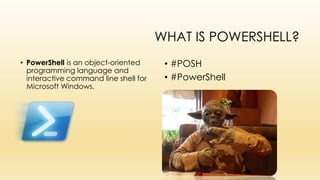
WHAT IS POWERSHELL?
• PowerShell is an object-oriented
programming language and
interactive command line shell for
Microsoft Windows.
• #POSH
• #PowerShell
USE THE FORCE
The Magic Shell
Demo
HOW TO GET WORK DONE
PRODUCTIVITY!
Third Party tools such as:
• Sharegate
• Ave Point
• Metalogix
• Metavis
• Dell
• Varonis
• Etc…
(note: This is not an official ranking of
Top to Bottom vendors.)
Third Party tools such as:
• Sharegate
• Ave Point
• Metalogix
• Metavis
• Dell
• Varonis
• Etc…
(note: This is not an official ranking of
Top to Bottom vendors.)
REAL WORLD SCENARIO
Demos:
If any of these fail, it’s Eric
Harlan’s fault.
#ThanksEric
REAL WORLD SCENARIO
Demo:
PHB creates a site collection, creates subsites, and libraries
under each one. Decides Unique permissions is the way to
go, and decides that he hates SP groups, and add direct
permissions to each library.
Everything is great, until a new PHB on boards and now
doesn’t have access to all those libraries.
REAL WORLD SCENARIO
Demo:
You have a list of domain names that you need to monitor,
and your need to get an email when those domains are
close to expiring.
REAL WORLD SCENARIO
Demo:
Someone keeps hacking your external websites. The site
are not in SharePoint and the project to move them into
SharePoint isn’t until 2017. You need to be alerted as soon
as content on the site gets changed.
REAL WORLD SCENARIO
Demo:
You need to download an Excel file from O365, do some
work to it, then move that file back into O365.
QUESTIONS
Additional Resources:
http://www.TechRevMarrell.com Check my “InnoTechOKC” blog post for downloads of scripts
Twitter Resources
• @adbertram
• @toddklindt
• @scriptingguys
• #PoshTweetChat Friday’s 12CST on Twitter
• #SPHelp
Getting Started with basics of PowerShell and SharePoint:
https://camerondwyer.wordpress.com/2014/06/18/getting-started-the-basics-of-using-powershell-
with-sharepoint/
All SharePoint PowerShell cmdlets that are available OOB.
http://technet.microsoft.com/en-us/library/ff678226(v=office.15).aspx

An admin's guide for getting work done with share point and powershell scripting

  • 1.
    AN ADMIN'S GUIDEFOR GETTING WORK DONE WITH SHAREPOINT AND POWERSHELL SCRIPTING Marrell Sanders – Sr. SharePoint Administrator Innotech Conference Oklahoma City, OK | November 3rd, 2015
  • 2.
    WHO AM I MarrellSanders, MCTS • Senior SharePoint Administrator Love’s Travel Stops and Country Stores Contact • Email: techrevmarrell@outlook.com • Blog: www.techrevmarrell.com • Twitter: @TechRevMarrell
  • 3.
    KEY TAKEAWAYS Key Takeaways: •Admin's wear multiple hats • The Business needs Admin's who can solve problems • PowerShell lets you automate common tasks • PowerShell save you hours of work • PowerShell can do awesome things • PowerShell is limited “usually” only by your creativity • Real world examples may or may not be real world
  • 4.
    LET’S TALK ABOUTYOUR HATS What you do right now, vs What your job description said. Why did you become an admin?
  • 5.
    WHAT DO YOUDO WHEN YOU HAVE TOO MUCH TO DO?
  • 6.
    WHAT DO YOUDO WHEN YOU HAVE TOO MUCH TO DO?
  • 7.
    WHAT DO YOUDO WHEN YOU HAVE TOO MUCH TO DO?
  • 8.
  • 9.
    LEARN A NEWSKILL Time to become a Developer….. Sort of, but not really, but kinda.
  • 10.
    WHAT IS POWERSHELL? •PowerShell is an object-oriented programming language and interactive command line shell for Microsoft Windows. • #POSH • #PowerShell
  • 11.
    USE THE FORCE TheMagic Shell Demo
  • 12.
    HOW TO GETWORK DONE PRODUCTIVITY!
  • 13.
    Third Party toolssuch as: • Sharegate • Ave Point • Metalogix • Metavis • Dell • Varonis • Etc… (note: This is not an official ranking of Top to Bottom vendors.)
  • 16.
    Third Party toolssuch as: • Sharegate • Ave Point • Metalogix • Metavis • Dell • Varonis • Etc… (note: This is not an official ranking of Top to Bottom vendors.)
  • 17.
    REAL WORLD SCENARIO Demos: Ifany of these fail, it’s Eric Harlan’s fault. #ThanksEric
  • 18.
    REAL WORLD SCENARIO Demo: PHBcreates a site collection, creates subsites, and libraries under each one. Decides Unique permissions is the way to go, and decides that he hates SP groups, and add direct permissions to each library. Everything is great, until a new PHB on boards and now doesn’t have access to all those libraries.
  • 19.
    REAL WORLD SCENARIO Demo: Youhave a list of domain names that you need to monitor, and your need to get an email when those domains are close to expiring.
  • 20.
    REAL WORLD SCENARIO Demo: Someonekeeps hacking your external websites. The site are not in SharePoint and the project to move them into SharePoint isn’t until 2017. You need to be alerted as soon as content on the site gets changed.
  • 21.
    REAL WORLD SCENARIO Demo: Youneed to download an Excel file from O365, do some work to it, then move that file back into O365.
  • 22.
    QUESTIONS Additional Resources: http://www.TechRevMarrell.com Checkmy “InnoTechOKC” blog post for downloads of scripts Twitter Resources • @adbertram • @toddklindt • @scriptingguys • #PoshTweetChat Friday’s 12CST on Twitter • #SPHelp Getting Started with basics of PowerShell and SharePoint: https://camerondwyer.wordpress.com/2014/06/18/getting-started-the-basics-of-using-powershell- with-sharepoint/ All SharePoint PowerShell cmdlets that are available OOB. http://technet.microsoft.com/en-us/library/ff678226(v=office.15).aspx

Editor's Notes

  • #9 Questions Spreadsheet -> Workflow Image
  • #10 * Ken Thompson was the designer of the B programming language (the precursor to C)
  • #12 If using Normal PowerShell Application. You must load the SharePoint Commandlets into PowerShell before you can access SharePoint functions. PS> if((Get-PSSnapin "Microsoft.SharePoint.PowerShell") -eq $null) {       Add-PSSnapin Microsoft.SharePoint.PowerShell } Generally use the SharePoint Management Shell (Gets installed on your SharePoint Server when you install SharePoint) Includes the SharePoint Add-in for PowerShell. Remember to right click the PowerShell Icon and “Run as Administrator” Base SharePoint Commands in PowerShell Get-SPFarm Get-SPSite “url” Get-SPWeb “url” Get-SPContentDatabase If you’re not able to run these commands use, open PowerShell as the Farm account or an account with Admin rights to the SharePoint databases. Then run the following command. PS> Add-SPShell admin –User “Domain\User” This will give you SPShell admin rights to the SharePoint databases.
  • #13 PowerShell can be used to automate tasks that you do frequently, as well as one off tasks that require a lot of time. Such as creating multiple SharePoint sites, or updating permissions on multiple SharePoint sites.
  • #16 The feeling you should have after effectively running a powershell command with SharePoint and saving a few hours of work.