Lab Management for everyone
            Matteo Emili
      http://blogs.ugidotnet.org/j3r
      http://mattvsts.blogspot.com
     matteo.emili@domusdotnet.org
               @MattVSTS
                    …
Grazie agli sponsor
How do we test our software
today?

• Multiple environments
• “On my machine!”
• Give the package to the test team and
forget

• Is it seamless?
Visual Studio Team Lab Management
2010

• First release of the Microsoft‟s solution for
automating Quality Assurance tasks

• It needs a huge infrastructure effort (Active
Directory in place, Hyper-V, System Center
Virtual Machine Manager)
New technologies on the edge!


• Windows 8 provides us Hyper-V like
server OSes, but without their limits

• Visual Studio Team Lab Management 2012
provides us a new set of features
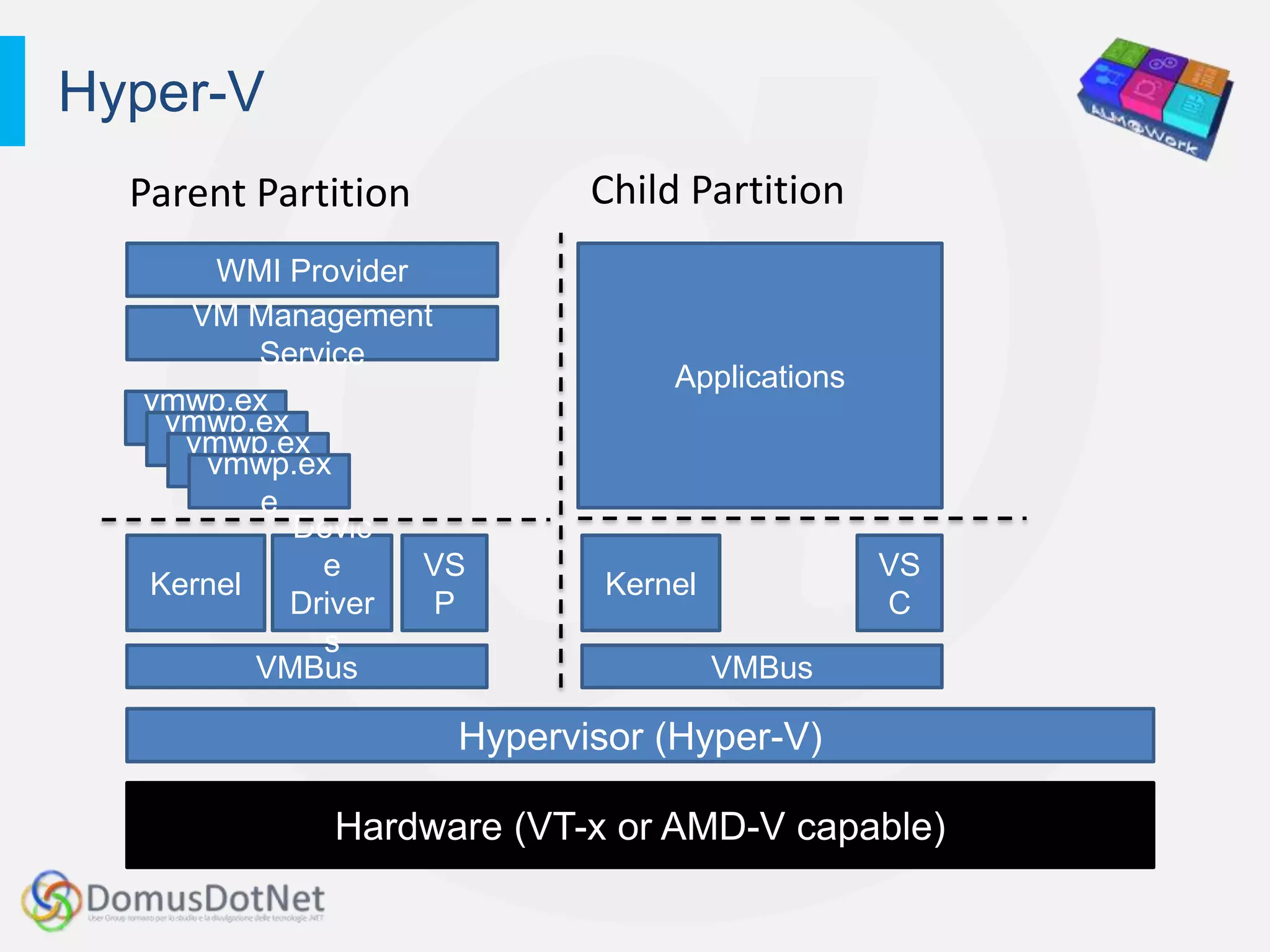
Hyper-V
  Parent Partition          Child Partition
       WMI Provider
    VM Management
           Service
                                 Applications
  vmwp.ex
   vmwp.ex
     e
    vmwp.ex
       e
      vmwp.ex
         e
           e
             Devic
               e    VS                          VS
  Kernel                     Kernel
             Driver  P                          C
               s
          VMBus                       VMBus

                     Hypervisor (Hyper-V)

             Hardware (VT-x or AMD-V capable)
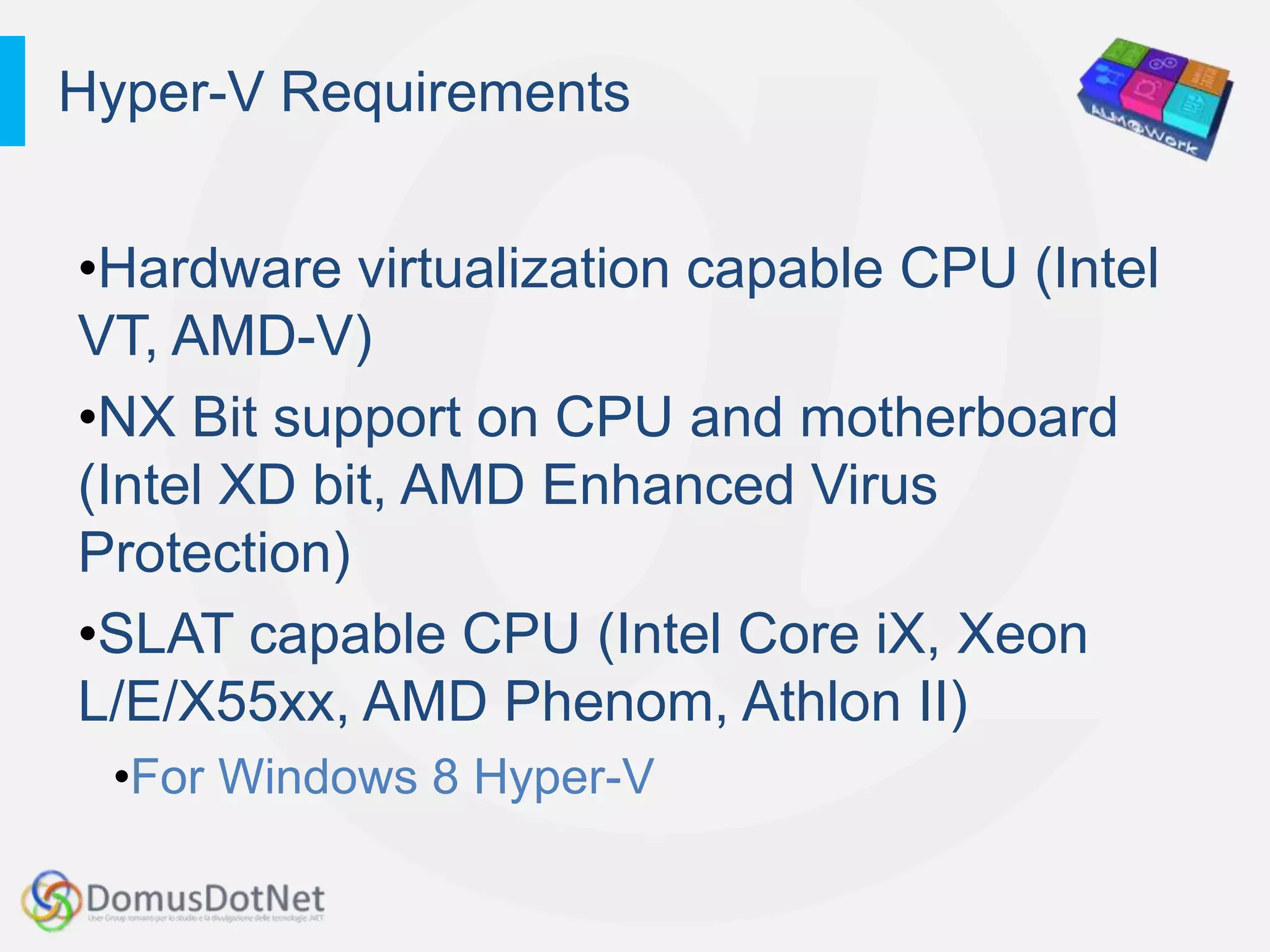
Hyper-V Requirements


•Hardware virtualization capable CPU (Intel
VT, AMD-V)
•NX Bit support on CPU and motherboard
(Intel XD bit, AMD Enhanced Virus
Protection)
•SLAT capable CPU (Intel Core iX, Xeon
L/E/X55xx, AMD Phenom, Athlon II)
 •For Windows 8 Hyper-V
Nice to have…


• Fast dedicated HDDs (7200rpm+)
• Gigabit Ethernet connection (if you want to
  do storage move)
• Tons of RAM!
Hyper-V features for the vDev


• Dynamic Memory
  • Dynamic allocation of memory based on
  consumption
• Live storage move (while they are running,
and without a shared storage!)
• VHDX file format for Virtual Hard Drives up
to 64TB each
• Support for hybernation and sleep (so you
can use it on a laptop!)
Developer -> Team


• Expanding developers‟ needs to a
common, shared testing environment
• The testing environment must be
predictable and capable of managing
multiple, complex infrastructures
• You might need allowing someone else
interacting with it
• You might need integration with Team
Foundation Server
Visual Studio Standard
Environment

• New VSTLM 2012 mode

• No infrastructure requirements
• The only requirements are Microsoft Test
Manager 2012, Team Build and the Visual
Studio Agents
FAQs over Standard Environment


“Feedback client?” Yes.
“Deploy to it with Team Build?” Yes.
“Physical machines?” Yes.
“Use it on my laptop?” Yes.


 “VMWare support?” Yes.
DEMO
A lap around Standard Environments
      a.k.a. Lab Management for Everyone
Virtual labs as a foundation for
everything

• Virtual labs can be employed in thousand
  of different scenarios
• It‟s a quality enabler at all levels
  • Developers can have a „certified‟ environment
    for testing
  • Continuous Delivery
  • Stakeholders‟ feedback
Tips for management


• Sysprep
  Built-in into Windows, it enables creation of
  a clean base OS with all you need
• Snapshots
  Hyper-V feature which allows taking
  snapshots to have certain states saved. Be
  careful: do not use it with Domain
  Controllers
Best practices


• Use a separate high speed drive
  (7200rpm+) for VMs
• Mark the environments „In Use‟ if shared
• Use Dynamic Memory and set the OS as
  if it should save as much energy as
  possible
Questions & Answers

ALM@Work - Lab management for everyone

  • 1.
    Lab Management foreveryone Matteo Emili http://blogs.ugidotnet.org/j3r http://mattvsts.blogspot.com matteo.emili@domusdotnet.org @MattVSTS …
  • 2.
  • 3.
    How do wetest our software today? • Multiple environments • “On my machine!” • Give the package to the test team and forget • Is it seamless?
  • 4.
    Visual Studio TeamLab Management 2010 • First release of the Microsoft‟s solution for automating Quality Assurance tasks • It needs a huge infrastructure effort (Active Directory in place, Hyper-V, System Center Virtual Machine Manager)
  • 5.
    New technologies onthe edge! • Windows 8 provides us Hyper-V like server OSes, but without their limits • Visual Studio Team Lab Management 2012 provides us a new set of features
  • 6.
    Hyper-V ParentPartition Child Partition WMI Provider VM Management Service Applications vmwp.ex vmwp.ex e vmwp.ex e vmwp.ex e e Devic e VS VS Kernel Kernel Driver P C s VMBus VMBus Hypervisor (Hyper-V) Hardware (VT-x or AMD-V capable)
  • 7.
    Hyper-V Requirements •Hardware virtualizationcapable CPU (Intel VT, AMD-V) •NX Bit support on CPU and motherboard (Intel XD bit, AMD Enhanced Virus Protection) •SLAT capable CPU (Intel Core iX, Xeon L/E/X55xx, AMD Phenom, Athlon II) •For Windows 8 Hyper-V
  • 8.
    Nice to have… •Fast dedicated HDDs (7200rpm+) • Gigabit Ethernet connection (if you want to do storage move) • Tons of RAM!
  • 9.
    Hyper-V features forthe vDev • Dynamic Memory • Dynamic allocation of memory based on consumption • Live storage move (while they are running, and without a shared storage!) • VHDX file format for Virtual Hard Drives up to 64TB each • Support for hybernation and sleep (so you can use it on a laptop!)
  • 10.
    Developer -> Team •Expanding developers‟ needs to a common, shared testing environment • The testing environment must be predictable and capable of managing multiple, complex infrastructures • You might need allowing someone else interacting with it • You might need integration with Team Foundation Server
  • 11.
    Visual Studio Standard Environment •New VSTLM 2012 mode • No infrastructure requirements • The only requirements are Microsoft Test Manager 2012, Team Build and the Visual Studio Agents
  • 12.
    FAQs over StandardEnvironment “Feedback client?” Yes. “Deploy to it with Team Build?” Yes. “Physical machines?” Yes. “Use it on my laptop?” Yes. “VMWare support?” Yes.
  • 13.
    DEMO A lap aroundStandard Environments a.k.a. Lab Management for Everyone
  • 14.
    Virtual labs asa foundation for everything • Virtual labs can be employed in thousand of different scenarios • It‟s a quality enabler at all levels • Developers can have a „certified‟ environment for testing • Continuous Delivery • Stakeholders‟ feedback
  • 15.
    Tips for management •Sysprep Built-in into Windows, it enables creation of a clean base OS with all you need • Snapshots Hyper-V feature which allows taking snapshots to have certain states saved. Be careful: do not use it with Domain Controllers
  • 16.
    Best practices • Usea separate high speed drive (7200rpm+) for VMs • Mark the environments „In Use‟ if shared • Use Dynamic Memory and set the OS as if it should save as much energy as possible
  • 17.