Introduction to
Algorithm and
Flowchart
Objectives
• Understand what an algorithm is
• Learn the characteristics of a good
algorithm
• Explore flowcharts and their symbols
• Learn to create simple algorithms
and flowcharts
What is an Algorithm?
• A step-by-step procedure to solve
a problem
• Like a recipe that tells you what
to do
• Used in mathematics, computer
science, and everyday life
Characteristics of a Good Algorithm
• Clear and Unambiguous
• Well-Defined Inputs and
Outputs
• Finite Steps
• Effective and Efficient
Real-Life Example of an Algorithm
• Problem: Make a cup of tea
• Steps:
• 1. Boil water
• 2. Add tea leaves
• 3. Add sugar and milk
• 4. Stir and serve
What is a Flowchart?
• A graphical representation of an
algorithm
• Uses symbols to show steps in a
process
• Helps to visualize the logic before
coding
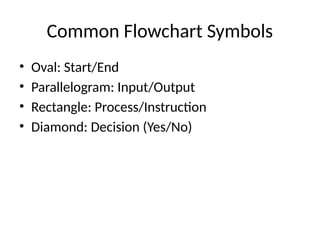
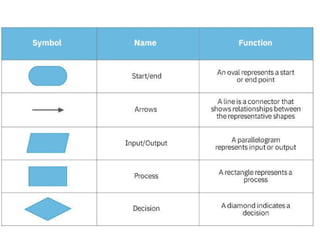
Common Flowchart Symbols
• Oval: Start/End
• Parallelogram: Input/Output
• Rectangle: Process/Instruction
• Diamond: Decision (Yes/No)
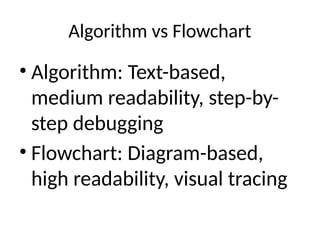
Algorithm vs Flowchart
• Algorithm: Text-based,
medium readability, step-by-
step debugging
• Flowchart: Diagram-based,
high readability, visual tracing
Practice Time
• Write an algorithm to find the
largest of two numbers
• Draw a flowchart for the same
problem
Summary
• Algorithms are step-by-step
instructions
• Flowcharts are visual tools to
understand logic
• Both are essential for problem-
solving in programming
Q&A
• Any questions?
• Let’s clarify any doubts!

Algorithm_and_Flowchart_Presentation.pptx

  • 1.
  • 2.
    Objectives • Understand whatan algorithm is • Learn the characteristics of a good algorithm • Explore flowcharts and their symbols • Learn to create simple algorithms and flowcharts
  • 3.
    What is anAlgorithm? • A step-by-step procedure to solve a problem • Like a recipe that tells you what to do • Used in mathematics, computer science, and everyday life
  • 4.
    Characteristics of aGood Algorithm • Clear and Unambiguous • Well-Defined Inputs and Outputs • Finite Steps • Effective and Efficient
  • 5.
    Real-Life Example ofan Algorithm • Problem: Make a cup of tea • Steps: • 1. Boil water • 2. Add tea leaves • 3. Add sugar and milk • 4. Stir and serve
  • 6.
    What is aFlowchart? • A graphical representation of an algorithm • Uses symbols to show steps in a process • Helps to visualize the logic before coding
  • 7.
    Common Flowchart Symbols •Oval: Start/End • Parallelogram: Input/Output • Rectangle: Process/Instruction • Diamond: Decision (Yes/No)
  • 9.
    Algorithm vs Flowchart •Algorithm: Text-based, medium readability, step-by- step debugging • Flowchart: Diagram-based, high readability, visual tracing
  • 10.
    Practice Time • Writean algorithm to find the largest of two numbers • Draw a flowchart for the same problem
  • 11.
    Summary • Algorithms arestep-by-step instructions • Flowcharts are visual tools to understand logic • Both are essential for problem- solving in programming
  • 12.
    Q&A • Any questions? •Let’s clarify any doubts!