© RAGINIJAIN CC SA 4.0
Ragini Jain
MSc CA 1st
Year (2015 - 2017)
Ajax
real-life app do's n dont's
© RAGINIJAIN CC SA 4.0
Ajax basics
● At the core
– JavaScript engine
– XmlHttpRequest object
– Asynchronous callback design pattern
● 'X' in ajax can be
– XML
– JSON
– HTML
– plain text
Single threaded event loop
Prototype based inheritance
Functional programming language
enum XMLHttpRequestResponseType {
"",
"arraybuffer",
"blob",
"document",
"json",
"text"
};
© RAGINIJAIN CC SA 4.0
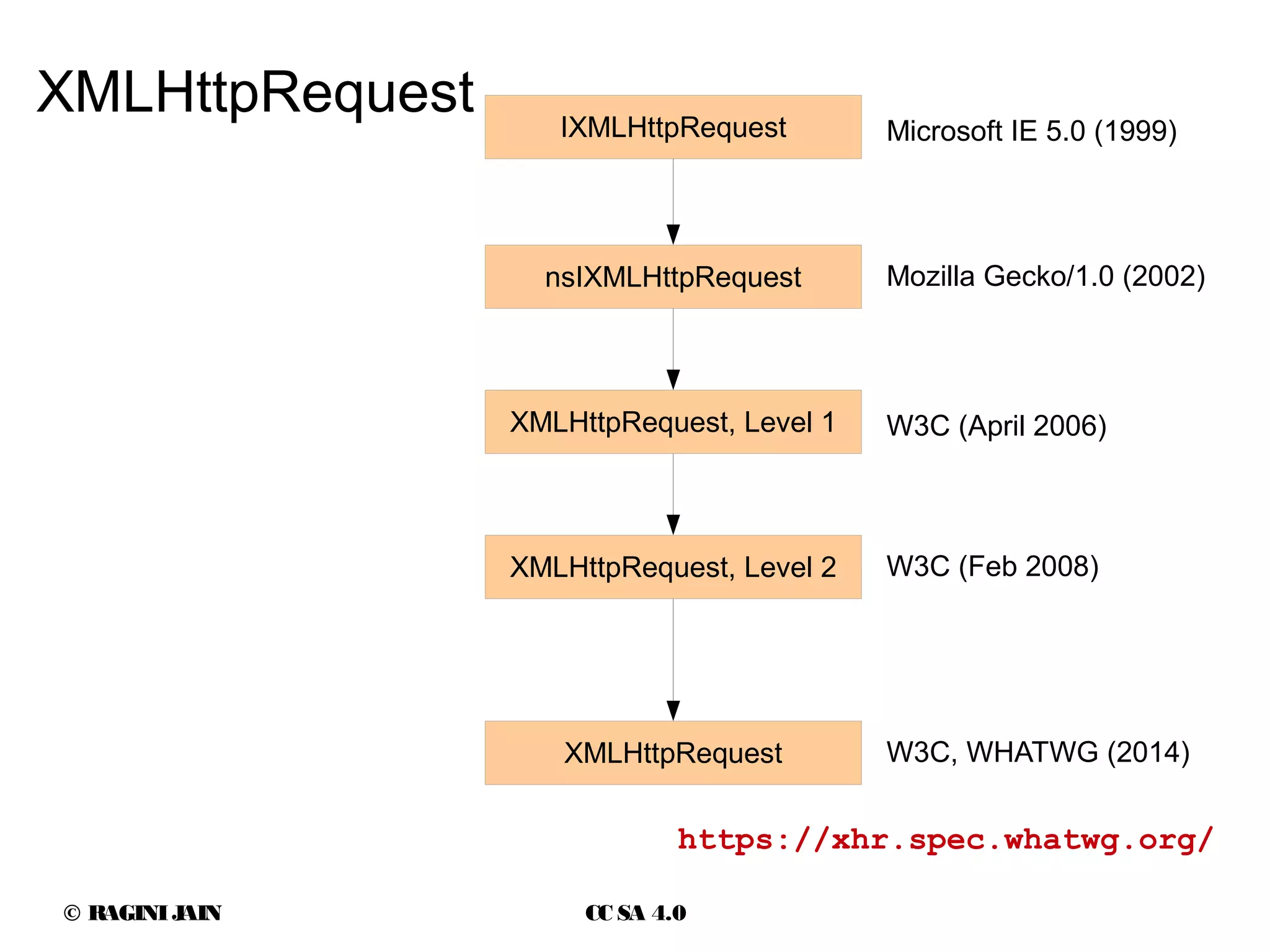
XMLHttpRequest IXMLHttpRequest
nsIXMLHttpRequest
XMLHttpRequest, Level 1
XMLHttpRequest, Level 2
XMLHttpRequest
Microsoft IE 5.0 (1999)
Mozilla Gecko/1.0 (2002)
W3C (April 2006)
W3C (Feb 2008)
W3C, WHATWG (2014)
https://xhr.spec.whatwg.org/
© RAGINIJAIN CC SA 4.0
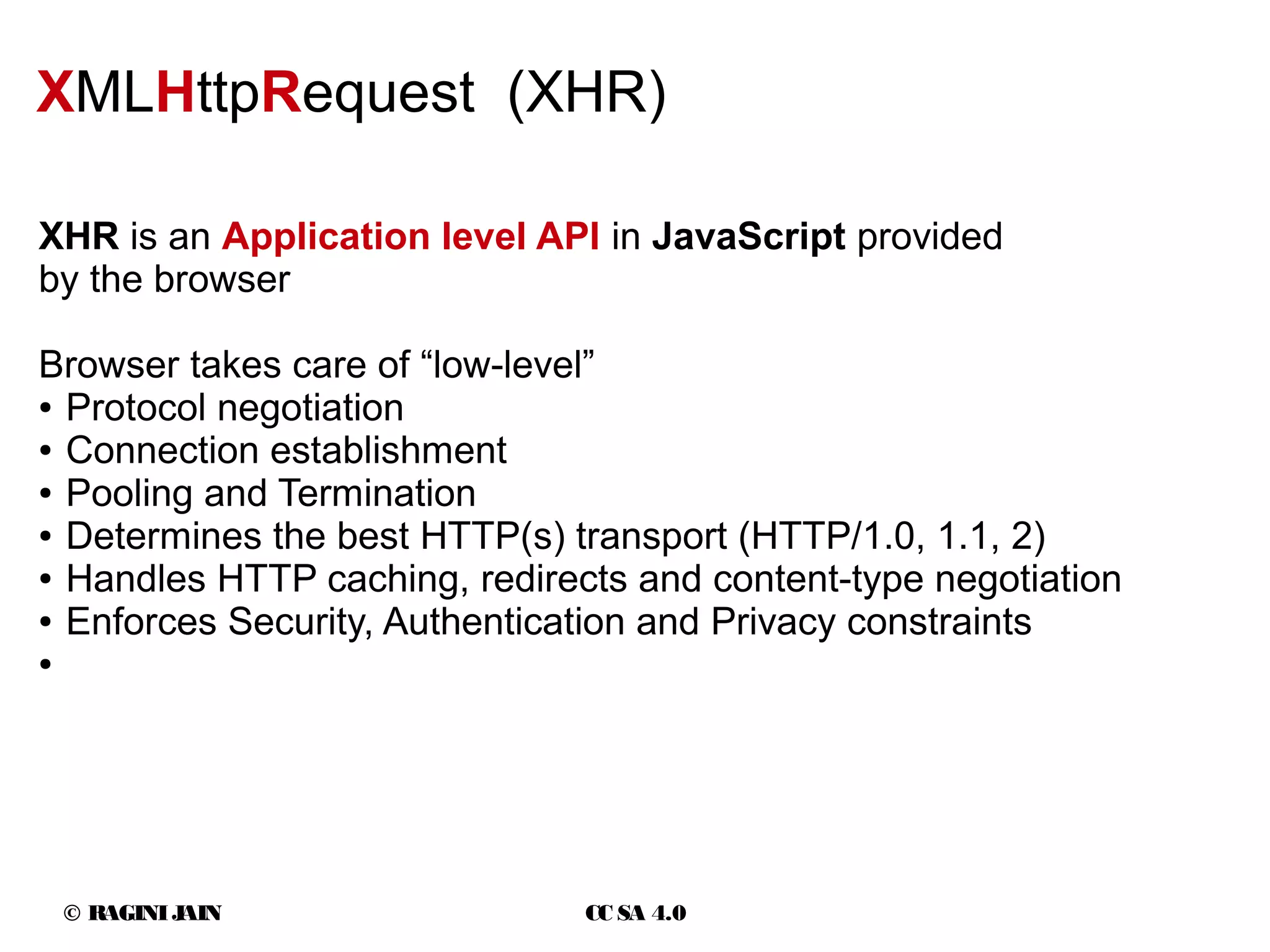
XMLHttpRequest (XHR)
XHR is an Application level API in JavaScript provided
by the browser
Browser takes care of “low-level”
● Protocol negotiation
● Connection establishment
● Pooling and Termination
● Determines the best HTTP(s) transport (HTTP/1.0, 1.1, 2)
● Handles HTTP caching, redirects and content-type negotiation
● Enforces Security, Authentication and Privacy constraints
●
© RAGINIJAIN CC SA 4.0
● Support for
– Request timeouts
– Binary and text based data transfers
– Application override of media type and encoding of responses
– Monitoring progress events of each request
– Efficient file uploads
– Safe cross-origin requests
XMLHttpRequest level 2 (XHR)
http://caniuse.com/xhr2
© RAGINIJAIN CC SA 4.0
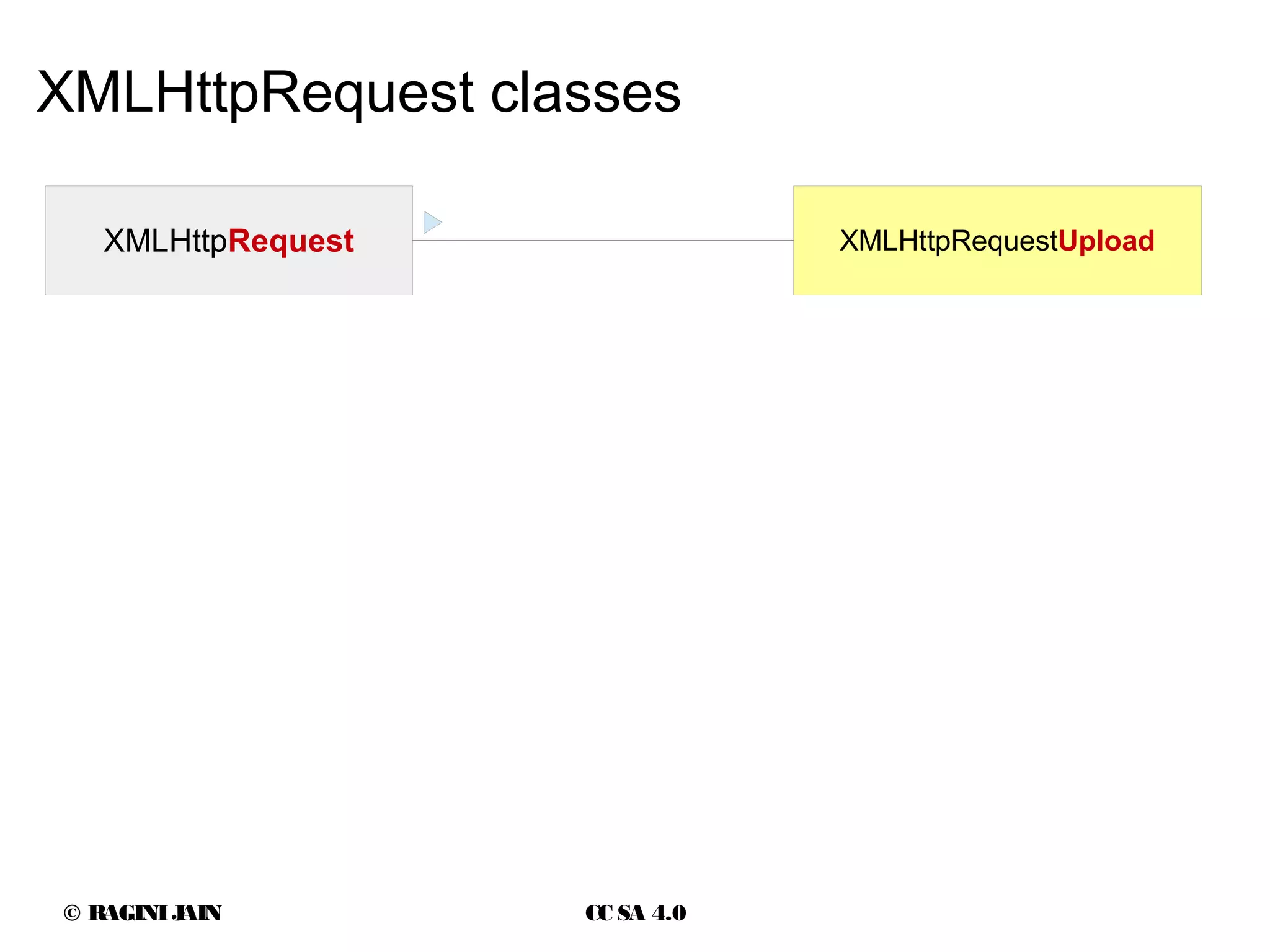
XMLHttpRequest classes
XMLHttpRequest XMLHttpRequestUpload
© RAGINIJAIN CC SA 4.0
XHR event handler
© RAGINIJAIN CC SA 4.0
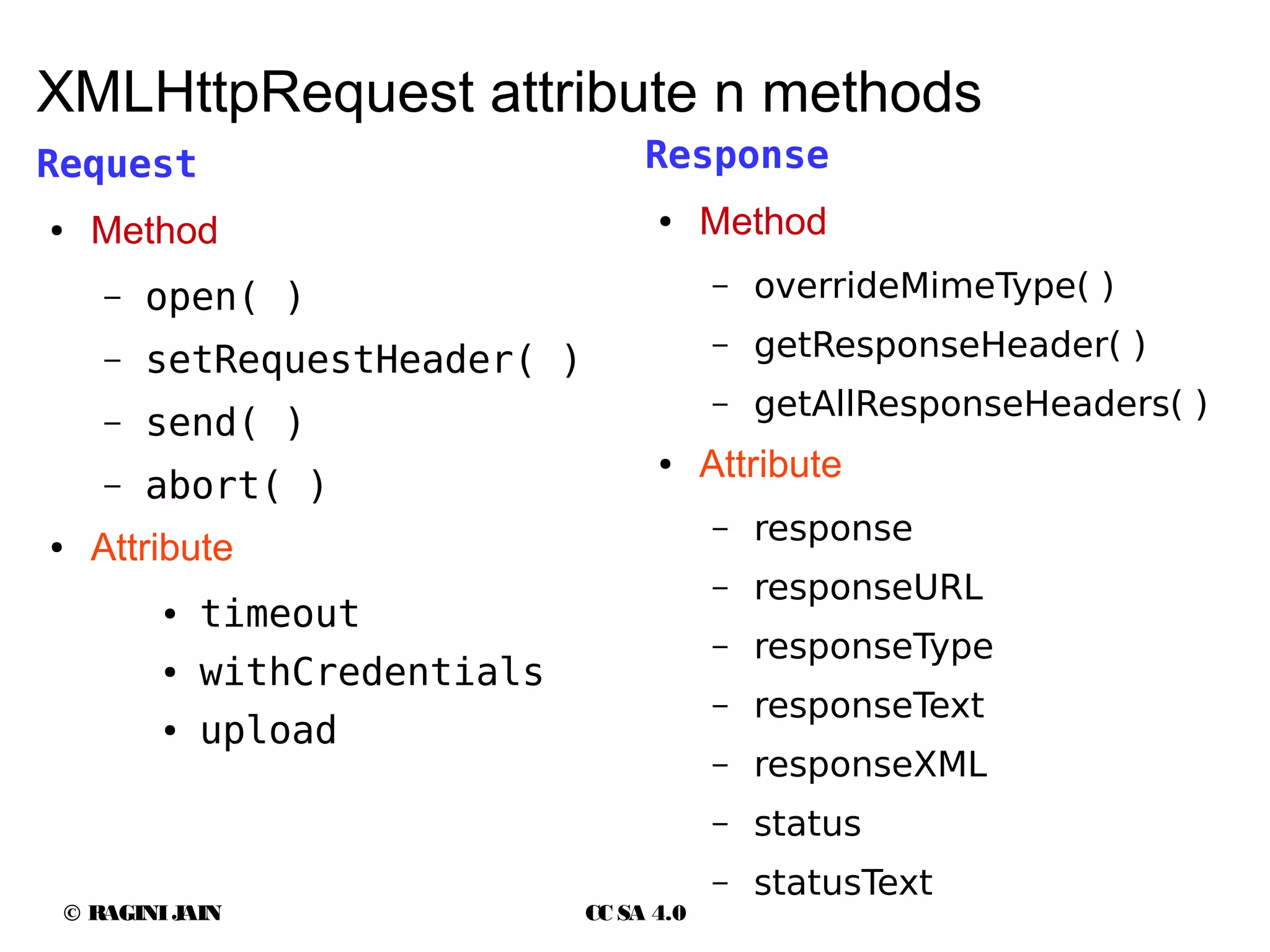
XMLHttpRequest attribute n methods
Request
● Method
– open( )
– setRequestHeader( )
– send( )
– abort( )
● Attribute
● timeout
● withCredentials
● upload
Response
● Method
– overrideMimeType( )
– getResponseHeader( )
– getAllResponseHeaders( )
● Attribute
– response
– responseURL
– responseType
– responseText
– responseXML
– status
– statusText
© RAGINIJAIN CC SA 4.0
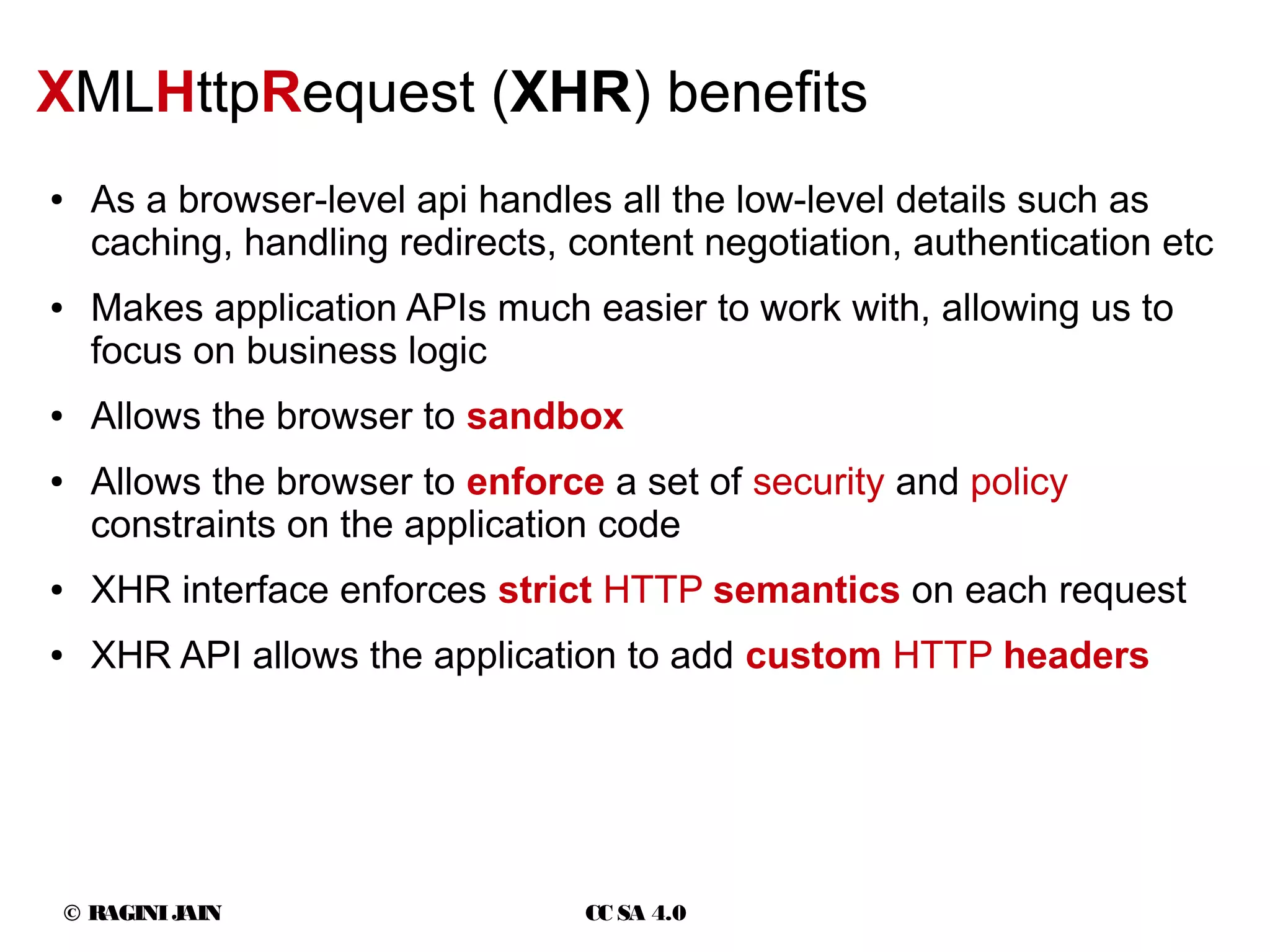
XMLHttpRequest (XHR) benefits
● As a browser-level api handles all the low-level details such as
caching, handling redirects, content negotiation, authentication etc
● Makes application APIs much easier to work with, allowing us to
focus on business logic
● Allows the browser to sandbox
● Allows the browser to enforce a set of security and policy
constraints on the application code
● XHR interface enforces strict HTTP semantics on each request
● XHR API allows the application to add custom HTTP headers
© RAGINIJAIN CC SA 4.0
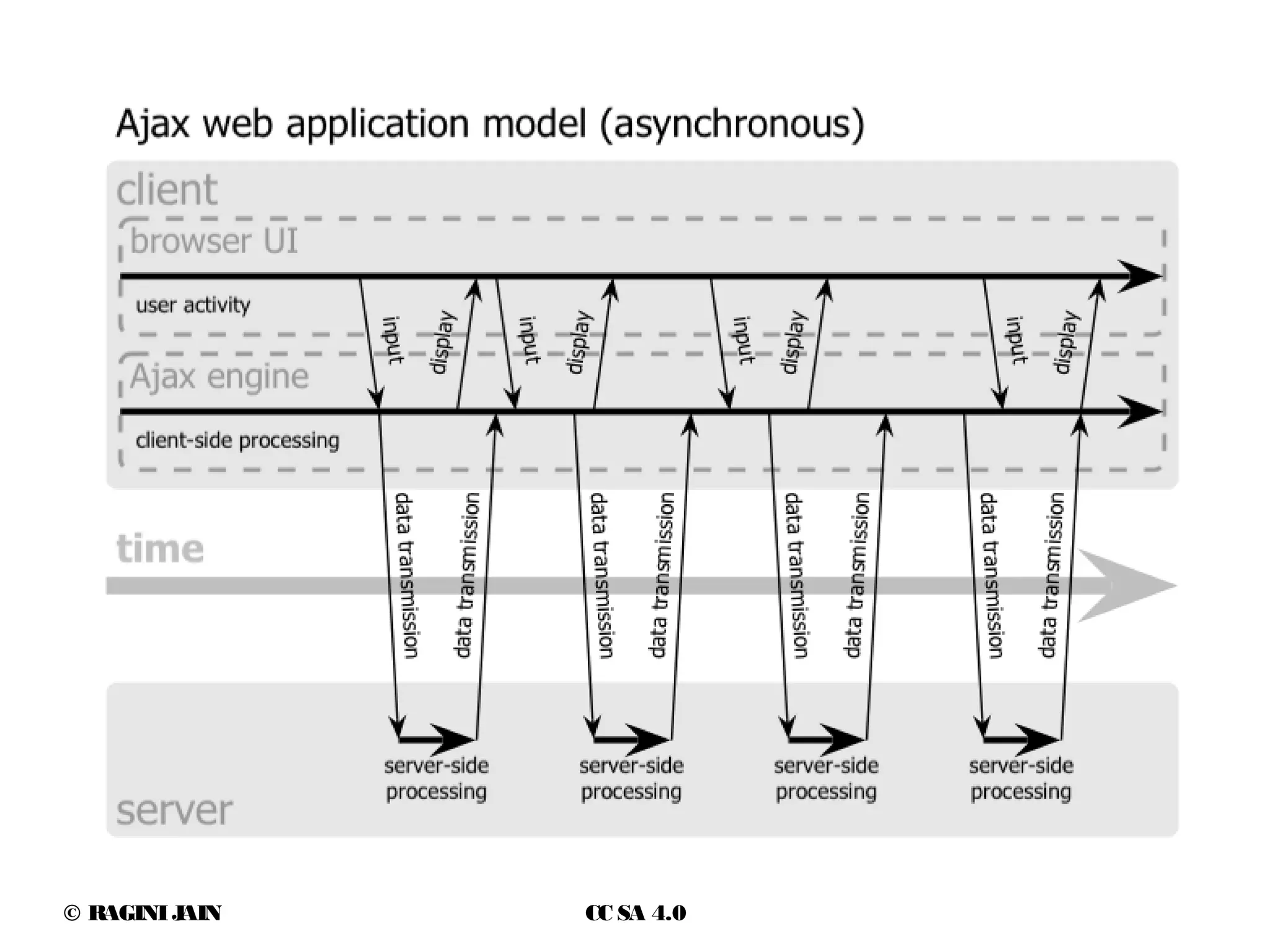
Asynchronous in Ajax
open(method, url [, async = true [, username = null [, password = null]]])
var request = new XMLHttpRequest();
var method = "GET";
var url = "http://github.com/mexem";
var isAsync = true;
request.open(method, url, isAsync);
if (200 == request.status) {
console.log(request.responseText);
}
© RAGINIJAIN CC SA 4.0
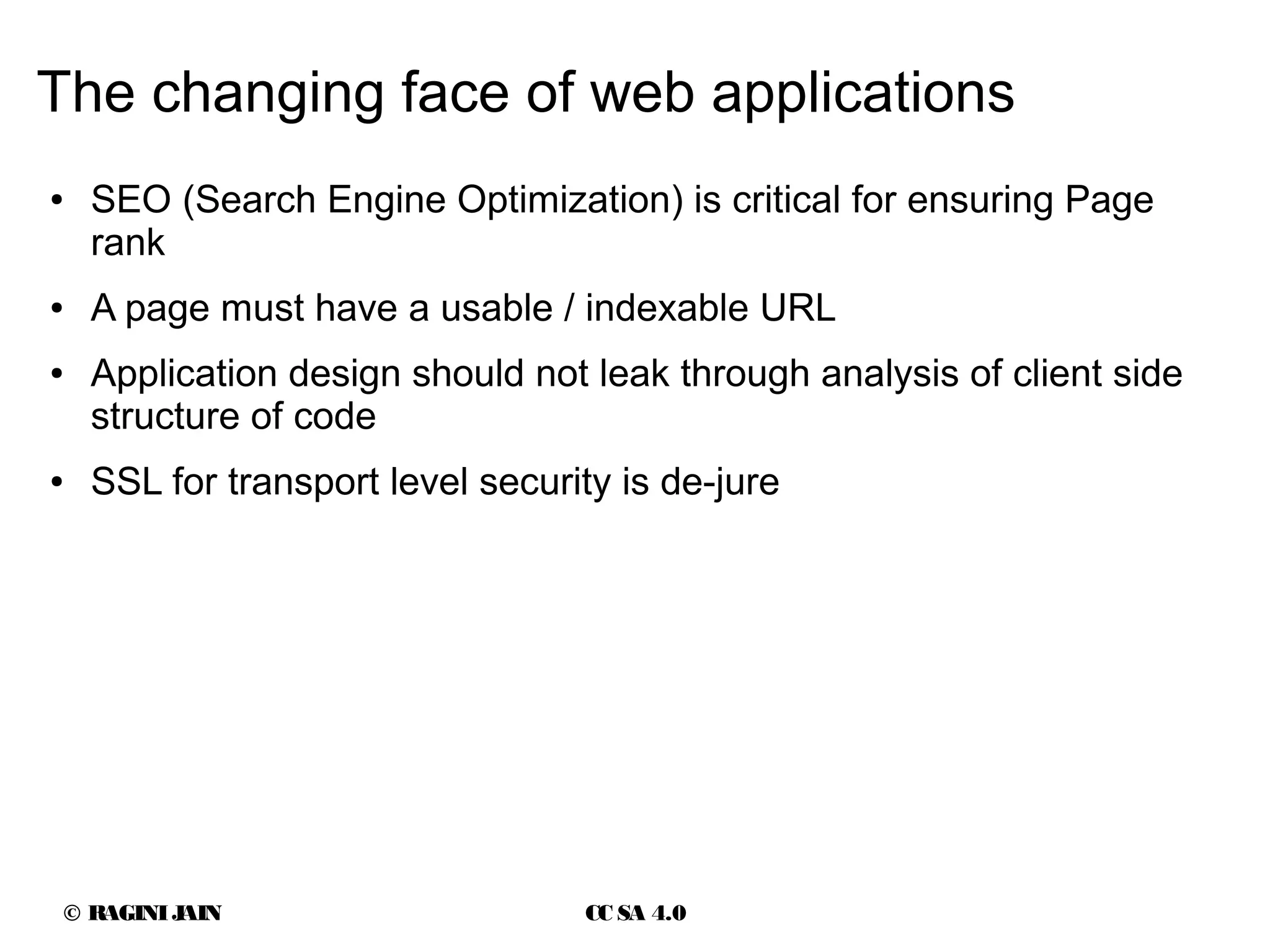
The changing face of web applications
● SEO (Search Engine Optimization) is critical for ensuring Page
rank
● A page must have a usable / indexable URL
● Application design should not leak through analysis of client side
structure of code
● SSL for transport level security is de-jure
© RAGINIJAIN CC SA 4.0
Ajax DO's
● Use Ajax to save client side content
– Entire form processing can be done using ajax
– When the user hits the save button, ajax can take over
– SEO friendly, since search engine will never click/push a button
on a form and is unaware of the ajax usage
© RAGINIJAIN CC SA 4.0
Ajax DO's
● Use Ajax for user-specific actions
– Set cookies
– Track sessions
– Log actions as long as the content isn't dependent on it
© RAGINIJAIN CC SA 4.0
Ajax DO's
● Use Ajax to save client side content
– Entire form processing can be done using ajax
– When the user hits the save button, ajax can take over
– SEO friendly, since search engine will never click/push a button
on a form and is unaware of the ajax usage
© RAGINIJAIN CC SA 4.0
Ajax DO's
● Use Ajax to do form field validation
– Each form field can be validated using range or regular
expressions or business rules coded in javascript
–
© RAGINIJAIN CC SA 4.0
Ajax DO's
● Use Ajax to display status message
– User interaction should be captured using Ajax and a response
in the form of status message should be shown
– This increases the interactivity of the web application while
maintaining SEO characteristics
© RAGINIJAIN CC SA 4.0
Ajax DO's
● Use Ajax for logical parts of a page but not the whole page
– Real-time updates and interactions cause parts of the page to
update.
– The forward and back buttons of the browser are still working
– The url is a real url which can be bookmarked and shared
–
© RAGINIJAIN CC SA 4.0
Ajax DO's
● External data sources are used to aggregate content for a page.
This leads to slower loading of page
● Use Ajax to load information from external source after loading
the page.
© RAGINIJAIN CC SA 4.0
Ajax DONT's
● Donot use Ajax to display static text content
– Search engines process main page content to calculate page
rank
© RAGINIJAIN CC SA 4.0
Ajax DONT's
● Donot use Ajax for paging a table or list
– Dynamically generated data inside a table or list should be
indexed properly
–
© RAGINIJAIN CC SA 4.0
Ajax DONT's
● Donot use Ajax for navigational purpose
– <A>nchor links should be in HTML and not in Javascript
– Search engines donot follow Javascript links
– Search engines will get stuck on the top link and will exit the
page without indexing it completely
–
© RAGINIJAIN CC SA 4.0
Ajax DONT's
● Donot leak the structure of the database in the key-value pair
updates
● One click is cool, but all the data sent in the Ajax call is a security
nightmare
– Every profile update
– Every key-value pair sent with info about the record which will
be updated
– Multiple key-value pairs sent show a pattern which mirrors the
structure in the database
© RAGINIJAIN CC SA 4.0
Ajax DONT's
● Donot use .innerHTML to adjust the HTML generated response
from the server
● Instead do the adjusting of DOM in JavaScript
● Use JSON to convert server-side variables to JavaScript variables
● This keeps the 'presentation' and 'computation' separate from
each other
● Use arrays of information instead of HTML
●
© RAGINIJAIN CC SA 4.0
Ajax Security : Cross-site scripting (XSS)
http://ruslanbes.com/devblog/2014/10/12/jquery-cross-site-scripting-tutorial-and-de
Same-Origin policy
© RAGINIJAIN CC SA 4.0
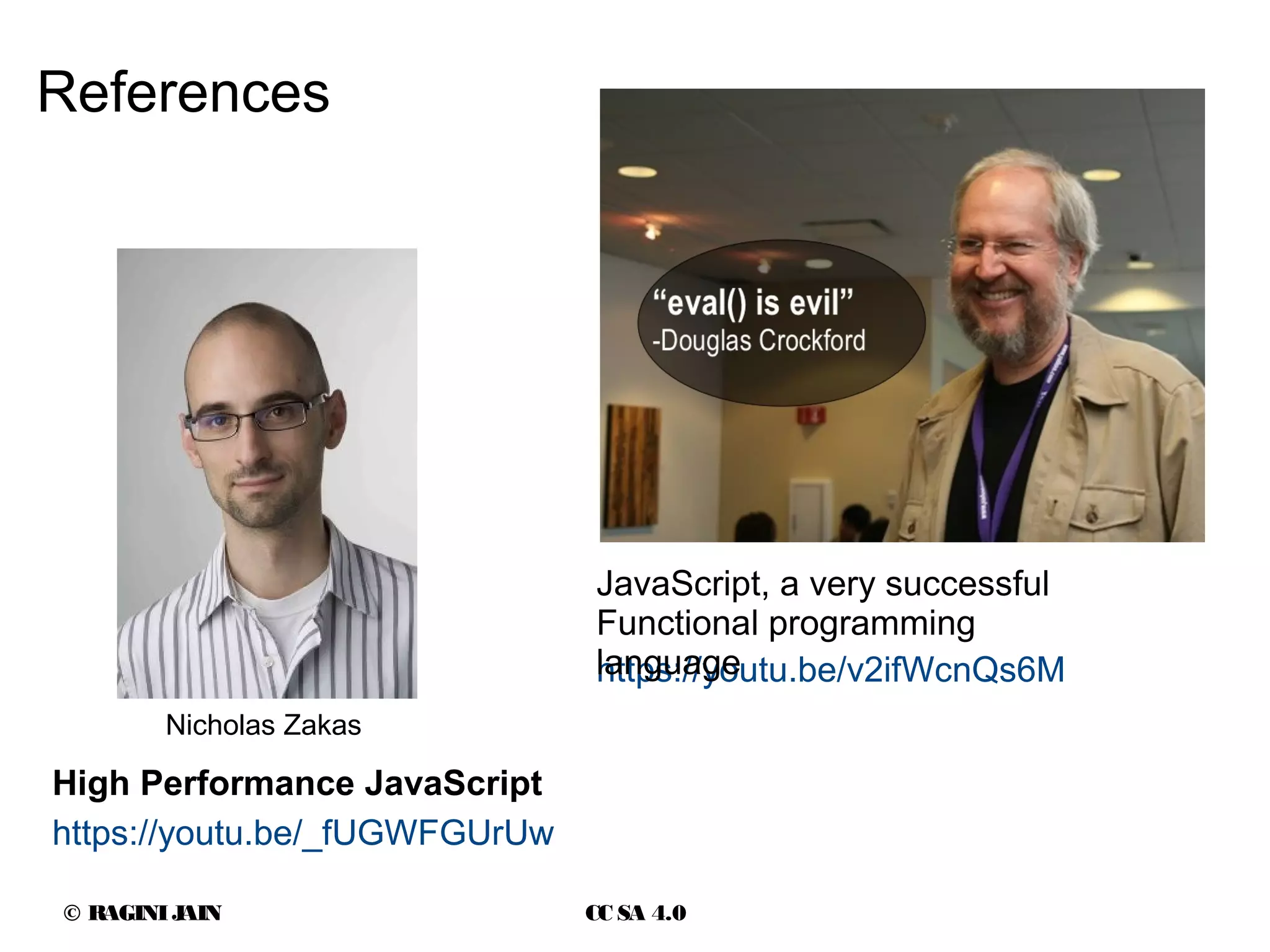
References
https://youtu.be/_fUGWFGUrUw
High Performance JavaScript
https://youtu.be/v2ifWcnQs6M
JavaScript, a very successful
Functional programming
language
Nicholas Zakas
© RAGINIJAIN CC SA 4.0
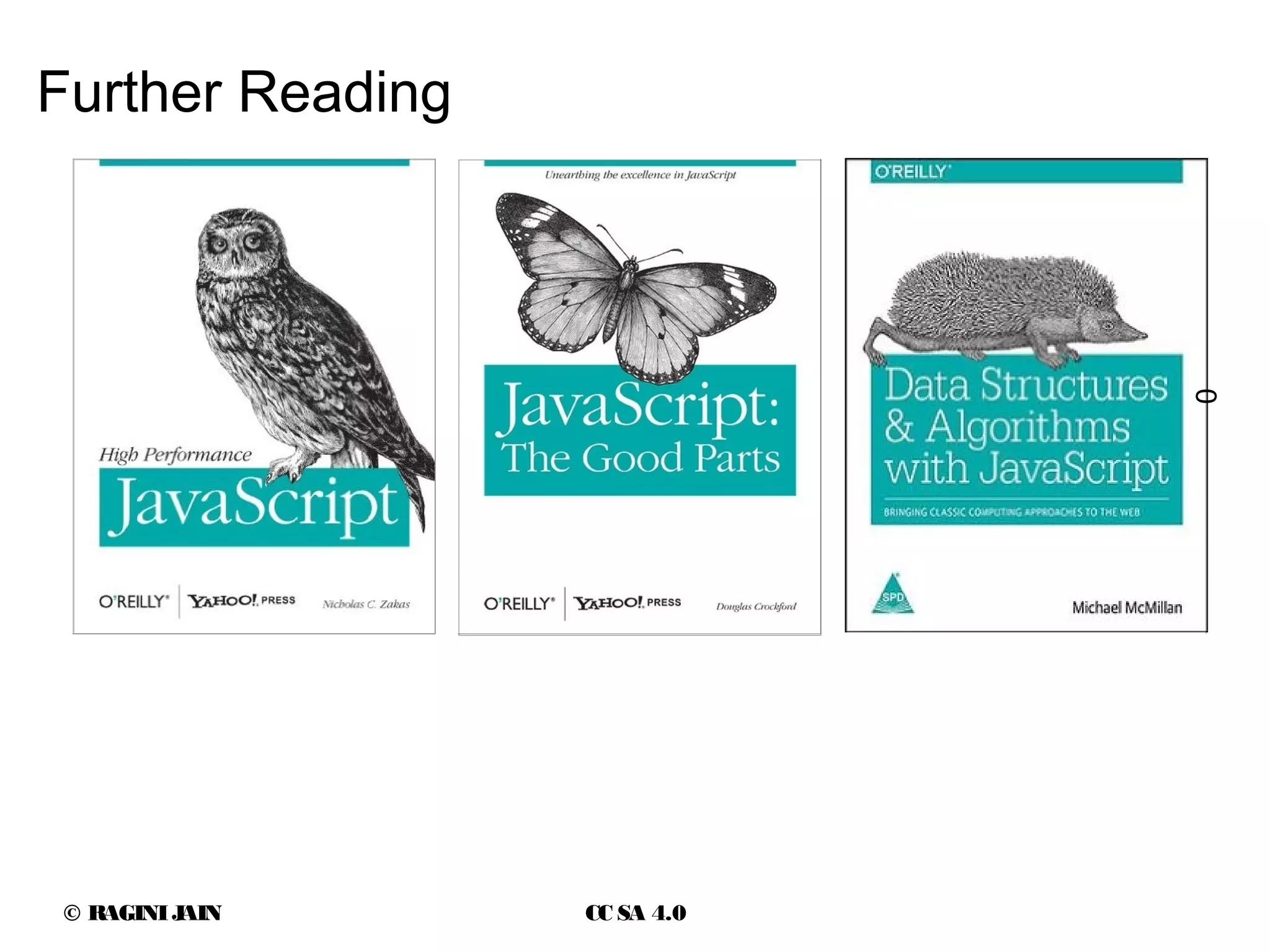
Further Reading
0
© RAGINIJAIN CC SA 4.0
Thank you.
● Questions
● Clarifications
● Suggestions
● Feedback
Ragini Jain
15030142023@sicsr.ac.in

Ajax

  • 1.
    © RAGINIJAIN CCSA 4.0 Ragini Jain MSc CA 1st Year (2015 - 2017) Ajax real-life app do's n dont's
  • 2.
    © RAGINIJAIN CCSA 4.0 Ajax basics ● At the core – JavaScript engine – XmlHttpRequest object – Asynchronous callback design pattern ● 'X' in ajax can be – XML – JSON – HTML – plain text Single threaded event loop Prototype based inheritance Functional programming language enum XMLHttpRequestResponseType { "", "arraybuffer", "blob", "document", "json", "text" };
  • 3.
    © RAGINIJAIN CCSA 4.0 XMLHttpRequest IXMLHttpRequest nsIXMLHttpRequest XMLHttpRequest, Level 1 XMLHttpRequest, Level 2 XMLHttpRequest Microsoft IE 5.0 (1999) Mozilla Gecko/1.0 (2002) W3C (April 2006) W3C (Feb 2008) W3C, WHATWG (2014) https://xhr.spec.whatwg.org/
  • 4.
    © RAGINIJAIN CCSA 4.0 XMLHttpRequest (XHR) XHR is an Application level API in JavaScript provided by the browser Browser takes care of “low-level” ● Protocol negotiation ● Connection establishment ● Pooling and Termination ● Determines the best HTTP(s) transport (HTTP/1.0, 1.1, 2) ● Handles HTTP caching, redirects and content-type negotiation ● Enforces Security, Authentication and Privacy constraints ●
  • 5.
    © RAGINIJAIN CCSA 4.0 ● Support for – Request timeouts – Binary and text based data transfers – Application override of media type and encoding of responses – Monitoring progress events of each request – Efficient file uploads – Safe cross-origin requests XMLHttpRequest level 2 (XHR) http://caniuse.com/xhr2
  • 6.
    © RAGINIJAIN CCSA 4.0 XMLHttpRequest classes XMLHttpRequest XMLHttpRequestUpload
  • 7.
    © RAGINIJAIN CCSA 4.0 XHR event handler
  • 8.
    © RAGINIJAIN CCSA 4.0 XMLHttpRequest attribute n methods Request ● Method – open( ) – setRequestHeader( ) – send( ) – abort( ) ● Attribute ● timeout ● withCredentials ● upload Response ● Method – overrideMimeType( ) – getResponseHeader( ) – getAllResponseHeaders( ) ● Attribute – response – responseURL – responseType – responseText – responseXML – status – statusText
  • 9.
    © RAGINIJAIN CCSA 4.0 XMLHttpRequest (XHR) benefits ● As a browser-level api handles all the low-level details such as caching, handling redirects, content negotiation, authentication etc ● Makes application APIs much easier to work with, allowing us to focus on business logic ● Allows the browser to sandbox ● Allows the browser to enforce a set of security and policy constraints on the application code ● XHR interface enforces strict HTTP semantics on each request ● XHR API allows the application to add custom HTTP headers
  • 10.
    © RAGINIJAIN CCSA 4.0 Asynchronous in Ajax open(method, url [, async = true [, username = null [, password = null]]]) var request = new XMLHttpRequest(); var method = "GET"; var url = "http://github.com/mexem"; var isAsync = true; request.open(method, url, isAsync); if (200 == request.status) { console.log(request.responseText); }
  • 11.
  • 12.
  • 13.
  • 14.
  • 15.
    © RAGINIJAIN CCSA 4.0 The changing face of web applications ● SEO (Search Engine Optimization) is critical for ensuring Page rank ● A page must have a usable / indexable URL ● Application design should not leak through analysis of client side structure of code ● SSL for transport level security is de-jure
  • 16.
    © RAGINIJAIN CCSA 4.0 Ajax DO's ● Use Ajax to save client side content – Entire form processing can be done using ajax – When the user hits the save button, ajax can take over – SEO friendly, since search engine will never click/push a button on a form and is unaware of the ajax usage
  • 17.
    © RAGINIJAIN CCSA 4.0 Ajax DO's ● Use Ajax for user-specific actions – Set cookies – Track sessions – Log actions as long as the content isn't dependent on it
  • 18.
    © RAGINIJAIN CCSA 4.0 Ajax DO's ● Use Ajax to save client side content – Entire form processing can be done using ajax – When the user hits the save button, ajax can take over – SEO friendly, since search engine will never click/push a button on a form and is unaware of the ajax usage
  • 19.
    © RAGINIJAIN CCSA 4.0 Ajax DO's ● Use Ajax to do form field validation – Each form field can be validated using range or regular expressions or business rules coded in javascript –
  • 20.
    © RAGINIJAIN CCSA 4.0 Ajax DO's ● Use Ajax to display status message – User interaction should be captured using Ajax and a response in the form of status message should be shown – This increases the interactivity of the web application while maintaining SEO characteristics
  • 21.
    © RAGINIJAIN CCSA 4.0 Ajax DO's ● Use Ajax for logical parts of a page but not the whole page – Real-time updates and interactions cause parts of the page to update. – The forward and back buttons of the browser are still working – The url is a real url which can be bookmarked and shared –
  • 22.
    © RAGINIJAIN CCSA 4.0 Ajax DO's ● External data sources are used to aggregate content for a page. This leads to slower loading of page ● Use Ajax to load information from external source after loading the page.
  • 23.
    © RAGINIJAIN CCSA 4.0 Ajax DONT's ● Donot use Ajax to display static text content – Search engines process main page content to calculate page rank
  • 24.
    © RAGINIJAIN CCSA 4.0 Ajax DONT's ● Donot use Ajax for paging a table or list – Dynamically generated data inside a table or list should be indexed properly –
  • 25.
    © RAGINIJAIN CCSA 4.0 Ajax DONT's ● Donot use Ajax for navigational purpose – <A>nchor links should be in HTML and not in Javascript – Search engines donot follow Javascript links – Search engines will get stuck on the top link and will exit the page without indexing it completely –
  • 26.
    © RAGINIJAIN CCSA 4.0 Ajax DONT's ● Donot leak the structure of the database in the key-value pair updates ● One click is cool, but all the data sent in the Ajax call is a security nightmare – Every profile update – Every key-value pair sent with info about the record which will be updated – Multiple key-value pairs sent show a pattern which mirrors the structure in the database
  • 27.
    © RAGINIJAIN CCSA 4.0 Ajax DONT's ● Donot use .innerHTML to adjust the HTML generated response from the server ● Instead do the adjusting of DOM in JavaScript ● Use JSON to convert server-side variables to JavaScript variables ● This keeps the 'presentation' and 'computation' separate from each other ● Use arrays of information instead of HTML ●
  • 28.
    © RAGINIJAIN CCSA 4.0 Ajax Security : Cross-site scripting (XSS) http://ruslanbes.com/devblog/2014/10/12/jquery-cross-site-scripting-tutorial-and-de Same-Origin policy
  • 29.
    © RAGINIJAIN CCSA 4.0 References https://youtu.be/_fUGWFGUrUw High Performance JavaScript https://youtu.be/v2ifWcnQs6M JavaScript, a very successful Functional programming language Nicholas Zakas
  • 30.
    © RAGINIJAIN CCSA 4.0 Further Reading 0
  • 31.
    © RAGINIJAIN CCSA 4.0 Thank you. ● Questions ● Clarifications ● Suggestions ● Feedback Ragini Jain 15030142023@sicsr.ac.in