Microsoft ASP.NET: An Overview of Caching Holly Mazerolle Developer Support Engineer  Microsoft Developer Support  Microsoft Corporation
Overview Introduction to ASP.NET caching Output caching Fragment caching Data caching
Introduction to Caching in ASP.NET Caching is the most critical factor in creating scalable, high performance Web applications Caching locations Web server, proxy server, and client browsers Types of caching Output caching Fragment caching Data caching
Output Caching What is output caching? @ OutputCache directive and the cache object Output caching attributes:  Duration Location VaryByParam VaryByHeader VaryByCustom
What Is Output Caching? Pages that use the output cache are executed one time, and the page results are cached The pre-executed page is then served to later requests Performance and scalability both benefit Server response times reduced CPU load reduced Appropriate caching of pages affects site performance dramatically
@ OutputCache Directive and the  Cache Object @ OutputCache declaratively controls caching behavior For .aspx, .asmx, or .ascx  The cache object programmatically controls caching behavior <%@ OutputCache Duration=&quot;600“ Location=&quot;Any“ VaryByParm=“none” %> Is equivalent to: [C#] Response.Cache.SetExpires(DateTime.Now.AddSeconds(600)); Response.Cache.SetCacheability(HttpCacheability.Public);
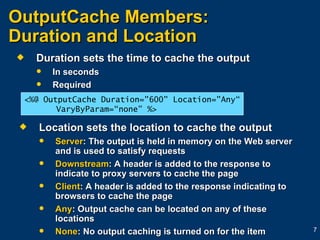
OutputCache Members:  Duration and Location Duration sets the time to cache the output In seconds Required Location sets the location to cache the output Server : The output is held in memory on the Web server and is used to satisfy requests Downstream : A header is added to the response to indicate to proxy servers to cache the page Client : A header is added to the response indicating to browsers to cache the page Any : Output cache can be located on any of these locations None : No output caching is turned on for the item <%@ OutputCache Duration=&quot;600&quot; Location=&quot;Any“ VaryByParam=“none” %>
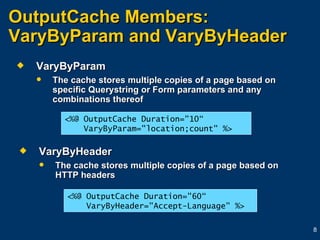
OutputCache Members:  VaryByParam and VaryByHeader VaryByParam The cache stores multiple copies of a page based on specific Querystring or Form parameters and any combinations thereof VaryByHeader The cache stores multiple copies of a page based on HTTP headers <%@ OutputCache Duration=&quot;10“ VaryByParam=&quot;location;count&quot; %> <%@ OutputCache Duration=&quot;60“ VaryByHeader=&quot;Accept-Language&quot; %>
OutputCache Members:  VaryByCustom VaryByCustom If the value is “Browser,” cache varies by browser type and major version If the value is a custom string, you must override HttpApplication.GetVaryByCustomString in the Global.asax and implement your own caching logic
Fragment Caching What is fragment caching? VaryByControl Nested cached user controls Cached controls are not programmable
What Is Fragment Caching? Just as you can vary the versions of a page that are output cached, you can output cache regions of a page Regions are defined based on user controls User controls contain their own @OutputCache directive Fragment caching supports VaryByParam VaryByControl Location not supported because fragments must reside on server to be assembled
Fragment Caching a User Control [*.ascx] <%@ Language=&quot;C#&quot; %>  <%@ OutputCache Duration=&quot;10“ VaryByControl=&quot;State;Country&quot;  VaryByParam=&quot;*&quot;%>  <script runat=server>  public String State {  get { return state.Value; }  set { state.Value = State; } }  public String Country {  get { return country.Value; }  set { country.Value = Country; } }  </script>
VaryByControl VaryByControl The sixth attribute supported by OutputCache Only supported in user control caching Caching is based on user control properties <%@ OutputCache Duration=&quot;10“ VaryByControl=&quot;State;Country“ VaryByParam=&quot;*&quot;%>
Nested Cached User Controls  User controls can be nested Cached user controls can also be nested Since multiple versions of a user control are cached, this creates a hierarchy of cached output This caching tree Is very efficient and powerful Requires almost nothing from a developer Varying by many properties could create a large tree, and therefore, a large memory footprint
Cached Controls Are Not Programmable  Do not try to programmatically access a user control that is in the cache Cached controls are not added to the control tree Trying to access a cached control will throw an exception
Data Caching What is data caching? Working with the cache object Cache dependencies Scavenging memory Using callbacks with caching
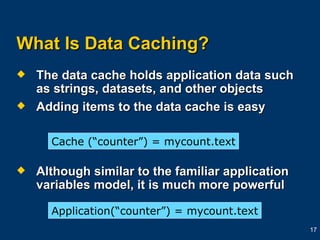
What Is Data Caching? The data cache holds application data such as strings, datasets, and other objects Adding items to the data cache is easy Although similar to the familiar application variables model, it is much more powerful Cache (“counter”) = mycount.text Application(“counter”) =   mycount.text
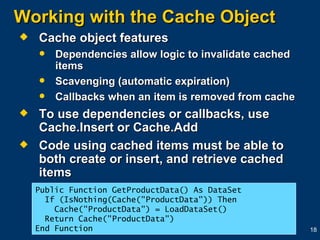
Working with the Cache Object Cache object features Dependencies allow logic to invalidate cached items Scavenging (automatic expiration) Callbacks when an item is removed from cache To use dependencies or callbacks, use Cache.Insert or Cache.Add Code using cached items must be able to both create or insert, and retrieve cached items Public Function GetProductData() As DataSet If (IsNothing(Cache(&quot;ProductData&quot;)) Then Cache(&quot;ProductData&quot;) = LoadDataSet()    Return Cache(&quot;ProductData&quot;) End Function
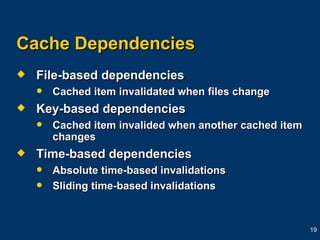
Cache Dependencies File-based dependencies Cached item invalidated when files change Key-based dependencies Cached item invalided when another cached item changes Time-based dependencies Absolute time-based invalidations Sliding time-based invalidations
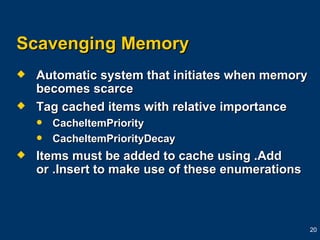
Scavenging Memory Automatic system that initiates when memory becomes scarce Tag cached items with relative importance CacheItemPriority  CacheItemPriorityDecay Items must be added to cache using .Add or .Insert to make use of these enumerations
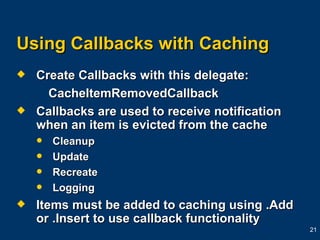
Using Callbacks with Caching Create Callbacks with this delegate: CacheItemRemovedCallback Callbacks are used to receive notification when an item is evicted from the cache Cleanup Update Recreate Logging Items must be added to caching using .Add or .Insert to use callback functionality
Review Code that uses items from the data cache must be able to create the object, load the cache, or retrieve the object before using it. Caching can hide problems. Test without caching. Use tracing, performance counters, and stress software to identify caching wins.
Additional Information about Caching INFO: ASP.NET Caching Overview HOW TO: Control Page Output Caching in ASP.NET by Using Visual Basic .NET  HOW TO: Perform Fragment Caching in ASP.NET by Using Visual Basic .NET
Thank you for joining today’s Microsoft Support WebCast. For information about all upcoming Support WebCasts,  and access to the archived content (streaming media files, PowerPoint ®  slides, and transcripts), please visit:  http:// support.microsoft.com/webcasts / Your feedback is sincerely appreciated. Please send any  comments or suggestions about the Support  WebCasts to  [email_address] .

aergserga

  • 1.
    Microsoft ASP.NET: AnOverview of Caching Holly Mazerolle Developer Support Engineer Microsoft Developer Support Microsoft Corporation
  • 2.
    Overview Introduction toASP.NET caching Output caching Fragment caching Data caching
  • 3.
    Introduction to Cachingin ASP.NET Caching is the most critical factor in creating scalable, high performance Web applications Caching locations Web server, proxy server, and client browsers Types of caching Output caching Fragment caching Data caching
  • 4.
    Output Caching Whatis output caching? @ OutputCache directive and the cache object Output caching attributes: Duration Location VaryByParam VaryByHeader VaryByCustom
  • 5.
    What Is OutputCaching? Pages that use the output cache are executed one time, and the page results are cached The pre-executed page is then served to later requests Performance and scalability both benefit Server response times reduced CPU load reduced Appropriate caching of pages affects site performance dramatically
  • 6.
    @ OutputCache Directiveand the Cache Object @ OutputCache declaratively controls caching behavior For .aspx, .asmx, or .ascx The cache object programmatically controls caching behavior <%@ OutputCache Duration=&quot;600“ Location=&quot;Any“ VaryByParm=“none” %> Is equivalent to: [C#] Response.Cache.SetExpires(DateTime.Now.AddSeconds(600)); Response.Cache.SetCacheability(HttpCacheability.Public);
  • 7.
    OutputCache Members: Duration and Location Duration sets the time to cache the output In seconds Required Location sets the location to cache the output Server : The output is held in memory on the Web server and is used to satisfy requests Downstream : A header is added to the response to indicate to proxy servers to cache the page Client : A header is added to the response indicating to browsers to cache the page Any : Output cache can be located on any of these locations None : No output caching is turned on for the item <%@ OutputCache Duration=&quot;600&quot; Location=&quot;Any“ VaryByParam=“none” %>
  • 8.
    OutputCache Members: VaryByParam and VaryByHeader VaryByParam The cache stores multiple copies of a page based on specific Querystring or Form parameters and any combinations thereof VaryByHeader The cache stores multiple copies of a page based on HTTP headers <%@ OutputCache Duration=&quot;10“ VaryByParam=&quot;location;count&quot; %> <%@ OutputCache Duration=&quot;60“ VaryByHeader=&quot;Accept-Language&quot; %>
  • 9.
    OutputCache Members: VaryByCustom VaryByCustom If the value is “Browser,” cache varies by browser type and major version If the value is a custom string, you must override HttpApplication.GetVaryByCustomString in the Global.asax and implement your own caching logic
  • 10.
    Fragment Caching Whatis fragment caching? VaryByControl Nested cached user controls Cached controls are not programmable
  • 11.
    What Is FragmentCaching? Just as you can vary the versions of a page that are output cached, you can output cache regions of a page Regions are defined based on user controls User controls contain their own @OutputCache directive Fragment caching supports VaryByParam VaryByControl Location not supported because fragments must reside on server to be assembled
  • 12.
    Fragment Caching aUser Control [*.ascx] <%@ Language=&quot;C#&quot; %> <%@ OutputCache Duration=&quot;10“ VaryByControl=&quot;State;Country&quot; VaryByParam=&quot;*&quot;%> <script runat=server> public String State { get { return state.Value; } set { state.Value = State; } } public String Country { get { return country.Value; } set { country.Value = Country; } } </script>
  • 13.
    VaryByControl VaryByControl Thesixth attribute supported by OutputCache Only supported in user control caching Caching is based on user control properties <%@ OutputCache Duration=&quot;10“ VaryByControl=&quot;State;Country“ VaryByParam=&quot;*&quot;%>
  • 14.
    Nested Cached UserControls User controls can be nested Cached user controls can also be nested Since multiple versions of a user control are cached, this creates a hierarchy of cached output This caching tree Is very efficient and powerful Requires almost nothing from a developer Varying by many properties could create a large tree, and therefore, a large memory footprint
  • 15.
    Cached Controls AreNot Programmable Do not try to programmatically access a user control that is in the cache Cached controls are not added to the control tree Trying to access a cached control will throw an exception
  • 16.
    Data Caching Whatis data caching? Working with the cache object Cache dependencies Scavenging memory Using callbacks with caching
  • 17.
    What Is DataCaching? The data cache holds application data such as strings, datasets, and other objects Adding items to the data cache is easy Although similar to the familiar application variables model, it is much more powerful Cache (“counter”) = mycount.text Application(“counter”) = mycount.text
  • 18.
    Working with theCache Object Cache object features Dependencies allow logic to invalidate cached items Scavenging (automatic expiration) Callbacks when an item is removed from cache To use dependencies or callbacks, use Cache.Insert or Cache.Add Code using cached items must be able to both create or insert, and retrieve cached items Public Function GetProductData() As DataSet If (IsNothing(Cache(&quot;ProductData&quot;)) Then Cache(&quot;ProductData&quot;) = LoadDataSet()   Return Cache(&quot;ProductData&quot;) End Function
  • 19.
    Cache Dependencies File-baseddependencies Cached item invalidated when files change Key-based dependencies Cached item invalided when another cached item changes Time-based dependencies Absolute time-based invalidations Sliding time-based invalidations
  • 20.
    Scavenging Memory Automaticsystem that initiates when memory becomes scarce Tag cached items with relative importance CacheItemPriority CacheItemPriorityDecay Items must be added to cache using .Add or .Insert to make use of these enumerations
  • 21.
    Using Callbacks withCaching Create Callbacks with this delegate: CacheItemRemovedCallback Callbacks are used to receive notification when an item is evicted from the cache Cleanup Update Recreate Logging Items must be added to caching using .Add or .Insert to use callback functionality
  • 22.
    Review Code thatuses items from the data cache must be able to create the object, load the cache, or retrieve the object before using it. Caching can hide problems. Test without caching. Use tracing, performance counters, and stress software to identify caching wins.
  • 23.
    Additional Information aboutCaching INFO: ASP.NET Caching Overview HOW TO: Control Page Output Caching in ASP.NET by Using Visual Basic .NET HOW TO: Perform Fragment Caching in ASP.NET by Using Visual Basic .NET
  • 24.
    Thank you forjoining today’s Microsoft Support WebCast. For information about all upcoming Support WebCasts, and access to the archived content (streaming media files, PowerPoint ® slides, and transcripts), please visit: http:// support.microsoft.com/webcasts / Your feedback is sincerely appreciated. Please send any comments or suggestions about the Support WebCasts to [email_address] .