ASP.NET Best Practices	- Useful Tips from the TrenchesHabeebRushdan, MCThrushdan@lowerhead.comLowerHead Consulting, LLC
Target Audience (Why should I sit through this session anyway?)Programmers new to .NET DevelopmentAny non-programmer(even those IT gals & guys) interesting in learning about ASP.NET DevelopmentExisting ASP.NET web developers interesting in learning a few best practices… we only have a little over an  hour so we can’t cover too much!
AgendaIntroductionsBrief Introduction of ASP.NETBest Practice ExamplesMore Best Practice ExamplesA bit More Best Practice Examples…Useful Websites & ArticlesConclusion
About your Presenter10 + Years  working Professionally in the Technology FieldMicrosoft Certified Trainer (MCT)Microsoft Certified Professional Developer (MCPD: Web Developer)Microsoft Certified Technology Specialist (MCTS: .NET Framework 3.5, ASP.NET Applications)Microsoft Certified Technology Specialist (MCTS: .NET Framework 2.0: Web Applications)Microsoft Certified Application Developer (MCAD.NET)Adobe Certified Instructor - FlashAdobe Certified Expert (ACE - Flash CS3 Professional)Macromedia Certified Flash MX Developer
A little bit about you…Who are you?I really want to know… (Sorry CSI, I couldn’t resist!)
What is ASP.NET???A series of Classes that live in the System.Web AssemblyProvides the ability to easily create dynamic websites and applications in the .NET FrameworkHas all the benefits of OOP and the ability to access the thousands of classes built-in to Microsoft’s .NET Framework Class Library
Demo Time – Using Object Browser to look into System.Web Assembly’s Types
ASP.NET Page Execution Life-CycleA series of ASP.NET Page Events that occur in a specific orderOccurs every time you make a Request to an ASP.NET PageWhether it is the first time you visit a page or any additional PostBack to the same page!
ASP.NET Page Life-Cycle Events PreInitInitInitCompletePreLoadLoadControl events e.g Button1_Click, UserNameTextBox_TextChangedLoadCompletePreRenderSaveStateCompleteRenderUnload
Some of most commonly used ASP.NET Page Life-Cycle Events PreInitSet a Master page or Theme dynamicallyLoadSet properties in controls and grab data to be bound to controls that allow Data-bindingPreRenderMake final changes to the contents of the page or its controls e.g. attaching custom HTML attributes to a Button
Demo Time – Handling Page Events
Tips for Creating WebSitesStart with a Blank SolutionSeparate out your Application into logical TiersSeparate Projects for UI, Business Rules, Data-Access, etcCreate a BasePage that other pages will inherit fromUse MasterPages for consistent layoutUse UserControls for reusable UI functionality
Demo Time – Creating a WebSite
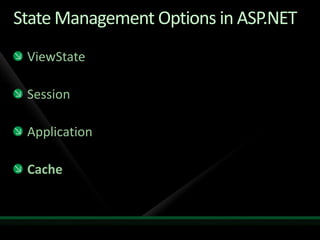
State Management Options in ASP.NETViewStateSessionApplicationCache
ViewStateMaintains state at the Page/Control levelIs stored in a Hidden Form Input Element on the Client It can get very large, very quickly so beware and disable it where possible
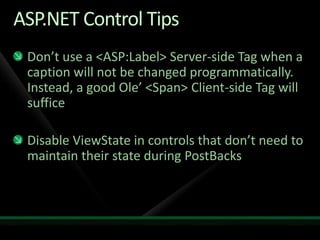
ASP.NET Control TipsDon’t use a <ASP:Label> Server-side Tag when a caption will not be changed programmatically. Instead, a good Ole’ <Span> Client-side Tag will sufficeDisable ViewState in controls that don’t need to maintain their state during PostBacks
Demo Time - ViewState
SessionMaintains state at the Session level (generally speaking, per a user’s browser instance)Items are accessible from Page to PageKeep in mind that Items stored In Session “linger” until they ExpireDon’t overuse or your web server’s memory will complain!Make sure any custom types you define that need to be stored in Session are marked “Serializable”
CacheRobust Application-wide and Non-Session specific state management objectProvides many options for Item Expiration and Dependencies
Cache & Application SuggestionsUse the Cache Object instead of the legacy Application ObjectCache provides tons of more options for intelligently managing your application-wide state dataCompare the options available with Application.Add to the Cache.Add & Cache.Insert
State Management NO NOsDon’t store unmanaged objects in State ManagementFor example:No DataReadersNo File Handles (however, the contents of a file stored as System.String is OK)
State Management SuggestionsAlways check for the existence of an object before accessing it (also called defensive programming)Use string constants for keysThis prevents misspellings and other nasty side-effectsConsider using a “Manager” pattern with State Management objects
Demo Time – SessionManager Class
Some General TipsDispose of unmanaged resources after their useThis is especially important in web applications because of their disconnected natureTherefore, indulge the “using” statementMake sure you have a robust exception handling strategyUse Try/Catch/Finally where potential issues may occur and have a consistent logical way of dealing with exceptions
Exception Handling in ASP.NETWeb.config page redirect optionPage_ErrorApplication_Error
ASP.NET AJAX OptionsServer-side AJAXUsing UpdatePanels with existing ASP.NET controls to “trick” the client that PostBacks are not occurringClient-side AJAXNo trickery involved but more work & better bang for the buck
AJAX TipsMinimize the use of Server-side AJAX and Update PanelsBad for performance and may cause some unexpected resultsEmbrace Client-side AJAX (true AJAX)Microsoft makes it easy but you will need to learn some JavaScriptDon’t be scared… JavaScript is fun and exceptionally versatile!
Demo Time – Client side AJAX
Any Tips you would like to Add?Come on, don’t be shy…We won’t bite ya… we just had some free pizza!
What have you learned?An Overview of ASP.NETSeveral ASP.NET Best Practices
Useful Websites & ArticlesMicrosoft’s Official Developer Network Sitehttp://www.msdn.comASP.NET Official Web Sitehttp://www.asp.net/http://www.asp.net/ajax/CodeProject Web Sitehttp://www.codeproject.com/
ConclusionQuestions?/Comments…As always, “Live long and code proper!”

ASP.NET Best Practices - Useful Tips from the Trenches

  • 1.
    ASP.NET Best Practices -Useful Tips from the TrenchesHabeebRushdan, MCThrushdan@lowerhead.comLowerHead Consulting, LLC
  • 2.
    Target Audience (Whyshould I sit through this session anyway?)Programmers new to .NET DevelopmentAny non-programmer(even those IT gals & guys) interesting in learning about ASP.NET DevelopmentExisting ASP.NET web developers interesting in learning a few best practices… we only have a little over an hour so we can’t cover too much!
  • 3.
    AgendaIntroductionsBrief Introduction ofASP.NETBest Practice ExamplesMore Best Practice ExamplesA bit More Best Practice Examples…Useful Websites & ArticlesConclusion
  • 4.
    About your Presenter10+ Years working Professionally in the Technology FieldMicrosoft Certified Trainer (MCT)Microsoft Certified Professional Developer (MCPD: Web Developer)Microsoft Certified Technology Specialist (MCTS: .NET Framework 3.5, ASP.NET Applications)Microsoft Certified Technology Specialist (MCTS: .NET Framework 2.0: Web Applications)Microsoft Certified Application Developer (MCAD.NET)Adobe Certified Instructor - FlashAdobe Certified Expert (ACE - Flash CS3 Professional)Macromedia Certified Flash MX Developer
  • 5.
    A little bitabout you…Who are you?I really want to know… (Sorry CSI, I couldn’t resist!)
  • 6.
    What is ASP.NET???Aseries of Classes that live in the System.Web AssemblyProvides the ability to easily create dynamic websites and applications in the .NET FrameworkHas all the benefits of OOP and the ability to access the thousands of classes built-in to Microsoft’s .NET Framework Class Library
  • 7.
    Demo Time –Using Object Browser to look into System.Web Assembly’s Types
  • 8.
    ASP.NET Page ExecutionLife-CycleA series of ASP.NET Page Events that occur in a specific orderOccurs every time you make a Request to an ASP.NET PageWhether it is the first time you visit a page or any additional PostBack to the same page!
  • 9.
    ASP.NET Page Life-CycleEvents PreInitInitInitCompletePreLoadLoadControl events e.g Button1_Click, UserNameTextBox_TextChangedLoadCompletePreRenderSaveStateCompleteRenderUnload
  • 10.
    Some of mostcommonly used ASP.NET Page Life-Cycle Events PreInitSet a Master page or Theme dynamicallyLoadSet properties in controls and grab data to be bound to controls that allow Data-bindingPreRenderMake final changes to the contents of the page or its controls e.g. attaching custom HTML attributes to a Button
  • 11.
    Demo Time –Handling Page Events
  • 12.
    Tips for CreatingWebSitesStart with a Blank SolutionSeparate out your Application into logical TiersSeparate Projects for UI, Business Rules, Data-Access, etcCreate a BasePage that other pages will inherit fromUse MasterPages for consistent layoutUse UserControls for reusable UI functionality
  • 13.
    Demo Time –Creating a WebSite
  • 14.
    State Management Optionsin ASP.NETViewStateSessionApplicationCache
  • 15.
    ViewStateMaintains state atthe Page/Control levelIs stored in a Hidden Form Input Element on the Client It can get very large, very quickly so beware and disable it where possible
  • 16.
    ASP.NET Control TipsDon’tuse a <ASP:Label> Server-side Tag when a caption will not be changed programmatically. Instead, a good Ole’ <Span> Client-side Tag will sufficeDisable ViewState in controls that don’t need to maintain their state during PostBacks
  • 17.
    Demo Time -ViewState
  • 18.
    SessionMaintains state atthe Session level (generally speaking, per a user’s browser instance)Items are accessible from Page to PageKeep in mind that Items stored In Session “linger” until they ExpireDon’t overuse or your web server’s memory will complain!Make sure any custom types you define that need to be stored in Session are marked “Serializable”
  • 19.
    CacheRobust Application-wide andNon-Session specific state management objectProvides many options for Item Expiration and Dependencies
  • 20.
    Cache & ApplicationSuggestionsUse the Cache Object instead of the legacy Application ObjectCache provides tons of more options for intelligently managing your application-wide state dataCompare the options available with Application.Add to the Cache.Add & Cache.Insert
  • 21.
    State Management NONOsDon’t store unmanaged objects in State ManagementFor example:No DataReadersNo File Handles (however, the contents of a file stored as System.String is OK)
  • 22.
    State Management SuggestionsAlwayscheck for the existence of an object before accessing it (also called defensive programming)Use string constants for keysThis prevents misspellings and other nasty side-effectsConsider using a “Manager” pattern with State Management objects
  • 23.
    Demo Time –SessionManager Class
  • 24.
    Some General TipsDisposeof unmanaged resources after their useThis is especially important in web applications because of their disconnected natureTherefore, indulge the “using” statementMake sure you have a robust exception handling strategyUse Try/Catch/Finally where potential issues may occur and have a consistent logical way of dealing with exceptions
  • 25.
    Exception Handling inASP.NETWeb.config page redirect optionPage_ErrorApplication_Error
  • 26.
    ASP.NET AJAX OptionsServer-sideAJAXUsing UpdatePanels with existing ASP.NET controls to “trick” the client that PostBacks are not occurringClient-side AJAXNo trickery involved but more work & better bang for the buck
  • 27.
    AJAX TipsMinimize theuse of Server-side AJAX and Update PanelsBad for performance and may cause some unexpected resultsEmbrace Client-side AJAX (true AJAX)Microsoft makes it easy but you will need to learn some JavaScriptDon’t be scared… JavaScript is fun and exceptionally versatile!
  • 28.
    Demo Time –Client side AJAX
  • 29.
    Any Tips youwould like to Add?Come on, don’t be shy…We won’t bite ya… we just had some free pizza!
  • 30.
    What have youlearned?An Overview of ASP.NETSeveral ASP.NET Best Practices
  • 31.
    Useful Websites &ArticlesMicrosoft’s Official Developer Network Sitehttp://www.msdn.comASP.NET Official Web Sitehttp://www.asp.net/http://www.asp.net/ajax/CodeProject Web Sitehttp://www.codeproject.com/
  • 32.