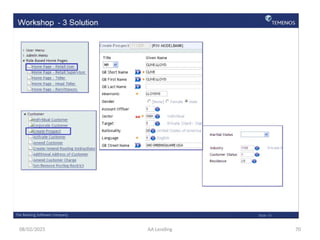
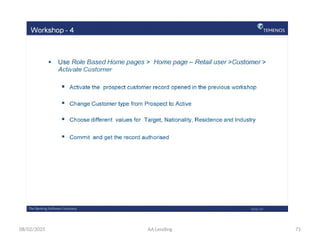
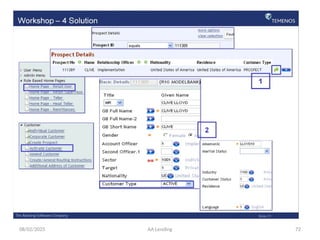
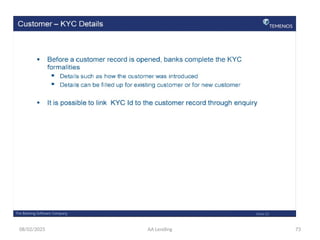
08/02/2025 AA Lending 1
DEVELOPMENT BANK OF ETHIOPIA
CORE BANKING PROJECT OFFICE
08/02/2025 AA Lending 2
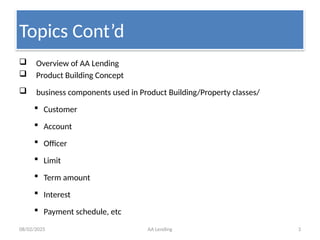
Topics to be covered
 Core banking Over view
 T24 defined
 T24 Navigation
 Customer Application
 Account Application
08/02/2025 AA Lending 3
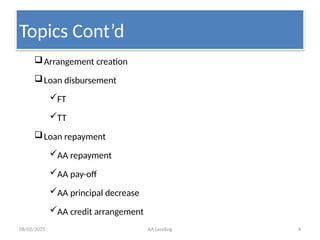
 Overview of AA Lending
 Product Building Concept
 business components used in Product Building/Property classes/
 Customer
 Account
 Officer
 Limit
 Term amount
 Interest
 Payment schedule, etc
Topics Cont’d
08/02/2025 AA Lending 4
Topics Cont’d
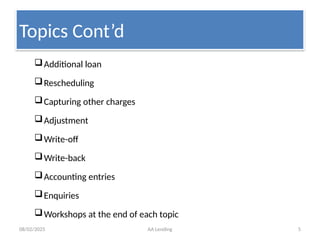
Arrangement creation
Loan disbursement
FT
TT
Loan repayment
AA repayment
AA pay-off
AA principal decrease
AA credit arrangement
08/02/2025 AA Lending 5
Additional loan
Rescheduling
Capturing other charges
Adjustment
Write-off
Write-back
Accounting entries
Enquiries
Workshops at the end of each topic
Topics Cont’d
08/02/2025 AA Lending 6
Core banking
OVER VIEW
08/02/2025 AA Lending 7
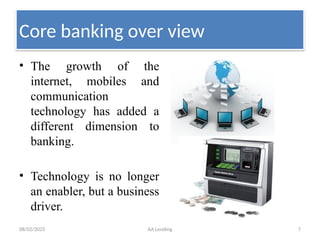
• The growth of the
internet, mobiles and
communication
technology has added a
different dimension to
banking.
• Technology is no longer
an enabler, but a business
driver.
Core banking over view
08/02/2025 AA Lending 8
Core banking over view
The role of IT has become so
integrated and pervasive with banking
that it is impossible to think of
banking processes without an effective
IT system in place.
The use of advance technology in
banking and its operations is the
requirement to cater to the needs of
the customers and stakeholders in
the bank.
08/02/2025 AA Lending 9
Cont’d
• Banks are increasingly adopting IT based solutions, for
providing better services to their customers at a minimal cost.
Many of the IT initiatives of banks started in the late 1990’s
or early 2000 with an emphasis on the adoption of core
banking solutions (CBS), automation of branches and
centralization of operations in the CBS.
• But, What is CORE BANKING?
08/02/2025 AA Lending 10
core banking is the sum of all IT
components that allow a banking
institution to develop, process, and
manage its basic financial products
and services effectively.
Core banking is a software based
system that provides end to end
functionalities for a bank’s main
business process.
Cont’d
08/02/2025 AA Lending 11
 Faster Response to Customer Demands
 Allows Faster New Product
Developments
 CBS Architecture Allows for Existing
Products to be Quickly Customized
 Online Validation of Data – at the Time
of Entry
 Runs in Real Time Update Mode
Cont’d
08/02/2025 AA Lending 12
Core banking software products & their Vendors
• Because of their complexity and need for robust support, core
banking systems are developed and supported by internationally
well-known vendors.
• Core banking systems are made in a highly configurable way.
• They are also developed based on international best practices.
• Since no core banking system can ever be perfect-fit to a bank
needs, customization is inevitable.
08/02/2025 AA Lending 13
Core banking products Cont’d
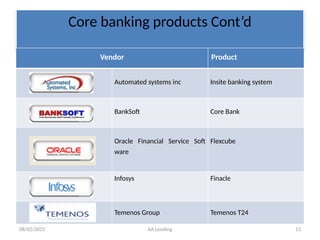
Vendor Product
Automated systems inc Insite banking system
BankSoft Core Bank
Oracle Financial Service Soft
ware
Flexcube
Infosys Finacle
Temenos Group Temenos T24
08/02/2025 AA Lending 14
Core banking in DBE
• DBE had been rendering its service by in
house developed system called COBOL.
• Due to technological obsolescence and
functionality problem of the COBOL system,
the bank was forced to replace it with
international standard core banking system
early in 2002.
08/02/2025 AA Lending 15
• On March 2002 the bank’s board of management
decided to implement GLOBUS and singed with the
vendor.
• However, due to various reasons, the implementation
couldn’t be completed on time.
• On January 2007 Globus went live with some
unresolved issues, in the mean time the vendor had
already released four new releases.
Cont’d
08/02/2025 AA Lending 16
• The bank has struggling in looking for a way to resolve the
problem of the Globus system.
• After conducting intense study and site visits the bank decided to
implement the latest release of the existing core banking system –
T24 release 10
• The vendor, TEMENOS made a major technical upgrade of its
flagship product, TEMENOS GLOBUS, resulting in the
introduction of TEMENOS T24, non-stop, scalable, functionally
rich, real-time banking application that responds to evolving
market needs.
Cont’d
08/02/2025 AA Lending 17
T24 OVER VIEW
08/02/2025 AA Lending 18
T24 Over view
• Being on of the prominent Core banking software,
Temenos T24 draws upon rich functional features
that have been developed over the years.
• It is an end to end solution for banking needs.
• It has comprehensive functions
– is integrated
– Timely
• Real time and batch
– Multi currency
08/02/2025 AA Lending 19
• Within single software, besides providing a variety
of business features used throughout the world it
also provides:
– relevant accounting, risk checking, controlling, messaging and
currency position updating.
Hence, it is fully integrated software which can
effectively replace a combination of software that
many banks currently depend on for their business
needs.
Cont’d
08/02/2025 AA Lending 20
• It updates in real time not only business related actions
but also connected risk checking, accounting, messaging
and currency positions.
• Not all actions should be done on line. Besides dragging
the performance, there would also be avoidable
repetitions.
– Such actions are automatically done as a Batch job. For
instance, interest calculation and application,
revaluation and producing reports, just to name a few.
Cont’d
08/02/2025 AA Lending 21
System Structure
• T24 CBS is built up from different inter-related Application. Some of these
application are crucial for the system to run as system and others are optional.
 Core
 Mandatory for the system to run T24 functions only if the entire Core is in place.
 Example:
 Customer,
 Account,
 Accounting,
 Limit
 Lending
08/02/2025 AA Lending 22
Cont’d
 Optional
 Possible for the system to run without them ,
banks may procure them based on their
business requirements
 Money market,
 Forex
08/02/2025 23
• A Bank can buy only those business
applications they currently need.
– As it enters into new fields, for example
a retail bank decides to enter into
Private Banking domain also; it can buy
the additional applications and
seamlessly continue its operations.
– These business philosophies of
AA Lending
Cont’d
08/02/2025 AA Lending 24
Account Vs Contract dealings
• One of the important aspects of T24 is that all dealings with
customers are classified either as ‘Accounts’ or ‘Contracts’.
• The main difference between an Account and a Contract is
that an Account permits balance to be debit or credit from
time to time, whereas in any particular contract, while the
balance may change from time to time, its sign will not
change from the original –
– viz., debit will not be allowed to become credit and credit into
debit. At the end of the contract, the balance only becomes NIL.
08/02/2025 AA Lending 25
T24 distinguishes its business applications as
 Account based and
Contract based.
 This comes from the underlying business of Banks which do
allow balances in
 Accounts to switch from positive to negative sign
 Contracts never switch their accounting sign, example
 A Loan remaining always a loan and a deposit always
a deposit.
Cont’d
08/02/2025 AA Lending 26
• Customers have different types of Accounts such as, Current
Accounts, Savings Accounts, Margin Accounts and so on.
• We also have internal accounts, which are bank’s own accounts
that maintain “base” information not held anywhere else in the
system, e.g.. Cash, Capital & Reserves, Furniture, Departmental
and other Suspense Accounts, Tax awaiting Payment etc.
• Customers may have Contracts such as, Money Market deals,
Securities contracts, Loan contracts, Letters of Credit, Foreign
Exchange deals and so on. In all these contracts, the initial sign
never changes from one to the other sign.
Cont’d
08/02/2025 AA Lending 27
T24 - Navigation -
08/02/2025 AA Lending 28
• T24 can be operated with two different front ends,
namely
 Browser and character based Classic.
 Both are complementary products and have the basic
functionality.
However, each of them has certain specific features.
Introduction to T24 - Navigation -
08/02/2025 AA Lending 29
Navigation – Cont’d
• Browser is the latest front end to Temenos T24.
 It is a light client as we use a common browser link Internet
Explorer to log on to Temenos T24. Hence there is no need
for installation of special software in the client systems.
• Classic can be used for running COB operations and
online service agents.
 It is meant for system administrators.
08/02/2025 AA Lending 30
• no proprietary software downloads or
installations are required to connect to the
T24 Browser. The only prerequisite is that the
user has an Internet Browser installed
Navigation – Cont’d
08/02/2025 AA Lending 31
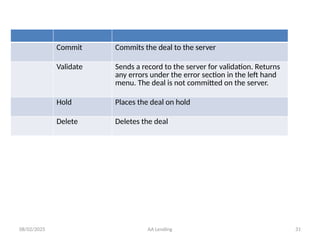
Commit Commits the deal to the server
Validate Sends a record to the server for validation. Returns
any errors under the error section in the left hand
menu. The deal is not committed on the server.
Hold Places the deal on hold
Delete Deletes the deal
08/02/2025 AA Lending 32
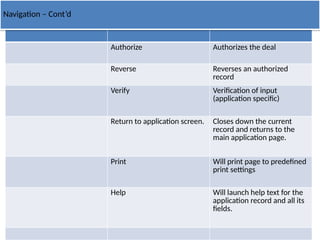
Authorize Authorizes the deal
Reverse Reverses an authorized
record
Verify Verification of input
(application specific)
Return to application screen. Closes down the current
record and returns to the
main application page.
Print Will print page to predefined
print settings
Help Will launch help text for the
application record and all its
fields.
Navigation – Cont’d
08/02/2025 AA Lending 33
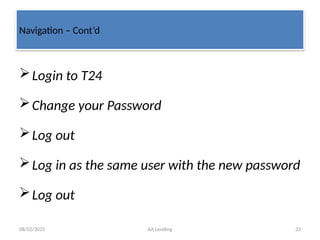
Login to T24
Change your Password
Log out
Log in as the same user with the new password
Log out
Navigation – Cont’d
08/02/2025 AA Lending 34
• Log in to the T24 System
• Navigate through the Menus, Sub menus and
Applications
Navigation – Cont’d
08/02/2025 AA Lending 35
Customer
08/02/2025 AA Lending 36
08/02/2025 AA Lending 37
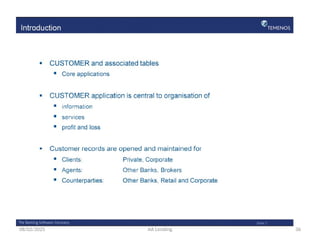
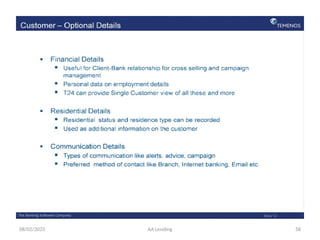
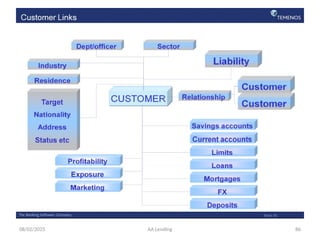
• CUSTOMER application is central or “Core” to T24
system as all activities are customer centric in nature.
• All management information and services are
organized around Customer record.
• Details mentioned in Customer records are not
repeated any where else, but used by all applications.
• Non financial data
Cont’d
08/02/2025 AA Lending 38
• In T24, Customer record creation is not restricted to
‘Bank’s Customer’ in the conventional sense of the
word.
• A customer record will need to be opened for
– correspondent banks
– brokers
– guarantors etc.
– as well as for Bank’s customers like current and savings
account holders, borrowers, depositors and the like.
Cont’d
08/02/2025 AA Lending 39
• In Retail Banking, a customer would normally have some kind of account
such as
 savings account,
 current account or
 Overdrafts.
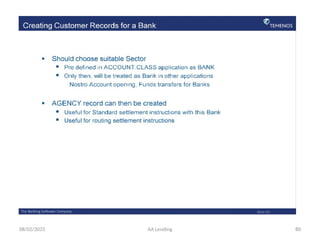
•Banks have Nostro Account with other Banks.
• A Customer need not be in account relationship with a Bank to do
business.
• Though some Banks insist that their Customers should always have an
account with them before getting into any Contractual relationship, this is
not mandatory universally.
Cont’d
08/02/2025 AA Lending 40
• One Record should exist for One Customer
• Can be created whenever a name, address and other
such essential information is obtained and is not
dependent on the existence of an account.
• Customer record, once created, remains for ever
• We can however amend any details as and when
needed
Cont’d
08/02/2025 AA Lending 41
• T24 is a customer-orientated system. An account
is connected to a CUSTOMER record and thus the
owner and address details are not entered on the
individual ACCOUNT. This eliminates the need for
extensive maintenance of customer information
such as when a customer changes their address.
Cont’d
08/02/2025 AA Lending 42
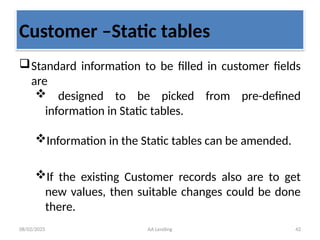
Customer –Static tables
Standard information to be filled in customer fields
are
 designed to be picked from pre-defined
information in Static tables.
Information in the Static tables can be amended.
If the existing Customer records also are to get
new values, then suitable changes could be done
there.
08/02/2025 AA Lending 43
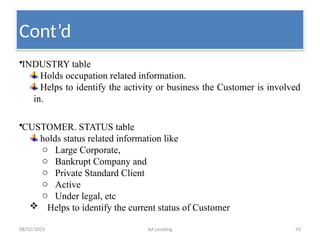
•INDUSTRY table
Holds occupation related information.
Helps to identify the activity or business the Customer is involved
in.
•CUSTOMER. STATUS table
holds status related information like
o Large Corporate,
o Bankrupt Company and
o Private Standard Client
o Active
o Under legal, etc
 Helps to identify the current status of Customer
Cont’d
08/02/2025 AA Lending 44
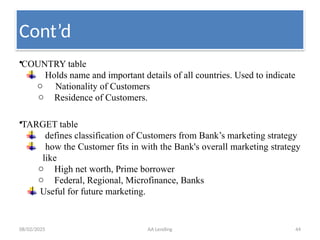
•COUNTRY table
Holds name and important details of all countries. Used to indicate
o Nationality of Customers
o Residence of Customers.
•TARGET table
defines classification of Customers from Bank’s marketing strategy
how the Customer fits in with the Bank's overall marketing strategy
like
o High net worth, Prime borrower
o Federal, Regional, Microfinance, Banks
Useful for future marketing.
Cont’d
08/02/2025 AA Lending 45
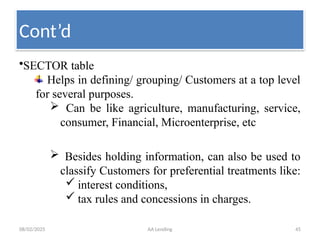
•SECTOR table
Helps in defining/ grouping/ Customers at a top level
for several purposes.
 Can be like agriculture, manufacturing, service,
consumer, Financial, Microenterprise, etc
 Besides holding information, can also be used to
classify Customers for preferential treatments like:
 interest conditions,
 tax rules and concessions in charges.
Cont’d
08/02/2025 AA Lending 46
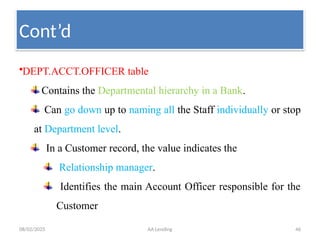
•DEPT.ACCT.OFFICER table
Contains the Departmental hierarchy in a Bank.
Can go down up to naming all the Staff individually or stop
at Department level.
In a Customer record, the value indicates the
Relationship manager.
Identifies the main Account Officer responsible for the
Customer
Cont’d
08/02/2025 AA Lending 47
08/02/2025 AA Lending 48
08/02/2025 AA Lending 49
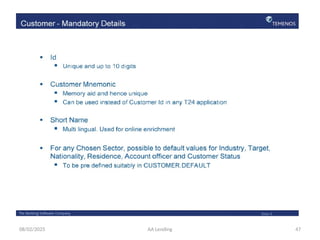
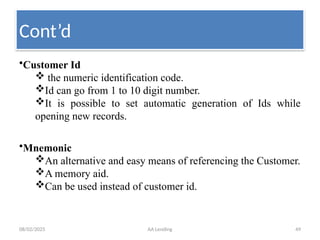
•Customer Id
 the numeric identification code.
Id can go from 1 to 10 digit number.
It is possible to set automatic generation of Ids while
opening new records.
•Mnemonic
An alternative and easy means of referencing the Customer.
A memory aid.
Can be used instead of customer id.
Cont’d
08/02/2025 AA Lending 50
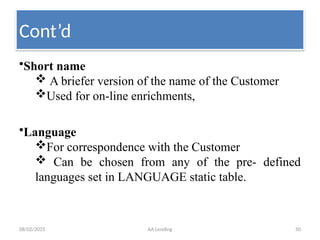
•Short name
 A briefer version of the name of the Customer
Used for on-line enrichments,
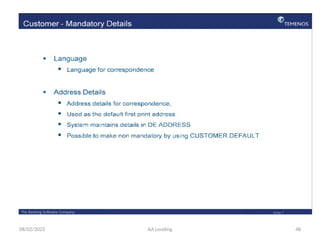
•Language
For correspondence with the Customer
 Can be chosen from any of the pre- defined
languages set in LANGUAGE static table.
Cont’d
08/02/2025 AA Lending 51
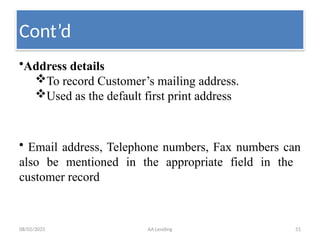
•Address details
To record Customer’s mailing address.
Used as the default first print address
• Email address, Telephone numbers, Fax numbers can
also be mentioned in the appropriate field in the
customer record
Cont’d
08/02/2025 AA Lending 52
08/02/2025 AA Lending 53
08/02/2025 AA Lending 54
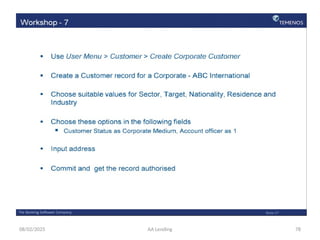
 Create an Individual Customer record for a staff you
have known with the following information
• Saving account Number 112-1444
• Birr 3,465 is balance available in his saving account
• Choose sector 1600 and validate
• Input all mandatory details
• Commit and get the record authorized
Cont’d
08/02/2025 AA Lending 55
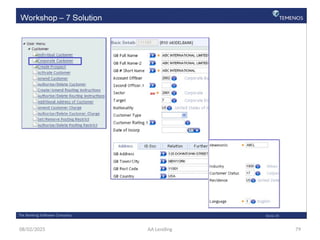
 Create a corporate Customer record for a company you
have known with the following information
• Choose sector 2200 and validate
• Input all mandatory details
• Commit and get the record authorized
08/02/2025 AA Lending 56
08/02/2025 AA Lending 57
08/02/2025 AA Lending 58
08/02/2025 AA Lending 59
08/02/2025 AA Lending 60
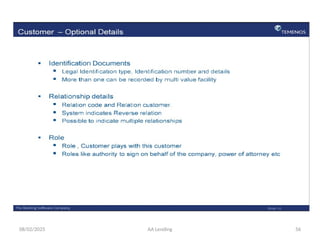
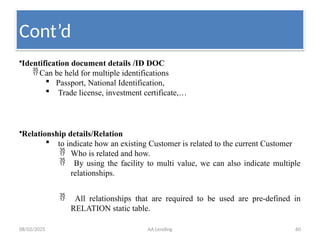
•Identification document details /ID DOC
Can be held for multiple identifications
 Passport, National Identification,
 Trade license, investment certificate,…
•Relationship details/Relation
 to indicate how an existing Customer is related to the current Customer
 Who is related and how.
 By using the facility to multi value, we can also indicate multiple
relationships.
 All relationships that are required to be used are pre-defined in
RELATION static table.
Cont’d
08/02/2025 AA Lending 61
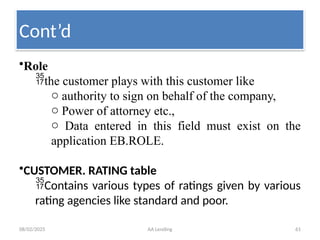
•Role
the customer plays with this customer like
o authority to sign on behalf of the company,
o Power of attorney etc.,
o Data entered in this field must exist on the
application EB.ROLE.
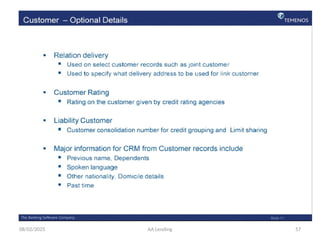
•CUSTOMER. RATING table
Contains various types of ratings given by various
rating agencies like standard and poor.
Cont’d
08/02/2025 AA Lending 62
•CRM Static information
- aimed at client-bank relationship
• CRM Static information includes
• Previous name,
• date of changing the name,
• Number of dependents, spoken language,
other nationality
• Past time etc.
Cont’d
08/02/2025 AA Lending 63
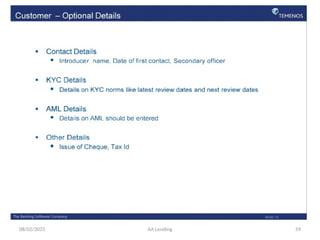
•Communication Details
Types of communications to be used
o Alerts
o Advice
o Campaign
 Preferred method of contact
- Branch
- Internet banking,
- Mobile banking
- Email, etc
Cont’d
08/02/2025 AA Lending 64
•Contact details
 Introducer name
 Date of first contact
 Secondary officer
•KYC details
 Details on KYC norms,
o Latest review dates
o Next review dates
•AML details
 Details on AML should be entered
•Other details
 Tax id
Cont’d
08/02/2025 AA Lending 65
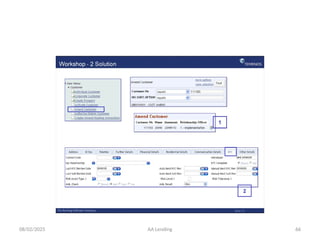
08/02/2025 AA Lending 66
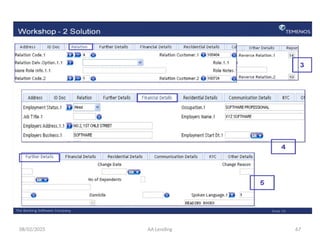
08/02/2025 AA Lending 67
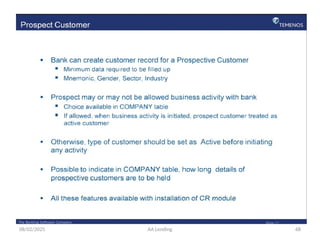
08/02/2025 AA Lending 68
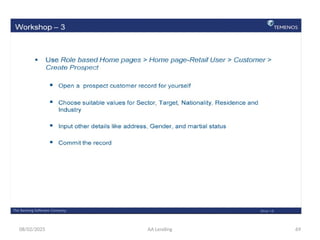
08/02/2025 AA Lending 69
08/02/2025 AA Lending 70
08/02/2025 AA Lending 71
08/02/2025 AA Lending 72
08/02/2025 AA Lending 73
08/02/2025 AA Lending 74
08/02/2025 AA Lending 75
08/02/2025 AA Lending 76
08/02/2025 AA Lending 77
08/02/2025 AA Lending 78
08/02/2025 AA Lending 79
08/02/2025 AA Lending 80
08/02/2025 AA Lending 81
08/02/2025 AA Lending 82
08/02/2025 AA Lending 83
08/02/2025 AA Lending 84
08/02/2025 AA Lending 85
08/02/2025 AA Lending 86
08/02/2025 AA Lending 87
08/02/2025 AA Lending 88
A
A
M
o
d
u
l
e
08/02/2025 AA Lending 89
Arrangement Architecture/AA Lending/
defined
Arrangement
• An arrangement is an agreement between the
bank and interested party to provide an
agreed service.
Architecture
• the art and science of designing and
constructing buildings (lending products)
08/02/2025 AA Lending 90
• Arrangement is an agreement between the
bank and interested party to provide an
agreed service.
• AA module provides ability to create and
manage arrangements for customers
Cont’d
08/02/2025 AA Lending 91
• The AA module provides a flexible framework that
allows a number of new products to be created.
• The application provides a business component
based architecture for the management of products.
• The concept of AA revolves on the premise that all
products are constituted from a number of
fundamental business components
Cont’d
08/02/2025 AA Lending 92
Main features of the AA module are
• Ability to build families of products.
• Ability to inherit properties from the product
family structure.
• Ability to determine the properties that a
product is comprised
08/02/2025 AA Lending 93
• Control of default values to be applied for
product arrangements.
• The AA module provides the ability to manage
arrangements for created products.
Cont’d
08/02/2025 AA Lending 94
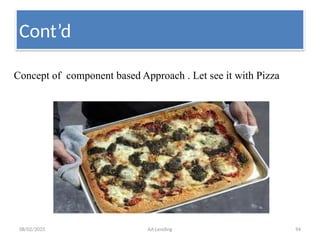
Concept of component based Approach . Let see it with Pizza
Cont’d
08/02/2025 AA Lending 95
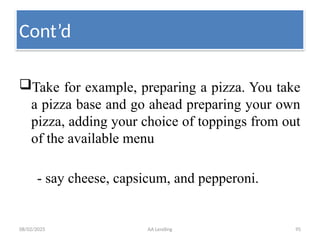
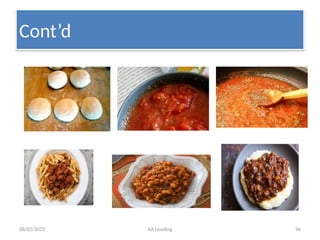
Take for example, preparing a pizza. You take
a pizza base and go ahead preparing your own
pizza, adding your choice of toppings from out
of the available menu
- say cheese, capsicum, and pepperoni.
Cont’d
08/02/2025 AA Lending 96
Cont’d
08/02/2025 AA Lending 97
Cont’d
08/02/2025 AA Lending 98
Cont’d
08/02/2025 AA Lending 99
Cont’d
08/02/2025 AA Lending 100
• In a similar way, the banking loan products are split
into components like :-
Term Amount,
principal
Term
Payment Rules
Limit
Periodic Rules
Cont’d
08/02/2025 AA Lending 101
 Accounting
 Interest etc.
Penalty interest
Commitment interest
 Charges etc
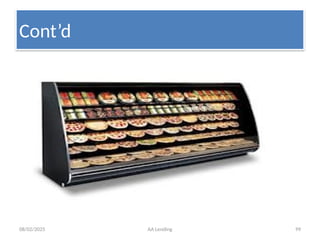
• defining each component with certain qualities. Imagine there
is a basket of all these components with varied qualities. When
a bank wants to launch a new loan product, in no time it can
launch the product assembling the required components
picked from the basket.
Cont’d
08/02/2025 AA Lending 102
• Financial institution can use these “building
blocks” of functionality to construct the
individual products which are available for sale
to its customers
Cont’d
08/02/2025 AA Lending 103
• In AA there is a three tiered Product
Organization comprising Product Lines defined
by Temenos, and Product Groups, Products
which can be defined by Users.
• Lending, Internet Services, Accounts, Deposits
are some of the Product Lines in AA.
Cont’d
08/02/2025 AA Lending 104
• under each Product Group, multiple Products can
be created by Users. It is finally the Products which
a Bank can offer to its Customers.
• A Product is the final saleable unit to a Customer.
• A Product in AA goes through three processes
Product designing, proofing and publishing
Cont’d
08/02/2025 AA Lending 105
Designing is the Process of creating Products and attaching Product
Conditions to their Properties.
Proofing validates that the Product has been configured correctly without
errors, and is ready for release.
Publishing is the process by which a Product is put into Product Catalog.
•Once a Product is published into Product Catalog, it is available for sale.
Cont’d
08/02/2025 AA Lending 106
 Once a Product has been published to the Product Catalogue it becomes available
for sale. - Once a product is Proofed, the Product is in sync with its
hierarchy such as Parent and or the associated Product Group
 what is product?
–Commodities/services offered for sale
 What is catalog?
–A complete list of things; usually arranged systematically
 To create a new arrangement (i.e. a loan) a user will select a product from
the catalogue and T24 will default all of the conditions defined for the
product.
• New Arrangements can be created only for a Product published into
Product Catalog.
Cont’d
08/02/2025 AA Lending 107
• The user will then input any necessary
conditions (e.g. amount, term, dates, etc.),
which have not been defaulted from the product.
• Both defaulted and user input conditions must
be within the negotiation rules specified in the
product definition (e.g. amount between 10,000
and 100,000).
Cont’d
08/02/2025 AA Lending 108
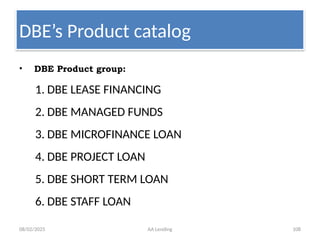
DBE’s Product catalog
• DBE Product group:
1. DBE LEASE FINANCING
2. DBE MANAGED FUNDS
3. DBE MICROFINANCE LOAN
4. DBE PROJECT LOAN
5. DBE SHORT TERM LOAN
6. DBE STAFF LOAN
08/02/2025 AA Lending 109
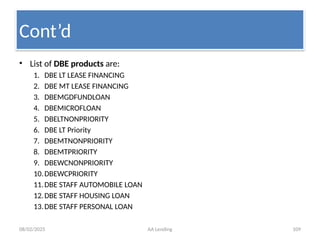
• List of DBE products are:
1. DBE LT LEASE FINANCING
2. DBE MT LEASE FINANCING
3. DBEMGDFUNDLOAN
4. DBEMICROFLOAN
5. DBELTNONPRIORITY
6. DBE LT Priority
7. DBEMTNONPRIORITY
8. DBEMTPRIORITY
9. DBEWCNONPRIORITY
10.DBEWCPRIORITY
11.DBE STAFF AUTOMOBILE LOAN
12.DBE STAFF HOUSING LOAN
13.DBE STAFF PERSONAL LOAN
Cont’d
08/02/2025 AA Lending 110
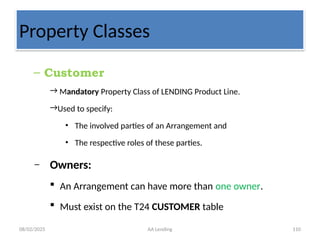
Property Classes
– Customer
→ Mandatory Property Class of LENDING Product Line.
→Used to specify:
• The involved parties of an Arrangement and
• The respective roles of these parties.
– Owners:
 An Arrangement can have more than one owner.
 Must exist on the T24 CUSTOMER table
08/02/2025 AA Lending 111
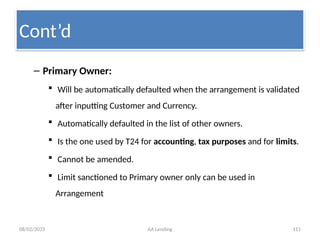
– Primary Owner:
 Will be automatically defaulted when the arrangement is validated
after inputting Customer and Currency.
 Automatically defaulted in the list of other owners.
 Is the one used by T24 for accounting, tax purposes and for limits.
 Cannot be amended.
 Limit sanctioned to Primary owner only can be used in
Arrangement
Cont’d
08/02/2025 AA Lending 112
• The Customer will always be defined at Arrangement level.
• Each arrangement can have one or more legal owners defined
in OWNER. Additionally, other parties may be added to an
arrangement with a designated role – these will be added in
the multi value set of fields OTHER.PARTY and ROLE.
• A third field within this multi value set is NOTES which enables
the user to add any notes relating to the other party. All
owners and any other parties must exist on the T24
CUSTOMER file. The options for field ROLE are specified by the
user in the virtual table AA.PARTY.ROLE using EB.LOOKUP.
Cont’d
08/02/2025 AA Lending 113
• If more than one owner is specified on an
arrangement, the user must select the primary
owner in field PRIMARY.OWNER. The primary
owner is used by T24 for balance sheet
accounting and tax purposes
Cont’d
08/02/2025 AA Lending 114
– Other Owners:
 Can be added by the user
 Can be any numbers provided the attribute is set as negotiable in the Product Condition level.
 Can be amended
– Other Parties
 Added to an Arrangement with a designated Role e.g.
 Guarantor,
 authorized signatory etc.
 Roles of other parties should be defined in
 AA.PARTY.ROLE Virtual Table in EB.LOOKUP File.
 Also must exist on the T24 CUSTOMER table.
 Can be amended
Cont’d
08/02/2025 AA Lending 115
• It is possible to have more than one instance
of an INTEREST property class. This could
comprise of examples such as Loan Interest,
Penalty Interest or Overdue Interest.
• This is defined in the field TYPE with a value of
MULTIPLE as shown above
Cont’d
08/02/2025 AA Lending 116
• Defining the INTEREST at Product Level
• Most INTEREST conditions will be set at Product
level, but there will be the option to negotiate all
of some of the fields within the INTEREST
property at Arrangement level if this is required.
• Three basic types of interest are supported by
T24 Fixed, Floating, and Periodic. Each of these
interest types can include one or more margins
and can be specified in a tiered structure
08/02/2025 AA Lending 117
• Types of Interest Rate
• T24 allows for the definition of different
types of interest rates.
• There are three types of tiers; BAND, LEVEL
and SINGLE and these are selected in field
RATE.TIER.TYPE.
08/02/2025 AA Lending 118
• SINGLE If the option SINGLE is selected, a single nominal interest rate will
apply for the entire balance amount
• LEVEL
• By specifying level tiers a product can be defined which will calculate
interest at different rates depending on the balance amount. A single rate of
interest will be selected and applied based upon the balance amount.
• For a deposit you might want to have a higher rate of interest for accounts
which maintain higher credit balances. Conversely, for a loan product, a
higher rate of interest can be charged for accounts with higher debit
balances.
• For example, assuming a credit balance of 15,000 and level interest which
specifies an applicable rate of 10 per cent up to 10,000 and 15 per cent
above 10,000. A single rate of 15 per cent will be applied to the entire
amount of 15,000.
08/02/2025 AA Lending 119
• BAND
• Banded tier interest will typically result in a “blended” interest rate. This is
similar to Level tiers, but allows for the interest rate of each tier to be applied to
the portion of the balance that falls within the tier.
• For example, assuming a credit balance of 15,000 and banded interest which
specifies an applicable rate of 10 per cent up to 10,000 and 15 per cent above
10,000. Two calculations will be performed (i.e. 10 per cent on 10,000 and 15
per cent on 5,000).
• Each tier is specified by defining the amount up to which the interest rate
applies. Additionally, each tier can be of a different interest rate type (i.e. fixed,
floating, or periodic).
• In each case the fields FIXED.RATE through to TIER.AMOUNT are part of a multi
value set of fields and can be utilised if either LEVEL or BAND are selected. The
rate to be applied to the calculation amount is specified in the field
TIER.AMOUNT.
08/02/2025 AA Lending 120
• It is possible to control the interest rate of an account
during its lifetime using TIER.MIN.RATE and
TIER.MAX.RATE. This is applicable for variable and
periodic rates and allows the tier rate to be controlled.
• We can also define interest condition such that
different rates are applied for different percentage of
the loan amount. This can be achieved by multi-
valuing the field TIER.PERCENT and giving an absolute
value. The total of every multi-value of this field
should result to 100.
08/02/2025 AA Lending 121
• Interest Calculation Threshold
• Using field CALCULATION.THRESHOLD, a user
can specify that interest will only be calculated
if a balance threshold is surpassed. For credit
interest, the user can specify the minimum
balance which must be maintained. For debit
interest, the user can specify the maximum
debit balance for which interest will not be
calculated.
08/02/2025 AA Lending 122
• Interest Accrual Rules
• When accruing interest, T24 must determine which amounts to include in
each day’s balance, the actual days to include in the period (e.g. first day,
last day) and how to round any calculations. T24 allows users to define
the calculation method to use, by specifying an accrual rule in
EB.ACCRUAL.PARAM.
• Users can define the following in field ACCRUAL.RULE.
• First Day Inclusive (Yes/No)
• Last Day Inclusive (Yes/No)
• Rounding Rule (Natural, Down, Up, Currency, None)
• Intermediate Calculation Rounding (Yes/No)
• Credit value date adjustment
• Debit value date adjustmen
08/02/2025 AA Lending 123
• Interest Day Basis
• T24 can calculate interest based on day basis
types which are defined in the application
INTEREST.BASIS and these values are stored
in the field DAY.BASIS.
• Each Interest Day Basis type is represented as
a numerator and denominator.
08/02/2025 AA Lending 124
• Numerator (interest days)
• o 360 – Each month is considered to have 30 days
• o 366 – The exact number of days will be used
• • Denominator (days in the year)
• o 360 – Each year is considered to have 360 days
• o 365 – Each year is considered to have 365 days
• o 366 – The exact number of days in the year will be
used (365 or 366)
08/02/2025 AA Lending 125
Account
– Mandatory Property Class of LENDING Product Line.
– Will be created automatically when an Arrangement is created
for a Lending Product,
• Used to maintain the balances of the Arrangement.
• Holds principal balances of an arrangement.
Category
• Used to distinguish T24 Products
• An important field of Account, and financial reporting is usually based
on T24 Product Categories.
08/02/2025 AA Lending 126
– Mandatory Property Class of LENDING Product Line.
– Will be created automatically when an Arrangement is created
for a Lending Product,
• Used to maintain the balances of the Arrangement.
• Holds principal balances of an arrangement.
Category
• Used to distinguish T24 Products
• An important field of Account, and financial reporting is usually based
on T24 Product Categories.
08/02/2025 AA Lending 127
• Will be set as a non-negotiable attribute in an ACCOUNT.
• And defaulted in the Arrangement and User cannot modify it.
– All other attributes of an account have been set to be negotiable i.e.
• User can input own values for other attributes of Account in an
Arrangement.
– Pre defined Posting restrictions can be used.
• Debits or Credits or all transactions could be set to attract overrides
– Once an arrangement is authorized, value in this field cannot be changed.
08/02/2025 AA Lending 128
– BASE DATE TYPE in account has two options :
1. Agreement
2. Start
• Agreement date
– Interest calculation commence from date of arrangement
• First disbursement date (start).
– system will maintain the MMDD of the arrangement start date in
Anniversary until the first disbursement happens and then overwrites
Anniversary with the MMDD of first disbursed date.
– Calculation commence from first disbursal date.
08/02/2025 AA Lending 129
• The Account property has associated financial
balances that reflect the arrangement principal in
the various stages of the arrangement life-cycle.
• Current Principal Balance
• For a loan contract the current principal reflects
the amount that has been disbursed and is not
yet due to be repaid.
• The current principal is identified with a prefix of
CUR.
08/02/2025 AA Lending 130
• Due Principal Balance
• For a loan contract the due principal reflects the amount of
the loan that has been disbursed and is now due for
repayment.
• The due principal is identified with a prefix of DUE.
• Aged Principal Balance
• For a loan contract the aged principal balance reflects the
due amounts of the loan that has aged according to the
stages defined in OVERDUE property condition. The aged
principal balance is identified with a prefix of the associated
status in the OVERDUE property.
08/02/2025 AA Lending 131
• Unallocated Credit Balance
• The unallocated credit balance reflects general credits
made to the arrangement. This balance is also used to
hold payments made against future or issued bills in
advance of the due date. If the practice (defined in
PAYMENT.RULES property) requires that advanced
payments do not repay current principal then the
repayment amount is allocated to the unallocated credit
balance.
• The unallocated credit balance is identified with a prefix of
UNC.
08/02/2025 AA Lending 132
• Unallocated Debit Balance
• The unallocated debit balance reflects general
debits made to the arrangement.
• The unallocated debit balance is identified
with a prefix of UND.
08/02/2025 AA Lending 133
• If we want to change the Account to a different Category, it can be done
through
• CHANGE.PRODUCT Activity.
• User can amend the account title,
• short title,
• posting restriction and
• Account mnemonic.
• The Account number which has been automatically created cannot be
changed.
08/02/2025 AA Lending 134
– Optional Property Class of LENDING Product Line.
– The ACCOUNT.OFFICER
• An important mandatory field in an Account and the value input will be updated in the Account automatically created
for the Arrangement.
– PRIMARY.OFFICER
• The main Officer responsible for the Arrangement.
• If there is no input in an Arrangement, the value of ACCOUNT.OFFICER in AA Account value will be defaulted from the
Customer record.
– Additional officers
• who can assist /responsible in the absence of Primary Officer can be specified in the multi-valued OTHER.OFFICER
Field.
• The value input here will be defaulted in the OTHER.OFFICER Field of AA Account.
• The role of other officers can be input in the field ROLE.
08/02/2025 AA Lending 135
Term Amount
• Mandatory Property Class of LENDING Product Line.
• Useful to input the values of
– Term (Period) of time by which the amount must be repaid
– Committed Amount(will be lent)
• Is Currency specific
• It is common to specify a default value for term in the Product
Condition,
• The term can be entered as a number of Days (D), Weeks (W), Months (M), or Years (Y)
08/02/2025 AA Lending 136
• Mandatory Property Class of LENDING Product Line.
• Useful to input the values of
– Term (Period) of time by which the amount must be repaid
– Committed Amount(will be lent)
• Is Currency specific
• It is common to specify a default value for term in the Product
Condition,
• The term can be entered as a number of Days (D), Weeks (W), Months (M), or Years (Y)
08/02/2025 AA Lending 137
• The MATURITY.DATE at the Arrangement level is calculated.
– This is based upon the Arrangement Effective Date and Term.
– User can also manually enter the MATURITY.DATE instead of defining the TERM of the arrangement.
• Unlike other T24 Contract applications TERM will be applied on the first repayment date to arrive at the
last repayment date, and the Maturity Date will not be last repayment date.
• CHANGE.AMOUNT Field in arrangement,
– is used to increase or decrease the commitment amount.
• Original commitment amount can be increased or decreased using INCREASE or DECREASE action, in an
arrangement.
– For increase action, input in this field should be greater than zero.
– For decrease action, input in this field should be less than zero.
08/02/2025 AA Lending 138
•Available amount is the committed amount less all disbursements.
•The effect of a revolving loan is to increase the available amount from
which a customer may drawdown as a result of certain payments.
• Two possible revolving types.
 With a PAYMENT type, any payment against the outstanding
amount, whether due or not due, will result in the available
amount increasing.
 With a PREPAYMENT type, only repayments against the
outstanding amount not yet due will result in the available
amount increasing.
08/02/2025 AA Lending 139
 ON.MATURITY Field determines whether on Maturity Date of
the arrangement, the remaining amount in outstanding
balance to be kept as due or Outstanding
• DISBURSMENT
 Is the process to part with the committed loan amount in full or in part
 Is not automatically done when an Arrangement is created.
 Cannot be also done directly from the Arrangement similar to other
Activities like increase Term Amount.
08/02/2025 AA Lending 140
•Disbursement
 Can be made to
• a specified Account or
• in cash.
 Can be triggered from a transaction with
• a disbursement transaction code
 A Lending Arrangement can be disbursed through
 FT,
 Teller, and
 Cash Pooling.
08/02/2025 AA Lending 141
 It also validates the disbursement against
 the committed amount,
 the current outstanding amount and
 any applicable Activity Restriction
• Note:
 an Arrangement Account will not show any working balance
when an Arrangement is created, since amount is only committed.
 Only when a disbursement is made, the Arrangement Account
will be debited and its working balance will be updated.
08/02/2025 AA Lending 142
– Repayment
 Like disbursement, repayment is possible through
 FT and
 TT
 There are four ways to repay a loan in AA:
 AA repayment
 AA pay-off
 To close the loan before maturity
 AA principal decrease
 Decrease the principal and updates the payment schedule
 AA credit arrangement-UNC
08/02/2025 AA Lending 143
•Optional Property Class of LENDING Product Line.
• Since there are loans without interest
•Used to define the attributes for interest calculation.
•Used for all interest definition and processing in AA.
• Interests allowed by the system are
• Fixed, Floating and Periodic.
• However, only fixed interest rates are applied by DBE
•The Accrue activity calculates the accrued interest amount up to the
effective date and posts the amount using the associated accounting
rule.
08/02/2025 AA Lending 144
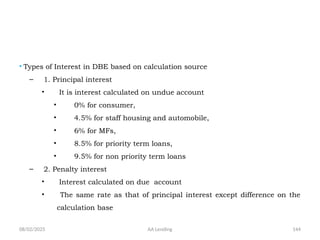
• Types of Interest in DBE based on calculation source
– 1. Principal interest
• It is interest calculated on undue account
• 0% for consumer,
• 4.5% for staff housing and automobile,
• 6% for MFs,
• 8.5% for priority term loans,
• 9.5% for non priority term loans
– 2. Penalty interest
• Interest calculated on due account
• The same rate as that of principal interest except difference on the
calculation base
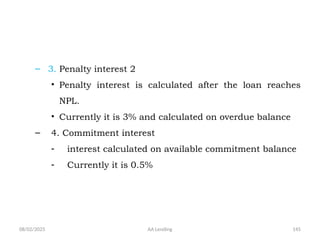
08/02/2025 AA Lending 145
– 3. Penalty interest 2
• Penalty interest is calculated after the loan reaches
NPL.
• Currently it is 3% and calculated on overdue balance
– 4. Commitment interest
- interest calculated on available commitment balance
- Currently it is 0.5%
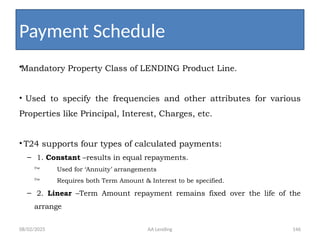
08/02/2025 AA Lending 146
•Mandatory Property Class of LENDING Product Line.
• Used to specify the frequencies and other attributes for various
Properties like Principal, Interest, Charges, etc.
• T24 supports four types of calculated payments:
– 1. Constant –results in equal repayments.
 Used for ‘Annuity’ arrangements
 Requires both Term Amount & Interest to be specified.
– 2. Linear –Term Amount repayment remains fixed over the life of the
arrange
Payment Schedule
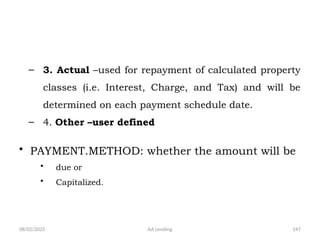
08/02/2025 AA Lending 147
– 3. Actual –used for repayment of calculated property
classes (i.e. Interest, Charge, and Tax) and will be
determined on each payment schedule date.
– 4. Other –user defined
• PAYMENT.METHOD: whether the amount will be
• due or
• Capitalized.
08/02/2025 AA Lending 148
• Mandatory Property Class of LENDING Product Line.
• Used to specify the frequencies and other attributes for various
Properties like Principal, Interest, Charges, etc.
• PAYMENT.TYPE Field denotes different types of calculated payments
that could be applied.
 This field is Mandatory.
• T24 supports four types of calculated payments:
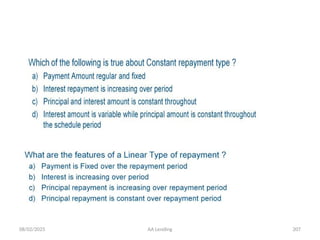
– 1. Constant –results in equal repayments.
 Used for ‘Annuity’ arrangements
 Requires both Term Amount & Interest to be specified.
– 2. Linear –Term Amount repayment remains fixed over the life of the
arrangement.
08/02/2025 AA Lending 149
• It is possible to define a
RESIDUAL.AMOUNT at the maturity
date of a term product to be paid on
the last payment date of the
arrangement.
08/02/2025 AA Lending 150
•PAYMENT.FREQ
• indicates the frequency at which payments will be made due.
•DUE.FREQ I
• indicates actual frequency when payment needs to be made due.
•Due frequency is defined for each payment property under a
payment type.
•Payment frequency is defaulted when due frequency is null.
• Generally both payment and due frequency has same value.
08/02/2025 AA Lending 151
•PAYMENT.FREQ
• indicates the frequency at which payments will be made due.
•DUE.FREQ I
• indicates actual frequency when payment needs to be made due.
•Due frequency is defined for each payment property under a
payment type.
•Payment frequency is defaulted when due frequency is null.
• Generally both payment and due frequency has same value.
08/02/2025 AA Lending 152
• Bill
• is a notice for a payment and also a record for payment
processing.
• All balances, whether principal, interest or charges, when
become due are billed.
• bills are automatically issued and made due during COB (Close
of Business) according to the schedule.
• By default T24 will create the Bill on the due date, however for
products which require a Bill notice to be sent in advance of the
due date, the user may enter the number of days prior.
08/02/2025 AA Lending 153
•Bills will contain the details of
• the amounts due,
• the due date,
• bills reference etc.
•When payment frequency for a Bill, defined in the product condition is
changed, a bill already made due in the arrangement for a future date,
remains unchanged.
•Bills outstanding after due date is the basis for overdue processing.
• When the loan is overpaid than the outstanding, the excess will be
retained in Credit Balance.
08/02/2025 AA Lending 154
•Bills will contain the details of
• the amounts due,
• the due date,
• bills reference etc.
•When payment frequency for a Bill, defined in the product condition is
changed, a bill already made due in the arrangement for a future date,
remains unchanged.
•Bills outstanding after due date is the basis for overdue processing.
• When the loan is overpaid than the outstanding, the excess will be
retained in Credit Balance.
08/02/2025 AA Lending 155
•LIMIT is an optional Property Class of LENDING Product Line.
•The LIMIT Property Class is used by all products which are account based.
•It is the maximum credit to be granted to the customer.
•Two types:
• Secured
• Credit supported by collateral
• Unsecured
• When the credit is granted without any collateral
•Limit record reference is usually specified in the arrangement.
•LIMIT.REFERENCE Field is used to input a limit reference if the primary
owner of the arrangement has a credit limit.
08/02/2025 AA Lending 156
PAYMENT.RULES
•Is a mandatory Property Class of LENDING Product Line.
•Is used to define the method by which a single payment
made to an Arrangement will be applied to multiple
bills and multiple amounts.
 Current: Payment will be applied on arrangement's current
balances. (E.g. current principal, accrued interest, etc.). This
will settle the current balances and does not look at
application order. Input to application order will not be allowed
for Current Balance repayments.
08/02/2025 AA Lending 157
 Bill Property: For product with bills and due amounts, payment to
due amounts will be Property wise (e.g. all Principal amounts
followed by all Interest amounts, etc.)
 Bill Date: For product with bills and due amounts, payment to due
amounts will be bill date wise (e.g., all amount on bill 1 followed by
all amounts of bill 2, etc.).
 When a customer makes a payment, the entire due amount may not
be satisfied. The PAYMENT RULES Property Class is used to define
the method by which a single payment will be applied to multiple
bills and multiple amount types.
08/02/2025 AA Lending 158
• An arrangement may have several bills
outstanding and each bill may be comprised of
multiple amounts (e.g. principal, principal
interest, penalty, tax, charges, etc.). When a
customer makes a payment, the entire due
amount may not be satisfied. The PAYMENT RULES
Property Class is used to define the method by
which a single payment will be applied to multiple
bills and multiple amount types.
08/02/2025 AA Lending 159
• Payment Hierarchy
• T24 can apply a payment to all amounts by Property (e.g. all Principal amounts followed by all Interest amounts,
etc.) or to all amounts of by ‘Bill’ (e.g., all amount on bill 1 followed by all amounts of bill 2, etc.). This choice is
selected by the User in field APPLICATION.TYPE.
• In addition to specifying whether Properties or Bills will be given priority, the user must decide in which order
multiple bills will be processed in field APPLICATION.ORDER. T24 allows a user to specify ‘Oldest First’ (i.e.
chronological) or ‘Oldest Last’.
• Whether processing by Property or by ‘Bill’ the user must specify the SEQUENCE in which the Property due amounts
(i.e. types) will be paid.
• If payments are to be applied by Property this specifies the sequence in which each Property’s due amounts must be
completely satisfied.
• If payments are to be applied by ‘Bill’ this specifies the order on each bill of the amount Properties.
• In the case where a payment activity is initiated, but there are no outstanding bills the user must specify another
activity to process. This essentially allows for the activity to be switched from a ‘repayment’ to another credit type
activity.
• The field PROP.APPL.TYPE represents the balance to be paid for the defined property. The values allowed at present
are CURRENT and NULL.
• If this field is NULL the due balance in the bill for the property is settled according to the type defined in the field
APPLICATION.TYPE.
• If the value is set to CURRENT, the current balance of the property is settled (e.g. current principal, accrued interest,
etc). This field therefore can allow settlement of current balances along with the due balances.
08/02/2025 AA Lending 160
• Settling Current and Overdue Balances
• It is possible to settle current balances with the
overdue balances. This is can be specified by
specifying the value CURRENT in the field
PROP.APPL.TYPE.
• When set this will settle the current balance of the
particular property.
• If the APPLICATION.TYPE is specified as CURRENT, then
PROP.APPL.TYPE field should be set to CURRENT for all
the properties.
08/02/2025 AA Lending 161
• Reminder (Overpayment)
• If a payment is made which satisfies all of the due and
overdue amounts and there is a remainder of funds (i.e.
an overpayment), T24 must have a pre-defined method
of handling the remaining funds.
• An activity to be processed for the remainder of the
payment can be specified in REMAINDER.ACTIVITY this
will be subject to any Transaction Rules. Should the
transaction fail, the remainder amount will be processed
by the Default Activity specified in Accounting.
08/02/2025 AA Lending 162
• The PAYMENT SCHEDULE Property Class is used by all
products which have amounts billed (i.e. made due) or
capitalised.
• Amortisation and Residual Amounts
• It is possible to define a RESIDUAL.AMOUNT at the
maturity date of a term product that will be paid on
the last payment date of the arrangement. This can be
specified by entering an AMORTISATION.TERM with
which T24 can calculate payments and any residual
or by entering a RESIDUAL.AMOUNT directly
08/02/2025 AA Lending 163
• Defining the Payment Schedule
• A Payment Schedule can be comprised of one
or more Payment definitions with conditions
such as payment Type and Method,
arrangement Properties, Dates and Amounts.
• T24 provides a mechanism AA.PAYMENT.TYPE
by which users can define the standard
payment types that can be used by a product.
08/02/2025 AA Lending 164
• Once the PAYMENT.TYPE has been specified,
the user can specify the PAYMENT.METHOD as
to whether the amount will be Due (to or from
the customer) or Capitalised. If a payment will
be made more than once, a
PAYMENT.FREQUENCY must be specified
08/02/2025 AA Lending 165
• This is input using the T24 frequency code. Eg 15th of each month =
M0115, End of every quarter = M0331, Weekly = WEEK1
• For each Payment definition the user must specify the Properties
PROPERTY with amounts to be paid and dates for payments. If a
frequency has been specified in DUE.FREQ, the user can specify a
START.DATE or it can be defaulted from the Base Date. Additionally an
END.DATE or NUM.PAYMENTS can be specified to indicate to T24 when
the payments should terminate.
• There can be two amounts for each payment definition; Calculated
Amount and Actual Amount.
• A CALC.AMOUNT is determined by T24 based upon the Payment Type
and Properties involved, but it is also possible for the user to enter
an ACTUAL.AMT to override the calculated amount
08/02/2025 AA Lending 166
• Defining the Billing Rules
• For each payment which is due from a customer, T24 will create a Bill record and
optionally a Bill Notice. The bill will contain the details of the amounts due, the
due date, etc. This Bill record is also the basis of the AA Overdue processing.
• By default T24 will create the Bill on the due date, however for products which
require a Bill notice to be sent in advance of the due date, the user may enter
the number of days prior in BILL.PRODUCED. This will result in the due amounts
being projected and recorded on the bill.
• Additionally, if the bill is produced prior to the due date, the user can specify
when the bill will be considered final (i.e. the bill will not alter based upon
changes to the arrangement).
• T24 can also combine bills by selecting YES in BILLS.COMBINED which have the
same due date and are produced on the same date. This provides for example,
the ability to combine a monthly ‘annuity’ loan repayment with a monthly
charge to provide the user with a single bill amount.
08/02/2025 AA Lending 167
•In DBE the rule is:
• First by Bill property:-the application order is:
1. Commitment interest,
2. Penalty interest1,
3. Penalty interest2,
4. Principal interest,
5. Overdue account,
6. Due account,
7. Accrued principal interest,
8. Undue account
• Followed by age: oldest first
• The Remainder, if any will be allocated to the “Unallocated Credit Balance” of the
Arrangement.
08/02/2025 AA Lending 168
OVERDUE
•Useful to do past due processing.
•Using OVERDUE Property Class, a Bank can create and manage its own
overdue statuses e.g.
• Pass, Special Mention
• Substandard, Doubtful and Loss
• OVERDUE.STATUS Field denotes the overdue or aging status of the
arrangement.
•In T24, aging is based on:
• days or
• bills.
•If days, the value in the AGEING Field denotes number of days.
•If bills, the value in the AGEING Field denotes number of bills.
08/02/2025 AA Lending 169
• Each OVERDUE.STATUS that overdue amounts
can age through is specified by the user in
EB.LOOKUP
• Each Overdue Status can then be used to
specify the ageing conditions and any
associated accounting. Within the specified
AC.ALLOCATION.RULE, the event corresponds
to the Status.
08/02/2025 AA Lending 170
• Aging
• The ageing process can take place depending
on the number of days after the bill was due
or by the number of overdue bills. This
selection is made in field AGEING.TYPE.
• The number of days or bills (relative to the
amount due date) before an amount attains
this Overdue Status is specified in AGEING.
08/02/2025 AA Lending 171
• Age all Bills
• A user can specify that if a bill reaches a
certain status, all other bills for the
arrangement will be aged to the same status.
Select AGE.ALL.BILLS for the required status.
This functionality is typically used for a “non-
accrual” status which will result in all bills
becoming “non-accrual” when a single bill
reaches this status.
08/02/2025 AA Lending 172
• Suspend Contract
• The User can also specify that a move to this
status should trigger a suspending of the
arrangement. Choosing field SUSPEND with a
value of YES would result in the suspension of
P&L entries from the date of suspension and
the posting of accruals to a special CRF
category
08/02/2025 AA Lending 173
• Movement of Balances
• When a bill is to be aged, the user can
determine whether or not the balances
associated with the bill amounts should be
moved to new balances corresponding to the
status. The User can do this by selecting YES in
MOVE.BALANCES.
08/02/2025 AA Lending 174
• The associated balance for the status can be used as
the basis for calculation of an interest class of
property (example Penalty Interest).
• If a user has chosen to move balances upon ageing
of a bill the accounting entries can have effective
dates corresponding to the Status change, the
Previous Status change, or the Due date. This allows
for the ability to have a grace period and a following
status which can be effective from the original due
date. This selection is in field EFFECTIVE.DATE.
08/02/2025 AA Lending 175
• A non-revolving contract will never reinstate the available commitment
amount on repayment, whereas a revolving contract will reinstate the
available amount on repayment. The following options are available.
• NO – the available amount will not increase when any repayment of
principal is made.
• PAYMENT – any payment against the outstanding principal (due or not
due) will result in the available amount increasing. Typically this setting
would be used for fully revolving credit facilities.
• PREPAYMENT - only repayments against the outstanding principal (balance
not yet due) – such as an ad-hoc payment will result in the available
amount increasing. Repayments against due will not reinstate the
committed amount. Typically this setting would be used when a product
allows over payment and subsequent redraw of the overpaid amount.
08/02/2025 AA Lending 176
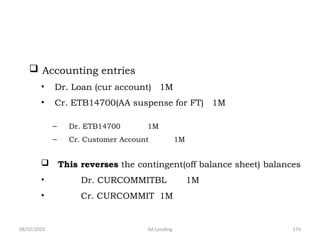
 Accounting entries
• Dr. Loan (cur account) 1M
• Cr. ETB14700(AA suspense for FT) 1M
– Dr. ETB14700 1M
– Cr. Customer Account 1M
 This reverses the contingent(off balance sheet) balances
• Dr. CURCOMMITBL 1M
• Cr. CURCOMMIT 1M
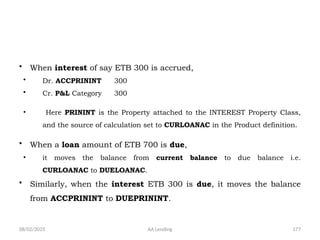
08/02/2025 AA Lending 177
• When interest of say ETB 300 is accrued,
• Dr. ACCPRININT 300
• Cr. P&L Category 300
• Here PRININT is the Property attached to the INTEREST Property Class,
and the source of calculation set to CURLOANAC in the Product definition.
• When a loan amount of ETB 700 is due,
• it moves the balance from current balance to due balance i.e.
CURLOANAC to DUELOANAC.
• Similarly, when the interest ETB 300 is due, it moves the balance
from ACCPRININT to DUEPRININT.
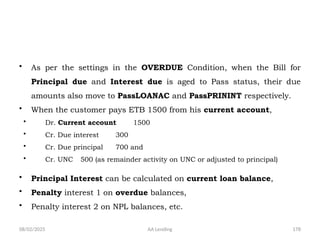
08/02/2025 AA Lending 178
• As per the settings in the OVERDUE Condition, when the Bill for
Principal due and Interest due is aged to Pass status, their due
amounts also move to PassLOANAC and PassPRININT respectively.
• When the customer pays ETB 1500 from his current account,
• Dr. Current account 1500
• Cr. Due interest 300
• Cr. Due principal 700 and
• Cr. UNC 500 (as remainder activity on UNC or adjusted to principal)
• Principal Interest can be calculated on current loan balance,
• Penalty interest 1 on overdue balances,
• Penalty interest 2 on NPL balances, etc.
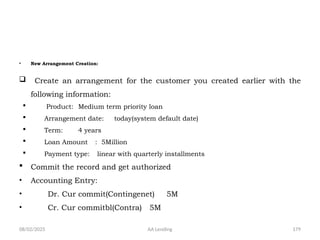
08/02/2025 AA Lending 179
• New Arrangement Creation:
 Create an arrangement for the customer you created earlier with the
following information:
 Product: Medium term priority loan
 Arrangement date: today(system default date)
 Term: 4 years
 Loan Amount : 5Million
 Payment type: linear with quarterly installments
 Commit the record and get authorized
• Accounting Entry:
• Dr. Cur commit(Contingenet) 5M
• Cr. Cur commitbl(Contra) 5M
08/02/2025 AA Lending 180
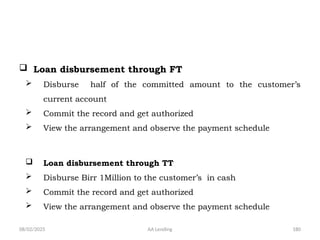
 Loan disbursement through FT
 Disburse half of the committed amount to the customer’s
current account
 Commit the record and get authorized
 View the arrangement and observe the payment schedule
 Loan disbursement through TT
 Disburse Birr 1Million to the customer’s in cash
 Commit the record and get authorized
 View the arrangement and observe the payment schedule
08/02/2025 AA Lending 181
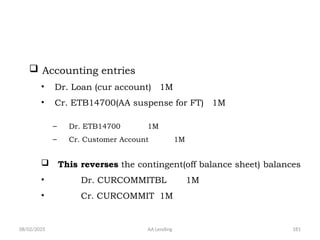
 Accounting entries
• Dr. Loan (cur account) 1M
• Cr. ETB14700(AA suspense for FT) 1M
– Dr. ETB14700 1M
– Cr. Customer Account 1M
 This reverses the contingent(off balance sheet) balances
• Dr. CURCOMMITBL 1M
• Cr. CURCOMMIT 1M
08/02/2025 AA Lending 182
 Loan repayment before due date
• Repay through FT
 The customer paid birr 500,000 before due date
 Commit the record and get authorized
08/02/2025 AA Lending 183
 Loan repayment after the loan is due
 Open an arrangement and repay half of its
existing bills
 Commit and get authorized
• See the payment rules
08/02/2025 AA Lending 184
 AA-PAYOFF
 Open an existing arrangement and repay all the
outstanding loan through FT
 Commit and get authorized
• See the accrual, loan and arrangement status
08/02/2025 AA Lending 185
Granting additional loan
 An existing customer requested a loan of birr 10M to be paid along with the
previous loan on the same term and the bank approved it.
 Steps to follow:
 On new activity click Increase Activity for Commitment
 Record 10M on Change Amount
 Commit and get authorized
• Note: No change on payment schedule until the loan is
disbursed.
08/02/2025 AA Lending 186
 Commitment cancelation
 An existing customer requested the bank to cancel all the
balance in commitment.
 Steps to follow:
 On new activity click decrease Activity for Commitment
 Record negative of the balance to be cancelled on change Amount
 Commit and get authorized
• Note: No change on payment schedule since it is scheduled
already on loan disbursed.
08/02/2025 AA Lending 187
 Commitment cancelation
 An existing customer requested the bank to cancel all the
balance in commitment.
 Steps to follow:
 On new activity click decrease Activity for Commitment
 Record negative of the balance to be cancelled on change Amount
 Commit and get authorized
• Note: No change on payment schedule since it is scheduled
already on loan disbursed.
08/02/2025 AA Lending 188
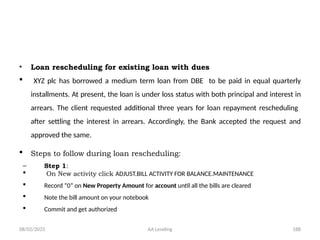
• Loan rescheduling for existing loan with dues
 XYZ plc has borrowed a medium term loan from DBE to be paid in equal quarterly
installments. At present, the loan is under loss status with both principal and interest in
arrears. The client requested additional three years for loan repayment rescheduling
after settling the interest in arrears. Accordingly, the Bank accepted the request and
approved the same.
 Steps to follow during loan rescheduling:
– Step 1:
 On New activity click ADJUST.BILL ACTIVITY FOR BALANCE.MAINTENANCE
 Record “0” on New Property Amount for account until all the bills are cleared
 Note the bill amount on your notebook
 Commit and get authorized
08/02/2025 AA Lending 189
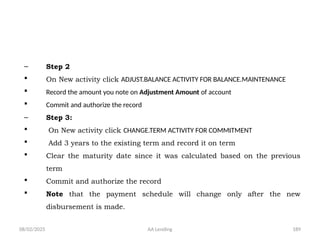
– Step 2
 On New activity click ADJUST.BALANCE ACTIVITY FOR BALANCE.MAINTENANCE
 Record the amount you note on Adjustment Amount of account
 Commit and authorize the record
– Step 3:
 On New activity click CHANGE.TERM ACTIVITY FOR COMMITMENT
 Add 3 years to the existing term and record it on term
 Clear the maturity date since it was calculated based on the previous
term
 Commit and authorize the record
 Note that the payment schedule will change only after the new
disbursement is made.
08/02/2025 AA Lending 190
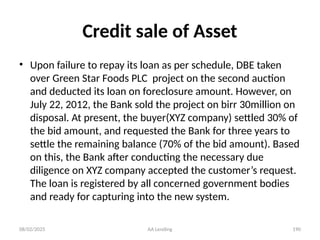
Credit sale of Asset
• Upon failure to repay its loan as per schedule, DBE taken
over Green Star Foods PLC project on the second auction
and deducted its loan on foreclosure amount. However, on
July 22, 2012, the Bank sold the project on birr 30million on
disposal. At present, the buyer(XYZ company) settled 30% of
the bid amount, and requested the Bank for three years to
settle the remaining balance (70% of the bid amount). Based
on this, the Bank after conducting the necessary due
diligence on XYZ company accepted the customer’s request.
The loan is registered by all concerned government bodies
and ready for capturing into the new system.
08/02/2025 AA Lending 191
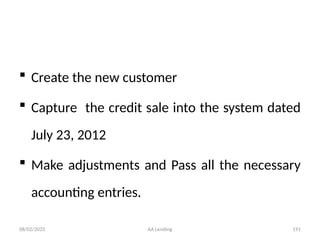
 Create the new customer
 Capture the credit sale into the system dated
July 23, 2012
 Make adjustments and Pass all the necessary
accounting entries.
08/02/2025 AA Lending 192
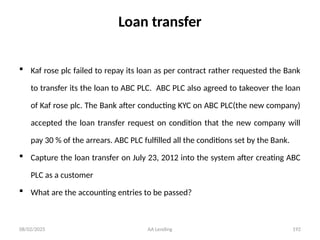
Loan transfer
 Kaf rose plc failed to repay its loan as per contract rather requested the Bank
to transfer its the loan to ABC PLC. ABC PLC also agreed to takeover the loan
of Kaf rose plc. The Bank after conducting KYC on ABC PLC(the new company)
accepted the loan transfer request on condition that the new company will
pay 30 % of the arrears. ABC PLC fulfilled all the conditions set by the Bank.
 Capture the loan transfer on July 23, 2012 into the system after creating ABC
PLC as a customer
 What are the accounting entries to be passed?
08/02/2025 AA Lending 193
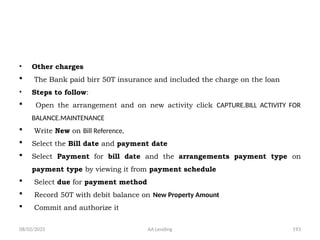
• Other charges
 The Bank paid birr 50T insurance and included the charge on the loan
• Steps to follow:
 Open the arrangement and on new activity click CAPTURE.BILL ACTIVITY FOR
BALANCE.MAINTENANCE
 Write New on Bill Reference,
 Select the Bill date and payment date
 Select Payment for bill date and the arrangements payment type on
payment type by viewing it from payment schedule
 Select due for payment method
 Record 50T with debit balance on New Property Amount
 Commit and authorize it
08/02/2025 AA Lending 194
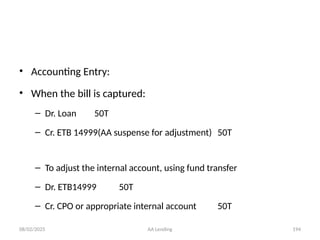
• Accounting Entry:
• When the bill is captured:
– Dr. Loan 50T
– Cr. ETB 14999(AA suspense for adjustment) 50T
– To adjust the internal account, using fund transfer
– Dr. ETB14999 50T
– Cr. CPO or appropriate internal account 50T
08/02/2025 AA Lending 195
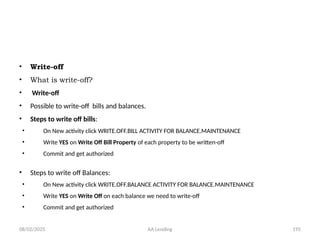
• Write-off
• What is write-off?
• Write-off
• Possible to write-off bills and balances.
• Steps to write off bills:
• On New activity click WRITE.OFF.BILL ACTIVITY FOR BALANCE.MAINTENANCE
• Write YES on Write Off Bill Property of each property to be written-off
• Commit and get authorized
• Steps to write off Balances:
• On New activity click WRITE.OFF.BALANCE ACTIVITY FOR BALANCE.MAINTENANCE
• Write YES on Write Off on each balance we need to write-off
• Commit and get authorized
08/02/2025 AA Lending 196
• Accounting entry:
• When it is written-off
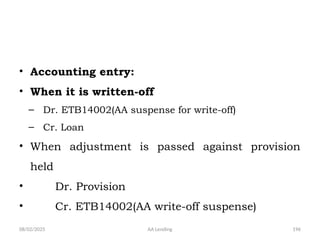
– Dr. ETB14002(AA suspense for write-off)
– Cr. Loan
• When adjustment is passed against provision
held
• Dr. Provision
• Cr. ETB14002(AA write-off suspense)
08/02/2025 AA Lending 197
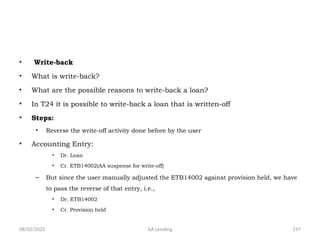
• Write-back
• What is write-back?
• What are the possible reasons to write-back a loan?
• In T24 it is possible to write-back a loan that is written-off
• Steps:
• Reverse the write-off activity done before by the user
• Accounting Entry:
• Dr. Loan
• Cr. ETB14002(AA suspense for write-off)
– But since the user manually adjusted the ETB14002 against provision held, we have
to pass the reverse of that entry, i.e.,
• Dr. ETB14002
• Cr. Provision held
08/02/2025 AA Lending 198
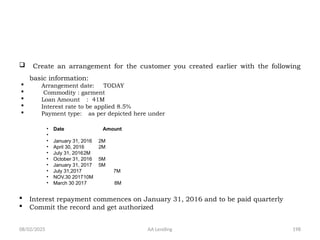
 Create an arrangement for the customer you created earlier with the following
basic information:
 Arrangement date: TODAY
 Commodity : garment
 Loan Amount : 41M
 Interest rate to be applied 8.5%
 Payment type: as per depicted here under
• Date Amount
•
• January 31, 2016 2M
• April 30, 2016 2M
• July 31, 20162M
• October 31, 2016 5M
• January 31, 2017 5M
• July 31,2017 7M
• NOV.30 201710M
• March 30 2017 8M
 Interest repayment commences on January 31, 2016 and to be paid quarterly
 Commit the record and get authorized
08/02/2025 AA Lending 199
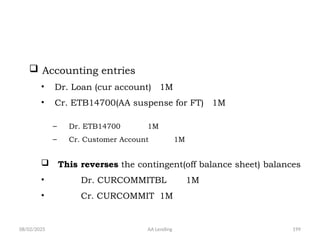
 Accounting entries
• Dr. Loan (cur account) 1M
• Cr. ETB14700(AA suspense for FT) 1M
– Dr. ETB14700 1M
– Cr. Customer Account 1M
 This reverses the contingent(off balance sheet) balances
• Dr. CURCOMMITBL 1M
• Cr. CURCOMMIT 1M
08/02/2025 AA Lending 200
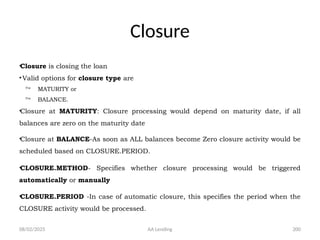
Closure
•Closure is closing the loan
•Valid options for closure type are
 MATURITY or
 BALANCE.
•Closure at MATURITY: Closure processing would depend on maturity date, if all
balances are zero on the maturity date
•Closure at BALANCE-As soon as ALL balances become Zero closure activity would be
scheduled based on CLOSURE.PERIOD.
•CLOSURE.METHOD- Specifies whether closure processing would be triggered
automatically or manually
•CLOSURE.PERIOD -In case of automatic closure, this specifies the period when the
CLOSURE activity would be processed.
08/02/2025 AA Lending 201
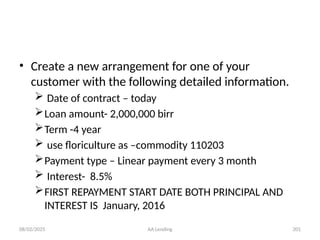
• Create a new arrangement for one of your
customer with the following detailed information.
 Date of contract – today
Loan amount- 2,000,000 birr
Term -4 year
 use floriculture as –commodity 110203
Payment type – Linear payment every 3 month
 Interest- 8.5%
FIRST REPAYMENT START DATE BOTH PRINCIPAL AND
INTEREST IS January, 2016
08/02/2025 AA Lending 202
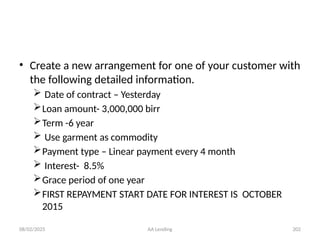
• Create a new arrangement for one of your customer with
the following detailed information.
 Date of contract – Yesterday
Loan amount- 3,000,000 birr
Term -6 year
 Use garment as commodity
Payment type – Linear payment every 4 month
 Interest- 8.5%
Grace period of one year
FIRST REPAYMENT START DATE FOR INTEREST IS OCTOBER
2015
08/02/2025 AA Lending 203
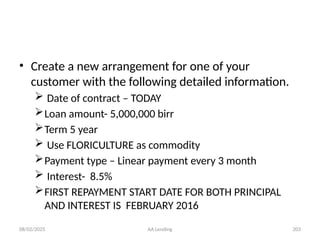
• Create a new arrangement for one of your
customer with the following detailed information.
 Date of contract – TODAY
Loan amount- 5,000,000 birr
Term 5 year
 Use FLORICULTURE as commodity
Payment type – Linear payment every 3 month
 Interest- 8.5%
FIRST REPAYMENT START DATE FOR BOTH PRINCIPAL
AND INTEREST IS FEBRUARY 2016
08/02/2025 AA Lending 204
• Create staff house loan in your own name with
the following detailed information.
 Date of contract – today
Term-34 years
Loan amount- 200,000
FIRST REPAYMENT START DATE IS September 23,
2015
 Commodity House construction
08/02/2025 AA Lending 205
• Create staff house loan for customer record
you have created earlier, with the following
detailed information.
 Date of contract – yesterday
Term-42 years
Loan amount- 350,000
FIRST REPAYMENT START DATE IS October 23,
2015
 Commodity House purchase
08/02/2025 AA Lending 206
• What is the difference between Arrangement
id and Credit Account in FT AA Disbursement?
• Explain the override message pop-up on FT
disbursement with “unauthorized Over draft
…“
08/02/2025 AA Lending 207
08/02/2025 AA Lending 208
An imputer wrongly recorded the effective
date of the contract and requested you for
authorization. However, he has filled other
fields correctly . What will you recommend
him as an authorizer.
a) To edit the data
b) Delete the data
c) Or you may authorize the data
08/02/2025 AA Lending 209
• Create a new arrangement/loan for one of
your customers with the following detailed
information.
 Date of contract – today
Loan amount- 2,000,000 birr
Term -5 year
 use floriculture as -commodity
Payment type – Linear payment every 3 month
 Interest- 8.5%
08/02/2025 AA Lending 210
• Create a saving Account for staff customer record you
have created yesterday
• Use 6001 for product code
• Validate the record
• Verify the defaulted short name against the short name
captured in the customer record
• Commit the record and get authorized
08/02/2025 AA Lending 211
 Loan disbursement through FT
 Disburse half of the committed amount to the
customer’s Saving/current account
 Commit the record and get authorized
 View the arrangement and observe the payment
schedule
08/02/2025 AA Lending 212
Loan disbursement through TT
Disburse Birr 1Million to the customer’s
in cash
Commit the record and get authorized
View the arrangement and observe the
payment schedule
08/02/2025 AA Lending 213
Exercise: Customer & Account
• Create a customer record for a person you
appeared to know.
– Commit the record and get it authorized
• Open a current account for the same
customer you have created above.
– Commit the record and get it authorized
08/02/2025 AA Lending 214
 Create an arrangement for the customer you created earlier with the following
information:
 Arrangement date: today (system default date)
 Term: 4 years
 Interest rate: 8.5%
 Loan Amount : 5Million
 Commodity: 100213
 Payment type : linear with quarterly installments
 Payment start date: November 30, 2015 both for Principal and Interest
 Commit the record and get authorized

Advance technology in banking and its operations

  • 1.
    08/02/2025 AA Lending1 DEVELOPMENT BANK OF ETHIOPIA CORE BANKING PROJECT OFFICE
  • 2.
    08/02/2025 AA Lending2 Topics to be covered  Core banking Over view  T24 defined  T24 Navigation  Customer Application  Account Application
  • 3.
    08/02/2025 AA Lending3  Overview of AA Lending  Product Building Concept  business components used in Product Building/Property classes/  Customer  Account  Officer  Limit  Term amount  Interest  Payment schedule, etc Topics Cont’d
  • 4.
    08/02/2025 AA Lending4 Topics Cont’d Arrangement creation Loan disbursement FT TT Loan repayment AA repayment AA pay-off AA principal decrease AA credit arrangement
  • 5.
    08/02/2025 AA Lending5 Additional loan Rescheduling Capturing other charges Adjustment Write-off Write-back Accounting entries Enquiries Workshops at the end of each topic Topics Cont’d
  • 6.
    08/02/2025 AA Lending6 Core banking OVER VIEW
  • 7.
    08/02/2025 AA Lending7 • The growth of the internet, mobiles and communication technology has added a different dimension to banking. • Technology is no longer an enabler, but a business driver. Core banking over view
  • 8.
    08/02/2025 AA Lending8 Core banking over view The role of IT has become so integrated and pervasive with banking that it is impossible to think of banking processes without an effective IT system in place. The use of advance technology in banking and its operations is the requirement to cater to the needs of the customers and stakeholders in the bank.
  • 9.
    08/02/2025 AA Lending9 Cont’d • Banks are increasingly adopting IT based solutions, for providing better services to their customers at a minimal cost. Many of the IT initiatives of banks started in the late 1990’s or early 2000 with an emphasis on the adoption of core banking solutions (CBS), automation of branches and centralization of operations in the CBS. • But, What is CORE BANKING?
  • 10.
    08/02/2025 AA Lending10 core banking is the sum of all IT components that allow a banking institution to develop, process, and manage its basic financial products and services effectively. Core banking is a software based system that provides end to end functionalities for a bank’s main business process. Cont’d
  • 11.
    08/02/2025 AA Lending11  Faster Response to Customer Demands  Allows Faster New Product Developments  CBS Architecture Allows for Existing Products to be Quickly Customized  Online Validation of Data – at the Time of Entry  Runs in Real Time Update Mode Cont’d
  • 12.
    08/02/2025 AA Lending12 Core banking software products & their Vendors • Because of their complexity and need for robust support, core banking systems are developed and supported by internationally well-known vendors. • Core banking systems are made in a highly configurable way. • They are also developed based on international best practices. • Since no core banking system can ever be perfect-fit to a bank needs, customization is inevitable.
  • 13.
    08/02/2025 AA Lending13 Core banking products Cont’d Vendor Product Automated systems inc Insite banking system BankSoft Core Bank Oracle Financial Service Soft ware Flexcube Infosys Finacle Temenos Group Temenos T24
  • 14.
    08/02/2025 AA Lending14 Core banking in DBE • DBE had been rendering its service by in house developed system called COBOL. • Due to technological obsolescence and functionality problem of the COBOL system, the bank was forced to replace it with international standard core banking system early in 2002.
  • 15.
    08/02/2025 AA Lending15 • On March 2002 the bank’s board of management decided to implement GLOBUS and singed with the vendor. • However, due to various reasons, the implementation couldn’t be completed on time. • On January 2007 Globus went live with some unresolved issues, in the mean time the vendor had already released four new releases. Cont’d
  • 16.
    08/02/2025 AA Lending16 • The bank has struggling in looking for a way to resolve the problem of the Globus system. • After conducting intense study and site visits the bank decided to implement the latest release of the existing core banking system – T24 release 10 • The vendor, TEMENOS made a major technical upgrade of its flagship product, TEMENOS GLOBUS, resulting in the introduction of TEMENOS T24, non-stop, scalable, functionally rich, real-time banking application that responds to evolving market needs. Cont’d
  • 17.
    08/02/2025 AA Lending17 T24 OVER VIEW
  • 18.
    08/02/2025 AA Lending18 T24 Over view • Being on of the prominent Core banking software, Temenos T24 draws upon rich functional features that have been developed over the years. • It is an end to end solution for banking needs. • It has comprehensive functions – is integrated – Timely • Real time and batch – Multi currency
  • 19.
    08/02/2025 AA Lending19 • Within single software, besides providing a variety of business features used throughout the world it also provides: – relevant accounting, risk checking, controlling, messaging and currency position updating. Hence, it is fully integrated software which can effectively replace a combination of software that many banks currently depend on for their business needs. Cont’d
  • 20.
    08/02/2025 AA Lending20 • It updates in real time not only business related actions but also connected risk checking, accounting, messaging and currency positions. • Not all actions should be done on line. Besides dragging the performance, there would also be avoidable repetitions. – Such actions are automatically done as a Batch job. For instance, interest calculation and application, revaluation and producing reports, just to name a few. Cont’d
  • 21.
    08/02/2025 AA Lending21 System Structure • T24 CBS is built up from different inter-related Application. Some of these application are crucial for the system to run as system and others are optional.  Core  Mandatory for the system to run T24 functions only if the entire Core is in place.  Example:  Customer,  Account,  Accounting,  Limit  Lending
  • 22.
    08/02/2025 AA Lending22 Cont’d  Optional  Possible for the system to run without them , banks may procure them based on their business requirements  Money market,  Forex
  • 23.
    08/02/2025 23 • ABank can buy only those business applications they currently need. – As it enters into new fields, for example a retail bank decides to enter into Private Banking domain also; it can buy the additional applications and seamlessly continue its operations. – These business philosophies of AA Lending Cont’d
  • 24.
    08/02/2025 AA Lending24 Account Vs Contract dealings • One of the important aspects of T24 is that all dealings with customers are classified either as ‘Accounts’ or ‘Contracts’. • The main difference between an Account and a Contract is that an Account permits balance to be debit or credit from time to time, whereas in any particular contract, while the balance may change from time to time, its sign will not change from the original – – viz., debit will not be allowed to become credit and credit into debit. At the end of the contract, the balance only becomes NIL.
  • 25.
    08/02/2025 AA Lending25 T24 distinguishes its business applications as  Account based and Contract based.  This comes from the underlying business of Banks which do allow balances in  Accounts to switch from positive to negative sign  Contracts never switch their accounting sign, example  A Loan remaining always a loan and a deposit always a deposit. Cont’d
  • 26.
    08/02/2025 AA Lending26 • Customers have different types of Accounts such as, Current Accounts, Savings Accounts, Margin Accounts and so on. • We also have internal accounts, which are bank’s own accounts that maintain “base” information not held anywhere else in the system, e.g.. Cash, Capital & Reserves, Furniture, Departmental and other Suspense Accounts, Tax awaiting Payment etc. • Customers may have Contracts such as, Money Market deals, Securities contracts, Loan contracts, Letters of Credit, Foreign Exchange deals and so on. In all these contracts, the initial sign never changes from one to the other sign. Cont’d
  • 27.
    08/02/2025 AA Lending27 T24 - Navigation -
  • 28.
    08/02/2025 AA Lending28 • T24 can be operated with two different front ends, namely  Browser and character based Classic.  Both are complementary products and have the basic functionality. However, each of them has certain specific features. Introduction to T24 - Navigation -
  • 29.
    08/02/2025 AA Lending29 Navigation – Cont’d • Browser is the latest front end to Temenos T24.  It is a light client as we use a common browser link Internet Explorer to log on to Temenos T24. Hence there is no need for installation of special software in the client systems. • Classic can be used for running COB operations and online service agents.  It is meant for system administrators.
  • 30.
    08/02/2025 AA Lending30 • no proprietary software downloads or installations are required to connect to the T24 Browser. The only prerequisite is that the user has an Internet Browser installed Navigation – Cont’d
  • 31.
    08/02/2025 AA Lending31 Commit Commits the deal to the server Validate Sends a record to the server for validation. Returns any errors under the error section in the left hand menu. The deal is not committed on the server. Hold Places the deal on hold Delete Deletes the deal
  • 32.
    08/02/2025 AA Lending32 Authorize Authorizes the deal Reverse Reverses an authorized record Verify Verification of input (application specific) Return to application screen. Closes down the current record and returns to the main application page. Print Will print page to predefined print settings Help Will launch help text for the application record and all its fields. Navigation – Cont’d
  • 33.
    08/02/2025 AA Lending33 Login to T24 Change your Password Log out Log in as the same user with the new password Log out Navigation – Cont’d
  • 34.
    08/02/2025 AA Lending34 • Log in to the T24 System • Navigate through the Menus, Sub menus and Applications Navigation – Cont’d
  • 35.
  • 36.
  • 37.
    08/02/2025 AA Lending37 • CUSTOMER application is central or “Core” to T24 system as all activities are customer centric in nature. • All management information and services are organized around Customer record. • Details mentioned in Customer records are not repeated any where else, but used by all applications. • Non financial data Cont’d
  • 38.
    08/02/2025 AA Lending38 • In T24, Customer record creation is not restricted to ‘Bank’s Customer’ in the conventional sense of the word. • A customer record will need to be opened for – correspondent banks – brokers – guarantors etc. – as well as for Bank’s customers like current and savings account holders, borrowers, depositors and the like. Cont’d
  • 39.
    08/02/2025 AA Lending39 • In Retail Banking, a customer would normally have some kind of account such as  savings account,  current account or  Overdrafts. •Banks have Nostro Account with other Banks. • A Customer need not be in account relationship with a Bank to do business. • Though some Banks insist that their Customers should always have an account with them before getting into any Contractual relationship, this is not mandatory universally. Cont’d
  • 40.
    08/02/2025 AA Lending40 • One Record should exist for One Customer • Can be created whenever a name, address and other such essential information is obtained and is not dependent on the existence of an account. • Customer record, once created, remains for ever • We can however amend any details as and when needed Cont’d
  • 41.
    08/02/2025 AA Lending41 • T24 is a customer-orientated system. An account is connected to a CUSTOMER record and thus the owner and address details are not entered on the individual ACCOUNT. This eliminates the need for extensive maintenance of customer information such as when a customer changes their address. Cont’d
  • 42.
    08/02/2025 AA Lending42 Customer –Static tables Standard information to be filled in customer fields are  designed to be picked from pre-defined information in Static tables. Information in the Static tables can be amended. If the existing Customer records also are to get new values, then suitable changes could be done there.
  • 43.
    08/02/2025 AA Lending43 •INDUSTRY table Holds occupation related information. Helps to identify the activity or business the Customer is involved in. •CUSTOMER. STATUS table holds status related information like o Large Corporate, o Bankrupt Company and o Private Standard Client o Active o Under legal, etc  Helps to identify the current status of Customer Cont’d
  • 44.
    08/02/2025 AA Lending44 •COUNTRY table Holds name and important details of all countries. Used to indicate o Nationality of Customers o Residence of Customers. •TARGET table defines classification of Customers from Bank’s marketing strategy how the Customer fits in with the Bank's overall marketing strategy like o High net worth, Prime borrower o Federal, Regional, Microfinance, Banks Useful for future marketing. Cont’d
  • 45.
    08/02/2025 AA Lending45 •SECTOR table Helps in defining/ grouping/ Customers at a top level for several purposes.  Can be like agriculture, manufacturing, service, consumer, Financial, Microenterprise, etc  Besides holding information, can also be used to classify Customers for preferential treatments like:  interest conditions,  tax rules and concessions in charges. Cont’d
  • 46.
    08/02/2025 AA Lending46 •DEPT.ACCT.OFFICER table Contains the Departmental hierarchy in a Bank. Can go down up to naming all the Staff individually or stop at Department level. In a Customer record, the value indicates the Relationship manager. Identifies the main Account Officer responsible for the Customer Cont’d
  • 47.
  • 48.
  • 49.
    08/02/2025 AA Lending49 •Customer Id  the numeric identification code. Id can go from 1 to 10 digit number. It is possible to set automatic generation of Ids while opening new records. •Mnemonic An alternative and easy means of referencing the Customer. A memory aid. Can be used instead of customer id. Cont’d
  • 50.
    08/02/2025 AA Lending50 •Short name  A briefer version of the name of the Customer Used for on-line enrichments, •Language For correspondence with the Customer  Can be chosen from any of the pre- defined languages set in LANGUAGE static table. Cont’d
  • 51.
    08/02/2025 AA Lending51 •Address details To record Customer’s mailing address. Used as the default first print address • Email address, Telephone numbers, Fax numbers can also be mentioned in the appropriate field in the customer record Cont’d
  • 52.
  • 53.
  • 54.
    08/02/2025 AA Lending54  Create an Individual Customer record for a staff you have known with the following information • Saving account Number 112-1444 • Birr 3,465 is balance available in his saving account • Choose sector 1600 and validate • Input all mandatory details • Commit and get the record authorized Cont’d
  • 55.
    08/02/2025 AA Lending55  Create a corporate Customer record for a company you have known with the following information • Choose sector 2200 and validate • Input all mandatory details • Commit and get the record authorized
  • 56.
  • 57.
  • 58.
  • 59.
  • 60.
    08/02/2025 AA Lending60 •Identification document details /ID DOC Can be held for multiple identifications  Passport, National Identification,  Trade license, investment certificate,… •Relationship details/Relation  to indicate how an existing Customer is related to the current Customer  Who is related and how.  By using the facility to multi value, we can also indicate multiple relationships.  All relationships that are required to be used are pre-defined in RELATION static table. Cont’d
  • 61.
    08/02/2025 AA Lending61 •Role the customer plays with this customer like o authority to sign on behalf of the company, o Power of attorney etc., o Data entered in this field must exist on the application EB.ROLE. •CUSTOMER. RATING table Contains various types of ratings given by various rating agencies like standard and poor. Cont’d
  • 62.
    08/02/2025 AA Lending62 •CRM Static information - aimed at client-bank relationship • CRM Static information includes • Previous name, • date of changing the name, • Number of dependents, spoken language, other nationality • Past time etc. Cont’d
  • 63.
    08/02/2025 AA Lending63 •Communication Details Types of communications to be used o Alerts o Advice o Campaign  Preferred method of contact - Branch - Internet banking, - Mobile banking - Email, etc Cont’d
  • 64.
    08/02/2025 AA Lending64 •Contact details  Introducer name  Date of first contact  Secondary officer •KYC details  Details on KYC norms, o Latest review dates o Next review dates •AML details  Details on AML should be entered •Other details  Tax id Cont’d
  • 65.
  • 66.
  • 67.
  • 68.
  • 69.
  • 70.
  • 71.
  • 72.
  • 73.
  • 74.
  • 75.
  • 76.
  • 77.
  • 78.
  • 79.
  • 80.
  • 81.
  • 82.
  • 83.
  • 84.
  • 85.
  • 86.
  • 87.
  • 88.
    08/02/2025 AA Lending88 A A M o d u l e
  • 89.
    08/02/2025 AA Lending89 Arrangement Architecture/AA Lending/ defined Arrangement • An arrangement is an agreement between the bank and interested party to provide an agreed service. Architecture • the art and science of designing and constructing buildings (lending products)
  • 90.
    08/02/2025 AA Lending90 • Arrangement is an agreement between the bank and interested party to provide an agreed service. • AA module provides ability to create and manage arrangements for customers Cont’d
  • 91.
    08/02/2025 AA Lending91 • The AA module provides a flexible framework that allows a number of new products to be created. • The application provides a business component based architecture for the management of products. • The concept of AA revolves on the premise that all products are constituted from a number of fundamental business components Cont’d
  • 92.
    08/02/2025 AA Lending92 Main features of the AA module are • Ability to build families of products. • Ability to inherit properties from the product family structure. • Ability to determine the properties that a product is comprised
  • 93.
    08/02/2025 AA Lending93 • Control of default values to be applied for product arrangements. • The AA module provides the ability to manage arrangements for created products. Cont’d
  • 94.
    08/02/2025 AA Lending94 Concept of component based Approach . Let see it with Pizza Cont’d
  • 95.
    08/02/2025 AA Lending95 Take for example, preparing a pizza. You take a pizza base and go ahead preparing your own pizza, adding your choice of toppings from out of the available menu - say cheese, capsicum, and pepperoni. Cont’d
  • 96.
  • 97.
  • 98.
  • 99.
  • 100.
    08/02/2025 AA Lending100 • In a similar way, the banking loan products are split into components like :- Term Amount, principal Term Payment Rules Limit Periodic Rules Cont’d
  • 101.
    08/02/2025 AA Lending101  Accounting  Interest etc. Penalty interest Commitment interest  Charges etc • defining each component with certain qualities. Imagine there is a basket of all these components with varied qualities. When a bank wants to launch a new loan product, in no time it can launch the product assembling the required components picked from the basket. Cont’d
  • 102.
    08/02/2025 AA Lending102 • Financial institution can use these “building blocks” of functionality to construct the individual products which are available for sale to its customers Cont’d
  • 103.
    08/02/2025 AA Lending103 • In AA there is a three tiered Product Organization comprising Product Lines defined by Temenos, and Product Groups, Products which can be defined by Users. • Lending, Internet Services, Accounts, Deposits are some of the Product Lines in AA. Cont’d
  • 104.
    08/02/2025 AA Lending104 • under each Product Group, multiple Products can be created by Users. It is finally the Products which a Bank can offer to its Customers. • A Product is the final saleable unit to a Customer. • A Product in AA goes through three processes Product designing, proofing and publishing Cont’d
  • 105.
    08/02/2025 AA Lending105 Designing is the Process of creating Products and attaching Product Conditions to their Properties. Proofing validates that the Product has been configured correctly without errors, and is ready for release. Publishing is the process by which a Product is put into Product Catalog. •Once a Product is published into Product Catalog, it is available for sale. Cont’d
  • 106.
    08/02/2025 AA Lending106  Once a Product has been published to the Product Catalogue it becomes available for sale. - Once a product is Proofed, the Product is in sync with its hierarchy such as Parent and or the associated Product Group  what is product? –Commodities/services offered for sale  What is catalog? –A complete list of things; usually arranged systematically  To create a new arrangement (i.e. a loan) a user will select a product from the catalogue and T24 will default all of the conditions defined for the product. • New Arrangements can be created only for a Product published into Product Catalog. Cont’d
  • 107.
    08/02/2025 AA Lending107 • The user will then input any necessary conditions (e.g. amount, term, dates, etc.), which have not been defaulted from the product. • Both defaulted and user input conditions must be within the negotiation rules specified in the product definition (e.g. amount between 10,000 and 100,000). Cont’d
  • 108.
    08/02/2025 AA Lending108 DBE’s Product catalog • DBE Product group: 1. DBE LEASE FINANCING 2. DBE MANAGED FUNDS 3. DBE MICROFINANCE LOAN 4. DBE PROJECT LOAN 5. DBE SHORT TERM LOAN 6. DBE STAFF LOAN
  • 109.
    08/02/2025 AA Lending109 • List of DBE products are: 1. DBE LT LEASE FINANCING 2. DBE MT LEASE FINANCING 3. DBEMGDFUNDLOAN 4. DBEMICROFLOAN 5. DBELTNONPRIORITY 6. DBE LT Priority 7. DBEMTNONPRIORITY 8. DBEMTPRIORITY 9. DBEWCNONPRIORITY 10.DBEWCPRIORITY 11.DBE STAFF AUTOMOBILE LOAN 12.DBE STAFF HOUSING LOAN 13.DBE STAFF PERSONAL LOAN Cont’d
  • 110.
    08/02/2025 AA Lending110 Property Classes – Customer → Mandatory Property Class of LENDING Product Line. →Used to specify: • The involved parties of an Arrangement and • The respective roles of these parties. – Owners:  An Arrangement can have more than one owner.  Must exist on the T24 CUSTOMER table
  • 111.
    08/02/2025 AA Lending111 – Primary Owner:  Will be automatically defaulted when the arrangement is validated after inputting Customer and Currency.  Automatically defaulted in the list of other owners.  Is the one used by T24 for accounting, tax purposes and for limits.  Cannot be amended.  Limit sanctioned to Primary owner only can be used in Arrangement Cont’d
  • 112.
    08/02/2025 AA Lending112 • The Customer will always be defined at Arrangement level. • Each arrangement can have one or more legal owners defined in OWNER. Additionally, other parties may be added to an arrangement with a designated role – these will be added in the multi value set of fields OTHER.PARTY and ROLE. • A third field within this multi value set is NOTES which enables the user to add any notes relating to the other party. All owners and any other parties must exist on the T24 CUSTOMER file. The options for field ROLE are specified by the user in the virtual table AA.PARTY.ROLE using EB.LOOKUP. Cont’d
  • 113.
    08/02/2025 AA Lending113 • If more than one owner is specified on an arrangement, the user must select the primary owner in field PRIMARY.OWNER. The primary owner is used by T24 for balance sheet accounting and tax purposes Cont’d
  • 114.
    08/02/2025 AA Lending114 – Other Owners:  Can be added by the user  Can be any numbers provided the attribute is set as negotiable in the Product Condition level.  Can be amended – Other Parties  Added to an Arrangement with a designated Role e.g.  Guarantor,  authorized signatory etc.  Roles of other parties should be defined in  AA.PARTY.ROLE Virtual Table in EB.LOOKUP File.  Also must exist on the T24 CUSTOMER table.  Can be amended Cont’d
  • 115.
    08/02/2025 AA Lending115 • It is possible to have more than one instance of an INTEREST property class. This could comprise of examples such as Loan Interest, Penalty Interest or Overdue Interest. • This is defined in the field TYPE with a value of MULTIPLE as shown above Cont’d
  • 116.
    08/02/2025 AA Lending116 • Defining the INTEREST at Product Level • Most INTEREST conditions will be set at Product level, but there will be the option to negotiate all of some of the fields within the INTEREST property at Arrangement level if this is required. • Three basic types of interest are supported by T24 Fixed, Floating, and Periodic. Each of these interest types can include one or more margins and can be specified in a tiered structure
  • 117.
    08/02/2025 AA Lending117 • Types of Interest Rate • T24 allows for the definition of different types of interest rates. • There are three types of tiers; BAND, LEVEL and SINGLE and these are selected in field RATE.TIER.TYPE.
  • 118.
    08/02/2025 AA Lending118 • SINGLE If the option SINGLE is selected, a single nominal interest rate will apply for the entire balance amount • LEVEL • By specifying level tiers a product can be defined which will calculate interest at different rates depending on the balance amount. A single rate of interest will be selected and applied based upon the balance amount. • For a deposit you might want to have a higher rate of interest for accounts which maintain higher credit balances. Conversely, for a loan product, a higher rate of interest can be charged for accounts with higher debit balances. • For example, assuming a credit balance of 15,000 and level interest which specifies an applicable rate of 10 per cent up to 10,000 and 15 per cent above 10,000. A single rate of 15 per cent will be applied to the entire amount of 15,000.
  • 119.
    08/02/2025 AA Lending119 • BAND • Banded tier interest will typically result in a “blended” interest rate. This is similar to Level tiers, but allows for the interest rate of each tier to be applied to the portion of the balance that falls within the tier. • For example, assuming a credit balance of 15,000 and banded interest which specifies an applicable rate of 10 per cent up to 10,000 and 15 per cent above 10,000. Two calculations will be performed (i.e. 10 per cent on 10,000 and 15 per cent on 5,000). • Each tier is specified by defining the amount up to which the interest rate applies. Additionally, each tier can be of a different interest rate type (i.e. fixed, floating, or periodic). • In each case the fields FIXED.RATE through to TIER.AMOUNT are part of a multi value set of fields and can be utilised if either LEVEL or BAND are selected. The rate to be applied to the calculation amount is specified in the field TIER.AMOUNT.
  • 120.
    08/02/2025 AA Lending120 • It is possible to control the interest rate of an account during its lifetime using TIER.MIN.RATE and TIER.MAX.RATE. This is applicable for variable and periodic rates and allows the tier rate to be controlled. • We can also define interest condition such that different rates are applied for different percentage of the loan amount. This can be achieved by multi- valuing the field TIER.PERCENT and giving an absolute value. The total of every multi-value of this field should result to 100.
  • 121.
    08/02/2025 AA Lending121 • Interest Calculation Threshold • Using field CALCULATION.THRESHOLD, a user can specify that interest will only be calculated if a balance threshold is surpassed. For credit interest, the user can specify the minimum balance which must be maintained. For debit interest, the user can specify the maximum debit balance for which interest will not be calculated.
  • 122.
    08/02/2025 AA Lending122 • Interest Accrual Rules • When accruing interest, T24 must determine which amounts to include in each day’s balance, the actual days to include in the period (e.g. first day, last day) and how to round any calculations. T24 allows users to define the calculation method to use, by specifying an accrual rule in EB.ACCRUAL.PARAM. • Users can define the following in field ACCRUAL.RULE. • First Day Inclusive (Yes/No) • Last Day Inclusive (Yes/No) • Rounding Rule (Natural, Down, Up, Currency, None) • Intermediate Calculation Rounding (Yes/No) • Credit value date adjustment • Debit value date adjustmen
  • 123.
    08/02/2025 AA Lending123 • Interest Day Basis • T24 can calculate interest based on day basis types which are defined in the application INTEREST.BASIS and these values are stored in the field DAY.BASIS. • Each Interest Day Basis type is represented as a numerator and denominator.
  • 124.
    08/02/2025 AA Lending124 • Numerator (interest days) • o 360 – Each month is considered to have 30 days • o 366 – The exact number of days will be used • • Denominator (days in the year) • o 360 – Each year is considered to have 360 days • o 365 – Each year is considered to have 365 days • o 366 – The exact number of days in the year will be used (365 or 366)
  • 125.
    08/02/2025 AA Lending125 Account – Mandatory Property Class of LENDING Product Line. – Will be created automatically when an Arrangement is created for a Lending Product, • Used to maintain the balances of the Arrangement. • Holds principal balances of an arrangement. Category • Used to distinguish T24 Products • An important field of Account, and financial reporting is usually based on T24 Product Categories.
  • 126.
    08/02/2025 AA Lending126 – Mandatory Property Class of LENDING Product Line. – Will be created automatically when an Arrangement is created for a Lending Product, • Used to maintain the balances of the Arrangement. • Holds principal balances of an arrangement. Category • Used to distinguish T24 Products • An important field of Account, and financial reporting is usually based on T24 Product Categories.
  • 127.
    08/02/2025 AA Lending127 • Will be set as a non-negotiable attribute in an ACCOUNT. • And defaulted in the Arrangement and User cannot modify it. – All other attributes of an account have been set to be negotiable i.e. • User can input own values for other attributes of Account in an Arrangement. – Pre defined Posting restrictions can be used. • Debits or Credits or all transactions could be set to attract overrides – Once an arrangement is authorized, value in this field cannot be changed.
  • 128.
    08/02/2025 AA Lending128 – BASE DATE TYPE in account has two options : 1. Agreement 2. Start • Agreement date – Interest calculation commence from date of arrangement • First disbursement date (start). – system will maintain the MMDD of the arrangement start date in Anniversary until the first disbursement happens and then overwrites Anniversary with the MMDD of first disbursed date. – Calculation commence from first disbursal date.
  • 129.
    08/02/2025 AA Lending129 • The Account property has associated financial balances that reflect the arrangement principal in the various stages of the arrangement life-cycle. • Current Principal Balance • For a loan contract the current principal reflects the amount that has been disbursed and is not yet due to be repaid. • The current principal is identified with a prefix of CUR.
  • 130.
    08/02/2025 AA Lending130 • Due Principal Balance • For a loan contract the due principal reflects the amount of the loan that has been disbursed and is now due for repayment. • The due principal is identified with a prefix of DUE. • Aged Principal Balance • For a loan contract the aged principal balance reflects the due amounts of the loan that has aged according to the stages defined in OVERDUE property condition. The aged principal balance is identified with a prefix of the associated status in the OVERDUE property.
  • 131.
    08/02/2025 AA Lending131 • Unallocated Credit Balance • The unallocated credit balance reflects general credits made to the arrangement. This balance is also used to hold payments made against future or issued bills in advance of the due date. If the practice (defined in PAYMENT.RULES property) requires that advanced payments do not repay current principal then the repayment amount is allocated to the unallocated credit balance. • The unallocated credit balance is identified with a prefix of UNC.
  • 132.
    08/02/2025 AA Lending132 • Unallocated Debit Balance • The unallocated debit balance reflects general debits made to the arrangement. • The unallocated debit balance is identified with a prefix of UND.
  • 133.
    08/02/2025 AA Lending133 • If we want to change the Account to a different Category, it can be done through • CHANGE.PRODUCT Activity. • User can amend the account title, • short title, • posting restriction and • Account mnemonic. • The Account number which has been automatically created cannot be changed.
  • 134.
    08/02/2025 AA Lending134 – Optional Property Class of LENDING Product Line. – The ACCOUNT.OFFICER • An important mandatory field in an Account and the value input will be updated in the Account automatically created for the Arrangement. – PRIMARY.OFFICER • The main Officer responsible for the Arrangement. • If there is no input in an Arrangement, the value of ACCOUNT.OFFICER in AA Account value will be defaulted from the Customer record. – Additional officers • who can assist /responsible in the absence of Primary Officer can be specified in the multi-valued OTHER.OFFICER Field. • The value input here will be defaulted in the OTHER.OFFICER Field of AA Account. • The role of other officers can be input in the field ROLE.
  • 135.
    08/02/2025 AA Lending135 Term Amount • Mandatory Property Class of LENDING Product Line. • Useful to input the values of – Term (Period) of time by which the amount must be repaid – Committed Amount(will be lent) • Is Currency specific • It is common to specify a default value for term in the Product Condition, • The term can be entered as a number of Days (D), Weeks (W), Months (M), or Years (Y)
  • 136.
    08/02/2025 AA Lending136 • Mandatory Property Class of LENDING Product Line. • Useful to input the values of – Term (Period) of time by which the amount must be repaid – Committed Amount(will be lent) • Is Currency specific • It is common to specify a default value for term in the Product Condition, • The term can be entered as a number of Days (D), Weeks (W), Months (M), or Years (Y)
  • 137.
    08/02/2025 AA Lending137 • The MATURITY.DATE at the Arrangement level is calculated. – This is based upon the Arrangement Effective Date and Term. – User can also manually enter the MATURITY.DATE instead of defining the TERM of the arrangement. • Unlike other T24 Contract applications TERM will be applied on the first repayment date to arrive at the last repayment date, and the Maturity Date will not be last repayment date. • CHANGE.AMOUNT Field in arrangement, – is used to increase or decrease the commitment amount. • Original commitment amount can be increased or decreased using INCREASE or DECREASE action, in an arrangement. – For increase action, input in this field should be greater than zero. – For decrease action, input in this field should be less than zero.
  • 138.
    08/02/2025 AA Lending138 •Available amount is the committed amount less all disbursements. •The effect of a revolving loan is to increase the available amount from which a customer may drawdown as a result of certain payments. • Two possible revolving types.  With a PAYMENT type, any payment against the outstanding amount, whether due or not due, will result in the available amount increasing.  With a PREPAYMENT type, only repayments against the outstanding amount not yet due will result in the available amount increasing.
  • 139.
    08/02/2025 AA Lending139  ON.MATURITY Field determines whether on Maturity Date of the arrangement, the remaining amount in outstanding balance to be kept as due or Outstanding • DISBURSMENT  Is the process to part with the committed loan amount in full or in part  Is not automatically done when an Arrangement is created.  Cannot be also done directly from the Arrangement similar to other Activities like increase Term Amount.
  • 140.
    08/02/2025 AA Lending140 •Disbursement  Can be made to • a specified Account or • in cash.  Can be triggered from a transaction with • a disbursement transaction code  A Lending Arrangement can be disbursed through  FT,  Teller, and  Cash Pooling.
  • 141.
    08/02/2025 AA Lending141  It also validates the disbursement against  the committed amount,  the current outstanding amount and  any applicable Activity Restriction • Note:  an Arrangement Account will not show any working balance when an Arrangement is created, since amount is only committed.  Only when a disbursement is made, the Arrangement Account will be debited and its working balance will be updated.
  • 142.
    08/02/2025 AA Lending142 – Repayment  Like disbursement, repayment is possible through  FT and  TT  There are four ways to repay a loan in AA:  AA repayment  AA pay-off  To close the loan before maturity  AA principal decrease  Decrease the principal and updates the payment schedule  AA credit arrangement-UNC
  • 143.
    08/02/2025 AA Lending143 •Optional Property Class of LENDING Product Line. • Since there are loans without interest •Used to define the attributes for interest calculation. •Used for all interest definition and processing in AA. • Interests allowed by the system are • Fixed, Floating and Periodic. • However, only fixed interest rates are applied by DBE •The Accrue activity calculates the accrued interest amount up to the effective date and posts the amount using the associated accounting rule.
  • 144.
    08/02/2025 AA Lending144 • Types of Interest in DBE based on calculation source – 1. Principal interest • It is interest calculated on undue account • 0% for consumer, • 4.5% for staff housing and automobile, • 6% for MFs, • 8.5% for priority term loans, • 9.5% for non priority term loans – 2. Penalty interest • Interest calculated on due account • The same rate as that of principal interest except difference on the calculation base
  • 145.
    08/02/2025 AA Lending145 – 3. Penalty interest 2 • Penalty interest is calculated after the loan reaches NPL. • Currently it is 3% and calculated on overdue balance – 4. Commitment interest - interest calculated on available commitment balance - Currently it is 0.5%
  • 146.
    08/02/2025 AA Lending146 •Mandatory Property Class of LENDING Product Line. • Used to specify the frequencies and other attributes for various Properties like Principal, Interest, Charges, etc. • T24 supports four types of calculated payments: – 1. Constant –results in equal repayments.  Used for ‘Annuity’ arrangements  Requires both Term Amount & Interest to be specified. – 2. Linear –Term Amount repayment remains fixed over the life of the arrange Payment Schedule
  • 147.
    08/02/2025 AA Lending147 – 3. Actual –used for repayment of calculated property classes (i.e. Interest, Charge, and Tax) and will be determined on each payment schedule date. – 4. Other –user defined • PAYMENT.METHOD: whether the amount will be • due or • Capitalized.
  • 148.
    08/02/2025 AA Lending148 • Mandatory Property Class of LENDING Product Line. • Used to specify the frequencies and other attributes for various Properties like Principal, Interest, Charges, etc. • PAYMENT.TYPE Field denotes different types of calculated payments that could be applied.  This field is Mandatory. • T24 supports four types of calculated payments: – 1. Constant –results in equal repayments.  Used for ‘Annuity’ arrangements  Requires both Term Amount & Interest to be specified. – 2. Linear –Term Amount repayment remains fixed over the life of the arrangement.
  • 149.
    08/02/2025 AA Lending149 • It is possible to define a RESIDUAL.AMOUNT at the maturity date of a term product to be paid on the last payment date of the arrangement.
  • 150.
    08/02/2025 AA Lending150 •PAYMENT.FREQ • indicates the frequency at which payments will be made due. •DUE.FREQ I • indicates actual frequency when payment needs to be made due. •Due frequency is defined for each payment property under a payment type. •Payment frequency is defaulted when due frequency is null. • Generally both payment and due frequency has same value.
  • 151.
    08/02/2025 AA Lending151 •PAYMENT.FREQ • indicates the frequency at which payments will be made due. •DUE.FREQ I • indicates actual frequency when payment needs to be made due. •Due frequency is defined for each payment property under a payment type. •Payment frequency is defaulted when due frequency is null. • Generally both payment and due frequency has same value.
  • 152.
    08/02/2025 AA Lending152 • Bill • is a notice for a payment and also a record for payment processing. • All balances, whether principal, interest or charges, when become due are billed. • bills are automatically issued and made due during COB (Close of Business) according to the schedule. • By default T24 will create the Bill on the due date, however for products which require a Bill notice to be sent in advance of the due date, the user may enter the number of days prior.
  • 153.
    08/02/2025 AA Lending153 •Bills will contain the details of • the amounts due, • the due date, • bills reference etc. •When payment frequency for a Bill, defined in the product condition is changed, a bill already made due in the arrangement for a future date, remains unchanged. •Bills outstanding after due date is the basis for overdue processing. • When the loan is overpaid than the outstanding, the excess will be retained in Credit Balance.
  • 154.
    08/02/2025 AA Lending154 •Bills will contain the details of • the amounts due, • the due date, • bills reference etc. •When payment frequency for a Bill, defined in the product condition is changed, a bill already made due in the arrangement for a future date, remains unchanged. •Bills outstanding after due date is the basis for overdue processing. • When the loan is overpaid than the outstanding, the excess will be retained in Credit Balance.
  • 155.
    08/02/2025 AA Lending155 •LIMIT is an optional Property Class of LENDING Product Line. •The LIMIT Property Class is used by all products which are account based. •It is the maximum credit to be granted to the customer. •Two types: • Secured • Credit supported by collateral • Unsecured • When the credit is granted without any collateral •Limit record reference is usually specified in the arrangement. •LIMIT.REFERENCE Field is used to input a limit reference if the primary owner of the arrangement has a credit limit.
  • 156.
    08/02/2025 AA Lending156 PAYMENT.RULES •Is a mandatory Property Class of LENDING Product Line. •Is used to define the method by which a single payment made to an Arrangement will be applied to multiple bills and multiple amounts.  Current: Payment will be applied on arrangement's current balances. (E.g. current principal, accrued interest, etc.). This will settle the current balances and does not look at application order. Input to application order will not be allowed for Current Balance repayments.
  • 157.
    08/02/2025 AA Lending157  Bill Property: For product with bills and due amounts, payment to due amounts will be Property wise (e.g. all Principal amounts followed by all Interest amounts, etc.)  Bill Date: For product with bills and due amounts, payment to due amounts will be bill date wise (e.g., all amount on bill 1 followed by all amounts of bill 2, etc.).  When a customer makes a payment, the entire due amount may not be satisfied. The PAYMENT RULES Property Class is used to define the method by which a single payment will be applied to multiple bills and multiple amount types.
  • 158.
    08/02/2025 AA Lending158 • An arrangement may have several bills outstanding and each bill may be comprised of multiple amounts (e.g. principal, principal interest, penalty, tax, charges, etc.). When a customer makes a payment, the entire due amount may not be satisfied. The PAYMENT RULES Property Class is used to define the method by which a single payment will be applied to multiple bills and multiple amount types.
  • 159.
    08/02/2025 AA Lending159 • Payment Hierarchy • T24 can apply a payment to all amounts by Property (e.g. all Principal amounts followed by all Interest amounts, etc.) or to all amounts of by ‘Bill’ (e.g., all amount on bill 1 followed by all amounts of bill 2, etc.). This choice is selected by the User in field APPLICATION.TYPE. • In addition to specifying whether Properties or Bills will be given priority, the user must decide in which order multiple bills will be processed in field APPLICATION.ORDER. T24 allows a user to specify ‘Oldest First’ (i.e. chronological) or ‘Oldest Last’. • Whether processing by Property or by ‘Bill’ the user must specify the SEQUENCE in which the Property due amounts (i.e. types) will be paid. • If payments are to be applied by Property this specifies the sequence in which each Property’s due amounts must be completely satisfied. • If payments are to be applied by ‘Bill’ this specifies the order on each bill of the amount Properties. • In the case where a payment activity is initiated, but there are no outstanding bills the user must specify another activity to process. This essentially allows for the activity to be switched from a ‘repayment’ to another credit type activity. • The field PROP.APPL.TYPE represents the balance to be paid for the defined property. The values allowed at present are CURRENT and NULL. • If this field is NULL the due balance in the bill for the property is settled according to the type defined in the field APPLICATION.TYPE. • If the value is set to CURRENT, the current balance of the property is settled (e.g. current principal, accrued interest, etc). This field therefore can allow settlement of current balances along with the due balances.
  • 160.
    08/02/2025 AA Lending160 • Settling Current and Overdue Balances • It is possible to settle current balances with the overdue balances. This is can be specified by specifying the value CURRENT in the field PROP.APPL.TYPE. • When set this will settle the current balance of the particular property. • If the APPLICATION.TYPE is specified as CURRENT, then PROP.APPL.TYPE field should be set to CURRENT for all the properties.
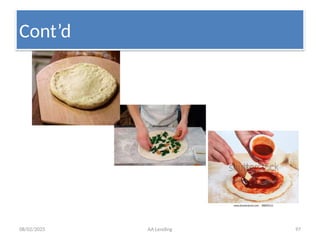
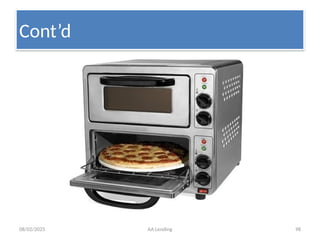
  • 161.
    08/02/2025 AA Lending161 • Reminder (Overpayment) • If a payment is made which satisfies all of the due and overdue amounts and there is a remainder of funds (i.e. an overpayment), T24 must have a pre-defined method of handling the remaining funds. • An activity to be processed for the remainder of the payment can be specified in REMAINDER.ACTIVITY this will be subject to any Transaction Rules. Should the transaction fail, the remainder amount will be processed by the Default Activity specified in Accounting.
  • 162.
    08/02/2025 AA Lending162 • The PAYMENT SCHEDULE Property Class is used by all products which have amounts billed (i.e. made due) or capitalised. • Amortisation and Residual Amounts • It is possible to define a RESIDUAL.AMOUNT at the maturity date of a term product that will be paid on the last payment date of the arrangement. This can be specified by entering an AMORTISATION.TERM with which T24 can calculate payments and any residual or by entering a RESIDUAL.AMOUNT directly
  • 163.
    08/02/2025 AA Lending163 • Defining the Payment Schedule • A Payment Schedule can be comprised of one or more Payment definitions with conditions such as payment Type and Method, arrangement Properties, Dates and Amounts. • T24 provides a mechanism AA.PAYMENT.TYPE by which users can define the standard payment types that can be used by a product.
  • 164.
    08/02/2025 AA Lending164 • Once the PAYMENT.TYPE has been specified, the user can specify the PAYMENT.METHOD as to whether the amount will be Due (to or from the customer) or Capitalised. If a payment will be made more than once, a PAYMENT.FREQUENCY must be specified
  • 165.
    08/02/2025 AA Lending165 • This is input using the T24 frequency code. Eg 15th of each month = M0115, End of every quarter = M0331, Weekly = WEEK1 • For each Payment definition the user must specify the Properties PROPERTY with amounts to be paid and dates for payments. If a frequency has been specified in DUE.FREQ, the user can specify a START.DATE or it can be defaulted from the Base Date. Additionally an END.DATE or NUM.PAYMENTS can be specified to indicate to T24 when the payments should terminate. • There can be two amounts for each payment definition; Calculated Amount and Actual Amount. • A CALC.AMOUNT is determined by T24 based upon the Payment Type and Properties involved, but it is also possible for the user to enter an ACTUAL.AMT to override the calculated amount
  • 166.
    08/02/2025 AA Lending166 • Defining the Billing Rules • For each payment which is due from a customer, T24 will create a Bill record and optionally a Bill Notice. The bill will contain the details of the amounts due, the due date, etc. This Bill record is also the basis of the AA Overdue processing. • By default T24 will create the Bill on the due date, however for products which require a Bill notice to be sent in advance of the due date, the user may enter the number of days prior in BILL.PRODUCED. This will result in the due amounts being projected and recorded on the bill. • Additionally, if the bill is produced prior to the due date, the user can specify when the bill will be considered final (i.e. the bill will not alter based upon changes to the arrangement). • T24 can also combine bills by selecting YES in BILLS.COMBINED which have the same due date and are produced on the same date. This provides for example, the ability to combine a monthly ‘annuity’ loan repayment with a monthly charge to provide the user with a single bill amount.
  • 167.
    08/02/2025 AA Lending167 •In DBE the rule is: • First by Bill property:-the application order is: 1. Commitment interest, 2. Penalty interest1, 3. Penalty interest2, 4. Principal interest, 5. Overdue account, 6. Due account, 7. Accrued principal interest, 8. Undue account • Followed by age: oldest first • The Remainder, if any will be allocated to the “Unallocated Credit Balance” of the Arrangement.
  • 168.
    08/02/2025 AA Lending168 OVERDUE •Useful to do past due processing. •Using OVERDUE Property Class, a Bank can create and manage its own overdue statuses e.g. • Pass, Special Mention • Substandard, Doubtful and Loss • OVERDUE.STATUS Field denotes the overdue or aging status of the arrangement. •In T24, aging is based on: • days or • bills. •If days, the value in the AGEING Field denotes number of days. •If bills, the value in the AGEING Field denotes number of bills.
  • 169.
    08/02/2025 AA Lending169 • Each OVERDUE.STATUS that overdue amounts can age through is specified by the user in EB.LOOKUP • Each Overdue Status can then be used to specify the ageing conditions and any associated accounting. Within the specified AC.ALLOCATION.RULE, the event corresponds to the Status.
  • 170.
    08/02/2025 AA Lending170 • Aging • The ageing process can take place depending on the number of days after the bill was due or by the number of overdue bills. This selection is made in field AGEING.TYPE. • The number of days or bills (relative to the amount due date) before an amount attains this Overdue Status is specified in AGEING.
  • 171.
    08/02/2025 AA Lending171 • Age all Bills • A user can specify that if a bill reaches a certain status, all other bills for the arrangement will be aged to the same status. Select AGE.ALL.BILLS for the required status. This functionality is typically used for a “non- accrual” status which will result in all bills becoming “non-accrual” when a single bill reaches this status.
  • 172.
    08/02/2025 AA Lending172 • Suspend Contract • The User can also specify that a move to this status should trigger a suspending of the arrangement. Choosing field SUSPEND with a value of YES would result in the suspension of P&L entries from the date of suspension and the posting of accruals to a special CRF category
  • 173.
    08/02/2025 AA Lending173 • Movement of Balances • When a bill is to be aged, the user can determine whether or not the balances associated with the bill amounts should be moved to new balances corresponding to the status. The User can do this by selecting YES in MOVE.BALANCES.
  • 174.
    08/02/2025 AA Lending174 • The associated balance for the status can be used as the basis for calculation of an interest class of property (example Penalty Interest). • If a user has chosen to move balances upon ageing of a bill the accounting entries can have effective dates corresponding to the Status change, the Previous Status change, or the Due date. This allows for the ability to have a grace period and a following status which can be effective from the original due date. This selection is in field EFFECTIVE.DATE.
  • 175.
    08/02/2025 AA Lending175 • A non-revolving contract will never reinstate the available commitment amount on repayment, whereas a revolving contract will reinstate the available amount on repayment. The following options are available. • NO – the available amount will not increase when any repayment of principal is made. • PAYMENT – any payment against the outstanding principal (due or not due) will result in the available amount increasing. Typically this setting would be used for fully revolving credit facilities. • PREPAYMENT - only repayments against the outstanding principal (balance not yet due) – such as an ad-hoc payment will result in the available amount increasing. Repayments against due will not reinstate the committed amount. Typically this setting would be used when a product allows over payment and subsequent redraw of the overpaid amount.
  • 176.
    08/02/2025 AA Lending176  Accounting entries • Dr. Loan (cur account) 1M • Cr. ETB14700(AA suspense for FT) 1M – Dr. ETB14700 1M – Cr. Customer Account 1M  This reverses the contingent(off balance sheet) balances • Dr. CURCOMMITBL 1M • Cr. CURCOMMIT 1M
  • 177.
    08/02/2025 AA Lending177 • When interest of say ETB 300 is accrued, • Dr. ACCPRININT 300 • Cr. P&L Category 300 • Here PRININT is the Property attached to the INTEREST Property Class, and the source of calculation set to CURLOANAC in the Product definition. • When a loan amount of ETB 700 is due, • it moves the balance from current balance to due balance i.e. CURLOANAC to DUELOANAC. • Similarly, when the interest ETB 300 is due, it moves the balance from ACCPRININT to DUEPRININT.
  • 178.
    08/02/2025 AA Lending178 • As per the settings in the OVERDUE Condition, when the Bill for Principal due and Interest due is aged to Pass status, their due amounts also move to PassLOANAC and PassPRININT respectively. • When the customer pays ETB 1500 from his current account, • Dr. Current account 1500 • Cr. Due interest 300 • Cr. Due principal 700 and • Cr. UNC 500 (as remainder activity on UNC or adjusted to principal) • Principal Interest can be calculated on current loan balance, • Penalty interest 1 on overdue balances, • Penalty interest 2 on NPL balances, etc.
  • 179.
    08/02/2025 AA Lending179 • New Arrangement Creation:  Create an arrangement for the customer you created earlier with the following information:  Product: Medium term priority loan  Arrangement date: today(system default date)  Term: 4 years  Loan Amount : 5Million  Payment type: linear with quarterly installments  Commit the record and get authorized • Accounting Entry: • Dr. Cur commit(Contingenet) 5M • Cr. Cur commitbl(Contra) 5M
  • 180.
    08/02/2025 AA Lending180  Loan disbursement through FT  Disburse half of the committed amount to the customer’s current account  Commit the record and get authorized  View the arrangement and observe the payment schedule  Loan disbursement through TT  Disburse Birr 1Million to the customer’s in cash  Commit the record and get authorized  View the arrangement and observe the payment schedule
  • 181.
    08/02/2025 AA Lending181  Accounting entries • Dr. Loan (cur account) 1M • Cr. ETB14700(AA suspense for FT) 1M – Dr. ETB14700 1M – Cr. Customer Account 1M  This reverses the contingent(off balance sheet) balances • Dr. CURCOMMITBL 1M • Cr. CURCOMMIT 1M
  • 182.
    08/02/2025 AA Lending182  Loan repayment before due date • Repay through FT  The customer paid birr 500,000 before due date  Commit the record and get authorized
  • 183.
    08/02/2025 AA Lending183  Loan repayment after the loan is due  Open an arrangement and repay half of its existing bills  Commit and get authorized • See the payment rules
  • 184.
    08/02/2025 AA Lending184  AA-PAYOFF  Open an existing arrangement and repay all the outstanding loan through FT  Commit and get authorized • See the accrual, loan and arrangement status
  • 185.
    08/02/2025 AA Lending185 Granting additional loan  An existing customer requested a loan of birr 10M to be paid along with the previous loan on the same term and the bank approved it.  Steps to follow:  On new activity click Increase Activity for Commitment  Record 10M on Change Amount  Commit and get authorized • Note: No change on payment schedule until the loan is disbursed.
  • 186.
    08/02/2025 AA Lending186  Commitment cancelation  An existing customer requested the bank to cancel all the balance in commitment.  Steps to follow:  On new activity click decrease Activity for Commitment  Record negative of the balance to be cancelled on change Amount  Commit and get authorized • Note: No change on payment schedule since it is scheduled already on loan disbursed.
  • 187.
    08/02/2025 AA Lending187  Commitment cancelation  An existing customer requested the bank to cancel all the balance in commitment.  Steps to follow:  On new activity click decrease Activity for Commitment  Record negative of the balance to be cancelled on change Amount  Commit and get authorized • Note: No change on payment schedule since it is scheduled already on loan disbursed.
  • 188.
    08/02/2025 AA Lending188 • Loan rescheduling for existing loan with dues  XYZ plc has borrowed a medium term loan from DBE to be paid in equal quarterly installments. At present, the loan is under loss status with both principal and interest in arrears. The client requested additional three years for loan repayment rescheduling after settling the interest in arrears. Accordingly, the Bank accepted the request and approved the same.  Steps to follow during loan rescheduling: – Step 1:  On New activity click ADJUST.BILL ACTIVITY FOR BALANCE.MAINTENANCE  Record “0” on New Property Amount for account until all the bills are cleared  Note the bill amount on your notebook  Commit and get authorized
  • 189.
    08/02/2025 AA Lending189 – Step 2  On New activity click ADJUST.BALANCE ACTIVITY FOR BALANCE.MAINTENANCE  Record the amount you note on Adjustment Amount of account  Commit and authorize the record – Step 3:  On New activity click CHANGE.TERM ACTIVITY FOR COMMITMENT  Add 3 years to the existing term and record it on term  Clear the maturity date since it was calculated based on the previous term  Commit and authorize the record  Note that the payment schedule will change only after the new disbursement is made.
  • 190.
    08/02/2025 AA Lending190 Credit sale of Asset • Upon failure to repay its loan as per schedule, DBE taken over Green Star Foods PLC project on the second auction and deducted its loan on foreclosure amount. However, on July 22, 2012, the Bank sold the project on birr 30million on disposal. At present, the buyer(XYZ company) settled 30% of the bid amount, and requested the Bank for three years to settle the remaining balance (70% of the bid amount). Based on this, the Bank after conducting the necessary due diligence on XYZ company accepted the customer’s request. The loan is registered by all concerned government bodies and ready for capturing into the new system.
  • 191.
    08/02/2025 AA Lending191  Create the new customer  Capture the credit sale into the system dated July 23, 2012  Make adjustments and Pass all the necessary accounting entries.
  • 192.
    08/02/2025 AA Lending192 Loan transfer  Kaf rose plc failed to repay its loan as per contract rather requested the Bank to transfer its the loan to ABC PLC. ABC PLC also agreed to takeover the loan of Kaf rose plc. The Bank after conducting KYC on ABC PLC(the new company) accepted the loan transfer request on condition that the new company will pay 30 % of the arrears. ABC PLC fulfilled all the conditions set by the Bank.  Capture the loan transfer on July 23, 2012 into the system after creating ABC PLC as a customer  What are the accounting entries to be passed?
  • 193.
    08/02/2025 AA Lending193 • Other charges  The Bank paid birr 50T insurance and included the charge on the loan • Steps to follow:  Open the arrangement and on new activity click CAPTURE.BILL ACTIVITY FOR BALANCE.MAINTENANCE  Write New on Bill Reference,  Select the Bill date and payment date  Select Payment for bill date and the arrangements payment type on payment type by viewing it from payment schedule  Select due for payment method  Record 50T with debit balance on New Property Amount  Commit and authorize it
  • 194.
    08/02/2025 AA Lending194 • Accounting Entry: • When the bill is captured: – Dr. Loan 50T – Cr. ETB 14999(AA suspense for adjustment) 50T – To adjust the internal account, using fund transfer – Dr. ETB14999 50T – Cr. CPO or appropriate internal account 50T
  • 195.
    08/02/2025 AA Lending195 • Write-off • What is write-off? • Write-off • Possible to write-off bills and balances. • Steps to write off bills: • On New activity click WRITE.OFF.BILL ACTIVITY FOR BALANCE.MAINTENANCE • Write YES on Write Off Bill Property of each property to be written-off • Commit and get authorized • Steps to write off Balances: • On New activity click WRITE.OFF.BALANCE ACTIVITY FOR BALANCE.MAINTENANCE • Write YES on Write Off on each balance we need to write-off • Commit and get authorized
  • 196.
    08/02/2025 AA Lending196 • Accounting entry: • When it is written-off – Dr. ETB14002(AA suspense for write-off) – Cr. Loan • When adjustment is passed against provision held • Dr. Provision • Cr. ETB14002(AA write-off suspense)
  • 197.
    08/02/2025 AA Lending197 • Write-back • What is write-back? • What are the possible reasons to write-back a loan? • In T24 it is possible to write-back a loan that is written-off • Steps: • Reverse the write-off activity done before by the user • Accounting Entry: • Dr. Loan • Cr. ETB14002(AA suspense for write-off) – But since the user manually adjusted the ETB14002 against provision held, we have to pass the reverse of that entry, i.e., • Dr. ETB14002 • Cr. Provision held
  • 198.
    08/02/2025 AA Lending198  Create an arrangement for the customer you created earlier with the following basic information:  Arrangement date: TODAY  Commodity : garment  Loan Amount : 41M  Interest rate to be applied 8.5%  Payment type: as per depicted here under • Date Amount • • January 31, 2016 2M • April 30, 2016 2M • July 31, 20162M • October 31, 2016 5M • January 31, 2017 5M • July 31,2017 7M • NOV.30 201710M • March 30 2017 8M  Interest repayment commences on January 31, 2016 and to be paid quarterly  Commit the record and get authorized
  • 199.
    08/02/2025 AA Lending199  Accounting entries • Dr. Loan (cur account) 1M • Cr. ETB14700(AA suspense for FT) 1M – Dr. ETB14700 1M – Cr. Customer Account 1M  This reverses the contingent(off balance sheet) balances • Dr. CURCOMMITBL 1M • Cr. CURCOMMIT 1M
  • 200.
    08/02/2025 AA Lending200 Closure •Closure is closing the loan •Valid options for closure type are  MATURITY or  BALANCE. •Closure at MATURITY: Closure processing would depend on maturity date, if all balances are zero on the maturity date •Closure at BALANCE-As soon as ALL balances become Zero closure activity would be scheduled based on CLOSURE.PERIOD. •CLOSURE.METHOD- Specifies whether closure processing would be triggered automatically or manually •CLOSURE.PERIOD -In case of automatic closure, this specifies the period when the CLOSURE activity would be processed.
  • 201.
    08/02/2025 AA Lending201 • Create a new arrangement for one of your customer with the following detailed information.  Date of contract – today Loan amount- 2,000,000 birr Term -4 year  use floriculture as –commodity 110203 Payment type – Linear payment every 3 month  Interest- 8.5% FIRST REPAYMENT START DATE BOTH PRINCIPAL AND INTEREST IS January, 2016
  • 202.
    08/02/2025 AA Lending202 • Create a new arrangement for one of your customer with the following detailed information.  Date of contract – Yesterday Loan amount- 3,000,000 birr Term -6 year  Use garment as commodity Payment type – Linear payment every 4 month  Interest- 8.5% Grace period of one year FIRST REPAYMENT START DATE FOR INTEREST IS OCTOBER 2015
  • 203.
    08/02/2025 AA Lending203 • Create a new arrangement for one of your customer with the following detailed information.  Date of contract – TODAY Loan amount- 5,000,000 birr Term 5 year  Use FLORICULTURE as commodity Payment type – Linear payment every 3 month  Interest- 8.5% FIRST REPAYMENT START DATE FOR BOTH PRINCIPAL AND INTEREST IS FEBRUARY 2016
  • 204.
    08/02/2025 AA Lending204 • Create staff house loan in your own name with the following detailed information.  Date of contract – today Term-34 years Loan amount- 200,000 FIRST REPAYMENT START DATE IS September 23, 2015  Commodity House construction
  • 205.
    08/02/2025 AA Lending205 • Create staff house loan for customer record you have created earlier, with the following detailed information.  Date of contract – yesterday Term-42 years Loan amount- 350,000 FIRST REPAYMENT START DATE IS October 23, 2015  Commodity House purchase
  • 206.
    08/02/2025 AA Lending206 • What is the difference between Arrangement id and Credit Account in FT AA Disbursement? • Explain the override message pop-up on FT disbursement with “unauthorized Over draft …“
  • 207.
  • 208.
    08/02/2025 AA Lending208 An imputer wrongly recorded the effective date of the contract and requested you for authorization. However, he has filled other fields correctly . What will you recommend him as an authorizer. a) To edit the data b) Delete the data c) Or you may authorize the data
  • 209.
    08/02/2025 AA Lending209 • Create a new arrangement/loan for one of your customers with the following detailed information.  Date of contract – today Loan amount- 2,000,000 birr Term -5 year  use floriculture as -commodity Payment type – Linear payment every 3 month  Interest- 8.5%
  • 210.
    08/02/2025 AA Lending210 • Create a saving Account for staff customer record you have created yesterday • Use 6001 for product code • Validate the record • Verify the defaulted short name against the short name captured in the customer record • Commit the record and get authorized
  • 211.
    08/02/2025 AA Lending211  Loan disbursement through FT  Disburse half of the committed amount to the customer’s Saving/current account  Commit the record and get authorized  View the arrangement and observe the payment schedule
  • 212.
    08/02/2025 AA Lending212 Loan disbursement through TT Disburse Birr 1Million to the customer’s in cash Commit the record and get authorized View the arrangement and observe the payment schedule
  • 213.
    08/02/2025 AA Lending213 Exercise: Customer & Account • Create a customer record for a person you appeared to know. – Commit the record and get it authorized • Open a current account for the same customer you have created above. – Commit the record and get it authorized
  • 214.
    08/02/2025 AA Lending214  Create an arrangement for the customer you created earlier with the following information:  Arrangement date: today (system default date)  Term: 4 years  Interest rate: 8.5%  Loan Amount : 5Million  Commodity: 100213  Payment type : linear with quarterly installments  Payment start date: November 30, 2015 both for Principal and Interest  Commit the record and get authorized