Accomplish It With Core
Sliders, Galleries & More.
         WordCamp NYC 2012
              #wcnyc
          @theandystratton
Leveraging plugins?
  Custom themes or market-place...
  There are some common pitfalls.
Missing features.
     Almost enough.
   Close but not exact.
Too many features.
    Bloated. Can be slow.
   UX could overload user.
Difficult to integrate.
Painful user-experience.
      Some stray from core UI.
     Some are confusing to use.
Custom Theming?
   Even child-theming...
Develop HTML/CSS/JS
SEPARATELY.
   Verifies browser compatibility.
    Easy to troubleshoot later.
Stay Organized.
 Quickly create theme files
  from your HTML/CSS.
Bundling Functionality:
          Traditional Plugins.
        /mu-plugins/ Plugins.
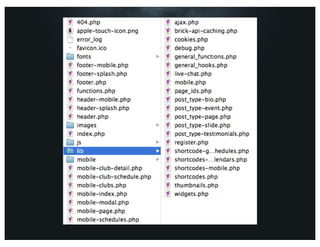
   Library of auto-included code...
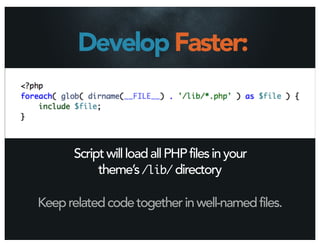
Develop Faster:


      Script will load all PHP files in your
           theme’s /lib/ directory

Keep related code together in well-named files.
What makes sense?
 Should the functionality transfer
         to other themes?
   Is the functionality optional?
Building Stuff.
    Marketing Sliders.
     Photo Galleries.
 Press Releases & More...
Context is Queen.
Examples are common denominators.
Your content should
      dictate the
functionality you build.
Marketing Sliders.
Typical in many business/sales sites.
     Not just your blog posts.
  Promotions, teasers, and more.
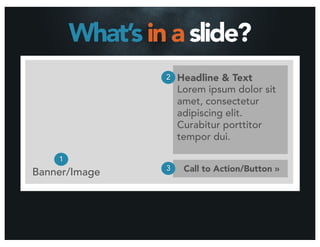
What’s in a slide?
                 2   Headline & Text
                     Lorem ipsum dolor sit
                     amet, consectetur
                     adipiscing elit.
                     Curabitur porttitor
                     tempor dui.

    1
Banner/Image     3    Call to Action/Button »
Custom Post Type
These pieces map perfectly to a custom post
      type with minimal custom fields.
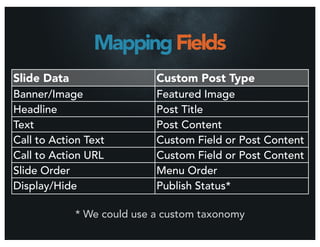
Mapping Fields
Slide Data                  Custom Post Type
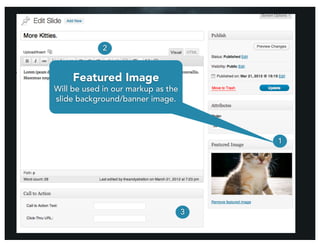
Banner/Image                Featured Image
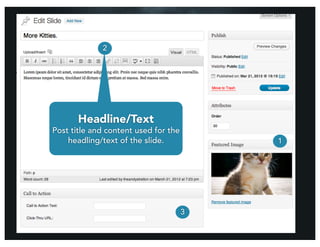
Headline                    Post Title

Text                        Post Content
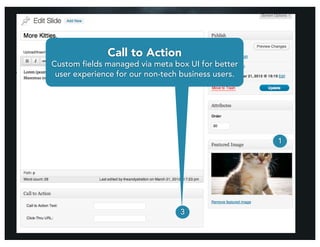
Call to Action Text         Custom Field or Post Content
Call to Action URL          Custom Field or Post Content
Slide Order                 Menu Order
Display/Hide                Publish Status*

             * We could use a custom taxonomy
Custom Code
   Nerd Alert.
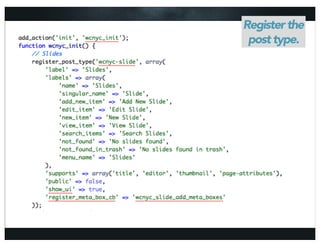
Register the
 post type.
There’s a lot more
   you can do with
 Custom Post Types.
See Jared’s presentation later!
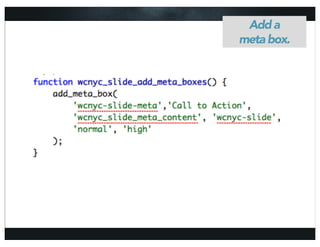
Add a
meta box.
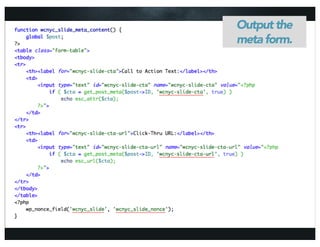
Output the
meta form.
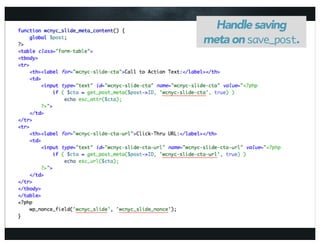
Handle saving
meta on save_post.
2


        1


    3
2


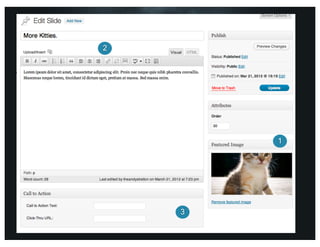
     Featured Image
Will be used in our markup as the
slide background/banner image.


                                        1


                                    3
2


       Headline/Text
Post title and content used for the
    headling/text of the slide.           1


                                      3
2
                 Call to Action
Custom fields managed via meta box UI for better
 user experience for our non-tech business users.


                                                    1


                                 3
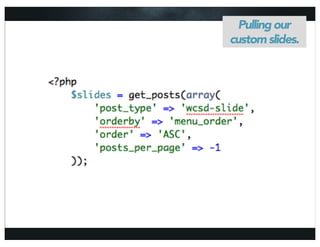
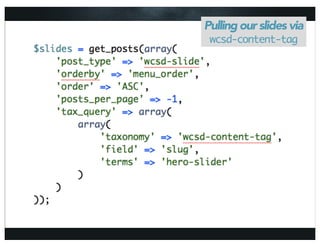
Pulling Slides
It’s as easy as get_posts().
Handle saving
  Pulling our
on save_post.
custom slides.
Custom Taxonomy
We could push this even further by assigning
          context (tag/category).
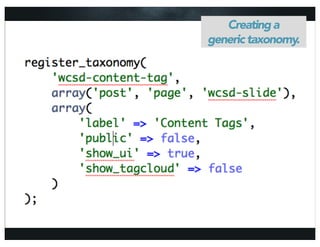
Creating a
generic taxonomy.
General Taxonomy
Assigning to all our post types allows us to
     assign context and relate things.
Pulling our slides via
 wcsd-content-tag
Contextual Uses
   Relate other post types to posts/pages
e.g. quotes, testimonials, press releases, slides
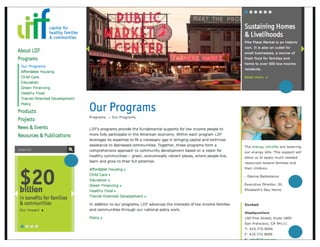
Real World
Page-specific sliders
     Quotes
     Statistics
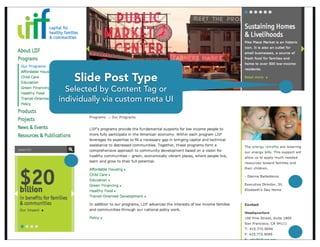
Slide Post Type
  Selected by Content Tag or
individually via custom meta UI
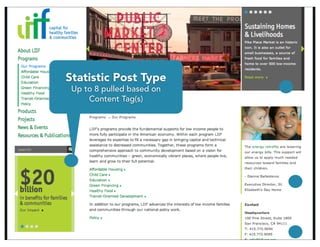
Statistic Post Type
 Up to 8 pulled based on
     Content Tag(s)
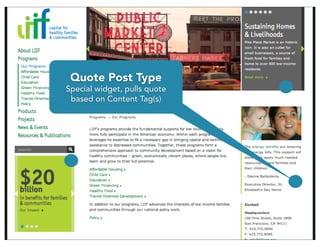
Quote Post Type
Special widget, pulls quote
 based on Content Tag(s)
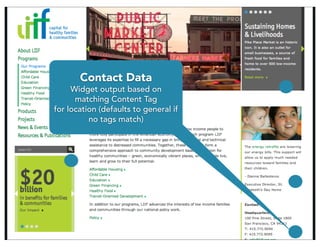
Contact Data
     Widget output based on
      matching Content Tag
for location (defaults to general if
          no tags match)
Photo Galleries
Of course: the Gallery API/shortcode.
But What If?
You’ve got custom HTML/CSS already.
 You can’t duplicate it with [gallery].
Use/Hack Plugins?
   Could be bloated code.
     Could be insecure.
     Could take longer.
Image Attachments.
       They’re a post type.
       You can query ‘em.
  You can do anything with ‘em.
Galleries of Galleries.
  Photo Galleries parent page can
    list all child pages (galleries).
 Can display photos via templates or
       quick call shortcode API.
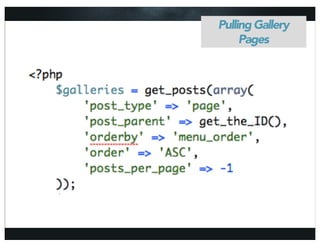
Pulling Gallery
     Pages
Now What?
  More code.
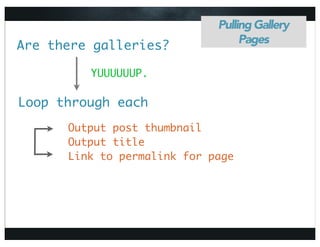
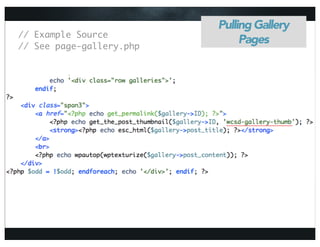
Pulling Gallery
                                  Pages
Are there galleries?

         YUUUUUUP.

Loop through each
      Output post thumbnail
      Output title
      Link to permalink for page
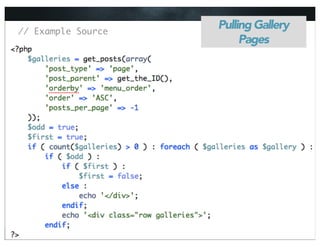
// Example Source
                    Pulling Gallery
                         Pages
Pulling Gallery
// Example Source
// See page-gallery.php
                               Pages
What’s Possible?
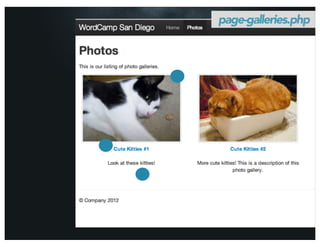
    Screenshot time.
page-galleries.php
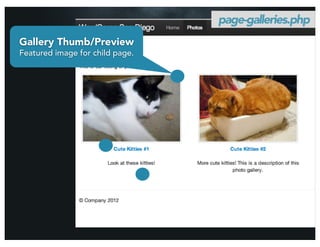
page-galleries.php
Gallery Thumb/Preview
Featured image for child page.
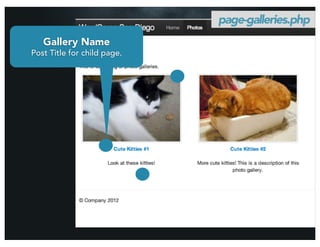
page-galleries.php
   Gallery Name
Post Title for child page.
page-galleries.php


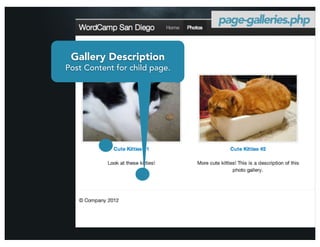
 Gallery Description
Post Content for child page.
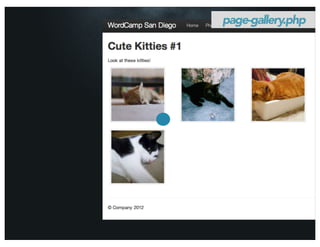
page-gallery.php
page-gallery.php


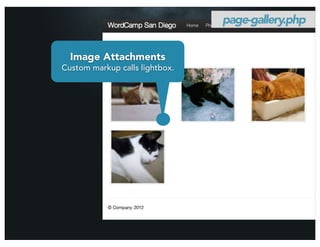
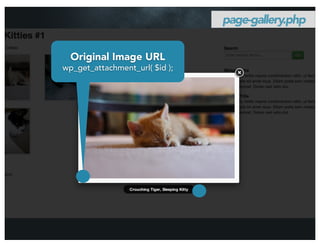
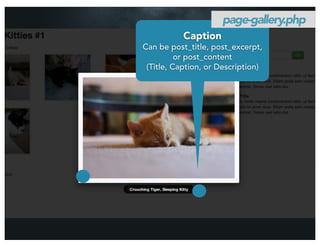
  Image Attachments
Custom markup calls lightbox.
page-gallery.php
page-gallery.php


  Original Image URL
wp_get_attachment_url( $id );
page-gallery.php
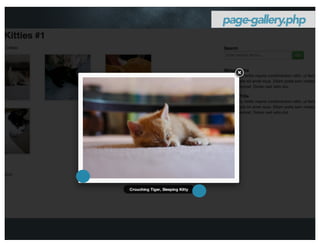
           Caption
Can be post_title, post_excerpt,
          or post_content
 (Title, Caption, or Description)
Why Do This?
Custom Markup.
Extended Behaviors.
Anal Retentive.
Complete control over client output.
  Maximum UX/empowerment.
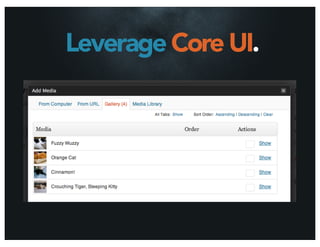
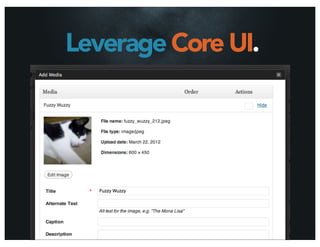
Leverage Core UI.
Leverage Core UI.
More Attachments.
 PDF’s can be attached (e.g. press releases)
‘post_mime_type’ => ‘application/pdf’
              Anything, really.
Wrap It Up.
Sometimes you need

  MORE
FEATURES
than free plugins provide.
Customizing plugins can be

    MORE
    WORK
  then using Core APIs.
GET CREATIVE
    with the free &
POWERFUL TOOLS
  you’ve already got.
Create usable & meaningful
EXPERIENCES.
Core API’s keep you
COMPATIBLE.
Upgrades / Environment / Security
         Other Plugins
Use
  CONTEXT
when solving problems.
    What makes sense?
Add

    CONTEXT
                    to your

    CONTENT
Like relating different types of content via taxonomy.
Serve your users’
BEST INTEREST
      and you
 CAN’T FAIL
Thanks ;]

Accomplish It With Core: Sliders Galleries + More