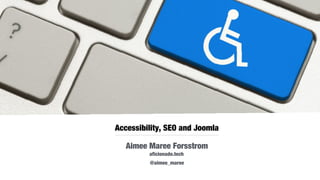
Accessibility, SEO and Joomla
Aimee Maree Forsstrom
aficionado.tech
Aug 29-31, 2016 @aimee_maree
Who am I?
Aimee Maree Forsstrom
CMS Developer and Solutions Architect
Web Accessibility Engineer and Advocate
Open Source Industry Australia Board Member
Someone who wants to help people
Problem Solver! and that I think is the most important
Accessibility and SEO
Why?
Accessibility Matters
Estimated 15% of worlds population live with some kind of
impairment - 2011 WHO World Report on Disability
Ageing population
Increase in diagnosis of cognitive differences (ASD, ADHD, Dyslexia)
Time Poor
Because we make websites for People to use
Increased Market Share as you cater for wider audience
SEO Matters
Number one way people search the web is “browsing”
Majority of people look only at the first search results page
New ideas need a way to get in front of people
Increase Google page ranking
Web is a large part of the marketing strategy for companies
Because the Client wants it
Webspiders are blind
Webspider will read your site like blind reader
It will take your title structure, meta tags, image alt tags to
populate web page / image / video searches
Any text conveyed in images will not be read
by a screen reader or a webspider
Accessibility enhancements will help a webspider index your site
Accessibility will improve your SEO ranking
Start seeing webspiders and webcrawlers as one of your users
SEO mods are Accessibility mods
Meaningful use of headers not used for styling
Tabular data stored in a HTML table not DIV
Use explanatory text links “more about Charles birthday”
Ensure images have alt-tags where you can include descriptions
Main Content Before SideBars - generate “maincontent” first then
“left” and “right” sidebars
Place a “Skip to navigation” at top of page
So SEO is Accessibility?
No
But Accessibility enhancements will help your sites page
ranking
So
Design/Content/Development changes needed for SEO will
add accessibility features to your site
Why?
Because Webspiders access your site the same way as a
screen reader would
State of Accessibility in
Joomla
https://www.joomla.org/accessibility-statement.html
Covers the basics
Accessibility Forum no longer used,
active slack channel/s
In NEED of some JOOMLA LOVE
Accessibility and Joomla
Core themes have accessibility needs built in
Image alt tags and descriptions
Navigation tool tips
Site information – populates meta tags
Per Page meta tags
Vanilla Joomla
Joomla provides a lot out of the box
Check what features you have in core
before seeking an extension
Always think, can I do this in core?
Accessibility Extensions?
Pretty dismal – but hey its not that simple
Eight extensions – two really cant be classified
as accessibility extensions
Most deal with font resize and text to speech
audio buttons
MUST think of the theme/extensions your using
for compatibility
Can provide a nice quick fix if timeline and/or
budget is tight
Lets take a quick look
J Font Size – increases font size on web page, sets
maximum and minimum
G Speech – audio of text on the site, applies a button to
allow user to have page read to them, allows for
customisable event calls, bonus here is for
internationalisation
Screen Reader – includes Dyslexic font, focus elements,
high contrast option, plugs into internationalisation
MU Text to Speech – FREE, english support only, only
reads text from Article
continued...
B-Accessibility – Very basic, changes font size, control
contrast, keyboard navigation, underline in links
Mu Contrast – adds a high contrast CSS into Joomla
(only works with certain themes)
Anything Float Scrolling – helps position sticky/fixed –
not sure why this is included
Zoom – increases zoom view for HTML elements – not
sure why this is included
Things to think about?
Forget font size increase tools the browser is the standard
Two minds on audio buttons – most people will use the built in
reader tool, are a quick fix for lack of budget/time for WAI-ARIA calls
High Contrast – this is always a huge bonus
Font Choice – Dyslexic fonts, baseline font size
Colour Contrast – something often left out
Mobile vs Desktop – Don’t hide mobile content
Theme has the last say?
Your theme will have the final say (some extensions can modify
theme elements but not all themes will work)
How has it been coded? Does it use correct HTML elements?
When selecting a theme, run it through webaim test before deciding
Always use Native HTML elements in your theme – don’t use nested
divs to display tabular data use a table
What you See is what you
get?
Third party extensions and themes might not meet your standards of
accessibility
WYSIWYG code can be full of nasties use features with care
People adding content? Formatting of content is important for
maintaining accessibility
What can we do?
Build accessibility into your release cycle
There are accessibility frameworks for testing
Use HTML/CSS validation
Run online accessibility checks
Think about inclusivity of your website or app at
the design stage
Train people
Accessibility Testing?
Build accessibility into your release cycle
There are accessibility frameworks for testing
Get Developers to use a web checking tool as they
develop to catch any small gotchas
Add HTML/CSS validation checkers into your
development lifecycle
Check your websites
wave.webaim.org
HTML w3c validation
CSS and HTML W3C validation
Check the site in text mode using Lynx
lynx.isc.org/current
Read up on accessibility information
www.accessiq.org
www.w3.org/TR/UNDERSTANDING-WCAG20
Automated a11y Testing
No specific tool for Joomla CMS there are
PHP/HTML/CSS checking tools you can use
tenon.io – Accessibility testing framework for PHP
CMS, allows creation of API tests in dev workflow
SASS/LESS builders have validation tools to add to
the build process – reject non validated CSS/HTML
No real simple answer
Accessibility compliance needs People
Only so much can be found through automated testing
Screen Readers need human testing
Human testers are needed to confirm the workflow and
labels make sense
Accessibility audits and testing can cost a lot of money
this can be needed for sites that MUST meet WCAG2.0
tis factor should be added as a seperate cost for the
budget
Budget Worries
Use what Joomla has out of the box
Accessibility as a first thought not an after one
Consider a third party extension
Purchase a template that contains accessibility
elements
Go for quick wins
Accessibility = Better SEO = Budget Win
Check your budget and requirements
What are your clients needs? Any legal requirement?
Cover SEO = Cover baseline accessibility needs
Online validation and checks by developers
Couple SEO costs with Accessibility
Aim for WCAG 1.0
Learn Extension weaknesses
Select themes that mention accessibility
Create your own theme that meets accessibility needs
The Stakeholders
We build websites for people to use
Expanding our user socio demographic is
always a win
People pay us to build websites for people to
use
These people have a vested interest in the
outcome
For the client...
Accessibility Changes help address SEO
Accessibility increases Google Page Rank
Widens the user socio demographic
Future proofing for aging population
Addresses possibility of legal/usability
complaints
For Designers and Content
Design and content changes
for Accessibility
ARE
Changes for SEO
For Joomla engineers...
Code changes for
Accessibility
ARE
Changes for SEO
for our budget...
Budget Cost for changes
needed for Accessibility
ARE
The same Budget Cost
covers SEO approach
So then...
Accessibility
=
SEO
Budget Approach
When Accessibility is not asked for?
Show Accessibility and SEO as a combined cost
Explain to client it is a competitive advantage
offered by your consultancy
MUST explain that you are covering basic
Accessibility requirements and not WCAG2.0
compliance – if this is not outlined in your
documentation clients could perceive more then
your offering aka full WCAG2.0 AAA compliance
Budget Approach
Is WCAG2.0 compliance required?
YES > add extra cost onto budget to cover third
party audit costs and for internal resource to
manage audit company plus extra hours for any
corrections needed by development
NO > third party not needed however add
additional testing hours to perform a webaim
audit. It is recommended to write a short report for
the client and internal development staff
Where to from here
Depends on the budget
Purchase themes that cater for accessibility
Develop a theme that caters for accessibility
Implement some easy fixes
Think about accessibility at the Design phase
Cookie Cutter Solution
Content Management Systems are awesome because
we are not creating the wheel each time
They allow us have a foundation to build new websites
Each website we build with this foundation adds to the
knowledge base
We can then streamline our development process and
reduce build time and worker onboarding
Joomla is a CMS once we get the process right its a
matter of repeating it and streamlining it
So is it finished now?
No Accessibility is Dynamic
Website can meet WCAG 2.0 AA then your content
people can break that compliance by adding content
Ensure to have an accessibility clause in your
contracts and to cover the reality of continued testing
to ensure WCAG2.0
If WCAG 2.0 is required and your providing support
have a clause to cover extra work and areas of
responsibility
Take away
No simple solution to perfect accessibility
We can meet a lot of key criteria for WCAG when we
apply good SEO
Get to learn what Joomla Core has to offer first
Extensions can add a quick fix solution but also require
maintenance and updating
Accessibility is dynamic you can never sell a website
that will “always” meet accessibility
But you can creep accessibility techniques into your
development process without it being a hindering cost
Questions?
Aimee Maree Forsstrom
@aimee_maree
aimeemaree.com aficionado.tech

Accessibility, SEO and Joomla

  • 1.
    Accessibility, SEO andJoomla Aimee Maree Forsstrom aficionado.tech Aug 29-31, 2016 @aimee_maree
  • 2.
    Who am I? AimeeMaree Forsstrom CMS Developer and Solutions Architect Web Accessibility Engineer and Advocate Open Source Industry Australia Board Member Someone who wants to help people Problem Solver! and that I think is the most important
  • 3.
  • 4.
    Accessibility Matters Estimated 15%of worlds population live with some kind of impairment - 2011 WHO World Report on Disability Ageing population Increase in diagnosis of cognitive differences (ASD, ADHD, Dyslexia) Time Poor Because we make websites for People to use Increased Market Share as you cater for wider audience
  • 5.
    SEO Matters Number oneway people search the web is “browsing” Majority of people look only at the first search results page New ideas need a way to get in front of people Increase Google page ranking Web is a large part of the marketing strategy for companies Because the Client wants it
  • 6.
    Webspiders are blind Webspiderwill read your site like blind reader It will take your title structure, meta tags, image alt tags to populate web page / image / video searches Any text conveyed in images will not be read by a screen reader or a webspider Accessibility enhancements will help a webspider index your site Accessibility will improve your SEO ranking Start seeing webspiders and webcrawlers as one of your users
  • 7.
    SEO mods areAccessibility mods Meaningful use of headers not used for styling Tabular data stored in a HTML table not DIV Use explanatory text links “more about Charles birthday” Ensure images have alt-tags where you can include descriptions Main Content Before SideBars - generate “maincontent” first then “left” and “right” sidebars Place a “Skip to navigation” at top of page
  • 8.
    So SEO isAccessibility? No But Accessibility enhancements will help your sites page ranking So Design/Content/Development changes needed for SEO will add accessibility features to your site Why? Because Webspiders access your site the same way as a screen reader would
  • 9.
    State of Accessibilityin Joomla https://www.joomla.org/accessibility-statement.html Covers the basics Accessibility Forum no longer used, active slack channel/s In NEED of some JOOMLA LOVE
  • 10.
    Accessibility and Joomla Corethemes have accessibility needs built in Image alt tags and descriptions Navigation tool tips Site information – populates meta tags Per Page meta tags
  • 11.
    Vanilla Joomla Joomla providesa lot out of the box Check what features you have in core before seeking an extension Always think, can I do this in core?
  • 12.
    Accessibility Extensions? Pretty dismal– but hey its not that simple Eight extensions – two really cant be classified as accessibility extensions Most deal with font resize and text to speech audio buttons MUST think of the theme/extensions your using for compatibility Can provide a nice quick fix if timeline and/or budget is tight
  • 13.
    Lets take aquick look J Font Size – increases font size on web page, sets maximum and minimum G Speech – audio of text on the site, applies a button to allow user to have page read to them, allows for customisable event calls, bonus here is for internationalisation Screen Reader – includes Dyslexic font, focus elements, high contrast option, plugs into internationalisation MU Text to Speech – FREE, english support only, only reads text from Article
  • 14.
    continued... B-Accessibility – Verybasic, changes font size, control contrast, keyboard navigation, underline in links Mu Contrast – adds a high contrast CSS into Joomla (only works with certain themes) Anything Float Scrolling – helps position sticky/fixed – not sure why this is included Zoom – increases zoom view for HTML elements – not sure why this is included
  • 15.
    Things to thinkabout? Forget font size increase tools the browser is the standard Two minds on audio buttons – most people will use the built in reader tool, are a quick fix for lack of budget/time for WAI-ARIA calls High Contrast – this is always a huge bonus Font Choice – Dyslexic fonts, baseline font size Colour Contrast – something often left out Mobile vs Desktop – Don’t hide mobile content
  • 16.
    Theme has thelast say? Your theme will have the final say (some extensions can modify theme elements but not all themes will work) How has it been coded? Does it use correct HTML elements? When selecting a theme, run it through webaim test before deciding Always use Native HTML elements in your theme – don’t use nested divs to display tabular data use a table
  • 17.
    What you Seeis what you get? Third party extensions and themes might not meet your standards of accessibility WYSIWYG code can be full of nasties use features with care People adding content? Formatting of content is important for maintaining accessibility
  • 18.
    What can wedo? Build accessibility into your release cycle There are accessibility frameworks for testing Use HTML/CSS validation Run online accessibility checks Think about inclusivity of your website or app at the design stage Train people
  • 19.
    Accessibility Testing? Build accessibilityinto your release cycle There are accessibility frameworks for testing Get Developers to use a web checking tool as they develop to catch any small gotchas Add HTML/CSS validation checkers into your development lifecycle
  • 20.
    Check your websites wave.webaim.org HTMLw3c validation CSS and HTML W3C validation Check the site in text mode using Lynx lynx.isc.org/current Read up on accessibility information www.accessiq.org www.w3.org/TR/UNDERSTANDING-WCAG20
  • 21.
    Automated a11y Testing Nospecific tool for Joomla CMS there are PHP/HTML/CSS checking tools you can use tenon.io – Accessibility testing framework for PHP CMS, allows creation of API tests in dev workflow SASS/LESS builders have validation tools to add to the build process – reject non validated CSS/HTML No real simple answer
  • 22.
    Accessibility compliance needsPeople Only so much can be found through automated testing Screen Readers need human testing Human testers are needed to confirm the workflow and labels make sense Accessibility audits and testing can cost a lot of money this can be needed for sites that MUST meet WCAG2.0 tis factor should be added as a seperate cost for the budget
  • 23.
    Budget Worries Use whatJoomla has out of the box Accessibility as a first thought not an after one Consider a third party extension Purchase a template that contains accessibility elements Go for quick wins Accessibility = Better SEO = Budget Win
  • 24.
    Check your budgetand requirements What are your clients needs? Any legal requirement? Cover SEO = Cover baseline accessibility needs Online validation and checks by developers Couple SEO costs with Accessibility Aim for WCAG 1.0 Learn Extension weaknesses Select themes that mention accessibility Create your own theme that meets accessibility needs
  • 25.
    The Stakeholders We buildwebsites for people to use Expanding our user socio demographic is always a win People pay us to build websites for people to use These people have a vested interest in the outcome
  • 26.
    For the client... AccessibilityChanges help address SEO Accessibility increases Google Page Rank Widens the user socio demographic Future proofing for aging population Addresses possibility of legal/usability complaints
  • 27.
    For Designers andContent Design and content changes for Accessibility ARE Changes for SEO
  • 28.
    For Joomla engineers... Codechanges for Accessibility ARE Changes for SEO
  • 29.
    for our budget... BudgetCost for changes needed for Accessibility ARE The same Budget Cost covers SEO approach
  • 30.
  • 31.
    Budget Approach When Accessibilityis not asked for? Show Accessibility and SEO as a combined cost Explain to client it is a competitive advantage offered by your consultancy MUST explain that you are covering basic Accessibility requirements and not WCAG2.0 compliance – if this is not outlined in your documentation clients could perceive more then your offering aka full WCAG2.0 AAA compliance
  • 32.
    Budget Approach Is WCAG2.0compliance required? YES > add extra cost onto budget to cover third party audit costs and for internal resource to manage audit company plus extra hours for any corrections needed by development NO > third party not needed however add additional testing hours to perform a webaim audit. It is recommended to write a short report for the client and internal development staff
  • 33.
    Where to fromhere Depends on the budget Purchase themes that cater for accessibility Develop a theme that caters for accessibility Implement some easy fixes Think about accessibility at the Design phase
  • 34.
    Cookie Cutter Solution ContentManagement Systems are awesome because we are not creating the wheel each time They allow us have a foundation to build new websites Each website we build with this foundation adds to the knowledge base We can then streamline our development process and reduce build time and worker onboarding Joomla is a CMS once we get the process right its a matter of repeating it and streamlining it
  • 35.
    So is itfinished now? No Accessibility is Dynamic Website can meet WCAG 2.0 AA then your content people can break that compliance by adding content Ensure to have an accessibility clause in your contracts and to cover the reality of continued testing to ensure WCAG2.0 If WCAG 2.0 is required and your providing support have a clause to cover extra work and areas of responsibility
  • 36.
    Take away No simplesolution to perfect accessibility We can meet a lot of key criteria for WCAG when we apply good SEO Get to learn what Joomla Core has to offer first Extensions can add a quick fix solution but also require maintenance and updating Accessibility is dynamic you can never sell a website that will “always” meet accessibility But you can creep accessibility techniques into your development process without it being a hindering cost
  • 37.