Submitted By: PREM SINDHI
12302040701137
Seminar
On
E-ball Technology
Content
 Introduction
 History
 Components of E-ball
 Size of E-ball
 Display unit of E-ball
 Features of E-ball
 Advantages
 Disadvantages
 Limitation
 Conclusion
What is E BALL ?
Introduction
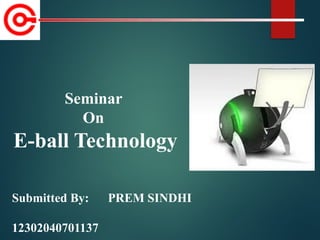
 The E-Ball concept pc is a sphere shaped pc which
is the smallest design among all the laptops and
desktops.
 This concept PC will measure 160mm in diameter
and it was designed for Microsoft Windows OS.
Introduction (Cont…)
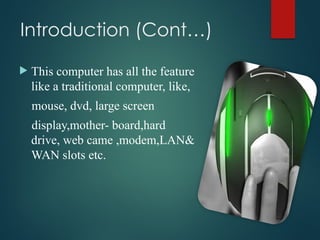
 This computer has all the feature
like a traditional computer, like,
mouse, dvd, large screen
display,mother- board,hard
drive, web came ,modem,LAN&
WAN slots etc.
History Of E-ball
 Designer Apostol Tnokovski has Replaced the good old PC
from the shackles of the monotonous squares and rectangular
shape with his newly designed wonder in a spherical shape.
 According to Apostol it is the best shape in nature and it draws
everybody attention. It is the smallest PC ever made.
History Of E-ball (Cont…)
 It is definitely small when it comes to the size but as they say
all good things come in small packages, this tiny round PC is
no exception.
 It is loaded with all features that you can only dream of to
have in a regular PC. It comes packed with a projected
keyboard and display.
The components of E-ball
 I -tech Virtual keyboard
 Dual core processor
 2GB RAM
 350-500GB hard drive
 Integrated graphics and sound card
 Speakers
 Wireless optical mouse
 LAN & WAN card
 Modem
 Web cam
 LCD projector
 Paper holder
Size of E-Ball
 E-Ball is very small, it is having only 6
inch diameter sphere.
 It is having 120×120mm motherboard.
 Created by Apostol Tnokopvski.
 Smallest PC ever made.
 160mm round sphere.
The display unit of E-ball
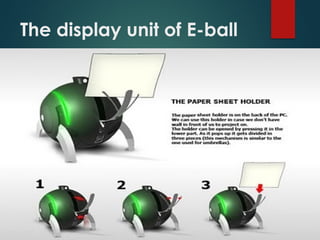
 E Ball concept pc don't have any external display
unit, it has a button when you press this button a
projector will pop and it focus the computer screen on
the wall which can be adjusted with navigation keys.
 If there is no wall then it has a paper sheet holder that
divides into three pieces like an umbrella just after
popping upland it will show desktop on the paper
sheet.
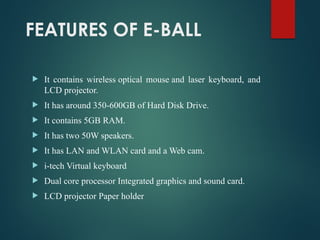
FEATURES OF E-BALL
 It contains wireless optical mouse and laser keyboard, and
LCD projector.
 It has around 350-600GB of Hard Disk Drive.
 It contains 5GB RAM.
 It has two 50W speakers.
 It has LAN and WLAN card and a Web cam.
 i-tech Virtual keyboard
 Dual core processor Integrated graphics and sound card.
 LCD projector Paper holder
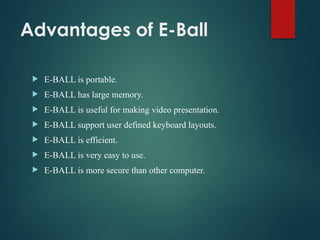
Advantages of E-Ball
 E-BALL is portable.
 E-BALL has large memory.
 E-BALL is useful for making video presentation.
 E-BALL support user defined keyboard layouts.
 E-BALL is efficient.
 E-BALL is very easy to use.
 E-BALL is more secure than other computer.
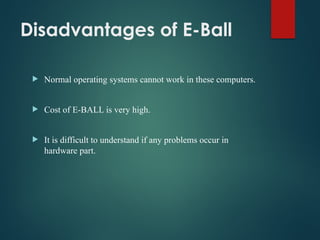
Disadvantages of E-Ball
 Normal operating systems cannot work in these computers.
 Cost of E-BALL is very high.
 It is difficult to understand if any problems occur in
hardware part.
Limitations
 Cost of E-Ball is very high.
 It is difficult to understand if any problems
occur in hardware components.
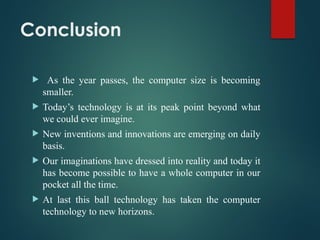
Conclusion
 As the year passes, the computer size is becoming
smaller.
 Today’s technology is at its peak point beyond what
we could ever imagine.
 New inventions and innovations are emerging on daily
basis.
 Our imaginations have dressed into reality and today it
has become possible to have a whole computer in our
pocket all the time.
 At last this ball technology has taken the computer
technology to new horizons.
REFERENCES
 www.google.com
 www.wikipedia.com
 www.studymafia.org
Thanks

SEMINAR PPT ON E BALL.pptx it is for e ball

  • 1.
    Submitted By: PREMSINDHI 12302040701137 Seminar On E-ball Technology
  • 2.
    Content  Introduction  History Components of E-ball  Size of E-ball  Display unit of E-ball  Features of E-ball  Advantages  Disadvantages  Limitation  Conclusion
  • 3.
    What is EBALL ?
  • 4.
    Introduction  The E-Ballconcept pc is a sphere shaped pc which is the smallest design among all the laptops and desktops.  This concept PC will measure 160mm in diameter and it was designed for Microsoft Windows OS.
  • 5.
    Introduction (Cont…)  Thiscomputer has all the feature like a traditional computer, like, mouse, dvd, large screen display,mother- board,hard drive, web came ,modem,LAN& WAN slots etc.
  • 6.
    History Of E-ball Designer Apostol Tnokovski has Replaced the good old PC from the shackles of the monotonous squares and rectangular shape with his newly designed wonder in a spherical shape.  According to Apostol it is the best shape in nature and it draws everybody attention. It is the smallest PC ever made.
  • 7.
    History Of E-ball(Cont…)  It is definitely small when it comes to the size but as they say all good things come in small packages, this tiny round PC is no exception.  It is loaded with all features that you can only dream of to have in a regular PC. It comes packed with a projected keyboard and display.
  • 8.
    The components ofE-ball  I -tech Virtual keyboard  Dual core processor  2GB RAM  350-500GB hard drive  Integrated graphics and sound card  Speakers  Wireless optical mouse  LAN & WAN card  Modem  Web cam  LCD projector  Paper holder
  • 9.
    Size of E-Ball E-Ball is very small, it is having only 6 inch diameter sphere.  It is having 120×120mm motherboard.  Created by Apostol Tnokopvski.  Smallest PC ever made.  160mm round sphere.
  • 10.
  • 11.
    The display unitof E-ball  E Ball concept pc don't have any external display unit, it has a button when you press this button a projector will pop and it focus the computer screen on the wall which can be adjusted with navigation keys.  If there is no wall then it has a paper sheet holder that divides into three pieces like an umbrella just after popping upland it will show desktop on the paper sheet.
  • 12.
    FEATURES OF E-BALL It contains wireless optical mouse and laser keyboard, and LCD projector.  It has around 350-600GB of Hard Disk Drive.  It contains 5GB RAM.  It has two 50W speakers.  It has LAN and WLAN card and a Web cam.  i-tech Virtual keyboard  Dual core processor Integrated graphics and sound card.  LCD projector Paper holder
  • 13.
    Advantages of E-Ball E-BALL is portable.  E-BALL has large memory.  E-BALL is useful for making video presentation.  E-BALL support user defined keyboard layouts.  E-BALL is efficient.  E-BALL is very easy to use.  E-BALL is more secure than other computer.
  • 14.
    Disadvantages of E-Ball Normal operating systems cannot work in these computers.  Cost of E-BALL is very high.  It is difficult to understand if any problems occur in hardware part.
  • 15.
    Limitations  Cost ofE-Ball is very high.  It is difficult to understand if any problems occur in hardware components.
  • 16.
    Conclusion  As theyear passes, the computer size is becoming smaller.  Today’s technology is at its peak point beyond what we could ever imagine.  New inventions and innovations are emerging on daily basis.  Our imaginations have dressed into reality and today it has become possible to have a whole computer in our pocket all the time.  At last this ball technology has taken the computer technology to new horizons.
  • 17.
  • 18.