Eric Roberts Handout #7 
CS106B April 3, 2009 
Assignment #1—Simple C++ 
Parts of this handout were written by Julie Zelenski 
Due: Friday, April 10 
Part 1. Get your C++ compiler working 
Your first task is to set up your C++ compiler. If you’re using the machines in Stanford’s 
public clusters, you don’t need to do anything special to install the software. If you’re 
using you own machine, you should consult one of the following handouts, depending on 
the type of machine you have: 
• Handout #7M. Downloading XCode on the Macintosh 
• Handout #7P. Downloading Visual Studio for Windows 
Once you have the compiler ready, go to the assignments section of the web site and 
download the starter file for the type of machine you are using. For either platform, the 
Assignment1 folder contains six separate project folders: one for this warmup problem 
and one for each of the five problems in Part 2 of the assignment. Open the project file in 
the folder named 0-Warmup. Your mission in Part 1 of the assignment is simply to get 
this program running. The source file we give you is a complete C++ program—so 
complete, in fact, that it comes complete with two bugs. The errors are not difficult to 
track down (in fact, we’ll tell you that one is incorrect arguments to a function call and 
the other is a needed #include statement is missing). This task is designed to give you a 
little experience with the way errors are reported by the compiler and what it takes to fix 
them. 
Once you fix the errors, compile and run the program. When the program executes, it 
will ask for your name. Enter your name and it will print out a “hash code” (a number) 
generated for that name. We’ll talk later in the class about hash codes and what they are 
used for, but for now just run the program, enter your name, and record the hash code. 
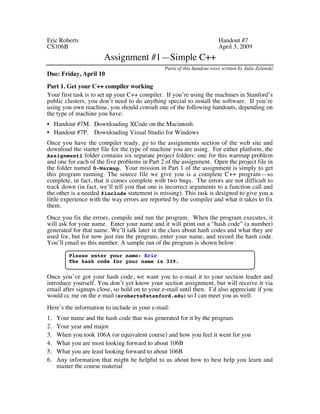
You’ll email us this number. A sample run of the program is shown below: 
Please enter your name: Eric 
The hash code for your name is 339. 
Once you’ve got your hash code, we want you to e-mail it to your section leader and 
introduce yourself. You don’t yet know your section assignment, but will receive it via 
email after signups close, so hold on to your e-mail until then. I’d also appreciate if you 
would cc me on the e-mail (eroberts@stanford.edu) so I can meet you as well. 
Here’s the information to include in your e-mail: 
1. Your name and the hash code that was generated for it by the program 
2. Your year and major 
3. When you took 106A (or equivalent course) and how you feel it went for you 
4. What you are most looking forward to about 106B 
5. What you are least looking forward to about 106B 
6. Any information that might be helpful to us about how to best help you learn and 
master the course material
– 2 – 
Part 2. Simple C++ problems 
Most of the assignments in this course are single programs of a substantial size. To get 
you started, however, the first assignment is a series of five short problems that are 
designed to get you used to using C++ and to introduce the idea of functional recursion. 
None of these problems will require more than a page of code to complete; most can be 
solved in just a few lines. 
Problem 1 (Chapter 1, exercise 7, page 41) 
Greek mathematicians took a special interest in numbers that are equal to the sum of their 
proper divisors (a proper divisor of N is any divisor less than N itself). They called such 
numbers perfect numbers. For example, 6 is a perfect number because it is the sum of 
1, 2, and 3, which are the integers less than 6 that divide evenly into 6. Similarly, 28 is a 
perfect number because it is the sum of 1, 2, 4, 7, and 14. 
Write a predicate function IsPerfect that takes an integer n and returns true if n is 
perfect, and false otherwise. Test your implementation by writing a main program that 
uses the IsPerfect function to check for perfect numbers in the range 1 to 9999 by 
testing each number in turn. When a perfect number is found, your program should 
display it on the screen. The first two lines of output should be 6 and 28. Your program 
should find two other perfect numbers in the range as well. 
Problem 2 (Chapter 2, exercise 6, page 79) 
A histogram is a graphical way of displaying data by dividing the data into separate 
ranges and then indicating how many data values fall into each range. For example, 
given the set of exam scores 
100, 95, 47, 88, 86, 92, 75, 89, 81, 70, 55, 80 
a traditional histogram would have the following form: 
*** 
* * * 
* * * * * * 
0–9 10–19 20–29 30–39 40–49 50–59 60–69 70–79 80–89 90–99 100 
The asterisks in the histogram indicate one score in the 40s, one score in the 50s, five 
scores in the 80s, and so forth. 
When you generate histograms using a computer, however, it is usually much easier to 
display them sideways on the page, as in this sample run: 
0: 
10: 
20: 
30: 
40: * 
50: * 
60: 
70: ** 
80: ***** 
90: ** 
100: *
– 3 – 
Write a program that reads in an array of integers—ideally from a text file as described in 
Chapter 3—and then displays a histogram of those numbers, divided into the ranges 0–9, 
10–19, 20–29, and so forth, up to the range containing only the value 100. Your program 
should generate output that looks as much like the sample run as possible. 
Problem 3 (Chapter 3, exercise 2, page 116) 
Heads. . . . 
Heads. . . . 
Heads. . . . 
A weaker man might be moved to re-examine his faith, if in nothing 
else at least in the law of probability. 
—Tom Stoppard, Rosencrantz and Guildenstern Are Dead, 1967 
Write a program that simulates flipping a coin repeatedly and continues until three 
consecutive heads are tossed. At that point, your program should display the total 
number of coin flips that were made. The following is one possible sample run of the 
program: 
tails 
heads 
heads 
tails 
tails 
heads 
tails 
heads 
heads 
heads 
It took 10 flips to get 3 consecutive heads. 
Problem 4 (Chapter 5, exercise 8, page 201) 
The mathematical combinations function C(n, k) is usually defined in terms of factorials, 
as follows: 
C(n, k) = 
n! 
k! x (n–k)! 
The values of C(n, k) can also be arranged geometrically to form a triangle in which n 
increases as you move down the triangle and k increases as you move from left to right. 
The resulting structure, which is called Pascal’s Triangle after the French mathematician 
Blaise Pascal, is arranged like this: 
C(0, 0) 
C(1, 0) C(1, 1) 
C(2, 0) C(2, 1) C(2, 2) 
C(3, 0) C(3, 1) C(3, 2) C(3, 3) 
C(4, 0) C(4, 1) C(4, 2) C(4, 3) C(4, 4) 
Pascal’s Triangle has the interesting property that every entry is the sum of the two 
entries above it, except along the left and right edges, where the values are always 1. 
Consider, for example, the circled entry in the following display of Pascal’s Triangle:
– 4 – 
1 
1 
1 
1 
1 
1 
1 
2 
3 
4 
5 
6 
1 
3 
6 
10 
15 
1 
4 
10 
20 
1 
5 
15 
1 
1 6 1 
This entry, which corresponds to C(6, 2), is the sum of the two entries—5 and 10—that 
appear above it to either side. Use this relationship between entries in Pascal’s Triangle 
to write a recursive implementation of the C(n, k) function that uses no loops, no 
multiplication, and no calls to Fact. 
Write a simple test program to demonstrate that your combinations function works. And 
if you want an additional challenge, write a program that uses C(n, k) to display the first 
ten rows of Pascal’s Triangle. 
Problem 5 (Implementing IntToString) 
The strutils.h interface exports a method 
string IntegerToString(int n); 
that converts an integer into its representation as a string of decimal digits, so that, for 
example, IntegerToString(1729) should return the string "1729". Your job in this 
problem is to write a function IntToString that does the same thing as the function in 
strutils.h but with a recursive implementation. (The name is shortened in this 
exercise to avoid having your implementation conflict with the library version.) 
Fortunately, this function has a natural recursive structure because it is easy to break an 
integer down into two components using division by 10. This decomposition is discussed 
in Chapter 5, exercise 6, which shows how to divide 1729 into two pieces, like this: 
1 7 2 9 
1 7 2 
n / 10 
9 
n % 10 
If you use recursion to convert the first part to a string and then append the character 
value corresponding to the final digit, you will get the string representing the integer as 
a whole. 
As you work through this problem, you should keep the following points in mind: 
• Your solution should operate recursively and should use no iterative constructs such as 
for or while. It is also inappropriate to call the provided IntegerToString function 
or any other library function that does numeric conversion. 
• The value that you get when you compute n % 10 is an integer, and not a character. To 
convert this integer to its character equivalent you have to add the ASCII code for the 
character '0' and then cast that value to a char. If you then need to convert that
– 5 – 
character to a one-character string, you can concatenate it with string(). (The Java 
trick of concatenating with "" doesn’t work because that is a C string.) 
• You should think carefully about what the simple cases need to be. In particular, you 
should make sure that calling IntToString(0) returns "0" and not the empty string. 
This fact may require you to add special code to handle this case. 
• Your implementation should allow n to be negative, so that IntToString(-42) should 
return "-42". Again, implementing this function for negative numbers will probably 
require adding special-case code.

A01

  • 1.
    Eric Roberts Handout#7 CS106B April 3, 2009 Assignment #1—Simple C++ Parts of this handout were written by Julie Zelenski Due: Friday, April 10 Part 1. Get your C++ compiler working Your first task is to set up your C++ compiler. If you’re using the machines in Stanford’s public clusters, you don’t need to do anything special to install the software. If you’re using you own machine, you should consult one of the following handouts, depending on the type of machine you have: • Handout #7M. Downloading XCode on the Macintosh • Handout #7P. Downloading Visual Studio for Windows Once you have the compiler ready, go to the assignments section of the web site and download the starter file for the type of machine you are using. For either platform, the Assignment1 folder contains six separate project folders: one for this warmup problem and one for each of the five problems in Part 2 of the assignment. Open the project file in the folder named 0-Warmup. Your mission in Part 1 of the assignment is simply to get this program running. The source file we give you is a complete C++ program—so complete, in fact, that it comes complete with two bugs. The errors are not difficult to track down (in fact, we’ll tell you that one is incorrect arguments to a function call and the other is a needed #include statement is missing). This task is designed to give you a little experience with the way errors are reported by the compiler and what it takes to fix them. Once you fix the errors, compile and run the program. When the program executes, it will ask for your name. Enter your name and it will print out a “hash code” (a number) generated for that name. We’ll talk later in the class about hash codes and what they are used for, but for now just run the program, enter your name, and record the hash code. You’ll email us this number. A sample run of the program is shown below: Please enter your name: Eric The hash code for your name is 339. Once you’ve got your hash code, we want you to e-mail it to your section leader and introduce yourself. You don’t yet know your section assignment, but will receive it via email after signups close, so hold on to your e-mail until then. I’d also appreciate if you would cc me on the e-mail (eroberts@stanford.edu) so I can meet you as well. Here’s the information to include in your e-mail: 1. Your name and the hash code that was generated for it by the program 2. Your year and major 3. When you took 106A (or equivalent course) and how you feel it went for you 4. What you are most looking forward to about 106B 5. What you are least looking forward to about 106B 6. Any information that might be helpful to us about how to best help you learn and master the course material
  • 2.
    – 2 – Part 2. Simple C++ problems Most of the assignments in this course are single programs of a substantial size. To get you started, however, the first assignment is a series of five short problems that are designed to get you used to using C++ and to introduce the idea of functional recursion. None of these problems will require more than a page of code to complete; most can be solved in just a few lines. Problem 1 (Chapter 1, exercise 7, page 41) Greek mathematicians took a special interest in numbers that are equal to the sum of their proper divisors (a proper divisor of N is any divisor less than N itself). They called such numbers perfect numbers. For example, 6 is a perfect number because it is the sum of 1, 2, and 3, which are the integers less than 6 that divide evenly into 6. Similarly, 28 is a perfect number because it is the sum of 1, 2, 4, 7, and 14. Write a predicate function IsPerfect that takes an integer n and returns true if n is perfect, and false otherwise. Test your implementation by writing a main program that uses the IsPerfect function to check for perfect numbers in the range 1 to 9999 by testing each number in turn. When a perfect number is found, your program should display it on the screen. The first two lines of output should be 6 and 28. Your program should find two other perfect numbers in the range as well. Problem 2 (Chapter 2, exercise 6, page 79) A histogram is a graphical way of displaying data by dividing the data into separate ranges and then indicating how many data values fall into each range. For example, given the set of exam scores 100, 95, 47, 88, 86, 92, 75, 89, 81, 70, 55, 80 a traditional histogram would have the following form: *** * * * * * * * * * 0–9 10–19 20–29 30–39 40–49 50–59 60–69 70–79 80–89 90–99 100 The asterisks in the histogram indicate one score in the 40s, one score in the 50s, five scores in the 80s, and so forth. When you generate histograms using a computer, however, it is usually much easier to display them sideways on the page, as in this sample run: 0: 10: 20: 30: 40: * 50: * 60: 70: ** 80: ***** 90: ** 100: *
  • 3.
    – 3 – Write a program that reads in an array of integers—ideally from a text file as described in Chapter 3—and then displays a histogram of those numbers, divided into the ranges 0–9, 10–19, 20–29, and so forth, up to the range containing only the value 100. Your program should generate output that looks as much like the sample run as possible. Problem 3 (Chapter 3, exercise 2, page 116) Heads. . . . Heads. . . . Heads. . . . A weaker man might be moved to re-examine his faith, if in nothing else at least in the law of probability. —Tom Stoppard, Rosencrantz and Guildenstern Are Dead, 1967 Write a program that simulates flipping a coin repeatedly and continues until three consecutive heads are tossed. At that point, your program should display the total number of coin flips that were made. The following is one possible sample run of the program: tails heads heads tails tails heads tails heads heads heads It took 10 flips to get 3 consecutive heads. Problem 4 (Chapter 5, exercise 8, page 201) The mathematical combinations function C(n, k) is usually defined in terms of factorials, as follows: C(n, k) = n! k! x (n–k)! The values of C(n, k) can also be arranged geometrically to form a triangle in which n increases as you move down the triangle and k increases as you move from left to right. The resulting structure, which is called Pascal’s Triangle after the French mathematician Blaise Pascal, is arranged like this: C(0, 0) C(1, 0) C(1, 1) C(2, 0) C(2, 1) C(2, 2) C(3, 0) C(3, 1) C(3, 2) C(3, 3) C(4, 0) C(4, 1) C(4, 2) C(4, 3) C(4, 4) Pascal’s Triangle has the interesting property that every entry is the sum of the two entries above it, except along the left and right edges, where the values are always 1. Consider, for example, the circled entry in the following display of Pascal’s Triangle:
  • 4.
    – 4 – 1 1 1 1 1 1 1 2 3 4 5 6 1 3 6 10 15 1 4 10 20 1 5 15 1 1 6 1 This entry, which corresponds to C(6, 2), is the sum of the two entries—5 and 10—that appear above it to either side. Use this relationship between entries in Pascal’s Triangle to write a recursive implementation of the C(n, k) function that uses no loops, no multiplication, and no calls to Fact. Write a simple test program to demonstrate that your combinations function works. And if you want an additional challenge, write a program that uses C(n, k) to display the first ten rows of Pascal’s Triangle. Problem 5 (Implementing IntToString) The strutils.h interface exports a method string IntegerToString(int n); that converts an integer into its representation as a string of decimal digits, so that, for example, IntegerToString(1729) should return the string "1729". Your job in this problem is to write a function IntToString that does the same thing as the function in strutils.h but with a recursive implementation. (The name is shortened in this exercise to avoid having your implementation conflict with the library version.) Fortunately, this function has a natural recursive structure because it is easy to break an integer down into two components using division by 10. This decomposition is discussed in Chapter 5, exercise 6, which shows how to divide 1729 into two pieces, like this: 1 7 2 9 1 7 2 n / 10 9 n % 10 If you use recursion to convert the first part to a string and then append the character value corresponding to the final digit, you will get the string representing the integer as a whole. As you work through this problem, you should keep the following points in mind: • Your solution should operate recursively and should use no iterative constructs such as for or while. It is also inappropriate to call the provided IntegerToString function or any other library function that does numeric conversion. • The value that you get when you compute n % 10 is an integer, and not a character. To convert this integer to its character equivalent you have to add the ASCII code for the character '0' and then cast that value to a char. If you then need to convert that
  • 5.
    – 5 – character to a one-character string, you can concatenate it with string(). (The Java trick of concatenating with "" doesn’t work because that is a C string.) • You should think carefully about what the simple cases need to be. In particular, you should make sure that calling IntToString(0) returns "0" and not the empty string. This fact may require you to add special code to handle this case. • Your implementation should allow n to be negative, so that IntToString(-42) should return "-42". Again, implementing this function for negative numbers will probably require adding special-case code.