



7 Cool Things
to Demo in
Acumatica 5.0
Gabriel Michaud
Better
Faster
Stronger
Version 5.0
Why you need some sizzle in
ERP
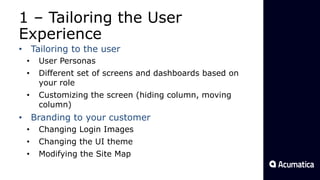
1 โ€“ Tailoring the User
Experience
โ€ข Tailoring to the user
โ€ข User Personas
โ€ข Different set of screens and dashboards based on
your role
โ€ข Customizing the screen (hiding column, moving
column)
โ€ข Branding to your customer
โ€ข Changing Login Images
โ€ข Changing the UI theme
โ€ข Modifying the Site Map
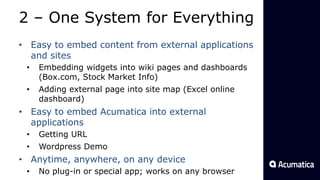
2 โ€“ One System for Everything
โ€ข Easy to embed content from external applications
and sites
โ€ข Embedding widgets into wiki pages and dashboards
(Box.com, Stock Market Info)
โ€ข Adding external page into site map (Excel online
dashboard)
โ€ข Easy to embed Acumatica into external
applications
โ€ข Getting URL
โ€ข Wordpress Demo
โ€ข Anytime, anywhere, on any device
โ€ข No plug-in or special app; works on any browser
3 โ€“ Easy Navigation
โ€ข List interface
โ€ข Column Filters
โ€ข Grid Search
โ€ข Filtering by example (Shift+F)
โ€ข Browsing filtered results
โ€ข Universal Search
โ€ข Natural Language Search
โ€ข Narrowing Down
โ€ข Exact Search
โ€ข Screen Search
โ€ข Favorites
โ€ข Drill-down
โ€ข Custom Inquiries
4 โ€“ Working with Excel
โ€ข Exporting data
โ€ข Refreshing from Excel
โ€ข Power BI
โ€ข Bi-directional: uploading a price list
โ€ข Integration Services
5 โ€“ Collaborating and
Involving Everybody
โ€ข Using Activities, Tasks and Reminders
โ€ข File Attachments
โ€ข Portals
โ€ข Wikis and Document Management
6 โ€“ Working for You
โ€ข Processing Screens
โ€ข Scheduling
โ€ข Recurring Transactions
โ€ข Document Templates
โ€ข Notifications
7 โ€“ Customizing Acumatica
โ€ข Adding a New Custom Field
โ€ข Preview Mode
โ€ข Advanced Customizations
โ€ข If you want to know more on customization: go to
next session with Mikhail Schelkonogov,
Acumaticaโ€™s CTO
โ€ข Also two-part session tomorrow where I will
demonstrate the power of the Acumatica platform
Wrap-Up
Key Takeaway: Thereโ€™s a lot of cool and
exciting things in Acumatica!
Whatโ€™s your favorite feature? What
resonates most with your prospects?
Questions?
THANK YOU
Gabriel Michaud
gmichaud@acumatica.co
m
Skype: gabrielmichaud
@gabrielmichaud
7 Cool Things to Demo in Acumatica 5.0, by Gabriel Michaud

7 Cool Things to Demo in Acumatica 5.0, by Gabriel Michaud

  • 1.
    7 Cool Things toDemo in Acumatica 5.0 Gabriel Michaud Better Faster Stronger Version 5.0
  • 2.
    Why you needsome sizzle in ERP
  • 5.
    1 โ€“ Tailoringthe User Experience โ€ข Tailoring to the user โ€ข User Personas โ€ข Different set of screens and dashboards based on your role โ€ข Customizing the screen (hiding column, moving column) โ€ข Branding to your customer โ€ข Changing Login Images โ€ข Changing the UI theme โ€ข Modifying the Site Map
  • 6.
    2 โ€“ OneSystem for Everything โ€ข Easy to embed content from external applications and sites โ€ข Embedding widgets into wiki pages and dashboards (Box.com, Stock Market Info) โ€ข Adding external page into site map (Excel online dashboard) โ€ข Easy to embed Acumatica into external applications โ€ข Getting URL โ€ข Wordpress Demo โ€ข Anytime, anywhere, on any device โ€ข No plug-in or special app; works on any browser
  • 7.
    3 โ€“ EasyNavigation โ€ข List interface โ€ข Column Filters โ€ข Grid Search โ€ข Filtering by example (Shift+F) โ€ข Browsing filtered results โ€ข Universal Search โ€ข Natural Language Search โ€ข Narrowing Down โ€ข Exact Search โ€ข Screen Search โ€ข Favorites โ€ข Drill-down โ€ข Custom Inquiries
  • 8.
    4 โ€“ Workingwith Excel โ€ข Exporting data โ€ข Refreshing from Excel โ€ข Power BI โ€ข Bi-directional: uploading a price list โ€ข Integration Services
  • 9.
    5 โ€“ Collaboratingand Involving Everybody โ€ข Using Activities, Tasks and Reminders โ€ข File Attachments โ€ข Portals โ€ข Wikis and Document Management
  • 10.
    6 โ€“ Workingfor You โ€ข Processing Screens โ€ข Scheduling โ€ข Recurring Transactions โ€ข Document Templates โ€ข Notifications
  • 11.
    7 โ€“ CustomizingAcumatica โ€ข Adding a New Custom Field โ€ข Preview Mode โ€ข Advanced Customizations โ€ข If you want to know more on customization: go to next session with Mikhail Schelkonogov, Acumaticaโ€™s CTO โ€ข Also two-part session tomorrow where I will demonstrate the power of the Acumatica platform
  • 12.
    Wrap-Up Key Takeaway: Thereโ€™sa lot of cool and exciting things in Acumatica! Whatโ€™s your favorite feature? What resonates most with your prospects? Questions?
  • 13.

Editor's Notes

  • #2ย Present myself and my role at Acumatica (the bridge between the engineering team, sales & marketing teams; the voice of the customer and partner for product development and design) Today Iโ€™m here to present youโ€ฆ Q: who attended
  • #3ย Most ERP products are dull and boring. We, at Acumatica, have some cool features that will keep your users in a positive mood! Today, Iโ€™d like to show you some of the features in Acumatica that demo particularly well. I will also be taking this opportunity to introduce some of the new features in Acumatica 5.0.
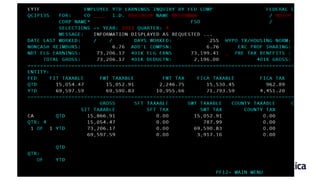
  • #4ย Oh โ€“ by the way, hereโ€™s the system that guy was working with.
  • #5ย Wowโ€ฆ Thatโ€™s much better! OK, letโ€™s get started with #1 !
  • #6ย Tailoring to the user (use two browsers) USER: admin See that user has full access to the system, no restrictions USER: beauvoir GOTO: Shipping dashboard, discuss security (visible screens, fields, menus depend on security) Explain that even in cases where you donโ€™t want to restrict access, that it also makes sense to use security to cut down the number of screens and menus. Reducing visual clutter makes software easier to learn and master. GOTO: Controller dashboard SELECT: View Document from bill on dashboard SHOW: auto-screen resizing ADD: fields to personal grid SHOW: drag-drop of column on grid SHOW: smart sorting and filtering on each column Branding Login to Starbucks Show where the images are Show themes folder, open CSS file Site Map - Itโ€™s also possible to change the site map โ€“ for example you could group together all the main tasks your user has to do and put that into a separate section of the site map
  • #7ย Try not limiting your imagination to Acumatica only โ€“ when demoing, include content from the outside word Example 1: Embed Box.com widget Example 2: Put on dashboard Example 3: Direct Excel link in site map -> LOGIN FIRST OTHERWISE EMBED WONโ€™T WORK Example 4: Embedding portions of Acumatica into Wordpress site (portal demo) Most of all โ€“ Acumatica is the anytime, anywhere, on any device solution Acumatica is purely browser-based, and no plug-in or special app is required It works with any browser
  • #8ย Getting to your data is EASY, thanks to the multiple possibilities offered by Acumatica List Interface: show how this is configured
  • #9ย Export Customer Summary Create a New Invoice, Show that data can be refreshed Go to PowerBI to create dashboard showing total sales Upload Price List, explain that upload feature is available in many screens, such as purchase orders, sales orders Integration services: unique feature about Acumatica, which allows you to import and export on *any* screen using an Excel file Always existed, but we keep on making it easier to use โ€“ demo lead import
  • #10ย Activities, Tasks and Reminders Scenario 1: Customer calls you to ask about order status [favorite]. Add phone call activity to indicate history, and show that Activities are available on top of screen. Explain that most screens in Acumatica show this You can also create tasks. Tasks can even be assigned to another person in your team. Scenario 2: Collection activity, create task, assign to someone else and set reminder. Show that task syncโ€™ed with my mobile Activities that you can create can be seen from Activities tab in CRM Accounts screen File Attachments Same as with activities, in every screen you have ability to attach files Also possible at file level Partners have built integration to store these files on cloud providers such as Amazon S3, Box.com Portals We donโ€™t charge per user โ€“ your are free to create accounts for all your customers and partners Show example of checking inventory Show example of checking account balance Explain that it can be extended to fit the unique needs of customer Wikis If you have internal procedures, forms, promotions, or any content that you would like to share with your employees, you can use wikis. Example 1: AME Corporation ISO Auditor Username: iso.auditor Password: Iso33amecorp Sales Role Username: Sales.Demoย  Password: Sales33amecorp Example 2: Kido Vendor Price Lists, Marketing Promotions, Recall information
  • #11ย Key theme: โ€œDonโ€™t worry about common tasks, Acumatica will take care of them for youโ€ Processing Screens: Scenario - Contract Billing. Your company has support contracts with multiple customers, and wants to automate the billing of these contracts. Some customers are charged a yearly amount, others are invoiced monthly based on the level of activity during this month. Show that processing screen have a filter area, which can help you refine what should be processed Using this Processing Screen you can automate all of this This is just one example of a processing screen โ€“ we have multiple processing screens in Acumatica. Scheduling: Best of all, this can be scheduled! Recurring Transactions Scenario - You have this internet connection bill that you need to enter every month Similar to how you schedule a processing screen, you can also schedule individual documents (Actions->Add to Schedule) Document Templates You can create document templates to speed up data entry โ€“ for example, creating a new stock item and pre-filling with your own default information Notifications You sometimes want to be informed when something happens in your system โ€“ for example a large payment is created. Hereโ€™s another example of Acumatica working for you
  • #12ย Acumatica provides a set of web-based tools that allows you to change the appearance, business logic and add custom fields to your ERP deployment. Let me show you how easy it is: Add custom field TODO: Prepare DB field to avoid double publishing of customization Show new preview Explain that business logic can be changed -> show code editor and explain that having code source helps you understand how it was built
  • #13ย Summarize what we discussed Key Takeaway: