5 Email Marketing Must-Haves to
Conquer the Inbox
Mike Madden
Demand Generation Program Manager
Marketo
• This webinar is being recorded! Slides and recording will
be sent to you after the webinar concludes.
• Have a question? Chat in bottom right and I’ll get to your
questions after the webinar.
• Posting to social? Use our hashtag - #mktgnation
Housekeeping
Page 3© Marketo, Inc. 12/17/2015
Agenda
• 5 Tips to Conquering the Inbox on:
1. HTML Buttons
2. Responsive Emails
3. Deliverability Tips
4. Subject lines that really work
5. Reactivation Campaigns
HTML Buttons
Page 5© Marketo, Inc. 12/17/2015
What is an HTML Button?
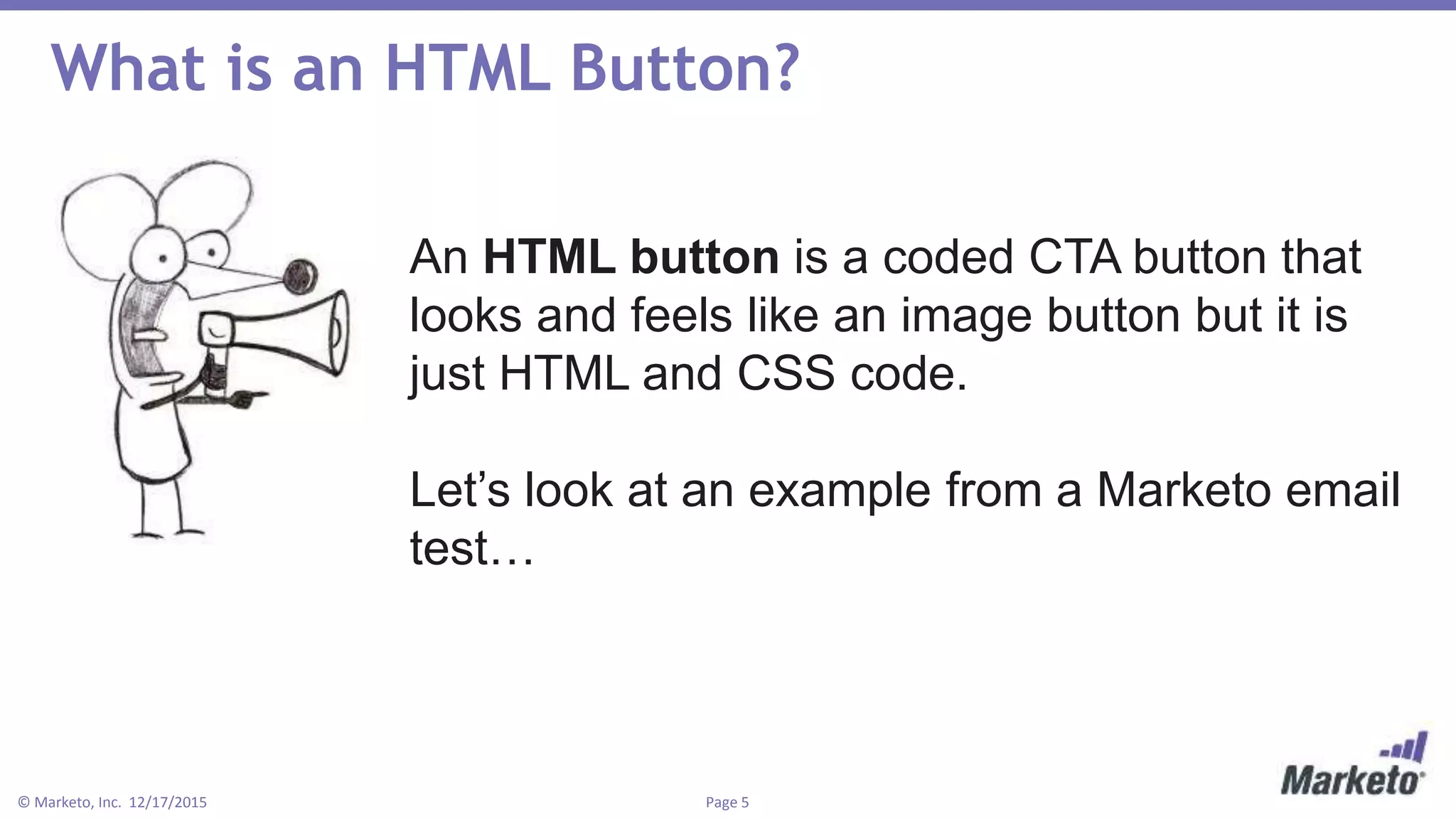
An HTML button is a coded CTA button that
looks and feels like an image button but it is
just HTML and CSS code.
Let’s look at an example from a Marketo email
test…
Page 6© Marketo, Inc. 12/17/2015
What’s Better? HTML Buttons or Images Buttons?
Control: Image CTA Test: HTML Button
Page 7© Marketo, Inc. 12/17/2015
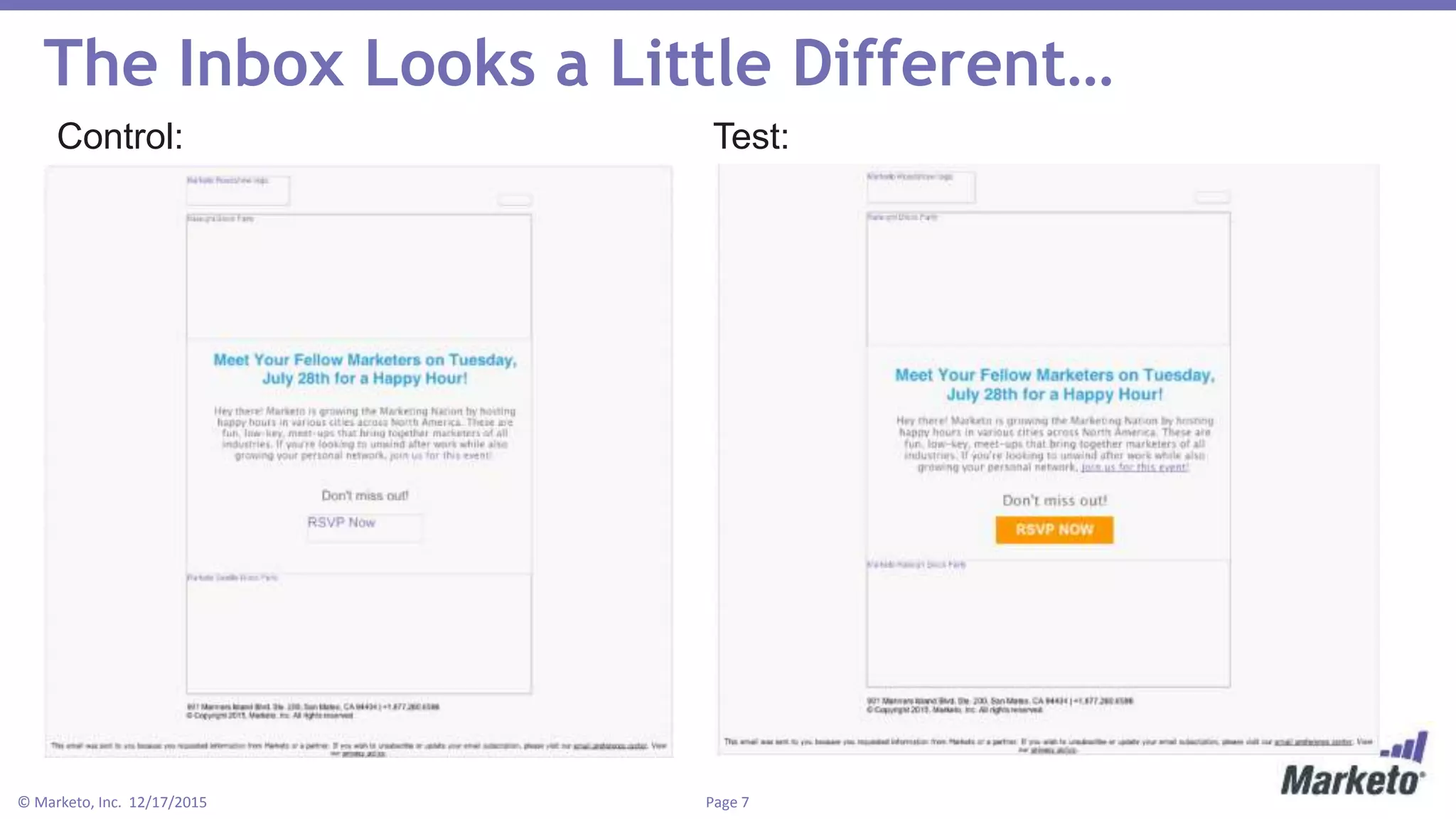
The Inbox Looks a Little Different…
Control: Test:
Page 8© Marketo, Inc. 12/17/2015
The Results:
5%
Higher Open Rate
15%
Higher click/open
rate
20%
Higher CTR
Page 9© Marketo, Inc. 12/17/2015
Resources for HTML Buttons
Here’s a few simple, free websites for building HTML buttons:
• bestcssbuttongenerator.com
• dabuttonfactory.com
• css3buttongenerator.com
Mobile Responsive Emails
Page 11© Marketo, Inc. 12/17/2015
Seamless experience with mobile as a
component
Page 12© Marketo, Inc. 12/17/2015
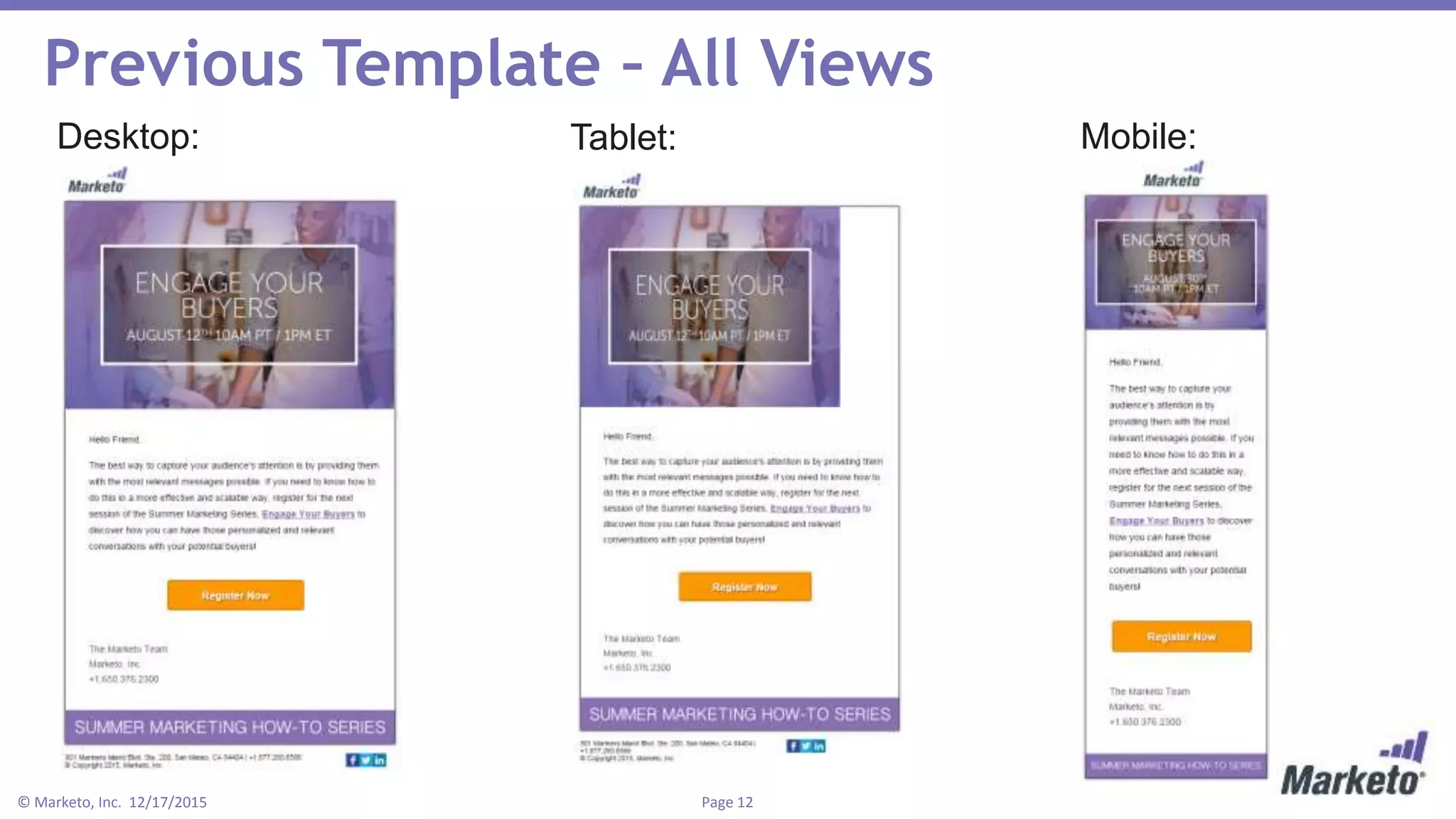
Previous Template – All Views
Desktop: Tablet: Mobile:
Page 13© Marketo, Inc. 12/17/2015
What Mobile Needs
1. The right break-points using media queries
• Desktop (default)
• Tablet = @media only screen and (max-width: 640px)
• Mobile = @media only screen and (max-width: 479px)
2. Larger text on mobile devices
3. CTA above the fold
Page 14© Marketo, Inc. 12/17/2015
New Template – All Views
Desktop: Tablet: Mobile:
Page 15© Marketo, Inc. 12/17/2015
The Results:
27%
Higher Unique
Clicks
28%
Higher CTR
31%
Higher Click/Open
Deliverability
Page 17© Marketo, Inc. 12/17/2015
Let’s start with some definitions!
Deliverability: hitting a recipient’s inbox (emails delivered/emails sent).
Hard bounce: a permanent failure to deliver an email.
Soft bounce: a temporary problem with email deliverability.
Sender Score: Return Path’s free reputation rating for email senders.
Spam trap: When a sender repeatedly hits a dead email address, it will
hard bounce. When an internet service provider sees senders repeatedly
hit a dead email, the ISP activates the dead email to receive email and
then reports the sender as a spammer.
Page 18© Marketo, Inc. 12/17/2015
Getting Your Email Delivered is Tougher
Page 19© Marketo, Inc. 12/17/2015
According to Return Path,
just 79% of commercial
emails land in the inbox
Page 20© Marketo, Inc. 12/17/2015
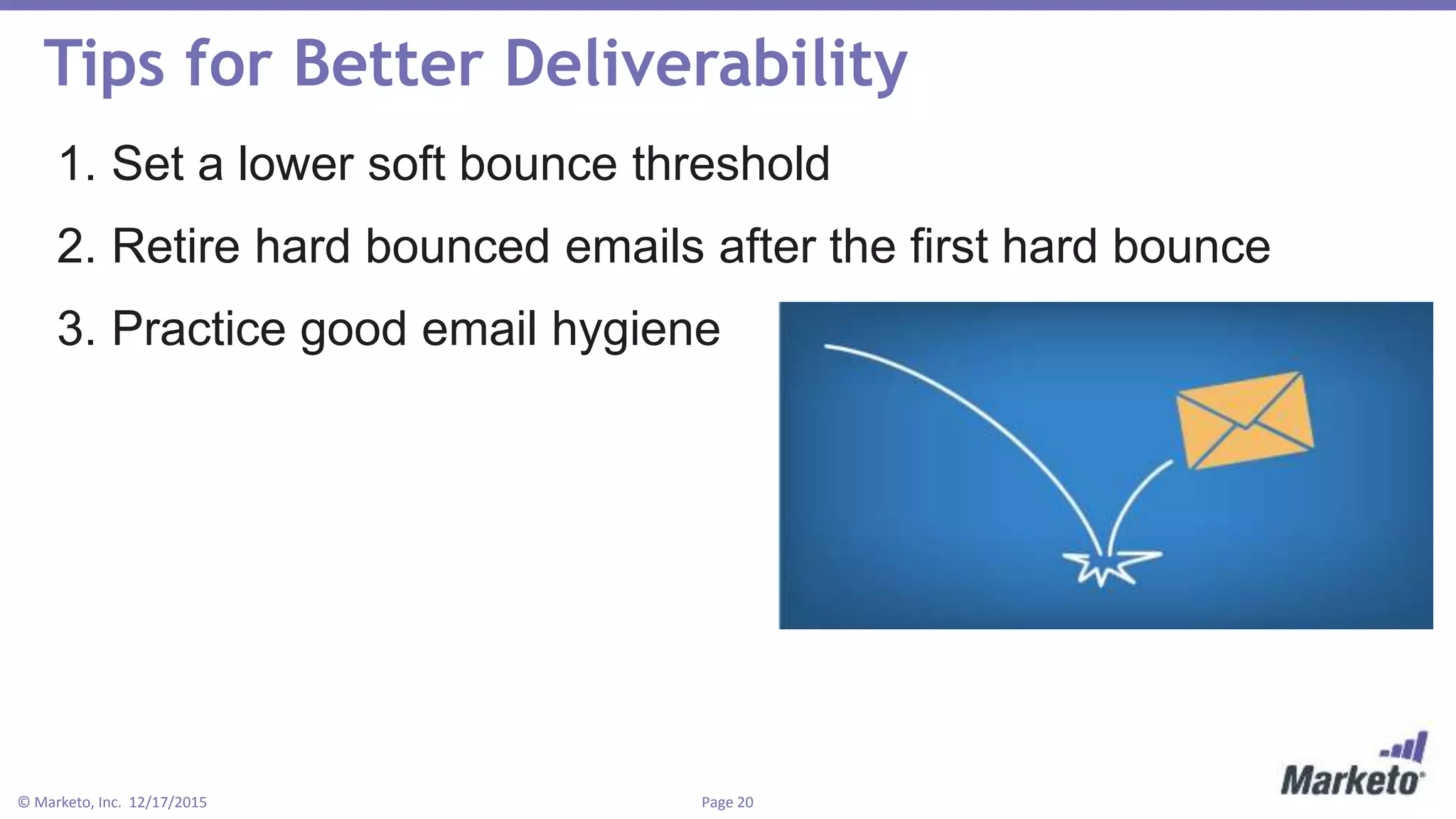
Tips for Better Deliverability
1. Set a lower soft bounce threshold
2. Retire hard bounced emails after the first hard bounce
3. Practice good email hygiene
Page 21© Marketo, Inc. 12/17/2015
Beyond Deliverability, There’s Inboxing
Did you know that when an email goes to
the spam folder or junk folder, it still counts
as delivered?
There are tools that measure inboxing,
which is the percentage of delivered emails
that actually hit the primary inbox.
Page 22© Marketo, Inc. 12/17/2015
How to Increase Your Inboxing
1.Lower your soft bounce threshold
2.Remove all hard bounced email addresses after
one hard bounce
3.Scrub your lists using external data vendors!
4.Make sure that you only send to leads who are
opted-in
5.Stop sending to old emails!
Subject Lines
Page 24© Marketo, Inc. 12/17/2015
Character Limits Matter
Writing a good subject line is like trying to fit people into a
picture…
Page 25© Marketo, Inc. 12/17/2015
Subject Line Writing Tips
1. Front load the important stuff
2. Ask a question
3. Lead with a number
4. Use the pronoun “You” or “Your”
5. Have fun with rhymes and alliteration
6. Keep consistency from subject line to body copy
7. Test, test, test!
Page 26© Marketo, Inc. 12/17/2015
Example: Keeping Consistency
Subject line test:
“Your Marketing Automation
Checklist”
Vs.
“Are You Evaluating Marketing
Automation?”
Page 27© Marketo, Inc. 12/17/2015
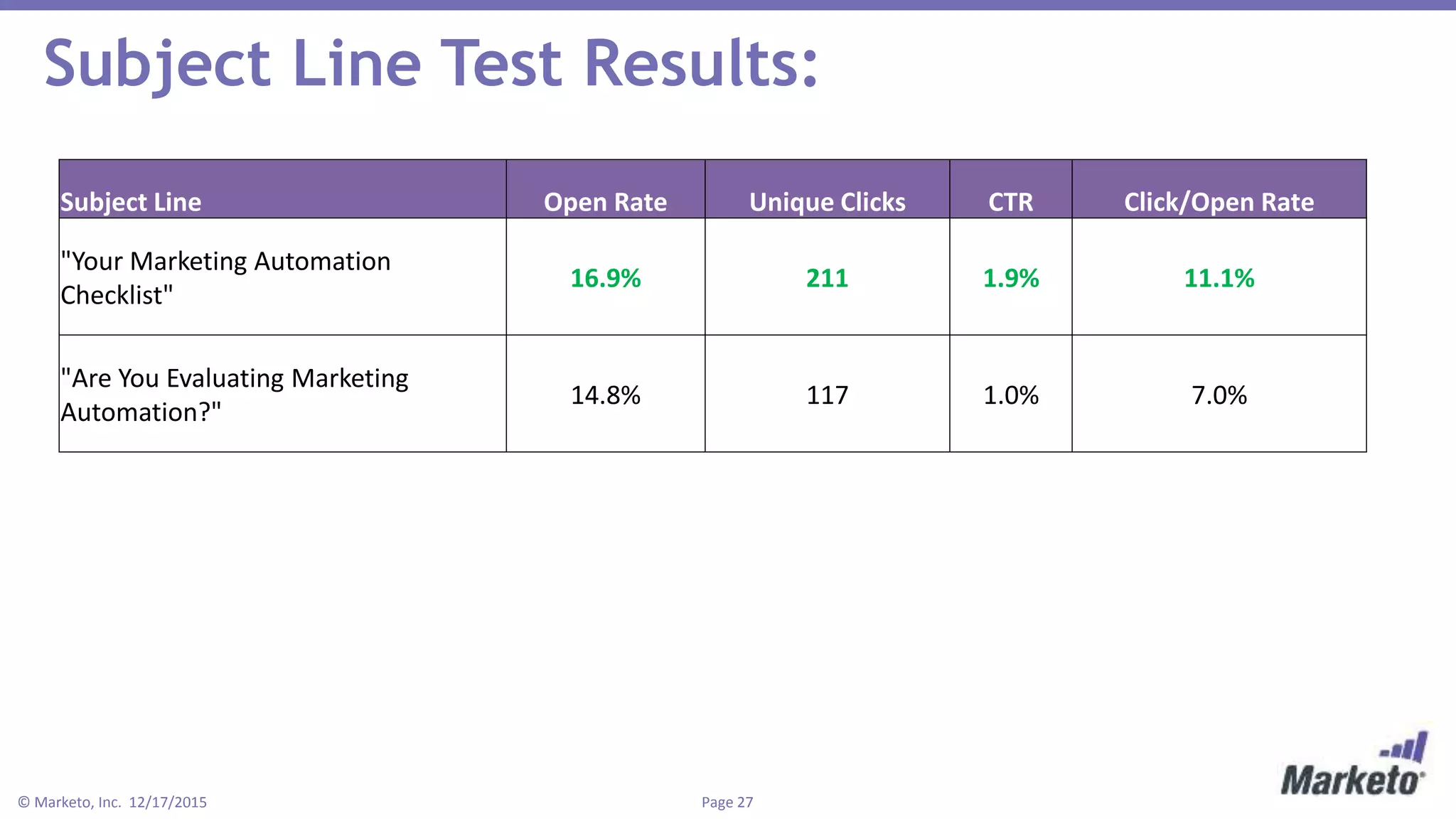
Subject Line Test Results:
Subject Line Open Rate Unique Clicks CTR Click/Open Rate
"Your Marketing Automation
Checklist"
16.9% 211 1.9% 11.1%
"Are You Evaluating Marketing
Automation?"
14.8% 117 1.0% 7.0%
Reactivation Campaigns
Page 29© Marketo, Inc. 12/17/2015
What is a Reactivation Campaign?
A reactivation campaign is an email campaign or multiple campaigns
specifically targeted towards “sleeping subscribers”, or subscribers that
haven’t engaged with your emails in a long period of time.
Why use reactivation campaigns?
• Awaken the sleeping subscribers that still want to hear from you
• Determine who doesn’t want to hear from you
• Clean out your email lists
Page 30© Marketo, Inc. 12/17/2015
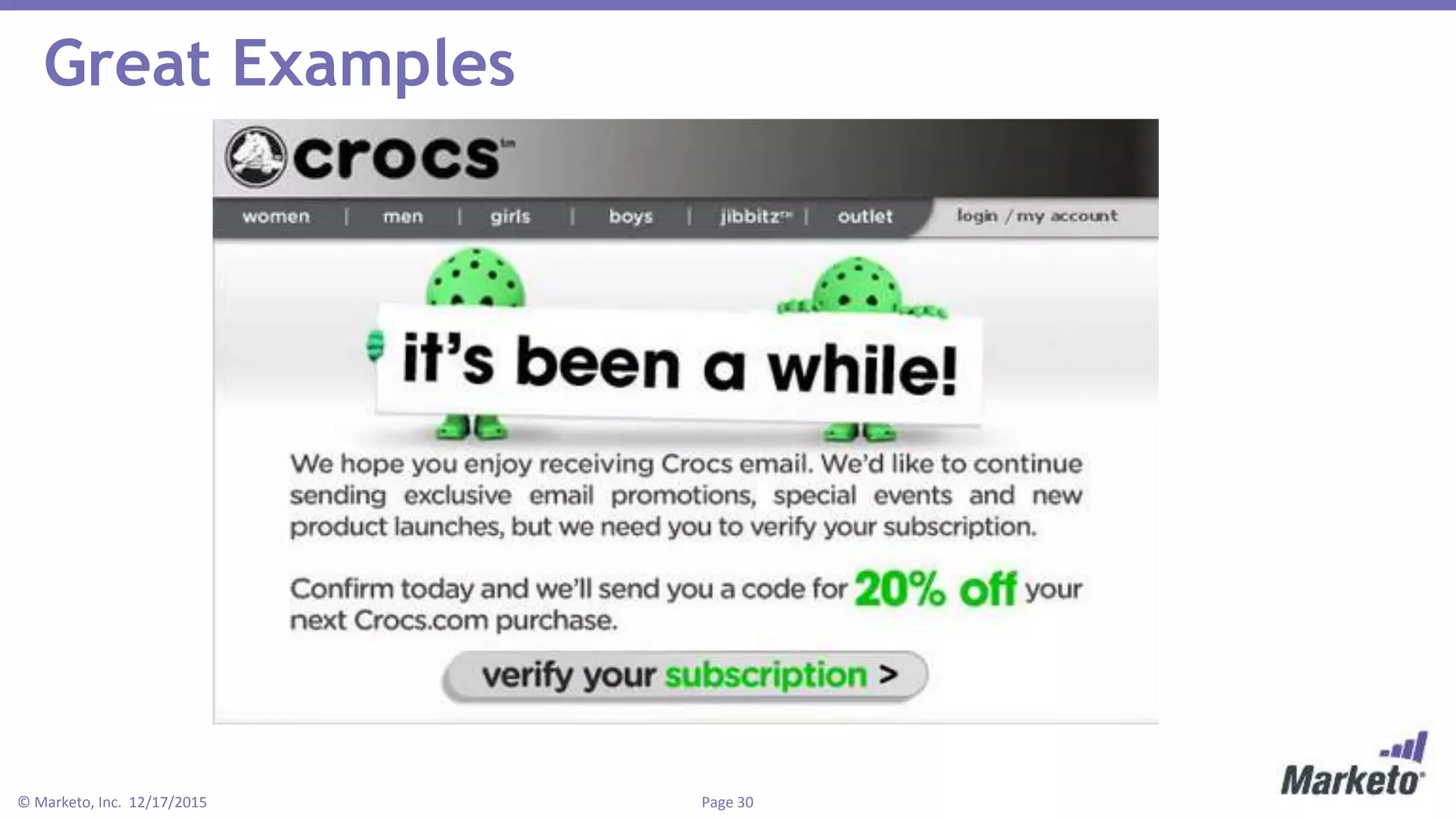
Great Examples
Page 31© Marketo, Inc. 12/17/2015
Great Example: Kate Spade
Page 32© Marketo, Inc. 12/17/2015
Reactivation Campaign Tips
1. Isolate your sleepy subscribers
2. Test language, offers, deals, and anything else
you can think of
3. Think beyond a one-and-done campaign
Page 33© Marketo, Inc. 12/17/2015
Key Takeaways
 Build and implement HTML buttons to increase
clicks
 Mobile is a must!
 Lower soft bounces, keep list clean, monitor
inboxing
 Personalize, test, and have fun with subject lines
 Wake up sleepy subscribers
Questions?
Or send me an email:
mmadden@marketo.com
https://www.linkedin.com/in/michaelmadden824

5 Email Marketing Must-Haves to Conquer the Inbox

  • 1.
    5 Email MarketingMust-Haves to Conquer the Inbox Mike Madden Demand Generation Program Manager Marketo
  • 2.
    • This webinaris being recorded! Slides and recording will be sent to you after the webinar concludes. • Have a question? Chat in bottom right and I’ll get to your questions after the webinar. • Posting to social? Use our hashtag - #mktgnation Housekeeping
  • 3.
    Page 3© Marketo,Inc. 12/17/2015 Agenda • 5 Tips to Conquering the Inbox on: 1. HTML Buttons 2. Responsive Emails 3. Deliverability Tips 4. Subject lines that really work 5. Reactivation Campaigns
  • 4.
  • 5.
    Page 5© Marketo,Inc. 12/17/2015 What is an HTML Button? An HTML button is a coded CTA button that looks and feels like an image button but it is just HTML and CSS code. Let’s look at an example from a Marketo email test…
  • 6.
    Page 6© Marketo,Inc. 12/17/2015 What’s Better? HTML Buttons or Images Buttons? Control: Image CTA Test: HTML Button
  • 7.
    Page 7© Marketo,Inc. 12/17/2015 The Inbox Looks a Little Different… Control: Test:
  • 8.
    Page 8© Marketo,Inc. 12/17/2015 The Results: 5% Higher Open Rate 15% Higher click/open rate 20% Higher CTR
  • 9.
    Page 9© Marketo,Inc. 12/17/2015 Resources for HTML Buttons Here’s a few simple, free websites for building HTML buttons: • bestcssbuttongenerator.com • dabuttonfactory.com • css3buttongenerator.com
  • 10.
  • 11.
    Page 11© Marketo,Inc. 12/17/2015 Seamless experience with mobile as a component
  • 12.
    Page 12© Marketo,Inc. 12/17/2015 Previous Template – All Views Desktop: Tablet: Mobile:
  • 13.
    Page 13© Marketo,Inc. 12/17/2015 What Mobile Needs 1. The right break-points using media queries • Desktop (default) • Tablet = @media only screen and (max-width: 640px) • Mobile = @media only screen and (max-width: 479px) 2. Larger text on mobile devices 3. CTA above the fold
  • 14.
    Page 14© Marketo,Inc. 12/17/2015 New Template – All Views Desktop: Tablet: Mobile:
  • 15.
    Page 15© Marketo,Inc. 12/17/2015 The Results: 27% Higher Unique Clicks 28% Higher CTR 31% Higher Click/Open
  • 16.
  • 17.
    Page 17© Marketo,Inc. 12/17/2015 Let’s start with some definitions! Deliverability: hitting a recipient’s inbox (emails delivered/emails sent). Hard bounce: a permanent failure to deliver an email. Soft bounce: a temporary problem with email deliverability. Sender Score: Return Path’s free reputation rating for email senders. Spam trap: When a sender repeatedly hits a dead email address, it will hard bounce. When an internet service provider sees senders repeatedly hit a dead email, the ISP activates the dead email to receive email and then reports the sender as a spammer.
  • 18.
    Page 18© Marketo,Inc. 12/17/2015 Getting Your Email Delivered is Tougher
  • 19.
    Page 19© Marketo,Inc. 12/17/2015 According to Return Path, just 79% of commercial emails land in the inbox
  • 20.
    Page 20© Marketo,Inc. 12/17/2015 Tips for Better Deliverability 1. Set a lower soft bounce threshold 2. Retire hard bounced emails after the first hard bounce 3. Practice good email hygiene
  • 21.
    Page 21© Marketo,Inc. 12/17/2015 Beyond Deliverability, There’s Inboxing Did you know that when an email goes to the spam folder or junk folder, it still counts as delivered? There are tools that measure inboxing, which is the percentage of delivered emails that actually hit the primary inbox.
  • 22.
    Page 22© Marketo,Inc. 12/17/2015 How to Increase Your Inboxing 1.Lower your soft bounce threshold 2.Remove all hard bounced email addresses after one hard bounce 3.Scrub your lists using external data vendors! 4.Make sure that you only send to leads who are opted-in 5.Stop sending to old emails!
  • 23.
  • 24.
    Page 24© Marketo,Inc. 12/17/2015 Character Limits Matter Writing a good subject line is like trying to fit people into a picture…
  • 25.
    Page 25© Marketo,Inc. 12/17/2015 Subject Line Writing Tips 1. Front load the important stuff 2. Ask a question 3. Lead with a number 4. Use the pronoun “You” or “Your” 5. Have fun with rhymes and alliteration 6. Keep consistency from subject line to body copy 7. Test, test, test!
  • 26.
    Page 26© Marketo,Inc. 12/17/2015 Example: Keeping Consistency Subject line test: “Your Marketing Automation Checklist” Vs. “Are You Evaluating Marketing Automation?”
  • 27.
    Page 27© Marketo,Inc. 12/17/2015 Subject Line Test Results: Subject Line Open Rate Unique Clicks CTR Click/Open Rate "Your Marketing Automation Checklist" 16.9% 211 1.9% 11.1% "Are You Evaluating Marketing Automation?" 14.8% 117 1.0% 7.0%
  • 28.
  • 29.
    Page 29© Marketo,Inc. 12/17/2015 What is a Reactivation Campaign? A reactivation campaign is an email campaign or multiple campaigns specifically targeted towards “sleeping subscribers”, or subscribers that haven’t engaged with your emails in a long period of time. Why use reactivation campaigns? • Awaken the sleeping subscribers that still want to hear from you • Determine who doesn’t want to hear from you • Clean out your email lists
  • 30.
    Page 30© Marketo,Inc. 12/17/2015 Great Examples
  • 31.
    Page 31© Marketo,Inc. 12/17/2015 Great Example: Kate Spade
  • 32.
    Page 32© Marketo,Inc. 12/17/2015 Reactivation Campaign Tips 1. Isolate your sleepy subscribers 2. Test language, offers, deals, and anything else you can think of 3. Think beyond a one-and-done campaign
  • 33.
    Page 33© Marketo,Inc. 12/17/2015 Key Takeaways  Build and implement HTML buttons to increase clicks  Mobile is a must!  Lower soft bounces, keep list clean, monitor inboxing  Personalize, test, and have fun with subject lines  Wake up sleepy subscribers
  • 34.
    Questions? Or send mean email: mmadden@marketo.com https://www.linkedin.com/in/michaelmadden824

Editor's Notes

  • #3 And with that let’s get going!
  • #6 So what is an HTML button? An HTML button is a coded CTA button that looks and feels like an image button but it is just HTML and CSS code. Depending on the browser and device, you can create nearly all of the same effects with code as you can an image-based button. So what makes this button so special? Why do I want you to start using them? Let’s take a look at how Marketo tested into HTML buttons.
  • #7 Here, we see two emails: the control, which is using a jpeg CTA Button that reads “RSVP NOW” and a Test, which uses an HTML button with the exact same “RSVP NOW” language. It’s tough to tell which button is which, right? Well that’s because the coded button is made to be the same size, color, look and feel as it’s jpeg counterpart. Where this button really shines is when the email hits the inbox.
  • #8 When any email gets to your inbox, you (or your email client) will choose to download images, which counts as an opened email. On the left, you can see that all of the images need to be downloaded and that the “RSVP NOW” CTA Button, the main attraction in your email, is hidden. Only when images are downloaded does your image-based CTA render in all it’s glory. But on the right, the HTML button renders before the email is opened!!! Why? Because this is code, not an image. Nothing needs to be downloaded at all and your main call-to-action is made clear and apparent before the recipient opens the email. What’s most interesting about this test is the numbers. Let’s take a peek!
  • #9 Our little HTML button pulled in some impressive results! Now right off the bat, you might be thinking “how is it that the HTML button had a higher open rate?” Well, because the coded button rendered before the email was ever opened and it completely changed the user experience. As a result, we saw 5% higher opens! Additionally, we saw a 15% higher click to open rate and a 20% higher click through rate! These numbers were HUGE and impressed us big time. What’s even cooler is that these numbers are statistically significant, ensuring that we have full confidence that rolling out HTML buttons to all of our emails will produce a positive impact.
  • #10 How great would it be if you could produce 20% higher click through rates on all of your emails?? Well now you can!! Here’s a few simple, free websites for generating HTML buttons. They use very easy editors to build the button just how you like it and when you are finished, you just pop the HTML into your email. It’s as easy as that. And don’t worry about writing down these websites right now. I’ll be sending out this presentation later.
  • #12 By this point, it’s very likely you know the importance of mobile responsive emails. But just in case you need a refresher, here’s some important points for you: - 65% of consumers start their purchasing path on a mobile device compared to only 25% on a computer and 11% on a tablet. - Even more impressive, over 50% of consumers open their emails on a mobile phone There has never been a more important time to be mobile responsive.
  • #13 With that, we took a closer look at the email templates we were using at Marketo. As you can see, things looked pretty good until we got to a tablet size. The issue here was that we weren’t able to accommodate every screen size. So as the email would transition down from desktop to mobile phones, we’d experience a slight break in the banner on the tablet sized version. BUT we had tested this email template using Litmus to verify that it rendered well across the majority of browsers and devices. We were confident very few people would see the version in the middle. BUT… We saw this as an opportunity to explore developing a new template that will help us in the long run. And in a world that’s going mobile, we felt that we had to do this sooner rather than later. So, we made some corrections and crafted a new template that we felt would perform well across all devices, platforms and browsers.
  • #14 Before I show you the template that we built here, let me first walk you through what components are necessary for a successful mobile responsive template. Number 1: You need the right media queries. What is a media query? It’s a piece of CSS code (which is code that styles the HTML) that figures out what size screen the email is being viewed on and then displays the code differently to fit that screen. There are two media queries that we use that cover all the bases, whether it’s a mobile phone (large or small), tablet or desktop. For tablets, we use “@media only screen and (max-width: 640px)”. This means that when an email is displayed on a screen with a max-width of 640 pixels, it displays differently. And for mobile devices, we change that max-width to 479 pixels. Whether you are an Email Marketing Specialist trying to code a responsive email or a Director of Marketing managing a large team, these lines of code are critical for you to know to achieve mobile success. If you have a dedicated developer, code guru, or marketing maven responsible for your email templates, make sure these lines of code are in there! Number 2: Mobile devices are smaller. Nobody wants to have to zoom in to read your email. Make the font bigger on mobile devices and your email recipients will love you! Number 3: Scrolling is fun, but make sure your main CTA appears on the screen when an email is opened. Otherwise, folks have to scroll down to find your call-to-action and you’ll lose out on clicks!
  • #15 So taking all of that advice, here are the brand-new templates! We tested them against the ones I showed you two slides ago. They use the media queries we just covered, increase the font size from 16pt to 20pt on mobile phones, and ensure that the CTA remains large above the fold. Are you ready to see the test results?? Drumroll please!
  • #16 Okay, these results were super, SUPER cool because these emails looked so similar from the start. The new template with more mobile ability increased unique clicks by 27%, increased the click-through-rate by 28% and increased the click/open rate by 31%! All of these numbers are statistically significant! What I want you to take away from this is a couple things: Mobile responsive is no longer a nice-to-have but an absolute must-have! It’s not always about the copy or the fun creative images. Think of the template as the vehicle that gets your email to where it needs to be. If that vehicle isn’t working well, your email won’t perform to it’s full potential! Invest some time into optimizing your templates and every single email you send WILL perform better.
  • #17 So far, we’ve learned some super cool (and easy) to increase opens and clicks. This third tip though is going to do wonders for your email marketing!
  • #18 Deliverability: hitting a recipient’s inbox (emails delivered/emails sent) Hard bounce: a permanent failure to deliver an email, usually a result of the email address being non-existent, invalid or blocked. - A hard bounce not only hurts your deliverability numbers but also hurts your reputation! The less hard bounces, the better. Soft bounce: a temporary problem with email deliverability that can be due to an unavailable server or full inbox. Spam trap: When a sender repeatedly hits a dead email address, it will hard bounce. When an internet service provider sees senders repeatedly hit a dead email, the ISP activates the dead email to receive email and then reports the sender as a spammer. When you hit a spam trap, it will hugely affect your reputation, your deliverability, and your inboxing. Sender Score: Return Path’s free reputation rating for email senders. Scores range from 0-100.
  • #19 Five years ago, getting your email delivered was a matter of having the right email address and that the email was not super obvious spam. By that, I mean your email didn’t say FREE in all caps 50 times. But in today’s world, avoiding spammy words isn’t enough to hit the inbox. Big internet service providers have followed Gmail’s push towards an engagement model. What does that mean? You may have noticed that Gmail now has tabs: one for primary email, another for social, and a third for promotions. Hitting that primary inbox is increasingly difficult because now Gmail looks at several things: Continuously opened emails Unique clicks as well as multiple clicks Scrolling Frequency of engagements (does the recipient open emails and engage with them regularly) In order to make sure you get delivered in this tougher email saturated world, what should you do?
  • #20 According to Return Path, only 79% of commercial emails hit the primary inbox. That means 1/5 end up in junk, spam, hard bounce or go undelivered. If you are counting on all 100% of delivered emails to hit the inbox and 1 in 5 do not, that’s a BIG deal! Also, how many times have you ever looked in your spam folder and clicked a bunch of those emails? Probably not often. When we see that something has been determined spam, we tend to keep our distance.
  • #21 Set a lower soft bounce threshold Whether you use an email service provider or a marketing automation solution, you should be able to set a soft bounce threshold. Often times, they are set to a conservative number like 10 soft bounces = a hard bounce, or an email that should be retired. Soft bounces have a possibility of becoming a hard bounce and hurting your sender reputation. Don’t take your chances! Here at Marketo, if an email soft bounces more than 6 times in 30 days, we retire that email for good. Set a lower threshold and you’ll both reduce your business risk of hitting a spam trap and increase your deliverability. 2. Retire hard bounces after the first bounce. Some email providers and marketing automation solutions do this for you but not all do. Make sure that any email that hard bounces is removed from your list. It won’t do you any good to keep sending to an invalid email. Let’s say that in the first 10% of emails delivered to Yahoo email addresses, you hit a spam trap. Yahoo will now restrict the other 90% of the Yahoo emails from being delivered because they think you might be a spammer. Your reputation with Yahoo is tarnished and now you have to repair that relationship over time. Plus, if yahoo emails make up 30% of your list, that’s lost revenue every time you send an email until Yahoo likes you again. Making sure hard bounces are retired after the first bounce is critical. 3. Practice good email hygiene. Emails go bad. Some go bad after 6 months, others might go bad after 6 years. When that email you don’t use goes unused for a year, an internet service provider like Gmail might turn that email into a spam trap and hitting a spam trap can kill your sender reputation. To help keep your lists clean, there are great data companies that clean your email lists. They’ll come back with results showing which emails are safe to send, which are bad, and which are unknown. Keeping your list clean and scrubbing it annually or biannually will help ensure that you reduce hard bounces, soft bounces, and spam traps. The positive result here is that you lower your business risk of reducing your sender reputation and all of your email metrics will increase.
  • #22 Did you know that when an email goes to the spam folder or junk folder, it still counts as delivered? So you might have a 99% email deliverability rate, which seems awesome, but only 50% of those emails actually hit the primary inbox. And if you’re like any business that relies on email marketing to drive revenue, 49% of your emails going to spam or junk is a BIG deal! But how would you know if that’s happening? Luckily, there are tools that measure inboxing, which is the percentage of delivered emails that actually hit the primary inbox.
  • #23 Lower your soft bounce threshold The less times you soft bounce, the lower the risk for a hard bounce. This keeps your sender reputation up and email lists clean. Internet service providers love seeing companies send to clean email addresses and they’ll reward you by letting more of your emails hit the primary inbox. The two campaigns we made at Marketo were: For any email that has soft bounced more than 10 times in the last 90 days, flag it as invalid, which removes that email from any future email campaigns. (this campaign was essentially a clean up for all of our past soft bounce history). And since a one time clean up doesn’t necessarily solve everything, we implemented the second campaign. This one is a triggered campaign, meaning it listens for actions to happen as opposed to looking for actions that have already occurred. It listens for any email that soft bounces at least 6 times in the last 30 days, flag it as invalid. This campaign continuously scrubs our database. So the more campaigns we send, the more scrubbing that takes place. Remove all hard bounced email addresses after one hard bounce Remove emails that hard bounce once. Trust me, it’s not worth trying to email them again! You do not want to hit a spam trap or get blacklisted! Scrub your lists using external data vendors! Like I mentioned in earlier slides, using external vendors to validate your email lists really helps to keep your lists fresh! Do this bi-annually or annually to catch bad emails. A really great vendor that I’ve used in the past is FreshAddress. Make sure that you only send to emails who are opted-in This one might seem silly but try to only send emails to people that want to hear from you. If you send unwanted emails, more people will mark you as spam, which lowers your sender reputation and will hurt your deliverability. It’s not worth the risk. Stop sending to old emails! Old emails are dangerous business my friends. Someone that hasn’t engaged with your emails in the past year is not likely to engage again. In fact, it’s more likely that the person will just mark you as spam because they don’t want to hear from you any more. Even worse, the email might go bad and be converted to a spam trap!!! If you send to your engaged audience, your email metrics will increase. You’ll see higher opens, more clicks, lower unsubscribes and less spam clicks. As a result, internet service providers will say “Hey, that sender delivers emails that recipients love! People can’t seem to get enough. Let’s make sure that more and more of their emails not only get delivered but hit the primary inbox too”. Lastly, a really great tool for measuring and optimizing your inboxing is Return Path. You’ll be able to measure all of your email campaigns. Return Path also gives you tips for how to increase your inboxing for unique internet service providers and it’s EXTREMELY valuable. You should check them out.
  • #25 On the left, we see a simple family picture. We see each distinct face, emotions, and it’s easy to absorb. On the right, we see hundreds of people, all squeezed into one picture. We could make out faces with a magnifying glass maybe but that would take a lot of time. The point here is that it’s kind of a lot to take in. Just like these pictures, you’re email recipients like simple subject lines without a ton of words. The more complex you make it, the less likely that you’ll capture their attention. Keep your character limit between 30-50 characters. That’s the sweet spot.
  • #26 Front load the important stuff Put all the actionable words at the beginning of your subject line Ex. “7 Hacks to Boost Your Email Open Rate” vs. “Boost Your Email Open Rate with these 7 Hacks” Ask a question Ex. “Did you miss this?” vs. “You missed this” Ex. “Have You Seen the Holy Grail to Higher Revenue?” vs. “The Holy Grail to Higher Revenue” Use numbers People love numbers and love lists! We always have and probably always will. Use numbers to entice the open. Ex. “297 Days Left Until…” Ex. “3 Secrets to Killer Email Marketing” Ex. “100 Things You Need to Know About Holiday Marketing” Use the pronoun “You” or “Your” This makes the email feel WAY more personal Ex. “The webinar starts soon – can you join us?” or “Your complete 2015 Holiday Wishlist” Have fun with rhymes and alliteration It seems weird, but I have always seen subject lines loaded with alliteration do very well. They just roll off the tongue and stand out pretty well in the inbox. Ex. “Social Music Marketing: Bands, Brands & Fans” Ex. An Unusual Arsenal: Tech Tools to Topple a Tyrant Keep consistency from subject line to body copy Nobody, and I repeat, nobody likes open bait or click bait. Subject lines like “Open this email or else” perform very poorly when you look at email performance on the whole. And it should be obvious, right? Like anything, people like to know what they’re getting themselves into. Writing a subject line that is too broad or tricks the email recipient to open may get you descent open rates but your click to open rates will suffer. Here’s an example: Let’s say that you are a cookbook/recipe website. People love to come to your website for the latest seasonal recipes and food ideas. If you have this great email all about cookie recipes and you send out an email with the subject line “The Recipe to End All Recipes”, you might get a good open rate, but you’ve missed telling them about the one thing that’s important: cookies. But if your subject line was “Mouthwatering Cookie Recipes for the Holidays”, your recipients know exactly what to expect when the email is opened. And who is going to open it? People interested in mouthwatering cookie recipes. And as a result, your overall email metrics will be much, much higher. So the takeaway here is to not get so focused on achieving the best open rate ever. Focus more on consistency throughout the entire email, subject line included. That’s how you’ll get the best results. Last tip is test, test, test! You never really know what’s working (and what’s not working) until you run A/B tests.
  • #27 To that last point of keeping consistency throughout the email, let’s take a look at a recent email test I ran. The asset here is a marketing automation checklist. You can see the top half of the email on the right. I tested “Your Marketing Automation Checklist” vs. “Are You Evaluating Marketing Automation?”. What do you think the winner was?
  • #28 “Your Marketing Automation Checklist”, which was just the name of the offer, had a higher open rate by 14%, a higher CTR by 80%, and a higher click/open rate by 58%. Why? Because the subject line tells the email recipient exactly what to expect. When you open this email, you will see a marketing automation checklist JUST like you had expected. Overall, an 80% higher CTR proves that sometimes simple is better. No need to spend hours thinking about how to dazzle your audience with the catchiest subject line of the year.
  • #30 A reactivation campaign is an email campaign or multiple campaigns specifically targeted towards “sleeping subscribers”, or subscribers that haven’t engaged with your emails in a long period of time. For me, I would define this as people who haven’t engaged with you in over a year. But every business is different and it all depends on what you are comfortable with. Why use reactivation campaigns? Awaken the sleeping subscribers that still want to hear from you Determine who doesn’t want to hear from you Clean out your email lists The BIG idea here is that whatever normal campaigns you are running to these subscribers isn’t working. The language or the offers just isn’t enough to keep them engaged.
  • #31 Here’s a great example from Crocs. The reason I love this is the headline “It’s been awhile”. It feels approachable and friendly. And it makes you think, “Huh, I wonder how long it’s been…” It even feels like it’s just an old friend reaching out to catch up rather than a business trying to sell something. It’s much better than something like “Where the heck have you been??”, which feels sort of accusatory. Or something like “We wish you’d buy from us again!” Crocs offers a 20% discount to verify the subscription, which is an awesome way to jumpstart a sleepy subscriber and get that back on the fast track to a purchase.
  • #32 This one is particularly good. Not only is Kate Spade trying to activate a sleepy subscriber, but they’ve segmented to know that this particular subscriber is a Gmail email address. They’re asking them to check their promotions tab, drag the Kate Spade emails to primary inbox and ensure that all Kate Spade communications end up right in front of their eyes. If you have a large gmail universe within your email lists, try to use tactics like this to make sure your subscribers are whitelisting your email address. You’ll also notice a reoccuring theme here with some of this language. Dating. “Let’s Stay Together”, “It’s Been Awhile”, and “We Miss You” is the perfect language for effective reactivation emails. It’s soft and surprisingly, it makes you feel like they truly miss you and love you. This builds trust, branding, and a greater tie to your company.
  • #33 Isolate your sleepy subscribers First, you have to choose who is right subscriber to get this campaign. Like I said earlier, I like starting with people who haven’t engaged with you in the past year. If you find that the audience is too small or too big, go ahead and play with the engagement window to suit your needs. If you use a marketing automation solution or you are thinking about using one, you can set up triggers that listen for inactivity windows and send reactivation campaigns. These are great because you don’t have to constantly worry about creating new campaigns. Test language, offers, deals, and anything else you can think of The fun thing here is that you don’t really know what will work to awake your subscribers. So you can test a bunch of new language (maybe some dating language), crazy new offers, awesome deals, or any other fun ideas that you think might work. The more farfetched, the better. Think beyond a one-and-done campaign Don’t just run these campaigns as one and done batch and blast campaigns. Think about a series of emails that get progressively more and more to the point. The first one can be around “It’s been awhile”. To anyone that doesn’t engage with the first one, send a second email a week later around “Are you still interested?”. And if that doesn’t do it, send one more email that says “We’d love to keep sending emails to you but we’re afraid you don’t love us anymore. And we’d hate to keep bothering you. Re-subscribe today or miss out forever”. It’s a harsh message but let me tell you…it gets the job done. The folks who are really still interested will re-subscribe and those who aren’t won’t. It’s just that simple.
  • #35 What are some best practices for a/b testing? Single vs. multi-variate tests Look for statistical significance (use significance calculator) Look at whole email performance, not just single metric performance What do you think makes a bigger impact: subject line testing or body copy testing? We love to get caught up on testing subject lines, images, copy, CTAs and other fun ideas, but the biggest impact is usually found in increasing deliverability and inboxing. Let’s think about an example: Let’s say that you’ve followed the soft bounce and hard bounce advice and you keep your lists relatively clean. You’ve maintained 99% deliverability rates consistently over the past year. And that’s pretty great! But you learn that your inboxing rates are actually only 60% on average. Now let’s give some sample numbers. Normally, you expect to see a 10% open rate on your emails and a 5% click/open. If you were able to increase your inboxing to 80% on average, that’s an average increase of 33%. That 33% then translates into all of your email metrics. Your open rate might increase from 10% to 13%. Even if your average click to open rate of 5% stayed the exact same, your responses would climb dramatically. My point here is that simple subject line tests or copy tests are typically more offer specific and the results cannot always be rolled out to the larger email marketing strategy. But if you can increase your deliverability (and inboxing especially), those are results that affect EVERYTHING and you’ll see really great results for all of your campaigns. How do I convince my boss that if a person doesn’t engage with a reactivation campaign, we should retire their email forever? You don’t have to retire that email forever. You can send emails to your unengaged emails on a less frequent basis: maybe once a quarter or biannunally. Every so often, try and get them to resubscribe or reengage but take them out of your normal email campaign schedule. These people deserve their own very targeted strategy. Now if that doesn’t work, stress the important of clean lists and only sending to those who want to receive emails. If you send to old emails or unengaged emails and the email recipient marks you as spam, that does two things: 1. Your sender reputation will drop and 2. Internet Service providers will see you as a spammer and actually restrict the your emails to people that actually want to hear from you. In other words, sending emails to unengaged email recipients will actually make it harder for your emails to get to engaged emails recipients. And with that, I’d like to conclude today’s webinar. Thank you so much for joining me and I hope you learned some very valuable, actionable takeaways. If I wasn’t able to get to your question, I’d love to hear from you. Go ahead and send me an email for connect with me on LinkedIn. And just to remind you again, these slides and webinar recording will be available to you later today or tomorrow. Thanks and have a great Thursday!