Intro to Email Marketing
Mike Madden
Sr. Demand Generation Program Manager
Marketo
• This webinar is being recorded! Slides and recording will be sent to
you after the webinar concludes.
• Have a question? Use the chat box and I’ll get to your questions
after the webinar.
• Posting to social? Use our hashtag - #mktgnation
• There is a brief survey after the webinar
Housekeeping
Page 3Marketo Proprietary and Confidential | © Marketo, Inc. 3/1/2017
Agenda
• Anatomy of an email
• Campaign metrics definitions
• Email marketing vocabulary
• How to write a subject line
• 3 email mistakes to avoid
Page 4Marketo Proprietary and Confidential | © Marketo, Inc. 3/1/2017
1 EMAIL ANATOMY
Page 5Marketo Proprietary and Confidential | © Marketo, Inc. 3/1/2017
Email Anatomy
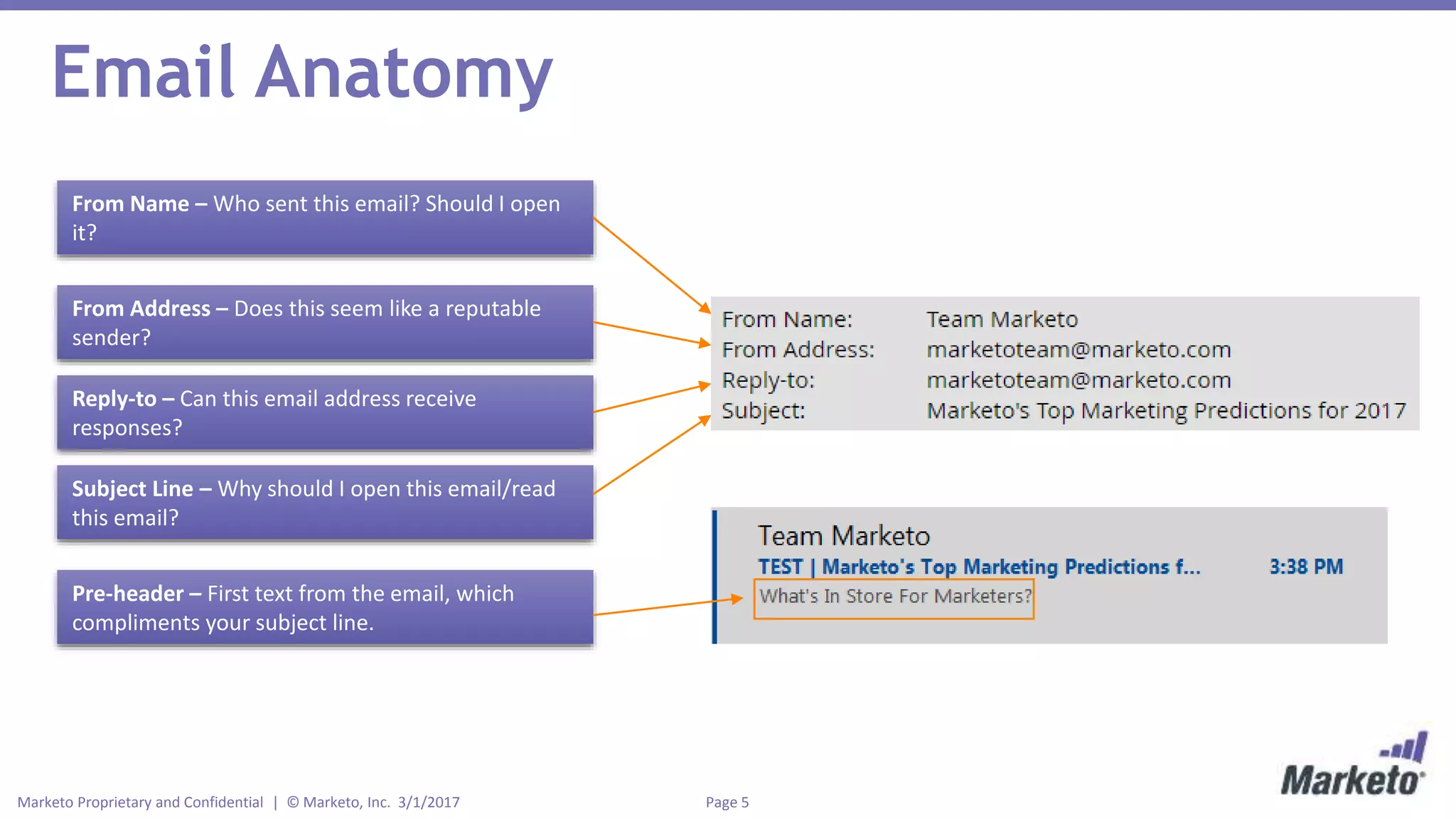
From Name – Who sent this email? Should I open
it?
From Address – Does this seem like a reputable
sender?
Reply-to – Can this email address receive
responses?
Subject Line – Why should I open this email/read
this email?
Pre-header – First text from the email, which
compliments your subject line.
Page 6Marketo Proprietary and Confidential | © Marketo, Inc. 3/1/2017
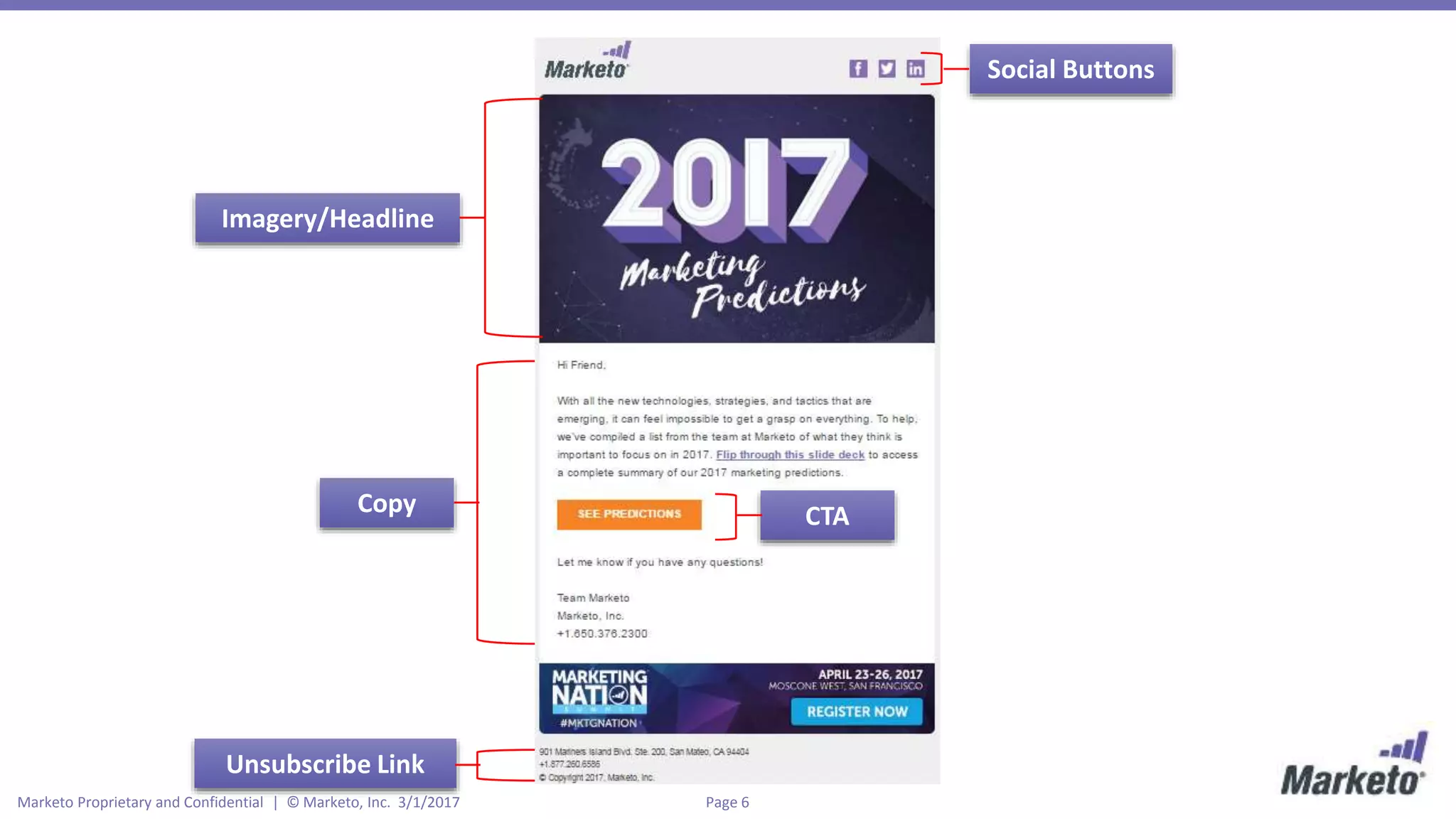
Imagery/Headline
Copy CTA
Social Buttons
Unsubscribe Link
Page 7Marketo Proprietary and Confidential | © Marketo, Inc. 3/1/2017
2 CAMPAIGN METRICS & VOCABULARY
Page 8Marketo Proprietary and Confidential | © Marketo, Inc. 3/1/2017
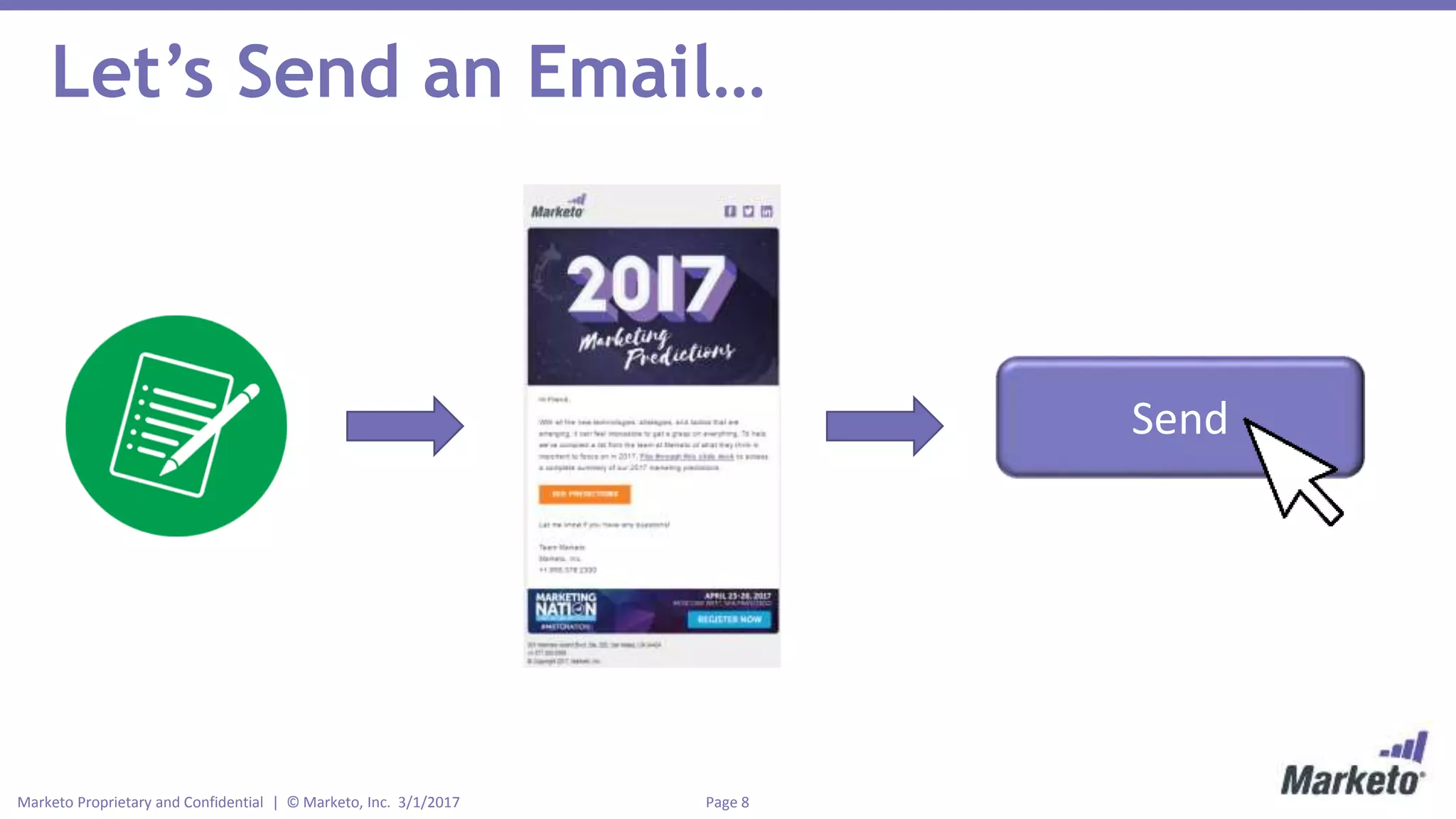
Let’s Send an Email…
Send
Page 9Marketo Proprietary and Confidential | © Marketo, Inc. 3/1/2017
Campaign Metrics
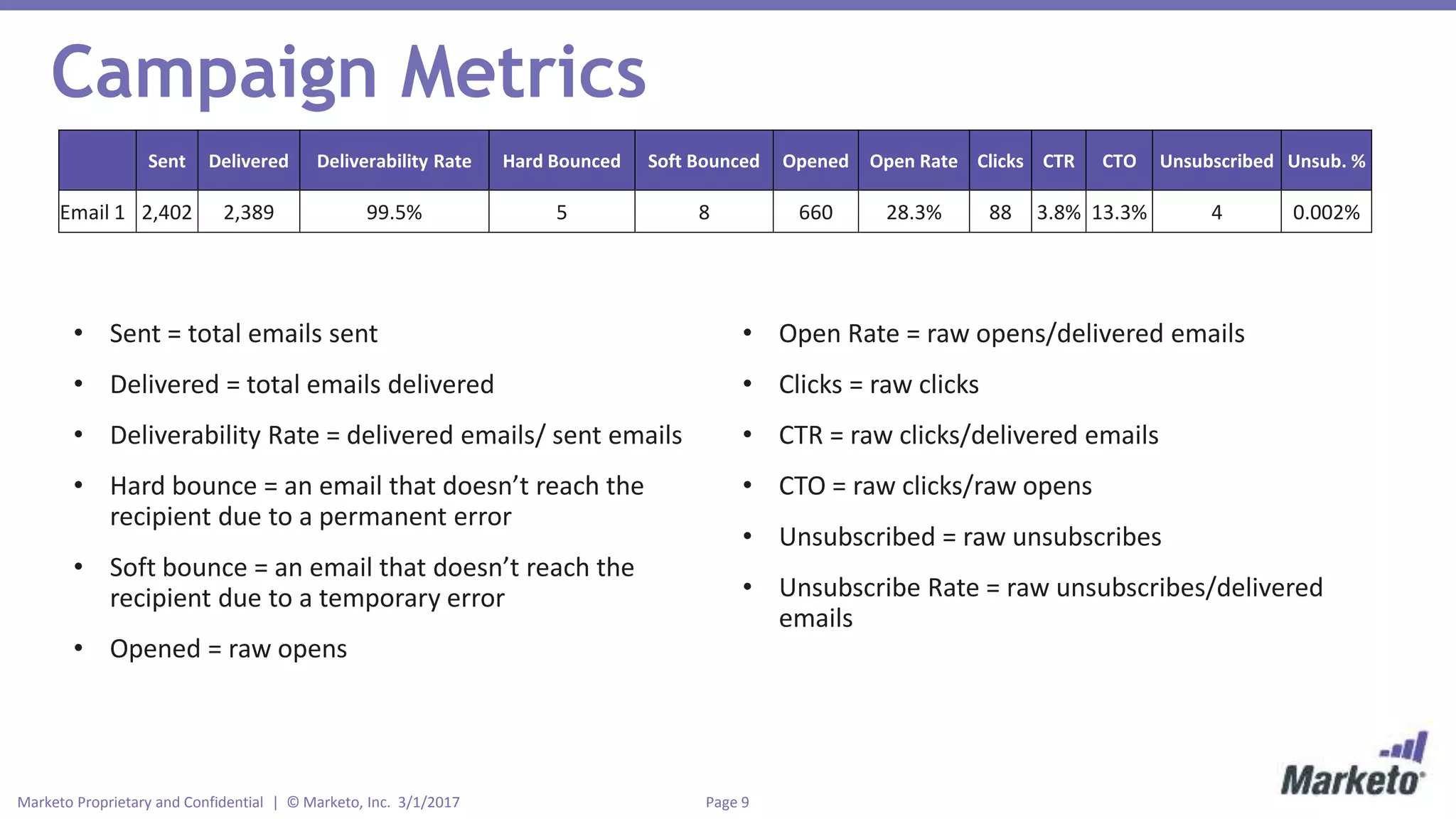
Sent Delivered Deliverability Rate Hard Bounced Soft Bounced Opened Open Rate Clicks CTR CTO Unsubscribed Unsub. %
Email 1 2,402 2,389 99.5% 5 8 660 28.3% 88 3.8% 13.3% 4 0.002%
• Sent = total emails sent
• Delivered = total emails delivered
• Deliverability Rate = delivered emails/ sent emails
• Hard bounce = an email that doesn’t reach the
recipient due to a permanent error
• Soft bounce = an email that doesn’t reach the
recipient due to a temporary error
• Opened = raw opens
• Open Rate = raw opens/delivered emails
• Clicks = raw clicks
• CTR = raw clicks/delivered emails
• CTO = raw clicks/raw opens
• Unsubscribed = raw unsubscribes
• Unsubscribe Rate = raw unsubscribes/delivered
emails
Page 10Marketo Proprietary and Confidential | © Marketo, Inc. 3/1/2017
Other Vocabulary
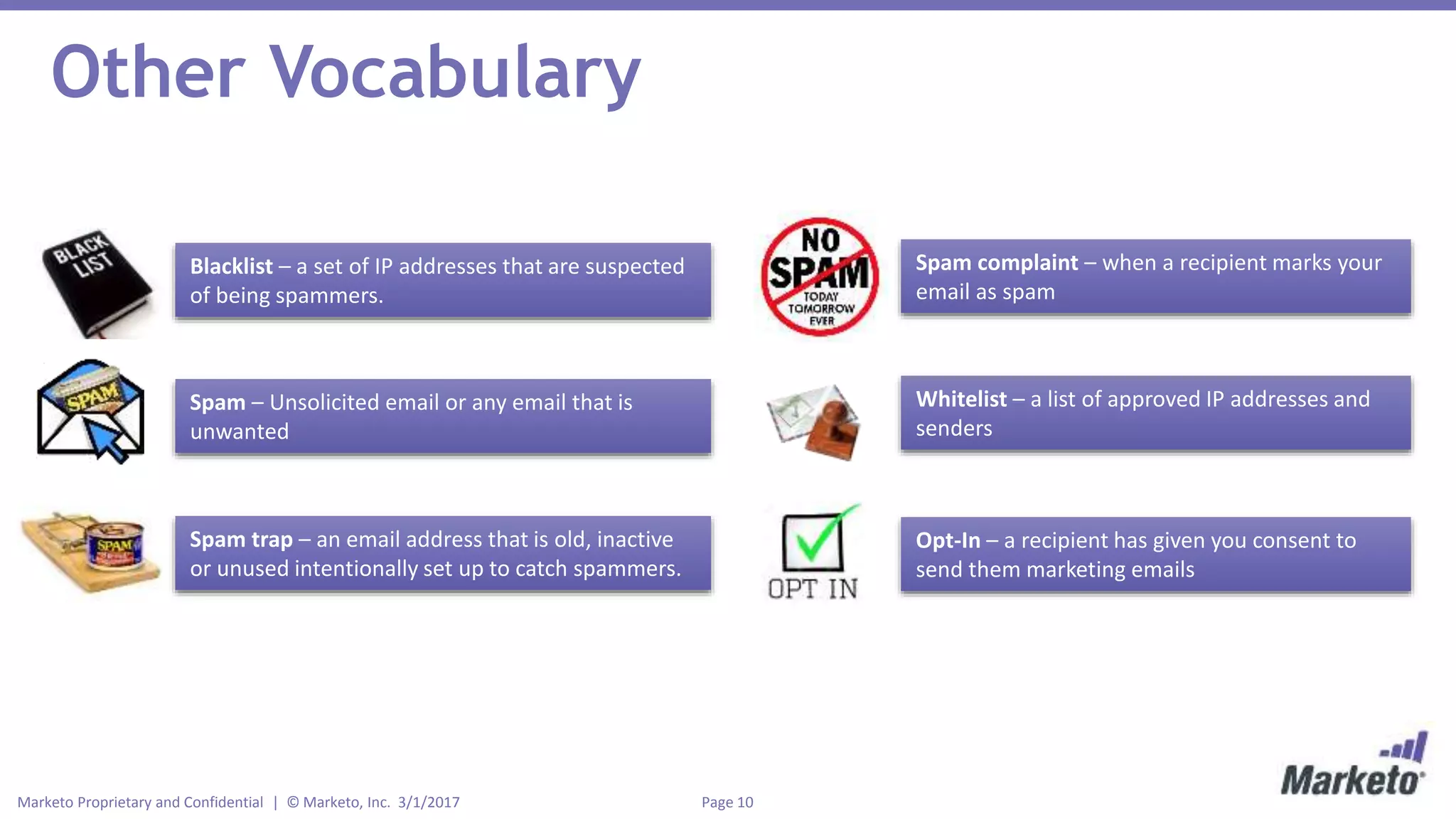
Blacklist – a set of IP addresses that are suspected
of being spammers.
Spam – Unsolicited email or any email that is
unwanted
Spam trap – an email address that is old, inactive
or unused intentionally set up to catch spammers.
Spam complaint – when a recipient marks your
email as spam
Whitelist – a list of approved IP addresses and
senders
Opt-In – a recipient has given you consent to
send them marketing emails
Page 11Marketo Proprietary and Confidential | © Marketo, Inc. 3/1/2017
3 HOW TO WRITE A SUBJECT LINE
Page 12Marketo Proprietary and Confidential | © Marketo, Inc. 3/1/2017
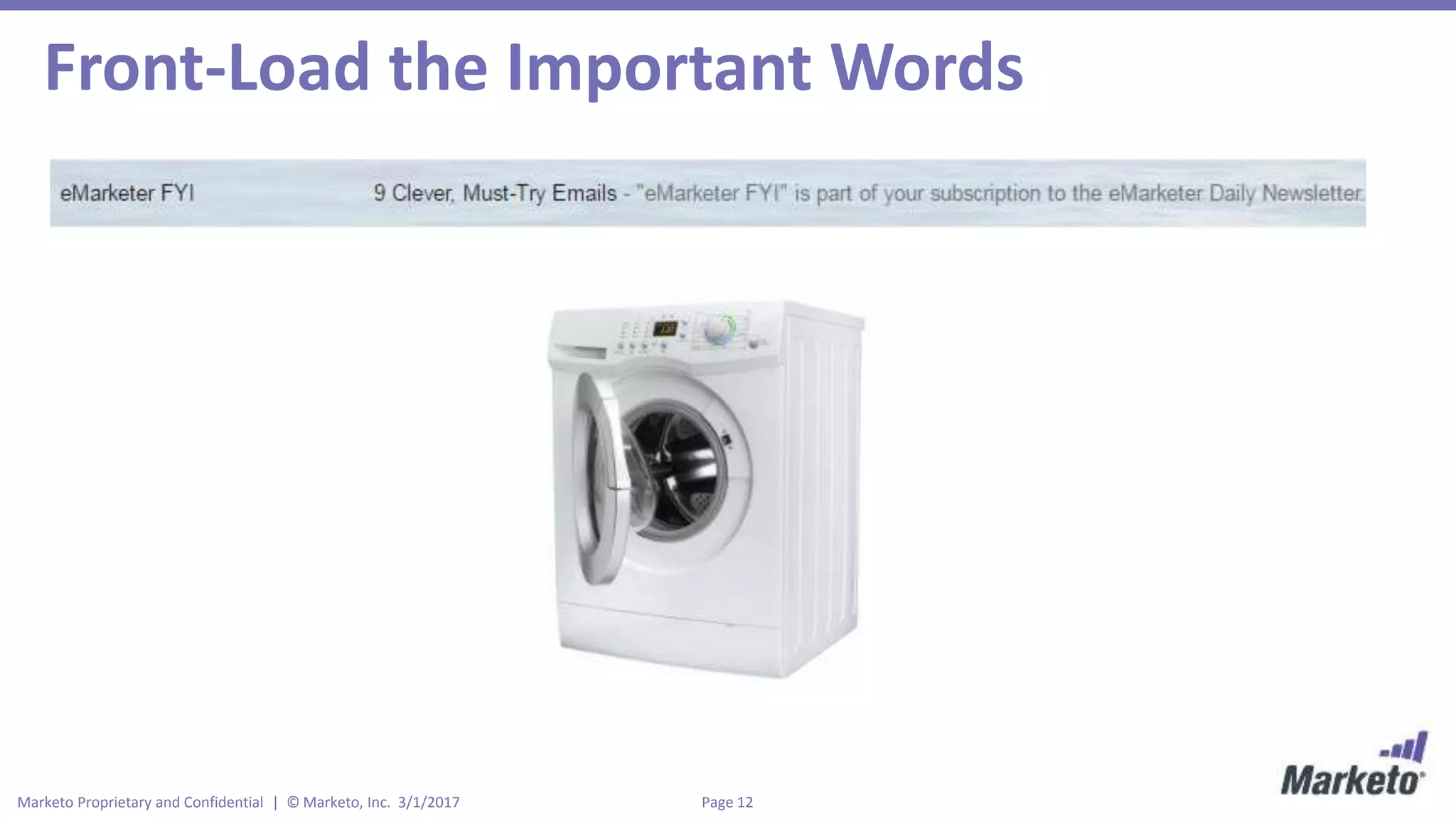
Front-Load the Important Words
Page 13Marketo Proprietary and Confidential | © Marketo, Inc. 3/1/2017
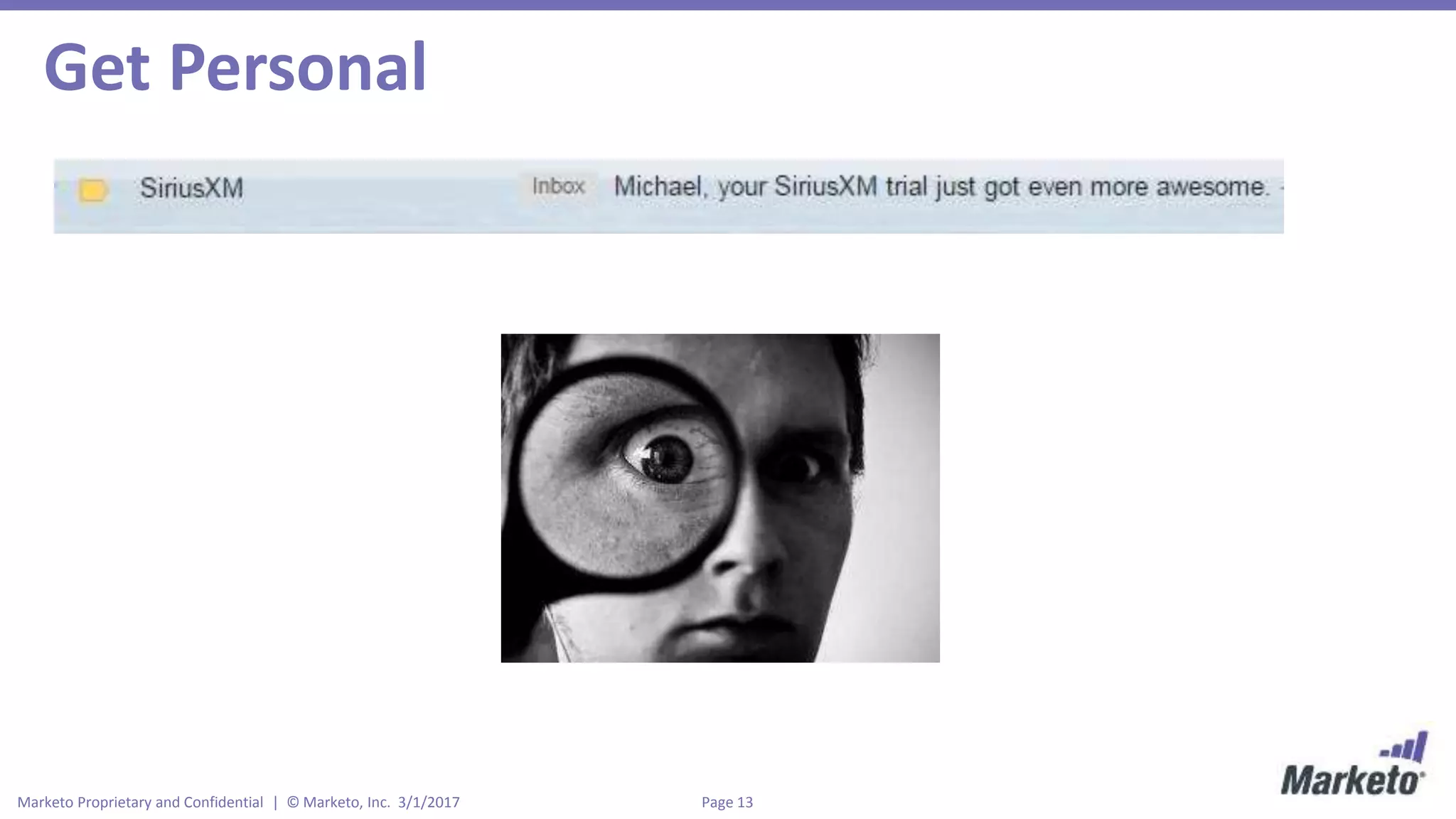
Get Personal
Page 14Marketo Proprietary and Confidential | © Marketo, Inc. 3/1/2017
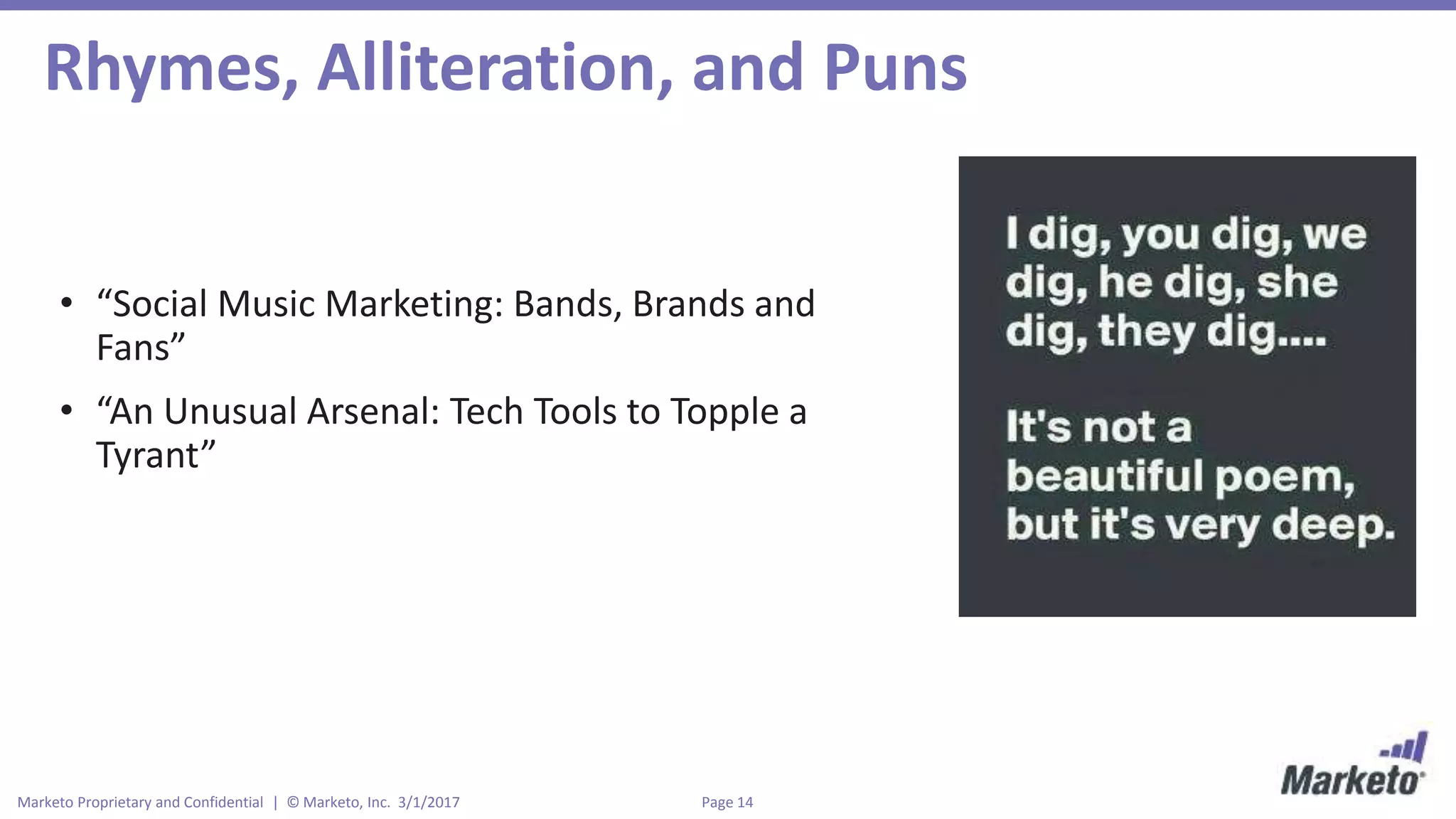
Rhymes, Alliteration, and Puns
• “Social Music Marketing: Bands, Brands and
Fans”
• “An Unusual Arsenal: Tech Tools to Topple a
Tyrant”
Page 15Marketo Proprietary and Confidential | © Marketo, Inc. 3/1/2017
A Few Other Things to Keep in Mind…
• Character limits (stay between 35-55 characters)
• Avoid spam words/ALL CAPS
• Test, test, test
• Use numbers and lists
Page 16Marketo Proprietary and Confidential | © Marketo, Inc. 3/1/2017
4 COMMON PITFALLS
Page 17Marketo Proprietary and Confidential | © Marketo, Inc. 3/1/2017
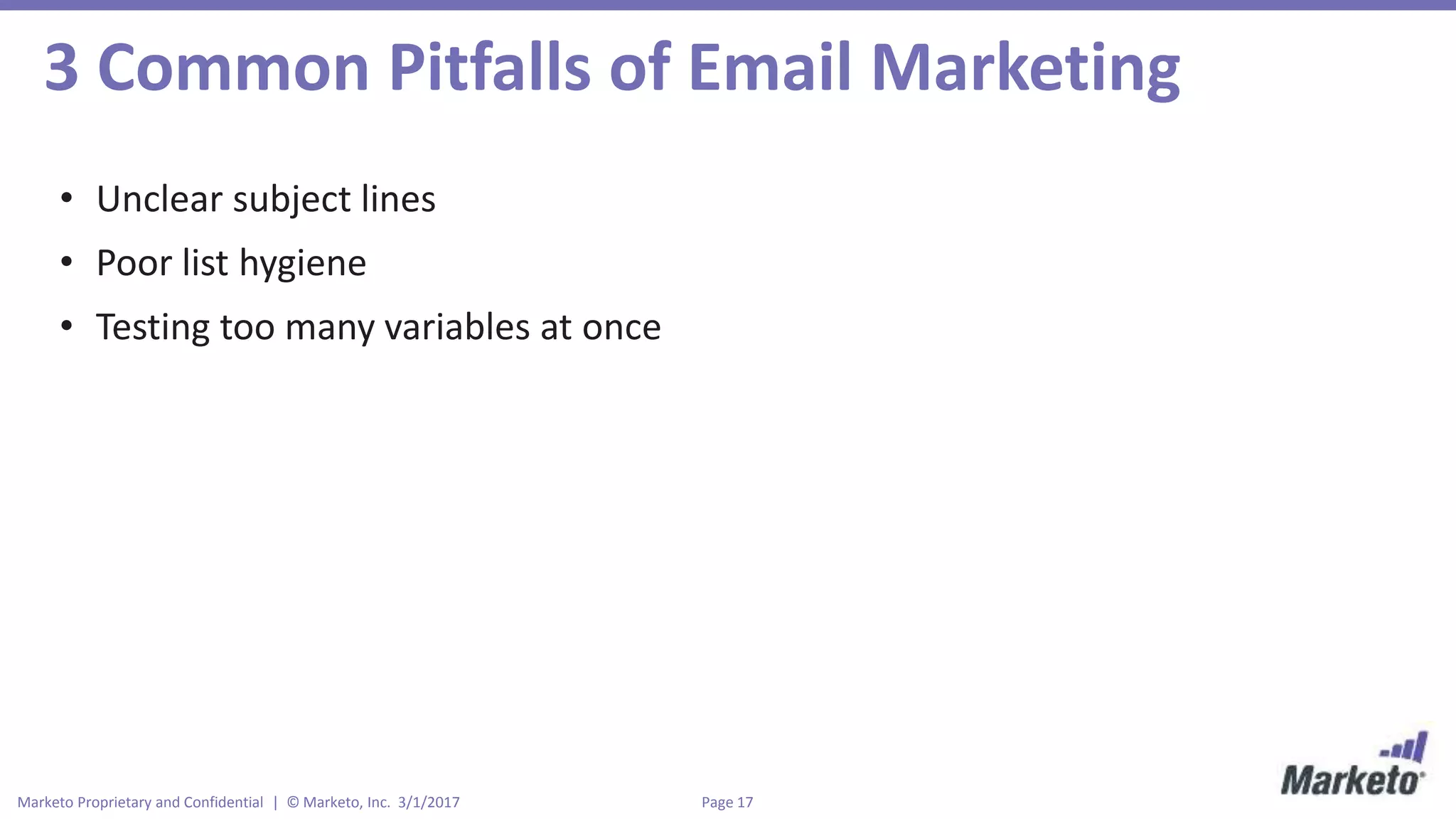
3 Common Pitfalls of Email Marketing
• Unclear subject lines
• Poor list hygiene
• Testing too many variables at once
Page 18Marketo Proprietary and Confidential | © Marketo, Inc. 3/1/2017
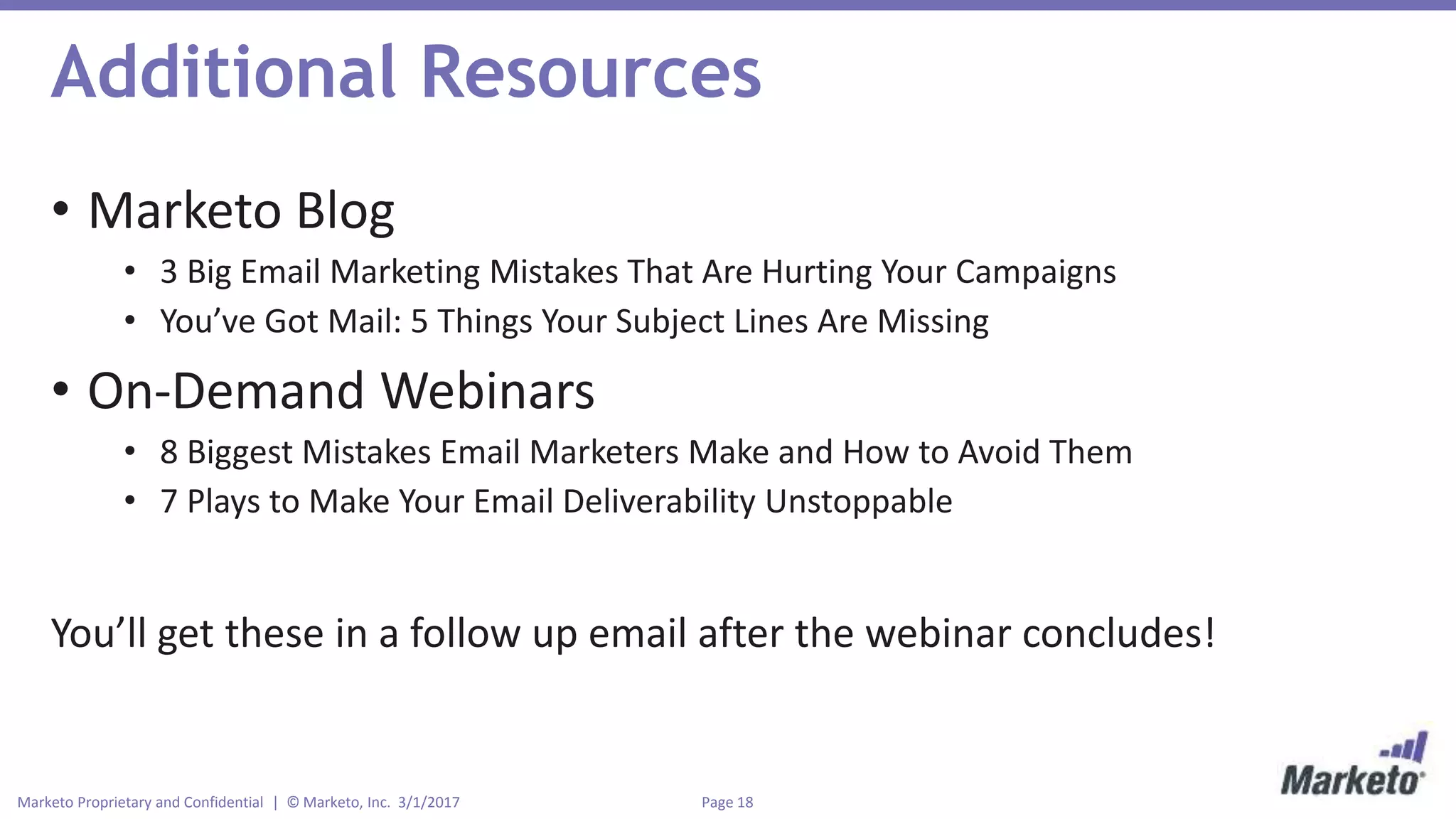
Additional Resources
• Marketo Blog
• 3 Big Email Marketing Mistakes That Are Hurting Your Campaigns
• You’ve Got Mail: 5 Things Your Subject Lines Are Missing
• On-Demand Webinars
• 8 Biggest Mistakes Email Marketers Make and How to Avoid Them
• 7 Plays to Make Your Email Deliverability Unstoppable
You’ll get these in a follow up email after the webinar concludes!
Thank You!

Introduction to Email Marketing

  • 1.
    Intro to EmailMarketing Mike Madden Sr. Demand Generation Program Manager Marketo
  • 2.
    • This webinaris being recorded! Slides and recording will be sent to you after the webinar concludes. • Have a question? Use the chat box and I’ll get to your questions after the webinar. • Posting to social? Use our hashtag - #mktgnation • There is a brief survey after the webinar Housekeeping
  • 3.
    Page 3Marketo Proprietaryand Confidential | © Marketo, Inc. 3/1/2017 Agenda • Anatomy of an email • Campaign metrics definitions • Email marketing vocabulary • How to write a subject line • 3 email mistakes to avoid
  • 4.
    Page 4Marketo Proprietaryand Confidential | © Marketo, Inc. 3/1/2017 1 EMAIL ANATOMY
  • 5.
    Page 5Marketo Proprietaryand Confidential | © Marketo, Inc. 3/1/2017 Email Anatomy From Name – Who sent this email? Should I open it? From Address – Does this seem like a reputable sender? Reply-to – Can this email address receive responses? Subject Line – Why should I open this email/read this email? Pre-header – First text from the email, which compliments your subject line.
  • 6.
    Page 6Marketo Proprietaryand Confidential | © Marketo, Inc. 3/1/2017 Imagery/Headline Copy CTA Social Buttons Unsubscribe Link
  • 7.
    Page 7Marketo Proprietaryand Confidential | © Marketo, Inc. 3/1/2017 2 CAMPAIGN METRICS & VOCABULARY
  • 8.
    Page 8Marketo Proprietaryand Confidential | © Marketo, Inc. 3/1/2017 Let’s Send an Email… Send
  • 9.
    Page 9Marketo Proprietaryand Confidential | © Marketo, Inc. 3/1/2017 Campaign Metrics Sent Delivered Deliverability Rate Hard Bounced Soft Bounced Opened Open Rate Clicks CTR CTO Unsubscribed Unsub. % Email 1 2,402 2,389 99.5% 5 8 660 28.3% 88 3.8% 13.3% 4 0.002% • Sent = total emails sent • Delivered = total emails delivered • Deliverability Rate = delivered emails/ sent emails • Hard bounce = an email that doesn’t reach the recipient due to a permanent error • Soft bounce = an email that doesn’t reach the recipient due to a temporary error • Opened = raw opens • Open Rate = raw opens/delivered emails • Clicks = raw clicks • CTR = raw clicks/delivered emails • CTO = raw clicks/raw opens • Unsubscribed = raw unsubscribes • Unsubscribe Rate = raw unsubscribes/delivered emails
  • 10.
    Page 10Marketo Proprietaryand Confidential | © Marketo, Inc. 3/1/2017 Other Vocabulary Blacklist – a set of IP addresses that are suspected of being spammers. Spam – Unsolicited email or any email that is unwanted Spam trap – an email address that is old, inactive or unused intentionally set up to catch spammers. Spam complaint – when a recipient marks your email as spam Whitelist – a list of approved IP addresses and senders Opt-In – a recipient has given you consent to send them marketing emails
  • 11.
    Page 11Marketo Proprietaryand Confidential | © Marketo, Inc. 3/1/2017 3 HOW TO WRITE A SUBJECT LINE
  • 12.
    Page 12Marketo Proprietaryand Confidential | © Marketo, Inc. 3/1/2017 Front-Load the Important Words
  • 13.
    Page 13Marketo Proprietaryand Confidential | © Marketo, Inc. 3/1/2017 Get Personal
  • 14.
    Page 14Marketo Proprietaryand Confidential | © Marketo, Inc. 3/1/2017 Rhymes, Alliteration, and Puns • “Social Music Marketing: Bands, Brands and Fans” • “An Unusual Arsenal: Tech Tools to Topple a Tyrant”
  • 15.
    Page 15Marketo Proprietaryand Confidential | © Marketo, Inc. 3/1/2017 A Few Other Things to Keep in Mind… • Character limits (stay between 35-55 characters) • Avoid spam words/ALL CAPS • Test, test, test • Use numbers and lists
  • 16.
    Page 16Marketo Proprietaryand Confidential | © Marketo, Inc. 3/1/2017 4 COMMON PITFALLS
  • 17.
    Page 17Marketo Proprietaryand Confidential | © Marketo, Inc. 3/1/2017 3 Common Pitfalls of Email Marketing • Unclear subject lines • Poor list hygiene • Testing too many variables at once
  • 18.
    Page 18Marketo Proprietaryand Confidential | © Marketo, Inc. 3/1/2017 Additional Resources • Marketo Blog • 3 Big Email Marketing Mistakes That Are Hurting Your Campaigns • You’ve Got Mail: 5 Things Your Subject Lines Are Missing • On-Demand Webinars • 8 Biggest Mistakes Email Marketers Make and How to Avoid Them • 7 Plays to Make Your Email Deliverability Unstoppable You’ll get these in a follow up email after the webinar concludes!
  • 20.

Editor's Notes

  • #2 Update with new cover from visual brand deck.
  • #3 And with that let’s get going!
  • #6 From Name – Who sent this email? Should I open it? The From Name embodies your brand and should differentiate you from other emails. From Address – This is extremely similar in importance to the From Name. Does this seem like a reputable sender? Does this email look valid? Reply-to: Make sure to use an email address that can receive responses and that you have a process set up to account for them. Subject Line – This is the “Why should I open this email/read this email?” We’ll talk more about these in a few minutes. Pre-header – This is the first text from your email, which is pulled in to compliment the subject line. Be sure to use these to help entice the open!
  • #7 Let’s go over each of these one by one. Social buttons are a great addition to any email because it allows recipients to view something other than the intended offer. If someone clicks to follow your company on Facebook, it’s a great way for that subscriber to warm up to your brand and hopefully make a purchase down the road. In my own tests, I’ve seen that having social buttons actually increases clicks on the main offer. The imagery/headline is the “handshake” to your email. It tells the subscriber why they should care and what the offer is. Choose art that is visually compelling and add in headlines and subheadlines to entice the subscriber to read further. In my opinion, the copy for a single offer email should be no more than 3-5 sentences. Give the prospect the benefit and value in as short and sweet of a way as possible. Anything longer than that will likely lose attention and not get clicked. The call to action should be big, bold, and bright with contrasting color. This is your email conversion point. Make sure it’s consistent with the copy and stands out for the recipient. Lastly, every email needs an unsubscribe link to stay CAN-SPAM compliant, unless it is an operational email like a receipt. Make sure it’s clearly labeled so recipients that do want to opt-out know how to do it.
  • #11 Blacklist – a realtime database of IP addresses that are suspected of being spammers. There are several blacklists including Spamhaus, Barracuda, and Spam Cop. If your IP gets placed on a blacklist, good luck getting your emails delivered. Maintain a healthy database with clean opt-in practices and you should be fine. Spam – Unsolicited email or any email that is unwanted Spam trap – an email address that is old, inactive or unused intentionally set up to catch spammers. Spam complaint – when a recipient marks your email as spam Whitelist – a list of approved IP addresses and senders. Oftentimes, you should ask your subscribers to whitelist your email domain because that ensures your emails get placed in their inboxes. Opt-In – a recipient has given you consent to send them marketing emails. Sending to folks that didn’t actually opt-in to your communications is considered spam.
  • #12 BOUNCE MANAGEMENT
  • #13 You know that one friend who’s horrible at telling stories? You know, where 15 minutes into telling their story, you begin thinking “Where is this even going? Are we ever going to hear the good part?” And by the time they finally get to the good part, you’ve already checked out. Yeah, some subject lines are just like that—don’t let it be yours. People want to know why your email is more important than the thousands of others in their inbox, so put all the important, actionable words in the front of your subject line to entice opens. In other words, get to the point! In my experience, changing the structure of the sentence line to front-load the important keywords has increased open rates by 10-20%. Let’s take a look at a recent email from eMarketer. “9 Clever, Must-Try Emails” catches the eye and leaves you begging for more.
  • #14 There’s usually at least one person in every office who can’t seem to remember anyone’s first name. Mike is Matt, Joe is John, and Stacy is Stephanie. They might try to get around it by using nicknames like sport, bud, pal, dude, man, bro, and fella. For the record, no one likes that, especially not your email subscribers. Address your subscribers by their name or insert pronouns like “you” or “your” to give your subject lines a personalized touch. According to Experian, emails with personalized subject lines are 26% more likely to be opened (although it varies by industry), yet 70% of brands are not personalizing emails sent to subscribers. That’s a huge opportunity for your brand to stand out! SiriusXM recently sent me this email about my free trial. Just by adding my name to the subject line, it made me feel like they see me as a person, not just a potential conversion, and that they’re truly interested in helping me achieve the best experience.
  • #15 This might seem weird, but I have always seen subject lines that use rhymes, alliteration, or puns do really well. Have you ever read a word or name over and over again until it either sounds weird or gets funnier each time? My word is “hullabaloo,” which means a great noise or excitement. Or have you ever read a subject line that was so clever it deserved to be opened? If you can write a subject line that rolls off the tongue, you will get a higher open rate. It’s like music to the ears! It’s not easy to come up with these but when you do, they will perform exceedingly well. In fact, I’ve seen extraordinary subject line performance where I’ve beaten the control by 30-40%! For some inspiration, just take a look at some of the session names from SXSW. Some of my favorites from previous years? “Social Music Marketing: Bands, Brands and Fans” and “An Unusual Arsenal: Tech Tools to Topple a Tyrant.”
  • #16 Character limits (stay between 35-55 characters) Avoid spam words/ALL CAPS. Words like free, discount, and fast cash are just a few examples. Test, test, test. The subject line is the doorway into your email. You should test when you can to determine what types of subject lines work best for your audience. Use numbers and lists. People tend to interpret the word in lists because it’s easier to understand concepts or large ideas when they are grouped together. Give it a try!
  • #18 In a 2011 case study conducted by AWeber communications, they found that a clear subject line gets 541% more clicks than one that’s clever. I think clear usually beats clever is because clear subject lines tend to have better consistency into the body of the email, which accounts for higher raw clicks. No tricks, no clickbait, and no question about what the email actually contains. A few examples of clever subject lines that I’ve seen are “you’re not alone”, “it’s finally here”, and “still doing it the old way?” For clear subject lines, here are a few that I’ve used: “9 Must-Try Email Subject Lines”, “Your Winning Personalization Strategy”, and “3 Steps to Winning Customer Loyalty” The clear subject lines might not seem as sexy or luring, but they work exceedingly well. Poor list hygiene means that you don’t manage your database when there are unsubscribes, soft bounces, hard bounces and spam complaints. Make sure you remove all hard bounced emails the first time because continuing to send to them hurts your deliverability and reputation as an email sender. If someone unsubscribes, make sure you honor their request. And if someone marks you as spam, definitely don’t email them again! Lastly, test only one variable at a time, otherwise you don’t know what or which variable provided a lift/decrease in your email performance. By isolating one variable at a time, you can know exactly what is improving your emails.