-
2/2554
GUI Visual
Basic 2008
GUI
-–
–
1.
2.
1/2
1.
2.
2/2554
1
1.1
5
1.2
5
1.3 6
1.4
7
1.5
7
1.6 8
1.7
9
2
2.1 Visual Basic
10
2.2 Microsoft office Access 2007
21
3
3.1 MS Access 2007
28
3.2
32
3.3
36
4
4.1
72
5
5.1
80
5.2 80
1.1
Basic
Microsoft Office Access
Database server
1.2.
1.
2.
1.3.



















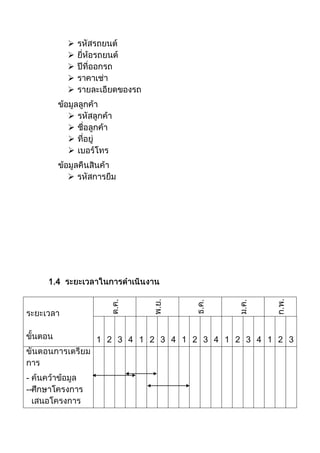
1.4
..
..
..
..
..
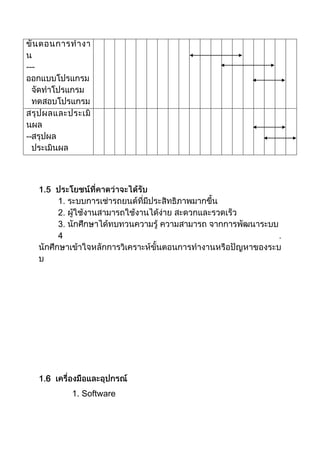
1 2 3 4 1 2 3 4 1 2 3 4 1 2 3 4 1 2 3
-
--
6
1. Software
---
--
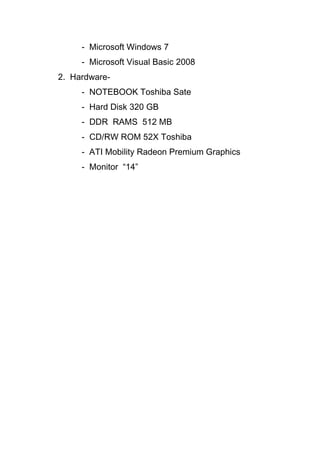
- Microsoft Windows 7
- Microsoft Visual Basic 2008
2. Hardware-
- NOTEBOOK Toshiba Sate
- Hard Disk 320 GB
- DDR RAMS 512 MB
- CD/RW ROM 52X Toshiba
- ATI Mobility Radeon Premium Graphics
- Monitor “14”
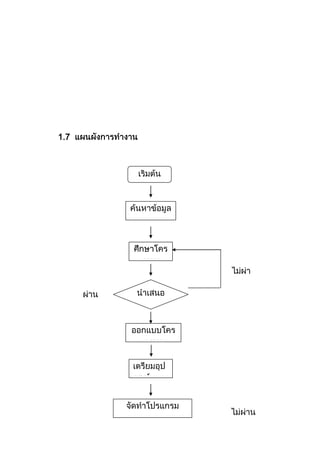
1.7
2
2.1 Visual Basic
BASIC Thomas Kurtz
Interpreter
GW-BASIC Interpreter
DOS
Sub Program
User Defind QUICK BASIC Visual Basic
QUICK
BASIC PDS BASIC Microsoft
BASIC Visual Basic
Visual Basic
Windows Visual
GUI : Graphic
User Interface) BASIC Beginner All-
Purpose Symbolic Instruction Code ) Visual
Basic VB Visaul Basic.net VB.NET)
Microsoft Visual Studio .NET)
Windows Operating System)
Dotnet Framework)
UML = Unified Modeling
Language) Visual Studio .NET)
IDE = Integrated Development Environment)
SQL Server) Visaul Basic.net VB.NET)
VC#) VJ#) VC++)
ASP .NET)
CLR = Common Language
Runtime)
Visual Basic Programming
Language)
Windows 95/98
Windows NT
Basic
Beginner’s All Purpose Symbolic Instruction
“ ” Basic
C).
Pascal) Fortian) Assembler)
Basic
MBASIC (Microsoft Basic). BASICA (Basic
Advanced): GWBASIC QuickBasic
Ms DOS
QBASIC
Text Mode
Windows
Windows
DOS
Text Mode
Basic
Windows
Visual Basic
Visual Basic 1.0
1991
GBASIC
Visual Basic
Visual Basic
(debugger)
(MDI)
Visual Basic Visual Studio 2010
2010
Object
Oriented Programming)
2.1.1 Visual Basic
Visual Basic
Visual Basic
1.
2. Basic
3.
4. Visual Basic
Visual Basic
Visual Basic
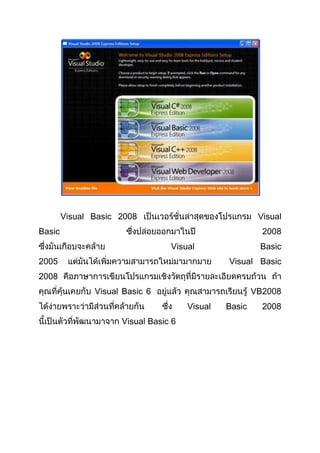
Visual Basic 2008 Visual
Basic 2008
Visual Basic
2005 Visual Basic
2008
Visual Basic 6 VB2008
Visual Basic 2008
Visual Basic 6
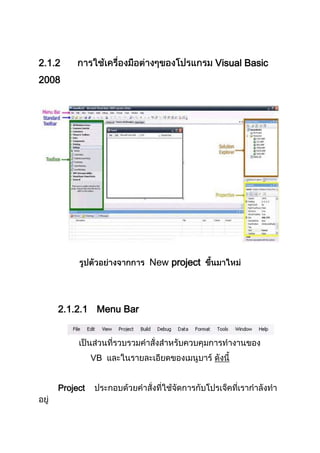
2.1.2 Visual Basic
2008
New project
2.1.2.1 Menu Bar
VB
Project
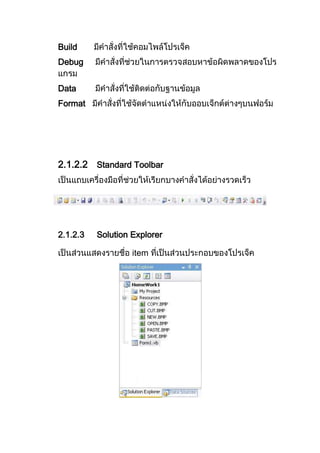
Build
Debug
Data
Format
2.1.2.2 Standard Toolbar
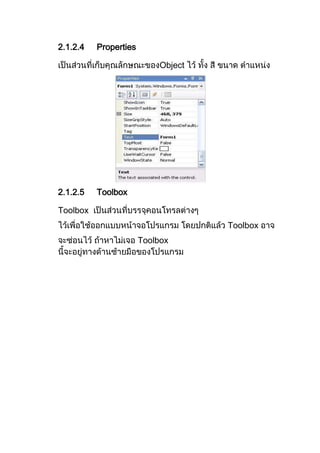
2.1.2.3 Solution Explorer
item
2.1.2.4 Properties
Object
2.1.2.5 Toolbox
Toolbox
Toolbox
Toolbox
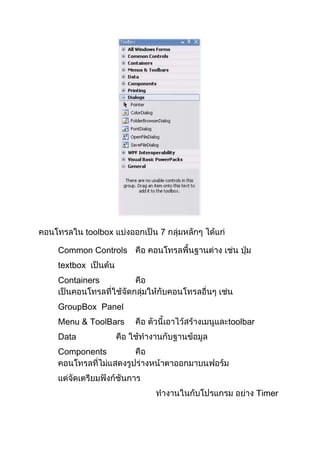
toolbox 7
Common Controls
textbox
Containers
GroupBox Panel
Menu & ToolBars toolbar
Data
Components
Timer
, SerialPort
Printing
Dialogs Dialog
2.1.2.6 Run
Standard
Toolbar F5
2.1.3 Tool Box
Tool Box Control ( User Interface
(User Interface
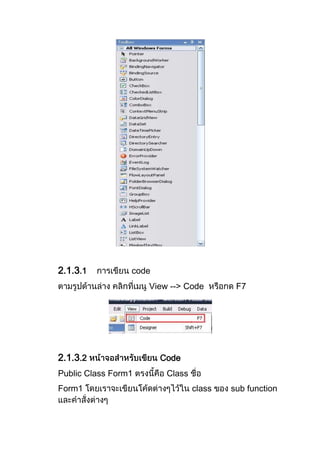
2.1.3.1 code
View --> Code F7
2.1.3.2 Code
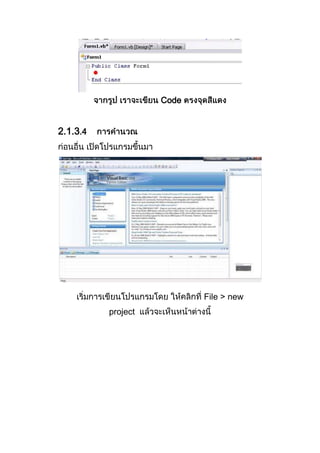
Public Class Form1 Class
Form1 class sub function
Code
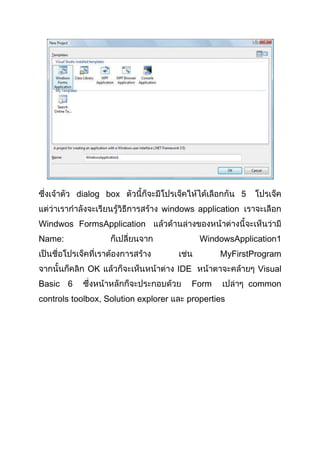
2.1.3.4
File > new
project
dialog box 5
windows application
Windwos FormsApplication
Name: WindowsApplication1
MyFirstProgram
OK IDE Visual
Basic 6 Form common
controls toolbox, Solution explorer properties
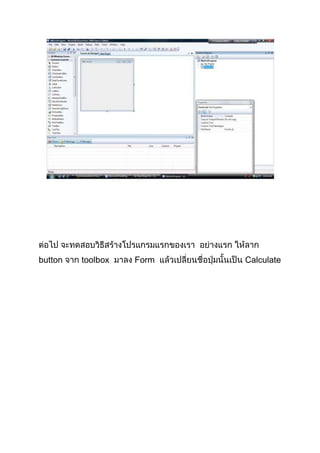
button toolbox Form Calculate
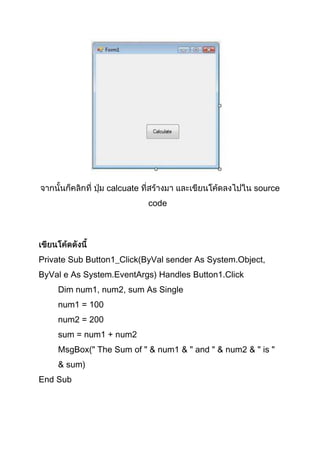
calcuate source
code
Private Sub Button1_Click(ByVal sender As System.Object,
ByVal e As System.EventArgs) Handles Button1.Click
Dim num1, num2, sum As Single
num1 = 100
num2 = 200
sum = num1 + num2
MsgBox(" The Sum of " & num1 & " and " & num2 & " is "
& sum)
End Sub
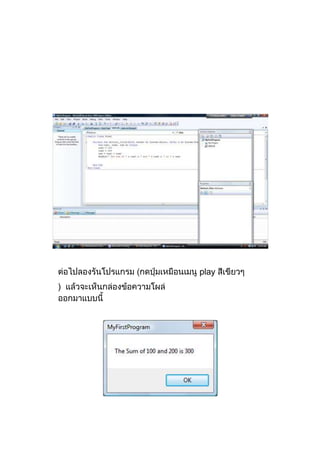
play
)
2.2 Microsoft office Access 2007
Database System)
2.2.1
-
--
-
--
-
2.2.2 Access 2007
-
-
-
-
2.2.3
-
-
-
-
-
-
-
Normalization
- Data
Type)
- Relationship)
-
2.2.4 Access 2007
-
2.2.5 Access 2007
-
-
Table)
-
Query)
-
Form)
- Report)
PivotTable )
-
(Template) (Wizard)
-
Windows SharePoint Services
A c c e s s 2 0 0 7
Windows SharePoint Services Access 2007
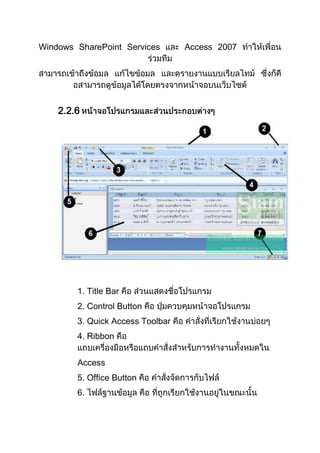
2.2.6
1. Title Bar
2. Control Button
3. Quick Access Toolbar
4. Ribbon
Access
5. Office Button
6.
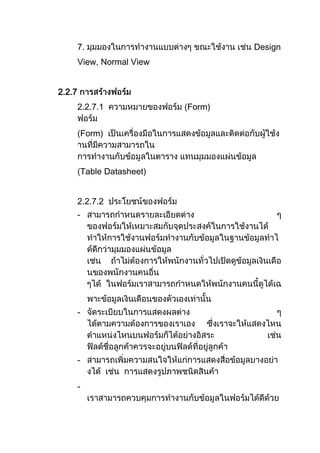
7. Design
View, Normal View
2.2.7
2.2.7.1 Form)
Form)
Table Datasheet)
2.2.7.2
-
-
-
-
----
VBA (Visual Basic for Applicatio
ns)
2.2.7.3 3
1.
2.
3.
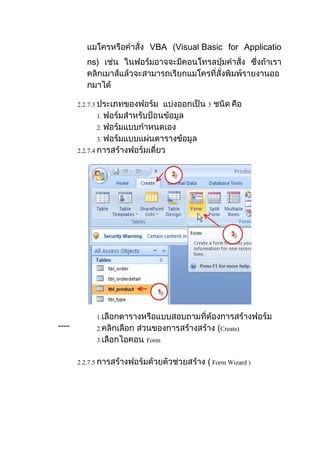
2.2.7.4
1.
2. Create)
3. Form
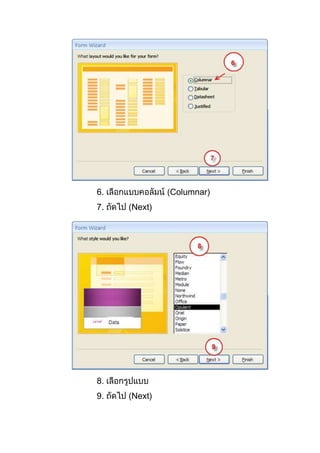
2.2.7.5 Form Wizard )
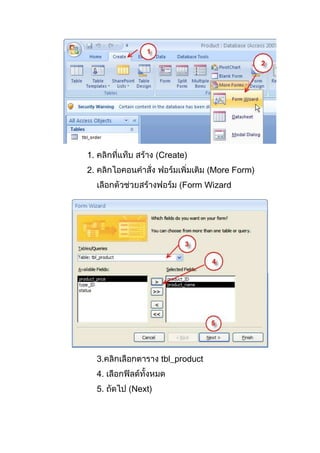
1. Create)
2. More Form)
Form Wizard
3. tbl_product
4.
5. Next)
6. Columnar)
7. Next)
8.
9. Next)
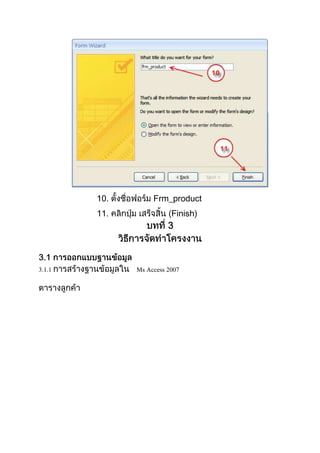
10. Frm_product
11. Finish)
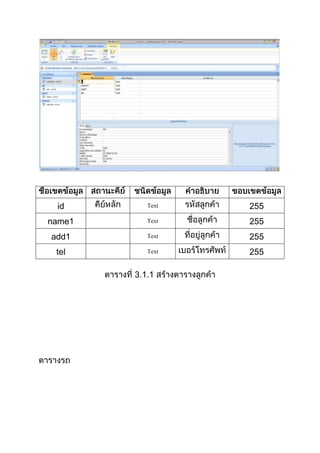
3.1.1 Ms Access 2007
id Text 255
name1 Text 255
add1 Text 255
tel Text 255
3 1.1
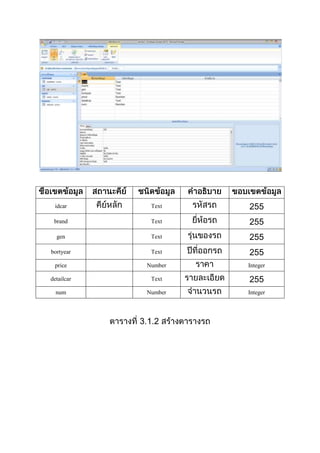
idcar Text 255
brand Text 255
gen Text 255
bortyear Text 255
price Number Integer
detailcar Text 255
num Number Integer
3 1.2
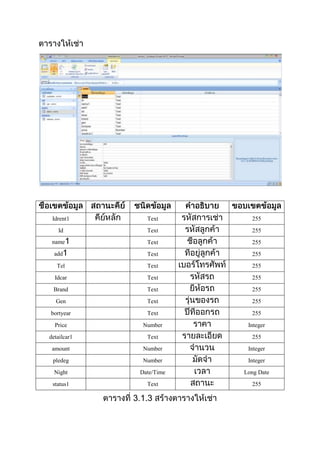
Idrent1 Text 255
Id Text 255
name Text 255
add Text 255
Tel Text 255
Idcar Text 255
Brand Text 255
Gen Text 255
bortyear Text 255
Price Number Integer
detailcar1 Text 255
amount Number Integer
pledeg Number Integer
Night Date/Time Long Date
status1 Text 255
3 1.3
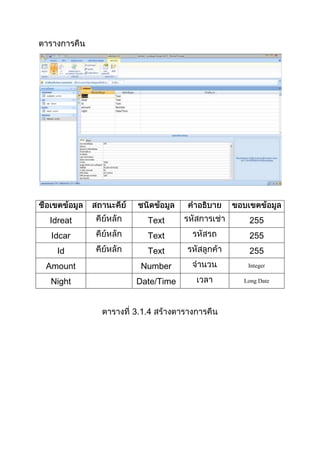
Idreat Text 255
Idcar Text 255
Id Text 255
Amount Number Integer
Night Date/Time Long Date
3 1.4
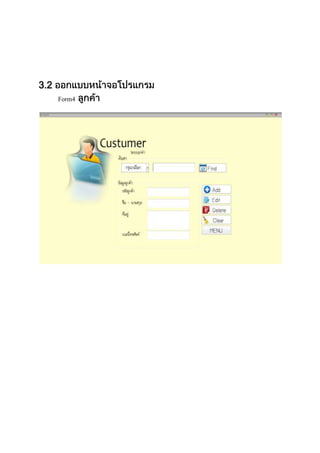
3.2
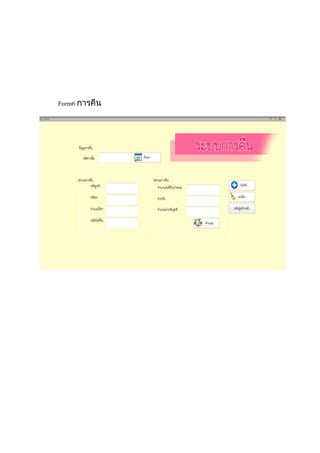
Form4
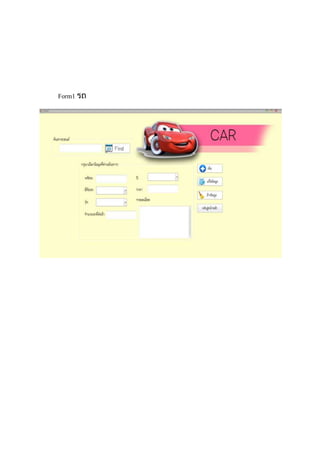
Form1
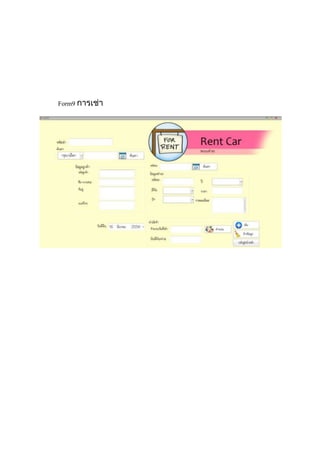
Form9
Form6
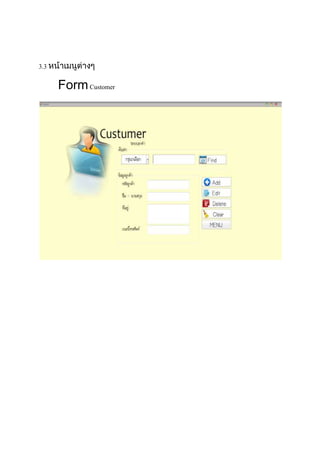
3.3
FormCustomer
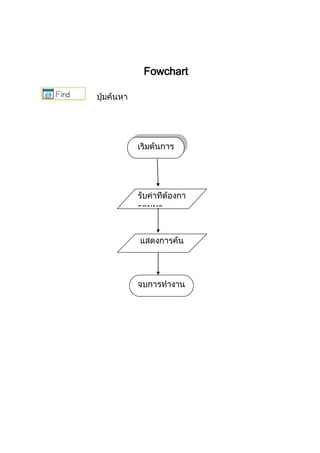
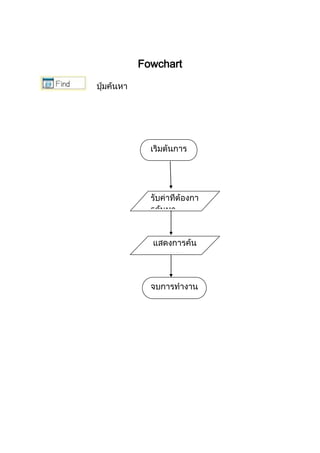
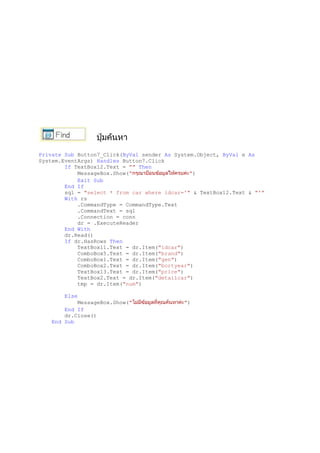
Fowchart
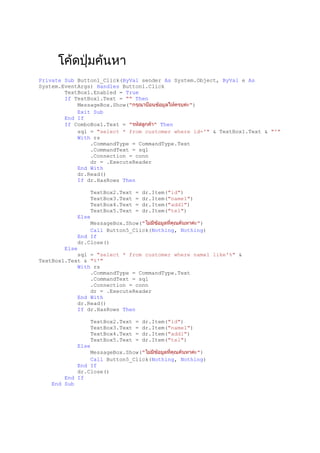
Private Sub Button1_Click(ByVal sender As System.Object, ByVal e As
System.EventArgs) Handles Button1.Click
TextBox1.Enabled = True
If TextBox1.Text = "" Then
MessageBox.Show(" ")
Exit Sub
End If
If ComboBox1.Text = " " Then
sql = "select * from customer where id='" & TextBox1.Text & "'"
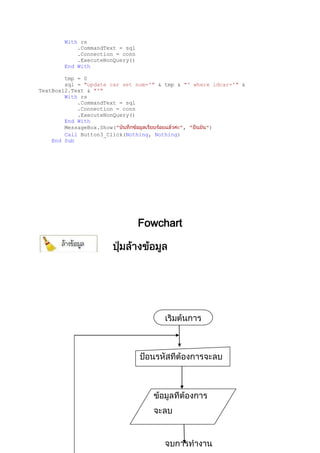
With rs
.CommandType = CommandType.Text
.CommandText = sql
.Connection = conn
dr = .ExecuteReader
End With
dr.Read()
If dr.HasRows Then
TextBox2.Text = dr.Item("id")
TextBox3.Text = dr.Item("name1")
TextBox4.Text = dr.Item("add1")
TextBox5.Text = dr.Item("tel")
Else
MessageBox.Show(" ")
Call Button5_Click(Nothing, Nothing)
End If
dr.Close()
Else
sql = "select * from customer where name1 like'%" &
TextBox1.Text & "%'"
With rs
.CommandType = CommandType.Text
.CommandText = sql
.Connection = conn
dr = .ExecuteReader
End With
dr.Read()
If dr.HasRows Then
TextBox2.Text = dr.Item("id")
TextBox3.Text = dr.Item("name1")
TextBox4.Text = dr.Item("add1")
TextBox5.Text = dr.Item("tel")
Else
MessageBox.Show(" ")
Call Button5_Click(Nothing, Nothing)
End If
dr.Close()
End If
End Sub
Fowchart
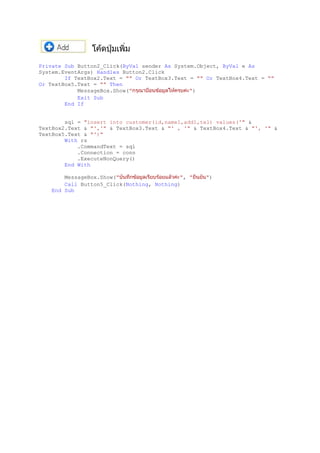
Private Sub Button2_Click(ByVal sender As System.Object, ByVal e As
System.EventArgs) Handles Button2.Click
If TextBox2.Text = "" Or TextBox3.Text = "" Or TextBox4.Text = ""
Or TextBox5.Text = "" Then
MessageBox.Show(" ")
Exit Sub
End If
sql = "insert into customer(id,name1,add1,tel) values('" &
TextBox2.Text & "','" & TextBox3.Text & "' , '" & TextBox4.Text & "', '" &
TextBox5.Text & "')"
With rs
.CommandText = sql
.Connection = conn
.ExecuteNonQuery()
End With
MessageBox.Show(" ", " ")
Call Button5_Click(Nothing, Nothing)
End Sub
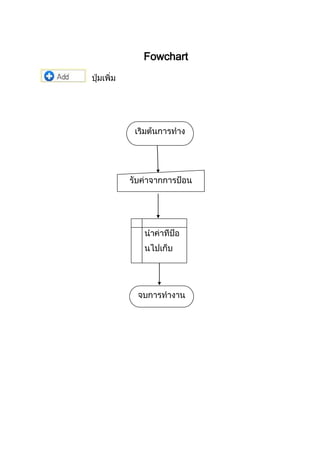
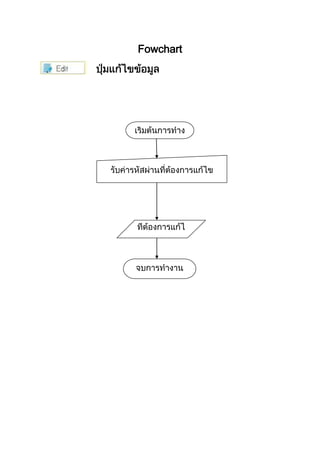
Fowchart
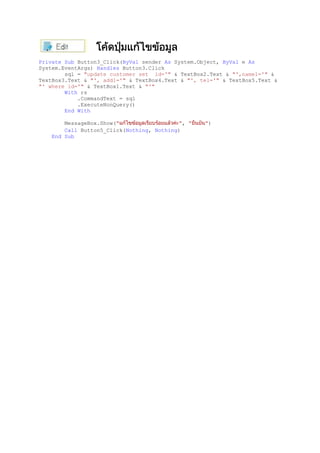
Private Sub Button3_Click(ByVal sender As System.Object, ByVal e As
System.EventArgs) Handles Button3.Click
sql = "update customer set id='" & TextBox2.Text & "',name1='" &
TextBox3.Text & "', add1='" & TextBox4.Text & "', tel='" & TextBox5.Text &
"' where id='" & TextBox1.Text & "'"
With rs
.CommandText = sql
.ExecuteNonQuery()
End With
MessageBox.Show(" ", " ")
Call Button5_Click(Nothing, Nothing)
End Sub
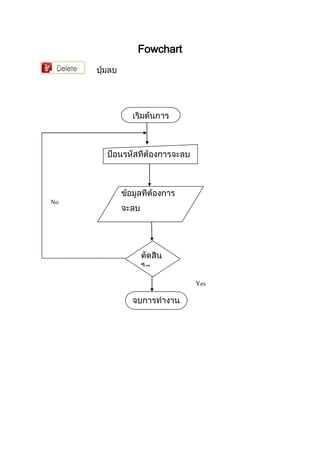
Fowchart
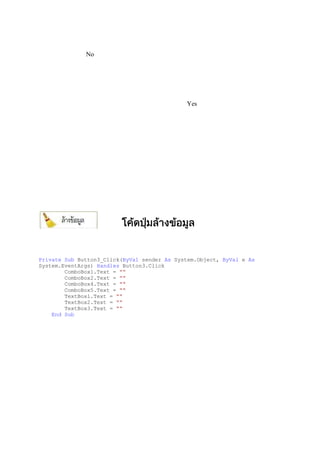
No
Yes
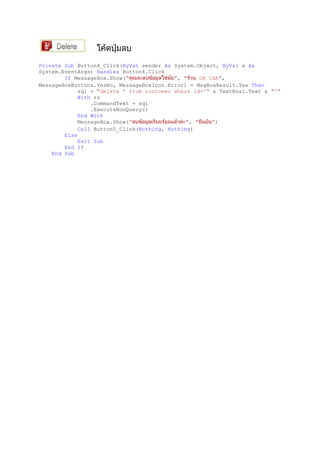
Private Sub Button4_Click(ByVal sender As System.Object, ByVal e As
System.EventArgs) Handles Button4.Click
If MessageBox.Show(" ", " OH CAR",
MessageBoxButtons.YesNo, MessageBoxIcon.Error) = MsgBoxResult.Yes Then
sql = "delete * from customer where id='" & TextBox1.Text & "'"
With rs
.CommandText = sql
.ExecuteNonQuery()
End With
MessageBox.Show(" ", " ")
Call Button5_Click(Nothing, Nothing)
Else
Exit Sub
End If
End Sub
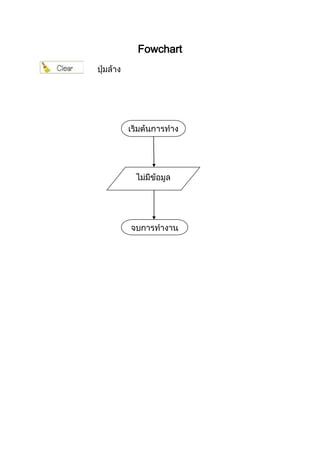
Fowchart
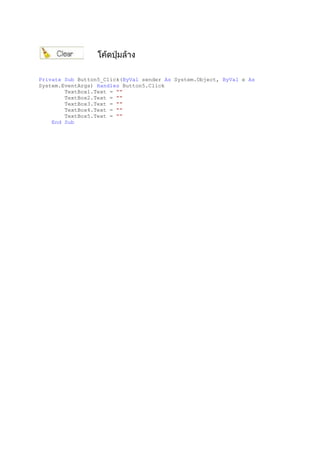
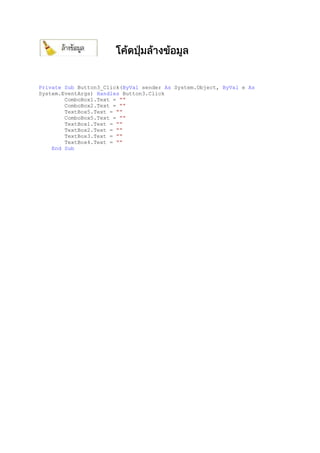
Private Sub Button5_Click(ByVal sender As System.Object, ByVal e As
System.EventArgs) Handles Button5.Click
TextBox1.Text = ""
TextBox2.Text = ""
TextBox3.Text = ""
TextBox4.Text = ""
TextBox5.Text = ""
End Sub
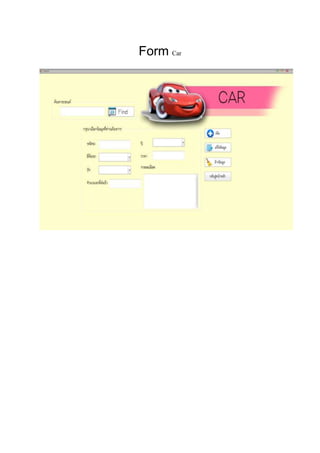
Form Car
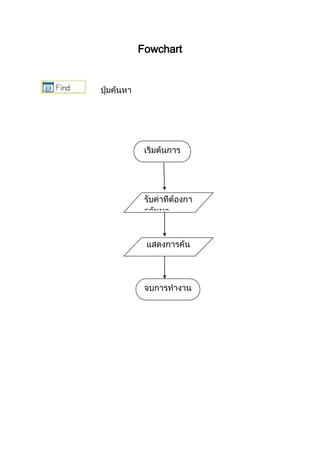
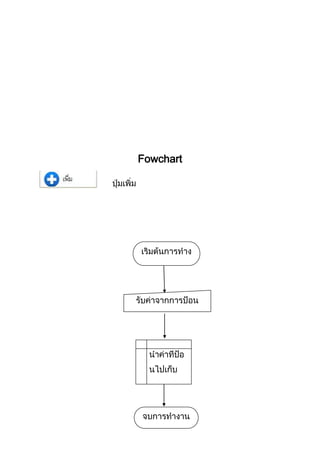
Fowchart
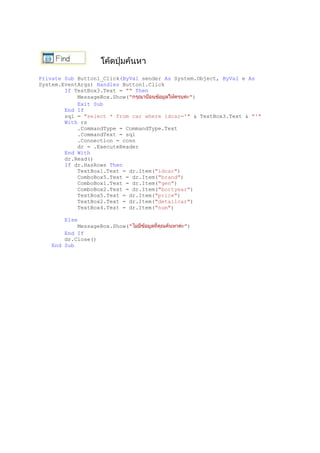
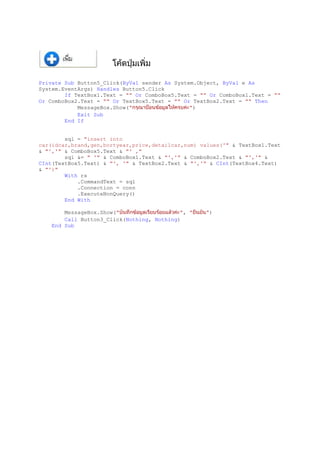
Private Sub Button1_Click(ByVal sender As System.Object, ByVal e As
System.EventArgs) Handles Button1.Click
If TextBox3.Text = "" Then
MessageBox.Show(" ")
Exit Sub
End If
sql = "select * from car where idcar='" & TextBox3.Text & "'"
With rs
.CommandType = CommandType.Text
.CommandText = sql
.Connection = conn
dr = .ExecuteReader
End With
dr.Read()
If dr.HasRows Then
TextBox1.Text = dr.Item("idcar")
ComboBox5.Text = dr.Item("brand")
ComboBox1.Text = dr.Item("gen")
ComboBox2.Text = dr.Item("bortyear")
TextBox5.Text = dr.Item("price")
TextBox2.Text = dr.Item("detailcar")
TextBox4.Text = dr.Item("num")
Else
MessageBox.Show(" ")
End If
dr.Close()
End Sub
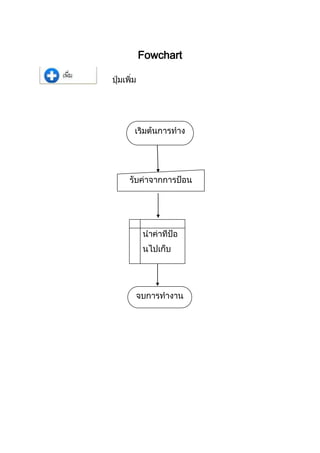
Fowchart
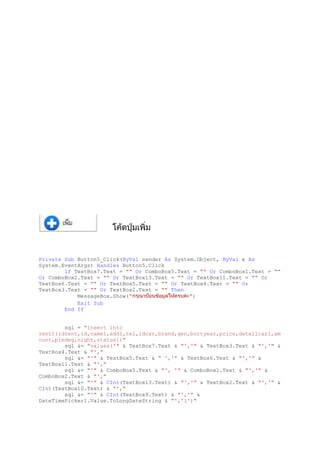
Private Sub Button5_Click(ByVal sender As System.Object, ByVal e As
System.EventArgs) Handles Button5.Click
If TextBox1.Text = "" Or ComboBox5.Text = "" Or ComboBox1.Text = ""
Or ComboBox2.Text = "" Or TextBox5.Text = "" Or TextBox2.Text = "" Then
MessageBox.Show(" ")
Exit Sub
End If
sql = "insert into
car(idcar,brand,gen,bortyear,price,detailcar,num) values('" & TextBox1.Text
& "','" & ComboBox5.Text & "' ,"
sql &= " '" & ComboBox1.Text & "','" & ComboBox2.Text & "','" &
CInt(TextBox5.Text) & "', '" & TextBox2.Text & "','" & CInt(TextBox4.Text)
& "')"
With rs
.CommandText = sql
.Connection = conn
.ExecuteNonQuery()
End With
MessageBox.Show(" ", " ")
Call Button3_Click(Nothing, Nothing)
End Sub
Fowchart
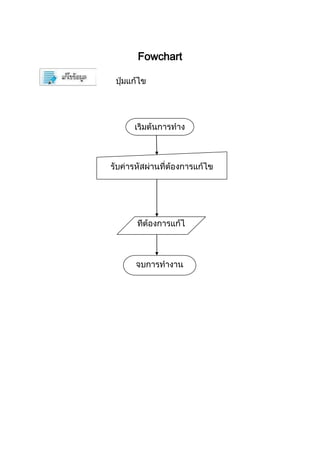
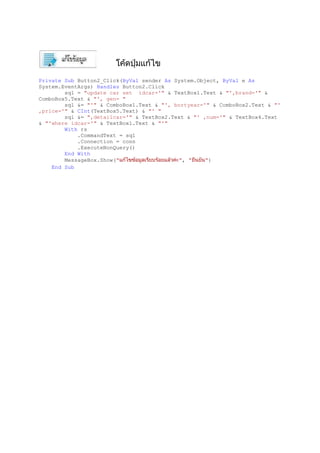
Private Sub Button2_Click(ByVal sender As System.Object, ByVal e As
System.EventArgs) Handles Button2.Click
sql = "update car set idcar='" & TextBox1.Text & "',brand='" &
ComboBox5.Text & "', gen= "
sql &= "'" & ComboBox1.Text & "', bortyear='" & ComboBox2.Text & "'
,price='" & CInt(TextBox5.Text) & "' "
sql &= ",detailcar='" & TextBox2.Text & "' ,num='" & TextBox4.Text
& "'where idcar='" & TextBox1.Text & "'"
With rs
.CommandText = sql
.Connection = conn
.ExecuteNonQuery()
End With
MessageBox.Show(" ", " ")
End Sub
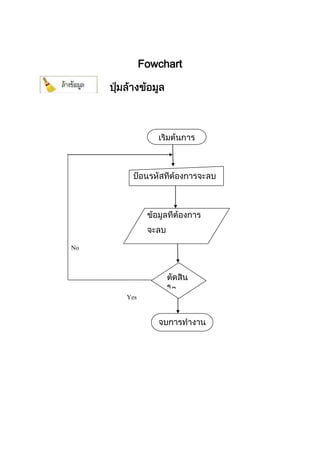
Fowchart
No
Yes
Private Sub Button3_Click(ByVal sender As System.Object, ByVal e As
System.EventArgs) Handles Button3.Click
ComboBox1.Text = ""
ComboBox2.Text = ""
TextBox5.Text = ""
ComboBox5.Text = ""
TextBox1.Text = ""
TextBox2.Text = ""
TextBox3.Text = ""
TextBox4.Text = ""
End Sub
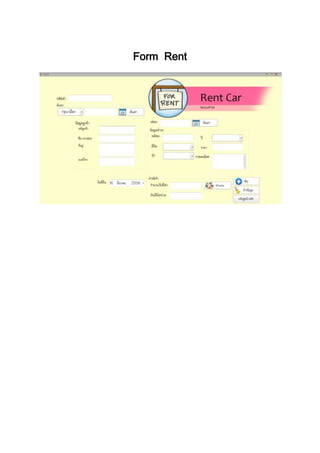
Form Rent
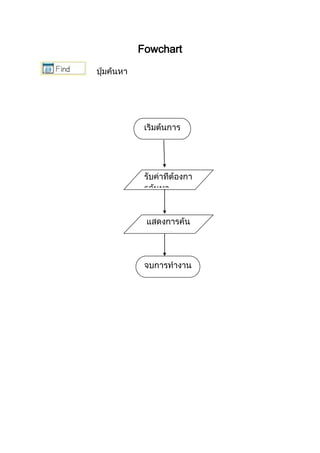
Fowchart
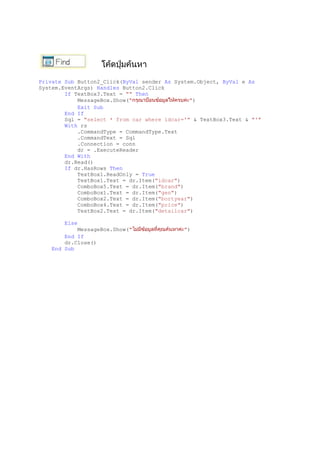
Private Sub Button2_Click(ByVal sender As System.Object, ByVal e As
System.EventArgs) Handles Button2.Click
If TextBox3.Text = "" Then
MessageBox.Show(" ")
Exit Sub
End If
Sql = "select * from car where idcar='" & TextBox3.Text & "'"
With rs
.CommandType = CommandType.Text
.CommandText = Sql
.Connection = conn
dr = .ExecuteReader
End With
dr.Read()
If dr.HasRows Then
TextBox1.ReadOnly = True
TextBox1.Text = dr.Item("idcar")
ComboBox5.Text = dr.Item("brand")
ComboBox1.Text = dr.Item("gen")
ComboBox2.Text = dr.Item("bortyear")
ComboBox4.Text = dr.Item("price")
TextBox2.Text = dr.Item("detailcar")
Else
MessageBox.Show(" ")
End If
dr.Close()
End Sub
Fowchart
Private Sub Button7_Click(ByVal sender As System.Object, ByVal e As
System.EventArgs) Handles Button7.Click
If TextBox12.Text = "" Then
MessageBox.Show(" ")
Exit Sub
End If
sql = "select * from car where idcar='" & TextBox12.Text & "'"
With rs
.CommandType = CommandType.Text
.CommandText = sql
.Connection = conn
dr = .ExecuteReader
End With
dr.Read()
If dr.HasRows Then
TextBox11.Text = dr.Item("idcar")
ComboBox5.Text = dr.Item("brand")
ComboBox1.Text = dr.Item("gen")
ComboBox2.Text = dr.Item("bortyear")
TextBox13.Text = dr.Item("price")
TextBox2.Text = dr.Item("detailcar")
tmp = dr.Item("num")
Else
MessageBox.Show(" ")
End If
dr.Close()
End Sub
Fowchart
Private Sub Button5_Click(ByVal sender As System.Object, ByVal e As
System.EventArgs) Handles Button5.Click
If TextBox7.Text = "" Or ComboBox5.Text = "" Or ComboBox1.Text = ""
Or ComboBox2.Text = "" Or TextBox13.Text = "" Or TextBox11.Text = "" Or
TextBox6.Text = "" Or TextBox5.Text = "" Or TextBox4.Text = "" Or
TextBox3.Text = "" Or TextBox2.Text = "" Then
MessageBox.Show(" ")
Exit Sub
End If
sql = "insert into
rent1(idrent,id,name1,add1,tel,idcar,brand,gen,bortyear,price,detailcar1,am
ount,pledeg,night,status1)"
sql &= "values('" & TextBox7.Text & "','" & TextBox3.Text & "','" &
TextBox4.Text & "',"
sql &= "'" & TextBox5.Text & " ','" & TextBox6.Text & "','" &
TextBox11.Text & "',"
sql &= "'" & ComboBox5.Text & "', '" & ComboBox1.Text & "','" &
ComboBox2.Text & "',"
sql &= "'" & CInt(TextBox13.Text) & "','" & TextBox2.Text & "','" &
CInt(TextBox10.Text) & "',"
sql &= "'" & CInt(TextBox9.Text) & "','" &
DateTimePicker1.Value.ToLongDateString & "','1')"
With rs
.CommandText = sql
.Connection = conn
.ExecuteNonQuery()
End With
tmp = 0
sql = "update car set num='" & tmp & "' where idcar='" &
TextBox12.Text & "'"
With rs
.CommandText = sql
.Connection = conn
.ExecuteNonQuery()
End With
MessageBox.Show(" ", " ")
Call Button3_Click(Nothing, Nothing)
End Sub
Fowchart
No
Yes
Private Sub Button3_Click(ByVal sender As System.Object, ByVal e As
System.EventArgs) Handles Button3.Click
ComboBox1.Text = ""
ComboBox2.Text = ""
ComboBox4.Text = ""
ComboBox5.Text = ""
TextBox1.Text = ""
TextBox2.Text = ""
TextBox3.Text = ""
End Sub
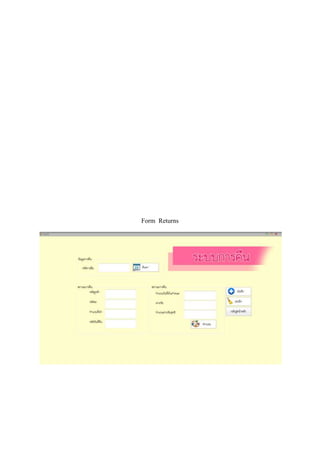
Form Returns
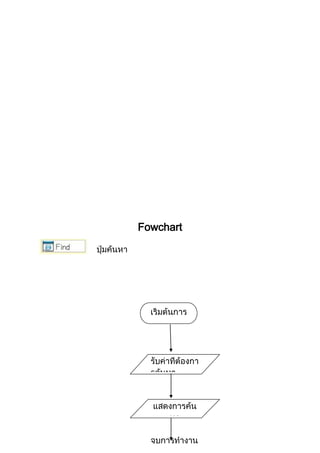
Fowchart
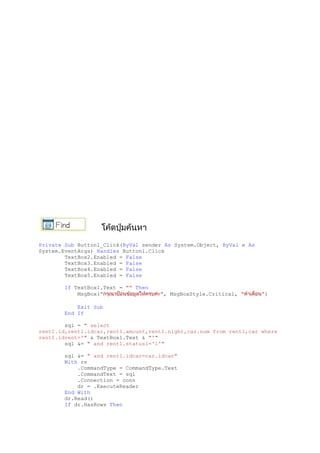
Private Sub Button1_Click(ByVal sender As System.Object, ByVal e As
System.EventArgs) Handles Button1.Click
TextBox2.Enabled = False
TextBox3.Enabled = False
TextBox4.Enabled = False
TextBox5.Enabled = False
If TextBox1.Text = "" Then
MsgBox(" ", MsgBoxStyle.Critical, " ")
Exit Sub
End If
sql = " select
rent1.id,rent1.idcar,rent1.amount,rent1.night,car.num from rent1,car where
rent1.idrent='" & TextBox1.Text & "'"
sql &= " and rent1.status1='1'"
sql &= " and rent1.idcar=car.idcar"
With rs
.CommandType = CommandType.Text
.CommandText = sql
.Connection = conn
dr = .ExecuteReader
End With
dr.Read()
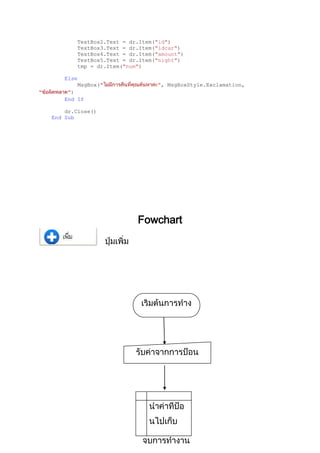
If dr.HasRows Then
TextBox2.Text = dr.Item("id")
TextBox3.Text = dr.Item("idcar")
TextBox4.Text = dr.Item("amount")
TextBox5.Text = dr.Item("night")
tmp = dr.Item("num")
Else
MsgBox(" ", MsgBoxStyle.Exclamation,
" ")
End If
dr.Close()
End Sub
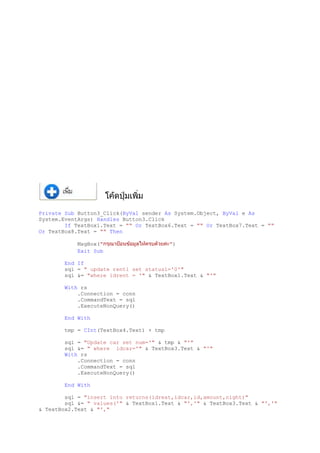
Fowchart
Private Sub Button3_Click(ByVal sender As System.Object, ByVal e As
System.EventArgs) Handles Button3.Click
If TextBox1.Text = "" Or TextBox6.Text = "" Or TextBox7.Text = ""
Or TextBox8.Text = "" Then
MsgBox(" ")
Exit Sub
End If
sql = " update rent1 set status1='0'"
sql &= "where idrent = '" & TextBox1.Text & "'"
With rs
.Connection = conn
.CommandText = sql
.ExecuteNonQuery()
End With
tmp = CInt(TextBox4.Text) + tmp
sql = "Update car set num='" & tmp & "'"
sql &= " where idcar='" & TextBox3.Text & "'"
With rs
.Connection = conn
.CommandText = sql
.ExecuteNonQuery()
End With
sql = "insert into returns(idreat,idcar,id,amount,night)"
sql &= " values('" & TextBox1.Text & "','" & TextBox3.Text & "','"
& TextBox2.Text & "',"
sql &= "'" & CInt(TextBox4.Text) & "','" & TextBox5.Text & "')"
With rs
.CommandText = sql
.Connection = conn
.ExecuteNonQuery()
End With
MsgBox(" ")
Call Button4_Click(Nothing, Nothing)
End Sub
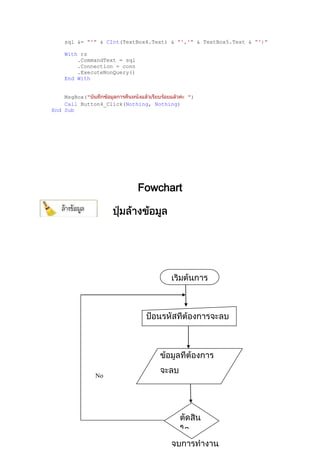
Fowchart
No
Yes
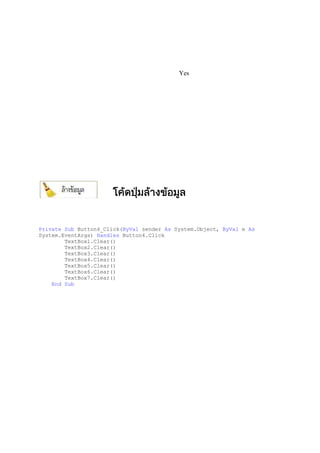
Private Sub Button4_Click(ByVal sender As System.Object, ByVal e As
System.EventArgs) Handles Button4.Click
TextBox1.Clear()
TextBox2.Clear()
TextBox3.Clear()
TextBox4.Clear()
TextBox5.Clear()
TextBox6.Clear()
TextBox7.Clear()
End Sub
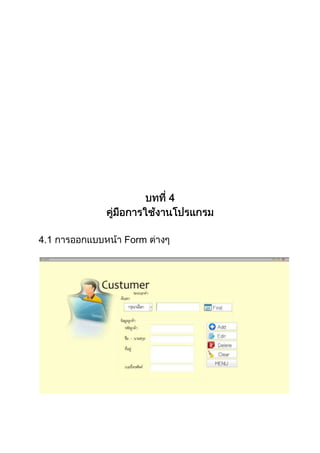
4.1 Form
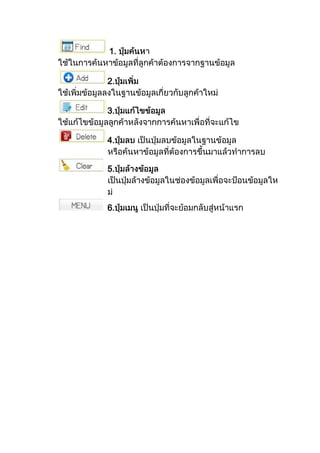
1.
2.
3.
4.
5.
6.
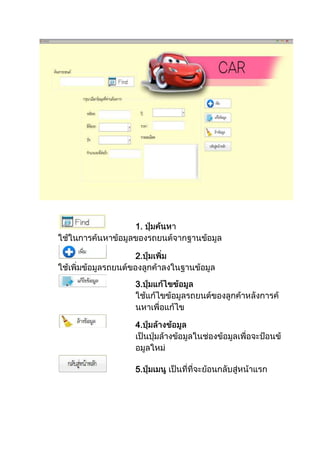
1.
2.
3.
4.
5.
1.
2.
3.
1.
2.
3.
4.
5.
1.
2.
3.
4.
5.
1.
2.
1.
2.
1.
2.
3.
ICT
1.
2.
3.
–
–
http://th.carrenthatyai.com/
Visual Basic”
, " Advanced Visual
Basic 6.0",
, , 2548.
. : 1 2550
.
http://www.thaigoodview.com/library/teachershow/lopburi/c
hayamon_b/.
http://www.lks.ac.th/kuanjit/menu_vb.htm.
DVD 35
DVD 13
DVD 10

โครงการ 5 บท

  • 1.
  • 3.
  • 4.
  • 5.
  • 6.
    1 1.1 5 1.2 5 1.3 6 1.4 7 1.5 7 1.6 8 1.7 9 2 2.1Visual Basic 10 2.2 Microsoft office Access 2007 21 3
  • 7.
    3.1 MS Access2007 28 3.2 32 3.3 36 4 4.1 72 5 5.1 80 5.2 80
  • 8.
  • 9.
  • 10.
  • 11.
  • 12.
    - Microsoft Windows7 - Microsoft Visual Basic 2008 2. Hardware- - NOTEBOOK Toshiba Sate - Hard Disk 320 GB - DDR RAMS 512 MB - CD/RW ROM 52X Toshiba - ATI Mobility Radeon Premium Graphics - Monitor “14”
  • 13.
  • 14.
    2 2.1 Visual Basic BASICThomas Kurtz Interpreter GW-BASIC Interpreter DOS Sub Program User Defind QUICK BASIC Visual Basic
  • 15.
    QUICK BASIC PDS BASICMicrosoft BASIC Visual Basic Visual Basic Windows Visual GUI : Graphic User Interface) BASIC Beginner All- Purpose Symbolic Instruction Code ) Visual Basic VB Visaul Basic.net VB.NET) Microsoft Visual Studio .NET) Windows Operating System) Dotnet Framework) UML = Unified Modeling Language) Visual Studio .NET) IDE = Integrated Development Environment) SQL Server) Visaul Basic.net VB.NET) VC#) VJ#) VC++) ASP .NET)
  • 16.
    CLR = CommonLanguage Runtime) Visual Basic Programming Language) Windows 95/98 Windows NT Basic Beginner’s All Purpose Symbolic Instruction “ ” Basic C). Pascal) Fortian) Assembler) Basic MBASIC (Microsoft Basic). BASICA (Basic Advanced): GWBASIC QuickBasic Ms DOS QBASIC Text Mode Windows Windows DOS Text Mode
  • 17.
    Basic Windows Visual Basic Visual Basic1.0 1991 GBASIC Visual Basic Visual Basic (debugger) (MDI) Visual Basic Visual Studio 2010 2010 Object Oriented Programming) 2.1.1 Visual Basic
  • 18.
    Visual Basic Visual Basic 1. 2.Basic 3. 4. Visual Basic Visual Basic Visual Basic
  • 19.
    Visual Basic 2008Visual Basic 2008 Visual Basic 2005 Visual Basic 2008 Visual Basic 6 VB2008 Visual Basic 2008 Visual Basic 6
  • 20.
    2.1.2 Visual Basic 2008 Newproject 2.1.2.1 Menu Bar VB Project
  • 21.
  • 22.
  • 23.
    toolbox 7 Common Controls textbox Containers GroupBoxPanel Menu & ToolBars toolbar Data Components Timer
  • 24.
    , SerialPort Printing Dialogs Dialog 2.1.2.6Run Standard Toolbar F5 2.1.3 Tool Box Tool Box Control ( User Interface (User Interface
  • 25.
    2.1.3.1 code View -->Code F7 2.1.3.2 Code Public Class Form1 Class Form1 class sub function
  • 26.
  • 27.
    dialog box 5 windowsapplication Windwos FormsApplication Name: WindowsApplication1 MyFirstProgram OK IDE Visual Basic 6 Form common controls toolbox, Solution explorer properties
  • 28.
  • 29.
    calcuate source code Private SubButton1_Click(ByVal sender As System.Object, ByVal e As System.EventArgs) Handles Button1.Click Dim num1, num2, sum As Single num1 = 100 num2 = 200 sum = num1 + num2 MsgBox(" The Sum of " & num1 & " and " & num2 & " is " & sum) End Sub
  • 30.
  • 31.
    2.2 Microsoft officeAccess 2007 Database System)
  • 32.
  • 33.
  • 34.
    - 2.2.5 Access 2007 - - Table) - Query) - Form) -Report) PivotTable ) - (Template) (Wizard) - Windows SharePoint Services A c c e s s 2 0 0 7
  • 35.
    Windows SharePoint ServicesAccess 2007 2.2.6 1. Title Bar 2. Control Button 3. Quick Access Toolbar 4. Ribbon Access 5. Office Button 6.
  • 36.
    7. Design View, NormalView 2.2.7 2.2.7.1 Form) Form) Table Datasheet) 2.2.7.2 - - - -
  • 37.
    ---- VBA (Visual Basicfor Applicatio ns) 2.2.7.3 3 1. 2. 3. 2.2.7.4 1. 2. Create) 3. Form 2.2.7.5 Form Wizard )
  • 38.
    1. Create) 2. MoreForm) Form Wizard 3. tbl_product 4. 5. Next)
  • 39.
  • 40.
  • 41.
    id Text 255 name1Text 255 add1 Text 255 tel Text 255 3 1.1
  • 42.
    idcar Text 255 brandText 255 gen Text 255 bortyear Text 255 price Number Integer detailcar Text 255 num Number Integer 3 1.2
  • 43.
    Idrent1 Text 255 IdText 255 name Text 255 add Text 255 Tel Text 255 Idcar Text 255 Brand Text 255 Gen Text 255 bortyear Text 255 Price Number Integer detailcar1 Text 255 amount Number Integer pledeg Number Integer Night Date/Time Long Date status1 Text 255 3 1.3
  • 44.
    Idreat Text 255 IdcarText 255 Id Text 255 Amount Number Integer Night Date/Time Long Date 3 1.4
  • 45.
  • 46.
  • 47.
  • 48.
  • 49.
  • 50.
  • 51.
    Private Sub Button1_Click(ByValsender As System.Object, ByVal e As System.EventArgs) Handles Button1.Click TextBox1.Enabled = True If TextBox1.Text = "" Then MessageBox.Show(" ") Exit Sub End If If ComboBox1.Text = " " Then sql = "select * from customer where id='" & TextBox1.Text & "'" With rs .CommandType = CommandType.Text .CommandText = sql .Connection = conn dr = .ExecuteReader End With dr.Read() If dr.HasRows Then TextBox2.Text = dr.Item("id") TextBox3.Text = dr.Item("name1") TextBox4.Text = dr.Item("add1") TextBox5.Text = dr.Item("tel") Else MessageBox.Show(" ") Call Button5_Click(Nothing, Nothing) End If dr.Close() Else sql = "select * from customer where name1 like'%" & TextBox1.Text & "%'" With rs .CommandType = CommandType.Text .CommandText = sql .Connection = conn dr = .ExecuteReader End With dr.Read() If dr.HasRows Then TextBox2.Text = dr.Item("id") TextBox3.Text = dr.Item("name1") TextBox4.Text = dr.Item("add1") TextBox5.Text = dr.Item("tel") Else MessageBox.Show(" ") Call Button5_Click(Nothing, Nothing) End If dr.Close() End If End Sub
  • 52.
  • 53.
    Private Sub Button2_Click(ByValsender As System.Object, ByVal e As System.EventArgs) Handles Button2.Click If TextBox2.Text = "" Or TextBox3.Text = "" Or TextBox4.Text = "" Or TextBox5.Text = "" Then MessageBox.Show(" ") Exit Sub End If sql = "insert into customer(id,name1,add1,tel) values('" & TextBox2.Text & "','" & TextBox3.Text & "' , '" & TextBox4.Text & "', '" & TextBox5.Text & "')" With rs .CommandText = sql .Connection = conn .ExecuteNonQuery() End With MessageBox.Show(" ", " ") Call Button5_Click(Nothing, Nothing) End Sub
  • 54.
  • 55.
    Private Sub Button3_Click(ByValsender As System.Object, ByVal e As System.EventArgs) Handles Button3.Click sql = "update customer set id='" & TextBox2.Text & "',name1='" & TextBox3.Text & "', add1='" & TextBox4.Text & "', tel='" & TextBox5.Text & "' where id='" & TextBox1.Text & "'" With rs .CommandText = sql .ExecuteNonQuery() End With MessageBox.Show(" ", " ") Call Button5_Click(Nothing, Nothing) End Sub
  • 56.
  • 57.
    Private Sub Button4_Click(ByValsender As System.Object, ByVal e As System.EventArgs) Handles Button4.Click If MessageBox.Show(" ", " OH CAR", MessageBoxButtons.YesNo, MessageBoxIcon.Error) = MsgBoxResult.Yes Then sql = "delete * from customer where id='" & TextBox1.Text & "'" With rs .CommandText = sql .ExecuteNonQuery() End With MessageBox.Show(" ", " ") Call Button5_Click(Nothing, Nothing) Else Exit Sub End If End Sub
  • 58.
  • 59.
    Private Sub Button5_Click(ByValsender As System.Object, ByVal e As System.EventArgs) Handles Button5.Click TextBox1.Text = "" TextBox2.Text = "" TextBox3.Text = "" TextBox4.Text = "" TextBox5.Text = "" End Sub
  • 60.
  • 61.
  • 62.
    Private Sub Button1_Click(ByValsender As System.Object, ByVal e As System.EventArgs) Handles Button1.Click If TextBox3.Text = "" Then MessageBox.Show(" ") Exit Sub End If sql = "select * from car where idcar='" & TextBox3.Text & "'" With rs .CommandType = CommandType.Text .CommandText = sql .Connection = conn dr = .ExecuteReader End With dr.Read() If dr.HasRows Then TextBox1.Text = dr.Item("idcar") ComboBox5.Text = dr.Item("brand") ComboBox1.Text = dr.Item("gen") ComboBox2.Text = dr.Item("bortyear") TextBox5.Text = dr.Item("price") TextBox2.Text = dr.Item("detailcar") TextBox4.Text = dr.Item("num") Else MessageBox.Show(" ") End If dr.Close() End Sub
  • 63.
  • 64.
    Private Sub Button5_Click(ByValsender As System.Object, ByVal e As System.EventArgs) Handles Button5.Click If TextBox1.Text = "" Or ComboBox5.Text = "" Or ComboBox1.Text = "" Or ComboBox2.Text = "" Or TextBox5.Text = "" Or TextBox2.Text = "" Then MessageBox.Show(" ") Exit Sub End If sql = "insert into car(idcar,brand,gen,bortyear,price,detailcar,num) values('" & TextBox1.Text & "','" & ComboBox5.Text & "' ," sql &= " '" & ComboBox1.Text & "','" & ComboBox2.Text & "','" & CInt(TextBox5.Text) & "', '" & TextBox2.Text & "','" & CInt(TextBox4.Text) & "')" With rs .CommandText = sql .Connection = conn .ExecuteNonQuery() End With MessageBox.Show(" ", " ") Call Button3_Click(Nothing, Nothing) End Sub
  • 65.
  • 66.
    Private Sub Button2_Click(ByValsender As System.Object, ByVal e As System.EventArgs) Handles Button2.Click sql = "update car set idcar='" & TextBox1.Text & "',brand='" & ComboBox5.Text & "', gen= " sql &= "'" & ComboBox1.Text & "', bortyear='" & ComboBox2.Text & "' ,price='" & CInt(TextBox5.Text) & "' " sql &= ",detailcar='" & TextBox2.Text & "' ,num='" & TextBox4.Text & "'where idcar='" & TextBox1.Text & "'" With rs .CommandText = sql .Connection = conn .ExecuteNonQuery() End With MessageBox.Show(" ", " ") End Sub
  • 67.
  • 68.
    Private Sub Button3_Click(ByValsender As System.Object, ByVal e As System.EventArgs) Handles Button3.Click ComboBox1.Text = "" ComboBox2.Text = "" TextBox5.Text = "" ComboBox5.Text = "" TextBox1.Text = "" TextBox2.Text = "" TextBox3.Text = "" TextBox4.Text = "" End Sub
  • 69.
  • 70.
  • 71.
    Private Sub Button2_Click(ByValsender As System.Object, ByVal e As System.EventArgs) Handles Button2.Click If TextBox3.Text = "" Then MessageBox.Show(" ") Exit Sub End If Sql = "select * from car where idcar='" & TextBox3.Text & "'" With rs .CommandType = CommandType.Text .CommandText = Sql .Connection = conn dr = .ExecuteReader End With dr.Read() If dr.HasRows Then TextBox1.ReadOnly = True TextBox1.Text = dr.Item("idcar") ComboBox5.Text = dr.Item("brand") ComboBox1.Text = dr.Item("gen") ComboBox2.Text = dr.Item("bortyear") ComboBox4.Text = dr.Item("price") TextBox2.Text = dr.Item("detailcar") Else MessageBox.Show(" ") End If dr.Close() End Sub
  • 72.
  • 73.
    Private Sub Button7_Click(ByValsender As System.Object, ByVal e As System.EventArgs) Handles Button7.Click If TextBox12.Text = "" Then MessageBox.Show(" ") Exit Sub End If sql = "select * from car where idcar='" & TextBox12.Text & "'" With rs .CommandType = CommandType.Text .CommandText = sql .Connection = conn dr = .ExecuteReader End With dr.Read() If dr.HasRows Then TextBox11.Text = dr.Item("idcar") ComboBox5.Text = dr.Item("brand") ComboBox1.Text = dr.Item("gen") ComboBox2.Text = dr.Item("bortyear") TextBox13.Text = dr.Item("price") TextBox2.Text = dr.Item("detailcar") tmp = dr.Item("num") Else MessageBox.Show(" ") End If dr.Close() End Sub
  • 74.
  • 75.
    Private Sub Button5_Click(ByValsender As System.Object, ByVal e As System.EventArgs) Handles Button5.Click If TextBox7.Text = "" Or ComboBox5.Text = "" Or ComboBox1.Text = "" Or ComboBox2.Text = "" Or TextBox13.Text = "" Or TextBox11.Text = "" Or TextBox6.Text = "" Or TextBox5.Text = "" Or TextBox4.Text = "" Or TextBox3.Text = "" Or TextBox2.Text = "" Then MessageBox.Show(" ") Exit Sub End If sql = "insert into rent1(idrent,id,name1,add1,tel,idcar,brand,gen,bortyear,price,detailcar1,am ount,pledeg,night,status1)" sql &= "values('" & TextBox7.Text & "','" & TextBox3.Text & "','" & TextBox4.Text & "'," sql &= "'" & TextBox5.Text & " ','" & TextBox6.Text & "','" & TextBox11.Text & "'," sql &= "'" & ComboBox5.Text & "', '" & ComboBox1.Text & "','" & ComboBox2.Text & "'," sql &= "'" & CInt(TextBox13.Text) & "','" & TextBox2.Text & "','" & CInt(TextBox10.Text) & "'," sql &= "'" & CInt(TextBox9.Text) & "','" & DateTimePicker1.Value.ToLongDateString & "','1')"
  • 76.
    With rs .CommandText =sql .Connection = conn .ExecuteNonQuery() End With tmp = 0 sql = "update car set num='" & tmp & "' where idcar='" & TextBox12.Text & "'" With rs .CommandText = sql .Connection = conn .ExecuteNonQuery() End With MessageBox.Show(" ", " ") Call Button3_Click(Nothing, Nothing) End Sub Fowchart
  • 77.
    No Yes Private Sub Button3_Click(ByValsender As System.Object, ByVal e As System.EventArgs) Handles Button3.Click ComboBox1.Text = "" ComboBox2.Text = "" ComboBox4.Text = "" ComboBox5.Text = "" TextBox1.Text = "" TextBox2.Text = "" TextBox3.Text = "" End Sub
  • 78.
  • 79.
  • 80.
    Private Sub Button1_Click(ByValsender As System.Object, ByVal e As System.EventArgs) Handles Button1.Click TextBox2.Enabled = False TextBox3.Enabled = False TextBox4.Enabled = False TextBox5.Enabled = False If TextBox1.Text = "" Then MsgBox(" ", MsgBoxStyle.Critical, " ") Exit Sub End If sql = " select rent1.id,rent1.idcar,rent1.amount,rent1.night,car.num from rent1,car where rent1.idrent='" & TextBox1.Text & "'" sql &= " and rent1.status1='1'" sql &= " and rent1.idcar=car.idcar" With rs .CommandType = CommandType.Text .CommandText = sql .Connection = conn dr = .ExecuteReader End With dr.Read() If dr.HasRows Then
  • 81.
    TextBox2.Text = dr.Item("id") TextBox3.Text= dr.Item("idcar") TextBox4.Text = dr.Item("amount") TextBox5.Text = dr.Item("night") tmp = dr.Item("num") Else MsgBox(" ", MsgBoxStyle.Exclamation, " ") End If dr.Close() End Sub Fowchart
  • 82.
    Private Sub Button3_Click(ByValsender As System.Object, ByVal e As System.EventArgs) Handles Button3.Click If TextBox1.Text = "" Or TextBox6.Text = "" Or TextBox7.Text = "" Or TextBox8.Text = "" Then MsgBox(" ") Exit Sub End If sql = " update rent1 set status1='0'" sql &= "where idrent = '" & TextBox1.Text & "'" With rs .Connection = conn .CommandText = sql .ExecuteNonQuery() End With tmp = CInt(TextBox4.Text) + tmp sql = "Update car set num='" & tmp & "'" sql &= " where idcar='" & TextBox3.Text & "'" With rs .Connection = conn .CommandText = sql .ExecuteNonQuery() End With sql = "insert into returns(idreat,idcar,id,amount,night)" sql &= " values('" & TextBox1.Text & "','" & TextBox3.Text & "','" & TextBox2.Text & "',"
  • 83.
    sql &= "'"& CInt(TextBox4.Text) & "','" & TextBox5.Text & "')" With rs .CommandText = sql .Connection = conn .ExecuteNonQuery() End With MsgBox(" ") Call Button4_Click(Nothing, Nothing) End Sub Fowchart No
  • 84.
    Yes Private Sub Button4_Click(ByValsender As System.Object, ByVal e As System.EventArgs) Handles Button4.Click TextBox1.Clear() TextBox2.Clear() TextBox3.Clear() TextBox4.Clear() TextBox5.Clear() TextBox6.Clear() TextBox7.Clear() End Sub
  • 85.
  • 86.
  • 87.
  • 88.
  • 89.
  • 90.
  • 91.
  • 92.
  • 93.
  • 95.
  • 96.
    – – http://th.carrenthatyai.com/ Visual Basic” , "Advanced Visual Basic 6.0", , , 2548. . : 1 2550 . http://www.thaigoodview.com/library/teachershow/lopburi/c hayamon_b/.
  • 97.