Computer/Digital Forensics
●
Hard drive imaging
●
Volume structure & analysis
●
File system structure & analysis
●
Tools
●
Case studies
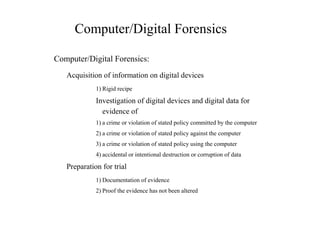
Computer/Digital Forensics
Computer/Digital Forensics:
Acquisition of information on digital devices
1) Rigid recipe
Investigation of digital devices and digital data for
evidence of
1) a crime or violation of stated policy committed by the computer
2) a crime or violation of stated policy against the computer
3) a crime or violation of stated policy using the computer
4) accidental or intentional destruction or corruption of data
Preparation for trial
1) Documentation of evidence
2) Proof the evidence has not been altered
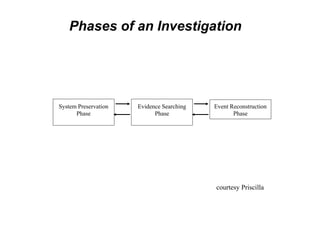
Phases of an Investigation
System Preservation
Phase
Evidence Searching
Phase
Event Reconstruction
Phase
courtesy Priscilla
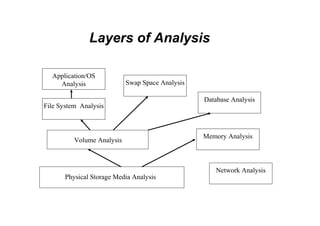
Layers of Analysis
Application/OS
Analysis
File System Analysis
Volume Analysis
Swap Space Analysis
Database Analysis
Memory Analysis
Network Analysis
Physical Storage Media Analysis
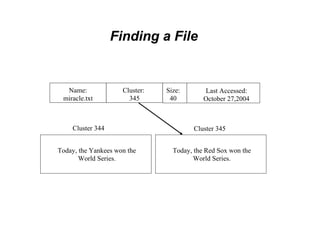
Finding a File
Name:
miracle.txt
Cluster 344
Last Accessed:
October 27,2004
Cluster:
345
Size:
40
Today, the Yankees won the
World Series.
Cluster 345
Today, the Red Sox won the
World Series.
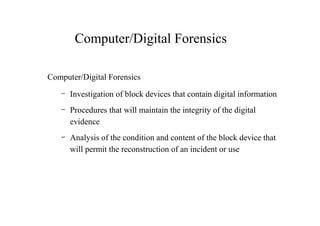
Computer/Digital Forensics
– Investigation of block devices that contain digital information
– Procedures that will maintain the integrity of the digital
evidence
– Analysis of the condition and content of the block device that
will permit the reconstruction of an incident or use
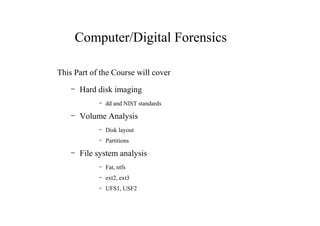
Computer/Digital Forensics
This Part of the Course will cover
– Hard disk imaging
– dd and NIST standards
– Volume Analysis
– Disk layout
– Partitions
– File system analysis
– Fat, ntfs
– ext2, ext3
– UFS1, USF2
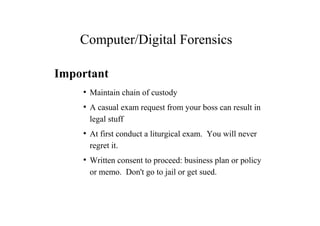
Computer/Digital Forensics
Important
●
Maintain chain of custody
●
A casual exam request from your boss can result in
legal stuff
●
At first conduct a liturgical exam. You will never
regret it.
●
Written consent to proceed: business plan or policy
or memo. Don't go to jail or get sued.
Computer Foundations
●
bin-to- hex and back again
●
Big/little endian confusion
●
Data structures
●
Allocation of “space” to a data structure
●
bit, byte, etc.
●
Size allocated depends on location
Boot Process
Many layered (each hw/os system is different)
1.BIOS – ROM locates HW and initializes some of the
hardware,
2.EPROM – determines boot device and HW
configurations
3.LBA Sector 0/ CHS (0,0,1) more
boot code and dereferences kernel code
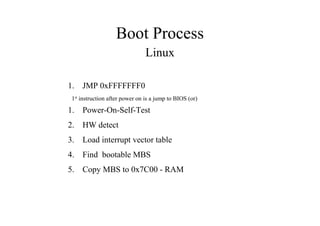
Boot Process
Linux
1. JMP 0xFFFFFFF0
1st
instruction after power on is a jump to BIOS (or)
1. Power-On-Self-Test
2. HW detect
3. Load interrupt vector table
4. Find bootable MBS
5. Copy MBS to 0x7C00 - RAM
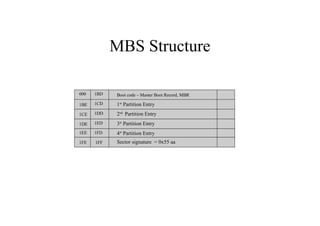
MBS Structure
1FE
Boot code – Master Boot Record, MBR
1CE
1DE
1FD
1FF
1EE
1BE
000
1ED
1DD
1CD
1BD
1st
Partition Entry
2nd
Partition Entry
3st
Partition Entry
4st
Partition Entry
Sector signature = 0x55 aa
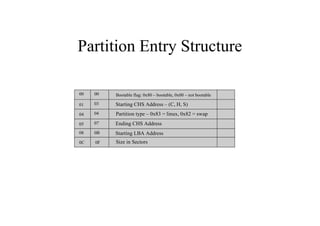
Partition Entry Structure
0C
Bootable flag: 0x80 – bootable, 0x00 – not bootable
04
05
0B
0F
08
01
00
07
04
03
00
Starting CHS Address – (C, H, S)
Partition type – 0x83 = linux, 0x82 = swap
Ending CHS Address
Starting LBA Address
Size in Sectors
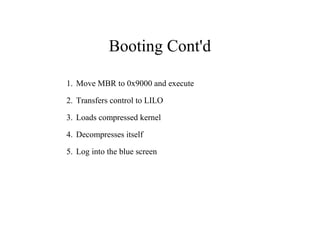
Booting Cont'd
1. Move MBR to 0x9000 and execute
2. Transfers control to LILO
3. Loads compressed kernel
4. Decompresses itself
5. Log into the blue screen
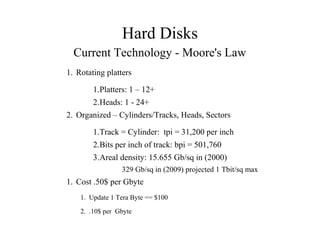
Hard Disks
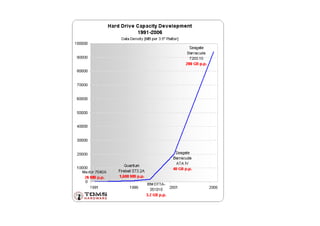
Current Technology - Moore's Law
1. Rotating platters
1.Platters: 1 – 12+
2.Heads: 1 - 24+
2. Organized – Cylinders/Tracks, Heads, Sectors
1.Track = Cylinder: tpi = 31,200 per inch
2.Bits per inch of track: bpi = 501,760
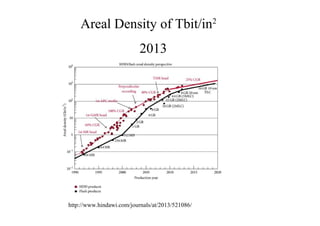
3.Areal density: 15.655 Gb/sq in (2000)
329 Gb/sq in (2009) projected 1 Tbit/sq max
1. Cost .50$ per Gbyte
1. Update 1 Tera Byte == $100
2. .10$ per Gbyte
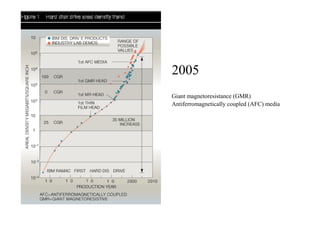
Giant magnetoresistance (GMR)
2005
Antiferromagnetically coupled (AFC) media
http://www.hindawi.com/journals/at/2013/521086/
Areal Density of Tbit/in2
2013
Hard Disks
Geometry
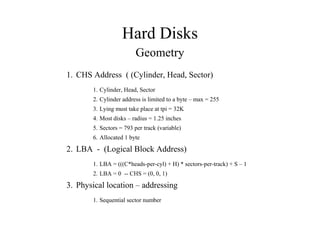
1. CHS Address ( (Cylinder, Head, Sector)
1. Cylinder, Head, Sector
2. Cylinder address is limited to a byte – max = 255
3. Lying must take place at tpi = 32K
4. Most disks – radius = 1.25 inches
5. Sectors = 793 per track (variable)
6. Allocated 1 byte
2. LBA - (Logical Block Address)
1. LBA = (((C*heads-per-cyl) + H) * sectors-per-track) + S – 1
2. LBA = 0 -- CHS = (0, 0, 1)
3. Physical location – addressing
1. Sequential sector number
Hard Disks
Interfaces
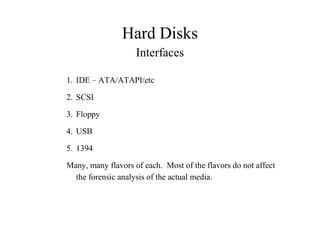
1. IDE – ATA/ATAPI/etc
2. SCSI
3. Floppy
4. USB
5. 1394
Many, many flavors of each. Most of the flavors do not affect
the forensic analysis of the actual media.
Hard Disks
ATA/ATAPI
1. AT Attachment Packet Interface
1. 1994 Original
2. Before 1994 was a crap shoot
3. ATAPI spec issued in 1998
2. 2002, ATA/ATAPI-6 allowed 48 bit LBA vs. 32 bit
1. Permitted another factor of 64K sectors to the disk
3. Current rev is 7/8
4. www.t13.org
ATA/ATAPI
Commands
1. Register delivered commands
1.Write command ID and parameters to HD register
2.HD loads parameters into appropriate registers
3.Executes command
4.Loads error values into register
5.Host reads error values
2. Packet delivered commands
1.Used when the command/parameter structure is larger
than the register
ATA/ATAPI
Features
1. Passwords
2. Host Protected Area
3. Device Configuration Overlay
4. Serial ATA
ATA/ATAPI
Passwords
1. User password & master password
2. High security mode
1.Both user and administrator can access the HD
3. Maximum security mode
1.Admin can access HD only after the HD has been
wiped
4. After n password attempts the disk freezes until reboot
ATA/ATAPI
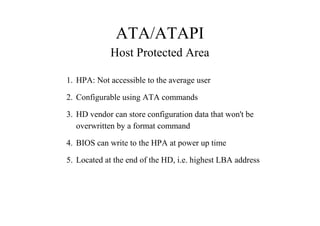
Host Protected Area
1. HPA: Not accessible to the average user
2. Configurable using ATA commands
3. HD vendor can store configuration data that won't be
overwritten by a format command
4. BIOS can write to the HPA at power up time
5. Located at the end of the HD, i.e. highest LBA address
ATA/ATAPI
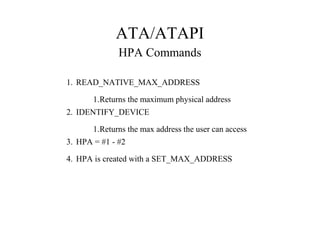
HPA Commands
1. READ_NATIVE_MAX_ADDRESS
1.Returns the maximum physical address
2. IDENTIFY_DEVICE
1.Returns the max address the user can access
3. HPA = #1 - #2
4. HPA is created with a SET_MAX_ADDRESS
ATA/ATAPI
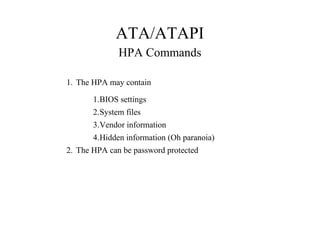
HPA Commands
1. The HPA may contain
1.BIOS settings
2.System files
3.Vendor information
4.Hidden information (Oh paranoia)
2. The HPA can be password protected
ATA/ATAPI
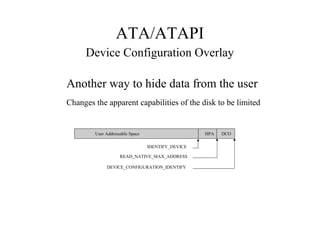
Device Configuration Overlay
Another way to hide data from the user
Changes the apparent capabilities of the disk to be limited
HPA DCOUser Addressable Space
IDENTIFY_DEVICE
READ_NATIVE_MAX_ADDRESS
DEVICE_CONFIGURATION_IDENTIFY
ATA/ATAPI
Device Configuration Overlay
1. A DCO can cause the IDENTIFY_DEVICE command to lie
about supported features
2. A DCO can show a smaller disk size than actually exists
3. DEVICE_CONFIGURATION_SET changes or creates a
DCO
4. DEVICE_CONFIGURATION_RESET removes a DCO
5. The DCO remains unchanged through reboots and resets
ATA/ATAPI
Serial ATA
1. 7 versus 40+/- connectors
2. No device chaining
3. A little more flexible
ATA/ATAPI
BIOS vs Direct Access
1. Direct: the SW must know the geometry and translation
equations to access the HD. It is the fast method for disk
access and data transfer.
2. BIOS: services disk commands through software interrupt
0x13 etc.
SCSI
SCSI vs ATA
1. More devices per bus
2. No controller required only a bus controller
3. Many more flavors: connectors, commands, etc.
SCSI
Flavors of SCSI
1. Mostly transfer speed and connector types
2. Cable specs have changed

3.1.computer foundations

  • 1.
    Computer/Digital Forensics ● Hard driveimaging ● Volume structure & analysis ● File system structure & analysis ● Tools ● Case studies
  • 2.
    Computer/Digital Forensics Computer/Digital Forensics: Acquisitionof information on digital devices 1) Rigid recipe Investigation of digital devices and digital data for evidence of 1) a crime or violation of stated policy committed by the computer 2) a crime or violation of stated policy against the computer 3) a crime or violation of stated policy using the computer 4) accidental or intentional destruction or corruption of data Preparation for trial 1) Documentation of evidence 2) Proof the evidence has not been altered
  • 3.
    Phases of anInvestigation System Preservation Phase Evidence Searching Phase Event Reconstruction Phase courtesy Priscilla
  • 4.
    Layers of Analysis Application/OS Analysis FileSystem Analysis Volume Analysis Swap Space Analysis Database Analysis Memory Analysis Network Analysis Physical Storage Media Analysis
  • 5.
    Finding a File Name: miracle.txt Cluster344 Last Accessed: October 27,2004 Cluster: 345 Size: 40 Today, the Yankees won the World Series. Cluster 345 Today, the Red Sox won the World Series.
  • 6.
    Computer/Digital Forensics Computer/Digital Forensics –Investigation of block devices that contain digital information – Procedures that will maintain the integrity of the digital evidence – Analysis of the condition and content of the block device that will permit the reconstruction of an incident or use
  • 7.
    Computer/Digital Forensics This Partof the Course will cover – Hard disk imaging – dd and NIST standards – Volume Analysis – Disk layout – Partitions – File system analysis – Fat, ntfs – ext2, ext3 – UFS1, USF2
  • 8.
    Computer/Digital Forensics Important ● Maintain chainof custody ● A casual exam request from your boss can result in legal stuff ● At first conduct a liturgical exam. You will never regret it. ● Written consent to proceed: business plan or policy or memo. Don't go to jail or get sued.
  • 9.
    Computer Foundations ● bin-to- hexand back again ● Big/little endian confusion ● Data structures ● Allocation of “space” to a data structure ● bit, byte, etc. ● Size allocated depends on location
  • 10.
    Boot Process Many layered(each hw/os system is different) 1.BIOS – ROM locates HW and initializes some of the hardware, 2.EPROM – determines boot device and HW configurations 3.LBA Sector 0/ CHS (0,0,1) more boot code and dereferences kernel code
  • 11.
    Boot Process Linux 1. JMP0xFFFFFFF0 1st instruction after power on is a jump to BIOS (or) 1. Power-On-Self-Test 2. HW detect 3. Load interrupt vector table 4. Find bootable MBS 5. Copy MBS to 0x7C00 - RAM
  • 12.
    MBS Structure 1FE Boot code– Master Boot Record, MBR 1CE 1DE 1FD 1FF 1EE 1BE 000 1ED 1DD 1CD 1BD 1st Partition Entry 2nd Partition Entry 3st Partition Entry 4st Partition Entry Sector signature = 0x55 aa
  • 13.
    Partition Entry Structure 0C Bootableflag: 0x80 – bootable, 0x00 – not bootable 04 05 0B 0F 08 01 00 07 04 03 00 Starting CHS Address – (C, H, S) Partition type – 0x83 = linux, 0x82 = swap Ending CHS Address Starting LBA Address Size in Sectors
  • 14.
    Booting Cont'd 1. MoveMBR to 0x9000 and execute 2. Transfers control to LILO 3. Loads compressed kernel 4. Decompresses itself 5. Log into the blue screen
  • 15.
    Hard Disks Current Technology- Moore's Law 1. Rotating platters 1.Platters: 1 – 12+ 2.Heads: 1 - 24+ 2. Organized – Cylinders/Tracks, Heads, Sectors 1.Track = Cylinder: tpi = 31,200 per inch 2.Bits per inch of track: bpi = 501,760 3.Areal density: 15.655 Gb/sq in (2000) 329 Gb/sq in (2009) projected 1 Tbit/sq max 1. Cost .50$ per Gbyte 1. Update 1 Tera Byte == $100 2. .10$ per Gbyte
  • 16.
  • 17.
  • 19.
    Hard Disks Geometry 1. CHSAddress ( (Cylinder, Head, Sector) 1. Cylinder, Head, Sector 2. Cylinder address is limited to a byte – max = 255 3. Lying must take place at tpi = 32K 4. Most disks – radius = 1.25 inches 5. Sectors = 793 per track (variable) 6. Allocated 1 byte 2. LBA - (Logical Block Address) 1. LBA = (((C*heads-per-cyl) + H) * sectors-per-track) + S – 1 2. LBA = 0 -- CHS = (0, 0, 1) 3. Physical location – addressing 1. Sequential sector number
  • 20.
    Hard Disks Interfaces 1. IDE– ATA/ATAPI/etc 2. SCSI 3. Floppy 4. USB 5. 1394 Many, many flavors of each. Most of the flavors do not affect the forensic analysis of the actual media.
  • 21.
    Hard Disks ATA/ATAPI 1. ATAttachment Packet Interface 1. 1994 Original 2. Before 1994 was a crap shoot 3. ATAPI spec issued in 1998 2. 2002, ATA/ATAPI-6 allowed 48 bit LBA vs. 32 bit 1. Permitted another factor of 64K sectors to the disk 3. Current rev is 7/8 4. www.t13.org
  • 22.
    ATA/ATAPI Commands 1. Register deliveredcommands 1.Write command ID and parameters to HD register 2.HD loads parameters into appropriate registers 3.Executes command 4.Loads error values into register 5.Host reads error values 2. Packet delivered commands 1.Used when the command/parameter structure is larger than the register
  • 23.
    ATA/ATAPI Features 1. Passwords 2. HostProtected Area 3. Device Configuration Overlay 4. Serial ATA
  • 24.
    ATA/ATAPI Passwords 1. User password& master password 2. High security mode 1.Both user and administrator can access the HD 3. Maximum security mode 1.Admin can access HD only after the HD has been wiped 4. After n password attempts the disk freezes until reboot
  • 25.
    ATA/ATAPI Host Protected Area 1.HPA: Not accessible to the average user 2. Configurable using ATA commands 3. HD vendor can store configuration data that won't be overwritten by a format command 4. BIOS can write to the HPA at power up time 5. Located at the end of the HD, i.e. highest LBA address
  • 26.
    ATA/ATAPI HPA Commands 1. READ_NATIVE_MAX_ADDRESS 1.Returnsthe maximum physical address 2. IDENTIFY_DEVICE 1.Returns the max address the user can access 3. HPA = #1 - #2 4. HPA is created with a SET_MAX_ADDRESS
  • 27.
    ATA/ATAPI HPA Commands 1. TheHPA may contain 1.BIOS settings 2.System files 3.Vendor information 4.Hidden information (Oh paranoia) 2. The HPA can be password protected
  • 28.
    ATA/ATAPI Device Configuration Overlay Anotherway to hide data from the user Changes the apparent capabilities of the disk to be limited HPA DCOUser Addressable Space IDENTIFY_DEVICE READ_NATIVE_MAX_ADDRESS DEVICE_CONFIGURATION_IDENTIFY
  • 29.
    ATA/ATAPI Device Configuration Overlay 1.A DCO can cause the IDENTIFY_DEVICE command to lie about supported features 2. A DCO can show a smaller disk size than actually exists 3. DEVICE_CONFIGURATION_SET changes or creates a DCO 4. DEVICE_CONFIGURATION_RESET removes a DCO 5. The DCO remains unchanged through reboots and resets
  • 30.
    ATA/ATAPI Serial ATA 1. 7versus 40+/- connectors 2. No device chaining 3. A little more flexible
  • 31.
    ATA/ATAPI BIOS vs DirectAccess 1. Direct: the SW must know the geometry and translation equations to access the HD. It is the fast method for disk access and data transfer. 2. BIOS: services disk commands through software interrupt 0x13 etc.
  • 32.
    SCSI SCSI vs ATA 1.More devices per bus 2. No controller required only a bus controller 3. Many more flavors: connectors, commands, etc.
  • 33.
    SCSI Flavors of SCSI 1.Mostly transfer speed and connector types 2. Cable specs have changed