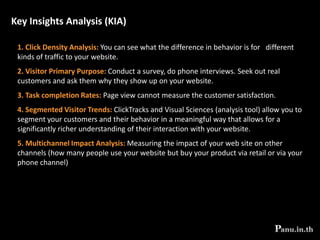
Created by
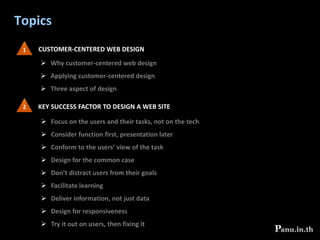
Topics1CUSTOMER-CENTERED WEB DESIGNWhy customer-centered web design
Applying customer-centered design
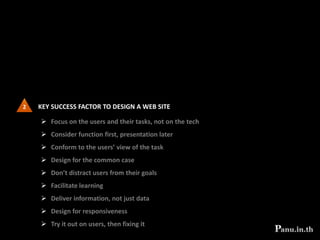
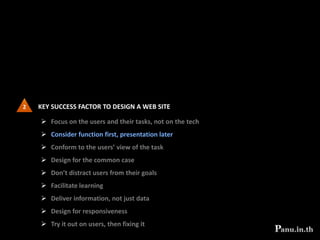
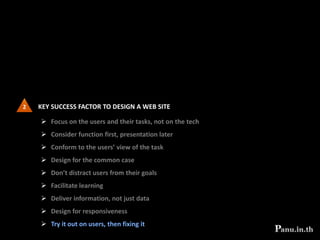
Three aspect of design2 KEY SUCCESS FACTOR TO DESIGN A WEB SITEFocus on the users and their tasks, not on the tech
Consider function first, presentation later
Conform to the users’ view of the task
Design for the common case
Don’t distract users from their goals
Facilitate learning
Deliver information, not just data
Design for responsiveness
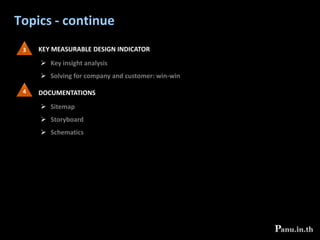
Try it out on users, then fixing itTopics - continue3KEY MEASURABLE DESIGN INDICATORKey insight analysis
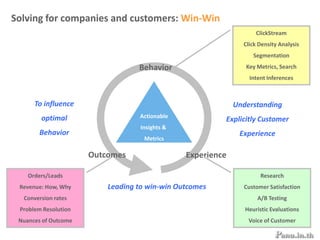
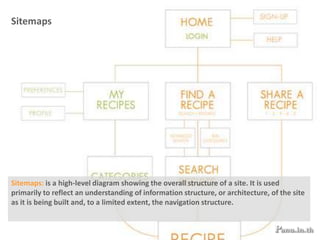
Solving for company and customer: win-win4DOCUMENTATIONSSitemap
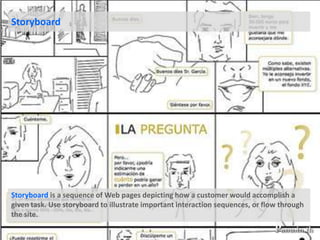
Storyboard
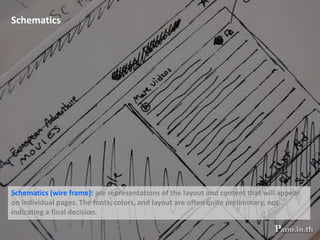
Schematics1CUSTOMER-CENTERED WEB DESIGNWhy customer-centered web design
Applying customer-centered design
Three aspect of design1CUSTOMER-CENTERED WEB DESIGNWhy customer-centered web design
Applying customer-centered design
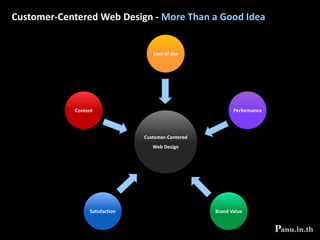
Three aspect of designCustomer-Centered Web Design - More Than a Good IdeaEase of UsePerformanceContentCustomer-CenteredWeb DesignSatisfactionBrand Value
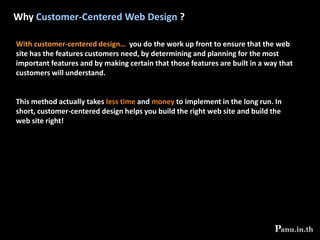
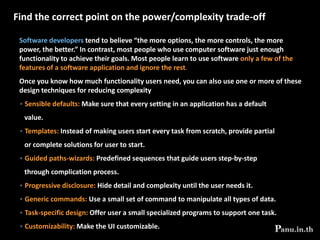
Why Customer-Centered Web Design ?With customer-centered design… you do the work up front to ensure that the web site has the features customers need, by determining and planning for the most important features and by making certain that those features are built in a way that customers will understand. This method actually takes less time and money to implement in the long run. In short, customer-centered design helps you build the right web site and build the web site right!
1CUSTOMER-CENTERED WEB DESIGNWhy customer-centered web design
Applying customer-centered design
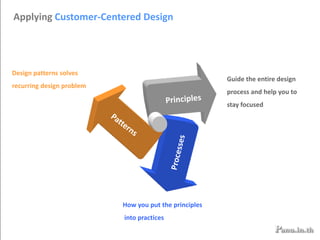
Three aspect of designPrinciplesPatternsProcessesApplying Customer-Centered DesignDesign patterns solves recurring design problemGuide the entire design process and help you to stay focusedHow you put the principles into practices
1CUSTOMER-CENTERED WEB DESIGNWhy customer-centered web design
Applying customer-centered design
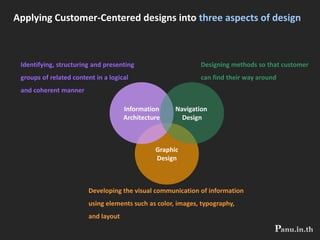
Three aspect of designInformationArchitectureNavigation DesignGraphicDesignApplying Customer-Centered designs into three aspects of designIdentifying, structuring and presenting groups of related content in a logicaland coherent mannerDesigning methods so that customercan find their way aroundDeveloping the visual communication of informationusing elements such as color, images, typography, and layout
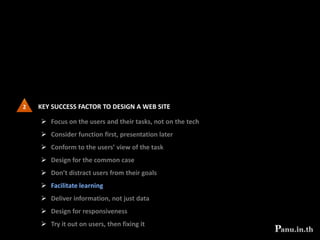
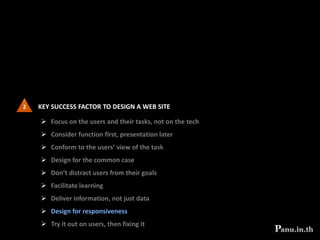
2 KEY SUCCESS FACTOR TO DESIGN A WEB SITEFocus on the users and their tasks, not on the tech
Consider function first, presentation later
Conform to the users’ view of the task
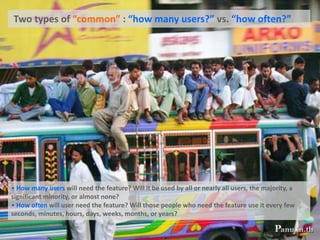
Design for the common case
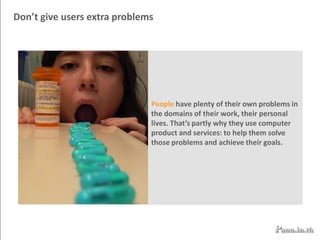
Don’t distract users from their goals
Facilitate learning
Deliver information, not just data
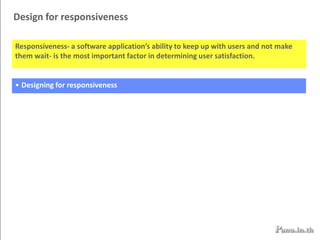
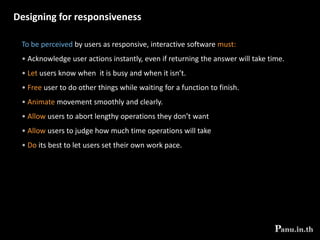
Design for responsiveness
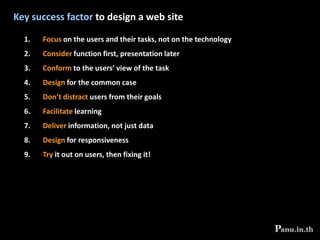
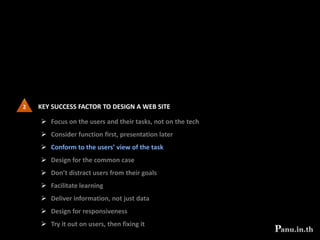
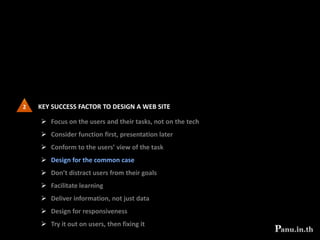
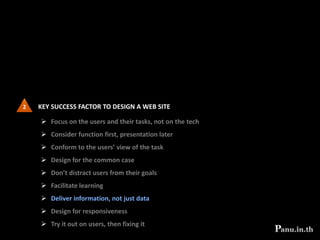
Try it out on users, then fixing itKey success factor to design a web siteFocus on the users and their tasks, not on the technologyConsider function first, presentation laterConform to the users’ view of the taskDesign for the common caseDon’t distract users from their goalsFacilitate learningDeliver information, not just dataDesign for responsivenessTry it out on users, then fixing it!
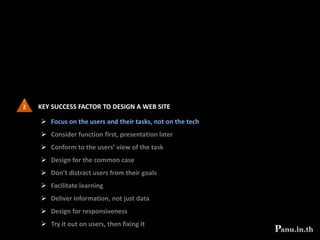
2 KEY SUCCESS FACTOR TO DESIGN A WEB SITEFocus on the users and their tasks, not on the tech
Consider function first, presentation later
Conform to the users’ view of the task
Design for the common case
Don’t distract users from their goals
Facilitate learning
Deliver information, not just data
Design for responsiveness
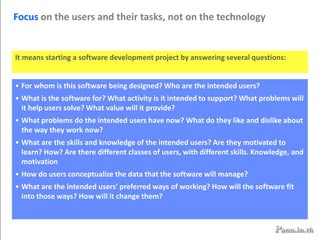
Try it out on users, then fixing itFocus on the users and their tasks, not on the technologyIt means starting a software development project by answering several questions:For whom is this software being designed? Who are the intended users?
What is the software for? What activity is it intended to support? What problems will it help users solve? What value will it provide?
What problems do the intended users have now? What do they like and dislike about the way they work now?
What are the skills and knowledge of the intended users? Are they motivated to learn? How? Are there different classes of users, with different skills. Knowledge, and motivation
How do users conceptualize the data that the software will manage?
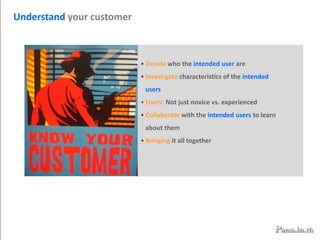
What are the intended users’ preferred ways of working? How will the software fit into those ways? How will it change them?Understand your customer Decide who the intended user are
 Investigate characteristics of the intended    users Users: Not just novice vs. experienced
 Collaborate with the intended users to learn     about themBringing it all together Decidewho the intended users are Choose a specific primary target population as the intended user base in order to focus your design and development efforts, even if you believe that the software will also have other types of user.In reaching this important decision, confirm that your target user base is aligned with your organization’s strategic goals.
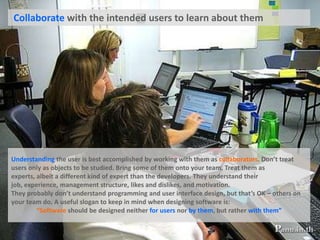
 Collaborate with the intended users to learn about themUnderstanding the user is best accomplished by working with them as collaborators. Don’t treat users only as objects to be studied. Bring some of them onto your team. Treat them as experts, albeit a different kind of expert than the developers. They understand their job, experience, management structure, likes and dislikes, and motivation.They probably don’t understand programming and user interface design, but that’s OK – others on your team do. A useful slogan to keep in mind when designing software is:   “Software should be designed neither for users nor by them, but rather with them”
 Investigate characteristics of the intended users Making an effort to learn the relevant characteristics of potential users. Surveying potential users helps you find specific populations whose requirements and demographics make them attractive target market After identifying a primary user population, learn as much as possible about that population .
Users: Not just novice vs. experiencedSoftware developersoften think of their intended user as varying on a continuum from computer “novice” to “expert.” People who have never used a computer are on the novice end; professional computer engineers are on the expert end. In that assumption,  continuum is wrong. No such continuum exists. A more realistic and useful view is that the intended users can be placed along three independent knowledge dimensions:General computer savvy -how much they know about computers in generalTask knowledge -how facile they are at performing the target task, e.g., accounting Knowledge of the system -how well they know the specific software product, or ones like itKnowledgein one of these dimensions does not imply knowledge in another. People can be high or low on any of these dimensions, Independently.
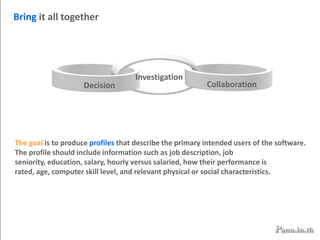
CollaborationDecisionBring it all togetherInvestigationThe goal is to produce profiles that describe the primary intended users of the software. The profile should include information such as job description, job seniority, education, salary, hourly versus salaried, how their performance is rated, age, computer skill level, and relevant physical or social characteristics.
Understand the tasks Decide what set of tasks to support
 Investigate the intended tasks
Collaborate with users to learn about the tasks
 Bringing it all together  Decide what set of tasks to support The organization’s strategic goals, reflecting the interest of its founders, top    management, and shareholdersThe expertise of its employees
Its past history
Its assets, processes, and infrastructure
Its perception of market opportunities and niches
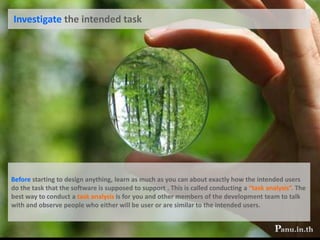
New technologies developed by researchers Investigate the intended taskBefore starting to design anything, learn as much as you can about exactly how the intended users do the task that the software is supposed to support . This is called conducting a “task analysis”. The best way to conduct a task analysis is for you and other members of the development team to talk with and observe people who either will be user or are similar to the intended users.
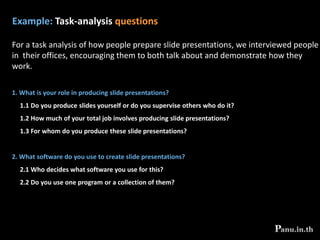
Example: Task-analysis questionsFor a task analysis of how people prepare slide presentations, we interviewed people in  their offices, encouraging them to both talk about and demonstrate how they work. What is your role in producing slide presentations?     1.1 Do you produce slides yourself or do you supervise others who do it?    1.2 How much of your total job involves producing slide presentations?    1.3 For whom do you produce these slide presentations? What software do you use to create slide presentations?    2.1 Who decides what software you use for this?    2.2 Do you use one program or a collection of them?
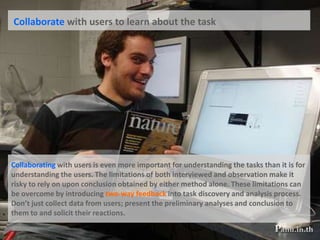
 Collaborate with users to learn about the taskCollaborating with users is even more important for understanding the tasks than it is for understanding the users. The limitations of both interviewed and observation make it risky to rely on upon conclusion obtained by either method alone. These limitations can be overcome by introducing two-way feedback into task discovery and analysis process. Don’t just collect data from users; present the preliminary analyses and conclusion to them to and solicit their reactions.
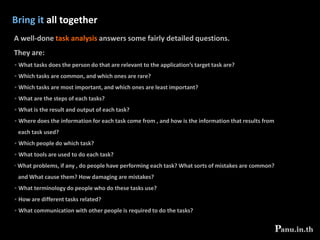
Bring it all together A well-done task analysis answers some fairly detailed questions. They are:  What tasks does the person do that are relevant to the application’s target task are?
 Which tasks are common, and which ones are rare?
 Which tasks are most important, and which ones are least important?
 What are the steps of each tasks?
 What is the result and output of each task?
 Where does the information for each task come from , and how is the information that results from   each task used? Which people do which task?
 What tools are used to do each task?
 What problems, if any , do people have performing each task? What sorts of mistakes are common?    and What cause them? How damaging are mistakes? What terminology do people who do these tasks use?
 How are different tasks related?
 What communication with other people is required to do the tasks?Consider the context in which the software will function Engineers often view what they are designing as if it were the only thing in the universe. They don’t consider the context in which the technology will be used or what the users’ total experience will be in using the technology in that context.Consider the person who designs a car alarm or who buys one. The designer focuses on creating a device that signals when a car is being burglarized or vandalized. The consumer focuses on protecting his or her cars. Neither considers that the alarm has to work in an environment in which many other people have car alarms and in which things other than break-ins trigger the alarm. When an alarm sounds, it is difficult to know whose car it is and impossible to know if it signals a break-in. Only rarely will it be a brake-in. An otherwise good product idea fails to provide value because the designer and the consumer didn’t consider the larger picture.
2 KEY SUCCESS FACTOR TO DESIGN A WEB SITEFocus on the users and their tasks, not on the tech
Consider function first, presentation later
Conform to the users’ view of the task
Design for the common case
Don’t distract users from their goals
Facilitate learning
Deliver information, not just data
Design for responsiveness

Things you should know before you build your site

  • 1.
  • 2.
    Topics1CUSTOMER-CENTERED WEB DESIGNWhycustomer-centered web design
  • 3.
  • 4.
    Three aspect ofdesign2 KEY SUCCESS FACTOR TO DESIGN A WEB SITEFocus on the users and their tasks, not on the tech
  • 5.
    Consider function first,presentation later
  • 6.
    Conform to theusers’ view of the task
  • 7.
    Design for thecommon case
  • 8.
    Don’t distract usersfrom their goals
  • 9.
  • 10.
  • 11.
  • 12.
    Try it outon users, then fixing itTopics - continue3KEY MEASURABLE DESIGN INDICATORKey insight analysis
  • 13.
    Solving for companyand customer: win-win4DOCUMENTATIONSSitemap
  • 14.
  • 15.
    Schematics1CUSTOMER-CENTERED WEB DESIGNWhycustomer-centered web design
  • 16.
  • 17.
    Three aspect ofdesign1CUSTOMER-CENTERED WEB DESIGNWhy customer-centered web design
  • 18.
  • 19.
    Three aspect ofdesignCustomer-Centered Web Design - More Than a Good IdeaEase of UsePerformanceContentCustomer-CenteredWeb DesignSatisfactionBrand Value
  • 20.
    Why Customer-Centered WebDesign ?With customer-centered design… you do the work up front to ensure that the web site has the features customers need, by determining and planning for the most important features and by making certain that those features are built in a way that customers will understand. This method actually takes less time and money to implement in the long run. In short, customer-centered design helps you build the right web site and build the web site right!
  • 21.
    1CUSTOMER-CENTERED WEB DESIGNWhycustomer-centered web design
  • 22.
  • 23.
    Three aspect ofdesignPrinciplesPatternsProcessesApplying Customer-Centered DesignDesign patterns solves recurring design problemGuide the entire design process and help you to stay focusedHow you put the principles into practices
  • 24.
    1CUSTOMER-CENTERED WEB DESIGNWhycustomer-centered web design
  • 25.
  • 26.
    Three aspect ofdesignInformationArchitectureNavigation DesignGraphicDesignApplying Customer-Centered designs into three aspects of designIdentifying, structuring and presenting groups of related content in a logicaland coherent mannerDesigning methods so that customercan find their way aroundDeveloping the visual communication of informationusing elements such as color, images, typography, and layout
  • 27.
    2 KEY SUCCESSFACTOR TO DESIGN A WEB SITEFocus on the users and their tasks, not on the tech
  • 28.
    Consider function first,presentation later
  • 29.
    Conform to theusers’ view of the task
  • 30.
    Design for thecommon case
  • 31.
    Don’t distract usersfrom their goals
  • 32.
  • 33.
  • 34.
  • 35.
    Try it outon users, then fixing itKey success factor to design a web siteFocus on the users and their tasks, not on the technologyConsider function first, presentation laterConform to the users’ view of the taskDesign for the common caseDon’t distract users from their goalsFacilitate learningDeliver information, not just dataDesign for responsivenessTry it out on users, then fixing it!
  • 36.
    2 KEY SUCCESSFACTOR TO DESIGN A WEB SITEFocus on the users and their tasks, not on the tech
  • 37.
    Consider function first,presentation later
  • 38.
    Conform to theusers’ view of the task
  • 39.
    Design for thecommon case
  • 40.
    Don’t distract usersfrom their goals
  • 41.
  • 42.
  • 43.
  • 44.
    Try it outon users, then fixing itFocus on the users and their tasks, not on the technologyIt means starting a software development project by answering several questions:For whom is this software being designed? Who are the intended users?
  • 45.
    What is thesoftware for? What activity is it intended to support? What problems will it help users solve? What value will it provide?
  • 46.
    What problems dothe intended users have now? What do they like and dislike about the way they work now?
  • 47.
    What are theskills and knowledge of the intended users? Are they motivated to learn? How? Are there different classes of users, with different skills. Knowledge, and motivation
  • 48.
    How do usersconceptualize the data that the software will manage?
  • 49.
    What are theintended users’ preferred ways of working? How will the software fit into those ways? How will it change them?Understand your customer Decide who the intended user are
  • 50.
    Investigate characteristicsof the intended users Users: Not just novice vs. experienced
  • 51.
    Collaborate withthe intended users to learn about themBringing it all together Decidewho the intended users are Choose a specific primary target population as the intended user base in order to focus your design and development efforts, even if you believe that the software will also have other types of user.In reaching this important decision, confirm that your target user base is aligned with your organization’s strategic goals.
  • 52.
    Collaborate withthe intended users to learn about themUnderstanding the user is best accomplished by working with them as collaborators. Don’t treat users only as objects to be studied. Bring some of them onto your team. Treat them as experts, albeit a different kind of expert than the developers. They understand their job, experience, management structure, likes and dislikes, and motivation.They probably don’t understand programming and user interface design, but that’s OK – others on your team do. A useful slogan to keep in mind when designing software is: “Software should be designed neither for users nor by them, but rather with them”
  • 53.
    Investigate characteristicsof the intended users Making an effort to learn the relevant characteristics of potential users. Surveying potential users helps you find specific populations whose requirements and demographics make them attractive target market After identifying a primary user population, learn as much as possible about that population .
  • 54.
    Users: Not justnovice vs. experiencedSoftware developersoften think of their intended user as varying on a continuum from computer “novice” to “expert.” People who have never used a computer are on the novice end; professional computer engineers are on the expert end. In that assumption, continuum is wrong. No such continuum exists. A more realistic and useful view is that the intended users can be placed along three independent knowledge dimensions:General computer savvy -how much they know about computers in generalTask knowledge -how facile they are at performing the target task, e.g., accounting Knowledge of the system -how well they know the specific software product, or ones like itKnowledgein one of these dimensions does not imply knowledge in another. People can be high or low on any of these dimensions, Independently.
  • 55.
    CollaborationDecisionBring it alltogetherInvestigationThe goal is to produce profiles that describe the primary intended users of the software. The profile should include information such as job description, job seniority, education, salary, hourly versus salaried, how their performance is rated, age, computer skill level, and relevant physical or social characteristics.
  • 56.
    Understand the tasksDecide what set of tasks to support
  • 57.
    Investigate theintended tasks
  • 58.
    Collaborate with usersto learn about the tasks
  • 59.
    Bringing itall together Decide what set of tasks to support The organization’s strategic goals, reflecting the interest of its founders, top management, and shareholdersThe expertise of its employees
  • 60.
  • 61.
    Its assets, processes,and infrastructure
  • 62.
    Its perception ofmarket opportunities and niches
  • 63.
    New technologies developedby researchers Investigate the intended taskBefore starting to design anything, learn as much as you can about exactly how the intended users do the task that the software is supposed to support . This is called conducting a “task analysis”. The best way to conduct a task analysis is for you and other members of the development team to talk with and observe people who either will be user or are similar to the intended users.
  • 64.
    Example: Task-analysis questionsFora task analysis of how people prepare slide presentations, we interviewed people in their offices, encouraging them to both talk about and demonstrate how they work. What is your role in producing slide presentations? 1.1 Do you produce slides yourself or do you supervise others who do it? 1.2 How much of your total job involves producing slide presentations? 1.3 For whom do you produce these slide presentations? What software do you use to create slide presentations? 2.1 Who decides what software you use for this? 2.2 Do you use one program or a collection of them?
  • 65.
    Collaborate withusers to learn about the taskCollaborating with users is even more important for understanding the tasks than it is for understanding the users. The limitations of both interviewed and observation make it risky to rely on upon conclusion obtained by either method alone. These limitations can be overcome by introducing two-way feedback into task discovery and analysis process. Don’t just collect data from users; present the preliminary analyses and conclusion to them to and solicit their reactions.
  • 66.
    Bring it alltogether A well-done task analysis answers some fairly detailed questions. They are: What tasks does the person do that are relevant to the application’s target task are?
  • 67.
    Which tasksare common, and which ones are rare?
  • 68.
    Which tasksare most important, and which ones are least important?
  • 69.
    What arethe steps of each tasks?
  • 70.
    What isthe result and output of each task?
  • 71.
    Where doesthe information for each task come from , and how is the information that results from each task used? Which people do which task?
  • 72.
    What toolsare used to do each task?
  • 73.
    What problems,if any , do people have performing each task? What sorts of mistakes are common? and What cause them? How damaging are mistakes? What terminology do people who do these tasks use?
  • 74.
    How aredifferent tasks related?
  • 75.
    What communicationwith other people is required to do the tasks?Consider the context in which the software will function Engineers often view what they are designing as if it were the only thing in the universe. They don’t consider the context in which the technology will be used or what the users’ total experience will be in using the technology in that context.Consider the person who designs a car alarm or who buys one. The designer focuses on creating a device that signals when a car is being burglarized or vandalized. The consumer focuses on protecting his or her cars. Neither considers that the alarm has to work in an environment in which many other people have car alarms and in which things other than break-ins trigger the alarm. When an alarm sounds, it is difficult to know whose car it is and impossible to know if it signals a break-in. Only rarely will it be a brake-in. An otherwise good product idea fails to provide value because the designer and the consumer didn’t consider the larger picture.
  • 76.
    2 KEY SUCCESSFACTOR TO DESIGN A WEB SITEFocus on the users and their tasks, not on the tech
  • 77.
    Consider function first,presentation later
  • 78.
    Conform to theusers’ view of the task
  • 79.
    Design for thecommon case
  • 80.
    Don’t distract usersfrom their goals
  • 81.
  • 82.
  • 83.