Ā 
GOOGLE DOCS SUBMITTED BY K.PRIYADHARSHINI
INTRODUCTION Google docs is a free, web-based word  processor, spreadsheet, and presentation application offered by Google.
ADVANTAGES Accessible from anywhere No more attachments Stable Collaborative
HOW   TO GET STARTED? Go to Google docs page at  docs.google.com Click on get started Provide an email address and password.
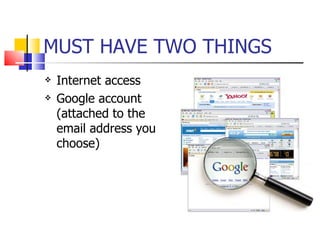
MUST HAVE TWO THINGS Internet access Google account (attached to the email address you choose)
UNIQUE FEATURES Stored securely online  Accessible anywhere with internet connection. Tied to google account Multiple people can edit at the same time
GOOGLE DOCS Documents Spreadsheets Presentations
DOCUMENTS Basic word processor Great to leave the Comments for the documents. Revision tab shows a history of changes Perfect tool for collaborative publication
SPREADSHEET Like excel Basic spreadsheet As a chat feature that collaborating author Makes graph Can copy graphs and paste into other documents
Presentation Like PowerPoint Basic presentation tool Can use to give online presentation that include a chat, but no audio features
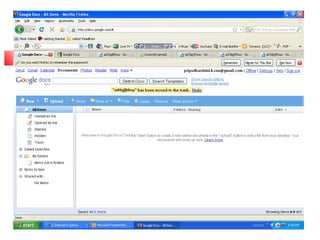
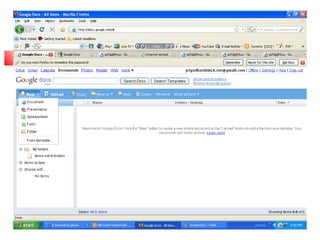
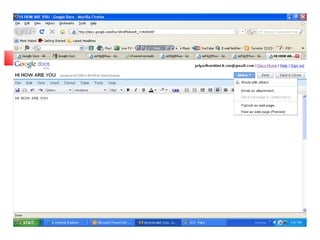
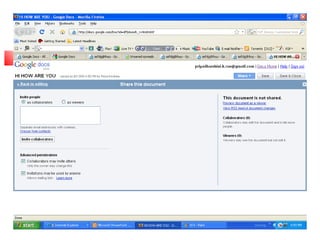
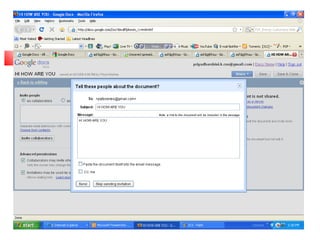
CREATION OF FIRST GOOGLE DOC Click ā€œ documents ā€ to get started Click  new Select documents  Choose font size, style Click share Collaborate friends
Ā 
Ā 
Ā 
Ā 
Ā 
THINGS TO KNOW GOOGLE DOCS TRACKS: Who makes edits What they write/erase When they write it everything in time/date stamped
CONCLUSION Creating meeting agendas Allowing students to collaborate on a project Having others help revise or edit your work
THANK YOU Email:k.priyadharshini_cse@yahoo.in

208509 633819207056317500