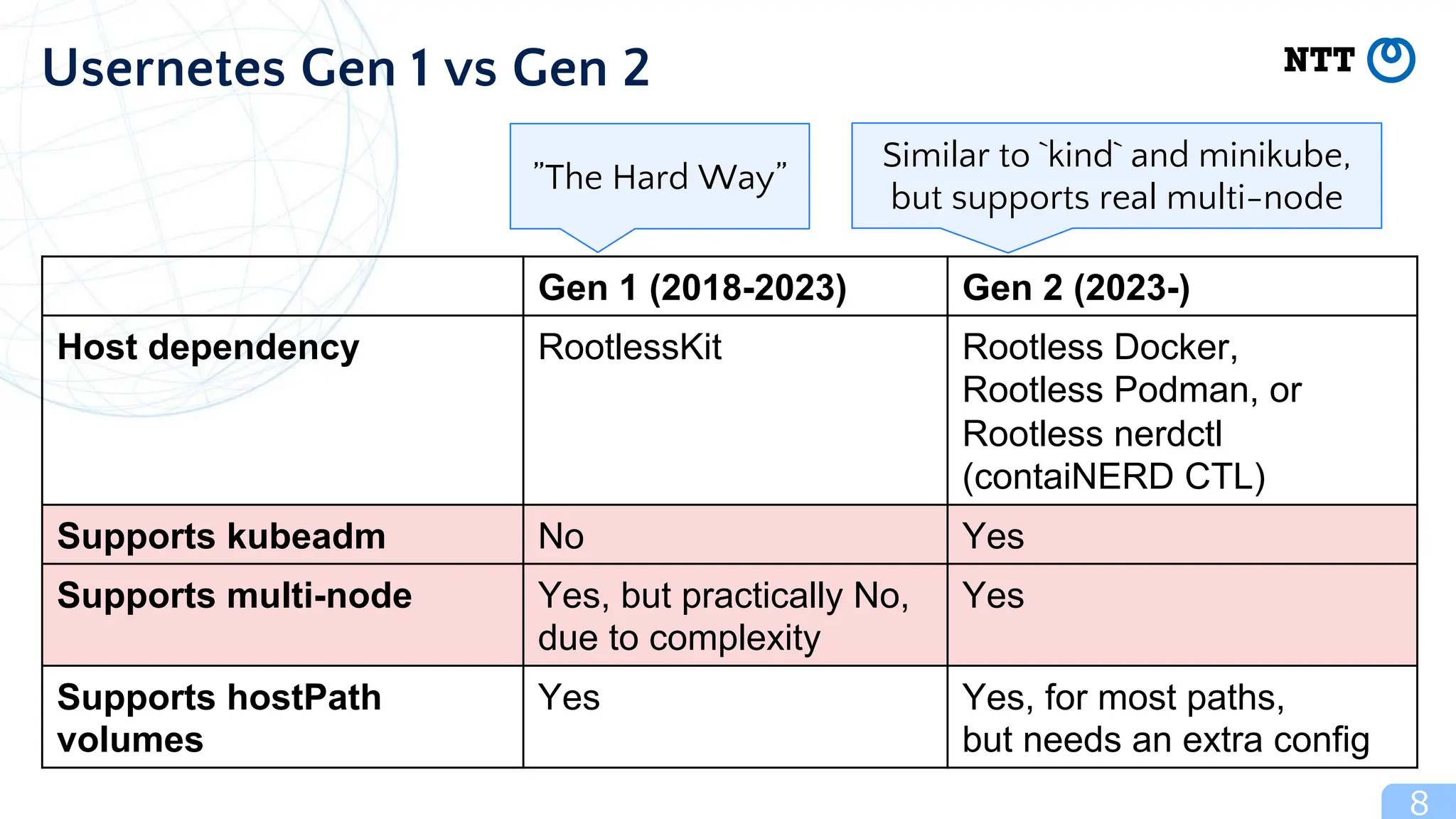
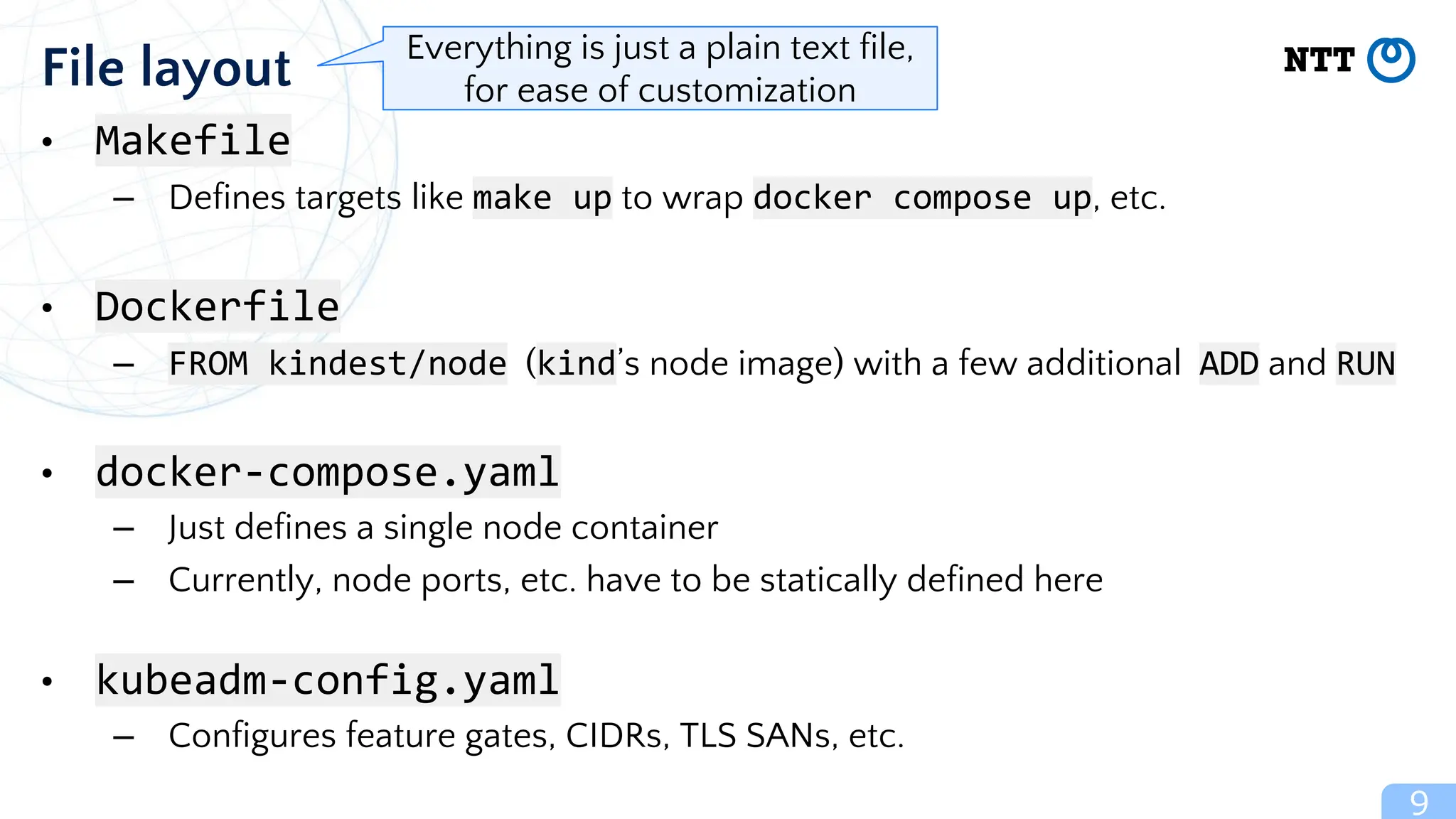
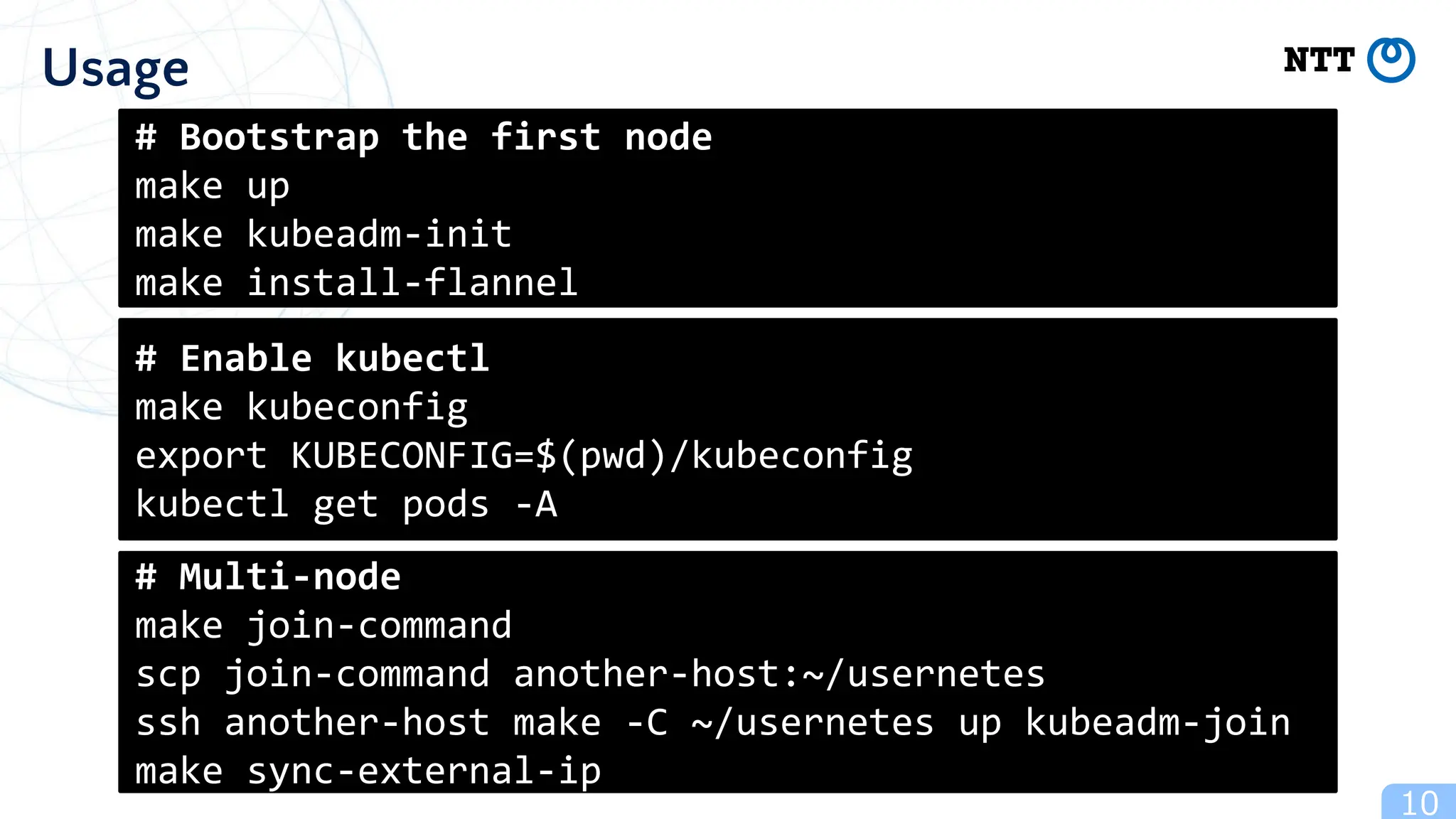
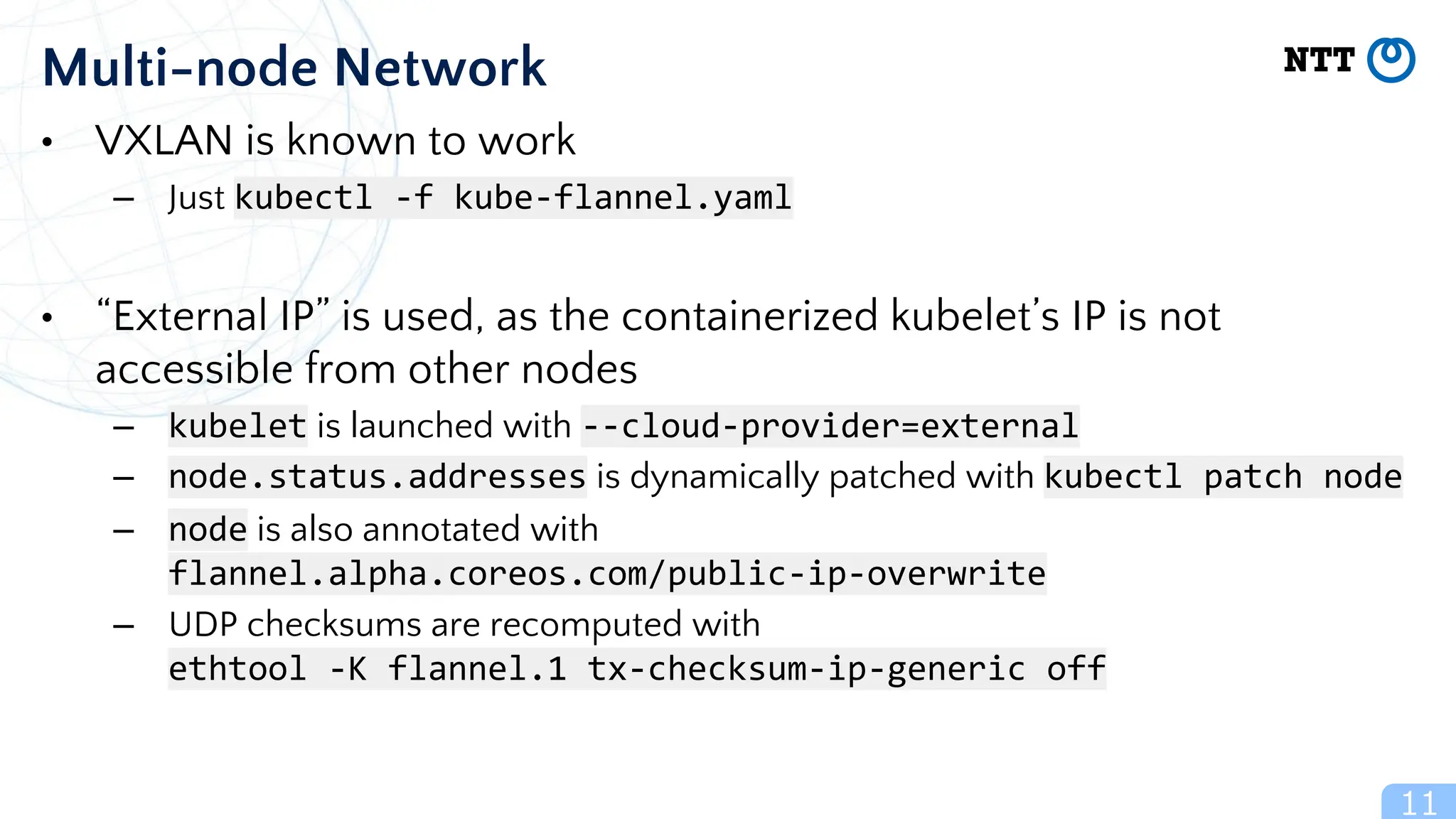
The document discusses Usernetes Gen2, a Kubernetes implementation that utilizes rootless Docker, Podman, and Nerdctl to enable multi-node setups while enhancing security through user namespaces. It outlines features that mitigate potential vulnerabilities and compares Usernetes Gen1 and Gen2 to highlight improvements in usability and configuration. The document also mentions future developments aimed at improving network acceleration and support for additional Kubernetes distributions in a rootless configuration.
![• Puts container runtimes (as well as containers) in a user namespace
– UserNS: Linux kernel’s feature that maps a non-root user to a fake root
(the root privilege is limited inside the namespace)
• Can mitigate potential vulnerabilities of the runtimes
– No access to read/write other users’ files
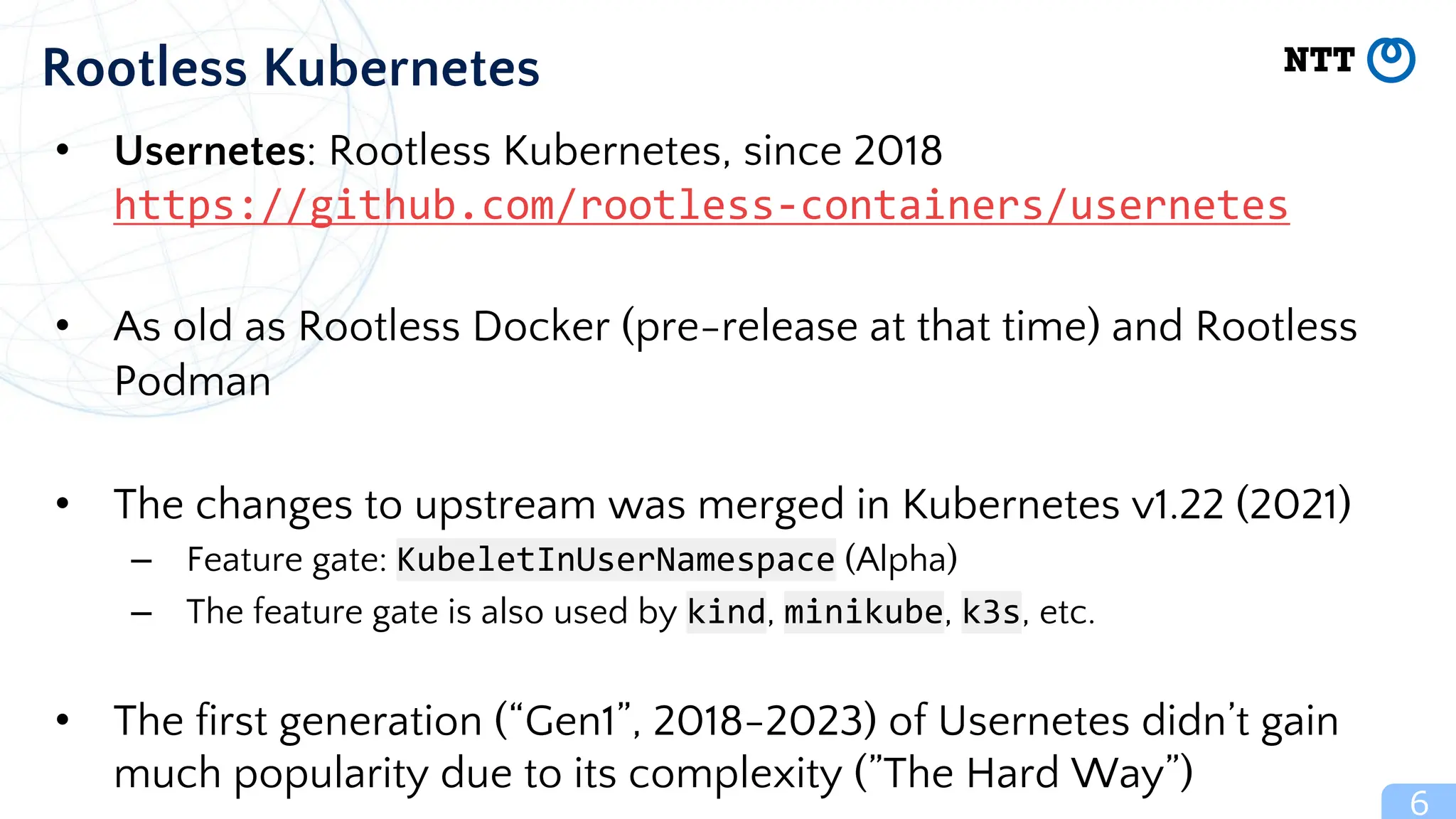
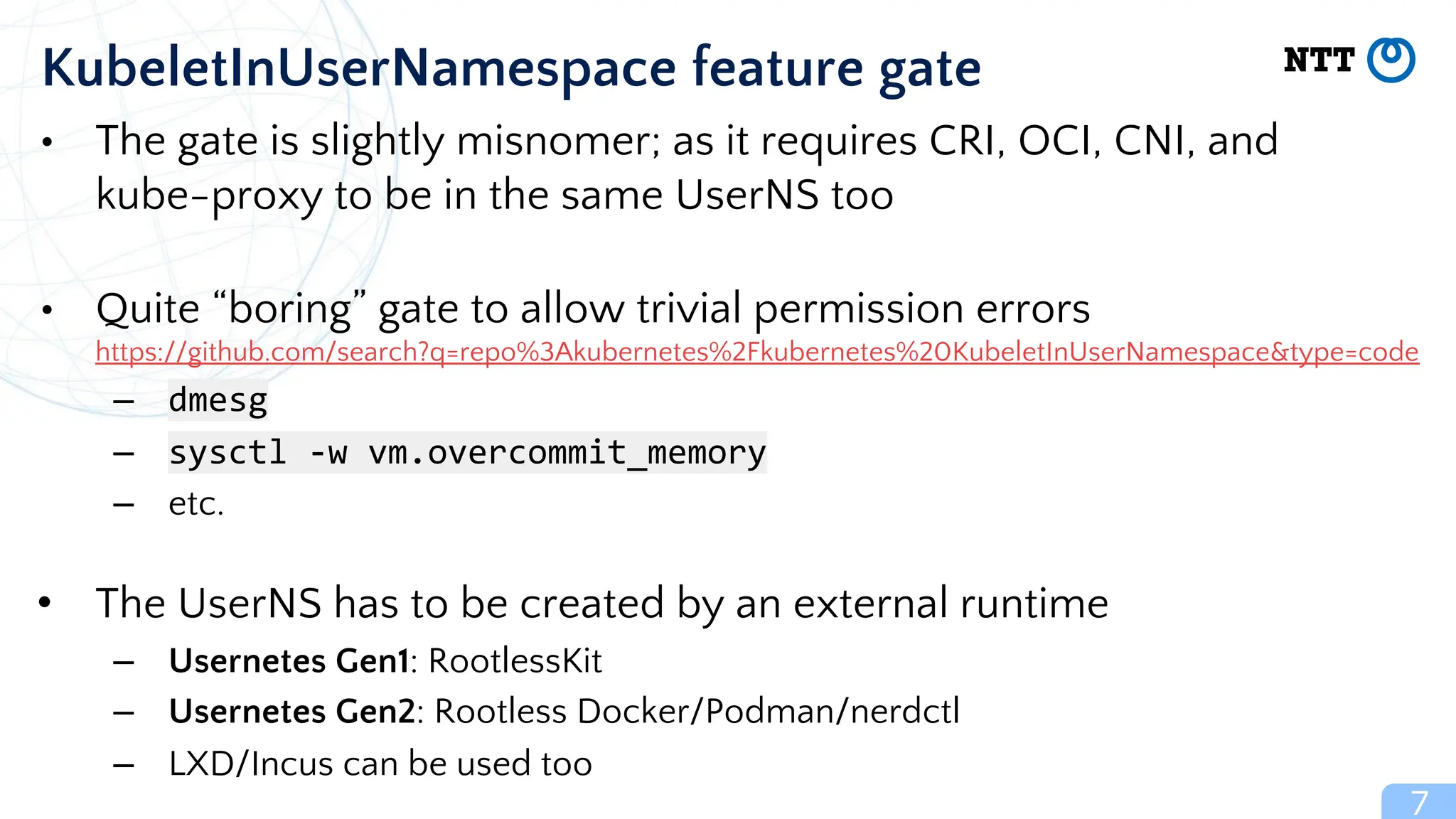
– No access to modify the kernel (e.g., to inject invisible malware)
– No access to modify the firmware
– No ARP spoofing
– No DNS spoofing
• Also useful for shared hosts (High-performance Computing, etc.)
– Works with GPU too
3
[Introduction] Rootless Containers
e.g., runc breakout
CVE-2024-21626
(2024-01-31)](https://image.slidesharecdn.com/20240415containerplumbingdaysusernetesgen2-kubernetesinrootlessdockerwithmultiplenodes-240415184952-ea0dfb7a/75/20240415-Container-Plumbing-Days-Usernetes-Gen2-Kubernetes-in-Rootless-Docker-with-Multiple-Nodes-pdf-3-2048.jpg)
![• Linux kernel’s feature to remap UIDs and GIDs
• UID=1000 gains fake root privileges (UID=0) that are enough to create
containers
• The privileges are limited inside the namespace
• No privilege for setting up vEth pairs with “real” IP addresses;
user mode TCP/IP (e.g., slirp4netns) is used instead
• Also notorious as the culprit of the several kernel CVEs,
but at least it is more secure than just running everything as the root
– Ubuntu 24.04 disables UserNS by default with the allowlist (AppArmor profiles)
4
[Introduction] User namespaces
# /etc/subuid
1000:100000:65536
0 1 65536
0 1000 100000 165535](https://image.slidesharecdn.com/20240415containerplumbingdaysusernetesgen2-kubernetesinrootlessdockerwithmultiplenodes-240415184952-ea0dfb7a/75/20240415-Container-Plumbing-Days-Usernetes-Gen2-Kubernetes-in-Rootless-Docker-with-Multiple-Nodes-pdf-4-2048.jpg)
![5
[Introduction] Network namespaces
(vEth)
eth0: 172.17.0.2
(Bridge)
docker0: 172.17.0.1
(TAP)
tap0: 10.0.2.100
(vEth) (vEth)
Network namespaces
(vEth)
eth0: 172.17.0.3
(Physical Ethernet)
eth0: 192.168.0.42
(slirp4netns)
virtual IP:10.0.2.2
Network namespace + User namespace
Ethernet packets
Unprivileged socket
syscalls](https://image.slidesharecdn.com/20240415containerplumbingdaysusernetesgen2-kubernetesinrootlessdockerwithmultiplenodes-240415184952-ea0dfb7a/75/20240415-Container-Plumbing-Days-Usernetes-Gen2-Kubernetes-in-Rootless-Docker-with-Multiple-Nodes-pdf-5-2048.jpg)
![[Podman Special Event] Kubernetes in Rootless Podman](https://cdn.slidesharecdn.com/ss_thumbnails/20231116podmanspecialeventkubernetesinrootlesspodman-231117201823-4feac1e3-thumbnail.jpg?width=640&height=640&fit=bounds)
![20240201 [HPC Containers] Rootless Containers.pdf](https://cdn.slidesharecdn.com/ss_thumbnails/20240201hpccontainersrootlesscontainers-240408065736-d40a3c26-thumbnail.jpg?width=640&height=640&fit=bounds)


![[CNCF TAG-Runtime] Usernetes Gen2](https://cdn.slidesharecdn.com/ss_thumbnails/20231027cncftag-runtimeusernetesgen2-231102173536-1d53a112-thumbnail.jpg?width=640&height=640&fit=bounds)
![[KubeCon NA 2020] containerd: Rootless Containers 2020](https://cdn.slidesharecdn.com/ss_thumbnails/kubeconna2020rootlesscontainers-201117203340-thumbnail.jpg?width=640&height=640&fit=bounds)


![[DockerCon 2023] Reproducible builds with BuildKit for software supply chain ...](https://cdn.slidesharecdn.com/ss_thumbnails/20231005dockerconreproduciblebuildswithbuildkitforsoftwaresupplychainsecurity-231008180210-7ccc319e-thumbnail.jpg?width=640&height=640&fit=bounds)
![20251112 [KubeCon NA Pavilion] containerd.pdf](https://cdn.slidesharecdn.com/ss_thumbnails/20251112kubeconnapavilioncontainerd-251118062621-dc2f32fd-thumbnail.jpg?width=640&height=640&fit=bounds)
![20250617 [KubeCon JP 2025] containerd - Project Update and Deep Dive.pdf](https://cdn.slidesharecdn.com/ss_thumbnails/20250617kubeconjp2025containerd-projectupdateanddeepdive-250620055239-aff5a825-thumbnail.jpg?width=640&height=640&fit=bounds)
![20241113 [KubeCon NA Pavilion] containerd.pdf](https://cdn.slidesharecdn.com/ss_thumbnails/20241113kubeconnapavilioncontainerd-241126154829-7a8fdf60-thumbnail.jpg?width=640&height=640&fit=bounds)
![20251113 [KubeCon NA Pavilion] Lima.pdf_](https://cdn.slidesharecdn.com/ss_thumbnails/20251113kubeconnapavilionlima-251118062725-9c747344-thumbnail.jpg?width=640&height=640&fit=bounds)
![[KubeConEU2023] Lima pavilion](https://cdn.slidesharecdn.com/ss_thumbnails/kceu2023-pavilion-lima-230427150225-16054d2b-thumbnail.jpg?width=640&height=640&fit=bounds)
![20250403 [KubeCon EU Pavilion] containerd.pdf](https://cdn.slidesharecdn.com/ss_thumbnails/20250403kubeconeupavilioncontainerd-250414181840-cdae37f6-thumbnail.jpg?width=640&height=640&fit=bounds)
![20250403 [KubeCon EU] containerd - Project Update and Deep Dive.pdf](https://cdn.slidesharecdn.com/ss_thumbnails/20250403kubeconeucontainerd-projectupdateanddeepdive-250414182040-d3cc2825-thumbnail.jpg?width=640&height=640&fit=bounds)
![20250402 [KubeCon EU Pavilion] Lima.pdf_](https://cdn.slidesharecdn.com/ss_thumbnails/20250402kubeconeupavilionlima-250414181749-38a1f070-thumbnail.jpg?width=640&height=640&fit=bounds)
![20240320 [KubeCon EU Pavilion] containerd.pdf](https://cdn.slidesharecdn.com/ss_thumbnails/20240320kubeconeupavilioncontainerd-240408065843-2d029142-thumbnail.jpg?width=640&height=640&fit=bounds)
![20240321 [KubeCon EU Pavilion] Lima.pdf_](https://cdn.slidesharecdn.com/ss_thumbnails/20240321kubeconeupavilionlima-240408065915-d80bbad0-thumbnail.jpg?width=640&height=640&fit=bounds)
![20241115 [KubeCon NA Pavilion] Lima.pdf_](https://cdn.slidesharecdn.com/ss_thumbnails/20241115kubeconnapavilionlima-241126155415-98be49e8-thumbnail.jpg?width=640&height=640&fit=bounds)
![[KubeConNA2023] containerd pavilion](https://cdn.slidesharecdn.com/ss_thumbnails/20231107kubeconnapavilioncontainerd-231117201655-55ef4553-thumbnail.jpg?width=640&height=640&fit=bounds)
![[KubeConNA2023] Lima pavilion](https://cdn.slidesharecdn.com/ss_thumbnails/20231107kubeconnapavilionlima-231117201753-89cc5ec6-thumbnail.jpg?width=640&height=640&fit=bounds)
![[DockerConハイライト] OpenPubKeyによるイメージの署名と検証.pdf](https://cdn.slidesharecdn.com/ss_thumbnails/20231102dockerconhighlightjapaneseopenpubkey-231102173641-c7ae94d1-thumbnail.jpg?width=640&height=640&fit=bounds)


![20250616 [KubeCon JP 2025] VexLLM - Silence Negligible CVE Alerts Using LLM.pdf](https://cdn.slidesharecdn.com/ss_thumbnails/20250616kubeconjp2025vexllm-silencenegligiblecvealertsusingllm-250620055151-3a47410f-thumbnail.jpg?width=640&height=640&fit=bounds)
![[KubeConEU2023] containerd pavilion](https://cdn.slidesharecdn.com/ss_thumbnails/kceu2023-pavilion-containerd-230427150109-5e56d29a-thumbnail.jpg?width=640&height=640&fit=bounds)


